S5-05. Math technology & hacks for math anxiety: research-based tips for caregivers
A blue graphic with text reading "Math Teacher Lounge" in multicolored letters and "Amplify." at the bottom, with abstract geometric shapes and lines as decoration.

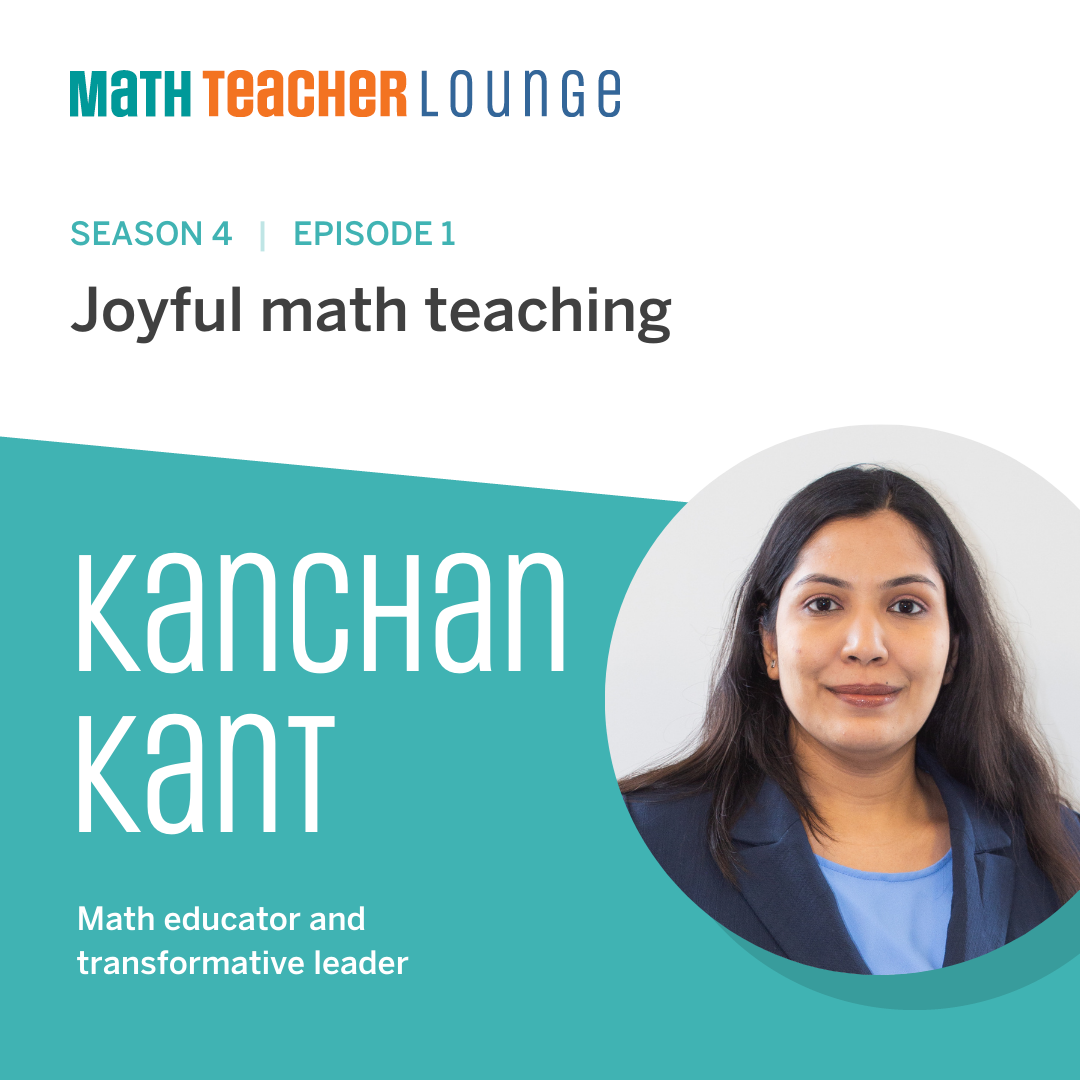
We’ve been very lucky to have so many prolific and brilliant researchers on this season of Math Teacher Lounge, and our next guest is no exception.

Listen as we sit down with Dr. Marjorie Schaeffer to discuss what causes math anxiety, math hacks, and how the right math technology can make an incredible impact in children and caregivers coping with math anxiety.

Listen today and don’t forget to grab your MTL study guide to track your learning and make the most of this episode!

Download Transcript

Marjorie Schaeffer (00:00):

I think the most important thing we know from literature right now is that high math-anxious parents, when they interact with their children, their children learn less math over the course of the school year.

Bethany Lockhart Johnson (00:12):

Welcome back to Math Teacher Lounge. I’m Bethany Lockhart Johnson.

Dan Meyer (00:15):

And I’m Dan Meyer.

Bethany Lockhart Johnson (00:16):

We’re onto Episode 5, Dan, of our series on math anxiety. And I wanna say it feels so lovely to imagine all of these people out there doing work to help combat math anxiety. I dunno, it just makes me feel excited about the possibilities. This work is out there; it’s happening! Kids and teachers and caregivers are being impacted by these conversations. Not just — I mean, I don’t just mean the conversations we’re having on Math Teacher Lounge, but I mean, that these researchers are doing. Like, yes, we can change this!

Dan Meyer (00:53):

This is great. Yeah. We have people who are extremely smart, who have dedicated their professional lives to studying math anxiety and resolving it. And each of them that we’ve chatted with — they share lots of ideas in common, but I’ve loved how they each have their own different flavor or take or area of emphasis on a problem that hits everybody everywhere. It’s in your home, with kids and caregivers. It’s in schools. It’s in our places of teacher preparation and professional learning. Every place is a place where we can focus on resolving issues of math anxiety. It’s exciting.

Bethany Lockhart Johnson (01:26):

Yeah, I feel like … if there could be a course in — we all know that our teacher prep programs, in MOST teacher prep programs, there’s not nearly enough math methods or time to cover <laugh> — it’s like ready, set, go! And depending on who your mentor teacher is or what your math methods course … I mean, it can totally shape the way that you are prepared or really not prepared for going out there to teach math! And so I love that we’re having these conversations.

Dan Meyer (01:55):

What I love about today’s conversation is, one, it’s got a little bit of a technology flavor, so there’s that. But I also love, it’s got one of my favorite features about change, which is that it focuses on change to action, change to routine, rather than change to belief. Rather than saying like, “OK, everybody! Everybody stop thinking bad beliefs about math and transmitting them to your kids!” Instead, it says, “What we’ll do is just, hey, we’ll set that aside for a second and we’re gonna do a certain thing every day and watch as those actions make your beliefs change.” That to me is extremely cool. And I think it has a higher likelihood of success than just, like, me telling parents, “Hey, stop thinking these thoughts!”

Bethany Lockhart Johnson (02:37):

“Ready, set, stop being anxious!”

Dan Meyer (02:39):

Exactly. Exactly. So it’s an exciting conversation we’re gonna have here.

Bethany Lockhart Johnson (02:43):

Right. So it’s not a, you know, “wave the wand and all of a sudden, you’re not anxious about math anymore.” But these incremental changes, these incremental conversations, this validation, can really, really impact change. I’m with you on it, Dan. I hear what you’re saying.

Dan Meyer (03:01):

To help us talk through all of these ideas and more, we’re joined by Dr. Marjorie Schaeffer, Assistant Professor of Psychology at St. Mary’s College in Indiana.

Bethany Lockhart Johnson (03:10):

Enjoy. <Jaunty music> So, yes, Dan, we are so excited to welcome Marjorie Schaeffer. She’s Assistant Professor of Psychology at St. Mary’s College. Dr. Schaeffer, we’re so excited you’re here. Hello!

Marjorie Schaeffer (03:28):

Thank you so much for inviting me.

Dan Meyer (03:29):

Yeah. We are super-lucky to have had so many prolific and brilliant researchers about math anxiety on our show. You’ll be no exception. And every time, we love to find out about how you came to study math anxiety, which winds up being a really interesting glimpse into your backstory bio. So tell us, what is the route by which you came toward studying math anxiety?

Marjorie Schaeffer (03:51):

Oh, I love that question. I’m really interested in how the attitudes and beliefs of parents and teachers influence children, especially around math. And I actually became interested in this idea in college, when no Child Left Behind was actually first starting to be implemented in schools with high-stakes standardized testing. So much so that I actually did my thesis on this thinking about, “Do children understand the importance of high-stakes testing? Do they have anxiety around that idea?” And so that was really my first foray into the anxiety literature. And that was kind of the entry point into math anxiety for me.

Dan Meyer (04:28):

So you started by studying a very high-stakes assessment, like our students connecting with this. And the assessment is once per year. And classroom instruction is every day. So how did you move from the assessments to the everyday instruction?

Marjorie Schaeffer (04:44):

That’s a great question. So, after college, I actually taught kindergarten. And so from that, I saw the day-to-day impact of instruction and the day-to-day impact of children’s individual attitudes and beliefs. And so I really became interested in thinking about, “How do we understand why some children are really successful from the instruction happening in classrooms and why other children need a little bit more support?” And so math anxiety was one way for me to really think about the individual differences I saw in my kindergarten classroom.

Dan Meyer (05:18):

It feels like you headed … you went farther upstream, is what it feels like. Where assessment … there’s like some kind of anxiety around assessment, let’s say. And then you ventured farther up the stream to classroom instruction and then still farther into kids’ homes. It seems like your research invokes a lot of curiosity about the sources of a kind of amorphous, flowing phenomenon called math anxiety. And I’d love to hear a bit about what you know about how caregivers transfer, transmit — whatever the word is — math anxiety to their kids.

Marjorie Schaeffer (05:55):

For parents … we think that the attitudes and beliefs of parents matter. And we see that for lots of areas, not just math anxiety. But I think math anxiety, we see that really clearly. And so, we can think about it both in terms of what kind of input parents provide. So, how do families talk about math with their children? What kind of support do they provide around homework? And those are ones that I think are a little obvious. But we can also think about the offhanded comments that parents say to children when they’re talking about math generally. Right? So, we see lots of memes going around, talking about how hard math homework is. And so, I think when parents say offhanded comments like, “I’m not a math person,” or “We’re just bad at math,” that communicates values to children. I think the most important thing we know from literature right now is that high math-anxious parents, when they interact with their children, their children learn less math over the course of the school year. And this specific mechanism by which that happens is still an area for a lot of research. And so some people think it’s about input. So maybe if I’m math anxious, I’m avoiding math. And so, when I have an option to read a picture book that has math content, I focus on the colors instead. And so, my child is actually getting less math than other children. We can also think it’s about these messages that are provided. So, when I talk about math, I send the message to my child, it’s not for them, and therefore the child wants to engage in it less. And some of my work looks at things like expectations and values. So, thinking about, “Do math-anxious families actually value math less than other families unintentionally?” And so, we have some support for this idea that they expect less of their children. And so maybe when they struggle, they respond in different ways than a family who’s lower in math anxiety.

Bethany Lockhart Johnson (07:53):

This is so fascinating to me. I also was a kindergarten teacher. And I remember a mom who just … she had such like palpable math anxiety. And during one of our conversations, she was talking about these homework sessions with her daughter. And I may have mentioned this on the podcast before. But she was talking about how every night they would sit together and they would do all this math. They’d do, like, extra math together. And it always ended in tears. And despite her math anxiety, she didn’t want her daughter to experience the math anxiety that she did. So she was trying to pile it on, so her daughter was more proficient and comfortable. And instead, it was perpetuating this anxiety about it. And so, it’s a phenomenon then, right? Even if a parent is saying, like you said, maybe completely unwilling, this mother was actually trying to do the opposite. She was trying to help, you know, imbue the love and comfort with math. Right?

Marjorie Schaeffer (09:01):

Absolutely. This is why I think in my research, it’s really important that we find low-stakes, low-stress ways for high math-anxious families to do math. They absolutely can support their children in doing math. But they need a little support. We want it to be a fun, low-stakes environment, right? So maybe that’s the connection back to high-stakes testing, that I want children to have fun math experiences.

Dan Meyer (09:28):

Yeah. This is challenging, because it feels like the more caregivers know about math anxiety, and its pernicious effects on students, and how easily transmitted it is, one could become quite anxious about math anxiety. And, you know, no one makes great decisions when they’re anxious. So if I’m recalling our various episodes we’ve done, we’ve heard from people say, “Well, you need to validate students’ math anxiety. This is not something to just ignore or brush past. But also, not validate it in a way that says, you know, ‘This is OK and generational and inevitable.’” Which presents parents with a very thin path to follow, it seems like. So I love what you’re saying about how we gotta just de-stress the whole process.

Bethany Lockhart Johnson (10:11):

You’re avoiding the whole, “I wasn’t a math person either” kind of thing. <laugh>

Dan Meyer (10:15):

Right, right, right. Yeah. So I’d love to know more. We’re excited about the technology that you have studied and helped develop, presumably, called Bedtime Math, anapp for caregivers. And I’d love to know more about what that is and what it offers parents who know enough about math to know that they don’t want to transmit math anxiety to their children, but also want to support. So what does that offer them?

Marjorie Schaeffer (10:39):

So Bedtime Math is an app. It’s freely available on iTunes or the Apple Store or Google Play. And what it’s designed to do is to provide a nightly topical passage. So one of my favorites is the one about Groundhogs Day. And so it talks a little bit about the history of Groundhogs Day, and then it asks math-related follow-up questions. So starting at a preschool level, going through late fifth grade. And it’s really meant for parents to pick the one that meets their children where they are. And so the preschool-level question asks children to pretend to be a groundhog and walk to the left and walk to the right. So a skill that families might not think about as being math, but we actually think that IS part of understanding math. Understanding left and right directionality. And then the next question can ask questions like, “If it took the groundhog three seconds to climb out of the hole, and then two more seconds to see its shadow, how much time did it take all together?” So a simple addition problem, but it’s phrased in a fun way. And so the hope is that for high math-anxious families, these interactions are fun and playful. They don’t look like fights over homework. They’re just conversations that families can have around topics that are naturally interesting to children. And our hope is that when families have lots of these positive low-stakes interactions, they actually can see that we can talk about math in unstressful ways. In lots of ways, right? We can also do this at the grocery store. We can also do this while we’re cooking in the kitchen. It doesn’t just have to be fights over homework.

Bethany Lockhart Johnson (12:14):

And I actually have the Bedtime Math — one of the Bedtime Math books. And I was so excited to find out that there’s an app. And I think one of the things that I loved about the book is that these are invitations, right? They’re exactly that. Low pressure <laugh>, and they’re invitations to have a conversation. And if we were just to tell parents, “Oh, just count!” or, “Hey, just count wherever you go!” You know? No. It’s, in a way, I think, like you said, it’s retraining the parents on what math could look like. Like, “Oh, I didn’t even think we could just kind of have this conversation and we’re actually doing math together.”

Marjorie Schaeffer (12:55):

Yes, absolutely. I absolutely agree. We want it to be fun and playful and not stressful. And we want it to also be things that are meaningful to children’s lives. So these are topics children are interested in. It’s not that we are using flashcards or making children practice math facts over and over again. These are things children should wanna do that can naturally fit into a child’s routine. So almost all families read books before bed, and what we hope is that math can also be a part of the nighttime routine.

Dan Meyer (13:27):

There’s something really subtle here going on that I just wanna name and ask a question about. First of all, it’s cool that you started with studying high-stakes stuff and now you are developing low-stakes stuff. And I’m really curious what makes a thing low-stakes? Like, a few things I’m hearing from you is that there’s, like … I have a small child that I read literature to on a nightly basis. And I feel very anxiety-free doing that. And it’s almost as though, because each of the — tasks is the wrong word for this, but experiences — involve some reading, it puts me, the parent, in a mode that is comfortable and familiar to me. I’m curious: Are there other, as you design, what, one per day for a year? All these different experiences. What are some of the principles that you lean on that help make a thing low-stakes for kids and for parents?

Marjorie Schaeffer (14:17):

Yeah, that’s a great question. So one thing we wanted to be really intentional about is that our app doesn’t look like a lot of traditional apps. There isn’t noises that go off. You don’t enter an answer. And so one of the things that we thought made it low-stakes is that while there is a right or wrong answer — there is a correct answer — we aren’t giving children upsetting feedback. Instead, what we wanna encourage families to do is, if you struggle to remember how many seconds it took the groundhog to come out of the hole, you can work through that with a parent. So it doesn’t feel like you’re getting negative feedback; you’re being told you’re bad at math; you did it wrong. Instead, you’re just getting natural support moving forward. And so that’s one thing we wanted to be really intentional about, was that it wasn’t going to be a negative experience for children. And we are trying to build on all of the positive interactions families are having around nightly book reading. So many ways this can look very similar. You get to read another story that’s topical and hopefully interesting. And then do these little questions together. And so for a lot of families, their children don’t actually really look at the question. It almost feels like the parent is just asking them on their own. Like, they just came up with it. They just wanted to know what would happen to the groundhog. If there were three more groundhogs? How many groundhogs would we have all together? Not like it’s gonna be like homework or other parts.

Dan Meyer (15:38):

So my understanding is that there isn’t a blank into which people type a number in, press “submit” for evaluation, receive the red X, the green check. That’s a key part of the design here.

Marjorie Schaeffer (15:50):

Yes, absolutely. And for research purposes, we would’ve loved to know what families were saying. But we think it’s really important that it’s fun, interactive, that families are working together to get to the right answer, that it’s not a test for children.

Bethany Lockhart Johnson (16:03):

In your research, when you were — maybe you could walk us through the study a little bit. But I’m also curious if you heard from parents that it was carrying over beyond the bedtime routine. Because I would imagine, if I am building these skills and reading these questions and learning that I could talk to my kid like this about math in a fun way, that’s gonna happen then, like you said, when I’m in the grocery store. Or when I’m waiting in line for at the bank. Or whatever, you know? People go into banks now still, right?

Marjorie Schaeffer (16:35):

Yeah, absolutely. So in our study, we recruited almost 600 families and we randomly assigned them. So they had an equal chance of getting both our math app and what we call our control app. And that’s really just a math app without the math. We think of it as a reading control app. And that’s because we wanna make sure that families are having a similar experience, that it’s not just that having high-quality, fun interactions with your child is actually impacting children’s math achievement. And so what we then did is followed those children over the course of early elementary school. And so we worked with them in schools in the fall and spring of first, second, and third grade, really to look at their math learning. And so what we find is that children of high math-anxious adults, when they have the reading app, so what we think of as what’s happening in the real world, we see that really classic gap between children of high math-anxious adults and children of low math-anxious adults. So if you have a high math-anxious parent, you’re learning about three months less math over the course of first grade. But for children who receive this math app, we see this gap as closed. Those children look no different than a low math-anxious parent. And so that’s leading us to think that we’ve helped families talk about math in fundamentally different ways. We did a little bit of just talking to families to see a little bit about what might be going on. And a lot of families do report exactly what you’re describing, where they say this did help them talk about math in different ways they were doing it other times.

Dan Meyer (18:10):

That’s a really extraordinary study design. I don’t know … I love that you folks gave the control group not nothing. Like it’s possible that just parents and kids bonding over a thing regularly would be enough to provoke some kind of academic gain. But you gave the control group a thing that had them interacting socially, bonding, and still this large common gap between high-anxious and low-anxious parents, their kids shrunk together. Is that what I’m gathering here?

Marjorie Schaeffer (18:41):

Yeah, absolutely. So we’re basically seeing we can no longer, when we look at children’s data, say that parents’ math anxiety explains individual differences. So these children look really similar. They’re learning more than children who has a high math-anxious parent and just got our reading control app.

Dan Meyer (19:01):

just diving into the study a little bit more here, what is the time commitment? Or, did you guide parents to say, “All right, we’re gonna do this do this delightful story about a badger for an hour”? Or did people do it for five minutes? And what was the time commitment, roughly, for people?

Marjorie Schaeffer (19:17):

So we tell families to do it however they see fit. Because it is an app, we are able to get some sense of how long, and we are talking about three to six minutes for many families. For a lot of families, they’re reading a paragraph, the paragraph and a half, and then answering one or two questions. They’re not going through every possible question. They’re just doing a little bit, really meeting their kids where they are.

Dan Meyer (19:39):

Roughly how many times per week was that?

Marjorie Schaeffer (19:41):

So we asked families to do it as much as it fit. But we’re seeing about two and a half on average in the first year. And so families are fitting it in a couple of nights a week. It’s not every night.

Bethany Lockhart Johnson (19:52):

So what it sounds like you’re saying is what really was powerful about this app is that it was the space and time and prompts between the caregiver and the child, that chance to really sit down and have some of these meaningful and positive math interactions. How did it shift those relationships?

Marjorie Schaeffer (20:12):

So one of the things I think that makes the app effective is the changing of expectations. After a year, families are really using the app a lot less. And I think that’s OK, that they have found other ways to incorporate math into their lives. And we find that we don’t see an impact on their math anxiety, that they aren’t becoming less math anxious from this experience. Which I think makes sense, because they have had a lifetime of math anxiety. But we do see a change in parents’ expectations and value of math. So they expect their children will be better at math, and they also report that math is more important in their children’s lives. And so I think that’s an important part of it, which is, we can change these values for families, even if we aren’t able to change the math anxiety of the adults in children’s lives.

Bethany Lockhart Johnson (21:01):

I want to for a second before — because I’m loving this idea of the app, and I’m excited to find out more ways to cultivate these conversations in my home and also share this with other folks. Because even folks who don’t even maybe realize they have math anxiety … like you said, so often it’s unconscious. So often we’re putting these little snippets into our everyday conversation, like, “Oh yeah, I’m not a math person.” And we don’t even realize how much is impacting our kiddos and ourselves, right? So I am really curious: What do you think … in your research, what were some other takeaways that you feel like are really strategies that we can think about for combating math anxiety in general?

Marjorie Schaeffer (21:47):

So I’m particularly interested in thinking about how math-anxious adults can help tone down their anxiety so that they can have high-quality interactions with their children, that they interact with. And so one of the big takeaways for my research, I think, is that math-anxious families can help their children with math. They just need support. And so I think there are lots of ways for that support to look like. One, I think it can be an app, but I also think reading a little bit about math can be really helpful. So it’s not new. So the first time you aren’t thinking about some of these ideas is as your child has their homework open in front of you. And so you can process your own feelings separately before you have to do it with a child. I also think reminding parents that math is everywhere and that math is actually lots of things that we all love to do. Math isn’t just calculus. Not that calculus isn’t wonderful. But that math is measuring, math is counting ducks at the park. Math is talking about how many times did I go down this slide. And talking about math in this way, I think reminds families that they are great at that. That even if maybe they’ve had bad math experiences before, they can do math. Especially the way their preschool or early childhood, early elementary school student needs them to. And I think that can then set the foundation for being really successful later.

Dan Meyer (23:13):

So is your research then, your subsequent studies, your line of inquiry, is moving more towards how to support parents, then? Is that what I’m hearing?

Marjorie Schaeffer (23:22):

Yeah. So I’m really interested in both understanding how the math anxiety of parents and teachers influences children. And so math anxiety is really common and we know that it’s particularly common in early elementary school teachers. And so it’s very likely that children are interacting with a highly math-anxious adult. And so I’m really interested in thinking about how we can support those individuals in doing it. And so both, I think, things like Bedtime Math, which provide fun, unscripted ways to do that, but I’m also interested in the teacher equivalent. So, thinking about whether having things like a math coach can help teachers have more positive experiences with math. So if you see someone else play math games with your students, can that help you do it as well?

Dan Meyer (24:09):

It makes me wonder a lot about an app for teachers or an app for parents, one that’s not designed to be co-consumed with kids and their parents. But what that would look like … yeah, that’s really interesting.

Bethany Lockhart Johnson (24:21):

If we have a parent who, let’s say they have a third grader, fourth grader, fifth grader, or a middle schooler, right? Outside of early education. And they say, “OK, but what do I do? I’m with my kiddo; I don’t remember this math.” And they’re realizing that their anxiety may be influencing their kiddos’ disposition of mathematics, Or maybe they’re just in the midst of the battle <laugh>. What would you say to those folks, especially if it’s math that maybe they’re not comfortable with?

Marjorie Schaeffer (24:56):

One, I think we should like tone down the stress, right? Remind ourselves that it’s homework and homework feels really high-stakes, but these other outcomes are really high-stakes too, right? And so I’m really interested in the idea that can we help parents feel more comfortable about math by watching their own children teach it to them. So what’s a concept that the fourth grader actually feels really good about? And can they remind their parent how to do it? Can, together, they problem-solve the math homework? And so it’s not just on the parent to give the child the right answer. We know that’s a recipe for communicating some negative things about math. But instead, help the parent-child pair figure it out together. So what are some resources we can do? Can we look it up on the internet together? Can we write an email to the teacher together? Can we think about what are other problems that maybe we know how to do, and therefore we can use that same model here? So I want parents to feel like they are not solely responsible for it. That they can help figure it out with their child together. And so it’s a fun interaction.

Bethany Lockhart Johnson (26:02):

I love that. I love that.

Dan Meyer (26:03):

Yeah. Yeah. That’s wonderful. Yeah. A conviction that I have, and I think it’s true, is that any math that we’re learning at middle school, the attraction can be dialed down to a degree that a very small child, or a parent who has a very small child’s understanding of math, can appreciate. So instead of calculation, estimation. Instead of proof, just make a claim about something. And it makes me wonder about a companion to the work that’s happening in schools that parents feel inadequate to support, that students might not want to teach their parents. But which they could both, on a daily basis, say, “Here’s a way we can engage in this at a level that is comfortable to both of us.” Just dreaming out loud here. No question asked. No response needed. I just love your work. And made me wonder about that. Can you let me know your thoughts about technology? It is very rare that we have someone on the call who is an academic and very well-versed in research, but who also is published not just in in papers and textbooks, but also in digital media. It’s consumed by lots of people. So I am trusting that you have opinions about how math looks in technology. And I wonder if you’d offer some thoughts about how it goes, right? How it goes wrong from your own eyes.

Marjorie Schaeffer (27:14):

OK. That’s a great question. I think that we need more research. I first wanna say that I think that technology has really exploded in the last few years. How children have access to technology and screen times has really changed. And what we need is high-quality research happening. That said, I think that all of the things we know from child-development research still apply to technology. And so we know that children learn best when they are engaging in interactions with their parents. And so when families can use technology together, or at least can talk about what’s happening, it can be really effective. I also think technology, especially math apps, are best at teaching concrete skills with very clear answers. So I think practicing math facts is a great use of technology. So I love that Sushi math app where you solve multiplication problems and then get to quickly pull the sushi off the cart, right? But for higher-level questions, where we’re thinking about word problems or where what we’re helping to teach students is complex thinking, apps have a harder time doing that. Because students can often figure out the answer without engaging in the thinking that we are hoping that they’ll learn. And so I think technology absolutely has a piece. I think technology is helpful for parents. I think the logistics of helping parents live their lives is a good reason to use technology. But I think we need to be conscious of what it’s replacing. And so I think a world in which we think fourth graders can learn math only from apps is not realistic. But absolutely apps can be a great supplement to what’s already happening in the classroom.

Dan Meyer (28:56):

Yeah, that’s super-helpful. We have done a lot of work in digital curriculum here at Amplify, and often face the question on a daily basis, “Should this math be digital or on paper? Should we have the students stand up and talk or type something?” And those decisions are way too crucial and way more sensitive than a lot of the app-based education gives credit to. So appreciate your perspective there.

Marjorie Schaeffer (29:22):

OK. And I don’t think there’s one answer, or one answer for all classrooms. I think it’s like always a balancing act. I do think that one of the reasons our work is successful is because the parent-child interaction. And we want parents to learn from these experiences. And I think the same thing is true for for teachers.

Bethany Lockhart Johnson (29:41):

Dr. Schaeffer, thank you so much for being with us today and for sharing about your research, and again, for inviting us to reconsider ways that we can develop a more positive relationship with math. And that parent or caregiver or teacher relationship with a child, we’re seeing just how incredibly impactful that is. And I really appreciate your work and your voice on this. Thank you so much for your time.

Dan Meyer (30:07):

Thank you.

Marjorie Schaeffer (30:08):

Thank you for having me.

Bethany Lockhart Johnson (30:12):

Thank you again, Dr. Schaeffer, and thank you all for listening to our conversation. You can check out the show notes for more on Dr. Schaeffer’s work and to see a link to the app that we shared about Bedtime Math.

Dan Meyer (30:25):

Please keep in touch with us on Facebook at Math Teacher Lounge Community, and on Twitter at MTLShow.

Bethany Lockhart Johnson (30:32):

We would love to hear … you’ve been listening to this series; we’re dipping our toe into all these aspects of math anxiety. Is there something that you’re still wondering about? Something you wanna share about your own story with math anxiety?

Dan Meyer (30:43):

And if you haven’t already, if this is your first exposure to the Math Teacher Lounge podcast, please subscribe to Math Teacher Lounge, wherever you get your fine podcast products. And if you like what you’re hearing, please rate us! Leave us a review. You’ll help more listeners find the show.

Bethany Lockhart Johnson (31:01):

And let a friend know. But you know, it’s, it’s nice and cozy here in the Lounge, right? There’s no pressure. We’re hanging out. It’s all about learning. We’re learning together. We’re glad you’re here and we want others in your community to join us in the Lounge as well. You can find more information on all of Amplify’s shows at our podcast hub. Go to amplifycom.wpengine.com/hub. Next time on Math Teacher Lounge, we’re gonna be chatting about where we are today that we weren’t a few months ago in this topic.

Dan Meyer (31:31):

We’ll be chatting about this last series about math anxiety, and trading our favorite insights and observations from the run of the season.

Bethany Lockhart Johnson (31:41):

I just love this series, Dan. And thanks, all, for listening. We really appreciate having you in the Lounge.

Stay connected!

Join our community and get new episodes every other Tuesday!

We’ll also share new and exciting free resources for your classroom every month.

What Marjorie Schaeffer says about math

“We want it to be a fun, low-stakes environment, especially in high-stakes scenarios like testing. We want children to have fun math experiences.”

– Marjorie Schaeffer

Assistant Professor of Psychology at Saint Mary’s College

Meet the guest

Marjorie Schaeffer is an assistant professor of psychological sciences at Saint Mary’s College. She received her Ph.D in developmental psychology from the University of Chicago. Marjorie is interested in the role parents and teachers play in the development of children’s math attitudes and performance. She is specifically interested in the impact of expectations and anxiety and on children’s academic performance. Her work has been published in outlets including ScienceJournal of Experimental Psychology: General, and Developmental Science.

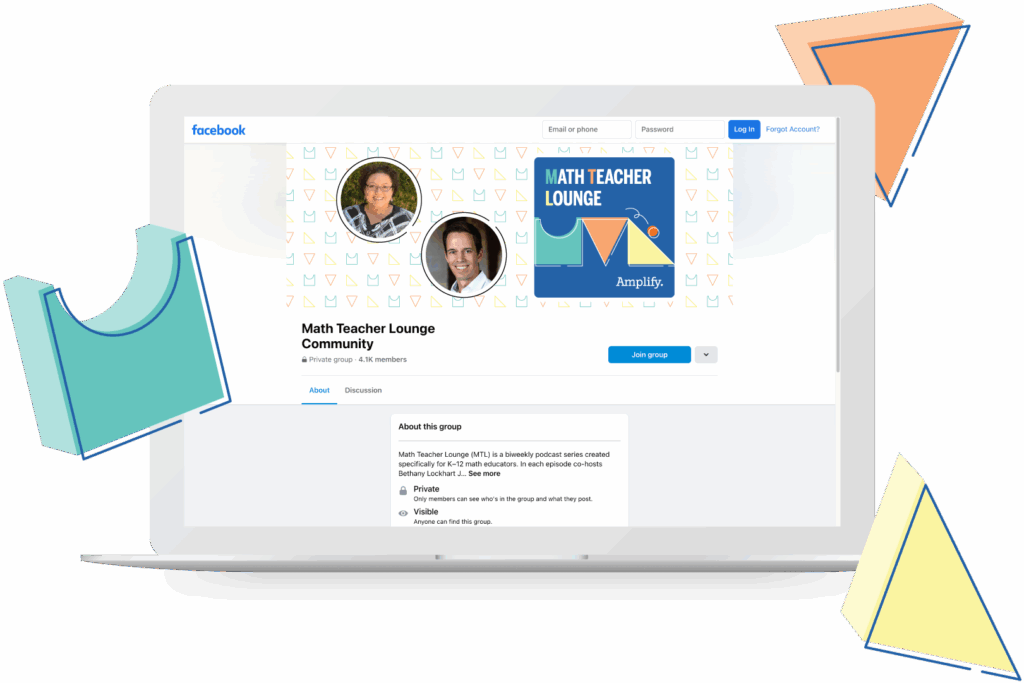
A laptop displaying a Facebook group page for "Math Teacher Lounge Community," featuring profile photos, a group banner, and geometric shapes in the image background.

About Math Teacher Lounge

Math Teacher Lounge is a biweekly podcast created specifically for K–12 math educators. In each episode co-hosts Bethany Lockhart Johnson (@lockhartedu) and Dan Meyer (@ddmeyer) chat with guests, taking a deep dive into the math and educational topics you care about.

Join the Math Teacher Lounge Facebook group to continue the conversation, view exclusive content, interact with fellow educators, participate in giveaways, and more!

The power of technology in the math classroom

You might say math and tech go hand in hand. And these days, of course, kids and tech go literally hand in hand. So it makes sense that using digital tools in the math classroom can help teachers reach students, and teach the math content they need to learn. But truly integrating technology into math instruction is not just a matter of adding random gadgets and gizmos. We need to do more—especially if we want to leverage the power of math technology to engage all students.

Why integrate technology into the math classroom

Integrating technology into instruction delivers numerous benefits in the classroom–perhaps especially in the math classroom.

Numerous studies suggest that technology can support student learning in the math classroom. This tech might take the form of graphic calculators, digital manipulatives, or learning software. In general, such tools have been shown to help students improve both their understanding of math concepts and their performance on tests.

Thoughtful tech has these effects in part because it can make math more engaging. Students are generally more excited to dive into a visually appealing and interactive program than a black-and-white math textbook.

Integrating technology into a math classroom also means:

  • Personalized learning: Students can work at their own pace and get tailored guidance and feedback.
  • Collaboration: Students can work together regardless of their physical location.
  • Real-world applications: Technology can simulate real-world scenarios that require mathematical reasoning and critical thinking skills.
  • Saving teachers time: Technology helps teachers assess learning more effectively, providing real-time feedback and helping them identify where students need support.
  • Preparing students for the future: After all, most jobs require the use of technology!

How to integrate technology into the math classroom

The most effective technology approaches in the math classroom are active, not passive. They also invite deep thinking and productive struggle rather than speed and rote memorization.

The National Council of Teachers of Mathematics (NCTM) includes this guidance in its Principles to Action:

“An excellent mathematics program integrates the use of mathematical tools and technology as essential resources to help students learn and make sense of mathematical ideas, reason mathematically, and communicate their mathematical thinking.”

The NCTM recommends that teachers: “incorporate mathematical tools and technology as an everyday part of the mathematics classroom, recognizing that students should experience ‘mathematical action technologies’ and physical or virtual manipulatives to explore important mathematics.”

Here are just a few approaches that enhance engagement:

  1. Use interactive whiteboards or projectors: You can display math problems and solutions, diagrams, graphs, and simulations, allowing students to interact with and manipulate visual representations of math concepts.
  2. Use graphing calculators and virtual manipulatives: They can help students visualize and solve complex math problems, and prepare them for more advanced mathematical concepts.
  3. Use gamification techniques: Can make math more engaging and fun for students.
  4. Use online collaboration tools: These tools can help students work together on math problems and projects, even when they are not in the same physical location.
  5. Use select social media and other online platforms: To create math communities where students can collaborate, share resources, and ask questions.
  6. Use math software and apps: These programs can help students practice math, solve problems, and visualize math concepts in 3D or interactive models.

How Desmos Math 6–A1 delivers

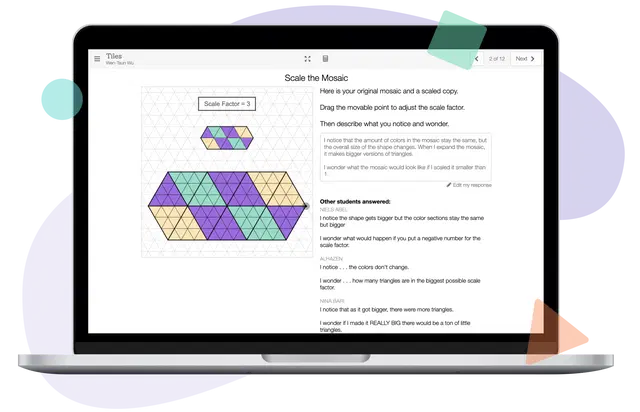
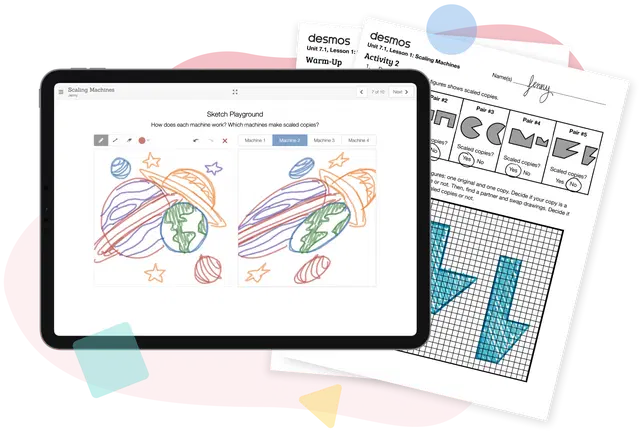
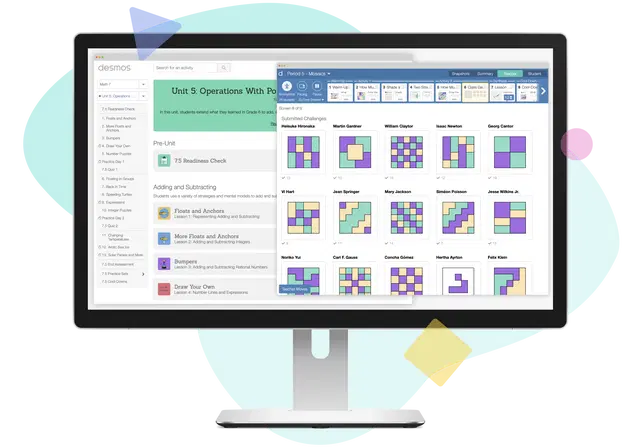
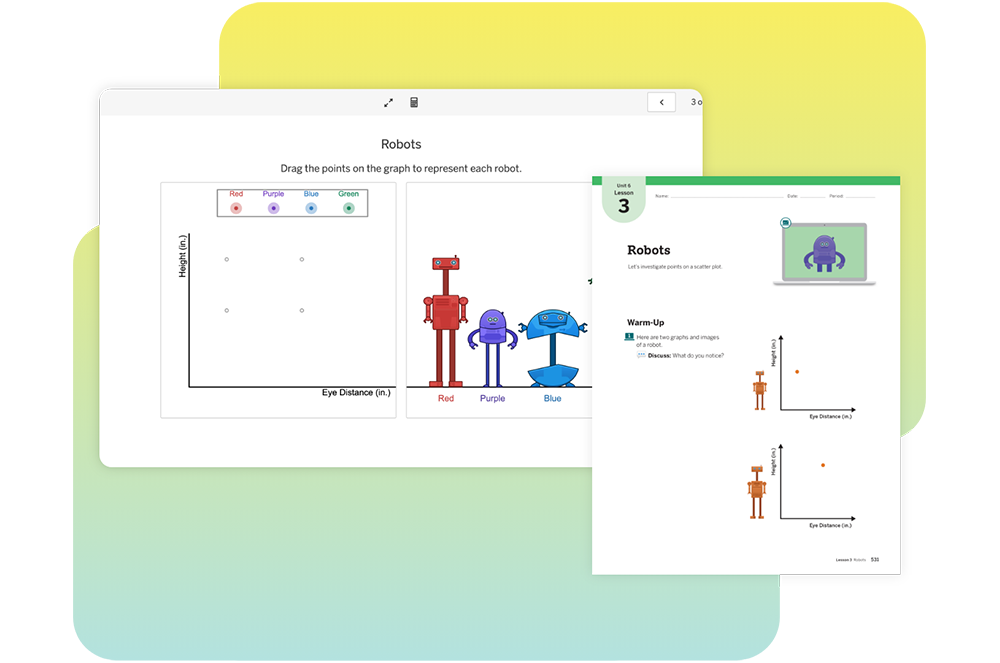
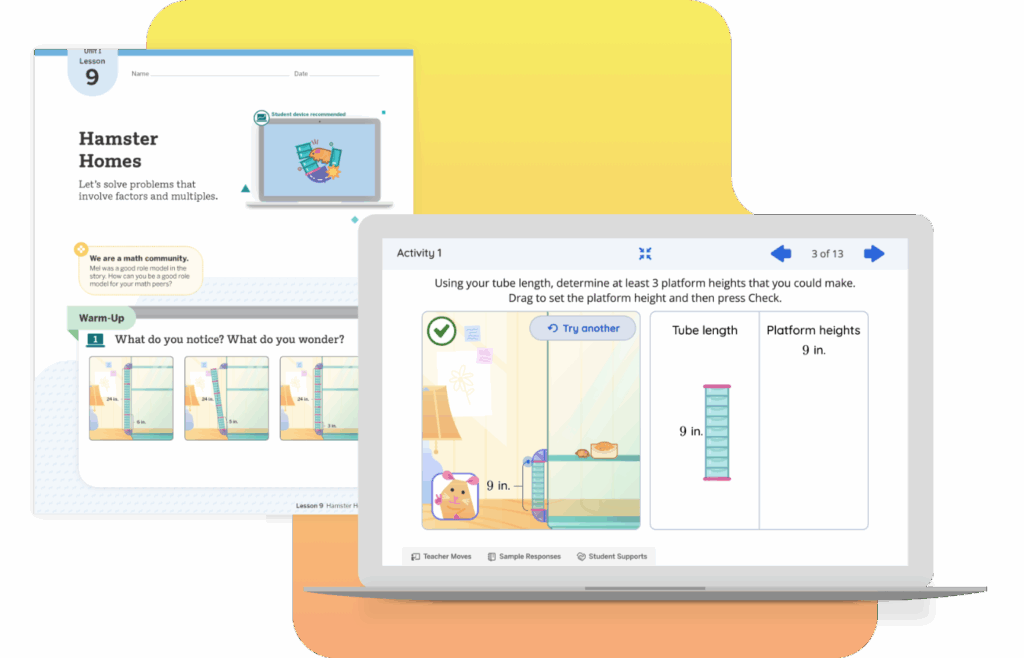
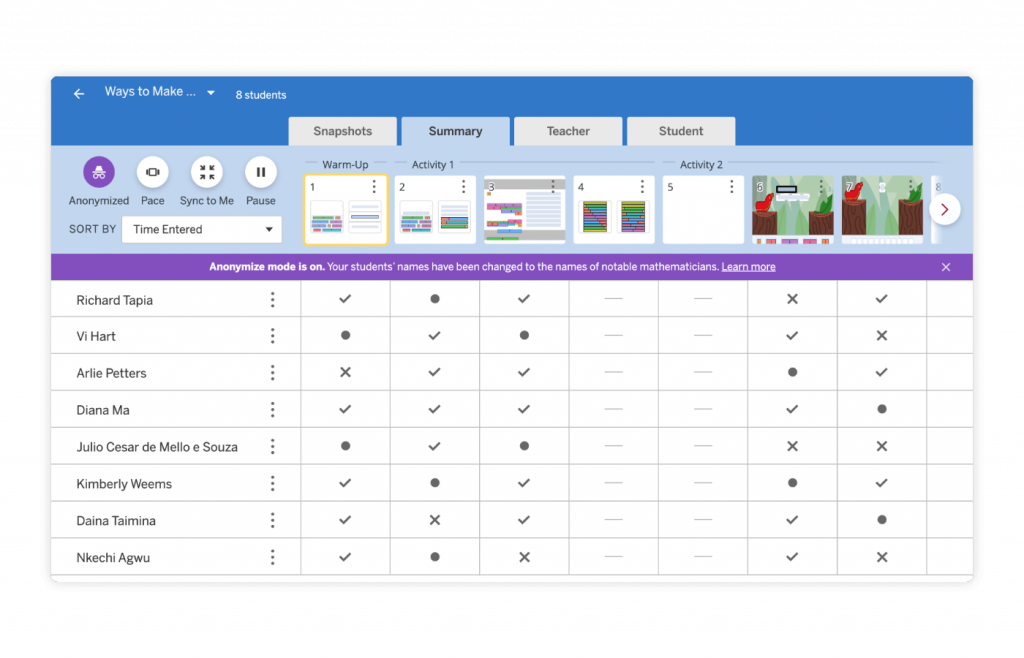
Desmos Math 6–A1 is just that kind of program. It provides dynamic and interactive digital math learning experiences, alongside flexible and creative print activities. Its teacher dashboard is designed to encourage classroom discussion and collaboration. It invites students to explore a variety of approaches—and invites teachers to celebrate and develop interesting thinking in their classrooms.

The dashboard also shows teachers actionable formative assessment data for each student and the entire class, and allows them to leave written feedback for students in their lessons.

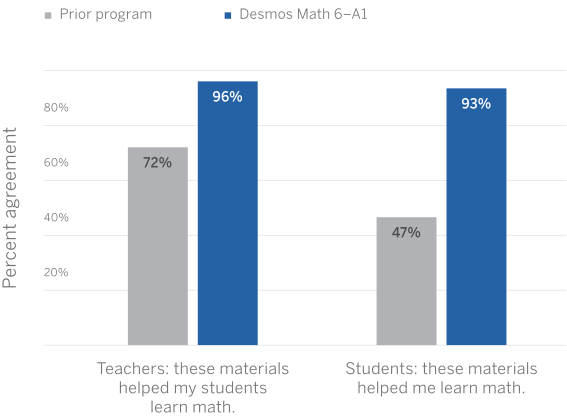
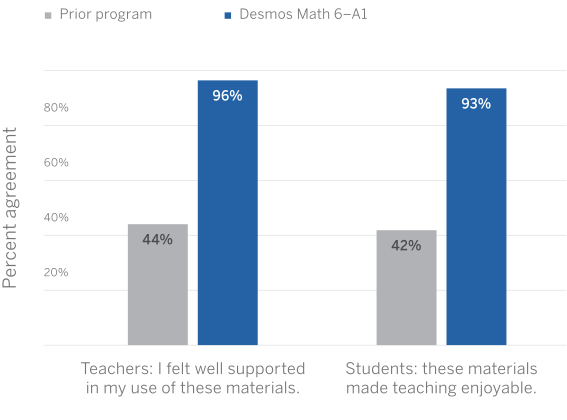
And we know it works. Teachers and students in our pilot program said that students learned more with Desmos Math 6–A1 than with their prior program. (See case studies in a large midwestern school district and in Naugatuck Public Schools.)

What’s more, Desmos Math 6–8 has earned perfect scores and an all-green rating from EdReports. This is a powerful affirmation not only of our program, but also of high-quality instructional materials, student-centered instruction, and thoughtful technology in the math classroom.

Learn more

Start your 30-day free trial of Desmos Math 6–A1.

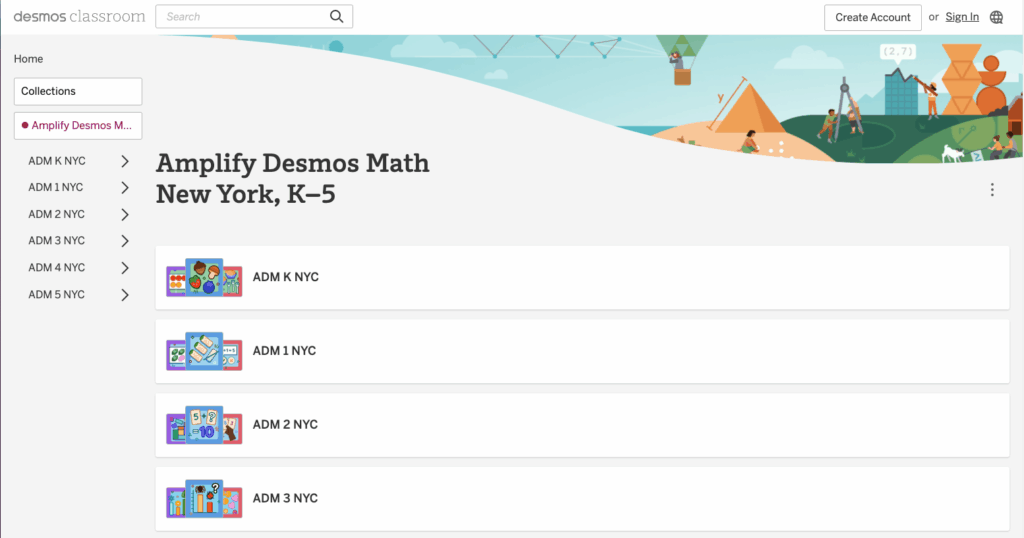
Archived Professional Learning Resources for NYC (K-8)

Welcome! This page contains archived professional learning resources designed for the New York City Department of Education Amplify Science adoption for grades K–8.

2023-24 Sessions

Previous Years

Winter 2021 materials:

Fall 2020 materials:

Summer 2020 materials:

Fall 2019 materials:

Summer 2019 materials:

  • Needs of Plants and Animals Presentation (Year 1 schools)
  • Needs of Plants and Animals Presentation (Year 2 schools)

Winter 2021 materials:

Fall 2020 materials:

Summer 2020 materials:

Fall 2019 materials:

Summer 2019 materials:

Winter 2021 materials:

Fall 2020 materials:

Summer 2020 materials:

  • K-5 New Teacher Orientation with Participant Notebook
  • Grades 2-3 Utilizing Program Assessments Effectively Webinar
  • Reaching All Learners for Grades 2-3 Webinar
  • Grade 2 Returning Teacher Remote Learning: Guided Planning Workshop Webinar

Fall 2019 materials:

Summer 2019 materials:

  • Plant and Animal Relationships Presentation (Year 1 schools)
  • Plant and Animal Relationships Presentation (Year 2 schools)

Spring 2021 materials:

  • Unit 4: Focusing on Evidence of Learning for New Teachers Webinar

Winter 2021 materials:

Fall 2020 materials:

Summer 2020 materials:

  • Grade 3 New Teacher Orientation Webinar with Participant Notebook
  • Grades 2-3 Utilizing Program Assessments Effectively Webinar
  • Reaching All Learners for Grades 2-3 Webinar
  • Grade 3 Returning Teacher Remote Learning: Guided Planning Workshop Webinar

Fall 2019 materials:

Summer 2019 materials:

Winter 2021 materials:

Fall 2020 materials:

Summer 2020 materials:

  • Grade 4 New Teacher Orientation Webinar with Participant Notebook
  • Grades 4-5 Utilizing Program Assessments Effectively Webinar
  • Reaching All Learners for Grades 4-5 Webinar
  • Grade 4 Returning Teacher Remote Learning: Guided Planning Workshop Webinar

Fall 2019 materials:

Summer 2019 materials:

  • Energy Conversions P(Year 1 schools)
  • Energy Conversions Energy Conversions (Year 2 schools)

Winter 2021 materials:

Fall 2020 materials:

Summer 2020 materials:

  • Grade 5 New Teacher Orientation Webinar with Participant Notebook
  • Grades 4-5 Utilizing Program Assessments Effectively Webinar
  • Reaching All Learners for Grades 4-5 Webinar
  • Grade 5 Returning Teacher Remote Learning: Guided Planning Workshop Webinar

Fall 2019 materials;

Summer 2019 materials:

Winter 2022 materials:

Spring 2021materials:

Winter 2021materials:

Fall 2020 materials:

Summer 2020 materials:

Fall 2019 materials:

Summer 2019 materials:

Winter 2022 materials:

Spring 2021 materials:

Winter 2021 materials:

Fall 2020 materials:

  • Grade 7: Progress Builds & Embedded Assessments Webinar
  • Grade 7: Amplify Science Remote & Hybrid Resources Webinar

Summer 2020 materials:

Fall 2019 materials:

Summer 2019 materials: 

Winter 2022 materials:

Spring 2021 materials:

Winter 2021 materials:

Fall 2020 materials:

  • Grade 8: Progress Builds & Embedded Assessments Webinar
  • Grade 8: Amplify Science Remote & Hybrid Resources Webinar

Summer 2020 materials:

Fall 2019 materials:

Summer 2019 materials:

S1-05: How does coding fit in the science classroom? A conversation with Aryanna Trejo of Code.org

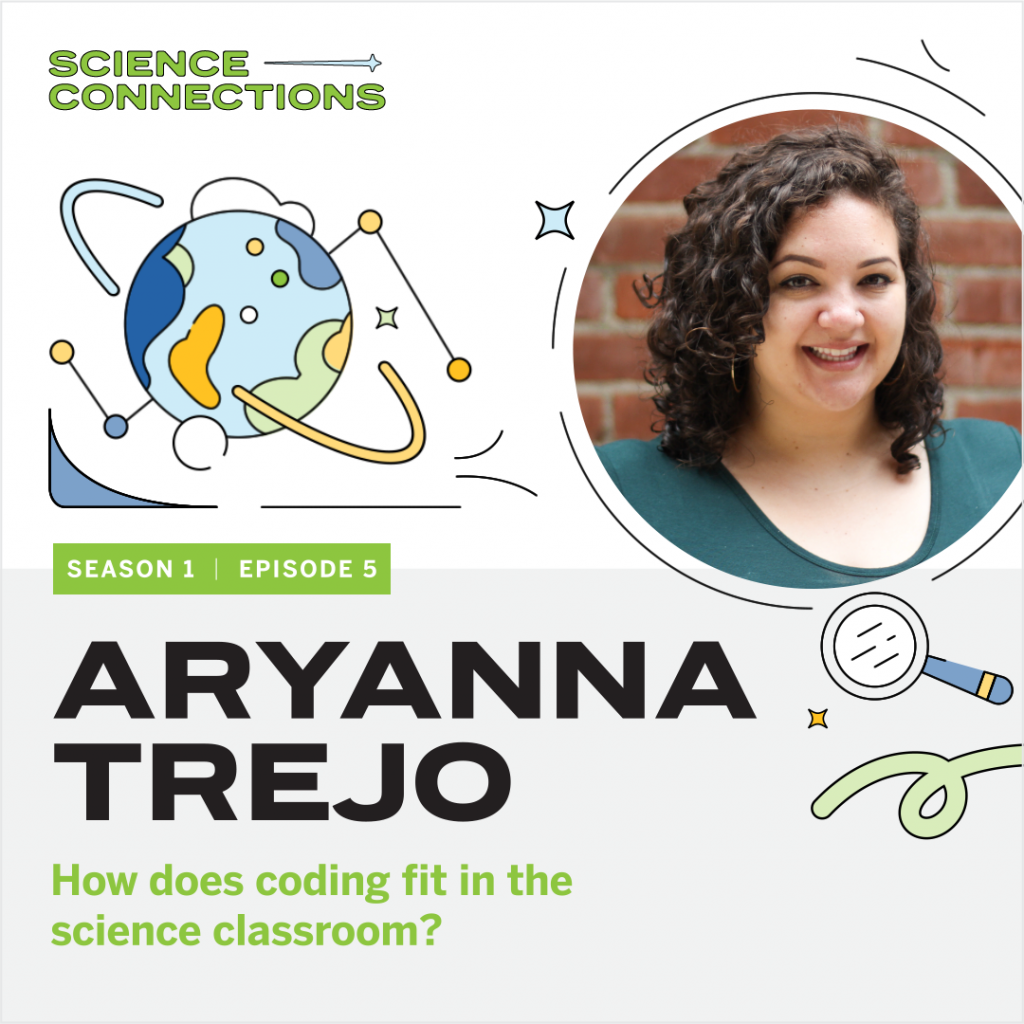
Podcast cover titled "Science Connections" featuring Aryanna Trejo, Season 1, Episode 5. It includes abstract illustrations of a globe and telescope, discussing coding in the science classroom.

In this episode, Eric sits down with Aryanna Trejo, a professional learning specialist of Code.org. Aryanna shares her journey from working as an elementary teacher in New York City and Los Angeles to teaching other educators at Code.org. Eric and Aryanna chat about computer literacy within the science classroom, problem-solving skills, and ways to model productive struggle for students. Aryanna also shares ways to teach coding and computer literacy in schools, no matter the classroom’s technology level. Explore more from Science Connections by visiting our main page.

Download Transcript

Aryanna Trejo (00:00):

I would hear teachers saying things like, “Well, I just can’t do coding; this is too hard for me; the time has passed.” And I would ask them, “Would you say that to your student about math or English?” And they would always sheepishly go, “No.” And I’d say, “Well, be as kind to yourself as you would be to your student.”

Eric Cross (00:19):

Welcome to Science Connections. I’m your host, Eric Cross. My guest today is Aryanna Trejo. Aryanna is a member of the professional learning team at Code.org. Before joining Code.org, Aryanna led computer science professional development for elementary school teachers, and served as an instructional coach for new educators. She also taught fourth and fifth grade in both New York City and in Los Angeles. In this episode, we discuss Aryanna’s journey to Code.org, where she helps educators connect coding to real life, how to use a rubber duck to solve problems, and how coding and computer science principles can be taught to students in areas without access to the internet…or even a computer. I hope you enjoy my conversation with Aryanna Trejo. So I was born and raised here, and I saw that you went to UC San Diego.

Aryanna Trejo (01:11):

I did, I did. I actually just put a deposit down on an apartment in University Heights, ’cause I’m moving back.

Eric Cross (01:16):

You’re coming back?

Aryanna Trejo (01:17):

I’m coming back. Yeah.

Eric Cross (01:19):

So if you need a classroom to visit….

Aryanna Trejo (01:21):

I would love to do more classroom observations!

Eric Cross (01:24):

Are we doing this? Let’s do—we’re making this happen.

Aryanna Trejo (01:26):

We are. Yeah. So I’ll be there. I’m moving there in April. I actually grew up in Orange County too, so I’m like a very diehard SoCal person.

Eric Cross (01:35):

So I feel like I know the answer to, hopefully—Tupac or Biggie? ‘Cause you’re on the East Coast, and you’re on the West Coast.

Aryanna Trejo (01:40):

Yeah. I like Tupac, but I have more Biggie songs committed to memory. Which is not a lot. I have “Juicy” and “Hypnotized” memorized.

Eric Cross (01:53):

All right. So you’re just memorizing, and you have the Biggie songs memorized, but not the Tupac ones.

Aryanna Trejo (01:58):

No, but I do love Tupac songs. You know, it’s like, Biggie has the flow, but Tupac has the lyrics. Nobody’s—they both have something really amazing about them.

Eric Cross (02:06):

You know, I can respect that you broke it down into both of their strengths.

Aryanna Trejo (02:11):

Thanks for buttering me up before this interview. And not….

Eric Cross (02:15):

<laugh> Oh, we already started.

Aryanna Trejo (02:16):

Huh? We already started?

Eric Cross (02:17):

We’re already started. Yeah. We’re already into this.

Aryanna Trejo (02:19):

We’re into it.

Eric Cross (02:21):

You were in the classroom, fourth and fifth grade, and you were doing TFA.

Aryanna Trejo (02:26):

I did. I did Teach For America. I was 2012, New York City Corps. Right after graduation. ‘Cause I graduated UC San Diego in 2012. So graduation was on June 17th, and I touched down at JFK on June 19th.

Eric Cross (02:40):

Even though I wasn’t in TFA, I know a lot of the fellows that are in it. And there’s just some phenomenal teachers in there. How long were you doing elementary school when you were teaching?

Aryanna Trejo (02:49):

Yeah, I taught for—well, I did, three years of teaching fourth grade. Then there happened to be an instructional coach opening in my fourth year. I took that, did some instructional coaching within the same network, and then I moved back to LA and I taught fifth grade for a year.

Eric Cross (03:11):

  1. And what was it like now? Did you go to Code.org right after the classroom?

Aryanna Trejo (03:17):

No, I didn’t. No. I transitioned after teaching fifth grade for a year in downtown Los Angeles, in the Pico-Union neighborhood. I ended up getting this email out of the blue from someone who had actually found me through the Teach for America job site. ‘Cause I was hitting the pavement; I was really looking to transition out of the classroom. And she invited me to interview with this company called 9 Dots. And they taught computer science to kids K–6 throughout Los Angeles and Compton. And I was like, “Sure, no problem. Let’s do it.” So I interviewed, I got the job, and yeah, that’s how I transitioned to 9 Dots. And then after almost four years there, I transitioned to Code.org, with the same person. Actually, she moved over to Code.org first, and then she helped me get this job.

Eric Cross (04:07):

Oh, that’s happened a lot—like, that relationship kinda carries over.

Aryanna Trejo (04:11):

Yeah. We’re meant to be coworkers.

Eric Cross (04:13):

Yeah. Are you still? Is she still there? Are you both still together?

Aryanna Trejo (04:17):

Yeah, we’re on the same team and it’s nice. I saw her last night for Happy Hour, with another coworker who’s in LA. So we’re tight. And she’s a wonderful, wonderful mentor to me.

Eric Cross (04:28):

That’s great. Did you have computer-science background, when you were doing elementary school teaching? Did you have—

Aryanna Trejo (04:34):

No. <laugh> Not at all. When I was teaching in New York City, I had like four desktop computers in my classroom, and we rarely used them. Which was such a shame. And then when I moved to Los Angeles and taught fifth grade there, we were a one-to-one school, and the joys of that are just amazing. It was just really wonderful to, you know, get the students used to typing on the computer, using different software to submit their assignments. Getting creative—as creative as you can get—with Google Slides. You know, to show off what they know. And stuff like that. That’s all I had, though. And you know, when I transitioned to 9 Dots I was like, “Sure, why not? Let’s give a shot.” And I learned a lot. It was really interesting, yeah.

Eric Cross (05:26):

And so now at Code.org you are…well, so my journey with Code.org, I’ve been in the classroom for eight years. Still in the classroom as of…an hour ago, I was there. <Laugh> And I use Code.org, and I feel like I’ve checked it periodically, and I feel like it’s evolved over the gaps. And I’ve seen it. It’s become more robust in the things that they offer, over the years I’ve been an educator. Just to kind of…could you give a thumbnail sketch? Like, what is Code.org? Who’s it for? Who’s the target audience? What resources are there?

Aryanna Trejo (06:00):

Yeah. So it’s for everyone. It is a nonprofit that provides curriculum and training and a platform for teachers and students. We provide curriculum for K through 12. It’s completely free. And it comes with lesson plans, slideshows, all that. We focus specifically on underrepresented groups. So we have targeted measures for Black students, for Native American students, for students who identify as female. That’s a huge part of our mission. But we’re really working to expand access to computer science to as many students as we can.

Eric Cross (06:41):

One of the things I’m hearing in your story is you were teaching in Compton; you were in Bronx, New York. One of the reasons why I got into the classroom is because of educators, and the impact they made on me in exposing me to science and technologies I’d never had access to. And that intentionality, that you’re going about it…are there…not just the code, but how you bring that across to different groups…are there strategies, or are there ways to connect this idea of coding to diverse groups and diverse audiences? Or is it kind of, the curriculum applies for everyone? ‘Cause in science, when I’m teaching, I’m always trying to make what I’m doing relevant to the backgrounds of my students.

Aryanna Trejo (07:28):

Sure.

Eric Cross (07:28):

So I’m teaching biology, and I’m trying to make this kind of connection. Sometimes it’s more organic; sometimes it feels kind of forced. Because it’s just not always a nice fit. But it sounds like Code.org is really about inclusion. And in the numbers that I’ve seen for representation, in especially computer science software engineers, the groups that you’re focusing on are not necessarily represented in the professional workforce. At least disproportionately.

Aryanna Trejo (07:54):

Yeah, absolutely. Yeah, that’s correct.

Eric Cross (07:57):

And so how do you go about being intentional about reaching groups that we don’t see in, you know, the Silicon Valley software engineers? How do you start that? Like, at a young age, do you look for specific schools in specific areas to say, “We are going to bring this to the school. We’re going out to these populations of the cities”? Because we’re just not seeing…you know, on the map, we’re not seeing anybody really doing anything with coding here. Or we’re not seeing the numbers come out of these areas, out of these cities, of students who are going into STEM or going into computer science fields.

Aryanna Trejo (08:41):

Yeah. I don’t necessarily work on the recruitment side of it, is the issue, in my position. But I do work on the professional learning, that is brought out to teachers. And we have a huge focus on equity throughout the workshops that we create from K–12. It’s something we’re really passionate about. We definitely aim to prepare teachers to teach computer science. That’s a huge part of it. Knowing the content, but also thinking through, “What does recruitment look like at your school to make sure that the demographics of your classroom match the demographics of your entire school?” Also, thinking through, “How can we make sure that female students feel included in your classroom? How can we make sure that we are, giving students creativity to think about, or we are setting students up to be creative and think about the problems that are in their community, and how they can use computer science to solve them, or at least work towards them?”

Eric Cross (09:39):

So solving real-world problems and that inclusion aspect…are there things like…you were saying “female or students who identify as female”…are there things that teachers can do to ensure that they’re being more inclusive? Or to recruit, or encourage more female students to take part? One of the things I was thinking of, that I’ve seen, is I’ve seen coding kind of camps.

Aryanna Trejo (10:06):

Sure.

Eric Cross (10:08):

That were specifically for a female audience. And that seemed to help with recruitment. Is that something that you see on your side?

Aryanna Trejo (10:16):

That’s not something that we set up, no. But the curriculum that I work with is CS Principles. And it’s offered as an Advanced Placement course, as well as an AP class. So that’s a curriculum that’s designed for students who are in grades 10 through 12. And so at that point, we can really talk to teachers and ask them what the recruitment strategy is. But in terms of strategies that teachers can use to recruit those students…I mean, I’ve heard over and over from lots of different teachers who identify as female that they didn’t think that computer science was for them, until they saw a role model in that position. And so just being a role model for those students is really wonderful.

Eric Cross (11:00):

And I see it too, with—like, we do “Draw a Scientist” activity, which is like a popular science thing—

Aryanna Trejo (11:05):

Sure, yeah, I’m familiar.

Eric Cross (11:05):

But it’s the same thing, right? Like, it fleshes out. My students don’t draw themselves as scientists. They draw what they perceive, based on what television says. I imagine with computer science, it’s probably really similar, when you think about “What’s a software engineer look like?” Do students tend to draw themselves? Or is it even a mystery? Because I don’t even know what a software engineer looks like.

Aryanna Trejo (11:28):

Yeah, absolutely. Well, one of the things we love to do with our professional learning workshops is talk about understanding yourself, your identities, how they show up in the classroom as biases. And, you know, things like stereotype threat. We see that as really important to understand, and think through, and consider, before you step into the classroom. So that you’re not, you know, coddling certain groups of students because you don’t believe that they are able to be successful in computer science. Holding all the students to the same expectations and believing that they can succeed. And computer science, I think a lot of the times people have this conception of it being this utopian, bias-less, technocratic field. When in reality, everything has bias. And people talk about algorithmic bias and facial recognition, but also the people who created computers and computer languages have their own bias that comes through. And I think it’s really important to show students that. So that they can, one, know what they’re working with, and two, make sure that they can create products that reduce that bias.

Eric Cross (12:50):

It’s like…it’s not objective, just because we’re creating software. Like, once it gets to a point of being so sophisticated…I think, like, AI software, right? With facial recognition? And we’re seeing more and more articles come out about, you know, predicting trends based on historical data.

Aryanna Trejo (13:12):

Sure.

Eric Cross (13:13):

But then, the trends and things that they’re seeing tend to target things that have happened in the past. But it also doesn’t take into consideration a lot of other factors that can lead to certain groups or populations being identified. And I’ve seen some articles lately about how your code is really just representation of what you put into it. And like you just said, your bias—if you have that, conscious or unconscious—you’re gonna put that into your code. And the input is gonna be an impact, is gonna impact the output.

Aryanna Trejo (13:44):

Yeah, absolutely. Or even just—and I’m ashamed to say this, ’cause this is an idea that came to me just recently, through an article that I read—but computers themselves have bias. The hardware assumes that you have vision, that you can see the screen, that you are able-bodied, that you can use your hands to work the keyboard, the mouse, et cetera, and that you don’t have to use assistive technology. You know, there are small things like that, where we think that technology, like I said, is this utopian, futuristic science…but there are biases throughout.

Eric Cross (14:19):

You’re absolutely right. I’ve never even—I’ve never even considered that. Even though I do use assistive tech, and figure it out, I’ve never thought from the ground up, the process is built for an able-bodied, sighted, hearing person.

Aryanna Trejo (14:31):

Exactly.

Eric Cross (14:32):

To be able to engage with the hardware. And then these other things, these tertiary things that we kind of add on, so that you can do this, but it’s not designed from the ground up for people who are, you know, different audiences, physically. So I’m glad you brought that up, though. Now I’ve seen—and I haven’t done this—but I know Hour of Code is a big thing. And this is something that’s ongoing. Can you talk a little bit about what Hour of Code is? I know it’s, it’s a big thing for the classroom teachers.

Aryanna Trejo (15:08):

Yeah. So Hour of Code is really exciting, and it’s just blossomed from something small to something tremendous. This year is gonna be the 10th Hour of Code. So what it is, is it happens during CS Education Week in December, during Grace Hopper’s—or to honor Grace Hopper’s birthday. She was a computer scientist and Navy Admiral. And basically the aim of it is to get as many students on the computer doing an hour of code, and demystify what coding is. You know, to do seed-planting. To show teachers that this is something that you can facilitate for your students. And also to show students like, “Hey, computer science is something you can absolutely do. Not just for an hour, but more if you want.” So, yeah. Now it’s worldwide, and it’s really exciting.

Eric Cross (15:58):

That’s awesome. And I think about teachers and I still hear the apologetic—when I’m helping teachers in the classroom with education technology—the self-deprecating “I’m a dinosaur; I’m not good with tech,” which is never true. Like, they’re better than they even realize. And I feel like sometimes there’s still a stigma, too. It’s like <laugh> The Simpsons’ Comic Book Store Guy. The condescending tech support person—

Aryanna Trejo (16:27):

Sure.

Eric Cross (16:28):

—who has that tone. And so I feel like some people have been so negatively impacted by that person. So I know when I’m helping people, I actually try to go full-spectrum the other side. But I’m thinking about teachers’ barrier to entry. Sometimes code is like, “Whoa.” And I don’t teach computer science. Do you see those barriers to entry, or at least the perception of them? And then, what’s the reality for like someone listening, and going, “I’m a fourth grade teacher,” or “I’m a humanities teacher in ninth grade.” What’s the perception that you see, versus reality, with the teachers that you train? Is it much more accessible than we think? Or is there a level of sophistication that you have to have coming into it?

Aryanna Trejo (17:10):

No, not at all. I know computer science, and that says a lot! <Laugh> You know, I know my own corner of computer science. And you know, that’s me being self-deprecating, too. But I think learning computer science has helped me in so many different ways that I wasn’t expecting. I recently took the GRE in hopes of, you know, getting back into grad school. And I think just the way that computer science teaches you to search for bugs in your code, or errors, and kind of tirelessly look at a problem from multiple different angles, I was able to carry that into the math that I was doing. And I noticed just a huge difference in the way that I approached it, and the way that I was open to it. But you asked a great question, in regards to the barriers to technology. In my position at 9 Dots, I was working directly with teachers to lead professional development with them. Sometimes it would be a full day; sometimes it would be an hour after school. And the one thing that I always had in my back pocket that was really useful is that I would hear teachers saying things like, “Well, I just can’t do coding; this is too hard for me; the time has passed.” And I would ask them, “Would you say that to your student about math or English?” And they would always sheepishly go, “No.” And I’d say, “Well, be as kind to yourself as you would be to your student.” You know, it takes some patience and nobody’s gonna get it perfect 100 percent of the time. Have I banged my head against the wall trying to solve one tiny little syntax error in my code? Absolutely! But it feels absolutely phenomenal to fix that. And I was an English major in undergrad, and I had never done computer science before. So it’s something that becomes really satisfying.

Eric Cross (19:07):

Yeah, I imagine. I had someone—a trainer or a presenter—one time bring up the fact that our students rarely get to see us learn in real time.

Aryanna Trejo (19:19):

Yeah.

Eric Cross (19:19):

So we don’t get to ever really model failure. I mean, unless we’re in a classroom situation <laughs> in our failures, with classroom management. Then they see it, they see it! But they don’t get to see us model learning failure. And I don’t mean like failure—and yes, I know, “first attempt is learning,” and “no such thing as failure”—that’s not what I’m talking about. But just when we’re not successful with our code, and then we experience real-time frustration.

Aryanna Trejo (19:42):

Yep.

Eric Cross (19:42):

And they said that is actually a great learning experience for your students to watch you go through productive struggle. And that was really liberating for me. Because now I’m in the classroom, and I’m trying to go through it with my students, and the beautiful thing was, they started helping me. We were all trying to solve the problem. And then we had this authentic problem-solving experience. I think it was like a Scratch program, where we were trying to solve, trying to embed it somewhere, or something. And then, in the background of the class: “Mr. Cross! I got it! I figured it out!” And it was this really neat bonding experience. And I felt that—your ears get red, and you get hot, ’cause you’re not—

Aryanna Trejo (20:19):

Oh yeah.

Eric Cross (20:20):

You don’t know it! And you’re in front of 36 kids! And I said, “OK, I need to tell them how I feel.”

Aryanna Trejo (20:25):

Yeah.

Eric Cross (20:26):

So I said, “Now I feel really frustrated.” Like, “I want to go through this, and here’s my thoughts.” ‘Cause I knew that it would be helpful if they saw and would hear my thoughts. So I just did a quick think-aloud and I said, “In my head, <laugh> I want to just quit,” I said, “But I realize that this is the part where my learning’s happening. So I just want you all to hear what’s going on in my brain.” And now I feel like when I’m doing coding with my students, and it’s just basic coding, I feel much more comfortable, like, not knowing. But I needed someone to release me from that “I have to be the expert in everything” to do it.

Aryanna Trejo (21:06):

And teachers are used to being the experts. Right? And they should be. And coding is just such a different landscape. But I think once you kind of give over to the power of tinkering, I think it’s really gratifying. I love being able to…you can revise a sentence, and then read your paragraph back to yourself in English, and say, “OK, I get it.” But there’s something so gratifying about changing a line of code or a block and then being able to hit play and watch your program come to life, and say, “Hmm, that’s not quite what I wanted. Let’s try something different.”

Eric Cross (21:39):

I love your connection to tinkering. ‘Cause—I had never thought about it—’cause I love tinkering with my hands. But I always think about physical things. But coding is exactly that. It’s tinkering.

Aryanna Trejo (21:47):

It’s exactly that.

Eric Cross (21:47):

That’s exactly what it is.

Aryanna Trejo (21:49):

And a lot of it is, for me, especially when I’m trying something new, it’s guess-and-check. It’s like, “OK, that didn’t work. What if I add a semicolon here? Will it finally work? Or what if I add a ‘for’ loop? Will this get me what I want?” And it’s wonderful because you have that with students as well. Like, you have that record of their thinking, and you can ask them to go step-by-step and tell you, you know, “First, I added this, because I wanted the program to do this,” and so on and so forth. And so you have that record, but you can always get rid of it. Students often wanna get completely get rid of it. That’s something that I’ve noticed a lot as I’ve taught computer science. But, once you can get them to target the specific parts of the program, tinker with that, and continue, that’s a really wonderful learning space. There was also something you said about modeling failure. I love the fact that in computer science you can model failure for your students. You said to your students, “I’m getting frustrated.” I love that, because I never got that in math. Nobody ever showed me what it was like to be frustrated with graphing a parabola. Right? Like, my math teachers were always like, “Doot, doot, doot, here you go, you’re done!” <Laugh> And I would get so frustrated, because it didn’t come that easily to me. And I think there’s two parts to that. So there’s modeling the learning and the thinking and the productive struggle, but also there’s the identity of being a computer scientist and modeling what that looks like. So for me, when I get really frustrated with a program, I walk away. I take five minutes. I take a deep breath. I say, “I’m not gonna think about it in these five minutes.” And I come back to it. And I think once you start teaching computer science, you can facilitate that for students. And there’s so many different strategies that they can pick up. They can pick up rubber ducking, which is where they pick up a rubber duck or a similar object, and they talk to it as if they were a partner and talk through their code. And oftentimes, as you’re rubber ducking, you’re gonna find that error, because you’re explaining it to someone who’s a stand-in for a novice. And rubber ducking is a well-known strategy for computer scientists who make it their career. You know, there’s pair programming. Some students love pair programming; some students hate it. But the students start to build this identity about how they problem-solve. And how they approach failure. And I just love that.

Eric Cross (24:31):

I’m writing this down. Because the rubber-ducking strategy, I love. I just imagine my seventh graders, a bunch of 13-year-olds with, like, rubber on the desk. And not necessarily in coding, but I was thinking in my science class. And they’re working through a challenge, and they’re all looking at this duck, and they’re talking to it. But I just love the the idea of externalizing your thought process and talking through it yourself so that you can hopefully arrive at a conclusion. But it’s such a great practice, and this is something that’s been around for a long time, apparently. So.

Aryanna Trejo (24:59):

Yeah. Yeah. It’s a real thing. And you know, you can go low-fi. It doesn’t have to be a rubber duck. You can have students talk to their pencils or their imaginary friends. That’s not the issue; the issue is, you know, talking to somebody.

Eric Cross (25:10):

I know you support teachers. But I just wanted to…I was just curious about your typical day, what that’s like. And then what you do, how you support ’em.

Aryanna Trejo (25:15):

So, at my previous job at 9 Dots, I was in there with the teachers in the classrooms. I was coaching our internal staff who went out to co-teach with teachers. And I loved that. And I had such a great impact on a local scale. But now at Code.org, I have a much broader impact. But I don’t get to interface with—that’s such a tech-y word!—I don’t get to interact with—

Eric Cross (25:42):

You work at Code.org! You get to—

Aryanna Trejo (25:42):

I know! But I’m a teacher at heart, forever, right? That’s my identity that I forged when I was 22 years old. And a typical day looks like opening up my computer, taking a look at my calendar. I often have meetings to talk about, different things that we’re doing to support our facilitators who go out to our teachers and lead their workshops for them. I recently worked on a product that was designed for CS principles, teachers, to onboard to the course if they weren’t able to get into an in-person workshop. And it’s completely self-paced, so it gives teachers an on-ramp into the course. And now I’m working on some in-person workshop agendas. So I feel really wonderful that my work is going out to thousands of teachers. But at the same time, I really, really miss talking to teachers. Because that’s something that energizes me so much.

Eric Cross (26:46):

When should students start learning computer science? I feel like we see it in this kind of narrow lane. Like, this is computer science if you make an app. Can it be more than that? As far as like the benefit of computer science? And—I guess two-part question—when should students, one, start being exposed to it? And then two, what are some of the benefits beyond just, “I wanna just make an app”?

Aryanna Trejo (27:08):

I taught coding to kindergartners. It can start as early as you as you want it to. And it doesn’t necessarily need to be on the computer. A lot of students that I worked with didn’t have computers at home, were interacting with computers for the first time. And that’s a huge barrier, of course, to a lot of teachers. But there are so many unplugged lessons that you can do to start to start to have students think about algorithms, which is just a series of steps to complete to solve a problem. As long as a student can use a computer, I think they can do computer science. There are products out there like codeSpark, where students—and Code.org has these products too—where students are moving an avatar around a board, kind of like a quadrant to…you know, they feed the directions to a computer and then the computer enacts it for them. And with that, they can learn algorithms. You know, that is computer science. And a lot of people don’t see it that way, but it really is. And it starts to set students up for more complex thinking as they move on.

Eric Cross (28:13):

One of the biggest underserved communities, geographically, are students in rural areas.

Aryanna Trejo (28:20):

Yep.

Eric Cross (28:21):

They can be reservations; they can be places just not an urban area. Is there a way to serve our communities of students and bring these skills in an unplugged way?

Aryanna Trejo (28:32):

Yeah. Yeah. If you typed in “unplugged computer science lessons” to Google, you’ll have a ton of hits. And there are so many students out there—not just in rural areas. But there’s incarcerated students. It hurts my heart to even say those words, but in urban areas too. Like in my classroom, where I only had four desktop computers. Access is a real struggle. And there’s things, like I said, instead of moving an avatar around a grid on the computer, I used to have an actual mat that I would take out to my kindergarten classrooms, lay it out, and it would have a grid on it. And we’d have one of the students act as the avatar and the rest of the students would give them directions to get to a different point on the grid. And there, you’re building an algorithm or just a series of steps. Like I said, it’s not some fancy term to solve a problem. And there’s multiple ways to solve that problem, too. And I think investigating that can be a really good way to stretch those lessons.

Eric Cross (29:32):

It almost sounds like an oxymoron, but this low-tech computer science strategy. Develop these skills and then transfer that once you have access to the tools.

Aryanna Trejo (29:39):

Yeah. Yeah. Absolutely. And I think it’s a good way for students who need kinesthetic means to start to understand something, or just different learning styles, to start transferring that over.

Eric Cross (29:53):

I probably have students in the classroom where those kinesthetic moving things would help be a great way—or WILL be a great way—for them to learn the principles and the fundamentals of coding. Instead of only giving the option to just do the computer, actually giving them some choice. Or giving them a way to be able to manipulate things. We’re still in the system of education that’s still very siloed. It’s been the same way for a hundred years. We got math and then we got science and we got English. I’m wondering, how can a teacher fit this into their daily lessons? And then, do you have any experiences or stories or things that you’ve seen, just really creative ways that you’ve seen teachers incorporate this? Outside the norm of, “This is a computer science class; we’re just gonna code.” But have you seen it branch out? In the trainings that you’ve done?

Aryanna Trejo (30:40):

I’ve seen examples of that. I’ve seen a teacher use Scratch to demonstrate different climates of California, and show the different climates. This past year for Hour of Code, my friend Amy—the one who helped me move to 9 Dots and at Code.org—she created this incredible tutorial called Poetry Bot. And it was a way to get students to match the mood of the poem to some of the elements that were happening in the stage. So they would have different backgrounds show up at different parts of the poem. When the words would show up, they would have different sprites show up. They would have, sometimes, sounds. Or the text would show up with different animations. So there are cross-curricular opportunities everywhere, if you can be creative enough to find them, or if you beg, borrow, steal from other educators who are doing this incredible work out there.

Eric Cross (31:36):

Yeah. I say this all the time, but I’m an educational DJ, not an MC.

Aryanna Trejo (31:44):

Oh yeah.

Eric Cross (31:45):

So MCs write their lyrics and DJs remix with things that other people have done.

Aryanna Trejo (31:48):

Absolutely.

Eric Cross (31:48):

I was like, I’m a DJ. I was like, all day. Sometimes I’ll write a lyric, once or twice, but most of the time I’m remixing things. So teachers, if you’ve been out there and you got an awesome interdisciplinary thing, or you’ve incorporated coding and it’s something that’s traditionally not seen, please send it to us. Share it with us.

Aryanna Trejo (32:03):

Yeah. And there are so many different places where you can find that. We have a forum for Code.org, but there’s also CSTA, the Computer Science Teachers Association. You can join your local chapter and get to know other computer science teachers out there.

Eric Cross (32:19):

I guess…to wrap up, I’ve been using Scratch programming, the MIT website. My students do the basic animated name, CS First, stuff. But over the years, I’ve noticed that my students are coming in with a higher level of sophistication in Scratch to where now the differentiation…some of my students are just doing very basic…and then I have other students who’ve created full-on video games with complex…like, you look at their Scratch page and it’s just an amazing amount of blocks and integrations and things that they have. Is there anything on Code.org that could be a next step? That takes them beyond, maybe like the visuals? And if so, what would be a good next step, to take students to advance them to another platform? There’s so many coding languages out there, I feel like. Or I might not even be thinking about that the right way.

Aryanna Trejo (33:20):

No, I think you are. You know, we have three different curricula out on our website right now. We have CS Fundamentals, which is probably more in line with what you’re talking about. We have a free CS Discoveries curriculum, and that is designed for, grades, I believe, 6 through 10. And that would be a really good entry point, for both teachers and for students.

Eric Cross (33:44):

There’s a lot of new stuff that I hadn’t seen yet, a few years ago.

Aryanna Trejo (33:49):

Yeah.

Eric Cross (33:49):

So I was really excited.

Aryanna Trejo (33:50):

One thing that I do know is that CS Discovery has just added an artificial intelligence slash machine-learning unit, that you can just pick up and give to your students. You don’t have to go in order with CS Discoveries, like you do with CS Principles. And I’ve gone through some of those lessons. They are really rad. And I would’ve loved to have learned that when I was in middle school or high school. So yeah, we’re constantly thinking of how we can make things one, relevant to our students, and two relevant to what’s going on in the world.

Eric Cross (34:20):

So would I be overselling it if I said, “If you go through this, you’ll be able to create an AI or a neural net to do all your homework”?

Aryanna Trejo (34:26):

You would be overselling it.

Eric Cross (34:27):

I would be? OK. So what I’ll do is, I’ll wait until the end of the school year, and then introduce it, and then by the time they’ve realized it’s not true, they’ll be eighth graders.

Aryanna Trejo (34:35):

There you go. Good old bait-and-switch.

Eric Cross (34:37):

You’re amazing. Thank you for serving teachers, and for being part of such a great organization that puts out great stuff. So much free curricula for teachers to be able to use. Especially nowadays we hunt and scour the internet for those types of things. And to be able to bring computer literacy into the classroom, and with your focus of serving communities of underrepresented groups, it feels good to know that not only is it high-quality material, but it’s also trying to raise everyone up. Because ultimately when we have more people trying to solve a common problem, we come up with better solutions. And I was talking to somebody who was a materials engineer somewhere in Europe, and he said one of the things about the U.S., As he was critiquing me on this flight, critiquing the U.S., He said, “One of the things about your country is that you have a heterogeneous group of people who, in a group, when you have multiple perspectives attacking a problem, you come up with more novel solutions.” He says, “That’s one of the great things, is that there’s not necessarily just a hive mind.” And I think that that’s one of the great things. We uplift different communities, and we uplift women, people of color, people who, have backgrounds that parents didn’t go to college but have these amazing qualities and strengths. And we put everybody focusing on the same issue. We come up with novel solutions that we wouldn’t have come up with if only select groups were trying to look at it and solve it. And so—.

Aryanna Trejo (36:22):

Yeah.

Eric Cross (36:23):

And we couldn’t do that without organizations like yours, that help empower teachers. So.

Aryanna Trejo (36:27):

Yeah! You really said it.

Eric Cross (36:29):

You’re coming to my classroom when you’re back in San Diego?

Aryanna Trejo (36:31):

Yeah! I totally will. Yeah. Let’s make it happen.

Eric Cross (36:34):

Last question. If you think back in your schooling, your own schooling, K through college, is there a person or a teacher that had a big impact on you? Or a learning experience that had an impact on you? And it could be, you know, positive or negative. But something that impacted you, even to this day, that stands out to you, that you remember?

Aryanna Trejo (36:56):

This is a big diversion from the topics that we’re talking about. But in grades 10 through 12, my drama teacher, Mr. Byler, who I still talk with, was such a huge impression on me. Really wonderful. And I couldn’t tell you the teaching moves that he did that were wonderful. I don’t know much about his management. But I can tell you that he gave me space to be confident, and grow into myself, through drama productions. They were high school productions, so they weren’t amazing. But I just really came into myself in high school, because I had the confidence to get on stage. And he was just such a wonderful mentor to all of us. So, props to Mr. Byler.

Eric Cross (37:39):

Shout out to Mr. Byler for creating space for Aryanna to fly! Thanks for making time, after your workday, to talk with us and to share Code.org with teachers.

Aryanna Trejo (37:54):

Of course. Happy to.

Eric Cross (37:59):

Thanks so much for joining me and Aryanna today. We want to hear more about you. If you have any great lessons or ways to keep student engagement high, please email us at stem@amplify.com. Make sure to click subscribe wherever you listen to podcasts. And join our brand new Facebook group, Science Connections: The Community for some extra content.

Stay connected!

Join our community and get new episodes every other Tuesday!

We’ll also share new and exciting free resources for your classroom every month.

What Aryanna Trejo says about science

“I would hear teachers saying things like, ‘Well I just can’t do coding, it’s just too hard for me.’ And I would ask them…Would you say that to your student about math or English? Be as kind to yourself as you would be to your student.”

– Aryanna Trejo

Professional Learning Specialist, Code.org

Meet the guest

Aryanna is a member of the Code.org Professional Learning Team. Before joining Code.org, Aryanna led computer science professional development for K-6 teachers and served as an instructional coach for new educators. She also taught fourth and fifth grade in New York City and Los Angeles. In her spare time, Aryanna loves taking advantage of the California sunshine, creating wheel-thrown pottery, and hanging out with her dog Lola.

Person with curly hair smiling, standing in front of a brick wall. Circular frame with decorative star in the corner.

About Science Connections

Welcome to Science Connections! Science is changing before our eyes, now more than ever. So…how do we help kids figure that out? We will bring on educators, scientists, and more to discuss the importance of high-quality science instruction. In this episode, hear from our host Eric Cross about his work engaging students as a K-8 science teacher. Listen here!

Welcome!

As the 2021-2022 school year continues to pose new challenges, you’re likely thinking about making your classroom responsive to student needs due to the covid-19 pandemic.

Got additional questions? Use Zoom to attend office hours with Nadya Awadallah, the DOE’s Elementary Science Lead on Fridays from 12-1pm.

Meeting ID: 835 9458 3142

Passcode: 263518

NYC Newsletters

Educator Spotlight Submission

Calling all NYC DOE educators! Do you know an educator who has gone above and beyond? Would you like to highlight your teaching experience for others? Submit nominations here to see them featured as a spotlight in a future edition of our monthly newsletter and on our Instagram pages!

Introduction

This page includes planning, implementation, and professional learning resources for NYC schools using Amplify Science. Please take a moment to familiarize yourself with the categories in the navigation bar on the left side of the page so that you’ll be able to easily find what you need.

Most New York City educators come here looking for specific information, but if you’re new to Amplify Science, we recommend you read through the program guide to learn a little about the program. 

New to Amplify? – Start HERE!

Teachers and Administrators 

Step 1: Review the Amplify Science Navigation Essentials K-5 Video 

Step 2: Review your Scope and sequence/course structure calendar

Step 3: Review the Unpacking the Kit Videos listed below to understand what’s in your unit 1 kit

Step 4: Access your unique log in information to log-in to the Amplify Science Curriculum outlined below under Login support

Step 5: Log into the platform and access our Program Hub.  Select Using this site for self study for a complete suite of training videos and resources for an initial orientation video series

Step 6: Log into the curriculum and begin studying the Unit Map and Teacher’s Guide resources and begin planning your first lesson. Print out the NYC Program Guide for essential program information.

Step 7: Administrator’s ONLY – Review the K-5 Admin Orientation presentation for an overview on the program. Review materials under Admin Resources. 

NOTE: Should you need any additional guidance on how to get started with prep (or anything else!), please feel free to get in touch with our pedagogical support team. They are available Monday-Friday from 7AM-7PM EST. You can reach them via the chat icon in the lower right- hand corner of your screen when logged in, through email (help@amplify.com), or via phone (800-823-1969).

Getting started resources

NYC Resource Site overview – quick links

Technology requirements

Login support

Materials

  • Materials lists – lists of kit contents by unit
    K | 1 | 2 | 3 | 4 | 5
  • Spanish materials lists – lists of Spanish print kit contents by unit
    K | 1 | 2 | 3 | 4 | 5
  • Kit-level packing detail (chart) – high-level information regarding kits including dimensions, weights, etc. 

Unpacking your first Amplify Science classroom kit

All Amplify Science units coming with kits that include hands-on and print materials. The number of boxes (sometimes referred to as “tubs”) varies depending on the unit.

21-22 Login Update

The temporary login credentials for fall ’21 have been deactivated. 

Please make sure you check out the Getting started resources > Login support below for instructions around teacher and the NYC shared student logins.

If there are any issues, please confirm with your STARS programmer that your classes are finalized and then contact the Amplify Help Desk at help@amplify.com or at 1-800-823-1969.

Planning and implementation resources

Use our NYC Field Trip List to plan an engaging field trip for your students!

Use the resources below to plan out your year and ensure you are teaching each standard to mastery.

NYC DOE Supplemental Guiding Documents: Curriculum Gaps

Admin resources

Remote and hybrid learning resources

In response to the shifts towards remote learning, Amplify has created resources for using our programs remotely. Please visit our Program Hub accessible via your Teacher Platform for all of our hybrid and remote learning supports which includes guidance for teachers and parents/guardians.

Additionally, please see below where you’ll find the recordings from our recently held webinars on our remote learning resources and some best practices for implementing Amplify Science in a distance learning setting.

Resource guides

  1. K-8 Remote and hybrid learning guide

On-demand remote learning videos

Professional Learning Opportunities

Interested in attending training? Check out and sign up for this year’s PL offerings here!

All 2021-2022 PL session materials will be uploaded below under Professional learning resources.

Amplify Science Back-to-School Recorded Webinars – Amplify held a series of national office hours throughout the summer and fall to share information about our new resources to support remote and hybrid learning– including recommendations about what to prioritize from your curriculum and essential refresher topics, such as how to navigate your program and find the best planning resources. Feel free to watch all recorded sessions at your convenience.

21-22 Professional learning resources

Fall 2021 materials:

Summer 2021 materials:

Fall 2021 materials:

Summer 2021 materials:

Fall 2021 materials:

Summer 2021 materials:

Fall 2021 materials:

Summer 2021 materials:

Fall 2021 materials:

Summer 2021 materials:

Fall 2021 materials:

Summer 2021 materials:

20-21 Professional learning resources

Winter 2021 materials:

Fall 2020 materials:

Summer 2020 materials:

Winter 2021 materials:

Fall 2020 materials:

Summer 2020 materials:

Winter 2021 materials:

Fall 2020 materials:

Summer 2020 materials:

  • K-5 New Teacher Orientation with Participant Notebook
  • Grades 2-3 Utilizing Program Assessments Effectively Webinar
  • Reaching All Learners for Grades 2-3 Webinar
  • Grade 2 Returning Teacher Remote Learning: Guided Planning Workshop Webinar

Spring 2021 materials:

  • Unit 4: Focusing on Evidence of Learning for New Teachers Webinar

Winter 2021 materials:

Fall 2020 materials:

Summer 2020 materials:

  • Grade 3 New Teacher Orientation Webinar with Participant Notebook
  • Grades 2-3 Utilizing Program Assessments Effectively Webinar
  • Reaching All Learners for Grades 2-3 Webinar
  • Grade 3 Returning Teacher Remote Learning: Guided Planning Workshop Webinar

Winter 2021 materials:

Fall 2020 materials:

Summer 2020 materials:

  • Grade 4 New Teacher Orientation Webinar with Participant Notebook
  • Grades 4-5 Utilizing Program Assessments Effectively Webinar
  • Reaching All Learners for Grades 4-5 Webinar
  • Grade 4 Returning Teacher Remote Learning: Guided Planning Workshop Webinar

Winter 2021 materials:

Fall 2020 materials:

Summer 2020 materials:

  • Grade 5 New Teacher Orientation Webinar with Participant Notebook
  • Grades 4-5 Utilizing Program Assessments Effectively Webinar
  • Reaching All Learners for Grades 4-5 Webinar
  • Grade 5 Returning Teacher Remote Learning: Guided Planning Workshop Webinar

19-20 Professional learning resources

Summer 2019 materials:

Fall 2019 materials:

Spring 2020 materials:

  • Reaching ALL Learners: Utilizing Program Assessments Effectively in Grades K & 1 – Participant Notebook

Summer 2019 materials:

Fall 2019 materials:

Spring 2020 materials:

  • Reaching ALL Learners: Utilizing Program Assessments Effectively in Grades K & 1 – Participant Notebook

Summer 2019 materials:

Fall 2019 materials:

Spring 2020 materials:

  • Reaching ALL Learners: Utilizing Program Assessments Effectively in Grades 2 & 3 – Participant Notebook

Summer 2019 materials:

Fall 2019 materials:

Spring 2020 materials:

  • Reaching ALL Learners: Utilizing Program Assessments Effectively in Grades 2 & 3 – Participant Notebook

Summer 2019 materials:

Fall 2019 materials:

Summer 2019 materials:

Fall 2019 materials;

Caregiver Resources

Caregiver letters – information about Next Generation Science Standards by grade level

K | 1 | 2 | 3 | 4 | 5

Caregiver Hub

Questions

Amplify Science K–5 FAQs

For general questions about the Amplify program (navigation, pedagogy, login), please reach out:

Email – scihelp@amplify.com
Phone – call toll-free at (800) 823-1969, Monday to Friday 7 a.m.–7 p.m. ET

Amplify Chat – click the Amplify Chat icon within the individual teacher account

Embracing artificial intelligence in the math classroom

Artificial intelligence seems to be everywhere these days. We use it when we ask Alexa or Siri for the morning weather report. We use it when GPS tells us how to best avoid traffic. We use it when we chill at the end of the day with a recommendation from Netflix. 

But what about during the day—and specifically, at school? Even more specifically, can AI be leveraged to enhance the math classroom? 

“While AI is an amazing tool, you’ve really got to make sure that you are focusing in on your expertise as well,” says veteran math educator and STEM instructional coach Kristen Moore, “And saying, ‘How can I use this to make something better?’ and not just, ‘How can I use this to make something?’” 

In this post, we’ll talk about the current state of AI in math education, and how it can support educators in making math better. (SPOILER: It’s not going to replace you!) 

First, some STEM learning for us: What is artificial intelligence? 

Artificial intelligence, or AI, refers to the development of computer systems able to perform tasks that typically require human intelligence. 

It involves creating algorithms and systems that enable computers to learn from data, adapt to new situations, and make decisions or predictions.

AI aims to mimic human cognitive functions such as understanding language, recognizing patterns, solving problems, and making decisions. It encompasses a range of techniques and technologies, including machine learning, neural networks, natural language processing, and robotics.

The term “artificial intelligence” was introduced in 1956.  The availability of vast amounts of data and advancements in computer power in the 2010s led to additional breakthroughs. And with the proliferation of smartphones, smart devices, and the internet, AI technologies began to work their way into our homes, cars, pockets, and everyday lives.

What’s the state of AI in education? 

AI is already commonplace in schools and classrooms. Here are just a few examples:

  • Adaptive learning: This software uses AI algorithms to adjust the difficulty and content of lessons based on a student’s performance, helping students remain engaged and challenged at their optimal level.
  • Assistive technologies: AI helps students with disabilities by providing assistive technologies like text-to-speech and speech-to-text tools, making educational content more accessible.
  • Plagiarism detection: These tools use AI algorithms to identify instances of copied or unoriginal content in students’ assignments, essays, and projects. 
  • Data analysis for teachers: AI analyzes data from student assessments to identify trends and insights, helping teachers make informed decisions about instructional strategies. It can also predict students’ performance trends, helping teachers identify at-risk students early and intervene to provide additional support.
  • Grammar, spelling, and style checkers: AI can provide real-time feedback to students (and teachers!) on their writing work.

Embracing AI technology in your math classroom

While AI is not here to replace teachers, it is here to stay. And experts say it’s only going to become more commonplace. But despite how common AI is already—both outside and inside school—not all teachers are familiar with its numerous applications and potential. Now is a great time for educators to start exploring its uses and get ahead of the curve.

Here are a few easy entry points for math teachers. 

ChatGPT: A common AI tool, ChatGPT is designed to understand and generate human-like text based on the input it receives. It’s trained on a wide range of internet text, which enables it to generate responses to a vast array of prompts and questions. 

Most students have likely experimented with ChatGPT, while teachers—though aware of it—are less likely to use it. ChatGPT has highly practical applications for both groups, though—including in the math (and science) classroom. 

It can, for example, help teachers plan interesting, relevant math lessons for their students. Kristen Moore, who discusses this topic on Math Teacher Lounge, suggests that math teachers use ChatGPT to:

  • Connect topics to student interests and vice-versa. (Teachers can ask ChatGPT for real-life applications of polynomials and select those that might pique student interest, or ask about math applications derived from students’ hobbies and pursuits.) 
  • Generate word problems (including step-by-step solutions), lessons, projects and rubrics, and more.

Toward the (near) future

As AI advances, it will continue to revolutionize education. Here are a few time-saving ways that educators can look forward to using it in their classrooms.

  • AI tutors: AI-powered virtual tutors will help math students with homework questions and provide explanations for various concepts. These tutors can be available at home 24/7, allowing students to seek an AI homework helper whenever they need it.
  • Automatic graders: Some AI tools can automatically grade math work, including multiple-choice and short-answer assignments. These tutors can be available at home 24/7 in any household with internet access, allowing students to seek more personalized instruction.
  • Personalized learning paths: These AI-powered platforms will work particularly well for math students by adapting to each student’s skill level and pace, offering tailored exercises and challenges that cater to their strengths and identify areas of improvement. They will analyze students’ performance and adjust the difficulty of content, ensuring that students get targeted support and opportunities to progress.

More to explore

To dive deeper into AI in math education—and get rolling with AI in your classroom—check out this two-episode mini-series on our Math Teacher Lounge podcast focused on just that: 

“I’m a believer that learning is inherently social,” says Carolan, who is quick to emphasize how technology can enhance that quality, not replace it. The same can be said for the role teachers play in the classroom—a role technology can support, but never take away. To learn more about this topic (and discuss it with your fellow educators!), head to our Math Teacher Lounge community

Remote & hybrid learning

Rich, engaging content is at the center of Amplify CKLA instruction. Students build subject area knowledge in history, science, literature, and the arts by learning to read and write. We have built new resources to make our high-quality preK–5 program easy to use in remote or hybrid settings during the 2020–2021 school year.

Supporting back to school 2021–2022

As students return to school this fall, Amplify Core Knowledge Language Arts® (CKLA) will be offering resources to help you flexibly transition from the physical classroom to at-home learning as needed. This includes a new digital Hub for students to access videos, readers, and an interactive Vocab App from anywhere, and the Foundational Skills Boost to help students fill in gaps from spring 2020.

Amplify Core Knowledge Language Arts (CKLA) will be offering resources to help you flexibly transition from the physical classroom to at-home learning as needed. This includes a new digital Hub for students to access videos, readers, and an interactive Vocab App from anywhere, and the Foundational Skills Boost to help students fill in gaps from spring 2020.

Foundational Skills Boost website

To address foundational skills instruction missed during COVID-19 school closures, we are providing a free resource for educators and parents. This new website includes video-based instruction for students in Grades 1–3, covering the last nine weeks of the previous school year to give students the boost they need. The video-based, self-guided lessons pull from Amplify CKLA instructional resources and are designed for students to complete independently, either at home or in the classroom. Access it here!

The site features:

  • Video lessons targeting phonemic awareness and phonics
  • Decodable readers for practice
  • Optional teacher-led small group activities
  • Family resources for additional practice
  • planner for educators and caregivers to track students’ progress.

Scope and Sequences: These documents show the scope and sequence of the Foundational Skills Boost.

These documents show how Foundational Skills Boost aligns with the Amplify CKLA grade-level curriculum. If you’re using Amplify CKLA, download the PDFs below to use with Foundational Skills Boost.

Back-to-school instructional recommendations

  • Begin grade-level instruction with Unit 1 in every grade, utilizing recommended instructional minutes.
  • In grades 1–3, CKLA instruction begins with review from the previous year.
  • For grades 4–5, you may choose the optional novel guide unit to start the school year.
  • For grades 1–3, we recommend you schedule an additional 30-minute instructional block for unfinished foundational skills instruction from spring 2020. We will offer the Foundational Skills Boost for use during this block.

New back-to-school features for remote and hybrid learning

Recorded daily Read-Alouds

Teachers and students will have access to video recordings of all K–2 Knowledge Read-Alouds with pictures from the Flip Books.

Digital Hub for students and teachers

Students can now access materials that support K–5 instruction from anywhere, including student Readers in an audio-enabled eReader. Teachers will find multimedia resources on the Hub and digital versions of all instructional components on the Teacher Resource Site.

Parent access

Parents will now have access to important student resources via the digital Hub. We will have a parent login available and a letter in both English and Spanish that explains how to use the resources.

Skills at home

Grade-level foundational skills guidance for parents includes instructions and materials to teach and practice grade-level phonics at home. Resources include sound videos, Readers, and a how-to video with editable instructions that teachers can customize to meet individual classroom needs.

How to use Amplify CKLA during remote learning

We’ve developed a variety of resources to ensure you have the tools you need to support students in developing foundational skills and building background knowledge—no matter where learning is happening. On the following pages, you’ll find information on using Amplify CKLA for extended periods of remote learning, both in situations where students have access to technology and those where technology is limited.

For remote learning with access to technology at home, we recommend teacher-led virtual lessons for daily Skills Strand lessons in K–2 and daily lessons in 3–5, while students access application activities, recorded Knowledge Strand Read-Alouds, and the Foundational Skills Boost online. In the Student Hub, students will have access to K–2 Skills Strand components such as student Readers and the Sound Library, K–2 Knowledge components like Knowledge Builders, and the 3–5 Vocab App.

Grade level Instructional resources
Kindergarten
  • Skills units: Teacher-led instruction, digital Hub (Sound Library and Readers starting in Unit 6)
  • Knowledge domains: digital Hub (Knowledge Builder video) and recorded daily Read-Alouds
  • Amplify Reading for independent, student-driven skill Practice
Grades 1–2
  • Foundational Skills Boost website for daily lessons
  • Skills units: Teacher-led instruction, Student Hub (Sound Library and student Reader), Activity Books
  • Knowledge domains: Student Hub (Knowledge Builder video), recorded daily Read-Alouds, Activity Books (Word documents)
  • Amplify Reading for independent, student-driven skill Practice
Grade 3
  • Foundational Skills Boost website for daily lessons
  • Units: Teacher-led instruction, Student Hub (Readers, Vocab App), Activity Books (Word documents)
  • Amplify Reading for independent, student-driven skill practice
Grades 4–5
  • Units: Teacher-led instruction, Student Hub (Readers, Vocab App), Activity Books (Word documents)
  • Novel guides: Optional
  • Amplify Reading for independent, student-driven skill practice

Amplify CKLA’s resources ensure students can continue learning at home. If students have limited access to technology, Activity Books and student Readers can be sent home with editable family letters. If students have access to a smartphone, K–2 Knowledge Strand recorded Read-Alouds are mobile friendly, as are Student Readers and other multimedia on the Hub.

Grades K–2 sample daily schedule

Foundational skills lesson

Teacher-led virtual Skills lesson on Zoom or a similar platform

Independent skills practice

Students use the Hub to practice sound-spellings in the eReader, using the audio as additional support. Then, they complete an activity page.

Independent Knowledge Read-Aloud

Students engage with the daily recorded Read-Aloud

Knowledge discussion and application

Teacher-led virtual knowledge discussion and application

Foundational Skills Boost

For students in grades 1–2, we recommend setting aside an additional 30 minutes for Foundational Skills Boost lessons covering unfinished instruction from the previous year. Foundational Skills Boost lessons are video modules that students can complete on their own at home.

laptop icon

Grades 3–5 sample daily schedule

Young girl wearing glasses and pink headphones looks at a laptop screen while sitting at a desk in a classroom, participating in a Remote Learning Language Arts Program.

Teacher-led virtual lesson on Zoom or a similar platform

Students use the Hub to access the eReader, using the audio as additional support. Students complete daily application activities online.

Students work on vocabulary in the Vocab App on the Hub.

Teacher-led virtual discussion in conjunction with independent reading and writing

Foundational Skills Boost

For students in grade 3, we recommend setting aside an additional 30 minutes for Foundational Skills Boost lessons covering unfinished instruction from the previous year. Foundational Skills Boost lessons are video modules that students can complete on their own at home.

laptop icon

Resources for remote learning with limited student access to technology

Grade level Instructional resources
Kindergarten
  • Skills units: Activity Books that include home support for families
  • Knowledge domains: Mobile-friendly recorded daily Read-Alouds
Grades 1–2
  • Skills units: Student Readers, Activity Books that include home support for families
  • Knowledge domains: Mobile-friendly recorded daily Read-Alouds
  • Foundational Skills Boost: Take-home support
Grade 3
  • Student Readers, Activity Books for independent practice
  • Foundational Skills Boost: Take-home support
Grades 4–5
  • Student Readers, Activity Books for independent practice
  • Optional: Novel guides

How to use Amplify CKLA during hybrid learning

We know that back to school will look different for every district. You may be considering staggered schedules or alternating between remote and in-person days. Amplify CKLA’s resources for hybrid learning ensure that students continue to develop critical foundational skills both in the classroom and at home.

Resources for hybrid learning with student access to technology

Grade level Remote days In-person days
Kindergarten
  • Skills Strand in the Hub: Independent activities and practice with Student Readers (starting with Unit 6) and Sound Library
  • Knowledge Strand: Daily recorded Read-Aloud
  • Digital or print activity pages
  • Amplify Reading for independent, student-driven skill practice
  • Skills Strand units: Daily lessons
  • Knowledge Strand domains: Daily lessons
Grades 1–2
  • Foundational Skills Boost module
  • Skills Strand in the Hub: Independent activities and practice with student Readers (starting with Unit 6) and Sound Library
  • Knowledge Strand: Daily recorded Read-Aloud
  • Digital or print activity pages
  • Amplify Reading for independent, student-driven skill practice
  • Skills units: Daily lessons
  • Knowledge domains: Daily lessons
Grade 3
  • Foundational Skills Boost module
  • Student Hub: Student Reader, Vocab App
  • Digital or print activity pages
  • Amplify Reading for independent, student-driven skill practice
  • Units: Daily lessons
Grades 4–5
  • Student Hub: Student Reader, Vocab App
  • Digital or print activity pages
  • Novel guide independent reading and writing
  • Amplify Reading for independent, student-driven skill practice
  • Units: Daily lessons
  • Novel guide discussion

We understand that access to technology is a significant barrier for many of our students. Amplify CKLA’s resources ensure students are able to continue to develop their skills in any learning environment. Following is a plan for maximizing both in-person and remote days when students have limited access to technology.

Grade level Remote days In-person days
Kindergarten
  • Student Readers (starting in Unit 6)
  • Skills Activity Books with take-home support
  • Daily recorded Read-Aloud (mobile friendly)
  • Knowledge Activity Books
  • Skills units: Daily lessons
  • Knowledge domains: Daily lessons
Grades 1–2
  • Student Readers
  • Skills Activity Books with take-home support
  • Daily recorded Read-Aloud (mobile friendly)
  • Knowledge Activity Books
  • Skills units: Daily lessons
  • Knowledge domains: Daily lessons
Grade 3
  • Foundational Skills Boost: Take-home support
  • Student Readers
  • Activity Books
  • Foundational Skills Boost
    modules
  • Units: Daily lessons
Grades 4–5
  • Student Readers
  • Activity Books
  • Novel guide independent reading and writing
  • Units: Daily lessons
  • Novel guide discussion

S3-04: Using AI and ChatGPT in the science classroom

A graphic with the text "Science Connections" and "Amplify" features colorful circles and curved lines on a dark gray background.

In the latest episode of the Science Connections podcast, we explore AI in education and its impact on students. Listen as I sit down with teachers Donnie Piercey and Jennifer Roberts to discuss ChatGPT and how we can use it to build science and literacy skills in K–12 classrooms while preparing students for the real world.

And don’t forget to grab your Science Connections study guide to track your learning and find additional resources!

We hope you enjoy this episode and explore more from Science Connections by visiting our main page!

DOWNLOAD TRANSCRIPT

Jennifer Roberts (00:00:00):

If a kid graduates from school without knowing that AI exists, they’re not gonna be prepared for what they face out in the world.

Eric Cross (00:00:07):

Welcome to Science Connections. I’m your host, Eric Cross.

Eric Cross (00:00:12):

This season of the podcast, we’re making the case for everyone’s favorite underdog, science. Recently we’ve been highlighting the magic that can come from integrating science and literacy. So if you haven’t checked out those recent episodes, definitely go back in your feed after you’re done with this one. This time around, we’re going to deep dive into what artificial intelligence means for literacy instruction, and how science can be a force for good, in responsibly exposing students to AI. To help me out, I’m joined by two extremely accomplished educators. Jen Roberts, a veteran high-school English teacher from San Diego, who among many things runs the website LitAndTech.com. And I’m also joined by fifth-grade teacher Donnie Piercey. In addition to being Kentucky’s 2021 Teacher of the Year, Donnie also has an upcoming book about bringing AI into the classroom. Whether you’ve never heard of ChatGPT or whether you’re already using it every day, I think you’ll find this a valuable discussion about the intersection of science, English, and technology. Here’s Jen and Donnie.

Eric Cross (00:01:17):

So first off, welcome to the show. It’s good to see you all. What I wanna do is kind of start off by introducing both of you. And so we’ll just go K–12. So <laugh>, Donnie.

Jennifer Roberts (00:01:30):

Donnie goes first.

Eric Cross (00:01:31):

Donnie’s gonna go first. Donnie out in Kentucky. Just a little background. What do you teach; how long you’ve been in the classroom; and what are you having fun with right now?

Donnie Piercey (00:01:38):

Yeah, so my name is Donnie Piercey. I’m a fifth-grade teacher from Kentucky. Live and teach right here in Lexington, Kentucky, right in the center of the state. I’m the 2021 Kentucky Teacher of the Year. But I’ve been teaching elementary school for the past … I think this is year 16 or 17. It’s long enough where I’ve lost count, and I can’t even count on fingers anymore. My friends like to joke that I’ve taught long enough where now I can count down. You know, it’s like, “All right, only so many more years left.” But yeah, teach all subjects. Science definitely is one of the subjects that I don’t just try to squeeze into my day, but make sure that … it’s not even a devoted subject, but one that I definitely try to — don’t just have that set time, but also try to do some cross-curricular stuff with it. So definitely the rise of AI in these past few months, which feels like years by this point, has definitely played quite the role, in not just changing the way that I’ve been teaching science, but really all my subjects. So, excited to chat with y’all about it.

Eric Cross (00:02:47):

Nice. I’m excited that you’re here. And Jen?

Jennifer Roberts (00:02:51):

Hi, I’m Jen Roberts. I teach ninth-grade English at Point Loma High School, and that’s where I usually stop when I introduce myself. But for your sake—

Eric Cross (00:03:00):

I will keep introducing you if you stop there. <laugh>

Jennifer Roberts (00:03:04):

I am nationally board-certified in English Language Arts for early adolescence. I am the co-author of a book called Power Up: Making the Shift to 1:1 Teaching and Learning, from Stenhouse, with my fabulous co-author Diana Neebe. Shout out to Diana. I blog at LitAndTech.com about teaching and technology and literacy and the intersection of those things. And I’m looking forward to talking about how AI is showing up in my classroom and the fun things I’m doing with it.

Donnie Piercey (00:03:31):

And one of us is actually secretly a robot, and you have to guess which one.

Jennifer Roberts (00:03:35):

Have to guess which one. Yes. <laugh>

Eric Cross (00:03:37):

That would be super-meta. And you were the CUE — Computer-Using Educator — outstanding teacher or educator? Whatever. Either one. Of the year.

Jennifer Roberts (00:03:45):

I was the CUE ’22 Outstanding Educator. Yes. And I’ve won a few other things as well.

Eric Cross (00:03:53):

The gaming backpack.

Jennifer Roberts (00:03:54):

I’ve won a gaming backpack recently! Yes. I once won an iPad in a Twitter chat.

Eric Cross (00:03:58):

What?

Donnie Piercey (00:03:58):

What’s a gaming backpack? Hold on. We need to talk about that.

Jennifer Roberts (00:04:01):

We will talk about that. <laugh> And then, I was once a finalist for county Teacher of the Year. That’s as close as I got to Donnie. Donnie was the Kentucky Teacher of the Year. He got to go to the White House and stuff. That was exciting.

Donnie Piercey (00:04:13):

<laugh> I mean, to be fair, there’s only three million people in Kentucky, and about what, 50 million people that live in California? <Laugh> So odds are definitely stacked in my favor, I think.

Jennifer Roberts (00:04:23):

So you’re saying we’re even there? Is that, is that what you’re going for?

Donnie Piercey (00:04:25):

Yeah, evens out. Evens out.

Eric Cross (00:04:27):

So I’ve been looking forward to talking to you both for a while now, and talking about artificial intelligence. It’s like the big thing. And both of you, at different ends of the spectrum and in my life, have contributed to this. Donnie, you’ve been sharing so much great information online about how you’re using AI in elementary. Jen, you are the reason I got into education technology years ago, right when I was becoming a teacher. And so being able to talk with you both about it excites me a lot. So first off, for the listeners who may not have any experience with it — and there’s still a lot of people out there who have not been exposed to it, haven’t got their feet wet with it yet — I’m hoping we could start off maybe with an explanation of … we could do AI, ChatGPT, I know that’s the big one. But simply explaining what it is, just for the new person. And whoever wants to start off can tell us about it. Or maybe we’ll start … we’ll, let’s actually, let’s do this: Let’s continue going like K–12? So Donnie, maybe you could … what’s your pitch to the new person of, “Hey, this is what it is”?

Donnie Piercey (00:05:31):

All right. So, AI, artificial intelligence, probably the way that most people are exposed to it, at least since November when it launched, is through ChatGPT. Where if you Google it, you know it’s made by a company called OpenAI. The best way to describe what it is … when you go there for the first time, make an account, it’s free. You have like a little search window, looks like a Google search bar. And instead of searching for information, you can ask it to create stuff for you. So for example, like on Google search, you might type in a question like, “Who was the 19th president of the United States?” Where on ChatGPT, instead of just searching for information, it creates stuff for you. So you could say, you could ask it to, “Hey, write a poem about the 19th president of the United States.” Or, “Write a short little essay comparing, I don’t know, Frederick Douglass to Martin Luther King Jr.” And it would do that for you. You know, that’s most people’s first exposure to AI, at least in these past few months. Instead of … you know, it’s artificial intelligence, but it’s not just chatbots. There’s lots of other AI that exist out there.

Jennifer Roberts (00:06:47):

And I think that’s the thing: that people don’t realize how much AI is already in their lives.

Donnie Piercey (00:06:51):

For sure. Yeah.

Jennifer Roberts (00:06:52):

You know, they just haven’t seen … the term that I see being used a lot now is “generative AI.” AI that can produce something. It can produce writing, it can produce art, it can produce a script, it can produce a character. But the AI that has been helping you pick what to watch next on Netflix and the AI that’s helping Google help you get where you wanna go on Google Maps faster, those are forms of artificial intelligence as well.

Donnie Piercey (00:07:21):

Yeah. I mean, even those, when you get that that message in Gmail, and instead of having to type out that response that says, “Yeah, that sounds great,” you can just click the little button that says, “Yeah, that sounds great.” I mean, that’s been in Gmail for years, but that’s artificial intelligence too.

Eric Cross (00:07:39):

Absolutely. So why is it important, do you think, for educators to, to be familiar with it? Like, why are we all so excited about it?

Jennifer Roberts (00:07:47):

So, educators need to know what kids are into, and kids are obviously into ChatGPT. And anyone who’s an educator right now has probably already had something cross their desk — or more likely their computer screen — that was written by AI and passed off as a student’s own work. And that is, of course, the great fear among teachers everywhere, that this is what kids are just gonna do these days and they won’t be able to catch it and children won’t be doing their own work and this and this. But I think the big reason teachers need to know what’s going on is because teachers need to be futurists. Our clientele will live in the future. We teach kids, kids will become adults, adults will live in the world. And so if we’re not thinking about and trying to predict on some level what’s gonna happen 5, 10, 15 years from now … we might be wrong, but what if we’re right?

Jennifer Roberts (00:08:38):

And if we’re not at least trying to think about what is their future world gonna look like, then we’re not serving our students well. I did a whole night talk on that. So I think ChatGPT is part of that. I teach seniors. I had this moment of realization I felt a few months ago. I’m like, “This is gonna be the world they graduate into. They need to know what this is before they leave me.” If I don’t teach them how to use this well, and not the way they’re using it — which is to copy and paste the teacher’s assignment and drop it into ChatGPT and take whatever it spits out and turning that in without even looking at it — if I don’t teach ’em how to use it critically, if I don’t teach them how to write effective prompts, if I don’t teach them how to use the AI as a tool, as a collaborator, then they’re gonna graduate into a world where they lose out to people who do know how to do that. And I think the advantage goes to kids who have access and knowledge of what’s in front of them and what’s available, and can use all of the tools at their disposal. Because when you’re writing in school and you write with a collaborator, that could be considered cheating. But when you do that out in the adult world, that’s considered doing a good job. <Laugh> Being a team player. <Laugh> You know, adults don’t work alone for the most part. And adults are expected to churn out beautiful, perfect content no matter how they got there. So if I’m not teaching my kids how to use this, they’re not being ready. They’re not gonna be ready to be the adults that I want them to be.

Donnie Piercey (00:10:07):

A hundred percent agree. And I also believe … as you know, I teach elementary school. I also don’t think anybody is saying that on the first day of kindergarten, you hand a kid a Chromebook and load up an AI chatbot or ChatGPT and say, Hey, this thing’s gonna do all your work for you for the next 12 years; just coast through life. You don’t have to think creatively. You don’t have to learn how to develop a paragraph or learn how to write a speech or develop an idea. Like, I don’t think anybody’s saying that, because as an elementary school teacher, there’s many days when I’m like, “Y’all, we’re just putting the Chromebooks away today and we’re just gonna go old-school. We’re just gonna maybe just jot down five quick ideas and stand up and present those ideas to the class.”

Donnie Piercey (00:10:54):

Because while AI definitely will, like you were saying, Jen, play a significant role in the lives of our students who are, not just graduating, but the 10- and 11-year-olds in my classroom this year. A significant role in their lives. It’s also really important to recognize that we’re not saying that this means that “Hey, kids don’t have to work anymore.” They still have to put forth that effort. There’s still — one of the ways that you become a good writer is by trial and error. And sometimes that trial and error comes through talking to a teacher or talking like you were saying to a peer or collaborating with a peer and saying to them, “Well, this sentence here, this paragraph here, really doesn’t make sense.” And I do believe one of the ways — especially as AI starts to become more fine-tuned and starts to be embedded more and more in tools like Google Docs and Microsoft Word — is it’s almost going to be a tutor to students.

Donnie Piercey (00:11:56):

Mm-hmm. <affirmative> Where I could very easily see in a few years, or maybe a few months, who knows what Google or any of these other big companies has rolling out, where a student could highlight a paragraph that they wrote simply, and then say, “Hey, proofread this for me,” or “Check for coherence.” Or even just ask a simple question: “Does this paragraph make sense?” Because you can already do that. You can copy a paragraph over into a chatbot and say, “Hey, does this make sense?” You know, “Rate my idea from one to 10,” and it’ll do that for ’em.

Jennifer Roberts (00:12:26):

We did that last week <laugh>.

Donnie Piercey (00:12:28):

Yeah. Right. I mean, that’s the thing. That technology exists now. It’s just not totally embedded yet. But based on what I’ve read and what I’ve seen, that’s gonna happen sooner rather than later. And it’s really, really important that we teach our students that, “No, you’re not just gonna use this, this tool to cheat, but you can use this tool to help you become a more creative student.”

Jennifer Roberts (00:12:50):

This is the use case in my classroom. Can I talk about that? You ready for that?

Eric Cross (00:12:53):

Please.

Jennifer Roberts (00:12:54):

OK.

Eric Cross (00:12:54):

Please.

Jennifer Roberts (00:12:55):

So my ninth graders are writing a comparative analysis essay, where I took them to the student art gallery and I made them pick two pieces of completely unknown student art and take notes on it, so they could go back and write this essay. And as soon as we got back to class, I said, can ChatGPT write this for you? And they all kind of froze ’cause I didn’t tell them what ChatGPT was. And they weren’t sure if they were allowed to know or not. And finally one of them kind of bravely raised his hand and said, “No.” And I said, “Why not?” And he said, “Well, the AI hasn’t seen the art. How can it write an essay about art when the art is completely original that we just went and looked at?” I said, “It’s almost like I planned it that way, isn’t it?” And they laughed nervously. And then I said, “Does that mean it can’t help us with this assignment?” And they said, “Well, no — of course it can’t help us, because it has not seen the art.” And I said, “Well. …” And I open ChatGPT, and I typed in what they were trying to do: “I need to write a comparative analysis essay comparing two pieces of student art on these reasons. And I need to choose which one did it better, basically. Can you help me with an outline?” and ChatGPT produced a lovely outline. And I looked at that with my students and we looked at it together and I said, “This is what it gave us. Would this be helpful to you?” And they’re like, “Yeah, that would be helpful to us.” So we — to be clear here, I was the only one using ChatGPT in the room. They were not actually using it. We were using it together. I copied and pasted the outline that it gave us and put it in their learning management system where they could access it so they could use the outline that the robot provided, and then they could use that to make their own writing better. So then I let them write for a little while, and, after they’d written for a little while, I said, “Does anybody wanna let me share your first paragraph with ChatGPT and see what it thinks of how you’re doing?” And a brave student raised his hand and we took his paragraph and we put it in ChatGPT, and it spit back advice. We said, “This is what I have so far for my first paragraph. Do you have any advice for me?” And we gave it the writing, and the first piece of advice it gave back was very generic, you know, “Add a hook,” you know, like kind of thing. But after that, it started to get more specific about things he was actually doing in his writing. And it started to give him some feedback. And we looked at that together as a class. And I said, “Does any of that feedback help you?” And he said, “Oh yeah, absolutely. I’m gonna go add some revisions to my paragraph.” And other students did too. They looked at the feedback he got and used that to improve their writing. And so everybody went and revised. And I said, “Look, if you take what the robot gives you and you copy and paste it, and you turn it in as your own work, it’s gonna get flagged for plagiarism. And that’s not gonna go well. But if it gives you writing advice the same way I would give you writing advice, and you decide that advice is good, and you take that advice and you incorporate it into your own writing yourself, then the robot’s making you better, but you’re still the one doing your own writing.” And the writing they turned in from that assignment was, was better. It wasn’t written by ChatGPT; it was still about the student art that they found in the gallery. But I showed them a path. Like, it can help you with an outline, it can help you with feedback. Right? These are fair ways to use it that’s gonna make you better. And they really liked that. They really liked — no one had shown them that before. The idea that you don’t just take the teacher’s prompt and give it to it … like, these are new uses to students and worked well.

Eric Cross (00:16:17):

So right now, you both just laid out these ways that you’re using it. And I do this with people that I’m trying to introduce to ChatGPT or AI. ‘Cause I get excited. Anyone could write a 500-word persuasive essay on the use of color in The Great Gatsby or The Outsiders, and they can get something back within seconds. But for a lot of educators, it might feel like the sky is falling.

Donnie Piercey (00:16:43):

Oh, understandably! Understandably. I mean, that totally makes sense.

Eric Cross (00:16:49):

What would you say to them? Donnie, go ahead.

Donnie Piercey (00:16:51):

Yeah. Well, I feel like every teacher kind of goes through the same experience when they see like a generative chatbot. I mean, all these major companies are gonna start incorporating AI, the generative AI piece. And a lot of times, when they see it for the first time, two things. First they’ll say “Oh, but I’ll know that that’s not my students’ writing.” Which, frankly, I think is a good thing, because that tells me that the teachers know their students’ writing. They’ve seen them write in person. They’ve conferenced with them one-on-one. And if a student were to turn something in to me, who I know might be a struggling writer, maybe it’s not their strength, and all of a sudden they’re turning in this10-page dissertation-worthy thesis written at a PhD level, I’m like, “All right, man, you’re nine. Can we talk about where this came from?” <laugh> But I also don’t think that at like the heart, I don’t feel like kids want to cheat. I really don’t. I feel like sometimes like kids are in a situation where they’re like, “OK, I’ve got nothing left. I gotta get this assignment done.” And when those kind of things happen, that’s when we as teachers, we have those one-on-one conversations. Even when I showed my students ChatGPT and even some of the AI image-generating stuff for the first time, and I talked to them about, “What do y’all think about this?” Because, you know, they’re under 13. In my district, ChatGPT is blocked for students. Staff, we have access to it. And that’s just because one, it’s so new, and at the same time, we need to figure out, “What’s the best way they can go about using this tool?” But when we were talking about it as a class, you know, I didn’t want to ignore the elephant in the room. So I asked them, I said, “Hey, do you feel like this is something that you all would use to. …” I mean, I used the word. I said “cheat.” And to be honest, the majority of the students in my class, they were taken aback. They’re like, “What? You think we just would cheat all the time?” Right? <Laugh> And I’m like, “Oh, well good. I’m glad to know that integrity is still alive and well.” But yeah, that’s definitely my thoughts on it, as far as not only the student integrity piece — I think that that’s the big thing that you need to just bring up with your students. Because again, I like to think that I’ve seen my students write enough that if they were going to turn something in that wasn’t their voice, or it didn’t sound like them, like I could have that conversation. And don’t be surprised, too, if in the next … I don’t know, one month to a year, there’s lots of AI detectors that exist. A lot of them are these like third-party things. You can go ahead, but I would not be surprised if in the next year or so, like you start to see those AI detectors be built into Google Docs, into Microsoft Word, into even Canva. And honestly, it’s almost like a fail-safe button for teachers, that we could say “All right, this is telling me that this is 99% probably written by AI.” So you can have that conversation with a student that way.

Jennifer Roberts (00:20:03):

I mean, if you’re worried about it, Formative, right now, will even tell you if something is copy-and-pasted into the boxes that they give you for students to write in. I find that kids who cheat are desperate, you know. Especially at the high school level. They’re panic mode. And, and usually their panic comes from, “I have no idea how to even start this assignment.” And so part of what I wanna use ChatGPT for is to lower that barrier for them. Like, you’ve got an assignment, you don’t know where to start. Tell the robot, tell ChatGPT, about the assignment and ask it for a list of steps. You know, ask it for an outline. Ask it for a time management plan. I see so much tremendous potential for this to help many of my students with IEPs who have executive functioning issues.

Donnie Piercey (00:20:49):

Oh, a hundred percent, right?

Jennifer Roberts (00:20:51):

Yes, a hundred percent. This can be their personal assistant who, you know, instead of me sitting with them one-on-one and saying, you know, “This is the task you need to do, let’s break it down into these six discrete chunks,” the artificial intelligence can do that for them. And it can do that for teachers too. <laugh>

Donnie Piercey (00:21:09):

Jen, I was just thinking about, how long until we see like the phrase artificial intelligence written onto a student’s IEP? I could see that happening very, very soon.

Jennifer Roberts (00:21:20):

Right? They should be able to use that. And then, also, of course, all of its amazing beneficials for teachers. I had to completely rewrite a unit of my curriculum. I knew what I wanted to do. I had some ideas of things I wanted to put in there. And I resorted to, I went to EducationCopilot.com and typed in my stuff that I had: You know, what standards I wanted to cover, what outcomes I was hoping for mm-hmm. <affirmative>. And it generated an eight-week unit for me. And I actually told it then to go back and do it as a 12-week unit so that I’d have more stuff in there to go and cherry-pick to decide what I really wanted to do. But it gave me ideas. It gave me places to start. It saved me an hour of just brainstorming. And I don’t think that was cheating. I still got to go in and decide which ideas were valid. And I still got to … you know, I mean, I’m a teacher. Can I get accused of cheating? I don’t think that’s a thing. It’s—

Eric Cross (00:22:18):

That’s collaborating! It’s collaborating!

Donnie Piercey (00:22:20):

Collaborating! It’s a feature! It’s a feature.

Jennifer Roberts (00:22:22):

It’s Tony Stark talking to Jarvis. You know, they’re figuring it out together.

Donnie Piercey (00:22:26):

Oh, when you use the AI, Jennifer, do you call yours Jarvis? In my class we call him Jeeves. ‘Cause remember Ask Jeeves?

Jennifer Roberts (00:22:33):

I think Eric calls it Jarvis.

Eric Cross (00:22:35):

Yeah. Jarvis is gonna be the AI’s name when, when I can get that fully functioning. There are some things that you had said, I just wanna circle back on. Donnie, Jen — so what I heard was like, best intentions. The part you said about integrity and students wanting to cheat … even the mindset that we go in assuming our students, what they would want to do and assuming best intentions, really kind of frames how you look at this kind of technology. And then Jen, you kind of brought up why students cheat, and realizing that either they don’t feel equipped, or maybe it’s time management, or something else. But most people — and I believe this as an educator — most students want to learn, and they want to be able to perform and achieve. And when they cheat, it’s because they didn’t feel like they could, for whatever reason. Whether it’s it’s outside factors, whether it’s something internal, motivation, whatever it is.

Jennifer Roberts (00:23:24):

Or they were very disconnected and just didn’t care.

Eric Cross (00:23:27):

Sure.

Jennifer Roberts (00:23:27):

This is just busy work the teacher’s giving me, so I’m gonna give it very little of my time and energy. But I think, yeah, it can be that. But if the kid cares about it, if they wanna learn, they wanna learn, you know?

Eric Cross (00:23:40):

Right.

Jennifer Roberts (00:23:40):

This is the day of the internet. Any kid can learn anything they really want to learn. And we see that all the time in our classes. The kid who has zero interest in what I’m teaching in English, but he is an expert coder, and that’s what he wants to spend his time learning. He’s like, “Can I read this C++ book as my independent reading book?” And I’m like, “You know, actually, you can. Go ahead.” <Laugh>

Eric Cross (00:24:01):

Yeah. And for both of you, saying that this makes content more accessible … and I think Donnie, or Jen, you said something about IEPs. I actually put in having it write an IEP to see what would happen. I gave it a prompt for a student’s ability level and I asked it to create a plan. And then I asked it to create a rationale. And it did! And it was good! I went through and vetted it. And right now … you know, a lot of it is funny, ’cause the conversation I’m having with different teachers is kind of like the Wikipedia one. Remember when Wikipedia first got out and everyone was like trying to discourage everybody from using it, because, well, it could be changed by anybody? And now everyone’s like, “Oh, check Wikipedia, and then steal the sources, ’cause they’re already done for you.” Like, the mindset has shifted since then. And I was talking to someone and they said, “Well. …” And I said, “We can use AI, it could be a tutor, these other things. …” And they said, “Yeah, but what happens?” And then insert apocalyptic scenario. Like, what happens if you don’t have access to wifi? And it reminded me of, for some reason, cooking classes. So in the 1700s you probably had to be able to farm to be able to generate your food. Right? Like, you had to get it from somewhere. But if you take a culinary class now, you just go to the grocery store. And someone might say, “Well, but you should know how to farm, ’cause what if there was this worldwide apocalypse and nobody could go to the grocery stores?” <Laugh> And you’re like, “Well, balance of probability though.” You know, it’s like we’ve been really been living in these iterations of life, and I think this next step for some folks … like, we don’t even realize, even like something like bank statements, right? So many folks are paperless. And there’s always a what-if scenario. What if you need it and the internet goes down. But we get so used to to to technology advancing and making our lives different. This kind of seems like that next iteration. And I wanna ask you this question: Are we looking at like the next calculator? The next internet, with this tech? Or do you think it’s too early to say?

Donnie Piercey (00:26:01):

Well, I’ve seen a lot of people compare ChatGPT to a calculator. I’ve seen that pop up on social media. There’s, “Oh well, no, this is like when the calculator was invented. Everyone was up in arms about how ‘that’s not what math students should do.’ Math should be pencil and paper, math should be this.’” However, you can give a kid a calculator and you can give ’em a word problem and they can punch in all the numbers, but they could do the wrong operation or they could put the decimal point in the wrong place, ’cause the student is still the one who’s controlling what’s on the calculator. Where with AI, all you gotta do is just copy it and then paste it into the bot and it’ll spit out whatever the question asked it for. Whether it was, you know, a 500-word rationale or proof for something in geometry, or if it’s analyzing data on a chart, it’ll do all that.

Jennifer Roberts (00:27:00):

Yes. But it’s not that magical. It’s back to what Eric did with the IEP. He put in a prompt and then he knew enough to ask for a rationale and then he knew enough about IEPs to critically read the results he got and make sure they actually worked for what he needed. He had to know all that. He was an expert using it to do an expert thing. My husband’s a computer scientist; he got ChatGPT to help him write an app, and it was a new programming language to him, and he could put in the data and he could ask for things that I would’ve never thought to ask for. But because he knows the language of computer science, he knew what to ask for. And when it gave him results that were bad, he could see that, and he could say, “Yes, but do it again, but without this,” or “make this part more efficient.” He, again, knew what to ask for. So I think the generative AI is, as a partner with humans, a powerful thing. But if the human doesn’t know what they’re doing, yeah. You’re still not gonna get great results.

Donnie Piercey (00:28:03):

<laugh> And I think that’s why I’m coming at this from the elementary school perspective, right? Because in K–5 students are still learning, like, “Hey, where does the decimal point go?” They’re still learning, you know, if you’re dividing by a two-digit number, where does the first digit go, if you go in the old long-division algorithm? And so they’re still acquiring that base-level knowledge that … I don’t know, maybe this is similar to in Jurassic Park when Jeff Goldblum says, “It didn’t take any knowledge to attain,” you know, “they stood on the shoulders of geniuses,” that whole thing. Like they had to acquire the knowledge for themselves, was his whole point. And so that’s why I don’t think it’s exactly the same as the calculator. It is definitely going to change things, in a similar way that the calculator did. But to me it’s just a whole new animal. And I don’t know if it’s going to be like the next internet, Eric — if you’re gonna get little devices that have AI built into it, like a Star Wars kind of thing, like a droid or something that follows you around — all that would be kind of cool, not gonna lie. But whether it’s something that you’ll access through the internet, something that’s built into your TV, that part I don’t know. But I do know that there’s a reason why all of these apps and all these companies are investing so much — not just energy, but time and money into it. Because they’re recognizing. “OK, this really has the potential to change things.” But if used well, and used safely, to change people’s lives for the better.

Eric Cross (00:29:41):

So I definitely hear that you both agree with the statement that if AI ChatGPT was used in the classroom, it could be a force for good. And literacy development. And I wanna shift gears a bit and then come back to the AI. So with that said — and we’re gonna get into some best practices in a minute — in Science Connections right now in this season, we’re making the case for how science can do more in classrooms and in schools. And so I’m I’m curious about what both of you think about the role in science fostering a better future when it comes to AI and education. And this season we’re really talking a lot about literacy. You know, in schools, so often it’s taught in a siloed way. And Donnie, you’re doing multi-subject. Jen, you’re single-subject: English. And we’ve really been trying to make this case for how science can actually support literacy, and these skills that students are trying to develop. So we’re going a little old-school, kind of diving into your content specialty, but maybe even pre-AI, or maybe AI has a component in this. But Don, maybe we’ll start with you. How has science been a way that has been helpful for your own literacy instruction? I know you do a lot of science, because I see your Google Earth stuff and the thing you did with the solar systems back in the day. And I think —.

Donnie Piercey (00:30:54):

Oh my gosh! You remember my <laugh> … wow.

Eric Cross (00:30:58):

That was amazing!

Donnie Piercey (00:31:00):

We haven’t done that since the pandemic. But I had my students go out, and using Google Earth, we built a scale model. Each of the students partnered up and they planned out on Google Earth a scale model of the solar system. They picked an object from around their house and we talked about like, “Don’t pick something bigger than a beach ball, or else, you know, your Neptune’s gonna end up like 10 miles away.” But you know, they just picked like a small ball, like a basketball, soccer ball, something like that. Or football, for international friends. And then we calculated the size of every other planet. And then on Google Earth, using their front lawn as where the sun was, then we went and we calculated where other planets would be, and then we actually drove to those locations and like held up the objects that would represent Neptune, Jupiter, Saturn, and all that. But it was a lot of fun.

Eric Cross (00:31:59):

And is that still accessible? ‘Cause I know you have some websites that you put resources out there.

Donnie Piercey (00:32:03):

Yeah. Yeah, I can … I wanna say on my Resources page — Resources.MrPiercey.com — I’ve got a link on there to a couple of student examples that I can share. And if not, when we get off this call, I’m gonna go on and put them on there <laugh> so people can find it. I’ll even throw on there just the assignment itself. So if you wanted to copy that and do that with your students, you could.

Eric Cross (00:32:27):

Donnie, the reason why I brought that up is because I saw that you had posted that or shared it a long time ago, and I just thought it was the coolest thing that you could totally do with middle-school students or high-school students. Jen, when I became a teacher, you said, “We’re all teachers of literacy.”

Jennifer Roberts (00:32:43):

<laugh> Yeah. I think we forgot to tell them that I was one of your professors.

Eric Cross (00:32:47):

Yes. <Jennifer laughs> One of the people who’ve definitely influenced and shaped my teaching. And that statement has never left my mind: that we’re all teachers of literacy. And I want to ask you, at the high-school level, how can science educators, or how can science — how have you seen it, or how does it, support literacy, when it’s done right?

Jennifer Roberts (00:33:09):

Like I said, I think we’re all teachers of literacy, but I think literacy is bigger than just reading and writing. I don’t think someone is literate if they can’t talk somewhat knowledgeably about what’s happening with climate change. I don’t think someone’s literate if they don’t know what’s going on in the world. And I think so much of what’s going on in the world has to do with science. We’re doing that all the time. If I could teach English just by giving kids articles about science, things to read, that would make my day. Right? We would never read another piece of fiction again. It would all be, you know, what’s happening to the ice sheet in Greenland. My students thrive on reading non-fiction. And then whenever that non-fiction touches on science is even more interesting. And whenever I can get them writing about data, particularly their own data that they collected, I think that’s building those science literacy skills as well. So I think science and English blend together very, very well. I think the literacy aspects of that are fantastic. There are more subject-specific vocabulary words, advanced vocabulary words, in science than any other discipline. And I don’t see why those shouldn’t come up in English as well. You know, my seniors will do a unit at the end of the year on the new space race. Unless I replace it with a unit about generative AI, which I’m seriously considering doing, ’cause I think they really need to learn about bias in AI algorithms and things like that. And I would like to have them read a whole bunch about that stuff. And I wanna give them the open letter that all those CEOs signed that said that AI research should slow down, and make them part of that live conversation about what’s happening in that field. So science comes into that. You know, when we read Into the Wild, we start talking about a whole bunch of scientific concepts. And when it rains in Southern California, we pull up weather maps and look at radar and talk about that and how that works.

Donnie Piercey (00:34:59):

That’s like once every 10 years, Jen? <Laugh>

Jennifer Roberts (00:35:02):

Well, actually, this year it rained a lot. It rained a lot in San Diego. Which is actually very high-interest for them. ‘Cause they wanna know, is it gonna be raining at lunchtime?

Eric Cross (00:35:12):

Jen, you said something … you have your students writing about data?

Jennifer Roberts (00:35:16):

Oh yeah.

Eric Cross (00:35:17):

Can you tell me more about that?

Jennifer Roberts (00:35:19):

So, this is something we’ve done with the ninth grade team for a long time now, is writing about their own data. So it started with a unit about stereotypes and stereotype threat. And they would collect data individually and then they would enter that data into a Google form and then we would give them the spreadsheet of the aggregate data from the whole ninth grade. And then we morphed that unit into one about academic honesty, and they filled out a survey at the beginning of the unit about their feelings about academic honesty and about experiences with academic honesty and cheating and homework and things like that. And then we would do the unit. We’d do all the readings in the unit. And they’d have these “aha” moments about things that were happening at other schools. And then at the end of the unit, we would give them back their own aggregate data and ask them to write about whether or not academic honesty was an issue at our school. And then to support that answer with evidence from their own dataset. So they had that spreadsheet to comb through and figure out, you know, where am I gonna stand on this? We give them the multiple-choice questions we gave them as the graphs, in Google Slides, so that they could write about them and talk about them, too. So yeah, getting kids to write about data. And the the sentence frames we gave them were sentence frames out of, They Say, I Say, from the chapter on writing about science. And <laugh> as they write this stuff, they’re like, “I feel so smart writing this way.” And I’m like, “I know, ’cause you’re writing about big important topics!” Right? And writing about their own data come to think of it is another great way to make an assignment both very personal to them, but also make it ChatGPT-proof, you know, if you’re looking for something that kids can’t just hand to the robot, the robot doesn’t have that data set.

Eric Cross (00:37:08):

Absolutely. And Donnie, at the elementary level, do you, do you make connections between science and literacy? In your class? You talked about with math, definitely with the solar system, but now, I’m curious, what are your newer projects? What have you been working on lately?

Jennifer Roberts (00:37:23):

What’s up now, Donnie?

Eric Cross (00:37:24):

Yeah, what are you doing?

Donnie Piercey (00:37:25):

Oh, man. Well, let me think. I’m just trying to think of some fun projects that we’ve done this year. Science that we can tie in Literacy and also some student creation. Just recently we had a … so I’ve wanted to expose my students to famous scientists that weren’t just white dudes from Europe. So for this year, what I did — and I actually used AI for this — I went into ChatGPT and I asked for 64 famous scientists and it listed them all off. And then I asked it, like, how many of these were white? And I think it said like 61 of them. You know, it had like Neil DeGrasse Tyson, and a couple of other … I didn’t know who they were. So I’m like, “All right, so we need to make this more diverse and make this more equitable.” ‘Cause you know, with the student population in my classroom, try to find equal representation to make sure they can see themselves in some of these scientists. So, eventually got it narrowed down to where I had about 64 scientists. Half are women, half are men from all continents except Antarctica. I assigned these scientists to my students. Some got two; some got three. And their assignment was to go and one, do some individual research on this person, find out what they were famous for, what they were most well-known for, turn it actually into a persuasive piece, where I said, “Hey, you’re gonna have one slide.” And I’ll tell you why I gave him one slide in a minute. On that one slide, you’ve gotta convince the person who sees it that this scientist is the most important scientist since the dawn of creation. I said, “You could use images, text — I don’t care if they were famous for something that you didn’t even understand what it was. It’s a persuasive piece. You’re 10. Go all out. Add gifs, do that whole thing.

Eric Cross (00:39:21):

This is awesome.

Jennifer Roberts (00:39:21):

I wanna do this project.

Donnie Piercey (00:39:23):

And if you picked up on the number 64, and I did this in March, so what we did was throughout the weeks of March Madness of the women’s and men’s NCAA tournament, whenever a game was going on, we had another round of voting. I just paired ’em up. I was gonna like seed them, like 1 to 64 — that’s just way too much work for me <laugh>. So I just kind of did random kind of thing. But all the students had to do — they just saw the slides side-by-side, and the only question they had was, “Based on what you see here, who is the most important scientist? This person or this person?” And it eventually came down to Carl Sagan going up against Marie Curie.

Eric Cross (00:40:04):

OK, that’s a good matchup.

Donnie Piercey (00:40:06):

Yeah, well, the Marie Curie slide, they just liked the radium piece. So they added like some green glowing gifs. And I said, “Guys, it doesn’t always grow glow green.” But whatever. Anyway, eventually Carl Sagan, in case you wanted to know, according to the 10-year-olds in my classroom, is the most important scientist in the history of the world. So I don’t know if I agree with that per se — I think maybe Newton or somebody else might have had something else to say about it — but fun assignment. It was a unique way to expose my students to a bunch of ideas. I remember the student that I assigned Newton, the only thing that that she knew about Isaac Newton was “Didn’t he get hit in the head with an apple?” And I said, “Well, not exactly, I think you might have read or maybe seen too many like old-school cartoons or whatever.” But she ended up doing some research. She’s like, “Oh, I’ve heard of that before! That equal and opposite reaction thing.” Didn’t know what it meant. I had another student that just got really … you know, if you’ve ever been on one of those YouTube kicks where it’s just, you go like nine levels deep onto like, “What does this theorem mean?” Student sits in back of my classroom, I walked by one day and he’s just watching something on like the fifth dimension and what it might be. And I said, “Oh, your scientist got you started on that.” So definitely was a lot of fun. Unique way to combine reading, writing, but also expose my students to some ideas. And we’re definitely gonna do it again. I’ve actually done this assignment before. I picked 64 random elements on the periodic table. But their only slide that they have to make is “What’s your element? What is it used for? And then, why is this the most important element since the dawn of creation?” <Laugh> And, you know, there’s always that student that gets hydrogen. They’re just like “Sweet!” Right? They get excited about that one. <laugh>

Eric Cross (00:41:59):

Explosions.

Donnie Piercey (00:42:00):

Yeah. But then, for that kid who likes a challenge, or that student with the “gifted” label, you give them, like, einsteinium or palladium. Some of the more challenging ones. And they go all out with this. I didn’t use AI for that one, but it was kind of fun, and I figured it’d be neat to share an idea that another teacher could try.

Eric Cross (00:42:20):

Well you probably have at least two teachers right now that are gonna go and try that. And we’re both looking at you. So.

Donnie Piercey (00:42:24):

Go for it.

Eric Cross (00:42:25):

Thanks for that idea. I’m imagining my students coming in with jerseys with “neon.”

Donnie Piercey (00:42:29):

Oh yeah. <laugh>

Eric Cross (00:42:30):

“Neon” on it. Just all ’80s out.

Donnie Piercey (00:42:33):

The game behind it, too, is you tell kids — again, this is just so the 10-year-olds in my class don’t get their feelings hurt — but I say, “Hey, and if your element gets knocked out, you just have to start cheering for whoever beats you in the tournament.” So by the end, you kind of got half the class cheering for one and half the class cheering for whatever.

Jennifer Roberts (00:42:53):

So the only thing I got outta that whole story that I’ve got for you is, as a child I met Carl Sagan. That’s all I got.

Donnie Piercey (00:43:02):

For real?

Jennifer Roberts (00:43:02):

For real.

Donnie Piercey (00:43:03):

So did he talk with that cadence and tone?

Jennifer Roberts (00:43:06):

Yes.

Donnie Piercey (00:43:06):

Like in real life? Wow.

Jennifer Roberts (00:43:07):

Yes. My father was one of the cinematographers on the original Cosmos. And I got to go to the set a few times.

Donnie Piercey (00:43:14):

That’s incredible!

Jennifer Roberts (00:43:15):

I did not appreciate what I was seeing as a child. But as an adult, I’m like, “That was cool. I was there.”

Donnie Piercey (00:43:20):

“You can see my shadow off in the distance.”

Jennifer Roberts (00:43:23):

I mean, maybe that’s part of why I’ve always had an interest in science. I’ve always had fantastic science teachers. Every science teacher I ever had was amazing.

Donnie Piercey (00:43:31):

I credit mine to Mr. Wizard. I don’t know if you ever watched Mr. Wizard and Beakman’s World?

Eric Cross (00:43:35):

I remember Mr. Wizard. Yep. Yep. I definitely remember Mr. Wizard, Beakman’s World, all those. That was on Nickelodeon back in the day. I had to get up early to watch that one. But there’s a YouTube video—

Donnie Piercey (00:43:44):

Six am!

Eric Cross (00:43:44):

<laugh> It was! It was super-early! But there was one, Don, I don’t know if you’ve seen this on YouTube, but it said “Mr. Wizard Is Mean,” and it’s just clips of when he’s—

Donnie Piercey (00:43:56):

Yelling at kids!

Eric Cross (00:43:56):

Chastising. Or being really direct. It’s just one after another.

Donnie Piercey (00:44:02):

He always asked ’em a question and if the kid, you know, didn’t answer it right, he’d be like, “Well, you’re not right, but you’re wrong.” You know, whatever. <Laugh>

Eric Cross (00:44:14):

I have to make sure I’m not subconsciously saying Mr. Wizard quotes when I’m talking in the classroom, when things are happening. But yeah, that video’s hilarious. So I just want to bring us back to AI, and ask this question: Do you think science has a special role to play when it comes to teaching kids about AI responsibly? Does science have a special role in that?

Jennifer Roberts (00:44:36):

I think the responsible piece of AI I wanna teach my students about is the part about the bias in the algorithms and the bias in the training. And I want them to understand how it works, well enough to make informed decisions about how it impacts their lives.

Donnie Piercey (00:44:56):

Hmm.

Jennifer Roberts (00:44:57):

Because I do have concerns about a tool that was trained on the internet. And the answers it gives you is the average of the internet. And do we trust the internet? And the answer from kids is always, “Well sorta, no.” <Laugh> So I want them to understand the social science behind that.

Donnie Piercey (00:45:18):

Yeah. And just along that same point, having the students recognize that just because, you know, you copy-and-paste a question in, the answer it spits out might not always be correct. So, teaching them that just like you would with a source that you find about a topic that you’re researching, you’ve gotta fact-check.

Jennifer Roberts (00:45:44):

It’s just like being a good scientist. A good scientist wouldn’t always accept a single result or the first result. You know, you would look at multiple angles. You would try things different ways. Last week I took the article my seniors were reading about victim compensation after 9-11, and in front of them, I gave ChatGPT, I said, “Are you familiar with this article by Amanda Ripley? And ChatGPT came back and said, “Oh yes, this was written in the Atlantic in 2020 and it’s about these things, blah, blah blah.” And my students looked at that and went, “That’s not the article we read.” And I said, “I know. It got it wrong. That’s amazing!” Yeah. And I was so happy that it got it wrong! ‘Cause I wanted them to see that happen.

Donnie Piercey (00:46:21):

And I guess one of the big science questions there, or one of the big science components there, is that idea of inquiry. Right? It’s almost like you have to teach students how to ask those deep questions about what AI spits out.

Eric Cross (00:46:35):

All of those tips are great. And it leads me to this last question I want to ask. New teachers that are out there — it actually doesn’t even matter; new teachers, experienced teachers, all of us are kind of new at different levels of this race. We’re all kind of starting it together. I mean, it hit mainstream. We’re all getting exposed to it. You all really dive into it. When tech comes out, I know you two really like, “OK, how can we use this to transform education and do awesome things for kids?”

Donnie Piercey (00:47:04):

Usually, when new tech comes out, “How can this make my life easier?” is usually the question. Yeah.

Jennifer Roberts (00:47:09):

“How can I save myself time with this?” Yes.

Donnie Piercey (00:47:11):

“How can this result in me watching more TV and you know, less grading,” sometimes.

Eric Cross (00:47:16):

And I start there like you, but then I end up more time that I fill with another project. And I need to learn how to stop doing that. I’m like, “Oh! I got more free time! … to go take on this other task.”

Jennifer Roberts (00:47:28):

Oh, all of my tech adoption is driven by “how can I work less?”

Eric Cross (00:47:32):

So you’re you’re talking to a new teacher, teacher’s getting exposed to this, they’re starting the school year or they’re just getting their feet wet with it. What advice would you give them about AI, incorporated into content or even just best practices? Where you’re at right now in your own journey, and someone’s asking you about it —what would you share with ’em? And Jen, I want to start with you.

Jennifer Roberts (00:47:53):

So, the first thing I did is I was in the middle of grading, you know, 62 essays from my seniors about Into the Wild, when ChatGPT became a thing last November. And I wanted to see what would happen. So the first thing I did was take the prompt that I had given my students and gave it to ChatGPT, ’cause I had just graded a whole bunch of those essays and my brain was very attuned to what my rubric was doing and what I was expecting as the outcome. So I could take what ChatGPT gave me as that quote unquote “essay” and evaluate it critically. And I was ready to do that. So my first advice is take something you’re already asking students to do and ask ChatGPT to do the same thing. So that as you look at the student results, you can compare that to what ChatGPTgives you. If what you’re finding is that ChatGPT can generate something that would earn a decent grade from you, you might need to change that assignment. And it doesn’t need to be a big change, but it might need a tweak or something, so that it, it does rely on the student voice, the students to do something more personal. I’m finding very helpful in my classroom is having my kids do projects where they are recording themselves on — I like Flip. So they’re writing a scene together and they’re having to record the scene together. And I’m emphasizing more of the speaking roles than the writing roles necessarily. So yes, first, take something you’re already doing, paste in to ChatGPT, see what the results are, see how that fits with what your students are doing, and then do that for every assignment you give and just sort of see what comes out of that, and see which assignments are failing and which assignments are working. ‘Cause that’s gonna give you a sense, when you do see one of those results from your students, you’ll be able to recognize it. But it’ll also help you tweak your assignments and decide, “How can I make this a little more original or a little bit more authentic for my students?” And if the robot, if the AI, can’t generate a response, what could the AI do that would be helpful to your students? Would be my next question. So can you use the AI to help them generate an outline? Can you use the AI to help them generate a list of steps to help them get started? And when you’re comfortable enough doing that by yourself, then don’t be afraid to open it in front of your class. If it’s not blocked at your school site, which I hope it’s not. Because I think the advantage goes to kids who have access to this in the long run, or at least see what it is and know what it is. Right? Because if a kid graduates from school without knowing that AI exists, they’re not gonna be prepared for what they face out in the world. So give them a chance to see you using it. Model effectively using it. I have a blog post about that. I just wrote it. LitAndTech.com. You can check that out. “Introducing 9th graders to ChatGPT.” How it went, right? There’s a chart there you can have. It’s my very first draft of this, but it seems to be very popular. So, you know, show students how it can be used as their mentor. If I can’t come read your paragraph because I have 36 kids in my classroom and I cannot stop and read everybody’s first paragraph, can you, if you want to, give your first paragraph to ChatGPT and ask for advice? And will that advice be helpful to you? So showing students how it can be used responsibly is, I think, something every teacher should be doing right now. And don’t hold back just because you’re afraid you’re gonna be teaching them what this is. They know what this is. Right?

Donnie Piercey (00:51:13):

They know what it is.

Jennifer Roberts (00:51:13):

Especially if you teach high school. They know what it is. I’ve had parents thank me for showing them how to use it responsibly. You know, this can actually be a really useful tool, but if you’re trying to make it do your work for you, it will probably fail you. If you’re trying to use it to help you do your work, it will probably be helpful. Sort of the way I’m breaking it down for them at this point. You want the great metaphor? The great metaphor is if you build a robot and send it to the top of a mountain, did you climb that mountain? No. If you build a robot and ask it to help you get to the top of the mountain, and you and the robot go together, did you climb that mountain? Yes.

Eric Cross (00:51:53):

I like that. I’m thinking through this. I’m processing that now.

Donnie Piercey (00:51:57):

Me too.

Eric Cross (00:51:59):

Yeah. I just imagine a robot holding my hand climbing Mount Everest and I’m like, “Yeah, I did it.”

Donnie Piercey (00:52:04):

If I got a robot though, like I would have to dress it like Arnold Schwarzenegger in Terminator 2. Like I would just have to.

Eric Cross (00:52:10):

Of course.

Donnie Piercey (00:52:10):

Of course.

Eric Cross (00:52:13):

Donnie, same question. Advice. Teachers getting immersed into it. Tips. What would you say?

Donnie Piercey (00:52:20):

So, I would definitely agree with everything that Jen said. Just, if anything else, to familiarize yourself with it. Almost like pretend like it’s a student in your classroom and it’s answering questions, just so that way you can see what it can do. And you’re kind of training yourself, like, “Oh, well, if I ever need examples, exemplars.” If you’re in a writing piece and you don’t wanna sit there and write out four different types of student responses — you know, advanced writer, beginning writer, whatever — great way to to do that is you just—

Jennifer Roberts (00:52:48):

Oh yeah. We did that.

Donnie Piercey (00:52:48):

—copy the prompt in and give a beautifully written piece that a fifth grader would be impressed with. Boom. It’ll do it for you. In my classroom, the way that I approach it is I kinda look at AI as almost like this butler that I don’t have to pay. That if I need it to do something for me, it’s just bookmarked. I can click it. And I mean, sometimes I just talk to it like it’s a person. And it’s almost like, in the chat window, I’m just rambling at it, what I’m trying to do. And it’s almost like I’m talking to a coworker, and I’m trying to hedge out some ideas for a lesson. Simple example: For a science lesson, if you’re trying to come up with … let’s say you’re a fifth-grade — or, sorry, I teach fifth grade. Say you’re a seventh-grade science teacher. And you’re trying to teach the students in your class about Newton’s third law of motion. You know, every action [has an ] equal and opposite reaction. Look around your room. See what you have. Maybe look around and you’re like, “All right, I got a whiteboard, microscope, I’ve got magnets, a cylinder. …” And you just copy all this stuff into ChatGPT. Say, like, “Hey, I have all of these items. Cotton balls, peanut butter, whatever.” And say, “I’m trying to teach students Newton’s third law of motion. Give me some ideas of some ways I could teach it using some of these materials.” And it’ll do it! It’ll give you like five to 10 ideas!

Jennifer Roberts (00:54:15):

And then tell it what your students are into. Like, my students are really into basketball. Can you work that into this lesson?

Donnie Piercey (00:54:21):

Yeah! They’re into the Avengers! Hey, find some way to tie Spider-Man into this. You know, that was a pun that didn’t go so well. But, you know <laugh> figure out some way that you could incorporate this and it’ll do it. And Eric, like you said, it won’t be perfect. Right? But if anything else, if you’re a starting teacher and you’re trying to brainstorm ideas — try it.

Eric Cross (00:54:44):

And Donnie, as you were saying that, I was thinking — first, I imagined Spider-Man shooting cotton balls with peanut butter all over them — and then my mind went to having students have these items, like you were saying. And then they create labs, working alongside AI. To do inquiry. To create a lab about something, and then going and performing and collecting data. OK, that’s — now I wanna go do that tomorrow!

Donnie Piercey (00:55:10):

Listen, it is so easy to do. If you have an extra computer in your classroom. … We were talking about Jarvis and Iron Man and Tony Stark earlier. Make a new chat in ChatGPT. Tell it, “I want you to pretend that you are Tony Stark. Only answer questions as if you are Tony Stark.” Or “Pretend you’re Jarvis.” Whatever. “Stay in character the whole time. I’m going to have sixth grade students come up to you and ask you questions about science or forces of nature, and only answer questions like you’re Iron Man.” And guess what? You keep that station in your classroom. Students are working on a project — you know, in elementary school, a lot of times we’ll have that, “ask three before me” — you’re supposed to ask three friends before you go and bug the teacher. Well, maybe one of those “three before me” can be that little computer station, where they go up and ask Tony Stark a question, and then it answers them as Jarvis or Iron Man. I mean, we’re really just scratching the surface with all this AI stuff. And as more and more companies and more and more creatives are gonna start to realize everything that it can do, we’re gonna start to see it more and more. And hopefully we as teachers can really figure out how to use this tool to, of course, help students, but also help them be creative and explore and learn on their own.

Eric Cross (00:56:35):

That’s amazing. And just both of you are just dropping gems right now. And I wanna wrap up by saying — and I’ve said this before on earlier podcasts I’ve done — but at this phase in my life, the people that I’m the biggest fans of are teachers. And it’s true. I don’t mean that in a cliche way. When I watch celebrities and things like that, when I watch professional sports, that doesn’t fill me the way it used to when I was a kid. At this point, as a professional, I get inspired by other educators who are just doing awesome things. And when I think about educators who are doing that, you two are on that list of people that make me better. And when I get better, I can do better things for my kids. And so, one, I want to thank you for staying in the classroom and continue to support students. They’re so lucky to have you both. The second thing I wanted to say is, Jen, I wanna start with you. Where can people — and I know we said at the beginning — but where can people find the stuff that you put out? You got blogs, your social, your book.

Jennifer Roberts (00:57:28):

I got lots of social. Twitter, I’m JenRoberts1 on Twitter. And then my blog is LitAndTech.com. And then I’m on lots of the new social too, the Mastodons, the Spoutables, the Posts — those kinds of things — as just Jen Roberts, because I got in early and I got my real name without a 1. And there was some other one I’m on recently that I’ve forgotten about. But there’s lots of ’em. They’re fun. And I’m Jen Roberts. You can find me there.

Donnie Piercey (00:57:56):

And I’m SergeantPepperD on AOL, if anyone’s interested.

Eric Cross (00:58:00):

If you wanna hit Donnie up on AIM. <Laugh>

Donnie Piercey (00:58:03):

SergeantPepperD.

Jennifer Roberts (00:58:04):

You know, speaking of rock stars and people who do amazing things, I did write a blog post about using ChatGPT in the classroom, but I hear Donnie wrote a whole book.

Eric Cross (00:58:13):

Oh yeah. So, Donnie! Donnie, that’s a great segue. Thanks Jen. Donnie, how do people find out more? And can you tell us about this book you wrote, that’s coming out in the summer?

Donnie Piercey (00:58:22):

Yeah, so the book I wrote is called 50 Strategies for Integrating AI Into the Classroom. It’s published by Teacher Created Materials. They reached out to me. They had seen some of the stuff that I was doing, not just with ChatGPT, but also some image-generating AI stuff. You know, I got featured on Good Morning America, which was kind of cool. And they saw that and they said, ‘Hey, that looks really neat.” Reached out to me and asked me to write a book. And the idea behind the book, that launches this summer, it’s just 50 ideas, 50 prompts, different things that, as a classroom teacher, that you can do. So, you know, I think there’s so many AI books that are out there now. A lot of them are big ideas, which I think are important. Definitely important discussions that need to be, have around, the ethics of AI. What’s the role that AI should play in the classroom. But I just wanted to write a book, kind of like the discussion that, that Jen and I were just having, which is like, “Can we just share a whole bunch of ideas, different things that we could try with our students?” So definitely check it out. And I appreciate you giving me a shout-out too. That was cool, Eric. Thank you.

Eric Cross (00:59:35):

Of course. Definitely. And Donnie, your Twitter is again. …

Donnie Piercey (00:59:39):

Oh, @MrPiercey, M R P I E R C E Y.

Eric Cross (00:59:44):

Follow Donnie. Follow Jen. Tons of stuff on there. Both of you, thank you so much. For your time, for talking about students and how we can take care of them, science, literacy, AI. I hope we can talk about this again. I feel like even if in just six months, we might be saying different things. In a year, the landscape might completely change. And that makes it really fun. But thank you both for being on the show.

Jennifer Roberts (01:00:04):

Thank you for having us, Eric.

Donnie Piercey (01:00:05):

Thank you so much, Eric. We appreciate it, bud.

Eric Cross (01:00:10):

Thanks so much for listening to my conversation with Jen Roberts and Donnie Piercey. Jen Roberts is a veteran English teacher at San Diego’s Point Loma High School and author of the book Power Up: Making the Shift to 1:1 Teaching and Learning. You can keep up with her at LitAndTech.com. And Donnie Piercey is a fifth-grade teacher from Lexington, Kentucky. He hosts the podcast Teachers Passing Notes. Stay up-to-date with him at Resources.MrPiercey.com. And let us know what you think of this episode in our Facebook discussion group, Science Connections: The Community. Make sure you don’t miss any new episodes of Science Connections by subscribing to the show, wherever you get podcasts. And as always, we’d really appreciate it if you can leave us a review. It’ll help more people and AI robots find the show. You can find more information on all of Amplify’s shows on our podcast hub, Amplify.com/hub. Thanks again for listening.

Stay connected!

Join our community and get new episodes every other Wednesday!

We’ll also share new and exciting free resources for your classroom every month!

What Jennifer Roberts says about science

“If I’m not teaching my students how to use this, then they’re not going to turn into the adults we need them to be… If we’re not at least trying to think about what our future world is going to look like, then we’re not serving our students well.”

– Jennifer Roberts

High School English Teacher

Meet the guests

Jen Roberts is a Nationally Board Certified high school English teacher with 25+ years of experience teaching Social Science and English Language Arts in grades 7-12. She has had 1:1 laptops for her students since 2008 and is the co-author of Power Up: Making the Shift to 1:1 Teaching and Learning. A Google for Education Certified Innovator since 2011, Jen was named the CUE Outstanding Educator in 2022. Her interests include literacy instruction, standards based grading, and leveraging Google tools to make her teaching more efficient and effective.

A woman with light skin and blond hair stands outdoors, framed by illustrated graphics including a blue flask and curved lines. Green foliage is visible in the background.

Donnie Piercey, the 2021 Kentucky Teacher of the Year, is a fifth-grade teacher in Lexington, Kentucky.  With a passion for utilizing technology to promote student inquiry, learning, and engagement, he has been teaching since 2007. In addition to being in the classroom, he runs a podcast, Teachers Passing Notes that is produced by the Peabody Award winning GZMShows, and holds several recognitions, including a National Geographic Fellowship to Antarctica in 2018. His most recent work in Artificial Intelligence has not gone unnoticed, earning him multiple appearances on Good Morning America, the Associated Press, and PBS. His upcoming book, “50 Strategies for Integrating AI in the Classroom” published by Teacher Created Materials, is written for educators looking for practical classroom approaches to using AI. All told, Donnie has been invited to keynote and present at schools in thirty-three states and on five continents.

A man with short brown hair and a beard smiles at the camera, wearing a red shirt, framed by a circular graphic with a blue flask icon.
A laptop screen displays the “Science Connections: The Community” private group page, with science-themed icons decorating the background and edges.

About Science Connections

Welcome to Science Connections! Science is changing before our eyes, now more than ever. So…how do we help kids figure that out? We will bring on educators, scientists, and more to discuss the importance of high-quality science instruction. In this episode, hear from our host Eric Cross about his work engaging students as a K-8 science teacher. 

Website Privacy Policy

Last Modified:  February 2026

Update: February 2, 2026: This Privacy Policy has been updated to address additional rights for individuals in the European Union/UK.

Below is the Website Privacy Policy for the amplify.com site (“Privacy Policy”). For purposes of clarity and as further outlined below, this Privacy Policy does not apply to student data. You can visit this page to read about the principles and policy governing student data collected and maintained on behalf of our school customers.

We advise you to read this Privacy Policy in its entirety, including the jurisdiction-specific provisions in the appendix. Our Notice at Collection for California Residents is available in the Notice for our California Customers.

Who We Are / What This Privacy Policy Covers

Amplify Education, Inc. (“Amplify”) recognizes the importance of protecting the privacy and security of your personal information. This Privacy Policy describes our practices in connection with information that we may collect through your use of this website (the “Site”).

This Privacy Policy does not apply to Amplify’s handling of:

  • student data or other information collected from users of Amplify’s products that support classroom instruction and learning, which are governed by our Customer Privacy Policy.
  • staff or applicant data that we process in accordance with our staff or applicant privacy notice, respectively.

If you have any question as to what legal agreement or privacy policy controls the collection and use of your information, please contact us using information below in the Contact Us section.

This Privacy Policy is incorporated into and is subject to our Website Terms of Use, which governs your use of the Site.

Our Role: We are the controller of all personal information (as defined below) that we receive through our Site and can be reached by email at privacy@amplify.com or by mail at Amplify Education, Inc., 55 Washington St.#800, Brooklyn, NY, 11201.

1. What personal information do we collect?

When you visit and / or interact with our Site, we may collect the following information about you that, alone or in combination, could be used to identify you or your device (“personal information”):

  • Contact Information, such as name, district / school name, professional affiliation, title / role, email address, shipping address, address and phone number.
  • Account Information, such as customer user login and password. 
  • Demographic Information, such as age and gender.
  • Information You Submit, such as information voluntarily provided on message boards, feedback sections, and other public areas of the Site.
  • Site Activity Information, which is collected when you access and interact with the Site, we and our Service Providers (as defined below) may collect certain information about those visits. For example, we or our Service Providers may receive and record information about your computer and browser, including your IP address, browser type, and other software or hardware information. If you access the Site from a mobile or other device, we may collect a unique device identifier assigned to that device, or other characteristics of the device hardware, operating system and configurations for that device. On certain pages of the Site, we may use third party tools to help us look at mouse movements, clicks, keystrokes, data or text entered, and the pages you visit.
  • Location Information, such as state, country and / or zip code, which we use to help us customize your experience, as well as to help us facilitate your privacy rights.
  • Audio, electronic, visual, or similar information: such as customer service interactions, call recordings, chat transcripts, files you attach, and email, text, or other correspondence.

If you make a purchase through our online store, you may provide payment and other information directly to our third party e-commerce platform to complete your purchase.

We ask that you not send us, and you not disclose, any government identifiers (such as social security numbers) or information related to racial or ethnic origin, health, or criminal background on or through the Site or otherwise.

2. Where/How do we collect personal information?

Amplify may collect personal information directly from you at various points, including the following:

  • Product Information and Newsletters. When you submit a request to obtain information about our products, services or other informational material or subscribe to one of our newsletters, you may be asked to submit information such as name, professional affiliation, email address, company name, address and phone and details on your query or interests in our products and services. This information is collected to help us process your request.
  • Customer Support. When you submit a form to contact our customer service, you may be asked to submit information such as name, e-mail, district, customer user login and password and details on your query. In addition, some features of our Site, such as our customer live chat functionality or other customer service systems may allow you to voluntarily provide personal information to us. This information is collected to help us process your request. Please only provide what is needed to facilitate the support request.
  • Product Orders. If you use e-commerce areas of our Site to order our products, we request information from you on our order form. To purchase products through the Site, you must provide contact information (such as name and shipping address) and financial information (such as credit card number). This information is used for billing purposes and to fill your orders. We will also use this information to contact you to confirm your order or to inform you of any issues or delays.
  • Registration. You may be asked to submit information to use certain parts of the Site (such as posting comments on certain areas of the Site), register for an event or webinar, or view restricted content that may be available on the Site. For instance, you may be asked to provide your name, email address and event or webinar-related preferences to help us process your registration or content request.
  • Public Areas and Discussion Forums. Any information you share in public areas, such as message boards or feedback sections, becomes public. Please be careful about what you disclose and do not post any personal information that you expect to keep private.
  • Contests and Sweepstakes. When we run a contest or sweepstakes relating to the Site or Amplify, it will be accompanied by a set of rules. The rules for each contest/sweepstakes will specify how the information gathered from you for your entry will be used and disclosed.

As you visit or use our Site, we may collect Site activity information through cookies and similar technologies.

  • Cookies, Pixels, and Other Tracking Technologies. Cookies and other tracking technologies (such as pixels, beacons, and Adobe Flash technology) are small data files that are placed on your computer or mobile device when you visit a website. They allow the website or mobile app to remember your actions and preferences over a period of time. We use the following types of cookies:
    • Strictly necessary cookies – These are cookies that are required for the operation of our Site. They include, for example, cookies that enable you to log into secure areas of our Site. These cookies are not generally stored beyond the browser session and are less likely to include personal information. This category of cookies cannot be disabled.
    • Functionality Cookies – We use these cookies so that we recognize you on our Site and remember your previously selected preferences. These cookies are stored on your device between browsing sessions but expire after a pre-defined period. These cookies enable our Site to “recognize” you when you use our Site, including your preferences such as your preferred language , time, and location. A mix of first party (placed by us) and third-party cookies (placed by third parties) are used.
    • Analytics Cookies – These cookies help us and our Service Providers compile statistics and analytics about users of the Site, including Site Activity Information. For example, we use Google Analytics to help us understand how users interact with the Platform. Google Analytics uses cookies to track your interactions with the Site, then collects that information and reports it to us. This information helps us improve the Site so that we can better serve you. To learn more about Google Analytics, visit https://support.google.com/analytics/answer/6004245?hl=en. If you wish, you can opt-out of Google Analytics by installing the Google Analytics Opt-out Browser Add-on, available on https://tools.google.com/dlpage/gaoptout.
    • Advertising Cookies – We use these cookies to collect information about your visit to our Site, the content you viewed, the links you followed and information about your browser, device, and your IP address. We sometimes share some limited aspects of this data with third parties for advertising purposes. We may also share Site Activity Information collected through cookies with our advertising partners. This means that when you visit another website, you may be shown advertising based on your browsing patterns on our Site.

For information on how to opt-out of these technologies, please see What Choices Do You Have? below.

  • Social Plugins. Certain areas of our Site permit you to utilize social media functionality, such as the Facebook “Like” or Google “+1” buttons (“Social Plugins”). To use a Social Plugin, you must authorize the third-party provider of that Social Plugin, e.g. Facebook or Google, to access, collect, and/or disclose your information related to your use of that Social Plugin, subject to that company’s privacy policies, which may differ from this Privacy Policy. In addition, such providers may be able to collect information about you, including your activity on the Site, and they may notify your connections on their social networking platform about your use of the Site. Such services may also employ unique identifiers that allow your activity to be monitored across multiple websites for purposes of delivering more targeted advertising to you.

Amplify also receives information from other sources.

  • Information from Other Sources. We may supplement any information we collect via this Site with information from publicly or commercially available sources.

3. How do we use personal information?

We may use any personal information and other information we collect from and about you for the following purposes and as described elsewhere in this Privacy Policy:

  • To provide and manage the Site. We use the personal information we collect from and about you to provide the Site and features to you, including to measure and improve its services and features, to personalize your experience by delivering relevant content, to deliver marketing messages, to allow you to comment on content, to provide you with customer support, and to respond to inquiries. We may also use and disclose aggregate or anonymous data about your use of and activity on the Site to assist us in this regard and for any other purpose.
  • To contact you. Amplify may periodically send promotional materials (e.g., newsletters) or notifications related to the Site and to Amplify’s business to the contact information you provided to us at registration.
  • To improve our products and services. We may use your personal information for our business purposes, such as data analysis, audits, developing new products and services, enhancing the Site, improving our services, identifying usage trends, and determining the effectiveness of our promotional campaigns.
  • For marketing and advertising. We may use your personal information to help us market our products to you or your school district.

4. To whom do we disclose personal information?

We may disclose any personal information and other information we collect from and about you for the following purposes and as described elsewhere in this Privacy Policy:

  • To share with our affiliated education companies. Amplify may share your personal information with Amplify’s affiliated education companies for the purposes described in this Privacy Policy.
  • To allow service providers to assist us. We may engage third party service providers, agents and partners (“Service Providers”) to perform functions on our behalf, such as analytics, credit card processing, shipping or stocking orders and providing customer service. We may disclose your personal information to such Service Providers to enable them to assist us in these efforts.
  • To allow our marketing and advertising partners to assist us. We may engage marketing and advertising partners to help us market and advertise our products and services, including via digital ads sent in connection with your visit to the Site. We may disclose Site Activity information, as well as contact information and other aggregate insights to such partners to enable them to assist us in these efforts.
  • To protect the rights of Amplify and our users. There may be instances when Amplify may disclose your personal information, in situations where Amplify has a good faith belief that such disclosure is necessary or appropriate in order to: (i) protect, enforce, or defend the legal rights, privacy, safety, operations, or property of Amplify, our parents, subsidiaries or affiliates or our or their employees, agents and contractors (including enforcement of our agreements, including our terms of use); (ii) protect the rights, safety, privacy, security or property of users of the Site or others; (iii) protect against fraud or for risk management purposes; (iv) comply with the law or legal process, including laws outside your country of residence; (v) respond to requests from public and government authorities, including those outside your country of residence; or (vi) allow us to pursue available remedies or limit the damages that we may sustain.
  • To complete a merger or sale of assets. If Amplify sells all or part of its business or makes a sale or transfer of its assets or is otherwise involved in a merger, transfer or other disposition of all or part of its business, assets or stock (including in connection with any bankruptcy or similar proceedings), Amplify may transfer your personal information to the party or parties involved in the transaction.

5. What rights and choices do you have?

Opt-out of Marketing Communications. If you want to stop receiving promotional materials from Amplify, you can follow the unsubscribe instructions at the bottom of each email. There are certain service notification emails that you may not opt-out of, such as notifications of changes to the Site or policies. If you have additional questions, please contact us using information below in the Contact Us section.

Opt-of Cookies and Similar Tracking Technologies. There are a few ways to opt out or delete cookies.

  • On Your Browser. Most browsers are initially set to accept cookies, but your browser may permit you to change your settings to notify you of a cookie being set or updated, or to block cookies altogether. Please consult the “Help” section of your browser for more information. Please note that by blocking any or all cookies you may not have access to certain features, content or personalization that may be available through the Site. Please also note that you must opt out separately on each device (including each web browser on each device) that you use to access our Site if you wish to opt out, and if you clear your cookies or if you use a different browser or device, you will need to renew your opt-out preferences.
  • Interest-Based Advertising. Some advertisers and marketing companies participate in the self-regulatory programs of the Digital Advertising Alliance (“DAA”) and European Interactive Digital Advertising Alliance (“eDAA”) in connection with online interest-based advertising. DAA and eDAA provide consumers with the ability to opt out of receiving interest-based advertising from their program participants at the following links:

What Rights Do You Have?

6. Security

Amplify uses commercially reasonable administrative, technical, personnel and physical measures to safeguard personal information in its possession against loss, theft and unauthorized use, disclosure or modification.

7. Data retention / Deletion

We will retain your personal information for the period necessary to fulfill the purposes outlined in this Privacy Policy unless a longer retention period is required or allowed by law. Even after we have deleted your personal information from our systems, copies of some information from your account may remain viewable in some circumstances – where, for example, you have shared information with social media platforms and other unaffiliated services. We may also retain backup information related to your account on our servers for some time after cancellation for fraud detection or to comply with applicable law or our internal security policies. Because of the nature of caching technology, your account may not be instantly inaccessible to others, and there may be a delay in the removal of the content from elsewhere on the Internet and from search engines.

8. Data Storage and Transfers

We are a United States Company, and our servers are hosted, managed, and controlled by us in the United States. If you are outside of the United States, we use industry standards to protect your data when it leaves your country of residence and your data will always be protected in accordance with this Privacy Policy, Applicable Laws and our Agreement regardless of the storage location.

Additionally, where we transfer your personal information to service providers outside of the United Kingdom (UK), European Economic Area (EEA), or other region that offers similar protections, we use specific appropriate safeguards to contractually obligate such service providers to protect personal information in accordance with Amplify’s commitment to privacy and security and applicable data protection laws.

If you have questions or wish to obtain more information about the international transfer of your personal information or the implemented safeguards, please contact us using the contact information below.

9. External third-party services

The Site may be linked to sites operated by unaffiliated companies, and may carry advertisements or offer content, functionality, games, newsletters, contests or sweepstakes, or applications developed and maintained by unaffiliated companies. Amplify is not responsible for the privacy practices of unaffiliated companies, and once you leave the Site via a link or enable an unaffiliated service, you are subject to the applicable privacy policy of the unaffiliated service.

10. Updates to this policy

Amplify may modify this Privacy Policy. Please look at the Last Revised Date at the top of this Privacy Policy to see when this Privacy Policy was last revised. Any changes to this Privacy Policy will become effective when we post the revised Privacy Policy on the Site. If you do not wish to be bound by the terms of the revised Privacy Policy, you must discontinue your use of the Site.

11. Contact us

If you have questions about this Privacy Policy, please contact us at:

Email: privacy@amplify.com
Mail: Amplify Education, Inc.
55 Washington St.#800
Brooklyn, NY, 11201
Phone: (800) 823-1969
Attn: General Counsel

Appendix – Supplemental Disclosures

1. Notice for our California Customers

We retain your personal information for as long as you are an active user of our Site or continue to have an account with us, and in accordance with our legal obligations (which may require us to hold information to provide financial and other reporting and to defend against potential claims). If you are a California resident, please see below for information about your rights pursuant to California law.

Personal Information We Collect
How We Use Personal Information
Contact Information
  • To provide you with customer support and respond to inquiries.
  • To contact you with promotional emails (e.g. newsletters) or notifications related to the Site
  • To help us verify the identity of our user
  • As otherwise required or permitted by law, or as we may notify you at the time of collection
Account Information
  • To provide and manage the Site
  • To improve our products and services
  • As otherwise required or permitted by law, or as we may notify you at the time of collection
Payment Information
  • To complete your payment of purchases made through the Site
  • For internal operations (e.g. to improve and update our products)
  • For security and fraud prevention
  • As otherwise required or permitted by law, or as we may notify you at the time of collection
Information You Submit
  • To provide the Site and features to you, including to allow you to comment
  • To improve our products and services
  • As otherwise required or permitted by law, or as we may notify you at the time of collection.
Site Activity Information
  • We sell or share information about your Site activity with third parties for targeted advertisements on and off of Amplify. We also use this information to:
    • To provide and manage the Site
    • To improve our products and services
    • For internal operations (e.g. to improve and update our products)
    • For security, safety, and due diligence purposes
    • As otherwise required or permitted by law, or as we may notify you at the time of collection
Location Information
  • We use location information , such as state, country and / or zip code, which we use to help us customize your experience, as well as to help us facilitate your privacy rights.
Inferences
  • We may make inferences about your interests and personal preferences (such as the content you like to consume). We also use this information to:
    • To personalize your experience on the Site
    • For internal operations (e.g. to improve and update our products)
    • As otherwise required or permitted by law, or as we may notify you at the time of collection

Some of the information described above may be considered “sensitive” under the laws of certain jurisdictions (including payment information and account login credentials (“Sensitive Information”). Whether information is Sensitive Information will depend on the laws of your jurisdiction. We only use Sensitive Information, such as payment information and account credentials for necessary or reasonably expected purposes – specifically, to provide you with our Services (i.e., fulfill purchases and to allow account logins).

Shine the Light

California’s Shine the Light law (Civil Code § 1798.83) permits California residents to request certain information regarding our disclosure of certain categories of personal information to third parties for their own direct marketing purposes in the preceding calendar year. We do not share personal information, as defined by California’s Shine the Light law, with third parties for their own direct marketing purposes.

Notice of Financial Incentive 

 As part of our services, there may be opportunities for you to complete surveys and questionnaires. As an incentive for completing the survey or questionnaire, you can voluntarily provide your personal information, which in turn enters you into a raffle drawing or enables us to provide you with other benefits, discounts, offers, or deals that may constitute a financial incentive under California law (“Financial Incentive”). The categories of personal information required for us to provide the Financial Incentives include: contact information and any other information that you choose to provide when you complete the survey.

Participation is voluntary and you can opt out at any time before your survey is complete.

The value of the personal information we collect in connection with our Financial Incentives is equivalent to the value of the benefit offered.

2. Additional U.S. State Privacy Law Rights

Residents of certain U.S. states have the following rights, regarding your personal information (each of which are subject to various exceptions and limitations):

  • Access. You have the right to request, up to two times every 12 months, that we disclose to you the categories of personal information collected about you, the categories of sources from which the personal information is collected, the categories of personal information sold or shared, the business or commercial purpose for collecting, selling, or sharing the personal information, the categories of third parties with whom personal information was shared, and the specific pieces of personal information collected about you.
  • Correct. You have the right to request that we correct inaccurate personal information collected from you. 
  • Deletion. You can request that we delete your personal information that we maintain about you.
  • Opt-out (Do Not Sell or Share My Personal Information). Under several U.S. state privacy laws, consumers have the right to opt-out of the “sale” of their personal information (defined very broadly to include situations where we provide personal information to partners who provide advertising services to us) and the “sharing” of personal information in connection with the display of targeted advertising across third party websites. While we do not sell your personal information, we do share it in connection with our advertising efforts. Please also note that we do not knowingly sell or share the Personal Information of minors under 16 years of age.

We also honor the Global Privacy Control, a browser-based opt-out signal. We do not respond to other browser-based signals that do not meet applicable state law requirements, which may include older Do Not Track signals.

  • No Discrimination. You have the right not to be discriminated against for exercising these rights.
  • Appeals. You have a right to appeal decisions concerning your ability to exercise your consumer rights. 
  • Submission of Requests. You may exercise the above rights by emailing us at privacy@amplify.com. Note that we may deny certain requests, or fulfill a request only in part, based on our legal rights and obligations. For example, we may retain personal information as permitted by law, such as for tax or other record keeping purposes, to maintain an active account, and to process transactions and facilitate customer requests.
  • Authorized Agent. You may designate an authorized agent to make a request on your behalf. When submitting the request, please ensure the authorized agent identifies himself/herself/itself as an authorized agent and can show written permission from you to represent you. We may contact you directly to confirm that you have authorized the agent to act on your behalf or confirm your identity.
  • Verification. Whether you submit a request directly on your own behalf, or through an authorized agent, we will take reasonable steps to verify your identity prior to responding to your requests. The verification steps will vary depending on the sensitivity of the personal information and whether you have an account with us.
3. Notice for European Economic Area and United Kingdom Customers

As detailed at the beginning of our Privacy Policy (under the section titled “Our Role”), Amplify acts as a controller with respect to personal information collected as you interact with our Site.

Lawful Basis for Processing

We rely on the following lawful bases for our processing activities:

  • Consent;
    • We obtain your consent to collect and process device and usage data via cookies on our Site to understand how individuals use our Site and to help us measure the effectiveness of our advertising and marketing campaigns.
  • Pursuant to a contract with the user of our Site;
    • We process all categories of personal information that we collect to provide and manage our Site, including payment processing, where this is required in order for us to perform our obligations under our contract with you.
  • To comply with our legal obligations;
    • We process all categories of personal information that we collect to ensure the safety and security of our Site where we are complying with security requirements under data protection and cyber and information security law.
    • We process all categories of personal information that we collect to comply with our legal obligations which includes, for example, to access, retain or share certain personal information where we receive a valid request from a government body, law enforcement body, judicial body regulator or similar, to deal with legal claims and prospective legal claims, and to ensure we are complying with applicable laws.
  • When we have a legitimate interest in doing so, which is not outweighed by the risks to the individual. We rely on our legitimate interest to process all categories of personal information:
    • to provide, manage, and improve the Site where such activities are not strictly required under our contract, including personalizing your experience on the Site.
    • to ensure the safety and security of our Site where this is important but not required under the data protection law or cyber and information security laws.
    • to respond to queries or otherwise communicate with you in relation to our Site and the operation of our business where this is not strictly required under a contract with you.
    • internal research and certain marketing purposes (e.g. to periodically send newsletters and other promotional materials), which will not be based on Student Data or directed to K–12 students.

Your Data Subject Rights

If you are located in the EEA/UK, you have the following rights, subject to certain exceptions:

  • Right of access: You have the right to ask us for confirmation on whether we are processing your personal information and access to that personal information.
  • Right to correction: You have the right to have your personal information corrected.
  • Right to erasure: You have the right to ask us to delete your personal information.
  • Right to withdraw consent: You have the right to withdraw consent that you have provided.
  • Right to lodge a complaint with a supervisory authority: You have the right to lodge a complaint with a supervisory authority.
  • Right to restriction of processing: You have the right to request the limiting of our processing under limited circumstances.
  • Right to data portability: You have the right to receive the personal information that you have provided to us, in a structured, commonly used, and machine-readable format, and you have the right to transmit that information to another controller, including to have it transmitted directly, where technically feasible.
  • Right to object: You have the right to object to our processing of your personal information

To exercise any of these rights, contact us as set forth in the section entitled “Contact Us” above and specify which European privacy right you intend to exercise. We may require additional information from you to allow us to confirm your identity. Please note that we store information as necessary to fulfill the purposes for which it was collected, and may continue to retain and use the information even after a data subject request for purposes of our legitimate interests, including to comply with our legal obligations, resolve disputes, prevent fraud, and enforce our agreements.

Complaints

If you have any issues with our compliance, you have the right to lodge a complaint with an EEA or UK supervisory authority. We would, however, appreciate the opportunity to address your concerns before you approach a data protection regulator, and would welcome you directing an inquiry first to us. To do so, please contact us by email at privacy@amplify.com or by mail at Amplify Education, Inc., 55 Washington St.#800, Brooklyn, NY, 11201.

Amplify Science Named SIIA Education Technology 2019 CODiE Award Finalist for Best Emerging Instructional Technology Solution

Brooklyn, NY (May 7, 2019) Amplify, a publisher of next-generation curriculum and assessment programs, today announced that Amplify Science has been named a 2019 SIIA CODiE Award finalist in the Best Emerging Instructional Technology Solution category. Award finalists represent applications, products and services from developers of educational software, digital content, online learning services and related technologies across the PreK–20 sector.

Amplify Science is a breakthrough K–8 curriculum designed from the ground up for the Next Generation Science Standards by the curriculum experts at the University of California, Berkeley’s Lawrence Hall of Science. In each Amplify Science unit, students inhabit the role of a scientist or engineer to investigate a real-world problem, using relevant, 21st-century contexts to investigate scientific phenomena. Educators who adopt Amplify Science receive a comprehensive curriculum that includes literacy-rich activities, hands-on investigations, digital simulations, embedded assessments, and robust teacher supports.

“We are honored that SIIA recognized the strength of Amplify Science and named us as a finalist in the CODiE awards,” said Steven Zavari, senior vice president and general manager, science curriculum, at Amplify. “We are excited to share this news about our innovative program with educators across the country.”

The SIIA CODiE Awards are the premier awards for the software and information industries and have recognized product excellence for more than 30 years. The awards have 76 categories that are organized by industry focus of education technology and business technology. Amplify Science was honored as one of 139 finalists across the 32 education technology categories.

“The 2019 CODIE Award finalists represent the finest in innovation and creativity in educational technology,” said President Jeff Joseph at SIIA. “These breakthrough products are opening doors for learners of all ages by developing and utilizing new technologies to respond to diverse student and educator needs.”

The SIIA CODiE Awards are the industry’s only peer-reviewed awards program. Educators and administrators serve as judges and conduct the first-round review of all education nominees. Their scores determine the SIIA CODiE Award finalists, and SIIA members then vote on the finalist products. The scores from both rounds are tabulated to select the winners.

Winners will be announced during a CODiE Award Celebration at the Ed Tech Industry Conference & CODiE Awards in San Francisco on June 11.

Details about each finalist are listed at https://www.siia.net/codie/2019-Finalists

About Amplify

A pioneer in K–12 education since 2000, Amplify is leading the way in next-generation curriculum and assessment. Our captivating core and supplemental programs in ELA, math, and science engage all students in rigorous learning and inspire them to think deeply, creatively, and for themselves. Our formative assessment products turn data into practical instructional support to help all students build a strong foundation in early reading and math. All of our programs provide teachers with powerful tools that help them understand and respond to the needs of every student. Today, Amplify serves five million students in all 50 states. For more information, visit amplify.com.

About the SIIA CODiE™ Awards

The SIIA CODiE Awards is the only peer-reviewed program to showcase business and education technology’s finest products and services. Since 1986, thousands of products, services and solutions have been recognized for achieving excellence. For more information, visit siia.net/CODiE.

About Software and Information Industry Association (SIIA)

SIIA is an umbrella association representing 800+ technology, data and media companies globally. Industry leaders work through SIIA’s divisions to address issues and challenges that impact their industry segments with the goal of driving innovation and growth for the industry and each member company.  This is accomplished through in-person and online business development opportunities, peer networking, corporate education, intellectual property protection and government relations. For more information, visit siia.net.

###

Next-generation speech recognition technology

Text Reading Online was created in partnership by Amplify and SoapBox Labs, a Dublin-based developer of accuracy and privacy driven voice technology for children. Text Reading Online represents the first literacy assessment of its kind to enable remote evaluation of reading accuracy, fluency, and comprehension. 

Logo of soapbox labs featuring an orange microphone alongside the company name in black and orange text.

Assess remotely with Text Reading Online

How it works

To perform the Text Reading Online assessment, students read two texts aloud. The first text is at the student’s grade level and the read-aloud is evaluated for reading accuracy and fluency through SoapBox Lab’s speech recognition technology.

Students then answer a set of text-dependent comprehension questions to evaluate their degree of understanding. This is repeated with the second text, which is adapted based on the student’s performance on the initial text, including their accuracy, fluency, and comprehension.

A digital reading comprehension activity shows a passage about a Texas heatwave and multiple-choice questions for students to answer, with an owl cartoon giving instructions.

Data from the oral reading fluency assessment, including reading rate and specific error types, provides educators with near-real-time feedback, which they can use to identify areas of focus and cater lessons to each student’s needs.

Learn about mCLASS

Text Reading Online is a measure available within mCLASS, a K–6 universal assessment, instruction, and intervention suite. To learn how to bring mCLASS to your school or district, visit this page to fill out a contact form. 

Learning to read digitally vs. in print

Welcome back to Science of Reading: The Podcast!

We often assume children are digital natives, but research shows that many are not being taught to use technology even when they’re surrounded by it. And though some students prefer to read digitally, research has demonstrated that this doesn’t necessarily mean they’re reading more effectively. How can we, as educators, best utilize the strengths of both technology and print to build strong foundational skills in reading?

As we saw in this pandemic, reading digitally is not going anywhere … and, in fact, is what made learning even a possibility the past year and a half.

—Dr. Lauren Trakhman, Professor, University of Maryland, College Park

In this episode, Susan Lambert sits down with Lauren Trakhman and Patricia Alexander, professors from the Department of Human Development and Quantitative Methodology within the College of Education at the University of Maryland, College Park, to discuss their research on the effectiveness of teaching reading in print vs. digitally.

Their conversation explores the ways in which teaching reading in print remains vital even in a digital world. Trakhman and Alexander also explain why it’s important to avoid making assumptions about students’ abilities to use technology and how that can be a detriment to reading success. Lastly, they discuss strategies for using technology to boost children’s foundational skills.

Listen below!

For more wisdom, research, and practices on the best ways to teach reading, subscribe to Science of Reading: The Podcast.

S2-04: Gamification in the K–8 classroom

Podcast episode graphic featuring guest Fabian Hofmann, titled "Gamification in the K–8 classroom," from Science Connections Season 2, Episode 4, with an illustration of a planet.

In this episode, Eric Cross sits down with his colleague and friend Fabian Hofmann to talk through gamification in the K–8 classroom. They discuss Fabian’s experience teaching outside of the United States, and the differences in classrooms outside of the country. Fabian explains the integration of game mechanisms in the classroom, standard-based grading, and shifting student thinking about learning by forming strong relationships. Fabian also shares how he created a new STEM course at his school revolving around his own passion for Star Wars. Explore more from Science Connections by visiting our main page.

DOWNLOAD TRANSCRIPT >

Fabian Hofmann (00:00):

In Mr. Hofmann’s class, I get to earn points and I get to be a Jedi. I can suspend my disbelief and I’m learning history, but at the same time, I’m traveling through the galaxy.

Eric Cross (00:13):

Welcome to Science Connections. I’m your host, Eric Cross. My guest today is Fabian Hofmann. Fabian is a middle school IB educator, currently teaching seventh grade multimedia design and history at Albert Einstein Academy’s middle school here in San Diego, California. He also hosts the podcast Rebel Teacher Alliance, a podcast dedicated to encouraging and supporting teachers to rethink student engagement. Fabian’s one of the most innovative teachers that I’ve ever met. His use of technology and gamification makes learning fun and accessible for our students. And I have firsthand experience with these students because we teach on the same team and have worked alongside each other during my entire career as a teacher. In this episode, we discuss gamification of the classroom, how he approaches grading from an innovator’s mindset, and his newest STEM class, Immersive Design, where his students are working with former Disney Imagineers to completely renovate their classroom into an interactive Star Wars-themed learning environment. And now, please enjoy my conversation with my good friend and colleague, Fabian Hofmann. We’ve worked together for how many years now? How many years have you been at Einstein?

Fabian Hofmann (01:23):

Well, I started when you started, like after you were student teaching, so 2014.

Eric Cross (01:28):

OK, so it’s been a while.

Fabian Hofmann (01:30):

Yeah. And then I took two years off and I went to Hawaii. I couldn’t handle the pressure. And then I came back. So we’ve worked together for six years but known each other for eight.

Eric Cross (01:39):

What’s your origin story? We’re gonna talk about your origin story. I told you.

Fabian Hofmann (01:42):

All right, cool. Right. So when I was a little boy…no. <Laugh>

Eric Cross (01:46):

This podcast is not that long!

Fabian Hofmann (01:49):

So no, I started out, teaching in 2009. I started student teaching in Germany and was teaching history and English. Did this two-year student-teaching program there. And then, when I was done, my wife and I, she’s American, we got married and we decided to move to the States. And then I started teaching at a German cultural center called the Goethe-Institut in San Francisco. We lived in the Bay Area. And from there, after a year we moved down to San Diego; I started subbing; I worked for a year at High Tech High. I taught humanities there. And then, after that year, I ended up at Einstein teaching German because that was what was available. I didn’t want to teach German. That wasn’t like, on the top of my list. But it made sense because I had taught German in San Francisco and it kind of was like, “Well, I can do that, I guess.” And then, yeah, and then I went back to—we went to Hawaii for a couple of years and then I came back here to start teaching history. So I’ve taught like a million things essentially.

Eric Cross (02:52):

And then during that time, what’s your evolution been like in the classroom? Kind of like your view of education? And how does that play out in your day-to-day with kids?

Fabian Hofmann (02:59):

So when I started teaching here in the States, I noticed that it’s very different. Technology was much further along here than it was in Germany. So when I got here and we had like an iPad cart; I helped setting up the iPad carts. And I worked with the Chromebooks and I was like, holy, holy crap, this is so cool. Like, kids can like actually do things with this technology. And then, I mean, I love technology. I’ve had an iPad when it came out and stuff like that. And so I was like, “Oh, so how about we use this in our classroom?” And so I always moved—I moved very quickly to having students create on the iPad. And at first it was like, “Oh, we use the Apple apps and stuff.” And then I went to an ed-tech teacher summit here in San Diego and my eyes were like opened to, “Oh my God, there’s so much more than just the Apple apps.” And ever since then I was like, “OK, we’re gonna use this; we’re gonna do that.” It’s just crazy stuff that I thought was cool and that students really seemed to enjoy, because it wasn’t like a typical language class; it was more like, “Well, what can we do to create, and how can we somehow still use the language but we are learning coding at the same time, or we are creating something in 3D at the same time?” Like, I was always trying to make it have two angles: the language angle, obviously, and then also the technology angle.

Eric Cross (04:25):

What was it that kept you kind of pushing? ‘Cause I remember the beginning in the Classcraft days to where you are now, I feel like you’re like light-years ahead of where you started.

Fabian Hofmann (04:37):

So you were actually the one who showed me Classcraft, which is like a gamification portal, kind of off-the-shelf thing that you can subscribe to. It has some free features and it’s like a gamification platform where students can create characters. And then these characters go on adventures. That’s like their avatar, and they get experience points in the classroom game and stuff happens. You can create, like, adventure paths for them. So if you have an assignment that you want students to do that has different steps, so, that could be an adventure path. That’s what I liked about Classcraft, is like this idea of like, “OK, we’re taking a game and applying it.” But it wasn’t enough for me. And so I started developing my own classroom game. I did some reading. I met online with John Meehan, worked with him. I read the book by Michael Matera, Explore Like a Pirate. And so it just broadened my whole world to, or just opened the world of gamification to me.

Eric Cross (05:38):

You present on gamification; you mentor other teachers on gamification. You host a podcast where you talk about it. But for those people who haven’t done it or gotten into it or maybe have a perception of it maybe that’s not quite accurate, can you talk a little bit about like what gamification is and what it’s not?

Fabian Hofmann (05:54):

  1. So the biggest difference…we all know game-based learning, because we all do it. We use Quizlet; we use quizzes; we use Gimkit, Blookit, Jeopardy, anything like that. Those are game based. That’s game-based learning. So using a game to facilitate learning. Which is great. I love game-based learning too. But the difference is with gamification, in the pure definition of gamification, is that you’re using game mechanics and elements and apply them to a non-game setting. A couple of smart educators were like, “Why don’t we just do that in our classroom?” And so we borrow these elements, these mechanics, these game mechanics, like getting experience points, and applying them to the classroom. So anything that students do, they earn points. So they turn in an assignment, that gets you a hundred points. They go and do something extra for the class, they get 50 points. Whatever it is, whatever your value is. That’s one aspect, like a leaderboard, virtual money, stuff like that that just in reality is not necessary, but you’re putting it somewhere where it doesn’t exist. And all of a sudden students have this weird shift in their view where it’s like, “Well, school is school, but in Mr. Hofmann’s class, I get to earn points and I get to be a Jedi and I can suspend my disbelief and I’m learning history, but at the same time I’m like traveling through the galaxy.” And it’s just amazing how that shift happens just because we’re changing the language a little bit.

Eric Cross (07:29):

Yeah. You seem to have like tapped into something that is already kind of in that zeitgeist culture thing. We’re gaming and it appeals to—I know it appeals to our students regardless of how they feel about even the subject that’s being taught, the fact that they’re immersed into this environment where they’re taking on this character role and they’re part of this bigger narrative. And you’ve so dynamically constructed this whole storyline and these experiences, and they’re learning experiences, like, they’re learning, but they’re enjoying it in a different way. But I wanted to ask you about something that I really admire that you do, and it’s how you grade. And I remember the first time you said this, we were in a parent-teacher conference and we’re all talking on Zoom with these parents and we’re all sharing our spiel. And you go, I don’t grade kids. They grade themselves. Can you talk a little bit about your conferencing with students? The rubric you use like that that, I’ve really been paying close attention to lately.

Fabian Hofmann (08:24):

Yeah. So, when I was working in Hawaii, I noticed I was teaching English, and grading papers in English is really not fun. Like, that is like my least favorite thing. Some teachers are like, “Yeah, it’s grading! Awesome! I can read stuff!” For me, it’s like, yes, I like to read stuff, but I—and it was the same in German class. I gave them feedback. Sometimes I would use oral feedback, I would, like, record stuff for them, and they would listen to it, and then they would work on it. And so I noticed when I’m giving them feedback and its oral feedback, they’re more inclined to actually work on the stuff that I was critiquing, versus when I sat down and I wrote something. They would never read it. Or some would, and most of them would not. And so I was like, this sucks. <Laughs> And I encountered this book called Hacking Assessment, because it’s such a waste of time, right? You spend so much time, because you wanna do the due diligence. And for those few kids who actually do care, that benefits them. But I want this to benefit everybody. And so I read this book called Hacking Assessment, by Starr Sackstein. And she talks about how she put the onus of grading into the student hands, essentially. And so she did standard-based grading and essentially said, “You know what? Here’s the thing. I am not going to grade you anymore. You are going to get a rubric that we are going to dissect and explain and make sure that you understand. And then you sit down and you give yourself a grade based on this rubric.” And I was like, “Wow, what? That is….I can do that? And the cool thing about this book is that she covers all the roadblocks that we as teachers have. And she explains, like, she gives examples on what we can do to convince parents, to convince admin, to convince the community, convince other teachers why what we’re doing is much, much better for a student than the previous system is. If you think about it, when a student comes into school, they start at a hundred, they start the year at a hundred, and all they’re doing is just lose points. And they’re just trying to keep up. Right? And it kind of flips this on its head, because not only with the gamification, I’m changing the name of the game, literally, but I’m also now with ungrading, I’m giving them the responsibility and the accountability to really look at their stuff and really be critical about how they’re doing. And I taught like normal in my first year in Hawaii when I was teaching English, by me grading everything and turning it and giving it to them. And I used peer grade and I did all that kind of stuff. But in the end, I was always the one responsible for the grade. But then I started to do the ungrading move and I just started to conference with kids and started giving them feedback, with the help of gamification, because there’s like a bunch of rubrics you can use to make it more fun. But all of a sudden, kids that in the year before would’ve failed my class in English, because they were English learners; they were just not into it; they didn’t care as much…all of a sudden that flipped completely. I did the exact same content again. We had to write an essay and all of a sudden, the essays were all like, up there, because we sat down, we talked about it, we went through this review process, gave them feedback. In the end, they could say, “Hey, I want this grade. And then I still have the last say. I would say, say, “Yep, sounds good.” Or “If you wanna get an A on this, or whatever it was, a 4, then here are the things you still need to do.” And because I did that, all of a sudden, the students are like, “Oh, that’s all I need to do?” And then they did it and turned it in, and all of a sudden, they got a 4. It’s, it’s amazing how that the conferencing with students, how that shifted their attitude. And I got to know my students way better than I ever had.

Eric Cross (12:20):

Yeah. That’s, that’s one of the things that I’ve noticed. And I watch you get so much more facetime with students having conferences than I do. I find myself grading…and, you know, at our school, it’s mastery-based instruction, so students can retake assessments, but you’re absolutely right: I give a grade; they get a score; and some of ’em score lower, but in their minds it’s like, OK, I’m done with that. And even though they can retake it, such a small percentage actually do. But the information that I give them in the feedback is often not read. But you’re sitting down and having a conversation and really listening and there’s so much more of a connection that you have. I just think it’s so rich. But the question I have now is how do you make the time for those conversations with those kids in your class?

Fabian Hofmann (13:01):

Yeah, it’s definitely a learning curve. Like the first year I did it, it was horrible. Like <laugh>, it cost so much time. Because kids came, because when it was time to grading, because I had not figured it out yet, I had not streamlined it. And I’m still learning. I’m still trying to figure this out and do it even better. But the idea is that you do something, you check in with me really quick. That doesn’t have to be like a full-on conference. It’s—I walk around or I call them up and say, “Hey, I saw you working on this. How did, how are you doing there? How many—” Like, let’s say I use a rubric that gives them crystals for different parts. They write the introduction; they write a bibliography; whatever, so I can bring them up and say, “Hey, how is the bibliography looking?” And they’re like, “Oh yeah, I’m missing…like, I only have like one or two sources.” And then we say, “OK, so right now you would get two crystals out of three because you have something. When you come back, you get all the crystals.” And so that’s a gamified aspect again, right? They’re coming back to get more crystals, not because they wanna do better necessarily. But because they’re like, “Hey, I wanna get those crystals because it gives me points in the game.” They are very good about like grading themselves and kind of like, they’re really hard on themselves sometimes too. And I have students who are like—

Eric Cross (14:08):

Yeah, they are.

Fabian Hofmann (14:09):

“Well, how can you make sure that people don’t just give themselves an eight?” And I’m like, “Because there’s a system in place that that does not happen. Like, there is a rubric, and if they cannot back up what they want, then it’s not gonna happen. They can write an eight all day long. I’m still the person entering it into the grade book!” <Laugh>

Eric Cross (14:27):

And let me premise this for listeners who don’t teach at IB schools, which is probably like most people.

Fabian Hofmann (14:31):

Yeah.

Eric Cross (14:32):

So IB, we teach zero through eight on a rubric system. And seven-eight is kind of like the A, kind of, quote-unquote. I know IB people are probably cringing when I say that, but <laugh>, you know, when you transfer it to like a high school? Seven, eight would be the highest score, you know. Four, five, six. So when we say eight, we’re talking about the highest score.

Fabian Hofmann (14:49):

Yeah. And so it’s really interesting because I can call them out on stuff, and it’s a one-on-one conversation, right? And if, especially if they turn something in that is not great, and they give themselves like a—I don’t know, like a C, let’s say, or a four, or whatever it is—and they’re like, “And you’re happy with that?” And then they’re standing there and they’re like, like, “No…?” <Laugh> And all of a sudden there’s a conversation. Where it’s like, and then I can be very intentionally like, “Hey man, I know you can do better. I would not—I’m not gonna accept this. I’m gonna push you to turn this in again.” And most of them actually sit down and do more. It’s a process. It takes a while. It’s not pretty in the beginning. But the payout is, so it’s incredible. Just like the amount of time that I get to spend with students, like specifically talking to them about things that they still need to work on, celebrating stuff they do, it’s incredible. Like the relationships are just so different than what I had years ago.

Eric Cross (15:50):

And you’ve also created a system where we preach—and schools always talk about this Dweck growth mindset and not having a fixed mindset, but I wonder how many opportunities or how systems are set up that are actually fixed, where it’s like one and done, OK, you did this exam and then that’s it, but there’s no opportunities to grow until the next exam! Which is gonna be….or whatever the assessment is, which is a whole different area of content or different topic or whatever. But here, you’re actually able to facilitate this growth mindset and push back if a student says, like, “Well that’s—I just got a four,” and you can actually pour into them and talk to them. And do you ever hear more about a student’s story as to why they were where they’re at, as you’re having these conferences?

Fabian Hofmann (16:29):

Oh, absolutely. Like for some kids who, who are just like not getting the work done or whatever, there’s always something where it’s not because they’re not smart or because they’re lazy. It’s like, sometimes, literally they tell you, well, ’cause I ask them, “Hey, can you work on this at home?” Or “Can you come in during lunch, after school, whatever? I’m always here.” And then they drop some bombs on you, like, “Hey, my parents, like, divorced. My mom lives in Mexico.” ‘Cause we live in San Diego. So some students live in Mexico and come to school here in San Diego and they get stuck at the border or, even though they have internet at home, they have to share. It’s like kind of what we experienced during the pandemic, where it’s like, there’s like three kids at home and one computer. Stuff like that. Right? And it’s these stories where you’re like, first of all, it’s very humbling ’cause they’re going through stuff that I never had to go through. I mean, my childhood was not amazing, but compared to what they’re going through, it’s like, “Oh yeah, that exists.” And it kind of like puts you in your place a little bit. It’s also because of the system that I use. There’s no late, really, in my class. Some of the students are like, “I need to subtract points from my grade because I turned it in late.” And I’m like, “No, no, no, no, no. The fact that you’re doing it is quote-unquote punishment enough ’cause you have to do it outside of class, you have to do it at home; you have to do it during lunch. Like, that is, that is not comfortable. You’re still doing it. So why would I punish you by taking a grade away? That doesn’t make sense. You got the work done. That’s all that matters.” I try to be that person that like is understanding. It’s still pushing them to do their best and reminding them and harping on them. And with the spark that I threw in there and fanning that flame of them becoming a better student because I’m supporting them. You’re supporting them. We’re all—our seventh-grade team is incredibly supportive. And then some people might push back, like “That’s not preparing them for the real world.” This is the real world.

Eric Cross (18:20):

There’s a lot of life skills that they’re gonna need…but like, they’re 12 right now! Or 11 or six, you know, whatever it is! Let’s—we can hold off on taxes and the crushing weight of adult reality later on. You got it done! Well-done! I do wanna talk about this thing that is your baby lately, this embryonic thing that you’ve been growing and I’ve been fortunate to be able to watch it since its inception. But you have this class that you created from scratch that’s essentially a STEM class. Two questions: Why did you create the class? And you’ve done some uncommon things. I’m gonna leave it wide open just for you to talk about it because it’s your baby and I’ve been fortunate to be able to watch it from the start. So can you talk about that?

Fabian Hofmann (19:01):

So yeah, so I’m obsessed with Star Wars. I think that’s putting it mildly. I love Star Wars. Always have. My classroom game is called Jedi Academy. And I’ve been playing around with this idea of creating a room that is more immersive. So I put a space, like a window to space, on my wall. I have the Millennium Falcon in my room. I have like a bunch of Resistance stuff or whatever. Anything Star Wars, you can find in my classroom. It’s not like overloaded, but I was very intentional in the things that I put in there, because I want my students to come in and feel like they are playing the game. And one of those things that I used was like smells; I used sounds to try to immerse them more. And then so one day I was like, wouldn’t it be cool to create a classroom that looks literally like a Star Wars set? Like you walked onto a set. Onto a spaceship, onto a rebel base, onto whatever it is. And how can I, how can I make that happen? And then we talked about it and you were like, “Yeah, how about you let the kids do it?” And that’s kind of how the course was born. And now I have students in my classroom who are in the process of designing a classroom based on Star Wars. And they’re gonna build everything. And we’re all learning at the same time. I’ve never done anything like this. I do like STEM, but I’ve never like actually made it a class. And so I contacted a bunch of people on LinkedIn ’cause I was like, it would be cool to talk to an Imagineer and to get like my foot in the door at Disney and then have an Imagineer come in and tell us about what they did. I have this book called The Art of Galaxy’s Edge, which is like the Star Wars land in Disneyland. And I just looked at the list and was like, “Who could be a good person to contact here?” And it said one of them was Eric Baker, and it said, “Executive Creative Director.” And I googled him or I looked for him on LinkedIn and I found him and I was like, “I’m just gonna send him a message. I’m just gonna tell him what I do in my class in history, gamification and all that, and they’re Jedi, and blah, blah, blah.” And he wrote back! Like, he was the only person that wrote back. I wrote a bunch of people and he was like, “Yeah, I’d be super-interested. I don’t know what you want me to do, but I’m down.” And so it created this relationship between me and Eric Baker who used to work for Imagineering, who are like the people at Disney who create the rides in the park and all that. And I talked to him and he gave me some feedback on the room. And then he was like, “Oh, so if you ever want me to talk to students, I’m down.” I was like, “Uh, yes!” And so we had him Zoom in. He talked about his life and how he became one of the people to look for when it comes to theme park design and to create immersive experiences. And I contacted other people on YouTube, like somebody who is like a Star Wars room builder. He’s willing to chat with us about this project. And then, I discovered that there is this thing called Imagination Campus at Disneyland, which they offer workshops on immersive storytelling. And I was like, “Oh, that’s what I want! I want my students to tell a story with my room!” And so I wrote up a proposal. Took a long time, but they signed—our admin signed it off. We kind of financed it. And then, about two weeks ago, you came along, another teacher, and we took 30something students to Disneyland and they did this workshop where they learned all about like how the Imagineers design story elements and put them in the parks. And then we took all of the kids to Galaxy’s Edge. And we took a bunch of photos. We went on the rides together. We had this collective experience. And it was life-changing for a lot of students. Because, I mean, we’re a Title One school; there’s like, we have about 60% free or reduced lunch. And a lot of them had never been to Disneyland. About half of them had never been. Some of them went when they were little. And so just watching their faces, going to Disneyland, watching them walk into Galaxy’s Edge, experiencing all these things, it was just, my mind was just blown. And I like literally, I don’t know if you noticed, but I was just smiling. Literally.

Eric Cross (23:19):

You were loving it.

Fabian Hofmann (23:20):

Yeah. Then we come back and we have these amazing conversations about design and what they noticed and how they created this immersive experience in their world. And we talk about how we can bring this back to our classroom. And parents are sending emails saying, “Oh my God, we’re so happy that you did this for our kids and you’re the coolest teacher.”

Eric Cross (23:39):

You touched on something that I wanted to ask you about. So you stay connected to people that inspire you, I feel like, or you have a pretty broad network of educators and professionals. Like, how much does that play into what you do in the classroom and the ideas that you have, as your network or your community of people?

Fabian Hofmann (23:57):

So the one network that helped me the most is Twitter. And I know people have opinions about Twitter, for good reason. But when I started to gamify, I just started to follow specific hashtags for areas that interested me. And that was gamification; eXPdup, which is like Explore like a Pirate—it’s an acronym. And it just opened up all these people, all these people, all these educators who are out there just like doing cool stuff and sharing it on Twitter. And I started connecting with them. And one of them is on my podcast. We met through Twitter; we started sharing stuff. We started talking about the things that we do. We both happened to have a gamified classroom. And so we connected over this thing Twitter, and now we’re like friends and we’re presenting together at Q and all those places. Teacher Twitter is incredibly supportive and people want to show you the stuff that they work on, just like I do. Like when I have stuff that I worked out, I shared it on there. And it’s so fun to hear back from teachers saying, “Hey, this looks awesome.” It’s just, it makes you feel good and it makes you feel like, “Oh, what I’m doing is not a total waste of time.” <Laugh>

Eric Cross (25:10):

<laugh> Those thoughts do creep in, right? Like, even though you’re doing something awesome and you might think so, we become our own worst critic sometimes, or we always see the things that we can improve and we overlook the things that we’re doing well. Fabian, where can people hear more about you, about gamification, about what you’re doing in the classroom, about how you’re innovating? I know you talk about this stuff with some—and you talk about it with some pretty legit people in the education industry. So can you tell some folks where they can hear more about it?

Fabian Hofmann (25:37):

So you can find me on Twitter at Hofmann edu—one F, two Ns—edu, and then I also host a podcast called Rebel Teacher Alliance. There’s three of us, where we talk all things gamification. But we also talk to teachers who don’t gamify at all. And we just, we just invite people who are interesting, who have stuff to share, who do cool stuff. You can find the podcast on the internet at Rebel Teacher Alliance dot com. Follow us there. If you wanna be a guest, just send a message and we’ll get you on.

Eric Cross (26:10):

Fabian, I’m gonna gush on you right now, but when you came back to Einstein, I was so happy because I knew that you sharpened me; you make me a better science teacher. Your innovation, your passion for kids, your sense of humor, your outside-the-box thinking, all of that. And when you got onto the seventh-grade team and you were here, I just knew that it was going to be awesome. And it has been. And so as a teaching colleague, as a friend, dude, you just rock, man. I’m super proud of you. And thank you for making me better.

Fabian Hofmann (26:40):

Aw, now I’m starting to cry. It’s like, don’t…

Eric Cross (26:43):

<laugh>. All true, dude. All true, my brother.

Fabian Hofmann (26:46):

Thank you.

Eric Cross (26:46):

All true. And thank you for letting me be part of the journey and I will definitely be walking down the hall asking you questions as I try to implement some of these great ideas that you’re doing with kids. Thanks so much for listening. And now we wanna hear more about you. Do you know any inspiring educators? Nominate them as a future guest on Science Connections by emailing STEM at amplifycom.wpengine.com. That’s S T E M at amplifycom.wpengine.com. Make sure to click subscribe wherever you listen to podcasts and join our Facebook group, Science Connections: The Community. Until next time.

Stay connected!

Join our community and get new episodes every other Wednesday!

We’ll also share new and exciting free resources for your classroom every month!

What Fabian Hofmann says about science

“I want my students to come in and feel like they are playing the game. I used smells. I used sounds to try to immerse them more. And then so one day I was like, wouldn’t it be cool to create a classroom that looks literally like a set?”

– Fabian Hofmann

Middle School Educator, Albert Einstein Academies Middle School

Meet the guest

Fabian Hofmann is a middle school International Baccalaureate teacher and host of the Podcast, Rebel Teacher Alliance. He is currently teaching 7th grade History and Multimedia Design just down the hall from Eric Cross at Albert Einstein Academies Middle School in San Diego. To engage students, he uses technology and gamification. Students embark on a year-long journey through a galaxy far, far away to learn the ways of the “Force” and some world history along the way. Follow him on Twitter and check out the Rebel Teacher Alliance podcast.

A man with short gray hair and a beard is smiling at the camera, photographed against a neutral background inside a circular frame with a small yellow sparkle accent, evoking the playful spirit of gamification.

About Science Connections

Welcome to Science Connections! Science is changing before our eyes, now more than ever. So…how do we help kids figure that out? We will bring on educators, scientists, and more to discuss the importance of high-quality science instruction. In this episode, hear from our host Eric Cross about his work engaging students as a K-8 science teacher.

Three Gifts That Technology Can Give To (Or Take Away From) Your Math Class

Monday, 4pm ET

Featuring Dan Meyer

If your goal is an engaging and effective math classroom, the majority of math education technology is actively working against you. We will name the three gifts technology has given us in our personal lives-connection, creativity, and feedback. We’ll learn the ways technology often subtracts those gifts from our math classes, and how we can add them back.

Supporting you in any scenario

Whether your school is engaged in in-person, hybrid, or remote instruction, we know how important it is for teachers and administrators to understand every student’s literacy and math development. mCLASS has a collection of resources to help you plan for a variety of scenarios. We’ve got you covered—no matter what you’re anticipating this school year.

How to use mCLASS during remote learning

Planning to assess remotely? No problem. Our guides will help you feel comfortable and confident assessing remotely with all of our mCLASS literacy and math assessments, while mCLASS’s free online measures, at-home learning packets, and family resources ensure you have effective, easy-to-use tools to support students during remote learning.

Remote assessment guidance

remote assessment icon

The remote assessment guides provide recommendations and best practices for assessing one-on-one remotely with mCLASS. They cover when to assess, how to assess using a video meeting or call, how to interpret scores this back-to-school season, and how to take the next instructional steps.

Professional development videos

online videos icon

The mCLASS Training Site on mCLASS Home will include best practices and professional development videos on remote assessment and using data for remote instruction.

At-home packets

Children doing schoolwork at home

mCLASS Instruction will be aligned to each student, regardless of whether they are ahead of or behind their classmates. For schools using DIBELS® 8th edition, teachers are able to use mCLASS Instruction (based on the latest data available) to download the packet for each child. These activities can be used for at-home learning during periods of extended remote learning or over the summer.

Family resources

mCLASS Home Connect

The mCLASS Home Connect website houses resources for parents and caregivers, including at-home lessons organized by skill to help students at home during remote learning. Our mCLASS parent/caregiver letters in English and Spanish ensure that families know how to best support their child.

Personalized reading with Boost Reading

Amplify Reading activity screenshot

Boost Reading, our supplemental reading program, leverages your mCLASS data to provide remediation and enrichment. Students can use Boost Reading on their own at home for engaging instruction and practice in phonological awareness, phonics, vocabulary, comprehension processes, and close reading. Find more information on Boost Reading here.

How to use mCLASS during hybrid learning

We know that the school year will look different for every district. You may be considering staggered schedules or alternating between remote and in-person days. mCLASS’s resources for hybrid learning ensure that students continue to develop critical foundational skills both in the classroom and at home.

In-person days Remote days
Teacher-administered assessments Remote teacher-administered assessments or student-led online measures
Small-group and individual teacher-led lessons with mCLASS instruction At-home packets for independent practice
Progress-monitoring assessments Home Connect resources with family activities
Boost Reading Boost Reading

Frequently asked questions

“What resources should I use on remote days if my students have limited technology access?”
If students have limited or no access to technology during remote learning days, at-home packets and Home Connect resources can be printed in advance and sent home for students to complete during remote learning days.

“What resources should I use for extended remote learning if my students have limited technology access?”
We understand that access to technology is a significant barrier for many of our students. If students have limited or no access to technology during extended periods of remote learning, the mCLASS guides provide alternatives for conducting benchmark assessments, such as assessing by phone. Additionally, at-home learning packets can be printed and sent home for students to continue working on skills.

Problem-based learning in Amplify Desmos Math

This program brings problem-based learning into the math classroom, with an approach proven to help students develop math reasoning and problem-solving skills—not to mention deep understanding, fluency, and comfort with all things math. 

Let’s take a closer look at problem-based learning in math, and at the contours of this exciting curriculum. 

How problem-based learning helps math students—and math teachers

When you learned math, you likely started out learning arithmetic then moved on to solving word problems. You might have learned formulas, then practiced using them to determine the volume of a prism or which train will arrive at what time. 

But life works differently. Sometimes we tackle the problem first, not the formula. When you get a new piece of technology—a phone, a TV, a computer—you might read the user guide, or you might just turn it on and try some things. 

If that second style sounds like you, that’s common—and it’s an example of learning through problem-solving. 

“It’s something we naturally do,” says Kristin Gray, executive director of Amplify’s math suite.  “We’ve had a phone before, so we would pick up this new phone and try doing things that we know worked before, and then we would experiment. Does it work the same on this phone? This bouncing between experience and explanation is the foundation of how we learn through problem-solving.”

What does that look like in the math classroom? 

Students tackling interesting problems, raising questions about the math required, receiving an explanation, and applying it back to the problem—just as in the example of new technology. 

“When we show students how to get the answer, we send the message that math is solely about answer-getting and learning processes. Answers are important, but we want to use problems to teach the math, not just teach students to get the answer,” says Gray. 

Learning through problem-solving can also engage more learners in math, says Gray. By influencing the way students (and teachers) think about what it means to know and do math, problem-based learning has the potential to shift the way they think of themselves as mathematicians.

“Students are naturally curious and like solving challenges and trying things in new ways, so that’s a great start,” says Gray. 

And understanding is motivating. It inspires perseverance and confidence. It supports making connections, not learning concepts in isolation. 

When students are given a new problem and are able to use prior knowledge to help solve it, that “promotes the development of autonomous learners,” says Gray. 

Supporting the brilliance of student thinking 

Our program combines interactive problem-based lessons with explicit instruction, reinforcement, and practice. Lessons build a strong foundation in procedural and fact fluency, deepen understanding of concepts, and enable students to apply learning to real-world tasks.

To learn more about how and why it all came together, watch the following video featuring Amplify Director of Project Management Christina Lee, Amplify Math advisor and Desmos user Fawn Nguyen, and Desmos Director of Research Dan Meyer.

Christina: Hi, I’m Christina, the product manager at Amplify working on our K–12 math program. As you may have heard by now, Desmos Classroom is joining Amplify. This includes all of teacher.desmos.com, including all of the free activities, the free activity builder, and the Desmos math curriculum. I have Fawn Nguyen and Dan Meyer here to answer a few questions about what’s going on. Thank you both for joining! 

The first question is to you, Dan. One thing every Desmos user is going to want to know is, will the Desmos calculators and activities on teacher.desmos.com stay free to use forever?

Dan: Yes, period. It’s an important question and an easy one to answer. Our commitment to users, from day one, has been [to] whatever you can use for free. Now we’re not going to make you pay for that. We know how hard it is as a teacher to build your practice on top of software that could disappear, and Amplify shares that commitment in a rock-solid way.

Christina: That’s great to hear! Fawn, can you tell us a little bit about what you love about teacher.desmos.com? Why should a teacher who’s never used [it] check it out?

Fawn: How do I love teacher teacher.desmos.com? Let me count the ways! There’s nothing like it out there that allows teachers to build lessons from scratch. What makes it unique? Well, there are lots of things that are unique about Desmos, but the screen-by-screen build is a standout for me. It allows me to interact with students prior to moving to the next screen. More importantly, the interaction among the students and the teacher dashboard is just brilliant. It lets me see the students’ responses, especially the graphical ones, in real time. I feel like it’s a built-in formative assessment [in] the lesson. And not surprisingly, the structures from the five math practices by Peg Smith are built-in there with the selecting, sequencing, and connecting.

Christina: Dan, why does it make sense for Amplify and Desmos to build one core math program for grades 6–12?

Dan: We’ve been traveling on separate parallel paths for a really long time and it makes a lot of sense for us to go farther together. For instance, we’ve both been building a core curriculum based on the Illustrative Mathematics curriculum. We have both been doing that using core Desmos technology. We both share an understanding of the complexity of teaching, the brilliance of student thinking, and so it makes sense for us to merge together. Desmos brings to the table a deep understanding of how technology can support student learning, and Amplify brings to the table an understanding of how systems support students at scale. So we bring a lot of commonalities and a lot of elements that both of us need from the other.

Image showing an educational digital platform called Amplify Math in collaboration with Desmos Classroom. The interface includes various features such as textbooks, problem-based learning activities, interactive graphs, and practice exercises.

Christina: Fawn, you’ve been an advisor on the Amplify Math curriculum focused on problem-solving. In what ways do you think this knitting together of the two programs will help make teaching through problem-solving easier for teachers?

Fawn: I actually knit, Christina! So I really like your description of the partnership as knitting together the two programs. It’s like taking two luxurious fibers, if I may say––ironically, luxurious but free, which describes literally nothing except Desmos––and weaving them together to create a gorgeous and functional design. I’m thinking about a sweater vest for Dan, he would look great in it! Amplify truly understands what problem-solving is, that it’s non-routine. And Amplify’s math curriculum has many great activities. However, when this task can only live on a printed page it’s hard for it to stay as a problem-solving task. What I mean is that it’s hard for students to unsee things. So when it’s on paper, you have to show all the cards and that ruins everything to me, frankly. But with Desmos again, with that screen-by-screen build and the pause and pace functions, they are designed so that the timing of teacher moves can happen. I think the timing is really important. And then problem-solving is about tinkering with ideas and testing conjectures, and Desmos is built for such. It invites you to play, it invites you to take risks, and it doesn’t shame you when you make a mistake. So ultimately, Desmos brings school mathematics, which Amplify writes, closer to what doing mathematics looks like.

Christina: Dan, one final question for you. What’s going to happen to the Desmos calculators now?

Dan: The Desmos calculators, like all the other technology as part of this deal, will remain free into perpetuity. They’ll get spun over into a new corporation, a public benefit corporation called Desmos Studio, where they’ll have a lot more focus from the people who work on it and a lot more resources to expand and develop and do that work.

Christina: Thank you, Dan. Thank you, Fawn. Thank you both. I’m really excited about this opportunity we have to build something special for teachers and students! For more information about Amplify Math and Desmos Classroom, and everything else we’ve got going on, please visit amplify.com/futureofmath.

From math lesson planning to long-term success

Amplify Desmos Math makes it easy for both teachers and students to make the shift to a problem-based approach by providing captivating activities, powerful teacher-facilitation tools, and lots of support for differentiation and practice.

Lessons start with warm-ups that tap into prior knowledge and move into problems that require collaboration to solve. Teachers monitor, engage, and ultimately synthesize student work into the main idea. There are also ample opportunities for practice and reflection. 

Amplify Desmos Math will be available for 2025–26 school year implementation. Interested districts can pilot the beta release starting fall 2024.

Learn more about Amplify Desmos Math.

Amplify Desmos Math for the Archdiocese of Miami

Welcome Catholic school educators, 

Amplify Desmos Math thoughtfully combines conceptual understanding, procedural fluency, and application. Each math lesson is designed to tell a story by posing problems that invite a variety of approaches before guiding students to synthesize their understanding of the learning goals.

What is Amplify Desmos Math?

Amplify Desmos Math supports teachers in building students’ lifelong math proficiency. The program:

  • Supports social classrooms, invites mathematical creativity, and evokes wonder, creating a welcoming learning space where students are empowered to see themselves and their classmates as having brilliant mathematical ideas.
  • Provides teachers with clear, step-by-step moves to build systematically from students’ prior knowledge to grade-level learning.
  • Connects students to each other’s thinking and to an understanding that they can use math to make sense of the world.
  • Enables access to grade-level understanding for every student, every day.

A powerful suite of math resources

Amplify Desmos Math combines the best of problem-based lessons, intervention, personalized practice, and assessments into a coherent and engaging experience for both students and teachers.

Data informs instruction. Comprehensive student profiles provide full data on students’ assets and skills, empowering teachers to provide just-in-time scaffolds throughout core instruction and targeted intervention when needed.

Ready to Explore?

Ready to explore as a teacher? Follow these instructions:

Ready to explore as a student? Follow these instructions:

Educational software interface featuring a New York math problem about measuring platform heights using a 9-inch tube, illustrated with a playful, colorful design.

Experience Amplify Desmos Math

Click the links below to explore our interactive digital lessons, where you’ll also find print Teacher Edition and Student Edition pages for each lesson.

For helpful navigation tips and more program information, download our Grades K–5 and Grades 6–Algebra 1 program guides.

You can also watch a product expert walk through a lesson and the available program components with a lesson walkthrough video.

Personalized learning and support

Amplify Desmos Math includes digital, adaptive practice that provides the personalized support a student needs to access grade-level math every day. Personalized Learning activities target a skill or concept aligned to the day’s core lesson, with each student receiving personalized scaffolds based on what they already know. This technology complements daily learning and provides another layer of support to the in-lesson differentiation and instructional guidance provided to teachers. Click here to try a Boost Personalized Learning activity. More activities coming soon!

The Fluency Practice of Amplify Desmos Math uses an evidence-based approach to memory retention—spaced repetition—for the basic operations. Students around the world have answered more than 120 million multiplication questions within our application. Try it now! 

Educational software on a laptop screen showing a student activity to complete a bar graph by categorizing dragonflies, designed for the New York math curriculum.

Contact us

Support is always available. Our team is dedicated to helping you every step of the way. Contact your dedicated Florida representative here for program access, samples, and additional information.

A smiling man with short hair wears a green polo shirt against a plain background, exuding the kind of confidence that comes from teaching an inspiring math lesson.

Jeff Rutter

Field Manager
Miami-Dade and Monroe Counties
jrutter@amplify.com
(727) 407-5801

A smiling person with long blonde hair wears a textured blue top against a plain background, embodying the essence of personalized learning.

Amanda Shelley

Account Executive
Broward County Schools
ashelley@amplify.com
(321)-693-3518

A man with short, dark hair and a full beard smiles confidently. He is wearing a pink patterned shirt and a green jacket, reminiscent of an engaging math lesson. The light gray background subtly complements his dynamic style.

Tom Gantt

District Manager
Miami Resident
tgantt@amplify.com
(305)-546-2979

S2-03: Building meaningful student connections in the science classroom

Promotional image for a podcast episode titled "Sharita Ware: Building meaningful student connections," featuring Sharita Ware and "Science Connections" branding.

In this episode, Eric Cross sits down with Indiana State Teacher of the Year, Sharita Ware, to talk about how to successfully build meaningful student connections in the science classroom. Sharita shares her journey from a corporate career to becoming Indiana’s 2022 Teacher of the Year, and her passion for creating project-based lessons for her students. Together, Eric and Sharita discuss how educators can teach students to love science content by building strong relationships, adding in other content areas, and supporting students’ imagination. Explore more from Science Connections by visiting our main page.

Download Transcript

Sharita Ware (00:00):
I try to create that equal playing field where there’s nobody’s voice, that’s more important than anyone else’s and try to make them all feel that what they have to say is important.

Eric Cross (00:14):
Welcome to science connections. I’m your host Eric. My guest today is Sheta where Sheta is the 2022 Indiana state teacher of the year. And in her 10 year career, as an engineering and technology teacher, she has dedicated herself to helping students build knowledge and skills for high school and life. Beyond. In this episode, we discuss how she inspires her seventh and eighth grade students to build problem solving and critical thinking skills through hands on real world and collaborative projects. She is as humble as she is knowledgeable and through our conversation, it was easy for me to see why her students feel successful under her guidance. And now please enjoy my conversation with Sharita Ware.

Eric Cross (00:59):
Can I start off by saying congratulations on teacher of the year. Thank you for the state of Indiana. Um, that’s amazing. So I, I, I did watch, uh, your videos, uh, short interviews, and then you spoke, was it Purdue? Yes. You were there. And so, uh, to see if fellow seventh grade, eighth grade science teacher out there being celebrated, like I was so excited, so yeah, I wanted to congratulate you on that and, and just kind of talk to you about like your teaching journey and ask you, uh, maybe just kind of start off with your story about what brought you into, into the classroom, especially the middle school.

Sharita Ware (01:29):
Classroom. So what happened is when I was working in industry as an engineer and when my husband and I got married, we decided that I was gonna, um, stay home with the kids because, you know, we wanted, um, our influence to be greater on our kids than, you know, the people that would be watching them, you know, because they would ultimately spend more time with them than they would with us. And, and so, um, I stayed home and when my youngest was going to be going to kindergarten the next year, I was like, okay, what am I going to do? Cuz I really don’t necessarily feel like I need to stay at home. Mm-hmm <affirmative> but um, I knew going back to industry would be a challenge just because in my field, I, I was traveling a lot before I got married and had kids.

Sharita Ware (02:14):
And so I knew that that wouldn’t really be conducive to again, raising children. So I, I get this email, my inbox for Woodrow Wilson, teaching fellowship at Purdue. And they were just looking for people in stem fields to go into teaching. And I was like, okay. And it was a national search, you know, I filled out the application, we had to go in and do some sample teaching mm-hmm <affirmative>. And I was picked as, as one of the, the teachers to go through the program. And I started off thinking I wanted high school. And the really cool thing about this, uh, program is that we had long observation periods at high school and at middle schools. And so we would go to a school and we’d stay there two or three weeks. And so it, it kind of gave you right. A little bit more insight to what happened on a daily basis. And after those observations, I was like, I like middle school better than I, uh, like high school. And so I just kind of went that direction and you know, the rest is history. So

Eric Cross (03:19):
I feel like our stories are similar because I went into teaching thinking I wanted to do high school because I like the maturity and you a little bit more sophistication, advanced things, but yes, middle school, I felt like I can, I could get them more upstream before and kind of help shape mm-hmm <affirmative> that experience for them? Because I feel like at middle school is really where they kind of decide like what they can do based on their experiences.

Sharita Ware (03:39):
I found in the middle school that the kids, I mean, they just, they clamor around you and they’re like, what are we doing today? You know? And they get so excited and, um, they’re, they’re just, I don’t know, I guess in some ways, just more hungry in the sense of like they’re willingness to, um, now sometimes they’re a little reluctant, but you know, their willingness just to try new things. And I think, um, my students really what I have found over the years that they have found a safe space and I hear the kids, you know, say to me so many times that, you know, it it’s safe. I feel, I feel safe in here. And, and it’s not something that in my mind I’m thinking about, oh, I need to make this a safe place. It’s just, I guess part of just who I am as a person has created this environment of, of safety and, and the kids recognize that, you know, I don’t play favorites. You know, everybody starts out mm-hmm, <affirmative> on equal footing. I, I don’t care what your backstory is. I don’t care how many times I see you in the hallway when I’m walking during my prep. You know, when you hit my room, I’m, I’m gonna treat you the same way on day one, that I treat everybody else.

Eric Cross (04:54):
You really understand how to build culture with, in, with your classroom, with your students. And, and you said they feel safe, but is there anything that you do that someone could like apply? And like you found that you’ve gotten a lot of just relational capital through doing these things, or is it just your personality? Like how, how do you build those connections?

Sharita Ware (05:12):
You know, growing up being a, a very quiet person. I, I think a lot of times my voice was ignored because I was the quiet kid in the back of the room. And oftentimes I became seen or heard because of my work, you know, in the beginning it was kind of like, oh, she’s just this quiet girl in the back of the room. And then, you know, the first essay was due or the first project was due. And then it was like, oh, you know, then you’re the person to be on, you know, people’s teams. And, and that, I don’t know, that always kind of bothered me because, you know, I’m thinking just because you’re not the loudest person in the room doesn’t mean that you don’t have something to say, mm-hmm <affirmative>, you just might not be talking all the time. You know? And, and so for my students, I just, I try to create that equal playing field where there’s, nobody’s voice, that’s more important than anyone else’s and try to make them all feel like that what they have to say, or what they have to contribute is, is enough, is good.

Sharita Ware (06:14):
Enough is important as…

Eric Cross (06:16):
It is, as it is. And there’s probably a lot of things that you do. But in addition to building these relationships, what do you do? Like how do you make your learning fun for students?

Sharita Ware (06:25):
I think, um, I’m also a little bit on the silly side. Um, we do a, a Barbie prosthetic leg project, and this was after trial and error of having the kids make full size prosthetic legs. And I try to make it as real world as possible, but with none of the children being amputee or, you know, having access to someone, it was really hard for them to really visualize what needed to happen. Mm-hmm <affirmative>. And so, um, I found this Barbie that had a prosthetic leg and I was like, well, LA, so I just started collecting Barbies and chopping their legs off <laugh>. And so I have this jar of Barbie legs. And so, and I said, you’re gonna make prosthetic legs. And I lay this jar of legs on the counter and the kids are like, like they gasp and then they crack up and then they’re like, okay, this lady’s crazy. So…

Eric Cross (07:22):
That’s when you take off your scarf and there’s this necklace of just Barbie legs that are just around and you’re like, I’m a middle school teacher and they go, oh, okay. I understand. Yeah. Yeah. It’s totally fine. Is this a lesson that someone that you made up or is it something that you’ve re remixed? Is it something that someone could do if they looked it up anywhere?

Sharita Ware (07:38):
Um, so I think teach engineering has the, the full size leg that the kids make. And that’s where I initially got it from.

Eric Cross (07:47):
Is that the website teach engineering?

Sharita Ware (07:49):
Yes. And, um, I, in fact, I get lots of ideals from there. Um, and I, I always usually tweak them, but it’s, it’s one of those things that kind of gets your brain going. And so it was kind of a mixture of, uh, project lead the way gateway to technology and the teach engineering. And I think the project lead the way had us making like braces, uh, for, um, kids with, um, like cerebral palsy or, or something like that. And the kids did okay with that project. Uh, but I wanted to go just a little bit, uh, deeper with it because part of what I was wanting them to do is that context and that connection, that human connection, because for me, it’s not just enough for them to make a project. Uh, before we start this prosthetic leg, I read them a story out of a Scholastic magazine, and it’s a, a teenage girl that lost her leg in a boating accident.

Sharita Ware (08:42):
And she was super active, um, playing sports and running. And, and so I was, you know, trying to get the kids to, you know, make that connection, someone close to their age. Um, and then how it’s not, it’s, it’s more than about her physical healing. It’s also about her mental healing and how she had to, you know, talk to herself to say that she could, you know, recover and, and come back from this and still go on to do all of the things that she was doing before. Um, and in some ways it’s kind of cool because, um, you know, she has a running prosthetic, she has a, a swimming prosthetic, and she has her every day with the pain and toils prosthetic. So just trying to, you know, help them to see that it’s more than just the, you know, the biomedical mechanical engineering aspect of the project.

Sharita Ware (09:30):
And so they have to design for comfort. They have to design for, um, swelling. And then, um, they also can, if they, if they want to, they don’t have to, if they want to, they can create their own backstory. So when they get there, um, we have a day where they are introduced to their client, so they get to meet their Barbie and, and then they get to decide if they want a backstory and, and then do their research based off of that. So if it’s someone that was a runner, then they can design a prosthetic running blade. So just, they have lots of, uh, flexibility.

Eric Cross (10:04):
The, that aspect of adding the narrative. It does so much for like listening to it on the outside. It one, it adds this humanity to, you know, what can sometimes just feel like it may be cold, logical stem. We’re just, we’re just doing things. We’re fixing things. We’re, you know, we’re discovering things, but really the stem has value when we’re actually applying it to, to, to serve humanity or our ecosystem or whatever it is. There was a, a coding, uh, class I was doing with my students and I showed them this app called be my eyes. And it’s for people who are visually impaired and it pairs them with a volunteer. And when they call, and there’s a whole huge pool of volunteers and I’m one of them. And when my, when it happens in class, I answer and it uses the FaceTime. So the person who’s visually impaired is holding up their phone and you see what they see and you tell them and real time what’s happening.

Sharita Ware (10:54):
Oh, wow. That’s so cool.

Eric Cross (10:56):
These are, these were the things I think for students that the story, the, the human part of it, mm-hmm, <affirmative>, it must bring in so many more students into engagement.

Sharita Ware (11:05):
Yeah. I, I feel like it does because I, I think, um, and, you know, along the journey, they kind of lose, um, they lose sight a little bit because, you know, they get out in the lab and they have access to all of these different materials. And I think, you know, truly making it, you know, project based for me is I try not to control the materials too much. Um, I try not to make it so wide that they just get lost, but I try to throw a few curve balls in there, you know, of, of materials that really don’t make sense to use, but they kind of think they make sense to use. Um, because the, the, the meat of it is that the prosthetic leg is a similar size of the original leg and that the, the knee functions. And so I don’t limit, and I grade them off of efficient use of materials.

Sharita Ware (11:59):
So, and that just throws them off because I think, well, how many Popsicle sticks can I use? And I’m like, you can use as many as you like, but remember, this is a prosthetic leg that, um, your Barbie, which is one six scale, um, is going to be wearing all day. So you could think that a Popsicle stick, if you chose to use a Popsicle stick is kind of like dragging around a two by four <laugh>, you know? So do, is that what you really want to use as your material? And some of the kids really think about it and saying, okay, I’m, I’ve got this aluminum rod, okay. This is probably what I would use for my bone structure, because it’s lightweight, but yet it is supportive. And then sometimes they come up with their own ideas in terms of materials, like one student brought in his, um, 3d doodle pin mm-hmm <affirmative> and he made joints and everything with this pin.

Sharita Ware (12:54):
And I’m, and I had delayed buying one, cause I’m like, I, how do you have control over that thing? Mm-hmm <affirmative> he brought that in and he did probably two or three iterations of it and, and got it to work where even the knee where it bit back 90 degrees, but it stopped. He made like, so that it didn’t bend forward. It blows my mind. I’m like so many UN unexpected things have, have happened just from my, um, teaching style. Now I did have, my first few years, I had a, a teaching coach, um, come in and, um, I asked her to come into my room because I just wanted to make sure because I was not a traditional teacher. She said, this classroom is amazing. And, and I think the one thing that she helped me with was, was purpose and consistency and the sense of making sure that with the standards that all of these cool things and ways of being, um, that I was doing in my classroom, that, that I kept it purposeful and intentional. So many times as educators, I know in having student teachers again, ask yourself the question, what is the big picture I want the kids to take away. And once you ask that question, then everything that you have them do will lead to that big picture. Well, it should lead to that big picture.

Eric Cross (14:22):
So it sounds like they’re, you’re starting with this end goal in mind and then kind of backwards planning to get there. Yeah. Do you think you would’ve been the same type of teacher if you would’ve gone straight from college into the classroom? No. And if, if, no, as you’re shaking your head, what do you think it is about? Cause I’ve been asking myself these questions, like just over the years, what is it about coming from industry and going into the classroom? Do you feel like, is how has that impacted you in how you teach?

Sharita Ware (14:45):
Well, I think it’s twofold cuz I was older. I already had three children. I think the combination for me, I think is I was already a mom and I had worked in industry. So the behavior aspect of kids and, and then having that real world experience. And I, I just feel like whether it’s in the classroom, um, marriage, kids, to me, it’s 90% relationship, you know, and the rest will work itself out. That’s, that’s just my, my take on it. But I, I feel like having kids, so some of the behavioral things I kind of was aware of, you know, and just learned many times just not to react to some of the things that they did.

Eric Cross (15:31):
Which is huge. Right. Especially in middle school is controlling your reactions.

Sharita Ware (15:35):
Yes. Cuz that’s what they want. You know? And, and I had this student last year as well. She’s brilliant. And so if she cannot wrap her mind around the purpose of what you’re doing and, and you’re pushing her to do something that she doesn’t think is necessary, mm-hmm <affirmative>, she kind of has these meltdowns. And, and so we just had this, you know, I don’t know, we just came to this understanding and it, and it works to control the meltdowns. I tried to make sure. And, and I used her as a gauge because I knew she wasn’t, she wasn’t getting upset because she didn’t understand. She didn’t understand the why mm-hmm <affirmative>. And so I felt like if she got the why then so would everyone else. So when she, if she was okay with it, then I was like, okay, then I must have explained it well enough.

Sharita Ware (16:25):
And so in my mind that I really need to make sure they understand the, again, going back to that purpose <laugh> and intention, making sure that that is clear. And then I think that’s what gets lost. Sometimes mm-hmm <affirmative> uh, with us as teachers, we, we know where we want the kids to go and we want us to trust the process, you know, just do it because I said so, but sometimes, you know, empowering your children to under to understand the why, because that again is what allows them to be able to do bigger and greater things on their own. So on that next project comes along. They’re starting to tell you, well, first we need to make sure we understand what, um, we’re being asked to do to do. So we have to define the question. We have to make our driving question that will help us stay focused. And, and you’re just standing up there going, okay, now you don’t need me. I’ll go here and sit down. <laugh> so it’s, uh, it is really cool.

Eric Cross (17:28):
Now I’m thinking about my own kids. Like, do my students know the why behind the lesson we did today? It’s one area of growth that I wanna make sure I do this year with my students. And so I really appreciate that. So the, and you just hit on something that is, has been in the forefront of my mind lately and math and English as you know, tend to be prioritized in schools everywhere because it’s what state tested. And it’s what, you know, this is a whole other conversation, but I’ve been talking to math teachers frequently about one of the challenges that they experience or they’ve been telling me is that math is kind of taught. Like it’s just computational, you’re solving these problems, but it’s really separated from any real life application. A lot of times, you know, it’s pizza or gumballs or, or just fictional scenarios and students don’t perform well many times. And some of the reasons why is cuz just no connection. I don’t want to solve puzzles. Like it’s not my jam. Do you have any just inside or, or perspective on how math is, is taught in maybe a way that you think it would students would benefit more?

Sharita Ware (18:32):
You know how kids learn in elementary school, you’ve got this, the same teacher teaching all of the subjects. And so wouldn’t that be an awesome opportunity for you to have like these, these projects where I feel like you could, a class could legit work on the same project for a whole entire year. And so couldn’t the English be writing your persuasive letter to the mayor, asking him to do this or do that. And the process of doing that they’re, they’re, they’re writing with a purpose with a true purpose. Um, and then when they’re doing math, you know, they want, they want a new neighborhood park. So, you know, well how much is this gonna cost? Well, math, what size is it gonna be math? Let’s see what it looks like, art, you know, you just, you have all of this things. And then of course then science.

Sharita Ware (19:32):
So if it’s on a heel, how can we, you know, deal with erosion? And you know, you can just pull so many different things into that. And so not only are they learning, but they’re narrowed in and focused on a project, they’re, they’re able to dive deep into, you know, learning more of learning, how to express themselves and communicate with real people. So it’s more of taking these compartmentalized learning that we do in middle school and high school. Mm-hmm, <affirmative> where you’re almost learning apprenticeship style. Mm-hmm <affirmative>, you know, you have these master educators and it’s not about them being the best at math or being the best at this or that. Cuz there’s so many tools now that could help you through that. But you’re, you’re giving, you’re teaching them so many life skills and so many ways to think and problem solve that, that we’re just that the kids just don’t have.

Eric Cross (20:27):

I think that that is amazing. And I think that in that situation, what I’m hearing is we’re going deeper, not wider because there are a lot of different concepts that kids are expected to learn. Or I should say there are several concepts that teachers are expected to teach doesn’t necessarily mean that our kids are learning, but we’re teaching them. And this way you’re embedded it into an authentic context. Students are able to go through this cycle just like real life. And then they’re also able to build these kind of really transdisciplinary skills. Not only am I learning the math, the English, the the, but I’m also learning the interpersonal skills of being able to sell myself and present myself in a way that’s winsome. And it’s especially powerful coming from someone from industry. Last question, even just listening to you, I know you, you are this for a lot of people, but I wanted to ask you who inspires you?

Sharita Ware (21:14):
I think there have been lots of people over the years. Like I’m thinking of my shop teacher who has since, uh, the last few years passed away. Um, he was one of those people, I think similar personality to me, super quiet person, but he was always in the background on my journey and his name was Joe Mo and we called her Madam Carol was my 10th grade English lit teacher. And she was the one that started reading my work out in front of the class. And you know, and that just gave me courage, not so much to be seen. Uh, but that the work I was doing was, was good. And, and I think I needed that kind of encouragement. Lastly, my students inspire me because when I look at their faces and see the excitement, I think of those students for the first time and, and, and think about this seventh and eighth graders for the first time feeling like they really have something to say, they really have something to contribute of value. And, and I do it for them. You know, the reason why I am here in this moment is because of them. Um, without them, you wouldn’t be talking to me <laugh>

Eric Cross (22:37):
This is, this is true. This is, this is true. You would probably never say this about yourself, but you just exude a humility and a service in how you talk about your students and yourself. And I just wanna thank you for using your gifts, but I don’t wanna just call them gifts because it makes it sound like you didn’t earn ’em and your skills that you’ve earned and worked very hard to acquire over the years to go back into the classroom and leave industry, cuz you, you could have gone back to industry too, but you decided not to. And you could have worked in the industry and your hours were a little different pay is a little different, but you came back to serve the kids of Indiana and because of you and because of that choice, those students have a brighter future and believe in themselves and they’re finding their voice. And I want to thank you for that and for representing all of us stem teachers who are in middle school and being that leader. So thank you for that and thank you for being on the podcast.

Sharita Ware (23:24):
You’re welcome. Thank you for having me.

Eric Cross (23:28):
Thank so much for listening. Now we wanna hear more about you in the amazing work you’re doing for students. Do you have any educators who inspire you? You can nominate them as a future guest on science connections by emailing stem, amplifycom.wpengine.com. That’s ST E M amplifycom.wpengine.com. Make sure to click, subscribe wherever you listen to podcasts and join our Facebook group science connections, the community until next time.

Stay connected!

Join our community and get new episodes every other Wednesday!

We’ll also share new and exciting free resources for your classroom every month!

What Sharita Ware says about science

“Sometimes, empowering your students to understand the why is what allows them to be able to do bigger and greater things on their own.”

– Sharita Ware

Engineer and Technology Teacher, 2020 Indiana Teacher of the Year

Meet the guest

Sharita Ware, a Purdue University graduate, is in her 10th year of teaching engineering and technology education to middle school students in the Tippecanoe School Corporation. Ware challenges her students with real-world, problem-based design scenarios that will help them contribute to global technology and integrated STEM. Follow her on Twitter and Instagram.

A woman with curly black hair, glasses, and a white turtleneck smiles at the camera.

About Science Connections

Welcome to Science Connections! Science is changing before our eyes, now more than ever. So…how do we help kids figure that out? We will bring on educators, scientists, and more to discuss the importance of high-quality science instruction. In this episode, hear from our host Eric Cross about his work engaging students as a K-8 science teacher. Listen here!

Amplify Desmos Math New York

Amplify Desmos Math New York supports teachers in building students’ lifelong math proficiency. The program:

  • Supports social classrooms, invites mathematical creativity, and evokes wonder, creating a welcoming learning space where students are empowered to see themselves and their classmates as having brilliant mathematical ideas.
  • Provides math teachers with clear step-by-step moves to build systematically from students’ prior knowledge to grade-level learning. 
  • Connects students to each other’s thinking and to an understanding that they can use math to make sense of the world.
  • Enables access to grade-level understanding for every student, every day.

Math that motivates

Picture a classroom where students are so engaged in a math lesson that they protest when the teacher pauses their work on a problem. A classroom is buzzing with the sounds of natural curiosity. This is what we regularly see with Amplify Desmos Math. This is math that motivates.

Three colorful educational posters showing different math concepts being taught in classrooms across New York, each with a distinct age group and activity setting.

Review program samplers (Grades K–5)

Experience the beautiful, easy-to-use print components that add to the power of Desmos Classroom technology and instruction by downloading the print samplers below. The samplers include print pages from Amplify Desmos Math New York lessons.

Grade 1

Grade 3

Grade 5

Review program samplers (Grades 6–8)

Experience the beautiful, easy-to-use print components that add to the power of Desmos Classroom technology and instruction by downloading the print samplers below. The samplers include print pages from Amplify Desmos Math New York lessons.

Grades 6–8
Mini-Lesson sampler

Grade 6
Teacher Edition sampler
Student Edition sampler
Assessment Guide sampler

Grade 7
Teacher Edition sampler
Student Edition sampler
Assessment Guide sampler

Grade 8
Teacher Edition sampler
Student Edition sampler
Assessment Guide sampler

A set of six colorful educational book covers titled "Amplify Desmos Math New York," each featuring stylized math-themed illustrations and different pastel accent colors.

Experience Amplify Desmos Math New York

Explore our digital program to review content from grades K–8. Watch our quick walkthrough videos for helpful navigation tips: Grades K–5 and Grades 6–8.

To log in, click the orange “Review now” button below, select “Log in with Amplify” and use the following login credentials:
Username: t1.ny-state-adm@demo.tryamplify.net
Password: Amplify1-ny-state-adm

Illustration of the New York math digital learning platform, featuring a laptop displaying a math game and vibrant posters of classroom scenes with diverse students.
Educational software interface featuring a New York math problem about measuring platform heights using a 9-inch tube, illustrated with a playful, colorful design.


Standards

Once you’ve logged in to your reviewer account, download the documents correlating Amplify Desmos Math New York to the New York State Next Generation Math Learning Standards.

Personalized learning

Amplify Desmos Math includes digital, adaptive practice that provides the personalized support a student needs to access grade-level math every day. Boost Personalized Learning activities target a skill or concept aligned to the day’s core lesson, with each student receiving personalized scaffolds based on what they already know. This technology complements daily learning and provides another layer of support to the in-lesson differentiation and instructional guidance provided to teachers. Try out free Boost Personalized Learning activities.

The Fluency Practice of Amplify Desmos Math uses an evidence-based approach to memory retention—spaced repetition—for the basic operations. Students around the world have answered more than 120 million multiplication questions within our application. Try it now! 

Educational software on a laptop screen showing a student activity to complete a bar graph by categorizing dragonflies, designed for the New York math curriculum.
Two women smiling while working together at a computer on New York math in a bright office setting.

Help

Support is always within reach. Our team is dedicated to supporting you throughout your review and can be reached by email or phone 7 a.m. to 7 p.m. ET.

  • Live chat: Once logged into the program, click the orange icon to get immediate help.
  • Phone: Call our toll-free number: (888) 960-0380.
  • Email: Send an email to help@amplify.com. In the message body, please include your name and question. Provide as much detail as possible, so we can more quickly help you find a solution.

1. Service Overview

As a provider of technology solutions to schools, Amplify’s commitment to data privacy and security is essential to our organization. This overview of Amplify’s Information Security Program describes physical, technical and administrative safeguards Amplify implements to protect student data in our care.

Company profile

Amplify Education, Inc. (Amplify) is a privately held company founded in 2000 as Wireless Generation. Amplify’s products include curriculum and instruction, assessment and intervention, professional development services and consulting services for K-12 education.

Service hosting

Amplify leverages Amazon Web Services (AWS) as its cloud hosting provider. Within AWS, Amplify utilizes Virtual Private Clouds (VPCs), which provide an isolated cloud environment within the AWS infrastructure. External network traffic to a VPC is managed via gateway and firewall rules, which are maintained in source code control to ensure that the configuration remains in compliance with Amplify security policy. In addition, the production VPCs and the development VPCs are isolated from each other and maintained in separate AWS accounts.

2. Policies & standards

Information security program

Amplify maintains a comprehensive information security program based on the National Institute of Standards and Technology (NIST) Cybersecurity Framework and the NIST SP 800-53 Rev. 5 family of information security controls. These provide a robust framework of best practices from which an organization can build its security policies and protocols based on identified risks, compliance requirements, and business needs. They cover critical practice areas, including access control, configuration management, incident response, security training, and other information security domains.

Governance

Amplify’s Information Security Committee has primary responsibility for the development, maintenance, and implementation of the Amplify information security program. The Information Security Committee is responsible for all information risk management activities within the company and is composed of technology, business and legal leaders from the organization. The Committee meets weekly and includes a dedicated VP of Information Security and a program manager to oversee, direct and coordinate its activities.

Policy execution

Adherence to the internal Amplify information security policy is an obligation of every Amplify employee. Amplify conducts a series of internal monitoring procedures to verify compliance with internal information security policies, and all Amplify employees undergo annual criminal background checks. In addition, any third-party contractors who come into contact with systems that may contain student data are contractually bound to maintain security and privacy of the data.

3. Data access controls

Access control

Amplify’s access control principles dictate that all student data we store on behalf of customers is only accessible to district-authorized users and to a limited set of internal Amplify users who may only access the data for purposes authorized by the district. Districts maintain control over their internal users and may grant or revoke access.

In limited circumstances and strictly for the purposes of supporting school districts and maintaining the functionality of systems, certain Amplify users may access Amplify systems with student data. All such access to student data by Amplify technicians or customer support requires both authentication and authorization to view the information.

Encryption

Data encryption is an important element of our protection of sensitive data at rest and in transit, and is reviewed and updated as appropriate annually, based on the latest standards and guidelines published by OWASP and NIST.

  • In transit: Amplify encrypts all student data in transit over public connections, using Transport Layer Security (TLS), commonly known as SSL, using industry-standard protocols, ciphers, algorithms, and key sizes.
  • At rest: Amplify encrypts student data at rest using the industry-standard AES-256 encryption algorithm.

4. Application security by design

Building the right roles into applications

Permissions within Amplify applications are designed on the principle that school districts control access to all student data. To facilitate this, Amplify applications are designed so that roles and permissions flow from the district to the individual user. For example, applications that offer schools a way to collect and report on assessment results have a web interface that requires district administrators to authorize individuals to view student data.

Security controls within applications are used to ensure that the desired privacy protections are technically enforced within the system. For example, if a principal is supposed to see only the data related to his or her school, Amplify ensures that, throughout the design and development process, our products restrict principals from seeing records for any students outside his or her school.

To make sure Amplify applications properly enforce permissions and roles, our development teams conduct reviews early in the design process to ensure roles and permissions are an essential component of the design of new applications.

Building security controls into applications

Amplify applications are also developed to minimize security vulnerabilities and ensure industry-standard application security controls are in place.

As part of the development process, Amplify has a set of application security standards that all applications handling student data are required to follow, including:

  • Student data is secured using industry standard encryption when in transit between end-users and Amplify systems.
  • Applications are built with password brute-force attack prevention.
  • User sessions expire after a fixed period of time.

We also conduct manual and automated static code analysis as well as dynamic application security testing to preemptively identify vulnerabilities published by industry leaders such as OWASP (Open Web Application Security Project)

5. Proactive security

Risk assessments

Amplify periodically engages a security consulting firm to conduct risk assessments, aimed at identifying and prioritizing security vulnerabilities. The Information Security Committee coordinates remediation of the vulnerabilities. The security consulting firm also provides ongoing advice on current risks and advises on remediation of vulnerabilities and incident response.

Penetration testing

Amplify engages third-party firms to continually conduct application penetration testing.  The purpose of this testing is to test for application security vulnerabilities in the production environment.  We work with third party penetration testing program partners. Third-party testing involves a combination of automated and manual testing.

Vulnerability management

Amplify ensures that its systems are free of known vulnerabilities in several ways. Every production server runs vulnerability detection software that compares the installed software against a global database of known vulnerabilities. Secondly, we employ real time network monitoring that reports on any potentially malicious traffic. In addition, a third-party security firm continually reviews all of our system logs for potential security breaches. Lastly we continually test our applications against common malicious internet traffic. Violations in any of these areas will alert one of our operations teams, who are available around the clock.

In addition, Amplify participates in a private bug bounty program through HackerOne, working with the security community to find security vulnerabilities and support our efforts to keep our data and systems safe and secure.

Endpoint security

Access to production systems at Amplify is restricted to a limited set of internal Amplify users to support technical infrastructure, troubleshoot customer issues, or other purposes authorized by the district. In addition, Amplify requires multi-factor (MFA) authentication methods for access to all production systems. MFA involves a combination of something only the user knows and something only the user can access. For example, MFA for administrative access could involve entering a password as well as entering a one-time passcode sent via text message to the administrator’s mobile phone. The use of MFA reduces the possibility that an unauthorized individual could use a compromised password to access a system.

Infrastructure security

Network filtering technologies are used to ensure that production environments with student data are properly segmented from the rest of the network. Production environments only have limited external access to enable customers to use our web interfaces and other services. In addition, Amplify uses firewalls to ensure that development servers have no access to production environments.

Other measures that Amplify takes to secure its operational environment include system monitoring to detect anomalous activity that could indicate potential attacks and breaches.

Security training

At Amplify, we believe that protecting student data is the responsibility of all employees. We implemented a comprehensive information security awareness training program that all employees  undergo upon initial hire, with an annual refresher training. We also provide information security training and annual social engineering tests for specific departments based on role.

6. Reactive security

Monitoring

Intrusion detection and prevention systems (IDS/IPS) are in place to analyze the network device logs, monitor the network and report anomalous activity for appropriate resolution.

Incident response

Amplify maintains a comprehensive Security Incident Response Policy Plan, which sets out roles, responsibilities and procedures for reporting, investigation, containment, remediation and notification of security incidents. Amplify works with reputable firms for incident response and digital forensics support, as well as annual table-top exercises in coordination with cybersecurity experts.

Business Continuity Planning and Disaster Recovery

Amplify maintains a comprehensive Business Continuity Planning and Disaster Recovery Plan (BCP/DR), to guide personnel in procedures to protect against business disruptions caused by an unexpected event. The plans and related operations processes are tested on a semiannual basis, with ensuing operations improvement and remediation work.

7. Compliance

Audits

In addition to penetration testing and other proactive security testing and monitoring outlined above, Amplify undergoes annual SOC 2 Type 2 examinations of controls relevant to security. The examination is formally known as a Type 2 Independent Service Auditor’s Report on Controls Relevant to Security. The most recent examination was conducted by Schellman & Company, LLC and covers the period from April 1, 2024–March 31, 2025. The report states that Amplify’s systems meet the criteria for the security principle and opine on management’s description of the organization’s system and the suitability of the design of controls to protect against unauthorized access, use, or modification.

The Type 2 report also opines on the operating effectiveness of controls over the review period. This means that our auditors confirmed that we have continued to follow established security controls over the period of time of the review.

Certifications

SOC 2: Amplify successfully completed the SOC 2 Type 2 examination of controls relevant to security (see above, under “Audits”).

Privacy

Amplify’s products are built to facilitate district compliance with applicable data privacy laws, including FERPA and state laws related to the collection, access and review and disclosure of student data. Amplify’s Customer Privacy Policy describes the types of information collected and maintained on behalf of our school district customers and limitations on use and sharing of that data.

8. Supporting documentation

In the course of customer security assessment, the following documentation can be provided by Amplify upon customers’ request:

  • Penetration Testing Report
  • Risk Assessment Report
  • SOC 2 Type 2 Report

9. Report a vulnerability

To report a security vulnerability, click here.

Supporting you in any scenario

It goes without saying that the last few school years have been unlike any others. As we all continue to navigate the world of remote and hybrid learning, Amplify is here to help you plan for whatever scenario, or combination of scenarios, your district is facing.

Remote learning
Online: 
Students learn at home and have access to some level of technology
Offline: Students learn at home and do not have access to technology other than potentially smartphones

Hybrid learning
In-person/online at home: Students spend some time in school and some at home and have access to technology
In-person/offline at home: Students spend some time in school and some at home and do not have access to technology

Scenario planning

Amplify Science features resources to help you and your staff effectively manage whatever scenarios you encounter, including any combination of the previously mentioned scenarios.

In addition to Classroom Slides for grades 6–8 slides and K–5 read-aloud functionality, we offer a remote learning solution called Amplify Science@Home to make extended remote learning and hybrid learning easier.

With Amplify Science@Home, teachers have access to educator-led videos of Amplify Science lessons taught remotely as well as a curated selection of key activities from the Amplify Science curriculum that work in no-tech, low-tech, and high-tech scenarios.

Amplify Science@Home

Resources to help you facilitate learning in both remote and hybrid settings

@Home Videos and other video resources

Available for each lesson of Amplify Science, in English and Spanish.

Amplify Science teachers now have access to a new remote learning solution called Amplify Science@Home. These resources make remote learning and hybrid learning easier for both teachers and students. 

Side-by-side display of a Grade 2 unit orientation video screenshot and two pages of a PDF unit guide, both titled "Plant and Animal Relationships.

Featuring select activities from Amplify Science, modified for at-home use.

Unit Orientation Videos and Unit Guides introduce the role students take on in the unit and the phenomenon they work to figure out, and highlight key science concepts and activities. A companion PDF called the Unit Guide provides an at-a-glance view of the activities that take place during each chapter.

Left: Book cover titled “Spikes, Spines, and Shells” with images of animals. Right: Open book pages about lava lizards, showing a lizard photo and text about their defense and predators.

Student eBooks with Audio and Video Read-Alouds make remote learning literacy integration easier with audio support and video read-alouds. The embedded speaker feature in our eBooks allows students to listen to one page at a time, while our read-aloud videos featuring real classroom teachers provide a modeled reading with comprehension or fluency support.

@Home Units

@Home Units are strategically modified versions of Amplify Science units, highlighting key activities from the program. The @Home Units and their accompanying materials allow students to engage with science at home and take significantly less instructional time than the complete Amplify Science program.

Screenshot showing a teacher overview for a unit on Plant and Animal Relationships, listing chapters and lesson counts, with format options of PDF or Google Docs.

Teacher Overviews provide general information for each unit and include suggestions for pacing, tips for adjusting instructional time, instructional routines that should be planned for, and recommendations for chapter- and lesson-level modifications.

Preview of @Home Slides showing lesson content and Student Sheets with a worksheet. Both are available in PDF or Google formats.

Available in both PDF or Google slide formats, @Home Slides and Student Sheets replace the Classroom Slides and Student Investigation Notebooks used with our traditional units. Embedded within each slide deck are links to other resources and prompts to complete relevant activity sheets, which are available as a separate @Home Sheets PDF.

Four pages of a student packet are shown, including text, instructions, fill-in-the-blank sections, and worksheet areas for writing responses.

@Home Student Packets are printable packets that deliver parallel content as @Home Slides and Student Sheets, but in a way that supports students with little or no access to technology. With a single PDF for each lesson, students have access to all instruction and relevant activity sheets in one document.

Support for families

An adult and a child sit on a sofa. The adult works on a laptop, while the child writes in a notebook. Two pairs of shoes are on the floor, and a dog is visible on the left side.

Family Overviews include information to send home to families about each unit’s goals, materials, and approach. Families can also access the Amplify Science Family Resources website, which includes a short video introduction to the NGSS standards, a high-level overview of the program’s components, summaries of all the units, and ideas for student investigations to conduct at home.

A digital document titled "Family Overviews" with a section called "Plant and Animal Relationships," showing lesson chapters and illustrations of animals and plants.

Frequently asked questions

Do I need to buy the new @Home Units if I’m already using Amplify Science?
You do not! We are providing the new materials free of charge as PDF and PPT documents to Amplify Science users.

Are the @Home Units full Amplify Science units?
No. These are condensed versions of Amplify Science units for those who are dedicating less time for science, and are meant to take about half of the amount of time as the standard units.

Are resources available in Spanish?
Yes! The student-facing resources associated with the @Home Units, as well as the @Home Videos, are offered in Spanish.

Do you offer training for teachers?
Yes, we offer on-demand professional development resources specific to remote and hybrid learning.

Do you have videos of all of the hands-on activities?
Yes! Videos all of the hands-on activities are available.

How do students who use the @Home Packets submit their work?
The answer to this question depends on district resources and systems, but options could include:

  • Photographing their writing and submitting via Google Classroom or other platforms.
  • Submitting an audio or video recording of an oral response, using a platform like Flipgrid.
  • Discussing the prompt with a parent or family member (no written submission from the student).

What is the approach to student discourse and how does it change in a remote setting?
The @Home Units include suggestions for how to adapt student discourse activities for the range of remote learning contexts.

Do these resources support both synchronous and asynchronous learning?
Yes. For guidance on how to teach the program synchronously via video, refer to the @Home Videos which feature real Amplify Science teachers teaching lessons on video. For guidance on how to teach the program asynchronously, you can assign the @Home Videos to your students, or watch them yourself and use them as a model for creating your own videos to assign to students.

Familias y cuidadores, ¡les damos la bienvenida a Amplify Desmos Math New York para los grados K–5!

Les damos la bienvenida a Amplify Desmos Math Caregiver Hub de Amplify New York, para los grados de kindergarten a 5.º. ¡Nos entusiasma que la escuela de su estudiante haya elegido nuestro programa! Hemos diseñado este espacio para ayudarle a incentivar en su estudiante el aprendizaje de las matemáticas este año. El esfuerzo que usted realice cumple un rol fundamental en la experiencia que el estudiante tenga con las matemáticas.

Esperamos que el estudiante disfrute de explorar las matemáticas usando la tecnología a su disposición, tanto como colaborar con amigos para resolver problemas y aprender todo tipo de conceptos nuevos e interesantes. ¡Y esperamos que a usted le encante acompañarlo en esta experiencia!

Reciban un afectuoso saludo, con mucho entusiasmo por este aprendizaje conjunto.

—El equipo de Amplify Desmos Math

A math activity interface instructs to determine platform heights using a tube length. A student workbook titled "Amplify Desmos Math, New York, Volume 1" featuring children playing is also visible.

Presentación de Amplify Desmos Math

Amplify Desmos Math es un plan de estudios básico de matemáticas, diseñado para estudiantes de kindergarten a 5.º grado. Desarrollamos el programa con la idea de que todo método estructurado de aprendizaje que se centra en la resolución de problemas debe tomar como base la curiosidad de los estudiantes para poder desarrollar conocimientos perdurables al nivel que corresponde en cada grado. Cada lección ofrece oportunidades de desarrollar los conocimientos de los estudiantes, conectar sus ideas, mejorar su dominio de las destrezas y darles la autonomía de plantear preguntas, explorar y hacer descubrimientos. 

Amplify Desmos Math utiliza un método de enseñanza centrado en el estudiante, el cual ha demostrado mejorar significativamente el aprendizaje de las matemáticas. Nuestra misión es que su estudiante aprenda matemáticas ¡y que le encante aprenderlas! 

En cada lección, el plan de estudios de Amplify Desmos Math plantea problemas entretenidos y relevantes que solucionar, dando diariamente a los estudiantes oportunidades para pensar críticamente, colaborar y participar activamente en su propio aprendizaje.

Página web de Desmos Classroom que muestra una lista de los módulos de Amplify Desmos Math para Nueva York, K-5, con opciones ADM K NYC, ADM 1 NYC, ADM 2 NYC y ADM 3 NYC.

Sobre la enseñanza de las matemáticas centrada en el estudiante

La enseñanza centrada en el estudiante puede parecer distinta a las formas de aprender matemáticas del pasado y a la manera en que usted aprendió matemáticas. En lugar de memorizar fórmulas y trucos, el aprendizaje centrado en el estudiante se enfoca en ofrecer oportunidades para descubrir cómo funcionan las matemáticas. Las investigaciones revelan que tanto estudiantes como maestros prefieren este método, además de que los maestros informan que la enseñanza centrada en el estudiante ha ayudado a los suyos a aprender más matemáticas.

A diverse group of students, one wearing a unicorn headband, looks at a teacher pointing to an amplify math bar graph on a board.

Esta forma de aprendizaje ayuda a los estudiantes a:

  • Comprender cómo funcionan los conceptos matemáticos.
  • Recordar lo que aprenden en clase y aplicar sus conocimientos a situaciones nuevas.
  • Obtener mejores resultados en exámenes estandarizados y tener mejores calificaciones que los estudiantes que aprenden con otros métodos.
  • Aprender a comunicarse tanto por escrito como verbalmente, comprender y replicar las opiniones de los demás y adquirir confianza para resolver nuevos problemas.
  • Desarrollar habilidades clave para la vida, por ejemplo, aprovechar la tecnología, completar proyectos de forma individual y en grupo y perseverar ante problemas difíciles.

¿Qué materiales utilizan los estudiantes?

Amplify Desmos Math promueve el aprendizaje por medio de materiales impresos de apoyo combinados con experiencias digitales singulares. Todas las lecciones de Amplify Desmos Math K-5 están disponibles en un libro de Edición del estudiante que usan para escribir. Muchas de las lecciones están diseñadas para incluir actividades prácticas que incorporan materiales manipulables, y una cierta cantidad de lecciones se diseñó para que los estudiantes usen dispositivos digitales como computadoras portátiles o tabletas, en función de sus edades. Dichas lecciones incluyen experiencias digitales enriquecidas que se recomienda que los maestros asignen a sus estudiantes.

Three animated women of diverse ethnicities smiling and discussing a math curriculum around a laptop at a table, with colorful abstract shapes in the background.

He aquí algunas características que puede esperar de Amplify Desmos Math para su estudiante: 

  • Lecciones que impulsan el debate en el aula para que los estudiantes puedan colaborar y así, lograr un aprendizaje conjunto y experimentar un sentido de comunidad.
  • Feedback receptivo que interpreta las respuestas de los estudiantes en el contexto apropiado y fomenta la perseverancia y la rectificación.
  • Planes de clase fáciles de seguir, probados en aulas de todo el país, con sugerencias y estrategias didácticas claras y rutinas de lenguaje matemático.
  • Problemas de práctica para lograr dominio y ayudar a los estudiantes a repasar temas anteriores.
  • Sugerencias de diferenciación para que los maestros puedan cubrir las necesidades de estudiantes diversos.
  • Evaluaciones formativas que proporcionan información sobre la comprensión de cada estudiante y permiten hacer ajustes a la enseñanza para atender las necesidades de toda la clase.
  • Evaluaciones sumativas que ayudan a los maestros a comprender qué saben los estudiantes sobre los contenidos matemáticos que han estudiado. 
  • Evaluaciones diarias en cada lección, con las cuales los maestros pueden verificar constantemente la comprensión. Un recurso para cuidadores en cada unidad, el cual incluye explicaciones de conceptos matemáticos clave y problemas para resolver con el estudiante.

Cuando los estudiantes utilizan dispositivos, los maestros pueden supervisar su trabajo en tiempo real para asegurarse de que cuentan con el apoyo que necesitan en cada sección de la lección, tanto dentro como fuera del aula. Aquí le presentamos un ejemplo de lo que un maestro ve en su panel de control para ayudarle a supervisar los razonamientos y estimular el aprendizaje de los estudiantes.

A classroom dashboard displays student names and their progress in activities, with checkmarks indicating completed tasks and circles showing ongoing or incomplete tasks.

Los estudiantes también pueden acceder a su trabajo digital en casa. He aquí un artículo sobre cómo navegar por la página de inicio para estudiantes.

¿Cómo es una lección?

En una clase de Amplify Desmos Math, se puede ver (¡y oír!) a los estudiantes al hacer preguntas, debatir respuestas, justificar sus razonamientos, resolver problemas y trabajar juntos o de forma individual.

Two students, one male and one female, are sitting at a desk with a laptop, discussing a project under a "math club" sign, with speech bubble icons above them.

Esto es lo que normalmente incluye una lección de Amplify Desmos Math:

  • Calentamiento: Un problema breve e interesante para que los estudiantes se sientan atraídos por la lección.
  • Actividades: Una o dos actividades cortas que desafían las habilidades de los estudiantes para resolver problemas.
  • Síntesis: Un debate que repasa y reúne los conceptos importantes de la lección.
  • Demuestra lo que sabes y Reflexión: Preguntas para que los estudiantes demuestren lo que aprendieron en la lección. (Nota: La evaluación “Demuestra lo que sabes” se imparte a criterio del maestro en kindergarten y 1.er grado).
  • Centros: Estaciones de actividades dirigidas por los estudiantes, las cuales refuerzan los conceptos matemáticos que se aprendieron durante las actividades de la lección a través de formatos interactivos, usualmente similares a juegos. En kindergarten y 1.er grado, el tiempo destinado a los Centros se incorpora a los últimos 15 minutos de cada lección. 

Este es el material disponible al término de la lección para apoyar, consolidar y ampliar el aprendizaje de los estudiantes:

  • Diferenciación: Minilecciones, Centros, actividades complementarias, aprendizaje personalizado y práctica de dominio. 
  • Práctica: Problemas adicionales que el maestro puede asignar como trabajo en clase o tareas para casa.

¿Cómo pueden los cuidadores incentivar el aprendizaje de las matemáticas en casa?

Utilice nuestros Recursos de apoyo de la unidad para cuidadores

Hemos agregado un recurso para cuidadores a cada unidad del programa, el cual proporciona un resumen de los conceptos clave, junto con un problema extraído del conjunto de ejercicios de práctica de la lección para que lo resuelva junto con el estudiante. 

En cada uno de los enlaces de los grados académicos a continuación, encontrará un documento con los recursos para cuidadores correspondientes a cada unidad, tanto en inglés como en español.

1.er grado
Unidad 1: Sumar, restar y trabajar con datos
English
Spanish

3.er grado
Unidad 1: Introducción a la multiplicación
English
Spanish

5.º grado
Unidad 1: Volumen
English
Spanish

Repasen juntos los problemas de práctica

El maestro puede asignar problemas de práctica al final de cada lección, como trabajo en clase o como tarea. Si el estudiante ya ha completado los problemas de práctica de la lección, pídale que le explique cómo resolvió cada problema o que le hable sobre las partes que le resultaron más difíciles. 

Haga preguntas de seguimiento al estudiante para fomentar el uso del vocabulario matemático al explicar sus razonamientos, por ejemplo, “¿cómo lo sabes?”, “¿cómo puedes mostrar tu razonamiento?” o “¿cómo describirías eso?”. 

Si el estudiante no consigue avanzar, hágale preguntas de apoyo, por ejemplo, “¿qué información de aquí conoces?” o “¿cómo podrías representar este problema?”.

Recuerde que es válido bloquearse

Haga hincapié en que bloquearse forma parte del proceso de aprendizaje e incluso es fundamental. Muchos estudiantes (¡al igual que adultos!) temen equivocarse. Sin embargo, las investigaciones demuestran que cometer errores ayuda a que el cerebro se desarrolle mejor. Cuando el estudiante no logre avanzar en un problema, anímelo a probar distintas estrategias, aunque no tenga certeza de si son correctas.

Descubran las matemáticas en la vida cotidiana

Relacionen las matemáticas con las actividades cotidianas del hogar, ya sea al ir de compras, preparar una comida o planificar una visita a una tienda. El estudiante puede ayudarle a calcular cuántas manzanas más que naranjas hay en el carrito; puede mostrarle cómo dividir un sándwich en cuartos o calcular cuánto cambio recibirán de un billete de diez dólares. Anime al estudiante a mencionar de qué forma la familia utiliza las matemáticas en sus tareas diarias.

Lea el Cuento de la unidad con el estudiante

Cada unidad de Amplify Desmos Math K–5 comienza con un cuento leído en voz alta que captura el interés de los estudiantes y contextualiza los conceptos matemáticos de la unidad. Los elementos y personajes del Cuento de la unidad aparecen en las lecciones de toda la unidad.

Acceda a nuestra colección de lecciones y actividades gratuitas para K–5

Explore nuestros contenidos gratuitos más recientes para estudiantes de kindergarten a 5.º grado en nuestra colección de destacados de Desmos Classroom. En nuestra colección gratuita, puede acceder a:

  • Lecciones digitales: interesantes lecciones interactivas.
  • Minilecciones: una mezcla de actividades impresas y digitales, diseñadas para la enseñanza a grupos pequeños.
  • Rutinas matemáticas: actividades digitales breves para iniciar la enseñanza y fomentar los diálogos matemáticos.
  • Momentos matemáticos manejables: actividades digitales de práctica que utilizan materiales manipulables virtuales de Polypad, que por su diseño, pueden usarse de forma flexible. 

Haga clic aquí para acceder a la colección e inscribirse gratuitamente.  

¿Cómo accede la familia al programa desde casa?

El estudiante tendrá acceso a los materiales de aprendizaje, práctica y evaluación a través de la plataforma de Amplify. El estudiante puede acceder al plan de estudios digital en la escuela y en casa siguiendo estas sencillas instrucciones.

  • Haga clic en el botón de color naranja Login to Amplify Desmos Math a continuación.
  • Seleccione Log in with Amplify.
  • Introduzca el nombre de usuario y la contraseña del estudiante que el maestro proporcionó.
  • Seleccione el grado del estudiante.

Oregon Enhanced ELA State Review for K–5

To view this protected page, enter the password below:


Integrating AI in the science classroom

image of Science Connections podcast and host Eric Cross

How can you create new science lesson plans, adjust assessments, and design labs using only objects kids have at home?

Just ask—ChatGPT, that is.

In this recent Science Connections webinarScience Connections podcast host Eric Cross tackles the topic of ChatGPT for teachers, along with other specific AI tools that (when used with your existing standards-aligned curriculum) can help make teaching more efficient, targeted, and interactive.

AI for science can save teachers time, deepen student engagement, and inspire collaboration and creativity all around, says Science Connections podcast host Eric Cross.

Eric describes some of the many ways science teachers can use AI in the classroom—as both shortcut and partner. “We can use it for personalized learning,” he begins. “We can generate questions and give instant feedback. We can differentiate. We can support our students with special learning needs. And that’s just a start. The more you use it to collaborate with other educators, the more fun it becomes.”

Generative artificial intelligence 101

There are a lot of AI tools out there, but the new one is generative AI. As Eric explains, the difference is that generative AI—unlike, say, AI that gives you driving directions—creates something that didn’t exist before: text, images, music, and, yes, new science experiences for the classroom.

As with any technology, the practically infinite uses and applications of AI raise important questions about accuracy, equity, biases, and more. In this webinar, though, we focus only on AI’s practical uses for science teachers.

Generative AI relies on and responds to prompts.

You’re telling it to do something and it communicates back to you in human language. The way you craft your prompts determines your output, so the better your prompt is, the better your output.

– Eric Cross
Host, Science Connections; Adjunct Professor of Learning and Technology, University of San Diego

Let’s see what AI has produced for Eric as a science educator, and the kind of prompts he’s used to get there.

How science teachers can use AI to prepare and engage

Teachers can use generative AI to create personalized learning materials, generate more practice questions, and explain topics at any level and depth.

In this webinar, Eric focuses on the AI tools that have given him the most mileage as an educator and that he thinks can provide the most value for others.

These include:

  1. Modifying assessments when students have used all the ones that a curriculum provides. A sample prompt: “You are a science teacher creating an assessment for middle school students. I will upload an assessment. Please recreate it in a similar tone and voice as the original with a similar level of rigor.” Response: Brand-new multiple-choice and written questions on the same topics, all adhering to the same NGSS. With a little more back and forth, Eric will have the exact number, style, and focus of questions that he needs—along with an answer key.
  2. Creating relevant, accessible lab ideas. Eric prompts AI for lab and hands-on project ideas to fit exact specs: topic, grade level, desired outcome, and objects found in a typical classroom or home. Result: Hands-on activity ideas students can do at home, like exploring lung capacity with a balloon and a ruler (delivered by AI complete with full supply lists, instructions, and more).
  3. Helping students connect. To support a student who’s stuck, you might prompt the AI by saying: “I’m a fifth grader and my teacher is talking about claim evidence reasoning and I don’t really understand it. Can you explain it to me in a way that would help me? And then: “Now can you help me explain it to my mom, but in Spanish?”

Eric also uses AI to interpret graphs, collate student data, build graphic organizers, create science games, and more.

Is everything AI provides him flawless and 100% accurate? No, says Eric. “You have to vet, and it helps to have a high-quality curriculum already in place. But it gets me 80 to 90% there—and that’s pretty good.”

More to explore

S1-09: Supporting K–8 science students in the digital world: Ricky Mason

Podcast cover for "Science Connections," Season 1, Episode 9, featuring "Ricky Mason" discussing K–8 science education. Includes a globe illustration and decorative science-themed elements.

In this episode, Eric sits down with Ricky Mason, chief executive officer of BrainSTEM. Ricky shares his passion for inspiring students into science careers, and his path from an engineering career with organizations like the Department of Defense, National Aeronautics and Space Administration, and the Central Intelligence Agency to starting BrainSTEM, an education program that develops creative digital tools to enable all teachers and students to dive deeper into STEM content. Ricky and Eric talk about representation in science classrooms and the importance of embedding fun within K–8 science content! Explore more from Science Connections by visiting our main page.

Download Transcript

Ricky Mason (00:00):

I feel like comfort is where dreams go to die. And I’m still dreaming every night. So I’ll wake up, chasing them.

Eric Cross (00:08):

Welcome to Science Connections. I’m your host, Eric Cross. My guest today is Ricky Mason. Ricky is an engineer whose career included lead roles at the Department of Defense, NASA, and the CIA. Ricky transitioned to education as an adjunct faculty at the University of Kentucky. And while there, he founded BrainSTEM, an edtech company that developed a 3D virtual reality metaverse for STEM education. Today, BrainSTEM serves public school districts, private schools, and nonprofits. And in this episode, we discuss what led Ricky to creating BrainSTEM Metaversity, and how he’s using the metaverse to transform STEM learning for students. And now please enjoy my conversation with Ricky Mason. How did you, so like maybe going back doing your origin story, maybe you can talk about it, but brother, you don’t sleep. Talk about keep making moves, your hashtag, I mean, I was looking at your LinkedIn profiles, looking at your details. You get after it. I was getting tired just reading it. I was like John Hopkins, electrical engineering, real estate, starting companies. You must have that gene where it’s like four hours of sleep and then you’re like, ready to go.

Ricky Mason (01:19):

Yeah, man. My mom told me if I didn’t stay busy, then I’m in trouble. So when I was about 14, she told me that. I said, well, Mama, I guess I’m gonna stay busy then. And yeah, man, that’s just been my life. I feel like if I don’t keep making moves, then I’m in trouble. So, feel like comfort is where dreams go to die and I’m still dreaming every night. So I’ll wake up chasing them.

Eric Cross (01:44):

I feel like a kindred spirit with you. So, were you always interested in STEM like, was there something like a moment or a year where you remember you were like, this is my jam. This is what I’m gonna get into.

Ricky Mason (01:57):

Yeah, man. When it really clicked for me was in the fifth grade. I was at a school assembly and an IBM engineer came in and he brought a robot and he programmed it with punch cards right on the stage. And I got the opportunity to come up andyou know, put one of the punch cards in the robot to program it. And I asked him, I’m like, what is your job? He said, I’m a robotics engineer. And I went home right after that assembly and I said, Mom, that’s what I wanna do, become a robotics engineer. And my mom would take me to the libraries. Well, I felt like I was getting outta bible study on Wednesdays by going to the library. So I went there and I started researching robots.

Ricky Mason (02:39):

And at the time the robots that were popular were all being sent to space. And it was the spiritless. It was being sent to Mars. And I said, Mom, well, I guess I gotta become an astronaut if I’m gonna be a robotics engineer. And that’s kind of what set me out on that dream. And my mom started trying to find outlets for me to get involved in STEM, but it was really tough to find those outlets, you know, especially in that fifth to eighth grade range here in Kentucky. So that was kind of where it started for me man, when I knew that yeah, engineering is what I wanna do.

Eric Cross (03:14):

What does an electrical engineer do? I imagine there’s different types of specialties, but like, was there something that you specialize in that you focused on or was it, is it just kind of like a generalist field?

Ricky Mason (03:23):

Yeah, so I would say, yeah, man, it’s a huge field. So you could be doing anything from, you know, power, like power coming into your house. So those large power systems all the way down to nanotechnology and microchips. I like to tell people I’m a real full stack engineer, so my wheelhouse is kind of from the PCD, the little green computer chips, all the way to the cloud. Over my career, I’ve had some pretty cool jobs. One of those things was I was a test engineer for the army. So I got to test weapons up at Aberdeen Proving Ground for the Army. So I got to drive those weapons and test them before they went to theater there. After that,I worked at United Launch Alliance down at Cape Canaveral where I launched five rockets.

Ricky Mason (04:07):

So I was a part of the electrical ground systems team there where we were responsible for all of the electrical systems on the rocket while it was on the pad. Somonitoring the temperature of the rocket, the fuel, the entire system for safety while it was on that pad. And then finally I worked at the CIA as a computer engineer building data centers and as a data center architect for some of our remote systems and virtualizing our systems. So kind of had a broad spectrum of things there. And then finally coming back to the University of Kentucky as a research engineer and faculty. I developed drone technology for monitoring crops. So flying drones over crops with LIDAR, just like self-driving cars with high-definition cameras to pull in data about those crops, to help farmers determine about pesticides fertilizers, and the overall health of their crops from a remote location.

Eric Cross (05:10):

It’s so neat to hear you talk about it and to see how this is all built up to what you do now with BrainSTEM. How would you explain what BrainSTEM is? I know that’s your, that’s kind of your baby right now and what you’ve been working on a few years.

Ricky Mason (05:23):

Yeah, man, we started BrainSTEM in 2019 officially, but I would say BrainSTEM has been almost 10 years in coming. While I was in undergrad, I played football at the University of Kentucky. But I got hurt going into my sophomore year and that kind of shattered my dreams of football. And that’s when I really got back into engineering. One of my professors asked me to come to a robotics competition and I saw these third graders and sixth graders programming robots. And I’m like, oh my God, they’re programming robots! And I had no idea how to code or what to do with these things. And where was this a when I was a kid? And so I immediately bought one of those robots and taught myself how to program it <laugh> and then we started a robotics team in Lexington,there at a church.

Ricky Mason (06:10):

And we got a sponsorship from Lexmark to start that team. And that was kind of my first leap into STEM and teaching STEM and creating programs for students in STEM. I did that in undergrad and like I said, fast forward 10 years later, I’m teaching at the University of Kentucky and we’re struggling to recruit STEM students. Why aren’t students going into STEM? I hear too many adults tell me, oh man, I wish I would’ve done engineering, or I started out in engineering, but I left engineering or I wish I could go back to school for engineering or learn to code. And I’m like, I asked them like, why didn’t you do this? What happened? And often it’s like, it was the math. It was, oh, I didn’t get into it until I was in college. And I’m like, well, that’s the key.

Ricky Mason (06:52):

I knew I wanted to do this in the fifth grade. And I started with a plan in the fifth grade to achieve these goals and dreams. And I started doing that research and realizing that the same problem existed that I had. There was no outlet for kids to get involved in STEM, and so many kids have an affinity for STEM an early age. So we started BrainSTEM to provide access to STEM education and exposure STEM careers, STEM professionals, and just to STEM fields as a whole, because too often kids may know about the term, engineer, or the term, scientists, but they don’t really know what those people do or have a strong connection with the field or have any hands-on projects that they kind of done around those things or met anyone like me.

Ricky Mason (07:42):

I didn’t meet an engineer until I was in college. So that has really been impactful for some of the students that we’ve been able to touch. I had a family reach out to me. They moved to Lexington from California and they were like, man, I really want my ninth-grade son to get involved in engineering. So we started a weekend program with that one student and it went amazing. Like we competed in science fairs, we applied for different college programs and things like that. So it became an entire like mentorship program. And I’m proud to say that a year ago, he actually graduated with his bachelor’s in electrical engineering from your side of town, UCSB. It was just awesome to actually see this come full circle. And that’s kind of one of the first things that we did before we actually formalized as BrainSTEM University.

Eric Cross (08:34):

What will be like your elevator pitch for a teacher? If you were gonna say, this is what BrainSTEM does. I have the luxury of going through it on the site, but since we’re on a podcast, how would you kind of pitch it to people letting them know, like what, what does it do? Who does it serve?

Ricky Mason (08:47):

Yeah. So BrainSTEM provides STEM curriculum and STEM magnets for schools and nonprofits looking to increase access to STEM for K through 12 students. We also have launched our BrainSTEM Metaversity, a metaverse product for teachers to take their 2D Google classroom and convert it into a 3D metaverse classroom where students can collaborate during a 3D class. So all of your students show up as their avatars that they can select from our inventory of 150 avatars, and enjoy class in a 3D gameified Minecraft like World.

Eric Cross (09:26):

So I made my avatar by the way. It’s kind of tight, I have to say, it’s kind of tight. Hey, I’m gonna share. So those of you in the podcasts I’ll share it so you can see it. You’re not gonna be able to see it right now, but since I have the man himself I gotta share it with him just so I can get a reaction. So can you see that?

Ricky Mason (09:43):

Yeah. <laugh> That’s so good.

Eric Cross (09:44):

I feel like I wanna look like him though. I want him in real life. Like I want be able to switch to looking like my avatar

Ricky Mason (09:52):

<Laugh>

Eric Cross (09:54):

That was the first thing that I jumped on, when I went on your site, was making the avatar and I had so much fun doing it. I actually took longer than I probably wanna admit cause I was like customizing everything

Ricky Mason (10:03):

Yeah, man. It’s so fun. And that’s exactly what, you know, when you can show up as the person you want, it changes your whole being. I’ve seen kids that are quiet in class. They show up as their avatar and they’re talkative, they’re asking questions, they’re moving around the room, interacting with other kids. I feel like it’s almost like a superpower just to put your avatar on.

Eric Cross (10:25):

So what is something that a teacher could have their students go and learn or do if they, if they signed up,

Ricky Mason (10:31):

Let’s kick it off. So how we started with the metaverses, was teaching coding. So our first class was Minecraft and Python coding in the metaverse. So students showed up in the metaverse with our virtual instructor, that instructor led a lecture in the metaverse and then those students could collaborate on their Python games. So, they created and built the game in Python. We shared those games in the metaverse and we have our leaderboards that are in the metaverse, as they’re completing these challenges, including these games, then sharing them back in the metaverse with other students and getting that feedback on their game. So we’ve seen huge excitement from students when I can come back in and see my friend’s work. Like too often, students don’t get to see their work and that’s motivation to do better when I’m like, Jim’s gonna see my work. It’s amazing to see that motivation when students are sharing their work with other kids and not just their parent or just them and the teacher or seeing their grades. It’s been really cool to see.

Eric Cross (11:33):

You have that genuine audience too. Like that real-time feedback. And then like an authentic audience for students that makes everything seem, it takes it up a notch.

Ricky Mason (11:42):

Yeah, man. And then as we have built on this platform, so like you said with that avatar, so think if you created a really cool looking avatar and other students wanted to be that avatar, we have a way of sharing that avatar back into the world and in the inventory so that other students could then be your avatar. Or, if you create a world, we could then share that world back into the inventory, so the teacher could have class in a world that you created.

Eric Cross (12:07):

They’re creating content, not just consuming it. They’re actually creating content that could be shared across like grade levels or students.

Ricky Mason (12:14):

Well, we’re gonna say right now it’s just within your classroom. Eventually yes, we want students to be able to share that across school districts. At least we think that data will be probably limited to those kinds of realms as far as schools go. But you’ll be able to share this across sixth grade. We’ll be able to see what everyone in the sixth grade is doing in their STEM class or their game development class or their history class, per se, even if they’re giving back a presentation or what we have here in JCPS is backpack skills of success, where students are presenting on things that they’re learning that relate back to core competencies that the district is focused on. And I think that sharing those in the metaverse and doing those in the 3D world will be an awesome experience for students.

Eric Cross (12:56):

Are you seeing anything else as far as those skills that we see that are needed in coding? Is there something that the VR adds that was distinct from maybe just a kid with a Chromebook in his class that it’s just him in isolation doing the coding? Was there any like aha moments or surprises when they’re in the VR world doing this?

Ricky Mason (13:13):

I think the biggest thing is we could actually show them real examples of code working in other ways. Sofor example, if we’re working through loops, we can show them something looping. We can relate these functions to real-world things happening in the VR world so that they can see and better relate the actual concept with visuals, if that makes sense. So, you’re in loop Allen the whole time you’re learning about loops. You’re immersed in that kind of world. What we’ve seen is students really start to, you know, they it pick up and it clicks a lot faster because some of these concepts are so abstract for students to understand, when we can relate them to things in that world that they see that are in front of them, that they can grasp before we go to okay, type in “while” “”parentheses” <laugh> they can thenrelate that and pick up on those clues a lot better after they’ve seen those things in the world.

Eric Cross (14:09):

So they can actually visualize it in the metaverse. Whereas outside of it, it’s more just, just text-based coding and they’re not isolated. Like the first thing I’m thinking about is how like, with my own students, when they’re learning Sratch or Python, it’s not easy to share back and forth because they all are on individual accounts and they’d have to go on a different computer, or we’d have to find some way to publish it. And then all the kids would have to access it. But it sounds like in the metaversity classrooms, it’s easy for students in that same class to see each other’s work. Am I getting that right?

Ricky Mason (14:37):

Yeah. So most of our classrooms are limited to 24 students and in some of our breakout classrooms, we limit them to about eight students. Everybody can share their screen, so students can share their screen in the metaverse. They can share their video in the metaverse. They can share documents in the metaverse. They can share their, like I said, their code or anything that they want to share with other students. They can kind of do that. So it’s been a really cool product, I think, for students to almost find independence to work within a group, in an online setting. As they’ve been working through these problems online and remote it’s been really cool to see how they use the metaverse and break out. Even in a class, they can go off into a section because it’s all spacial. If you walk away, I can’t hear your conversation. So they can go into a little section within a metaverse class and have their own breakout. And a teacher can walk over to them. Okay. You guys are working over here. Let me walk to my next group. Just like in class. So it’s been really cool to see those students use the metaverse like that.

Eric Cross (15:41):

Just listening to you talk about this. One of the exciting things about emerging technologies or taking what the private sector does, and someone with a mind like yourself, and go, how do I use this for education? Like, that’s something that like excites me and you’ve run with it. But I just thought about, you’re doing an hour of code, you’ve created this metaverse, and you can bring in somebody, a professional into the metaverse, but they’re in, you know, the Bay area, but they could be a software engineer for Tesla or Google or anybody. Could they move around the metaverse and take a look at different students’ work and interact in that way.

Ricky Mason (16:17):

Yeah, man, we get in there. We make metaverse selfies. I drop Lambos in the metaverse, we take picture with Lambos. We have scavenger hunts in the metaverse. It’s a really awesome experience. And that’s one of the big things I think that is so powerful, is like you said, we could have that engineer, that celebrity, we could have Travis Scott, you know, in the world meeting thousands of kids motivating them because they met their STEM goals. They met their, you know, their testing school goals or whatever. These are things that kids really care about. If I get the Travis Scott avatar or the Elon Musk avatar, because I completed the Elon Musk rocket challenge, like that’s huge for me to show up in class as that avatar, like it’s just like Fortnite and it’s bringing all of those mechanics into the classroom.

Eric Cross (17:07):

When I hear you talk about the metaverse and I hear you talk about the potential of where you want to go with it, I think about my own students, and I think about, how they would really have a genuine interest and desire to want to do this and probably be doing it when they don’t have to, like at home at night wanting to go back into it and interact. And, you’re also building this virtual community. I mean, are you seeing that like, cause I’m hearing that?

Ricky Mason (17:28):

Yeah, man, building that community is huge. And I often tell people all the time, I want the STEM community to be just like the basketball community, the football community. I want students to have that camaraderie built around them for learning STEM and participating in STEM activities and competitions. Because when you see students out there at a robotics, they have the same zeal, the same, you know, everything that you find at a football competition. So we just have to get behind them and back those events with the same enthusiasm that we back sports. And that’s the environment that I want to create for STEM students and for that STEM community, because I longed for that community when I was in school. And like I said, I had it in football, but I wanted both. I wanted the best of both worlds. I wanted my robotics guys and my football guys to show up together here at the competition and have a good time.

Eric Cross (18:23):

You’re absolutely right. Like robotics STEM, these things, community helps fuel like people’s interest and working together. And it brings people from the outside who are seeking that community. Like, hey, my friends are doing this, I wanna kind of check it out. That’s how we recruit a wider swath of our population into it. So it’s not this kind of very narrow channel of folks who are going into STEM.

Ricky Mason (18:45):

If you can’t find that community. I mean for me, I felt like I was the only one playing football who was interested in robotics. So I never told anybody because I didn’t feel like that related to anybody within my vicinity. So I kept that to myself and that’s the biggest thing. I think if we get these kids just talking more about their interests, because a lot of them are interested in robotics and space and these STEM topics, but they don’t have anyone that’s really nudging them or asking them or piquing their interest in those spaces and saying, hey man, it’s okay to, you know, learn about robots. It’s okay to geek out on space. <Laugh> So that’s been my goal and that’s kind of why I felt like this was the time in my career for me to kind of do this, be a face for STEM education and inspire kids to chase their goals and dreams. Over my career, I’ve had some really cool jobs, but I felt like I could keep doing cool jobs, but I’m like at the right age to still connect with those students and inspire them to chase their dreams. And that’s why I feel like right now, man, it’s just an opportune time to get these students involved in STEM.

Eric Cross (20:01):

We don’t get that. Oftentimes, when we’re solely doing the cool job or simply in the private sector, we don’t get those experiences as much as we do when we’re able to actually serve our community or students or take our passion, our skill set, and use it to serve another person. I hear that like, as you describe what you’re doing now is like, there’s something beyond just, you know, the using your skills and doing cool stuff, but there’s something I hear. That’s helping people and actually doing something you believe in that resonates deeply in you. And I can hear it as you talk about it.

Ricky Mason (20:30):

It’s been just amazing to actually chart out that journey. Like I said, and like tell kids, like, no man, I’m from right up the block from you, cause I mean, I’m building this back at home in my hometown. And that’s the reason why I kind of came back to kind of do that in my hometown, because I really want to, you know, relate to those students and inspire, you know, students here. Nobody thinks about technology coming out of Kentucky and that’s been a gift and a curse, I guess, with launching BrainSTEM in Kentucky. When I first started, I said, we’re a STEM education company, people are asking me what is STEM? So, that was where we started out with this in 2019, all the way to, you know, hey, in 2020, we’re gonna launch a metaverse. A metaverse! What is that? It’s been amazing to try to change the minds of not only Kentuckians about STEM and the importance of STEM, but the world that a metaverse company is coming outta Kentucky. <Laugh>

Eric Cross (21:31):

The work that you’re doing and, it exists beyond you and you probably know this, but as a Black science educator out here in San Diego … We don’t see people who look like all of us in this work often, and I saw that you had created something, a network group, network and chill. And that was one of the things, we had touched on community, but I thought that that was so huge because we need each other.

Ricky Mason (21:55):

I feel like that was the biggest thing for us in engineering. Like I showed up to my first internship and I’m like, I mean, my boss was cool. Everything else was cool, but I just didn’t feel like, hey, this is a community for me. And I almost changed my major because of that. But I’m glad that I didn’t, it’s huge to have more of us represented in, in these spaces.

Eric Cross (22:16):

And you know, in engineering, especially when we look at the disproportionate, you know, men versus women. Like it’s not, you know, it’s not just culture, but it’s, you know, gender, all of these different things. And if we’re gonna change it, I think a program like yours that gets exposure to all kids and then giving them choice. What advice would you give to students? Or what advice I should say, do you give to students now? When you see like your younger self in the different kind of K12 grades who are thinking about their futures or they’re thinking about STEM, what do you say to them?

Ricky Mason (22:46):

So my biggest advice, man is start now. Whatever that big thing is, that big dream is that you have, what is that now? You’re thinking about planes. You’re thinking about robots. You’re thinking about RC cars, whatever that is. Let’s start now. Let’s get your hands on an RC car. Let’s take it apart. Let’s start coding. Let’s start thinking about those problems now. But the biggest thing is, is getting kids used to solving tough problems. Typically, most students that have an affinity for, you know, STEM — and you just know that that kid’s gonna go into, STEM — they’re problem solvers. They’re typically looking and seeking those tough problems and seeking opportunities to learn. That’s where I feel like it’s parents’ jobs to provide that environment to foster, that zeal. A five-year-old kid, we started our STEM program with them at the beginning of this month.

Ricky Mason (23:39):

The first day I came in after I told him I was a rocket scientist. And now he’s like, well, I wanna be a pilot. I said, if you pay attention to this class, we’re gonna get you started on your way to being a pilot. And he knows all the parts of a rocket and he knows a rocket needs an oxidizer. And he knows the fuselage, the wings, the wing flaps. He knows all the different parts of the plane and how the forces, the drag, the lift, the weight, he knows how those are working cause we talked about those in class and he has so much more confidence and it came all to fruition when a kid said, wow, I thought it was gonna be really hard to be a robotics engineer. And I’m like, no, that’s not gonna be that hard. That is exactly what we set out to do when we started BrainSTEM, was to break down those barriers and those walls and build that confidence and say, look man, you can do this. It’s easy.

Eric Cross (24:26):

Society doesn’t help much either because one of our terms, right, if something’s really hard, or if something’s not hard, we say it’s not rocket science. That implies that rocket science is really hard and inaccessible. If kids would hear that it kind of instills in their brain, okay. It’s really hard, it’s probably too hard for me. To that point to parents, it sounds like a lot of just exposure, like giving students the opportunity to be able to be exposed to these things and letting them create wonder from it.

Ricky Mason (24:51):

Yeah, man. I often tell parents we’re gonna set kids up to go pro no matter what,

Eric Cross (24:56):

And those skill sets transfer, whether they decide to go into coding or they decide to manage a bank, you’re still gonna be dealing with people. You’re still gonna be problem-solving. You’re still gonna have to come up with creative solutions to things. It sounds like through a program like this, they learn those skills early.

Ricky Mason (25:12):

Yes. And I think that one thing that parents don’t think about … We talk about all the STEM and we want smart kids, but we need those soft skills also within STEM. So those competitions, getting them involved in those communities with STEM students is really huge in presenting their ideas because oftentimes, you know, our STEM guys, we’re in a lab working and that’s where we love and that’s where we wanna be because we haven’t, you know, been prepared to talk and present our ideas. So I think that’s a huge part of what we have to teach our STEM students. And we do that by providing that community and those opportunities for them to, you know, do that.

Eric Cross (25:47):

Thinking about where you are now, looking back on your K-12 education, were there any teachers that stood out to you or that inspired you as I even just say that, can you think of a particular teacher or one or two?

Ricky Mason (26:00):

When I think about my teachers, my teachers really taught me to solve those tough problems and those subjects that you don’t kinda like <laugh>, cause I was always a great student, but my teachers helped me to focus on those subjects that I didn’t so much, you know, enjoy. So I enjoyed math and science, but English social studies, like why do I have to be here? I had two teachers during my high school career that really supported me in that regard, and helping me to be the best student all aroundfrom like I said, STEM to English and social studies, and making me realize that I have to be a well-rounded student if I’m gonna be truly successful. As far as engineering, man, I would say one guy, my teacher, Nick Bazar up at John Hopkins. During my master’s there, I had a really cool project. I got to do data forensics on a real live murder case. <Laugh> That was really inspiring because I’m like, wow, this is real life where my coding skills are being used in a jury trial <laugh>. And so that was a really cool experience to partner with my professor to kind of do that. I mean, that was just mind blowing that I got to help with that and that, I mean, he was using his programming skills to help solve a murder case.

Eric Cross (27:22):

What’s the best way for people to connect with you and follow your journey? And if a teacher’s interested and they’re listening to this and they’re hearing, okay, this metaverse coding thing sounds awesome, I want to get involved, I wanna know more, where can people go? What steps should they take to be able to get connected to you and what you’re doing?

Ricky Mason (27:40):

Yeah. So you can check us out at brainSTEMu.com, that’s brainSTEM, the letter “u” dot com and on all social medias, we’re BrainSTEMu or BrainSTEM University. Teachers, right now, we are doing our free course for teachers. So sign up at brainstemu.com. You can sign up for your class to get into a free metaverse experience, just so you can kind of check it out and get your class into the metaverse and see how your students like the metaverse, how you like teaching in the metaverse and convert one of your 2D lessons from Google classroom into a metaverse classroom. For me, I’m Ricky Mason, 5 0 2 on all social media platforms. So you can just type that in Ricky Mason502 and get with me there.

Eric Cross (28:28):

Nice. Well Ricky, I wanna thank you for sharing your story and creating BrainSTEM. And then for, I know you’re a man of tremendous talents and skills and accomplishments, and you’re focusing all that on not only being back in your community, but also creating something for younger versions of you and opening up opportunities that they might not otherwise have, as you said, folks are like, what is STEM? And that is exactly where we need those seeds planted. So thank you for doing that.

Ricky Mason (28:55):

Oh man, this is awesome. I appreciate you, man for hosting this podcast and providing this platform and sharing the message of, you know, educators and people in the space.

Eric Cross (29:07):

Thanks so much for joining me and Ricky today. Make sure to support Science Connections by subscribing wherever you listen to podcasts. And you could hear more from Ricky in our Facebook group, Science Connections the community, where you can check out all the exclusive content. Until next time.

Stay connected!

Join our community and get new episodes every other Tuesday!

We’ll also share new and exciting free resources for your classroom every month.

What Ricky Mason says about science

“We just have to get behind [students] and back them with the same enthusiasm that we back sports…because I longed for that community when I was in school.”

– Ricky Mason

CEO, BrainSTEM

Meet the guest

Ricky Mason is the dynamic CEO and founder of BrainSTEM, an ed-tech company that developed a metaverse for education. His corporate career included lead engineer roles at the DoD, NASA, and CIA. Ricky transitioned to education as adjunct faculty at the University of Kentucky. While there, he started BrainSTEM to bring innovative technology and an inspirational curriculum to STEM education. Today, BrainSTEM serves public school districts, private schools, and nonprofits.

Follow Ricky on all social media @rickymason502

Portrait of a smiling man with a beard and short hair, wearing a white shirt, against a gray background.

About Science Connections

Welcome to Science Connections! Science is changing before our eyes, now more than ever. So…how do we help kids figure that out? We will bring on educators, scientists, and more to discuss the importance of high-quality science instruction. In this episode, hear from our host Eric Cross about his work engaging students as a K-8 science teacher. Listen here!

S2-01: How teachers are really feeling this school year

science connections S02-01 Episode Cover

In this special solo episode, Eric Cross starts the season by sharing his personal journey as an educator, and how the difficulties of the last few years have shaped his mindset going into the upcoming school year. Eric also addresses teacher burnout and what inspires him to continue working as a classroom educator. Explore more from Science Connections by visiting our main page.

Download Transcript

Eric Cross (00:02):

Welcome to Science Connection, Season Two. As we begin the next season, I thought it would be a good time to share my story. As the host, I get to ask people questions about their journey, but I’ve actually never shared much about my own. So I’ve taken some of my most frequently asked questions to guests and asked them to myself. I hope you enjoy.

Eric Cross (00:23):

So the origin story question, I think really gets to the heart of why a person does what they do, because so much of who we are, especially as adults and teachers, is a result of experiences that we had in our lives when we were kids or in school with other teachers. And my life’s no different. I was born to a 19-year-old single mom. And when you’re a young boy growing up, especially with a young single mom, you often look to older men in different positions as kinda like a surrogate or like a mentor. And you may not even tell them that they are that to you. You kind of keep it close to the chest. And that’s what I did growing up. One of the ones that really stood out to me is, in seventh grade, I went to a middle school here in San Diego that was called Keiller Middle School. And we were a magnet program that specialized in science. And they had this program that brought professors from the local universities and they did this high-level enrichment. They would even take us to the college campus and we would work in these labs as seventh graders. It was amazing. And one of the people there, his name was Dr. Tress, and he was a professor. And Dr. Tress took a liking to me. I reminded him of his son. We were doing this great embryology experiment. We would take purple sea urchins. And we would inject them with potassium chloride, which would cause them to spawn. And we would fertilize these eggs, and then we would run different experiments using them. And these were things that I had never done before. I had always loved science. I’d always loved tinkering and building things. But this was my introduction, really, to high-level biology and to higher levels of education. I didn’t—I didn’t have many figures like that in my life growing up. I mean, I’m a first-generation, you know, high school, college graduate. Many of these are first generations for me. So, this was a new experience. And so Dr. Tress really unlocked a core memory and was one of my first mentors, as far as academics are concerned. And during my seventh-grade year, I entered the science fair and won first place, which was a huge deal. They took us out to Balboa Park. We got to miss school for a week. We got to go to all the museums for free. It was the best. And I think at that point in time, it really solidified something in me that would lay dormant until later on in my adult life. High school, I was really fortunate: the high school I went to was Morse High School, not too far from Keiller, and they had an aeronautics program. So I was able to enroll in that aeronautics program. And I learned how to fly before I learned how to drive. And I had this great instructor named Mr. Klon, who was this like 6′ 4″, 250-pound hippie guy. And he—we would get in the plane and we would have these like philosophical conversations. And through that, especially looking back now as a teacher, I realized that he was making connections with me and investing into who I was as a person. And it was something that I so needed at the time. Because at home I didn’t have that. You know, my safe place, a lot of time, was school. It was my only structure. It was where I knew I would get encouragement. It was where I knew things were reliable and consistent. For a lot of people, and a lot of kids, their home life isn’t like that. School was that for me. So Mr. Klon, I mean, he was this authentic, you know, consistent person in my life and made a huge difference at this time.

Eric Cross (03:23):

After I graduated high school, I left home just to get away from a difficult environment. And I was homeless for a little while and that was a huge moment in my life. And around that time, an aunt found out and she said, “You’re gonna come stay with us.” And this was like this three-year process of me living with them in this, like, functional family that ate dinner together. And they went to the zoo. They had family passes. And they took family photos at Christmastime. This was all weird stuff. Like, I didn’t know—I didn’t know who did these things. It was—I felt like a puppy that like lived in a home that was like…it was a home that was just always kind of like violent or like just really toxic. And then it gets put into a healthy home and doesn’t know how to act. That’s how it felt. And this was around like 19, 20 years old. During that time I started putting myself through school. So I went to community college and I was broke as a joke. And so I couldn’t afford the textbooks while I was going. So I would just go to the bookstore, the Barnes and Noble bookstore in Mira Mesa here in San Diego. And I would stay there all night using the textbooks or using the books there for doing my work. And then I would just put the books back on the shelves. Because let’s just face it. Textbooks are expensive, brother wasn’t trying to pay for all that. So I really had to earn that time. So I was working full-time. I was going to school. And, eventually I got a job in working in finance with a really great friend who mentored me during my younger twenties. And I didn’t wanna be broke and finance made sense.

Eric Cross (04:44):

And so I did that for a little while, until I got to a point in my career where I was watching an episode of The Office, the UK version, the Ricky Gervais version, and a character said, “I’d rather be at the bottom of a ladder I want to climb than halfway up one I don’t.” And I realized, working in finance, that I was halfway up a ladder I never wanted to climb. So I wanted to move into something that, if I was gonna spend eight hours a day or 10 hours a day doing something, I wanted it to be something that actually filled me up inside. And this is how I got into teaching. So I had always been working with young people, specifically 12- to 18-year-olds, like a non-profit or volunteering, mentoring, after-school programs. And I’ve always managed to rationalize my job in the finance world as meaningful because it let me do the real work that fulfilled me. So the real work was working with the kids. But my day job, my, like, Clark Kent-type job, was just, you know, doing the finance thing of like helping people that have a lot of money make more money. Which at the end of my life, I look back and I said, “That’s not what I want my legacy to be.”

Eric Cross (05:43):

And when the finance crash happened in 2008, that’s when I think I started looking back on it and said, “If I’m gonna spend all my time doing something and spending 40 or 60 or 80 hours of my day of my week doing things, I want it to matter. And that’s when I decided to pivot and leave that field and go and get my master’s in education and get my teaching credential, teaching science specifically. Now, one of the questions we get asked a lot and I’ve been asked is, is “How has teaching changed as a result of the pandemic?” And I feel like this could be several podcasts in and of itself, and it’s also regional, because everybody’s experienced it differently, And we’re still experiencing it! That’s the crazy thing! It’s like, it’s not over, we’re still in it. And some places have innovated and pivoted and some places just did what they needed to and they are trying to go back to business as usual. But if anything has happened, the pandemic revealed how much more, how much schools are more than places of just content learning. For many students it’s where they have their only community, their structure, their emotional wellness. They get regular meals, access to tech, and adults that care about them that are outside of their family. The schools are so much more than that. I mean, my school, they were a place, like a hub, that was giving out food every single day during the pandemic to families that would kind of drive by. So for a lot of schools, they became places like that. It also…the pandemic revealed the intensity of the educator workload. I mean, being able to manage your family, having the capacity, to be a content expert, you need to be a counselor, a trauma-care specialist, a coach, an encourager, a tech expert.

Eric Cross (07:23):

I mean, the term mental health is now more common and starting to become prioritized. Now we’re focusing so much more on the whole child. And we know from research that how a child feels about themselves and their safety and their security impacts their ability to learn. So the more comfortable and safe a student feels in the classroom with teachers and with friends, the better they’re gonna be able to learn. And ultimately the higher they’re gonna be able to achieve. You can’t, you can’t have one without the other. In addition, I think less teachers, see themselves teaching into retirement. I think that’s a big thing. I read these articles about teacher shortages and I think the reality is it’s actually teacher exodus. It’s teachers leaving. And that’s been really difficult. I’ve had many friends who’ve left for the private sector. And I get it, especially if you’re one that has—if you’re the first in your family to graduate from college, with a STEM degree, to them taking a teaching position can mean walking away from a salary in the private sector that pays two or three times more.

Eric Cross (08:23):

And in many places around the country, in order to be a teacher and maintain a median standard of living, you need either dual income, multiple jobs, or a multi-generational household. For a lot of people it just doesn’t make sense. And even right now, today, as I’m recording this, I’m reading articles and getting text messages…and I received a text message three days ago from a teacher that said, “My goal this year is to just not resign.” And that’s where a lot of teachers are feeling right now: isolated, challenged, and under-appreciated. And Plato said, “What’s honored in a country is cultivated there.” And I’ve been looking at how teachers are honored and one of the ways is just, like, practical. Like, look, I gotta pay my bills. You know, love the Starbucks gift card. Love the CPK, the gift card. The cards, all those other things…but brother got a car payment. And at the end of the day, if we care about our kids, we need to take care of the people that take care of them. And there’s very practical ways for that to happen. And everybody in different sectors around the country is dealing with that in different ways. I think the pandemic also revealed, now the public can see how our kids don’t receive the same quality of education. And once you’re aware of that, you can’t put the genie back in the bottle. So once you see on Zoom or once you see in a meeting, or once you see on the news, that students in different areas, whether it’s the rural South or a suburb in Seattle, are not getting equitable educations, well, ultimately that impacts all of us. Now. It’s not all doom and gloom. Good things have come from, as a result of, the pandemic. Many schools have made progress towards narrowing the technology gap, ’cause they had to! ‘Cause you can’t do Zoom and you can’t do Google Meet and all that stuff with a packet! You gotta get those Chromebooks. And Chromebooks and the internet and access to tech is not a new thing. It’s been out for a long time. The technology gap is not a new thing. It’s been written about extensively, but all of a sudden districts and schools started figuring out how to close that gap. And that’s awesome. We didn’t want a pandemic to be the catalyst for that to happen. But at the end of the day, we started closing it. A lot of schools did an amazing job and districts did an amazing job with deploying the hardware, sending out buses with wifi, putting lessons and videos on USB sticks and dropping them off to parents who live in sparsely populated areas. I mean, there were so many stories that I’ve heard about schools and teachers just doing amazing things, going above and beyond what they needed to on behalf of kids.

Eric Cross (10:51):

I think in addition to that, there’s also been students and families are now having more options to personalize their learning. So we have this in-person model, we have this Zoom or kind of online model, and this hybrid model, and it hasn’t all been perfect, you know, at all. But some families have come out and said, you know what actually doing this hybrid model is better for my son or better for my daughter or better for my student, because they’re able to get the socialization, but also able to focus better at home than they are in a classroom of 36. And that’s legitimate. You know, we talk about personalized learning, but it’s not exactly personalized when everybody has to wake up at the same time, same schedule, go to the same, the same classroom of, you know, up to 40 kids, and do the same lesson. I mean, we have to be honest about our limitations with personalizing learning for students. And when we can provide more options and we give teachers the infrastructure to be able to use different platforms, then we’re able to personalize learning a lot more.

Eric Cross (11:51):

There’s also been an emphasis on the whole-child wellness. I think the spotlight on mental well-being heavily impacts their academic success, but counseling teams, social workers, school psychologists—I think more than ever we’ve realized the value that they bring to the schools. And unfortunately many of them have caseloads of 200 students or more. And they’re seeing students most often that are in crisis. And especially after the pandemic, we’re realizing how valuable they are and how much we need to, one, honor them and give them the support that they need, and also recruit more. Because as we start recognizing how our brains are impacted by the things that we’re dealing with, we’re also gonna see how that’s gonna impact our students’ performance. And we need the specialists in those positions to be able to support our kids. I think, last, I think more innovation and lesson design and how we assess students. And so we’ve been talking about in education just kind of critiquing: how do we assess what a student knows? How do we make what a student actually does at school relevant to real life? I mean, so many times I have students who’ve graduated that are like, “I feel like the things I learned in school, like, they’re not always transferable to real life. It helped me on a test, but like, I don’t know how to do my taxes.” Or “I memorized these facts, but I don’t really apply it in my job.” Or “The facts that I learned I could have actually learned on the fly in my job. I wish I would’ve actually focused on the skills or had an earlier opportunity to get some experience because when I’m trying to apply for a job, <laugh> they ask for experience and I’m 22 years old.”

Eric Cross (13:28):

And so all these things kind of come up. And so I think there’s been some great conversations around “how do we rethink what education looks like?” And there’s different pockets around the country that have been doing that, I think, really well. And I think it’s important for us as teachers to stay connected to those people who are kind of pushing the boundaries and thinking outside the box, because when we get siloed, it’s really easy to get calcified and cynical. I get it. And it impacts me too. But when we’re around those people who have those fresh ideas, who are really pushing the limits, it inspires us. And that’s something I think during the pandemic that I’m grateful that I was intentional about, is staying connected with other teachers. There’s a big question; Why do you continue your work in the classroom and what keeps you motivated? And I was thinking really hard about this question, because depending on <laugh>, depending on my day, I feel like my answer’s gonna be a little bit different. So I’ve had to step back from this 30-foot, thousand-foot perspective and answer the question. And my answer is this: I think because I still feel like I can be effective to influence positive change in my classroom with my students and within the larger education system as a whole. I think if I lost either of those two, then I’d rethink my profession. Look, I’m an innovator. I like asking “why” questions and things like that. And I’m not always the most popular person when you do that. But education is like just a huge ship. It doesn’t pivot on a dime. And asking why questions and pushing for change on behalf of kids isn’t easy, fun, or glamorous, but it’s it’s necessary. And I feel like over the last few years, I’ve been able to see these kind of glimmers of a trajectory change, at least where I am locally. And that’s something that has given me a lot of hope. I’m very fortunate to be connected to educators and people in leadership that are really about making a difference beyond just kind of the cliched platitudes. They actually wanna make systemic change, in a way that’s positive. And that’s been really helpful for me. So as long as I feel like I’m useful in the classroom for students, and as long as I feel like I’m bringing, I think change, on behalf of teachers and students and administrators and our community in a way that moves the ball down the field, that’s what keeps me motivated. And what I like to ask teachers when I close in the podcast is. “What teacher or teachers have inspired you?”

Eric Cross (15:54):

And for me, I think it would start off with the teachers who cared about me when they didn’t have to, in elementary school all the way through college. And there are numerous teachers. My science-teacher community of practice. For the last two years, I’ve been fortunate to spend every month, once a month, meeting with just a core group of science teachers that really care about some of the things that we are impacted by in the classroom. And when the pandemic was going on, we still met regularly. And because we’re not all teaching in the same place, we kind of were able to bring different perspectives to the table. I think the current classroom teachers and former classroom teachers that I have in my community really inspire me. The ones who are dedicated to opening doors for students. The graduate students that I teach at the University of San Diego, they keep me fresh. I love leaving teaching my 12- and 13-year-olds, and then driving down the street to the university and teaching 20somethings who are all about to be in the classroom. They come with new ideas, they’re asking questions, and I get to actually share things that I just did three hours ago. I think that’s one thing that continues to inspire me. And it’s one of the reasons why I love teaching at the University of San Diego. Their energy and enthusiasm is super-refreshing. And then all the teachers that are willing to take risks and fail forward, to try things different, to ask hard questions, to push the envelope. Teaching’s hard. It’s easy to point out the problems in education as a whole. But after we do that, it’s important to figure out the practical ways we can make the changes that we wanna see.

Eric Cross (17:23):

Now, that’s to say that if you have the capacity for it and the resources and the support. Some of us, we don’t. Some of us, we are on an island, and that’s a really, really difficult place to be, especially when you have family and kids to take care of. And you have to make decisions on what’s best for you and for your own students. We do this work on behalf of kids. And it’s one of the most honorable services a person can provide to our community. But one area for growth that I think we have kind of as a society, is teachers spend their lives, daily, on behalf of the future of our country. For other people’s children. They fall asleep at night worrying about other people’s kids. They spend their own money to create opportunities and experiences that students might not otherwise have. And it’s important that we collectively, and I know I’m preaching the choir when I say this, but this is one of my messages, is that we honor them in turn. We create programs that allow them to be able to afford housing. We create opportunities for them to be able to generate wealth. We create ways for them to be able to find rest, to get connection. And then internally we create systems where they can just work on themselves, fill themselves, get trained, and be whole, so they can bring their best self to the kids in front of them. That’s one of my personal platforms. It’s something that I think is vital. We gotta take care of the people that take care of our kids. So there’s a saying that says, “It’s better to light a candle than to curse the darkness.” And it takes one person to blow out a candle, but one candle can light thousands of other candles, without diminishing its own light. And that’s what we have to be. So my encouragement, teachers, as you’re going into this new school year, and you’re thinking about what’s going on, you’re thinking about all the challenges—and they’re there, and they’re real, and trust me, it’s not like some Pollyanna, like, “Hey, just be positive!” mindset and everything’s gonna be great—no, no, no, no, no. It’s not that. But my encouragement…if I can tell you one thing that’s helped me more than anything else, it’s being connected to other people who are candle-lighters. Because there are a lot of places that are gonna blow out the candle. It could be the staff lounge. It could be Twitter, it could be Reddit. It could be Instagram. It could be TikTok. It could be, you know, anybody. Someone next door to you. There’s a lot of folks that are gonna be willing to point out and say, “Look, this is what’s wrong.” But find the helpers. Find the people that are candle-lighters. And stay connected with them. Find that community. I can tell you for me, that’s been the thing that’s been able to help me sojourn through all of this—I couldn’t do this by myself—is being able to share my story with other teachers and knowing that I’m doing this work alongside of other folks who are doing this work, and I can share my story with them and listen to their stories, is something that’s been able to fill my cup. And so I hope I can do the same for you and for other people listening to other people I come in contact with.

Eric Cross (20:08):

Teachers, I wish you a great school year. Hang in there. Be those candle-lighters and bring your best self on behalf of the students. Thanks so much for listening. Now, we wanna hear more about you. If you have any stories you wanna share about the classroom, please email stem@amplify.com. That’s STEM at amplifycom.wpengine.com. And make sure to click subscribe wherever you listen to podcasts. And join our Facebook group, Science Connections: The Community. Until next time.

Stay connected!

Join our community and get new episodes every other Tuesday!

We’ll also share new and exciting free resources for your classroom every month.

What Eric Cross says about science

“We do this work on behalf of kids, and it’s one of the most honorable services a person can provide to our community.”

– Eric Cross

K–8 Science teacher, Host of Science Connections: The Podcast

Meet the guest

Eric Cross is a 7th grade science/technology teacher, grade level lead, and digital learning innovator for Albert Einstein Academies, International Baccalaureate schools. He is also an adjunct professor of learning and technology at the University of San Diego and a Google certified innovator. Eric earned a bachelor’s degree from Azusa Pacific University and a Master of Education from the University of San Diego. He had 17 years of experience working with at-risk youth and underserved populations before becoming a middle school teacher. By building relationships with students, colleagues, and the community, he has become an empowered leader in and out of the classroom. Through meaningful learning experiences centered around student agency, STEM has become accessible to students through highly engaging lesson design, thoughtful integration of digital tools, and culturally relevant pedagogy.

Smiling person with short hair and a beard, wearing a collared shirt and sweater, against a dark background. Small star icon on the top left of the circular frame.

About Science Connections

Welcome to Science Connections! Science is changing before our eyes, now more than ever. So…how do we help kids figure that out? We will bring on educators, scientists, and more to discuss the importance of high-quality science instruction. In this episode, hear from our host Eric Cross about his work engaging students as a K-8 science teacher. Listen here!

Amplify Science was named a 2018 SIIA CODiE Award finalist in the Best Science Instructional Solution and Best Emerging Instructional Technology Solution categories

New York, NY – (May 3, 2018) Amplify, a company that creates next-generation curriculum and assessment programs, announced that Amplify Science was named a 2018 SIIA CODiE Award finalist in the Best Science Instructional Solution and Best Emerging Instructional Technology Solution categories. Finalists represent applications, products, and services from developers of educational software, digital content, online learning services, and related technologies across the PreK-20 sector.

Amplify Science is a breakthrough K–8 curriculum designed from the ground up for the Next Generation Science Standards by the curriculum experts at University of California, Berkeley’s Lawrence Hall of Science. In each Amplify Science unit, students inhabit the role of a scientist or engineer to investigate a real-world problem, providing them with relevant, 21st-century contexts through which to investigate scientific phenomena.

The SIIA CODiE Awards are the premier awards for the software and information industries and have been recognizing product excellence for over 30 years. The awards offer 91 categories that are organized by industry focus of education technology and business technology. Amplify Science was honored as one of 152 finalists across the 39 education technology categories.

“We are honored that Amplify Science has been recognized as a CODiE Award finalist for the strength of our K-8 science program and for our use of technology in science education. The CODiE judges are experts in education and technology, so this recognition is very meaningful and deeply appreciated,” said Steven Zavari, Senior Vice President and General Manager of Science at Amplify.

“I am impressed by the level of innovation and creativity demonstrated by the 2018 CODiE award finalists. These products are opening doors for learners of all ages by developing and utilizing new technologies to respond to student and educator needs.” said Ken Wasch, President of SIIA.

The SIIA CODiE Awards are the industry’s only peer-reviewed awards program. Educators and administrators serve as judges and conduct the first-round review of all education nominees. Their scores determine the SIIA CODiE Award finalists, and SIIA members then vote on the finalist products. The scores from both rounds are tabulated to select the winners. Winners will be announced during a CODiE Award Celebration at the SIIA Annual Conference & CODiE Awards in San Francisco on June 13.

Details about each finalist are listed at http://www.siia.net/codie/Finalists

About Amplify A pioneer in K-12 education since 2000, Amplify is leading the way in next-generation curriculum and assessment. Our captivating core and supplemental programs in ELA, math, and science engage all students in rigorous learning and inspire them to think deeply, creatively, and for themselves. Our formative assessment products turn data into practical instructional support to help all students build a strong foundation in early reading and math. All of our programs provide teachers with powerful tools that help them understand and respond to the needs of all their students. Today, Amplify serves more than three million students in all 50 states. For more information, visit amplify.com.

About the SIIA CODiE™ Awards The SIIA CODiE Awards is the only peer-reviewed program to showcase business and education technology’s finest products and services. Since 1986, thousands of products, services and solutions have been recognized for achieving excellence. For more information, visit siia.net/CODiE.

Contact: media@amplify.com

Math IS a Language: Creating Productive Math Discourse Using Technology

Monday, 2pm ET

Featuring Oscar Perales

Kids communicate with their digital devices constantly. We can help them use those same devices to communicate mathematically as well. We’ll learn how math language routines and free digital technology can take your students from speaking and thinking to fluency and understanding.

Amplify launches custom speech recognition technology using AI to power next-generation voice-enabled learning

Brooklyn, NY – Amplify, a publisher of next-generation curriculum and assessment programs, announced the development of a custom Automatic Speech Recognition (ASR) system designed to power voice-enabled education products.

The Amplify ASR system converts spoken language into written text, enabling users to interact with educational software using voice command while providing detailed feedback on pronunciation, prosody, and more. The technology supports multiple applications, including reading assessment, conversational tutoring, digital activity input, and classroom monitoring. Amplify’s ASR application will also compare student speech to target texts and identify areas where teachers can provide additional support for reading fluency and comprehension.

“Voice interaction is becoming increasingly important for young students using educational software, and we’re seeing tremendous potential for growth in this area,” said Amplify’s Chief Product Officer, Alexandra Walsh. “By developing our own ASR solution, we can test, refine, and deliver voice-enabled features that directly support student learning outcomes while meeting our high standards for safety, accountability, fairness, and efficacy.”

The Amplify ASR application will support Amplify’s voice-interactive instructional programs for the 2025-2026 school year across four key categories:

1. Reading assessment and practice, focusing on phonics, automaticity, and prosody

2. Conversational tutoring systems

3. Voice input for digital activities and assessments

4. Classroom monitoring tools that provide teacher feedback and student insights

The Amplify ASR application will initially replace Soapbox’s ASR functionality in Amplify’s mCLASS Literacy and Boost Reading programs, with plans for organization-wide expansion.

About Amplify

A pioneer in K–12 education since 2000, Amplify is leading the way in next-generation curriculum and assessment. Our core and supplemental programs in ELA, math and science engage all students in rigorous learning and inspire them to think deeply, creatively and for themselves. Our formative assessment products help teachers identify the targeted instruction students need to build a strong foundation in early reading and math. All of our programs and services provide educators with powerful tools that help them understand and respond to the needs of every student. Today, Amplify serves more than 15 million students in all 50 states and on six continents. For more information, visit Amplify.com.

Media Contact: Kristine Frech; media@amplify.com

Artificial intelligence at Amplify

Amplify is committed to using artificial intelligence (AI) capabilities transparently, safely, responsibly, and ethically to deliver tools and resources that continue to fulfill our purpose. We are also committed to aiding students, teachers, and our staff with the skills and understanding required to use AI technology effectively and fairly.

Thoughtful and intentional integration of AI technology supports Amplify’s purpose by extending teachers’ reach, saving them time, enhancing their understanding of each student, and providing new ways to engage students in powerful and rigorous learning experiences.

At the core of our work is our belief that these technologies, if used wisely, can support teachers in creating the kind of classroom experiences every student deserves—collaborative, interesting, and personalized.

Amplify’s AI principles

Governance and risk management: Amplify is developing and maintaining a governance and risk-management program aligned to EDSAFE AI Alliance’s S.A.F.E. Benchmarks Framework and the NIST AI Risk Management Framework, which includes internal policies and procedures to support compliance and safe and responsible use of AI. Amplify’s program guides the design, development, deployment, and overall implementation of AI in Amplify’s products and the tools used in Amplify’s operations. The governance program applies both to Amplify-developed capabilities and third-party development and integrations.

Amplify aligns to EDSAFE AI Alliance’s S.A.F.E. Benchmarks Framework as follows:

SAFETY: Uphold privacy, security, and reliability.
ACCOUNTABILITY: Be human-centered, responsive to human guidance, and transparent.
FAIRNESS AND TRANSPARENCY: Avoid creating or reinforcing unfair bias, and assess for impact.
EFFICACY: Be purposeful and rigorous.

Privacy and security: Amplify ensures that privacy protections are included by default in AI systems, including ensuring that data collection conforms to reasonable expectations and that only data strictly necessary for the specific context is collected, in conformance with our policies around the collection, use, and sharing of personal information. Amplify’s applications use student personal information solely for the purpose of performing the service, in alignment with Family Educational Rights and Privacy Act (FERPA) and applicable state law and district policies and contracts. In addition, Amplify monitors security risks specific to AI systems, including dataset poisoning, prompt injection, and adversarial attacks, and shores up resilience against attempts to alter use, behavior, or performance, or to compromise security properties. Read more about Amplify privacy and security programs.

AI in Amplify’s products and services

Amplify uses AI in our programs in ways that respond to the demonstrated needs of districts, teachers, and students and that meet our high standards for safety, accountability, fairness, and efficacy. Amplify has established an AI Center of Excellence, with AI scientists, engineers, product managers, and designers dedicated to establishing best practices and guiding development in key areas that meet these criteria. 

Some ways Amplify leverages AI in products and services:

Amplify ELA: Amplify ELA’s Automated Writing Evaluation (AWE) tools give teachers the ability to understand, track, and support student progress with key foundational skills, which are strong indicators of students’ analytic writing proficiency. Developed in conjunction with the Writing Prompts in Amplify ELA, AWE assesses student writing for Focus, Use of Evidence, and Conventions, providing critical feedback for teachers and data for Amplify’s writing reports.

Boost Reading: Students in grades K–5 may take the Boost Reading Benchmark Assessment to determine their placement in Boost when they first log in. Students receive a set of word recognition, fluency, and comprehension activities, supported by automatic speech recognition.

Boost Math: Personalized Learning activities feature Spark, a virtual tutor that uses text-to-speech to provide personalized, engaging support to help students build mastery. The tutor incorporates student numerical responses in its conversation, but does not use student personal information.

Why hands-on learning matters in science

A knowledge board, a child examining a geode, and a hand holding a geode in front of colorful geode art illustrate personalized learning through hands-on science exploration.

Science should be more than just reading about concepts—it should be something students can see, touch, and explore. When students actively engage with science through hands-on activities, technology, and even literature connections, they develop not only essential science skills, but also deeper understanding and lasting curiosity.

Bringing science to life: Hands-on activities

Perhaps the most effective way to engage students in science is to combine a high-quality curriculum with an interactive teaching style to make it experiential. In my classroom, we use the Amplify CKLA Geology unit to dive into earth science concepts. While these strategies can be applied across grade levels and scientific topics, the following is an example from my fourth-grade classroom’s geology lessons:

  • Examining geodes: Students predict what they will find inside before breaking geodes open. Then they analyze the crystal structures, connecting their observations to Amplify CKLA’s science concepts.
  • Writing about Earth’s layers: After learning about the Earth’s structure, students reinforce their understanding by writing creative descriptions or short stories from the perspective of different layers.
  • Diagramming volcanoes and the rock cycle: Drawing detailed diagrams, students visualize how rocks change over time and how volcanic eruptions shape the Earth’s surface.

Connecting literacy skills to science skills

Incorporating literature deepens students’ understanding of science. I use a mix of trade books and digital resources to bring concepts to life through storytelling and informational texts. These books help students connect scientific ideas with real-world applications, fostering both literacy and science skills.

Literacy skills like reading comprehension and critical thinking are key to understanding complex scientific ideas. When students dive into science-related materials, they practice making sense of data, thinking critically about evidence, and building arguments. These practices boost students’ overall literacy, expanding their vocabulary, sparking their curiosity, and developing their media literacy.

Digital resources for students: Exploring science with Google Earth

To further engage students, I integrate Google Earth into our lesson plans. This allows them to explore real-world scientific phenomena—such as geological formations, ecosystems, and weather patterns—making abstract concepts more tangible. Students love zooming in on famous landscapes, discussing how they were formed, and identifying scientific features. This interactive approach using relevant digital tools helps make science feel relevant and exciting.

Final thoughts: The power of engagement in science

By combining hands-on activities, literature, and technology, I’ve helped my students develop a genuine curiosity about science. As the school year progresses, they ask more questions, make deeper connections, and take ownership of their learning.

Engaging students in science doesn’t have to be complicated—it just has to be meaningful. By making learning interactive, Amplify (through Amplify CKLA and Amplify Science) helps students connect with scientific concepts in meaningful ways. I encourage other educators to bring Amplify’s lessons to life with interactive approaches that spark wonder and excitement in young scientists.

Explore more

  • Let’s keep the conversation going! Join the discussion in our Amplify learning communities.
  • Looking for inspiration? Watch Teacher Connections, a video series featuring practical advice and tools straight from fellow educators—our very own Amplify Ambassadors.
  • Dive into our podcast hub to hear from top thought leaders and educators and uncover cross-disciplinary insights to support your instruction.

Families & Caregivers — Welcome to Amplify Desmos Math New York for grades K–5!

This is the initial version of the Caregiver Hub for Amplify Desmos Math New York. Para la versión en español, haga clic aquí.

Welcome to the Amplify Desmos Math New York K–5 Caregiver Hub for grades K–5. We’re so excited your student’s school has chosen our program! We designed this space to help you support your student in their math journey this year. Your hard work plays an essential role in your student’s math experience.

We hope your student enjoys using technology to explore math, working with friends to solve problems, and learning all sorts of new and interesting concepts. And we hope you love experiencing it with them!

Excited to learn together,
—The Amplify Desmos Math team

A math activity interface instructs to determine platform heights using a tube length. A student workbook titled "Amplify Desmos Math, New York, Volume 1" featuring children playing is also visible.

Introducing Amplify Desmos Math

Amplify Desmos Math is a core math curriculum built for kindergarten through grade 5. We developed the program around the idea that a structured approach to problem-based learning builds on students’ curiosity to develop lasting grade-level understandings for all students. Each lesson offers opportunities to develop students’ understanding; connect their ideas; grow their skill fluency; and empower them to ask questions, explore, and make discoveries.

Amplify Desmos Math uses a student-centered approach to instruction, which has been proven to significantly increase math learning. Our mission is for your students to learn math—and to love learning math!

In every lesson, the Amplify Desmos Math curriculum poses engaging and relevant problems to solve, giving students daily opportunities to think critically, work collaboratively, and actively participate in their own learning.

Screenshot of the Amplify Desmos Math New York, K-5 section on the Desmos Classroom website displaying a list of ADM lessons for different grade levels.

About student-centered math instruction

Student-centered instruction may look different from the way students have learned math in the past, and perhaps from the way you learned math. Instead of memorizing formulas and tricks, student-centered learning focuses on giving students opportunities to figure out how math works. Research shows that students and teachers alike prefer this method, and teachers report that student-centered instruction has helped their students learn more math.

A diverse group of students, one wearing a unicorn headband, looks at a teacher pointing to an amplify math bar graph on a board.

This way of learning helps students:

  • Understand how math concepts work.
  • Remember what they learn in class and apply their knowledge to new situations.
  • Perform better on standardized tests and have more growth in their grades than their peers who learn through other methods.
  • Learn to communicate in writing and verbally, understand and challenge the opinions of others, and build confidence in solving new problems.
  • Develop key skills for success in college and the workplace, like using technology, completing projects independently and with others, and persevering through difficult problems.

What materials do students use?

Amplify Desmos Math supports blended learning with supportive print materials and a unique digital experience. All Amplify Desmos Math K–5 lessons are available in a write-in Student Edition book. Many of the lessons are designed to include hands-on activities with manipulatives. An age-appropriate number of lessons are designed for students to use digital devices like laptops or tablets. These include enhanced digital experiences that teachers can assign to students.

Three animated women of diverse ethnicities smiling and discussing a math curriculum around a laptop at a table, with colorful abstract shapes in the background.

Here’s what you can expect for your students from Amplify Desmos Math:

  • Lessons that drive classroom discussions so students can work toward a shared understanding and sense of community.
  • Responsive feedback that interprets student responses in context and encourages perseverance and revision.
  • Easy-to-follow lesson plans tested in classrooms across the country, with clear teaching suggestions, strategies, and Math Language Routines.
  • Practice problems to support fluency and help students review previous topics.
  • Recommended differentiation suggestions for teachers so that they can meet the needs of diverse learners.
  • Formative assessments that provide information on student understanding so that they can adjust their instruction to meet the needs of all students in their class.
  • Summative assessments that help teachers understand what students know about the math content they have been learning.
  • Daily lesson-level assessments so that teachers can frequently check for understanding.
  • A caregiver resource for each unit that includes explanations of key math concepts and problems to try with your student.

When students use devices, teachers can monitor students’ work in real time, making sure they get the exact support that they need at every part of the lesson, in and outside of class. Here is a sample of what a teacher sees on their dashboard to help them monitor thinking and support student learning.

Screenshot of a digital class attendance and activity tracker with student names and checkboxes indicating their participation in various New York math tasks.

Students are also able to access their digital work at home. Here’s an article on how to navigate the student home page.

What does a lesson look like?

Students in an Amplify Desmos Math classroom can be seen (and heard!)—asking questions, debating answers, justifying their thinking, grappling with problems, and working together and independently.

Two students, one male and one female, are sitting at a desk with a laptop, discussing a project under a "math club" sign, with speech bubble icons above them.

Here’s what a typical Amplify Desmos Math lesson includes:

  • Warm-up: A short, attention-getting problem to get students interested in the lesson.
  • Activities: 1-2 mini-activities that challenge students’ problem-solving skills.
  • Synthesis: Discussion to review and bring together the important concepts from the lesson.
  • Show What You Know and Reflection: Questions for students to show what they know from the lesson. (Note: The “Show What You Know” lesson assessment is optional for the teacher to assign in kindergarten and grade 1)
  • Centers: Student-led activity stations that reinforce the math learned during lesson activities through interactive and often game-like formats. In kindergarten and grade 1, time for Centers is built into the last 15 minutes of every lesson.

Here’s what is available after the lesson to support, strengthen, and stretch students’ learning:

  • Differentiation: Mini-lessons, Centers, extensions, personalized learning, and fluency practice.
  • Practice: Additional problems your student’s teacher may assign for classwork or homework.

How can caregivers support math learning at home?

Use our Unit Support for Caregivers

We’ve created a Caregiver Resource for every unit of the program that provides a summary of key concepts, plus a problem from the lesson practice set you can work through with your student. Within each of the grade-level links below, you’ll find a Caregiver Resource document for each unit, in both English and Spanish.

Grade 1
Unit 1: Adding, Subtracting, and Working With Data
English
Spanish

Grade 3
Unit 1: Introducing Multiplication
English
Spanish

Grade 5
Unit 1: Volume
English
Spanish

Review practice problems together

Your student’s teacher may assign practice problems at the end of each lesson for classwork or homework. If your student has already completed the practice problems for the lesson, ask your student to walk you through how they solved each problem, or talk about any parts that were challenging for them. Ask your students follow-up questions to encourage the use of math language as they explain their thinking, such as: “How do you know?,” “How can you show your thinking?,” or “How would you describe that?” If students are stuck, ask support questions such as, “What information do you know here?” or “How could you represent this problem?”

Getting stuck is okay!

Emphasize that getting stuck is part of the process and a necessary part of learning. Many students (and adults!) fear making mistakes. However, research shows that making mistakes helps your brain grow more. When your student gets stuck on a problem, encourage them to try different strategies, even if they are not sure if they are right.

Find the math in everyday life.

Relate math to daily activities at home, whether grocery shopping, preparing a meal, or planning for a trip to the store. Your student can help you figure out how many more apples there are than oranges in the grocery cart, show how to split a sandwich into fourths, or figure out how much change you’ll receive in exchange for a ten dollar bill. Encourage your student to point out ways that you use math in daily tasks.

Read the Unit Story with your student.

Each unit in Amplify Desmos Math K–5 begins with a read-aloud story to engage students and provide context for the math of the unit. Elements and characters from the Unit Story then appear in lessons throughout the rest of the unit.

Access our Featured Collection of free K–5 Lessons and Activities.

Explore our latest free K–5 content in our Desmos Classroom Featured Collection. With our free collection, you can access:

  • Digital Lessons: Engaging interactive lessons
  • Mini-Lessons: A mix of print and digital activities designed for small-group instruction
  • Math Routines: Short digital activities to kick-start instruction and encourage math discussions
  • Bite-Sized Math Moments: Digital practice activities that use Polypad virtual manipulatives, designed to be used flexibly

Click here to access the collection and sign up for a free account.

How do caregivers access the program at home?

Your student will have access to all learning, practice, and assessment materials through the Amplify platform. Students can access the digital curriculum in school and at home by following these simple instructions.

  • Click the orange Login to Amplify Desmos Math button below.
  • Select Log in with Amplify.
  • Enter your student’s username and password provided by your student’s teacher.
  • Select your student’s grade level.

Elk Grove Science K5

To view this protected page, enter the password below:


Getting started with Amplify Science California

Dear Elk Grove K–5 teachers,

Welcome to the Amplify Science California family! Below you’ll find everything you need to successfully kick off your science instruction this year.

– Your California team

Amplify Science - Student reading a book remote & hybrid

Program introduction

Onboarding videos

To start using Amplify Science California quickly in your classroom, check out the following onboarding videos. They cover what you need to know to get started fast, from unpacking materials to quickly start using Amplify Science in your classroom and navigating the digital Teacher’s Reference Guide.

Program pacing

Hands-on materials kit

The following videos give you a quick look into our Amplify Science California classroom kits. For each grade level, you’ll find a “How to unpack your kit” video for the first unit of the program.

Teacher digital resources

Watch this video to understand the basic organization of the digital teacher experience and how to navigate the platform.

Want some practice? Download this exploration guide to practice toggling between teacher view, presentation view, and student view.

Our new digital experience also makes it easy to assign work through our LMS integrations.

Our new digital experience also makes it easy to view student work in real time.

Student digital resources

Watch this video to take a peek at the various student digital resources available to your class.

Use this Student Login Click Path document to support students and families logging in from home.

Essential resources

Your Teacher’s Reference Guide is a tremendously rich resource. It’s also packed! That’s why teachers getting started with Amplify Science love our condensed Unit Guides, lesson planners, and device calendars.

Unit Guides

These short and sweet guides provide a big picture overview of each unit’s phenomenon and storyline, the key questions that guide learning, and how the storyline develops from chapter to chapter. We even spoil the big reveal at the end by pointing out ahead of time what students figure out throughout the unit.

A laptop displays an educational website titled "The Earth System" with lesson modules; a printed Teacher’s Guide with a similar cover design is shown beside it.

Kindergarten

Grade 1

Grade 2

Grade 3

Grade 4

Grade 5

Lesson planners

Our lesson planners give you easy access to direct links to key resources within the program.

Kindergarten

Grade 1

Grade 2

Grade 3

Grade 4

Grade 5

Teacher-provided materials

Your Amplify Science classroom kit includes a wide variety of consumable and non-consumable items. In fact, each kit contains enough non-consumables to support a class of 36 students working in small groups, and enough consumables to support 72 student uses.

In addition to these provided items, there are some teacher-provided items required in each unit. For a consolidated list of teacher-provided items per unit, download the appropriate PDF below.

Device calendars

Our at-a-glance device calendars make device management and sharing between grade-level colleagues a breeze. With one calendar per unit (beginning in grade 2), you can easily see which lessons utilize devices.

Approach to assessment

The Amplify Science California assessment system is grounded in the principle that students benefit from regular and varied opportunities to demonstrate understanding through performance. In practice this means that conceptual understanding is revealed through engagement in the science and engineering practices.

Assessment types at a glance

In your classroom, you’ll be utilizing a variety of formative (F) and summative (S) assessments:

  • End-of-Unit Assessment (S): Assessments toward the end of each unit feature a combination of targeted discussions, student-generated models, and written explanations to gauge students’ knowledge and growth.
  • Pre-Unit Assessments (F): Discussion, modeling, and written explanations to gauge students’ knowledge.
  • On-the-Fly Assessments (OtFA) (F): Multi-dimensional tasks integrated regularly throughout the lessons. OtFA opportunities were designed to help teachers make sense of student activity during a learning experience (e.g., student-to-student talk, writing, and model construction) and to provide evidence of how a student is coming to understand core concepts and developing dexterity with SEPs and CCCs. Three-dimensional assessment opportunities make measuring progress toward NGSS learning goals possible.
  • Self-assessments (F): One per chapter; brief opportunities for students to reflect on their own learning, ask questions, and reveal ongoing wonderings about unit content.
  • Critical Juncture Assessments (F): Variety of multidimensional performance tasks intended to assess student progress, occurring at the end of each chapter. Examples include writing scientific explanations, engaging in argumentation, developing and using models, and designing engineering solutions. Based on student performance on the assessment, teachers have access to recommendations for targeted student interventions, suggested follow-ups, or differentiating classroom instruction.
  • End-of-Unit Assessment (S): Assessments toward the end of each unit feature a combination of targeted discussions, student-generated models, and written explanations to gauge students’ knowledge and growth.

Pre-Unit Assessments

Most Pre-Unit assessments are embedded within an activity of the first lesson of a unit. In kindergarten and grade 1, the Pre-Unit assessment (as well as the End-of-Unit assessment) is oral. In grades 2–5 they are typically written. Refer to the Digital Resources area of the Lesson Brief for materials needed for the assessment activity, such as the Clipboard Assessment Tool (K–1 only), copymasters (grades 2–5 only), and an Assessment Guide that will help you interpret and leverage students’ responses.

If you and your students have Interactive Classroom licenses, students can complete their assessment digitally instead of using the copymaster.

When students complete the assessment pages digitally, you’ll be able to review their work on the View Work page.

Critical Juncture Assessments

Critical Juncture assessments typically occur towards the end of each chapter. The Materials and Preparation section will indicate when there is a Critical Juncture to prepare for, but you can also tell when an activity is designed to be a Critical Juncture assessment by the hummingbird icon that will appear within it. Selecting the hummingbird icon will tell you how to assess students’ understanding with the activity, and how to tailor instruction based on what you find. If you need guidance on the “answers” to the assessment activity, refer to the “Possible Responses” tab.

If you are using Classroom Slides or Interactive Classroom, you’ll see a hummingbird or “Critical Juncture” label in the bottom right corner of one of the slides of the activity.

The notes about assessing understanding and tailoring instruction are located in the notes of that slide (on the right-hand side of the Teacher’s Guide tab in the Interactive Classroom experience; underneath the slide in Classroom Slides).

End-of-Unit Assessments

End-of-Unit assessments are typically the last lesson of a unit. In some units, these are two-part assessments that take place over two lessons. The easiest way to find the End-of-Unit assessment is to skim through the lesson titles. Lessons containing End-of-Unit assessments will always have that noted in the title.

Like the Pre-unit assessment, you can find materials for the End-of-unit assessments in the Digital Resources area of the Lesson Brief.

On-the-Fly Assessments

These embedded assessments leverage the formative opportunities in the learning experience students are already engaged in, such as creating models, analyzing data, actively reading, conducting investigations, and more. Refer to the Critical Juncture section above for guidance on finding information about using them.

Unit-level assessment information

You can find overall information about an individual unit’s assessments in the “Assessment System” resource, which is located within the Teacher References section on the Unit Overview page.

The Assessment System resource contains a comprehensive list of all of the assessment opportunities in the unit, including the assessment’s location, a brief indication of what students are doing in that particular activity, what type of assessment it is, which Disciplinary Core Ideas, science and engineering practices, and cross-cutting concepts it specifically addresses, and the kind of evaluation guidance you can expect for it. If you are in a kindergarten or first grade unit, you will also find information on the Clipboard Assessment Tool (used for supporting oral assessment) in this section.

If you’re interested in focusing on information related to the unit’s Critical Juncture and On-the-Fly assessments in particular, check out the “Embedded Formative Assessments” resource, also located within the Teacher References section on the Unit Overview page.

Three-dimensional assessment connections

All assessment opportunities within Amplify Science California include clear labeling around the Disciplinary Core Ideas (DCIs), Crosscutting Concepts (CCCs), and Science and Engineering Practices (SEPs) to help teachers connect formative and summative assessments to specific NGSS dimensions.

Coming soon

Unlike other publishers, we don’t make you wait until your next adoption to get the latest and greatest from Amplify. We’re always launching new and exciting features. In fact, on this page is a list of new features you can look forward to using during the 2023-2024 school year.

FAQs

Program questions

Amplify Science California is a flexible, blended K–8 science curriculum that addresses 100 percent of the Next Generation Science Standards for California and a significant number of the California English Language Development Standards and Common Core State Standards for English Language Arts, Literacy in Science and Technical Subjects, and Math. Together, the units deliver three-dimensional instruction across the following disciplines: Life Science, Earth and Space Science, Physical Science, and Engineering Design.

Amplify Science California does indeed feature some powerful and engaging digital components, which are gradually introduced beginning at grade 2. However, as a fully blended and flexible program, Amplify Science California can be (and has been) implemented in a wide variety of scenarios.

All lessons were designed with device sharing in mind, and never assume that every student has a separate device. While 1:1 scenarios are great, they aren’t required. When devices are necessary for students to fully experience a concept, teachers can opt to share devices across pairs or small groups, or simply display the Sim or Modeling Tool to the whole class and allow students to “drive” using your device.

Rather than introducing a concept on Monday, testing for mastery on Friday, and knowing students will forget everything by the next Tuesday, we set out to help students build meaningful and lasting knowledge that they can retain and transfer over the course of the entire unit. We accomplish this by giving students multiple opportunities (a.k.a. “at-bats”) to encounter, explore, and experience a concept. Said another way, Amplify Science California is actually made up of a series of multi-modal “mini-lessons.” This intentional, cyclical, and iterative design mirrors the 5Es, allows teachers the flexibility to speed up or skip ahead once students have demonstrated mastery, and empowers students to learn concepts more deeply than any other program.

Yes. Rather than separating performance expectations into physical science units, earth and space science units, and life science units, Amplify Science California units are organized around anchoring phenomena designed to give students opportunities to dive deeply into certain Disciplinary Core Ideas (DCIs) while also drawing from or applying to others. In organizing the Amplify Science California middle school units, we’ve carefully sequenced these ideas within each grade level to support the development of deep and coherent understanding.

Many real-world phenomena cross the domain boundaries of life, physical, or earth and space science (as well as engineering). Each Amplify Science California unit begins with an intriguing real-world phenomenon that poses a problem that needs to be understood and/or solved. By the end of the unit, students will have analyzed the anchor phenomenon across multiple scientific domains, possibly designed and tested an engineering solution, and applied what they’ve learned in a different context.

For example:
In the Light Waves unit, students investigate the anchoring phenomenon of why Australia has a much higher skin cancer rate than countries at similar latitudes like Brazil. The focus of this unit is on Disciplinary Core Ideas related to wave properties (PS4.A) and electromagnetic radiation (PS4.B). Students explore these physical science ideas deeply within the unit, and also draw on ideas from earth science (e.g., latitudinal variation of the sun’s energy) and life science (e.g., the effect of energy on the DNA in the nucleus of a cell) in order to explain the central phenomenon.

Absolutely. Hands-on learning is at the heart of Amplify Science California. Integrated into every unit are opportunities for students to take on the role of scientists and engineers as they gather evidence, think critically, solve problems, and develop and defend their claims.

In addition, our unique combination of focus and flex activities means teachers have more options, opportunities, and materials to make learning active. Each hands-on activity provides clear instructions for the teacher, with more complex activities supported by video demonstrations and illustrations.

What’s important to remember is that more hands-on doesn’t necessarily mean better, at least according to the California NGSS. That’s because only two of the eight Science and Engineering Practices (SEPs) are directly related to hands-on learning.

Just as scientists gather evidence from many types of sources, students in the Amplify Science California program gather evidence not just by making physical models, but also by making and interpreting digital models; reading texts; watching videos; and analyzing photographs, maps, and data sets. By doing do, students are provided with more opportunities than any other program to use all of the practices called out in the California NGSS Framework:

  • Asking questions
  • Developing and using models
  • Planning and carrying out investigations
  • Analyzing and interpreting data
  • Using mathematics and computational thinking
  • Constructing explanations
  • Engaging in arguments from evidence
  • Obtaining, evaluating, and communicating information

While all of our units engage students in gathering evidence from a rich collection of sources, the reliance on different types of evidence (and evidence sources) varies according to unit. For instance, some units lend themselves to meaningful hands-on experiences, while in other units the phenomena students are investigating are too slow, too dangerous, or too big to be observed directly. In those units, students rely more heavily on other evidence sources such a physical models or simulations.

Unit types in grades K–5

In each K–5 grade, there is one unit that emphasizes investigation, one that emphasizes modeling, and one that emphasizes design. In addition, in grades 3–5, there is also one unit that emphasizes argumentation.

Unit types in grades 6–8

Each 6–8 grade features three types of units: LaunchCore, and Engineering Internships. Each year has one Launch unit, six Core units, and two Engineering Internships.

For teachers who want to supplement the lessons with even more hands-on activities, optional “flextension” activities are included in many units.

Yes indeed. Amplify Science California integrates all four STEM disciplines—science, technology, engineering, and math, in addition to English Language Arts—throughout the curriculum. In addition, each grade level features specific units that emphasize engineering design.

Yes, the program includes multiple opportunities for summative assessments.

End-of-unit assessments: At grades K–1 these look like targeted conversations, at grades 2–5 we incorporate written responses, and at grades 6–8 we assess through a combination of auto-scored multiple-choice questions and rubric-scored written responses. These summative assessments for each unit are designed to provide valid, reliable, and fair measures of students’ progress and attainment of three-dimensional learning.

Benchmark assessments: Delivered four times per year in grades 3–5 and three times per year in grades 6–8, benchmark assessments report on students’ facilities with each of the grade appropriate DCIs, SEPs, CCCs, and performance expectations of the California NGSS.

Science Seminars and final written arguments (formative and summative components): In grades 6–8, culminating performance tasks for each core unit invite students to figure out a new real-world problem. They collect and analyze evidence, examine a number of claims, and then engage in a full-class discussion where they must state which claims are best supported by the evidence, all while making clear their reasoning that connects the evidence to the claims. After the seminar, students then individually write their final scientific argument, drawing on the DCIs, SEPs, and CCCs they have used over the course of the unit to develop a sophisticated and convincing argument that addresses the problem they’ve been investigating. Rubrics, scoring guides, and examples of student responses at each scoring level are provided to teachers to support the assessment of students’ understanding of concepts and specific practices.

Amplify Science California provides more than enough instructional content to fill 180 days of instruction. However, unlike other programs that expect you to complete 180 discrete lessons, Amplify Science California includes built-in wiggle room.

For example, the typical elementary classroom delivers science instruction only two times per week. Rather than asking teachers to wade through unnecessary content, we designed our program to address 100 percent of the California NGSS in just 66 days at grades K–2 and 88 days at grades 3–5. When it comes to middle school, we address 100 percent of the California NGSS in 146 lessons.

Some classes might last longer than one session due to a number of reasons (e.g., enthusiastic student conversations, challenging topics requiring deeper dives, more time needed to accommodate diverse learners, etc.). Also, teachers might want to supplement Amplify Science California with some of their own favorite lessons. Lastly, we’ve accounted for the inevitable assembly days, class trips, testing schedules, etc. For teachers that want to go deeper or expand upon a unit topic, we also offer a number of additional lessons that are not core to each unit.

Amplify Science California lessons are designed to be completed in the following time frames:
Lessons in grades K–1 are designed for 45 minutes of science instruction.
Lessons in grades 2–5 are designed for 60 minutes of science instruction.

That said, it’s not a problem if you can’t allocate 45 minutes of science instruction every day at K–1, or 60 minutes per day at 2–5. Since there are a total of 66 lessons to address 100 percent of California NGSS at grades K–2, and 88 lessons to address 100 percent of California NGSS at grades 3–5, you can easily teach the lessons in smaller blocks and cover all of the content over the course of the school year.

Each lesson of every Amplify Science California unit includes point-of-use differentiation strategies and embedded teacher and student supports for diverse learners, including English learners, students who need more support, and students who are ready for more challenge. These strategies and methods ensure that all students have access to the same content as their peers.

Two notable categories of suggested modifications are:

  • English-learner-specific strategies such as English/Spanish glossaries, native language supports, and provision of cognates and other content-specific language scaffolds are provided in each unit.
  • Relatively small alterations and additional scaffolds that provide students with greater access to the content.
    These types of scaffolds benefit all learners and include suggestions such as providing graphic organizers, practice with multiple-meaning words, etc.

With Amplify Science California, the use of technology is always purposeful.

For example:

  • The curriculum has a strong emphasis on literacy, with students reading and analyzing informational texts, and writing scientific explanations and arguments.
  • Digital elements are gradually introduced to students in grades 2–3, with the greatest use of digital elements taking place in grades 4–5, as the phenomena at these grades become more challenging to observe directly.
  • The curriculum’s readers and interactive notebook pages are available in both print and digital across all K–5 units.

This curriculum addresses a significant number of the standards as they pertain to science. Throughout each unit, students read science texts, engage in science talk and argumentation, and write evidence-based science explanations. The curriculum supports vocabulary, language, and reading comprehension development. Students also use measurement tools with precision, record and analyze data, make sense of scientific phenomena, and develop solutions to problems experienced in the real world.

Digital questions

Teacher Support notes including sample teacher talk, student responses, pedagogical support, and possible student responses are provided within your student-facing slides. Simply click “Teach” and reference your private Teacher Guide tab. Students will only see the lesson slides that you are presenting.

You, the teacher, must “Start class” to launch the presentation tab. (Remember, without the presentation tab, students would be able to see your teacher notes.)

Clicking “Starting class” also brings students to the correct slide, which is particularly important for young students who are learning to navigate.

Teachers can either press the “End class” button in the bottom right corner of the slide navigation, or they can simply close the presentation tab.

Clicking “End class” also enables students to navigate through the lesson on their own. That means they’ll be able to return to slides and books to review content, to the Sims and Modeling Tools to replay them, or to notebook pages to update their work.

You can click on the “Student preview” option in the bottom right corner (within the menu that opens when you click the three dots) to open a new browser tab where you can preview the student view using your teacher account.

Any work you complete in this student preview (or elsewhere in the teacher experience) will be automatically saved to your account.

Looking for help?

For login or technology issues, please submit an EGUSD Heat ticket. For curriculum and pedagogical questions, please refer to the support resources below.

Powerful (and free!) pedagogical support

Amplify provides a unique kind of support you won’t find from other publishers. We’ve developed an educational support team of former teachers and administrators who provide pedagogical support for every Amplify curriculum, assessment, and intervention program. This service is completely free for all educators who are using our programs and includes:

  • Guidance for developing lesson plans and intervention plans.
  • Information on where to locate standards and other planning materials.
  • Recommendations and tips for day-to-day teaching with Amplify programs.
  • Support with administering and interpreting assessment data and more.

To reach our pedagogical team, use our live chat within your program, call (800) 823-1969, or email edsupport@amplify.com

Timely technical and program support

Our technical and program support is included and available from 4 a.m. to 4 p.m. PT, Monday through Friday, through a variety of channels, including a live chat program that enables teachers to get immediate help in the middle of the school day.

For your most urgent questions:

  • Use our live chat within your program.
  • Call our toll-free number: (800) 823-1969.

For less urgent questions:

Connect with other teachers

Our Amplify Science Facebook group is a community of Amplify Science educators from across the country. It’s a space to share best practices, ideas, and support on everything from implementation to instruction. Join today.

Desmos Math 6–8 earns perfect scores from EdReports

It’s great news when a student who has worked hard to do their best gets a perfect score on an exacting test.

We’d like to take a brief moment to share some similar news of our own: Desmos Math 6–8 has earned perfect scores and an all-green rating from EdReports!

This is a powerful affirmation not only of our program, but also of every Desmos Math 6–8 student who benefits from the high-quality instructional materials, student-centered instruction, and thoughtful technology in the math classroom.

The power of math technology

Here’s a bit about the program. Based on Illustrative Mathematics’ IM 6–8 Math™ and Open Up Resources, Desmos Math 6–8 features interactive, standards-aligned lessons that are easy to use and fully customizable.

The program empowers teachers with an engaging curriculum that helps them:

  • Celebrate student brilliance.
  • Put student ideas at the center of instruction.
  • Drive student achievement every day.

The technology in the program is purposeful: students are empowered to explore new ideas, and our teacher dashboard helps teachers bridge those ideas together. Whether teachers are observing student learning on our lesson summary page or guiding productive discussions with our conversation toolkit, our facilitation tools make teaching more effective and more fun.

The rigorous EdReports review process

EdReports.org is an independent nonprofit designed to improve K–12 education. Among other things, its expert reviews help equip teachers with the highest-quality instructional materials.

Their review process is necessarily individualized and rigorous. Educator teams develop rubrics and evidence guides; recruit expert reviewers with a collective thousands of years of experience; then conduct rigorous, evidence-based reviews.

The reviews collect evidence about important characteristics of high-quality instructional materials. These include the presence of standards, how well they are sequenced, and how deeply they are included.

Reviews take 4–6 months. Ultimately, multiple educators will analyze every page of the materials, calibrate their findings, and reach a unified conclusion.

And in our case, it was this: Desmos Math 6–8 received perfect scores from EdReports and met expectations for every one of their gateways.

See for yourself

Request a free 30-day trial today!

IM 6–8 Math™ and Illustrative Mathematics® are trademarks of Illustrative Mathematics, which is not affiliated with Amplify. Amplify is not an IM Certified Partner. EdReports and associated marks and logos are trademarks of EdReports.org, Inc.

EdReports.org is an independent nonprofit designed to improve K–12 education. Among other things, its expert reviews help equip teachers with the highest-quality instructional materials.

S1-04: Connecting with students and caregivers in the science classroom: Ryan Rudkin

Promotional graphic for "science connections", season 1, episode 4, featuring a smiling woman named Ryan Rudkin, themed with science illustrations like atoms and a globe, highlighting how to engage students

In this special episode, our host Eric Cross sits down with veteran middle school teacher Ryan Rudkin. Ryan shares her expertise after almost two decades in the classroom, discussing ways to incorporate aspects of problem-based learning into the K–8 science classroom. Eric and Ryan talk about how to increase parent engagement, involve community members, and add excitement to lessons.

Explore more from Science Connections by visiting our main page.

Download Transcript

Ryan Renee Rudkin (00:00):

I know there’s other goals in mind, you know, standards and test scores. But at the end of the day, I wanna come back and I want them to come back.

Eric Cross (00:35):

My name’s Eric Cross, host of our science podcast, and I am with Ryan Rudkin, middle-school teacher out here in California just to the north up near Sacramento? El Dorado Hills?

Ryan Renee Rudkin (00:46):

Yeah. 20 miles east of Sacramento.

Eric Cross (00:49):

Nice. And I am down here in San Diego. And so Ryan, to start off, what I wanna do is ask you about your origin story, like a superhero. So how did you become a middle-school science teacher to become part of this elite profession of science folks that get to do awesome things with kids?

Ryan Renee Rudkin (01:08):

I would agree with you that it is definitely an elite profession. I got my credential and I thought I was gonna teach third or fourth grade elementary school. And the second day I got called for a sub job for middle school. And I just thought, “We’ll take it,” you know? And by second period, I knew: This is where I belong. The kids, middle school, students are just a species of their own. And you have to appreciate them. And if you do appreciate them, then you’re in the right spot. And I quickly looked at my coursework and I was able to get authorizations in science, history, and English, and I love science. So I chose science. And the rest is history. It’s been a wild ride and I wouldn’t have changed or asked for anything different. I love it.

Eric Cross (02:02):

I definitely agree with you. So, your history—you’ve been in various middle-school classrooms. Can you tell us a little bit about that? What classrooms have you been in? What disciplines of science have you taught or are currently teaching?

Ryan Renee Rudkin (02:14):

I was hired for seventh grade life science, and then I did that for a few years and then I got moved into eighth physical science, and I was there for 12 years. Love eighth grade science. I love eighth graders. Chemistry and physics are my favorite. There’s just so much opportunity for just awesome labs, great conversations, student discourse, all of that. And then the past three years I’ve been in sixth grade and now we’re integrated. So,a sixth grade integrated science and I also teach social studies and a technology design class.

Eric Cross (02:52):

Oh, nice. What do you do in your technology design class? That sounds cool.

Ryan Renee Rudkin (02:56):

Right now it’s mostly internet media and we use WeVideo, it’s an editing-video program, and we produce and put on our school weekly news bulletin. And then we weave in other projects. We do some interdisciplinary projects. Right now my students are working on a mythology God, Goddess, and Monster project that relates to our social studies curriculum. And we’re learning about Greece. So yeah, we just try to give them added projects and they’re using the WeVideo platform. By sixth grade, they’re coming to us now with wonderful skills with all the tech. I mean, if I need help, I ask them like, “How do you do something on Google Docs?” Or, “How do you do something on Drive?” The kids are definitely tech-savvy.

Eric Cross (03:49):

They must love being the teacher in the classroom. They get to—it kind of switches power roles, where they get to teach the teacher something.

Ryan Renee Rudkin (03:56):

Yes. And especially WeVideo, sometimes we’ve had some hiccups, and the kids show everybody, and that’s part of the design class. They’re trying to solve—we’re teaching them how to solve their own problems. So if there’s any kind of issue with anything with the technology, honestly, I usually tell them, “Go ask a friend,” or we kind of shout out, “Hey, who knows how to troubleshoot this?” And the kids are eager to help each other, which is nice.

Eric Cross (04:21):

And they have this authentic experience where they’re actually doing real problem-solving, as opposed to something that we manufactured. Like, those are real things that we have to deal with in life. And that’s exactly like how we solve it, right? We just go ask people! We look it up, and the ahas are genuine too. Throughout!

Ryan Renee Rudkin (04:36):

Yes, especially thinking on the fly. Especially yesterday, I was in the middle of teaching and my laptop froze, and it’s like, “OK, everybodytake a couple minutes, you know, work on this, this, or that while I switch out laptops!” And so I’m modeling, too, how to solve my own problems. And I think it teaches the kids how to do that too.

Eric Cross (04:59):

I’ve always thought it was interesting that when teachers get to teach in real time, how do we handle stress and frustration when it’s really happening? And I think the tech—at times, failure is the real one where you feel this chill or this sweat that kind of comes over you and you’re trying to present or cast or the video won’t play and things like that. I think I’ve done enough times in my years of teaching where now my students know what to do, or they want to come up and help, and we’re good with it. But I remember in the beginning when those things would kind of glitch or go wrong or the wifi goes down, and you’re like, OK, what do we need now?

Ryan Renee Rudkin (05:33):

I think it’s honestly, after the fact, when I think in the moment, I’m not thinking of feeling stressed, but just afterwards, then I’m like, “Oh my gosh, this has just been a wild day.” But yeah, you just have to kind of go with it. And that’s just the beast of middle school. I just added to the list of why we love it.

Eric Cross (05:53):

You said something about interdisciplinary work, and I wanna kind of ask about that. Because it sounds like you’ve had your hand in several different areas of science and grade levels. Working, doing design courses, working with tech. Are there certain lessons that are your favorites to teach? The ones that you really enjoy, or that no matter what, you’re like, “We need to do this; this is such a rich experience for students”?

Ryan Renee Rudkin (06:17):

Yeah. I definitely try to do lessons or activities along the way. I like to do projects at the end of my units. When I taught physics, we did a project and it was mainly an assessment tool called the Wheeling and Dealing. The kids, they would all get a different car. And then they to sell their car. And so they had to pretend to be a car salesman, and they did that with their knowledge of the physics unit. So everything we did on forces and speed and motion. So I like doing culminating projects like that. And you’re kind of tricking them into assessing them.

Eric Cross (06:57):

When I think about your car salesman project, I’m thinking of a bunch of students, but they’re like on Shark Tank, but they’re just littler versions. And they’re doing these sales pitches, but they’re speaking in scientific terms as they’re trying to do it. Do you record these or do they just exist in the classroom?

Ryan Renee Rudkin (07:12):

No…And that was a long time ago, when I taught eighth grade. I wish I had; I wish I had recorded. That was definitely—it was fun, ’cause the kids, they would get their little piece of paper and they—some of ’em didn’t know what car it was. And so they’re like “A Boo… A Boo-gatti? What’s a Boo-gatti?” And then someone from across the room would be like, “Ooh, I want it! Here, I’ll trade you my Ford Focus!” And <laugh> so they would kind of wheel-and-deal which car they would…and then once they got their choice, then they would do the project.

Eric Cross (07:44):

So they’re really embodying this persona of a car salesman. The wheeling and doing back-and-forth and trying to trade a Bugatti for a Ford Focus. <Laugh>

Ryan Renee Rudkin (07:53):

I know. <Laugh> I like to make my class, my learning environment, enjoyable. You know, I gotta be there; they gotta be there. So I know there’s other goals in mind—you know, standards and test scores—but at the end of the day, I wanna come back, and I want them to come back. And I just have that as a priority.

Eric Cross (08:18):

Well, based on the projects that you’re doing and the way that you approach education with students, I can see why middle-school students would want to come back, even if they had the option not to. Just because of the cool things that you’re doing. Now we’re on this—hopefully, fingers crossed—tail end of COVID in the classroom and schools, and I know it’s impacted all of us differently. Has student engagement changed since COVID and if so, how, and what have you done in these last two years to maybe adjust your approach, to continue that engagement and that richness that you provide for your kids?

Ryan Renee Rudkin (08:57):

I definitely—I think for me, I recognize that when the students are in my classroom, I want them to, I dunno, for lack of a better word, just escape the noise at home. And I know we’ve always had students that are going through divorce situations or their dog died, other things, but I think with COVID, it’s definitely been compounded. And just creating a safe place for the kids to want to be and…it’s hard. We’ve had a lot of students that have been out, absent, for various reasons and on quarantine. And they’re struggling with doing work from home, ’cause their parents are stressed and their parents are dealing with their work issues. And so I think just having grace for the kids and just keeping…I don’t know, I guess like I said, I’ve always had student engagement as top of my list.

Eric Cross (10:06):

It sounds like—the things I hear you say really have to do with who these students are as people.

Ryan Renee Rudkin (10:12):

Yeah.

Eric Cross (10:13):

And then as a second, who they are as students. How do relationships fit into your engagement? ‘Cause I’m hearing this connection that you seem to be making with kids as you’re talking about things that are beyond academics: their home life, how they’re impacted.

Ryan Renee Rudkin (10:28):

Yes.

Eric Cross (10:28):

Is there anything that you do to build these relationships, or to connect with your students, to make them feel wanted or feel connected to the classroom or to you?

Ryan Renee Rudkin (10:37):

Yeah, I do. I do a few things to build those connections. And again, this timeframe in their life is so out of their control, their peer relationships, relationships with their parents. And when they’re in my classroom, I want them to feel loved and appreciated. Something I do it’s called Phone Fridays. And in one of the social media groups, someone posted about it, and I’ve been doing it for over a year now, actually. So on Fridays I call parents and give good news. And so I’ll pick maybe one or two students. And it could be academic reasons. It could be behavior, I’ve seen a slight improvement of behavior. Maybe a role model in the classroom. And my goal is to get everybody every trimester. So everybody gets a phone call by the end of the trimester. And it’s funny ’cause sometimes the parents are a little like “Uh-oh”! When they pick up, they see the caller ID, and their school’s calling. ‘Cause Some kids don’t get good calls. So it’s a really—I would say every single parent that I’ve called, I usually get a follow-up email, either to me or my admin, just saying it’s such a cool idea I do this; thank you so much. And yeah, I just call and give good news and just put ’em on the spot. And usually the kids are a little embarrassed, but you can tell, even though they’re kind of—I think they’re faking it, that they’re embarrassed! ‘Cause You know that they got the Phone Friday, and everybody’s like, “Who’s gonna get the phone Friday?!” And so it’s a very big deal in my class.

Eric Cross (12:07):

What a great way to—I mean, it seems like that hits on so many levels. You’re making these positive calls home. You’re praising publicly, which a lot of times can happen where students can get criticized or redirected publicly and then praised privately, which is a lot of times the reverse what we should be doing. But here you are praising them publicly. And then you’re not only building a relationship with yourself, but you’re also connecting them with their parent or whoever is caring for them, because now when they go home, there’s this, “Hey, your teacher called; you’re doing awesome!” So it’s this kind of triangle that’s forming there. I think that’s super-cool and a great thing for teachers to do.

Ryan Renee Rudkin (12:45):

It takes, you know, the last five minutes of my class. I do it every class. And then I have a system. Like I said, I keep track of all the kids. That way, by the end of the trimester I’ve gotten everybody. Sometimes I let the students, whoever I call first, then I let them pick a peer and I tell them, “OK, we have to have a solid reason. Why are we calling?” And a couple times they’ll have a student, like one of my energized ones, they’ll raise their hand. “How About me? How about me?” And I and the kids kind of laugh a little and I said, “Well, how about this? Let’s make a goal. How about next week we’re gonna make a goal and we’re gonna have a reason to call home.” So just working on the kids that need a little push in the right direction. That’s other reasoning to it. But yeah, it’s fun. I love it.

Eric Cross (13:33):

And you have the community. You have this goal setting. We were talking a little earlier about this transition—so you’re becoming this…your school’s going through the IB process, is that right?

Ryan Renee Rudkin (13:44):

Yes.

Eric Cross (13:44):

And we were talking about the ATL skills and one of them is goal-setting management. You already kind of organically do this in your classroom, which is really neat. I know being an IB teacher, a lot of times I find the things that I’ve already been doing and find, “Oh, this is actually an approach to learning!” or “This is something that has a title!” I just thought it was just being helpful! Ah…So the kids are connected. You have this process where you’re calling parents; it’s working; students are involved, so it’s building this community. Now you’re engaging students. Do you have any favorite student engagement tools that you use in your classroom or when you’re teaching that you feel like you get a lot of bang for your buck? There’s so many things out there these days. And so many approaches, tools, web apps. Do you have any favorites that you use?

Ryan Renee Rudkin (14:40):

No. Nothing comes up top of my mind right now. Mostly just projects, like I said. And being excited. I think having my students see me excited about something…and I’m honest when we’re doing something that’s not quite my favorite, then I’m honest about that too. But just having my—like, we just started thermal energy this week and I told my students, I said, “OK guys, I’m gonna weave in some chemistry in there. I’m gonna weave in some particle motion,” and they’re like, “Oh! That’s when you taught eighth grade, huh!” Cause I talk a lot about when I taught eighth grade before. I don’t know, just showing my own enthusiasm, I think, is a good payoff to me. That’s a bang for your buck. Other things…I try to give ’em cool videos and Mark Grober, he’s definitely a favorite of mine I like to show my students. I like to bring in guest speakers from our community. When I taught eighth grade for physics, I always brought in a local CHP officer and they would bring in the radar and lidar guns and the kids would mark off the parking lot and they would calculate their speed. And then they would verify it with the radar gun. Two years ago when I taught math, I brought in a local landscaper company, a father-and-son outfit, and they showed the kids how they would do bids on jobs. And so, relate it to our chapter on volume and area. So just making that connection with real life. Plus it’s just a nice opportunity, too, for the community to come in. With our design class, put on our newscast. And then one of our units in our sixth grade curriculum is weather. And so I brought in a local weatheruh, chief meteorologist. And he actually talked to the students about his job as a meteorologist and then also being on the news and putting on a newscast. So we got him on our green screen and did a little like Mark Finan, you know, little cameo on our newscast for the week for school. So that was kind of cool.

Eric Cross (16:45):

They must have been excited.

Ryan Renee Rudkin (16:47):

Yeah. They’re pretty starstruck by him. So that was pretty fun.

Eric Cross (16:51):

This person was on their local news? So they would know him?

Ryan Renee Rudkin (16:56):

Yeah, he’s on Channel 3 out of Sacramento. Yeah. KCRA Channel 3, Mark Finan.

Eric Cross (17:00):

So all these guest speakers that you have…how do you reach out to these people? And you sound like you get a lot of success. Do you ever get nos? Like if I’m sitting here listening and that inspires me, but you’re getting celebrities and you see a few people…like, how do you reach out to them? And does everybody say yes? How does it go?

Ryan Renee Rudkin (17:21):

Well, usually at my back-to-school night, I always ask the parents if they have a career or hobby that could lend itself to the curriculum. And so sometimes I’ll hear about—students will talk about, like, “My mom’s a doctor.” And so I’ll reach out to parents and just say, “Hey, you know, your kiddo said, you’re a doctor. May I ask what type?” And most of the time the nos that I’ve received are just because of schedule conflicts. You just have to get creative! Look in your community and see what you have. People want to come and talk to kids. I’ve had some presentations that the person is so intelligent and amazing, but they just, weren’t very kid-friendly. I mean, that happens. Butsomeone knows someone. And just ask! I mean, it doesn’t hurt to ask to have ’em come out, come hang out for the day, with my students. Andone time I had a nurse practitioner she was in the cardiac unit. And so she brought in hearts and led a heart dissection with my students. And we did a station set-up. I’ve had elaborate ones like that, or just a mom come in to tell my students about her job as a nutritionist and relate it to our unit on metabolism. And so just did like a little 15-minute Q&A with the kids on nutrition. And I would just say, look at your community and/or post on social media. I always do that. Post in your school’s PTA groups. So the parents know someone, that’s for sure. Or someone’s retired. One time I had—I think he was a grandfather of one of the kids—he was into rocks. And he had a bunch of meteorites <laugh> and brought in his meteorites.

Eric Cross (19:15):

Bring in your rocks!

Ryan Renee Rudkin (19:15):

I know! Right? And he <laugh> just brought in his meteorite collection! I was like, sure, come on in!

Eric Cross (19:23):

That’s one of the things I love about being a middle-school teacher is that my students have such varied interests and I’ll get the Rock Kid every once in a while and he’ll come in and he’ll have all these rocks and crystals. And a lot of times there’s a grandfather that’s responsible for this inherited geologic treasure that they have.

Ryan Renee Rudkin (19:45):

Yeah, something like that—I mean rocks are not my favorites, but I don’t really tell the kids that. I was like, “Sure, yeah, come on in! We can have a whole-day lesson on rocks!”

Eric Cross (19:55):

<Weakly> “This is great!”

Ryan Renee Rudkin (19:58):

Just utilizing your resources. That’s all it’s about.

Eric Cross (20:02):

Well, I think the back-to-school night was really helpful. That’s something that’s super doable. You have a bunch of parents and you just simply ask, “Who do you know? What do you do?” And then just collecting that and then just asking people to come in. I’ve I’ve been reluctant to do it more often than I’ve wanted to, because I haven’t figured out—and maybe you can help me with this—I have three class periods a day plus other class periods that are not necessarily science. And I don’t want to dominate a person’s schedule. Do they tend to be willing to stay all day? Or do you do, one class gets it, and you record it? Like, how do you balance out the speakers with your school schedule?

Ryan Renee Rudkin (20:39):

Mostly they’ll they’ll just come for the whole day. When I taught eighth grade, I had five classes, so that was easy. That was an all-day thing. And then usually I’ll offer to call lunch, have lunch delivered, or snacks during the day. I mean—

Eric Cross (20:53):

Feeding them is key.

Ryan Renee Rudkin (20:54):

Yeah. Just something kind of nice. Donuts in the morning. I mean, you’d be very surprised. Most people that are in the field or retired, like I said, they’re more than willing to come. And even if they have to wait an hour, while you teach another class that doesn’t pertain to it, then they’ll either leave or come back or just hang out in the back and pretend to be a student during that history class that you have.

Eric Cross (21:20):

It’s my own limiting belief where I feel guilty. I don’t think about it. I need to think about it through the perspective that you do, that these people WANT to talk. I just assume everybody’s so busy. But I do know, the times I’ve had speakers come out, at the end of the day, they’re so energized or they’re so happy or they’re so grateful. ‘Cause They’re like, “This is what it’s like to teach every day?” I’m like, “Yeah, this is what it’s like.”

Ryan Renee Rudkin (21:42):

I think too, a lot of parents…usually being being in the stops at elementary. A Lot of parents don’t get the opportunity to come help out in the classroom, because the middle school kids, you know, it’s not very cool or it’s just not needed like in the elementary classes. So a lot of times, like I said, you’d be surprised. A lot of the parents they’re more than happy to come and hang out. And again, some students, they don’t want their mom or dad to be there, but then I talk it up. I’m like, “Everyone’s gonna be so like impressed that your dad’s a doctor,” or “your mom’s a doctor” or —so then I kind of like downplay it. Like, “Oh, whatever, you’re you’re faking it. It’ll be fine. Don’t be embarrassed.” Leading up to their parent coming into the classroom.

Eric Cross (22:36):

Right. Kind of redirect that energy toward something positive. With guest speakers, projects, pacing, all these awesome things that you have going on, how do you find balance as a teacher, as a person? And what encouragement would you give to new or aspiring teachers? We work in a profession that will take as much as you give it. And you fall asleep at night worrying about other people’s kids and we love it. And teachers by personality can just give and give and give and give. But in order for us to last—I’m thinking about those new teachers who are going into it, who are gonna go in and be there before the sun gets up and stay after the sun gets down. How do you maintain balance, taking care of yourself? You’ve been in education for—how long have you been teaching for?

Ryan Renee Rudkin (23:29):

Sixteen. This is my 16th year.

Eric Cross (23:31):

Enough to be that veteran. So how do you find balance? And then, what encouragement would you give to new or aspiring teachers?

Ryan Renee Rudkin (23:39):

I would say each year, pick one or two things to add on. You can’t add on 10 things, even though you’re gonna find 10 things that are awesome. But just make a little list, put ’em in a file, and every year, just get good at what you do and then just add on one or two things. And reflect on what’s not going well that you can get rid of to make room to add something else. Try to be patient with yourself. And don’t reinvent the wheel. There’s so many things out there that you can borrow and make it your own. Again, I think that’s a time-saver, just leaning on your colleagues. And take lots of notes, because then when you do it again next year, you can refresh yourself and, “Oh yeah, this lesson, wasn’t the best…” What can you add in to make it a little bit better? And yeah, I would say just take on one or two things each year. And then by the time you get to, you know, being a veteran, you can do all these awesome things and it’ll feel natural ’cause you’ve been practicing and just adding in one thing at a time. I coached Science Olympiad a bunch of years ago, and Science Olympiad is so rewarding. It’s just so amazing.

Eric Cross (24:59):

What is Science Olympiad, for the people who’ve never heard of it?

Ryan Renee Rudkin (25:03):

Oh, Science Olympiad is so awesome. Google it. I think it’s just ScienceOlympiad.org. It’s 23 different events across all disciplines of science, different topics. And then you have a team of 15 students. And so your 15 students have to cover the 23 events. So for example, if the student’s on the anatomy team, usually there’s a team of two kids they’re gonna study and learn. They provide all the rules and the guidelines. So the students learn and study whatever the parameters are for that year. And then they take a test. And then they compete against other schools. And there’s build events, the engineering events, they can build things like trebuchets matchbox cars or mousetrap cars. Oh gosh, there’s all kinds of things. There’s like a Rube Goldberg device. It changes every year. And it’s so rewarding to see the kids; they pick their area of science that they love. And sometimes you have to put them on an event that they don’t know, and then they end up loving it. It’s so rewarding as a teacher to see these kids that are just on fire and you know that one day they’re gonna go off and do amazing things. They just commit. They commit to their event. And then they blow it outta the water and they win medals and just the recognition…it’s super, it’s just an amazing program.

Eric Cross (26:42):

One of the competitions that’s really low-tech that I’ve taken into my classroom is Write It, Do It. Have you done that one before?

Ryan Renee Rudkin (26:50):

Oh, yes. Yeah. That’s one. Yep.

Eric Cross (26:52):

It’s such a low-tech, simple one to do, but it teaches such great skills. And for those people who haven’t heard of the Write It, Do It project, you create kinda some abstract art out of random crafts. That’s very difficult to describe. You have pipe cleaners and foam and balls and you know, all these different things. And you make it. And then one person on the team is the writer, and they look at it and they write the procedures, and then their teammate, who’s in a different room and doesn’t get to see it, gets all the materials to build it and the procedures, and they have to rebuild it as closely as possible to the actual original. Even though they don’t get to see the original. So they have to rely on their partner’s ability to write procedures step-by-step. And it was fun to watch my students become teammates in that. And they learned how to communicate in a really fun competition. So I expanded it to do it with all of my students as an activity, just to teach them how write descriptively, to write procedurally, to be technical writers. And it’s, it’s fun! It’s fun to see what they build based on what the students say. <Laugh> And it’s also fun to watch them interact with each other, which for seventh graders, usually it’s conflict. <Laugh> But, like, playful conflict. <Laugh> It’s pretty funny to see what they build.

Ryan Renee Rudkin (28:11):

They’re like, “Man, what are you talking about? That doesn’t mean this; it means this!”

Eric Cross (28:16):

<Laugh> I know part of me feels guilty, but not enough to stop the project. ‘Cause I know for some of ’em, it’s gonna be a really trial by fire being able to practice their skills with writing procedures.

Ryan Renee Rudkin (28:27):

But they’re learning among themselves how to provide more details and to be more thorough with their writing and and their thoughts, put their thoughts onto paper. So yeah, that’s a funny event. Definitely.

Eric Cross (28:41):

Earlier you had mentioned something about connecting your kids with kids and students outside of your classroom. What is it that you do with that? Because I thought that was a really cool project. Can you speak to that a little bit?

Ryan Renee Rudkin (28:57):

Yes, I’ve done—they haven’t had it in a few years, but there’s something called the Pringles Challenge. And if you Google that, I’m sure it’s on the Internet still. So you sign your class up, or your classes, and you get partnered with another school somewhere in the U.S., someplace else. And you decide individually teams, whatever they build. And they make a package to ship a single Pringle chip through the mail. And then you actually mail a Pringle chip through the mail. And then your partner team or partner school, they send their chips to you and then you open everything and then you can take pictures and video. And then there was a whole scoring process where you would score when you receive the chips. And then you input all the data on the website so you can see like how your—and most schools would trade pictures, so that the kids found out how their chip survived. March Mammal Madness is so much fun. Again, Google that.

Eric Cross (30:01):

Did you say March Mammal Madness?

Ryan Renee Rudkin (30:02):

Yes.

Eric Cross (30:03):

Like March Madness, with mammals?

Ryan Renee Rudkin (30:05):

Yes.

Eric Cross (30:05):

  1. What is this?

Ryan Renee Rudkin (30:06):

It starts up in March. And you can sign your students up. And that one—it’s not too interactive with other schools, but this is opportunity to get the kids interacting within your site or within your district. Or if you have teacher friends at other schools. There’s like 60…I think it’s 64 animals? And they have this massive bracket that they post. And then you can have the students, I did it—it would be very time-consuming to have the kids individually research each animal. So I just gave one animal per student and so as a class we researched all the animals and then, I think it’s every three days or so, they have these bouts. And it’s all posted on YouTube. Google it. It’s kind of fun.

Eric Cross (30:56):

I’ve already got the website up, ready to go! Folks, everybody who needs to Google this: <articulates carefully> March Mammal Madness. And is it Arizona State University? Is that the main site, ASU?

Ryan Renee Rudkin (31:04):

Yes.

Eric Cross (31:04):

So people, listen to this. Check it out. March Mammal Madness. Look, I’m doing this! I’m already,—you’ve already sold me on this.

Ryan Renee Rudkin (31:14):

It is so much fun, oh my gosh. And then, then the kids—each round, they pick their pick, just like basketball. They do their picks and then you wait for the video. And they do it live on—I think it’s live on Instagram, or the next day on YouTube. And then the kids get all excited. And then usually the kids, whatever animal they got as their research animal, they’re rooting for that one to win, the whole thing.

Eric Cross (31:42):

But we still have time; we still have time to—

Ryan Renee Rudkin (31:45):

You can jump in anytime. Even if it’s already started, you can jump into it. It usually lasts—I believe it’s a two-week from beginning to end. When they do the first round, the wild card, and then all the way to the winner, I believe it’s a two-week process. Oh, maybe three, actually.

Eric Cross (31:59):

I’m already seeing this lead-up to the video being watched in class to see…I’m already thinking about like, “How do I prevent my students from finding the video?” Or like, “When does it go live so that I could be the one to show them so they didn’t go find it early?”

Ryan Renee Rudkin (32:13):

It takes time out of the class, but I believe it’s one of those things where you have to just…it takes 10 minutes out of the class, but it’s important. So when they each round and then the next day, they release the YouTube video. Last year, when it got down to the final round, we were on spring break. And so I told my students, “You guys, let’s do some optional Zooms. And so I had a bunch of kids log on and we all watched the videos together. So that was kind of fun. And then this year, the other thing, the first time I’ve ever done this and it’s going really well is—on social media, I was talking with one of the teachers from Ohio who teaches science and she and I decided we’re gonna do penpals for our students this year. Paper-And-Pen penpals. So that’s been a lot of fun. We just partnered up all the students, her students and my students, and once a month we send and receive the letters to each other. So that’s been a really cool experience.

Eric Cross (33:14):

If you keep doing that, and you need more teachers to be involved, can my students be penpals with your students?

Ryan Renee Rudkin (33:20):

Yeah!

Eric Cross (33:20):

If you open it up to more people? I think that, to get a letter, old-school? Letter in the mail? It would be so exciting.

Ryan Renee Rudkin (33:28):

It is. We mail them, the teacher and I, we just put them all together in one package. But yeah, it’s an actual handwritten letter.

Eric Cross (33:37):

The only letters I feel like I get in the mail now are bills.

Ryan Renee Rudkin (33:42):

Right? Exactly.

Eric Cross (33:42):

But I feel like the digital version of that is if someone calls me, it’s probably bad news. I don’t know if I’m the only one that’s like that, but I’m like, “Who’s calling me? Why aren’t you texting me? What’s going on? Text me first, then call! I need to know who’s going on, and if you’re unknown, you’re going to voicemail.

Ryan Renee Rudkin (34:00):

Exactly. The penpals has been a lot of fun.

Eric Cross (34:03):

You’ve been in education for a while. You’re on the other side of what it’s like to be a student in the classroom. Which can be surreal in itself, when we think about our own experiences as being a student. Is there a teacher or a learning experience that’s had an impact on you while you were a student in school that really stands out to you? And you can interpret the question however you want. But is there someone that’s memorable or an experience that’s memorable that you still carry with you today?

Ryan Renee Rudkin (34:32):

Definitely. My favorite teacher, and we actually still keep in contact on social media is Mrs. Sheldon. She was my fifth and sixth grade teacher. I had the pleasure when I was in elementary school, I was in an all-day contained GATE class—Gifted and Talented Education class. I vividly remember doing so many amazing projects. We built this big, giant—she brought in a big ol’, like, TV box. It was big, big, big. And you could stick like three kids inside there, standing up shoulder-to-shoulder. And we built this big dragon. The head, and we had the whole rest of the class in a big sheet behind us, and we would do a little parade around the school. And she had that thing for years after. They had to repair it every year, and they would do the little parade around school. She did a lot of traveling and when we would go on vacation and then come back, that was always the big deal: “Where did Mrs Sheldon go?” And she had sand from Egypt and pictures from the rainforest. And later when I became a teacher and then I looked her up and we reconnected I did ask her, “Did you go to those places? Or did you, like, lie about it? <Laugh> To get us engaged?

Eric Cross (35:52):

You went for the real questions!

Ryan Renee Rudkin (35:54):

I did. And she laughed and thought that was funny. And she did travel for real. But yeah, she’s an amazing woman. We still keep in contact. And I remember, you know, little things…like we would be out there doing our PE time and she’d have her long skirt, you know, dress on, with her tennies, and she’s out there playing kickball with us. Just a very kindhearted, smart, amazing woman. I’m very fortunate and I’m grateful that we are able to keep in contact. Love social media for that reason. So.

Eric Cross (36:33):

Yeah. And that’s Miss Sheldon?

Ryan Renee Rudkin (36:35):

Mrs. Sheldon. Marlene Sheldon. Yeah.

Eric Cross (36:37):

Shout-Out to Marlene Sheldon influencing the next generation of teachers, with engagement with your world travels and all those different things.

Eric Cross (37:04):

Ryan, thank you so much for one, serving our students. And in the classroom, our middle-school students who need us. I think that middle school especially, elementary school, those years are when students are really starting to decide, “What am I good at?” And the experiences that we create for our students really shape what they believe they can do. These really cool, engaging experiences, these projects that you’re giving them, whether they’re doing these car sales, Shark Tanks, or they’re doing penpals, or you have guest speakers, or they’re designing planets. These are things that students don’t forget. And then when they move on to higher grades, they remember more than anything, I think, how they felt about something. And it sounds like you’re crafting these awesome experiences. And so I just wanna thank you for your time. I know as a teacher it’s very short. And I thank you for being on the podcast with us.

Ryan Renee Rudkin (38:04):

Thank you. This has been a great experience. I just—I really enjoy my students. And I feel very, very grateful and very blessed for finding where I belong.

Stay connected!

Join our community and get new episodes every other Tuesday!

We’ll also share new and exciting free resources for your classroom every month.

What Ryan Rudkin says about science

“I like to make my class and my learning environment enjoyable. I know there’s other goals in mind… but at the end of the day, I want to come back and I want [students] to come back. It’s so rewarding as a teacher to see these kids that are just on fire… and you know that one day they’re going to go off and do amazing things. ”

– Ryan Renee Rudkin

Middle school science teacher

Meet the guest

Ryan Rudkin is a middle school science educator near Sacremento, California. Although she originally thought she would teach elementary students, Ryan connected with middle school and never looked back. Now in her 16th year in the classroom, Ryan also supports teachers in her district with professional development. Ryan’s favorite part of teaching science is seeing students grapple with concepts and explore phenomena.

A woman with shoulder-length blonde hair smiles at the camera, wearing earrings and a dark top. The background is blurred green and gray.

About Science Connections: The podcast

Welcome to Science Connections: The Podcast! Science is changing before our eyes, now more than ever. So…how do we help kids figure that out? We will bring on educators, scientists, and more to discuss the importance of high-quality science instruction. In this episode, hear from our host Eric Cross about his work engaging students as a K-8 science teacher.

S1-06: Supporting students with a creative twist: A conversation with Kentucky Science Teacher of the Year, Shad Lacefield

In this episode, Eric sits down with the Kentucky Science Teacher of the Year, Shad Lacefield. Shad shares his experience teaching during the first year of the pandemic, where Shad dressed up in over 100 costumes to create a unique and engaging online learning experience for his students. Shad also explains ways he connects with his students to celebrate student success, as well as large-scale efforts he leads within his school to cultivate the love of learning science content. Explore more from Science Connections by visiting our main page.

Download Transcript

Shad Lacefield (00:00):
When you stay relevant, it’s being engaged with your students and figuring out, or what are, what are they liking? And every year it’s gonna be different. And that helps you stay relevant. When you have conversations and you build relationships with your kids,Eric Cross (00:13):
Welcome to science connections. I’m your host. Eric Cross. My guest today is Shad Layfield. Shad is a teacher at garden Springs elementary and a part-time professor at Asbury University in Kentucky during the first year of the pandemic, Mr. Layfield dressed up in over a hundred costumes to create a unique and engaging online learning experience for his students. He also created Vader visits, where he visited students at their homes, dressed as Darth Vader to celebrate their online successes and keep them encouraged. During a challenging time. In this episode, we discuss how creativity impacts engagement, transferring lessons learned from distance teaching back to in-person instruction, and how upper grades can apply the same principles to improve student learning. I hope you enjoy this discussion with shad lays field. So you’ve been in fourth grade for four years, and then you were in second grade and fifth grade. And so like how long have you been teaching for like total?

Shad Lacefield (01:09):
So this is my 15th year teaching.

Eric Cross (01:12):
Really? Yeah. You’ve been in the game for a while.

Shad Lacefield (01:15):
Yeah. Yep. It, it doesn’t, and it’s always surprising to parents too during that, that first like, come in and meet your teacher. And I walk in, I’m like, yeah, I’ve been teaching for 15 years and every time it gets ’em, they’re like no way. And I’m like, yeah,

Eric Cross (01:28):
That’s, that’s a good thing though. That’s a good thing. Right?

Eric Cross (01:31):
You know? So like, well the energy and then, and you’re just how you’re perceived. Like you’re, they’re just, I don’t know. It’s something about work with young people. Like it keeps you young.

Shad Lacefield (01:39):
That’s what it is. Absolutely.

Eric Cross (01:41):
So how did, how, like, what’s your origin story? Like, how did you become a teacher? Like what, what was it? Was it something like you knew second career, like right outta school? Like how did you end up in the classroom?

Shad Lacefield (01:53):
Yeah. No, and I love this question cause I’m a big Marvel and, and superhero. So origin stories are all, I love a good origin story. So I grew up on a 13 acre farm in a little bitty town called Gustin, Kentucky, and very early on, like we were instilled my parents, amazing, amazing parents. But they really instilled like a, a super important work ethic in our lives of like, it’s, it’s all about hard work and it’s important that you’re working hard in whatever it is that you do. And I’m one of six kids as well in my family.

Eric Cross (02:24):
Where are you in the–

Shad Lacefield (02:25):
I’m second to last.

Eric Cross (02:26):
Second to last. Okay. So you’re the second youngest.

Shad Lacefield (02:29):
Yes. Okay. And and so, and so growing up, like with that, like, you know, I worked in tobacco, I worked in hay, you know, we did things being on the farm and stuff like that. And within my family as well, there’s four boys. And so when I decided to go to college I was the first guy in my family to go to college. And the first and only boy that ended up going to college. And so it was like this big deal, like, oh, you know, we got one of our boys gonna go to college. So what is he gonna be? And I was like, well, if I’m gonna put forth the, the time and effort and then the financial strain that it would cause cuz we were not poor at all. My dad worked two jobs to make sure, but I really felt the responsibility of like, if I’m gonna go, I’m gonna work in a profession.

Shad Lacefield (03:09):
That’s gonna make a lot of money. And here I am as a teacher now. So I didn’t go to college to be a teacher. I actually was pre dentistry. I thought, now here’s a profession. You can, a lot of money. You don’t work weekends or holidays, you know, I can still be the doctor thing. And so I’m gonna be pre dentistry. But like all good origin stories. There was a, there was a flip. So in my first year I started working at the most majestic place that you will ever go. It’s called Squire, boon, caverns. It’s a cave in Southern Indiana. And it’s an amazingly beautiful little place. You have to like one lane highway, like road to go back there up and down. Like you, you think you’re never gonna make it. And if it rains too much, the bridge will flood and you actually can’t even get back there.

Shad Lacefield (03:52):
So that’s how we’re talking like way back in the sticks. But once you get back, back there totally worth it. And as part of the job you were a tour I also did grist mill demonstrations and gym mining adventures, or, you know, as they’re gym mining and stuff like that. And within that, I started working with school aged kids and on very large tours and stuff. And my manager at the time, Claudia, I’m still great friends with and we still take our kids back there. Every summer she, to me, you’re really good with kids. Like you’re really good with kids. We have this scout program that’s on the weekends. And then during the summers and you would be teaching kindergarten through eighth grade kids, geology and forestry. What do you think about doing that? And I said, well, right, let’s try that out. And then I got the teaching bug and it hit and I was like, oh my gosh, like I don’t wanna spend my life doing something that is all about money or, or that is like, this is where it’s at. Like, I love this, I enjoy this. I enjoy the response that I get when I’m talking. And kids are excited about learning and getting new information and learning new stuff. And so then I change my major and here I am now, all these years later teaching instead of being a dentist,

Eric Cross (05:04):
Are there, are there days, do you ever have days where you’re like, you know, dentistry, it’s still an option. Like I can, I can go back.

Shad Lacefield (05:12):
Oh, rare, rare occasions. Rarely. Yeah.

Eric Cross (05:16):
Okay. Yeah. All right. All right. Fair enough. I, I, I always joke and say that like we have, you know, sometimes I have my, my alternate job on the hard days, which is for me, it’s working at the gap where I just want to fold clothes and go home at the end of the day, you know, on those really rough days. And you know, it’s never the kids, right. It’s always other things. The kids are like the great part. And then there’s all these other things. And I just wanna work at the gap. I just wanna work at the gap. Fold some clothes. Yes, sir. Yes. Ma’am absolutely. I can find that size for you. And then I just go home cause about their job when they go home at the end of the day, when you work at the gap, at least sorry, gap workers. I’m sure hard of that, but my perception in my mind is that you close up shop and then you’re done. Yeah,

Shad Lacefield (05:52):
Absolutely. Like you said, they can turn it, like it’s a turnoff at the end. Exactly. As teachers we know, like you don’t ever turn it off, it’s always there.

Eric Cross (06:00):
Yeah. So one of the things that I was super excited about when I, when I first heard about you is I went on your website and there’s so many things I feel like I can just talk about your website and just the, the content that you’ve produced. I, I, there’s so many directions I can go. But one, one of the things I want to ask you is, is about that. Now, one of the things that’s on there, and this is coming from a fellow star wars, Fisha who finished Bobba FET and the Mandalorian recently and is Jones in four OB one to come out.

Shad Lacefield (06:33):
Oh, so yes,

Eric Cross (06:35):
I live in Southern California next to Disneyland visited Galaxy’s edge star wars. You have these things called VA Vader visits. And so what do you do in those? And like, where did you get the idea for these Vader visits?

Shad Lacefield (06:50):
So the costumes were bringing the kids into the classroom. But when they left my room because you would, we only had them for a certain amount of time. There was still a lot of extra work that they needed to get done. And what I was seeing was I could get them to come in and they were really engaged during my lesson. But then afterwards, when it came to work completion or getting things done, there was, it was starting to fall off. As you know, we were experiencing, you know, more and more craziness of what’s going on. So then as an incentive, I decided if you have everything turned in, by the end of the day, I’m gonna dress up in my Darth Vader outfit, full costume, the, you know, the, the full helmet, like everything. And I’m gonna show up to your house and we’re gonna hang out and play any game at all that you wanna play.

Shad Lacefield (07:34):
So then it was a way of rewarding. My kids for getting everything turned in. But same time I felt like it would also help me build a relationship with them. That was a very challenging part of online learning. Like, again, I want you to feel like you’re a part of my classroom. I wanna feel like I’m invested in you and wanna learn about you. And it was a commitment because some of those kids put me through the ringer, whether it was we’re gonna do gymnastics on a trampoline. And again, I’m in full costume doing gymnast on the trampoline, or we’re doing soccer drills with their soccer coach at their house playing football games. I mean, all kinds of stuff. I made a Yachty game for a kid that loves Harry Potter. And it was really a big part of getting work turned in because, and it’s the crazy thought they wanted to spend time with me. Like that’s what it was. And so it was like, yeah, absolutely. I’ll keep dressing up. I did over 50 plus Vater visits. It wasn’t just for my homeroom. It was for all of fourth grade. So I went over 50 visits and it was cool to see kids in their home and talk to them and meet their parents. It was a great opportunity for me to engage with parents as well. How is online learning, going, what can I do to support you? Do you guys have any questions and stuff like that? So

Eric Cross (08:39):
This thing of relationships is like leading to work completion, which isn’t, which isn’t always the, the thing that we think to as educators of like how, you know, work completion. A lot of times we think of like structures or you know, certain protocols that you do in class get work completion, but here you are addressing as Darth Vader. And, and you said students were turning in more work because they’re connected to, you saw an increase in, in yeah. Engagement.

Shad Lacefield (09:07):
And absolutely. And, and I remember even saying that to myself, like this is, this is what’s getting them. But it, it was, and as part of the Vader visit as well with the videos we recorded all of them and I said, I’m gonna make you a YouTube star. And so I would, I, I recorded them. I put ’em on my YouTube channel. And so a lot of the videos that are on my website, all those Vader visits are like the kids showing off and playing against the teacher. And I promise you, I didn’t take it easy on any one of those kids. Like when it was like a verse match, I went all out and I told ’em. I was like, if you beat me, you know, it’s gonna be like, you earned it.

Eric Cross (09:38):
What a great way to leverage, just what, what is relevant to our students? Like you used your platform and then now you’re showcasing them on your, you know, your platform or what you were using. And then they’re seeing each other. And I could just see, regardless of the grade level, like just students, like beam from, from getting that kind of positive praise through, through, you know a medium that doesn’t, that tends to be more of a, just content consumption, but you’re kind of watching other folks do stuff, but now it’s about them. Like, and they’re, they’re getting that attention directly. Now I have to ask about the Vader costume. Did you, did you buy it for this event or did you already have that Darth Vader costume in your closet?

Shad Lacefield (10:19):
I had parts of the costume, but not the complete costume. And honestly, the very first Vader visit I had, I had the Vader mask that makes sounds, and like you could talk and it makes you sound like Vader.

Eric Cross (10:29):
My dark saber is on order. Yes. And it keeps getting delayed from best buy. It’s supposed to arrive in April, but I do have dark staple and order that I ordered back in November. So the best to your point, I don’t know who doesn’t have one, I’m waiting for mine though.

Shad Lacefield (10:42):
There you go, come on. Best buy come through for us. So

Eric Cross (10:44):
You, you did all this investment in time and, and you created all this content, but then we went back in person. Were, were you able to bring this back into the classroom or any of the things that you had generated during distance learning back in the classroom? Or are you, are you using some of the things that you learned? Like what, or is it just completely separate and you’re just doing something completely different. Now

Shad Lacefield (11:04):
That’s a great question. So I still try to dress up at least once every week, if not once every other week just to make whatever we’re doing fun, cuz I already have costumes that were connected to the content that I was doing. So had I had made a character called captain Soundwave that will use when I’m teaching my amplify lessons over sound. And so then I, you know, I have that or I would have, you know, specific characters that were designed for certain lessons that I would do. And so I still

Eric Cross (11:32):
Lemme interrupt you real quick. Where did you get these character ideas from? Cause they are super creative. I clicked on one random one. And you have had like a, a knitted like skull cap and like some blue shiny like cloak and I like who is this guy? I think, is that him? Is that captain sound wave? That’s

Shad Lacefield (11:48):
That’s hilarious. That was, that was my attempted Elsa. Oh, that was yeah. Started buying more and more costumes and and making characters and putting costumes together. And so yeah, it just ends up being this thing where you never know when I’m gonna show up in a completely random costume and be like today, we’re getting ready to learn about how sedimentary rocks form. And I dressed in my rock outfit, which is the old school rock with the turtleneck and the gold chain with,

Eric Cross (12:16):
Wait, do you have a Fanny pack too?

Shad Lacefield (12:17):
I have a Fanny pack. Yes you have. Yep. You nailed it. And they’re like, what does this guy

Eric Cross (12:22):
Do? He raise the one eyebrow. Can you do the, the rock eyebrow? Oh yeah, you got this. Oh, people on the podcast. Can’t see. Chad’s got it down. He’s got it down. He’s got the, he’s got the eyebrow going. Okay, so you, so I feel like I can go on a tangent and talk about all your costumes that you have, but the thinking about this. So tons of engagement, younger people now taking like some of the principles that you’ve learned from this, how can, how can upper grades like bring this joy to their classroom? Like middle school students, you know, older kids sometimes, you know, they can, they’re still kids, but you know, they might not be the same thing as fourth graders. Like would you, do you have any ideas of like how teachers and upper grades can kind of take these elements that you’ve done and, and apply them?

Shad Lacefield (13:04):
Absolutely. So some of the things that you had talked about, like with YouTube can also be applied to like TikTok videos and things like that, that kids are, are willing to watch and, and be engaged in. And so those things, I feel like I’ve seen other middle and high school teachers really utilize in their classroom. But honestly, and this is a new initiative that we’ve started in our district. Minecraft has been something that a lot of kids play and are really engaged in and has shown an amazing engagement for all of our kids when it comes to science engagement, particularly. And so with that, so there’s 126 million active Minecraft players right now in the world. And Minecraft is one of the largest selling video games. The average age, cuz they’re always like, oh, Minecraft is for kids who actually the average age is like 24.

Shad Lacefield (13:51):
So a lot of the older kids are playing Minecraft as well with the younger kids. And with that in mind, it was a way when I looked at Minecraft and specifically like Minecraft educational edition came out and it was during COVID and it was free. So if you had a school email or it’s like the, what the go 365 account, you could get it for free and all of our kids got it for free. And so then, then we went from playing Minecraft on the computer as like a fun game to me looking at it and saying like, wait a minute. I feel like when I’m doing energy conversions, we can take Redstone and Minecraft and kids can now show how a simple system using different parts and devices can work and understand even more con creates how energy is converted from one form to another.

Shad Lacefield (14:39):
And so let’s make this a, a, a, an actual activity. Let’s take what I’m teaching in the classroom. And if they get done early as an enrichment piece, because there’s not a ton of science and enrichment activities at times for kids to be able to do, like, what do I do when I’m done, Minecraft ended up being that. And so I could have these elaborate worlds that I would build for them that they could then go and play and be super engaged in and show me way more on this Minecraft world, what they knew than what they were writing on paper sometimes, cuz I, you know, you’d get like a sentences out of them on paper, but then all of a sudden when they would build this elaborate system and you just had them record and talk, it was like, oh my gosh, you understand way more than I was thinking that you did with that last exit slip, an assessment that we did.

Shad Lacefield (15:25):
And so like, this is awesome. So then I went to my district and I actually proposed an idea what if we did tire Minecraft build challenges for the whole district? So our district has 37 elementary schools and I was like, I think this could be something that, you know, as we’re looking for science, curriculum engagement and making kids excited about learning science and stuff again, cuz that was always the hard part. I feel like sometimes with COVID everything kids lost this love of, of being in the classroom and, and, and learning and that it was like, you know, getting them to come back into the classroom and, and finding, learning fun again. It was like this, this started to get ’em excited and like, yeah, I get to play in Minecraft and I’m learning at the same time. And it was working for all kinds of content areas.

Shad Lacefield (16:07):
We’re doing a blast off to, to Mars. We it’s called blast off to us. We’re partnering with CLO of the future. They’re working with SpaceX. Our kids will actually get to send postcards to space and yes, it’s, it’s a super cool thing. And I love my district and all of the office of technology, individuals, Ashley Josh and Kelly for putting this together. And so it asks this question if you could a community in space, what would it be like? And the goal is that kids will write on the back what they want. And then we send this postcard off to space, they stamp it saying it’s been in space and the kids get to have it back and, and be able to use it. But what, what we decided, what we could do with Minecraft is what if they actually built the colony on Mars, like really research put time and effort into reading scientific articles about plants and how plants would grow and, and water and, and structures and apply all of that in a massive build challenge. And then that be, you know what we’re doing? That can be the answer to the question. And so it’s not just a couple sentences on a postcard, but it’s like a week or two week unit that pulls all this scientific content and standards that we’re working with and really allows kids to show so much creativity like on my Twitter I’ve been posting like pictures and stuff like that of some of the students builds. And I’m gonna continue to do that throughout the build challenge.

Eric Cross (17:26):
Now, are you using Minecraft EDU?

Shad Lacefield (17:28):
Yes. That is correct.

Eric Cross (17:29):
I love Minecraft EDU. Like it, it, you talking about it inspires me to, to try to dive back into it. One of the things sometimes I feel limited by is the time that I have and the things that we’re trying to cover. And it’s almost, it almost feels like we’re doing something wrong using a video game to teach, but it’s such a great educational tool. Like you said, you just said that students are able to show what they know in, in a way by creating something that’s different than if they would’ve just written it, but they’re actually creating, and this is one of the things, I guess you kind of hit on this, but I wanted to probe it a little more. Is do you have your students creating content like you do? Cause I kind of heard that they, you were, did you say that they were explaining or doing a video recording or describing it? How are they, how are they, how are they doing that work?

Shad Lacefield (18:17):
Yeah. So what they actually do is they’ll write a script and they will use Screencastify to record and then upload to Flipgrid. And then that way they can actually show their build to all of fourth grade. Since we weren’t allowed to be in the same class, like we were all departmentalized, so then we will have voting challenges. So after you record, you get to see everyone’s videos, you get to like and comment and leave feedback on their builds. So you can see what the other kids created. And then then from those initial videos and voting, we selected a certain of kids that then go on to the district level for our Minecraft build challenge. And then those videos are viewed by administration and other teachers to vote again. And then you end up having grade level winners and then an overall winner, which shout out to my boy in fourth grade, who was our overall winner, Eli, super proud of him.

Shad Lacefield (19:07):
He, he made this really, really space saving system, which was hidden stairs that ran off of Redstone and used motion, energy. And again, in his video, he talks about like how motion energy has changed to electrical energy and then back into motion through the process of how this hidden staircase would be in the wall. And then you’d be able to use this lever to then release that staircase. So you could go up and down but it was just, and again, when you, when you let kids talk about energy conversions and you let them build all of a sudden, you have kids making security systems for banks. Another kid that made a feeding system for kids for animals at the zoo, and it was just like, oh my gosh, I had no idea that this was what you guys could run out and do. When I, when I taught you how energy conversions work, that this is what you could produce and come over, like this is mind blowing. I love it,

Eric Cross (19:56):
What our kids can do and what they can create always kind of blows us away when we give them an opportunity to kind of have that freedom to, to create and take their knowledge and actually do something with it versus channel it into what, show me what, you know, but only do it like this. This is, this is the lane that you have to stay in. How do you get these ideas and, and stay, stay relevant? Like so many of the things like you’re touching, like pop culture, you, you have this hand in education technology, you have you’re, you’re doing video editing. Like where are you drawing from? Cause I’m just thinking like, as a teacher listening to this, that might be newer. And they go to the side like, oh my gosh, this, this guy is doing these so many things like where are you drawing from for inspiration or ideas?

Shad Lacefield (20:39):
I think a lot of it is like you say, when, when you stay relevant, it’s being engaged with your students and figuring out, or what are, what are they liking? And every year it’s gonna be different. And that helps you stay relevant. When you have conversations and you build relationships with your kids to figure out, you know, what’s going on. Because I was not a big Minecraft person. It was the group that came in that really challenged me to do Minecraft because it, it showed up on their Chromebooks one day and all of a sudden it’s like, oh, we can play Minecraft all the time. And I said, no, you can’t play Minecraft until that I’ve had training. And I know what’s going on because I’m super nervous about this new thing. And I wanna make sure you guys aren’t doing something that you’re not supposed to.

Shad Lacefield (21:13):
And like, they hounded me hardcore about you better do you need to do that training, Mr. Lacefield, you need to, we wanna play Minecraft. You better be doing this. Right. And so I was like, all right, man, I’ll, I’ll invest. I’ll, I’ll put some time into this training. And I’m so glad that I did yeah, again, that’s it just like building relationships and having those conversations help you realize like, what’s, what’s what are they interested in? What what’s going on and what would be really funny, even connecting that back to the costumes. What would it be really funny if I showed up in you know, today, princess Jasmine.

Eric Cross (21:42):
Yeah.

Shad Lacefield (21:43):
Been yes. Done that. That’s a great one. I,

Eric Cross (21:45):
I, I just went to the social studies page. I, and I stop laughing while you were talking. Cause I saw the princess Jasmine.

Shad Lacefield (21:52):
Oh yeah. Folks.

Eric Cross (21:53):
I’m telling you, you have to go, you have to go to his videos and see what he’s done. I mean, they’re just, they’re just amazing with my middle school students. They, I, I find myself having to be into things that I’m not normally into. And we have these intergenerational relationships, right? Like I think teachers are unique in this I aspect where I can connect with a 12 year old with what 12 year olds are in no matter where this 12 year old’s from. Cuz I get 12 year old culture. But sometimes when I go back into my adult world, like I forget that like, Hey yeah, haven’t watched a new anime you know, or, or whatever, you know, up

Shad Lacefield (22:26):
That. Yeah. No said too. And a kid will show up wearing a, a shirt to school and I’m like, I wasn’t the world’s that like, I’ve never even seen that before. And you’re like, okay, I’m gonna have to learn what that is cuz that yeah.

Eric Cross (22:38):
And then the next student asks you about, Hey, do you like, do you like these this game? I’m like, yeah, yeah, let me go Google that game real quick. Yeah, I’m totally into it. I’m downloading on my phone real quick. And, and now I’m connected to all kinds of obscure random interests, but to your, to what you said, it like, it helps keep us fresh, right? With I, with ideas, there, there is something that is super practical that you’ve done that you’ve created that I’ve encouraged teachers to do. And I think you really nailed it. On your site, you have these video tutorials. When I look at those, I, I think about how much time you must have saved yourself of not having to explain the same exact thing multiple times. Because you’ve created this virtual help section that allows students to log in amplify earth, check, Flipgrid, whatever. Like do you, when you’re, when you’re teaching students, do you, do you use those in direct students there so they can kind of support themselves? Or is that, what, how did that come to be when you, when you made these, these virtual tools? Because I could just imagine these are time savers for you.

Shad Lacefield (23:49):
Absolutely. Cuz again, like you said, it’s it saves on time. So a lot of when you have kids that are already visual learners as well, and they love watching YouTube and they learn stuff from YouTube, why not? I mean, make the video and then attach it to my Google classroom, keeping everything online. Everyone always has access. And by still having those videos, it allows kids to hear the directions multiple time, but on their time and at their pace. So then it’s posted on the assignment. So even though I probably still will give those directions verbally out loud if a kid forgets and maybe they feel a little nervous about asking in front of their peers, like, oh, how do I do this again? Or, oh, I don’t remember how to do that. That video is linked on there. So that way they can go back and watch it.

Eric Cross (24:28):
It’s almost like a little co-teacher that you have like a little aide that’s like, but it’s you, but it’s like a mini you who’s helping you out. I found that putting sometimes those tutorial videos on ed puzzle, where at different points in time, you can set it up so that at a certain timestamp, it asks a question and you can control it. So they can’t move faster past it until they respond to the question and you have the question be about whatever you just said. And then it, it syncs with Google classroom. So you can import all the grades and you can see how far through the video they got. But that was one other layer that I was able to do. So I can have some accountability and make sure that okay, everybody watched it and they answered all five questions of like, how do you do this?

Shad Lacefield (25:07):
Oh, see, now you’re sharing stuff with me, Eric, because I, I’m not as familiar with ed puzzle. I’ve used like near pod and per deck, but I mean just you saying that I’m like, okay, I need to check out ed puzzle and, and see what, what this is all about. Cause that sounds awesome.

Eric Cross (25:20):
Hey, I shared something with Chad and it it’s useful. I’m I’m feeling good right now. I’m feel I’m feeling good. So as we, as we kind of wind down one, couple questions I wanna ask. One of ’em is you’ve been in teaching for, for 15 years and I, I talk to you like right now and I get this energy and this vibe that’s just so upbeat, so positive. How do you stay fresh, fresh. And how did you stay fresh during a time when things have been so hard, you know, and it, and still is for so many educators, how do you stay encouraged? Like what, what have you done and, and to stay in, in education for, for this long,

Shad Lacefield (26:00):
I think it, it even goes back to like when I made my initial decision to switch my major to education, like I, I really felt like I found so thing that I thoroughly loved and enjoyed, and I always feel like you go through seasons. Like, and I definitely, when, when COVID hit, like you went through a season of where you start to feel again, that pressure like do I really like doing this as much as I thought that I like doing this and am I ready for this next thing? And then I just go back to just the, well, why did I do this to begin with? And, and it gets me, you know, excited to be like, I did it for the kids, like, and it’s about the kids. And I get joy when they’re laughing and smiling. So again, with the videos, it’s like, how can I make ’em laugh and smile because if they’re laughing and smiling and having a good time, I’m gonna get, you know, jacked and ready to start teaching again.

Eric Cross (26:48):
And I just hear that so much in what you’re saying is you’re serving your kids is, is being more than that building the relationship, that connection. And then through all that, the learning happens. The last question I wanna ask you is who’s one teacher that created a memorable experience for you or inspired you. Is it someone that you remember when you were in school or learn experience that just, that stands out to you to this day? Cuz as teachers, we remember thi like our kids remember us and it’s weird to be in that position to think that we’re gonna be that person. So is there anybody or anything that stands out to you that you remember from a, a teacher and experience?

Shad Lacefield (27:27):
Gosh, I have, I have a lot that you know, from my fifth grade science teacher, Mr. Goodman, who we did the ecology meet and the ecology team, and we went to OT Creek park and we competed against other schools about science, connected materials to my physics teacher in high school that let us build boats out of cardboard and take it to the only hotel in our town and the pool. And we had like boat races with the cardboard boats that we did. But really I, I go back to Squire boon and Claudia my manager and I remember not only was, she’s such a, a pivotal like getting me into teaching. But I remember the, the curriculum that we were using at the time that I was. And again, it goes back to what if I was to teach that curriculum, I would not still be a teacher because again, as sometimes you experience with curriculum, it can be boring and not engaging. And I was already putting my own flare on it at SQUI boon during the scout lessons. And I said, what if I just completely rewrote this curriculum? What if I made it really fun and put my own, spin on it? And, and she was like, absolutely, absolutely do that. And I feel like that encouragement as teachers, when we encourage kids to be creative when we encourage kids to, to take risk and to try new things we end up getting such amazing results that we didn’t even expect

Eric Cross (28:45):
Thought I out to Mr. Goodman for the ecology meet the physics teacher for the, the boat races, which are hilarious, by the way, if you’ve ever been able to watch students, did you make ’em at a cardboard?

Shad Lacefield (28:53):
We did. Yep.

Eric Cross (28:54):
Yeah. Those are hilarious to watch. And Claudia for giving the freedom to let you be a educational DJ and remix things to make it fun. Thanks for being on the podcast. Thanks for your inspiration and for sharing your stuff like publicly and letting other people see it and, and get ideas. It’s, I’m sure there’s more people than, you know, and more teachers than, you know, that are looking at that and getting their own ideas and coming up with their own. It might not be star wars, but coming up with their own inspiration, maybe it’s like Harry Potter or Lord of the rings or some like that.

Shad Lacefield (29:26):
Yeah. Whatever. You’re passionate about. Pull that in.

Eric Cross (29:31):
Thanks so much for joining me and Shad today. We want to hear more about you. If you have any great lessons or ways to keep student engagement high, please email us at stem@amplify.com. That’s STEM@amplify.com and make sure to click, subscribe wherever you listen to podcasts until next time.

Stay connected!

Join our community and get new episodes every other Tuesday!

We’ll also share new and exciting free resources for your classroom every month.

What Shad Lacefield says about science

“It’s about being engaged with your students and figuring out what are they liking. Every year it’s going to be different…when you have conversations and you build relationships with your kids.”

– Shad Lacefield

4th Grade Science Teacher, District Elementary Science

Meet the guest

Shad Lacefield is a teacher at Garden Springs Elementary and part-time professor at Asbury University in Kentucky. Mr. Lacefield leads professional development in his district, and has been a guest speaker for Eastern Kentucky University, Campbellsville University, and Amplify Education. His topics include classroom managment, integrating techology, and student engagement. He earned his bachelor’s degree in elementary education from Campbellsville University in 2007, and his master’s in science from Southwest Baptist University in 2011. Shad has either taught or coached every grade K-12, and in his 14 years in education he has served as a lead teacher in literacy, math, science, and social studies. He currently coordiantes with the FCPS Office of Instructional Technology to plan Minecraft build challenges for elementary students, and is working on setting up a science field trip that turns a golf course into a STEM lab. During the first year of the pandemic, Shad dressed up in over 100 costumes to create a unique and engaging online learning experience for his students. He also created Vader Visits where he visited students at their homes dressed as Darth Vader to celebrate their online successes, and keep them encouraged during a challenging time. His creative teaching style, and over 50 “Vader Visits” with students, have been featured on WKYT-TV, LEX-18, Spectrum 1 News, and several local and college news publications. Shad lives in Lexington Kentucky with his wife Whitney Lacefield and their three children.

Check out his websiteYouTube channel, and Facebook account!

A person with glasses smiling against a blue background, surrounded by a circular design.

About Science Connections

Welcome to Science Connections! Science is changing before our eyes, now more than ever. So…how do we help kids figure that out? We will bring on educators, scientists, and more to discuss the importance of high-quality science instruction. In this episode, hear from our host Eric Cross about his work engaging students as a K-8 science teacher. Listen here!

Desmos Math 6–A1 is available now for Texas classrooms!

Brought to you by the team behind Desmos Classroom activities, Desmos Math 6–A1 is available for grades 6–8 now, with Algebra 1 units rolling out over the course of the 2022–2023 school year.

Illustration of two students hiking and looking at a map, with a texas-shaped logo and text stating "aligned to the TEKS!" in a Desmos Math speech bubble.

What’s Desmos Math
6–A1?

Laptop screen displaying an illustrative mathematics pattern on a grid in a graphics editing software interface, with annotations and tool icons visible.

TEKS-aligned lessons that help students express their brilliance every day

Every student is brilliant, but not every student feels brilliant in math class. We designed our program to put students’ ideas at its center. Our lessons pose problems that invite a variety of approaches, and our technology helps teachers celebrate and develop all of that interesting thinking in their classrooms.

A blend of paper and technology meets the needs of Texas classrooms

Leveraging our expertise in technology, pedagogy, and design, we based Desmos Math 6–A1 on the top-rated programs from Illustrative Mathematics® and Open Up Resources to create dynamic and interactive digital learning experiences, offered alongside flexible and creative print activities.

Tablet displaying a colorful sketch of a beach with waves and shells, next to illustrative mathematics worksheets and a pen, on an educational website.
Computer screen displaying a colorful educational program for teaching operations with polynomials, featuring various interactive modules and Illustrative Mathematics exercises.

Powerful facilitation tools for teachers

Our student-centered lessons empower students to explore new ideas, and our teacher dashboard helps teachers bridge those ideas together. Whether teachers are observing student learning on our lesson summary page or guiding productive discussions with our conversation toolkit, our facilitation tools make teaching more effective and more fun.

Built-in resources support Texas teachers and students

Desmos Math 6–A1 provides powerful resources teachers need to prepare their students for STAAR and beyond. Better yet, students are provided with an opportunity to practice with the same tools they’ll use on the STAAR exam!

Illustration showing "Texas resources" including a cowboy hat and boots, surrounded by icons for illustrative mathematics, STAAR review, templates, and coaching guides.
Screenshot of an educational webpage section titled "Dinopops: Graphs of Proportional Relationships," highlighting Common Core standards and learning goals, with an arrow pointing to standards. This section is part

TEKS objectives are identified for each lesson at point of use

Both ‘Addressing’ and ‘Building Towards’ TEKS are identified making it easy for teachers to see exactly what students are learning and what is ahead.

What are people saying?

“I have been a teacher for 23 years and this is the most engaged I have seen students in a mathematics classroom.”

Rebecca Moore

Math Coach, Naugatuck, CT

What are people saying?

“If you’re teaching math and not utilizing Desmos, you may as well be climbing a mountain with your hands tied behind your back.”

Mike Del Greco

Math Teacher, Sudbury, MA

What are people saying?

“Every lesson that I preview, I fall in love a little more ❤ thank you for this work and thank you for reflecting and listening to the feedback!”

Jenny Ainslie

Secondary Math Facilitator, Orange County, NC

Try a warm-up activity from Desmos Math 6-A1

Students’ ideas are the engine of our lessons. Their sketches power simulations and their mathematical thinking powers classroom conversations. In this lesson about functions, teachers help students make connections between scenarios and the graphs that represent them. Interact with a warm-up activity below!

Want to learn more?

Request more information

Contact us

What are the results?

We surveyed 70 teachers and 1,500 students who piloted our program, asking them to compare it to their prior program. Here’s what they shared with us…

Map of the USA with marked locations across all states, illustrated in a clear vector style with blue pins and a multicolored background inspired by illustrative mathematics.
DM6-A1_CurriculumMigration_Chart-StudentsLearn-Update

Students learn more math

We design student-centered lessons that promote mathematical curiosity and student engagement, building on the coherence and rigor of the Illustrative Mathematics program. Each unit includes student notes, skill practices, and rich assessments to help students show what they know and can do.

The result: Students and teachers in the pilot both said that students learned more with Desmos Math 6–A1 than with their prior program.

Students enjoy math more

We help students experience the need for new mathematical ideas, and our interactive feedback shows them the value of their own thinking.

The result: Teachers in the pilot said their students were more engaged using Desmos Math 6–A1 than in their prior program, and students reported enjoying math class more.

DM6-A1_CurriculumMigration_Chart-StudentsEnjoy-Update
DM6-A1_CurriculumMigration_Chart

Teachers enjoy teaching more

We pair your entire teaching team with a dedicated coach who will support your team’s onboarding and instruction throughout the year. Additionally, we offer just-in-time lesson preview emails, unit overview webinars, and other supports to help your team succeed.

The result: Teachers in the pilot felt better supported with Desmos Math 6–A1 than with their prior program.

Questions?

Please reach out to
texas@amplify.com

Contact us

Website Terms of Use

Description of Site Services; Acceptance of Terms of Use

Welcome to www.amplify.com (together with any successor sites and the Site Services and Company Content (each as defined below), in whole and in part, the “Site”). The Site is operated by Amplify Education, Inc. (“Company” or “we”). The services that Company makes available on or through the Site include education-related articles, information and instructional services, purchasing functionality, support chat functionality and any other features, content, services, functionality and applications offered from time to time by Company on or through the Site (collectively, “Site Services”).

BY ACCESSING OR USING THE SITE, YOU REPRESENT AND WARRANT THAT YOU ARE OF LEGAL AGE TO ENTER INTO THIS TERMS OF USE AGREEMENT (“AGREEMENT”) AND YOU AGREE TO BE BOUND BY THE TERMS AND CONDITIONS OF THIS AGREEMENT. BY PURCHASING GOODS AND SERVICES ON THE SITE, YOU ARE ACCEPTING THE PRACTICES DESCRIBED IN THIS AGREEMENT AS WELL AS ANY ADDITIONAL TERMS OF USE THAT MAY BE ASSOCIATED WITH THE PARTICULAR GOODS AND SERIVICES YOU ARE PURCHASING.

Please read this Agreement carefully. If you are an employee or other representative of a school or other organization who is accessing or using the Site on behalf of such organization, then you are agreeing to this Agreement on behalf of yourself and such organization. We may modify this Agreement at any time in our discretion, and we may provide such modifications to you by any reasonable means, including by posting the revised version of this Agreement on the Site. You can determine when this Agreement was last revised by referring to the “LAST UPDATED” legend at the top of this Agreement. Your access to or use of the Site following any changes to this Agreement will constitute your acceptance of those changes. Notwithstanding the foregoing, any changes to this Agreement shall not apply to any dispute between you and us arising prior to the date on which we posted the revised version of this Agreement incorporating such changes or otherwise notified you of such changes. If you do not agree to be bound by this Agreement, you must not access or use the Site. Your access to and use of certain parts of the Site may require you to accept additional terms and conditions, and may require you to download certain Software or Content (each as defined below).

Jurisdictional Issues

The Site is controlled and operated by Company from the United States, and is not intended to subject Company to the laws or jurisdiction of any state, country or territory other than that of the United States. Company does not represent or warrant that the Site is appropriate or available for use in any particular jurisdiction other than the United States. In choosing to access and use the Site, you do so on your own initiative and at your own risk, and you are responsible for complying with all local laws, rules and regulations. You are also subject to United States export controls and are responsible for any violations of such controls, including any United States embargoes and other federal rules and regulations restricting exports. We may limit the Site’s availability to any person, geographic area or jurisdiction we choose, at any time and in our discretion. Not all products or services described on the Site are available in all states or territories.

Company content

The Site contains information, text, files, images, video, sounds, musical works, computer code, works of authorship, applications, and other materials and content (collectively, “Content”) of Company or its licensors (“Company Content”). The Site (including the Company Content) is protected by copyright, trademark, trade secret and other laws, and as between you and Company, Company owns and retains all rights in the Site. Company hereby grants to you a limited, revocable, non-sublicensable license, during the term of the Agreement, to access, display and perform the Company Content (excluding any computer code) solely for your personal, non-commercial use and solely as necessary to access and use the Site. Except as expressly permitted by Company in this Agreement or on the Site, you may not copy, download, stream, capture, reproduce, duplicate, archive, upload, modify, translate, create derivative works based upon, publish, broadcast, transmit, retransmit, distribute, perform, display, sell or otherwise use or transfer any Content. You may not, either directly or through the use of any device, software, online resource or other means, remove, alter, bypass, avoid, interfere with or circumvent any copyright, trademark or other proprietary notice on the Content or any digital rights management mechanism, device, or other content protection or access control measure associated with the Content.

User content

You may not access or use the Site for any commercial purpose. You are responsible for all Content that you post, upload, transmit, e-mail or otherwise make available on, through or in connection with the Site (collectively, “User Content”). Please choose carefully the Content that you make available on, through or in connection with the Site. Company does not control any Content other than Company Content, and as such you may be exposed to offensive, indecent, inaccurate or otherwise objectionable Content by accessing or using the Site. Company is not responsible or liable for any Content or the conduct of any Site user. If you become aware of any misuse of the Site, please report such misuse immediately to Company at general@amplify.com. Company reserves the right (but has no obligation) to monitor the Site, including for inappropriate Content or conduct, and to remove any Content in Company’s discretion and without liability to you or any third party.

Your proprietary rights

You retain any ownership rights that you have in your User Content. You hereby grant to Company and its affiliates, licensees and authorized users, a perpetual, non-exclusive, fully paid-up and royalty-free, sublicensable (through multiple tiers), transferable (in whole or in part), worldwide license to use, modify, excerpt, adapt, create derivative works and compilations based upon, publicly perform, publicly display, reproduce and distribute such User Content on, through or in connection with the Site and/or any other commercial or non-commercial endeavor of Company or any of its affiliates, including in connection with any distribution or syndication thereof to Third Party Services (as defined below), on and through all media formats now known or hereafter devised, for any and all purposes including promotional, marketing, trade and commercial purposes. The exercise of such rights shall not require any further permission or notice, payment or attribution to you or any third party. Company reserves the right to limit the storage capacity made available for User Content.

You represent and warrant that: (a) you own the User Content made available by you, or otherwise have the right to grant the license set forth in this Section, and (b) the posting of such User Content through or in connection with the Site does not violate the privacy rights, publicity rights, copyrights, contract rights or any other rights of any person or entity. You agree to pay for all royalties, fees and any other monies owing to any person or entity by reason of the use of such User Content.

Use of the site

You agree not to:

  • Post, upload or otherwise transmit or link to Content that is: unlawful; threatening; harmful; abusive; pornographic or includes nudity; offensive; harassing; excessively violent; tortious; defamatory; false or misleading; obscene; vulgar; libelous; hateful; or discriminatory.
  • Violate the rights of others, including patent, trademark, trade secret, copyright, privacy, publicity, contract or other proprietary rights.
  • Harass or harm another person.
  • Exploit or endanger a minor.
  • Impersonate any person or entity.
  • Introduce or engage in activity that involves the use of viruses, bots, worms, Trojan horses, Easter eggs, time bombs, spyware or any other computer code, files or programs that interrupt, destroy or limit the functionality of any computer software or hardware or telecommunications equipment, or otherwise permit the unauthorized access to or use of a computer or a computer network.
  • Interfere with, damage, disable, disrupt, impair, create an undue burden on, or gain unauthorized access to the Site or any Account, or Company’s servers or networks;
  • Restrict or inhibit any other person from using the Site (including by hacking or defacing the Site). Cover, remove, disable, block or obscure the Site (including advertisements on the Site).
  • Use technology or any automated system, such as scripts or bots, to collect user names, passwords, e-mail addresses or any other data from or through the Site, or to circumvent or modify any security technology or software that is part of the Site.
  • Send or cause to send (directly or indirectly) unsolicited bulk messages or other unsolicited bulk communications of any kind through the Site. If you do so, you acknowledge you will have caused substantial harm to Company, and that the amount of such harm would be extremely difficult to measure. As a reasonable estimation of such harm, you agree to pay to Company $50.00 for each actual or intended recipient of such communication.
  • Modify, adapt, translate, reverse engineer, decompile or disassemble the Site.
  • Solicit, collect or request any information for commercial or unlawful purposes.
  • Post, upload or otherwise transmit an image or video of another person without that person’s consent.
  • Use the Site to advertise, promote or engage in any commercial activity (including engaging in sales, contests or sweepstakes) without Company’s prior written consent.
  • Frame or mirror the Site without Company’s express prior written consent.
  • Use the Site in a manner inconsistent with any applicable law, rule or regulation.
  • Use any robot, spider, site search/retrieval application or other manual or automatic device to retrieve, index, “scrape,” “data mine,” or in any way gather content of the Site or reproduce or circumvent the navigational structure or presentation of the Site without Company’s express prior written consent. Notwithstanding the foregoing, Company grants to the operators of public search engines the permission to use spiders to copy material from the Site for the sole purpose of, and solely to the extent necessary for, creating publicly-available searchable indices of such material, but not caches or archives of such material. Company reserves the right to revoke these exceptions either generally or in specific cases.
  • Attempt, facilitate or encourage others to do any of the foregoing.

Company reserves the right to investigate and take appropriate legal action against anyone who, in Company’s discretion, violates this Agreement or attempts to do so, including terminating or suspending a user’s Account or access to or use of the Site, or reporting any User Content or conduct to law enforcement authorities.

You (and not Company) are responsible for obtaining and maintaining all telecommunications, broadband and computer hardware, equipment and services needed to access and use the Site, and for paying all charges related thereto.

User disputes

You are solely responsible for your interactions with other users of the Site, providers of Third Party Services (as defined below) or any other third parties with whom you interact on, through or in connection with the Site.

Purchases

Company may make available products and services for purchase through the Site, and may use third-party suppliers and service providers to enable e-commerce functionality on the Site. You may only purchase products and services that appear on the Site and that are delivered to an address located in the United States. You may only purchase products and services for personal, non-commercial use by you, your educational institution or students of your educational institution. We may limit quantities or refuse any order for any reason or no reason, including if we have reasonable cause to believe an order is for onward sale or resale other than through distribution channels approved by us. We make no promise that products or services available on the Site are appropriate or available for use in locations outside the United States, and purchasing products or services for delivery to or use in territories where their contents are unlawful is prohibited. If you choose to purchase products or services from locations outside the United States, you do so at your own risk. It is your responsibility to ascertain and obey all applicable local, state, federal and international laws (including minimum age requirements) in regard to the possession, use and sale of any product or service made available through the Site.

If you wish to purchase any product or service made available through the Site, you may be asked to supply certain information relevant to your transaction, including your credit card number, the expiration date of your credit card, your billing address and your shipping information. YOU REPRESENT AND WARRANT THAT YOU HAVE THE LEGAL RIGHT TO USE ANY CREDIT CARD(S) USED IN CONNECTION WITH ANY TRANSACTION. By submitting such information, you grant to Company the right to provide such information to third parties for purposes of facilitating the completion of transactions initiated by you or on your behalf. Verification of information may be required prior to the acknowledgement or completion of any transaction. While it is our practice to confirm orders by e-mail, the receipt of an e-mail order confirmation does not constitute our acceptance of an order or our confirmation of an offer to sell a product or service.

Details of the products and services available for purchase are set forth on the Site. All prices are displayed exclusive of all taxes and shipping/freight charges. Available payment methods, methods of shipping and shipping charges (including charges for expedited shipping, if available) are detailed on the Site. Company may also collect and remit sales tax on your purchase as required by United States law. If you are a tax-exempt entity, please enter the appropriate information where requested on your order form and we will not collect sales tax on your purchase.

Generally, credit and debit cards are not charged until we either ship the product(s) or confirm store availability (at which time you will be charged only for the products we have actually shipped along with any applicable taxes and shipping charges). However, we may pre-authorize your order amount with your credit or debit card issuer at the time you place the order, which may have an effect on your available credit line. When paying for a preorder with a debit card, you will be charged at the time you place your preorder. Please contact your credit or debit card issuer for more information. If you ordered a special delivery product, you will be charged once a delivery time is confirmed. For digitally delivered orders, your credit or debit card will be charged at the time that you initiate the download of the product.

All purchases made through the Site are made pursuant to a shipment contract. As a result, risk of loss and title for products purchased through the Site pass to you upon delivery of the products to the carrier. You are responsible for filing any claims with carriers for damaged and/or lost shipments. Please note that all shipping addresses must be compliant with the shipping restrictions contained on the Site.

Products, services and specifications

All products and services described or depicted on the Site, and all related features, content, specifications and prices, are subject to change at any time without notice. Certain weights, measures and similar descriptions are approximate and are provided for convenience purposes only. Packaging may vary from that shown. We make reasonable efforts to accurately display the attributes of our products, including the applicable colors; however, the actual color you see will depend on your computer system, and we cannot guarantee that your computer will accurately display such colors. The inclusion of any product or service on the Site at a particular time does not imply or warrant that such product or service will be available at any time. Occasionally, the manufacture or distribution of a certain product or service may be delayed for a number of reasons. In such event, we will make reasonable efforts to notify you of the delay and keep you informed of the revised delivery schedule. By placing an order, you represent that the products and services ordered will be used only in a lawful manner. All DVDs and similar products are sold for private, non-commercial home use (where no admission fee is charged), non-public performance, or classroom or instructional use only, and may not be duplicated.

Return and exchange policy

Unless otherwise specified in the terms associated with a particular product, you may return or exchange any product purchased through the Site within fourteen (14) days of receipt, by calling our customer service hotline, 1–800–823–1969, in the event that the purchased product is defective or you received the wrong product. Except for the foregoing, you may not return, cancel or exchange any product or service. Certain jurisdictions may provide additional statutory rights. Nothing herein is meant to limit your return or cancellation rights under local law. In the event that a return or exchange is due to an incorrect order or faulty product, we will be responsible for the shipping costs associated with such return. We will ship a replacement product upon receiving your defective or incorrect product and verifying the reason for the return or exchange.

Accuracy of information

We attempt to ensure that information on the Site is complete, accurate and current. Despite our efforts, the information on the Site may occasionally be inaccurate, incomplete or out of date. We make no representation as to the completeness, accuracy or currency of any information on the Site. For example, products or services included on the Site may be unavailable, may have different attributes than those listed, or may carry a different price than that stated on the Site. If an item’s correct price is higher than our stated price, we will, at our discretion, either contact you for instructions before shipping or cancel your order and notify you of such cancellation. Items in your “Shopping Bag” reflect the current price displayed on the item’s product detail page. Please note that this price may differ from the price displayed when the item was first placed in your Shopping Bag. In addition, we may make changes in information about price and availability without notice.

Chemicals, agricultural materials, and other hazardous materials

Certain products made available through the Site may include chemicals, agricultural materials or other material that may be subject to regulations or restrictions with respect to import or export, or to whom we may sell such material or where or how such material may be used. It is your responsibility to read and abide by all warning notices that accompany any products that you purchase. In addition, we reserve the right to request additional information from you, verify your identity, limit sales to certified educational or research institutions, or cancel or delay your order if required by law or if we believe it is necessary or advisable. Due to special shipping and handling requirements, freight companies routinely impose a surcharge on each package of hazardous material shipped. In such event, we will add such surcharge to your order.

Registration and account security

You may have the ability to create an account on or through the Site (an “Account”). If you submit registration information to create an Account, you represent and warrant that all information submitted to Company in connection with such registration is complete and accurate, and that you will update such information if it changes. If you create an Account, you are responsible for all use of your Account, and for maintaining the confidentiality of the information used to access your Account (including user name and password). You agree not to share your user name or password with anyone, or use anyone else’s Account at any time. You agree to notify Company immediately if you suspect any unauthorized use of, or access to, your Account (including your user name and password). You acknowledge that the reuse of your password in connection with accounts on other websites increases the risk that the security of your Account may be compromised.

The Site may make available, or third parties may provide, links to other websites, applications, resources, advertisements, Content or other products or services created, hosted or made available by third parties (“Third Party Services”), and such third party may use other third parties to provide portions of the Third Party Service to you, such as technology, development or payment services. When you access or use a Third Party Service, you are interacting with the applicable third party, not with Company, and you do so at your own risk. Company is not responsible for and makes no warranties, express or implied, as to the Third Party Services or the providers of such Third Party Services (including the accuracy or completeness of the information provided by such Third Party Service or the privacy practices of any third party). Inclusion of any Third Party Service or a link thereto on the Site does not imply approval or endorsement of such Third Party Service. Company is not responsible or liable for the content or practices of any Third Party Service or third party, even if such Third Party Service links to or is linked by the Site, and even if such Third Party Service is operated by an affiliate of Company or a company otherwise connected with us or the Site

Feedback

Unless we expressly agree otherwise in writing, if you provide us with any ideas, proposals, suggestions or materials (“Feedback”), whether related to the Site or otherwise, you hereby acknowledge and agree that (a) your provision of any Input is gratuitous, unsolicited and without restriction and does not place Company under any fiduciary or other obligation; and (b) any Feedback is not confidential and Company has no confidentiality obligations with respect to such Feedback.. You hereby grant to us a world-wide, royalty-free, fully paid-up, exclusive, perpetual, irrevocable, transferable and fully sublicensable (through multiple tiers) license, without additional consideration to you or any third party, to reproduce, distribute, perform and display (publicly or otherwise), adapt, modify and otherwise use and exploit such Feedback, in any format or media now known or hereafter developed, and you hereby represent and warrant that you have all necessary rights to grant the foregoing license. We may use Feedback for any purpose whatsoever without permission or notice, compensation or attribution to you or any third party. You are and remain responsible and liable for the content of any Feedback.

Privacy

Please review the Privacy Policy for the Site, available at http://www.amplify.com/privacy, to learn about our information collection, usage and disclosures practices with respect to information collected by us through the Site. Please note that certain products or services made available by us, other than the Site, may be subject to different privacy policies. In addition, the Site’s Privacy Policy does not address, and we are not responsible or liable for, the information collection, usage and disclosures practices of any third party or Third Party Service.

Disclaimers

THE SITE, USER CONTENT, THIRD PARTY SERVICES, AND ALL PRODUCTS AND SERVICES SOLD THROUGH THE SITE (COLLECTIVELY, THE “SITE PRODUCTS”) ARE MADE AVAILABLE “AS-IS” AND “AS AVAILABLE” AND COMPANY DOES NOT GUARANTEE OR PROMISE ANY SPECIFIC RESULTS FROM USE OF THE SITE PRODUCTS. COMPANY AND ITS AFFILIATES EXPRESSLY DISCLAIM ANY WARRANTIES AND CONDITIONS OF ANY KIND, WHETHER EXPRESS OR IMPLIED, INCLUDING THE IMPLIED WARRANTIES OF MERCHANTABILITY, FITNESS FOR A PARTICULAR PURPOSE AND NON-INFRINGEMENT. IN PARTICULAR, COMPANY AND ITS AFFILIATES MAKE NO WARRANTY THAT THE SITE OR USER CONTENT OR THIRD PARTY SERVICES, OR YOUR ACCESS TO OR USE THEREOF, WILL BE UNINTERRUPTED, TIMELY, SECURE, ERROR-FREE, ACCURATE OR RELIABLE. UNDER NO CIRCUMSTANCES SHALL WE BE LIABLE FOR ANY CONSEQUENCES OF ANY UNAUTHORIZED USE OF THE SITE PRODUCTS THAT VIOLATES ANY APPLICABLE LAW OR REGULATION. CERTAIN STATE LAWS DO NOT ALLOW LIMITATIONS ON IMPLIED WARRANTIES OR THE EXCLUSION OR LIMITATION OF CERTAIN DAMAGES. IF THESE LAWS APPLY TO YOU, SOME OR ALL OF THE ABOVE DISCLAIMERS, EXCLUSIONS, OR LIMITATIONS MAY NOT APPLY TO YOU, AND YOU MIGHT HAVE ADDITIONAL RIGHTS.

Under no circumstances will Company or its affiliates be responsible for any loss or damage, including property damage, personal injury or death, resulting from use of the Site, Products, problems or technical malfunction in connection with use of the Site, Products, attendance at any Company event or the conduct of any Site users, whether online or offline. Your use of the Site, Products is solely your responsibility and at your own risk. The User Content and Third Party Services do not necessarily reflect the opinions or policies of Company or its affiliates.

Limitations on liability

IN NO EVENT WILL COMPANY OR ITS AFFILIATES BE LIABLE TO YOU OR ANY THIRD PARTY FOR ANY INDIRECT, CONSEQUENTIAL, EXEMPLARY, INCIDENTAL, SPECIAL OR PUNITIVE DAMAGES, INCLUDING LOST PROFIT DAMAGES, ARISING FROM YOUR USE OF THE SITE PRODUCTS, EVEN IF COMPANY OR ONE OF ITS AFFILIATES HAS BEEN ADVISED OF THE POSSIBILITY OF SUCH DAMAGES. NOTWITHSTANDING ANYTHING TO THE CONTRARY CONTAINED HEREIN, THE TOTAL LIABILITY OF COMPANY AND ITS AFFILIATES TO YOU FOR ANY CAUSE WHATSOEVER AND REGARDLESS OF THE FORM OF THE ACTION, WILL AT ALL TIMES BE LIMITED TO THE AMOUNT PAID, IF ANY, BY YOU TO COMPANY FOR THE SITE PRODUCTS.

Indemnity

You agree to indemnify and hold harmless Company, its affiliates, subcontractors and other partners, and each of their respective officers, agents, partners and employees, from any losses, costs, expenses (including reasonable attorneys’ fees), liabilities, claims or demands, due to or arising out of your use of the Site, your breach or alleged breach of this Agreement, your violation or alleged violation of any rights of another, or any Content that you post or otherwise submit on, through or in connection with the Site.

Termination

This Agreement remains in full force and effect while you access or use the Site. If you create an Account, you may terminate your Account at any time, for any reason, by contacting us at general@amplify.com. Company may terminate or suspend your Account and/or your access to or use of the Site at any time, for any or no reason, with or without prior notice or explanation, and without liability. Upon any such suspension or termination, your right to access and use the Site will immediately cease, and Company may immediately deactivate or delete your Account and all files and other information associated with it, and/or bar any further access to such files and other information. Company shall not be liable to you or any third party for any suspension or termination of your Account or of access to or use of the Site or any such files or other information, and shall not be required to make such files and other information available to you after any such suspension or termination. Sections 2, 5, 13, 17, 18, 19, 22, and 26 shall survive any expiration or termination of this Agreement.

U.S. export controls

All software made available in connection with the Site (“Software”) may be subject to United States export controls. No Software may be downloaded from or through the Site or otherwise exported or re-exported in violation of U.S. export laws.

Governing law

The terms of this Agreement are governed by the laws of the State of New York, U.S.A., without regard to its conflicts of law provisions, and regardless of your location.

Arbitration

EXCEPT FOR DISPUTES THAT QUALIFY FOR SMALL CLAIMS COURT, ALL DISPUTES ARISING OUT OF OR RELATED TO THIS AGREEMENT, WHETHER BASED IN CONTRACT, TORT, STATUTE, FRAUD, MISREPRESENTATION OR ANY OTHER LEGAL THEORY, WILL BE RESOLVED THROUGH FINAL AND BINDING ARBITRATION BEFORE A NEUTRAL ARBITRATOR INSTEAD OF IN A COURT BY A JUDGE OR JURY, AND YOU AGREE THAT COMPANY AND YOU ARE EACH WAIVING THE RIGHT TO TRIAL BY A JURY. YOU AGREE THAT ANY ARBITRATION UNDER THIS AGREEMENT WILL TAKE PLACE ON AN INDIVIDUAL BASIS; CLASS ARBITRATIONS AND CLASS ACTIONS ARE NOT PERMITTED AND YOU ARE AGREEING TO GIVE UP THE ABILITY TO PARTICIPATE IN A CLASS ACTION.

Arbitration procedure

Any arbitration under Section 23 above will be administered by the American Arbitration Association under its Commercial Arbitration Rules and Supplementary Procedures for Consumer-Related Disputes (“Supplementary Procedures”), as amended by this Agreement. The Supplementary Procedures are available online at http://www.adr.org/aaa/ShowPDF?doc=ADRSTG_015820. The arbitrator will conduct hearings, if any, by teleconference or videoconference, rather than by personal appearances, unless the arbitrator determines upon request by you or by us that an in-person hearing is appropriate. Any in-person appearances will be held at a location which is reasonably convenient to both parties with due consideration of their ability to travel and other pertinent circumstances. If the parties are unable to agree on a location, such determination should be made by the AAA or by the arbitrator. The arbitrator’s decision will follow the terms of this Agreement and will be final and binding. The arbitrator will have authority to award temporary, interim or permanent injunctive relief or relief providing for specific performance of this Agreement, but only to the extent necessary to provide relief warranted by the individual claim before the arbitrator. The award rendered by the arbitrator may be confirmed and enforced in any court having jurisdiction thereof. Notwithstanding any of the foregoing, nothing in this Agreement will preclude you from bringing issues to the attention of federal, state, or local agencies, and, if the law allows, they can seek relief against us for you.

Employment opportunities

Company may, from time to time, post Company employment opportunities on the Site and/or invite users to submit resumes to Company. If you choose to submit your name, contact information, resume and/or other personal information to Company in response to such employment listings, you are authorizing Company to use this information for all lawful and legitimate hiring, employment and other business purposes. Company also reserves the right, at its discretion, to forward such information to Company’s affiliates for their legitimate business purposes. Nothing in this Agreement or contained on the Site will constitute a promise by Company to review any such information, or to contact, interview, hire or employ any individual who submits such information.

The Digital Millennium Copyright Act of 1998 (“DMCA”) provides recourse for copyright owners who believe that material appearing on the Internet infringes their rights under U.S. copyright law. If you believe that any material residing on or linked to from the Site infringes your copyright, please send (or have your agent send) to Company’s Copyright Agent a notification of claimed infringement with all of the following information: (a) identification of the copyrighted work claimed to have been infringed, or, if multiple copyrighted works are covered by a single notification, a representative list of such works; (b) identification of the claimed infringing material and information reasonably sufficient to permit us to locate the material on the Site (such as the URL(s) of the claimed infringing material); (c) information reasonably sufficient to permit us to contact you, such as an address, telephone number, and, if available, an e-mail address; (d) a statement by you that you have a good-faith belief that the disputed use is not authorized by the copyright owner, the copyright owner’s agent or the law; (e) a statement by you that the above information in your notification is accurate and a statement by you, made under penalty of perjury, that you are the owner of an exclusive right that is allegedly infringed or are authorized to act on such owner’s behalf; and (f) your physical or electronic signature. Company’s Copyright Agent for notification of claimed infringement can be reached as follows: Copyright Agent, Amplify Education, Inc., 55 Washington Street, Brooklyn, NY 11201; Facsimile: 212-796-2311; Attn: Legal. Company’s Copyright Agent for notification of claimed infringement can also be reached electronically at: legal@amplify.com. Company reserves the right to terminate infringers’ and suspected infringers’ Accounts or their access to or use of the Site.

Notice for California residents

Under California Civil Code Section 1789.3, California users are entitled to the following consumer rights notice: If you have a question or complaint regarding the Site, please contact us by writing to Amplify Education, Inc., 55 Washington Street, Brooklyn, NY 11201 or by calling us at 212–213–8177 or sending a fax to 212–796–2311. California residents may reach the Complaint Assistance Unit of the Division of Consumer Services of the California Department of Consumer Affairs by mail at 1625 North Market Blvd., Sacramento, CA 95834, or by telephone at (916) 445–1254 or (800) 952–5210.

Other terms

This Agreement does not, and shall not be construed to, create any partnership, joint venture, employer-employee, agency or franchisor-franchisee relationship between you and Company. You may not assign, transfer or sublicense any or all of your rights or obligations under this Agreement without our express prior written consent. We may assign, transfer or sublicense any or all of our rights or obligations under this Agreement without restriction. The failure of Company to exercise or enforce any right or provision of this Agreement will not operate as a waiver of such right or provision. The Section titles in this Agreement are for convenience only and have no legal or contractual effect. References to and mentions of the word “include,” “includes,” “including,” or “e.g.” will mean “including, without limitation.” References to “discretion” will mean “sole discretion.” This Agreement operates to the fullest extent permissible by law. If any provision of this Agreement is unlawful, void or unenforceable, that provision is deemed severable from this Agreement and does not affect the validity or enforceability of any remaining provisions. Without limitation, you agree that a printed version of this Agreement and of any notice given in electronic form shall be admissible in judicial or administrative proceedings based upon or relating to this Agreement to the same extent and subject to the same conditions as other business documents and records originally generated and maintained in printed form. Company will not be responsible for failures to fulfill any obligations due to causes beyond its control.

Please contact us at legal@amplify.com with any questions regarding this Agreement.

Amplify announces integration of goal-setting product, Huddle, into its line of curriculum products

Brooklyn, NY (January 21, 2020) — Amplify, a publisher of next-generation curriculum and assessment programs, and Huddle, the maker of student goal-setting technology, have announced the integration of Huddle’s goal-setting product into Amplify’s portfolio of blended curriculum programs. Amplify will have exclusive access to incorporate Huddle’s technology and feature set within the school market.

“Huddle offers an exciting opportunity for Amplify to bring core curriculum programs  into the classroom that help students not only engage deeply in academic content but also develop a mindset for success,” said Larry Berger, founder and chief executive officer of Amplify. 

“In response to schools seeking ways to help their students develop a growth mindset, we sought to create a tool that enables more conversations between students and teachers about their goals and makes it easy to keep students motivated along the way,” commented Sean Farrell, co-founder and chief executive officer of Huddle. “We are honored to have the opportunity to broaden Huddle’s reach and excited to see it grow within the Amplify family.”

Huddle’s Co-Founder and Chief Academic Officer Kathleen Sheehy noted, “Amplify is known for creating instructional materials that are high quality and designed with students in mind. We know that the students and teachers who use Amplify’s programs are going to love Huddle’s useful and engaging tools for helping every student accomplish their goals.”

One of the unique aspects of Huddle’s technology is its ability to integrate seamlessly with existing digital products. Rather than require teachers and students to log into another site or app, Huddle can embed itself within the programs they use everyday while bringing a host of goal-setting, coaching, and motivational features that enhance their experience.

About Amplify

A pioneer in K–12 education since 2000, Amplify is leading the way in next-generation curriculum and assessment. Our captivating core and supplemental programs in ELA, math, and science engage all students in rigorous learning and inspire them to think deeply, creatively, and for themselves. Our formative assessment products turn data into practical instructional support to help all students build a strong foundation in early reading and math. All of our programs provide teachers with powerful tools that help them understand and respond to the needs of every student. Today, Amplify serves five million students in all 50 states. For more information, visit amplify.com.

About Huddle

Founded in 2018, Huddle provides a digital solution to help students create personal and academic goals, automatically track their progress, and facilitate 1:1 meetings with teachers to check in and discuss progress.

Amplify acquires Desmos curriculum to build the future of math instruction; Desmos calculators to remain independent and free to all

BROOKLYN, N.Y., May 18, 2022 — Amplify, a next-generation publisher of curriculum and assessment, announced today that it has acquired the curriculum and instructional technology of Desmos, the acclaimed developer of digital math tools and curriculum. The deal is the culmination of a close partnership between Amplify and Desmos over the past two years. Desmos’ world-renowned calculators will remain independent as part of a separate Public Benefit Corporation called Desmos Studio that will focus on the development of free, best-in-class online calculators and other tools.

The Amplify and Desmos curriculum teams will now deeply integrate the technology and content they’ve both been developing and piloting for several years. The resulting combined program, based on IM K–12 Math™, will bring together Amplify’s proven ability to deliver the highest quality STEM curriculum to millions of students, and the groundbreaking digital tools and instructional approach of Desmos. Desmos technology will also power new modes of creative, collaborative learning in the next generation of Amplify’s science and literacy core programs.

Now a part of Amplify, teacher.desmos.com will be called Desmos Classroom and will continue to provide free lesson-building tools and lessons to teachers around the world. Users can expect more instructional content, professional learning resources, and classroom learning tools, continuing to enhance Desmos Classroom as the most powerful free resource for math educators.

“We have admired Desmos for more than a decade, watching them sail from strength to strength on a current of excellence and teacher enthusiasm. The past two years of working closely together reinforced a shared vision for improving math education,” said Larry Berger, Amplify’s chief executive officer. “We will now merge our math curriculum development efforts, with the goal of building a new kind of teaching and learning experience that helps every student love learning math and gain access to math’s power and beauty.”

Desmos Studio will become a separate Public Benefit Corporation led by original Founder and Chief Executive Officer Eli Luberoff, and will continue to build and grow the Desmos suite of calculators and other tools, and the community that relies on them. The calculators will remain free to teachers and students globally and available for companies to license for use in their products. Its partnerships with over 75 organizations around the world will provide Desmos Studio with the resources to continue intensive research and development around Desmos calculators and other tools long into the future.

“We chose this unique deal with Amplify because, in our years working together, it’s become clear that Amplify shares our pedagogical vision and our commitment to quality, and recognizes what’s made Desmos special. We know that Amplify’s exceptional team can help us continue to improve while bringing our curriculum and activities to as many teachers and students as possible,” said Eli Luberoff, founder and chief executive officer of Desmos. “As an independent entity, Desmos Studio will continue to improve the calculators that teachers and students know and love. The Desmos calculator is now embedded in math classrooms across the world, and for that reason should be managed as a resource for the public good, which means keeping it free for educators and students while continuously improving it for years to come.”

About Amplify
A pioneer in K–12 education since 2000, Amplify is leading the way in next-generation curriculum and assessment. Our core and supplemental programs in ELA, math, and science engage all students in rigorous learning and inspire them to think deeply, creatively, and for themselves. Our formative assessment products help teachers identify the targeted instruction students need to build a strong foundation in early reading and math. All of our programs provide educators with powerful tools that help them understand and respond to the needs of every student. Today, Amplify serves more than 10 million students in all 50 states. For more information, visit amplify.com.

About Desmos
Desmos wants to build a world where every student learns math and loves learning math, where a student’s access to the power and beauty of math doesn’t depend on their place of birth, race, ethnicity, gender, or any other aspect of their identity. Our free suite of calculators are used annually by millions of teachers and students around the world, and our activities and curriculum power the daily work of hundreds of thousands of teachers and millions of students. For more information, visit desmos.com.

Contact: media@amplify.com

Season 1, Episode 2

Effective and ineffective technology in the math classroom

Bethany Lockhart Johnson and Dan Meyer discuss technology in the math classroom with the following special guests: Idil Abdulkadir, Robert Berry, Lauren Carr, Steve Leinwand, Francis Su, and Theresa Wills.

Meet our hosts: Bethany Lockhart Johnson and Dan Meyer

Bethany Lockhart Johnson is an elementary school educator and author. Prior to serving as a multiple-subject teacher, she taught theater and dance, and now loves incorporating movement and creative play into her classroom. Bethany is committed to helping students find joy in discovering their identities as mathematicians. In addition to her role as a full-time classroom teacher, Bethany is a Student Achievement Partners California Core Advocate and is active in national and local mathematics organizations. Bethany is a member of the Illustrative Mathematics Elementary Curriculum Steering Committee and serves as a consultant, creating materials to support families during distance learning.

Dan Meyer taught high school math to students who didn’t like high school math. He has advocated for better math instruction on CNN, Good Morning America, Everyday With Rachel Ray, and TED.com. He earned his doctorate from Stanford University in math education and is currently the Dean of Research at Desmos, where he explores the future of math, technology, and learning. Dan has worked with teachers internationally and in all 50 United States and was named one of Tech & Learning’s 30 Leaders of the Future.

Two people smiling at the camera, each in a separate circular frame, with geometric shapes decorating the background—perfect for a math teacher lounge or highlighting fresh math teacher resources.

Stay connected!

Three people sit at a table using laptops, with geometric shapes, numbers, and graphs displayed on a whiteboard in the background.

Season 5, Episode 5

Math technology & hacks for math anxiety: research-based tips for caregivers

We’ve been very lucky to have so many prolific and brilliant researchers on this season of Math Teacher Lounge, and our next guest is no exception.

Listen as we sit down with Dr. Marjorie Schaeffer to discuss what causes math anxiety, math hacks, and how the right math technology can make an incredible impact in children and caregivers coping with math anxiety.

Listen today and don’t forget to grab your MTL study guide to track your learning and make the most of this episode!

A smiling woman with long brown hair, wearing a red top, framed by a circular border with a geometric pattern background.

Meet Our Guest(s):

A woman with long brown hair and a red top smiles at the camera, framed by a circular graphic with geometric accents.

Marjorie Schaeffer

Marjorie Schaeffer is an assistant professor of psychological sciences at Saint Mary’s College. She received her Ph.D in developmental psychology from the University of Chicago. Marjorie is interested in the role parents and teachers play in the development of children’s math attitudes and performance. She is specifically interested in the impact of expectations and anxiety and on children’s academic performance. Her work has been published in outlets including ScienceJournal of Experimental Psychology: General, and Developmental Science.

Meet our hosts: Bethany Lockhart Johnson and Dan Meyer

Bethany Lockhart Johnson is an elementary school educator and author. Prior to serving as a multiple-subject teacher, she taught theater and dance, and now loves incorporating movement and creative play into her classroom. Bethany is committed to helping students find joy in discovering their identities as mathematicians. In addition to her role as a full-time classroom teacher, Bethany is a Student Achievement Partners California Core Advocate and is active in national and local mathematics organizations. Bethany is a member of the Illustrative Mathematics Elementary Curriculum Steering Committee and serves as a consultant, creating materials to support families during distance learning.

Dan Meyer taught high school math to students who didn’t like high school math. He has advocated for better math instruction on CNN, Good Morning America, Everyday With Rachel Ray, and TED.com. He earned his doctorate from Stanford University in math education and is currently the Dean of Research at Desmos, where he explores the future of math, technology, and learning. Dan has worked with teachers internationally and in all 50 United States and was named one of Tech & Learning’s 30 Leaders of the Future.

Two people smiling at the camera, each in a separate circular frame, with geometric shapes decorating the background—perfect for a math teacher lounge or highlighting fresh math teacher resources.

Quotes

We want it to be a fun, low-stakes environment, especially in high-stakes scenarios like testing. We want children to have fun math experiences.

—Marjorie Schaeffer

Stay connected!

Education technology pioneer Amplify raises significant funding to help expand its K-12 portfolio

(BROOKLYN, NY – May 23, 2023) Amplify, a publisher of next-generation curriculum and assessment programs, announced today it has raised a Series C funding round led by Cox Enterprises, a family-owned, Atlanta-based company committed to connectivity, mobility, and sustainable innovation. Cox joins Amplify’s current investors, including Emerson Collective, Learn Capital, and A-Street Ventures.

The funding will support Amplify in continuing to expand the breadth and depth of its K-12 product portfolio, which distinctly combines high-quality, evidence-based instruction with digital-forward delivery to help teachers celebrate and extend their students’ thinking, knowledge, and skills. Already a market leader in literacy and science, Amplify is launching a suite of math programs that will reshape mathematics education by bringing together the leading open-source curriculum (IM K-12 Math™ authored by Illustrative Mathematics®) with the most-beloved teaching and learning platform in math education, Desmos Classroom. The goal is to help every student learn – and learn to love – mathematics.

“Amplify has experienced significant growth and is now proud to serve close to a third of U.S. K-8 students today with programs that uniquely blend the best K-12 content and pedagogy with digital tools that help teachers reach all students and drive measurable academic gains,” said Larry Berger, chief executive officer of Amplify. “This investment will help us grow while ensuring that we elevate K-12 instruction and have as much impact as we can.”

Amplify currently delivers its products and services to over half a million teachers in the United States. Its existing core programs have earned all-green scores on EdReports, a third-party curriculum evaluation site. Amplify’s digital supplemental program, Boost Reading, continues to help schools drive gains in early reading, as does its gold-standard early reading assessment, mCLASS®. By meeting the demand for evidence-based, digital-forward programs, Amplify’s bookings have grown at over a 50 percent compound annual growth rate over the last five years (2017-2022). Amplify also continues to see measurable gains in student achievement when districts and schools implement its programs with some measure of fidelity, e.g., recent studies on Amplify ScienceBoost Reading, and Desmos Math 6-8.

“At Cox, we are committed to investing in companies that will reshape their industries over the next generation, bringing positive impact to communities across the country and around the world,” said Mark Lewis, vice president of strategy and investments at Cox Enterprises. “We are excited to help Amplify continue to scale its product offerings and footprint.”

About Amplify
A pioneer in K–12 education since 2000, Amplify is leading the way in next-generation curriculum and assessment. Our captivating core and supplemental programs in literacy, math, and science engage all students in rigorous learning and inspire them to think deeply, creatively, and for themselves. Our formative assessment products turn data into practical instructional support to help all students build a strong foundation in early reading and math. All of our programs provide teachers with powerful tools that help them understand and respond to the needs of every student. Today, Amplify reaches more than 10 million students in all 50 states. To learn more, visit https://amplify.com.

About Cox Enterprises
Cox Enterprises is dedicated to empowering people to build a better future for the next generation. Cox is a leader in the broadband, automotive and media industries, while strategically investing in emerging technologies driving the future of cleantech, health care, and public sector services. Its major operating subsidiaries are Cox Communications and Cox Automotive, which includes brands like Autotrader and Kelley Blue Book. Headquartered in Atlanta, Georgia, Cox is a global company with a proud 125-year history. To learn more about Cox and its commitment to its people, planet and communities, visit coxenterprises.com.

Media contact:
Kristine Frech
Vice President, Corporate Communications
kfrech@amplify.com

We are middle school.

Amplify ELA was designed to respond to the distinct opportunities and challenges faced by middle school students and teachers. It was conceived to support middle school students at this critical developmental moment.

The program helps teachers ensure that skills are taught, standards are covered, and the test is prepped—and it does this work in the background so that teachers can spend their time bringing text to life and providing each student the right instruction at the right time. Request a sample to take a closer look.

Illustrated scene with people in various poses, including a person holding a mask and a child looking up at butterflies. Background includes abstract shapes and an outdoor setting.

Overview

A teacher stands in front of a classroom while students, seated at desks with laptops, raise their hands eagerly.

Amplify ELA is a blended curriculum designed for middle school students and teachers. It provides:

  • An engaging digital program with comprehensive print materials, including Teacher Editions, Student Editions, and Writing Journals for grades 6–8.
  • A year’s worth of instruction for each grade.
  • Complex, content-rich literary and informational texts.
  • Differentiation that supports all students with reading complex texts, and an interactive eReader with an array of multimedia tools.
  • Embedded assessments that allow for uninterrupted instructional time.
  • The Amplify Library—a digital collection of more than 650 full-length texts.

Why Amplify?

We designed every Amplify ELA lesson to help teachers teach the essential skills of reading, writing, speaking, and listening, in a classroom where students thrive academically, socially, and emotionally.

We use six proven pedagogical approaches to help teachers build a literate community in every middle school classroom:

Middle school collaboration

1. Critical and collaborative engagement

With Amplify ELA, students engage with learning because they engage with each other. Amplify ELA fosters a classroom community that thrives on a wide range of student observations. The lessons immerse students in interactive close reading activities and cognitively challenging work, and keep them engaged through a variety of collaborative activities.

2. Integrated approach to target all standards

Every lesson requires students to work across multiple learning objectives—reading, writing, speaking, and listening—while focusing on one primary standard. Result: students work with complex texts that demand working across standards, while receiving instruction focused on building a specific skill.

Middle school standards
Middle school texts

3. Text at the center

Amplify puts complex text at the center of every lesson and activity to develop the critical capacities and build the vocabulary, knowledge, and skills students need to succeed in middle school, high school, and beyond. Great texts spark curiosity, reveal layered meanings, reflect a diversity of perspectives and identities, and cultivate meaningful conversation and reflection.

4. Multimodal and strategic technology

Activities harness multiple learning modes, using media tools, digital apps, and a variety of visual and physical experiences to strategically support and enhance student learning.

Middle school engagement
Middle school differentiation

5. High expectations and strong supports

Strong supports built in at all levels give every student a chance to meet the highest possible expectations. Struggling readers, students ready for advanced work, English language learners: all can take on the challenge of rigorous work while data delivery and digital tools allow teachers to ensure progress.

6. Timely feedback and actionable data

Formative assessment measures and targeted feedback tools are embedded in every lesson. Result: teachers can make timely decisions about instructional strategy and provide the guidance students need to thrive as readers and writers.

Middle school assessments

What teachers say

What teachers are saying about Amplify ELA

“It was engaging for students, fun and easy to teach, and led to deeper discussions and written responses than I have seen in a long time! The embedded differentiation helped ensure students had just the right amount of challenge/supports. I wish I had this earlier in my teacher career!”

Ashley

Teacher

What teachers are saying about Amplify ELA

“Amplify has put it all together in one place so we can hook our kids with engaging material, then track how well they’re performing.

Brent

Principal

What teachers are saying about Amplify ELA

“Amplify uses technology to enhance best practices, not instead of best practices. It is multimodal and encourages movement, readers theater, writing, drawing, etc… It isn’t just a series of copied pdfs and worksheets made digital.”

Karen

Teacher

Blended model

Amplify ELA’s new blended curriculum can be used in classrooms with limited access to devices, allowing teachers to make choices about when their students use devices without compromising learning or full standards coverage.
Amplify ELA’s blended approach keeps a strong connection between print and digital by having the teacher project uniquely digital moments as students work in their print Student Editions and Writing Journals. This approach works when Wi-Fi or devices are unavailable for both brief or extended periods of time.

Amplify ELA Teacher Components
Amplify ELA Student Components

Try Amplify ELA

Ready to take a closer look at Amplify ELA? No problem. Just complete the form to get immediate access to:

  • Digital: trial that includes two units per grade level
  • Print: preview of Teacher Edition
Amplify ELA trial

Welcome, LAUSD educators!

Introducing Amplify Desmos Math California, a curiosity-driven TK–12 program that builds lifelong math proficiency. Each lesson poses problems that invite a variety of approaches before guiding students to synthesize their understanding of the learning goals. Students encounter math problems they’re eager to solve, while teachers spend more time where it’s most impactful—creating a collaborative classroom of learners.

Start by watching our welcome video to the right, then learn more about the program and begin your review below.

Curriculum overview

Watch the videos below for an overview of Amplify Desmos Math California:

Built for California

An educational worksheet on robots, featuring a graph with red, purple, and blue robot icons, and instructions for a warm-up activity.

The Amplify Desmos Math California program is designed around the vision articulated in the Mathematics Framework for California Public Schools: Kindergarten Through Grade Twelve to enable all California students to become powerful users of mathematics. Our program incorporates the latest research in student learning, meaning that we:

  • Focus on the Big Ideas: Amplify Desmos Math California’s courses, units, and lessons are centered around the Big Ideas. Big Ideas, like standards, are not considered in isolation. In addition to each unit and lesson’s focal Big Ideas, Amplify Desmos Math California also provides connections among the Big Ideas across units and lessons.
  • Center on open and engaging tasks: Amplify Desmos Math California is grounded in engaging tasks meant to address students’ often-asked question: “Why am I learning this?”  Students are invited into learning with low-floor, high-ceiling tasks that provide an entry point for all. Open tasks in Amplify Desmos Math California provide the space for students to try on multiple strategies and represent their thinking in different ways, and allow student explanation and discussion to serve as the center of the classroom. All lessons offer both print and digital representations.
  • Provide enhanced digital experiences: Amplify Desmos Math California includes digitally-enhanced lesson activities, incorporating interactive digital tools alongside print materials. These purposefully-placed resources allow students to visualize mathematical concepts, receive actionable feedback while practicing, encounter personalized learning support from an onscreen tutor, and engage in discussions about their thinking and approaches.
  • Treat core instruction and differentiation as integral partners: The Amplify Desmos Math California curriculum provides teachers with lessons, strategies, and resources to eliminate barriers and increase access to grade-level content without reducing the mathematical demand of tasks. Every activity has multiple entry points to ensure that all students are supported and challenged. Intervention and personalized learning activities are directly connected to lesson content and offer students individualized support as they dive into the mathematics.

About the program

Taking the IM content further.

A laptop displays a math activity about platform heights and tube length, while a worksheet titled "Hamster Homes" is visible in the background.

Amplify Desmos Math California is a curiosity-driven program that builds lifelong math proficiency. Each lesson poses problems that invite a variety of approaches before guiding students to connect their understanding of the learning goals.

Students encounter math problems they’re eager to solve, while teachers spend more time where it’s most impactful: creating a collaborative classroom of learners.

We chose to base our program on the extensively field-tested IM K–12 MathTM authored by Illustrative Mathematics. IM K–12 Math is a problem-based curriculum. It asks students to grapple with well-designed and thoughtfully sequenced real-world mathematical problems to build their understanding of how to efficiently solve them.

Begin your review to see how we’ve taken the IM K–12 Math content further.

Begin your review

Using a Google Chrome or Safari web browser, click the orange button below or navigate to learning.amplify.com and select “Log in with Amplify.” Please note, these demo accounts expire on April 04, 2026.

K–8 English credentials

  • Username: t1.lausd_adm_k8@demo.tryamplify.net
  • Password: Amplify1-lausd_adm_k8

K–8 Spanish credentials

  • Username: t1.lausd_k8_spanish@demo.tryamplify.net
  • Password: Amplify1-lausd_k8_spanish

AGA credentials

  • Username: t1.lausd_aga@demo.tryamplify.net
  • Password: Amplify1-lausd_aga

Save the date

You’re invited: New Fellows Orientation 2026

Get ready for an unforgettable New Fellows Orientation event in Jacksonville, Florida! Come join our community of math enthusiasts (Yes, that’s you!) on an exciting journey of professional learning, jam-packed with collaboration, thoughtful mentorship, and new friends.

A city skyline with a bridge over a river, accompanied by the text "Amplify Classroom Fellows" on a light background with graphic accents.

About the event

This interactive retreat for new Amplify Classroom Fellows will be held at the Hyatt Regency Hotel in Jacksonville, Florida, July 14–16.

During the New Fellows Orientation, you will:

  • Engage in professional learning experiences led by Amplify Classroom experts.
  • Explore new features of and enhancements to Amplify Desmos Math.
  • Get early access to our best ideas and technology.
  • Share how you’re supporting students with and without technology.
  • Collaborate with other Amplify Classroom Fellows to create a resource to share with other teachers.
  • Receive a certificate of attendance.
  • Leave with new perspectives and goals for the upcoming school year.

Logistics:

Please plan to arrive by 12 p.m. ET on Tuesday, July 14, as we will kick off with lunch.

Participants will be provided lunch and dinner on July 14 and all meals on July 15. There are no scheduled activities on Thursday, July 16, and attendees may depart at their convenience.

Amplify will cover hotel and food costs. Travel costs to and from New Fellows Orientation are the responsibility of each attendee.

Welcome, LAUSD educators!

Introducing Amplify Desmos Math California, a curiosity-driven TK–12 program that builds lifelong math proficiency. Each lesson poses problems that invite a variety of approaches before guiding students to synthesize their understanding of the learning goals. Students encounter math problems they’re eager to solve, while teachers spend more time where it’s most impactful—creating a collaborative classroom of learners.

Start by watching our welcome video to the right, then learn more about the program and begin your review below.

Curriculum overview

Watch the videos below for an overview of Amplify Desmos Math California:

Built for California

An educational worksheet on robots, featuring a graph with red, purple, and blue robot icons, and instructions for a warm-up activity.

The Amplify Desmos Math California program is designed around the vision articulated in the Mathematics Framework for California Public Schools: Kindergarten Through Grade Twelve to enable all California students to become powerful users of mathematics. Our program incorporates the latest research in student learning, meaning that we:

  • Focus on the Big Ideas: Amplify Desmos Math California’s courses, units, and lessons are centered around the Big Ideas. Big Ideas, like standards, are not considered in isolation. In addition to each unit and lesson’s focal Big Ideas, Amplify Desmos Math California also provides connections among the Big Ideas across units and lessons.
  • Center on open and engaging tasks: Amplify Desmos Math California is grounded in engaging tasks meant to address students’ often-asked question: “Why am I learning this?”  Students are invited into learning with low-floor, high-ceiling tasks that provide an entry point for all. Open tasks in Amplify Desmos Math California provide the space for students to try on multiple strategies and represent their thinking in different ways, and allow student explanation and discussion to serve as the center of the classroom. All lessons offer both print and digital representations.
  • Provide enhanced digital experiences: Amplify Desmos Math California includes digitally-enhanced lesson activities, incorporating interactive digital tools alongside print materials. These purposefully-placed resources allow students to visualize mathematical concepts, receive actionable feedback while practicing, encounter personalized learning support from an onscreen tutor, and engage in discussions about their thinking and approaches.
  • Treat core instruction and differentiation as integral partners: The Amplify Desmos Math California curriculum provides teachers with lessons, strategies, and resources to eliminate barriers and increase access to grade-level content without reducing the mathematical demand of tasks. Every activity has multiple entry points to ensure that all students are supported and challenged. Intervention and personalized learning activities are directly connected to lesson content and offer students individualized support as they dive into the mathematics.

About the program

Taking the IM content further.

A laptop displays a math activity about platform heights and tube length, while a worksheet titled "Hamster Homes" is visible in the background.

Amplify Desmos Math California is a curiosity-driven program that builds lifelong math proficiency. Each lesson poses problems that invite a variety of approaches before guiding students to connect their understanding of the learning goals.

Students encounter math problems they’re eager to solve, while teachers spend more time where it’s most impactful: creating a collaborative classroom of learners.

We chose to base our program on the extensively field-tested IM K–12 MathTM authored by Illustrative Mathematics. IM K–12 Math is a problem-based curriculum. It asks students to grapple with well-designed and thoughtfully sequenced real-world mathematical problems to build their understanding of how to efficiently solve them.

Begin your review to see how we’ve taken the IM K–12 Math content further.

Begin your review

Using a Google Chrome or Safari web browser, click the orange button below or navigate to learning.amplify.com and select “Log in with Amplify.” Please note, these demo accounts expire on April 04, 2026.

K–8 English credentials

  • Username: t1.lausd_adm_k8@demo.tryamplify.net
  • Password: Amplify1-lausd_adm_k8

K–8 Spanish credentials

  • Username: t1.lausd_k8_spanish@demo.tryamplify.net
  • Password: Amplify1-lausd_k8_spanish

AGA credentials

  • Username: t1.lausd_aga@demo.tryamplify.net
  • Password: Amplify1-lausd_aga

Familias y cuidadores, ¡bienvenidos a Amplify Desmos Math California
K–5!

Bienvenidos al Caregiver Hub de Amplify Desmos Math California K–5. Esperamos que su estudiante disfrute explorando las matemáticas, trabajando con amigos para resolver problemas y aprendiendo conceptos nuevos e interesantes. ¡Y esperamos que ustedes disfruten de la experiencia matemática junto con ellos! A continuación, encontrarán algunas sugerencias y recursos para apoyar su aprendizaje en casa.

Obtenga más información sobre Amplify Desmos Math California.

For the English version, please click here.

Tres niños participan en una actividad práctica de matemáticas con tarjetas numéricas y fichas sobre una cuadrícula. El fondo está decorado con peces y símbolos matemáticos.

Recursos de la unidad para cuidadores

Para cada unidad del programa, hemos creado un Recurso para cuidadores (Caregiver Resource), el cual ofrece un resumen de los conceptos clave, además de un problema del conjunto de práctica de la lección que usted puede resolver con su estudiante. Encontrará un Recurso para cuidadores en cada unidad, disponible tanto en inglés como en español.

Ingrese a Amplify Desmos Math California en casa.

Además del cuaderno de ejercicios impreso de la Edición del estudiante (Student Edition), su estudiante tendrá acceso digital a todos los materiales de aprendizaje, práctica y evaluación a través de la plataforma de Amplify. Es posible acceder al currículo digital desde la escuela o desde casa siguiendo estas instrucciones:

  • Haga clic en el botón Amplify Desmos Math California.
  • Seleccione Log in with Amplify.
  • Ingrese el nombre de usuario y la contraseña de su estudiante que el maestro les haya proporcionado.
  • Seleccione el nivel escolar deseado.

Una vez iniciada la sesión, los cuidadores pueden ver el trabajo de los estudiantes abriendo tareas anteriores.

Aprenda a navegar por la página de inicio de los estudiantes (student home page).

Vistazo general a los materiales

Amplify Desmos Math California promueve el aprendizaje mixto por medio de materiales impresos de apoyo y una experiencia digital única. Todas las lecciones en los grados K a 5 están disponibles en un cuaderno de trabajo de la Edición del estudiante. Muchas de las lecciones incluyen actividades prácticas con materiales manipulables, herramientas que ayudan a que los estudiantes hagan tangibles conceptos abstractos para poder comprenderlos. Su estudiante también trabajará con dispositivos digitales durante un número de lecciones que es apropiado para su edad.

Cuando los estudiantes usan dispositivos, los maestros pueden supervisar su trabajo en tiempo real, asegurándose de que reciban el apoyo exacto que necesitan en cada parte de la lección, dentro y fuera del salón de clase.

Una interfaz digital que muestra los nombres anónimos de los estudiantes y su estado de participación en diversas actividades. La interfaz incluye opciones para realizar resúmenes, capturas de pantalla y vistas individuales de los estudiantes.

Componentes de una lección

A los estudiantes en un aula de Amplify Desmos Math California se les ve (¡y se les escucha!) haciendo preguntas, debatiendo respuestas, justificando su razonamiento, enfrentándose a problemas y trabajando juntos o de forma individual.

Una lección típica de Amplify Desmos Math California incluye:

  • Calentamiento: Un problema breve e interesante para que los estudiantes se sientan atraídos a la lección.
  • Actividades: Una o dos actividades cortas que desafíen las destrezas de los estudiantes para resolver problemas.
  • Síntesis: Una discusión para revisar y consolidar los conceptos importantes de la lección.
  • Demuestra lo que sabes (Show What You Know) y Reflexión (Reflection): Preguntas para que los estudiantes demuestren lo que aprendieron en la lección. (Nota: La evaluación de la lección “Demuestra lo que sabes” es opcional en kindergarten y primer grado).
  • Centros (Centers): Estaciones de actividades dirigidas por los estudiantes que refuerzan los conceptos matemáticos que aprendieron durante las actividades de la lección usando formatos interactivos y, a menudo, lúdicos. En kindergarten y primer grado, el tiempo destinado a los Centros se incorpora en los últimos 15 minutos de cada lección.

Para apoyar, fortalecer y ampliar el aprendizaje de los estudiantes después de la lección, Amplify Desmos Math California ofrece opciones de:

  • Diferenciación: Minilecciones (Mini-Lessons), Centros, Extensiones, Boost Personalized Learning y Fluency Practice (Práctica de la fluidez).
  • Práctica: Problemas adicionales que el maestro puede asignar para trabajar en clase o como tarea.

Apoye el aprendizaje de las matemáticas en casa.

Usted puede apoyar el aprendizaje de las matemáticas de su estudiante fuera de la escuela de muchas maneras:

El maestro puede asignar problemas de práctica al final de cada lección como trabajo en clase o como tarea. Si su estudiante ya ha completado los problemas de práctica de la lección, pídale que le explique cómo resolvió cada problema o que comente las partes que le resultaron difíciles. Haga preguntas de seguimiento para fomentar el uso del lenguaje matemático mientras explica su razonamiento, por ejemplo: “¿Cómo lo sabes?”, “¿Cómo puedes demostrar tu razonamiento?” o “¿Cómo describirías eso?”. Si su estudiante no consigue avanzar, hágale preguntas de apoyo, por ejemplo: “¿Qué información de aquí conoces?” o “¿Cómo podrías representar este problema?”.

Los juegos de Centro (Center game) se alinean con las matemáticas de la unidad y se pueden jugar con los estudiantes fuera de clase. Es posible que el maestro les explique a los estudiantes cómo jugar un juego de Centro durante o después de una lección. Si no es así, usted puede enseñarle a jugar usando instrucciones fáciles de seguir. Regístrese para obtener una cuenta gratuita y explorar los Centros y el contenido adicional para grados K a 5 en nuestras Colecciones destacadas.

Relacione las matemáticas con actividades cotidianas en casa, ya sea ir de compras, preparar la comida o planear una visita a la tienda. Su estudiante puede ayudarle a calcular cuántas manzanas más hay en el carrito que naranjas, dividir un sándwich en cuatro partes o calcular cuánto cambio recibirá si paga con un billete de diez dólares. Anímelo a señalar las maneras en que ustedes usan las matemáticas en sus quehaceres diarios.

Recuerde al estudiante que bloquearse es una parte necesaria (incluso benéfica) del proceso de aprendizaje. Muchos estudiantes (al igual que personas adultas) temen equivocarse, pero las investigaciones demuestran que cometer errores ayuda a que nuestro cerebro se desarrolle. Cuando su estudiante no consiga avanzar en un problema, anímelo a seguir intentando diferentes estrategias, aunque no esté seguro de si son correctas.

Obtenga más información.

¿Tiene alguna pregunta sobre Amplify Desmos Math California? Visite nuestra biblioteca de ayuda (en inglés) para buscar artículos con respuestas a sus preguntas sobre el programa. Para obtener más ayuda, por favor comuníquese con su maestro.

Welcome, Amplify Desmos Math California families!

Welcome to the Amplify Desmos Math California Caregiver Hub. We’ve designed this space to help you support your student along their math journey. We hope your student enjoys exploring math, working with friends to solve problems, and learning new and interesting concepts. And we hope you enjoy the math journey with them.

Para la versión en español, haga clic aquí.

Two children place large math cards with the numbers 5, 8, and the variable y on a balance scale, surrounded by math symbols, a triangle, and balloons.

Introducing Amplify Desmos Math California

Amplify Desmos Math California is a core math curriculum for kindergarten through grade 12. We believe that a structured approach to problem-based learning builds on students’ curiosity to develop lasting grade-level understanding.

The Amplify Desmos Math California curriculum uses student-centered instruction. In every lesson, students solve engaging and relevant problems, think critically, work collaboratively, and actively participate in their own learning.

Explore grade-level resources:

Student-centered instruction

Student-centered instruction may look different from the way you learned math. It aims to create a learning environment where students feel empowered and engaged in their own learning journey, providing them opportunities to figure out how math works instead of simply memorizing formulas and tricks. They learn to communicate both verbally and in writing, come to understand and challenge the opinions of others, and build confidence. This approach enables students to remember what they learn and apply their knowledge to new situations. 

Here are some other benefits to student-centered instruction:

  • Research shows that students and teachers prefer this method
  • Students perform better on standardized tests and have more growth in their grades.
  • Teachers report that student-centered instruction helps their students learn more math.
  • Students develop key skills for success in college, the workplace, and beyond, such as using technology, completing projects independently and with others, and persevering through challenges.
Ilustración digital de un problema matemático que involucra un pez en una pecera sobre una mesa junto a una ventana con un árbol y un reloj. El problema pide explicar las variables en la ecuación "30 = α * 1,5".

Components of a lesson

A typical Amplify Desmos Math California lesson includes:

  • Warm-Up: An open-ended question or interaction to draw students into the lesson.
  • Activities: One to three activities that make up the heart of each lesson.
  • You’re Invited to Explore More: Problems that invite students to explore a concept—often beyond the scope of the lesson—more deeply. These problems are intentionally available to all learners.
  • Synthesis: An opportunity for students to put the key ideas from the lesson into their own words.
  • Show What You Know and Reflection: A check for understanding focused on key concepts from the lesson.
  • Centers (grades K–5 only): Student-led activity stations that reinforce the math learned during lesson activities through interactive and often game-like formats. In kindergarten and grade 1, time for Centers is built into the last 15 minutes of every lesson.
  • Practice: Additional problems your student’s teacher may assign, including practice about the current lesson and review from previous lessons and units.

Get more information.

Have a question about Amplify Desmos Math California? Visit our help library to search for articles with answers to your program questions. For additional support, please contact your student’s teacher.

Amplify Desmos Math New York high school

Welcome to Amplify Desmos Math! Below, you’ll find information about the program, login credentials to access the digital curriculum, and additional resources to support your review.

A laptop screen displays a math activity showing a machine representing the function h(x) = f(x + 2) and a table for input and output values.

About the program

Our structured approach to problem-based learning builds on students’ curiosity to develop lasting grade-level understandings for all students.  The program thoughtfully combines conceptual understanding, fluency, and application, motivating students with interesting problems they are eager to solve. Teachers can spend more time where it’s most impactful: creating a collaborative classroom of learners.

A geometry activity shows a circle intersected by several lines, with a shaded quadrilateral inside. Questions and answer options appear on the right.

Structured approach to problem-based learning

  • Easy-to-follow instructional guidance
  • Robust assessments and reports
  • Explicit guidance for teachers on what to look for and how to respond
A classroom activity tracker shows a grid with students’ names in the left column and progress checkmarks or crosses for seven activities across the top.

Math that motivates

  • Powerful teacher-facilitation supports and tools
  • Students talking and building from each other’s ideas 
  • Compatible print and digital materials for every lesson to foster a collaborative classroom
A design challenge interface shows two side-by-side diagrams with interlocking purple circles; the left is editable with 3 objects, the right is the design to match.

Student thinking is made evident

  • Curiosity-driven lessons that motivate students with interesting problems they are eager to solve
  • Technology that provides Responsive Feedback and is designed to reveal mathematical thinking
  • Student Notes pages to prepare students for college-level skills

Scope and sequence and standards alignment

Click the link below to view the program scope and sequence, alignment to standards, and alignment to the NYC DOE Definition of Culturally Responsive-Sustaining Education and the New York State Culturally Responsive-Sustaining Education Framework

A two-page chart outlines the scope and sequence for Algebra 1, Geometry, and Algebra 2 units, with a vector graphic of lab equipment in the lower right corner.
A laptop displays a graph of a diver's path above water, with two printed math worksheets featuring graphs, tables, and practice problems in the background.

Experience Amplify Desmos Math New York.

Explore our digital program to review content from Algebra 1, Geometry, and Algebra 2. To log in, click the orange “Review now” button below, select “Log in with Amplify” and use the following login credentials:

Username: t.math-adm-ny-hs@tryamplify.net

Password: AmplifyNumber1

Resources to support your review

To learn more about Amplify Desmos Math New York, including pedagogical philosophy, origins, implementation examples, and nationally recognized independent reviews, please download the following documents:

A worksheet and two digital screens show math activities involving tables and blocks, focusing on comparing numbers and filling in missing values.

Looking for help?

Support is always within reach. Our team is dedicated to supporting you throughout your review and can be reached at any time by emailing or calling us directly.

  • Live chat: Click the orange icon while logged in to get immediate help.
  • Phone: Call our toll-free number: (800) 823-1969.
  • Email: Send an email to help@amplify.com. In the message body, please include your name and question. Provide as much detail as possible, so we can more quickly help you find a solution.

Episode 14: Maximizing our educational reach via technology with David Steiner

Susan Lambert and David Steiner, professor and executive director of the Institute for Education Policy at Johns Hopkins University, examine how school closures are impacting learning across the nation, how districts are responding to the rapidly changing environment, and why maximizing our educational reach via technology should be a priority.

Navigating the shift to three-dimensional science teaching and learning

Students need science. They need it to succeed in school, and they need it to navigate the world around them—whether interpreting a weather forecast, perfecting a recipe, or troubleshooting the Wi-Fi.

But only 22% of high school students are proficient in science, and students in grades K–5 get an average of just 20 minutes of science instruction each day. For middle and high school students, access to advanced science courses is often limited. We’re not giving students all the tools they need to succeed in a world that’s increasingly shaped by science and technology.

Three-dimensional learning can help us solve that. This approach moves science education into the realm of discovery—where students learn to think and act like scientists.

But unlike hot water melting ice, shifting to this approach won’t happen in an instant! Don’t worry—we’re here to help.

Science learning: a pivotal moment

Many of us were taught science the traditional way: learning about the scientific world and how it works. (And many of us did ok!) But we know now that there’s a better way. Students need to figure out science the way scientists do.

This hands-on, problem-solving, three-dimensional approach (sometimes nicknamed “3D learning”) builds critical thinking, collaboration, and curiosity—all skills that are vital across school subjects and in life.

With content and lesson plans that focus on Science and Engineering Practices, Crosscutting Concepts, and Disciplinary Core Ideas, this model equips students with critical thinking skills and a deep understanding of scientific principles.

This shift started with the 2012 publication of A Framework for K–12 Science Education, which introduced the concept of three-dimensional learning. These principles, now embedded in the Next Generation Science Standards (NGSS), focus on three major changes:

  • Helping students move from simply learning about science to actively figuring it out.
  • Encouraging them to explain natural phenomena.
  • Aligning science learning with English language arts and math goals.

By embracing these changes, educators can help students make meaningful connections across disciplines, setting them up for success in real-world challenges.

Driving and supporting systemic change

Transforming science education isn’t a quick fix—it’s a cultural and systemic change. To make it work and make it last, schools and districts need to focus on three key drivers: processpractice, and people.

  1. Process: Pinpoint challenges, create clear plans, and track progress.
  2. Practice: Build the infrastructure for three-dimensional learning, including aligning curriculum, offering professional development, and updating teaching practices.
  3. People: Communicate effectively, support teachers, and highlight science champions who can inspire others.

Real change takes time and deliberate effort. But with these elements in place, schools can establish lasting improvements and build elementary and middle school programs that benefit every student.

Amplify Science’s playbook to guide you

To help educators navigate this shift, our new Science Change Management Playbook offers practical, evidence-based resources for transitioning over time to three-dimensional learning. Here’s what you’ll find inside:

  • Evidence-based practices: Learn structured approaches to problem-based learning, backed by research that highlights their benefits for students and teachers alike.
  • Practical tips: Explore actionable steps for driving meaningful change, from crafting a shared vision to delivering effective professional learning.
  • Real stories: Read testimonials from students and educators who have experienced the transformative power of curiosity-driven, collaborative learning.

With this playbook, schools can build K–8 and/or middle school science programs that truly engage students, equipping them with skills they’ll use for a lifetime.

The move to three-dimensional science teaching and learning opens the door to deeper understanding, better problem-solving, greater curiosity, and—more and more—a world built by students who know how to think like scientists.

More to explore

  • Dive deeper into the shift to three-dimensional teaching and learning with our Science Change Management Playbook to help you navigate the shift to three-dimensional science teaching and learning.
  • Discover how to be a changemaker for science through additional change management resources.
  • Learn more about Amplify Science.

Winter Wrap-Up 03: Ideas to build math fluency

Promotional graphic for "Math Teacher Lounge" episode featuring Valerie Henry, Ed.D., on ideas to build math fluency, with a photo of Valerie Henry in the bottom right corner.

Join us for the third episode in our Winter Wrap-Up! In this episode from season 3 of Math Teacher Lounge: The Podcast, we sit down with Dr. Valerie Henry to talk about math fluency and what that means for students. Listen as we dig into the research, hear Val’s three-part definition of fluency, and explore her five principles for developing it.

Explore more from Math Teacher Lounge by visiting our main page

Download Transcript

Dan Meyer (00:03)

Hey folks. Welcome back. This is Math Teacher Lounge, and I am one of your hosts, Dan Meyer.

Bethany Lockhart Johnson (00:07):

And I’m your other host, Bethany Lockhart Johnson. Hi, Dan.

Dan Meyer (00:11):

Hey, great to see you. We have a big one this week to chat about and some fantastic guests. We are chatting about fluency, which is the sort of word and concept that I feel like people have very, very non-neutral associations with it. A lot of them are very negative, for a lot of people.

Bethany Lockhart Johnson (00:26):

I saw you frown a little. What’s up with that, Dan? You kind of, like, shrank.

Dan Meyer (00:30):

I have strong feelings about it. You know, there’s lots of ways that people go about helping people become fluent in mathematics. And a lot of them are harmful for students, and ineffective. And it got me thinking about fluency as it exists outside of the world of mathematics, where we have a lot of very clear images of it. We’re getting fluent in things all the time. Like, as humans. Human development is the story of fluency. And I just was wondering….Bethany, would you describe yourself as fluent at something outside of the world of mathematics? What is that? How’d you get fluent at it? What was the process?

Bethany Lockhart Johnson (01:05):

Hmm, I think I’m a pretty fluent reader. I read all the time. I’m a happier person if I’ve read that day. I once saw this poster in a classroom; it said “10 Ways to Become a Better Reader: Read, Read, Read, Read, Read…you know, 10 times. Get it? Reading? You get better at reading by reading! So I would say reading. And it’s been kind of cool—I have a one-year-old who, it’s been really exciting slash overwhelmingly anxiety-producing to see him get very fluent with walking slash running, ’cause he’s getting faster every day. And it’s kind of fun. When I think of what’s something somebody’s trying to get fluent with…walking! He’s trying to be more fluid. He’s practicing transitions. He doesn’t wanna hold my hand while he traverses rocky terrain. He’s getting better at it. He’s practicing. What about you? What’s something…?

Dan Meyer (02:08):

I think about driving a lot. I’m a very fluent driver and I think a lot about when I was first a driver, you know? And how l have my hands on 10 and 2, vice grip, and do not talk to me; do not ask me anything; don’t ask me my NAME. I need to focus so hard. And then a year later, you know, I’m driving with one hand, smash the turn signal, take a sip off of whatever, change the CD. And then it’s no big deal.

Bethany Lockhart Johnson (02:38):

Wait, did you pass the first time? Your test?

Dan Meyer (02:40):

Yeah, I don’t like to brag about it. <laugh> But I do all the time. <laugh> But I got a hundred on my driving test. I don’t care who knows it. And I hope it’s everybody. But I guess all of this is just to say there are areas of life where fluency feels natural, with the case of walking. There’s areas of life where fluency feels motivating, with like driving—I wanna be able to switch the CD out or whatever. And there’s areas where fluency feels terrifying and hard to come by, like mathematics, sometimes. So we have a set of guests here. Our first guest will help us figure out what do we mean by fluency? And what’s the research say about what fluency is and how students develop it in mathematics? And then our other guests will help us think about what it looks like in practice in the classroom. What are some novel, new ways to work on fluency? So first up we have Val Henry, Dr. Val Henry.

Bethany Lockhart Johnson (03:32):

So we knew we needed help with the fluency definition, because when we think about it, it’s kind of big, right? And we wanted to look at what research about fluency really says. So we called on Valerie Henry. Val is a nationally board-certified teacher, taught middle school for 17 years, and since 2002 has worked with undergraduates graduates, credential candidates as a lecturer at the University of California, Irvine, one of my alma maters. So after doing her dissertation on addition and subtraction fluency in first grade, Val created a project to study ways to build addition and subtraction and multiplication and division fluency while also developing number sense in algebraic thinking. And the pilot grew and grew over the last 18 years into a powerful daily mini-lesson approach to facts fluency called FactsWise. And when we thought of fluency, the first person I thought of was Val. Welcome, Val Henry, to the Lounge! I’m so excited to have you here. Welcome.

Valerie Henry (04:36):

Thanks, Bethany. And thanks to you, Dan. It’s great to be here today.

Dan Meyer (04:41):

Great to have you; help yourself to whatever you find in the fridge. The names that people write down on those things in the bags are just recommendations. It’s potluck-style here. I’m curious, Val, if you’re, like, on an airplane, someone asks you what you do, and you say you study fluency…what is the layperson’s definition of what does it mean to be fluent in mathematics? And if you can give a brief tour through what the research says about what works and what doesn’t that would really help us orient our conversation here.

Valerie Henry (05:12):

The first thing I have to do when I talk to somebody on a plane is define the idea of fluency. And I often use an example of tying your shoelaces. Because that works with first graders as well as adults. This idea that when we first start trying to put our shoes on and get those shoelaces tied, somebody tries to, first of all, just do it for us. But then of course maybe tries to teach us the bunny-ears approach. And we struggle and struggle as little kids and eventually either the bunny-ears approach or something else starts to work for us. But we still have to pay attention to it. We have to think hard and it’s not easy. And then over time we get to the point where we basically don’t even think about it. When I tie my shoes in the morning. I’m not thinking about right-over-left and left-over-right and all of those things. I just do it. And so that’s a good, easy example of becoming fluent with something. I think what we’re talking about today though, is the basics, the adding and subtracting that we hope kids are going to have mastered maybe by second grade, and the multiplication and division facts that we wanna maybe have mastered by third, maybe fourth grade. So now what does that mean to become fluent with those basics? I have a three-part definition that seems to match up really nicely with the common core approach to fluency. Which is, first of all, we want the answers to be correct. And then second, we want the answers to be easy to know. And so what does that mean? Well, to me, it means without needing to count,

Bethany Lockhart Johnson (07:12):

You mean without having to kind of muscle through it? Or say more about you mean.

Valerie Henry (07:16):

Well, I guess what I mean is that when you watch a young child try and solve something even as simple as two plus three, they might put up two fingers and then go 3, 4, 5 with three more fingers winding up on their hand, one or the other of their hands. While they’re doing that, they don’t really have a sense of whether even their answer is right or not, quite often. Especially when you get to the larger adding and subtracting problems, you can see a lot of errors happening as they’re trying to count. And it’s taking up cognitive energy to do that counting process, especially as you get to the larger quantities. So my definition of fluency now is “getting it right without needing to do that hard work like counting.” Now, some people might say, well, we just want them to have ’em memorized. But in my research, I’ve learned that a lot of very fluid adults don’t always have every fact memorized. In fact, if you ask a room full of adults, what’s seven plus nine, you might learn that they can all get it correct quickly, quickly…but they don’t all have it memorized. And so when you ask them, “How did you get that?” Many of them will say, “Well, I just gave one from the 7 to the 9 and I know that 10 plus 6 is 16.”

Bethany Lockhart Johnson (08:53):

That’s such an important distinction. My brain literally just did that actually!

Valerie Henry (08:58):

<laugh> Right? <laugh> But you’re fluid with it, because it doesn’t take you much cognitive energy at all.

Bethany Lockhart Johnson (09:05):

Right.

Valerie Henry (09:07):

So now we have “correct without needing to put that cognitive energy,” which usually means that you’re counting. And then the third thing is “relatively quickly,” so that you’re not spending 15 seconds trying to figure it out. Even that part-whole strategy approach can be done really quickly, almost instantaneously. Or it can take a long time. So if a student can get the answer correct within, you know, three or four seconds— is I’m pretty generous—I figure that they’re pretty darn fluent with that fact. So that’s my three-part definition of these basics, fluency.

Dan Meyer (09:55):

I love the distinction between getting it correct and getting it quick. It’s possible to be quick with wrong answers. It’s possible to be like, “Those are separate components there.” And I echo Bethany’s appreciation for this third option in between knowing it instantaneously through memorization and muscling through it. But there’s like a continuum there of how much energy it took you to come up with it that all feels extremely helpful.

Valerie Henry (10:21):

And you know, one of the things that I’ve noticed is that when kids are pressured to come up with those instantaneous answers, they often default to guessing and get it wrong.

Bethany Lockhart Johnson (10:30):

Mm, yeah.

Valerie Henry (10:30):

So that’s one of the things that I’ve learned is that as we’re trying to help students develop fluency, it’s important to start with building their conceptual understanding of what it means to do, you know, 3 times 9 and what the correct answer is, maybe using manipulatives or representations of some sort. Not skip-counting! I really have found that skip-counting just perpetuates itself in many students’ minds and that they never stop skip-counting, which means they’re putting in not very much mental energy if it’s 2 times 3 but a ton of mental energy if it’s 7 times 8. Because frankly, it’s really hard to skip count by sevens. And by eights.

Bethany Lockhart Johnson (11:18):

I can get to 14 and then I’m like, wait, wait, what was next? Right? No, no, no…21! What do you feel are some misconceptions that maybe teachers, maybe parents have about fluency in math?

Valerie Henry (11:30):

I think maybe one of the first ones is that if students count or skip-count, their answers repetitively over and over and over and over, that they’re bound to memorize them. And the study that I did back in 2004, I actually had a school that had decided that they were going to do time tests with their students every day, all year. And that undoubtedly by the end of the year, those students would be fluent.

Bethany Lockhart Johnson (12:06):

And to clarify by time test, you mean like, sit down, pencil, paper, ready, go, worksheet kind of thing.

Valerie Henry (12:15):

Yes.

Bethany Lockhart Johnson (12:16):

Some of us might remember quite vividly.

Valerie Henry (12:18):

<laugh> Very vividly. And you know, you have to get it done within a certain amount of time. So they made it fun for the students. Apparently the students enjoyed it. I was a little leery about that, but in the end, when I went and checked on the students and I did one-on-one assessments with half of the students in every class that were randomly selected so that I could get a sense of where they were with their fluency—and these were first graders—they basically had nothing memorized. They were simply counting as fast as they possibly could. And, you know, mostly getting the right answers. But they had not memorized. So that’s one of the myths, I think, is that repetitive practice of counting gets you to memorization.

Bethany Lockhart Johnson (13:10):

If I put it in front of you enough times, you’ll become fluent.

Valerie Henry (13:14):

Right, right. Now these students didn’t really get any instruction, any help learning these. They just simply tested over and over and over. So that’s another thing that I think is a misconception. It’s that if we test students, but don’t really teach them fluency, then they’re going to become fluent. If we just test them every Friday or that kind of thing. And that they’ll learn them at home. But really what that means is a few lucky kids who have parents who have the time and the energy and the background to know how to help will take that job on at home. Not that many students are really that fortunate.

Dan Meyer (14:01):

It’s almost like the traditional approach, or the approach you’re describing, confuses process and product. It says, “Well, the product is that eventually fluent students will be able to do something like this, see these problems and answer them, answer them quickly,” and says, “Well, that must be the process then as well; let’s give them that products a whole lot.” But as I hear you describe fluency with bunny ears on shoelaces, there’s these images and approaches and techniques that require a very active teacher presence to support the development of it. That’s just kind of interesting to me.

Valerie Henry (14:35):

My initial project, the pilot project that I tried, was to simply ask teachers to follow five key principles. And the first one was to do something in the classroom every day for—I told them, even if you’ve only got five or 10 minutes, work on fluency for five or 10 minutes a day, and let’s see what happens. So that was one key element was just to teach it and to give students opportunities to get what the research calls for when you’re trying to memorize, which is actually immediate feedback. When I talk about immediate feedback with my student teachers, I say, “I’m talking about within one or two seconds of trying a problem, and then sort of immediately knowing, getting feedback of whether you got the answer right or not so that your brain can kind of gain that confidence. ‘Oh, not only did I come up with an answer, but somebody’s telling me it’s the correct answer.’”

Dan Meyer (15:38):

There’s a lot of apps now in the digital world that offer students questions about arithmetic or other kinds of mathematical concepts and give immediate feedback of a sort: the feedback of “You’re right; you’re wrong” sort. Is that effective fluency development, in your view?

Valerie Henry (15:57):

I haven’t heard and I haven’t seen them being super-effective. The ways I think about this are “Immediate feedback isn’t the only thing we need.” Probably one of the biggest things that we need is for students to develop strategies. And this is one of the other things I’ve learned from international research, from countries that do have students who become very fluent very early, is that they don’t shoot straight for memorization, but they go through this process of taking students from doing some counting and then quickly moving them to trying to use logic. So, “Hey, you really are confident that 2 + 2 is 4; so now let’s use that to think about 2 + 3.” Actually, as an algebra teacher, I would much rather have students that have a combination of memorization and these strategies, than students who’ve only memorized. Isn’t that interesting that my most successful algebra students were good strategy thinkers. Not just good memorizers.

Bethany Lockhart Johnson (17:09):

So you mentioned there were five that kind of helped root this idea in like, “What can teachers do? What is the best thing that teachers can do to support with fact fluency?” So, everyday was key.

Valerie Henry (17:22):

Then the next principle that I really focus on is switching immediately to the connected subtractions so that students—

Bethany Lockhart Johnson (17:33):

Not waiting until you’ve gotten all the way through addition. But making “Ooh!”

Valerie Henry (17:38):

Totally. And I didn’t do that the first year. And when we looked at the results of the assessments at the end of the year, we realized that our students were so much weaker in subtraction than addition. So the following pilot year, we tried this other approach of doing subtraction right after the students had developed some fluency with that small chunk of addition. And we got such better subtraction results.

Bethany Lockhart Johnson (18:11):

What are the other principles?

Valerie Henry (18:13):

The biggest one is to use these strategies. So the strategies makes the third. And then the fourth I would say is to go from concrete to representational to abstract.

Bethany Lockhart Johnson (18:27):

Don’t put away those manipulatives. Don’t put away those tools.

Valerie Henry (18:31):

Oh, so important to come back to them for multiplication and division. And my fifth principle is to wait on assessment. To use it as true assessment, but not race to start testing before students have had a chance to go through this three-phase process. Which is conceptual understanding with manipulatives; building strategies, usually with representations; and then working on building some speed until it’s just that natural fluency.

Bethany Lockhart Johnson (19:07):

I wanna say thank you so much for offering your really learned perspective, because you have not only done the research, but seen it in action and seen how shifting our notions of fluency and what fluency can be and what a powerful foundation it can be for all mathematicians. Really, that shift is so powerful. And I appreciate you sharing it with our listeners and with us. So we’re so excited that we got to talk with you today, Val—

Dan Meyer (19:35):

Thank you, Dr. Henry.

Valerie Henry (19:37):

You’re welcome!

Dan Meyer (19:41):

With us now we have Graham Fletcher and Tracy Zager, a couple of people who understand fluency at a very deep and classroom level. I wanna introduce them and get their perspective on what we’re trying to solve here with fluency. So Graham Fletcher has served in education in a lot of different roles: as a classroom teacher, math coach, math specialist, and he’s continually seeking new and innovative ways to support students and teachers in their development of conceptual understanding in elementary math. He’s the author, along with Tracy, of Building Fact Fluency, a fluency kit we’ll talk about, and openly shares so much of his wisdom and resources at gfletchy.com. Tracy Johnson Zager is a district math coach who loves to get teachers hooked on listening to kids’ mathematical ideas. She is a co-author of this toolkit, Building Fact Fluency, and the author of Becoming the Math Teacher You Wish You’d Had: Ideas and Strategies from Vibrant Classrooms. Tracy also edits professional books for teachers at Stenhouse Publishers, including, yours truly. Thank you for all that insight, Tracy, and support on the book.

Bethany Lockhart Johnson (20:49):

Dan and I were talking at the beginning of the episode about things we feel like, “Hey, I’m fluent in that. I’m fluent in that.”

Dan Meyer (20:55):

Just very curious: What’s something you would like to get fluent in outside of the world of mathematics, let’s say?

Tracy Zager (21:00):

I’ll say understanding the teenage brain, as the parent of a 13-year-old and 15-year-old. That’s the main thing I’m working on becoming fluent in!

Bethany Lockhart Johnson (21:10):

Ooh!

Dan Meyer (21:13):

A language fluency, perhaps. All right, Graham. How about you?

Graham Fletcher (21:16):

For me typing, it’s always been an Achilles heel of mine. So voice-to-text has been my friend. But it’s also been my nemesis in much of my texting here and working virtually over the last couple years. So yeah, typing.

Dan Meyer (21:33):

Do you folks have some way of helping us understand the difference in how fluency is handled by instructors and by learners?

Tracy Zager (21:40):

I would say that the lay meaning of fluency is definitely a little different than what we mean in the math education realm. When we’re talking about math fact fluency, which is just one type of fluency. So you gotta think about procedural fluency and computational fluency; there are lots of types of fluency in math. And Graham and I had the luxury of really focusing in specifically on math fact fluency. We’re looking at kind of a subset of the procedural fluency. So the words you hear in all the citations are accurate, efficient, and flexible. There’s this combination of kids get the right answer in a reasonable amount of time and with a reasonable amount of work and they can match their strategy or their approach to the situation. That’s where that flexibility comes in. And there’s like lots more I wanna say about that about sort of…I think one issue that comes up around fluency is that people are in a little bit of a rush. So they tend to think of the fluency as this automaticity or recall of known facts without having to think about it. And that is part of the end goal, but that’s not the journey to fluency. So this is one of the things that Graham and I thought about a lot was the path to fluency. The goal here it’s that student in middle school who’s learning something new doesn’t have to expend any effort to gather that fact. And they might do it because they’ve done it so many different ways that they’ve got it, and now they just know it, or they might be like my friend who’s a mathematician who still, if you say, “Six times 8,” she thinks in her head, “Twelve, 24, 48…” and she does this double-double-double associative property strategy. And it’s so efficient, you would never know. And that’s totally great. That’s fine. That’s not slowing her down. That’s not providing a drag in the middle of a more complex problem or new learning. So we’re really focused on having elementary school students be able to enter the middle and high school standards without having that pull out of the new thinking.

Graham Fletcher (23:53):

And as I think about that, I think about how so many students will memorize their facts, but then they haven’t memorized them with understanding. So that when they move into middle school and they move into high school, it’s almost like new knowledge and new understanding that’s applied from a stand-alone skill.

Bethany Lockhart Johnson (24:10):

So something that felt really unique to me, Graham, as I was diving into the toolkit, is your use of images, Tracy, Graham, is the way that you use images to help students notice and wonder to start making sense of these quantities and the decomposition of numbers using images. Can you talk a little bit about how images played a part in the way that you think about this building a fact fluency?

Graham Fletcher (24:41):

What I realized is so many times when we approach math with just naked numbers with so many of our elementary students, the numbers aren’t visible. The quantities. They can’t see them; they can’t move them. They’re just those squiggly figures that we were talking about earlier on. So how is it that we make the quantities visible, to where students feel as if they can grab an apple and move it around? Because a lot of times we start with the naked numbers and then if kids don’t get the naked numbers, then we kind of backfill it. But what would happen if we start with the images? And then from there, these rich, flourishing mathematical conversations develop from the images. And I think that was the premise and the goal of the toolkit.

Tracy Zager (25:22):

When you look at how fact fluency has traditionally been taught, it’s all naked numbers. And sometimes we wrote ’em sideways. Like, that’s it. That was our variety of task type. Right? Sometimes it’s vertical; sometimes it’s horizontal. And that was it. And I’ve just known way too many kids who couldn’t find a hook to hang their hat on with that. It didn’t connect to anything. And so part of why I knew Graham was the perfect person for this project was his strength in multimedia photography, art, video. And so we started from this idea of contexts that for each lesson string in the toolkit, there’s some kind of context. An everyday object, arranged in some kind of a way that reveals mathematical structure and invites students to notice the properties. So we start with images of everyday objects: tennis balls, paint pots…um, help me out; here are a million of them. Crayons—

Bethany Lockhart Johnson (26:18):

Crayons, markers.

Tracy Zager (26:18):

Shoes, right? Sushi, origami paper, all kinds of things in the different toolkits. So there’s a series of images or a three-act task or both around those everyday objects, and then story problems grounded in that context. And then there are images with mathematical tools that bring out different ideas, but relate in some way to the image talks. And we do all of that before we get to the naked number talk. Which we do, and by the time you get to the number talk, it’s pretty quick, ’cause they’ve been reasoning about cups of lemonade. And now when you give them the actual numerals, they’re all over it.

Bethany Lockhart Johnson (27:03):

I have to say too, as somebody who—particularly in middle school—navigated math anxiety, we recently talked with Allison Hintz and Anthony Smith about their amazing book Mathematizing Children’s Literature.

Tracy Zager (27:14):

Yay!

Bethany Lockhart Johnson (27:14):

And I was explaining, like, if I sat down at the beginning of a math class and my teacher opened a picture book and said, “We’re gonna start here,” I felt my whole body relax. And if we start with this image, if we start with just looking at an image and making sense of an image, I feel like that could be such a powerful touchstone for all the work you do from there.

Tracy Zager (27:41):

That’s core. That’s a core design principle, is that invitational access. There are no barriers to entry. There’s nothing to decode. There’s nothing formal. We’ve been learning from Dan for years about this, right? Of starting with the informal and then eventually layering in the formal. I was in a class in Maine where they were doing an image talk and it’s these boxes of pencils. It’s a stack of boxes of pencils and they’re open and you can see there are 10 pencils in each box. And so there are five boxes of pencils each with 10 pencils in it. And then the next image is 10 boxes of pencils and each box is half full. So now it’s 10 boxes each with five. And the kids are talking and talking and then the third image, I think there are seven boxes each with 10 pencils in it. And she said, “What do you think the next picture’s gonna be?” And this girl said, “You just never know with these people!” <laugh> I dunno!”

Bethany Lockhart Johnson (28:37):

That’s kinda true. Knowing you both, it’s kinda true.

Tracy Zager (28:42):

Like if it’s seven boxes with 10 in it, one kid said, I think it’s gonna be 14 boxes of five. And other kids are like, I think it’s gonna be 10 boxes with seven. And they start talking about which of those there are and the relationships between—

Bethany Lockhart Johnson (28:58):

But they’re making sense of numbers!

Tracy Zager (28:59):

Totally. So all the kids felt invited. They can offer something up. They’re noticing and wondering about that image. They’re talking about it in whatever informal language or home language that they speak. And that was core to us. That was a huge priority, because honestly, one of the motivations to talk about fluency is that it’s always been this gatekeeper. It has served to keep kids out of meaningful math. Particularly kids from marginalized or historically excluded communities. So they’re back at the round table, doing Mad Minutes, while the more advantaged kids are getting to do rich problem solving. And so, we thought, what if we could teach fact fluency through rich problem solving that everybody could access? That was like square one for us.

Bethany Lockhart Johnson (29:45):

That’s huge.

Dan Meyer (29:46):

That’s great to hear. What’s been helpful for me is to understand that students who are automatic, that’s just kind of what’s on the surface of things. And that below that might be some really robust kind of foundation or scaffolding that bleeds to a larger building being built, or it might be just really rickety and not offer a sturdy place to build farther up. It’s been really exciting to hear that. I wonder if you’d comment for a moment about, in the digital age and—I’m at Desmos and our sponsors are Amplify and we all work in the digital world quite a bit. There are a lot of what report to be solutions to the fluency issue, to developing fluency in the digital world. Just lots and lots of them. Some that are quite well used, others that are just like X, Y, or Z app on the market. You can find something. Do you have perspectives on these kinds of digital fluency building apps? Like, what about them works or doesn’t work? Let us know. Graham, how about you? And then Tracy, I’d love to hear your thoughts too.

Graham Fletcher (30:47):

Yeah, I think that’s a great question, ’cause there’s a lot of shiny bells and whistles out there right now that can really excite a lot of teachers. But I always come back to what works for me as a classroom teacher is probably gonna work in a digital world as well. So what are the things that I love and honor most about being in front of students, and how can I capture that in that virtual world? I think one of the things that really helps students make connections is coherence. I think coherence, especially when you leave students for—you don’t get to talk with them after the lesson is done—so I think about how we can purposefully sequence things through a day-to-day basis. I think coherence is something that gets really lost when we talk about fluency, especially with whether it be digital or whether it be print, because what ends up happening is we say, “OK, we have all these strategies we need to teach,” and it becomes a checklist. So how is it that we can just provide students the opportunity to play around in a space, whether it be digital or in person, but in a meaningful way that allows them the time and the space and that area to breathe and think, but be coherent. And connecting those lessons along the way. And I think coherence is one thing that a lot of the times it’s harder to—when we’re in the weeds, it’s so hard and difficult to zoom back out and say, “Do all these lessons connect? How do they intentionally connect? And how do they purposefully connect?” And without coherence, everything’s kind of broken down into that granular level. So when looking at—I think about Desmos and I think about the Toolkit and I think about how Tracy and I talked a lot about, “Well, this, does it connect with the context problem, does it connect with the image talk, or the lessons? Like, how does it all connect and how are we providing students an opportunity to make connections between the day-to-day instruction and lessons that we tackle?”

Tracy Zager (32:44):

I’m reminded of a conversation that Dan, you and I had a long time ago, in Portland, Maine, in a bar. I’ll just be honest. <laugh> And we were talking about how, in the earlier days of Desmos, you were stressed out by what you saw, which was kids one-on-one, on a device, in a silent room. And you were like, no, this is not it. This is not what technology is here to serve. We can do so many things better using technology appropriately, but we can’t lose talk and we can’t lose relationships and we can’t lose formative assessment and teachers listening to kids and kids listening to each other and helping each other understand their thinking. Right? So when I think about the tech that’s out there for fact fluency, most of it is gonna violate all rules I have around time testing. So that a whole bunch of it, I would just toss on that premise. They’re really no different than flashcards. It’s just flashcards set in junkyard heaps. Or, you know, underground caverns. Or with a volcano or whatever. It’s the same thing. There are some lovely visuals—I’m thinking of Berkeley Everett’s Math Flips. Those are really pretty. Mathigon has some really nice stuff that’s digital. And I think that those resources invite you to kind of ponder and notice things and talk about them. All the tools that we design in the toolkit are designed to get people talking to each other, and give teachers opportunities to pull alongside kids and listen in and understand where they are. For example, our games, we didn’t design the games to be played digitally, even though you could, and people did during COVID, because we want kids on the rug, next to each other, on their knees; I’ve seen kids like across tables. I was in a school recently where a kid was like, “I hope you believe in God, ’cause you’re going…!” You know what I mean? <laugh>. Like they’re all pumped up.

Bethany Lockhart Johnson (34:41):

They’re invested!

Tracy Zager (34:45):

They’re psyching each other up and down and they’re interacting and it’s social and the teacher’s walking around and she’s listening to the games. And they don’t actually need any bells and whistles. They need dice and they need counters and they need this game that is actually a game. In all of our conversations, games have to actually be games. Games cannot be “roll and record.” Games have to involve strategy. They have to be fun. So in designing those games, we didn’t feel like it brought any advantage to make that a digital platform. But things that did bring advantages digitally, like the ability to project these beautiful images or to use short video in the classroom, that really was a value-add that enabled us to do something different in math class than we had done before, and to get kids talking in a different way than they ever had before. When I think about fluency, historically, if you say like, “OK, it’s time to practice our math facts,” you hear a lot of groans. And when I see a Building Fact Fluency classroom and I say, “OK, it’s BFF time!” There’s like a “YEAAAAHHH!” You know? And so that’s what we’re after.

Graham Fletcher (35:47):

It’s all about kids, really, for us. And I think at the heart of it, we made all the decisions with teachers and kids at the forefront of it.

Tracy Zager (35:55):

I know of high schoolers who are newcomers, who have experienced very little formal education, and speak in other languages, are using it as high schoolers, because it involves language and math and all the deep work in the properties and it’s accessible, but it’s also not at all condescending or patronizing. Like we designed it to be appropriate for older kids. So that’s just something that I think we’re both really proud of. One thing we thought a lot about, especially in the multiplication-division kit is how a classroom teacher could use it and a coordinating educator in EL, Title, special education, intervention could also use it because there’s so much in it, that students could get to be experts, if they got extra time in it, using something that’s related and would give them additional practice. So they could play a game a little bit earlier than the rest of the classes. And they could come in already knowing about that game, or they could do a related task. We have all these optional tasks that no classroom teacher would ever have time to teach it all. So the special educator could use it and have kids doing a Same and Different or a True/False, or some of the optional games. And then the work in both special education and general education could connect.

Dan Meyer (37:20):

I just wanna say that this is an area that for so many students, as you’ve said, Tracy, it presents a barrier. It’s a very emotionally fraught area of mathematics. And we really appreciate the wisdom you brought here. And just the care you’ve brought to the product itself. Your knowledge of teaching, knowledge of math, and yeah, especially a love for students feels like it’s really infused throughout Building Fact Fluency. If our listeners want to know more outside of this podcast, outside of the product itself, where can they find your words, your voice? Where you folks at these days? Tell ’em, Graham would you?

Graham Fletcher (37:57):

You can find us at Stenhouse, Building Fact Fluency. And then Tracy and I, currently playing around, sharing ideas a lot on Twitter, under the hashtag #BuildingFactFluency. That’s kind of where we can all come together and share ideas. And then also on the Facebook community, where there’s lots of teachers sharing ideas.

Bethany Lockhart Johnson (38:19):

If you were to ask our listeners like, “Hey, if you wanna keep thinking about this, here’s something you could try or here’s something you could go do,” what could be a challenge that we could share that could help us continue this conversation?

Graham Fletcher (38:35):

Online you can actually download a full lesson string. And a lesson string is a series of activities and resources that are purposefully connected. You can pick one or two of those from the Stenhouse web site, Building Fact Fluency. You can try the game. You can try one of those strategy-based games. You can try an image talk and just see how it goes. And just share and reflect back, whether on Twitter or on Facebook. But it’s kind of there, if you wanna give it a whirl. And as Tracy was sharing, even if you’re a middle-school teacher or a high-school teacher, we really tried to think about those middle-school and high-school students keeping it grade level-agnostic. Just so every student has those opportunities for those mathematical conversations. So download a lesson string and give it a whirl, and we’d love to hear how it goes.

Dan Meyer (39:25):

Bethany and I will be working the same challenge with people in our life.

Bethany Lockhart Johnson (39:29):

Yes.

Dan Meyer (39:29):

Enjoying some fact fluency with people in our homes, perhaps. We’ll see. And we’ll be sharing the results in the Math Teacher Lounge Facebook group. Graham and Tracy, thanks so much for being here. It was such a treat to chat with you both.

Bethany Lockhart Johnson (39:42):

I love learning with you and just helping to shift this idea of fluency into something that can be accessible and powerful and positive.

Stay connected!

Join our community and get new episodes every other Tuesday!

We’ll also share new and exciting free resources for your classroom every month.

What Valerie Henry says about math

“A lot of very fluent adults don’t always have every fact memorized. ”

– Val Henry

Meet the guest

Valerie Henry has been a math educator since 1986. She taught middle school math for 17 years and has worked as a lecturer at University of California Irvine since 2002. After doing her 2004 dissertation research on addition/subtraction fluency in first grade, Valerie created FactsWise, a daily mini-lesson approach that simultaneously develops  fluency,  number sense, and algebraic thinking. Additionally, she has provided curriculum and math professional development for K-12 teachers throughout her career, working with individual schools, districts, county offices of education, Illustrative Mathematics, the SBAC Digital Library, and the UCI Math Project.

An older person with short gray hair and glasses, wearing a blue sweater, is outdoors with greenery and a fence in the background.
Podcast cover for "Math Teacher Lounge" with Bethany Lockhart Johnson and Dan Meyer; bold text on orange and teal semicircle background.

About Math Teacher Lounge: The podcast

Math Teacher Lounge is a biweekly podcast created specifically for K–12 math educators. In each episode co-hosts Bethany Lockhart Johnson (@lockhartedu) and Dan Meyer (@ddmeyer) chat with guests, taking a deep dive into the math and educational topics you care about.

Join the Math Teacher Lounge Facebook group to continue the conversation, view exclusive content, interact with fellow educators, participate in giveaways, and more!
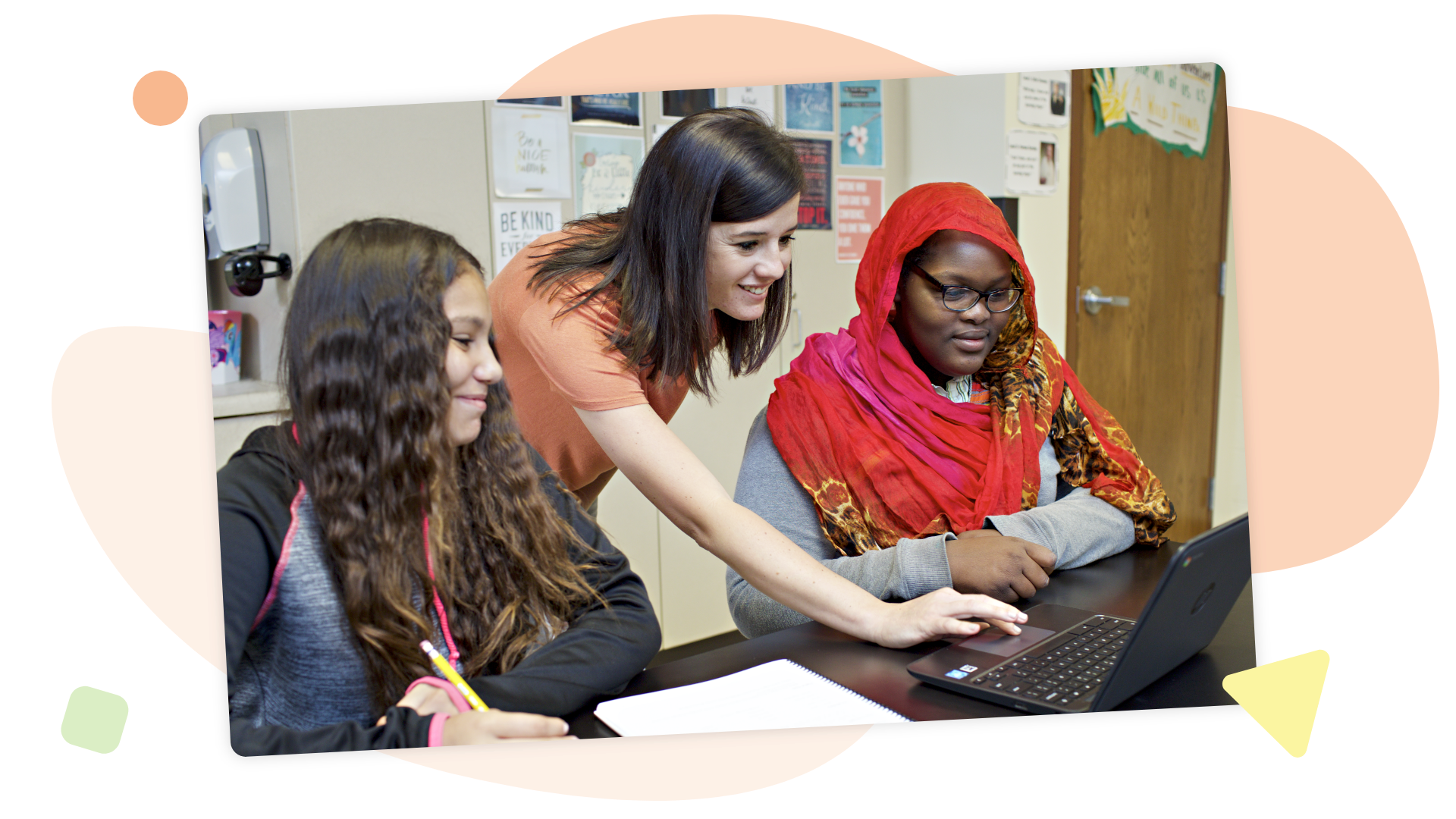
How asset-based assessments can revolutionize math instruction

A student writes in a notebook at a desk with a laptop, as her awesome teacher stands beside her. Both appear engaged in conversation about her academic struggles during ELA class.

Many of today’s math classrooms are facing a perfect storm: declining scores, widening learning gaps, and growing pressure on teachers to deliver solutions. According to the National Assessment of Educational Progress, students are experiencing the steepest drop in math scores since 1990. EdWeek Research Center reports that a persistent gap between educational theory and day-to-day practice is putting added stress on teachers, often leaving them to navigate complex pedagogical demands without adequate support.

So how can we provide both students and teachers with the tools they need to succeed? How can math assessments and math intervention programs provide real help and drive student progress—without piling on more work?

One promising answer lies in rethinking how we assess what students know.

Rethinking the role of math assessments

Traditional assessments tend to focus on correctness alone. Did the student get it right or wrong? How many points did they earn?

But this binary approach misses a lot. A skipped question could mean a tech hiccup or a moment of confusion—not a lack of understanding. A wrong answer might come at the end of otherwise solid problem-solving.

An asset-based assessment approach shifts the focus from mistakes to meaning. It looks beyond outcomes to understanding how students think—their strategies, reasoning, and partial understandings. And when teachers can see that thinking, they gain far more useful data to guide instruction and inform their math intervention program.

This approach doesn’t lower expectations—it raises the quality of insight and gives struggling students (and really all students) a better shot at meeting standards with instruction that’s tailored to their actual needs.

Honoring students’ thinking and teachers’ time

Every student thinks differently. Asset-based assessments help reveal individual thinking, often through short-answer or open-response formats that ask students to explain how they solved a problem.

But this shift isn’t just for students. Teachers can benefit enormously when assessments are designed to surface trends in student thinking. If 30% of a class misinterprets the same concept, that result reveals a teaching opportunity. Rather than reteach an entire unit, teachers can adjust with focused, targeted support. That means less time spent diagnosing, and more time actually helping.

And when technology in the math classroom makes this data easy to collect, analyze, and act on, teachers get a level of consistent insight that is not only helpful, but actionable.

From student performance to student performance + thinking

The ultimate goal of asset-based assessments isn’t to replace performance data—it’s to enhance it. Knowing how a student got to an answer (or why they didn’t) can make all the difference in determining what to do next.

Here’s an example involving a division problem:

A wooden table with four chairs is shown. Text explains each table seats 4, the art class has 33 students, and asks how many tables are needed—an example of using technology in the math classroom to boost student engagement.

When real students were given this problem, they responded with answers like:

  • 33/4 = 8.25, round up to 9 so all kids can sit!
  • 33/4 = 8 with a remainder of 1. She needs 8 tables.
  • 8 x 4 = 32, but 9 x 4 = 36. I don’t know if we can leave one student sitting lonely on the floor, though.

Traditional grading might stop at “correct” or “incorrect” for these responses. But when students are asked to explain their thinking, teachers can uncover a range of reasoning—from successful multiplication strategies to misunderstandings about remainders.

These glimpses into student thinking aren’t just informative—they’re transformative. They can illuminate the performance of students in a deeper, more actionable way. They can help teachers take smarter next steps, and they can help students feel understood, capable, and more like “math people” every day.

More to explore

Inspiring the next generation of Oklahoma scientists, engineers, and curious citizens

Amplify Science is an engaging new core curriculum designed for three-dimensional, phenomena-based learning.

A powerful partnership

Amplify Science was developed by the science education experts at UC Berkeley’s Lawrence Hall of Science and the digital learning team at Amplify.

Our Instructional Model

The Amplify Science program is rooted in the proven, research-based pedagogy of Do, Talk, Read, Write, Visualize. Here’s how each element works:

DO
First-hand investigations are an important part of any science classroom, and Amplify Science has students getting hands-on in every unit, from building models of protein molecules to experimenting with electrical systems.

TALK
Student-to-student discourse and full class discussions are an integral part of the program. Students are provided with numerous opportunities to engage in meaningful oral scientific argumentation, all while fostering a collaborative classroom environment.

READ
Students read scientific articles, focusing their reading activities on searching for evidence related to their investigation, and importantly, on asking and recording questions as they read through fascinating texts on 21st-century topics.

WRITE
Following real-world practices, students write scientific arguments based on evidence they’ve collected, making clear their reasoning about how a given piece of evidence connects to one of several claims.

VISUALIZE
By manipulating digital simulations and using modeling tools to craft visualizations of their thinking— just as real scientists and engineers do—students take their learning far beyond the confines of what they can physically see in the classroom in an exciting and authentic way.

Resources to support your review

Remote and hybrid learning supports

Oklahoma remote and hybrid overview video

Amplify has launched a new remote learning solution called Amplify Science@Home. Intended to make extended remote learning and hybrid learning easier, Amplify Science@Home includes two useful options for continuing instruction: @Home Videos and @Home Units. 

Amplify Science @Home Videos are recordings of real Amplify Science teachers teaching the lessons. For those teachers who are unable to meet synchronously with their students, the recorded lessons are a great way to keep their students on track and engaged with Amplify Science while at home. These videos will be produced for all K–5 units, and for the first four units of each 6–8 grade level. Their release will be rolling, beginning in August.   

Amplify Science@Home Units are modified versions of Amplify Science units, strategically designed to highlight key activities from the program. The @Home Units take significantly less instructional time than the complete Amplify Science program and allow students to engage with science at home. @Home Units will be developed for all Amplify Science K–8 units. Each @Home unit includes:

  • Teacher overviews explaining how to use the materials, including suggestions for enhancing the @Home Units if synchronous learning or in-class time with students is available.
  • Overviews to send home to families.

Student materials are available in two formats:

  • @Home Slides (PDF/PPT) + Student Sheets (PDF) for students with access to technology at home.
  • Downloadable @Home Packets (PDF) for students without access to technology at home.

Download the Remote and hybrid learning guide.

What’s included

Flexible resources that work seamlessly together

Science articles
The middle school science articles serve as sources for evidence collection and were authored by science and literacy experts at the Lawrence Hall of Science.

Student Investigation Notebooks
Available for every unit, the Student Investigation Notebooks provide space for students to:

  • Record data
  • Reflect on ideas from texts and investigations
  • Construct explanations and arguments

Available with full-color article compilations for middle school units.

Digital student experience
Students access the digital simulations and modeling tools, as well as lesson activities and assessments, through the digital student experience. Students can interact with the digital student experience as they:

  • Conduct hands-on investigations
  • Engage in active reading and writing activities
  • Participate in discussions
  • Record observations
  • Craft end-of-unit scientific arguments

Teacher’s Guides
Available digitally and in print, the Teacher’s Guides contain all of the information teachers need to facilitate classroom instruction, including:

  • Classroom Slides
  • Detailed lesson plans
  • Unit and chapter overview documentation
  • Differentiation strategies
  • Standards alignments
  • In-context professional development

Hands-on materials kits
Hands-on learning is at the heart of Amplify Science. Each unit kit contains:

  • Consumable and non-consumable hands-on materials
  • Print classroom display materials
  • Premium print materials for student use (sorting cards, maps, etc.)

Scope and sequence

GRADE
UNIT
Kindergarten
  • Needs of Plants and Animals
  • Pushes and Pulls
  • Sunlight and Water
Grade 1 
  • Animal and Plant Defenses
  • Light and Sound
  • Spinning Earth
Grade 2 
  • Plant and Animal Relationships
  • Properties of Materials
  • Changing Landforms
Grade 3 
  • Balancing Forces
  • Inheritance and Traits
  • Environments and Survival
  • Weather and Climate
Grade 4 
  • Energy Conversions
  • Vision and Light
  • Earth’s Features
  • Waves, Energy, and Information
Grade 5 
  • Patterns of Earth and Sky
  • Modeling Matter
  • The Earth System
  • Ecosystem Restoration
Grade
Units

Grade 6

  • Launch: Microbiome
  • Metabolism
  • Metabolism Engineering Internship
  • Thermal Energy
  • Plate Motion
  • Plate Motion Engineering Internship
  • Rock Transformations
  • Weather Patterns
  • Ocean, Atmosphere, and Climate

Grade 7

  • Launch: Harnessing Human Energy
  • Phase Change
  • Phase Change Engineering Internship
  • Magnetic Fields
  • Earth’s Changing Climate
  • Earth’s Changing Climate Engineering Internship
  • Chemical Reactions
  • Populations and Resources
  • Matter and Energy in Ecosystems

Grade 8

  • Launch: Geology on Mars
  • Earth, Moon, and Sun
  • Light Waves
  • Force and Motion
  • Force and Motion Engineering Internship
  • Traits and Reproduction
  • Natural Selection
  • Natural Selection Engineering Internship
  • Evolutionary History

Oklahoma Academic Standards for Science coverage

Amplify Science was designed from the ground up to meet the Next Generation Science Standards (NGSS), and the Oklahoma Academic Standards for Science (OASS) are closely aligned to the NGSS at K-8. The guidance below is meant to provide support for integrating additional activities that support full coverage of the OASS. You can view the full K–8 OASS correlation here.

Organized by grade level, each section below will outline:

  • additional activities that support 100% alignment to the Oklahoma Academic Standards for Science; 
  • the standard being addressed with the activities; 
  • the recommended placement of the activities within a specific Amplify Science unit; and 
  • PDFs of any accompanying materials that are necessary to implement the activities. 

Standard: 1.ESS3.1: Communicate solutions that will reduce the impact of humans on the land, water, air, and/or other living things in the local environment.

Recommended placementAnimal and Plant Defenses unit, Chapter 1

MaterialsThe Student Book Investigating Monarchs from the unit Needs of Plants and Animals

Investigating Monarchs emphasizes the needs of monarch caterpillars and butterflies and shows what happens when these animals are not able to meet their needs. The book first introduces the life cycle of monarchs, explaining that monarch caterpillars must eat milkweed to survive and change into butterflies. Their summer habitat must have milkweed. The butterflies then migrate a long distance, from the United States to a forest in the mountains of Mexico, where they take shelter in the trees. Their winter habitat must have trees. Scientists discovered that the monarch population in Mexico was greatly reduced because people were cutting down the trees. The forest was then protected, but the monarch population did not recover as expected. Scientists in the United States found evidence that this was because fields with milkweed are being replaced by farms and buildings. This book could be read with the class either before or after Chapter 1 of the Animal and Plant Defenses unit, which focuses on what plants and animals need to do to survive. Students could be asked to reflect on what the monarchs need to survive (including food and shelter), and how human activities impacted the monarchs’ ability to meet those needs. After reading the book, students could brainstorm ideas for how to reduce the impact of humans on the local environment.

Standard: MS-PS4-2: Develop and use a model to describe that waves are reflected, absorbed, or transmitted through various materials.

Recommended placementMetabolism unit, Lesson 3.3, addition to Activity 5 

Materials“What Eyes Can See” science article

As students investigate metabolism and the body systems, the article “What Eyes Can See” should be assigned to deepen their understanding of information processing and sense receptors and connect that understanding to the emerging idea of the interaction of waves with various materials. The article explores how the only thing we can really see is light. Light travels from a light source to the eye, passing through some materials and bouncing off others. Tiny organs inside the eye called rods and cones absorb energy from light, making vision possible. These interactions between light and materials determine our visible world. 

Instructions:

Download the PDF “What Eyes Can See” above and remind students of the Active Reading Guidelines. Before students read the article, invite them to share prior experiences. For example, “Have you ever had an experience where something looked different in one kind of light than in another kind of light? Or where something seemed to appear or disappear when the light changed?”

Standard: MS-PS3-1: Construct and interpret graphical displays of data to describe the relationships of kinetic energy to the mass of an object and to the speed of an object.

Recommended placementHarnessing Human Energy unit, Lesson 1.4, after Activity 4 

MaterialsForce and Motion SimulationActivity instructions and copymasters

In this activity, students use the Force and Motion Simulation to investigate the relationship between kinetic energy, mass, and velocity. 

Instructions

Download the PDF linked above for the Lesson Guide and copymasters needed for the activity. Note that this investigation is typically implemented during the Force and Motion unit. This means the Lesson Guide will contain some incongruous labeling (e.g., unit name), as well as instructions that are out of context and unnecessary for the purposes of addressing this standard at grade 7. We suggest skipping to step 4 of the Instructional Guide to avoid some of this. Your students will get additional exposure to this activity, and indeed the standard as a whole, when they get to the Force and Motion unit in grade 8.

Standards:

  • MS-PS2-3: Ask questions about data to determine the factors that affect the strength of electric and magnetic forces.
  • MS-PS2-5: Conduct an investigation and evaluate the experimental design to provide evidence that fields exist between objects exerting forces on each other even though the objects are not in contact.

Recommended placementForce and Motion unit, after Lesson 1.5 

MaterialsFlextension PDF

This hands-on activity builds on and reinforces students’ understanding of forces that act at a distance, with a focus on electrostatic force. Students explore electrostatic forces, prompted by a set of challenges that they try to accomplish. Next, students generate scientific questions based on their observations. Electrostatic force is less predictable and consistent than magnetic force, and investigating it can be both challenging and intriguing. The purpose of this lesson is for students to gain firsthand experience with electrostatic force and to gain experience generating scientific questions based on observations. You might choose to include this Flextension if you would like your students to have more exposure to electrostatic force, and if you would like to challenge your students to explore and ask questions about a challenging type of force. 

Instructions:

Download the PDF linked above for a detailed Lesson Guide and the copymasters associated with the activity. Note that this activity is typically implemented as an add-on Flextension during the Magnetic Fields unit. This means that you will see some information that is out of context (e.g., placement information, unit title), but the activity itself also works for the purposes of the Force and Motion unit. If you have any questions, please reach out to our support team via the chat icon in your account or help@amplify.com

Explore the Digital Teacher’s Guide

When you’re ready to review, click the orange button below and use your provided login credentials to access the Amplify Science Digital Teacher’s Guide.

To help familiarize yourself with navigating the digital Teacher’s Guide, watch our navigational guide videos:

Grades K–5:

Grades 6–8:

Looking for help?

Powerful (and free!) pedagogical support

Amplify provides a unique kind of support you won’t find from other publishers. We have developed an educational support team of former teachers and administrators who provide pedagogical support for every Amplify curriculum, assessment, and intervention program. This service is completely free for all educators who are using our programs and includes:

  • Guidance for developing lesson plans and intervention plans
  • Information on where to locate standards and other planning materials
  • Recommendations and tips for day-to-day teaching with Amplify programs
  • Support with administering and interpreting assessment data and more

To reach our pedagogical team, use our live chat within your program, call (800) 823-1969, or email edsupport@amplify.com

Timely technical and program support

Our technical and program support is included and available from 7 a.m. to 7 p.m. ET, Monday through Friday, through a variety of channels, including a live chat program that enables teachers to get immediate help in the middle of the school day.

For your most urgent questions:

  • Use our live chat within your program
  • Call our toll-free number: (800) 823-1969

For less urgent questions:

Contact us

Contact your South Carolina team representatives:
Jeff Rutter
Field Manager
jrutter@amplify.com
(727) 512-8440

Cathy McMillan
Senior Account Executive
cmcmillan@amplify.com
(904) 465-9904

Inspiring the next generation of South Carolina scientists, engineers, and curious citizens

Amplify Science is an engaging new core curriculum designed for three-dimensional, phenomena-based learning.

Amplify Science was developed by the science education experts at UC Berkeley’s Lawrence Hall of Science and the digital learning team at Amplify.

Collage showing students engaged in classroom science activities and two scientific illustrations: a cheetah in foliage and a diagram of clouds and raindrops above a hill.

Our Instructional model

The Amplify Science program is rooted in the proven, research-based pedagogy of Do, Talk, Read, Write, Visualize. Here’s how each element works:

DO
First-hand investigations are an important part of any science classroom, and Amplify Science has students getting hands-on in every unit, from building models of protein molecules to experimenting with electrical systems.

TALK
Student-to-student discourse and full class discussions are an integral part of the program. Students are provided with numerous opportunities to engage in meaningful oral scientific argumentation, all while fostering a collaborative classroom environment.

READ
Students read scientific articles, focusing their reading activities on searching for evidence related to their investigation, and importantly, on asking and recording questions as they read through fascinating texts on 21st-century topics.

WRITE
Following real-world practices, students write scientific arguments based on evidence they’ve collected, making clear their reasoning about how a given piece of evidence connects to one of several claims.

VISUALIZE
By manipulating digital simulations and using modeling tools to craft visualizations of their thinking— just as real scientists and engineers do—students take their learning far beyond the confines of what they can physically see in the classroom in an exciting and authentic way.

Explore the Digital Teacher’s Guide

When you’re ready to review, click the orange button below and use your provided login credentials to access the Amplify Science Digital Teacher’s Guide. If you need login credentials, contact Jeff Rutter, jrutter@amplify.com.

Resources to support your review

Scope and sequence

GRADE
UNIT
Kindergarten
  • Needs of Plants and Animals
  • Pushes and Pulls
  • Sunlight and Water
Grade 1 
  • Animal and Plant Defenses
  • Light and Sound
  • Spinning Earth
Grade 2 
  • Plant and Animal Relationships
  • Properties of Materials
  • Changing Landforms
Grade 3 
  • Balancing Forces
  • Inheritance and Traits
  • Environments and Survival
  • Weather and Climate
Grade 4 
  • Energy Conversions
  • Vision and Light
  • Earth’s Features
  • Waves, Energy, and Information
Grade 5 
  • Patterns of Earth and Sky
  • Modeling Matter
  • The Earth System
  • Ecosystem Restoration
Grade
Units

Grade 6

  • Launch: Microbiome
  • Metabolism
  • Metabolism Engineering Internship
  • Thermal Energy
  • Plate Motion
  • Plate Motion Engineering Internship
  • Rock Transformations
  • Weather Patterns
  • Ocean, Atmosphere, and Climate

Grade 7

  • Launch: Harnessing Human Energy
  • Phase Change
  • Phase Change Engineering Internship
  • Magnetic Fields
  • Earth’s Changing Climate
  • Earth’s Changing Climate Engineering Internship
  • Chemical Reactions
  • Populations and Resources
  • Matter and Energy in Ecosystems

Grade 8

  • Launch: Geology on Mars
  • Earth, Moon, and Sun
  • Light Waves
  • Force and Motion
  • Force and Motion Engineering Internship
  • Traits and Reproduction
  • Natural Selection
  • Natural Selection Engineering Internship
  • Evolutionary History

South Carolina College- and Career-Ready Science Standards 2021

Amplify Science was designed from the ground up to meet the Next Generation Science Standards (NGSS), and the South Carolina College- and Career-Ready Science Standards 2021 are closely aligned to the NGSS at K-8. The guidance below is meant to provide support for integrating additional companion activities that support full coverage of the South Carolina College- and Career-Ready Science Standards 2021.

Organized by grade level, each section below will outline:

  • Additional activities that support 100% alignment to the  South Carolina College- and Career-Ready Science Standards 2021; 
  • The standard being addressed with the activities; 
  • The recommended placement of the activities within a specific Amplify Science unit; and 
  • PDFs of any accompanying materials that are necessary to implement the activities.

Standard: MS-PS1-4: Develop a model that predicts and describes changes in particle motion, temperature, and state of a pure substance when thermal energy is added or removed.
Recommended placementThermal Energy unit, Lesson 4.4, addition to Activity 3
Materials“Liquid Oxygen”
By reading the article “Liquid Oxygen,” which describes how the relationship between attraction and kinetic energy determines when a substance changes phase, students extend their understanding of the possible effects of adding or removing thermal energy to include changes in state (phase). Oxygen is one of the most common elements in the world, but most people are only familiar with oxygen in the gas phase. Because oxygen molecules are only weakly attracted to one another, condensing oxygen is difficult. This article introduces students to molecular attraction and discusses its role in phase change, including how it can be used to turn oxygen from a gas to a liquid.
Instructions:
Download PDFs of the “Liquid Oxygen” and distribute it to students. Before they begin reading, remind students of the Active Reading Guidelines. 

Standard: MS-PS4-2: Develop and use a model to describe that waves are reflected, absorbed, or transmitted through various materials.
Recommended placementWeather Patterns unit, Lesson 4.4, addition to Activity 3
Materials“Harvesting Sunlight”, “Why No One in Space Can Hear You Scream” and “Making Waves at Swim Practice”
After investigating weather patterns, which includes a focus of the effects of energy from sunlight, students extend their learning about light by reading three articles about light and other waves.
“Harvesting Sunlight:” Students read this article to learn about the types of light from the sun that plants use for photosynthesis. The article describes how the sun emits all types of light, but plants can only use certain types of visible light for photosynthesis, mostly red and blue light. Plants also absorb other types of light, and these types of light affect plants in different ways. Students use this information to gather evidence that there are different types of light that can affect a material in different ways.
“Why No One in Space Can Hear You Scream:” Students read this article to learn about how waves are transmitted. Explosions that would be deafening on Earth are silent in space. This is because sound is produced by sound waves and, unlike light waves, sound waves need matter to travel through. Reading about this phenomenon helps students understand the similarities and differences between mechanical and electromagnetic waves.
“Making Waves at Swim Practice:” A practice for the school swim team provides an everyday context for discussing light waves and sound waves in this engaging article. First, the article explores sound waves traveling through different materials–the air, the water of the pool, and even a metal poolside bench. Students discover that sound waves travel at different speeds in different materials. The later part of the article discusses light waves, which also travel at different speeds in different materials. As light waves move from one material to another, they change speed and bend. This bending of light waves is called refraction, and it explains why objects that are partly in the water and partly out of the water (such as the legs of a person sitting on the side of a pool) appear ripply and bent.
Instructions:
Plan one class period for each article. Download PDFs of the  “Harvesting Sunlight,” “Why No One in Space Can Hear You Scream,” and “Making Waves at Swim Practice” articles. For each article, before students begin reading, preview the article and discuss what students already know and what they wonder about the topic, then remind students of the Active Reading Guidelines. 

Standard: MS-PS2-3: Ask questions about data to determine the factors that affect the strength of electric and magnetic forces. MS-PS2-5: Conduct an investigation and evaluate the experimental design to provide evidence that fields exist between objects exerting forces on each other even though the objects are not in contact.
Recommended placementHarnessing Human Energy unit, Lesson 3.4, after Activity 1
Materials“Earth’s Geomagnetism” and “Painting with Static Electricity”
After concluding their investigations of energy transfers and conversions, students read two articles that introduce the topic of forces that act at a distance.
“Earth’s Geomagnetism:” What makes a compass needle point north, no matter what? This article introduces students to Earth’s geomagnetic field and the field lines scientists use to show its direction.
“Painting with Static Electricity:” This article gives students the opportunity to learn about electrostatic fields and forces in the context of spray painting without making a mess. Electrostatic painting systems use electrostatics to draw spray paint toward the object being painted, and nowhere else. Painters charge the object they are painting with a negative charge and the paint with a positive charge. The opposite charges are attracted to one another, causing the paint to move toward the object. This surprising use of electrostatics saves time and paint and keeps things tidy!
Instructions
Plan one class period for each article. Download PDFs of the “Earth’s Geomagnetism” and “Painting with Electricity” articles. For each article, before students begin reading, preview the article and discuss what students already know and what they wonder about the topic, then remind students of the Active Reading Guidelines. 

What’s included

Science articles
The middle school science articles serve as sources for evidence collection and were authored by science and literacy experts at the Lawrence Hall of Science.

Illustration of the indirect effects of overfishing on northern benguela jelly populations displayed on a laptop screen.

Student Investigation Notebooks
Available for every unit, the Student Investigation Notebooks provide space for students to:

  • Record data
  • Reflect on ideas from texts and investigations
  • Construct explanations and arguments

Available with full-color article compilations for middle school units.

Collection of educational books from 'amplify science' on topics including ocean atmosphere, matter and energy ecosystems, and insect interactions, displayed in various angles.

Digital student experience
Students access the digital simulations and modeling tools, as well as lesson activities and assessments, through the digital student experience. Students can interact with the digital student experience as they:

  • Conduct hands-on investigations
  • Engage in active reading and writing activities
  • Participate in discussions
  • Record observations
  • Craft end-of-unit scientific arguments
A digital illustration showcasing a laptop and a tablet displaying complex data analysis software interfaces with graphs and heatmaps.

Teacher’s Guides
Available digitally and in print, the Teacher’s Guides contain all of the information teachers need to facilitate classroom instruction, including:

  • Classroom Slides
  • Detailed lesson plans
  • Unit and chapter overview documentation
  • Differentiation strategies
  • Standards alignments
  • In-context professional development
A laptop displaying a website about Mars exploration with a brochure next to it. Both screens show Mars-related images.

Hands-on materials kits
Hands-on learning is at the heart of Amplify Science. Each unit kit contains:

  • Consumable and non-consumable hands-on materials
  • Print classroom display materials
  • Premium print materials for student use (sorting cards, maps, etc.)
A perforated rectangular board, three small containers with different powders, a black battery holder with red wires, and three colored alligator clips are arranged on a white background.

Remote and hybrid learning supports

A person sitting at a desk using a laptop, with a bookshelf containing books, a fish tank, and a soccer ball nearby.

Amplify has launched a new remote learning solution called Amplify Science@Home. Intended to make extended remote learning and hybrid learning easier, Amplify Science@Home includes two useful options for continuing instruction: @Home Videos and @Home Units. 

Amplify Science @Home Videos are recordings of real Amplify Science teachers teaching the lessons. For those teachers who are unable to meet synchronously with their students, the recorded lessons are a great way to keep their students on track and engaged with Amplify Science while at home. These videos will be produced for all K–5 units, and for the first four units of each 6–8 grade level. Their release will be rolling, beginning in August.   

Amplify Science@Home Units are modified versions of Amplify Science units, strategically designed to highlight key activities from the program. The @Home Units take significantly less instructional time than the complete Amplify Science program and allow students to engage with science at home. @Home Units will be developed for all Amplify Science K–8 units. Each @Home unit includes:

  • Teacher overviews explaining how to use the materials, including suggestions for enhancing the @Home Units if synchronous learning or in-class time with students is available.
  • Overviews to send home to families.

Student materials are available in two formats:

  • @Home Slides (PDF/PPT) + Student Sheets (PDF) for students with access to technology at home.
  • Downloadable @Home Packets (PDF) for students without access to technology at home.

Download the Remote and hybrid learning guide.

Looking for help?

Powerful (and free!) pedagogical support

Amplify provides a unique kind of support you won’t find from other publishers. We have developed an educational support team of former teachers and administrators who provide pedagogical support for every Amplify curriculum, assessment, and intervention program. This service is completely free for all educators who are using our programs and includes:

  • Guidance for developing lesson plans and intervention plans
  • Information on where to locate standards and other planning materials
  • Recommendations and tips for day-to-day teaching with Amplify programs
  • Support with administering and interpreting assessment data and more

To reach our pedagogical team, use our live chat within your program, call (800) 823-1969, or email edsupport@amplify.com

Timely technical and program support

Our technical and program support is included and available from 7 a.m. to 7 p.m. ET, Monday through Friday, through a variety of channels, including a live chat program that enables teachers to get immediate help in the middle of the school day.

For your most urgent questions:

  • Use our live chat within your program
  • Call our toll-free number: (800) 823-1969

For less urgent questions:

Contact us

Contact your South Carolina team representatives:
Jeff Rutter
Field Manager
jrutter@amplify.com
(727) 512-8440

Cathy McMillan
Senior Account Executive
cmcmillan@amplify.com
(904) 465-9904

Inspiring the next generation of Massachusetts scientists, engineers, and curious citizens

Amplify Science is an engaging new core curriculum designed for three-dimensional, phenomena-based learning.

Collage of four images: a jungle illustration with a giraffe, students using computers, a boy studying with classmates, and an animated hillside with kites flying.

A powerful partnership

Amplify Science was developed by the science education experts at UC Berkeley’s Lawrence Hall of Science and the digital learning team at Amplify. This partnership extends to 2032, allowing us to continuously improve our program and provide our customers with the most up-to-date enhancements, free of charge. Get a glimpse at our latest back-to-school updates here.

Instructional model

The Amplify Science program is rooted in the proven, research-based pedagogy of Do, Talk, Read, Write, Visualize. Here’s how each element works:

Three blue panels describing educational activities: "hands-on science" with lab experiments, "discuss" with collaborative learning, and "read" with literacy in science articles.

Phenomena-based approach

In each Amplify Science unit, students take on the roles of scientists or engineers in order to investigate a real-world problem. Students work to define the problem and collect and make sense of evidence. Once the context is clear, students collect evidence from multiple sources and through a variety of modalities. At the end of the unit, students are presented with a brand new problem, giving them an opportunity to apply what they’ve learned over the course of the unit to a new context. This represents a shift from asking students to learn about science to supporting students in figuring out the science.

Flowchart of a learning unit divided into four chapters, showing stages of student engagement from introduction to application, with assessments indicated at various points.

Resources to support your review

Scope and Sequence

GRADE

Kindergarten

UNITS

  • Needs of Plants and Animals
  • Pushes and Pulls
  • Sunlight and Water

Grade 1

  • Needs of Plants and Animals
  • Pushes and Pulls
  • Sunlight and Water

Grade 2

  • Plant and Animal Relationships
  • Properties of Materials
  • Changing Landforms

Grade 3

  • Balancing Forces
  • Inheritance and Traits
  • Environments and Survival
  • Weather and Climate

Grade 4

  • Energy Conversions
  • Vision and Light
  • Earth’s Features
  • Waves, Energy, and Information

Grade 5

  • Patterns of Earth and Sky
  • Modeling Matter
  • The Earth System
  • Ecosystem Restoration

Flexible implementation

One of the key features of Amplify Science is the flexibility that it offers. We give students authentic opportunities to experience the full breadth of what it means to be a scientist or engineer. Just as scientists gather evidence from many types of sources, so do students in our program. Like scientists, students gather evidence not just from physical models, but also from digital models, texts, videos, photographs, maps, data sets, and even their peers!
Simply put, real scientists don’t just get messy—they read, write, analyze, hypothesize, model, test, and communicate with purpose, too.

Illustration of the indirect effects of overfishing on northern benguela jelly populations displayed on a laptop screen.

Student Books
Beginning and young readers have unique developmental needs, and science instruction should support these students in reading more independently as they progress through sections of content, the school year, and each grade. One way Amplify Science meets these needs is by strategically deploying different modes of reading throughout each unit: Read-Aloud, Shared Reading, and Partner Reading.

A collage of various educational book covers related to science and math, featuring illustrated themes like sports, nature, and energy.

Student Investigation Notebooks

Available for every unit, the Student Investigation Notebooks provide space for students to:

  • record data.
  • reflect on ideas from texts and investigations.
  • construct explanations and arguments.
Collection of educational books from 'amplify science' on topics including ocean atmosphere, matter and energy ecosystems, and insect interactions, displayed in various angles.

Digital student experience

Students access the digital simulations and Modeling Tools, as well as lesson activities and assessments, through the digital student experience. Students can interact with the digital student experience as they:

  • conduct hands-on investigations.
  • engage in Active Reading and writing activities.
  • participate in discussions.
  • record observations.
  • craft end-of-unit scientific arguments.

Dive into a quick example of our powerful simulations

Grades K–5 simulation

A digital illustration showcasing a laptop and a tablet displaying complex data analysis software interfaces with graphs and heatmaps.

Hands-on materials kits

Hands-on learning is at the heart of Amplify Science and is integrated
into every unit. Students actively take on the roles of scientists and engineers as they gather evidence, think critically, solve problems, and develop and defend claims about the world around them.

Check out this 2-minute video to see an Amplify Science hands-on investigation in action.

Each unit kit contains:

  • consumable and non-consumable hands-on materials.
  • print classroom display materials.
  • premium print materials for student use (sorting cards, maps, etc.).
A perforated rectangular board, three small containers with different powders, a black battery holder with red wires, and three colored alligator clips are arranged on a white background.

Teaching support

Available digitally and in print, the Teacher’s Guides contain all of the information teachers need to facilitate classroom instruction, including:

  • detailed lesson plans.
  • unit and chapter overview documentation.
  • differentiation strategies.
  • standards alignments.
  • in-context professional development.
A laptop displaying the Geology on Mars webpage sits beside a book titled "Geology on Mars," both featuring the same cover image of Mars and a spacecraft, perfect for enhancing three-dimensional learning in any science classroom.

Massachusetts Academic Standards in Science coverage

Amplify Science was designed from the ground up to meet the NGSS, a set of standards that closely align with the Massachusetts Learning Standards for Science coverage. Most grade levels’ respective set of Amplify Science units therefore address the necessary MASS (see correlation). 

For grades K, 1, 2, 3, and 5, teachers should plan to also use the resources provided in the sections below to achieve full coverage of the appropriate standards before their students move on to the next grade band. Organized by grade level, each section outlines:

  • companion lesson materials that were written to support 100% alignment to the Massachusetts Learning Standards for Science coverage when used with the core Amplify Science units for the grade level
  • the standard being addressed with each companion lesson; and
  • the recommended placement of each companion lesson within a specific Amplify Science unit

Standard: K-PS1-1(MA). Investigate and communicate the idea that different kinds of materials can be solid or liquid depending on temperature.

Recommended placement: Following Lesson 5.6 of Sunlight and Weather

Resources: After students finish reflecting on their unit-long exploration of energy and temperature, play and discuss this read-aloud video of the student book Can you Change it Back?, which is featured in the grade 2 unit Properties of Materials. You might also consider borrowing the physical books from a grade 2 colleague’s Properties of Materials kit and reading it as a class instead of or in addition to playing the video.

Using the book, you will introduce students to the idea that heating and cooling can cause changes to materials. In the book, students are presented with a variety of materials and asked to predict whether a certain change caused by heating or cooling is reversible or irreversible.

Companion lesson: “Seasonal Changes”

Standard: 1-ESS1-2– Analyze provided data to identify relationships among seasonal patterns of change, including relative sunrise and sunset time changes, seasonal temperature and rainfall or snowfall patterns, and seasonal changes to the environment.

Recommended placement: Following Lesson 5.1 of Spinning Earth

Resources: Season Changes Classroom Slides and Student Sheet

Companion lesson: “Properties and Weight”

Standard: 2-PS1-3– Analyze a variety of evidence to conclude that when a chunk of material is cut or broken into pieces, each piece is still the same material and, however small each piece is, has weight. Show that the material properties of a small set of pieces do not change when the pieces are used to build larger objects.

Recommended placement: Following Lesson 4.4 of Properties of Materials.

Resources: Weight and Properties Classroom SlidesResources, and Student Sheet

Companion lesson 1: Extinct Insects

Standard: 3-LS4-1: Use fossils to describe types of organisms and their environments that existed long ago and compare those to living organisms and their environments. Recognize that most kinds of plants and animals that once lived on Earth are no longer found anywhere.

Recommended placement: Following Lesson 2.3 of Environments and Survival

Resources: Extinct Insects Classroom Slides and Student Sheet

Companion lesson 2: Friction

Standard: 3-PS2-1: Provide evidence to explain the effect of multiple forces, including friction, on an object. Include balanced forces that do not change the motion of the object and unbalanced forces that do change the motion of the object.

Recommended placement: Following Lesson 1.1 of Balancing Forces

Resources: Friction Classroom SlidesResources, and Student Sheet

Companion lesson 1: Composters

Standard: 5-LS2-2(MA)– Compare at least two designs for a composter to determine which is most likely to encourage decomposition of materials.

Recommended placement: Following Lesson 3.7 of Ecosystem Restoration

Resources: Composters Classroom Slides and Student Sheet

Companion lesson 2: Properties of Materials

Standard: 5-PS1-3 (MA) – Make observations and measurements of substances to describe characteristic properties of each, including color, hardness, reflectivity, electrical conductivity, thermal conductivity, response to magnetic forces, and solubility.

Recommended placement: Following Lesson 1.3 of Modeling Matter

Resources: Properties of Materials Classroom SlidesResourcesArticlesCopymaster, and Student Sheet

Companion lesson 3: Water Filters

Standard: 5-ESS3-2(MA)– Test a simple system designed to filter particulates out of water and propose one change to the design to improve it.

Recommended placement: Following Lesson 5.6 of The Earth System

Resources: Water Filters Classroom Slides and Student Sheet

Benchmark Assessments

Amplify’s Benchmark Assessments are designed to help teachers measure student progress toward the three dimensions—Disciplinary Core Ideas (DCIs), Science and Engineering Practices (SEPs), and Crosscutting Concepts(CCCs)—and performance expectations (PEs) of the NGSS. The assessments provide important insight into how students are progressing toward mastery of different standards ahead of high-stakes, end-of-year assessments.

The Benchmark Assessments are built to be delivered after specific units in the recommended Amplify Science scope and sequence.* They are given three or four times per year, depending on the grade level. The benchmarks are intended to show progress at various points in time across a school year, and are therefore not summative in nature. Digital items and item clusters are also tagged to specific NGSS standards, allowing customization to align with other course sequences. The assessments are available via the following platforms:

Print
PDF files: For administering Benchmark Assessments on paper

Digital platforms

  • Illuminate
  • SchoolCity
  • Otus
  • QTI (“Question and Test Interoperability”) files
    Not sure whether QTI files are compatible with your assessment platform? Contact your school IT or assessment platform representative for more information.
    Please note that Amplify is able to provide access to the QTI files themselves, but is not able to support the integration process. Your assessment platform provider should be able to assist with QTI file integration.

Remote and hybrid learning support

A child sits at a desk using a laptop. Next to the desk is a bookshelf with books, a fishbowl, and a soccer ball.

See an example of our remote and hybrid learning support below:

Intended to make extended remote and hybrid learning easier, Amplify Science @Home includes two useful options for continuing instruction: @Home Videos and @Home Units.
Amplify Science @Home Videos are recordings of real Amplify Science teachers teaching the lessons. For those teachers who are unable to meet synchronously with their students, the recorded lessons are a great way to keep their students on track and engaged with Amplify Science while at home.

Amplify Science @Home Units are modified versions of Amplify Science units, strategically designed to highlight key activities from the program. The @Home Units take significantly less instructional time than the complete Amplify Science program and allow students to engage with science at home. Each @Home unit includes:

  • Teacher overviews explaining how to use the materials, including suggestions for enhancing the @Home Units if synchronous learning or in-class time with students is available
  • Overviews to send home to families

Student materials will be available in two formats:

  • @Home Slides (PDF/PPT) + Student Sheets (PDF) for students with access to technology at home
  • Downloadable @Home Packets (PDF) for students without access to technology at home

Download the remote and hybrid learning guide

Explore the digital Teacher’s Guide

To familiarize yourself with navigation of the digital Teacher’s Guide, watch our navigational guide videos:

Grades K–5:

Looking for help?

Powerful (and free!) pedagogical support

Amplify provides a unique kind of support you won’t find from other publishers. We’ve developed an educational support team of former teachers and administrators who provide pedagogical support for every Amplify curriculum, assessment, and intervention program. This service is completely free for all educators who are using our programs and includes:

  • Guidance for developing lesson plans and intervention plans.
  • Information on where to locate standards and other planning materials.
  • Recommendations and tips for day-to-day teaching with Amplify programs.
  • Support with administering and interpreting assessment data and more.

Timely technical and program support

Our technical and program support is included and available Monday through Friday, from 7 a.m. to 7 p.m. ET, through a variety of channels, including a live chat program that enables teachers to get immediate help in the middle of the school day.

Ready to dive in?

Contact your Massachusetts representative:

Tracy Yefimenko
518-466-3497
tyefimenko@amplify.com

Inspiring the next generation of Massachusetts scientists, engineers, and curious citizens

To view this protected page, enter the password below:


Amplify Science 6–8 Review Toolkit

Simplify your science curriculum review journey with the Amplify Science Review Toolkit. Within this Toolkit, you’ll find program overview information, classroom videos, evaluation rubrics, and a free sample unit.

Amplify Science for grades K–8 has been rated all-green by EdReports. Read the review on EdReports.

Collage featuring the EdReports 2023 review badge, two students working together at a laptop, two students discussing over a tablet, and a digital diagram of a spider on a computer screen.

What is Amplify Science?

A collaboration between the curriculum experts at UC Berkeley’s Lawrence Hall of Science and instructional technology experts at Amplify, Amplify Science is a comprehensive program that blends literacy-rich activities, hands-on investigations, and interactive digital tools. Amplify Science empowers students to think, read, write, and argue like 21st-century scientists and engineers. Highly adaptable and user-friendly, the program gives schools and individual teachers flexibility with their technology resources and preferences.

The program is backed by gold-standard research and is currently used by thousands of teachers across the US.

See Amplify Science in action

Amplify Science in Action: a week in the life (6–8)

What does a week in the life of an Amplify Science teacher look like? We asked Amy Trujillo, a sixth-grade teacher from Denver Public Schools, to talk through an example of what one week of using Amplify Science is like in her classroom.

In Amplify Science, students take on the role of a scientist or engineer to actively investigate compelling phenomena through engaging hands-on investigations, immersive digital simulations, comprehensive reading and writing activities, and lively classroom discussions.

See what Amplify Science looks like in a classroom with more topical videos:

Dig deeper into the curriculum

Amplify Science is rooted in the research-based Do, Talk, Read, Write, Visualize model of learning. Students engage with science and engineering practices, figure out disciplinary core ideas, and utilize and apply crosscutting concepts in multiple modalities across thoughtful, structured lessons, all centered around engaging anchor phenomena. Learn more about how a unique mix of activities and modalities provide students with multiple points of entry into the instruction.

Attend a webinar

Join the Lawrence Hall of Science for a series of free webinars! Curriculum experts will explore why embedded engineering and phenomena-based science instruction deliver results, with examples from Amplify Science.

Webinars are scheduled throughout the spring, and you can always sign to watch a recording if you’re unable to attend live.

Register for a webinar now!

Review rubrics

Using an evaluation rubric to review? Take a look at our filled-out TIME and EQuIP rubrics.

Test drive the program

Click submit to access a free sample unit from our middle school curriculum.

Oregon Math State Review for 9–12

To view this protected page, enter the password below:


Oregon Math State Review for 6–8

To view this protected page, enter the password below:


Oregon ELA State Review for 6–8

To view this protected page, enter the password below:


San Diego Caregivers — Welcome to Amplify Desmos Math!

Welcome to the Amplify Desmos Math Caregiver Hub for San Diego USD. We’re excited to partner with San Diego USD teachers, principals, and district leaders to provide your student with exceptional opportunities to learn math. We designed this hub to help you in supporting your student along their math journey this year.

Introducing Amplify Desmos Math

Amplify Desmos Math is a new core math curriculum built for grades 6, 7, 8. Designed to help students learn math in a way, Amplify Desmos Math uses a student-centered approach to instruction, which has been proven to significantly increase math learning.

In every lesson, Amplify Desmos Math poses engaging and relevant problems to solve, giving students daily opportunities to think critically, work collaboratively, and actively participate in their own learning.

Amplify Desmos Math was built upon the highly rated Illustrative Mathematics curricula: IM K-12 Math™️, which earned an all-green score on EdReports.

About student-centered math instruction

Student-centered instruction may look different from the way students have learned math for decades, and maybe even the way you learned math. Instead of memorizing formulas and tricks, student-centered learning focuses on giving student opportunities to figure out how math works. Plus, research shows that students and teachers alike prefer this method, and teachers report that student-centered instruction has helped their students learn more math.

This way of learning helps students:

  • Understand how math concepts work.
  • Remember what they learn in class and apply their knowledge to new situations.
  • Perform better on standardized tests and have more growth in their grades than their peers who learn through other methods.
  • Learn to communicate in writing and verbally, understand and challenge the opinions of others, and build confidence in solving new problems.
  • Develop key skills for success in college and the workplace, like using technology, completing projects independently and with others, and persevering through difficult problems.

What materials do students use?

Amplify Desmos Math supports blended learning with supportive print materials and a unique digital experience. In addition to a consumable Student Edition, students are invited to use our interactive online platform to solve open-ended tasks and challenging problems.

Here are some key highlights of the digital platform:

  • Digital activities that allow students to explore and make sense of math
  • Digital calculator and virtual manipulatives that support students of all levels
  • Immediate feedback that guides students in understanding challenging concepts
  • Ability to access instructional materials in English or Spanish

With access to their own special online dashboard, teachers can monitor students’ work in real time, making sure they get the exact support that they need at every part of the lesson.

What does a lesson look like?

Students in an Amplify Desmos Math classroom can be seen (and heard!) — asking questions, debating answers, justifying their thinking, grappling with problems, and working together and independently.

In class, your student will spend their time working on challenging problems while the teacher acts as a guide, highlighting different strategies for solving problems and helping students to understand the reasoning behind the math they do in class. Your student will be pushed to think more deeply about the math in their class as the teacher and other students question them on why their ideas make sense. Research has proven that this method helps students become better problem solvers, critical thinkers, and have a stronger conceptual understanding of what they are learning.

Here’s what a typical Amplify Desmos Math lesson includes:

  • Warm-up: A short, attention-getting problem to get students interested in the lesson
  • Activities: 1-3 mini-activities that challenge students’ problem-solving skills
  • Synthesis: Discussion to review and bring together the important concepts from the lesson
  • Exit Ticket and Reflection: Questions for students to show what they know from the lesson
  • Practice: Additional problems your student’s teacher may assign for classwork or homework

How can families support math learning at home?

Find the math in everyday life

Relate math to daily activities at home, whether it be baking, grocery shopping, or planning for a road trip. Your student can help you figure out the price of an item after a coupon, cut a recipe in half, or figure out how much gas you’ll need to make it to your destination. Encourage your student to point out ways that your family uses math in your daily tasks.

Review practice problems together

Your student’s teacher may assign practice problems at the end of each lesson for classwork or homework. Ask your student to walk you through how they solved each problem, or talk about any parts that were challenging for them.

Remember getting stuck is okay

Emphasize that getting stuck is part of the process and a necessary part of learning. Many students (and adults!) fear making mistakes, however, research shows that making mistakes helps your brain grow more. When your student gets stuck on a problem, encourage them to try different strategies, even if they are not sure if they are right.

Use our Unit Summaries for Families

We’ve created a Family Resource for every unit of the program that provides a summary of key concepts plus examples for how to work through problems.

Within each of the grade-level links below, you’ll find a Family Resource document for each unit, in both English and Spanish.

Unit 1: Area and Surface Area

Unit 2: Introducing Ratios

Unit 3: Rates and Percentages

Unit 4: Dividing Fractions

Unit 5: Arithmetic in Base Ten

Unit 6: Expressions and Equations

Unit 7: Rational Numbers

Unit 8: Data Sets and Distributions

Unit 1: Scale Drawings

Unit 2: Introducing Proportional Relationships

Unit 3: Measuring Circles

Unit 4: Percentages

Unit 5: Rational Number Arithmetic

Unit 6: Expressions, Equations, and Inequalities

Unit 7: Angles, Triangles, and Prisms

Unit 8: Probability and Sampling

Unit 1: Rigid Transformations and Congruence

Unit 2: Dilations and Similarity

Unit 3: Linear Relationships

Unit 4: Linear Equations and Systems of Linear Equations

Unit 5: Functions and Volume

Unit 6: Exponents and Scientific Notation

Unit 7: Irrationals and the Pythagorean Theorem

Unit 8: Associations in Data

Note: The below links are for our Volume 2 units, which most students are working in currently. Additional units will be coming soon!

Unit 1: Coming Soon!

Unit 2: Coming Soon!

Unit 3: Fractions and Decimals

Unit 4: Expressions and Equations

Unit 5: Proportional Relationships

Unit 6: Percentages

Unit 7: Positive and Negative Numbers

Unit 8: Describe Data

Note: The below links are for our Volume 2 units, which most students are working in currently. Additional units will be coming soon!

Unit 1: Coming Soon!

Unit 2: Coming Soon!

Unit 3: Coming Soon!

Unit 4: Linear Relationships and Systems of Linear Equations

Unit 5: Functions

Unit 6: Associations in Data

Unit 7: Volume and Surface Area

Unit 8: Exponent and Scientific Notation

Unit 9: Pythagorean Theorem and Irrational Numbers 

Listen to our podcast

Our Math Teacher Lounge is a biweekly podcast created specifically for K–12 math teachers. In each episode, co-hosts Bethany Lockhart Johnson (@lockhartedu) and Dan Meyer (@ddmeyer) chat with expert guests, taking a deep dive into the math and educational topics.

From time-to-time, the topic of an episode is perfect for families. For example, the episode below features Dr. Marjorie Schaeffer. She discusses what causes math anxiety, math hacks, and how the right math technology can make an incredible impact in children and family members who struggle with math anxiety.

Listen today and don’t forget to grab your MTL study guide to track your learning and make the most of this episode!

Download Transcript

How do families access the program at home?

Your student will have access to all learning, practice, and assessment materials through the Amplify platform. Students can access the digital curriculum in school and at home by following these simple instructions.

  • Click the Amplify Desmos Math button.
  • Select Log in with Amplify.
  • Enter this username and password provided by your student’s teacher.
  • Select the desired grade level.

A powerful partnership

Amplify Science was developed by the science education experts at UC Berkeley’s Lawrence Hall of Science and the digital learning team at Amplify. This partnership extends to 2032, allowing us to continuously improve our program and provide our customers with the most up-to-date enhancements, free of charge. Get a glimpse at our latest back-to-school updates here.

Instructional model

The Amplify Science program is rooted in the proven, research-based pedagogy of Do, Talk, Read, Write, Visualize. Here’s how each element works:

Three blue panels describing educational activities: "hands-on science" with lab experiments, "discuss" with collaborative learning, and "read" with literacy in science articles.

Phenomena-based approach

In each Amplify Science unit, students take on the roles of scientists or engineers in order to investigate a real-world problem. Students work to define the problem and collect and make sense of evidence. Once the context is clear, students collect evidence from multiple sources and through a variety of modalities. At the end of the unit, students are presented with a brand new problem, giving them an opportunity to apply what they’ve learned over the course of the unit to a new context. This represents a shift from asking students to learn about science to supporting students in figuring out the science.

Flowchart of a learning unit divided into four chapters, showing stages of student engagement from introduction to application, with assessments indicated at various points.

Resources to support your review

Remote and hybrid learning support

A child sits at a desk using a laptop. Next to the desk is a bookshelf with books, a fishbowl, and a soccer ball.

See an example of our remote and hybrid learning support below:

This fall, Amplify launched a new remote learning solution called Amplify Science@Home. Intended to make extended remote and hybrid learning easier, Amplify Science @Home includes two useful options for continuing instruction: @Home Videos and @Home Units.
Amplify Science @Home Videos are recordings of real Amplify Science teachers teaching the lessons. For those teachers who are unable to meet synchronously with their students, the recorded lessons are a great way to keep their students on track and engaged with Amplify Science while at home. These videos will be produced for all K–5 units, and for the first four units of each 6–8 grade level. Their release will be rolling, beginning in August.

Amplify Science @Home Units are modified versions of Amplify Science units, strategically designed to highlight key activities from the program. The @Home Units take significantly less instructional time than the complete Amplify Science program and allow students to engage with science at home. @Home Units will be developed for all Amplify Science K–8 units. Each @Home unit includes:

  • Teacher overviews explaining how to use the materials, including suggestions for enhancing the @Home Units if synchronous learning or in-class time with students is available
  • Overviews to send home to families

Student materials will be available in two formats:

  • @Home Slides (PDF/PPT) + Student Sheets (PDF) for students with access to technology at home
  • Downloadable @Home Packets (PDF) for students without access to technology at home

Download the remote and hybrid learning guide

Benchmark Assessments

Amplify’s Benchmark Assessments are designed to help teachers measure student progress toward the three dimensions—Disciplinary Core Ideas (DCIs), Science and Engineering Practices (SEPs), and Crosscutting Concepts(CCCs)—and performance expectations (PEs) of the NGSS. The assessments provide important insight into how students are progressing toward mastery of different standards ahead of high-stakes, end-of-year assessments.

The Benchmark Assessments are built to be delivered after specific units in the recommended Amplify Science scope and sequence.* They are given three or four times per year, depending on the grade level. The benchmarks are intended to show progress at various points in time across a school year, and are therefore not summative in nature. Digital items and item clusters are also tagged to specific NGSS standards, allowing customization to align with other course sequences. The assessments are available via the following platforms:

Print
PDF files: For administering Benchmark Assessments on paper

Digital platforms

  • Illuminate
  • SchoolCity
  • Otus
  • QTI (“Question and Test Interoperability”) files
    Not sure whether QTI files are compatible with your assessment platform? Contact your school IT or assessment platform representative for more information.
    Please note that Amplify is able to provide access to the QTI files themselves, but is not able to support the integration process. Your assessment platform provider should be able to assist with QTI file integration.

Flexible implementation

One of the key features of Amplify Science is the flexibility that it offers. We give students authentic opportunities to experience the full breadth of what it means to be a scientist or engineer. Just as scientists gather evidence from many types of sources, so do students in our program. Like scientists, students gather evidence not just from physical models, but also from digital models, texts, videos, photographs, maps, data sets, and even their peers!
Simply put, real scientists don’t just get messy—they read, write, analyze, hypothesize, model, test, and communicate with purpose, too.

Science articles

The middle school science articles serve as sources for evidence collection and were authored by science and literacy experts at the Lawrence Hall of Science.

Illustration of the indirect effects of overfishing on northern benguela jelly populations displayed on a laptop screen.

Student Books
Beginning and young readers have unique developmental needs, and science instruction should support these students in reading more independently as they progress through sections of content, the school year, and each grade. One way Amplify Science meets these needs is by strategically deploying different modes of reading throughout each unit: Read-Aloud, Shared Reading, and Partner Reading.

A collage of various educational book covers related to science and math, featuring illustrated themes like sports, nature, and energy.

Student Investigation Notebooks

Available for every unit, the Student Investigation Notebooks provide space for students to:

  • record data.
  • reflect on ideas from texts and investigations.
  • construct explanations and arguments.

Available with full-color article compilations for middle school units.

Collection of educational books from 'amplify science' on topics including ocean atmosphere, matter and energy ecosystems, and insect interactions, displayed in various angles.

Digital student experience

Students access the digital simulations and Modeling Tools, as well as lesson activities and assessments, through the digital student experience. Students can interact with the digital student experience as they:

  • conduct hands-on investigations.
  • engage in Active Reading and writing activities.
  • participate in discussions.
  • record observations.
  • craft end-of-unit scientific arguments.

Dive into a quick example of our powerful simulations

A digital illustration showcasing a laptop and a tablet displaying complex data analysis software interfaces with graphs and heatmaps.

Hands-on materials kits

Hands-on learning is at the heart of Amplify Science and is integrated
into every unit. Students actively take on the roles of scientists and engineers as they gather evidence, think critically, solve problems, and develop and defend claims about the world around them.

Check out these 2-minute videos to see an Amplify Science hands-on investigation in action.

Each unit kit contains:

  • consumable and non-consumable hands-on materials.
  • print classroom display materials.
  • premium print materials for student use (sorting cards, maps, etc.).
A perforated rectangular board, three small containers with different powders, a black battery holder with red wires, and three colored alligator clips are arranged on a white background.

Teacher’s Guides

Available digitally and in print, the Teacher’s Guides contain all of the information teachers need to facilitate classroom instruction, including:

  • detailed lesson plans.
  • unit and chapter overview documentation.
  • differentiation strategies.
  • standards alignments.
  • in-context professional development.
A laptop displaying the Geology on Mars webpage sits beside a book titled "Geology on Mars," both featuring the same cover image of Mars and a spacecraft, perfect for enhancing three-dimensional learning in any science classroom.

Scope and Sequence

GRADE UNITS
Kindergarten
  • Needs of Plants and Animals
  • Pushes and Pulls
  • Sunlight and Water
Grade 1
  • Animal and Plant Defenses
  • Light and Sound
  • Spinning Earth
Grade 2
  • Plant and Animal Relationships
  • Properties of Materials
  • Changing Landforms
Grade 3
  • Balancing Forces
  • Inheritance and Traits
  • Environments and Survival
  • Weather and Climate
Grade 4
  • Energy Conversions
  • Vision and Light
  • Earth’s Features
  • Waves, Energy, and Information
Grade 5
  • Patterns of Earth and Sky
  • Modeling Matter
  • The Earth System
  • Ecosystem Restoration
GRADE UNITS
Grade 6: Earth Science
  • Launch: Geology on Mars
  • Plate Motion
  • Plate Motion: Engineering Internship
  • Rock Transformations
  • Earth, Moon, and Sun
  • Ocean, Atmosphere, and Climate
  • Weather Patterns
  • Earth’s Changing Climate
  • Earth’s Changing Climate: Engineering Internship
Grade 7: Life Science
  • Launch: Microbiome
  • Metabolism
  • Metabolism: Engineering Internship
  • Traits and Reproduction
  • Populations and Resources
  • Matter and Energy in Ecosystems
  • Natural Selection
  • Natural Selection: Engineering Internship
  • Evolutionary History
Grade 8: Physical Science 
  • Launch: Harnessing Human Energy
  • Force and Motion
  • Force and Motion: Engineering Internship
  • Magnetic Fields
  • Thermal Energy
  • Phase Change
  • Phase Change: Engineering Internship
  • Chemical Reactions
  • Light Waves

Minnesota Academic Standards in Science coverage

Amplify Science was designed from the ground up to meet the NGSS, a set of standards that closely align with the K–8 Minnesota Academic Standards in Science (MASS). Therefore, most grade levels’ respective set of Amplify Science units address the necessary MASS (see K–5 reverse alignment and/or correlations for K–5 and 6–8). However, for grades 2–4, teachers should also use the resources provided in the sections below to achieve full coverage of the appropriate standards before their students move on to the next grade level. Organized by grade level, each section outlines:

  • companion lesson materials that were written to support 100% alignment to the Minnesota Academic Standards in Science when used with the core Amplify Science units for the grade level
  • the standard being addressed with each companion lesson; and
  • the recommended placement of each companion lesson within a specific Amplify Science unit 

Companion lesson: “Shelter”

Standard: 1P.4.2.2.1 Communicate solutions that use materials to provide shelter, food, or warmth needs for communities including Minnesota American Indian tribes and communities.* (P: 8, CC: 2, CI: PS1, ETS2)

Recommended placement: Following Lesson 5.1 of Spinning Earth

Materials: Shelter Classroom Slides and Student Sheet

Companion lesson: “Describing Climates”

Standard: 2E.4.2.1.2 Obtain and use information from multiple sources, including electronic sources, to describe climates in different regions of the world.** (P: 8, CC: 1, CI: ESS2)

Recommended placement: Following Lesson 4.5 of Changing Landforms

Materials: Describing Climates Classroom Slides and Student Sheet

Note: Students will further investigate the content in this standard, and revisit the book used in this companion lesson, in 3rd grade (Weather and Climate unit)

Companion lesson 1: Light and Vision

Standard: 3P.3.1.1.1 Develop a model to describe that light reflecting from objects and entering the eye allows objects to be seen. (P: 2, CC: 2, CI: PS4)

Recommended placement: Following Lesson 4.5 of Environments and Survival

Materials: Light and Vision Part 1 Classroom Slides and Student Sheet; Light and Vision Part 2 Classroom Slides and Student Sheet 

Note: Students will further investigate the content in this standard, and revisit the book used in this companion lesson, in 4th grade (Vision and Light unit)

Companion lesson 2: Studying Stars

Standard: 3E.4.2.2.1 Gather information and communicate how Minnesota American Indian Tribes and communities and other cultures use patterns in stars to make predictions and plans. (P 8, CC: 1, CI: ESS1) 

Recommended placement: Following Lesson 4.4 of Weather and Climate

Materials: Studying Stars Classroom Slides and Student Sheet

Note: Students will further investigate the content in this standard, and revisit the book used in this companion lesson, in 5th grade (Patterns of Earth and Sky unit)

Companion lesson 1: Salt Water and Freshwater

Standard: 4E.2.2.1.1 Interpret charts, maps and/or graphs of the amounts of salt water and fresh water in various reservoirs to provide evidence about the distribution of water on Earth.** (P: 5, CC: 4, CI: ESS2) 

Recommended placement: Following Lesson 2.6 of Earth’s’ Features

Materials: Salt Water and Freshwater Classroom Slides and Student Sheet

Note: Students will further investigate the content in this standard, and revisit the book used in this companion lesson, in 5th grade (The Earth System unit)

Companion lesson 2: How Raindrops Form

Standard: 4E.1.1.1.2 Ask questions about how water moves through the Earth system and identify the type of question. (P: 1, CC: 5, CI: ESS2) 

Recommended placement: Following Lesson 4.5 of Earth’s’ Features

Materials: How Raindrops Form Classroom Slides and Student Sheet

Note: Students will further investigate the content in this standard, and revisit the book used in this companion lesson, in 5th grade (The Earth System unit)

Explore the digital Teacher’s Guide

To familiarize yourself with navigation of the digital Teacher’s Guide, watch our navigational guide videos:

Grades K–5:

Grades 6–8:

Looking for help?

Powerful (and free!) pedagogical support

Amplify provides a unique kind of support you won’t find from other publishers. We’ve developed an educational support team of former teachers and administrators who provide pedagogical support for every Amplify curriculum, assessment, and intervention program. This service is completely free for all educators who are using our programs and includes:

  • Guidance for developing lesson plans and intervention plans.
  • Information on where to locate standards and other planning materials.
  • Recommendations and tips for day-to-day teaching with Amplify programs.
  • Support with administering and interpreting assessment data and more.

Timely technical and program support

Our technical and program support is included and available Monday through Friday, from 7 a.m. to 7 p.m. ET, through a variety of channels, including a live chat program that enables teachers to get immediate help in the middle of the school day.

Ready to dive in?

Contact your Minnesota representative:
Kristi Stengel
Account Executive
kstengel@amplify.com
(612) 306-3941

Tammy Sigwarth
Account Executive
tsigwarth@amplify.com
(563) 663-0056

Core Principles:

These core principles guide our operations, employee behavior and product development:

  • Customer Control: We help school districts securely manage their personally identifiable student information. The districts direct our use of the data, and control who has access to that data and with whom it is shared.
  • Educational Purpose: Personal student information can only be used for customer-authorized purposes to support student learning through the secure and effective operation of our educational tools. 
  • Transparency: School districts, teachers, parents and students have the right to know what information is collected by school technology, how it is used and by whom, as clearly described in our privacy policy.
  • Commitment: Privacy and security are thoroughly embedded into our organizational practices. We dedicate substantial resources to systems, processes and personnel required to protect student information.

Amplify Data Privacy and Security Practices:

Amplify maintains a customer data privacy policy that explains our data collection, handling and use practices. 

Amplify also maintains a data security policy that explains how student data is protected from unauthorized access.  Data security practices at Amplify are developed and maintained in accordance with the internationally recognized ISO27002 security standards.  In addition, Amplify has successfully completed the SOC 2 Type 2 examination of controls relevant to security and conducts such examination on an annual basis. 

For more information, please review our customer privacy policy and security practices. If you have additional questions, please contact us at privacy@amplify.com.  

State Law Compliance

Amplify has entered into Data Privacy Agreements (DPAs) with districts across the country to facilitate compliance with applicable laws governing student data privacy. These DPAs can be applied to any Amplify product.

Unless otherwise noted, the DPAs are based on the Student Data Privacy Consortium’s (SDPC) model agreement which was created to simplify the contracting process between providers and local education agencies (LEAs) while ensuring LEAs have the necessary data protection obligations in place with providers. For additional information please visit the SDPC website and select your state.

General Offer of Privacy Terms:
To expedite your district’s need for a DPA and streamline the contracting process, we have compiled the following DPAs, listed by state.

By executing the General Offer of Privacy Terms, your LEA can “piggy back” off an existing DPA that other LEAs in your state have already agreed to. If you do not see your state below, please contact privacy@amplify.com.

Instructions: 
(i) Please download the General Offer of Privacy Terms, (ii) sign and send the executed copy to your Amplify account representative, and (iii) retain a copy for your records. If you have any questions please reach out to privacy@amplify.com.

*Please note, states marked with an asterisk do not have a General Offer of Privacy Terms; however, please review the instructions below on how to quickly implement a DPA in compliance with your LEA’s state law.

Arizona: To enter into Amplify’s AZ-NDPA-V1, please sign the General Offer of Privacy Terms

Arkansas: To enter into Amplify’s AR-NDPA-V1, please sign the and General Offer of Privacy Terms

California: To enter into Amplify’s CA-NDPA, Version 1.5, please sign the General Offer of Privacy Terms

Connecticut*
To facilitate your district’s compliance with the requirements of Connecticut’s student data privacy law (Connecticut General Statutes §§ 10-234aa through 10-234dd), Amplify is proud to offer our “Connecticut Terms of Service Addendum” linked below. This Addendum supplements Amplify’s Terms and Conditions for use of Amplify products licensed by the district available at https://amplify.com/customer-terms.
Addendum: Connecticut Terms of Service Addendum
Instructions: Please retain a copy for your records – no further action is required.

Florida: To enter into Amplify’s FL-NDPA, Version 1.0, please sign the General Offer of Privacy Terms

Hawaii*
Amplify has entered into a Data Sharing Agreement with the Hawaii State Department of Education (HIDOE) which applies to any LEA associated with HIDOE. If your LEA is not a part of the HIDOE and you require a data privacy agreement, please reach out to privacy@amplify.com.

Illinois: To enter into Amplify’s IL-NDPA (which includes the IL State Supplemental Terms), please sign the General Offer of Privacy Terms

Iowa: To enter into Amplify’s IA-NDPA (which includes the IA State Supplemental Terms), please sign the General Offer of Privacy Terms

Maine: To enter into Amplify’s MA-ME-MO-NH-NY-OH-RI-VT DPA, Version 1 (which includes the ME State Supplemental Terms), please sign the General Offer of Privacy Terms 

Massachusetts: To enter into Amplify’s MA-ME-MO-NH-NY-OH-RI-VT DPA, Version 1 (which includes the MA State Supplemental Terms), please sign the General Offer of Privacy Terms

Missouri: To enter into Amplify’s MO-NDPA, Version 1.0, please sign the General Offer of Privacy Terms

Montana: To enter into Amplify’s MT DPA, Version 3, please sign the General Offer of Privacy Terms

Nebraska: To enter into Amplify’s NE NDPA (which includes the NE State Supplemental Terms), please sign the General Offer of Privacy Terms

New York*
Option 1:
To facilitate your district’s compliance with the requirements of New York State Education Law § 2-D and regulations promulgated thereunder, Amplify is proud to offer our “New York Data Privacy and Security Addendum” linked below. This Addendum supplements Amplify’s Terms and Conditions for use of Amplify products licensed by the educational agency available at https://amplify.com/customer-terms.
Addendum: New York Data Privacy and Security Addendum
Instructions: Please retain a copy for your records- no further action is required.
Option 2:
To enter into Amplify’s MA-ME-MO-NH-NY-OH-RI-VT DPA, Version 1 (which includes the NY State Supplemental Terms), please sign the General Offer of Privacy Terms

New Hampshire: To enter into Amplify’s MA-ME-MO-NH-NY-OH-RI-VT DPA, Version 1 (which includes the NH State Supplemental Terms), please sign the General Offer of Privacy Terms

North Carolina*
The Data Confidentiality and Security Agreement issued by the North Carolina Department of Public Instruction (NCDPI) is not applicable to Amplify’s services given Amplify does not have a direct integration to any state system via API/plugin. You can review the NCDPI guidance here: https://www.dpi.nc.gov/about-dpi/technology-services/third-party-data-integration. However, Amplify can sign this form with some revisions. As such, we have prepared an Addendum which supplements the Data Confidentiality and Security Agreement.
Instructions: Please download a copy of the Data Confidentiality and Security Agreement with Amplify Addendum, return an executed copy to your account executive, and retain a copy for your records.

Ohio: To enter into Amplify’s OH-NDPA Version 1.0, please sign the General Offer of Privacy Terms

Oregon: To enter into Amplify’s OR-NDPA-V1, please sign the General Offer of Privacy Terms

Rhode Island: To enter into Amplify’s MA-ME-MO-NH-NY-OH-RI-VT DPA, Version 1 (which includes the RI State Supplemental Terms), please sign the General Offer of Privacy Terms

Tennessee: To enter into Amplify’s TN-NDPA-V1, please sign the General Offer of Privacy Terms

Texas: To enter into Amplify’s TX-NDPA-V1R6, please sign the General Offer of Privacy Terms

Utah: To enter into Amplify’s UT-NDPA, Version 1, please sign the General Offer of Privacy Terms

Vermont: To enter into Amplify’s MA-ME-MO-NH-NY-OH-RI-VT DPA, Version 1 (which includes the VT State Supplemental Terms), please sign the General Offer of Privacy Terms

Virginia: To enter into Amplify’s VA-DPA, please sign the General Offer of Privacy Terms

Washington: To enter into Amplify’s WA-NDPA, Version 1, please sign the General Offer of Privacy Terms

Wisconsin: To enter into Amplify’s WI SDPA, Version 1, please sign the General Offer of Privacy Terms

Wyoming: To enter into Amplify’s WY-NDPA-V1, please sign the General Offer of Privacy Terms

Overview Video

The Lawrence Hall of Science

Developed by the science education experts at UC Berkeley’s Lawrence Hall of Science and the digital learning team at Amplify, our program features:

  • phenomena-based approach where students construct a complex understanding of each unit’s anchor phenomenon.
  • A blend of cohesive storylines, hands-on investigations, rich discussions, literacy-rich activities, and digital tools.
  • Carefully crafted units, chapters, lessons, and activities designed to deliver true 3-dimensional learning.
  • An instructional design that supports all learners in accessing all standards.
The logo for The Lawrence Hall of Science, University of California, Berkeley, features blue text on a light background and is recognized by educators using Amplify Science for middle school science programs.

Instructional model

The Amplify Science program is rooted in the proven, research-based pedagogy of Do, Talk, Read, Write, Visualize. Here’s how each element works:

DO

First-hand investigations are an important part of any science classroom, and Amplify Science has students getting hands-on in every unit—from building models of protein molecules to experimenting with electrical systems.

TALK

Student-to-student discourse and full-class discussions are an integral part of the program. Students are provided with numerous opportunities to engage in meaningful oral scientific argumentation, all while fostering a collaborative classroom environment.

READ

Students read scientific articles, focusing their reading activities on searching for evidence related to their investigation and, importantly, on asking and recording questions as they read through fascinating texts on 21st-century topics.

WRITE

Following real-world practices, students write scientific arguments based on evidence they’ve collected, making clear their reasoning about how a given piece of evidence connects to one of several claims.

VISUALIZE

By manipulating digital simulations and using modeling tools to craft visualizations of their thinking— just as real scientists and engineers do—students take their learning far beyond the confines of what they can physically see in the classroom in an exciting and authentic way.

Program structure

Our cyclical lesson design ensures students receive multiple exposures to concepts through a variety of modalities. As they progress through the lessons within a unit, students build and deepen their understanding, increasing their ability to develop and refine complex explanations of the unit’s phenomenon.

It’s this proven program structure and lesson design that enables Amplify Science to address 100% of the NGSS, and support students in mastering the standards.

Graphic showing a research process with four steps: spark intrigue with a real-world problem, explore evidence, explain and elaborate, and evaluate claims, connected in a cycle with arrows.

Unit types

While every unit delivers three-dimensional learning experiences and engages students in gathering evidence from a rich collection of sources, each unit also serves a unique instructional purpose.

In grades 6–8:

  • One unit is a launch unit.
  • Three units are core units.
  • Two units are engineering internships.

Launch units are the first units taught in each year of Amplify Science. The goal of the Launch unit is to introduce students to norms, routines, and practices that will be built on throughout the year, including argumentation, active reading, and using the program’s technology. For example, rather than taking the time to explain the process of active reading in every unit in a given year, it is explained thoroughly in the Launch unit, thereby preparing students to read actively in all subsequent units.

Core units establish the context of the unit by introducing students to a real-world problem. As students move through lessons in a Core unit, they figure out the unit’s anchoring phenomenon, gain an understanding of the unit’s disciplinary core ideas and science and engineering practices, and make linkages across topics through the crosscutting concepts. Each Core unit culminates with a Science Seminar and final writing activity.

Engineering Internship units invite students to design solutions for real-world problems as interns for a fictional company called Futura. Students figure out how to help those in need, from tsunami victims in Sri Lanka to premature babies, through the application of engineering practices. In the process, they apply and deepen their learning from Core units.

Unit sequence

Our lessons follow a structure that is grounded in regular routines while still being flexible enough to allow for a variety of learning experiences.

In fact, our multi-modal instruction offers more opportunities for students to construct meaning, and practice and apply concepts than any other program. What’s more, our modular design means our units can be flexibly arranged to support your instructional goals.

Three columns listing education curriculum topics for grades 6, 7, and 8, focusing on science themes such as microbiomes, mars geology, and harnessing human energy.

Program components

Available digitally and in print, our unit-specific reference guides are chock full of helpful resources, including scientific background knowledge, planning information and resources, color-coded 3-D Statements, detailed lesson plans, tips for delivering instruction, and differentiation strategies.

Amplify Science TG

Hands-on learning is an essential part of Amplify Science, and is integrated into every unit. Students actively participate in science, playing the roles of scientists and engineers as they gather evidence, think critically, solve problems, and develop and defend claims about the world around them. Every unit includes hands-on investigations that are critical to achieving the unit’s learning goals.

A young person wearing gloves looks through a microscope at a table with laboratory supplies, including bottles, slides, and a tray, against a plain blue background.

More hands-on with Flextensions:
Hands-on Flextensions are additional, optional investigations that are included at logical points in the learning progression and give students an opportunity to dig deeper if time permits. These activities offer teachers flexibility to choose to dedicate more time to hands-on learning. Materials referenced in Hands-on Flextension activities will either be included in the unit kit or are easily sourced. Supporting resources such as student worksheets will be included as downloadable PDF files.

Our kits include enough materials to support 200 student uses. In other words, teachers can easily support all five periods and small groups of 4-5 students each. Plus, our unit-specific kits mean teachers just grab the tub they need and then put it all back with ease.

Amplify Science California supports 3-D learning with more materials than any other program.

Our digital Simulations and Practice Tools are powerful resources for exploration, data collection, and student collaboration. They allow students the ability to explore scientific concepts that might otherwise be invisible or impossible to see with the naked eye.

Available for every unit, our Student Investigation Notebooks contain instructions for activities and space for students to record data and observations, reflect on ideas from texts and investigations, and construct explanations and arguments.

In grades 6–8, one copy of the Student Investigation Notebook is included in each unit’s materials kit for use as a blackline master. Each notebook is also available as a downloadable PDF on the Unit Guide page of the digital Teacher’s Guide.

Two booklets titled "El clima cambiante de la Tierra: la desaparición del hielo" and "Earth’s Changing Climate: Vanishing Ice" with landscape illustrations on the covers.

These customizable PowerPoints are available for every lesson of the program and make delivering instruction a snap with visual prompts, colorful activity instructions, investigation set-up videos and animations, and suggested teacher talk in the notes section of each slide.

A laptop displays a PowerPoint presentation in presenter view, with slides about observing objects in plastic containers and related sensory instructions.

Explore your print samples

With your Amplify Science print samples, you’ll find unit-specific Teacher’s References Guides and Student Investigation Notebooks for each grade level.

A note about the Teacher’s Reference Guides:

It’s important that your committee sees the full breadth and depth of our instruction. For that reason, we provided a copy of each of our unit-specific Teacher Reference Guides.

Rest assured that teachers do not use these robust reference guides for day-to-day teaching. For that, we have a hands-free TG!

A laptop screen shows an energy simulation, with surrounding text and diagrams explaining the Earth's system and energy flow.
  • Teacher Reference Guide: Unlike a typical TG that requires a series of supplemental books to support it, our encyclopedic reference guide is chock-full of everything a teacher needs to fully implement our program and the NGSS.
  • Ready-to-Teach Lesson Slides: For daily instruction, teachers need their hands free. That’s why we created ready-to-teach lesson slides for every single lesson. What’s more, they are editable and include suggested teacher talk and point-of-use differentiation and other instructional tips. Click to learn more.

A note about the Materials Kits:

Hands-on learning is at the heart of Amplify Science, and is integrated into every unit. In order to make hands-on learning more manageable for busy teachers, Amplify Science materials are organized into unit-specific kits.

Stacked storage bins with labels, arranged neatly; caption notes they are a sample and may not reflect actual quantities or sizes.

Our unit-specific kits:

  • Include more materials — We give teachers enough materials to support 200 student uses.
  • Are more manageable — Unlike other programs that require large groups of students to share limited sets of materials, our kits include enough to support small groups of 4–5 students.
  • Include supportive videos — Each hands-on activity provides clear instructions for the teacher, with more complex activities supported by video demonstrations and illustrations.

What comes in each grade level kit? Click the links below to see the grade-specific lists of all materials included in each kit.

Access your digital samples

Explore as a teacher

Follow these instructions to explore the Amplify Science digital platform as a teacher.

  • Click the Access Amplify Science Platform button below and bookmark it.
  • Select Log in with Amplify.
  • Enter the username: t1.jeffersoncounty@demo.tryamplify.net
  • Enter the password: Amplify1-jeffersoncounty
  • Click the Science icon.
  • Click on the Program Menu in the top center of the screen and select any grade.
  • Select any unit.

To help familiarize yourself with navigating the digital platform,watch the below navigational video.

Explore as a student

Follow these instructions to explore the Amplify Science digital platform as a student.

  • Click the Access Amplify Science Platform button below and bookmark it.
  • Select Log in with Amplify.
  • Enter the username: s1.jeffersoncounty@demo.tryamplify.net
  • Enter the password: Amplify1-jeffersoncounty
  • Click the Science icon.
  • Click on the Grade Menu in the top center of the screen and select any grade.
  • Select any unit.

Resources to support your review

What’s new

The Tech User Manual has been updated for EOY.

About mCLASS in Louisiana

The Louisiana Department of Education is committed to providing literacy instruction for all by:

  • Aligning core curriculum, instruction, and assessments with the Science of Reading.
  • Providing appropriate literacy interventions to address difficulty with reading development.
  • Implementing practices based on the Science of Reading in every classroom, every day.
  • Offering aligned resources to parents, guardians, and family members.

Built on decades of research at the Center on Teaching and Learning at the University of Oregon (a national center for early childhood assessment and instruction), the mCLASS suite meets Louisiana’s early literacy goals for its students with a robust core curriculum and a suite of reporting, grouping, lesson, and caregiver support features.

DIBELS measures at each grade level 
Measure Grade K Grade 1 Grade 2 Grade 3
Letter naming fluency A large, light peach-colored checkmark on a transparent background. A large, light peach-colored checkmark on a transparent background.    
Phonemic segmentation fluency A large, light peach-colored checkmark on a transparent background. A large, light peach-colored checkmark on a transparent background.    
Nonsense word fluency A large, light peach-colored checkmark on a transparent background. A large, light peach-colored checkmark on a transparent background. A large, light peach-colored checkmark on a transparent background. A large, light peach-colored checkmark on a transparent background.
Word reading fluency A large, light peach-colored checkmark on a transparent background. A large, light peach-colored checkmark on a transparent background. A large, light peach-colored checkmark on a transparent background. A large, light peach-colored checkmark on a transparent background.
Oral reading fluency   A large, light peach-colored checkmark on a transparent background. A large, light peach-colored checkmark on a transparent background. A large, light peach-colored checkmark on a transparent background.
Maze (basic comprehension)     A large, light peach-colored checkmark on a transparent background. A large, light peach-colored checkmark on a transparent background.

Enrollment resources

EOY enrollment timeline: 

  • 3/3- 3/17: Admin Portal closed 
    • Students and staff are still able to log into mCLASS
    • Students are still able to assess Progress Monitoring
    • No EOY assessments taking place at this time 
    • Data Reporting (classroom and aggregate reports) is still available
  • 3/18: Admin Portal reopens 
  • 4/1: EOY begins

Student Transfers:

For instructions on transferring students into a district from a different district within the state, see the Transferring Students section of the Test Coordinator Manual: K–3 EOY.

To add students to your district who are transferring to your school from outside of LDOE, please follow the process in the Enrolling Students section of this article.

End of Year and G3 Summer window resources

  • Test Coordinator Manual (District and School Test Coordinators only): This manual provides instructions for administrative tasks for DTCs and STCs.
  • Test Administrator Manual for the Secure K–2 End of Year Literacy Assessment: This manual for Test Administrators provides instructions for administering the secure EOY assessment.
  • Test Administration Manual: Grade 3 End of Year Literacy Assessment:  This manual for Test Administrators provides instructions for administering EOY assessment to Grade 3 students.
  • Tech User Guide: This manual for District and School Technology Coordinators provides instructions for installing the safe browser (Windows/Mac) or kiosk mode applications (Chromebook) needed for secure EOY assessment.
  • Accessibility and Accommodations Manual: This manual includes information about the accessibility features offered for secure EOY assessment, as well as the standard DIBELS 8th Edition Accommodations.
  • For information about student demographics in the Admin Portal, see LDOE Admin Portal: Demographics.
  • New Troubleshooting for ChromeOS Kiosk Mode guide is available for Technology Coordinators supporting Test Administrators who encounter an error message when launching the Chrome kiosk mode applications.

How to: Install the Safe Exam Browser

This section provides instructions for installing the Safe Exam Browser (SEB), which is needed to assess K-2 students during EOY in Louisiana. Depending on your device type, download the SEB app from the Apple App Store or this site.

If you are using a Chromebook, you will use kiosk mode instead of the SEB. The Tech User Guide includes instructions for installing the applications needed to use kiosk mode, as well as instructions for installing the SEB and additional information to set up devices for secure End of Year (EOY) assessment.

Windows

Browser: Chrome (latest 2 versions)

iPad

  • Navigate to Safe Exam Browser in the App Store on your iPad.
  • Tap the Safe Exam Browser app icon to open the app page.
  • Tap Get to download and install the app.
  • For instructions on installing the SEB, see the Tech User Manual.

macOS

  • Download the DMG file.
  • Depending on your browser, a download page may open in a new tab, displaying the download progress. When the download is complete, close the tab. 
  • For instructions on installing the SEB, see the Tech User Manual.

Progress Monitoring

This guide provides instructions for administering progress monitoring (PM) assessments in Louisiana schools. 

Please note that the steps for accessing and administering PM assessments are different for schools with an mCLASS Intervention license than for schools that do not have an mCLASS Intervention license.

Amplify Tutoring: HDT driven by mCLASS data

An adult and child sit at a table, smiling and giving each other a high five. The child wears blue headphones and a laptop is on the table. The background is light blue.

Grounded in evidence-based practices and taught by caring, consistent tutors, our high-impact tutoring programs use high-quality instructional materials and data-driven mCLASS® products to empower students.

  • Data-driven, personalized instruction
  • Research-backed solutions tailored to support your MTSS framework
  • Customizable–before, during or after school year-long, semester-long and summer programming
  • Comprehensive program management and staffing support

Professional development

Amplify professional development (PD) provides learning experiences that intentionally develop the knowledge and skills you need for effective and self-sustaining implementation.

Go to the PD Library to access self-paced online courses, webinar recordings, videos, and more to help you learn how to administer and score the assessment and develop a deeper understanding of reporting and instruction.

If you are interested in purchasing additional PD for your school or district, please reach out to your account executive.

Additional mCLASS information

mCLASS gives you instant results and clear next steps for each student. Quick and actionable reports provide detailed insight into students’ reading development across foundational literacy skills for teachers, specialists, administrators, and caregivers.

View the EOY mCLASS Reporting Guide to learn more.

View the BOY/MOY mCLASS Reporting Guide to learn more.

Additional resources around mCLASS reporting can be found by navigating to the Programs & Apps section and then selecting PD Library

Graph showing emma ashley's progress in letter sounds from august to may, starting well below benchmark at 20, reaching 74 by december, and surpassing the benchmark with 90 in may.

To continue your own professional learning around the Science of Reading, join your colleagues who’ve subscribed to our podcasts and communities!

Science of Reading: The Podcast delivers the latest insights from researchers and practitioners in early reading. Further your professional development with each episode by subscribing and downloading now.

Science of Reading: The Community is built for those committed to fostering conversation around the Science of Reading and implementing best practices in the classroom (including the virtual classroom).

What does classroom instruction look like when it is based on Science of Reading practices? We’ve outlined a Science of Reading action plan to guide your evaluation in our new FREE ebook, Science of Reading: Making the shift.

A presentation slide titled "Science of Reading: Making the shift" with subtitle "Surveying classroom instruction" and colorful ribbon graphics.

The mCLASS Home Connect website houses literacy resources for parents and caregivers, including at-home lessons organized by skill to help students at home during remote learning. Our mCLASS parent/caregiver letters in English and Spanish ensure that families know how to best support their students.

Screenshot of the mclass home connect website showing educational activities in three categories: word race, count the ways, and mystery game, with navigation options at the top.

mCLASS support

Our chat agents are standing by to assist you!
Simply log in at my.amplify.com/login/louisiana and select the orange button in the lower right corner to chat live with our support team.

Important note:
Our support hours are Monday through Friday, 7 a.m. to 6 p.m. CT.

Check out the DIBELS 8 LDOE Help Center for more help at any point during implementation.

A laptop screen displaying the AmplifyELA program with sections for different grade levels and core units, featuring colorful icons and a menu on the left side.

Additional Amplify products

Get in touch with us to learn more about bringing other high-quality Amplify programs to your school or district.

Welcome, Boost Reading families!

To view this protected page, enter the password below:


Grade K

Unit 1: Position, Length, Height, and Sorting

Lesson 2: Describe and Compare Length and Height, Session 3Connecting Cubes

Unit 2: Numbers to 5, Shapes and Weight

Lesson 4: Count, Show and Write Numbers to 5, Session 2Skye’s Style
Lesson 5: Compare Numbers to 5, Session 4Matching Groups
Lesson 5: Compare Numbers to 5, Session 5Designing Shoes With Skye
Lesson 6: Three-Dimensional Shapes and Weight, Session 1What’s That Shape?
Lesson 6: Three-Dimensional Shapes and Weight, Session 2Building Solid Shapes
Lesson 6: Three-Dimensional Shapes and Weight, Session 5Putting Solid Shapes Together

Unit 3: Addition and Subtractions with 5 and Shapes,

Lesson 8: Two-Dimensional Shapes,
Session 1
So Much Sorting
Lesson 8: Two-Dimensional Shapes,
Session 2
What’s That Shape Called?
Another Shape

Unit 4: Numbers to 10 and Shapes

Lesson 11: Count, Show, and Write Numbers to 10, Session 1Investigate: Cafeteria Math
Fingers as Math Tools
Lesson 12: Compare Numbers to 10, Session 1Moving and Grooving
Fingers and Counters
Lesson 12: Compare Numbers to 10, Session 2More, Fewer, or the Same
Comparing Words
Lesson 12: Compare Numbers to 10, Session 5Forest Friends
Lesson 14: Compose and Decompose 10, Session 2Harry’s Hamster Wheel
Lesson 14: Compose and Decompose 10, Session 3Harry Explores Space
Lesson 14: Compose and Decompose 10, Session 4Showing What We Know About 10
Lesson 14: Compose and Decompose 10, Session 5Harry Explores the Ocean

Unit 6: Addition and Subtraction Within 10

Lesson 20: Add Within 10, Session 1Investigate: Casey’s Town
What Does It Mean to Add?
Lesson 20: Add Within 10, Session 2How Many Objects?
Lesson 20: Add Within 10, Session 3How Many Objects in Pictures?
How Will You Count?
Lesson 21: Subtract Within 10, Session 1What Does It Mean to Subtract?
Lesson 22: Add and Subtract to Solve Wold Problems, Session 1The Bus Depot

Unit 7: Teen Numbers and Shapes

Lesson 23: Compose and Decompose Teen Numbers with Tools and Drawings, Session 2Investigate: Packing Snacks
Getting Ready for the Game
Pass, Shoot, Score
Lesson 23: Compose and Decompose Teen Numbers with Tools and Drawings, Session 3How Many on the Field?
Lesson 25: Compose and Decompose Teen Numbers with Symbols, Session 2Jersey Jam!
People at the Park

Grade 1

Unit 1: Relating Addition and Subtraction

Lesson 2: Add and Subtract Within 10, Session 1What’s the Difference?
Leaping Lily Pads!
Investigate: Let’s Grow!
Lesson 2: Add and Subtract Within 10, Session 3Packing a Picnic
Lesson 5: Solve Word Problems to 10, Session 2Tutu’s Garden in Maui
Lesson 5: Solve Word Problems to 10, Session 2Replanting Huli
Lesson 5: Solve Word Problems to 10, Session 3The Kalo Plants
Lesson 5: Solve Word Problems to 10, Session 4A Community Working Together
Lesson 5: Solve Word Problems to 10, Session 5Helping Others

Unit 2: Addition and Subtraction Within 20

Lesson 6: Teen Numbers, Session 2Same Number, Different Ways
Lesson 7: Add Three Numbers, Session 2Making 10
Kitten Coaster

Unit 4: Using Tens and Ones to Organize and Count

Lesson 15: Tens and Ones, Session 1Investigate: Game Points
Lesson 15: Tens and Ones, Session 3Meeting Yara
It’s a Match
Lesson 16: Numbers to 120, Session 1How Many Cubes?
Boris’s Thimbles
Lesson 21: Add Two-Digit Numbers, Session 1How Many Tens?
Investigate: Squashes at the Playground
Lesson 21: Add Two-Digit Numbers,
Session 2
Town Helpers
Lesson 21: Add Two-Digit Numbers,
Session 3
Making Squash Butter

Unit 5: Operations with Tens and Ones

Lesson 19: Addition with Two-Digit Numbers, Session 2From Park to Table

Unit 6: Geometry and Measurement

Lesson 22: Shapes, Session 1Shapes Ying Saw
Lesson 23: Break Shapes Into Equal Parts, Session 2Fair and Square
One of the Parts, All of the Parts
Lesson 23: Break Shapes Into Equal Parts, Session 5A Bigger Part

Grade 1 (ADM G2)

Unit 1: Relating Addition and Subtraction

Lesson 1: Partner Pairs for 10, Session 3Ways to Make 10
Lesson 2: Add and Subtract Within 10, Session 3Exploring Within 10

Grade 2

Unit 1: Numbers Within 20

Lesson 2: Using Mental Math Strategies to Subtract, Session 1Awesome Aquariums

Unit 2: Numbers Within 100

Lesson 10: Solve Word Problems Involving Money, Session 1Investigate
Lesson 10: Solve Word Problems Involving Money, Session 2Discovering Coins (Part 1)
The Toy Stand
Lesson 10: Solve Word Problems Involving Money, Session 3How Much Money?
Discovering Coins (Part 2)
Lesson 10: Solve Word Problems Involving Money, Session 4The Craft Stand at the Block Party

Unit 3: Numbers Within 1000

Lesson 12: Three-Digit Numbers, Session 1Investigate: A Mistake in Mom’s Office
What Makes a Hundred?
Lesson 12: Three-Digit Numbers, Session 2Looking for Patterns
Lesson 13: Read and Write Three-Digit Numbers, Session 1What’s the Value?
Lesson 13: Read and Write Three-Digit Numbers, Session 2Mail Call!
Lesson 13: Read and Write Three-Digit Numbers, Session 3A New Representation
What’s Your Name?
All the Ways!
Lesson 15: Mental Addition and Subtraction, Session 2Turtle Hurdle
Lesson 16: Add Three-Digit Numbers, Session 2There’s Something About Berries
Lesson 18: Using Addition and Subtraction Strategies with Three-Digit Numbers, Session 2Baking With Skunk

Unit 4: Length

Lesson 25: Solving Problems About Length, Session 2Lengths of Jungle Animals
Lesson 27: Sorting and Organizing Data, Session 1Messy Measurements
Lesson 27: Sorting and Organizing Data, Session 3Bracelets and Wristbands
Lesson 26: Add and Subtract on the Number Line, Session 1Investigate
Time to Line Up!
In Full Bloom
Lesson 26: Add and Subtract on the Number Line, Session 2What’s That Number?
Lesson 26: Add and Subtract on the Number Line, Session 3Greater Than, Less Than, or Equal to

Unit 5: Shapes and Arrays

Lesson 28: Recognize and Draw Shapes, Session 2Frame It!
Lesson 28: Recognize and Draw Shapes, Session 3Measure It, Draw It
Lesson 32: Even and Odd Numbers,
Session 1
Can You Share?
Lesson 32: Even and Odd Numbers,
Session 2
Everybody, Find A Partner!
Lesson 32: Even and Odd Numbers,
Session 3
Is It Even or Odd?

Grade 2 (ADM G3)

Unit 2: Numbers Within 100

Lesson 6: Adding Two-Digit Numbers, Session 1Panda Patterns
Lesson 12: Understand Three-Digit Numbers, Session 2Investigate: Creating a Photo Gallery
Lesson 16: Add Three-Digit Numbers, Session 2How Would You Solve It?
Adding Your Way
What Is an Algorithm?
Lesson 16: Add Three-Digit Numbers, Session 3Using Fewer Digits
Determining Sums of 2 or More Addends
Lesson 16: Add Three-Digit Numbers, Session 3Adding Strategically

Unit 4: Length

Lesson 27: Read and Make Line Plots, Session 2The Plot Chickens
Let’s Make a Line Plot

Grade 3

Unit 2: Multiplication and Division

Lesson 4: Understand the Meaning of Multiplication, Session 1Equal Groups
Lesson 6: Multiply with 3, 4, and 6, Session 2Rectangles and Arrays
Lesson 8: Use Order and Grouping to Multiply, Session 2Arrays of Flavor
Lesson 11: Understand How Multiplication and Division Are Connected, Session 1It’s Chili in Here!
Lesson 12: Multiplication and Division Facts, Session 3Relating Quotients to Familiar Products

Unit 3: Multiplication

Lesson 19: Scaled Graphs, Session 1Puppy Pile
Lesson 19: Scaled Graphs, Session 42, 5, or 10?
Lesson 14: Understand Area, Session 1Tiling Figures
Lesson 14: Understand Area, Session 2Which Covers More Space?
Lesson 15: Multiply to Find Area, Session 3Area Hunt
Lesson 17: Solve One-Step Word Problems Using Multiplication and Division, Session 2Division and Multiplication Equations

Unit 4: Fractions

Lesson 21: Understand Fractions on a Number Line, Session 1Cat Crossing
Lesson 21: Understand Fractions on a Number Line, Session 2Fractions on the Number Line
Lesson 21: Understand Fractions on a Number Line, Session 3Location, Location, Location

Unit 6: Shapes

Performance TaskInvestigate: Comparing Rugs
Lesson 30: Understand Categories of Shapes, Session 1Piho’s Shapes
Lesson 31: Classify Quadrilaterals, Session 1Rectangles, Squares, and Rhombuses
Lesson 31: Classify Quadrilaterals, Session 3More Quadrilaterals

Grade 4

Unit 2: Operations

Lesson 6: Understand Multiplication as a Comparison, Session 1Sticker Mania
Lesson 6: Understand Multiplication as a Comparison, Session 2Representing “Times as Many”
Going Swimming
Lesson 8: Multiples and Factors, Session 1Hamster Homes
Lesson 8: Multiples and Factors, Session 3Factor or Multiple?
Lesson 8: Multiples and Factors, Session 4A Number Game
Lesson 9: Number and Shape Patterns, Session 1How Does It Grow?

Unit 3: Multi-Digit Operations and Measurement

Lesson 11: Multiply by One-Digit Numbers, Session 1Investigate: Packing Lei
Counting Flowers for Lei
Lesson 11: Multiply by One-Digit Numbers, Session 3A Lei Making Workshop
A Reasonable Answer
Three of a Kind
Lesson 12: Multiply by Two-Digit Numbers, Session 2Growing Flowers for the Lei
Double Decomposition
Lesson 12: Multiply by Two-Digit Numbers, Session 3Revisiting Strategies
How Many Supplies?

Unit 4: Fractions, Decimals, and Measurement

Lesson 17: Understand Equivalent Fractions, Session 1Investigate: Building Your Own Number Line
Fraction Strips
Lesson 18: Understand Equivalent Fractions, Session 3Chop It
All Kinds of Fractions
Lesson 19: Fraction Addition and Subtraction, Session 1Pizza Problems
Lesson 20: Add and Subtract Fractions, Session 4Math Pizzeria
Lesson 24: Multiply Fractions by Whole Numbers, Session 2Equal Groups of Fractions
Lesson 25: Fractions as Tenths and Hundredths, Session 3Investigate: Different Units
Lesson 26: Relate Decimals and Fractions, Session 2A New Way to Write Tenths
A New Way to Write Hundredths
Lesson 26: Relate Decimals and Fractions, Session 4Are They Equivalent?
Lesson 27: Compare Decimals, Session 2How Can You Compare?
Lesson 27: Compare Decimals, Session 3Robot Factory
Lesson 27: Compare Decimals, Session 4What’s the Order

Unit 5: Geometry and Measurement

Lesson 30: Points, Lines, Rays, and Angles, Session 3Angle Adventures
Lesson 31: Angles, Session 1The Spin on Angles
Lesson 32: Add and Subtract with Angles, Session 3Angles in Motion

Grade 5

Unit 1: Whole Number Operations and Applications

Lesson 2: Find Volume Using Unit Cubes, Session 1Which is Largest
Lesson 2: Find Volume Using Unit Cubes, Session 2Packing the Barge
Lesson 3: Find Volume Using Formulas, Session 3Putting it Together
Figures Made of Prisms
Lesson 4: Multiply Multi-Digit Numbers, Session 1Partial Products Everywhere
Lesson 4: Multiply Multi-Digit Numbers, Session 4How Do They Compare?
Lesson 5: Divide Multi-Digit Numbers, Session 4Emptying the Water Tank

Unit 2: Decimals and Fractions

Lesson 6: Understand Decimal Place Value, Session 1Investigate: Numbers Between Numbers
Lesson 6: Understand Decimal Place Value, Session 2What Is One Thousandth?
Lesson 8: Read and Write Decimals,
Session 1
Say What?
Place Value Patterns
Lesson 9: Compare and Round Decimals, Session 2Selling Collectibles
Lesson 9: Compare and Round Decimals, Session 3The Claw
Which Way Down the Mountain?
Lesson 9: Compare and Round Decimals, Session 4Rounding Races
Lesson 7: Understand Powers of 10, Session 1Monarch Butterflies
All About That Base
Powers of 10 Parade

Unit 3: More Decimals & Fractions

Lesson 18: Fractions as Division, Session 1Investigate: Sharing Sandwiches
Division Story Problems
Making Generalizations
Investigate: Folding Paper
Lesson 18: Fractions as Division, Session 2Sharing More Sandwiches
Dance Breaks
Lesson 19: Multiplication by a Fraction, Session 2Parts of Parts
Lesson 20: Multiply Fractions to Find Area, Session 2One Part of One Part
Lesson 20: Multiply Fractions to Find Area, Session 3Making Food
Lesson 22: Multiply Fractions in Word Problems, Session 3Installing Turf
Rows and Columns
Lesson 22: Multiply Fractions in Word Problems, Session 4Messy Multiplication
Applying Fraction Multiplication
Lesson 21: Exploring Multiplication as Scaling, Session 1Chores at Animal Haven
The Re-size-inator

Unit 5: Algebraic Thinking and the Coordinate Plane

Lesson 31: Understand the Coordinate Plane, Session 1Bullseye!
Lesson 31: Understand the Coordinate Plane, Session 2Creating a Coordinate System
Coordinating Satellite Repairs

Grade 6

Unit 1: Expressions and Equations: Area, Algebraic Expressions, and Exponents

iReady ClassroomAmplify Classroom
Lesson 1: Find the Area of a ParallelogramUnit 1
Lesson 3: Exploring Parallelograms
Exploring Parallelograms, Part 2

Unit 2: Decimals and Fractions: Base-Ten Operations, Division with Fractions, and Volume

Lesson 7: Add, Subtract, and Multiply Multi-Digit DecimalsUnit 4
Lesson 1: Dishing Out Decimals
Lesson 8: Divide Whole Numbers and Multi-Digit DecimalsUnit 5
Lesson 13: Movie Time
Lesson 9: Understand Division with FractionsUnit 4
Lesson 3: Flour Planner
Lesson 10: Divide FractionsUnit 4
Lesson 6: Fill the Gap

Unit 3: Ratio Reasoning: Ratio Concepts and Equivalent Ratios

Lesson 12: Understand Ratio ConceptsUnit 2
Lesson 1: Pizza Maker
Lesson 13: Find Equivalent RatiosUnit 2
Lesson 4: Fruit Lab
Lesson 10: Disaster Preparation

Unit 4: Ratio Reasoning: Unit Rates and Percent

Lesson 15: Understand Rate ConceptsUnit 3
Lesson 1: Many Measurements
Lesson 16: Use Unit Rates to Solve ProblemsUnit 3
Lesson 6: Soft Serve
Lesson 17: Understand PercentsUnit 3
Lesson 9: Lucky Duckies

Unit 5: Algebraic Thinking: Equivalent Expressions and Equations with Variables

Lesson 19: Write and Identify Equivalent ExpressionsUnit 6
Lesson 8: Products and Sums
Take Away (coming soon!)
Lesson 22: Analyze Two-Variable RelationshipsUnit 6
Lesson 16: Subway Fares
Take Away (coming soon!)

Unit 6: Positive and Negative Numbers: Absolute Value, Inequalities, and the Coordinate Plane

Lesson 23: Understand Positive and Negative NumbersUnit 7
Lesson 1: Can You Dig It?
Lesson 24: Order Positive and Negative NumbersUnit 7
Lesson 4: Order in the Class
Lesson 26: Write and Graph One-Variable InequalitiesUnit 7
Lesson 7: Tunnel Travels

Unit 7: Statistical Thinking: Data Distributions and Measures of Center and Variability

Lesson 30: Use Dot Plots and Histograms to Describe Data DistributionsUnit 8
Lesson 3: Minimum Wage
Lesson 5: The Plot Thickens
Lesson 31: Interpret Median and Interquartile Range in Box PlotsUnit 8
Lesson 11: Toy Cars

Grade 7

Unit 1: Proportional Relationships: Ratios, Rates, and Circles

iReady ClassroomAmplify Classroom
Lesson 2: Find Unit Rates Involving Ratios and FractionsUnit 2
Lesson 1: Paint
Lesson 4: Represent Proportional RelationshipsUnit 2
Lesson 6: Two and Two
Lesson 5: Solve Proportional Relationship Problems
Lesson 6: Solve Area and Circumference Problems Involving CirclesUnit 3
Lesson 3: Measuring Around
Lesson 9: Area Challenges

Unit 2: Numbers and Operations: Add and Subtract Rational Numbers

Lesson 7: Understand Addition with Negative NumbersUnit 5
Lesson 1: Floats and Anchors
Lesson 8: Add with Negative NumbersUnit 5
Lesson 1: Floats and Anchors
Lesson 9: Understand Subtraction with Negative IntegersUnit 5
Lesson 1: Floats and Anchors
Lesson 10: Add and Subtract Positive and Negative NumbersUnit 5
Lesson 1: Floats and Anchors

Unit 3: Numbers and Operations: Multiply and Divide Rational Numbers

Lesson 14: Use the Four Operations with Negative NumbersUnit 5
Lesson 10: Integer Puzzles

Unit 4: Algebraic Thinking: Expressions, Equations, and Inequalities

Lesson 19: Write and Solve InequalitiesUnit 6
Lesson 16: Shira the Sheep

Unit 5: Proportional Reasoning: Percents and Statistical Samples

Lesson 20: Solve Problems Involving Percents Unit 4
Lesson 5: Percent Machines
Lesson 12: Posing Percent Problems (coming soon!)
Lesson 22: Understand Random SamplingUnit 8
Lesson 2: Prob-bear-bilities
Lesson 24: Compare PopulationsUnit 8
Lesson 10: Crab Island

Unit 6: Geometry: Solids, Triangles, and Angles

Lesson 28: Find Unknown Angle MeasuresUnit 7
Lesson 2: Friendly Angles
Lesson 4: Missing Measures

Unit 7: Probability: Theoretical Probability, Experimental Probability, and Compound Events

Lesson 30: Understand ProbabilityUnit 8
Lesson 1: How Likely?
Lesson 2: Prob-bear-bilities

Grade 8

Unit 1: Geometric Figures: Rigid Transformations and Congruence

iReady ClassroomAmplify Classroom
Lesson 1: Understand Rigid Transformations and Their PropertiesUnit 1
Lesson 1: Transformers
Lesson 2: Spinning, Flipping, Sliding
Lesson 2: Work with Single Rigid Transformations in the Coordinate PlaneUnit 1
Lesson 4: Moving Day

Unit 2: Geometric Figures: Transformations, Similarity, and Angle Relationships

Lesson 4: Understand Dilations and SimilarityUnit 2
Lesson 2: Dilation Mini Golf
Lesson 6: Describe Angle RelationshipsUnit 2
Lesson 6: Social Scavenger Hunt
Lesson 7: Describe Angle Relationships in TrianglesUnit 1
Lesson 12: Puzzling It Out

Unit 3: Linear Relationships: Slope, Linear Equations, and Systems

Lesson 8: Graph Proportional Relationships and Define SlopeUnit 3
Lesson 1: Turtle Time Trials
Lesson 13: Solve Systems of Linear Equations AlgebraicallyUnit 4
Lesson 11: Make Them Balance
Lesson 12: Line Zapper

Unit 4: Functions: Linear and Nonlinear Relationships

Lesson 15: Understand FunctionsUnit 5
Lesson 1: Turtle Crossing
Lesson 2: Guess My Rule
Lesson 16: Use Functions to Model Linear RelationshipsUnit 5
Lesson 5: The Tortoise and the Hare

Unit 5: Integer Exponents: Properties and Scientific Notation

Lesson 19: Apply Exponent Properties for Positive Integer ExponentsUnit 7
Lesson 1: Circles
Lesson 3: Power Pairs
Lesson 22: Work with Scientific NotationUnit 7
Lesson 9: Specific and Scientific
Lesson 11: Balance the Scale

Unit 6: Real Numbers: Rational Numbers, Irrational Numbers, and the Pythagorean Theorem

Lesson 23: Find Square Roots and Cube Roots to Solve ProblemsUnit 8
Lesson 4: Root Down
Lesson 25: Find Rational Approximations of Irrational NumbersUnit 8
Lesson 10: Taco Truck
Lesson 27: Apply the Pythagorean TheoremUnit 8
Lesson 8: Triangle-Tracing Turtle
Lesson 28: Solve Problems with Volumes of Cylinders, Cones, and SpheresUnit 8
Lesson 11: Cylinders
Lesson 13: Cones

Unit 7: Statistics: Two-Variable Data and Fitting a Linear Model

Lesson 29: Analyze Scatter Plots and Fit a Linear Model to DataUnit 6
Lesson 3: Robots
Lesson 4: Dapper Cats
Lesson 6: Find the Fit

Disclaimer

This document is for informational purposes only; references to third-party programs do not imply endorsement or affiliation, and all trademarks are the property of their respective owners.

Grade 6

Module 1: Ratios and Unit Rates

Eureka MathDesmos Math 6–A1
Topic A Representing and Reasoning About Ratios 
Lesson 1: Ratios
Lesson 2: Ratios
Unit 2
Lesson 1: Pizza Maker [Free lesson]
Lesson 2: Ratio Rounds (Print available)
Lesson 3: Equivalent Ratios
Lesson 4: Equivalent Ratios
Unit 2
Lesson 3: Rice Ratios
Lesson 4: Fruit Lab [Free lesson]
Lesson 5: Balancing Act
Lesson 7: Mixing Paint, Part 1
Lesson 8 World Records (Print available)
Lesson 11 Community Life (Print available)
Practice Day 1 (Print available)
Lesson 5: Solving Problems by Finding Equivalent Ratios
Lesson 6: Solving Problems by Finding Equivalent Ratios
Unit 2
Lesson 5 Balancing Act
 
Lesson 7: Associated Ratios and the Value of a Ratio
Lesson 8: Equivalent Ratios Defined Through the Value of a Ratio
Unit 2
Lesson 6: Product Prices (Print available)
Lesson 7: Mixing Paint, Part 1
Topic B Collections of Equivalent Ratios 
Lesson 9: Tables of Equivalent RatiosUnit 2
Lesson 6: Product Prices (Print available)
Lesson 7: Mixing Paint, Part 1
Lesson 10: The Structure of Ratio Tables-Additive and MultiplicativeUnit 2
Lesson 10: Balloons
Lesson 11: Community Life (Print available)
Lesson 11: Comparing Ratios Using Ratio TablesUnit 2
Lesson 10: Balloons
Lesson 12: From Ratio Tables to Double Number Line DiagramsUnit 2
Lesson 6: Product Prices (Print available)
Lesson 8: World Records (Print available)
Lesson 12: Mixing Paint, Part 2
Lesson 14: Lunch Waste (Print available)
Practice Day 2 (Print available)
Lesson 13: From Ratio Tables to Equations Using the Value of a Ratio 
Lesson 14: From Ratio Tables, Equations, and Double Number Line Diagrams to Plots on the Coordinate Plane 
Lesson 15: A Synthesis of Representations of Equivalent Ratio Collections 
Topic C Unit Rates 
Lesson 16: From Ratio to RatesUnit 2
Lesson 8: World Records (Print available)
 
Unit 3
Lesson 4: Model Trains
Lesson 5: Soft Serve [Free lesson]
Lesson 6: Welcome to the Robot Factory
Lesson 17: From Rates to Ratios 
Lesson 18: Finding a Rate by Dividing Two QuantitiesUnit 3
Lesson 4: Model Trains
Lesson 5: Soft Serve [Free lesson]
Lesson 6: Welcome to the Robot Factory
Lesson 7: More Soft Serve
Lesson 19: Comparison Shopping-Unit Price and Related Measurement Conversions
Lesson 20: Comparison Shopping-Unit Price and Related Measurement Conversions
Lesson 21: Getting the Job Done—Speed, Work, and Measurement Units
Lesson 22: Getting the Job Done—Speed, Work, and Measurement Units
Unit 3
Lesson 2: Counting Classrooms
Lesson 3: Pen Pals
Lesson 23: Problem-Solving Using Rates, Unit Rates, and Conversions.Unit 3
Lesson 13: A Country as a Village
Topic D Percent 
Lesson 24: Percent and Rates per 100Unit 3
Lesson 8: Lucky Duckies [Free lesson]
Lesson 9: Bicycle Goals
Lesson 25: A Fraction as a Percent 
Lesson 26: Percent of a Quantity.Unit 3
Lesson 10: What´s Missing? (Print available)
Lesson 11: Cost Breakdown
Lesson 27: Solving Percent Problems
Lesson 28: Solving Percent Problems
Lesson 29: Solving Percent Problems
Unit 3
Lesson 10: What´s Missing? (Print available)
Lesson 11: Cost Breakdown
Lesson 12: More Bicycle Goals
Lesson 13: A Country as a Village
Practice Day 2 (Print available)

Module 2: Arithmetic Operations Including Division of Fractions

Lesson 1: Interpreting Division of a Fraction by a Whole Number—Visual Models.Unit 4
Lesson 2: Making Connections (Print available)
Lesson 2: Interpreting Division of a Whole Number by a Fraction —Visual Models.Unit 4
Lesson 1: Cookie Cutter
Lesson 3: Flour Planner [Free lesson]
Lesson 4: Flower Planters
Lesson 5: Garden Bricks (Print available)
Lesson 3: Interpreting and Computing Division of a Fraction by a Fraction—More Models
Lesson 4: Interpreting and Computing Division of a Fraction by a Fraction—More Models
Unit 4
Lesson 5: Garden Bricks
Lesson 6: Fill the Gap [Free lesson]
Lesson 7: Break It Down
Lesson 8: Potting Soil
Lesson 9: Division Challenges
Lesson 10: Swap Meet (Print available)
Practice Day
Lesson 5: Creating Division Stories. 
Lesson 6: More Division Stories. 
Lesson 7: The Relationship Between Visual Fraction Models and Equations 
Lesson 8: Dividing Fractions and Mixed NumbersUnit 4
Lesson 5: Garden Bricks (Print available)
Lesson 6: Fill the Gap [Free lesson]
Topic B Multi-Digit Decimal Operations—Adding, Subtracting, and Multiplying
Lesson 9: Sums and Differences of DecimalsUnit 5
Lesson 2: Decimal Diagrams [Free lesson]
Lesson 3: Fruit by the Pound
Lesson 4: Missing Digits
Lesson 10: The Distributive Property and the Products of DecimalsUnit 5
Lesson 5: Decimal Multiplication
Lesson 6: Multiplying with Areas
Lesson 7: Multiplication Methods (Print available)
Lesson 11: Fraction Multiplication and the Products of DecimalsUnit 5
Lesson 7: Multiplication Methods (Print available)
Topic C Dividing Whole Numbers and Decimals
Lesson 12: Estimating Digits in a Quotient 
Lesson 13: Dividing Multi-Digit Numbers Using the AlgorithmUnit 5
Lesson 9: Long Division Launch
Practice Day 1 (Print available)
Practice Day 2 (Print available)
Lesson 14: The Division Algorithm—Converting Decimal Division into Whole Number Division Using Fractions. 
Lesson 15: The Division Algorithm—Converting Decimal Division into Whole Number Division Using Mental Math 
Topic D Number Theory—Thinking Logically About Multiplicative Arithmetic 
Lesson 16: Even and Odd Numbers 
Lesson 17: Divisibility Tests for 3 and 9 
Lesson 18: Least Common Multiple and Greatest Common FactorUnit 5
Lesson 14: Common Multiples
Lesson 15: Common Factors
Practice Day 2 (Print available)
Lesson 19: The Euclidean Algorithm as an Application of the Long Division Algorithm 

Module 3: Rational Numbers

Lesson 1: Positive and Negative Numbers on the Number Line—Opposite Direction and ValueUnit 7Lesson 2: Digging Deeper
Lesson 2: Real-World Positive and Negative Numbers and Zero.
Lesson 3: Real-World Positive and Negative Numbers and Zero.
Unit 7 Lesson 4: Sub-Zero
Lesson 4: The Opposite of a Number
Lesson 5: The Opposite of a Number’s Opposite
Lesson 6: Rational Numbers on the Number Line
Unit 7Lesson 2: Digging Deeper
Topic B Order and Absolute Value
Lesson 7: Ordering Integers and Other Rational Numbers
Lesson 8: Ordering Integers and Other Rational Numbers
Lesson 9: Comparing Integers and Other Rational Numbers
Unit 7Lesson 3: Order in the Class (Print available) [Free lesson]
Lesson 10: Writing and Interpreting Inequality Statements Involving Rational Numbers 
Lesson 11: Absolute Value—Magnitude and Distance
Lesson 12: The Relationship Between Absolute Value and Order
Unit 7Lesson 5: Distance on the Number Line
Lesson 13: Statements of Order in the Real World. 
Topic C Rational Numbers and the Coordinate Plane 
Lesson 14: Ordered Pairs
Lesson 15: Locating Ordered Pairs on the Coordinate Plane
Unit 7Lesson 9: Sand Dollar SearchLesson 10: The A-maze-ing Coordinate PlaneLesson 11: Polygon Maker
Lesson 16: Symmetry in the Coordinate Plane. 
Lesson 17: Drawing the Coordinate Plane and Points on the PlaneLesson 10: The A-maze-ing Coordinate Plane
Lesson 18: Distance on the Coordinate PlaneUnit 7Lesson 11: Polygon Maker
Lesson 19: Problem Solving and the Coordinate PlaneUnit 7Lesson 12: Graph Telephone (Print available)Practice Day 2 (Print available)

Module 4: Expressions and Equations

Topic A Relationships of the Operations 
Lesson 1: The Relationship of Addition and Subtraction 
Lesson 2: The Relationship of Multiplication and Division 
Lesson 3: The Relationship of Multiplication and Addition. 
Lesson 4: The Relationship of Division and Subtraction 
Topic B Special Notations of Operations 
Lesson 5: ExponentsUnit 6Lesson 10: PowersLesson 11: Exponent Expressions (Print available)Practice Day 2 (Print available)
Lesson 6: The Order of Operations 
Topic C Replacing Letters and Numbers 
Lesson 7: Replacing Letters with Numbers
Lesson 8: Replacing Numbers with Letters
Unit 6Lesson 7: Border TilesLesson 12: Squares and Cubes
Topic D Expanding, Factoring, and Distributing Expressions 
Lesson 9: Writing Addition and Subtraction ExpressionsUnit 6Lesson 6: Vari-applesLesson 8: Products and Sums [Free lesson]Lesson 9: Products, Sums, and Differences
Lesson 10: Writing and Expanding Multiplication Expressions
Lesson 11: Factoring Expressions
Lesson 12: Distributing Expressions
Unit 6Lesson 8: Products and Sums [Free lesson]Lesson 9: Products, Sums, and Differences
Lesson 13: Writing Division Expressions 
Lesson 14: Writing Division Expressions 
Topic E Expressing Operations in Algebraic Form 
Lesson 15: Read Expressions in Which Letters Stand for Numbers
Lesson 16: Write Expressions in Which Letters Stand for Numbers
Lesson 17: Write Expressions in Which Letters Stand for Numbers
Unit 6Lesson 6: Vari-applesLesson 7: Border Tiles
Topic F Writing and Evaluating Expressions and Formulas 
Lesson 18: Writing and Evaluating Expressions—Addition and Subtraction
Lesson 19: Substituting to Evaluate Addition and Subtraction Expressions
Lesson 20: Writing and Evaluating Expressions—Multiplication and Division
Lesson 21: Writing and Evaluating Expressions—Multiplication and Addition
Unit 6Lesson 7: Border TilesLesson 8: Products and Sums [Free lesson]Lesson 9: Products, Sums, and DifferencesLesson 12: Squares and Cubes
Lesson 22: Writing and Evaluating Expressions—ExponentsUnit 6Lesson 10: PowersLesson 11: Exponent Expressions (Print available)Lesson 12: Squares and CubesPractice Day 2 (Print available)
Topic G Solving Equations 
Lesson 23: True and False Number Sentences
Lesson 24: True and False Number Sentences
Unit 6Lesson 1: Weight for It [Free lesson]
Lesson 25: Finding Solutions to Make Equations TrueUnit 6Lesson 1: Weight for It [Free lesson]Lesson 2: Five Equations
Lesson 26: One-Step Equations—Addition and SubtractionUnit 6Lesson 1: Weight for It [Free lesson]Lesson 2: Five EquationsLesson 3: Hanging Around
Lesson 27: One-Step Equations—Multiplication and Division
Lesson 28: Two-Step Problems—All Operations
Lesson 29: Multi-Step Problems—All Operations
Unit 6Lesson 3: Hanging AroundLesson 4: Hanging It UpLesson 5: Swap and Solve
Topic H Applications of Equations 
Lesson 30: One-Step Problems in the Real World
Lesson 31: Problems in Mathematical TermsLesson Lesson 32: Multi-Step Problems in the Real World
Unit 6Lesson 3: Hanging AroundLesson 4: Hanging It UpLesson 5: Swap and SolvePractice Day 1 (Print available)
Lesson 33: From Equations to Inequalities
Lesson 34: Writing and Graphing Inequalities in Real-World Problems
Unit 7Lesson 6: Tunnel Travel [Free lesson]Lesson 7: Comparing WeightsLesson 8: Shira´s Solutions

Module 5: Area, Surface Area, and Volume Problems

Topic A: Area of Triangles, Quadrilaterals, and Polygons
Lesson 1: The Area of Parallelograms Through Rectangle FactsUnit 1Lesson 3: Exploring Parallelograms (Print available) [Free lesson]Lesson 4: Off the Grid
Lesson 2: The Area of Right Triangles
Lesson 3: The Area of Acute Triangles Using Height and Base
Unit 1Lesson 5: Exploring Triangles (Print available)Lesson 6: Triangles and ParallelogramsLesson 7: Off the Grid, Part 2
Lesson 4: The Area of All Triangles Using Height and BaseUnit 1Lesson 6: Triangles and ParallelogramsLesson 7: Off the Grid, Part 2
Lesson 5: The Area of Polygons Through Composition and DecompositionUnit 1Lesson 2: LettersLesson 8: Pile of PolygonsPractice Day 1 (Print available)
Lesson 6: Area in the Real World 
Topic B Polygons on the Coordinate Plane 
Lesson 7: Distance on the Coordinate PlaneUnit 1Lesson 8: Pile of Polygons
Lesson 8: Drawing Polygons in the Coordinate PlaneUnit 7Lesson 11: Polygon Maker
Lesson 9: Determining Perimeter and Area of Polygons on the Coordinate PlaneUnit 1Lesson 8: Pile of Polygons
Lesson 10: Distance, Perimeter, and Area in the Real World 
Topic C Volume of Right Rectangular Prisms 
Lesson 11: Volume with Fractional Edge Lengths and Unit CubesUnit 4Lesson 11: Classroom ComparisonsLesson 12: Puzzling Areas (Print available) [Free lesson]Lesson 13: Volume ChallengesLesson 14: Planter Planner (Print available)
Lesson 12: From Unit Cubes to the Formulas for Volume  
Lesson 13: The Formulas for Volume 
Lesson 14: Volume in the Real WorldUnit 4Lesson 14: Planter Planner (Print available)
Topic D Nets and Surface Area 
Lesson 15: Representing Three-Dimensional Figures Using Nets
Lesson 16: Constructing Nets
Lesson 17: From Nets to Surface Area
Unit 1Lesson 10: Plenty of PolyhedraLesson 11: Nothing But Nets (Print available)Lesson 13: Take It To Go (Print available)
Lesson 18: Determining Surface Area of Three-Dimensional FiguresUnit 1Lesson 9: Renata´s Stickers [Free lesson]Lesson 10: Plenty of PolyhedraLesson 11: Nothing But Nets (Print available)Lesson 13: Take It To Go (Print available)Practice Day 2 (Print available)
Lesson 19: Surface Area and Volume in the Real World 
Lesson 19a: Addendum Lesson for Modeling―Applying Surface Area and Volume to Aquariums 
Lesson 3: The Area of Acute Triangles Using Height and BaseUnit 1Lesson 5 Exploring TrianglesLesson 6 Triangles and ParallelogramsLesson 7 Off the Grid, Part 2

Module 6: Statistics

Topic A Understanding Distributions 
Lesson 1: Posing Statistical QuestionsUnit 8 Lesson 1: Screen TimeLesson 2: Dot Plots
Lesson 2: Displaying a Data Distribution
Lesson 3: Creating a Dot Plot
Unit 8 Lesson 2: Dot PlotsLesson 3: Minimum Wage (Print available) [Free lesson]Lesson 4: Lots More Dots
Lesson 4: Creating a Histogram
Lesson 5: Describing a Distribution Displayed in a Histogram
Unit 8Lesson 5: The Plot Thickens [Free lesson]Lesson 6: DIY Histograms (Print available)
Topic B Summarizing a Distribution That Is Approximately Symmetric Using the Mean and Mean Absolute Deviation 
Lesson 6: Describing the Center of a Distribution Using the Mean
Lesson 7: The Mean as a Balance Point
Unit 8Lesson 7: Snack Time
Lesson 8: Variability in a Data DistributionUnit 8Lesson 8: Pop It!
Topic 9: The Mean Absolute Deviation (MAD).Unit 8Lesson 9: Hoops
Lesson 10: Describing Distributions Using the Mean and MAD
Lesson 11: Describing Distributions Using the Mean and MAD
Unit 8Lesson 10 Hollywood Part 1Practice Day 1 (Print available)
Topic C Summarizing a Distribution That Is Skewed Using the Median and the Interquartile Range 
Lesson 12: Describing the Center of a Distribution Using the MedianUnit 8Lesson 11: Toy Cars [Free lesson]Lesson 12: In the News
Lesson 13: Describing Variability Using the Interquartile Range (IQR)Unit 8Lesson 13: Pumpkin Patch
Lesson 14: Summarizing a Distribution Using a Box Plot
Lesson 15: More Practice with Box Plots
Unit 8Lesson 14: Car, Plane, Bus, or Train? (Print available)
Lesson 16: Understanding Box PlotsUnit 8Lesson 14: Car, Plane, Bus, or Train? (Print available)Lesson 15: Hollywood Part 2Lesson 16: Hollywood Part 3 (Print available)Practice Day 2 (Print available)
Topic D Summarizing and Describing Distributions 
Lesson 17: Developing a Statistical Project 
Lesson 18: Connecting Graphical Representations and Numerical SummariesUnit 8Lesson 5: The Plot Thickens [Free lesson]
Lesson 19: Comparing Data DistributionsUnit 8Lesson 15: Hollywood Part 2
Lesson 20: Describing Center, Variability, and Shape of a Data Distribution from a Graphical Representation
Lesson 21: Summarizing a Data Distribution by Describing Center, Variability, and Shape
Unit 8Lesson 16: Hollywood Part 3 (Print available)
Lesson 22: Presenting a Summary of a Statistical Project 
Lesson 3: Creating a Dot PlotUnit 8Lesson 2 Dot PlotsLesson 3 Minimum Wage [Free lesson]Lesson 4 Lots More Dots

Grade 7

Module 1: Ratios and Proportional Relationships

Eureka MathDesmos Math 6–A1
Topic A Proportional Relationships 
Lesson 1: An Experience in Relationships as Measuring RateUnit 2
Lesson 1: Paint [Free lesson]
Lesson 2: Balloon Float
 
Unit 4
Lesson 1: Mosaics [Free lesson]
Lesson 2: Peach Cobbler (Print available)
Lesson 2: Proportional RelationshipsUnit 2  
Lesson 2: Balloon Float
Lesson 3: Sugary Drinks (Print available)
 
Unit 4
Lesson 3: Sticker Sizes
Lesson 3: Identifying Proportional and Non-Proportional Relationships in Tables
Lesson 4: Identifying Proportional and Non-Proportional Relationships in Tables
Unit 2
Lesson 2: Balloon Float
Lesson 3: Sugary Drinks (Print available)
Lesson 4: Robot Factory
Lesson 5: Identifying Proportional and Non-Proportional Relationships in Graphs
Lesson 6: Identifying Proportional and Non-Proportional Relationships in Graphs
Unit 2
Lesson 8: Dino Pops [Free lesson]
Lesson 9: Gallon Challenge
Lesson 10: Three Turtles
Lesson 11: Four Representations (Print available)
Lesson 12: Water Efficiency
Topic B Unit Rate and the Constant of Proportionality 
Lesson 7: Unit Rate as the Constant of ProportionalityUnit 2
Lesson 2: Balloon Float
Lesson 8: Representing Proportional Relationships with Equations
Lesson 9: Representing Proportional Relationships with Equations
Unit 2
Lesson 4: Robot Factory
Lesson 5: Snapshots
Lesson 6: Two and Two (Print available) [Free lesson]
Lesson 7: All Kinds of Equations
Lesson 10: Interpreting Graphs of Proportional RelationshipsUnit 2
Lesson 8: Dino Pops [Free lesson]
Lesson 9: Gallon Challenge
Lesson 10: Three Turtles
Lesson 11: Four Representations (Print available)
Lesson 12: Water Efficiency
Topic C Ratios and Rates Involving Fractions 
Lesson 11: Ratios of Fractions and Their Unit Rates
Lesson 12: Ratios of Fractions and Their Unit Rates
Unit 2
Lesson 3: Sugary Drinks (Print available)
Lesson 4: Robot Factory
Lesson 5: Snapshots
Lesson 6: Two and Two [Free lesson]
Lesson 13: Finding Equivalent Ratios Given the Total QuantityUnit 2  
Lesson 2: Balloon Float
Lesson 3: Sugary Drinks (Print available)
Lesson 14: Multi-Step Ratio Problems 
Lesson 15: Equations of Graphs of Proportional Relationships Involving FractionsUnit 2
Lesson 8: Dino Pops [Free lesson]
Lesson 9: Gallon Challenge
Lesson 10: Three Turtles
Lesson 11: Four Representations
Lesson 12: Water Efficiency
Topic D Ratios of Scale Drawings 
Lesson 16: Relating Scale Drawings to Ratios and RatesUnit 1
Lesson 1: Scaling Machines [Free lesson]
Lesson 17: The Unit Rate as the Scale FactorUnit 1
Lesson 2: Scaling Robots
Lesson 3: Make It Scale
Lesson 4: Scale Factor Challenges
Practice Day 1 (Print available)
Lesson 18: Computing Actual Lengths from a Scale DrawingUnit 1
Lesson 6: Introducing Scale
Lesson 7: Will It Fit? (Print available) [Free lesson]
Lesson 19: Computing Actual Areas from a Scale DrawingUnit 1
Lesson 5: Tiles
Lesson 6: Introducing Scale
Lesson 7: Will It Fit? (Print available) [Free lesson]
Lesson 8: Scaling States (Print available)
Lesson 20: An Exercise in Creating a Scale Drawing
Lesson 21: An Exercise in Changing Scales
Lesson 22: An Exercise in Changing Scales
Unit 1
Lesson 8: Scaling States (Print available)
Lesson 9: Scaling Buildings
Lesson 10: Room Redesign (Print available)
Practice Day 2 (Print available)

Module 2: Rational Numbers

Topic A Addition and Subtraction of Integers and Rational Numbers 
Lesson 1: Opposite Quantities Combine to Make ZeroUnit 5
Lesson 1: Floats and Anchors [Free lesson]
Lesson 2: Using the Number Line to Model the Addition of Integers
Lesson 3: Understanding Addition of Integers
Lesson 4: Efficiently Adding Integers and Other Rational Numbers
Lesson 5: Understanding Subtraction of Integers and Other Rational Numbers
Unit 5
Lesson 2: More Floats and Anchors
Lesson 4: Draw Your Own (Print available) [Free lesson]
Lesson 5: Number Puzzles
Lesson 10: Integer Puzzles [Free lesson]
Lesson 11: Changing Temperatures
Lesson 13: Solar Panels and More (Print available)
Lesson 6: The Distance Between Two Rational Numbers 
Lesson 7: Addition and Subtraction of Rational NumbersUnit 5
Lesson 3: Bumpers
Lesson 4: Draw Your Own (Print available) [Free lesson]
Lesson 5: Number Puzzles
Lesson 10; Integer Puzzles [Free lesson]
Lesson 11: Changing Temperatures
Lesson 13: Solar Panels and More (Print available)
Practice Day 1 (Print available)
Lesson 8: Applying the Properties of Operations to Add and Subtract Rational Numbers 
Lesson 9: Applying the Properties of Operations to Add and Subtract Rational Numbers 
Topic B Multiplication and Division of Integers and Rational Numbers 
Lesson 10: Understanding Multiplication of Integers
Lesson 11: Develop Rules for Multiplying Signed Numbers
Unit 5
Lesson 6: Floating in Groups
Lesson 7: Back in Time
Lesson 8: Speeding Turtles
Lesson 10: Integer Puzzles [Free lesson]
Practice Day 2 (Print available)
Lesson 12: Division of IntegersUnit 5
Lesson 8: Speeding Turtles
Lesson 13: Converting Between Fractions and Decimals Using Equivalent Fractions 
Lesson 14: Converting Rational Numbers to Decimals Using Long DivisionUnit 4
Lesson 13: Decimal Deep Dive (Print available)
Lesson 15: Multiplication and Division of Rational NumbersUnit 5
Lesson 8: Speeding Turtles
Lesson 10: Integer Puzzles [Free lesson]
Lesson 12: Arctic Sea Ice (Print available)
Lesson 13: Solar Panels and More (Print available)
Practice Day 2 (Print available)
Lesson 16: Applying the Properties of Operations to Multiply and Divide Rational Numbers 
Topic C Applying Operations with Rational Numbers to Expressions and Equations 
Lesson 17: Comparing Tape Diagram Solutions to Algebraic SolutionsUnit 6
Lesson 2: Smudged Receipts
Lesson 3: Equations
Lesson 4: Seeing Structure (Print available)
Lesson 18: Writing, Evaluating, and Finding Equivalent Expressions with Rational Numbers
Lesson 19: Writing, Evaluating, and Finding Equivalent Expressions with Rational Numbers
Unit 5
Lesson 9 Expressions
Lesson 20: Investments—Performing Operations with Rational Numbers
Lesson 21: If-Then Moves with Integer Number Cards
Lesson 22: Solving Equations Using Algebra
Lesson 23: Solving Equations Using Algebra
Unit 6
Lesson 3: Equations
Lesson 4: Seeing Structure (Print available)
Lesson 6: Balancing Equations
Lesson 7: Keeping It True (Print available)
Lesson 12: Community Day (Print available)
 
Unit 5
Lesson 3: Bumpers

Module 3: Expressions and Equations

Topic A Use Properties of Operations to Generate Equivalent Expressions 
Lesson 1: Generating Equivalent Expressions
Lesson 2: Generating Equivalent Expressions
Unit 5 Lesson 9: Expressions (Print available)Unit 6Lesson 9: Always-Equal MachinesLesson 11: Equation Roundtable (Print available)
Lesson 3: Writing Products as Sums and Sums as Products
Lesson 4: Writing Products as Sums and Sums as Products
Unit 6 Lesson 2: Smudged ReceiptsLesson 6: Balancing EquationsLesson 7: Keeping It True (Print available)Lesson 8: Factoring and ExpandingLesson 9: Always-Equal MachinesLesson 10: Collect the Squares [Free lesson]Lesson 11: Equation Roundtable (Print available)Lesson 12: Community Day (Print available)
Lesson 5: Using the Identity and Inverse to Write Equivalent Expressions 
Lesson 6: Collecting Rational Number Like Terms 
Topic B Solve Problems Using Expressions, Equations, and Inequalities 
Lesson 7: Understanding EquationsUnit 6Lesson 2: Smudged ReceiptsLesson 5: Balancing MovesLesson 6: Balancing Equations
Lesson 8: Using If-Then Moves in Solving Equations
Lesson 9: Using If-Then Moves in Solving Equations
Unit 6Lesson 2: Smudged ReceiptsLesson 6: Balancing EquationsLesson 7: Keeping It True (Print available)Lesson 8: Factoring and Expanding (Print available)Lesson 9: Always-Equal MachinesLesson 10: Collect the Squares [Free lesson]Lesson 11: Equation Roundtable (Print available)Lesson 12: Community Day (Print available)Practice Day 1 (Print available)
Lesson 10: Angle Problems and Solving EquationsUnit 7Lesson 2: Friendly Angles [Free lesson]Lesson 3: Angle DiagramsLesson 4: Missing Measures (Print available) [Free lesson]
Lesson 11: Angle Problems and Solving Equations 
Lesson 12: Properties of Inequalities
Lesson 13: Inequalities
Lesson 14: Solving Inequalities
Unit 6Lesson 14: Unbalanced HangersLesson 15: Budgeting (Print available)Lesson 16: Shira the Sheep [Free lesson]Lesson 17: Write Them and Solve Them (Print available)
Lesson 15: Graphing Solutions to InequalitiesUnit 6Lesson 13: I Saw the SignsPractice Day 2 (Print available)
Topic C Use Equations and Inequalities to Solve Geometry Problems 
Lesson 16: The Most Famous Ratio of AllUnit 3Lesson 2: Is It a Circle?Lesson 3: Measuring Around [Free lesson]
Lesson 17: The Area of a CircleUnit 3Lesson 5: Area StrategiesLesson 6: Radius Squares (Print available)Lesson 7: Why Pi? (Print available)Lesson 8: Area Challenges [Free lesson]Lesson 9: Circle vs. SquarePractice Day 2 (Print available)
Lesson 18: More Problems on Area and CircumferenceUnit 3Lesson 4: Perimeter ChallengesLesson 5: Area StrategiesLesson 6: Radius Squares (Print available)Lesson 7: Why Pi? (Print available)Lesson 8: Area Challenges [Free lesson]Lesson 9: Circle vs. Square
Lesson 19: Unknown Area Problems on the Coordinate Plane
Lesson 20: Composite Area Problems
Unit 3Lesson 4: Perimeter ChallengesPractice Day 2 (Print available)
Lesson 21: Surface Area
Lesson 22: Surface Area
Lesson 23: The Volume of a Right Prism
Lesson 24: The Volume of a Right Prism
Unit 7Lesson 10: Simple PrismsLesson 11: More Complicated Prisms Lesson 12: Surface Area Strategies (Print Available)Lesson 13: Popcorn PossibilitiesPractice Day 2 (Print available)
Lesson 25: Volume and Surface Area
Lesson 26: Volume and Surface Area
Unit 7Lesson 13: Popcorn PossibilitiesPractice Day 2

Module 4: Percent and Proportional Relationships

Topic A Finding the Whole 
Lesson 1: PercentUnit 4Lesson 1: Mosaics [Free lesson]Lesson 2: Peach Cobbler (Print available)Lesson 3: Sticker Sizes
Lesson 2: Part of a Whole as a PercentUnit 4Lesson 1: Mosaics [Free lesson]Lesson 2: Peach Cobbler (Print available)
Lesson 3: Comparing Quantities with PercentUnit 4Lesson 1: Mosaics [Free lesson]Lesson 2: Peach Cobbler (Print available)Lesson 3: Sticker Sizes
Lesson 4: Percent Increase and DecreaseUnit 4Lesson 4: More and LessLesson 5: All the EquationsLesson 6: 100% (Print available)Lesson 7: Percent machines [Free lesson]Lesson 8: Tax and TipLesson 9: Minimum Wage (Print available)Lesson 10: Cost of College (Print available)Lesson 11: Bookcase BuilderLesson 12: Posing Percent Problems [Free lesson]
Lesson 5: Finding One Hundred Percent Given Another Percent 
Lesson 6: Fluency with PercentsUnit 4Lesson 7: Percent machines [Free lesson]Lesson 8: Tax and TipLesson 9: Minimum Wage (Print available)Lesson 10: Cost of College (Print available)Lesson 11: Bookcase BuilderLesson 12: Posing Percent Problems [Free lesson]
Topic B Percent Problems Including More Than One Whole 
Lesson 7: Markup and Markdown ProblemsUnit 4Lesson 7: Percent machines [Free lesson]Lesson 8: Tax and TipLesson 9: Minimum Wage (Print available)Lesson 10: Cost of College (Print available)Lesson 11: Bookcase BuilderLesson 12: Posing Percent Problems [Free lesson]
Lesson 8: Percent Error Problems
Lesson 9: Problem Solving When the Percent Changes
Unit 4Lesson 4: More and LessLesson 5: All the EquationsLesson 6: 100% (Print available)Lesson 7: Percent machines [Free lesson]Lesson 8: Tax and TipLesson 9: Minimum Wage (Print available)Lesson 10: Cost of College (Print available)Lesson 11: Bookcase BuilderLesson 12: Posing Percent Problems [Free lesson]
Lesson 10: Simple Interest 
Lesson 11: Tax, Commissions, Fees, and Other Real-World Percent ApplicationsUnit 4Lesson 8: Tax and TipLesson 9: Minimum Wage (Print available)Lesson 10: Cost of College (Print available)Lesson 11: Bookcase BuilderLesson 12: Posing Percent Problems [Free lesson]Practice Day (Print available)
Topic C Scale Drawings 
Lesson 12: The Scale Factor as a Percent for a Scale Drawing 
Lesson 13: Changing ScalesUnit 1Lesson 1: Scaling Machines [Free lesson]Lesson 2: Scaling RobotsLesson 3: Make It ScaleLesson 4: Scale Factor ChallengesLesson 5: TilesLesson 6: Introducing ScaleLesson 7: Will It Fit? (Print available) [Free lesson]Lesson 8: Scaling States (Print available)Lesson 9: Scaling BuildingsLesson 10: Room Redesign (Print available)Practice Day 1 (Print available)Practice Day 2 (Print available) Unit 3Lesson 1 Toothpicks
Lesson 14: Computing Actual Lengths from a Scale DrawingUnit 1Lesson 6: Introducing ScaleLesson 7: Will It Fit? (Print available) [Free lesson]Lesson 8: Scaling States (Print available)Lesson 9: Scaling BuildingsLesson 10: Room Redesign (Print available) Unit 3Lesson 1: Toothpicks
Lesson 15: Solving Area Problems Using Scale DrawingsUnit 1Lesson 5: Tiles
Topic D Population, Mixture, and Counting Problems Involving Percents 
Lesson 16: Population ProblemsUnit 8Lesson 10: Crab Island [Free lesson]Lesson 11: Headlines
Lesson 17: Mixture Problems 
Lesson 18: Counting Problems 

Module 5: Statistics and Probability

Topic A Calculating and Interpreting Probabilities 
Lesson 1: Chance ExperimentsUnit 8Lesson 1: How Likely? (Print available) [Free lesson]Lesson 2: Prob-bear-bilities [Free lesson]Lesson 3: Mystery Bag
Lesson 2: Estimating Probabilities by Collecting Data
Lesson 3: Chance Experiments with Equally Likely Outcomes
Lesson 4: Calculating Probabilities for Chance Experiments with Equally Likely Outcomes
Unit 8Lesson 3: Mystery BagLesson 4: Spin ClassLesson 5: Is It Fair?Lesson 6: Fair Games
Lesson 5: Chance Experiments with Outcomes That Are Not Equally LikelyUnit 8Lesson 4: Spin ClassLesson 5: Is It Fair?Lesson 6: Fair GamesLesson 7: Weather or Not
Lesson 6: Using Tree Diagrams to Represent a Sample Space and to Calculate ProbabilitiesUnit 8Lesson 6: Fair GamesLesson 7: Weather or Not
Lesson 7: Calculating Probabilities of Compound EventsUnit 8Lesson 8: Simulate It! (Print available)Lesson 9: Car, Bike, or Train? (Print available)Practice Day 1 (Print available)
Topic B Estimating Probabilities 
Lesson 8: The Difference Between Theoretical Probabilities and Estimated Probabilities
Lesson 9: Comparing Estimated Probabilities to Probabilities Predicted by a Model
Unit 8Lesson 6: Fair GamesLesson 7: Weather or NotLesson 8: Simulate It! (Print available)Lesson 9: Car, Bike, or Train? (Print available)
Lesson 10: Conducting a Simulation to Estimate the Probability of an EventUnit 8Lesson 7: Weather or NotLesson 8: Simulate It! (Print available)Lesson 9: Car, Bike, or Train? (Print available)
Lesson 11: Conducting a Simulation to Estimate the Probability of an Event
Lesson 12: Applying Probability to Make Informed Decisions
Unit 8Lesson 7: Weather or NotLesson 8: Simulate It! (Print available)
Topic C Random Sampling and Estimating Population Characteristics 
Lesson 13: Populations, Samples, and Generalizing from a Sample to a PopulationUnit 8Lesson 9: Car, Bike, or Train? (Print available)Lesson 10: Crab Island [Free lesson]Lesson 11: HeadlinesLesson 12: Flower Power
Lesson 14: Selecting a Sample
Lesson 15: Random Sampling
Lesson 16: Methods for Selecting a Random Sample
Unit 8Lesson 10: Crab Island [Free lesson]Lesson 11: Headlines
Lesson 17: Sampling VariabilityUnit 8Lesson 9: Car, Bike, or Train? (Print available)Lesson 13: Plots and Samples
Lesson 18: Sampling Variability and the Effect of Sample Size
Lesson 19: Understanding Variability When Estimating a Population Proportion
Unit 8Lesson 9: Car, Bike, or Train? (Print available)Lesson 13: Plots and SamplesLesson 14: School Newspaper (Print available)
Lesson 20: Estimating a Population Proportion 
Topic D Comparing Populations 
Lesson 21: Why Worry About Sampling Variability?Unit 8Lesson 9: Car, Bike, or Train? (Print available)Lesson 13: Plots and SamplesLesson 14: School Newspaper (Print available)
Lesson 22: Using Sample Data to Compare the Means of Two or More Populations
Lesson 23: Using Sample Data to Compare the Means of Two or More Populations
Unit 8Lesson 9: Car, Bike, or Train? (Print available)Lesson 10: Crab Island [Free lesson]Lesson 13: Plots and SamplesLesson 14: School Newspaper (Print available)Lesson 15: Asthma Rates (Print available)

Module 6: Geometry

Topic A Unknown Angles 
Lesson 1: Complementary and Supplementary AnglesUnit 7Lesson 2: Friendly Angles [Free lesson]Lesson 3: Angle Diagrams
Lesson 2: Solving for Unknown Angles Using Equations
Lesson 3: Solving for Unknown Angles Using Equations
Lesson 4: Solving for Unknown Angles Using Equations
Unit 7Lesson 1: PinwheelsLesson 2: Friendly AnglesLesson 3: Angle DiagramsLesson 4: Missing Measures (Print available) [Free lesson]
Topic B Constructing Triangles 
Lesson 5: Identical TrianglesUnit 7Lesson 6: Is It Enough?Lesson 7: More Than One
Lesson 6: Drawing Geometric ShapesUnit 7Lesson 6: Is It Enough?Lesson 7: More Than OneLesson 8: Can You Draw It? (Print available)
Lesson 7: Drawing Parallelograms 
Lesson 8: Drawing TrianglesUnit 7Lesson 5: Can You Build It? [Free lesson]Lesson 6: Is It Enough?Lesson 7: More Than OneLesson 8: Can You Draw It? (Print available)Practice Day 1 (Print available)
Lesson 9: Conditions for a Unique Triangle―Three Sides and Two Sides and the Included
Lesson 10: Conditions for a Unique Triangle—Two Angles and a Given Side Angle
Unit 7Lesson 8: Can You Draw It? (Print available)
Lesson 11: Conditions on Measurements That Determine a TriangleUnit 7Lesson 5: Can You Build It? [Free lesson]Lesson 6: Is It Enough?Lesson 7: More Than OneLesson 8: Can You Draw It? (Print available)Practice Day 1 (Print available)
Lesson 12: Unique Triangles―Two Sides and a Non-Included Angle 
Lesson 13: Checking for Identical Triangles
Lesson 14: Checking for Identical Triangles
Unit 7Lesson 6: Is It Enough?Lesson 7: More Than OnePractice Day 1
Lesson 15: Using Unique Triangles to Solve Real-World and Mathematical Problems 
Topic C Slicing Solids 
Lesson 16: Slicing a Right Rectangular Prism with a Plane
Lesson 17: Slicing a Right Rectangular Pyramid with a Plane
Lesson 18: Slicing on an Angle
Unit 7Lesson 9: Slicing Solids
Lesson 19: Understanding Three-Dimensional Figures 
Topic D Problems Involving Area and Surface Area 
Lesson 20: Real-World Area ProblemsUnit 3Lesson 5: Area Strategies
Lesson 21: Mathematical Area ProblemsUnit 3Lesson 5: Area StrategiesLesson 6: Radius Squares (Print available)
Lesson 22: Area Problems with Circular RegionsUnit 3Lesson 5: Area StrategiesLesson 8: Area Challenges [Free lesson]
Lesson 23: Surface Area
Lesson 24: Surface Area
Unit 7Lesson 12: Surface Area Strategies (Print available)Lesson 13: Popcorn Possibilities
Topic E Problems Involving Volume 
Lesson 25: Volume of Right PrismsUnit 7Lesson 10: Simple PrismsLesson 11: More Complicated PrismsLesson 13: Popcorn Possibilities
Lesson 26: Volume of Composite Three-Dimensional ObjectsUnit 7Lesson 11: More Complicated Prisms
Lesson 27: Real-World Volume ProblemsUnit 7Lesson 13: Popcorn Possibilities

Grade 8

Module 1: Integer Exponents and Scientific Notation

Eureka MathDesmos Math 6–A1
Topic A Exponential Notation and Properties of Integer Exponents 
Lesson 1: Exponential NotationUnit 7 Lesson 1 Circles [Free lesson]Lesson 2 Combining Exponents
Lesson 2: Multiplication of Numbers in Exponential Form
Lesson 3: Numbers in Exponential Form Raised to a Power
Unit 7 Lesson 2 Combining ExponentsLesson 3 Power Pairs (Print available) [Free lesson]Lesson 4 Rewriting Powers
Lesson 4: Numbers Raised to the Zeroth Power
Lesson 5: Negative Exponents and the Laws of Exponents
Unit 7 Lesson 5 Zero and Negative ExponentsLesson 6 Write a Rule (Print available)Practice Day 1 (Print available)
Lesson 6: Proofs of Laws of Exponents 
Topic B Magnitude and Scientific Notation 
Lesson 7: MagnitudeUnit 7 Lesson 7 Scales and Weights
Lesson 8: Estimating QuantitiesUnit 7 Lesson 7: Scales and WeightsLesson 8: Point ZapperLesson 9: Use Your Powers
Lesson 9: Scientific Notation
Lesson 10: Operations with Numbers in Scientific Notation
Unit 7 Lesson 10: Solar System [Free lesson]Lesson 11: Balance the Scales [Free lesson]Lesson 13: Star Power
Lesson 11: Efficacy of Scientific NotationUnit 7 Lesson 13: Star Power
Lesson 12: Choice of Unit 
Lesson 13: Comparison of Numbers Written in Scientific Notation and Interpreting Scientific Notation Using TechnologyUnit 7  Lesson 13: Star Power Practice Day 2 (Print available)

Module 2: The Concept of Congruence

Topic A Definitions and Properties of the Basic Rigid Motions 
Lesson 1: Why Move Things Around?
Lesson 2: Definition of Translation and Three Basic Properties
Unit 1Lesson 1: Transformers [Free lesson]Lesson 2: Spinning, Flipping, Sliding [Free lesson]
Lesson 3: Translating LinesUnit 1Lesson 1: Transformers [Free lesson]Lesson 2: Spinning, Flipping, Sliding [Free lesson] Unit 3Lesson 6: Translations
Lesson 4: Definition of Reflection and Basic Properties
Lesson 5: Definition of Rotation and Basic Properties
Lesson 6: Rotations of 180 Degrees
Unit 1Lesson 1: Transformers [Free lesson]Lesson 2: Spinning, Flipping, Sliding [Free lesson]Lesson 4: Moving Day (Print available) [Free lesson]Lesson 5: Getting Coordinated
Topic B Sequencing the Basic Rigid Motions 
Lesson 7: Sequencing Translations
Lesson 8: Sequencing Reflections and Translations
Unit 1Lesson 3: Transformation GolfLesson 6: Connecting the Dots [Free lesson]
Lesson 9: Sequencing Rotations
Lesson 10: Sequences of Rigid Motions
Unit 1Lesson 3: Transformation GolfLesson 6: Connecting the Dots [Free lesson]Lesson 13: Tessellate [Free lesson]Practice Day
Topic C Congruence and Angle Relationships 
Lesson 11: Definition of Congruence and Some Basic PropertiesUnit 1 Lesson 7: Are They the Same?Lesson 8: No Bending, No StretchingLesson 9: Are They Congruent?Practice Day
Lesson 12: Angles Associated with Parallel LinesUnit 1 Lesson 10: Transforming Angles  
Lesson 13: Angle Sum of a TriangleUnit 1 Lesson 11: Tearing It Up (Print available)
Lesson 14: More on the Angles of a TriangleUnit 1 Lesson 11: Tearing It Up (Print available)Lesson 12: Puzzling It Out [Free lesson]
Topic D: The Pythagorean Theorem 
Lesson 15: Informal Proof of the Pythagorean TheoremUnit 8Lesson 7: Pictures to Prove It
Lesson 16: Applications of the Pythagorean TheoremUnit 8Lesson 10: Taco TruckPractice Day 2 (Print available)

Module 3: Similarity

Topic A Dilation 
Lesson 1: What Lies Behind “Same Shape”?Unit 2Lesson 1: Sketchy Dilations [Free lesson]Lesson 2: Dilation Mini Golf [Free lesson]
Lesson 2: Properties of Dilations
Lesson 3: Examples of Dilations
Unit 2Lesson 1: Sketchy Dilations [Free lesson]Lesson 2: Dilation Mini Golf [Free lesson]Lesson 3: Match My DilationLesson 4: Dilations on a Plane (Print available)
Lesson 4: Fundamental Theorem of Similarity
Lesson 5: First Consequences of FTS
Unit 2Lesson 5: Transformations Golf with DilationsLesson 6: Social Scavenger Hunt (Print available) [Free lesson]
Lesson 6: Dilations on the Coordinate PlaneUnit 8Lesson 4: Dilations on a Plane (Print available)
Lesson 7: Informal Proofs of Properties of Dilations 
Topic B Similar Figures 
Lesson 8: Similarity
Lesson 9: Basic Properties of Similarity
Unit 2Lesson 5: Transformations Golf with DilationsLesson 6: Social Scavenger Hunt (Print available) [Free lesson]
Lesson 10: Informal Proof of AA Criterion for SimilarityUnit 2Lesson 7: Are Angles Enough?
Lesson 11: More About Similar TrianglesUnit 2Lesson 7: Are Angles Enough?Lesson 8: Shadows
Lesson 12: Modeling Using SimilarityUnit 2Lesson 8: ShadowsLesson 9: Water SlideLesson 10: Points on a PlanePractice Day 
Topic C The Pythagorean Theorem 
Lesson 13: Proof of the Pythagorean TheoremUnit 8Lesson 6: The Pythagorean TheoremLesson 7: Pictures to Prove ItLesson 8: Triangle-Tracing Turtle [Free lesson]
Lesson 14: The Converse of the Pythagorean TheoremUnit 8 Lesson 9: Make It Right

Module 4: Linear Equations

Topic A Writing and Solving Linear Equations 
Lesson 1: Writing Equations Using Symbols 
Lesson 2: Linear and Nonlinear Expressions in x 
Lesson 3: Linear Equations in xUnit 4Lesson 3: Balanced MovesLesson 4: More Balanced Moves (Print available)
Lesson 4: Solving a Linear EquationUnit 4Lesson 3: Balanced MovesLesson 4: More Balanced MovesLesson 4: More Balanced Moves (Print available)Lesson 5: Equation Roundtable (Print available) [Free lesson]Lesson 6: Strategic Solving (Print available)
Lesson 5: Writing and Solving Linear EquationsUnit 3Lesson 1: Turtle Time Trials Unit 4Lesson 3: Balanced MovesLesson 4: More Balanced Moves (Print available)Lesson 5: Equation Roundtable (Print available) [Free lesson]Lesson 6: Strategic Solving (Print available)
Lesson 6: Solutions of a Linear EquationUnit 3Lesson 10: Solutions Unit 4Lesson 3: Balanced MovesLesson 4: More Balanced Moves (Print available)Lesson 5: Equation Roundtable (Print available) [Free lesson]Lesson 6: Strategic Solving (Print available)
Lesson 7: Classification of SolutionsUnit 4Lesson 7: All, Some, or None?
Lesson 8: Linear Equations in Disguise 
Lesson 9: An Application of Linear Equations 
Topic B Linear Equations in Two Variables and Their GraphsUnit 3Lesson 2: Water TankLesson 3: PostersLesson 4: Stacking CupsLesson 5: Flags [Free lesson]Lesson 6: Translations
Lesson 10: A Critical Look at Proportional RelationshipsUnit 3Lesson 1: Turtle Time Trials [Free lesson]Lesson 2: Water TankLesson 4: Stacking CupsLesson 5: Flags [Free lesson]Lesson 7: Water CoolerLesson 8: Landing PlanesLesson 9: Coin Capture
Lesson 11: Constant RateUnit 2Lesson 9: Water SlideLesson 10: Points on a PlanePractice Day  Unit 3Lesson 3: PostersLesson 4: Stacking CupsLesson 5: Flags [Free lesson]Lesson 6: Translations Unit 4Lesson 8: When Are They the Same?
Lesson 12: Linear Equations in Two VariablesUnit 3Lesson 3: PostersLesson 6: Translations Unit 4Lesson 3: Balanced MovesLesson 4: More Balanced Moves (Print available)
Lesson 13: The Graph of a Linear Equation in Two VariablesUnit 3 Lesson 4: Stacking CupsLesson 5: Flags [Free lesson]Lesson 6: TranslationsLesson 7: Water CoolerLesson 10: SolutionsLesson 11: Pennies and Quarters
Lesson 14: The Graph of a Linear Equation―Horizontal and Vertical LinesUnit 3 Lesson 9: Coin CapturePractice Day  [Free lesson]
Topic C Slope and Equations of Lines 
Lesson 15: The Slope of a Non-Vertical LineUnit 3Lesson 5: Flags [Free lesson]Lesson 6: TranslationsLesson 7: Water CoolerLesson 8: Landing Planes
Lesson 16: The Computation of the Slope of a Non-Vertical LineUnit 3Lesson 7: Water CoolerLesson 8: Landing Planes
Lesson 17: The Line Joining Two Distinct Points of the Graph 𝑦 = 𝑚x + 𝑏 Has Slope mUnit 3Lesson 7: Water Cooler
Lesson 18: There Is Only One Line Passing Through a Given Point with a Given SlopeUnit 3Lesson 5: Flags [Free lesson]Lesson 7: Water Cooler
Lesson 19: The Graph of a Linear Equation in Two Variables Is a LineUnit 3Lesson 4: Stacking CupsLesson 5: Flags [Free lesson]Lesson 6: Translations
Lesson 20: Every Line Is a Graph of a Linear EquationUnit 3Lesson 3: PostersLesson 4: Stacking CupsLesson 5: Flags [Free lesson]Lesson 6: Translations
Lesson 21: Some Facts About Graphs of Linear Equations in Two VariablesUnit 3Lesson 3: PostersLesson 6: TranslationsPractice Day 
Lesson 22: Constant Rates RevisitedUnit 2Lesson 9: Water SlideLesson 10: Points on a Plane Unit 3Lesson 1: Turtle Time Trials [Free lesson]Lesson 2: Water TankLesson 3: Posters
Lesson 23: The Defining Equation of a LineUnit 3Lesson 10: SolutionsLesson 11: Pennies and Quarters
Topic D Systems of Linear Equations and Their Solutions 
Lesson 24: Introduction to Simultaneous EquationsUnit 4Lesson 7: All, Some, or None?Lesson 8: When Are They the Same?Lesson 13: All, Some, or None? Part 2
Lesson 25: Geometric Interpretation of the Solutions of a Linear SystemUnit 4  Lesson 9: On or Off the Line?Lesson 10: On Both LinesLesson 11: Make Them Balance [Free lesson]Lesson 12: Line Zapper [Free lesson]Lesson 13: All, Some, or None? Part 2Practice Day 2 (Print available)
Lesson 26: Characterization of Parallel LinesUnit 3 Lesson 6: Translations
Lesson 27: Nature of Solutions of a System of Linear EquationsUnit 4  Lesson 9: On or Off the Line?
Lesson 28: Another Computational Method of Solving a Linear System 
Lesson 29: Word Problems 
Lesson 30: Conversion Between Celsius and Fahrenheit 
Topic E Pythagorean Theorem 
Lesson 31: System of Equations Leading to Pythagorean Triples 

Module 5: Examples of Functions from Geometry

Topic A Functions 
Lesson 1: The Concept of a FunctionUnit 5 Lesson 1: Turtle Crossing [Free lesson]Lesson 2: Guess My Rule [Free lesson]
Lesson 2: Formal Definition of a FunctionUnit 5 Lesson 1: Turtle Crossing [Free lesson]Lesson 2: Guess My Rule [Free lesson] Lesson 3: Function or Not?
Lesson 3: Linear Functions and ProportionalityUnit 3Lesson 1: Turtle Time Trials [Free lesson] Unit 5Lesson 4: Window Frames
Lesson 4: More Examples of FunctionsUnit 5Lesson 3: Function or Not?Lesson 4: Window Frames
Lesson 5: Graphs of Functions and EquationsUnit 5Lesson 4: Window FramesLesson 5: The Tortoise and the Hare [Free lesson]Lesson 6: Graphing StoriesLesson 7: Feel the Burn (Print available) [Free lesson]Lesson 8: Charge! (Print available)
Lesson 6: Graphs of Linear Functions and Rate of ChangeUnit 2Lesson 9: Water SlideLesson 10: Points on a Plane Unit 3Lesson 4: Stacking CupsLesson 5: Flags [Free lesson]Lesson 6: Translations
Lesson 7: Comparing Linear Functions and GraphsUnit 5Lesson 3: PostersLesson 5: The Tortoise and the Hare [Free lesson]Lesson 6: Graphing StoriesLesson 7: Feel the Burn (Print available) [Free lesson]
Lesson 8: Graphs of Simple Nonlinear Functions 
Topic B Volume 
Lesson 9: Examples of Functions from GeometryUnit 8Lesson 1: Tilted SquaresLesson 2: From Squares to Roots
Lesson 10: Volumes of Familiar Solids—Cones and CylindersUnit 5Lesson 10: Volume LabLesson 11: Cylinders [Free lesson]Lesson 12: Scaling CylindersLesson 13: Cones [Free lesson]Lesson 14: Missing Dimensions (Print available)
Lesson 11: Volume of a SphereUnit 5 Lesson 15: Spheres Practice Day 2 (Print available)

Module 6: Linear Functions

Topic A Linear Functions 
Lesson 1: Modeling Linear RelationshipsUnit 5 Lesson 6: Graphing StoriesLesson 7: Feel the Burn (Print available) [Free lesson]Lesson 8: Charge! (Print available)
Lesson 2: Interpreting Rate of Change and Initial ValueUnit 2Lesson 9: Water SlideLesson 10: Points on a Plane Unit 3Lesson 1: Turtle Time Trials [Free lesson]Lesson 2: Water TankLesson 3: PostersLesson 4: Stacking Cups
Lesson 3: Representations of a LineUnit 5Lesson 6: Graphing StoriesLesson 7: Feel the Burn (Print available) [Free lesson]Lesson 8: Charge! (Print available)
Lesson 4: Increasing and Decreasing Functions
Lesson 5: Increasing and Decreasing Functions
Unit 5Lesson 1: Turtle Crossing [Free lesson]Lesson 5: The Tortoise and the Hare [Free lesson]Lesson 6: Graphing Stories
Topic B Bivariate Numerical Data 
Lesson 6: Scatter Plots
Lesson 7: Patterns in Scatter Plots
Unit 6 Lesson 1: Click BattleLesson 2: Wing SpanLesson 3: Robots [Free lesson]Practice Day 1 (Print available) [Free lesson]
Lesson 8: Informally Fitting a LineUnit 6 Lesson 4: Dapper Cats [Free lesson]Lesson 5: Fit Fights [Free lesson]Lesson 6: Interpreting SlopesLesson 7: Scatter Plot CityLesson 8: Animal BrainsPractice Day 1 (Print available) [Free lesson]Practice Day 2 (Print available)
Lesson 9: Determining the Equation of a Line Fit to Data 
Topic C Linear and Nonlinear Models 
Lesson 10: Linear Models
Lesson 11: Using Linear Models in a Data Context
Unit 5 Lesson 4: Window FramesLesson 5: The Tortoise and the Hare [Free lesson]Lesson 6: Graphing StoriesUnit 6 Lesson 6: Interpreting SlopesLesson 8: Animal BrainsPractice Day 2 (Print available)
Lesson 12: Nonlinear Models in a Data Context 
Topic D Bivariate Categorical Data 
Lesson 13: Summarizing Bivariate Categorical Data in a Two-Way TableUnit 6 Lesson 9: Tasty Fruit
Lesson 14: Association Between Categorical VariablesUnit 6 Lesson 10: Finding Associations [Free lesson] Lesson 11: Federal Budgets Practice Day 3

Module 7: Introduction to Irrational Numbers Using Geometry

Topic A Square and Cube Roots 
Lesson 1: The Pythagorean TheoremUnit 8
Lesson 6: The Pythagorean Theorem
Lesson 2: Square RootsUnit 8
Lesson 2: From Squares to Roots
Lesson 3: Between Squares
Lesson 4: Root Down [Free lesson]
Lesson 3: Existence and Uniqueness of Square Roots and Cube RootsUnit 8
Lesson 5: Filling Cubes
Lesson 4: Simplifying Square RootsUnit 8
Lesson 2: From Squares to Roots
Lesson 3: Between Squares
Lesson 4: Root Down [Free lesson]
Practice Day 1 (Print available)
Lesson 5: Solving Equations with Radicals 
Topic B Decimal Expansions of Numbers 
Lesson 6: Finite and Infinite Decimals
Lesson 7: Infinite Decimals
Lesson 8: The Long Division Algorithm
Lesson 9: Decimal Expansions of Fractions, Part 1
Lesson 10: Converting Repeating Decimals to Fractions
Unit 8
Lesson 12: Fractions to Decimals
Lesson 13: Decimals to Fractions
Lesson 11: The Decimal Expansion of Some Irrational Numbers 
Lesson 12: Decimal Expansions of Fractions, Part 2 
Lesson 13: Comparing Irrational NumbersUnit 8
Lesson 14: Hit the Target
Lesson 14: Decimal Expansion of π 
Topic C The Pythagorean Theorem 
Lesson 15: Pythagorean Theorem, RevisitedUnit 8
Lesson 6: The Pythagorean Theorem
Lesson 7: Pictures to Prove It
Lesson 16: Converse of the Pythagorean TheoremUnit 8
Lesson 9: Make It Right
Lesson 17: Distance on the Coordinate PlaneUnit 8
Lesson 11: Pond Hopper
Lesson 18: Applications of the Pythagorean TheoremUnit 8
Lesson 10: Taco Truck [Free lesson]
Practice Day 2 (Print available)
Topic D Applications of Radicals and Roots 
Lesson 19: Cones and Spheres 
Lesson 20: Truncated Cones 
Lesson 21: Volume of Composite Solids 
Lesson 22: Average Rate of Change 
Lesson 23: Nonlinear Motion 

Exciting updates are coming for Boost Reading!

To view this protected page, enter the password below:


Amplify Science Resources for NYC (6-8)

This page has been archived. For the latest information, please visit the NYC Resource Site.

Welcome!

As the 2021-2022 school year kicks into full gear, you’re likely thinking about making your classroom responsive to student needs due to the covid-19 pandemic.

Got additional questions? Use Zoom to attend office hours with Adaliz Gonzalez, the DOE’s Middle School Science Lead on Thursdays from 3-4pm.

Meeting ID: 852 2280 0969

Passcode: 528986

A powerful partnership

Amplify Science was developed by the science education experts at UC Berkeley’s Lawrence Hall of Science and the digital learning team at Amplify.

The word "Amplify" is written in large, orange letters with a period at the end on a light background.
The logo for The Lawrence Hall of Science, University of California, Berkeley, features blue text on a light background and is recognized by educators using Amplify Science for middle school science programs.

NYC Newsletters

Educator Spotlight Submission

Calling all NYC DOE educators! Do you know an educator who has gone above and beyond? Would you like to highlight your teaching experience for others? Submit nominations here to see them featured as a spotlight in a future edition of our monthly newsletter and on our Instagram pages!

Introduction

This page includes planning, implementation, and professional learning resources for NYC schools using Amplify Science. Please take a moment to familiarize yourself with the categories in the navigation bar on the left side of the page, so that you’ll be able to easily find what you need.

Most New York City educators come here looking for specific information, but if you’re new to Amplify Science, we recommend you read through the program guide to learn a little about the program. 

New to Amplify? – Start HERE!

Teachers and Administrators 

Step 1: Review the Amplify Science Overview Video.

Step 2: Review the NYC Scope and sequence for 21-22 school year.

Step 3: Review the Unpacking the Kit Videos listed below to understand what’s in your unit 1 kit.

Step 4: Access your unique Log-in information to log-in to the Amplify Science Curriculum outlined below under Login support

Step 5: Log into the platform and access our Program Hub.  Select Using this site for self study for a complete suite of training videos and resources for an initial orientation video series.

Step 6: Log into the curriculum and begin studying the Unit Map and Teacher’s Guide resources and begin planning your first lesson. Print out the NYC Program Guide for essential program information.

Step 7: Administrator’s ONLY – Review the new administrator orientation presentation for an overview of the program. Review other materials under Admin Resources

NOTE: Should you need any additional guidance on how to get started with prep (or anything else!), please feel free to get in touch with our pedagogical support team. They are available Monday-Friday from 7AM-7PM EST. You can reach them via the chat icon in the lower right- hand corner of your screen when logged in, through email (help@amplify.com), or via phone (800-823-1969).

Getting started resources

Login Support

Materials

Unpacking your first Amplify Science classroom kit

21-22 Login Update

The temporary login credentials for fall ’21 have been deactivated. 

Please make sure you check out the Getting started resources > Login Support below for instructions around teacher and student logins. If there are any issues, please confirm with your STARS programmer that your classes are assigned correctly and then contact our Amplify Help Desk at help@amplify.com or at 1-800-823-1969 for further assistance.

Implementation resources

21-22 NYC Scope and Sequence and Pacing Guide

Use our NYC Field Trip List to plan an engaging field trip for your students!

NYC Companion Lesson Guides 

The format of the NYC Companion Lessons is similar to other Amplify Science lessons. Some companion lessons are designed to require more than a single class period to teach, so each lesson includes pacing suggestions. Science Background sections support teachers with the science content introduced in the lessons. For students’ written work, possible student responses are included at the end of each lesson guide.

The Lesson Guides are available in the last section of each unit’s print Teacher’s Guide and can be downloaded from the tables in the downloads section below.

NYC Companion Lesson Copymasters
Each NYC Companion Lesson has an accompanying Copymaster (for creating student sheets) that can be copied and distributed to students or used as a visual reference. The NYC Companion Lessons require students to have physical copies of the student sheets. The copymasters are available to download as printable PDF files from the tables in the downloads section below.

Grade 6 Lesson guides and Copymasters

  • Companion lesson: Insert after Lesson 2.2
  • Time frame: 60 minutes (can spread across multiple class periods)
  • NYSP–12SLS: PE: MS-PS3-6, DCI: PS3.B
  • Links (click to download):
  • Companion lesson: Insert after Lesson 3.3
  • Time frame: Two 45-minute class periods
  • NYSP–12SLS: PE: MS-PS2-3, MS-PS2-5, DCI: PS2.B
  • Links (click to download):
  • Companion lesson: Insert after Lesson 3.3 and after Investigating Non-Touching Forces
  • Time frame: 60 minutes (first and second reads can be spread across two class periods)
  • NYSP–12SLS: PE: MS-PS2-5, MS-PS2-3, DCI: PS2.B
  • Links (click to download):
  • Companion lesson: Insert after Lesson 2.5
  • Time frame: 105 minutes (can be spread across multiple class periods)
  • NYSP–12SLS: PE: MS-PS1-6, DCI: PS1.B
  • Links (click to download):
  • Companion lesson: Insert after Lesson 3.4
  • Time frame: 60 minutes (first and second reads can be spread across two class periods)
  • NYSP–12SLS: PE: MS-LS2-5, DCI: LS2.C, LS4.D
  • Links (click to download):
  • Companion lesson: Insert after Lesson 1.3
  • Time frame: 60 minutes (first and second reads can be spread across two class periods)
  • NYSP–12SLS: PE: MS-ESS2-4, DCI: ESS2.C
  • Links (click to download):
  • Companion lesson: Insert after Lesson 3.3*
  • Time frame: 90 minutes (can be spread across multiple class periods)
  • NYSP–12SLS: PE: MS-PS1-7, MS-ESS2-6, DCI: PS1.A, ESS2.C
  • Links (click to download):

*Note: The homework assignment for Ocean, Atmosphere, and Climate Lesson 3.3 (reading the article “Deep Ocean Currents: Driven by Density”) should be assigned after the Investigating Deep Ocean Currents companion lesson rather than after Lesson 3.3.

Grade 7 Lesson Guides and Copymasters

  • Companion lesson: Insert after Lesson 3.2
  • Time frame: 60 minutes (first and second reads can be spread across two class periods)
  • NYSP–12SLS: PE: MS-LS1-3, DCI: PS3.D, LS1.A
  • Links (click to download):
  • Companion lesson: Insert after Lesson 3.3 or later
  • Time frame: Three 45-minute class periods, each several days apart
  • NYSP–12SLS: PE: MS-LS1-8, DCI: LS1.D
  • Links (click to download):
  • Companion lesson: Insert after Lesson 3.5
  • Time frame: 60 minutes (first and second reads can be spread across two class periods)
  • NYSP–12SLS: PE: MS-LS1-6, MS-LS1-7, DCI: LS1.C, PS3.D
  • Links (click to download):
  • Companion lesson: Insert after Lesson 2.2
  • Time frame: 60 minutes (first and second reads can be spread across two class periods)
  • NYSP–12SLS: PE: MS-PS1-4, DCI: PS3.A
  • Links (click to download):
  • Companion lesson: Insert after Lesson 1.3
  • Time frame: 60 minutes
  • NYSP–12SLS: PE: MS-PS1-7, DCI: PS1.A
  • Links (click to download):
  • Companion lesson: Insert after Lesson 2.3, 2.4, or 2.5
  • Time frame: Two 45-minute class periods
  • NYSP–PE: MS-PS1-8, MS-PS1-2 DCI: PS1.A, PS1.B
  • Links (click to download):

Grade 8 Lesson Guides and Copymaster

  • Companion lesson: Insert after Lesson 2.2
  • Time frame: 90 minutes (can be spread across multiple class periods)
  • NYSP–12SLS: PE: MS-PS3-2, MS-PS3-5
  • Links (click to download):

NYC Companion Kits

Materials needed to teach Amplify Science lessons are provided in a kit for each unit. While some materials used in the NYC Companion Lessons are also found in a unit’s kit, materials specific to the companion lessons are provided in NYC Companion Kits. The contents of each kit and any additional materials needed to teach the companion lessons are listed in the PDFs provided below. Please select your grade to view or download the list.

NYC Student Editions (print)
The NYC Student Editions are durable student references that compile all reading material required for a grade level, including the articles students read for NYC Companion Lessons. Students reading in the Student Edition should annotate the text directly with sticky notes to achieve the full benefits of Active Reading. The Active Reading approach was designed as an interactive process in which students highlight and annotate digital or hard copies of articles directly. Printable versions of the articles are available in the downloads section below.

It is recommended that NYC teachers insert this additional lesson between Lessons 3.1 and 3.2 in order to have students complete a reading assignment in class along with an additional Sim activity.

  • Lesson: Earth, Moon and Sun: Modeling Seasons
  • Lesson Placement: Insert between Lessons 3.1 and 3.2*
  • Links (click to download):

*If teaching this Modeling Seasons lesson, do not assign reading “The Endless Summer of the Arctic Tern” article for homework in Lesson 3.1. However, students should still model a lunar eclipse with the Modeling Tool for homework, as they will be revisiting and revising this model in Lesson 3.3.

NYC Investigation Notebooks (for teacher download)

* includes NYC Companion Lesson Copymaster(s)

* includes NYC Companion Lesson Copymaster(s)

  • Geology on Mars
  • Earth, Moon, and Sun
  • Force and Motion
  • Engineering Internship: Force and Motion
  • Magnetic Fields*
  • Light Waves
  • Traits and Reproduction
  • Natural Selection
  • Evolutionary History

* includes NYC Companion Lesson Copymaster(s)

Admin resources

Remote and hybrid learning resources

In response to the shifts towards remote learning, Amplify has created resources for using our programs remotely. Please visit our Program Hub accessible via your Teacher Platform for all of our hybrid and remote learning supports which includes guidance for teachers and parents/guardians.

Additionally, please see below where you’ll find the recordings from our recently held webinars on our remote learning resources and some best practices for implementing Amplify Science in a distance learning setting.

Resource guides

Professional learning opportunities

Interested in attending training? Check out and sign up for this year’s PL offerings here!
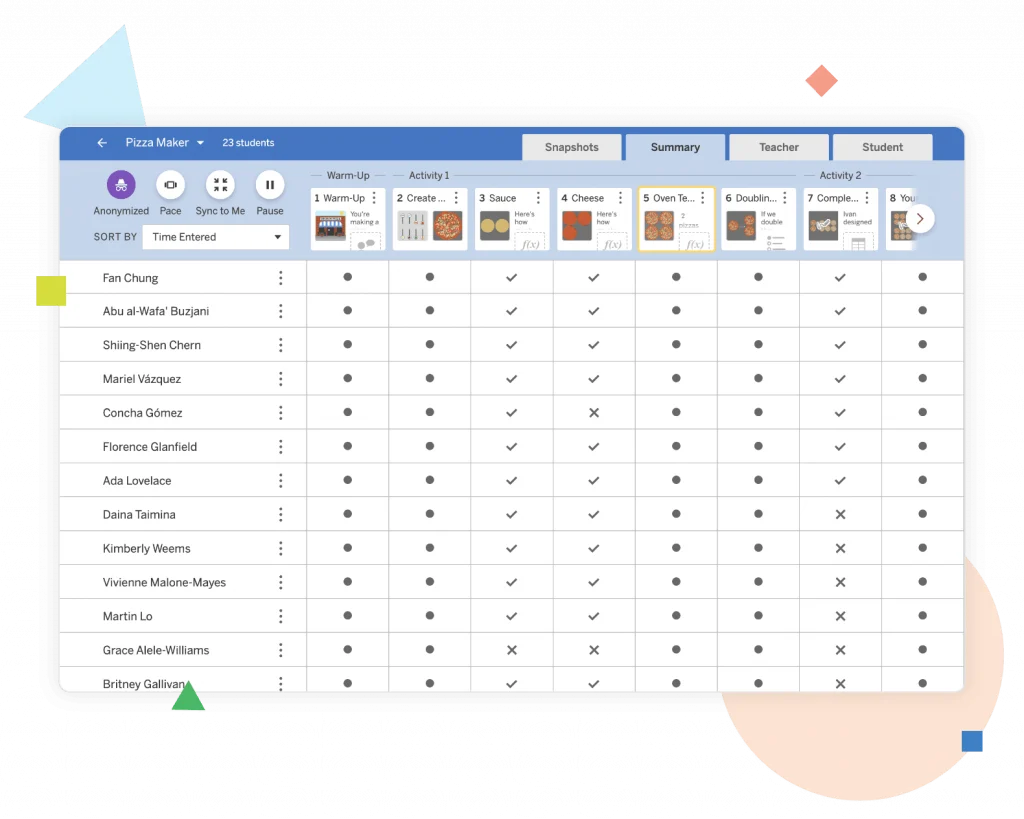
Election Day 21-22 PL

Grade 6 Guided Planning Presentation and Webinar

Grade 7 Guided Planning Presentation and Webinar

Grade 8 Guided Planning Presentation and Webinar

Grades 6-8 Unpacking Phenomena Presentation and Webinar

All 2020-2021 PL session materials can be found below under Professional learning resources.

Amplify Science Back-to-School Recorded Webinars – Amplify held a series of national office hours throughout the summer and fall to share information about our new resources to support remote and hybrid learning– including recommendations about what to prioritize from your curriculum and essential refresher topics, such as how to navigate your program and find the best planning resources. Feel free to watch all recorded sessions at your convenience.

Archived Professional Learning Resources

Winter 2022

Spring 2021

Winter 2021

Fall 2020

Summer 2020

Summer 2019- Harnessing Human Energy and Thermal Energy

Fall 2019- Population and Resources with Participant Notebook

Winter 2022

Spring 2021

Winter 2021

Fall 2020

  • Grade 7: Progress Builds & Embedded Assessments Webinar
  • Grade 7: Amplify Science Remote & Hybrid Resources Webinar

Summer 2020

Summer 2019 – Microbiome and Metabolism

Fall 2019 – Phase Change with Participant Notebook

Winter 2022

Spring 2021

Winter 2021

Fall 2020

  • Grade 8: Progress Builds & Embedded Assessments Webinar
  • Grade 8: Amplify Science Remote & Hybrid Resources Webinar

Summer 2020

Summer 2019 –  Geology on Mars and Earth, Moon, Sun

Fall 2019 – Force and Motion with Participant Notebook

Caregiver resources

Caregiver Hub

Questions

For general questions about the Amplify program (navigation, pedagogy, login), please reach out:

Email – scihelp@amplify.com
Phone – call toll-free at (800) 823-1969, Monday to Friday, 7 a.m.–7 p.m.  ET

Amplify Chat – click the Amplify Chat icon within the individual teacher account

mCLASS®

Starting in 2025–2026, California Education Code Section 53008 requires LEAs to annually screen K-2 students for reading difficulties, including dyslexia, using CDE-approved instruments. LAUSD implements the Reading Difficulties Risk Screener through mCLASS DIBELS 8th Edition and mCLASS Lectura.

These research-backed assessments provide real-time insights into literacy development, enabling educators to identify at-risk learners, differentiate instruction, and implement targeted interventions. This ensures state compliance while reinforcing LAUSD’s commitment to evidence-based literacy instruction for all students.

Click here to go back to the LAUSD homepage.

A teacher helping a student use mCLASS on a tablet

Getting Started

One Amplify app for everything.

Educators can log into Schoology, using their LAUSD Single Sign-On (SSO), to access the Amplify app. One click into the Amplify app takes you to the Educator Home page and into the mCLASS Portal.

White letter "a" with a modern design on an orange background.

Attention iOS device users:

You must sync your device before upgrading your iOS version. If you update your iOS version before syncing, all unsynced mCLASS data will be lost since any Apple-related software updates clear Safari’s cache memory. If your device prompts you to upgrade your iOS version, tap cancel or close to decline and then sync your assessments. We encourage you to follow best practices and sync your assessment data regularly. Establishing a regular sync routine helps ensure that your assessment data isn’t lost due to device changes, software updates, or any unforeseen issues.

  • DIBELS 8 Help Guide
  • mCLASS Classes and Groups Help – Refer to our mCLASS Help system for instructions on using Amplify’s enrollment tools for administrators and other staff with school-wide or system access. If you need to help teachers administer mCLASS or assist substitute teachers with assessing a class, you can add yourself to a class. You can also create student groups to organize students within classes or to share students across classes with other staff.

mCLASS Instruction

How mCLASS® Instruction works

All schools in LAUSD have access to mCLASS® Instruction, which can help you use your benchmark data to individualize instruction for each student. You can access the following tools at Amplify Home > My Assessments > DIBELS 8th Edition (in the upper-left corner you will see an Instruction button). View our Instruction webcast for overviews of the tools.

  • mCLASS® Item-Level Advisor automatically highlights important patterns, offering detailed analysis and suggesting next steps for targeted instruction.
  • mCLASS® Small-Group Advisor uses results to create optimal groups of students with similar needs and selects targeted instructional activities at the appropriate level.
  • mCLASS® Home Connect® allows you to easily provide parents with progress reports and specific activities to help bolster students’ learning at home.

Student Online Assessments

How to enable the mCLASS Student Online Assessments Video

Online Assessments:

  • MAZE Online (required for DIBELS 8 composite)
  • Spelling Online (available in Spanish)- In the Spelling assessment, students hear a target word and use letter tiles to spell the word. These words include the phoneme-grapheme correspondences that students at each grade level are expected to learn over the course of a year based upon the scopes and sequences of published reading and spelling curricula. The final score is the number of words spelled correctly, with partial credit provided for correct spelling sequences within a word. This makes the Spelling measure more sensitive to students’ actual spelling skills, giving more information about their progress.
  • Vocabulary Online (available in Spanish)- In the Vocabulary assessment, students demonstrate their knowledge of grade-specific words, as well as their skill at deriving meaning from context. The assessment covers words that are high utility (i.e. Tier 2) and content specific (i.e. Tier 3). Depending on grade level, students may be asked to answer questions about the word, to fill in a blank correctly with the word, or to match the word with its definition.

Progress Monitoring

DIBELS 8 Progress Monitoring

  • Progress monitoring materials are included in the DIBELS 8 benchmark booklets.

Amplify Science Resources for NYC

Amplify Science is a brand-new, engaging core curriculum designed for three-dimensional, phenomena-based learning.

Two middle school girls conduct a science experiment

Welcome to Amplify Science

A powerful partnership

Amplify Science was developed by the science education experts at UC Berkeley’s Lawrence Hall of Science and the digital learning team at Amplify.

Getting Started

We are excited to start the 2021-2022 school year with you! For support with where to begin, please take a look at our NYC Getting Started documents below.

NYC Getting Started – Administrators

NYC Getting Started – Teachers 

For all login instructions, including password reset instructions, please visit Getting started resources > Login Support on the K-5 or 6-8 NYC Resource Site.

Advanced Literacy Instruction

Authored by UC Berkeley’s Lawrence Hall of Science, Amplify Science is a comprehensive program that blends literacy-rich activities, hands-on investigations, and engaging digital experiences to empower New York City students to think, read, write, and argue like 21st-century scientists and engineers. Highly adaptable and user-friendly, the program offers schools and individual teachers flexibility based on their technology resources and preferences. 

Amplify Science meets higher expectations for science teaching and learning in New York City in a variety of ways: 

  • Anchor phenomena, explored through diverse interdisciplinary contexts, serve as the foundation for compelling, coherent storylines. 
  • Research-based multimodal learning allows students to develop expertise in all Science and Engineering Practices (SEPs) and deep understanding of Disciplinary Core Ideas (DCIs) and Crosscutting Concepts (CCCs) through repeated experiences within a wide variety of contexts. 
  • Integrated literacy support allows students to build the reading, writing, listening, and speaking skills necessary to obtain, evaluate, and communicate information about the natural world.
  • Modeling tools enable students to create, and later revise, visualizations of their ideas of key scientific phenomena at critical points in the curriculum. 
  • Embedded engineering in units focused on engineering and technology emphasize that there’s not always one right answer, as students balance competing constraints to design the best justifiable solutions. 

COVID-19 Remote and Hybrid Resources

As part of the response to the ongoing covid-19 pandemic, Amplify has created guidance for using our programs remotely. Please visit our Program Hub accessible via your Teacher Platform for all of our hybrid and remote learning supports.

For additional remote learning resources specifically for NYC DOE, please visit the respective K-5 or 6-8 pages (links at the bottom of this page) for more information.

Select Your Grade-Level

What is Amplify Science?

Built from the ground up for the Next Generation Science Standards at UC Berkeley’s Lawrence Hall of Science, Amplify Science is a comprehensive program that blends literacy-rich activities, hands-on investigations, and interactive digital tools to empower students to think, read, write, and argue like 21st-century scientists and engineers. Highly adaptable and user-friendly, the program gives schools and individual teachers flexibility with their technology resources and preferences.

The program is backed by gold-standard research and is currently used by thousands of teachers across the US.

See Amplify Science in action

Amplify Science in Action: a week in the life (6–8)

What does a week in the life of an Amplify Science teacher look like? We asked Amy Trujillo, a sixth-grade teacher from Denver Public Schools, to talk through an example of what one week of using Amplify Science is like in her classroom.

In Amplify Science, students take on the role of a scientist or engineer to actively investigate compelling phenomena through engaging hands-on investigations, immersive digital simulations, comprehensive reading and writing activities, and lively classroom discussions.

See what Amplify Science looks like in a classroom with more topical videos:

Dig deeper into the curriculum

Amplify Science is rooted in the research-based Do, Talk, Read, Write, Visualize model of learning. Students engage with science and engineering practices, figure out disciplinary core ideas, and utilize and apply crosscutting concepts in multiple modalities across thoughtful, structured lessons, all centered around engaging anchor phenomena. Learn more about how a unique mix of activities and modalities provide students with multiple points of entry into the instruction.

Attend a webinar

Join the Lawrence Hall of Science for a series of free webinars! Curriculum experts will explore why embedded engineering and phenomena-based science instruction deliver results, with examples from Amplify Science.

Webinars are scheduled throughout the spring, and you can always sign to watch a recording if you’re unable to attend live.

Register for a webinar now!

Review rubrics

Using an evaluation rubric to review? Take a look at our filled-out TIME and EQuIP rubrics.

Test drive the program

Click submit to access a free sample unit from our middle school curriculum.

Inspiring the next generation of Oklahoma scientists, engineers, and curious citizens

Amplify Science is an engaging new core curriculum designed for three-dimensional, phenomena-based learning.

A powerful partnership

Amplify Science was developed by the science education experts at UC Berkeley’s Lawrence Hall of Science and the digital learning team at Amplify.

Instructional model

The Amplify Science program is rooted in the proven, research-based pedagogy of Do, Talk, Read, Write, Visualize. Here’s how each element works:

DO
First-hand investigations are an important part of any science classroom, and Amplify Science has students getting hands-on in every unit—from building models of protein molecules to experimenting with electrical systems.

TALK
Student-to-student discourse and full-class discussions are an integral part of the program. Students are provided with numerous opportunities to engage in meaningful oral scientific argumentation, all while fostering a collaborative classroom environment.

READ
Students read scientific articles, focusing their reading activities on searching for evidence related to their investigation and, importantly, on asking and recording questions as they read through fascinating texts on 21st-century topics.

WRITE
Following real-world practices, students write scientific arguments based on evidence they’ve collected, making clear their reasoning about how a given piece of evidence connects to one of several claims.

VISUALIZE
By manipulating digital simulations and using modeling tools to craft visualizations of their thinking— just as real scientists and engineers do—students take their learning far beyond the confines of what they can physically see in the classroom in an exciting and authentic way.

Oklahoma Instructional Samplers

Video: Oklahoma Spotlight on All Learners (SPED, G & T, EL, DEI)

Resources to support your review

Remote and hybrid learning support

Oklahoma Spotlight Video: Remote and Hybrid Learning

Amplify has launched a new remote learning solution called Amplify Science @Home. Intended to make extended remote learning and hybrid learning easier, Amplify Science@Home includes two useful options for continuing instruction: @Home Videos and @Home Units. 

Amplify Science @Home Videos are recordings of real Amplify Science teachers teaching the lessons. For those teachers who are unable to meet synchronously with their students, the recorded lessons are a great way to keep their students on track and engaged with Amplify Science while at home. These videos will be produced for all K–5 units, and for the first four units of each 6–8 grade level. Their release will be rolling, beginning in August 2021.   

Amplify Science@Home Units are modified versions of Amplify Science units, strategically designed to highlight key activities from the program. The @Home Units take significantly less instructional time than the complete Amplify Science program and allow students to engage with science at home. @Home Units will be developed for all Amplify Science K–8 units. Each @Home unit includes:

  • Teacher overviews explaining how to use the materials, including suggestions for enhancing the @Home Units if synchronous learning or in-class time with students is available.
  • Overviews to send home to families.

Student materials are available in two formats:

  • @Home Slides (PDF/PPT) + Student Sheets (PDF) for students with access to technology at home.
  • Downloadable @Home Packets (PDF) for students without access to technology at home.

Download the remote and hybrid learning guide.

What’s included

Flexible resources that work seamlessly together
Oklahoma Spotlight Video: Instructional Resources: More than a textbook!

Science articles
The middle school science articles serve as sources for evidence collection and were authored by science and literacy experts at the Lawrence Hall of Science.

Student Investigation Notebooks
Available for every unit, the Student Investigation Notebooks provide space for students to:

  • record data.
  • reflect on ideas from texts and investigations.
  • construct explanations and arguments.

Available with full-color article compilations for middle school units.

Digital student experience
Students access the digital simulations and modeling tools, as well as lesson activities and assessments, through the digital student experience. Students can interact with the digital student experience as they:

  • conduct hands-on investigations.
  • engage in active reading and writing activities.
  • participate in discussions.
  • record observations.
  • craft end-of-unit scientific arguments.

Oklahoma Spotlight Video: Spotlight on Simulations

Teacher’s Guides
Available digitally and in print, the Teacher’s Guides contain all of the information teachers need to facilitate classroom instruction, including:

  • Classroom Slides.
  • detailed lesson plans.
  • unit and chapter overview documentation.
  • differentiation strategies.
  • standards alignments.
  • in-context professional development.

Oklahoma Spotlight Video: Classroom Slides

Hands-on materials kits
Hands-on learning is at the heart of Amplify Science. Each unit kit contains:

  • consumable and non-consumable hands-on materials.
  • print classroom display materials.
  • premium print materials for student use (sorting cards, maps, etc).

Scope and sequence

GRADE

UNITS

Kindergarten

  • Needs of Plants and Animals
  • Pushes and Pulls
  • Sunlight and Water

Grade 1

  • Animal and Plant Defenses
  • Light and Sound
  • Spinning Earth

Grade 2

  • Plant and Animal Relationships
  • Properties of Materials
  • Changing Landforms

Grade 3

  • Balancing Forces
  • Inheritance and Traits
  • Environments and Survival
  • Weather and Climate

Grade 4

  • Energy Conversions
  • Vision and Light
  • Earth’s Features
  • Waves, Energy, and Information

Grade 5

  • Patterns of Earth and Sky
  • Modeling Matter
  • The Earth System
  • Ecosystem Restoration

GRADE

UNITS

Grade 6

  • Launch: Microbiome
  • Metabolism
  • Plate Motion
  • Plate Motion Engineering Internship
  • Rock Transformations
  • Ocean, Atmosphere, and Climate
  • Weather Patterns
  • Thermal Energy
  • Phase Change

Grade 7

  • Launch: Harnessing Human Energy
  • Chemical Reactions
  • Populations and Resources
  • Matter Energy and Ecosystems
  • Earth’s Changing Climate
  • Earth’s Changing Climate Engineering Internship
  • Magnetic Fields

Grade 8

  • Launch: Geology on Mars
  • Force and Motion
  • Force and Motion Engineering Internship
  • Light Waves
  • Earth, Moon, and Sun
  • Traits and Reproduction
  • Natural Selection
  • Evolutionary History

Oklahoma Academic Standards for Science coverage

Amplify Science was designed from the ground up to meet the Next Generation Science Standards (NGSS), and the Oklahoma Academic Standards for Science (OASS) are closely aligned to the NGSS at K–8. The guidance below is meant to provide support for integrating additional activities that support full coverage of the OASS. You can view the full K–8 OASS correlation here.

Organized by grade level, each section below will outline:

  • additional activities that support 100% alignment to the Oklahoma Academic Standards for Science; 
  • the standard being addressed with the activities; 
  • the recommended placement of the activities within a specific Amplify Science unit; and 
  • PDFs of any accompanying materials that are necessary to implement the activities. 

Standard: 1.ESS3.1: Communicate solutions that will reduce the impact of humans on the land, water, air, and/or other living things in the local environment.

Recommended placement: Animal and Plant Defenses unit, Chapter 1

MaterialsThe Student Book Investigating Monarchs from the unit Needs of Plants and Animals

Investigating Monarchs emphasizes the needs of monarch caterpillars and butterflies and shows what happens when these animals are not able to meet their needs. The book first introduces the life cycle of monarchs, explaining that monarch caterpillars must eat milkweed to survive and change into butterflies. Their summer habitat must have milkweed. The butterflies then migrate a long distance, from the United States to a forest in the mountains of Mexico, where they take shelter in the trees. Their winter habitat must have trees. Scientists discovered that the monarch population in Mexico was greatly reduced because people were cutting down the trees. The forest was then protected, but the monarch population did not recover as expected. Scientists in the United States found evidence that this was because fields with milkweed are being replaced by farms and buildings. This book could be read with the class either before or after Chapter 1 of the Animal and Plant Defenses unit, which focuses on what plants and animals need to do to survive. Students could be asked to reflect on what the monarchs need to survive (including food and shelter), and how human activities impacted the monarchs’ ability to meet those needs. After reading the book, students could brainstorm ideas for how to reduce the impact of humans on the local environment.

Standard: MS-PS4-2: Develop and use a model to describe that waves are reflected, absorbed, or transmitted through various materials.

Recommended placement: Metabolism unit, Lesson 3.3, addition to Activity 5 

Materials“What Eyes Can See” science article

As students investigate metabolism and the body systems, the article “What Eyes Can See” should be assigned to deepen their understanding of information processing and sense receptors and connect that understanding to the emerging idea of the interaction of waves with various materials. The article explores how the only thing we can really see is light. Light travels from a light source to the eye, passing through some materials and bouncing off others. Tiny organs inside the eye called rods and cones absorb energy from light, making vision possible. These interactions between light and materials determine our visible world. 

Instructions:

Download the PDF “What Eyes Can See” above and remind students of the Active Reading guidelines. Before students read the article, invite them to share prior experiences. For example, “Have you ever had an experience where something looked different in one kind of light than in another kind of light? Or where something seemed to appear or disappear when the light changed?”

Standard: MS-PS3-1: Construct and interpret graphical displays of data to describe the relationships of kinetic energy to the mass of an object and to the speed of an object.

Recommended placement: Harnessing Human Energy unit, Lesson 1.4, after Activity 4 

MaterialsForce and Motion simulationActivity instructions and copymasters

In this activity, students use the Force and Motion Simulation to investigate the relationship between kinetic energy, mass, and velocity. 

Instructions

Download the PDF linked above for the Lesson Guide and copymasters needed for the activity. Note that this investigation is typically implemented during the Force and Motion unit. This means the Lesson Guide will contain some incongruous labeling (e.g., unit name), as well as instructions that are out of context and unnecessary for the purposes of addressing this standard at grade 7. We suggest skipping to step 4 of the Instructional Guide to avoid some of this. Your students will get additional exposure to this activity, and indeed the standard as a whole, when they get to the Force and Motion unit in grade 8.

Standards:

  • MS-PS2-3: Ask questions about data to determine the factors that affect the strength of electric and magnetic forces.
  • MS-PS2-5: Conduct an investigation and evaluate the experimental design to provide evidence that fields exist between objects exerting forces on each other even though the objects are not in contact.

Recommended placementForce and Motion unit, after Lesson 1.5 

MaterialsFlextension PDF

This hands-on activity builds on and reinforces students’ understanding of forces that act at a distance, with a focus on electrostatic force. Students explore electrostatic forces, prompted by a set of challenges that they try to accomplish. Next, students generate scientific questions based on their observations. Electrostatic force is less predictable and consistent than magnetic force, and investigating it can be both challenging and intriguing. The purpose of this lesson is for students to gain firsthand experience with electrostatic force and to gain experience generating scientific questions based on observations. You might choose to include this Flextension if you would like your students to have more exposure to electrostatic force, and if you would like to challenge your students to explore and ask questions about a challenging type of force. 

Instructions:

Download the PDF linked above for a detailed Lesson Guide and the copymasters associated with the activity. Note that this activity is typically implemented as an add-on Flextension during the Magnetic Fields unit. This means that you will see some information that is out of context (e.g., placement information, unit title), but the activity itself also works for the purposes of the Force and Motion unit. If you have any questions, please reach out to our support team via the chat icon in your account or help@amplify.com

Explore the Digital Teacher’s Guide

When you’re ready to review, click the orange button below and use your provided login credentials to access the Amplify Science Digital Teacher’s Guide.

To help familiarize yourself with navigating the digital Teacher’s Guide, watch our navigational guide videos:

Grades K–5:

Grades 6–8:

Looking for help?

Powerful (and free!) pedagogical support

Amplify provides a unique kind of support you won’t find from other publishers. We’ve developed an educational support team of former teachers and administrators who provide pedagogical support for every Amplify curriculum, assessment, and intervention program. This service is completely free for all educators who are using our programs and includes:

  • Guidance for developing lesson plans and intervention plans.
  • Information on where to locate standards and other planning materials.
  • Recommendations and tips for day-to-day teaching with Amplify programs.
  • Support with administering and interpreting assessment data and more.

To reach our pedagogical team, use our live chat within your program, call              (800) 823-1969, or email edsupport@amplify.com

Timely technical and program support

Our technical and program support is included and available from 7 a.m. to 7 p.m. ET, Monday through Friday, through a variety of channels, including a live chat program that enables teachers to get immediate help in the middle of the school day.

For your most urgent questions:

  • Use our live chat within your program.
  • Call our toll-free number: (800) 823-1969.

For less urgent questions:

Contact us

Contact your Oklahoma representative:
Julie Godfrey
Account Executive
jgodfrey@amplify.com
(817) 360-0527

Amplify Science – Prince George

To view this protected page, enter the password below:


Inspiring East Baton Rouge’s next generation of scientists, engineers, and curious citizens

To view this protected page, enter the password below: