State-approved | Grades 6–8 and Algebra 1
Amplify Math for Oregon
Dear Oregon math educators,
We’re honored that you’re reviewing Amplify Math for use with your middle school students.
We’re confident you’ll find this Oregon-approved program to be a powerful tool for getting all your students talking and thinking about math concepts together.
On this site, you’ll find a variety of resources to guide you in your review, including demo account access. We look forward to meeting you and showing you what makes this program so unique.
Kristen Rockstroh
Oregon Account Executive

Virtual Caravan Stop
Amplify Math isn’t your traditional core math program. It’s different to make a difference—and the results are simply undeniable. Watch our virtual caravan presentations to the right and learn about the research-based approaches built right into this high-quality solution. Plus, see how Amplify Math brings student-centered learning to life for students in grades 6–8.
What it is
Amplify Math is a brand-new program based on the highly-rated Illustrative Mathematics curriculum IM K–12 Math™️.
It’s designed around the idea that a core math curriculum needs to serve 100 percent of students in accessing grade-level math every day. To that end, Amplify Math delivers:
- Engaging, discourse-rich math lessons that are easier to teach.
- Flexible, social problem-solving experiences both online and off.
- Real-time insights, data, and reporting that inform instruction.



How it works
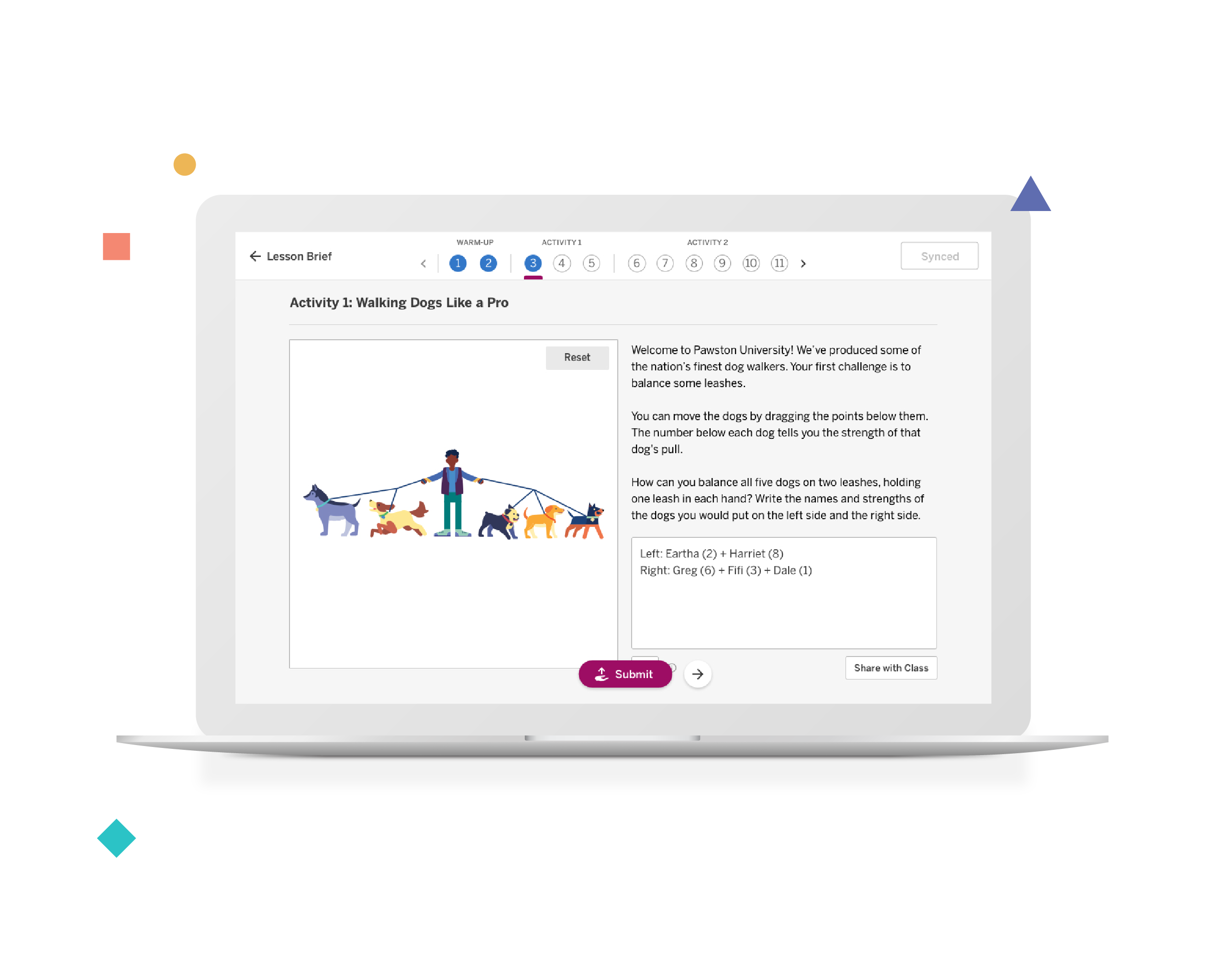
Amplify Math delivers the instructional power of student-centered learning packaged in a lesson format that is easy and manageable. With easy-to-follow instructional supports, implementing a problem-based program becomes more effective and enjoyable for both you and your students. Paired with our digital experience, math class becomes fun and dynamic, with plenty of opportunities for students to talk through their reasoning, work with their peers, and gain new understandings.
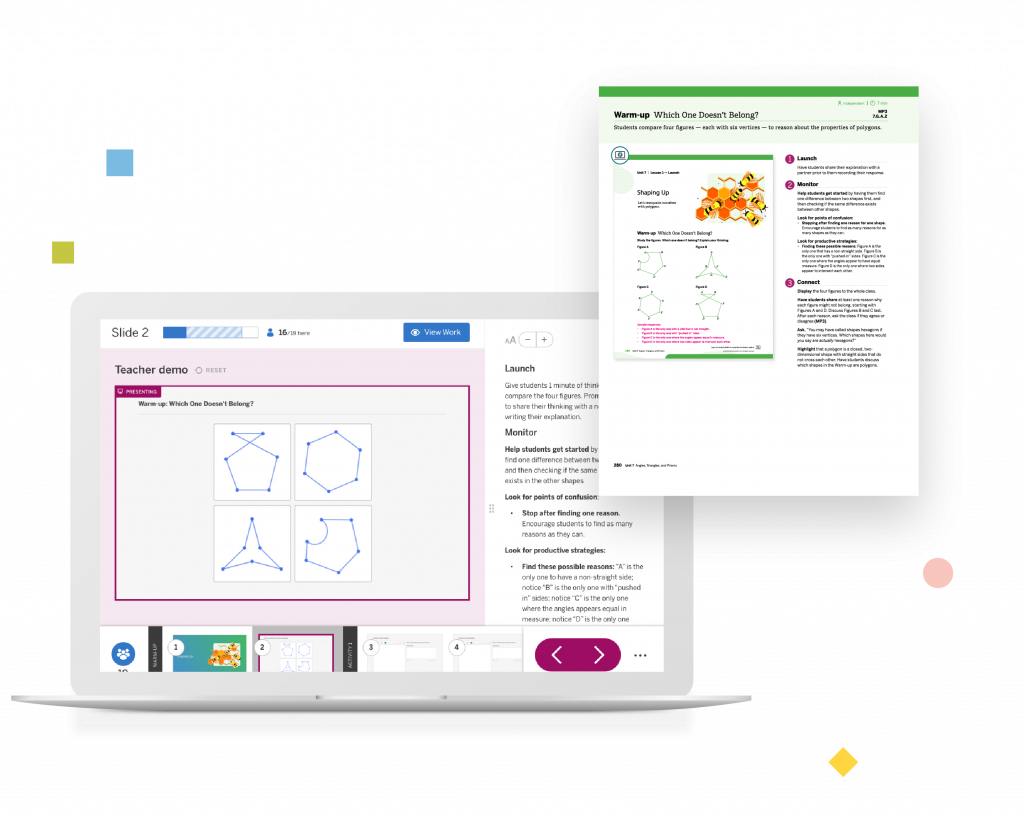



Featuring Desmos and more

Desmos digital lessons
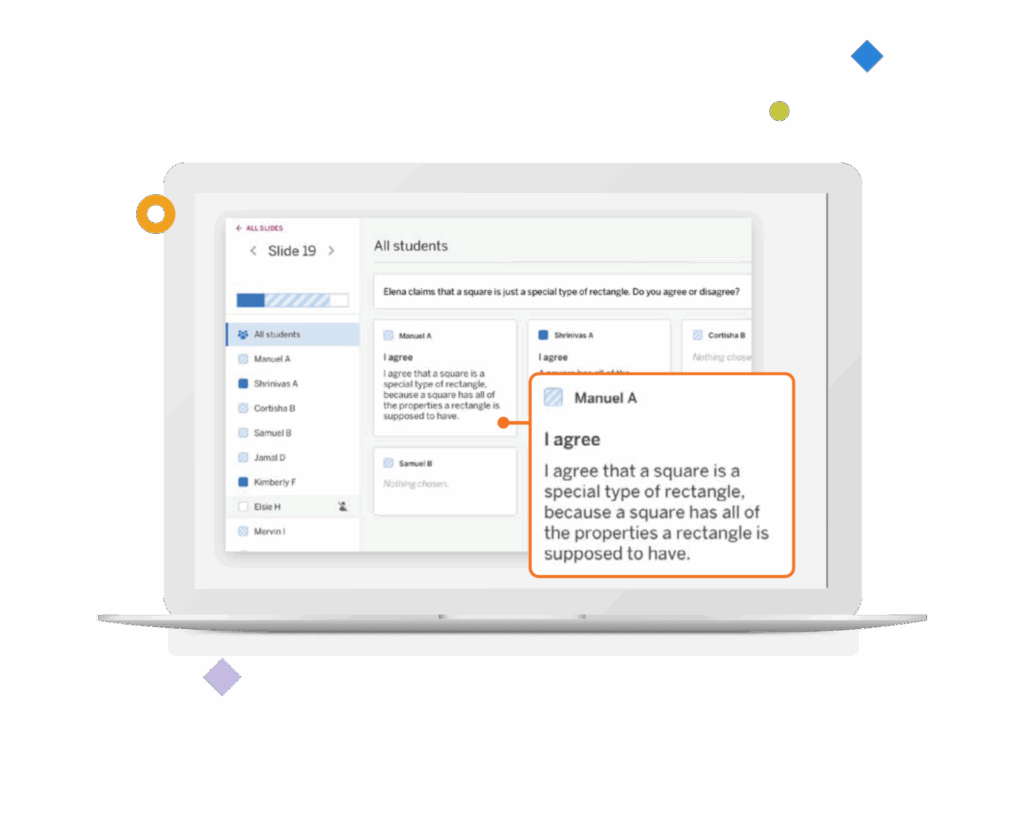
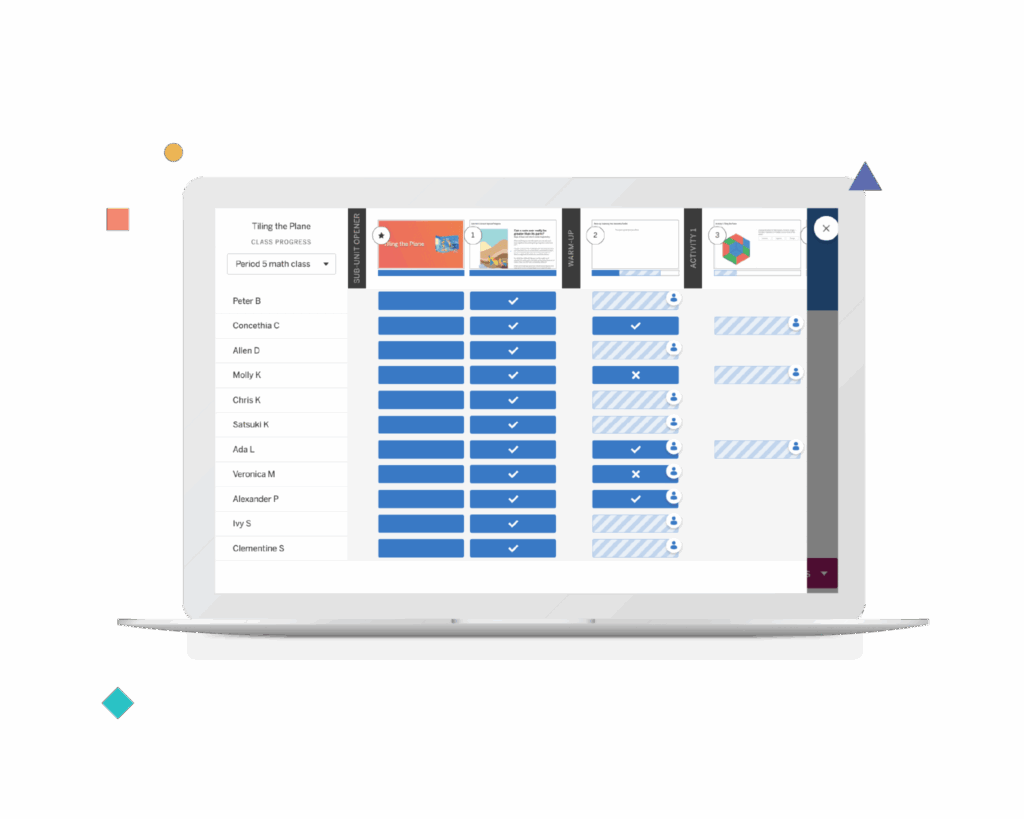
Imagine having more visibility into your students’ mathematical thinking. Now imagine students have access to this same information. With Amplify Math’s collaborative lesson interface and teacher dashboard, students can’t hide. What’s more, they have visibility into the thinking of their peers—exposing them to a wider variety of approaches to solving the same problem.
Engaging student experience
Power-ups provide just-in-time support to help student strengthen pre-requisite skills before engaging in whole-class activities. Power-ups ensure all students have a chance to experience success in the day’s lesson even if they might be several years behind. Not teaching online? They’re available in the Teacher Edition, too.
Ready-to-teach lesson slides
Every lesson of Amplify Math includes ready-to-teach lesson slides complete with step-by-step teaching notes, suggested student and teacher responses, options for differentiating instruction, links to useful resources, and tips for supporting students through common trouble-spots. Teacher can also customize their lesson slides, adding their own flavor, flair, and favorite problems—enabling them to truly make the lesson their own.

Presentation sync and student pacing
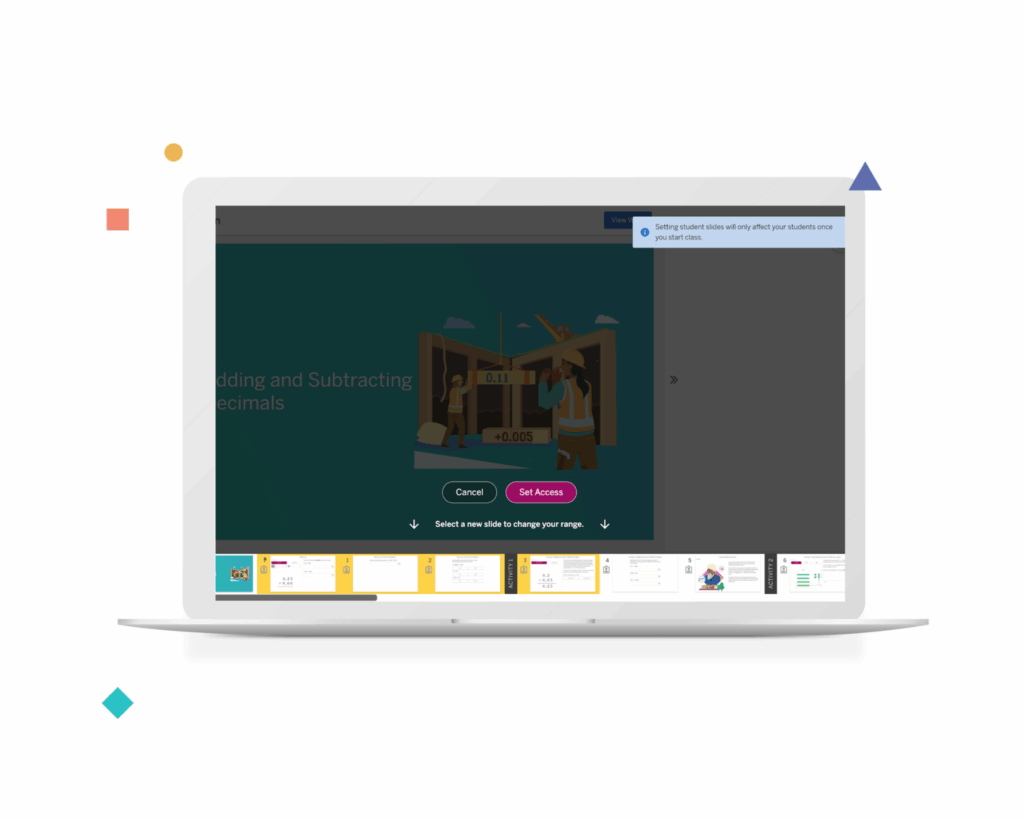
Being able to control what slides students see and when gives teachers the ability to control the pace of the lesson to suite the needs of the class. When Presentation Sync is turned on, students can access all the slides in the lesson. When it’s off, it ensures students’ screens follow the teacher’s. Teachers can also set a range of slides, which allows students to work at their own pace within the unlocked slides only.
Access demo
Ready to explore the program? Follow these simple instructions to access our program digitally.
- Watch the video to the right or use this document to learn how to navigate our print and digital components.
- Click the Access demo button.
- Select Log in with Amplify.
- Enter this username: t.ormath@tryamplify.net
- Enter this password: AmplifyNumber1
- Select your grade level.
- Explore any of the six units.
Contact us
Support is always within reach. Our team is dedicated to supporting districts across Oregon and can be reached at any time by emailing HelloOregon@amplify.com or by calling us directly.

Kristen Rockstroh, M.Ed.
Account Executive
Districts under 4,700 students
(480) 639-8367