S1-09: Supporting K–8 science students in the digital world: Ricky Mason

Podcast cover for "Science Connections," Season 1, Episode 9, featuring "Ricky Mason" discussing K–8 science education. Includes a globe illustration and decorative science-themed elements.

In this episode, Eric sits down with Ricky Mason, chief executive officer of BrainSTEM. Ricky shares his passion for inspiring students into science careers, and his path from an engineering career with organizations like the Department of Defense, National Aeronautics and Space Administration, and the Central Intelligence Agency to starting BrainSTEM, an education program that develops creative digital tools to enable all teachers and students to dive deeper into STEM content. Ricky and Eric talk about representation in science classrooms and the importance of embedding fun within K–8 science content! Explore more from Science Connections by visiting our main page.

Download Transcript

Ricky Mason (00:00):

I feel like comfort is where dreams go to die. And I’m still dreaming every night. So I’ll wake up, chasing them.

Eric Cross (00:08):

Welcome to Science Connections. I’m your host, Eric Cross. My guest today is Ricky Mason. Ricky is an engineer whose career included lead roles at the Department of Defense, NASA, and the CIA. Ricky transitioned to education as an adjunct faculty at the University of Kentucky. And while there, he founded BrainSTEM, an edtech company that developed a 3D virtual reality metaverse for STEM education. Today, BrainSTEM serves public school districts, private schools, and nonprofits. And in this episode, we discuss what led Ricky to creating BrainSTEM Metaversity, and how he’s using the metaverse to transform STEM learning for students. And now please enjoy my conversation with Ricky Mason. How did you, so like maybe going back doing your origin story, maybe you can talk about it, but brother, you don’t sleep. Talk about keep making moves, your hashtag, I mean, I was looking at your LinkedIn profiles, looking at your details. You get after it. I was getting tired just reading it. I was like John Hopkins, electrical engineering, real estate, starting companies. You must have that gene where it’s like four hours of sleep and then you’re like, ready to go.

Ricky Mason (01:19):

Yeah, man. My mom told me if I didn’t stay busy, then I’m in trouble. So when I was about 14, she told me that. I said, well, Mama, I guess I’m gonna stay busy then. And yeah, man, that’s just been my life. I feel like if I don’t keep making moves, then I’m in trouble. So, feel like comfort is where dreams go to die and I’m still dreaming every night. So I’ll wake up chasing them.

Eric Cross (01:44):

I feel like a kindred spirit with you. So, were you always interested in STEM like, was there something like a moment or a year where you remember you were like, this is my jam. This is what I’m gonna get into.

Ricky Mason (01:57):

Yeah, man. When it really clicked for me was in the fifth grade. I was at a school assembly and an IBM engineer came in and he brought a robot and he programmed it with punch cards right on the stage. And I got the opportunity to come up andyou know, put one of the punch cards in the robot to program it. And I asked him, I’m like, what is your job? He said, I’m a robotics engineer. And I went home right after that assembly and I said, Mom, that’s what I wanna do, become a robotics engineer. And my mom would take me to the libraries. Well, I felt like I was getting outta bible study on Wednesdays by going to the library. So I went there and I started researching robots.

Ricky Mason (02:39):

And at the time the robots that were popular were all being sent to space. And it was the spiritless. It was being sent to Mars. And I said, Mom, well, I guess I gotta become an astronaut if I’m gonna be a robotics engineer. And that’s kind of what set me out on that dream. And my mom started trying to find outlets for me to get involved in STEM, but it was really tough to find those outlets, you know, especially in that fifth to eighth grade range here in Kentucky. So that was kind of where it started for me man, when I knew that yeah, engineering is what I wanna do.

Eric Cross (03:14):

What does an electrical engineer do? I imagine there’s different types of specialties, but like, was there something that you specialize in that you focused on or was it, is it just kind of like a generalist field?

Ricky Mason (03:23):

Yeah, so I would say, yeah, man, it’s a huge field. So you could be doing anything from, you know, power, like power coming into your house. So those large power systems all the way down to nanotechnology and microchips. I like to tell people I’m a real full stack engineer, so my wheelhouse is kind of from the PCD, the little green computer chips, all the way to the cloud. Over my career, I’ve had some pretty cool jobs. One of those things was I was a test engineer for the army. So I got to test weapons up at Aberdeen Proving Ground for the Army. So I got to drive those weapons and test them before they went to theater there. After that,I worked at United Launch Alliance down at Cape Canaveral where I launched five rockets.

Ricky Mason (04:07):

So I was a part of the electrical ground systems team there where we were responsible for all of the electrical systems on the rocket while it was on the pad. Somonitoring the temperature of the rocket, the fuel, the entire system for safety while it was on that pad. And then finally I worked at the CIA as a computer engineer building data centers and as a data center architect for some of our remote systems and virtualizing our systems. So kind of had a broad spectrum of things there. And then finally coming back to the University of Kentucky as a research engineer and faculty. I developed drone technology for monitoring crops. So flying drones over crops with LIDAR, just like self-driving cars with high-definition cameras to pull in data about those crops, to help farmers determine about pesticides fertilizers, and the overall health of their crops from a remote location.

Eric Cross (05:10):

It’s so neat to hear you talk about it and to see how this is all built up to what you do now with BrainSTEM. How would you explain what BrainSTEM is? I know that’s your, that’s kind of your baby right now and what you’ve been working on a few years.

Ricky Mason (05:23):

Yeah, man, we started BrainSTEM in 2019 officially, but I would say BrainSTEM has been almost 10 years in coming. While I was in undergrad, I played football at the University of Kentucky. But I got hurt going into my sophomore year and that kind of shattered my dreams of football. And that’s when I really got back into engineering. One of my professors asked me to come to a robotics competition and I saw these third graders and sixth graders programming robots. And I’m like, oh my God, they’re programming robots! And I had no idea how to code or what to do with these things. And where was this a when I was a kid? And so I immediately bought one of those robots and taught myself how to program it <laugh> and then we started a robotics team in Lexington,there at a church.

Ricky Mason (06:10):

And we got a sponsorship from Lexmark to start that team. And that was kind of my first leap into STEM and teaching STEM and creating programs for students in STEM. I did that in undergrad and like I said, fast forward 10 years later, I’m teaching at the University of Kentucky and we’re struggling to recruit STEM students. Why aren’t students going into STEM? I hear too many adults tell me, oh man, I wish I would’ve done engineering, or I started out in engineering, but I left engineering or I wish I could go back to school for engineering or learn to code. And I’m like, I asked them like, why didn’t you do this? What happened? And often it’s like, it was the math. It was, oh, I didn’t get into it until I was in college. And I’m like, well, that’s the key.

Ricky Mason (06:52):

I knew I wanted to do this in the fifth grade. And I started with a plan in the fifth grade to achieve these goals and dreams. And I started doing that research and realizing that the same problem existed that I had. There was no outlet for kids to get involved in STEM, and so many kids have an affinity for STEM an early age. So we started BrainSTEM to provide access to STEM education and exposure STEM careers, STEM professionals, and just to STEM fields as a whole, because too often kids may know about the term, engineer, or the term, scientists, but they don’t really know what those people do or have a strong connection with the field or have any hands-on projects that they kind of done around those things or met anyone like me.

Ricky Mason (07:42):

I didn’t meet an engineer until I was in college. So that has really been impactful for some of the students that we’ve been able to touch. I had a family reach out to me. They moved to Lexington from California and they were like, man, I really want my ninth-grade son to get involved in engineering. So we started a weekend program with that one student and it went amazing. Like we competed in science fairs, we applied for different college programs and things like that. So it became an entire like mentorship program. And I’m proud to say that a year ago, he actually graduated with his bachelor’s in electrical engineering from your side of town, UCSB. It was just awesome to actually see this come full circle. And that’s kind of one of the first things that we did before we actually formalized as BrainSTEM University.

Eric Cross (08:34):

What will be like your elevator pitch for a teacher? If you were gonna say, this is what BrainSTEM does. I have the luxury of going through it on the site, but since we’re on a podcast, how would you kind of pitch it to people letting them know, like what, what does it do? Who does it serve?

Ricky Mason (08:47):

Yeah. So BrainSTEM provides STEM curriculum and STEM magnets for schools and nonprofits looking to increase access to STEM for K through 12 students. We also have launched our BrainSTEM Metaversity, a metaverse product for teachers to take their 2D Google classroom and convert it into a 3D metaverse classroom where students can collaborate during a 3D class. So all of your students show up as their avatars that they can select from our inventory of 150 avatars, and enjoy class in a 3D gameified Minecraft like World.

Eric Cross (09:26):

So I made my avatar by the way. It’s kind of tight, I have to say, it’s kind of tight. Hey, I’m gonna share. So those of you in the podcasts I’ll share it so you can see it. You’re not gonna be able to see it right now, but since I have the man himself I gotta share it with him just so I can get a reaction. So can you see that?

Ricky Mason (09:43):

Yeah. <laugh> That’s so good.

Eric Cross (09:44):

I feel like I wanna look like him though. I want him in real life. Like I want be able to switch to looking like my avatar

Ricky Mason (09:52):

<Laugh>

Eric Cross (09:54):

That was the first thing that I jumped on, when I went on your site, was making the avatar and I had so much fun doing it. I actually took longer than I probably wanna admit cause I was like customizing everything

Ricky Mason (10:03):

Yeah, man. It’s so fun. And that’s exactly what, you know, when you can show up as the person you want, it changes your whole being. I’ve seen kids that are quiet in class. They show up as their avatar and they’re talkative, they’re asking questions, they’re moving around the room, interacting with other kids. I feel like it’s almost like a superpower just to put your avatar on.

Eric Cross (10:25):

So what is something that a teacher could have their students go and learn or do if they, if they signed up,

Ricky Mason (10:31):

Let’s kick it off. So how we started with the metaverses, was teaching coding. So our first class was Minecraft and Python coding in the metaverse. So students showed up in the metaverse with our virtual instructor, that instructor led a lecture in the metaverse and then those students could collaborate on their Python games. So, they created and built the game in Python. We shared those games in the metaverse and we have our leaderboards that are in the metaverse, as they’re completing these challenges, including these games, then sharing them back in the metaverse with other students and getting that feedback on their game. So we’ve seen huge excitement from students when I can come back in and see my friend’s work. Like too often, students don’t get to see their work and that’s motivation to do better when I’m like, Jim’s gonna see my work. It’s amazing to see that motivation when students are sharing their work with other kids and not just their parent or just them and the teacher or seeing their grades. It’s been really cool to see.

Eric Cross (11:33):

You have that genuine audience too. Like that real-time feedback. And then like an authentic audience for students that makes everything seem, it takes it up a notch.

Ricky Mason (11:42):

Yeah, man. And then as we have built on this platform, so like you said with that avatar, so think if you created a really cool looking avatar and other students wanted to be that avatar, we have a way of sharing that avatar back into the world and in the inventory so that other students could then be your avatar. Or, if you create a world, we could then share that world back into the inventory, so the teacher could have class in a world that you created.

Eric Cross (12:07):

They’re creating content, not just consuming it. They’re actually creating content that could be shared across like grade levels or students.

Ricky Mason (12:14):

Well, we’re gonna say right now it’s just within your classroom. Eventually yes, we want students to be able to share that across school districts. At least we think that data will be probably limited to those kinds of realms as far as schools go. But you’ll be able to share this across sixth grade. We’ll be able to see what everyone in the sixth grade is doing in their STEM class or their game development class or their history class, per se, even if they’re giving back a presentation or what we have here in JCPS is backpack skills of success, where students are presenting on things that they’re learning that relate back to core competencies that the district is focused on. And I think that sharing those in the metaverse and doing those in the 3D world will be an awesome experience for students.

Eric Cross (12:56):

Are you seeing anything else as far as those skills that we see that are needed in coding? Is there something that the VR adds that was distinct from maybe just a kid with a Chromebook in his class that it’s just him in isolation doing the coding? Was there any like aha moments or surprises when they’re in the VR world doing this?

Ricky Mason (13:13):

I think the biggest thing is we could actually show them real examples of code working in other ways. Sofor example, if we’re working through loops, we can show them something looping. We can relate these functions to real-world things happening in the VR world so that they can see and better relate the actual concept with visuals, if that makes sense. So, you’re in loop Allen the whole time you’re learning about loops. You’re immersed in that kind of world. What we’ve seen is students really start to, you know, they it pick up and it clicks a lot faster because some of these concepts are so abstract for students to understand, when we can relate them to things in that world that they see that are in front of them, that they can grasp before we go to okay, type in “while” “”parentheses” <laugh> they can thenrelate that and pick up on those clues a lot better after they’ve seen those things in the world.

Eric Cross (14:09):

So they can actually visualize it in the metaverse. Whereas outside of it, it’s more just, just text-based coding and they’re not isolated. Like the first thing I’m thinking about is how like, with my own students, when they’re learning Sratch or Python, it’s not easy to share back and forth because they all are on individual accounts and they’d have to go on a different computer, or we’d have to find some way to publish it. And then all the kids would have to access it. But it sounds like in the metaversity classrooms, it’s easy for students in that same class to see each other’s work. Am I getting that right?

Ricky Mason (14:37):

Yeah. So most of our classrooms are limited to 24 students and in some of our breakout classrooms, we limit them to about eight students. Everybody can share their screen, so students can share their screen in the metaverse. They can share their video in the metaverse. They can share documents in the metaverse. They can share their, like I said, their code or anything that they want to share with other students. They can kind of do that. So it’s been a really cool product, I think, for students to almost find independence to work within a group, in an online setting. As they’ve been working through these problems online and remote it’s been really cool to see how they use the metaverse and break out. Even in a class, they can go off into a section because it’s all spacial. If you walk away, I can’t hear your conversation. So they can go into a little section within a metaverse class and have their own breakout. And a teacher can walk over to them. Okay. You guys are working over here. Let me walk to my next group. Just like in class. So it’s been really cool to see those students use the metaverse like that.

Eric Cross (15:41):

Just listening to you talk about this. One of the exciting things about emerging technologies or taking what the private sector does, and someone with a mind like yourself, and go, how do I use this for education? Like, that’s something that like excites me and you’ve run with it. But I just thought about, you’re doing an hour of code, you’ve created this metaverse, and you can bring in somebody, a professional into the metaverse, but they’re in, you know, the Bay area, but they could be a software engineer for Tesla or Google or anybody. Could they move around the metaverse and take a look at different students’ work and interact in that way.

Ricky Mason (16:17):

Yeah, man, we get in there. We make metaverse selfies. I drop Lambos in the metaverse, we take picture with Lambos. We have scavenger hunts in the metaverse. It’s a really awesome experience. And that’s one of the big things I think that is so powerful, is like you said, we could have that engineer, that celebrity, we could have Travis Scott, you know, in the world meeting thousands of kids motivating them because they met their STEM goals. They met their, you know, their testing school goals or whatever. These are things that kids really care about. If I get the Travis Scott avatar or the Elon Musk avatar, because I completed the Elon Musk rocket challenge, like that’s huge for me to show up in class as that avatar, like it’s just like Fortnite and it’s bringing all of those mechanics into the classroom.

Eric Cross (17:07):

When I hear you talk about the metaverse and I hear you talk about the potential of where you want to go with it, I think about my own students, and I think about, how they would really have a genuine interest and desire to want to do this and probably be doing it when they don’t have to, like at home at night wanting to go back into it and interact. And, you’re also building this virtual community. I mean, are you seeing that like, cause I’m hearing that?

Ricky Mason (17:28):

Yeah, man, building that community is huge. And I often tell people all the time, I want the STEM community to be just like the basketball community, the football community. I want students to have that camaraderie built around them for learning STEM and participating in STEM activities and competitions. Because when you see students out there at a robotics, they have the same zeal, the same, you know, everything that you find at a football competition. So we just have to get behind them and back those events with the same enthusiasm that we back sports. And that’s the environment that I want to create for STEM students and for that STEM community, because I longed for that community when I was in school. And like I said, I had it in football, but I wanted both. I wanted the best of both worlds. I wanted my robotics guys and my football guys to show up together here at the competition and have a good time.

Eric Cross (18:23):

You’re absolutely right. Like robotics STEM, these things, community helps fuel like people’s interest and working together. And it brings people from the outside who are seeking that community. Like, hey, my friends are doing this, I wanna kind of check it out. That’s how we recruit a wider swath of our population into it. So it’s not this kind of very narrow channel of folks who are going into STEM.

Ricky Mason (18:45):

If you can’t find that community. I mean for me, I felt like I was the only one playing football who was interested in robotics. So I never told anybody because I didn’t feel like that related to anybody within my vicinity. So I kept that to myself and that’s the biggest thing. I think if we get these kids just talking more about their interests, because a lot of them are interested in robotics and space and these STEM topics, but they don’t have anyone that’s really nudging them or asking them or piquing their interest in those spaces and saying, hey man, it’s okay to, you know, learn about robots. It’s okay to geek out on space. <Laugh> So that’s been my goal and that’s kind of why I felt like this was the time in my career for me to kind of do this, be a face for STEM education and inspire kids to chase their goals and dreams. Over my career, I’ve had some really cool jobs, but I felt like I could keep doing cool jobs, but I’m like at the right age to still connect with those students and inspire them to chase their dreams. And that’s why I feel like right now, man, it’s just an opportune time to get these students involved in STEM.

Eric Cross (20:01):

We don’t get that. Oftentimes, when we’re solely doing the cool job or simply in the private sector, we don’t get those experiences as much as we do when we’re able to actually serve our community or students or take our passion, our skill set, and use it to serve another person. I hear that like, as you describe what you’re doing now is like, there’s something beyond just, you know, the using your skills and doing cool stuff, but there’s something I hear. That’s helping people and actually doing something you believe in that resonates deeply in you. And I can hear it as you talk about it.

Ricky Mason (20:30):

It’s been just amazing to actually chart out that journey. Like I said, and like tell kids, like, no man, I’m from right up the block from you, cause I mean, I’m building this back at home in my hometown. And that’s the reason why I kind of came back to kind of do that in my hometown, because I really want to, you know, relate to those students and inspire, you know, students here. Nobody thinks about technology coming out of Kentucky and that’s been a gift and a curse, I guess, with launching BrainSTEM in Kentucky. When I first started, I said, we’re a STEM education company, people are asking me what is STEM? So, that was where we started out with this in 2019, all the way to, you know, hey, in 2020, we’re gonna launch a metaverse. A metaverse! What is that? It’s been amazing to try to change the minds of not only Kentuckians about STEM and the importance of STEM, but the world that a metaverse company is coming outta Kentucky. <Laugh>

Eric Cross (21:31):

The work that you’re doing and, it exists beyond you and you probably know this, but as a Black science educator out here in San Diego … We don’t see people who look like all of us in this work often, and I saw that you had created something, a network group, network and chill. And that was one of the things, we had touched on community, but I thought that that was so huge because we need each other.

Ricky Mason (21:55):

I feel like that was the biggest thing for us in engineering. Like I showed up to my first internship and I’m like, I mean, my boss was cool. Everything else was cool, but I just didn’t feel like, hey, this is a community for me. And I almost changed my major because of that. But I’m glad that I didn’t, it’s huge to have more of us represented in, in these spaces.

Eric Cross (22:16):

And you know, in engineering, especially when we look at the disproportionate, you know, men versus women. Like it’s not, you know, it’s not just culture, but it’s, you know, gender, all of these different things. And if we’re gonna change it, I think a program like yours that gets exposure to all kids and then giving them choice. What advice would you give to students? Or what advice I should say, do you give to students now? When you see like your younger self in the different kind of K12 grades who are thinking about their futures or they’re thinking about STEM, what do you say to them?

Ricky Mason (22:46):

So my biggest advice, man is start now. Whatever that big thing is, that big dream is that you have, what is that now? You’re thinking about planes. You’re thinking about robots. You’re thinking about RC cars, whatever that is. Let’s start now. Let’s get your hands on an RC car. Let’s take it apart. Let’s start coding. Let’s start thinking about those problems now. But the biggest thing is, is getting kids used to solving tough problems. Typically, most students that have an affinity for, you know, STEM — and you just know that that kid’s gonna go into, STEM — they’re problem solvers. They’re typically looking and seeking those tough problems and seeking opportunities to learn. That’s where I feel like it’s parents’ jobs to provide that environment to foster, that zeal. A five-year-old kid, we started our STEM program with them at the beginning of this month.

Ricky Mason (23:39):

The first day I came in after I told him I was a rocket scientist. And now he’s like, well, I wanna be a pilot. I said, if you pay attention to this class, we’re gonna get you started on your way to being a pilot. And he knows all the parts of a rocket and he knows a rocket needs an oxidizer. And he knows the fuselage, the wings, the wing flaps. He knows all the different parts of the plane and how the forces, the drag, the lift, the weight, he knows how those are working cause we talked about those in class and he has so much more confidence and it came all to fruition when a kid said, wow, I thought it was gonna be really hard to be a robotics engineer. And I’m like, no, that’s not gonna be that hard. That is exactly what we set out to do when we started BrainSTEM, was to break down those barriers and those walls and build that confidence and say, look man, you can do this. It’s easy.

Eric Cross (24:26):

Society doesn’t help much either because one of our terms, right, if something’s really hard, or if something’s not hard, we say it’s not rocket science. That implies that rocket science is really hard and inaccessible. If kids would hear that it kind of instills in their brain, okay. It’s really hard, it’s probably too hard for me. To that point to parents, it sounds like a lot of just exposure, like giving students the opportunity to be able to be exposed to these things and letting them create wonder from it.

Ricky Mason (24:51):

Yeah, man. I often tell parents we’re gonna set kids up to go pro no matter what,

Eric Cross (24:56):

And those skill sets transfer, whether they decide to go into coding or they decide to manage a bank, you’re still gonna be dealing with people. You’re still gonna be problem-solving. You’re still gonna have to come up with creative solutions to things. It sounds like through a program like this, they learn those skills early.

Ricky Mason (25:12):

Yes. And I think that one thing that parents don’t think about … We talk about all the STEM and we want smart kids, but we need those soft skills also within STEM. So those competitions, getting them involved in those communities with STEM students is really huge in presenting their ideas because oftentimes, you know, our STEM guys, we’re in a lab working and that’s where we love and that’s where we wanna be because we haven’t, you know, been prepared to talk and present our ideas. So I think that’s a huge part of what we have to teach our STEM students. And we do that by providing that community and those opportunities for them to, you know, do that.

Eric Cross (25:47):

Thinking about where you are now, looking back on your K-12 education, were there any teachers that stood out to you or that inspired you as I even just say that, can you think of a particular teacher or one or two?

Ricky Mason (26:00):

When I think about my teachers, my teachers really taught me to solve those tough problems and those subjects that you don’t kinda like <laugh>, cause I was always a great student, but my teachers helped me to focus on those subjects that I didn’t so much, you know, enjoy. So I enjoyed math and science, but English social studies, like why do I have to be here? I had two teachers during my high school career that really supported me in that regard, and helping me to be the best student all aroundfrom like I said, STEM to English and social studies, and making me realize that I have to be a well-rounded student if I’m gonna be truly successful. As far as engineering, man, I would say one guy, my teacher, Nick Bazar up at John Hopkins. During my master’s there, I had a really cool project. I got to do data forensics on a real live murder case. <Laugh> That was really inspiring because I’m like, wow, this is real life where my coding skills are being used in a jury trial <laugh>. And so that was a really cool experience to partner with my professor to kind of do that. I mean, that was just mind blowing that I got to help with that and that, I mean, he was using his programming skills to help solve a murder case.

Eric Cross (27:22):

What’s the best way for people to connect with you and follow your journey? And if a teacher’s interested and they’re listening to this and they’re hearing, okay, this metaverse coding thing sounds awesome, I want to get involved, I wanna know more, where can people go? What steps should they take to be able to get connected to you and what you’re doing?

Ricky Mason (27:40):

Yeah. So you can check us out at brainSTEMu.com, that’s brainSTEM, the letter “u” dot com and on all social medias, we’re BrainSTEMu or BrainSTEM University. Teachers, right now, we are doing our free course for teachers. So sign up at brainstemu.com. You can sign up for your class to get into a free metaverse experience, just so you can kind of check it out and get your class into the metaverse and see how your students like the metaverse, how you like teaching in the metaverse and convert one of your 2D lessons from Google classroom into a metaverse classroom. For me, I’m Ricky Mason, 5 0 2 on all social media platforms. So you can just type that in Ricky Mason502 and get with me there.

Eric Cross (28:28):

Nice. Well Ricky, I wanna thank you for sharing your story and creating BrainSTEM. And then for, I know you’re a man of tremendous talents and skills and accomplishments, and you’re focusing all that on not only being back in your community, but also creating something for younger versions of you and opening up opportunities that they might not otherwise have, as you said, folks are like, what is STEM? And that is exactly where we need those seeds planted. So thank you for doing that.

Ricky Mason (28:55):

Oh man, this is awesome. I appreciate you, man for hosting this podcast and providing this platform and sharing the message of, you know, educators and people in the space.

Eric Cross (29:07):

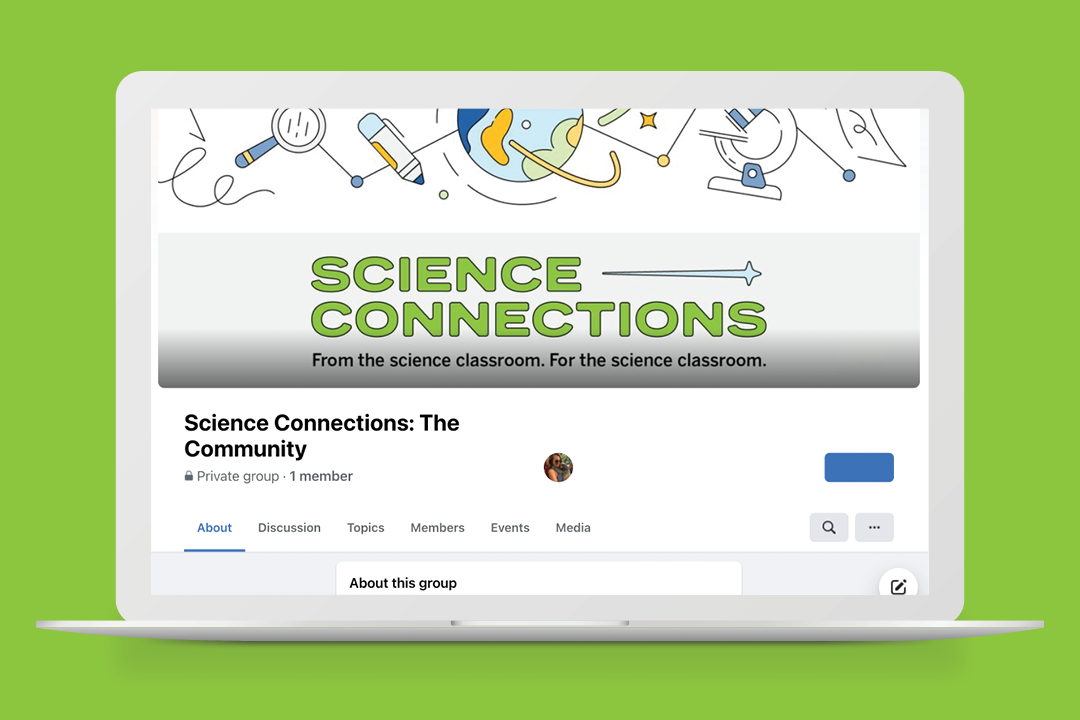
Thanks so much for joining me and Ricky today. Make sure to support Science Connections by subscribing wherever you listen to podcasts. And you could hear more from Ricky in our Facebook group, Science Connections the community, where you can check out all the exclusive content. Until next time.

Stay connected!

Join our community and get new episodes every other Tuesday!

We’ll also share new and exciting free resources for your classroom every month.

What Ricky Mason says about science

“We just have to get behind [students] and back them with the same enthusiasm that we back sports…because I longed for that community when I was in school.”

– Ricky Mason

CEO, BrainSTEM

Meet the guest

Ricky Mason is the dynamic CEO and founder of BrainSTEM, an ed-tech company that developed a metaverse for education. His corporate career included lead engineer roles at the DoD, NASA, and CIA. Ricky transitioned to education as adjunct faculty at the University of Kentucky. While there, he started BrainSTEM to bring innovative technology and an inspirational curriculum to STEM education. Today, BrainSTEM serves public school districts, private schools, and nonprofits.

Follow Ricky on all social media @rickymason502

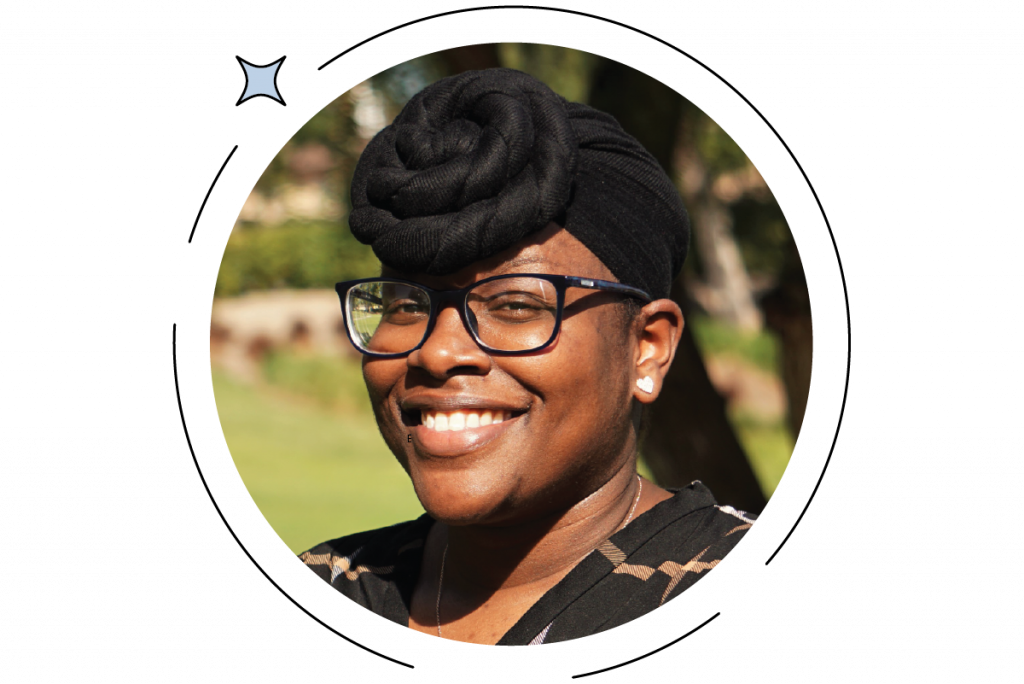
Portrait of a smiling man with a beard and short hair, wearing a white shirt, against a gray background.

About Science Connections

Welcome to Science Connections! Science is changing before our eyes, now more than ever. So…how do we help kids figure that out? We will bring on educators, scientists, and more to discuss the importance of high-quality science instruction. In this episode, hear from our host Eric Cross about his work engaging students as a K-8 science teacher. Listen here!

S1-01: The journey from student to SpaceX engineer: Juan Vivas

Illustration of Earth with text about a podcast episode featuring Juan Vivas, discussing the journey from student to SpaceX engineer. Includes a photo of a smiling person in a suit.

In this episode, we join Eric Cross as he talks to supply chain engineer Juan Vivas of SpaceX about his experiences growing up as a Latino in STEM. Juan shares his story of moving to the United States to study engineering and becoming successful in his career as a scientist. Juan openly discusses the experiences that made a difference in his life and the teachers that inspired him along the way. He also shares his experience as an engineer in different fields, as well as what it’s like to work in the supply chain during COVID.

Explore more from Science Connections by visiting our main page.

Download Transcript

Juan Vivas (00:00):

But to me, based on my experience so far, I think the best way to put it: An engineer is a technical problem-solver.

Eric Cross (00:28):

Welcome to Science Connections. I’m your host, Eric Cross. My guest today is Juan Vivas. Juan is a supply chain engineer for SpaceX. His career in STEM has pivoted from chemical engineering to working on foods like Cinnamon Toast Crunch to his current role at SpaceX, where he’s responsible for his work on Starlink, a technology that uses low-orbit satellites to provide internet access across the world. In this episode, Juan shares his story of how he became an engineer and how a thoughtful teacher used robotics to inspire him. I hope you enjoy this great conversation with Juan Vivas. Juan, thanks for being here.

Juan Vivas (01:14):

Yeah, yeah, of course! Super-excited to be here.

Eric Cross (01:19):

Hey, and starting off, I kind of like to ask your origin story. We were talking earlier about Marvel, and your journey of one working for…what I consider the closest thing that we have to SHIELD in the Marvel stories is SpaceX. Like with my own students, we talk about SpaceX like it’s a fictional thing, and we watch the rocket launches together and we watch the recovery and it’s so cool.

Juan Vivas (01:45):

Yeah.

Eric Cross (01:46):

And so when I knew that we were gonna be able to talk to you, I was excited. Like, I felt like I was a kid.

Juan Vivas (01:51):

<Laugh>

Eric Cross (01:51):

So I’d love to hear your origin story of you ultimately landing at SpaceX. And begin wherever kind of seems most natural to you.

Juan Vivas (01:59):

Yeah, yeah, of course. You know, I wasn’t one of those kids at from a young age I said “Oh, I’m gonna be an engineer.” Right? “I want to go and build all these things.” Where I grew up, and the social circle that I had, a lot of people were like doctors or lawyers. Just figured, you know, I’ll go to med school and go down the same path that 90% of like everyone else was gonna take. But in high school, I actually got into robotics. And, kind of like I mentioned, I wanted to do med school, that is what I figured I would end up doing. And then I got into robotics in high school. And I think that was what really kind of like changed my perspective of what I wanted to do, because basically these competitions were just—it was full-on driven by students. So we designed, programmed, and manufactured, like, the entire robot itself. And so through that I ended up doing a summer engineering program at the University of Maryland, the summer before going into my senior year in high school. And there we worked on a competition with underwater robots. And so we spent the entire summer, kind of similar scenario, designing a robot, manufacturing it, programming it. And then in the end it was like a competition in the buoyancy tank with different teams. And, you know, I think one thing that was really neat about that experience is that I got to hear Dr. John C. Mathers, who is a Nobel Prize physicist, speak to us in a room with, like, only 10 high school students. And just hearing his experience of where he started and the accomplishment that he’s been able to do, down in the STEM path, was really neat. And that summer was my final decision that I’m “OK, I know I want to be an engineer.” What’s interesting is I ended up choosing chemical engineering, instead of mechanical, which a lot of people, you know, based on all the experience that led me up to be an engineer, they asked me why I didn’t choose mechanical engineering. And I think one of the reasons why I chose chemical engineering is it’s very process-based. So one thing needs to happen, and there’s different inputs to that one step, and that step has an end-to-end reaction to it, right? So certain things need to happen in step one in order for step two to occur. And however the inputs happen in step one, it’s gonna affect the rest of the process. Honestly, very different than what I thought it was really gonna be. But what’s neat about chemical engineering is that it’s one of the most versatile engineering majors that you can have. Chemical engineering, because you work with a lot of process bases. Everything has a process, right? Everything needs to start with step one, and with, you know, step 10, whatever. And it’s all about optimization and improvement along those processes. So you can really take chemical engineering principles and apply ’em to different areas of a career, which is essentially the experience that I had in college. I had three internships with Dow Chemical where I did environmental health and safety, production, and supply-chain improvement. I then did research and development with Clorox. And then I did manufacturing engineering with General Mills. So really different job roles, different aspects, but same methodology applied.

Eric Cross (05:36):

I feel like there’s so much that you just said, <laugh> and I was trying to always, “I wanna ask him about that!” And in there, what I heard was there was a real pivotable, pivot moment in your life. Was the club…or was it a club, the robotics program? Or was that a class?

Juan Vivas (05:53):

You know, it was actually…it was VEX Robotics, specifically.

Eric Cross (05:56):

It was VEX! OK. Yeah, yeah. Really popular. And they still have it; I think we actually have some downstairs. So it was a club, and not necessarily a formal environment, where you were able to build. And it’s both collaborative and competitive, right? Like, there’s both aspects.

Juan Vivas (06:11):

Yep. Yep.

Eric Cross (06:11):

And, and then you had access to one of the only two facilities in the country that have these…were they buoyancy tanks?

Juan Vivas (06:20):

Buoyancy tanks, yep.

Eric Cross (06:21):

And there’s this book, Malcolm Gladwell’s Outliers, and then another similar book called Balance. It talks about how some of these innovators, like Steve Jobs and, and Bill Gates, they had access to things that other people didn’t. So, like, Bill Gates, I think at the University of Washington, had a computer that, you know, no one else did. And Jobs had one at, like, Hewlett-Packard. So it gave you this awesome headstart, where you’re able to test things in a real-life environment that kind of transfers into real-world skills. And then a few internships, so like, internships and mentors. So you had these people in the industry or people who were front-runners that were able to pour into you and give you these opportunities. And so it’s really neat to see how a program that starts as a club, kind of a competitive thing that introduced you to it and hooked you, then led to unfolding all of these opportunities that ultimately led you up to being here. And there’s one part—in looking at your LinkedIn profile, there’s a couple of really cool things that stand out. There’s a lot of cool things, but there’s two that really stood out. So one, working at SpaceX, and we’ll talk more about that, but I wanna go to General Mills and Cinnamon Toast Crunch. Because Cinnamon Toast Crunch is amazing.

Juan Vivas (07:39):

Yeah.

Eric Cross (07:39):

And you were part of the supply chain for that. In my head, I’m thinking, OK, like, what is he like responsible for? Like, getting the cinnamon and sugar?

Juan Vivas (07:51):

<Laugh>

Eric Cross (07:51):

What was, what did your job entail, when you were running that?

Juan Vivas (07:55):

There, I didn’t even know what I was gonna be doing until my first day. It was just, whatever the business need is, that’s where you’re gonna be put. So this was actually a high-priority plan for General Mills. And the production line that made Cinnamon Toast Crunch was split up into processes. So you have, they call it the process-process side, which is like literally raw materials, like making the cereal from scratch, baking it, adding the sugar, and then sending it to be packaged. And then you have the packaging-process side. so I was then placed as a packaging process lead, for the packaging side of that production line. So I was accountable for two packaging lines that packed out Cinnamon Toast Crunch. And that is where—that was actually my first real, you know, call it “real job,” like graduated college, going straight into the industry. I was a process lead for the packaging side of Cinnamon Toast Crunch.

Eric Cross (08:54):

So you went from cereal to rockets, <laugh>, which which is an amazing trajectory to have.

Juan Vivas (09:03):

Yeah. Yeah.

Eric Cross (09:04):

And when you kind of mentioned, back in your story about medical school, and, you know, it’s kinda like, what you see people doing, and you’re “OK, this is what I think I wanna do.” And then we have a perception in our mind about what a certain job’s gonna be like. And then reality hits. I think a lot of—when I ask my students, “What do you wanna do?” They think, like, “lawyer!” and when they think “lawyer!” they’re like, “I’m good at arguing!” Right? And until they find—until they talk to some lawyers and they find out like what that career can look like.

Juan Vivas (09:28):

Yeah.

Eric Cross (09:28):

You’re not just in the courtroom showing off your arguing skills. But, like, an engineer, when I talk to my students about what does it mean to be an engineer, often it’s very linear. It’s “I build bridges,” or, you know, maybe cars, but you’re a supply chain engineer. And, and that’s something that I think, now more than ever, it’s probably an incredibly critical role, especially considering that all of these supply constraints. Can you—what is a supply chain engineer? And what does it look like in your day-to-day? How is engineering rolled into that?

Juan Vivas (10:03):

Yeah, yeah. I think that’s an excellent question. I, too, once thought that engineering was just “I’m gonna be actually making something physical,” and like being super engineer-y about it. But, to me, based on my experience so far, I think the best way to put it: An engineer is a technical problem solver. As a supply chain engineer, specifically right now in my role at SpaceX…you know, as you can guess, the supply chain in the entire world is crazy. There’s no raw materials anywhere, and nothing can ever get on time. And so what I work on is I help our suppliers develop processes to meet the design criteria that we set up for like a specific part. As my job as a supply chain engineer, it’s “Can I take this design and make it manufacturable?” Right? “Can I go to any supplier and can they actually make this to the tolerance that the design engineer set them to be?” Nine out of 10 cases, the answer is no, essentially, is the best high-level way to put it.

Eric Cross (11:10):

When you’re solving these problems, is it this iterative process of going back and forth? Or is it just this aha-moment when you finally figure things out? ‘Cause I imagine they’re coming up with a design; you’re going back and saying, “Can this be manufactured?” or “Can it be done?” They’re saying no 90% of the time. And then are you the one responsible for kind of iterating on this, or changing it and then going back to them and telling them, asking them, until you get a yes? Is that—

Juan Vivas (11:33):

Yep. Yep, yep. Exactly. So we go through a process called Design for Manufacturing, DFMing. And where I essentially take, you know, the design engineer’s proposal, and then I have conversations with the suppliers, and then, that’s where the iteration begins. Where we go back and forth, back and forth, until we kind of meet in the middle to have something that can be manufacturable. Most of the times, in my experience, suppliers will always tell you no, just because they always want something that is manufactured really easily. And so you just gotta learn through experience. Like, when are they actually telling you something that’s a fact, versus when they’re just trying to you know, get out of a tolerance, or that “all right, all right, they mentioned that would just like make their jobs a little bit more difficult.”

Eric Cross (12:17):

So I’m hearing like there’s soft skills that are woven into the technical skills that you also need to be able to have.

Juan Vivas (12:23):

Oh, yes, absolutely. Yeah. I think, you know, as an engineer—and this is something, again, that I feel like you can only learn through experience—you’re gonna see that it’s not just you working to solve this one problem. Especially for a supply chain engineer. You’re talking with marketing; you’re talking with an industrial design team; you’re talking with logistics; you’re talking with procurement, materials management—just a whole set of people that don’t necessarily have technical background. Right? So sometimes, depending on the audience that I’m targeting, I’m always very, very peculiar on what is my target audience, right? How can I—how deep in my technical knowledge do I need to go? Because if I just, you know, talk straight Engineer, they either don’t care or they’re gonna be really confused about what I’m saying. So there is a stronghold of soft skills that definitely go into engineering, which I think are really important to communicate, you know, to, let’s say, students that are really interested in engineering. So you can be extremely smart and intelligent and really good at problem-solving, but if you don’t have those soft skills that you apply in the real world—’cause in the real world, you’re never only gonna be working with engineers, no matter like where you’re at—so having those soft skills to be able to manage with different backgrounds and different sort of people and different ways of thinking, it’s, I feel, really critical, for, for an engineer in the real world.

Eric Cross (13:50):

No, I think that’s a great point. It reminds me of teaching! And so many other professions where your ultimate goal is to really pour into this person in front of you and help develop them and create a sense of inquiry and wonder and personal growth and inspiration. But you’re also working within constraints and people and relationships. You know, you have your other teachers, you have parents, you have administrators, you have a district, you have communities, stakeholders. You have all of these different dynamics that you have to kind of navigate in order to ultimately help this child thrive. Versus just, like, being in the classroom: “OK, I just got <laugh>, the hundred or 200 students, just you and me. That’s it.” But that’s not the real world. And there’s this report that came out, I think Google ran it, Project Oxygen and Project Aristotle, and they asked the question, “What are the most effective traits of a good team and a manager?” And the top seven skills were all soft skills. So it is like exactly what you’re saying, where, yeah, it’s great that you have this technical aptitude, but if you’re not able to work with other people, problem-solve together, work with people of different backgrounds and perspectives, then you’re gonna run into some roadblocks. And that kind of dovetails, like, looking at things like if you looked at education from the perspective of an engineer. So you’re all about optimizing, right? Optimizing, working with what you got. When you look at education, are there any things that you would optimize to help improve the experience of students? Like, looking back, that you would fine-tune, that you think could provide better outcomes in the classroom?

Juan Vivas (15:28):

You know, I feel…I don’t know. Obviously I’m not a teacher. And I’m sure teachers just have so much stuff going on. But I think just like, finding…giving a chance to those students that you see a lot of potential in and really taking the time to mold them. You know, I did have a teacher who was able to mold me and give me that kind of one-on-one personal experience, right? I think honestly to me it just comes down to mentorship, and motivating students on what, you know, they’re passionate for. Like, putting them in front of engineers, right? Like finding engineers to come volunteer and explain to them. I genuinely believe it just takes one spark to really get a student on a trajectory where they can make an impact in the future. So to me, it comes down to, really, exposure. How much are you really exposing your students to…you know what, something I’ve learned, when I joined SpaceX, is that Elon doesn’t believe—well, you know, there there’s a lot of things that Elon believes and not believes in; there’s a whole different type of conversation!—but he doesn’t think that you can just take a curriculum, let’s say, and just apply it massively to everyone and expect like everyone to be it. That’s just naturally not how it works, right? Students learn at different paces; they have different sort of interests. This is actually why he created his own school for his kids in LA, called Ad Astra. You know, if you take that mentality, what that school is doing is that they’re working at the students’ pace and at the student’s interests, right? And I actually have a coworker who has his kids in that school. And I mean, these are one of the most brilliant kids I’ve ever known. Like, they are taking differential equations in the eighth grade. And I didn’t know what differential equations was until I was in college already and they told me, “This is a class you have to take.” <Laugh>. But it’s finding that crossway where, where is the curiosity of the student? What are they really interested in? and exposing them to that.

Eric Cross (17:51):

Yeah. And what I’m hearing of that is, in teacher-speak, a lot of personalized learning. Like you were talking about…is it Ad Astra?

Juan Vivas (17:59):

Ad Astra? Yep.

Eric Cross (18:01):

Ad Astra. You know, every student learns in their own way and they develop knowledge in their own way. And being able to personalize learning according to the students’ abilities and needs, and then accelerate or slow down, really produces some amazing effects. I know this is something that we as teachers try to do with the classroom. Scaling it is the challenge. But it’s great because even with people who are in charge of policy or people who have decision-making ability, hearing people from the top down saying, “Hey, look, this is what worked for me. This is how I was able to become successful. I had a teacher that was able to be a mentor to me because they knew me, they had a relationship with me, they were able to tap into my passions and use those passions to drive me to do or put me in programs that I might not have known about because they, they knew who I was.” And it’s not one-size-fits-all for everyone. So having—maybe it’s curriculum or learning experiences that are kind of modular, where students are able to maybe try on different things and get that exposure, I’m a big, big believer, like you are, in mentorship. That was a huge, huge thing in my life. Having mentors. It’s the reason why I became a science teacher. In seventh grade, I had a mentor who had us doing college-level science, you know, at UC San Diego. And it completely changed the trajectory of my life, in a direction that I wouldn’t have had without him. So I think that’s great. And it’s something that we as teachers would appreciate hearing. Going back to what you said…earlier you said your wife is a supply chain engineer as well. And so that means that there’s two people who are process-minded in the household. And this is kind of a lighter question, but I gotta wonder, do you have the most optimized flow for grocery shopping? <Laugh> Because…

Juan Vivas (19:49):

Yeah, I think we don’t spend more than like 20 minutes at a grocery store. Mind you, we only shop at Trader Joe’s and we have a very specific list before going in. And if you ever shop at Trader Joe’s, you just know where everything is ’cause it’s always there and it’s small, right? But yeah, like we’re, we’re in and out in like 15, 20 minutes. It’s great.

Eric Cross (20:11):

I love it. I love it. I feel like I’m that way by design. I go in with a purpose and this is exactly what I want. I know where the cookie butter is, <laugh>, I know where my coffee is, and then, OK, I’m in and out. Apple Pay or whatever I’m using. And then we’re good to go. Do you think…so as someone listening to this or some people even just becoming aware of supply chain engineering, what advice would you give someone that’s interested in pursuing this career path? If you maybe reverse-engineered your process, knowing what you know now, you were gonna give advice, you were that mentor, what are just some kind of tips or ideas or thoughts or trajectories that you’d think that they should aim for? I’m assuming like robotics….

Juan Vivas (20:56):

Yeah. You know, I think I would say definitely finding some sort of program that exposes you to a lot of things that you won’t be exposed to, like on a day-to-day basis, or something that you just can’t be exposed to naturally at school. And mentorship, honestly. I was born in Colombia and my parents were both—they’re still both professionals, but they were both professionals in Colombia. And when we moved to this country, this was like December of 1999. My parents started from scratch, and so they didn’t really grow up in the States, right? So when it was my time to go to college and do all of this stuff, it was just like me on my own figuring this stuff out. And, you know, they definitely made some mistakes when it came to college applications and whatnot. But once I was in college, I knew that the best way for my success was gonna be through mentorship. And that’s when I joined the, Society of Hispanic Professional Engineers, which is a nationwide organization. And each college, well, most college campuses, have their own chapter. In joining that, I was exposed to resume workshops, mock interviews—basically how do you even talk to a recruiter? Which is so critical, right? And personally that that organization was really what molded my actual professional career.

Eric Cross (22:19):

There’s this theme that I’m hearing, kind of weaving through this. And in addition to—as we’re talking about STEM and technical skills, in addition to that, there’s this thread that I’m receiving of…being able to form relationships with other people, for our students, is an important skill to teach and should be taught explicitly. Which isn’t…it’s not really a curriculum, right? Like, you don’t get tested on your ability to….conflict resolution or how to write an email or how to develop a relationship. And then the other part in I think what you just said is the aspect of community. Through this organization, you learned kind of some of these hidden rules, maybe I would call it.

Juan Vivas (23:04):

Yep.

Eric Cross (23:04):

It’s not that you didn’t have the…you had the aptitude. You had the drive. But there were these kind of hidden rules, and from moving to the US, you needed a community to be able to show you, so that you can kind of go through the proper steps.

Juan Vivas (23:16):

Exactly.

Eric Cross (23:17):

And so that created a lot of value for you.

Juan Vivas (23:19):

Yep.

Eric Cross (23:20):

Well, the last question that I have is, is just kind of a wondering. You have this awesome story, and the story continues to unfold. I gotta say, <laugh> I’m gonna be following your LinkedIn profile, because I think you just have kind of the coolest trajectory of going from, you know, General Mills, working in chemical engineering, and then ultimately it’s SpaceX. And every time I see the rocket taking off and landing, I’m gonna be thinking, thinking about you. So cool!

Juan Vivas (23:47):

Yeah. Yeah.

Eric Cross (23:49):

And personally, I have a hope that one day, one of my students will be at a company, you know, like SpaceX or Tesla or wherever, and one day I get to interview them and talk to them and see what they say. But the last question I want to ask is, is there, is there a teacher who inspired you, or a memorable experience that you have that made an impact on you?

Juan Vivas (24:16):

Yeah, yeah, of course. It was kind of you know, middle school going into high school. The way my school worked, everything was divided from pre-kindergarten, whatever, first to sixth grade, and then seventh grade to 12th grade. So I had a high school science teacher, Ms. Brown, Ms. Velda Brown, who, came from a small little island town on the east coast of Canada. Somehow landed, in the high school that I went to, to teach science. Going back to the beginning of the story where I mentioned that I figured whatever, I’ll go to med school. I played soccer, basketball, and, you know, I said, “I’ll figure it out once I graduate.” It might have been like life science in the eighth grade or something like that. But then she went on to teach me chemistry and physics as well. And when I was in the 10th grade, she approached me and she asked me if I wanted to join the robotics club. And I remember saying robotics? I don’t know. You know, naturally, in school, it’s different sorts of crowds: people that play sports and people that are like in like STEM clubs or whatever. And I was, “Ah, I don’t know; I don’t know how I feel about robotics; not really my thing….” But somehow she convinced me to join robotics. It’s me, coming into this group of kids that already knew each other, and they were all working on robotics. And I’m, “Yeah, I mean, I guess I’m just here to try this thing out.” It was a thing where we met every single Saturday at like seven in the morning. And there were times where I literally had to choose, “Do I go to like a soccer game or do I go to you help my team with robotics?” And I completely loved it. Like, I fell in love with the aspect of building something from scratch, and just making it operative. And she ended up just being a huge mentor for me in high school, actually. With her, with the help of her, I ended up opening the robotics club at my school. And before I left, we opened it up to middle schoolers. And then, you know, later, years later down the road when I was in college, I found out that it was now a whole-school thing. So there was an elementary robotics club at the school, the middle school one, and then the high school one were still a thing like years after I left. And that was like just so amazing to hear. But yeah, it was Ms. Velda Brown, my high school science teacher, that really took her time to mold me and get me into robotics, and really mentor me. And honestly, I’m sure you as teachers, you guys probably hear about it a lot, but you can have a lot of power in shaping a kid by just telling—believing in them, right? She believed in me so much that I would go on to be a successful engineer. And I’m. “OK, yeah, yeah, you’re just saying it.” But she spoke life into her students up to this day. I still speak about it with my wife, and when I’m in conversations about this, that if it wasn’t for my high school science teacher, I would not—well, no, I would probably not be an engineer right now.

Eric Cross (27:38):

Wow. Shout out to Ms. Velda Brown <laugh>. Would you say she spoke…I think one thing that just resonated with me is when you said she “spoke life” into you.

Juan Vivas (27:46):

Yeah.

Eric Cross (27:46):

That was really powerful. And I think we as teachers have that power and we don’t realize it. Because, you know, we get so we’re so familiar and living day-to-day, but we do have the power of life, speaking life, into our young people. And, yeah, that was—

Juan Vivas (28:03):

Absolutely, yeah. You know, I think obviously people grew up with different backgrounds, different communities, life situations, right? So imagine having like a student that is similar in that environment and then they just hear someone at their school, like, “Hey, you’re really good at this. why don’t you consider doing this?” And that’s when I feel teachers have that power. Where like they don’t necessarily know the background, but they can make that opportunity, or make that decision in the moment, to really shape a student’s life.

Eric Cross (28:37):

And we need to hear that. And I think, I hope that other teachers listening to this will be reminded that many times we don’t get to reap the harvest. We don’t get to see the <laugh> Juan Vivases at SpaceX. They just kind of go, and they disappear, and we hope for the best, and we get a new group. But every once in a while they come back, and we get to see what our watering or seed-planting was able to produce. And so, just know that you sharing your story for educators, and for definitely Ms. Brown, makes a huge difference and is a huge encouragement. So.

Juan Vivas (29:11):

You know, I think we touched on earlier, you know, how do I end up going from cereal to rockets, right? And I think it ties along with what I mentioned earlier of just taking—as an engineer, you’re really a critical problem solver, right? And you think that methodology. And if you find a way, you can apply it to different sectors. When I was doing a lot of like the packaging process stuff at General Mills, being a lead on a high-volume manufacturing line, what I do for SpaceX specifically, right now, I’m actually on the Starlink project. So if you’re up to date with Starlink, it’s, it’s essentially high reliable, fast internet that we’re providing to areas where usually people don’t have access to internet, right? Or maybe they do, but it’s extremely expensive. Because to an internet provider company, the benefit is not there, if they extend an entire internet fiber line out to their place because it’s only directed to them, right? So that’s, that’s essentially what Starlink is trying to solve. And this is the first time that SpaceX is facing a consumer packaging scenario. Before it was just rockets. And now they’re selling a product to consumers. They had never done that before, especially in a high-volume manufacturing setting. And so I am the supplier development engineer for all the consumer-facing packaging for the Starlink product itself. And that’s essentially how all those thoughts connected, where I had this experience coming from General Mills and packaging high-volume manufacturing. And then when Starlink started, they’re all, “Right, well, who knows anything about packaging?” Right? “We know so much about rockets, we need someone with this technical background.” And that’s essentially how I bridge over to SpaceX.

Eric Cross (31:11):

And so while you’re working at SpaceX, you’re working on Starlink, which I know you mentioned that—you said that it’s providing internet globally, which in and of itself, we—especially those of us that live in major cities—we kind of take for granted. Internet is like a utility. But we don’t maybe realize that in many parts of the world, internet is not reliable or even accessible.

Juan Vivas (31:33):

Right. Right.

Eric Cross (31:34):

I see every once in a while, I think, the StarlinK satellites sometimes are visible?

Juan Vivas (31:38):

Yep.

Eric Cross (31:39):

Low orbit?

Juan Vivas (31:39):

Yeah. Yeah. You can go—they’ll kind of be like a little train of bright stars that move along together. Yep.

Eric Cross (31:46):

And that must—that must feel…I mean, we all have jobs and we’re all doing different things, but you’re working on a project and you’re engineering something that actually can provide a lot of opportunities or close a gap in some parts of the world where they don’t have access to internet. They’re gonna be able to have access and be connected all over. I dunno, the word would be “existential.” Existential value. Like, what you’re doing is actually providing a service for people. Humanity. Like, addressing a critical need in many, many places around the world.

Juan Vivas (32:26):

Yeah. We’ve had stories where we have sent Starlink kids to a small school in a village in rural Chile, right in South America. And for the first time ever, they’ve had internet. We have supported disaster relief in Europe. I think this past summer, Europe had really bad floods. We sent Starlink kits out there. You know, the vision of working at an Elon Musk company and SpaceX and Starlink—this is all stuff that is being done for the first time in history. We have never, ever done anything like this before until now. And to be able to provide those that don’t have the access to—to your point, it’s kind of wild, right? Like we, we just take it for granted. “Oh yeah, I just have internet. Let me log on.” There are people on Earth right now that have never been on the internet. Or don’t even know what the internet is. And that’s essentially the, the gap that Startlink is starting to close.

Eric Cross (33:26):

Yeah. We think about that while my students are doing TikTok dances. <Laugh> And there are people who, you know, never, never been connected. And, it kind of makes me more like, just inside, if I can ask: What’s it like working at SpaceX? I showed my students what it’s like working at some of the Silicon Valley companies. ‘Cause just to show them there’s slides and food and, you know, they kind developed this ecosystem inside so that it’s really kind of homey to kind of keep you there, you know. When you’re working and there’s bikes and things like that. And that’s a very Silicon Valley type of thing. But, you know, in listening to you talk about SpaceX and Elon, you know, you’re with a really visionary kind of company, and when I hear you talk about it, there’s I can hear this passion, this, “we’re doing something.” Is that culture, like, pervasive everywhere? Are you around folks that kind of are on that same wavelength? Because I definitely get it from you as you talk about what you do.

Juan Vivas (34:28):

Yeah, yeah. Definitely. I think, as an engineer, you know, going to SpaceX and working at SpaceX, it’s essentially—personally, I believe right now in the US it’s like the mecca of engineering, right? Like, it is where engineering in this most, you know, shape and manner, it’s being applied. I think what’s really interesting is that the way that Elon looks at it is just iterate, and iterate fast, right? Like, fail and fail fast. I think as an engineer, you always want to have things perfect, right? And so you spend a lot of time in making a decision or investigating something or whatever. And working at SpaceX is the complete opposite. It’s just you know, “Assume, state your assumptions—like, what are you assuming right now? What are the risk at it? And just make a decision and then see what the result is.” You know, so it’s an environment where you learn, really quick.

Eric Cross (35:28):

You said something that I think was powerful and I hope, I think <laugh>, this is definitely, I’m gonna get a clip of this <laugh> of you saying it. Because it speaks directly to, I think, what a lot of students struggle with in the classroom, is there’s this competition or feeling that you always need to be right. And you need to be right the first try, on the first time. And a lot of times it’s because students will compare themselves to each other, or there’s a tremendous amount of pressure to be successful. But you said, “Fail and fail fast, iterate, state your assumptions.” And it sounds like this critical part of being an engineer or in what you do, like there’s no room for ego or attaching your identity or your sense of value or worth or ability to whether you’re able to solve a problem in the first try.

Juan Vivas (36:13):

Yep.

Eric Cross (36:14):

Like, you have to be OK with the cycle, is kind of what I’m hearing from you. Is that, is that right?

Juan Vivas (36:19):

Yep. Exactly. It only took six months to develop the product from scratch and launch it to the public, which is insane. Nowhere in the world will any company ever iterate that fast and come up with a brand-new project. But it’s because of that mentality—like you’re saying, it’s not about like just trying to make it perfect and have all this information. And I think Elon has learned this personally, you know, through Tesla and the beginning of SpaceX. It’s, “I can wait to have all this information, and most likely I’m still gonna be wrong after I make the decision.” So it’s, “Might as well take the risk, do the decision, and then just see where you learn from it, right?” And then you keep applying that, applying that. So it’s like you iterate, iterate, iterate, iterate until you get what you want.

Eric Cross (37:00):

I think this is even, like, great advice. I’m taking this personally because I get paralysis by analysis <laugh>.

Juan Vivas (37:06):

Yep.

Eric Cross (37:07):

You know, I’ll research something to death but then not actually execute. Like, I need to make a decision and do it and then course-correct along the way. Somebody once told me it’s a lot easier to turn a moving car than it is a car that’s sitting still. And so as you’re kind of flowing, you’re just making these adjustments along the way until you end up on the path that you want to be. So I think that there’s so many gems in the things that you’re saying right now. What I’m thinking through the lens of my seventh graders that want to work in any STEM field—I mean, really, any field in general, but especially engineering, especially the STEM fields—knowing that, pick it, make a decision, move forward, and then course-correct along the way. That’s what science looks like in the real world.

Juan Vivas (37:49):

Yep. Exactly. Yep. And definitely most important—and I feel like this is sometimes where, not necessarily education in general, but it’s just, we want students to, “OK, you need to get it right the perfect time, right?” But it’s like, every student is gonna think differently. A student is gonna take a different assumption based on their background and experiences. And I mean, you know, we can go a lot deeper in that, but the way a student is shaped, they’re gonna take certain assumptions. So that’s where it gets interesting. OK, why are you assuming that? Where’s your thought process in this?

Eric Cross (38:25):

And we all come from different backgrounds and mindsets and filters and biases that cause us to look at something a certain way. And it’s not just like calling it out, just going, “Hey look, this is what it is.” Like autopsy without blame, this is what I’m working with. Let’s discuss it openly. Right? And if we started that process earlier, you know, younger, in classrooms, we can de-stigmatize the right answer being the best answer more, as opposed to focusing on process as opposed to outcome. And then you kinda get used to wanting to go through the process. I look at it like video games and I talk to my students. I say, “You know, you don’t pick up a video game that’s brand-new and then play it and then you die once and you’re ‘Ah, I’m never gonna play this game again.’ You know, it just doesn’t work that way. You’re going through this iterative process, and no matter what you play, you’re trying things differently. You’re data collecting. And then you’re making new decisions based on the data that you collected.” And for some of my kids, they’ll just raise their hands, say, “No, I just get mad and throw the controller across the room.” <Laugh> But I go, “Yeah, and then you’ll try it again.”

Juan Vivas (39:33):

The best way to know how not to do something is to fail. And so you already…I mean, what is that famous quote? I think that’s why Thomas Edison’s, “Oh, I, did not fail 99 times. Right? I only found 99 times…” I mean, that is that is true. And I feel like at work in a SpaceX, that is something that probably the core of it comes from there. It’s you know, any failure, quote unquote, that you may take it as a failure, it’s really not. You’re just “OK, we, we tried that. It didn’t work. Like what are we gonna do next?” So it’s just like taking that learning and like moving off with it quickly.

Eric Cross (40:09):

I heard a couple of teachers say, “Things fail: First Attempt In Learning: F A I L.” And then another teacher, one of my mentor teachers, she said, “There’s no such thing as failure, just data, in science.”

Juan Vivas (40:20):

Mm-hmm. <affirmative>. Exactly. Yep.

Eric Cross (40:23):

And so I’ve always taken that to heart. And I share that with my own students, just, “A ‘no,’ a lot of times, will tell you more information than a ‘yes.’” ‘Cause if something works in the first try, you may not exactly know why it worked. It just did.

Juan Vivas (40:34):

Yeah. Yep.

Eric Cross (40:37):

So yeah. Well, I went on your time, brother. Dude. <laugh>. The time flew. It was…

Juan Vivas (40:46):

Yeah.

Eric Cross (40:47):

There were so many things I was trying to write out as you were talking, that I just felt like, “This guy is sharing so many gems!” But yeah, I want to thank you for taking time outta your day and for sharing that information for your passion for what you do. And, I don’t know, I think that students and teachers that listen to this will get an insight from a perspective that really matters. ‘Cause ultimately we’re, we’re trying to really prepare our students for real life. Maybe I’ll email you privately if I order a Tesla, if you can move me higher up the Cybertruck line. <laugh>

Juan Vivas (41:22):

Yeah. No promises.

Eric Cross (41:24):

<laugh>

Juan Vivas (41:25):

Yeah. No, I appreciate you guys having me, having me here, and be able to speak on my experience. And hopefully it sparks a couple, one, even if it’s just one teacher that will spark another student, that is already success there. So.

Eric Cross (41:42):

Well I know, I know what you said resonates with me and it fills my cup. And I’m excited. So I’m already thinking of some ideas of things that I can do, just because of this conversation, and I know other people will as well. And, again, this is Juan Vivas, who’s a supply development engineer at SpaceX. He’s worked at some amazing places. And someone who believes deeply in not only the power of the technical skills, but the heart skills, and how community makes a huge impact in his life. It made a huge impact in him ultimately becoming a scientist, and now working on a project at SpaceX, Starlink, that is going to provide access to the world, to the web. And that’ll ultimately help us solve more problems and innovate and create some solutions that will benefit everybody. Thank you, sir. Appreciate you.

Juan Vivas (42:30):

Yeah, thank you. Thank you so much, Eric. Appreciate it.

Stay connected!

Join our community and get new episodes every other Tuesday!

We’ll also share new and exciting free resources for your classroom every month.

What Juan Vivas says about engineering

“Based on my experience so far, I think the best way to put it… an engineer is a technical problem solver.”

– Juan Vivas

Supplier development engineer, SpaceX

Meet the guest

Juan Vivas is a chemical engineer currently working as a Supplier Development Engineer at SpaceX. Juan got his start at the University of Florida, where he led the Society of Hispanic Engineers (SHPE) as vice president. He’s worked for companies like Clorox, Dow Chemical, and General Mills. Juan lives in Los Angeles, California with his wife and two dogs.

Man in a suit and tie smiling at the camera with a blurred green background.

About Science Connections: The podcast

Welcome to Science Connections: The Podcast! Science is changing before our eyes, now more than ever. So…how do we help kids figure that out? We will bring on educators, scientists, and more to discuss the importance of high-quality science instruction. In this episode, hear from our host Eric Cross about his work engaging students as a K-8 science teacher.

Grade 6

Unit 1: Area and Surface Area

Illustrative MathematicsDesmos Math 6–A1
Topic A: Reasoning to Find Area 
Lesson 1: Tiling the PlaneUnit 1
Lesson 1: Shapes on a Plane [Free lesson]
Lesson 2: Finding Area by Decomposing and Rearranging
Lesson 3: Reasoning to Find Area
Unit 1
Lesson 2: Letters
Topic 2: Parallelograms
Lesson 4: Parallelograms
Lesson 5: Bases and Heights of Parallelograms
Lesson 6: Area of Parallelograms
Unit 1
Lesson 3: Exploring Parallelograms (Print available) [Free lesson]
Lesson 4: Off the Grid
Topic 3: Triangles
Lesson 7: From Parallelograms to TrianglesUnit 1
Lesson 3: Exploring Parallelograms (Print available) [Free lesson]
Lesson 4: Off the Grid
Lesson 6: Triangles and Parallelograms
Lesson 8: Area of TrianglesUnit 1
Lesson 5: Exploring Triangles (Print available)
Lesson 9: Formula for the Area of a Triangle
Lesson 10: Bases and Heights of Triangles
Unit 1
Lesson 4: Off the Grid
Lesson 6: Triangles and Parallelograms
Topic 4: Polygons
Lesson 11: PolygonsUnit 1
Lesson 2: Letters
Lesson 8: Pile of Polygons
Practice Day 1 (Print available)
Unit 7
Lesson 11: Polygon Maker
Topic 5: Surface Area
Lesson 12: What is Surface Area?Unit 1
Lesson 9: Renata´s Stickers [Free lesson]
Lesson 13: PolyhedraUnit 1Lesson 10: Plenty of Polyhedra
Lesson 14: Nets and Surface AreaUnit 1
Lesson 10: Plenty of Polyhedra
Lesson 11: Nothing But Nets (Print available)
Lesson 13: Take It To Go
Lesson 15: More Nets, More Surface AreaUnit 1
Lesson 10: Plenty of Polyhedra
Lesson 11: Nothing But Nets (Print available)
Lesson 12: Face Value
Lesson 13: Take It To Go (Print available)
Practice Day 2 (Print available)
Lesson 16: Distinguishing Between Surface Area and Volume
Topic 6: Squares and Cubes 
Lesson 17: Squares and CubesUnit 6
Lesson 12: Squares and Cubes
Lesson 18: Surface Area of a Cube 
Topic 7: Let’s Put It to Work 
Lesson 19: Designing a TentUnit 1
Lesson 13: Take It To Go (Print available)

Unit 2: Introducing Ratios

Topic 1: Introducing Ratios
Lesson 1: Introducing Ratios and Ratio LanguageUnit 2Lesson 1: Pizza Maker [Free lesson]Lesson 2: Ratio Rounds (Print available)
Lesson 2: Representing Ratios with DiagramsUnit 2Lesson 1: Pizza Maker [Free lesson]Lesson 2: Ratio Rounds (Print available)Lesson 3: Rice Ratios (Print available)
Topic 2: Equivalent Ratios
Lesson 3: RecipesUnit 2Lesson 1: Pizza Maker [Free lesson]Lesson 3: Rice Ratios (Print available)
Lesson 4: Color MixturesUnit 2Lesson 7: Mixing Paint, Part 1Lesson 12: Mixing paint, Part 2
Lesson 5: Defining Equivalent RatiosUnit 2Lesson 3: Rice Ratios (Print available)Lesson 4: Fruit Lab [Free lesson]Lesson 11: Community LifePractice Day 1 (Print available)
Topic 3: Representing Equivalent ratios
Lesson 6: Introducing Double Number Line DiagramsUnit 2Lesson 5: Balancing Act
Lesson 7: Creating Double Line DiagramsUnit 2Lesson 5: Balancing ActLesson 6: Product prices (Print available)
Lesson 8: How Much for One?Unit 2Lesson 6: Product prices (Print available)
Lesson 9: Constant SpeedUnit 2Lesson 8: World Records (Print available)
Lesson 10: Comparing Situations by Examining RatiosUnit 2Lesson 7: Mixing Paint, Part 1 
Topic 4: Solving Ratio and Rate Problems
Lesson 11: Representing Ratios with TablesUnit 2Lesson 9: Disaster Preparation [Free lesson]
Lesson 12: Navigating a Table of Equivalent Ratios
Lesson 13: Tables and Double Line Diagrams
Unit 2Lesson 6: Product prices (Print available)Lesson 7: Mixing Paint, Part 1
Lesson 14: Solving Equivalent Ratio ProblemsUnit 2Lesson 6: Product prices (Print available)Lesson 7: Mixing Paint, Part 1Lesson 10: BalloonsLesson 11: Community Life (Print available)
Topic 5: Part-Part-Whole Ratios
Lesson 15: Part-Part-Whole RatiosUnit 2Lesson 12: Mixing paint, Part 2Lesson 13: City Planning
Lesson 16: Solving More Ratio ProblemsUnit 2Lesson 13: City PlanningLesson 14: Lunch Waste (Print available)
Topic 6: Let’s Put It to Work 
Lesson 17: A Fermi ProblemUnit 2Lesson 13: City PlanningLesson 14: Lunch Waste (Print available)Practice Day 2 (Print available)

Unit 3: Rates and Percentages

Topic 1: Units of Measurement 
Lesson 1: The Burj KhalifaUnit 3
Lesson 4: Model Trains
Topic 2: Unit Conversion
Lesson 2: Anchoring Units of MeasurementUnit 3
Lesson 1: Many Measurements (Print available) [Free lesson]
Lesson 3: Measuring with Different-Sized Units
Lesson 4: Converting Units
Unit 3
Lesson 2: Counting Classrooms
Lesson 3: Pen Pals
Topic 3: Rates
Lesson 5: Comparing Speeds and PricesUnit 2
Lesson 8: World Records (Print available) 

Unit 3
Lesson 4: Model Trains
Lesson 5: Soft Serve [Free lesson]
Lesson 6: Welcome to the Robot Factory
Lesson 6: Interpreting Rates
Lesson 7: Equivalent Ratios Have the Same Unit Rates
Unit 3
Lesson 4: Model Trains
Lesson 5: Soft Serve [Free lesson]
Lesson 8: More About Constant SpeedUnit 2
Lesson 8: World Records (Print available) 

Unit 3
Lesson 4: Model Trains
Lesson 9: Solving Rate ProblemsUnit 3
Lesson 7: More Soft Serve
Topic 4: Percentages
Lesson 10: What Are percentagesUnit 3
Lesson 8: Lucky Duckies [Free lesson]
Lesson 9: Bicycle Goals
Lesson 11: Percentages and Double Number LinesUnit 3
Lesson 9: Bicycle Goals
Lesson 10: What’s Missing? (Print available)
Lesson 12: Percentages and Tape DiagramsUnit 3
Lesson 10: What’s Missing? (Print available)
Lesson 13: Benchmark percentagesUnit 3
Lesson 8: Lucky Duckies [Free lesson]
Lesson 14: Solving Percentage Problems
Lesson 15: Finding This Percent of That
Lesson 16: Finding the Percentage
Unit 3
Lesson 10: What’s Missing? (Print available)
Lesson 11: Cost Breakdown
Lesson 12: More Bicycle Goals
Lesson 13: A Country as a Village
Topic 5: Let’s Put It to Work 
Lesson 17: Painting a RoomUnit 3
Lesson 13: A Country as a Village
Lesson 7: Equivalent Ratios Have the Same Unit RatesUnit 3
Lesson 4: Model Trains
Lesson 5: Soft Serve [Free lesson]

Unit 4: Dividing Fractions

Topic 1: Making Sense of Division 
Lesson 1: Size of Divisor and Size of Quotient
Lesson 2: Meanings of Division
Unit 4Lesson 1: Cookie Cutter
Lesson 3: Interpreting Division SituationsUnit 4Lesson 2: Making Connections (Print available)
Topic 2: Meanings of Fraction Division
Lesson 4: How Many Groups (Part 1)Unit 4Lesson 3: Flour Planner [Free lesson]Lesson 4: Flower Planters 
Lesson 5: How Many Groups (Part 2)Unit 4Lesson 5: Garden Bricks (Print available)
Lesson 6: Using Diagrams to Find the Number of GroupsUnit 4Lesson 5: Garden Bricks (Print available)Lesson 6: Fill the Gap [Free lesson]
Lesson 7: What Fraction of a Group?
Lesson 8: How Much in Each Group? (Part 1)
Lesson 9: How Much in Each Group? (Part 2)
Unit 4Lesson 8: Potting Soil
Topic 3: Algorithm for Fraction Division
Lesson 10: Dividing by Unit and Non-Unit FractionsUnit 4Lesson 7: Break It DownLesson 8: Potting SoilLesson 9: Division Challenges 
Lesson 11: Using an Algorithm to Divide FractionsUnit 4Lesson 9: Division ChallengesPractice Day
Topic 4: Fractions in Lengths, Areas, and Volumes
Lesson 12: Fractional LengthsUnit 4Lesson 11: Classroom Comparisons
Lesson 13: Rectangles with Fractional Side LengthsUnit 4Lesson 12: Puzzling Areas (Print available) [Free lesson]
Lesson 14: Fractional Lengths in Triangles and Prisms
Lesson 15: Volume of PrismsUnit 4Lesson 13: Volume Challenges
Topic 5: Let’s Put It to Work
Lesson 16: Solving Problems with FractionsUnit 4Lesson 10: Swap Meet (Print available)
Lesson 17: Fitting Boxes into BoxesUnit 4Lesson 14: Planter Planner (Print available)

Unit 5: Arithmetic in Base Ten

Topic 1: Warming Up to Decimals 
Lesson 1: Using Decimals in a Shopping ContextUnit 5Lesson 1: Dishing Out Decimals (Print available) [Free lesson]
Topic 2: Adding and Subtracting Decimals
Lesson 2: Using Decimals to Represent Addition and SubtractionUnit 5Lesson 3: Fruit by the PoundLesson 4: Missing Digits
Lesson 3: Adding and Subtracting Decimals with Few Non-Zero DigitsUnit 5Lesson 4: Missing Digits
Lesson 4: Adding and Subtracting Decimals with Many Non-Zero Digits 
Topic 3: Multiplying Decimals
Lesson 5: Decimal Points in ProductsUnit 5Lesson 5: Decimal Multiplication
Lesson 6: Methods for Multiplying DecimalsUnit 5Lesson 5: Decimal MultiplicationLesson 6: Multiplying with AreasLesson 7: Multiplication methods (Print available)
Lesson 7: Using Diagrams to Represent MultiplicationUnit 5Lesson 5: Decimal MultiplicationLesson 6: Multiplying with Areas
Lesson 8: Calculating Products of DecimalsUnit 5Lesson 6: Multiplying with Areas
Topic 4: Dividing Decimals
Lesson 9: Using the Partial Quotients MethodUnit 5Lesson 8: Division Diagrams
Lesson 10: Using Long DivisionUnit 5Lesson 8: Division DiagramsLesson 9: Long Division Launch (Print available)Lesson 10: Return of the Long Division (Print available)
Lesson 11: Dividing Numbers That Result in Decimals
Lesson 12: Dividing Decimals by Whole Numbers
Lesson 13: Dividing Decimals by Decimals
Unit 5Lesson 9: Long Division Launch (Print available)Lesson 10: Return of the Long Division (Print available)
Topic 5: Let’s Put It to Work
Lesson 14: Using Operations on Decimals to Solve ProblemsUnit 5Lesson 11: Movie Time [Free lesson]
Lesson 15: Making and Measuring Boxes
Lesson 12: Dividing Decimals by Whole Numbers 
Lesson 13: Dividing Decimals by DecimalsUnit 5Lesson 9: Long Division Launch (Print available)Lesson 10: Return of the Long Division (Print available)

Unit 6: Expressions and Equations

Lesson 1: Tape Diagrams and Equations
Lesson 2: Truth and Equations
Unit 6Lesson 1: Weight for It [Free lesson]Lesson 2: Five Equations (Print available)
Lesson 3: Staying in BalanceUnit 6Lesson 1: Weight for It [Free lesson]Lesson 2: Five Equations (Print available)Lesson 3: Hanging Around
Lesson 4: Practice Solving Equations and Representing Situations with EquationsUnit 6Lesson 3: Hanging AroundLesson 4: Hanging It UpLesson 5: Swap and Solve (Print available)
Lesson 5: A New Way to Interpret a and bUnit 6Lesson 4: Hanging It UpLesson 5: Swap and Solve (Print available)
Topic 2: Equal and Equivalent
Lesson 6: Write Expressions Where Letters Stand for NumbersUnit 6Lesson 6: Vari-applesLesson 7: Border Tiles
Lesson 7: Revisit PercentagesUnit 3Lesson 10: What’s Missing?Lesson 11: Cost BreakdownLesson 12: More Bicycle Goals
Lesson 8: Equal and EquivalentUnit 6Lesson 1: Weight for It [Free lesson]Lesson 2: Five Equations (Print available)Lesson 3: Hanging AroundLesson 6: Vari-apples
Topic 9: The Distributive Property, Part 1Unit 6Lesson 8: Products and Sums [Free lesson]
Lesson 10: The Distributive Property, Part 2
Lesson 11: The Distributive Property, Part 3
Unit 6Lesson 8: Products and Sums [Free lesson]Lesson 9: Products, Sums, and Differences (Print available)
Topic 3: Expressions with Exponents
Lesson 12: Meaning of ExponentsUnit 6Lesson 10: PowersLesson 11: Exponent Expressions (Print available)
Lesson 13: Expressions with Exponents
Lesson 14: Evaluating Expressions with Exponents
Lesson 15: Equivalent Exponential Expressions
Unit 6Lesson 11: Exponent Expressions (Print available)Lesson 12: Squares and Cubes
Topic 4: Relationships Between Quantities 
Lesson 16: Two Related Quantities, Part 1
Lesson 17: Two Related Quantities, Part 2
Lesson 18: More Relationships
Unit 6Lesson 13: Turtles All the WayLesson 14: Representing RelationshipsLesson 15: Connecting Representations (Print available)
Topic 5: Let’s Put It to Work
Lesson 19: Tables, Equations, and Graphs, Oh My!Unit 6Lesson 16: Subway fares (Print available) [Free lesson]

Unit 7: Rational Numbers

Topic 1: Positive and Negative Numbers
Lesson 1: Positive and Negative NumbersUnit 7Lesson 1: Can You Dig In [Free lesson]Lesson 2: Digging Deeper
Lesson 2: Points on the Number LineUnit 7Lesson 2: Digging Deeper
Lesson 3: Comparing Positive and Negative Numbers
Lesson 4: Ordering Rational Numbers
Unit 7Lesson 3: Order in the Class (Print available) [Free lesson]
Lesson 5: Using Negative Numbers to make Sense of ContextsUnit 7 Lesson 4: Sub-Zero
Lesson 6: Absolute Value of Numbers
Lesson 7: Comparing Numbers and Distance from Zero
Unit 7Lesson 5: Distance on the Number Line
Topic 2: Inequalities
Lesson 8: Writing and Graphing InequalitiesUnit 7Lesson 13: Popcorn Possibilities
Lesson 9: Solutions of Inequalities
Lesson 10: Interpreting Inequalities
Unit 7Lesson 6: Tunnel Travel [Free lesson]Lesson 7: Comparing WeightsLesson 8: Shira´s Solutions
Topic 3: The Coordinate Plane
Lesson 11: Points on the Coordinate Plane
Lesson 12: Constructing the Coordinate Plane
Unit 7Lesson 9: Sand Dollar SearchLesson 10: The A-maze-ing Coordinate Plane
Lesson 13: Interpreting Points on a Coordinate PlaneUnit 7Lesson 9: Sand Dollar SearchLesson 10: The A-maze-ing Coordinate PlaneLesson 11: Polygon Maker
Lesson 14: Distances on a Coordinate PlaneUnit 7Lesson 11: Polygon MakerLesson 12: Graph Telephone (Print available)
Lesson 15: Shapes on the Coordinate PlaneUnit 1Lesson 1: Shapes on a Plane [Free lesson]Lesson 2: LettersLesson 5: Exploring Triangles (Print available)Lesson 6: Triangles and ParallelogramsUnit 7Lesson 3: Exploring Parallelograms (Print available)Lesson 11: Polygon MakerLesson 12: Graph Telephone (Print available)
Topic 4: Common Factors and Common Multiples
Lesson 16: Common FactorsUnit 5Lesson 15: Common factors
Lesson 17: Common MultiplesUnit 5Lesson 14: Common Multiples
Lesson 18: Using Common Multiples and Common FactorsUnit 5Lesson 14: Common MultiplesLesson 15: Common factorsPractice Day 2 (Print available)
Topic 5: Let’s Put It to Work
Lesson 19: Drawing on the Coordinate PlaneUnit 7Lesson 11: Polygon MakerLesson 12: Graph Telephone (Print available)

Unit 8: Data Sets and Distributions

Topic 1: Data, Variability, and Statistical Questions
Lesson 1: Got Data?
Lesson 2: Statistical Questions
Unit 8Lesson 1: Screen TimeLesson 2: Dot Plots
Topic 2: Dot Plots and Distributions
Lesson 3: Representing Data Graphically
Lesson 4: Dot Plots
Lesson 5: Using Dot Plots to Answer Statistical Questions
Unit 8Lesson 2: Dot PlotsLesson 3: Minimum Wage (Print available) [Free lesson]Lesson 4: Lots More Dots
Lesson 6: Interpreting Histograms
Lesson 7: Using Histograms to Answer Statistical Questions
Lesson 8: Describing Distributions on Histograms
Unit 8Lesson 5: The Plot Thickens [Free lesson]Lesson 6: DIY Histograms (Print available)
Topic 3: Measures of Center and Variability
Lesson 9: Mean
Lesson 10: Finding and Interpreting the Mean as a Balance Point
Unit 8Lesson 7: Snack Time
Lesson 11: Variability and MADUnit 8Lesson 8: Pop It!
Lesson 12: Using Mean and MAD to Make ComparisonsUnit 8Lesson 9: Hoops
Topic 4: Median and IQR
Lesson 13: MedianUnit 8Lesson 11: Toy Cars [Free lesson]Lesson 12: In the News
Lesson 14: Comparing Mean and MedianUnit 8Lesson 12: In the News
Lesson 15: Quartiles and Interquartile RangeUnit 8Lesson 13: Pumpkin Patch
Lesson 16: Box PlotsUnit 8Lesson 14: Car, Plane, Bus, or Train? (Print available)
Lesson 17: Using Box PlotsUnit 8Lesson 14: Car, Plane, Bus, or Train? (Print available)Lesson 15: Hollywood Part 2Lesson 16: Hollywood Part 3 (Print available)Practice Day 2 (Print available)
Topic 5: Let’s Put It to Work
Lesson 18: Using Data to Solve ProblemsUnit 8Lesson 16: Hollywood Part 3 (Print available)

Unit 9: Putting It All Together

Topic 1: Making Connections
Lesson 1: Fermi Problems
Lesson 2: In Our Class Were the World
Unit 3Lesson 13: A Country as a Village
Lesson 3: Rectangle MadnessUnit 5Lesson 14: Common MultiplesLesson 15: Common factors
Topic 2: Voting
Lesson 4: How Do We Choose?Unit 2Lesson 13: City PlanningLesson 14: Lunch Waste (Print available)
Lesson 5: More than Two ChoicesUnit 3Lesson 13: A Country as a Village
Lesson 6: Picking RepresentativesUnit 8Lesson 16: Hollywood Part 3 (Print available)

Grade 7

Unit 1: Scale Drawings

Illustrative MathematicsDesmos Math 6–A1
Topic 1: Scaled Copies 
Lesson 1: What are Scaled Copies?Unit 1Lesson 1: Scaling Machines [Free lesson]
Lesson 2: Corresponding Parts and Scale FactorsUnit 1Lesson 2: Scaling Robots Unit 3Lesson 1: Toothpicks
Lesson 3: Making Scaled Copies
Lesson 4: Scaled Relationship
Unit 1Lesson 3: Make It Scale Unit 4Lesson 3: Sticker Sizes
Lesson 5: The Size and the Scale FactorUnit 1Lesson 4: Scale Factor Challenges
Lesson 6: Scaling and AreaUnit 1Lesson 5: TilesPractice Day 1 (Print available)
Topic 2: Scale Drawings 
Lesson 7: Scale DrawingsUnit 1Lesson 6: Introducing ScaleLesson 7: Will It Fit? (Print available) [Free lesson]
Lesson 8: Scale Drawings and Maps 
Lesson 9: Creating Scale Drawings
Lesson 10: Changing Scales in Scale Drawings
Unit 1Lesson 8: Scaling StatesLesson 9: Scaling BuildingsLesson 10: Room Redesign (Print available)
Lesson 11: Scales without Units 
Lesson 12: Units in Scale DrawingsUnit 1Lesson 8: Scaling StatesLesson 9: Scaling BuildingsLesson 10: Room Redesign (Print available)Practice Day 2 (Print available)
Topic 3: Let’s Put It to Work
Lesson 13: Draw It to ScaleUnit 1Lesson 10: Room Redesign (Print available)

Unit 2: Introducing Proportional Relationships

Topic 1: Representing Proportional Relationships with Tables
Lesson 1: One of These Things Is Not Like the OthersUnit 2Lesson 1: Paint [Free lesson] 
Lesson 2: Introducing Proportional Relationships with TablesUnit 2Lesson 2: Balloon FloatLesson 3: Sugary Drinks (Print available)Lesson 4: Robot Factory
Lesson 3: More About Constant of ProportionalityUnit 2Lesson 3: Sugary Drinks (Print available)Unit 4Lesson 3: Sticker Sizes
Topic 2: Representing Proportional Relationships with Equations 
Lesson 4: Proportional Relationships with EquationsUnit 2Lesson 4: Robot FactoryLesson 5: SnapshotsLesson 6: Two and Two (Print available) [Free lesson]Lesson 7: All Kinds of Equations
Lesson 5: Two Equations for Each Relationship
Lesson 6: Using Equations to Solve Problems
Unit 2Lesson 6: Two and Two (Print available) [Free lesson]Lesson 7: All Kinds of EquationsPractice Day
Topic 3: Comparing Proportional and Nonproportional Relationships 
Lesson 7: Comparing Relationships with TablesUnit 2Lesson 2: Balloon FloatLesson 3: Sugary Drinks (Print available)Lesson 4: Robot Factory
Lesson 8: Comparing Relationships with EquationsUnit 2Lesson 4: Robot FactoryLesson 5: SnapshotsLesson 6: Two and Two (Print available) [Free lesson]Lesson 7: All Kinds of EquationsLesson 11: Four RepresentationsLesson 12: Water Efficiency
Lesson 9: Solving Problems About Proportional RelationshipsUnit 2Lesson 12: Water Efficiency
Topic 4: Representing Proportional Relationships with Graphs
Lesson 10: Introducing Graphs of Proportional Relationships
Lesson 11: Interpreting Graphs of Proportional Relationships
Lesson 12: Using Graphs to Compare Relationships
Lesson 13: Two Graphs for Each Relationship
Unit 2Lesson 8: Dino Pops [Free lesson]Lesson 9: Gallon ChallengeLesson 10: Three TurtlesLesson 11: Four RepresentationsLesson 12: Water Efficiency
Topic 5: Let’s Put It to Work
Lesson 14: For RepresentationsUnit 2Lesson 11: Four Representations (Print available)
Lesson 15: Using Water EfficiencyUnit 2Lesson 12: Water Efficiency

Unit 3: Measuring Circles

Topic 1: Circumference of a Circle 
Lesson 1: How Well Can You Measure?Unit 3Lesson 1: Toothpicks
Lesson 2: Exploring Circles
Lesson 3: Exploring Circumference
Lesson 4: Applying Circumference
Unit 3Lesson 2: Is It a Circle?Lesson 3: Measuring Around [Free lesson]
Lesson 5: Circumference and Wheels 
Topic 2: Area of a Circle
Lesson 6: Estimating AreasUnit 3Lesson 5: Area Strategies
Lesson 7: Exploring the Area of a Circle
Lesson 8: Relating Area to Circumference
Unit 3Lesson 5: Area StrategiesLesson 6: Radius Squares (Print available)Lesson 7: Why Pi?Lesson 8: Area Challenges [Free lesson]Lesson 9: Circle vs. SquarePractice Day 2 (Print available)
Lesson 9: Applying Area of CirclesUnit 3Lesson 6: Radius Squares (Print available)
Topic 3: Let’s Put It to Work
Lesson 10: Distinguishing Circumference and AreaUnit 3Lesson 7: Why Pi?
Lesson 11: Stained-Glass WindowsUnit 3Lesson 5: Area StrategiesLesson 6: Radius Squares (Print available)

Unit 4: Proportional Relationships and Percentages

Topic 1: Proportional Relationships with Fractions 
Lesson 1: Lots of Flags
Lesson 2: Ratios and Rates with Fractions
Lesson 3: Revisiting Proportional Relationships
Lesson 4: Half as Much Again
Unit 4Lesson 1: Mosaics [Free lesson]Lesson 2: Peach Cobbler (Print available)Lesson 3: Sticker Sizes
Lesson 5: Say It with Decimals 
Topic 2: Percent Increase and Decrease 
Lesson 6: Increasing and DecreasingUnit 4Lesson 4: More and LessLesson 5: All the EquationsLesson 6: 100% (Print available)Lesson 7: Percent machines [Free lesson]Lesson 8: Tax and TipLesson 9: Minimum Wage (Print available)Lesson 10: Cost of College (Print available)Lesson 11: Bookcase BuilderLesson 12: Posing Percent Problems [Free lesson]
Lesson 7: One Hundred percentUnit 4Lesson 6: 100% (Print available)
Lesson 8: Percent Increase and Decrease with EquationsUnit 4Lesson 5: All the Equations
Lesson 9: More and Less than 1% 
Topic 3: Applying Percentages
Lesson 10: Tax and Tip
Lesson 11: Percentage Contexts
Unit 4Lesson 8: Tax and TipLesson 9: Minimum Wage (Print available)Lesson 10: Cost of College (Print available)Lesson 11: Bookcase BuilderLesson 12: Posing Percent Problems [Free lesson]
Lesson 12: Finding the PercentagesUnit 4Lesson 4: More and Less
Lesson 13: Measurement Error
Lesson 14: Percent Error
Lesson 15: Error Intervals
Unit 4Lesson 11: Bookcase Builder
Topic 4: Let’s Put It to Work 
Lesson 16: Posing Percent ProblemsUnit 4Lesson 8: Tax and TipLesson 9: Minimum Wage (Print available)Lesson 10: Cost of College (Print available)Lesson 11: Bookcase BuilderLesson 12: Posing Percent Problems [Free lesson]Practice Day

Unit 5: Rational Number Arithmetic

Topic 1: Interpreting Negative Numbers 
Lesson 1: Interpreting Negative NumbersUnit 5Lesson 1: Floats and Anchors [Free lesson]
Topic 2: Adding and Subtracting Rational Numbers
Lesson 2: Changing Temperatures
Lesson 3: Changing Elevation
Unit 5Lesson 2: More Floats and AnchorsLesson 3: BumpersLesson 4: Draw Your Own (Print available) [Free lesson]
Lesson 4: Money and Debts 
Lesson 5: Representing SubtractionUnit 5Lesson 5: Number Puzzles
Lesson 6: Subtracting Rational Numbers
Lesson 7: Adding and Subtracting to Solve Problems
Unit 5Lesson 3: BumpersLesson 4: Draw Your Own (Print available) [Free lesson]Lesson 5: Number PuzzlesLesson 10: Integer Puzzles [Free lesson]Lesson 11: Changing TemperaturesLesson 13: Solar Panels and More (Print available)Practice Day 1 (Print available)
Topic 3: Multiplying and Dividing Rational Numbers
Lesson 8: Position, Speed, and Direction
Lesson 9: Multiplying Rational Numbers
Lesson 10: Multiply!
Unit 5Lesson 7: Back in Time
Lesson 11: Dividing Rational NumbersUnit 5Lesson 8: Speeding Turtles
Lesson 12: Negative Rates 
Topic 4: Four Operations with Rational Numbers 
Lesson 13: Expressions with Rational NumbersUnit 5Lesson 9: Expressions (Print available)
Lesson 14: Solving Problems with Rational NumbersLesson 11: Changing Temperatures
Lesson 12: Arctic Ice Sea (Print available)
Lesson 13: Solar Panels and More (Print available)
Topic 5: Solving Equations When There Are Negative Numbers 
Lesson 15: Making and Measuring Boxes 
Lesson 16: Representing Contexts with Equations 
Topic 6: Let’s Put It to Work 
Lesson 17: The Stock market

Unit 6: Expressions, Equations, and Inequalities

Topic 1: Representing Situations of the Form px + q and p(+ q) = r
Lesson 1: Relationships Between Quantities
Unit 2 Lesson 1: Paint [Free lesson] Lesson 2: Balloon Float
Unit 4 Lesson 1: Mosaics [Free lesson] Lesson 2: Peach Cobbler (Print available)
Unit 6 Lesson 1: Toothpicks and Tiles
Lesson 2: Reasoning about Contexts with Tape Diagrams
Lesson 3: Reasoning about Equations with Tape Diagrams
Lesson 4: Reasoning about Equations and Tape Diagrams (Part 1)
Lesson 5: Reasoning about Equations and Tape Diagrams (Part 2)
Unit 6Lesson 2: Smudged ReceiptsLesson 3: EquationsLesson 4: Seeing Structure (Print available)
Lesson 6: Distinguishing between Two Types of SituationsUnit 6Lesson 6: Balancing EquationsLesson 7: Keeping It True (Print available)
Topic 2: Solving Equations of the Form px + q and p(+ q) = and Problems That lead to Those Equations 
Lesson 7: Reasoning about Solving Equations (Part 1)Unit 6Lesson 5: Balancing MovesLesson 6: Balancing EquationsLesson 7: Keeping It True (Print available) 
Lesson 8: Reasoning about Solving Equations (Part 2)Unit 6Lesson 5: Balancing MovesLesson 6: Balancing EquationsLesson 7: Keeping It True (Print available)Lesson 9: Always-Equal Machines
Topic 9 Dealing with Negative Numbers 
Lesson 10: Different Options for Solving One EquationUnit 6Lesson 7: Keeping It True (Print available)Lesson 9: Always-Equal MachinesLesson 10: Collect the Squares [Free lesson]Lesson 11: Equation Roundtable (Print available)
Lesson 11: Using Equations to Solve ProblemsUnit 6Lesson 12: Community Day (Print available)
Lesson 12: Solving Problems about Percent Increase or DecreaseUnit 4Lesson 10: Cost of College (Print available)
Topic 3: Inequalities 
Lesson 13: Reintroducing InequalitiesUnit 6Lesson 13: I Saw the SignsLesson 15: BudgetingLesson 16: Shira the Sheep [Free lesson]
Lesson 14: Finding Solutions to Inequalities in Context
Lesson 15: Efficiency Solving Inequalities
Unit 6Lesson 14: Unbalanced HangersLesson 15 Budgeting (Print available)Lesson 16: Shira the Sheep [Free lesson]Lesson 17: Write Them and Solve Them (Print available)
Lesson 16: Interpreting Inequalities
Lesson 17: Modeling with Inequalities
Unit 6Lesson 16: Shira the Sheep [Free lesson]Lesson 17: Write Them and Solve Them (Print available)Practice Day 2 (Print available)
Topic 4: Writing Equivalent Expressions 
Lesson 18: Subtraction in Equivalent ExpressionsUnit 6Lesson 9: Always-Equal MachinesLesson 10: Collect the Squares [Free lesson]Lesson 11: Equation Roundtable (Print available) 
Lesson 19: Expanding and FactoringUnit 6Lesson 8: Factoring and Expanding (Print available)Lesson 11: Equation Roundtable (Print available)
Lesson 20: Combining Like Terms (Part 1)
Lesson 21: Combining Like Terms (Part 2)
Lesson 22: Combining Like Terms (Part 3)
Unit 6Lesson 2: Smudged ReceiptsLesson 6: Balancing EquationsLesson 8: Factoring and Expanding (Print available)Lesson 9: Always-Equal MachinesLesson 10: Collect the Squares [Free lesson]Lesson 11: Equation Roundtable (Print available)Practice Day 1 (Print available)
Topic 5: Let’s Put It to Work
Lesson 23: Applications of ExpressionsUnit 6Lesson 12: Community Day (Print available)

Unit 7: Angles, Triangles, and Prisms

Topic 1: Angle Relationships
Lesson 1:Relationships of Angles
Unit 7 Lesson 1: Pinwheels Lesson 2: Friendly Angles [Free lesson] Lesson 3: Angle Diagrams
Lesson 2: Adjacent Angles
Lesson 3: Nonadjacent Angles
Unit 7Lesson 2: Friendly Angles [Free lesson]Lesson 3: Angle Diagrams
Lesson 4: Solving for Unknown AnglesUnit 7Lesson 2: Friendly Angles [Free lesson]Lesson 3: Angle DiagramsLesson 4: Missing Measures (Print available)
Lesson 5: Using Equations to Solve for Unknown AnglesUnit 7Lesson 3: Angle DiagramsLesson 4: Missing Measures (Print available) [Free lesson]
Topic 2: Drawing Polygons with Given Conditions 
Lesson 6: Building Polygons (Part 1)
Lesson 7: Building Polygons (Part 2)
Unit 7Lesson 6: Is It Enough?
Lesson 8: Triangles with 3 Common MeasuresUnit 7Lesson 13: Popcorn Possibilities
Lesson 9: Drawing Triangles (Part 1)
Lesson 10: Drawing Triangles (Part 2)
Unit 7Lesson 5: Can You Build It? [Free lesson]Lesson 6: Is It Enough?Lesson 7: More Than OneLesson 8: Can You Draw It? (Print available)Practice Day 1 (Print available)
Topic 3: Solid Geometry
Lesson 11: Slicing SolidsUnit 7Lesson 9: Slicing Solids
Lesson 12: Volume of Right PrismsUnit 7Lesson 10: Simple Prisms
Lesson 13: Decomposing Bases for AreasUnit 7Lesson 11: More Complicated Prisms
Lesson 14: Surface Area of Right PrismsUnit 7Lesson 10: Simple PrismsLesson 11: More Complicated PrismsLesson 12: Surface Area Strategies (Print available)
Lesson 15: Distinguishing Volume and Surface Area
Lesson 16: Applying Volume and Surface AreaUnit 7Lesson 13: Popcorn Possibilities
Topic 4: Let’s Put It to Work
Lesson 17: Building Prisms

Unit 8: Probability and Sampling

Topic 1: Probabilities of Single Step Events
Lesson 1: Mystery Bags
Lesson 2: Chance Experiments
Lesson 3: What Are Probabilities?
Unit 8 Lesson 1: How Likely? (Print available) [Free lesson] Lesson 2: Prob-bear-bilities [Free lesson] Lesson 3: Mystery Bag
Lesson 4: Estimating Probabilities Through Repeated ExperimentsUnit 8Lesson 4: Spin ClassLesson 5: Is It Fair?Lesson 6: Fair Games
Lesson 5: More Estimating ProbabilitiesUnit 8Lesson 6: Fair GamesLesson 7: Weather or NotLesson 9: Car, Bike, or Train? (Print available)
Lesson 6: Estimating Probabilities Using SimulationUnit 8Lesson 6: Fair GamesLesson 7: Weather or NotLesson 8: Simulate ItLesson 9: Car, Bike, or Train? (Print available)
Topic 2: Probabilities of Multi-step Events
Lesson 7: Simulating Multi-step EventsUnit 8Lesson 7: Weather or NotLesson 8: Simulate ItLesson 9: Car, Bike, or Train? (Print available)
Lesson 8: Keeping Track of All Possible OutcomesUnit 8Lesson 4: Spin ClassLesson 5: Is It Fair?Lesson 6: Fair Games
Topic 9: Multi-step experiments
Lesson 10: Designing SimulationsUnit 8Lesson 7: Weather or NotLesson 8: Simulate ItLesson 9: Car, Bike, or Train? (Print available)
Topic 3: Sampling
Lesson 11: Comparing Groups
Lesson 12: Larger Populations
Lesson 13: What Makes a Good Sample?
Lesson 14: Sampling in a Fair Way
Unit 8Lesson 10: Crab Island [Free lesson]Lesson 11: Headlines
Topic 4: Using Samples
Lesson 15: Estimating Population Measures of Center
Lesson 16: Estimating Population Proportions
Unit 8 Lesson 9: Car, Bike, or Train? (Print available)Lesson 10: Crab Island [Free lesson]Lesson 11: HeadlinesLesson 12: Flower Power
Lesson 17: More about Sampling Variability
Lesson 18: Comparing Populations Using Samples
Lesson 19: Comparing Populations with Friends
Unit 8Lesson 9: Car, Bike, or Train? (Print available)Lesson 10: Crab Island [Free lesson]Lesson 13: Plots and SamplesLesson 14: School Newspaper (Print available)Lesson 15: Asthma Rates (Print available)
Topic 5: Let’s Put It to Work
Lesson 20: Memory TestUnit 8Lesson 14: School Newspaper (Print available)Lesson 15: Asthma Rates (Print available)

Grade 8

Unit 1: Rigid Transformations and Congruence

Illustrative MathematicsDesmos Math 6–A1
Topic 1: Rigid Transformations 
Lesson 1: Moving in the PlaneUnit 1Lesson 1: Transformers [Free lesson]
Lesson 2: Naming the MovesUnit 1Lesson 2: Spinning, Flipping, Sliding [Free lesson]
Lesson 3: Grid MovesUnit 1Lesson 3: Transformation GolfLesson 4: Moving Day (Print available) [Free lesson]Lesson 5: Getting CoordinatedUnit 3Lesson 6: Translations
Lesson 4: Making the MovesUnit 1Lesson 1: Transformers [Free lesson]Lesson 2: Spinning, Flipping, Sliding [Free lesson]Lesson 4: Moving Day (Print available) [Free lesson]Lesson 5: Getting Coordinated
Lesson 5: Coordinate MovesUnit 1Lesson 4: Moving Day (Print available) [Free lesson]Lesson 5: Getting Coordinated
Lesson 6: Describing TransformationsUnit 1Lesson 5: Getting CoordinatedLesson 6: Connecting the Dots [Free lesson]
Topic 2: Properties of Rigid Transformations 
Lesson 7: No Bending or StretchingUnit 1Lesson 7: No Bending, No Stretching
Lesson 8: Rotation PatternsUnit 1Lesson 1: Transformers [Free lesson]Lesson 2: Spinning, Flipping, Sliding [Free lesson]Lesson 4: Moving Day (Print available) [Free lesson]Lesson 5: Getting Coordinated
Lesson 9: Moves in Parallel
Lesson 10: Composing Figures
Unit 1 Lesson 10: Transforming Angles
Topic 3: Congruence 
Lesson 11: What is the Same?
Lesson 12: Congruent Polygons
Lesson 13: Congruence
Unit 1 Lesson 7: Are They the Same?Lesson 9: Are They Congruent?Practice Day (Print available)
Topic 4: Angles in a Triangle
Lesson 14: Alternate Interior Angles
Lesson 15: Adding the Angles in a Triangle
Unit 1 Lesson 11: Tearing It Up (Print available)
Lesson 16: Parallel Lines and the Angles in a TriangleUnit 1 Lesson 10: Transforming Angles
Topic 5: Let’s Put It to Work
Lesson 17: Rotate and TessellateLesson 13: Tessellate [Free lesson]

Unit 2: Dilations, Similarity, and Introducing Slope

Topic 1: Dilations
Lesson 1: Projecting and ScalingUnit 2Lesson 1: Sketchy Dilations [Free lesson]Lesson 2: Dilation Mini Golf (Print available) [Free lesson]
Lesson 2: Circular Grid
Lesson 3: Dilations with No Grid
Lesson 4: Dilations on a Square Grid
Lesson 5: More Dilations
Unit 2Lesson 1: Sketchy Dilations [Free lesson]Lesson 2: Dilation Mini Golf (Print available) [Free lesson]Lesson 3: Match My DilationLesson 4: Dilations on a Plane
Topic 2: Similarity 
Lesson 6: SimilarityUnit 2Lesson 5: Transformations Golf with DilationsLesson 6: Social Scavenger Hunt (Print available) [Free lesson]
Lesson 7: Similar Polygons 
Lesson 8: Similar Triangles
Lesson 9: Side Length Quotients in Similar Triangles
Unit 2Lesson 7: Are Angles Enough?Lesson 8: Shadows
Topic 3: Slope
Lesson 10: Meet SlopeUnit 2Lesson 9: Water SlideLesson 10: Points on a PlanePractice Day (Print available)Unit 3Lesson 3: PostersLesson 4: Stacking CupsLesson 5: Flags [Free lesson]Lesson 6: Translations Unit 4Lesson 8: When Are They the Same?
Lesson 11: Writing Equations of LinesUnit 3Lesson 3: PostersLesson 6: TranslationsLesson 10: SolutionsLesson 11: Pennies and Quarters Unit 4Lesson 3: Balanced MovesLesson 4: More Balanced Moves (Print available)
Lesson 12: Using Equations of LinesUnit 3Lesson 9: Coin Capture
Topic 4: Let’s Put It to Work
Lesson 13: The Shadow KnowsUnit 2Lesson 8: Shadows

Unit 3: Linear Relationships

Topic 1: Proportional Relationships 
Lesson 1: Understanding Proportional RelationshipsUnit 3Lesson 1: Turtle Time Trials [Free lesson]
Lesson 2: Graphs of Proportional RelationshipsUnit 3Lesson 1: Turtle Time Trials [Free lesson]Lesson 2: Water Tank Unit 5Lesson 4: Window Frames
Lesson 3: Representing Proportional RelationshipsUnit 3Lesson 1: Turtle Time Trials [Free lesson] Unit 5Lesson 4: Window FramesLesson 6: Graphing StoriesLesson 7: Feel the Burn (Print available) [Free lesson]Lesson 8: Charge! (Print available)
Lesson 4: Comparing Proportional RelationshipsUnit 3Lesson 3: Posters
Topic 2: Representing Linear Relationships
Lesson 5: Introduction to Linear RelationshipsUnit 3Lesson 1: Turtle Time Trials [Free lesson]Lesson 4: Stacking CupsUnit 5Lesson 6: Graphing StoriesLesson 7: Feel the Burn (Print available) [Free lesson]Lesson 8: Charge! (Print available)
Lesson 6: More Linear RelationshipsUnit 5Lesson 6: Graphing StoriesLesson 7: Feel the Burn (Print available) [Free lesson]Lesson 8: Charge! (Print available)
Lesson 7: Representations of Linear RelationshipsUnit 3Lesson 5: Flags [Free lesson]Lesson 6: Graphing StoriesLesson 7: Feel the Burn (Print available) [Free lesson]Lesson 8: Charge! (Print available)
Lesson 8: Translating mx + bUnit 3Lesson 3: PostersLesson 6: Translations
Topic 3: Finding Slopes 
Lesson 9: Slopes Don’t Have to be PositiveUnit 3Lesson 5: Flags [Free lesson]Lesson 6: TranslationsLesson 7: Water CoolerLesson 8: Landing Planes
Lesson 10: Calculating SlopeUnit 3Lesson 7: Water CoolerLesson 8: Landing Planes
Lesson 11: Equations of All Kinds of LinesUnit 3Lesson 3: PostersLesson 4: Stacking CupsLesson 5: Flags [Free lesson]Lesson 6: Translations
Topic 4: Linear Equations 
Lesson 12: Solutions to Linear EquationsUnit 3Lesson 3: PostersLesson 6: TranslationsLesson 10: Solutions Unit 4Lesson 3: Balanced MovesLesson 4: More Balanced Moves (Print available)
Lesson 13: More Solutions to Linear EquationsUnit 3 Lesson 4: Stacking CupsLesson 5: Flags [Free lesson]Lesson 6: TranslationsLesson 7: Water CoolerLesson 10: Solutions
Topic 5: Let’s Put It to Work 
Lesson 14: Using Linear Relations to Solve ProblemsUnit 3 Lesson 11: Pennies and Quarters

Unit 4: Linear Equations and Linear Systems

Topic 1: Puzzle Problems 
Lesson 1: Number PuzzlesUnit 4Lesson 1: Number machines
Topic 2: Linear Equation in One Variable 
Lesson 2: Keeping the Equation BalancedUnit 4Lesson 2: Keep It Balanced
Lesson 3: Balanced MovesUnit 4Lesson 3: Balanced Moves
Lesson 4: More Balanced MovesUnit 4Lesson 4: More Balanced Moves (Print available)
Lesson 5: Solving Any Linear EquationUnit 4Lesson 4: More Balanced Moves (Print available)Lesson 5: Equation Roundtable (Print available) [Free lesson]Lesson 6: Strategic Solving (Print available)
Lesson 6: Strategic SolvingUnit 4Lesson 5: Equation Roundtable (Print available) [Free lesson]Lesson 6: Strategic Solving (Print available)
Lesson 7: All, Some, or No Solutions
Lesson 8: How many Solutions?
Unit 4Lesson 7: All, Some, or None?
Lesson 9: When Are They the SameUnit 4Lesson 8: When Are They the Same?
Topic 3: Systems of Linear Equations
Lesson 10: On or Off the Line?Unit 4Lesson 7: All, Some, or None?Lesson 8: When Are They the Same?Lesson 13: All, Some, or None? Part 2
Lesson 11: On Both of the Lines
Lesson 12: Systems of Equations
Lesson 13: Solving Systems of Equations
Unit 4 Lesson 9: On or Off the Line?Lesson 10: On Both LinesLesson 11: Make Them Balance [Free lesson]Lesson 12: Line Zapper [Free lesson]Lesson 13: All, Some, or None? Part 2Practice Day 2 (Print available)
Lesson 14: Solving More Systems 
Lesson 15: Writing Systems of EquationsUnit 4 Lesson 14: Strategic Solving, Part 2 (Print available)
Topic 4: Let’s Put It to Work 
Lesson 16: Posing Problems with Systems of EquationsUnit 4 Lesson 14: Strategic Solving, Part 2 (Print available)

Unit 5: Functions and Volume

Topic 1: Inputs and Outputs 
Lesson 1: Inputs and OutputsUnit 5Lesson 1: Turtle Crossing [Free lesson]Lesson 2: Guess My Rule [Free lesson]
Lesson 2: Introduction to FunctionsUnit 5Lesson 1: Turtle Crossing [Free lesson]Lesson 2: Guess My Rule [Free lesson]Lesson 3: Function or Not?
Topic 2: Representing and Interpreting Functions 
Lesson 3: Equations of FunctionsUnit 3Lesson 1: Turtle Time Trials [Free lesson] Unit 5Lesson 3: Function or Not?Lesson 4: Window Frames
Lesson 4: Tables, Equations, and Graphs of Functions
Lesson 5: More Graphs of Functions
Unit 5Lesson 4: Window FramesLesson 5: The Tortoise and the Hare [Free lesson]Lesson 6: Graphing StoriesLesson 7: Feel the Burn (Print available) [Free lesson]Lesson 8: Charge! (Print available)
Lesson 6: Even More Graphs of Functions 
Lesson 7: Connecting Representations of FunctionsUnit 5Lesson 7: Feel the Burn (Print available) [Free lesson]Lesson 8: (Print available)Charge!
Topic 3: Linear Functions and Rates of Change
Lesson 8: Linear FunctionsUnit 2Lesson 9: Water SlideLesson 10: Points on a PlaneUnit 3Lesson 4: Stacking CupsLesson 5: Flags [Free lesson]Lesson 6: Translations
Lesson 9: Linear ModelsUnit 5Lesson 3: PostersLesson 5: The Tortoise and the Hare [Free lesson]Lesson 6: Graphing StoriesLesson 7: Feel the Burn (Print available) [Free lesson]
Lesson 10: Piecewise Linear FunctionsUnit 5Lesson 9: Piecing It Together
Topic 4: Cylinder and Cones 
Lesson 11: Filling Containers 
Lesson 12: How Much Will Fit? 
Lesson 13: The Volume of a CylinderUnit 5Lesson 10: Volume LabLesson 11: Cylinders [Free lesson]Lesson 12: Scaling Cylinders
Lesson 14: Finding Cylinder DimensionsUnit 5Lesson 10: Volume LabLesson 11: Cylinders [Free lesson]Lesson 12: Scaling CylindersLesson 14: Missing Dimensions (Print available)
Lesson 15: The Volume of a ConeUnit 5Lesson 10: Volume LabLesson 13: Cones [Free lesson]Lesson 14: Missing Dimensions (Print available)
Lesson 16: Finding Cone DimensionsUnit 5Lesson 12: Scaling CylindersLesson 13: Cones [Free lesson]Lesson 14: Missing Dimensions (Print available)
Topic 5: Dimensions and Spheres 
Lesson 17: Scaling One DimensionUnit 5Lesson 12: Scaling Cylinders
Lesson 18: Scaling Two Dimensions 
Lesson 19: Estimating a Hemisphere 
Lesson 20: The Volume of a Sphere
Lesson 21: Cylinders, Cones, and Spheres
Unit 5Lesson 15: SpheresPractice Day 2 (Print available)
Topic 6: Let’s Put It to Work 
Lesson 22: Volume As a Function of …Unit 5Lesson 15: Spheres

Unit 6: Associations in Data

Topic 1: Does This Predict That? 
Lesson 1: Organizing DataUnit 6 Lesson 1: Click Battle
Lesson 2: Plotting DataUnit 6 Lesson 2: Wing Span
Topic 2: Associations in Numerical Data 
Lesson 3: What a Point in a Scatter Plot MeansUnit 6 Lesson 1: Click BattleLesson 2: Wing SpanLesson 3: Robots [Free lesson]Lesson 7: Scatter Plot City
Lesson 4: Fitting a LineUnit 6 Lesson 4: Dapper Cats [Free lesson]Lesson 5: Fit Fights [Free lesson]Lesson 6: Interpreting SlopesLesson 8: Animal BrainsPractice Day 1 (Print available) [Free lesson]Practice Day 2 (Print available)
Lesson 5: Describing Trends in Scatter PlotsUnit 6 Lesson 1: Click BattleLesson 2: Wing SpanLesson 3: Robots [Free lesson]Lesson 7: Scatter Plot City(Print available)Practice Day 1 [Free lesson]
Lesson 6: The Slope of a Fitted LineUnit 6 Lesson 6: Interpreting SlopesLesson 7: Scatter Plot CityPractice Day 1 (Print available) [Free lesson]Practice Day 2 (Print available)
Lesson 7: Observing More patterns in Scatter PlotsUnit 6 Lesson 1: Click BattleLesson 2: Wing SpanLesson 3: Robots [Free lesson]Lesson 7: Scatter Plot City
Lesson 8: Analyzing Bivariate DataUnit 6Lesson 9: Tasty Fruit
Topic 3: Associations in Categorical data 
Lesson 9: Looking for AssociationsUnit 6Lesson 10: Finding Associations [Free lesson]Lesson 11: Federal BudgetsPractice Day 3 (Print available)
Lesson 10: Using Data Displays to Find associationsUnit 6Lesson 10: Finding Associations [Free lesson]Lesson 9: Tasty Fruit
Topic 4: Let’s Put It to Work
Lesson 11: Gone in 30 SecondsUnit 6Lesson 11: Federal Budgets

Unit 7: Exponents and Scientific Notation

Topic 1: Exponent Review 
Lesson 1: Exponent ReviewUnit 7 Lesson 1: Circles [Free lesson]Lesson 2: Combining Exponents
Topic 2: Exponent Rules 
Lesson 2: Multiplying Powers of 10
Lesson 3: Powers of Powers of 10
Lesson 4: Dividing Powers of 10
Unit 7 Lesson 3: Power Pairs (Print available) [Free lesson]Lesson 4: Rewriting Powers  
Lesson 5: Negative Exponents with Powers of 10Unit 7 Lesson 5: Zero and Negative ExponentsLesson 6: Write a Rule (Print available)Practice Day 1 (Print available)
Lesson 6: What about Other Bases? 
Lesson 7: Practice with Rational Bases
Lesson 8: Combining Bases 
Topic 3: Scientific Notation 
Lesson 9: Describing Large and Small Numbers using Powers of 10Unit 7 Lesson 7: Scales and Weights
Lesson 10: Representing Large Numbers on the Number Line
Lesson 11: Representing Small Numbers on the Number Line
Unit 7 Lesson 8: Point Zapper
Lesson 12: Applications of Arithmetic with Powers of 10Unit 7  Lesson 8: Point ZapperLesson 9: Use Your Powers
Lesson 13: Defining Scientific Notation
Lesson 14: Multiplying, Dividing, and Estimating with Scientific Notation
Unit 7 Lesson 10: Solar System [Free lesson]Lesson 11: Balance the Scales [Free lesson]Lesson 13: Star Power
Lesson 15: Adding and Subtracting with Scientific NotationUnit 7 Lesson 10: Solar System [Free lesson]Lesson 11: Balance the Scales [Free lesson]Lesson 12: City LightsLesson 13: Star Power
Topic 4: Let’s Put It to Work
Lesson 16: Is a Smartphone Smart Enough to Go to the Moon?Lesson 13: Star Power Practice Day 2 (Print available)

Unit 8: Pythagorean Theorem and Irrational Numbers

Topic 1: Side Lengths and Areas of Squares
Lesson 1: The Areas of Squares and Their Side LengthsUnit 8Lesson 1: Tilted Squares
Lesson 2: Side Lengths and AreasUnit 8Lesson 2: From Squares to RootsLesson 3: Between Squares
Lesson 3: Rational and Irrational Numbers
Lesson 4: Square Roots on the Number Line
Lesson 5: Reasoning about Square RootsUnit 8Lesson 2: From Squares to RootsLesson 3: Between SquaresLesson 4: Root Down [Free lesson]Practice Day 1 (Print available)
Topic 2: The Pythagorean Theorem
Lesson 6: Finding Side Lengths of TrianglesUnit 8Lesson 6: The Pythagorean TheoremLesson 7: Pictures to Prove ItLesson 8: Triangle-Tracing Turtle [Free lesson]
Lesson 7: A Proof of the Pythagorean TheoremUnit 8Lesson 7: Pictures to Prove It
Lesson 8: Finding Unknown Side LengthsUnit 8Lesson 11: Pond Hopper
Lesson 9: The ConverseUnit 8Lesson 9: Make It Right
Lesson 10: Applications of the Pythagorean TheoremUnit 8Lesson 10: Taco Truck [Free lesson]
Lesson 11: Finding Distances in the Coordinate PlaneUnit 8Lesson 11: Pond Hopper
Topic 3: Side Lengths and Volumes of Cubes
Lesson 12: Edge Lengths and Volumes
Lesson 13: Cube Roots
Unit 8Lesson 5: Filling Cubes
Topic 4: Decimal Representation of Rational and Irrational Numbers
Lesson 14: Decimal Representation of Rational and Numbers
Lesson 15: Infinite Decimal expansions
Unit 8Lesson 12: Fractions to DecimalsLesson 13: Decimals to Fractions
Topic 5: Let’s Put It to Work
Lesson 16: When Is the Same Size Not the Same Size?Unit 8Lesson 10: Taco Truck [Free lesson]

Unit 9: Putting It All Together

Topic 1: Tessellations
Lesson 1: Tessellations of the Plane
Lesson 2: Regular Tessellations
Lesson 3: Tessellating Polygons
Topic 2: The Weather
Lesson 4: What Influences Temperature?
Lesson 5: Plotting the Weather
Lesson 6: Using and Interpreting a Mathematical Model

S2-02: Developing your own teaching style: Tips from a veteran teacher.

Poster for "Science Connections" podcast with an image of Marilyn Dieppa, featuring a logo of an atom and text promoting season 2, episode 2 about veteran teaching styles.

In this episode, Eric Cross sits down with veteran educator and former Miami-Dade County Public Schools (M-DCPS) Middle School Science Teacher of the Year, Marilyn Dieppa. During the show, Marilyn shares tips for new teachers, ways to inspire students, and how she utilizes her journalism background to develop literacy skills within her science classroom. She also shares her experiences developing a robotics academy, and the VEX IQ World’s Competition. Explore more from Science Connections by visiting our main page.

Download Transcript

Marilyn Dieppa (00:01):
I think my favorite thing is their success. Whether it’s robotics, whether it’s in the classroom, that they pass a test for the first time, those are my moments of success. And that’s what makes me happy.

Eric Cross (00:15):
Marilyn Dieppa is a veteran middle-school science educator at Miami-Dade County public schools. Dieppa launched her school’s STEM Academy in 2016 and developed professional development through the STEM Transformation Institute of Florida International University. Dieppa’s coached numerous new teachers and was the 2018 Miami-Dade County public schools’ middle-school Science Teacher of the Year. In this episode, we discussed her transition from a career in journalism to the science classroom and the value of personal and professional support systems for teacher longevity. And now, please enjoy my conversation with Marilyn Dieppa.

Marilyn Dieppa (00:52):
Nice to meet you, Eric.

Eric Cross (00:53):
Nice to meet you too. Thank you for being willing to come on the podcast.

Marilyn Dieppa (00:58):
Not a problem.

Eric Cross (00:59):
So you’re out in, you’re out in Florida. In Dade County. I’m out here in San Diego. So I’m like literally on the other side of the country. Have you—were you born and raised in Florida?

Marilyn Dieppa (01:09):
I’ve been here for 40 years, so I’ve been here most of my life. Yeah. I’m Puerto Rican, but I was, you know, my young childhood, I was in New Jersey. And then when I was 15, I came down.

Eric Cross (01:23):
I looked at like your—some of your accolades, which are really impressive. The things that you’ve done for students with robotics, and all the education, or, kind of like teacher enrichment, a lot of mentoring and coaching that you do now.

Marilyn Dieppa (01:35):
I am part of leadership team for the district. I do a lot of training. I work on curriculum. I help with pacing guides to make sure that everything is based on what the state wants, what the district wants. I have done a lot for the district in the last, probably 20 years.

Eric Cross (01:52):
What got you into teaching initially? What was your…like, why middle school science? We’re like a unique group.

Marilyn Dieppa (01:57):
This is the second career choice for me. So I’ve only been doing this for 24 years. I was a journalism major and then I got married and then I had my child and I wanted to do something. My thing was that I wanted to go to Iraq. I wanted to cover the news. I have a minor in Middle Eastern culture. so there was a lot of things that were in my mind when I was young, pre-married. and after, you know, you have children, priorities kind of change. So I totally changed, pretty much had to start from scratch, with my degree, because nothing kind of transferred over from journalism to teaching. So before I actually did that, I started subbing just to see if I liked it. And I fell in love with teaching right away. And that’s how I got into it. So my degree is really in elementary.

Eric Cross (02:45):
Now, when you were subbing, you were doing elementary school.

Marilyn Dieppa (02:47):
Yes. Pretty much elementary.

Eric Cross (02:48):
How did you go from there to like, middle-school science?

Marilyn Dieppa (02:50):
My thing was writing, not necessarily math and science. But I ended up with my cooperating teacher, my CT, she was a math and science teacher. So I was put with her, and who knew that I liked science and I liked math? So I ended up with that and I infused a lot of labs. So in elementary you tend to—I think teachers are a little bit afraid of the labs, so I infused a lot of literature with my labs. I infused all my—I did it like a whole-group type thing, everything I did with my labs, I incorporated the math. I incorporated the science. I incorporated, you know, the reading with it. And from there, I just—you know, they ended up putting me in a lot of leadership roles with science. And then my principal was opening up the school where I’m at now, my former principal. And she, you know, she took me with her. And so her dissertation was in looping, on how following your students, did that really make a difference in test scores? So I was part of her like test study, and I had students that I followed for two years in a row. And she would look at data and that was part of her dissertation. So that really made a difference. So I ended up moving with my students and my first group of middle-school students, I had them for four years.

Eric Cross (04:10):
Oh, wow.

Marilyn Dieppa (04:10):
And that was—those were my children. I, like, boohooed when they left. And I ended up, you know, literally following them from fourth grade all the way to more than four years. Because it was all the way until they left eighth grade.

Eric Cross (04:21):
What did you think of that model of looping with students?

Marilyn Dieppa (04:24):
I think it’s a great model, depending on the kids that you have. I love, you know, the school that I’m at. I’m very blessed, because it’s a great school. It’s really a wonderful school. I’ve had really good relationships with students. They always come back, and they always come back when they wanna tell me that they’re in something in science, right? They’re an engineer or they’re a nurse, or they’re, you know, doctors at this point. So I’ve seen a little bit of everything with my students. And it’s very rewarding.

Eric Cross (04:52):
That’s super-exciting, right? When they come back and they’re either telling you about their college major or what career they’re in. And I like to recruit them at that point and ask them to come talk to my students. Because Google photos gives you unlimited storage, if you have a teacher account, I actually have photos of students from like 10 years ago.

Marilyn Dieppa (05:09):
Oh, wow.

Eric Cross (05:10):
And I’ll put their middle school picture next to their—and then their current picture.

Marilyn Dieppa (05:14):
Oh, that’s awesome. I’ve never done that.

Eric Cross (05:17):
Yeah. You could see, like, they could see the younger version of them.

Marilyn Dieppa (05:19):
And it’s funny because even with the STEM Academy, which I have now, I have the same group of kids for three years. So I’ve had already few groups that have gone by, and those kids come back to me, they come back to our competitions, they help out, you know, they’re very integrated with the robotics. So I’m getting those students back as well. So I’ve maintained that relationship with them as well.

Eric Cross (05:46):
How do you develop your own classroom management style? How did you figure out where your—where you fit and what works for you? What was your process like for that?

Marilyn Dieppa (05:55):
You know what I think, just by teaching, teaching them to respect. And one thing that I’ve developed that—I don’t scream in my classroom; I just talk to the kids. I have very good one-on-one communication with them. I show them respect. I treat them as an equal.

Eric Cross (06:12):
And what grade are you teaching currently?

Marilyn Dieppa (06:14):
Eighth grade. So I do science. I teach high school science. I teach comprehensive, which is like our regular students. I have kids who are inclusion. I have kids that are ESL. So I teach all, you know, dynamics of students. And then I have the academy, which is something separate. But I infuse a lot of physics and of course that they need in order for them to be competitive.

Eric Cross (06:38):
So tell me about that. What is the STEM Academy?

Marilyn Dieppa (06:40):
It is an enrichment program. So it is an advanced enrichment program, because they do follow like the math enrichment. so they have to be really good at math in order for them to be accepted into the program. So, one day we got like a grant, and we got a little robot, the VEX. I don’t know if you’re familiar with VEX. I know it’s big in California. So I was told, “Here, this is for you. See what you can do with it.” So I started with an after-school club, the following year. It kind of hit off. We went to our first little competition. The kids did really well. And then the following year, they told me, “Hey, we need an academy, make it happen.” So it’s not like I had a curriculum. I kind of do my own thing. But we do a lot of different types of things. Our big portion is the VEX, but I also do sec me, we do Future City. We do a whole bunch of competitions within the district. You know, Math Bowl. So I get my kids prepared for anything that really has to do competitive-based. I do that with those students.

Eric Cross (07:38):
What age range or which grade range?

Marilyn Dieppa (07:40):
Sixth to eighth. We have kids who stay the three years and then we have kids that after, you know, sometimes it’s more the parents that want them to be part of the engineering. but sometimes we lose kids after the first year and you know, that’s fine because we wanna really have kids who really wanna be there and are, you know, committed to it. Because there’s a lot of commitments to that program.

Eric Cross (08:01):
Those types of programs, there’s so many like outside-of-the-classroom things that you need to take care of. If you’re going to competitions, and weekends, and all those types of things. Is there a team of teachers that are doing this or is it just you?

Marilyn Dieppa (08:10):
Team of one! .

Eric Cross (08:11):
A team of one! Right? Like, yeah. And how long have you been running this yourself?

Marilyn Dieppa (08:16):
This is probably like my sixth year.

Eric Cross (08:19):
OK.

Marilyn Dieppa (08:20):
So we’ve been very successful. That program is totally inquiry. It’s totally on them. I don’t know how to use a little, you know, remote control. I don’t know how to do anything. I’m there for troubleshoot and to make sure that they’re on task, but they have been very successful because I do put everything on them. And I go, “It’s not my robot. This is your robot.” So they build everything

Eric Cross (08:40):
And that seems to be the theme, especially with, a lot of times, with science teachers. And encouraging them to say, “You don’t have to be the expert in everything.” Teachers tend to be more like risk-taking and innovative when they’re willing to like, not have to be—I don’t have to know everything in order to do something.

Marilyn Dieppa (08:54):
Exactly. So we’ve been very successful. Very proud of my students because you know, we’ve, gone to Worlds twice. We’ve qualified three times in the six years. Actually, I had two teams that went last year.

Eric Cross (09:07):
What is, what is Worlds? That sounds like a big deal.

Marilyn Dieppa (09:10):
It’s a huge thing. And it’s teams from all over the world. You can actually look it up online. It’s—from this year, there were teams, although they said China was not gonna be in there, there were actually some teams from China. There were teams from New Zealand. There were teams from South Africa, the UK, a lot of teams from, from Europe. And then there are teams from here. We are the host country. We’ve been the host country for a while. But it’s amazing. The first time we went, the first team that we were paired up with was a Russian team. So, you know, there was Google Translate and the kids—and it’s, they didn’t need to know the same language because they communicated with the robots. So it was really amazing. They work collaboratively. So it’s not like a battle box. So they work two teams together and whatever, they both get together, they both earn the same points. So it teaches leadership, and there’s so much more to it than just a robot. They have to know how to communicate, because they do get interviewed. They do online challenges. It’s so many things. It’s just—I think it’s one of the best things that our district has really invested in, because these kids are so into it, and they love it so much. For the last year and this year I have the same kids that are in the robotics. I’m also gonna be teaching them physical science. So I have to teach them that separation between what we’re doing in our science classes versus what they’re doing in the class. So there has to be a separation. So they see one side of me in this class where it’s very laid back. It’s very chill. No, no, you, you guys do it. There’s no sitting down. It’s like organized chaos, I call it all the time. But then in the classroom, it has to be a little bit more organized.

Eric Cross (10:53):
Is that something that, as far as getting the parts—like people do, like, GoFundMes and donations and Donors Choose. Can you—

Marilyn Dieppa (11:00):
We get grant money, grant money from the town of Miami Lakes, the town that I work in. So the town actually sponsors us. Without them, we could not do that. It is a very expensive activity to do. If you go online and you look up the prices, you’ll be, “Oh my gosh, goodness, it’s very expensive.” You know? But the smiles on their faces when they come back and they have those little certificates, it means nothing, you know, it’s a little piece of paper. But that, to me, to them, it means the world.

Eric Cross (11:27):
Well, teachers, if you’re looking for ways to get that stuff funded, be fearless on behalf of asking for free things for your kids. Find a local business that somewhat connects to even robotics and say, “Hey, look, I’ve got 50 kids that really want to get after it. And we need X amount of dollars so we can buy those robotics kits. We’ll put your banner up somewhere. We’ll do all these other things. But come support our students. Come to the competition. Donate whatever you can for our students.” And many organizations will say, will say yes. Many just aren’t asked.

Marilyn Dieppa (11:57):
Right. And a lot of towns do have, like, education advisory boards. You wanna reach out to those people. ‘Cause those are the communities where they have money set aside in order to assist things like this.

Eric Cross (12:09):
Do you notice any carryover between the students that do get involved with these extracurriculars into the regular science classroom?

Marilyn Dieppa (12:16):
For sure. They’re more, they’re more disciplined. They tend to care more about the sciences because they see that link in the science. I mean, my kids are talking about gear ratios. They’re talking about, you know, mass accelerations. They had—they infuse all these things. And when they see it in the science class, they’re making that connection, which is really wonderful.

Eric Cross (12:41):
It seems like there’s a high level of engagement because this is an authentic thing. It’s almost, this should be science.

Marilyn Dieppa (12:46):
Yes. And not only that, the writing skills that have to be interpreted because part of the program is that they, they don’t necessarily have to have it, but in order for them to go far and make it to Worlds, they have to have an engineering notebook. So our strength sometimes is not the robot, but the engineering notebook.

Eric Cross (13:02):
his is where the journalism major shines.

Marilyn Dieppa (13:05):
Yes. And I go, “Guys, this is your Ikea manual. You have to explain what you’re doing, what pieces you’re using, what’s going right.” You know, and then they have to interpret and see what didn’t work. How can they fix it? So there’s so much problem-solving. It’s real life, it’s what they’re doing there. More so than sitting and learning rote, you know, vocabulary or whatever the case might be, ’cause they’re actually applying what they’re learning.

Eric Cross (13:31):
Yeah. And that’s, that’s so critical, the communication piece. Because seems like now in society, more than ever, even just being able to communicate something with bad science is convincing to people. Versus if you have great science, but you can’t communicate it, you’re not gonna be able to get it out into the public. It’s so great to see a program that exactly brings together this literacy aspect, in addition to kind of this content and skills aspect of doing the science.

Marilyn Dieppa (13:57):
And that’s what really, you know, since I started, that’s pretty much what I’ve done. My strength, believe it or not, when I was growing up, was not the science. I think I didn’t really have a really good science background. But I remember reflecting and saying, “I don’t want my students to feel like I felt when I was a child.” I wanna make sure that I give them everything, you know, give them the hands-on experience. I think I had one teacher when I was growing up and I still remember him. He was my second-grade teacher and he was just so amazing with the science. And it was just like the only really good experience I had. And I think that always stayed in the back of my mind. And when I started teaching and I go, “I wanna give these kids these experiences.” You know, sometimes I see kids in eighth grade and I go, how sad! They see water boiling and they’re just, like, in a lab room. And they’re just like, in awe, because there’s water boiling. And I go, “You guys haven’t seen water boil before?” And he goes, “No, no, no, not like this!” And I go, oh wow.

Eric Cross (14:58):
Even if it’s simple, everyday phenomena, everyday things that people deal with in a science classroom, or when you’re a teacher in that setting, it’s just—it just hits different, right? Like you, you know, you drop dye into water and watch it diffuse. And it’s like, whoa! Because they’re looking at it through that different lens. And that’s why one of the reasons why—I’m super-biased, but as science teachers, we get to do the coolest stuff.

Marilyn Dieppa (15:21):
Yeah, we do.

Eric Cross (15:22):
We just do. It’s so much fun. And basically anything that happens, that’s cool, like in, innovation and things like that, we can figure out ways to incorporate into our classroom. Now, as a coach and as a mentor, you’ve had multiple student teachers in your classroom. And we have, you know, huge need for new teachers. I teach teachers who are getting their CR, getting their credential. And the landscape of education is, is constantly shifting. You’ve watched it shift over the years. What are your biggest tips that you give to new teachers?

Marilyn Dieppa (15:49):
Well, I just had an intern last semester. I’ve had a few interns where, you know, not only are they doing this, but they’re also learning robotics too. So they’re really getting aspect in how to incorporate that. You don’t have to have everything separate. You can include everything together. But I think, I think it just comes from the foundation where they’re not exposed. Even me, when I went to college, I don’t remember doing so many labs as I should have. And I think it’s just a fear of them trying new things and failing. And I go, you know what? I, sometimes my first class is my guinea pig class, because I always change my labs. I don’t like to do the same thing over and over again. If I see something online, I go, “Oh wow. You know what, I’m gonna try it.” And I go, “Hey guys, this is the first time; we’re gonna do this together.” And it’s really—it’s just for them not to be fearful. And I think especially for science teachers or like even elementary, to give the kids the foundation that they need, they’re afraid. They’re afraid of failing and not trying something new, and say, “Hey, it’s OK. There’s other ways of doing this.” You know? So I always say, “My first class is always my guinea pig class, ’cause that’s the class I’m gonna try this on.” And then, you know, when you have to tweak, reflect, then we do that.

Eric Cross (17:06):
What are some of the things that you’ve seen or encouragements that you give to teachers who are teaching, kind of, in this kind of newer landscape, where as teachers, you become more than just a science teacher. I mean, you’re a mentor. You’re an encourager. Sometimes you’re a counselor for students. And then there, there are things that happen externally that impact teachers as well. It’s a tough job.

Marilyn Dieppa (17:24):
So I always say, you know, when you have a child, we have to be very aware of what’s happening with our children. Especially after these two years of the pandemic. That was kind of crazy. Last year was a really tough year, I think, for most educators that were back in the classroom. But I always tell ’em, you have to be really aware of what’s going on with these kids outside. When you see somebody who’s not doing anything and then you have the parents are there supporting. There’s something going—I mean, there has to be something going on. Kids are not just going to be so, so defiant. You’re gonna have very few that will be like that. But most of them it’s just gotta see and read those kids and see what’s going on, and don’t be afraid to—and I always say, I’m not there to really be your friend, but I’m there to help you. And you gotta tell ’em, you know, if you need to talk, come talk to me. Have an open-door policy with those kids.

Eric Cross (18:16):
What’s been your favorite part of the job? Something you really enjoy about the job? Especially having been teaching for as long as you have.

Marilyn Dieppa (18:23):
I think my favorite thing is their success. Whether they have struggled all the year and they’ve had that one piece of success or they don’t realize what they got out of middle school until they get to high school and they come back to you and they tell you it’s, you know, seeing my kids, whether it’s robotics, whether it’s in the classroom, that they pass a test for the first time, those are my moments of success. And that’s what makes me happy.

Eric Cross (18:52):
So you get those ahas, you get those wins, those turnarounds. And it’s like, “Ah, this keeps me going. This is so good!” But there’s something that I say to myself when I do get challenges in the classroom is teaching seventh grade, I say, “They’re 12. They’re 13. They’ve been on earth for 13 years. And for the first five or six, like, you know, they’re just kind of coming online at that point. And they’re going through all these changes.” And it grounds me in the fact that ’cause sometimes the things that you experience can be really, really challenging kind of interpersonally. And I remind myself, “Well, it’s like—you’re not 28 years old. Like, you’re, 12 and 13, and you need me to not be Mr. Cross, the science teacher. You need me to be, you know, Mr. Cross, the mentor, or Mr. Cross, the coach.” Like you were saying, open door. Keeping that open door, keeping that relationship. Because so much of what we’re doing is like life coaching in addition—and that connects to their success in the classroom. There’s a direct relationship.

Marilyn Dieppa (19:45):
Yes, yes, yes, absolutely.

Eric Cross (19:46):
Now what gets you back each fall? Because at the end, you know, every school year it’s like, “That was a tough one!” Especially with the last couple years. Right? So what’s been something, what gets you back in the classroom every fall, so that you’re ready for your students?

Marilyn Dieppa (20:02):
I think the support I get at home. I have a husband who is the most supportive person ever. He always tells me, “Your kids are grown up.” You know, my kids are adults now. “Enjoy these kids, what they’re doing. You don’t know how much they need you.” So he does tell me that. He goes, “And don’t complain! You love it!” And also my administration, they back me up. And that’s what I think what keeps you coming back. I love my administration. Whatever I ask for, they don’t tell me no. They tell me I’m crazy, but they don’t tell me no. You know, we have these huge competitions once a year at our school, administration has to be involved ’cause they have to be there, and they go, “We do this because we love you! But you know, you’re crazy!”

Eric Cross (20:48):
It’s interesting, ’cause both of these things, they involve human connection. And one is your support system at home, which is incredibly valuable. Shout out to your husband; I don’t know if he’s around. And then the culture, like, feeling supported. Teachers, you know—and it’s not just in education, but people, I’ve experienced—will work harder, longer, be more committed, when they have that intangible. When they feel like they’re connected to something bigger than them. Or on a team, not in a silo. And one person can really create or break whether that happens. And just like us in the classroom as a teacher, right? Like, “What makes you like this teacher’s class?” “Well, I feel connected. I feel safe. I feel it’s fun. It’s the culture!” I like to end with asking this question and you kind of alluded to an answer earlier, but who is one, or it could be multiple teachers, that you’ve had in your own life as a kid growing up or young person in kindergarten through 12th grade, could even be college, that has inspired you? Or made a difference in your life one way or another? Like, who pops out? I feel like we all have somebody.

Marilyn Dieppa (21:58):
One was my second grade teacher, as I mentioned before. Mr. Fernandez, never forget him. And my other teacher was my high school teacher, Mr. Velazquez. It was in New Jersey as well. And he was the one that really got me into the love of writing. He was my Spanish teacher, actually. He wasn’t even, you know—he was like an elective teacher. But he just made me believe like, “Wow, you’re like a really good writer!” To me, those two gentlemen really stood out. Very fond memories of being in school and really enjoying what I was doing.

Eric Cross (22:33):
There are so many teachers that we all have been impacted by. And many of us now who are teachers, we sit in that same seat. We fill those same shoes. And going back to what you had said earlier, one of the most rewarding things is when those kids come back to you. And I’m thinking about all the work that you’ve done, all the students you’ve poured into, all the competitions you’ve done. The ones that have come back to you are a small fragment of the ones that you’ve impacted.

Marilyn Dieppa (22:59):
Mm-hmm, yeah.

Eric Cross (23:00):
‘Cause we think about our own story, right? Like you’ve gone on and paid dividends for that one teacher in second grade. You know, Mr. Fernandez or Mr. Velasquez like, they went and they just gave you exposure to something or helped you fall in love with something. And you went on this trajectory. And if we could see the timeline of, like, this teacher created Marilyn, and Marilyn went and did this, and then what do all those students do? And that, I don’t know, there’s so many jobs that are gonna be hard work and that are gonna be challenging and stressful. But that is the thing that I think fills me when I listen to your story. I just think about like all the students throughout Florida that you have—you probably will never hear from, but have gone on to do amazing things or become great people who would go back and talk about you and say you were an inspiration for them. Marilyn, thank you for taking the time out to be on the podcast and for not only teaching students, but inspiring and coaching younger teachers and new teachers. It’s so critical. And for being willing to spend so much of your time beyond the classroom to create these opportunities for students to do this awesome, fun, engaging science, and go to Worlds. I wish you a great school year.

Marilyn Dieppa (24:11):
Thank you. You too.

Eric Cross (24:12):
We hope you make it to Worlds again and crush, in a competitive, collaborative type of environment. We’ll be checking out—I’m sure other teachers will check out Vex Robotics. Thanks for being on the podcast.

Marilyn Dieppa (24:23):
Thank you. You too, Eric.

Eric Cross (24:26):
Thanks so much for listening. Now we want to hear more about you. Do you have any educators who inspire you? You can nominate them as a future guest on Science Connections by emailing STEM@amplify.com. That’s S T E M at amplifycom.wpengine.com. Make sure to click subscribe wherever you listen to podcasts. And join our Facebook group, Science Connections: The Community. Until next time.

Stay connected!

Join our community and get new episodes every other Tuesday!

We’ll also share new and exciting free resources for your classroom every month.

What Marilyn Dieppa says about science

“I think as science teachers, we’re afraid of failing and not trying something new, and I say, ‘Hey, it’s okay!’ You have to tweak, reflect.”

– Marilyn Dieppa

STEM Academy Coach/Teacher, 2018 Miami-Dade County Public Schools (M-DCPS) Middle School Science Teacher of the Year

Meet the guest

Marilyn Dieppa is a long-time educator and STEM Academy coach at Miami Dade County Public Schools. Currently in her 24th year, Marilyn teaches 8th grade science and coaches the STEM Academy at Bob Graham Education Center. She launched the Science, Technology, Engineering and Math (STEM) Academy during the 2016-2017 school year, and the teams compete in VEX IQ World’s Competition representing both the district and the state. She has been the middle school department chairperson since 2003, attends the district department meetings and Instructional Capacity-building Academy (ICAD), and trains her science department.

Dieppa holds a bachelor of science in Elementary Education and a master of science in reading education. She is also a Nationally Board-Certified Teacher in Science.

Smiling woman with long dark hair wearing a patterned top, photographed against a plain white background inside a circular frame.

About Science Connections

Welcome to Science Connections! Science is changing before our eyes, now more than ever. So…how do we help kids figure that out? We will bring on educators, scientists, and more to discuss the importance of high-quality science instruction. In this episode, hear from our host Eric Cross about his work engaging students as a K-8 science teacher. Listen here!

S3-04: Using AI and ChatGPT in the science classroom

A graphic with the text "Science Connections" and "Amplify" features colorful circles and curved lines on a dark gray background.

In the latest episode of the Science Connections podcast, we explore AI in education and its impact on students. Listen as I sit down with teachers Donnie Piercey and Jennifer Roberts to discuss ChatGPT and how we can use it to build science and literacy skills in K–12 classrooms while preparing students for the real world.

And don’t forget to grab your Science Connections study guide to track your learning and find additional resources!

We hope you enjoy this episode and explore more from Science Connections by visiting our main page!

DOWNLOAD TRANSCRIPT

Jennifer Roberts (00:00:00):

If a kid graduates from school without knowing that AI exists, they’re not gonna be prepared for what they face out in the world.

Eric Cross (00:00:07):

Welcome to Science Connections. I’m your host, Eric Cross.

Eric Cross (00:00:12):

This season of the podcast, we’re making the case for everyone’s favorite underdog, science. Recently we’ve been highlighting the magic that can come from integrating science and literacy. So if you haven’t checked out those recent episodes, definitely go back in your feed after you’re done with this one. This time around, we’re going to deep dive into what artificial intelligence means for literacy instruction, and how science can be a force for good, in responsibly exposing students to AI. To help me out, I’m joined by two extremely accomplished educators. Jen Roberts, a veteran high-school English teacher from San Diego, who among many things runs the website LitAndTech.com. And I’m also joined by fifth-grade teacher Donnie Piercey. In addition to being Kentucky’s 2021 Teacher of the Year, Donnie also has an upcoming book about bringing AI into the classroom. Whether you’ve never heard of ChatGPT or whether you’re already using it every day, I think you’ll find this a valuable discussion about the intersection of science, English, and technology. Here’s Jen and Donnie.

Eric Cross (00:01:17):

So first off, welcome to the show. It’s good to see you all. What I wanna do is kind of start off by introducing both of you. And so we’ll just go K–12. So <laugh>, Donnie.

Jennifer Roberts (00:01:30):

Donnie goes first.

Eric Cross (00:01:31):

Donnie’s gonna go first. Donnie out in Kentucky. Just a little background. What do you teach; how long you’ve been in the classroom; and what are you having fun with right now?

Donnie Piercey (00:01:38):

Yeah, so my name is Donnie Piercey. I’m a fifth-grade teacher from Kentucky. Live and teach right here in Lexington, Kentucky, right in the center of the state. I’m the 2021 Kentucky Teacher of the Year. But I’ve been teaching elementary school for the past … I think this is year 16 or 17. It’s long enough where I’ve lost count, and I can’t even count on fingers anymore. My friends like to joke that I’ve taught long enough where now I can count down. You know, it’s like, “All right, only so many more years left.” But yeah, teach all subjects. Science definitely is one of the subjects that I don’t just try to squeeze into my day, but make sure that … it’s not even a devoted subject, but one that I definitely try to — don’t just have that set time, but also try to do some cross-curricular stuff with it. So definitely the rise of AI in these past few months, which feels like years by this point, has definitely played quite the role, in not just changing the way that I’ve been teaching science, but really all my subjects. So, excited to chat with y’all about it.

Eric Cross (00:02:47):

Nice. I’m excited that you’re here. And Jen?

Jennifer Roberts (00:02:51):

Hi, I’m Jen Roberts. I teach ninth-grade English at Point Loma High School, and that’s where I usually stop when I introduce myself. But for your sake—

Eric Cross (00:03:00):

I will keep introducing you if you stop there. <laugh>

Jennifer Roberts (00:03:04):

I am nationally board-certified in English Language Arts for early adolescence. I am the co-author of a book called Power Up: Making the Shift to 1:1 Teaching and Learning, from Stenhouse, with my fabulous co-author Diana Neebe. Shout out to Diana. I blog at LitAndTech.com about teaching and technology and literacy and the intersection of those things. And I’m looking forward to talking about how AI is showing up in my classroom and the fun things I’m doing with it.

Donnie Piercey (00:03:31):

And one of us is actually secretly a robot, and you have to guess which one.

Jennifer Roberts (00:03:35):

Have to guess which one. Yes. <laugh>

Eric Cross (00:03:37):

That would be super-meta. And you were the CUE — Computer-Using Educator — outstanding teacher or educator? Whatever. Either one. Of the year.

Jennifer Roberts (00:03:45):

I was the CUE ’22 Outstanding Educator. Yes. And I’ve won a few other things as well.

Eric Cross (00:03:53):

The gaming backpack.

Jennifer Roberts (00:03:54):

I’ve won a gaming backpack recently! Yes. I once won an iPad in a Twitter chat.

Eric Cross (00:03:58):

What?

Donnie Piercey (00:03:58):

What’s a gaming backpack? Hold on. We need to talk about that.

Jennifer Roberts (00:04:01):

We will talk about that. <laugh> And then, I was once a finalist for county Teacher of the Year. That’s as close as I got to Donnie. Donnie was the Kentucky Teacher of the Year. He got to go to the White House and stuff. That was exciting.

Donnie Piercey (00:04:13):

<laugh> I mean, to be fair, there’s only three million people in Kentucky, and about what, 50 million people that live in California? <Laugh> So odds are definitely stacked in my favor, I think.

Jennifer Roberts (00:04:23):

So you’re saying we’re even there? Is that, is that what you’re going for?

Donnie Piercey (00:04:25):

Yeah, evens out. Evens out.

Eric Cross (00:04:27):

So I’ve been looking forward to talking to you both for a while now, and talking about artificial intelligence. It’s like the big thing. And both of you, at different ends of the spectrum and in my life, have contributed to this. Donnie, you’ve been sharing so much great information online about how you’re using AI in elementary. Jen, you are the reason I got into education technology years ago, right when I was becoming a teacher. And so being able to talk with you both about it excites me a lot. So first off, for the listeners who may not have any experience with it — and there’s still a lot of people out there who have not been exposed to it, haven’t got their feet wet with it yet — I’m hoping we could start off maybe with an explanation of … we could do AI, ChatGPT, I know that’s the big one. But simply explaining what it is, just for the new person. And whoever wants to start off can tell us about it. Or maybe we’ll start … we’ll, let’s actually, let’s do this: Let’s continue going like K–12? So Donnie, maybe you could … what’s your pitch to the new person of, “Hey, this is what it is”?

Donnie Piercey (00:05:31):

All right. So, AI, artificial intelligence, probably the way that most people are exposed to it, at least since November when it launched, is through ChatGPT. Where if you Google it, you know it’s made by a company called OpenAI. The best way to describe what it is … when you go there for the first time, make an account, it’s free. You have like a little search window, looks like a Google search bar. And instead of searching for information, you can ask it to create stuff for you. So for example, like on Google search, you might type in a question like, “Who was the 19th president of the United States?” Where on ChatGPT, instead of just searching for information, it creates stuff for you. So you could say, you could ask it to, “Hey, write a poem about the 19th president of the United States.” Or, “Write a short little essay comparing, I don’t know, Frederick Douglass to Martin Luther King Jr.” And it would do that for you. You know, that’s most people’s first exposure to AI, at least in these past few months. Instead of … you know, it’s artificial intelligence, but it’s not just chatbots. There’s lots of other AI that exist out there.

Jennifer Roberts (00:06:47):

And I think that’s the thing: that people don’t realize how much AI is already in their lives.

Donnie Piercey (00:06:51):

For sure. Yeah.

Jennifer Roberts (00:06:52):

You know, they just haven’t seen … the term that I see being used a lot now is “generative AI.” AI that can produce something. It can produce writing, it can produce art, it can produce a script, it can produce a character. But the AI that has been helping you pick what to watch next on Netflix and the AI that’s helping Google help you get where you wanna go on Google Maps faster, those are forms of artificial intelligence as well.

Donnie Piercey (00:07:21):

Yeah. I mean, even those, when you get that that message in Gmail, and instead of having to type out that response that says, “Yeah, that sounds great,” you can just click the little button that says, “Yeah, that sounds great.” I mean, that’s been in Gmail for years, but that’s artificial intelligence too.

Eric Cross (00:07:39):

Absolutely. So why is it important, do you think, for educators to, to be familiar with it? Like, why are we all so excited about it?

Jennifer Roberts (00:07:47):

So, educators need to know what kids are into, and kids are obviously into ChatGPT. And anyone who’s an educator right now has probably already had something cross their desk — or more likely their computer screen — that was written by AI and passed off as a student’s own work. And that is, of course, the great fear among teachers everywhere, that this is what kids are just gonna do these days and they won’t be able to catch it and children won’t be doing their own work and this and this. But I think the big reason teachers need to know what’s going on is because teachers need to be futurists. Our clientele will live in the future. We teach kids, kids will become adults, adults will live in the world. And so if we’re not thinking about and trying to predict on some level what’s gonna happen 5, 10, 15 years from now … we might be wrong, but what if we’re right?

Jennifer Roberts (00:08:38):

And if we’re not at least trying to think about what is their future world gonna look like, then we’re not serving our students well. I did a whole night talk on that. So I think ChatGPT is part of that. I teach seniors. I had this moment of realization I felt a few months ago. I’m like, “This is gonna be the world they graduate into. They need to know what this is before they leave me.” If I don’t teach them how to use this well, and not the way they’re using it — which is to copy and paste the teacher’s assignment and drop it into ChatGPT and take whatever it spits out and turning that in without even looking at it — if I don’t teach ’em how to use it critically, if I don’t teach them how to write effective prompts, if I don’t teach them how to use the AI as a tool, as a collaborator, then they’re gonna graduate into a world where they lose out to people who do know how to do that. And I think the advantage goes to kids who have access and knowledge of what’s in front of them and what’s available, and can use all of the tools at their disposal. Because when you’re writing in school and you write with a collaborator, that could be considered cheating. But when you do that out in the adult world, that’s considered doing a good job. <Laugh> Being a team player. <Laugh> You know, adults don’t work alone for the most part. And adults are expected to churn out beautiful, perfect content no matter how they got there. So if I’m not teaching my kids how to use this, they’re not being ready. They’re not gonna be ready to be the adults that I want them to be.

Donnie Piercey (00:10:07):

A hundred percent agree. And I also believe … as you know, I teach elementary school. I also don’t think anybody is saying that on the first day of kindergarten, you hand a kid a Chromebook and load up an AI chatbot or ChatGPT and say, Hey, this thing’s gonna do all your work for you for the next 12 years; just coast through life. You don’t have to think creatively. You don’t have to learn how to develop a paragraph or learn how to write a speech or develop an idea. Like, I don’t think anybody’s saying that, because as an elementary school teacher, there’s many days when I’m like, “Y’all, we’re just putting the Chromebooks away today and we’re just gonna go old-school. We’re just gonna maybe just jot down five quick ideas and stand up and present those ideas to the class.”

Donnie Piercey (00:10:54):

Because while AI definitely will, like you were saying, Jen, play a significant role in the lives of our students who are, not just graduating, but the 10- and 11-year-olds in my classroom this year. A significant role in their lives. It’s also really important to recognize that we’re not saying that this means that “Hey, kids don’t have to work anymore.” They still have to put forth that effort. There’s still — one of the ways that you become a good writer is by trial and error. And sometimes that trial and error comes through talking to a teacher or talking like you were saying to a peer or collaborating with a peer and saying to them, “Well, this sentence here, this paragraph here, really doesn’t make sense.” And I do believe one of the ways — especially as AI starts to become more fine-tuned and starts to be embedded more and more in tools like Google Docs and Microsoft Word — is it’s almost going to be a tutor to students.

Donnie Piercey (00:11:56):

Mm-hmm. <affirmative> Where I could very easily see in a few years, or maybe a few months, who knows what Google or any of these other big companies has rolling out, where a student could highlight a paragraph that they wrote simply, and then say, “Hey, proofread this for me,” or “Check for coherence.” Or even just ask a simple question: “Does this paragraph make sense?” Because you can already do that. You can copy a paragraph over into a chatbot and say, “Hey, does this make sense?” You know, “Rate my idea from one to 10,” and it’ll do that for ’em.

Jennifer Roberts (00:12:26):

We did that last week <laugh>.

Donnie Piercey (00:12:28):

Yeah. Right. I mean, that’s the thing. That technology exists now. It’s just not totally embedded yet. But based on what I’ve read and what I’ve seen, that’s gonna happen sooner rather than later. And it’s really, really important that we teach our students that, “No, you’re not just gonna use this, this tool to cheat, but you can use this tool to help you become a more creative student.”

Jennifer Roberts (00:12:50):

This is the use case in my classroom. Can I talk about that? You ready for that?

Eric Cross (00:12:53):

Please.

Jennifer Roberts (00:12:54):

OK.

Eric Cross (00:12:54):

Please.

Jennifer Roberts (00:12:55):

So my ninth graders are writing a comparative analysis essay, where I took them to the student art gallery and I made them pick two pieces of completely unknown student art and take notes on it, so they could go back and write this essay. And as soon as we got back to class, I said, can ChatGPT write this for you? And they all kind of froze ’cause I didn’t tell them what ChatGPT was. And they weren’t sure if they were allowed to know or not. And finally one of them kind of bravely raised his hand and said, “No.” And I said, “Why not?” And he said, “Well, the AI hasn’t seen the art. How can it write an essay about art when the art is completely original that we just went and looked at?” I said, “It’s almost like I planned it that way, isn’t it?” And they laughed nervously. And then I said, “Does that mean it can’t help us with this assignment?” And they said, “Well, no — of course it can’t help us, because it has not seen the art.” And I said, “Well. …” And I open ChatGPT, and I typed in what they were trying to do: “I need to write a comparative analysis essay comparing two pieces of student art on these reasons. And I need to choose which one did it better, basically. Can you help me with an outline?” and ChatGPT produced a lovely outline. And I looked at that with my students and we looked at it together and I said, “This is what it gave us. Would this be helpful to you?” And they’re like, “Yeah, that would be helpful to us.” So we — to be clear here, I was the only one using ChatGPT in the room. They were not actually using it. We were using it together. I copied and pasted the outline that it gave us and put it in their learning management system where they could access it so they could use the outline that the robot provided, and then they could use that to make their own writing better. So then I let them write for a little while, and, after they’d written for a little while, I said, “Does anybody wanna let me share your first paragraph with ChatGPT and see what it thinks of how you’re doing?” And a brave student raised his hand and we took his paragraph and we put it in ChatGPT, and it spit back advice. We said, “This is what I have so far for my first paragraph. Do you have any advice for me?” And we gave it the writing, and the first piece of advice it gave back was very generic, you know, “Add a hook,” you know, like kind of thing. But after that, it started to get more specific about things he was actually doing in his writing. And it started to give him some feedback. And we looked at that together as a class. And I said, “Does any of that feedback help you?” And he said, “Oh yeah, absolutely. I’m gonna go add some revisions to my paragraph.” And other students did too. They looked at the feedback he got and used that to improve their writing. And so everybody went and revised. And I said, “Look, if you take what the robot gives you and you copy and paste it, and you turn it in as your own work, it’s gonna get flagged for plagiarism. And that’s not gonna go well. But if it gives you writing advice the same way I would give you writing advice, and you decide that advice is good, and you take that advice and you incorporate it into your own writing yourself, then the robot’s making you better, but you’re still the one doing your own writing.” And the writing they turned in from that assignment was, was better. It wasn’t written by ChatGPT; it was still about the student art that they found in the gallery. But I showed them a path. Like, it can help you with an outline, it can help you with feedback. Right? These are fair ways to use it that’s gonna make you better. And they really liked that. They really liked — no one had shown them that before. The idea that you don’t just take the teacher’s prompt and give it to it … like, these are new uses to students and worked well.

Eric Cross (00:16:17):

So right now, you both just laid out these ways that you’re using it. And I do this with people that I’m trying to introduce to ChatGPT or AI. ‘Cause I get excited. Anyone could write a 500-word persuasive essay on the use of color in The Great Gatsby or The Outsiders, and they can get something back within seconds. But for a lot of educators, it might feel like the sky is falling.

Donnie Piercey (00:16:43):

Oh, understandably! Understandably. I mean, that totally makes sense.

Eric Cross (00:16:49):

What would you say to them? Donnie, go ahead.

Donnie Piercey (00:16:51):

Yeah. Well, I feel like every teacher kind of goes through the same experience when they see like a generative chatbot. I mean, all these major companies are gonna start incorporating AI, the generative AI piece. And a lot of times, when they see it for the first time, two things. First they’ll say “Oh, but I’ll know that that’s not my students’ writing.” Which, frankly, I think is a good thing, because that tells me that the teachers know their students’ writing. They’ve seen them write in person. They’ve conferenced with them one-on-one. And if a student were to turn something in to me, who I know might be a struggling writer, maybe it’s not their strength, and all of a sudden they’re turning in this10-page dissertation-worthy thesis written at a PhD level, I’m like, “All right, man, you’re nine. Can we talk about where this came from?” <laugh> But I also don’t think that at like the heart, I don’t feel like kids want to cheat. I really don’t. I feel like sometimes like kids are in a situation where they’re like, “OK, I’ve got nothing left. I gotta get this assignment done.” And when those kind of things happen, that’s when we as teachers, we have those one-on-one conversations. Even when I showed my students ChatGPT and even some of the AI image-generating stuff for the first time, and I talked to them about, “What do y’all think about this?” Because, you know, they’re under 13. In my district, ChatGPT is blocked for students. Staff, we have access to it. And that’s just because one, it’s so new, and at the same time, we need to figure out, “What’s the best way they can go about using this tool?” But when we were talking about it as a class, you know, I didn’t want to ignore the elephant in the room. So I asked them, I said, “Hey, do you feel like this is something that you all would use to. …” I mean, I used the word. I said “cheat.” And to be honest, the majority of the students in my class, they were taken aback. They’re like, “What? You think we just would cheat all the time?” Right? <Laugh> And I’m like, “Oh, well good. I’m glad to know that integrity is still alive and well.” But yeah, that’s definitely my thoughts on it, as far as not only the student integrity piece — I think that that’s the big thing that you need to just bring up with your students. Because again, I like to think that I’ve seen my students write enough that if they were going to turn something in that wasn’t their voice, or it didn’t sound like them, like I could have that conversation. And don’t be surprised, too, if in the next … I don’t know, one month to a year, there’s lots of AI detectors that exist. A lot of them are these like third-party things. You can go ahead, but I would not be surprised if in the next year or so, like you start to see those AI detectors be built into Google Docs, into Microsoft Word, into even Canva. And honestly, it’s almost like a fail-safe button for teachers, that we could say “All right, this is telling me that this is 99% probably written by AI.” So you can have that conversation with a student that way.

Jennifer Roberts (00:20:03):

I mean, if you’re worried about it, Formative, right now, will even tell you if something is copy-and-pasted into the boxes that they give you for students to write in. I find that kids who cheat are desperate, you know. Especially at the high school level. They’re panic mode. And, and usually their panic comes from, “I have no idea how to even start this assignment.” And so part of what I wanna use ChatGPT for is to lower that barrier for them. Like, you’ve got an assignment, you don’t know where to start. Tell the robot, tell ChatGPT, about the assignment and ask it for a list of steps. You know, ask it for an outline. Ask it for a time management plan. I see so much tremendous potential for this to help many of my students with IEPs who have executive functioning issues.

Donnie Piercey (00:20:49):

Oh, a hundred percent, right?

Jennifer Roberts (00:20:51):

Yes, a hundred percent. This can be their personal assistant who, you know, instead of me sitting with them one-on-one and saying, you know, “This is the task you need to do, let’s break it down into these six discrete chunks,” the artificial intelligence can do that for them. And it can do that for teachers too. <laugh>

Donnie Piercey (00:21:09):

Jen, I was just thinking about, how long until we see like the phrase artificial intelligence written onto a student’s IEP? I could see that happening very, very soon.

Jennifer Roberts (00:21:20):

Right? They should be able to use that. And then, also, of course, all of its amazing beneficials for teachers. I had to completely rewrite a unit of my curriculum. I knew what I wanted to do. I had some ideas of things I wanted to put in there. And I resorted to, I went to EducationCopilot.com and typed in my stuff that I had: You know, what standards I wanted to cover, what outcomes I was hoping for mm-hmm. <affirmative>. And it generated an eight-week unit for me. And I actually told it then to go back and do it as a 12-week unit so that I’d have more stuff in there to go and cherry-pick to decide what I really wanted to do. But it gave me ideas. It gave me places to start. It saved me an hour of just brainstorming. And I don’t think that was cheating. I still got to go in and decide which ideas were valid. And I still got to … you know, I mean, I’m a teacher. Can I get accused of cheating? I don’t think that’s a thing. It’s—

Eric Cross (00:22:18):

That’s collaborating! It’s collaborating!

Donnie Piercey (00:22:20):

Collaborating! It’s a feature! It’s a feature.

Jennifer Roberts (00:22:22):

It’s Tony Stark talking to Jarvis. You know, they’re figuring it out together.

Donnie Piercey (00:22:26):

Oh, when you use the AI, Jennifer, do you call yours Jarvis? In my class we call him Jeeves. ‘Cause remember Ask Jeeves?

Jennifer Roberts (00:22:33):

I think Eric calls it Jarvis.

Eric Cross (00:22:35):

Yeah. Jarvis is gonna be the AI’s name when, when I can get that fully functioning. There are some things that you had said, I just wanna circle back on. Donnie, Jen — so what I heard was like, best intentions. The part you said about integrity and students wanting to cheat … even the mindset that we go in assuming our students, what they would want to do and assuming best intentions, really kind of frames how you look at this kind of technology. And then Jen, you kind of brought up why students cheat, and realizing that either they don’t feel equipped, or maybe it’s time management, or something else. But most people — and I believe this as an educator — most students want to learn, and they want to be able to perform and achieve. And when they cheat, it’s because they didn’t feel like they could, for whatever reason. Whether it’s it’s outside factors, whether it’s something internal, motivation, whatever it is.

Jennifer Roberts (00:23:24):

Or they were very disconnected and just didn’t care.

Eric Cross (00:23:27):

Sure.

Jennifer Roberts (00:23:27):

This is just busy work the teacher’s giving me, so I’m gonna give it very little of my time and energy. But I think, yeah, it can be that. But if the kid cares about it, if they wanna learn, they wanna learn, you know?

Eric Cross (00:23:40):

Right.

Jennifer Roberts (00:23:40):

This is the day of the internet. Any kid can learn anything they really want to learn. And we see that all the time in our classes. The kid who has zero interest in what I’m teaching in English, but he is an expert coder, and that’s what he wants to spend his time learning. He’s like, “Can I read this C++ book as my independent reading book?” And I’m like, “You know, actually, you can. Go ahead.” <Laugh>

Eric Cross (00:24:01):

Yeah. And for both of you, saying that this makes content more accessible … and I think Donnie, or Jen, you said something about IEPs. I actually put in having it write an IEP to see what would happen. I gave it a prompt for a student’s ability level and I asked it to create a plan. And then I asked it to create a rationale. And it did! And it was good! I went through and vetted it. And right now … you know, a lot of it is funny, ’cause the conversation I’m having with different teachers is kind of like the Wikipedia one. Remember when Wikipedia first got out and everyone was like trying to discourage everybody from using it, because, well, it could be changed by anybody? And now everyone’s like, “Oh, check Wikipedia, and then steal the sources, ’cause they’re already done for you.” Like, the mindset has shifted since then. And I was talking to someone and they said, “Well. …” And I said, “We can use AI, it could be a tutor, these other things. …” And they said, “Yeah, but what happens?” And then insert apocalyptic scenario. Like, what happens if you don’t have access to wifi? And it reminded me of, for some reason, cooking classes. So in the 1700s you probably had to be able to farm to be able to generate your food. Right? Like, you had to get it from somewhere. But if you take a culinary class now, you just go to the grocery store. And someone might say, “Well, but you should know how to farm, ’cause what if there was this worldwide apocalypse and nobody could go to the grocery stores?” <Laugh> And you’re like, “Well, balance of probability though.” You know, it’s like we’ve been really been living in these iterations of life, and I think this next step for some folks … like, we don’t even realize, even like something like bank statements, right? So many folks are paperless. And there’s always a what-if scenario. What if you need it and the internet goes down. But we get so used to to to technology advancing and making our lives different. This kind of seems like that next iteration. And I wanna ask you this question: Are we looking at like the next calculator? The next internet, with this tech? Or do you think it’s too early to say?

Donnie Piercey (00:26:01):

Well, I’ve seen a lot of people compare ChatGPT to a calculator. I’ve seen that pop up on social media. There’s, “Oh well, no, this is like when the calculator was invented. Everyone was up in arms about how ‘that’s not what math students should do.’ Math should be pencil and paper, math should be this.’” However, you can give a kid a calculator and you can give ’em a word problem and they can punch in all the numbers, but they could do the wrong operation or they could put the decimal point in the wrong place, ’cause the student is still the one who’s controlling what’s on the calculator. Where with AI, all you gotta do is just copy it and then paste it into the bot and it’ll spit out whatever the question asked it for. Whether it was, you know, a 500-word rationale or proof for something in geometry, or if it’s analyzing data on a chart, it’ll do all that.

Jennifer Roberts (00:27:00):

Yes. But it’s not that magical. It’s back to what Eric did with the IEP. He put in a prompt and then he knew enough to ask for a rationale and then he knew enough about IEPs to critically read the results he got and make sure they actually worked for what he needed. He had to know all that. He was an expert using it to do an expert thing. My husband’s a computer scientist; he got ChatGPT to help him write an app, and it was a new programming language to him, and he could put in the data and he could ask for things that I would’ve never thought to ask for. But because he knows the language of computer science, he knew what to ask for. And when it gave him results that were bad, he could see that, and he could say, “Yes, but do it again, but without this,” or “make this part more efficient.” He, again, knew what to ask for. So I think the generative AI is, as a partner with humans, a powerful thing. But if the human doesn’t know what they’re doing, yeah. You’re still not gonna get great results.

Donnie Piercey (00:28:03):

<laugh> And I think that’s why I’m coming at this from the elementary school perspective, right? Because in K–5 students are still learning, like, “Hey, where does the decimal point go?” They’re still learning, you know, if you’re dividing by a two-digit number, where does the first digit go, if you go in the old long-division algorithm? And so they’re still acquiring that base-level knowledge that … I don’t know, maybe this is similar to in Jurassic Park when Jeff Goldblum says, “It didn’t take any knowledge to attain,” you know, “they stood on the shoulders of geniuses,” that whole thing. Like they had to acquire the knowledge for themselves, was his whole point. And so that’s why I don’t think it’s exactly the same as the calculator. It is definitely going to change things, in a similar way that the calculator did. But to me it’s just a whole new animal. And I don’t know if it’s going to be like the next internet, Eric — if you’re gonna get little devices that have AI built into it, like a Star Wars kind of thing, like a droid or something that follows you around — all that would be kind of cool, not gonna lie. But whether it’s something that you’ll access through the internet, something that’s built into your TV, that part I don’t know. But I do know that there’s a reason why all of these apps and all these companies are investing so much — not just energy, but time and money into it. Because they’re recognizing. “OK, this really has the potential to change things.” But if used well, and used safely, to change people’s lives for the better.

Eric Cross (00:29:41):

So I definitely hear that you both agree with the statement that if AI ChatGPT was used in the classroom, it could be a force for good. And literacy development. And I wanna shift gears a bit and then come back to the AI. So with that said — and we’re gonna get into some best practices in a minute — in Science Connections right now in this season, we’re making the case for how science can do more in classrooms and in schools. And so I’m I’m curious about what both of you think about the role in science fostering a better future when it comes to AI and education. And this season we’re really talking a lot about literacy. You know, in schools, so often it’s taught in a siloed way. And Donnie, you’re doing multi-subject. Jen, you’re single-subject: English. And we’ve really been trying to make this case for how science can actually support literacy, and these skills that students are trying to develop. So we’re going a little old-school, kind of diving into your content specialty, but maybe even pre-AI, or maybe AI has a component in this. But Don, maybe we’ll start with you. How has science been a way that has been helpful for your own literacy instruction? I know you do a lot of science, because I see your Google Earth stuff and the thing you did with the solar systems back in the day. And I think —.

Donnie Piercey (00:30:54):

Oh my gosh! You remember my <laugh> … wow.

Eric Cross (00:30:58):

That was amazing!

Donnie Piercey (00:31:00):

We haven’t done that since the pandemic. But I had my students go out, and using Google Earth, we built a scale model. Each of the students partnered up and they planned out on Google Earth a scale model of the solar system. They picked an object from around their house and we talked about like, “Don’t pick something bigger than a beach ball, or else, you know, your Neptune’s gonna end up like 10 miles away.” But you know, they just picked like a small ball, like a basketball, soccer ball, something like that. Or football, for international friends. And then we calculated the size of every other planet. And then on Google Earth, using their front lawn as where the sun was, then we went and we calculated where other planets would be, and then we actually drove to those locations and like held up the objects that would represent Neptune, Jupiter, Saturn, and all that. But it was a lot of fun.

Eric Cross (00:31:59):

And is that still accessible? ‘Cause I know you have some websites that you put resources out there.

Donnie Piercey (00:32:03):

Yeah. Yeah, I can … I wanna say on my Resources page — Resources.MrPiercey.com — I’ve got a link on there to a couple of student examples that I can share. And if not, when we get off this call, I’m gonna go on and put them on there <laugh> so people can find it. I’ll even throw on there just the assignment itself. So if you wanted to copy that and do that with your students, you could.

Eric Cross (00:32:27):

Donnie, the reason why I brought that up is because I saw that you had posted that or shared it a long time ago, and I just thought it was the coolest thing that you could totally do with middle-school students or high-school students. Jen, when I became a teacher, you said, “We’re all teachers of literacy.”

Jennifer Roberts (00:32:43):

<laugh> Yeah. I think we forgot to tell them that I was one of your professors.

Eric Cross (00:32:47):

Yes. <Jennifer laughs> One of the people who’ve definitely influenced and shaped my teaching. And that statement has never left my mind: that we’re all teachers of literacy. And I want to ask you, at the high-school level, how can science educators, or how can science — how have you seen it, or how does it, support literacy, when it’s done right?

Jennifer Roberts (00:33:09):

Like I said, I think we’re all teachers of literacy, but I think literacy is bigger than just reading and writing. I don’t think someone is literate if they can’t talk somewhat knowledgeably about what’s happening with climate change. I don’t think someone’s literate if they don’t know what’s going on in the world. And I think so much of what’s going on in the world has to do with science. We’re doing that all the time. If I could teach English just by giving kids articles about science, things to read, that would make my day. Right? We would never read another piece of fiction again. It would all be, you know, what’s happening to the ice sheet in Greenland. My students thrive on reading non-fiction. And then whenever that non-fiction touches on science is even more interesting. And whenever I can get them writing about data, particularly their own data that they collected, I think that’s building those science literacy skills as well. So I think science and English blend together very, very well. I think the literacy aspects of that are fantastic. There are more subject-specific vocabulary words, advanced vocabulary words, in science than any other discipline. And I don’t see why those shouldn’t come up in English as well. You know, my seniors will do a unit at the end of the year on the new space race. Unless I replace it with a unit about generative AI, which I’m seriously considering doing, ’cause I think they really need to learn about bias in AI algorithms and things like that. And I would like to have them read a whole bunch about that stuff. And I wanna give them the open letter that all those CEOs signed that said that AI research should slow down, and make them part of that live conversation about what’s happening in that field. So science comes into that. You know, when we read Into the Wild, we start talking about a whole bunch of scientific concepts. And when it rains in Southern California, we pull up weather maps and look at radar and talk about that and how that works.

Donnie Piercey (00:34:59):

That’s like once every 10 years, Jen? <Laugh>

Jennifer Roberts (00:35:02):

Well, actually, this year it rained a lot. It rained a lot in San Diego. Which is actually very high-interest for them. ‘Cause they wanna know, is it gonna be raining at lunchtime?

Eric Cross (00:35:12):

Jen, you said something … you have your students writing about data?

Jennifer Roberts (00:35:16):

Oh yeah.

Eric Cross (00:35:17):

Can you tell me more about that?

Jennifer Roberts (00:35:19):

So, this is something we’ve done with the ninth grade team for a long time now, is writing about their own data. So it started with a unit about stereotypes and stereotype threat. And they would collect data individually and then they would enter that data into a Google form and then we would give them the spreadsheet of the aggregate data from the whole ninth grade. And then we morphed that unit into one about academic honesty, and they filled out a survey at the beginning of the unit about their feelings about academic honesty and about experiences with academic honesty and cheating and homework and things like that. And then we would do the unit. We’d do all the readings in the unit. And they’d have these “aha” moments about things that were happening at other schools. And then at the end of the unit, we would give them back their own aggregate data and ask them to write about whether or not academic honesty was an issue at our school. And then to support that answer with evidence from their own dataset. So they had that spreadsheet to comb through and figure out, you know, where am I gonna stand on this? We give them the multiple-choice questions we gave them as the graphs, in Google Slides, so that they could write about them and talk about them, too. So yeah, getting kids to write about data. And the the sentence frames we gave them were sentence frames out of, They Say, I Say, from the chapter on writing about science. And <laugh> as they write this stuff, they’re like, “I feel so smart writing this way.” And I’m like, “I know, ’cause you’re writing about big important topics!” Right? And writing about their own data come to think of it is another great way to make an assignment both very personal to them, but also make it ChatGPT-proof, you know, if you’re looking for something that kids can’t just hand to the robot, the robot doesn’t have that data set.

Eric Cross (00:37:08):

Absolutely. And Donnie, at the elementary level, do you, do you make connections between science and literacy? In your class? You talked about with math, definitely with the solar system, but now, I’m curious, what are your newer projects? What have you been working on lately?

Jennifer Roberts (00:37:23):

What’s up now, Donnie?

Eric Cross (00:37:24):

Yeah, what are you doing?

Donnie Piercey (00:37:25):

Oh, man. Well, let me think. I’m just trying to think of some fun projects that we’ve done this year. Science that we can tie in Literacy and also some student creation. Just recently we had a … so I’ve wanted to expose my students to famous scientists that weren’t just white dudes from Europe. So for this year, what I did — and I actually used AI for this — I went into ChatGPT and I asked for 64 famous scientists and it listed them all off. And then I asked it, like, how many of these were white? And I think it said like 61 of them. You know, it had like Neil DeGrasse Tyson, and a couple of other … I didn’t know who they were. So I’m like, “All right, so we need to make this more diverse and make this more equitable.” ‘Cause you know, with the student population in my classroom, try to find equal representation to make sure they can see themselves in some of these scientists. So, eventually got it narrowed down to where I had about 64 scientists. Half are women, half are men from all continents except Antarctica. I assigned these scientists to my students. Some got two; some got three. And their assignment was to go and one, do some individual research on this person, find out what they were famous for, what they were most well-known for, turn it actually into a persuasive piece, where I said, “Hey, you’re gonna have one slide.” And I’ll tell you why I gave him one slide in a minute. On that one slide, you’ve gotta convince the person who sees it that this scientist is the most important scientist since the dawn of creation. I said, “You could use images, text — I don’t care if they were famous for something that you didn’t even understand what it was. It’s a persuasive piece. You’re 10. Go all out. Add gifs, do that whole thing.

Eric Cross (00:39:21):

This is awesome.

Jennifer Roberts (00:39:21):

I wanna do this project.

Donnie Piercey (00:39:23):

And if you picked up on the number 64, and I did this in March, so what we did was throughout the weeks of March Madness of the women’s and men’s NCAA tournament, whenever a game was going on, we had another round of voting. I just paired ’em up. I was gonna like seed them, like 1 to 64 — that’s just way too much work for me <laugh>. So I just kind of did random kind of thing. But all the students had to do — they just saw the slides side-by-side, and the only question they had was, “Based on what you see here, who is the most important scientist? This person or this person?” And it eventually came down to Carl Sagan going up against Marie Curie.

Eric Cross (00:40:04):

OK, that’s a good matchup.

Donnie Piercey (00:40:06):

Yeah, well, the Marie Curie slide, they just liked the radium piece. So they added like some green glowing gifs. And I said, “Guys, it doesn’t always grow glow green.” But whatever. Anyway, eventually Carl Sagan, in case you wanted to know, according to the 10-year-olds in my classroom, is the most important scientist in the history of the world. So I don’t know if I agree with that per se — I think maybe Newton or somebody else might have had something else to say about it — but fun assignment. It was a unique way to expose my students to a bunch of ideas. I remember the student that I assigned Newton, the only thing that that she knew about Isaac Newton was “Didn’t he get hit in the head with an apple?” And I said, “Well, not exactly, I think you might have read or maybe seen too many like old-school cartoons or whatever.” But she ended up doing some research. She’s like, “Oh, I’ve heard of that before! That equal and opposite reaction thing.” Didn’t know what it meant. I had another student that just got really … you know, if you’ve ever been on one of those YouTube kicks where it’s just, you go like nine levels deep onto like, “What does this theorem mean?” Student sits in back of my classroom, I walked by one day and he’s just watching something on like the fifth dimension and what it might be. And I said, “Oh, your scientist got you started on that.” So definitely was a lot of fun. Unique way to combine reading, writing, but also expose my students to some ideas. And we’re definitely gonna do it again. I’ve actually done this assignment before. I picked 64 random elements on the periodic table. But their only slide that they have to make is “What’s your element? What is it used for? And then, why is this the most important element since the dawn of creation?” <Laugh> And, you know, there’s always that student that gets hydrogen. They’re just like “Sweet!” Right? They get excited about that one. <laugh>

Eric Cross (00:41:59):

Explosions.

Donnie Piercey (00:42:00):

Yeah. But then, for that kid who likes a challenge, or that student with the “gifted” label, you give them, like, einsteinium or palladium. Some of the more challenging ones. And they go all out with this. I didn’t use AI for that one, but it was kind of fun, and I figured it’d be neat to share an idea that another teacher could try.

Eric Cross (00:42:20):

Well you probably have at least two teachers right now that are gonna go and try that. And we’re both looking at you. So.

Donnie Piercey (00:42:24):

Go for it.

Eric Cross (00:42:25):

Thanks for that idea. I’m imagining my students coming in with jerseys with “neon.”

Donnie Piercey (00:42:29):

Oh yeah. <laugh>

Eric Cross (00:42:30):

“Neon” on it. Just all ’80s out.

Donnie Piercey (00:42:33):

The game behind it, too, is you tell kids — again, this is just so the 10-year-olds in my class don’t get their feelings hurt — but I say, “Hey, and if your element gets knocked out, you just have to start cheering for whoever beats you in the tournament.” So by the end, you kind of got half the class cheering for one and half the class cheering for whatever.

Jennifer Roberts (00:42:53):

So the only thing I got outta that whole story that I’ve got for you is, as a child I met Carl Sagan. That’s all I got.

Donnie Piercey (00:43:02):

For real?

Jennifer Roberts (00:43:02):

For real.

Donnie Piercey (00:43:03):

So did he talk with that cadence and tone?

Jennifer Roberts (00:43:06):

Yes.

Donnie Piercey (00:43:06):

Like in real life? Wow.

Jennifer Roberts (00:43:07):

Yes. My father was one of the cinematographers on the original Cosmos. And I got to go to the set a few times.

Donnie Piercey (00:43:14):

That’s incredible!

Jennifer Roberts (00:43:15):

I did not appreciate what I was seeing as a child. But as an adult, I’m like, “That was cool. I was there.”

Donnie Piercey (00:43:20):

“You can see my shadow off in the distance.”

Jennifer Roberts (00:43:23):

I mean, maybe that’s part of why I’ve always had an interest in science. I’ve always had fantastic science teachers. Every science teacher I ever had was amazing.

Donnie Piercey (00:43:31):

I credit mine to Mr. Wizard. I don’t know if you ever watched Mr. Wizard and Beakman’s World?

Eric Cross (00:43:35):

I remember Mr. Wizard. Yep. Yep. I definitely remember Mr. Wizard, Beakman’s World, all those. That was on Nickelodeon back in the day. I had to get up early to watch that one. But there’s a YouTube video—

Donnie Piercey (00:43:44):

Six am!

Eric Cross (00:43:44):

<laugh> It was! It was super-early! But there was one, Don, I don’t know if you’ve seen this on YouTube, but it said “Mr. Wizard Is Mean,” and it’s just clips of when he’s—

Donnie Piercey (00:43:56):

Yelling at kids!

Eric Cross (00:43:56):

Chastising. Or being really direct. It’s just one after another.

Donnie Piercey (00:44:02):

He always asked ’em a question and if the kid, you know, didn’t answer it right, he’d be like, “Well, you’re not right, but you’re wrong.” You know, whatever. <Laugh>

Eric Cross (00:44:14):

I have to make sure I’m not subconsciously saying Mr. Wizard quotes when I’m talking in the classroom, when things are happening. But yeah, that video’s hilarious. So I just want to bring us back to AI, and ask this question: Do you think science has a special role to play when it comes to teaching kids about AI responsibly? Does science have a special role in that?

Jennifer Roberts (00:44:36):

I think the responsible piece of AI I wanna teach my students about is the part about the bias in the algorithms and the bias in the training. And I want them to understand how it works, well enough to make informed decisions about how it impacts their lives.

Donnie Piercey (00:44:56):

Hmm.

Jennifer Roberts (00:44:57):

Because I do have concerns about a tool that was trained on the internet. And the answers it gives you is the average of the internet. And do we trust the internet? And the answer from kids is always, “Well sorta, no.” <Laugh> So I want them to understand the social science behind that.

Donnie Piercey (00:45:18):

Yeah. And just along that same point, having the students recognize that just because, you know, you copy-and-paste a question in, the answer it spits out might not always be correct. So, teaching them that just like you would with a source that you find about a topic that you’re researching, you’ve gotta fact-check.

Jennifer Roberts (00:45:44):

It’s just like being a good scientist. A good scientist wouldn’t always accept a single result or the first result. You know, you would look at multiple angles. You would try things different ways. Last week I took the article my seniors were reading about victim compensation after 9-11, and in front of them, I gave ChatGPT, I said, “Are you familiar with this article by Amanda Ripley? And ChatGPT came back and said, “Oh yes, this was written in the Atlantic in 2020 and it’s about these things, blah, blah blah.” And my students looked at that and went, “That’s not the article we read.” And I said, “I know. It got it wrong. That’s amazing!” Yeah. And I was so happy that it got it wrong! ‘Cause I wanted them to see that happen.

Donnie Piercey (00:46:21):

And I guess one of the big science questions there, or one of the big science components there, is that idea of inquiry. Right? It’s almost like you have to teach students how to ask those deep questions about what AI spits out.

Eric Cross (00:46:35):

All of those tips are great. And it leads me to this last question I want to ask. New teachers that are out there — it actually doesn’t even matter; new teachers, experienced teachers, all of us are kind of new at different levels of this race. We’re all kind of starting it together. I mean, it hit mainstream. We’re all getting exposed to it. You all really dive into it. When tech comes out, I know you two really like, “OK, how can we use this to transform education and do awesome things for kids?”

Donnie Piercey (00:47:04):

Usually, when new tech comes out, “How can this make my life easier?” is usually the question. Yeah.

Jennifer Roberts (00:47:09):

“How can I save myself time with this?” Yes.

Donnie Piercey (00:47:11):

“How can this result in me watching more TV and you know, less grading,” sometimes.

Eric Cross (00:47:16):

And I start there like you, but then I end up more time that I fill with another project. And I need to learn how to stop doing that. I’m like, “Oh! I got more free time! … to go take on this other task.”

Jennifer Roberts (00:47:28):

Oh, all of my tech adoption is driven by “how can I work less?”

Eric Cross (00:47:32):

So you’re you’re talking to a new teacher, teacher’s getting exposed to this, they’re starting the school year or they’re just getting their feet wet with it. What advice would you give them about AI, incorporated into content or even just best practices? Where you’re at right now in your own journey, and someone’s asking you about it —what would you share with ’em? And Jen, I want to start with you.

Jennifer Roberts (00:47:53):

So, the first thing I did is I was in the middle of grading, you know, 62 essays from my seniors about Into the Wild, when ChatGPT became a thing last November. And I wanted to see what would happen. So the first thing I did was take the prompt that I had given my students and gave it to ChatGPT, ’cause I had just graded a whole bunch of those essays and my brain was very attuned to what my rubric was doing and what I was expecting as the outcome. So I could take what ChatGPT gave me as that quote unquote “essay” and evaluate it critically. And I was ready to do that. So my first advice is take something you’re already asking students to do and ask ChatGPT to do the same thing. So that as you look at the student results, you can compare that to what ChatGPTgives you. If what you’re finding is that ChatGPT can generate something that would earn a decent grade from you, you might need to change that assignment. And it doesn’t need to be a big change, but it might need a tweak or something, so that it, it does rely on the student voice, the students to do something more personal. I’m finding very helpful in my classroom is having my kids do projects where they are recording themselves on — I like Flip. So they’re writing a scene together and they’re having to record the scene together. And I’m emphasizing more of the speaking roles than the writing roles necessarily. So yes, first, take something you’re already doing, paste in to ChatGPT, see what the results are, see how that fits with what your students are doing, and then do that for every assignment you give and just sort of see what comes out of that, and see which assignments are failing and which assignments are working. ‘Cause that’s gonna give you a sense, when you do see one of those results from your students, you’ll be able to recognize it. But it’ll also help you tweak your assignments and decide, “How can I make this a little more original or a little bit more authentic for my students?” And if the robot, if the AI, can’t generate a response, what could the AI do that would be helpful to your students? Would be my next question. So can you use the AI to help them generate an outline? Can you use the AI to help them generate a list of steps to help them get started? And when you’re comfortable enough doing that by yourself, then don’t be afraid to open it in front of your class. If it’s not blocked at your school site, which I hope it’s not. Because I think the advantage goes to kids who have access to this in the long run, or at least see what it is and know what it is. Right? Because if a kid graduates from school without knowing that AI exists, they’re not gonna be prepared for what they face out in the world. So give them a chance to see you using it. Model effectively using it. I have a blog post about that. I just wrote it. LitAndTech.com. You can check that out. “Introducing 9th graders to ChatGPT.” How it went, right? There’s a chart there you can have. It’s my very first draft of this, but it seems to be very popular. So, you know, show students how it can be used as their mentor. If I can’t come read your paragraph because I have 36 kids in my classroom and I cannot stop and read everybody’s first paragraph, can you, if you want to, give your first paragraph to ChatGPT and ask for advice? And will that advice be helpful to you? So showing students how it can be used responsibly is, I think, something every teacher should be doing right now. And don’t hold back just because you’re afraid you’re gonna be teaching them what this is. They know what this is. Right?

Donnie Piercey (00:51:13):

They know what it is.

Jennifer Roberts (00:51:13):

Especially if you teach high school. They know what it is. I’ve had parents thank me for showing them how to use it responsibly. You know, this can actually be a really useful tool, but if you’re trying to make it do your work for you, it will probably fail you. If you’re trying to use it to help you do your work, it will probably be helpful. Sort of the way I’m breaking it down for them at this point. You want the great metaphor? The great metaphor is if you build a robot and send it to the top of a mountain, did you climb that mountain? No. If you build a robot and ask it to help you get to the top of the mountain, and you and the robot go together, did you climb that mountain? Yes.

Eric Cross (00:51:53):

I like that. I’m thinking through this. I’m processing that now.

Donnie Piercey (00:51:57):

Me too.

Eric Cross (00:51:59):

Yeah. I just imagine a robot holding my hand climbing Mount Everest and I’m like, “Yeah, I did it.”

Donnie Piercey (00:52:04):

If I got a robot though, like I would have to dress it like Arnold Schwarzenegger in Terminator 2. Like I would just have to.

Eric Cross (00:52:10):

Of course.

Donnie Piercey (00:52:10):

Of course.

Eric Cross (00:52:13):

Donnie, same question. Advice. Teachers getting immersed into it. Tips. What would you say?

Donnie Piercey (00:52:20):

So, I would definitely agree with everything that Jen said. Just, if anything else, to familiarize yourself with it. Almost like pretend like it’s a student in your classroom and it’s answering questions, just so that way you can see what it can do. And you’re kind of training yourself, like, “Oh, well, if I ever need examples, exemplars.” If you’re in a writing piece and you don’t wanna sit there and write out four different types of student responses — you know, advanced writer, beginning writer, whatever — great way to to do that is you just—

Jennifer Roberts (00:52:48):

Oh yeah. We did that.

Donnie Piercey (00:52:48):

—copy the prompt in and give a beautifully written piece that a fifth grader would be impressed with. Boom. It’ll do it for you. In my classroom, the way that I approach it is I kinda look at AI as almost like this butler that I don’t have to pay. That if I need it to do something for me, it’s just bookmarked. I can click it. And I mean, sometimes I just talk to it like it’s a person. And it’s almost like, in the chat window, I’m just rambling at it, what I’m trying to do. And it’s almost like I’m talking to a coworker, and I’m trying to hedge out some ideas for a lesson. Simple example: For a science lesson, if you’re trying to come up with … let’s say you’re a fifth-grade — or, sorry, I teach fifth grade. Say you’re a seventh-grade science teacher. And you’re trying to teach the students in your class about Newton’s third law of motion. You know, every action [has an ] equal and opposite reaction. Look around your room. See what you have. Maybe look around and you’re like, “All right, I got a whiteboard, microscope, I’ve got magnets, a cylinder. …” And you just copy all this stuff into ChatGPT. Say, like, “Hey, I have all of these items. Cotton balls, peanut butter, whatever.” And say, “I’m trying to teach students Newton’s third law of motion. Give me some ideas of some ways I could teach it using some of these materials.” And it’ll do it! It’ll give you like five to 10 ideas!

Jennifer Roberts (00:54:15):

And then tell it what your students are into. Like, my students are really into basketball. Can you work that into this lesson?

Donnie Piercey (00:54:21):

Yeah! They’re into the Avengers! Hey, find some way to tie Spider-Man into this. You know, that was a pun that didn’t go so well. But, you know <laugh> figure out some way that you could incorporate this and it’ll do it. And Eric, like you said, it won’t be perfect. Right? But if anything else, if you’re a starting teacher and you’re trying to brainstorm ideas — try it.

Eric Cross (00:54:44):

And Donnie, as you were saying that, I was thinking — first, I imagined Spider-Man shooting cotton balls with peanut butter all over them — and then my mind went to having students have these items, like you were saying. And then they create labs, working alongside AI. To do inquiry. To create a lab about something, and then going and performing and collecting data. OK, that’s — now I wanna go do that tomorrow!

Donnie Piercey (00:55:10):

Listen, it is so easy to do. If you have an extra computer in your classroom. … We were talking about Jarvis and Iron Man and Tony Stark earlier. Make a new chat in ChatGPT. Tell it, “I want you to pretend that you are Tony Stark. Only answer questions as if you are Tony Stark.” Or “Pretend you’re Jarvis.” Whatever. “Stay in character the whole time. I’m going to have sixth grade students come up to you and ask you questions about science or forces of nature, and only answer questions like you’re Iron Man.” And guess what? You keep that station in your classroom. Students are working on a project — you know, in elementary school, a lot of times we’ll have that, “ask three before me” — you’re supposed to ask three friends before you go and bug the teacher. Well, maybe one of those “three before me” can be that little computer station, where they go up and ask Tony Stark a question, and then it answers them as Jarvis or Iron Man. I mean, we’re really just scratching the surface with all this AI stuff. And as more and more companies and more and more creatives are gonna start to realize everything that it can do, we’re gonna start to see it more and more. And hopefully we as teachers can really figure out how to use this tool to, of course, help students, but also help them be creative and explore and learn on their own.

Eric Cross (00:56:35):

That’s amazing. And just both of you are just dropping gems right now. And I wanna wrap up by saying — and I’ve said this before on earlier podcasts I’ve done — but at this phase in my life, the people that I’m the biggest fans of are teachers. And it’s true. I don’t mean that in a cliche way. When I watch celebrities and things like that, when I watch professional sports, that doesn’t fill me the way it used to when I was a kid. At this point, as a professional, I get inspired by other educators who are just doing awesome things. And when I think about educators who are doing that, you two are on that list of people that make me better. And when I get better, I can do better things for my kids. And so, one, I want to thank you for staying in the classroom and continue to support students. They’re so lucky to have you both. The second thing I wanted to say is, Jen, I wanna start with you. Where can people — and I know we said at the beginning — but where can people find the stuff that you put out? You got blogs, your social, your book.

Jennifer Roberts (00:57:28):

I got lots of social. Twitter, I’m JenRoberts1 on Twitter. And then my blog is LitAndTech.com. And then I’m on lots of the new social too, the Mastodons, the Spoutables, the Posts — those kinds of things — as just Jen Roberts, because I got in early and I got my real name without a 1. And there was some other one I’m on recently that I’ve forgotten about. But there’s lots of ’em. They’re fun. And I’m Jen Roberts. You can find me there.

Donnie Piercey (00:57:56):

And I’m SergeantPepperD on AOL, if anyone’s interested.

Eric Cross (00:58:00):

If you wanna hit Donnie up on AIM. <Laugh>

Donnie Piercey (00:58:03):

SergeantPepperD.

Jennifer Roberts (00:58:04):

You know, speaking of rock stars and people who do amazing things, I did write a blog post about using ChatGPT in the classroom, but I hear Donnie wrote a whole book.

Eric Cross (00:58:13):

Oh yeah. So, Donnie! Donnie, that’s a great segue. Thanks Jen. Donnie, how do people find out more? And can you tell us about this book you wrote, that’s coming out in the summer?

Donnie Piercey (00:58:22):

Yeah, so the book I wrote is called 50 Strategies for Integrating AI Into the Classroom. It’s published by Teacher Created Materials. They reached out to me. They had seen some of the stuff that I was doing, not just with ChatGPT, but also some image-generating AI stuff. You know, I got featured on Good Morning America, which was kind of cool. And they saw that and they said, ‘Hey, that looks really neat.” Reached out to me and asked me to write a book. And the idea behind the book, that launches this summer, it’s just 50 ideas, 50 prompts, different things that, as a classroom teacher, that you can do. So, you know, I think there’s so many AI books that are out there now. A lot of them are big ideas, which I think are important. Definitely important discussions that need to be, have around, the ethics of AI. What’s the role that AI should play in the classroom. But I just wanted to write a book, kind of like the discussion that, that Jen and I were just having, which is like, “Can we just share a whole bunch of ideas, different things that we could try with our students?” So definitely check it out. And I appreciate you giving me a shout-out too. That was cool, Eric. Thank you.

Eric Cross (00:59:35):

Of course. Definitely. And Donnie, your Twitter is again. …

Donnie Piercey (00:59:39):

Oh, @MrPiercey, M R P I E R C E Y.

Eric Cross (00:59:44):

Follow Donnie. Follow Jen. Tons of stuff on there. Both of you, thank you so much. For your time, for talking about students and how we can take care of them, science, literacy, AI. I hope we can talk about this again. I feel like even if in just six months, we might be saying different things. In a year, the landscape might completely change. And that makes it really fun. But thank you both for being on the show.

Jennifer Roberts (01:00:04):

Thank you for having us, Eric.

Donnie Piercey (01:00:05):

Thank you so much, Eric. We appreciate it, bud.

Eric Cross (01:00:10):

Thanks so much for listening to my conversation with Jen Roberts and Donnie Piercey. Jen Roberts is a veteran English teacher at San Diego’s Point Loma High School and author of the book Power Up: Making the Shift to 1:1 Teaching and Learning. You can keep up with her at LitAndTech.com. And Donnie Piercey is a fifth-grade teacher from Lexington, Kentucky. He hosts the podcast Teachers Passing Notes. Stay up-to-date with him at Resources.MrPiercey.com. And let us know what you think of this episode in our Facebook discussion group, Science Connections: The Community. Make sure you don’t miss any new episodes of Science Connections by subscribing to the show, wherever you get podcasts. And as always, we’d really appreciate it if you can leave us a review. It’ll help more people and AI robots find the show. You can find more information on all of Amplify’s shows on our podcast hub, Amplify.com/hub. Thanks again for listening.

Stay connected!

Join our community and get new episodes every other Wednesday!

We’ll also share new and exciting free resources for your classroom every month!

What Jennifer Roberts says about science

“If I’m not teaching my students how to use this, then they’re not going to turn into the adults we need them to be… If we’re not at least trying to think about what our future world is going to look like, then we’re not serving our students well.”

– Jennifer Roberts

High School English Teacher

Meet the guests

Jen Roberts is a Nationally Board Certified high school English teacher with 25+ years of experience teaching Social Science and English Language Arts in grades 7-12. She has had 1:1 laptops for her students since 2008 and is the co-author of Power Up: Making the Shift to 1:1 Teaching and Learning. A Google for Education Certified Innovator since 2011, Jen was named the CUE Outstanding Educator in 2022. Her interests include literacy instruction, standards based grading, and leveraging Google tools to make her teaching more efficient and effective.

A woman with light skin and blond hair stands outdoors, framed by illustrated graphics including a blue flask and curved lines. Green foliage is visible in the background.

Donnie Piercey, the 2021 Kentucky Teacher of the Year, is a fifth-grade teacher in Lexington, Kentucky.  With a passion for utilizing technology to promote student inquiry, learning, and engagement, he has been teaching since 2007. In addition to being in the classroom, he runs a podcast, Teachers Passing Notes that is produced by the Peabody Award winning GZMShows, and holds several recognitions, including a National Geographic Fellowship to Antarctica in 2018. His most recent work in Artificial Intelligence has not gone unnoticed, earning him multiple appearances on Good Morning America, the Associated Press, and PBS. His upcoming book, “50 Strategies for Integrating AI in the Classroom” published by Teacher Created Materials, is written for educators looking for practical classroom approaches to using AI. All told, Donnie has been invited to keynote and present at schools in thirty-three states and on five continents.

A man with short brown hair and a beard smiles at the camera, wearing a red shirt, framed by a circular graphic with a blue flask icon.
A laptop screen displays the “Science Connections: The Community” private group page, with science-themed icons decorating the background and edges.

About Science Connections

Welcome to Science Connections! Science is changing before our eyes, now more than ever. So…how do we help kids figure that out? We will bring on educators, scientists, and more to discuss the importance of high-quality science instruction. In this episode, hear from our host Eric Cross about his work engaging students as a K-8 science teacher. 

Grade 6

Module 1: Ratios and Unit Rates

Eureka MathDesmos Math 6–A1
Topic A Representing and Reasoning About Ratios 
Lesson 1: Ratios
Lesson 2: Ratios
Unit 2
Lesson 1: Pizza Maker [Free lesson]
Lesson 2: Ratio Rounds (Print available)
Lesson 3: Equivalent Ratios
Lesson 4: Equivalent Ratios
Unit 2
Lesson 3: Rice Ratios
Lesson 4: Fruit Lab [Free lesson]
Lesson 5: Balancing Act
Lesson 7: Mixing Paint, Part 1
Lesson 8 World Records (Print available)
Lesson 11 Community Life (Print available)
Practice Day 1 (Print available)
Lesson 5: Solving Problems by Finding Equivalent Ratios
Lesson 6: Solving Problems by Finding Equivalent Ratios
Unit 2
Lesson 5 Balancing Act
 
Lesson 7: Associated Ratios and the Value of a Ratio
Lesson 8: Equivalent Ratios Defined Through the Value of a Ratio
Unit 2
Lesson 6: Product Prices (Print available)
Lesson 7: Mixing Paint, Part 1
Topic B Collections of Equivalent Ratios 
Lesson 9: Tables of Equivalent RatiosUnit 2
Lesson 6: Product Prices (Print available)
Lesson 7: Mixing Paint, Part 1
Lesson 10: The Structure of Ratio Tables-Additive and MultiplicativeUnit 2
Lesson 10: Balloons
Lesson 11: Community Life (Print available)
Lesson 11: Comparing Ratios Using Ratio TablesUnit 2
Lesson 10: Balloons
Lesson 12: From Ratio Tables to Double Number Line DiagramsUnit 2
Lesson 6: Product Prices (Print available)
Lesson 8: World Records (Print available)
Lesson 12: Mixing Paint, Part 2
Lesson 14: Lunch Waste (Print available)
Practice Day 2 (Print available)
Lesson 13: From Ratio Tables to Equations Using the Value of a Ratio 
Lesson 14: From Ratio Tables, Equations, and Double Number Line Diagrams to Plots on the Coordinate Plane 
Lesson 15: A Synthesis of Representations of Equivalent Ratio Collections 
Topic C Unit Rates 
Lesson 16: From Ratio to RatesUnit 2
Lesson 8: World Records (Print available)
 
Unit 3
Lesson 4: Model Trains
Lesson 5: Soft Serve [Free lesson]
Lesson 6: Welcome to the Robot Factory
Lesson 17: From Rates to Ratios 
Lesson 18: Finding a Rate by Dividing Two QuantitiesUnit 3
Lesson 4: Model Trains
Lesson 5: Soft Serve [Free lesson]
Lesson 6: Welcome to the Robot Factory
Lesson 7: More Soft Serve
Lesson 19: Comparison Shopping-Unit Price and Related Measurement Conversions
Lesson 20: Comparison Shopping-Unit Price and Related Measurement Conversions
Lesson 21: Getting the Job Done—Speed, Work, and Measurement Units
Lesson 22: Getting the Job Done—Speed, Work, and Measurement Units
Unit 3
Lesson 2: Counting Classrooms
Lesson 3: Pen Pals
Lesson 23: Problem-Solving Using Rates, Unit Rates, and Conversions.Unit 3
Lesson 13: A Country as a Village
Topic D Percent 
Lesson 24: Percent and Rates per 100Unit 3
Lesson 8: Lucky Duckies [Free lesson]
Lesson 9: Bicycle Goals
Lesson 25: A Fraction as a Percent 
Lesson 26: Percent of a Quantity.Unit 3
Lesson 10: What´s Missing? (Print available)
Lesson 11: Cost Breakdown
Lesson 27: Solving Percent Problems
Lesson 28: Solving Percent Problems
Lesson 29: Solving Percent Problems
Unit 3
Lesson 10: What´s Missing? (Print available)
Lesson 11: Cost Breakdown
Lesson 12: More Bicycle Goals
Lesson 13: A Country as a Village
Practice Day 2 (Print available)

Module 2: Arithmetic Operations Including Division of Fractions

Lesson 1: Interpreting Division of a Fraction by a Whole Number—Visual Models.Unit 4
Lesson 2: Making Connections (Print available)
Lesson 2: Interpreting Division of a Whole Number by a Fraction —Visual Models.Unit 4
Lesson 1: Cookie Cutter
Lesson 3: Flour Planner [Free lesson]
Lesson 4: Flower Planters
Lesson 5: Garden Bricks (Print available)
Lesson 3: Interpreting and Computing Division of a Fraction by a Fraction—More Models
Lesson 4: Interpreting and Computing Division of a Fraction by a Fraction—More Models
Unit 4
Lesson 5: Garden Bricks
Lesson 6: Fill the Gap [Free lesson]
Lesson 7: Break It Down
Lesson 8: Potting Soil
Lesson 9: Division Challenges
Lesson 10: Swap Meet (Print available)
Practice Day
Lesson 5: Creating Division Stories. 
Lesson 6: More Division Stories. 
Lesson 7: The Relationship Between Visual Fraction Models and Equations 
Lesson 8: Dividing Fractions and Mixed NumbersUnit 4
Lesson 5: Garden Bricks (Print available)
Lesson 6: Fill the Gap [Free lesson]
Topic B Multi-Digit Decimal Operations—Adding, Subtracting, and Multiplying
Lesson 9: Sums and Differences of DecimalsUnit 5
Lesson 2: Decimal Diagrams [Free lesson]
Lesson 3: Fruit by the Pound
Lesson 4: Missing Digits
Lesson 10: The Distributive Property and the Products of DecimalsUnit 5
Lesson 5: Decimal Multiplication
Lesson 6: Multiplying with Areas
Lesson 7: Multiplication Methods (Print available)
Lesson 11: Fraction Multiplication and the Products of DecimalsUnit 5
Lesson 7: Multiplication Methods (Print available)
Topic C Dividing Whole Numbers and Decimals
Lesson 12: Estimating Digits in a Quotient 
Lesson 13: Dividing Multi-Digit Numbers Using the AlgorithmUnit 5
Lesson 9: Long Division Launch
Practice Day 1 (Print available)
Practice Day 2 (Print available)
Lesson 14: The Division Algorithm—Converting Decimal Division into Whole Number Division Using Fractions. 
Lesson 15: The Division Algorithm—Converting Decimal Division into Whole Number Division Using Mental Math 
Topic D Number Theory—Thinking Logically About Multiplicative Arithmetic 
Lesson 16: Even and Odd Numbers 
Lesson 17: Divisibility Tests for 3 and 9 
Lesson 18: Least Common Multiple and Greatest Common FactorUnit 5
Lesson 14: Common Multiples
Lesson 15: Common Factors
Practice Day 2 (Print available)
Lesson 19: The Euclidean Algorithm as an Application of the Long Division Algorithm 

Module 3: Rational Numbers

Lesson 1: Positive and Negative Numbers on the Number Line—Opposite Direction and ValueUnit 7Lesson 2: Digging Deeper
Lesson 2: Real-World Positive and Negative Numbers and Zero.
Lesson 3: Real-World Positive and Negative Numbers and Zero.
Unit 7 Lesson 4: Sub-Zero
Lesson 4: The Opposite of a Number
Lesson 5: The Opposite of a Number’s Opposite
Lesson 6: Rational Numbers on the Number Line
Unit 7Lesson 2: Digging Deeper
Topic B Order and Absolute Value
Lesson 7: Ordering Integers and Other Rational Numbers
Lesson 8: Ordering Integers and Other Rational Numbers
Lesson 9: Comparing Integers and Other Rational Numbers
Unit 7Lesson 3: Order in the Class (Print available) [Free lesson]
Lesson 10: Writing and Interpreting Inequality Statements Involving Rational Numbers 
Lesson 11: Absolute Value—Magnitude and Distance
Lesson 12: The Relationship Between Absolute Value and Order
Unit 7Lesson 5: Distance on the Number Line
Lesson 13: Statements of Order in the Real World. 
Topic C Rational Numbers and the Coordinate Plane 
Lesson 14: Ordered Pairs
Lesson 15: Locating Ordered Pairs on the Coordinate Plane
Unit 7Lesson 9: Sand Dollar SearchLesson 10: The A-maze-ing Coordinate PlaneLesson 11: Polygon Maker
Lesson 16: Symmetry in the Coordinate Plane. 
Lesson 17: Drawing the Coordinate Plane and Points on the PlaneLesson 10: The A-maze-ing Coordinate Plane
Lesson 18: Distance on the Coordinate PlaneUnit 7Lesson 11: Polygon Maker
Lesson 19: Problem Solving and the Coordinate PlaneUnit 7Lesson 12: Graph Telephone (Print available)Practice Day 2 (Print available)

Module 4: Expressions and Equations

Topic A Relationships of the Operations 
Lesson 1: The Relationship of Addition and Subtraction 
Lesson 2: The Relationship of Multiplication and Division 
Lesson 3: The Relationship of Multiplication and Addition. 
Lesson 4: The Relationship of Division and Subtraction 
Topic B Special Notations of Operations 
Lesson 5: ExponentsUnit 6Lesson 10: PowersLesson 11: Exponent Expressions (Print available)Practice Day 2 (Print available)
Lesson 6: The Order of Operations 
Topic C Replacing Letters and Numbers 
Lesson 7: Replacing Letters with Numbers
Lesson 8: Replacing Numbers with Letters
Unit 6Lesson 7: Border TilesLesson 12: Squares and Cubes
Topic D Expanding, Factoring, and Distributing Expressions 
Lesson 9: Writing Addition and Subtraction ExpressionsUnit 6Lesson 6: Vari-applesLesson 8: Products and Sums [Free lesson]Lesson 9: Products, Sums, and Differences
Lesson 10: Writing and Expanding Multiplication Expressions
Lesson 11: Factoring Expressions
Lesson 12: Distributing Expressions
Unit 6Lesson 8: Products and Sums [Free lesson]Lesson 9: Products, Sums, and Differences
Lesson 13: Writing Division Expressions 
Lesson 14: Writing Division Expressions 
Topic E Expressing Operations in Algebraic Form 
Lesson 15: Read Expressions in Which Letters Stand for Numbers
Lesson 16: Write Expressions in Which Letters Stand for Numbers
Lesson 17: Write Expressions in Which Letters Stand for Numbers
Unit 6Lesson 6: Vari-applesLesson 7: Border Tiles
Topic F Writing and Evaluating Expressions and Formulas 
Lesson 18: Writing and Evaluating Expressions—Addition and Subtraction
Lesson 19: Substituting to Evaluate Addition and Subtraction Expressions
Lesson 20: Writing and Evaluating Expressions—Multiplication and Division
Lesson 21: Writing and Evaluating Expressions—Multiplication and Addition
Unit 6Lesson 7: Border TilesLesson 8: Products and Sums [Free lesson]Lesson 9: Products, Sums, and DifferencesLesson 12: Squares and Cubes
Lesson 22: Writing and Evaluating Expressions—ExponentsUnit 6Lesson 10: PowersLesson 11: Exponent Expressions (Print available)Lesson 12: Squares and CubesPractice Day 2 (Print available)
Topic G Solving Equations 
Lesson 23: True and False Number Sentences
Lesson 24: True and False Number Sentences
Unit 6Lesson 1: Weight for It [Free lesson]
Lesson 25: Finding Solutions to Make Equations TrueUnit 6Lesson 1: Weight for It [Free lesson]Lesson 2: Five Equations
Lesson 26: One-Step Equations—Addition and SubtractionUnit 6Lesson 1: Weight for It [Free lesson]Lesson 2: Five EquationsLesson 3: Hanging Around
Lesson 27: One-Step Equations—Multiplication and Division
Lesson 28: Two-Step Problems—All Operations
Lesson 29: Multi-Step Problems—All Operations
Unit 6Lesson 3: Hanging AroundLesson 4: Hanging It UpLesson 5: Swap and Solve
Topic H Applications of Equations 
Lesson 30: One-Step Problems in the Real World
Lesson 31: Problems in Mathematical TermsLesson Lesson 32: Multi-Step Problems in the Real World
Unit 6Lesson 3: Hanging AroundLesson 4: Hanging It UpLesson 5: Swap and SolvePractice Day 1 (Print available)
Lesson 33: From Equations to Inequalities
Lesson 34: Writing and Graphing Inequalities in Real-World Problems
Unit 7Lesson 6: Tunnel Travel [Free lesson]Lesson 7: Comparing WeightsLesson 8: Shira´s Solutions

Module 5: Area, Surface Area, and Volume Problems

Topic A: Area of Triangles, Quadrilaterals, and Polygons
Lesson 1: The Area of Parallelograms Through Rectangle FactsUnit 1Lesson 3: Exploring Parallelograms (Print available) [Free lesson]Lesson 4: Off the Grid
Lesson 2: The Area of Right Triangles
Lesson 3: The Area of Acute Triangles Using Height and Base
Unit 1Lesson 5: Exploring Triangles (Print available)Lesson 6: Triangles and ParallelogramsLesson 7: Off the Grid, Part 2
Lesson 4: The Area of All Triangles Using Height and BaseUnit 1Lesson 6: Triangles and ParallelogramsLesson 7: Off the Grid, Part 2
Lesson 5: The Area of Polygons Through Composition and DecompositionUnit 1Lesson 2: LettersLesson 8: Pile of PolygonsPractice Day 1 (Print available)
Lesson 6: Area in the Real World 
Topic B Polygons on the Coordinate Plane 
Lesson 7: Distance on the Coordinate PlaneUnit 1Lesson 8: Pile of Polygons
Lesson 8: Drawing Polygons in the Coordinate PlaneUnit 7Lesson 11: Polygon Maker
Lesson 9: Determining Perimeter and Area of Polygons on the Coordinate PlaneUnit 1Lesson 8: Pile of Polygons
Lesson 10: Distance, Perimeter, and Area in the Real World 
Topic C Volume of Right Rectangular Prisms 
Lesson 11: Volume with Fractional Edge Lengths and Unit CubesUnit 4Lesson 11: Classroom ComparisonsLesson 12: Puzzling Areas (Print available) [Free lesson]Lesson 13: Volume ChallengesLesson 14: Planter Planner (Print available)
Lesson 12: From Unit Cubes to the Formulas for Volume  
Lesson 13: The Formulas for Volume 
Lesson 14: Volume in the Real WorldUnit 4Lesson 14: Planter Planner (Print available)
Topic D Nets and Surface Area 
Lesson 15: Representing Three-Dimensional Figures Using Nets
Lesson 16: Constructing Nets
Lesson 17: From Nets to Surface Area
Unit 1Lesson 10: Plenty of PolyhedraLesson 11: Nothing But Nets (Print available)Lesson 13: Take It To Go (Print available)
Lesson 18: Determining Surface Area of Three-Dimensional FiguresUnit 1Lesson 9: Renata´s Stickers [Free lesson]Lesson 10: Plenty of PolyhedraLesson 11: Nothing But Nets (Print available)Lesson 13: Take It To Go (Print available)Practice Day 2 (Print available)
Lesson 19: Surface Area and Volume in the Real World 
Lesson 19a: Addendum Lesson for Modeling―Applying Surface Area and Volume to Aquariums 
Lesson 3: The Area of Acute Triangles Using Height and BaseUnit 1Lesson 5 Exploring TrianglesLesson 6 Triangles and ParallelogramsLesson 7 Off the Grid, Part 2

Module 6: Statistics

Topic A Understanding Distributions 
Lesson 1: Posing Statistical QuestionsUnit 8 Lesson 1: Screen TimeLesson 2: Dot Plots
Lesson 2: Displaying a Data Distribution
Lesson 3: Creating a Dot Plot
Unit 8 Lesson 2: Dot PlotsLesson 3: Minimum Wage (Print available) [Free lesson]Lesson 4: Lots More Dots
Lesson 4: Creating a Histogram
Lesson 5: Describing a Distribution Displayed in a Histogram
Unit 8Lesson 5: The Plot Thickens [Free lesson]Lesson 6: DIY Histograms (Print available)
Topic B Summarizing a Distribution That Is Approximately Symmetric Using the Mean and Mean Absolute Deviation 
Lesson 6: Describing the Center of a Distribution Using the Mean
Lesson 7: The Mean as a Balance Point
Unit 8Lesson 7: Snack Time
Lesson 8: Variability in a Data DistributionUnit 8Lesson 8: Pop It!
Topic 9: The Mean Absolute Deviation (MAD).Unit 8Lesson 9: Hoops
Lesson 10: Describing Distributions Using the Mean and MAD
Lesson 11: Describing Distributions Using the Mean and MAD
Unit 8Lesson 10 Hollywood Part 1Practice Day 1 (Print available)
Topic C Summarizing a Distribution That Is Skewed Using the Median and the Interquartile Range 
Lesson 12: Describing the Center of a Distribution Using the MedianUnit 8Lesson 11: Toy Cars [Free lesson]Lesson 12: In the News
Lesson 13: Describing Variability Using the Interquartile Range (IQR)Unit 8Lesson 13: Pumpkin Patch
Lesson 14: Summarizing a Distribution Using a Box Plot
Lesson 15: More Practice with Box Plots
Unit 8Lesson 14: Car, Plane, Bus, or Train? (Print available)
Lesson 16: Understanding Box PlotsUnit 8Lesson 14: Car, Plane, Bus, or Train? (Print available)Lesson 15: Hollywood Part 2Lesson 16: Hollywood Part 3 (Print available)Practice Day 2 (Print available)
Topic D Summarizing and Describing Distributions 
Lesson 17: Developing a Statistical Project 
Lesson 18: Connecting Graphical Representations and Numerical SummariesUnit 8Lesson 5: The Plot Thickens [Free lesson]
Lesson 19: Comparing Data DistributionsUnit 8Lesson 15: Hollywood Part 2
Lesson 20: Describing Center, Variability, and Shape of a Data Distribution from a Graphical Representation
Lesson 21: Summarizing a Data Distribution by Describing Center, Variability, and Shape
Unit 8Lesson 16: Hollywood Part 3 (Print available)
Lesson 22: Presenting a Summary of a Statistical Project 
Lesson 3: Creating a Dot PlotUnit 8Lesson 2 Dot PlotsLesson 3 Minimum Wage [Free lesson]Lesson 4 Lots More Dots

Grade 7

Module 1: Ratios and Proportional Relationships

Eureka MathDesmos Math 6–A1
Topic A Proportional Relationships 
Lesson 1: An Experience in Relationships as Measuring RateUnit 2
Lesson 1: Paint [Free lesson]
Lesson 2: Balloon Float
 
Unit 4
Lesson 1: Mosaics [Free lesson]
Lesson 2: Peach Cobbler (Print available)
Lesson 2: Proportional RelationshipsUnit 2  
Lesson 2: Balloon Float
Lesson 3: Sugary Drinks (Print available)
 
Unit 4
Lesson 3: Sticker Sizes
Lesson 3: Identifying Proportional and Non-Proportional Relationships in Tables
Lesson 4: Identifying Proportional and Non-Proportional Relationships in Tables
Unit 2
Lesson 2: Balloon Float
Lesson 3: Sugary Drinks (Print available)
Lesson 4: Robot Factory
Lesson 5: Identifying Proportional and Non-Proportional Relationships in Graphs
Lesson 6: Identifying Proportional and Non-Proportional Relationships in Graphs
Unit 2
Lesson 8: Dino Pops [Free lesson]
Lesson 9: Gallon Challenge
Lesson 10: Three Turtles
Lesson 11: Four Representations (Print available)
Lesson 12: Water Efficiency
Topic B Unit Rate and the Constant of Proportionality 
Lesson 7: Unit Rate as the Constant of ProportionalityUnit 2
Lesson 2: Balloon Float
Lesson 8: Representing Proportional Relationships with Equations
Lesson 9: Representing Proportional Relationships with Equations
Unit 2
Lesson 4: Robot Factory
Lesson 5: Snapshots
Lesson 6: Two and Two (Print available) [Free lesson]
Lesson 7: All Kinds of Equations
Lesson 10: Interpreting Graphs of Proportional RelationshipsUnit 2
Lesson 8: Dino Pops [Free lesson]
Lesson 9: Gallon Challenge
Lesson 10: Three Turtles
Lesson 11: Four Representations (Print available)
Lesson 12: Water Efficiency
Topic C Ratios and Rates Involving Fractions 
Lesson 11: Ratios of Fractions and Their Unit Rates
Lesson 12: Ratios of Fractions and Their Unit Rates
Unit 2
Lesson 3: Sugary Drinks (Print available)
Lesson 4: Robot Factory
Lesson 5: Snapshots
Lesson 6: Two and Two [Free lesson]
Lesson 13: Finding Equivalent Ratios Given the Total QuantityUnit 2  
Lesson 2: Balloon Float
Lesson 3: Sugary Drinks (Print available)
Lesson 14: Multi-Step Ratio Problems 
Lesson 15: Equations of Graphs of Proportional Relationships Involving FractionsUnit 2
Lesson 8: Dino Pops [Free lesson]
Lesson 9: Gallon Challenge
Lesson 10: Three Turtles
Lesson 11: Four Representations
Lesson 12: Water Efficiency
Topic D Ratios of Scale Drawings 
Lesson 16: Relating Scale Drawings to Ratios and RatesUnit 1
Lesson 1: Scaling Machines [Free lesson]
Lesson 17: The Unit Rate as the Scale FactorUnit 1
Lesson 2: Scaling Robots
Lesson 3: Make It Scale
Lesson 4: Scale Factor Challenges
Practice Day 1 (Print available)
Lesson 18: Computing Actual Lengths from a Scale DrawingUnit 1
Lesson 6: Introducing Scale
Lesson 7: Will It Fit? (Print available) [Free lesson]
Lesson 19: Computing Actual Areas from a Scale DrawingUnit 1
Lesson 5: Tiles
Lesson 6: Introducing Scale
Lesson 7: Will It Fit? (Print available) [Free lesson]
Lesson 8: Scaling States (Print available)
Lesson 20: An Exercise in Creating a Scale Drawing
Lesson 21: An Exercise in Changing Scales
Lesson 22: An Exercise in Changing Scales
Unit 1
Lesson 8: Scaling States (Print available)
Lesson 9: Scaling Buildings
Lesson 10: Room Redesign (Print available)
Practice Day 2 (Print available)

Module 2: Rational Numbers

Topic A Addition and Subtraction of Integers and Rational Numbers 
Lesson 1: Opposite Quantities Combine to Make ZeroUnit 5
Lesson 1: Floats and Anchors [Free lesson]
Lesson 2: Using the Number Line to Model the Addition of Integers
Lesson 3: Understanding Addition of Integers
Lesson 4: Efficiently Adding Integers and Other Rational Numbers
Lesson 5: Understanding Subtraction of Integers and Other Rational Numbers
Unit 5
Lesson 2: More Floats and Anchors
Lesson 4: Draw Your Own (Print available) [Free lesson]
Lesson 5: Number Puzzles
Lesson 10: Integer Puzzles [Free lesson]
Lesson 11: Changing Temperatures
Lesson 13: Solar Panels and More (Print available)
Lesson 6: The Distance Between Two Rational Numbers 
Lesson 7: Addition and Subtraction of Rational NumbersUnit 5
Lesson 3: Bumpers
Lesson 4: Draw Your Own (Print available) [Free lesson]
Lesson 5: Number Puzzles
Lesson 10; Integer Puzzles [Free lesson]
Lesson 11: Changing Temperatures
Lesson 13: Solar Panels and More (Print available)
Practice Day 1 (Print available)
Lesson 8: Applying the Properties of Operations to Add and Subtract Rational Numbers 
Lesson 9: Applying the Properties of Operations to Add and Subtract Rational Numbers 
Topic B Multiplication and Division of Integers and Rational Numbers 
Lesson 10: Understanding Multiplication of Integers
Lesson 11: Develop Rules for Multiplying Signed Numbers
Unit 5
Lesson 6: Floating in Groups
Lesson 7: Back in Time
Lesson 8: Speeding Turtles
Lesson 10: Integer Puzzles [Free lesson]
Practice Day 2 (Print available)
Lesson 12: Division of IntegersUnit 5
Lesson 8: Speeding Turtles
Lesson 13: Converting Between Fractions and Decimals Using Equivalent Fractions 
Lesson 14: Converting Rational Numbers to Decimals Using Long DivisionUnit 4
Lesson 13: Decimal Deep Dive (Print available)
Lesson 15: Multiplication and Division of Rational NumbersUnit 5
Lesson 8: Speeding Turtles
Lesson 10: Integer Puzzles [Free lesson]
Lesson 12: Arctic Sea Ice (Print available)
Lesson 13: Solar Panels and More (Print available)
Practice Day 2 (Print available)
Lesson 16: Applying the Properties of Operations to Multiply and Divide Rational Numbers 
Topic C Applying Operations with Rational Numbers to Expressions and Equations 
Lesson 17: Comparing Tape Diagram Solutions to Algebraic SolutionsUnit 6
Lesson 2: Smudged Receipts
Lesson 3: Equations
Lesson 4: Seeing Structure (Print available)
Lesson 18: Writing, Evaluating, and Finding Equivalent Expressions with Rational Numbers
Lesson 19: Writing, Evaluating, and Finding Equivalent Expressions with Rational Numbers
Unit 5
Lesson 9 Expressions
Lesson 20: Investments—Performing Operations with Rational Numbers
Lesson 21: If-Then Moves with Integer Number Cards
Lesson 22: Solving Equations Using Algebra
Lesson 23: Solving Equations Using Algebra
Unit 6
Lesson 3: Equations
Lesson 4: Seeing Structure (Print available)
Lesson 6: Balancing Equations
Lesson 7: Keeping It True (Print available)
Lesson 12: Community Day (Print available)
 
Unit 5
Lesson 3: Bumpers

Module 3: Expressions and Equations

Topic A Use Properties of Operations to Generate Equivalent Expressions 
Lesson 1: Generating Equivalent Expressions
Lesson 2: Generating Equivalent Expressions
Unit 5 Lesson 9: Expressions (Print available)Unit 6Lesson 9: Always-Equal MachinesLesson 11: Equation Roundtable (Print available)
Lesson 3: Writing Products as Sums and Sums as Products
Lesson 4: Writing Products as Sums and Sums as Products
Unit 6 Lesson 2: Smudged ReceiptsLesson 6: Balancing EquationsLesson 7: Keeping It True (Print available)Lesson 8: Factoring and ExpandingLesson 9: Always-Equal MachinesLesson 10: Collect the Squares [Free lesson]Lesson 11: Equation Roundtable (Print available)Lesson 12: Community Day (Print available)
Lesson 5: Using the Identity and Inverse to Write Equivalent Expressions 
Lesson 6: Collecting Rational Number Like Terms 
Topic B Solve Problems Using Expressions, Equations, and Inequalities 
Lesson 7: Understanding EquationsUnit 6Lesson 2: Smudged ReceiptsLesson 5: Balancing MovesLesson 6: Balancing Equations
Lesson 8: Using If-Then Moves in Solving Equations
Lesson 9: Using If-Then Moves in Solving Equations
Unit 6Lesson 2: Smudged ReceiptsLesson 6: Balancing EquationsLesson 7: Keeping It True (Print available)Lesson 8: Factoring and Expanding (Print available)Lesson 9: Always-Equal MachinesLesson 10: Collect the Squares [Free lesson]Lesson 11: Equation Roundtable (Print available)Lesson 12: Community Day (Print available)Practice Day 1 (Print available)
Lesson 10: Angle Problems and Solving EquationsUnit 7Lesson 2: Friendly Angles [Free lesson]Lesson 3: Angle DiagramsLesson 4: Missing Measures (Print available) [Free lesson]
Lesson 11: Angle Problems and Solving Equations 
Lesson 12: Properties of Inequalities
Lesson 13: Inequalities
Lesson 14: Solving Inequalities
Unit 6Lesson 14: Unbalanced HangersLesson 15: Budgeting (Print available)Lesson 16: Shira the Sheep [Free lesson]Lesson 17: Write Them and Solve Them (Print available)
Lesson 15: Graphing Solutions to InequalitiesUnit 6Lesson 13: I Saw the SignsPractice Day 2 (Print available)
Topic C Use Equations and Inequalities to Solve Geometry Problems 
Lesson 16: The Most Famous Ratio of AllUnit 3Lesson 2: Is It a Circle?Lesson 3: Measuring Around [Free lesson]
Lesson 17: The Area of a CircleUnit 3Lesson 5: Area StrategiesLesson 6: Radius Squares (Print available)Lesson 7: Why Pi? (Print available)Lesson 8: Area Challenges [Free lesson]Lesson 9: Circle vs. SquarePractice Day 2 (Print available)
Lesson 18: More Problems on Area and CircumferenceUnit 3Lesson 4: Perimeter ChallengesLesson 5: Area StrategiesLesson 6: Radius Squares (Print available)Lesson 7: Why Pi? (Print available)Lesson 8: Area Challenges [Free lesson]Lesson 9: Circle vs. Square
Lesson 19: Unknown Area Problems on the Coordinate Plane
Lesson 20: Composite Area Problems
Unit 3Lesson 4: Perimeter ChallengesPractice Day 2 (Print available)
Lesson 21: Surface Area
Lesson 22: Surface Area
Lesson 23: The Volume of a Right Prism
Lesson 24: The Volume of a Right Prism
Unit 7Lesson 10: Simple PrismsLesson 11: More Complicated Prisms Lesson 12: Surface Area Strategies (Print Available)Lesson 13: Popcorn PossibilitiesPractice Day 2 (Print available)
Lesson 25: Volume and Surface Area
Lesson 26: Volume and Surface Area
Unit 7Lesson 13: Popcorn PossibilitiesPractice Day 2

Module 4: Percent and Proportional Relationships

Topic A Finding the Whole 
Lesson 1: PercentUnit 4Lesson 1: Mosaics [Free lesson]Lesson 2: Peach Cobbler (Print available)Lesson 3: Sticker Sizes
Lesson 2: Part of a Whole as a PercentUnit 4Lesson 1: Mosaics [Free lesson]Lesson 2: Peach Cobbler (Print available)
Lesson 3: Comparing Quantities with PercentUnit 4Lesson 1: Mosaics [Free lesson]Lesson 2: Peach Cobbler (Print available)Lesson 3: Sticker Sizes
Lesson 4: Percent Increase and DecreaseUnit 4Lesson 4: More and LessLesson 5: All the EquationsLesson 6: 100% (Print available)Lesson 7: Percent machines [Free lesson]Lesson 8: Tax and TipLesson 9: Minimum Wage (Print available)Lesson 10: Cost of College (Print available)Lesson 11: Bookcase BuilderLesson 12: Posing Percent Problems [Free lesson]
Lesson 5: Finding One Hundred Percent Given Another Percent 
Lesson 6: Fluency with PercentsUnit 4Lesson 7: Percent machines [Free lesson]Lesson 8: Tax and TipLesson 9: Minimum Wage (Print available)Lesson 10: Cost of College (Print available)Lesson 11: Bookcase BuilderLesson 12: Posing Percent Problems [Free lesson]
Topic B Percent Problems Including More Than One Whole 
Lesson 7: Markup and Markdown ProblemsUnit 4Lesson 7: Percent machines [Free lesson]Lesson 8: Tax and TipLesson 9: Minimum Wage (Print available)Lesson 10: Cost of College (Print available)Lesson 11: Bookcase BuilderLesson 12: Posing Percent Problems [Free lesson]
Lesson 8: Percent Error Problems
Lesson 9: Problem Solving When the Percent Changes
Unit 4Lesson 4: More and LessLesson 5: All the EquationsLesson 6: 100% (Print available)Lesson 7: Percent machines [Free lesson]Lesson 8: Tax and TipLesson 9: Minimum Wage (Print available)Lesson 10: Cost of College (Print available)Lesson 11: Bookcase BuilderLesson 12: Posing Percent Problems [Free lesson]
Lesson 10: Simple Interest 
Lesson 11: Tax, Commissions, Fees, and Other Real-World Percent ApplicationsUnit 4Lesson 8: Tax and TipLesson 9: Minimum Wage (Print available)Lesson 10: Cost of College (Print available)Lesson 11: Bookcase BuilderLesson 12: Posing Percent Problems [Free lesson]Practice Day (Print available)
Topic C Scale Drawings 
Lesson 12: The Scale Factor as a Percent for a Scale Drawing 
Lesson 13: Changing ScalesUnit 1Lesson 1: Scaling Machines [Free lesson]Lesson 2: Scaling RobotsLesson 3: Make It ScaleLesson 4: Scale Factor ChallengesLesson 5: TilesLesson 6: Introducing ScaleLesson 7: Will It Fit? (Print available) [Free lesson]Lesson 8: Scaling States (Print available)Lesson 9: Scaling BuildingsLesson 10: Room Redesign (Print available)Practice Day 1 (Print available)Practice Day 2 (Print available) Unit 3Lesson 1 Toothpicks
Lesson 14: Computing Actual Lengths from a Scale DrawingUnit 1Lesson 6: Introducing ScaleLesson 7: Will It Fit? (Print available) [Free lesson]Lesson 8: Scaling States (Print available)Lesson 9: Scaling BuildingsLesson 10: Room Redesign (Print available) Unit 3Lesson 1: Toothpicks
Lesson 15: Solving Area Problems Using Scale DrawingsUnit 1Lesson 5: Tiles
Topic D Population, Mixture, and Counting Problems Involving Percents 
Lesson 16: Population ProblemsUnit 8Lesson 10: Crab Island [Free lesson]Lesson 11: Headlines
Lesson 17: Mixture Problems 
Lesson 18: Counting Problems 

Module 5: Statistics and Probability

Topic A Calculating and Interpreting Probabilities 
Lesson 1: Chance ExperimentsUnit 8Lesson 1: How Likely? (Print available) [Free lesson]Lesson 2: Prob-bear-bilities [Free lesson]Lesson 3: Mystery Bag
Lesson 2: Estimating Probabilities by Collecting Data
Lesson 3: Chance Experiments with Equally Likely Outcomes
Lesson 4: Calculating Probabilities for Chance Experiments with Equally Likely Outcomes
Unit 8Lesson 3: Mystery BagLesson 4: Spin ClassLesson 5: Is It Fair?Lesson 6: Fair Games
Lesson 5: Chance Experiments with Outcomes That Are Not Equally LikelyUnit 8Lesson 4: Spin ClassLesson 5: Is It Fair?Lesson 6: Fair GamesLesson 7: Weather or Not
Lesson 6: Using Tree Diagrams to Represent a Sample Space and to Calculate ProbabilitiesUnit 8Lesson 6: Fair GamesLesson 7: Weather or Not
Lesson 7: Calculating Probabilities of Compound EventsUnit 8Lesson 8: Simulate It! (Print available)Lesson 9: Car, Bike, or Train? (Print available)Practice Day 1 (Print available)
Topic B Estimating Probabilities 
Lesson 8: The Difference Between Theoretical Probabilities and Estimated Probabilities
Lesson 9: Comparing Estimated Probabilities to Probabilities Predicted by a Model
Unit 8Lesson 6: Fair GamesLesson 7: Weather or NotLesson 8: Simulate It! (Print available)Lesson 9: Car, Bike, or Train? (Print available)
Lesson 10: Conducting a Simulation to Estimate the Probability of an EventUnit 8Lesson 7: Weather or NotLesson 8: Simulate It! (Print available)Lesson 9: Car, Bike, or Train? (Print available)
Lesson 11: Conducting a Simulation to Estimate the Probability of an Event
Lesson 12: Applying Probability to Make Informed Decisions
Unit 8Lesson 7: Weather or NotLesson 8: Simulate It! (Print available)
Topic C Random Sampling and Estimating Population Characteristics 
Lesson 13: Populations, Samples, and Generalizing from a Sample to a PopulationUnit 8Lesson 9: Car, Bike, or Train? (Print available)Lesson 10: Crab Island [Free lesson]Lesson 11: HeadlinesLesson 12: Flower Power
Lesson 14: Selecting a Sample
Lesson 15: Random Sampling
Lesson 16: Methods for Selecting a Random Sample
Unit 8Lesson 10: Crab Island [Free lesson]Lesson 11: Headlines
Lesson 17: Sampling VariabilityUnit 8Lesson 9: Car, Bike, or Train? (Print available)Lesson 13: Plots and Samples
Lesson 18: Sampling Variability and the Effect of Sample Size
Lesson 19: Understanding Variability When Estimating a Population Proportion
Unit 8Lesson 9: Car, Bike, or Train? (Print available)Lesson 13: Plots and SamplesLesson 14: School Newspaper (Print available)
Lesson 20: Estimating a Population Proportion 
Topic D Comparing Populations 
Lesson 21: Why Worry About Sampling Variability?Unit 8Lesson 9: Car, Bike, or Train? (Print available)Lesson 13: Plots and SamplesLesson 14: School Newspaper (Print available)
Lesson 22: Using Sample Data to Compare the Means of Two or More Populations
Lesson 23: Using Sample Data to Compare the Means of Two or More Populations
Unit 8Lesson 9: Car, Bike, or Train? (Print available)Lesson 10: Crab Island [Free lesson]Lesson 13: Plots and SamplesLesson 14: School Newspaper (Print available)Lesson 15: Asthma Rates (Print available)

Module 6: Geometry

Topic A Unknown Angles 
Lesson 1: Complementary and Supplementary AnglesUnit 7Lesson 2: Friendly Angles [Free lesson]Lesson 3: Angle Diagrams
Lesson 2: Solving for Unknown Angles Using Equations
Lesson 3: Solving for Unknown Angles Using Equations
Lesson 4: Solving for Unknown Angles Using Equations
Unit 7Lesson 1: PinwheelsLesson 2: Friendly AnglesLesson 3: Angle DiagramsLesson 4: Missing Measures (Print available) [Free lesson]
Topic B Constructing Triangles 
Lesson 5: Identical TrianglesUnit 7Lesson 6: Is It Enough?Lesson 7: More Than One
Lesson 6: Drawing Geometric ShapesUnit 7Lesson 6: Is It Enough?Lesson 7: More Than OneLesson 8: Can You Draw It? (Print available)
Lesson 7: Drawing Parallelograms 
Lesson 8: Drawing TrianglesUnit 7Lesson 5: Can You Build It? [Free lesson]Lesson 6: Is It Enough?Lesson 7: More Than OneLesson 8: Can You Draw It? (Print available)Practice Day 1 (Print available)
Lesson 9: Conditions for a Unique Triangle―Three Sides and Two Sides and the Included
Lesson 10: Conditions for a Unique Triangle—Two Angles and a Given Side Angle
Unit 7Lesson 8: Can You Draw It? (Print available)
Lesson 11: Conditions on Measurements That Determine a TriangleUnit 7Lesson 5: Can You Build It? [Free lesson]Lesson 6: Is It Enough?Lesson 7: More Than OneLesson 8: Can You Draw It? (Print available)Practice Day 1 (Print available)
Lesson 12: Unique Triangles―Two Sides and a Non-Included Angle 
Lesson 13: Checking for Identical Triangles
Lesson 14: Checking for Identical Triangles
Unit 7Lesson 6: Is It Enough?Lesson 7: More Than OnePractice Day 1
Lesson 15: Using Unique Triangles to Solve Real-World and Mathematical Problems 
Topic C Slicing Solids 
Lesson 16: Slicing a Right Rectangular Prism with a Plane
Lesson 17: Slicing a Right Rectangular Pyramid with a Plane
Lesson 18: Slicing on an Angle
Unit 7Lesson 9: Slicing Solids
Lesson 19: Understanding Three-Dimensional Figures 
Topic D Problems Involving Area and Surface Area 
Lesson 20: Real-World Area ProblemsUnit 3Lesson 5: Area Strategies
Lesson 21: Mathematical Area ProblemsUnit 3Lesson 5: Area StrategiesLesson 6: Radius Squares (Print available)
Lesson 22: Area Problems with Circular RegionsUnit 3Lesson 5: Area StrategiesLesson 8: Area Challenges [Free lesson]
Lesson 23: Surface Area
Lesson 24: Surface Area
Unit 7Lesson 12: Surface Area Strategies (Print available)Lesson 13: Popcorn Possibilities
Topic E Problems Involving Volume 
Lesson 25: Volume of Right PrismsUnit 7Lesson 10: Simple PrismsLesson 11: More Complicated PrismsLesson 13: Popcorn Possibilities
Lesson 26: Volume of Composite Three-Dimensional ObjectsUnit 7Lesson 11: More Complicated Prisms
Lesson 27: Real-World Volume ProblemsUnit 7Lesson 13: Popcorn Possibilities

Grade 8

Module 1: Integer Exponents and Scientific Notation

Eureka MathDesmos Math 6–A1
Topic A Exponential Notation and Properties of Integer Exponents 
Lesson 1: Exponential NotationUnit 7 Lesson 1 Circles [Free lesson]Lesson 2 Combining Exponents
Lesson 2: Multiplication of Numbers in Exponential Form
Lesson 3: Numbers in Exponential Form Raised to a Power
Unit 7 Lesson 2 Combining ExponentsLesson 3 Power Pairs (Print available) [Free lesson]Lesson 4 Rewriting Powers
Lesson 4: Numbers Raised to the Zeroth Power
Lesson 5: Negative Exponents and the Laws of Exponents
Unit 7 Lesson 5 Zero and Negative ExponentsLesson 6 Write a Rule (Print available)Practice Day 1 (Print available)
Lesson 6: Proofs of Laws of Exponents 
Topic B Magnitude and Scientific Notation 
Lesson 7: MagnitudeUnit 7 Lesson 7 Scales and Weights
Lesson 8: Estimating QuantitiesUnit 7 Lesson 7: Scales and WeightsLesson 8: Point ZapperLesson 9: Use Your Powers
Lesson 9: Scientific Notation
Lesson 10: Operations with Numbers in Scientific Notation
Unit 7 Lesson 10: Solar System [Free lesson]Lesson 11: Balance the Scales [Free lesson]Lesson 13: Star Power
Lesson 11: Efficacy of Scientific NotationUnit 7 Lesson 13: Star Power
Lesson 12: Choice of Unit 
Lesson 13: Comparison of Numbers Written in Scientific Notation and Interpreting Scientific Notation Using TechnologyUnit 7  Lesson 13: Star Power Practice Day 2 (Print available)

Module 2: The Concept of Congruence

Topic A Definitions and Properties of the Basic Rigid Motions 
Lesson 1: Why Move Things Around?
Lesson 2: Definition of Translation and Three Basic Properties
Unit 1Lesson 1: Transformers [Free lesson]Lesson 2: Spinning, Flipping, Sliding [Free lesson]
Lesson 3: Translating LinesUnit 1Lesson 1: Transformers [Free lesson]Lesson 2: Spinning, Flipping, Sliding [Free lesson] Unit 3Lesson 6: Translations
Lesson 4: Definition of Reflection and Basic Properties
Lesson 5: Definition of Rotation and Basic Properties
Lesson 6: Rotations of 180 Degrees
Unit 1Lesson 1: Transformers [Free lesson]Lesson 2: Spinning, Flipping, Sliding [Free lesson]Lesson 4: Moving Day (Print available) [Free lesson]Lesson 5: Getting Coordinated
Topic B Sequencing the Basic Rigid Motions 
Lesson 7: Sequencing Translations
Lesson 8: Sequencing Reflections and Translations
Unit 1Lesson 3: Transformation GolfLesson 6: Connecting the Dots [Free lesson]
Lesson 9: Sequencing Rotations
Lesson 10: Sequences of Rigid Motions
Unit 1Lesson 3: Transformation GolfLesson 6: Connecting the Dots [Free lesson]Lesson 13: Tessellate [Free lesson]Practice Day
Topic C Congruence and Angle Relationships 
Lesson 11: Definition of Congruence and Some Basic PropertiesUnit 1 Lesson 7: Are They the Same?Lesson 8: No Bending, No StretchingLesson 9: Are They Congruent?Practice Day
Lesson 12: Angles Associated with Parallel LinesUnit 1 Lesson 10: Transforming Angles  
Lesson 13: Angle Sum of a TriangleUnit 1 Lesson 11: Tearing It Up (Print available)
Lesson 14: More on the Angles of a TriangleUnit 1 Lesson 11: Tearing It Up (Print available)Lesson 12: Puzzling It Out [Free lesson]
Topic D: The Pythagorean Theorem 
Lesson 15: Informal Proof of the Pythagorean TheoremUnit 8Lesson 7: Pictures to Prove It
Lesson 16: Applications of the Pythagorean TheoremUnit 8Lesson 10: Taco TruckPractice Day 2 (Print available)

Module 3: Similarity

Topic A Dilation 
Lesson 1: What Lies Behind “Same Shape”?Unit 2Lesson 1: Sketchy Dilations [Free lesson]Lesson 2: Dilation Mini Golf [Free lesson]
Lesson 2: Properties of Dilations
Lesson 3: Examples of Dilations
Unit 2Lesson 1: Sketchy Dilations [Free lesson]Lesson 2: Dilation Mini Golf [Free lesson]Lesson 3: Match My DilationLesson 4: Dilations on a Plane (Print available)
Lesson 4: Fundamental Theorem of Similarity
Lesson 5: First Consequences of FTS
Unit 2Lesson 5: Transformations Golf with DilationsLesson 6: Social Scavenger Hunt (Print available) [Free lesson]
Lesson 6: Dilations on the Coordinate PlaneUnit 8Lesson 4: Dilations on a Plane (Print available)
Lesson 7: Informal Proofs of Properties of Dilations 
Topic B Similar Figures 
Lesson 8: Similarity
Lesson 9: Basic Properties of Similarity
Unit 2Lesson 5: Transformations Golf with DilationsLesson 6: Social Scavenger Hunt (Print available) [Free lesson]
Lesson 10: Informal Proof of AA Criterion for SimilarityUnit 2Lesson 7: Are Angles Enough?
Lesson 11: More About Similar TrianglesUnit 2Lesson 7: Are Angles Enough?Lesson 8: Shadows
Lesson 12: Modeling Using SimilarityUnit 2Lesson 8: ShadowsLesson 9: Water SlideLesson 10: Points on a PlanePractice Day 
Topic C The Pythagorean Theorem 
Lesson 13: Proof of the Pythagorean TheoremUnit 8Lesson 6: The Pythagorean TheoremLesson 7: Pictures to Prove ItLesson 8: Triangle-Tracing Turtle [Free lesson]
Lesson 14: The Converse of the Pythagorean TheoremUnit 8 Lesson 9: Make It Right

Module 4: Linear Equations

Topic A Writing and Solving Linear Equations 
Lesson 1: Writing Equations Using Symbols 
Lesson 2: Linear and Nonlinear Expressions in x 
Lesson 3: Linear Equations in xUnit 4Lesson 3: Balanced MovesLesson 4: More Balanced Moves (Print available)
Lesson 4: Solving a Linear EquationUnit 4Lesson 3: Balanced MovesLesson 4: More Balanced MovesLesson 4: More Balanced Moves (Print available)Lesson 5: Equation Roundtable (Print available) [Free lesson]Lesson 6: Strategic Solving (Print available)
Lesson 5: Writing and Solving Linear EquationsUnit 3Lesson 1: Turtle Time Trials Unit 4Lesson 3: Balanced MovesLesson 4: More Balanced Moves (Print available)Lesson 5: Equation Roundtable (Print available) [Free lesson]Lesson 6: Strategic Solving (Print available)
Lesson 6: Solutions of a Linear EquationUnit 3Lesson 10: Solutions Unit 4Lesson 3: Balanced MovesLesson 4: More Balanced Moves (Print available)Lesson 5: Equation Roundtable (Print available) [Free lesson]Lesson 6: Strategic Solving (Print available)
Lesson 7: Classification of SolutionsUnit 4Lesson 7: All, Some, or None?
Lesson 8: Linear Equations in Disguise 
Lesson 9: An Application of Linear Equations 
Topic B Linear Equations in Two Variables and Their GraphsUnit 3Lesson 2: Water TankLesson 3: PostersLesson 4: Stacking CupsLesson 5: Flags [Free lesson]Lesson 6: Translations
Lesson 10: A Critical Look at Proportional RelationshipsUnit 3Lesson 1: Turtle Time Trials [Free lesson]Lesson 2: Water TankLesson 4: Stacking CupsLesson 5: Flags [Free lesson]Lesson 7: Water CoolerLesson 8: Landing PlanesLesson 9: Coin Capture
Lesson 11: Constant RateUnit 2Lesson 9: Water SlideLesson 10: Points on a PlanePractice Day  Unit 3Lesson 3: PostersLesson 4: Stacking CupsLesson 5: Flags [Free lesson]Lesson 6: Translations Unit 4Lesson 8: When Are They the Same?
Lesson 12: Linear Equations in Two VariablesUnit 3Lesson 3: PostersLesson 6: Translations Unit 4Lesson 3: Balanced MovesLesson 4: More Balanced Moves (Print available)
Lesson 13: The Graph of a Linear Equation in Two VariablesUnit 3 Lesson 4: Stacking CupsLesson 5: Flags [Free lesson]Lesson 6: TranslationsLesson 7: Water CoolerLesson 10: SolutionsLesson 11: Pennies and Quarters
Lesson 14: The Graph of a Linear Equation―Horizontal and Vertical LinesUnit 3 Lesson 9: Coin CapturePractice Day  [Free lesson]
Topic C Slope and Equations of Lines 
Lesson 15: The Slope of a Non-Vertical LineUnit 3Lesson 5: Flags [Free lesson]Lesson 6: TranslationsLesson 7: Water CoolerLesson 8: Landing Planes
Lesson 16: The Computation of the Slope of a Non-Vertical LineUnit 3Lesson 7: Water CoolerLesson 8: Landing Planes
Lesson 17: The Line Joining Two Distinct Points of the Graph 𝑦 = 𝑚x + 𝑏 Has Slope mUnit 3Lesson 7: Water Cooler
Lesson 18: There Is Only One Line Passing Through a Given Point with a Given SlopeUnit 3Lesson 5: Flags [Free lesson]Lesson 7: Water Cooler
Lesson 19: The Graph of a Linear Equation in Two Variables Is a LineUnit 3Lesson 4: Stacking CupsLesson 5: Flags [Free lesson]Lesson 6: Translations
Lesson 20: Every Line Is a Graph of a Linear EquationUnit 3Lesson 3: PostersLesson 4: Stacking CupsLesson 5: Flags [Free lesson]Lesson 6: Translations
Lesson 21: Some Facts About Graphs of Linear Equations in Two VariablesUnit 3Lesson 3: PostersLesson 6: TranslationsPractice Day 
Lesson 22: Constant Rates RevisitedUnit 2Lesson 9: Water SlideLesson 10: Points on a Plane Unit 3Lesson 1: Turtle Time Trials [Free lesson]Lesson 2: Water TankLesson 3: Posters
Lesson 23: The Defining Equation of a LineUnit 3Lesson 10: SolutionsLesson 11: Pennies and Quarters
Topic D Systems of Linear Equations and Their Solutions 
Lesson 24: Introduction to Simultaneous EquationsUnit 4Lesson 7: All, Some, or None?Lesson 8: When Are They the Same?Lesson 13: All, Some, or None? Part 2
Lesson 25: Geometric Interpretation of the Solutions of a Linear SystemUnit 4  Lesson 9: On or Off the Line?Lesson 10: On Both LinesLesson 11: Make Them Balance [Free lesson]Lesson 12: Line Zapper [Free lesson]Lesson 13: All, Some, or None? Part 2Practice Day 2 (Print available)
Lesson 26: Characterization of Parallel LinesUnit 3 Lesson 6: Translations
Lesson 27: Nature of Solutions of a System of Linear EquationsUnit 4  Lesson 9: On or Off the Line?
Lesson 28: Another Computational Method of Solving a Linear System 
Lesson 29: Word Problems 
Lesson 30: Conversion Between Celsius and Fahrenheit 
Topic E Pythagorean Theorem 
Lesson 31: System of Equations Leading to Pythagorean Triples 

Module 5: Examples of Functions from Geometry

Topic A Functions 
Lesson 1: The Concept of a FunctionUnit 5 Lesson 1: Turtle Crossing [Free lesson]Lesson 2: Guess My Rule [Free lesson]
Lesson 2: Formal Definition of a FunctionUnit 5 Lesson 1: Turtle Crossing [Free lesson]Lesson 2: Guess My Rule [Free lesson] Lesson 3: Function or Not?
Lesson 3: Linear Functions and ProportionalityUnit 3Lesson 1: Turtle Time Trials [Free lesson] Unit 5Lesson 4: Window Frames
Lesson 4: More Examples of FunctionsUnit 5Lesson 3: Function or Not?Lesson 4: Window Frames
Lesson 5: Graphs of Functions and EquationsUnit 5Lesson 4: Window FramesLesson 5: The Tortoise and the Hare [Free lesson]Lesson 6: Graphing StoriesLesson 7: Feel the Burn (Print available) [Free lesson]Lesson 8: Charge! (Print available)
Lesson 6: Graphs of Linear Functions and Rate of ChangeUnit 2Lesson 9: Water SlideLesson 10: Points on a Plane Unit 3Lesson 4: Stacking CupsLesson 5: Flags [Free lesson]Lesson 6: Translations
Lesson 7: Comparing Linear Functions and GraphsUnit 5Lesson 3: PostersLesson 5: The Tortoise and the Hare [Free lesson]Lesson 6: Graphing StoriesLesson 7: Feel the Burn (Print available) [Free lesson]
Lesson 8: Graphs of Simple Nonlinear Functions 
Topic B Volume 
Lesson 9: Examples of Functions from GeometryUnit 8Lesson 1: Tilted SquaresLesson 2: From Squares to Roots
Lesson 10: Volumes of Familiar Solids—Cones and CylindersUnit 5Lesson 10: Volume LabLesson 11: Cylinders [Free lesson]Lesson 12: Scaling CylindersLesson 13: Cones [Free lesson]Lesson 14: Missing Dimensions (Print available)
Lesson 11: Volume of a SphereUnit 5 Lesson 15: Spheres Practice Day 2 (Print available)

Module 6: Linear Functions

Topic A Linear Functions 
Lesson 1: Modeling Linear RelationshipsUnit 5 Lesson 6: Graphing StoriesLesson 7: Feel the Burn (Print available) [Free lesson]Lesson 8: Charge! (Print available)
Lesson 2: Interpreting Rate of Change and Initial ValueUnit 2Lesson 9: Water SlideLesson 10: Points on a Plane Unit 3Lesson 1: Turtle Time Trials [Free lesson]Lesson 2: Water TankLesson 3: PostersLesson 4: Stacking Cups
Lesson 3: Representations of a LineUnit 5Lesson 6: Graphing StoriesLesson 7: Feel the Burn (Print available) [Free lesson]Lesson 8: Charge! (Print available)
Lesson 4: Increasing and Decreasing Functions
Lesson 5: Increasing and Decreasing Functions
Unit 5Lesson 1: Turtle Crossing [Free lesson]Lesson 5: The Tortoise and the Hare [Free lesson]Lesson 6: Graphing Stories
Topic B Bivariate Numerical Data 
Lesson 6: Scatter Plots
Lesson 7: Patterns in Scatter Plots
Unit 6 Lesson 1: Click BattleLesson 2: Wing SpanLesson 3: Robots [Free lesson]Practice Day 1 (Print available) [Free lesson]
Lesson 8: Informally Fitting a LineUnit 6 Lesson 4: Dapper Cats [Free lesson]Lesson 5: Fit Fights [Free lesson]Lesson 6: Interpreting SlopesLesson 7: Scatter Plot CityLesson 8: Animal BrainsPractice Day 1 (Print available) [Free lesson]Practice Day 2 (Print available)
Lesson 9: Determining the Equation of a Line Fit to Data 
Topic C Linear and Nonlinear Models 
Lesson 10: Linear Models
Lesson 11: Using Linear Models in a Data Context
Unit 5 Lesson 4: Window FramesLesson 5: The Tortoise and the Hare [Free lesson]Lesson 6: Graphing StoriesUnit 6 Lesson 6: Interpreting SlopesLesson 8: Animal BrainsPractice Day 2 (Print available)
Lesson 12: Nonlinear Models in a Data Context 
Topic D Bivariate Categorical Data 
Lesson 13: Summarizing Bivariate Categorical Data in a Two-Way TableUnit 6 Lesson 9: Tasty Fruit
Lesson 14: Association Between Categorical VariablesUnit 6 Lesson 10: Finding Associations [Free lesson] Lesson 11: Federal Budgets Practice Day 3

Module 7: Introduction to Irrational Numbers Using Geometry

Topic A Square and Cube Roots 
Lesson 1: The Pythagorean TheoremUnit 8
Lesson 6: The Pythagorean Theorem
Lesson 2: Square RootsUnit 8
Lesson 2: From Squares to Roots
Lesson 3: Between Squares
Lesson 4: Root Down [Free lesson]
Lesson 3: Existence and Uniqueness of Square Roots and Cube RootsUnit 8
Lesson 5: Filling Cubes
Lesson 4: Simplifying Square RootsUnit 8
Lesson 2: From Squares to Roots
Lesson 3: Between Squares
Lesson 4: Root Down [Free lesson]
Practice Day 1 (Print available)
Lesson 5: Solving Equations with Radicals 
Topic B Decimal Expansions of Numbers 
Lesson 6: Finite and Infinite Decimals
Lesson 7: Infinite Decimals
Lesson 8: The Long Division Algorithm
Lesson 9: Decimal Expansions of Fractions, Part 1
Lesson 10: Converting Repeating Decimals to Fractions
Unit 8
Lesson 12: Fractions to Decimals
Lesson 13: Decimals to Fractions
Lesson 11: The Decimal Expansion of Some Irrational Numbers 
Lesson 12: Decimal Expansions of Fractions, Part 2 
Lesson 13: Comparing Irrational NumbersUnit 8
Lesson 14: Hit the Target
Lesson 14: Decimal Expansion of π 
Topic C The Pythagorean Theorem 
Lesson 15: Pythagorean Theorem, RevisitedUnit 8
Lesson 6: The Pythagorean Theorem
Lesson 7: Pictures to Prove It
Lesson 16: Converse of the Pythagorean TheoremUnit 8
Lesson 9: Make It Right
Lesson 17: Distance on the Coordinate PlaneUnit 8
Lesson 11: Pond Hopper
Lesson 18: Applications of the Pythagorean TheoremUnit 8
Lesson 10: Taco Truck [Free lesson]
Practice Day 2 (Print available)
Topic D Applications of Radicals and Roots 
Lesson 19: Cones and Spheres 
Lesson 20: Truncated Cones 
Lesson 21: Volume of Composite Solids 
Lesson 22: Average Rate of Change 
Lesson 23: Nonlinear Motion 

S2-05: Moving students forward with project-based learning

A promotional image for the podcast "Science Connections" featuring guest Janis Lodge and the topic "Moving students forward with project-based learning." Season 2, Episode 5.

In this episode, Eric Cross sits with K–5 educator Janis Lodge to chat about building on her own science curriculum to create meaningful project-based learning experiences. Janis shares her work teaching Gifted and Talented Education (GATE), and how to use those practices to help accelerate the learning of all students. Eric and Janis also talk about making time for science within K–5 classrooms. Explore more from Science Connections by visiting our main page.

DOWNLOAD TRANSCRIPT

Janis Lodge (00:00):
To me, the reward of having those kids feel like they accomplished something and the way that they can take ownership of it and go in so many different directions, I cannot take that away from them. That’s such an opportunity that if I have the means to do it, I have to just take it and run with it.

Eric Cross (00:18):
Welcome to Science Connections. I’m your host, Eric Cross. My guest today is Janis Lodge. Janis is a third-grade teacher in Orange County, California, with a specialization in gifted and talented education. Recently, Janis was awarded the Orange County Council for the Gifted and Talented Education Classroom grant. This grant funds a project that provides an extension to her third-grade science unit about environments and survival. Through this project, students will think like a biomimicry engineer as they design a robot that is inspired by an innovation found in nature. In this episode, we discuss how she uses interdisciplinary teaching practices to make time for science learning; why gifted and talented education strategies can benefit all students; and her process for creating a problem-based lesson that ultimately earned her a grant for her classroom. And now, please enjoy my conversation with Janis Lodge. One, welcome! Thanks for being here.

Janis Lodge (01:14):
Of course, I am happy to do it. I’m excited for the opportunity.

Eric Cross (01:17):
Of course! Yeah. Elementary school teachers in science, I feel like there’s so many things to have conversations about. And some of the things that you’ve really focused on, I think, are, really, really important. But I wanna start off with your journey of you becoming a teacher in the classroom. And so, would you kind of give your background, your origin story? How did you end up as a third-grade teacher?

Janis Lodge (01:37):
Well, my story is definitely not a traditional story. Before I was a teacher, I was actually living in Maui, Hawaii. I moved there right after college. I went to Chico State in Northern California. And I got a degree in graphic design. And after I graduated, well, I should give a little bit of a backstory. My last summer before graduating, I spent the whole summer in Maui and I just fell in love with it. So when I graduated, I decided instead of applying for jobs in Northern California, I’m just gonna put some resumes out in Maui and see if I can get a job. And I did. I ended up getting a job doing graphic design and marketing for a kite surf company out there. And I ended up just staying for seven years on the island. And after about seven years, I kind of got a little bit of island fever and decided I wanted to come back to California. I wasn’t sure exactly what I wanted to do, but I just had this calling that I need to do something a little more fulfilling with my life. And I started thinking about different ideas and dreams I had. And I actually started thinking about when I was younger, right? I had this dream. If you were to ask me when I was 10 years old what I wanted to be when I grow up, it would be elementary school teacher.

Eric Cross (02:48):
Really?

Janis Lodge (02:48):
Believe it or not. When I was younger, I transformed my bedroom into a classroom. My stuffed animals were my students. I just thought I’m gonna be the next best teacher ever. And you know, as I went through life and kind of went in different directions, I kind of lost sight of that dream a little bit. But for some reason, when I decided to change careers, I just remembered that. And so I just decided to go get my teaching credential and see if it worked out. And it was probably the best decision I made. I feel like everything just fell perfectly into place. I ended up getting a job at an amazing school, and now, five years later, I’m a third grade teacher.

Eric Cross (03:28):
So one of the questions I have to ask, and talking to elementary school teachers, this comes up a lot: How do you make time for science as an elementary school teacher who’s teaching everything? And let me kind of premise this with, at least for those of us in California, and I’m sure the rest of the states too, but we know this; There’s kind of this pressure with pacing and then even, depending on what school you’re at, math and English tend to get the bulk of things. And maybe there’s this perception also of like, well, I gotta teach math and English, and sometimes science gets put to the back burner for different reasons.

Janis Lodge (03:57):
Well, you’re exactly right. The beginning of the year, we were provided with a pacing from the district. And you know, they try to keep us on track, saying, “You should be starting Unit 2 at this time.” But other than that, there’s really no specific guidelines of how many days we’re supposed to be teaching or for how long. But one kind of secret that I’ve discovered is that I can weave science into the other subjects, specifically with language arts. So quite often what I do is I take a look at the language arts standard, and if it’s identifying the key details and the main idea, well I can do that with the science books used from the curriculum. So I’ll just pull those readers and we’ll do the exact same skill, start with the same standard, but we’ll use the content from science. By doing that, we call that kind of like interdisciplinary study. And the students really enjoy that more, too, because they’re using the same skills but they’re diving deeper into the content.

Eric Cross (04:54):
Right.

Janis Lodge (04:55):
And so also that helps build the background knowledge. So then when it comes to time where, if I want to do a science lab or a science investigation, now they already have that background knowledge ’cause we already dove deep into the reading and they can apply that pretty quickly right away into their lab or whatever activity they’re doing.

Eric Cross (05:12):
Can you give an example maybe of how you might pull out something that might be a skill that you’re trying to develop, maybe in an English content, but you would pull that out in a science lesson, maybe? What would you do?

Janis Lodge (05:25):
We’re actually doing that right now. So we’re in our second unit of science and they’re studying inheritance and traits and they’re looking at different organisms to see how they have adaptations to help them survive in their environment. So coincidentally part of the literacy skills is to look at multiple sources, do research, and summarize and make analysis of what they’re reading. And so we have different varied resources. I have websites; I have books, ebooks, videos, and pictures. And they’re choosing which four sources they want to use. And then, then they’re coming up with a summary at the end and then putting together a Google Slides presentation based on whatever organism that they chose.

Eric Cross (06:05):
Did you have a science background before becoming an elementary school teacher?

Janis Lodge (06:11):
Um, none. Besides what I, you know, took in high school and college.

Eric Cross (06:16):
Did you find it easy to kind of lean into the science, or was it something you just kind of jumped into and said, “All right, I’m gonna get after it”?

Janis Lodge (06:23):
What’s interesting is if, you know, throughout my education, my favorite subjects were English and reading and writing and art. And quite honestly, science wasn’t my favorite subject. But I think because of that, that inspires me to come up with creative ways of presenting the information to them and making it exciting and engaging for them, because I don’t want them to feel that way. I want them to be excited about all subjects. And I think that’s the beauty of combining the different subjects like I mentioned before. Like I say, you know, “What would a scholar do? Think like a wildlife biologist. And like with my project, think like a biomimicry engineer.” And so it kind of shifts their thinking. Like, it’s not just, “Oh, we have to study science.” It’s like, “No, you are the scientist; you are a meteorologist; or you are an author. How would an author write about this? How would an illustrator capture this in a photo or a comic strip?” And so, when you really combine those disciplines, you can take it to another level. So even if science isn’t their favorite subject, like maybe it wasn’t for me growing up, they can still take something they’re passionate about and apply the science content to it and they really resonate with them.

Eric Cross (07:37):
You leaned into your strengths. Which are more like, coming into it, you had all these kind of creative strengths. You have that background as a graphics designer. You were into the arts. But then with those strengths, did that kinda give you more confidence to dive into the science work, because you approached it from your assets that you were already coming to the table with?

Janis Lodge (07:55):
Yeah.You said it perfectly. If you look at it from a different lens, there’s all these different ways you can approach science.

Eric Cross (07:59):
I find it in my own science class, too. We’re all teaching the same standards. But how I approach it is through Eric Cross’s kind of personality and understanding and my angle, and another teacher might do it a different way. But we’re all leading to the same destination.

Janis Lodge (08:14):
Exactly.

Eric Cross (08:15):
That kind of leads me to my next question, and this is having to do with the project that you just alluded to. The biomimicry project. So you did a biomimicry project. Would you consider that like a project based-learning assignment?

Janis Lodge (08:26):
Well, this will be the third year that I’ve taught this unit. And when I wrapped it up last year, it’s through the Amplify Science program, and they do a wonderful job of having a lot of investigations and really thinking like a biomimicry engineer. But the final part of the unit was to design a robot inspired by a giraffe, to eliminate invasive plants in a particular environment. And the project part of it at the end was to create a model using Popsicle sticks and pipe cleaners. And then the other part of it was a digital simulation where they would put in different shape structures of teeth, and kind of reconfigure the shape of the mouth. And then they’d put in what they think is effective, and then the computer would say, oh, you’re 98% successful or 70% successful. And I remember at the end of it the students were like, “OK, well when do we make the robots?” And I thought, “Well, we’re just doing the simulation, or we’re just doing this model out of Popsicle sticks; we’re not actually gonna make a robot.” And they just seemed so disappointed. And that’s kind of how the wheels started turning my head like, “Well, what if they actually could make a robot? The only thing stopping me is I don’t have the materials to do it.” So, shortly after that unit wrapped up, coincidentally I saw the email about this grant opportunity that was being offered through the Orange County Council for Gifted Education. And they said, If you have a project that you wanna get funded that would promote GATE strategies within the classroom, then you can submit this proposal. So that’s how the ball got rolling for that proposal. And I researched different robotics kits and different companies and I found one that was really user-friendly for third graders, and not so difficult for me to learn as well.

Eric Cross (10:10):
You’re a risk taker. Like, I’m already seeing this as I’m talking to you. Is that just who you are or do you have a network? Like what keeps you taking these risks?

Janis Lodge (10:18):
I don’t really consider it a risk, because it’s exciting for me. Like I said, I don’t know that much about robotics, but the idea of learning more and then teaching that to my students is exciting. And you know, there was a little bit of risk ’cause I’m deviating a little bit from the curriculum, from the standard lesson, but to me, the reward of having those kids feel like they accomplished something, and the way that they can take ownership of it and go in so many different directions, and on top of that, develop coding skills and computer science skills and robotic skills, to me it was just like I cannot take that away from them. That’s such an opportunity that if I have the means to do it, I have to just take it and run with it. So I think just being inspired by the potential outcomes of what could happen is what made me take that risk.

Eric Cross (11:05):
Did you just kind of create this from scratch? Did you work with a team of people? How did you come to the point where you were ready to present this for the grant?

Janis Lodge (11:12):
Pretty much from scratch. Like I said, the Amplify unit, it does teach them about robotics that were inspired by nature. So some of the materials that they read, and there’s some videos that show really great examples. There’s like a robotic arm that was inspired by an elephant trunk. There’s a book that shows what this field is, biomimicry engineer, they actually show like what they do in that field. And I thought this is a perfect way to apply it because the curriculum’s already pretty much set it up for me; now I just have to add this one final component to it. And essentially it becomes project-based learning at that point, because they’re taking their knowledge and their skills that they’ve learned up to that point. Even the unit that we’re doing doing right now is building up to it. So it’s kind of that final—instead of giving them a test at the end and saying, “OK, tell me what you learned about inheritance and traits and environments,” they can actually take that knowledge and apply it to an innovation or creation that comes out of their own mind, which is so much more powerful.

Eric Cross (12:11):
Do they connect to any other learning goals as they’re doing these projects?

Janis Lodge (12:15):
Well, I think first and foremost, the 21st century skills that from day one I tell them, the four Cs: collaboration, creativity, communication, and critical thinking. All of those are woven in through this lesson. From the beginning, we talked about the whole engineering design process. So from the beginning, they start with a question and oftentimes that actually can be the hardest for them to think about, “What’s a scientific question or a problem that I wanna solve?” If they’re passionate about, maybe, a sport or the environment or something within their school, I go, “There it is. OK, that’s the problem. How can you design something inspired by nature to solve that problem?” And then, from there they go into the planning and the designing and the testing and then the improving. So going through that engineering design process, I think, is what really makes them feel like they are the engineer going through this. And they can make mistakes. They can take risks. A lot of my students I’ve found are afraid to take risks. They wanna make sure they succeed. And they need that challenge to know that if they do fail, that’s OK. We can just revisit this. We can test it. We can look at it in a different way.

Eric Cross (13:27):
You maybe wonder about, how do you assess something like this?

Janis Lodge (13:30):
I think that’s where all those stages along the way are important. Because I wanna make sure that they have a plan and that it’s based on the knowledge that they’ve gained in the unit. I think one of the other things about project-based learning is the final product of how they demonstrate their mastery. And in my classroom I oftentimes give them a choice of how they’re gonna present that to me. So maybe they’re going to write it out like an essay. Maybe they’re gonna create a Google slide. Maybe they’re gonna make a video. Maybe they’re going to—obviously in this part they will have the model, but they’ll have to have some way to explain it to me. And I think giving them that choice gives them the opportunity to show it in the way that’s meaningful to them.

Eric Cross (14:14):
And are you using like a rubric when you’re grading these assignments? Or, how do you actually grade it?

Janis Lodge (14:20):
Yes. So we have a rubric that’s provided to us for the written component that all the students will do at the end. But I can take that same rubric and see if they’ve applied that to the project. So even the verbiage wouldn’t really need to change. I think it’s still important that the students are able to demonstrate this in written form and so all of them will still complete that written component, but to also give them the opportunity to show that in the modality of their choice. I think is really important too.

Eric Cross (14:48):
Right. And you have some students that feel much more comfortable being able to present orally versus—

Janis Lodge (14:53):
Exactly.

Eric Cross (14:53):
—versus writing versus maybe doing a video. I mean, we see that in middle school and in high school too. Students show their knowledge or their understanding of a topic depending on the medium in different ways, and some better than others. Some may find that they can communicate it a lot better orally, but when pen goes to paper or fingers go to keyboard, you might grade it completely different, ’cause they’re not able to transfer what’s in their mind into writing. And the way you’re doing it, and giving that student choice, they probably have so much more buy-in, I’d imagine, because they get to pick what they get to do.

Janis Lodge (15:21):
Right.

Eric Cross (15:22):
You said something earlier and I wanna come back to it. So you mentioned GATE, and GATE is not something that I hear a lot in my world, but it was something I heard a lot when I was in school. There were kind of all of these perceptions and ideas about GATE. You’re a GATE teacher, correct?

Janis Lodge (15:38):
Right.

Eric Cross (15:39):
What is GATE, and what is it like being a GATE teacher? What are the misconceptions, if any, that you might have heard or come across?

Janis Lodge (15:46):
Well, so GATE stands for Gifted and Talented Education. And first and foremost, I think a misconception is that we’re just kind of doing whatever we want; we come up with our own lessons and teach a totally different curriculum. Which is definitely a myth. Because we start with the exact same standards as any other third grade class that you’d walk into. That’s definitely where we start. But I think in addition to the standards, we also implement what are called GATE standards: So they’re Depth, Complexity, Acceleration, and Novelty. And there’s a lot of tools that we use in the classroom, different strategies. You’ll see things like the prompts of Depth and Complexity. We’ll use things like “think like a disciplinarian”; I’m doing “think like a biomimicry engineer.” But really, all they are are just thinking tools and strategies to elevate students thinking and kind of go below that surface level of the content to dive deeper. It also provides opportunities for acceleration. So for example, our last science unit, it was on magnetic force, and there was a handful of students that just grasped the concepts right away, and they’re ready for something else. They’re ready for more rigor. They need some challenge. And so at that point I can kind of pull that group aside and provide some differentiation for them. And I said, “OK, well, you understand the concept of magnetic force, balanced forces. So now what I want you to do is think about something that you’re really passionate about, and how could you use magnetic force somewhere in that field—again to solve a problem, problem-based learning—and present it to me?” So they create this form, it’s like a “think like a disciplinarian” frame, and one of them was “think like a hockey player.” And he’s trying to think of a way that he can incorporate magnetic force. Anyway, I could go on and on. But basically it’s finding what these students’ passions are. And I do that with all my students. And I should probably preface this by saying that even though these are standards that I implement in my classroom because it’s a GATE classroom, these are practices and tools that can be applied to any learner, at any age. And they really just enrich the education for all students.

Eric Cross (18:02):
So your classroom is, is a mixed classroom. There’s GATE students and then general—

Janis Lodge (18:05):
Right.

Eric Cross (18:07):
—students, non-GATE students, in the same class. It’s interesting because I imagine GATE is kind of scaffolding up to a higher level, but then, you also said something that I’ve noticed when I’m creating scaffolds for my students to support them, who may not be at a grade level, maybe in reading or literacy or math, those same scaffolds can help all students.

Janis Lodge (18:27):
So yeah, I don’t just go, “OK, you’re my GATE students; I’m gonna use these practices on you.” I use it for the whole class. But I’m also surprised by having that mix of these different learning styles. A lot of times students are inspired by other students, or, you know, we have this big thing about one of the prompts is Multiple Perspectives. I try to do that as much as I can, because students are inspired by the ideas of their peers. And quite often, if they hear it from a peer, it could be exactly what I just said, but they heard their student say it in a different way and it just clicks and they’re like, “Wow, I get that.”

Eric Cross (19:00):
I think a lot of teachers struggle or, or maybe feel ill-equipped, to support higher-level students. Did you get trained to be a GATE teacher? First lemme ask that question: Did you get special training for this?

Janis Lodge (19:13):
Yes. I went through a course, I think it was like a six-week certification course, through my district.

Eric Cross (19:19):
OK, so you got a special training, which—I’ve been in the classroom for nine years; I teach at a university as an adjunct professor; but I’ve never been trained on teaching gifted or accelerated students. And I’m kind of wondering now, like, do you feel like it made you a better teacher?

Janis Lodge (19:33):
Absolutely.

Eric Cross (19:34):
And if so, how do I get to do this?

Janis Lodge (19:36):
Well, it’s through the county. I mean, anybody can get trained and certified how to teach this way. But, just like you said, I think coming out of that, my eyes were just open, and my biggest takeaway is that these practices, even though they are designed for gifted and talented, it really kind of reshaped my thinking about how I, number one, present material to the students, that I’m doing it in an engaging way, and I’m not just lecturing at them; there’s opportunities for them to collaborate and communicate and use multiple resources. So, you know, how I’m teaching has changed. And then also, how I’m providing opportunities for them to demonstrate their learning. And a lot of that is project-based learning, because once they have the knowledge and skills they need to do something with it. I mean, that’s really the true definition of innovation, is taking the skills or taking something that you’ve learned, and now go with it. Run with it.

Eric Cross (20:32):
How can we take what you’ve learned and then kind of spread it, so teachers have this in their toolkit, too? Like for me, I have multiple ways to be able to support reading and literacy and math and tools and sentence frames. And my students who have special learning plans, I have a have a lot of tool sets for that. I wanna build my tool sets for this other area for my students who want to continue, who wanna run, or go beyond, or even stretch themselves. I think we need to take some of the things that you’re doing and not make them kind of like this exclusive group, but also let’s share it with everyone, ’cause if everybody can access it—

Janis Lodge (21:03):
I agree.

Eric Cross (21:03):
—we might see a lot more potential or a lot more opportunities for students who might not otherwise have them.

Janis Lodge (21:08):
And one thing: My school, I’m really proud to say that my principal has seen that. You know, he’s like, “Well why are we just keeping this in the GATE classroom?” So he’s working on getting all of our teachers certified.

Eric Cross (21:19):
No, I love what you’re doing and your principal sounds, sounds awesome for doing that and recognizing that this can benefit more students than just the ones who, you know, pass the Raisin Test, I think it’s what it was called when I was taking it, or whatever it is back then.

Janis Lodge (21:31):
Exactly.

Eric Cross (21:32):
We’ve talked about project-based learning, the GATE classroom…I kind of wanna come back to you as we wrap up. Thinking about, like, the jobs that you and I do, and the people that listen to this podcast, we have one of the few jobs that people remember us for a lifetime. And I wanna ask you, who was someone that was maybe inspirational in your educational career, that inspired you, or is maybe one of the most memorable? You might have several…but who is someone that was memorable to you in your career, and why? Why were they memorable to you?

Janis Lodge (22:02):
Yeah. Well, obviously, when I was younger, I was definitely inspired by all my teachers. The fact that I turned my bedroom into a classroom…I just was just in awe of this profession. But I think one that really resonated with me was my junior year in high school. I was taking a newspaper class and the teacher was Mrs. Kavanaugh, and she really taught us everything from writing the articles to the editing, to putting the pages together. And I remember in that class I was working on this program called QuarkXPress. I don’t even know if it exists anymore. But I was just fascinated with putting all these pieces together that we’d worked on for so long and getting the articles, picking the pictures, the illustrations and the titles. And I remember her looking at me saying, “You really enjoy this, don’t you?” And I said, “Yeah.” And she said, “Well, I have a computer graphics elective class that you should take next year.” And I thought, “OK, I’d love to do this, this opportunity to expand my knowledge and my skills.” So because of that, I took the computer graphics class the next year and I just remember throughout the whole time, she was just constantly encouraging me and acknowledging my skills. And I find myself doing that as a teacher as well. ‘Cause that really resonated with me. And it’s funny, this summer I was going through some boxes of some old stuff from high school, and I found this handout that I had made, because I remember my senior year of high school, she said, “Janis, you know what? You’re doing such a great job; we have these new, incoming students coming into the newspaper class, and I’d love for you to actually teach them how to do this pagination on this QuarkXPress program. I want you to put something together and actually teach it to them.” I thought, “Wow, she believes in me that much that she’s gonna let me teach this to the incoming students.” But I think my takeaway from that was that she gave me the opportunity to take those skills and actually do something with them, to apply them right away.

Eric Cross (23:53):
Mrs. Kavanaugh. Miss Kavanaugh. Shout-out to Miss Kavanaugh. As you told that story, I heard you as a teacher because I’m hearing she’s applying these GATE strategies in that situation. That’s what that’s what I heard.

Janis Lodge (24:08):
Yeah, absolutely.

Eric Cross (24:09):
She personalized this learning. She created a specialized opportunity. You presented to a real audience that was authentic. It had this personalization in it and this rigor and this challenge and it made a huge impact. And it’s just amazing to listen to you and hear this come full-circle, and now you’re doing this with little ones. And I just wanna thank you for your time in doing the interview, sharing your story with how you became a teacher, your students, the projects that you do. And just like so many teachers, going the extra mile for your kids and bringing in these really important 21st century skills; they’re gonna be so much better off for it. And I know it makes my job easier when I get them in the classroom, so thank you.

Janis Lodge (24:49):
Yeah. Well, thank you for the opportunity.

Eric Cross (24:51):
My pleasure. Thanks so much for listening and we wanna hear more about you and the educators who inspire you. You can nominate them as a future guest on Science Connections by emailing STEM@amplify.com. That’s S -T-E-M at amplify dot com. And be sure to click subscribe, wherever you listen to podcasts, and join our Facebook group, Science Connections: The Community. Until next time.

Stay connected!

Join our community and get new episodes every other Wednesday!

We’ll also share new and exciting free resources for your classroom every month!

What Janis Lodge says about science

“The reward of having kids feel like they accomplished something and take ownership is such an opportunity [with project-based learning] that I have to run with it. Being inspired by the potential outcomes of what could happen is what made me take that risk.”

– Janice Lodge

3rd Grade Teacher, De Portola Elementary

Meet the guest

Janis Lodge is a third grade teacher in Orange County, California. Her career in education started six years ago when she decided to follow her passion of making a positive difference in the lives of young scholars. Prior to teaching, Janis lived in Maui, Hawaii for seven years, working in the field of graphic design, marketing, and hospitality. She has found that her interest in innovation, project-based learning, and inquiry-driven exploration has helped shape her into the educator she is today. STEAM is integrated regularly into her classroom, and her students continually develop 21st century skills through a variety of unique projects. ​​Janis is also a PAL (Peer Assistance Leadership) Advisor for her school, where she helps young leaders (4th-6th graders) cultivate their leadership skills and empowers them to make a positive difference in their school and community. Janis was recently awarded the Orange County Council for the Gifted & Talented Education Classroom Grant, which will provide an extension to the third grade Amplify Science Unit: Environments and Survival.

A woman with long blonde hair smiles at the camera; she is inside a circular frame with a small decorative star in the corner.

About Science Connections

Welcome to Science Connections! Science is changing before our eyes, now more than ever. So…how do we help kids figure that out? We will bring on educators, scientists, and more to discuss the importance of high-quality science instruction. In this episode, hear from our host Eric Cross about his work engaging students as a K-8 science teacher. Listen here!

Grade 6

Unit 1: Area and Surface Area

Amplify MathDesmos Math 6–A1
Unit 1: Area and Surface AreaUnit 1: Area and Surface Area
Unit 7: Positive and Negative Numbers
Lesson 1: The TangramUnit 1
Lesson 1: Shapes on a Plane
Lesson 2: Exploring the TangramUnit 1
Lesson 2: Letters
Sub-Unit 1 : Area of Special Polygons
Lesson 3: Tilting the PlaneUnit 1
Lesson 1: Shapes on a Plane
Lesson 4: Compositing and Rearranging to Determine AreaUnit 1
Lesson 2: Letters
Lesson 5: Reasoning to Determine AreaUnit 1
Lesson 2: Letters
Lesson 6: ParallelogramsUnit 1
Lesson 3: Exploring Parallelograms (Print available)
Lesson 4: Off the Grid
Lesson 7: Bases and Heights of ParallelogramsUnit 1
Lesson 3: Exploring Parallelograms (Print available)
Lesson 4: Off the Grid
Lesson 8: Bases and Heights of ParallelogramsUnit 1
Lesson 3: Exploring Parallelograms (Print available)
Lesson 4: Off the Grid
Lesson 9: From Parallelograms to TrianglesUnit 1
Lesson 3: Exploring Parallelograms (Print available)
Lesson 4: Off the Grid
Lesson 6: Triangles and Parallelograms
Lesson 10: Bases and Heights of TrianglesUnit 1
Lesson 4: Off the Grid
Lesson 6: Triangles and Parallelograms
Lesson 11: Formula for the Area of a TriangleUnit 1
Lesson 5: Exploring Triangles (Print available)
Lesson 12: From Triangles to TrapezoidsUnit 1
Lesson 4: Off the Grid
Lesson 6: Triangles and Parallelograms
Lesson 13: PolygonsUnit 1
Lesson 2: Letters
Lesson 8: Pile of Polygons Practice Day 1 (Print available)

Unit 7
Lesson 11: Polygon Maker
Sub-Unit 2: Nets and Surface Area
Lesson 14: What is Surface Area?Unit 1
Lesson 9: Renata’s Stickers
Lesson 15: Nets and Surface Area of Rectangular PrismsUnit 1
Lesson 10: Plenty of Polyhedra
Lesson 11:Nothing but Nets(Print available)
Lesson 12: Face Value
Lesson 13: Take It To Go (Print available)
Lesson 16: Nets and Surface Area of PrismsUnit 1
Lesson 12: Face Value
Lesson 13: Take It To Go (Print available)
Lesson 17: Constructing a RhombicuboctahedronUnit 1
Lesson 13: Take It To Go (Print available)
Lesson 18: Simplifying Expressions for Squares and CubesUnit 1
Lesson 11: Exponent Expressions (Print available)
Lesson 12: Squares and Cubes
Lesson 19: Simplifying Expressions Even More Using ExponentsUnit 1
Lesson 11: Exponent Expressions (Print available)
Lesson 20: Designing a Suspended Tent 

Unit 2: Introducing Ratios

Amplify MathDesmos Math 6–A1
Unit 2: Introducing RatiosUnit 2: Introducing Ratios
Lesson 1: Fermi Problems 
Sub-Unit 1: What are Ratios?
Lesson 2: Introducing Ratios and Ratio LanguageUnit 2
Lesson 1: Pizza Maker
Lesson 2: Ratio Rounds (Print available)
Lesson 3: Representing Ratios with DiagramsUnit 2
Lesson 1: Pizza Maker
Lesson 2: Ratio Rounds (Print available)
Lesson 3:Rice Ratios (Print available)
Lesson 4: A Recipe for Purple Oobleck 
Lesson 5: Kapa Dyes 
Sub-Unit 2:Equivalent Ratios
Lesson 6: Defining Equivalent RatiosUnit 2
Lesson 3: Rice Ratios (Print available)
Lesson 4: Fruit Lab (Print available)
Lesson 11: Community Life (Print available)
Practice Day 1 (Print available)
Lesson 7: Representing Equivalent Ratios with Tables 
Lesson 8: Reasoning with Multiplication and Division (optional) 
Lesson 9: Common Factors 
Lesson 10: Common Multiples 
Lesson 11: Navigating a Table of Equivalent RatiosUnit 2
Lesson 6: Product Prices (Print available)
Lesson 7: Mixing Paint, Part 1
Lesson 12: Tables and Double Number Line DiagramsUnit 2
Lesson 6: Product Prices (Print available)
Lesson 7: Mixing Paint, Part 1
Lesson 13: Tempo and Double Number LinesUnit 2
Lesson 5: Balancing Act
Lesson 6: Product Prices (Print available)
Sub-Unit 3: Solving Ratio Problems 
Lesson 14: Solving Equivalent RatiosUnit 2
Lesson 6: Product Prices (Print available)
Lesson 7: Mixing Paint, Part 1
Lesson 10: Balloons
Lesson 11: Community Life (Print available)
Lesson 15: Part-Part-Whole RatiosUnit 2
Lesson 12 Mixing Paint, Part 2
Lesson 13: City Planning
Lesson 16: Comparing Ratios 
Lesson 17: More Comparing and Solving 
Lesson 18: Measuring with Different-Sized Units 
Lesson 20: More Fermi Problems 

Unit 3: Rates and Percentages

Amplify MathDesmos Math 6–A1
Unit 3: Rates and PercentagesUnit 2: Introducing Ratios
Unit 3: Unit Rates and percentages
Lesson 1: Choosing Representation for Student CouncilLaunch Lesson
Sub-Unit 1: Rates
Lesson 2: How Much for One?Unit 3
Lesson 4: Model Trains
Lesson 3: Constant Speed  
Lesson 4: Comparing SpeedsUnit 2
Lesson 8: World Records (Print available) 

Unit 3
Lesson 4: Model Trains
Lesson 5: Soft Serve
Lesson 6: Welcome to the Robot Factory
Lesson 5: Interpreting RatesUnit 3
Lesson 8: World Records (Print available) 

Unit 3
Lesson 4: Model Trains
Lesson 5: Soft Serve
Lesson 6: Welcome to the Robot Factory
Lesson 6: Comparing Rates 
Lesson 7: Solving Rate ProblemsUnit 3
Lesson 7: More Soft Serve
Sub-Unit 2: Percentages
Lesson 8: What Are percentages?Unit 3
Lesson 8: Lucky Duckies
Lesson 9: Bicycle Goals
Lesson 9: Determining Percentages 
Lesson 10: Benchmark PercentagesUnit 3
Lesson 7: Lucky Duckies
Lesson 11: Finding This Percent of ThatUnit 3
Lesson 10: What’s Missing? (Print available)
Lesson 11: Cost Breakdown
Lesson 12: More Bicycle Goals
Lesson 13: A Country as a Village
Lesson 12: This Percent of What 
Lesson 13: Solving Percentage ProblemsUnit 3
Lesson: 10: What’s Missing (Print available)
Lesson: 11: Cost Breakdown
Lesson: 12: More Bicycle Goals
Lesson: 13: A Country as a Village
Lesson 14: If Our Class Were the World 
Lesson 15: Voting for a School Mascot 

Unit 4: Dividing Fractions

Amplify MathDesmos Math 6–A1
Lesson 1: Seeing Fractions
Sub-Unit 1: Interpreting Division Scenarios
Lesson 3: Relating Multiplication and Division 
Lesson 4: Size of Divisor and Size of QuotientUnit 4
Lesson 1: Cookie Cutter
Sub-Unit 2: Division with Fractions
Lesson 5: How Many GroupsUnit 4
Lesson 3: Flour Planner
Lesson 4: Flower Planters
Lesson 4: Garden Bricks (Print available) 
Lesson 6: Using Diagrams to Find the Number of GroupsUnit 4
Lesson 5: Garden Bricks (Print available)
Lesson 6: Fill the Gap
Lesson 7: Dividing with Common DenominatorsUnit 4
Lesson 6: Fill the Gap
Lesson 8: How Much in Each Group? (Part 1)Unit 4
Lesson 8: Potting Soil
Lesson 9: How Much in Each Group? (Part 2)Unit 4
Lesson 8: Potting Soil
Lesson 10: Dividing by Unit and Non-Unit FractionsUnit 4
Lesson 7: Break It Down
Lesson 8: Potting Soil
Lesson 9: Division Challenges
Lesson 11: Using an Algorithm to Divide FractionsUnit 4
Lesson 9: Division Challenges Practice Day
Lesson 13: Fractional LengthsUnit 4
Lesson 12: Puzzling 
Lesson 14: Area with Fractional LengthsUnit 4
Lesson 9: Puzzling Area (Print available)
Lesson 15: Volume of PrismsUnit 4
Lesson 13: Volume Challenges (Print available)
Lesson 16: Fish Tanks Inside of Fish TanksUnit 4
Lesson 10: Swap Meet
Lesson 17: Now, Where Was That Bus?Unit 4
Lesson 10: Capstone

Unit 5: Arithmetic in Base Ten

Amplify MathDesmos Math 6–A1
Lesson 1: Precision and World Records 
Sub-Unit 1: Adding and Subtracting Decimals 
Lesson 2: Speaking of Decimals…Unit 5
Lesson 1: Dishing Out Decimals (Print available)
Lesson 3: Adding and Subtracting DecimalsUnit 5
Lesson 3: Fruit by the Pound
Lesson 4: Missing Digits
Lesson 4: X Games Medal ResultsUnit 5
Lesson 2: Decimal Diagrams
Sub-Unit 2: Multiplying Decimals
Lesson 5: Decimal Points in ProductsUnit 5
Lesson 5: Decimal Multiplication
Lesson 6: Methods for Multiplying DecimalsUnit 5
Lesson 5: Decimal Multiplication
Lesson 6: Multiplying with Areas
Lesson 7: Multiplication Methods (Print available)
Lesson 7: Using Diagrams to Represent MultiplicationUnit 5
Lesson 5: Decimal Multiplication
Lesson 6: Multiplying with Areas
Lesson 8: Calculating Products of DecimalsUnit 5
Lesson 6: Multiplying with Areas
Sub-Unit 3: Dividing Decimals
Lesson 9: Exploring Division 
Lesson 10: Using Long DivisionUnit 5
Lesson 8: Division Diagrams
Lesson 9: Long Division Launch (Print available)
Lesson 10: Return of the Long Division (Print available)
Lesson 11: Dividing Numbers That Result in DecimalsUnit 5
Lesson 9: Long Division Launch (Print available)
Lesson 10: Return of the Long Division (Print available)
Lesson 12: Using Related Expressions to Divide with Decimals 
Lesson 13: Dividing Multi-Digit DecimalsUnit 5
Lesson 9: Long Division Launch (Print available)
Lesson 10: Return of the Long Division (Print available)
Lesson 14: The So-called World’s Littlest Skyscraper

Unit 6: Expressions and Equations

Amplify MathDesmos Math 6–A1
Unit 6: Expressions and EquationsUnit 6: Expressions and Equations
Lesson 1: Detecting Counterfeit Coins
Sub-Unit 1: Expressions and Equations in One Variable
Lesson 2: Write Expressions Where Letters Stand for Numbers 
Lesson 3: Tape Diagrams and Equations 
Lesson 4: Truth and EquationsUnit 6
Lesson 1: Weight for It
Lesson 2: Five Equations (Print available)
Lesson 5: Staying in BalanceUnit 6
Lesson 1: Weight for It
Lesson 2: Five Equations (Print available)
Lesson 3: Hanging Around
Lesson 6: Staying in Balance with Variables 
Lesson 7: Practice Solving EquationsUnit 6
Lesson 3: Hanging Around
Lesson 4: Hanging It Up
Lesson 5: Swap and Solve (Print available)
Lesson 8: A New Way to Interpret a over bUnit 6
Lesson 4: Hanging It Up
Lesson 5: Swap and Solve (Print available)
Lesson 9: Revisiting Percentages
Sub-Unit 2: Equivalent Expressions
Lesson 10: Equal and Equivalent (Part 1)Unit 6
Lesson 1: Weight for It
Lesson 2: Five Equations (Print available)
Lesson 3: Hanging Around
Lesson 6: Vari-apples
Lesson 11: Equal and Equivalent (Part 2)Unit 6
Lesson 1: Weight for It
Lesson 2: Five Equations (Print available)
Lesson 3: Hanging Around
Lesson 6: Vari-apples
Lesson 12: The Distributive Property, Part 1Unit 6
Lesson 8: Products and Sums
Lesson 9: Products, Sums, and Differences (Print available)
Lesson 13: The Distributive Property, Part 2Unit 6
Lesson 8: Products and Sums
Lesson 9: Products, Sums, and Differences (Print available)
Lesson 14: Meaning of ExponentsUnit 6
Lesson 10: Powers
Lesson 11: Exponent Expressions (Print available)
Lesson 15: Evaluating Expressions with ExponentsUnit 6
Lesson 11: Exponent Expressions (Print available)
Lesson 12: Squares and Cubes
Lesson 16: Analyzing Exponential Expressions and EquationsUnit 6
Lesson 11: Exponent Expressions (Print available)
Lesson 12: Squares and Cubes
Sub-Unit 3: Relationships Between Quantities
Lesson 17: Two Related Quantities, Part 1Unit 6
Lesson 13: Turtles All the Way
Lesson 14: Representing Relationships
Lesson 15: Connecting Representations (Print available)
Lesson 18: Two Related Quantitites, Part 2Unit 6
Lesson 13: Turtles All the Way
Lesson 14: Representing Relationships
Lesson 15: Connecting Representations (Print available)
Lesson 19: Creating a Class Mobile 

Unit 7: Rational Numbers

Amplify MathDesmos Math 6–A1
Unit 7: Rational Numbers
Unit 1: Area and Surface Area
Unit 7: Positive and Negative Numbers
Lesson 1: How Far? Which Way?
Sub-unit 1: Negative Numbers and Absolute Value
Lesson 2: Positive and Negative NumbersUnit 7
Lesson 1: Can You Dig In
Lesson 2: Digging Deeper
Lesson 3: Points on the Number LineUnit 7
Lesson 2: Digging Deeper
Lesson 4: Comparing IntegersUnit 7
Lesson 3: Order in the Class (Print available)
Lesson 5: Comparing and Ordering Rational NumbersUnit 7 
Lesson 3: Order in the Class (Print available)
Lesson 6: Using Negative Numbers to Make Sense of Contexts>Unit 7
Lesson 4: Sub-Zero
Lesson 7: Absolute Value of NumbersUnit 7
Lesson 5: Distance on the Number Line
Lesson 8: Comparing Numbers and Distance from ZeroUnit 7
Lesson 5: Distance on the Number Line
Sub-Unit 2: Inequalities
Lesson 9: Writing Inequalities 
Lesson 10: Graphing Inequalities 
Lesson 11: Solutions to One or More InequalitiesUnit 7
Lesson 6: Tunnel Travel
Lesson 7: Comparing Weights
Lesson 8: Shira´s Solutions
Lesson 12: Interpreting InequalitiesUnit 7
Lesson 6: Tunnel Travel
Lesson 7: Comparing Weights
Lesson 8: Shira´s Solutions
Sub-Unit 3: The Coordinate Plane
Lesson 13: Extending the Coordinate Plane 
Lesson 14: Points on the Coordinate PlaneUnit 7
Lesson 9: Sand Dollar Search
Lesson 10: The A-maze-ing Coordinate Plane
Lesson 15: Interpreting Points on a Coordinate PlaneUnit 7
Lesson 9: Sand Dollar Search
Lesson 10: The A-maze-ing Coordinate Plane
Lesson 11: Polygon Maker
Lesson 16: Distances on a Coordinate PlaneUnit 7
Lesson 11: Polygon Maker
Lesson 12: Graph Telephone (Print available)
Lesson 17: Shapes on the Coordinate PlaneUnit 1
Lesson 1: Shapes on a Plane
Lesson 2: Letters
Lesson 5: Exploring Triangles (Print available)
Lesson 6: Triangles and Parallelograms

Unit 7
Lesson 3: Exploring Parallelograms (Print available)
Lesson 11: Polygon Maker
Lesson 12: Graph Telephone (Print available)
Lesson 18: Lost and Found Puzzles 
Lesson 19: Drawing on the Coordinate PlaneUnit 7
Lesson 11: Polygon Maker
Lesson 12: Graph Telephone (Print available)

Unit 8: Data Sets and Distributions

Amplify MathDesmos Math 6–A1
Unit 8: Data Sets and DistributionsUnit 8: Describing Data
Lesson 1: Plausible Variation or New Species?
Sub-Unit 1: Statistical Questions and Representing Data
Lesson 2: Statistical QuestionsUnit 8
Lesson 1: Screen Time
Lesson 2: Dot Plots
Lesson 3: Interpreting Dot PlotsUnit 8
Lesson 2: Dot Plots
Lesson 3: Minimum Wage (Print available)
Lesson 4: Lots More Dots
Lesson 4: USing Dot Plots to Answer Statistical QuestionsUnit 8
Lesson 2: Dot Plots
Lesson 3: Minimum Wage (Print available)
Lesson 4: Lots More Dots
Lesson 5: Interpreting HistogramsUnit 8
Lesson 5: The Plot Thickens
Lesson 6: DIY Histograms (Print available)
Lesson 6: Using Histograms to Answer Statistical QuestionsUnit 8
Lesson 5: The Plot Thickens
Lesson 6: DIY Histograms (Print available)
Lesson 7: Describing Distributions on HistogramsUnit 8
Lesson 5: The Plot Thickens
Lesson 6: DIY Histograms (Print available)
Sub-Unit 2: Measures of Center
Lesson 8: Mean as a Fair ShareUnit 8
Lesson 7: Snack Time
Lesson 9: Mean as a Balance PointUnit 8
Lesson 7: Snack Time
Lesson 10: MedianUnit 8
Lesson 11: Toy Cars
Lesson 12: In the News
Lesson 11: Comparing Mean and MedianUnit 8
Lesson 12: In the News
Sub-Unit 3: Measures of Variability
Lesson 12: Describing Variability 
Lesson 13: Variability and MAD 
Lesson 14: Variability and IQRUnit 8
Lesson 13: Pumpkin Patch
Lesson 15: Box PlotsUnit 8
Lesson 14: Car, Plane, Bus, or Train? (Print available)
Lesson 16: Comparing MAD and IQR 
Lesson 17: Asian Elephant Populations 

Grade 7

Unit 1: Scale Drawings

Amplify MathDesmos Math 6–A1
Unit 1: Scale DrawingsUnit 1: Scale Drawings
Unit 3: Measuring Circles
Unit 4: Proportional Relationships and Percentages
Lesson 1: Scale-y Shapes 
Sub-Unit 1: Scaled Copies 
Lesson 2: What are Scaled Copies?Unit 1
Lesson 1: Scaling Machines
Lesson 3: Corresponding Parts and Scale FactorsUnit 1
Lesson 2: Scaling Robots 
Unit 3
Lesson 1: Toothpicks
Lesson 4: Making Scaled CopiesUnit 1
Lesson 3: Make It Scale 
Unit 4
Lesson 3: Sticker Sizes
Lesson 5: The Size of the Scale FactorUnit 1
Lesson 4: Tiles
Lesson 6: Scaling and AreaUnit 1
Lesson 5: Tiles Practice Day 1 (Print available)
Sub-Unit 2: Scale Drawings 
Lesson 7: Scale DrawingsUnit 1
Lesson 6: Introducing Scale
Lesson 7: Will It Fit? (Print available)
Lesson 8: Creating Scale DrawingsUnit 1
Lesson 8: Scaling States
Lesson 9: Scaling Buildings
Lesson 10: Room Redesign (Print available)
Lesson 9: Scale Drawings and Maps 
Lesson 10: Changing Scale in Scale DrawingsUnit 1
Lesson 8: Scaling States
Lesson 9: Scaling Buildings
Lesson 10: Room Redesign (Print available)
Lesson 11: Scales without Units 
Lesson 12: Units in Scale DrawingsUnit 1
Lesson 8: Scaling States
Lesson 9: Scaling Buildings
Lesson 10: Room Redesign (Print available)Practice Day (Print available)
Lesson 13: Build Your Brand 

Unit 2: Introducing Proportional Relationships

Amplify MathDesmos Math 6–A1
Unit 2: Introducing Proportional RelationshipsUnit 2: Introducing Proportional Relationships
Unit 4: Proportional Relationships and Percentages
Lesson 1: Making Music 
Sub-Unit 1: Representing Proportional Relationships with Tables and Equations
Lesson 2: Introducing Proportional Relationships with TablesUnit 2
Lesson 2: Balloon Float
Lesson 3: Sugary Drinks (Print available)
Lesson 4: Robot Factory
Lesson 3: More About Constant of ProportionalityUnit 2
Lesson 3: Sugary Drinks (Print available)

Unit 4
Lesson 3: Sticker Sizes
Lesson 4: Comparing Relationships with TablesUnit 2
Lesson 4: Robot Factory
Lesson 5: Snapshots
Lesson 6: Two and Two (Print available)
Lesson 7: All Kinds of Equations
Lesson 5: Proportional Relationships and EquationsUnit 2
Lesson 4: Robot Factory
Lesson 5: Snapshots
Lesson 6: Two and Two (Print available)
Lesson 7: All Kinds of Equations
Lesson 6: Speed and Equations 
Lesson 7: Two Equations for Each RelationshipUnit 2
Lesson 4: Two and Two (Print available)
Lesson 5: Lesson 7: All Kinds of Equations
Lesson 8: Using Equations to Solve ProblemsUnit 2
Lesson 6: Two and Two (Print available)
Lesson 7: All Kinds of Equations
Lesson 9: Comparing Relationships with EquationsUnit 2
Lesson 4: Robot Factory
Lesson 5: Snapshots
Lesson 6: Two and Two (Print available)
Lesson 7: All Kinds of Equations
Lesson 11: Four Representations (Print available)
Lesson 12: Water Efficiency
Lesson 10: Solving Problems About Proportional RelationshipsUnit 2
Lesson 12: Water Efficiency
Sub-Unit 2: Representing Proportional Relationships with Graphs 
Lesson 11: Introducing Graphs of Proportional RelationshipsUnit 2
Lesson 8: Dino Pops
Lesson 9: Gallon Challenge
Lesson 10: Three Turtles
Lesson 11: Four Representations
Lesson 12: Water Efficiency
Lesson 12: Interpreting Graphs of Proportional RelationshipsUnit 2
Lesson 8: Dino Pops
Lesson 9: Gallon Challenge
Lesson 10: Three Turtles
Lesson 11: Four Representations
Lesson 12: Water Efficiency
Lesson 13: Using Graphs to Compare RelationshipsUnit 2
Lesson 8: Dino Pops
Lesson 9: Gallon Challenge
Lesson 10: Three Turtles
Lesson 11: Four Representations
Lesson 12: Water Efficiency
Lesson 14: Two Graphs for Each RelationshipUnit 2
Lesson 8: Dino Pops
Lesson 9: Gallon Challenge
Lesson 10: Three Turtles
Lesson 11: Four Representations
Lesson 12: Water Efficiency
Lesson 15: Four Ways to Tell One Story (Part 1) 
Lesson 16: Four Ways to Tell One Story (Part 2) 
Lesson 17: Welcoming Committee 

Unit 3: Measuring Circles

Amplify MathDesmos Math 6–A1
Unit 3: Measuring CirclesUnit 3: Measuring Circles
Lesson 1: The Wandering Goat 
Sub-unit 1: Circumference of a Circle 
Lesson 2: Exploring CirclesUnit 3
Lesson 2: Is it a Circle?
Lesson 3: Measuring Around
Lesson 3: How Well Can You Measure? 
Lesson 4: Exploring CircumferenceUnit 3
Lesson 2: Is It a Circle?
Lesson 3: Measuring Around
Lesson 5: Understanding π 
Lesson 6: Applying CircumferenceUnit 3
Lesson 2: Is It a Circle?
Lesson 3: Measuring Around
Lesson 7: Circumference and Wheels 
Sub-Unit 2: Area of a Circle
Lesson 8: Exploring the Area of a CircleUnit 3
Lesson 5: Area Strategies
Lesson 6: Radius Squares (Print available)
Lesson 7: Why Pi?
Lesson 8: Area Challenges
Lesson 9: Circle vs. Square
Practice Day 2 (Print available)
Lesson 9: Relating Area to CircumferenceUnit 3
Lesson 5: Area Strategies
Lesson 6: Radius Squares (Print available)
Lesson 7: Why Pi?
Lesson 8: Area Challenges
Lesson 9: Circle vs. Square
Practice Day 2 (Print available)
Lesson 10: Applying Area to CirclesUnit 3
Lesson 6:Radius Squares (Print available)
Lesson 11: Distinguishing Circumference and AreaUnit 3
Lesson 7: Why Pi?
Lesson 12: Capturing Space 

Unit 4: Proportional Relationships and Percentages

Amplify MathDesmos Math 6–A1
Unit 4: PercentagesUnit 4: Proportional Relationships and Percentages
Lesson 1: (Re)Presenting the United States 
Lesson 2: Understanding Percentages and Decimals 
Lesson 3: Percent Increase and DecreaseUnit 4Lesson 4: More or Less
Lesson 4: Determining 100%Unit 4Lesson 6: 100% (Print available)
Lesson 5: Determining Percent ChangeUnit 4Lesson 7: Percent Machines
Lesson 6: Percent Increase and Decrease With EquationsUnit 4Lesson 5: All the Equations
Lesson 7: Using Equations to Solve Percent ProblemsUnit 4Lesson 5: All the Equations
Sub-Unit 2: Applying Percentages 
Lesson 8: Tax and TipUnit 4
Lesson 8: Tax and Tip
Lesson 9: Minimum Wage (Print available)
Lesson 10: Cost of College (Print available)
Lesson 11: Bookcase Builder
Lesson 12: Posing Percent Problems
Lesson 9: Percent ContextsUnit 4
Lesson 8: Tax and Tip
Lesson 9: Minimum Wage (Print available)
Lesson 10: Cost of College (Print available)
Lesson 11: Bookcase Builder
Lesson 12: Posing Percent Problems
Lesson 10: Determining the PercentageUnit 4
Lesson 4: More and Less
Lesson 11: Measurement ErrorUnit 4
Lesson 11: Bookcase Builder
Lesson 12: Error IntervalsUnit 4
Lesson 11: Bookcase Builder
Lesson 13: Writing Better Headlines 

Unit 5: Rational Number Arithmetic

Amplify MathDesmos Math 6–A1
Unit 5: Rational Number ArithmeticUnit 5: Rational Number Artithmetics
Lesson 1: Target: Zero 
Sub-Unit 1: Adding and Subtracting Rational Numbers 
Lesson 2: Interpreting Negative Numbers
Lesson 3: Changing TemperaturesUnit 5
Lesson 2: More Floats and Anchors
Lesson 3: Bumpers
Lesson 4: Draw Your Own (Print available)
Lesson 4: Adding Rational Numbers 
Lesson 5: Money and Debts 
Lesson 6: Representing SubtractionUnit 5
Lesson 5: Number Puzzles
Lesson 7: Subtracting Rational Numbers (Part 1)Unit 5
Lesson 3: Bumpers
Lesson 4: Draw Your Own (Print available)
Lesson 5: Number Puzzles
Lesson 10: Integer Puzzles
Lesson 11: Changing Temperatures
Lesson 13: Solar Panels and More (Print available)
Lesson 8: Subtracting Rational Numbers (Part 2)Unit 5
Lesson 3: Bumpers
Lesson 4: Draw Your Own (Print available)
Lesson 5: Number Puzzles
Lesson 10: Integer Puzzles
Lesson 11: Changing Temperatures
Lesson 13: Solar Panels and More (Print available)
Lesson 9: Adding and Subtracting Rational NumbersUnit 5
Lesson 3: Bumpers
Lesson 4: Draw Your Own (Print available)
Lesson 5: Number Puzzles
Lesson 10: Integer Puzzles
Lesson 11: Changing Temperatures
Lesson 13: Solar Panels and More (Print available)Practice Day 1 (Print available)
Sub-Unit 2: Multiplying and Dividing Rational Numbers 
Lesson 10: Position, Speed, and TimeUnit 5
Lesson 7: Back in Time
Lesson 11: Multiplying Rational NumbersUnit 5
Lesson 7: Back in Time
Lesson 12: Multiply!Unit 5
Lesson 7: Back in Time
Lesson 13: Dividing Rational NumbersUnit 5
Lesson 7: Speeding Turtles
Lesson 14: Negative Rates 
Sub-Unit 3: Four Operations with Rational Numbers 
Lesson 15: Expressions with Rational NumbersUnit 5
Lesson 9: Expressions (Print available)
Lesson 16: Say It With Decimals 
Lesson 17: Solving Problems with Rational NumbersLesson 11: Changing Temperatures
Lesson 12: Arctic Ice Sea (Print available)
Lesson 13: Solar Panels and More (Print available)
Lesson 18: Solving Equations With Rational Numbers 
Lesson 19: Representing Contexts With Equations 
Lesson 20: Summiting Everest 

Unit 6: Expressions, Equations, and Inequalities

Amplify MathDesmos Math 6–A1
Unit 6: Expressions, Equations, and InequalitiesUnit 2: Introducing Proportional Relationships
Unit 4: Proportional Relationships and Percentages
Unit 6: Expressions, Equations, and Inequalities
Lesson 1: Keeping the Balance 
Lesson 2: Balanced and UnbalancedUnit 6
Lesson 1: Toothpicks and Tiles
Lesson 2: Balanced and UnbalancedUnit 6
Lesson 1: Toothpicks and Tiles
Lesson 3: Reasoning About Solving Equations (Part 1)Unit 6
Lesson 2: Smudged Receipts
Lesson 4: Reasoning About Solving Equations (Part 2)Unit 6
Lesson 2: Smudged Receipts
Lesson 3: Equations
Lesson 4: Seeing Structure (Print available)
Lesson 5: Dealing with Negative NumbersUnit 6
Lesson 2: Smudged Receipts
Lesson 3: Equations
Lesson 4: Seeing Structure (Print available)
Lesson 5: Dealing with Negative NumbersUnit 6
Lesson 8: Factoring and Expanding (Print available)
Lesson 16: Shira the Sheep
Lesson 6: Two Ways to Solve One EquationUnit 6
Lesson 4: Seeing Struction (Print available)
Lesson 7: Practice Solving EquationsUnit 6
Lesson 2: Smudged Receipts
Lesson 3: Equations
Lesson 4: Seeing Structure (Print available)
Sub-Unit 2: Solving Real-World Problems Using Two-Step Equations 
Lesson 8: Reasoning With Tape DiagramsUnit 6
Lesson 2: Smudged Receipts
Lesson 9: Reasoning About Equations and Tape Diagrams (Part 1)Unit 6
Lesson 2: Smudged Receipts
Lesson 10: Reasoning About Equations and Tape Diagrams (Part 2)Unit 6
Lesson 2: Smudged Receipts
Lesson 11: Using Equations to Solve ProblemsUnit 6
Lesson 2: Smudged Receipts
Lesson 3: Equations
Lesson 4: Seeing Structure (Print available) 
Lesson 12: Solving Percent Problems in New WaysUnit 6
Lesson 4: Seeing Structure (Print available)

Unit 4
Lesson 7: Percent MachinesPractice Day 1 (Print available)
Practice Day 2 (Print available)
Sub-Unit 3: Inequalities 
Lesson 13: Reintroducing InequalitiesUnit 6
Lesson 1: Toothpicks and Tiles
Lesson 14: Solving InequalitiesUnit 6
Lesson 5: Balancing Moves
Lesson 6: Balancing Equations
Lesson 13: I Saw the Signs
Lesson 15: Finding Solutions to Inequalities in ContextUnit 6
Lesson 13: I Saw the Signs
Practice Day 1 (Print available)
Lesson 16: Efficiently Solving InequalitiesUnit 6
Lesson 10: Collect the Squares
Lesson 17: Interpreting InequalitiesUnit 6
Lesson 13: I Saw the Signs
Lesson 14: Unbalanced Hangers
Lesson 15: Budgeting (Print available)
Lesson 18: Modeling With Inequalities 
Sub-Unit 4: Equivalent Expressions 
Lesson 19: Subtraction in Equivalent Expressions 

Unit 7: Angles, Triangles, and Prisms

Amplify MathDesmos Math 6–A1
Unit 7: Angles, Triangles, and PrismsUnit 7: Angles, Triangles, and Prisms
Lesson 1: Shaping Up 
Sub-Unit 1: Angle Relationships 
Lesson 2: Relationships of AnglesUnit 7
Lesson 1: Pinwheels
Lesson 2: Friendly Angles
Lesson 3: Angle Diagrams
Lesson 3: Supplementary and Complementary Angles (Part 1) 
Lesson 4: Supplementary and Complementary Angles (Part 2) 
Lesson 5: Vertical AnglesUnit 7
Lesson 2: Friendly Angles
Lesson 3: Angle Diagrams
Lesson 4: Missing Measures (Print available) [Free lesson]
Lesson 6: Using Equations to Solve for Unknown AnglesUnit 7
Lesson 3: Angle Diagrams
Lesson 4: Missing Measures (Print available) [Free lesson]
Lesson 7: Like Clockwork 
Sub-Unit 2: Drawing Polygons with Given Conditions 
Lesson 8: Building Polygons (Part 1)Unit 7
Lesson 6: Is It Enough?
Lesson 9: Building Polygons (Part 2)Unit 7
Lesson 6: Is It Enough?
Lesson 10: Triangles with Three Common MeasuresUnit 7
Lesson 13: Popcorn Possibilities
Lesson 11: Drawing Triangles (Part 1)Unit 7
Lesson 5: Can You Build It? [Free lesson]
Lesson 6: Is It Enough?
Lesson 7: More Than One
Lesson 8: Can You Draw It? (Print available)
Practice Day 1 (Print available)
Lesson 12: Drawing Triangles (Part 2)Unit 7
Lesson 5: Can You Build It? [Free lesson]
Lesson 6: Is It Enough?
Lesson 7: More Than One
Lesson 8: Can You Draw It? (Print available)
Practice Day 1 (Print available)
Sub-Unit 3: Solid Geometry
Lesson 13: Slicing SolidsUnit 7
Lesson 9: Slicing Solids
Lesson 14: Volume of Right PrismsUnit 7
Lesson 10: Simple Prisms
Lesson 15: Decomposing Bases for AreasUnit 7
Lesson 11: More Complicated Prisms
Lesson 16: Surface Area of Right PrismsUnit 7
Lesson 10: Simple Prisms
Lesson 11: More Complicated Prisms
Lesson 12: Surface Area Strategies (Print available)
Lesson 17: Distinguishing Volume and Surface Area
Lesson 18: Applying Volume and Surface AreaUnit 7
Lesson 13: Popcorn Possibilities

Unit 8: Probability and Sampling

Amplify MathDesmos Math 6–A1
Unit 8: Probability and SamplingUnit 8: Probability and Sampling
Lesson 1: The Invention of Fairness 
Lesson 2: Chance Experiments 
Lesson 3: What are Probabilities?Unit 8
Lesson 1: How Likely? (Print available)
Lesson 2: Prob-bear-bilities [Free lesson
Lesson 3: Mystery Bag
Lesson 4: Estimating Probabilities Through Repeated ExperimentsUnit 8
Lesson 4: Spin Class
Lesson 5: Is It Fair?
Lesson 6: Fair Games
Lesson 5: Code Breaking (Part 1)
Lesson 6: Code Breaking (Part 2)
Sub-Unit 2: Probabilities of Multi-Step Events
Lesson 7: Keeping Track of All Possible OutcomesUnit 8
Lesson 4: Spin Class
Lesson 5: Is it Fair?
Lesson 6: Fair Games
Lesson 8: Experiments With Multi-Step Events  
Lesson 9: Simulating Multi-Step Events 
Lesson 10: Designing Simulations 
Sub-Unit 3:Sampling
Lesson 11: Comparing Two PopulationsUnit 8
Lesson 10: Crab Island
Lesson 11: Headlines
Lesson 12: Larger PopulationsUnit 8
Lesson 10: Crab Island
Lesson 11: Headlines
Lesson 13: What Makes a Good Sample?Unit 8
Lesson 10: Crab Island
Lesson 11: Headlines
Lesson 14: Sampling in a Fair WayUnit 8
Lesson 10: Crab Island
Lesson 11: Headlines
Lesson 15: Estimating Population Measures of CenterUnit 8
Lesson 9: Car, Bike, or Train?
Lesson 10: Crab Island
Lesson 11: Headlines
Lesson 12: Flower Power
Lesson 16: Estimating Population ProportionsUnit 8
Lesson 9: Car, Bike, or Train?
Lesson 10: Crab Island
Lesson 11: Headlines
Lesson 12: Flower Power
Lesson 17: Presentation of Findings 

Grade 8

Unit 1: Rigid Transformations and Congruence

Amplify MathDesmos Math 6–A1
Unit 1: Rigid Transformations and CongruenceUnit 1: Rigid Transformations and Congruence
Unit 3: Proportional and Linear Relationships
Lesson 1: Tessellations 
Sub-Unit 1: Rigid Transformations 
Lesson 2: Moving in the PlaneUnit 1
Lesson 1: Transformers
Lesson 3: Symmetry and Reflection 
Lesson 4: Grid MovesUnit 1
Lesson 3: Transformation Golf
Lesson 4: Moving Day (Print available)
Lesson 5: Getting Coordinated

Unit 3
Lesson 6: Translations
Lesson 5: Making the MovesUnit 1
Lesson 1: Transformers
Lesson 2: Spinning, Flipping, Sliding
Lesson 4: Moving Day (Print available)
Lesson 5: Getting Coordinated
Lesson 6: Coordinate Moves (Part 1)Unit 1
Lesson 4: Moving Day (Print available)
Lesson 5: Getting Coordinated
Lesson 7: Coordinate Moves (Part 2)Unit 1
Lesson 4: Moving Day (Print available)
Lesson 5: Getting Coordinated
Lesson 6: Describing TransformationsUnit 1
Lesson 5: Getting Coordinated
Lesson 6: Connecting the Dots
Sub-Unit 2: Rigid Transformations and Congruence 
Lesson 9: No Bending or StretchingUnit 1
Lesson 7: No Bending, No Stretching
Lesson 10: What is the Same?Unit 1
Lesson 7: Are They the Same?
Lesson 9: Are They Congruent?
Lesson 11: Congruent PolygonsUnit 1
Lesson 7: Are They the Same?
Lesson 9: Are They Congruent?
Sub-Unit 4: Angles in a Triangle 
Lesson 13: Line Moves 
Lesson 14: Rotation Patterns 
Lesson 15: Alternate Interior AnglesUnit 1 
Lesson 11: Tearing It Up (Print available)
Lesson 16: Adding the Angles in a TriangleUnit 1
Lesson 11: Tearing It Up (Print available)
Lesson 17: Parallel Lines and the Angles in a TriangleUnit 1 
Lesson 10: Transforming Angles
Lesson 18: Creating a Border Pattern Using Transformations 

Unit 2: Dilations, Similarity, and Introducing Slope

Amplify MathDesmos Math 6–A1
Unit 2: Dilations and SimilarityUnit 2: Dilations and Similarity
Lesson 1: Projecting and Scaling 
Sub-Unit 1: Dilations
Lesson 2: Circular GridUnit 2
Lesson 1: Sketchy Dilations
Lesson 2: Dilation Mini Golf
Lesson 3: Match My Dilation
Lesson 4: Dilations on a Plane
Lesson 3: Dilations on a Plane 
Lesson 4: Dilations on a Square GridUnit 2
Lesson 1: Sketchy Dilations
Lesson 2: Dilation Mini Golf
Lesson 3: Match My Dilation
Lesson 4: Dilations on a Plane
Lesson 5: Dilations with CoordinatesUnit 2
Lesson 4: Dilations on a Plane
Sub-Unit 2: Similiarity
Lesson 6: SimilarityUnit 2
Lesson 5: Transformations Golf with Dilations
Lesson 6: Social Scavenger Hunt (Print available)
Lesson 7: Similar PolygonsUnit 2
Lesson 6: Social Scavenger Hunt (Print available)
Lesson 8: Similar TrianglesUnit 2
Lesson 7: Are Angles Enough?
Lesson 8: Shadows
Lesson 9: Ratios of Side Lengths in Similar Triangles
Lesson 12: Optical Illusions 

Unit 3: Linear Relationships

Amplify MathDesmos Math 6–A1
Unit 3: Proportional and Linear RelationshipsUnit 3: Proportional and Linear Relationships
Unit 4: Linear Equations and Linear Systems
Unit 5: Functions and Volume
Lesson 1: Visual Patterns 
Sub-Unit 1: Proportional Relationships 
Lesson 2: Proportional Relationships 
Lesson 3: Understanding Proportional RelationshipsUnit 3
Lesson 1: Turtle Time Trials
Lesson 4: Graphs of Proportional RelationshipsUnit 3
Lesson 1: Turtle Time Trials
Lesson 2: Water Tank 

Unit 5
Lesson 4: Window Frames
Lesson 5: Representing Proportional RelationshipsUnit 3
Lesson 1: Turtle Time Trials 
Unit 5
Lesson 4: Window Frames
Lesson 6: Graphing Stories
Lesson 7: Feel the Burn (Print available)
Lesson 8: Charge! (Print available)
Lesson 6: Comparing Proportional RelationshipsUnit 3
Lesson 3: Posters
Sub-Unit 2: Linear Relationships
Lesson 7: Introduction to Linear RelationshipsUnit 3
Lesson 1: Turtle Time Trials
Lesson 4: Stacking Cups

Unit 5
Lesson 6: Graphing Stories
Lesson 7: Feel the Burn (Print available)
Lesson 8: Charge! (Print available)
Lesson 8: Comparing Linear Relationships 
Lesson 9: More Linear RelationshipsUnit 5
Lesson 6: Graphing Stories
Lesson 7: Feel the Burn (Print available)
Lesson 8: Charge! (Print available)
Lesson 10: Representations of Linear RelationshipsUnit 3
Lesson 5: Flags
Lesson 6: Graphing Stories
Lesson 7: Feel the Burn (Print available)
Lesson 8: Charge! (Print available)
Lesson 11: Writing Equations for Lines Using Two Points 
Lesson 12: Translating mx + bUnit 3
Lesson 3: Posters
Lesson 6: Translations
Lesson 13: Slopes Don’t Have to be PositiveUnit 3
Lesson 5: Flags
Lesson 6: Translations
Lesson 7: Water Cooler
Lesson 8: Landing Planes
Lesson 10: Calculating SlopeUnit 3
Lesson 7: Water Cooler
Lesson 8: Landing Planes
Lesson 14: Writing Equations for Lines Using Two Points, Revisited 
Lesson 11: Equations of All Kinds of LinesUnit 3
Lesson 3: Posters
Lesson 4: Stacking Cups
Lesson 5: Flags
Lesson 6: Translations
Sub-Unit 3: Linear Equations 
Lesson 16: Solutions to Linear EquationsUnit 3
Lesson 3: Posters
Lesson 6: Translations
Lesson 10: Solutions

 Unit 4
Lesson 3: Balanced Moves
Lesson 4: More Balanced Moves (Print available)
Lesson 17: More Solutions to Linear EquationsUnit 3 
Lesson 4: Stacking Cups
Lesson 5: Flags
Lesson 6: Translations
Lesson 7: Water Cooler
Lesson 10: Solutions
Lesson 18: Coordinating Linear Relationships 
Lesson 19: Rogue Planes 

Unit 4: Linear Equations and Linear Systems

Amplify MathDesmos Math 6–A1
Unit 4: Linear Equations and Systems of Linear EquationsUnit 4: Linear Equations and Systems of Linear Equations
Lesson 1: Number PuzzlesUnit 4
Lesson 1: Number machines
Sub-Unit 1: Linear Equations in One Variable 
Lesson 2: Writing Expressions and Equations
Lesson 3: Keeping the BalanceUnit 4
Lesson 2: Keep It Balanced
Lesson 4: Balanced Moves (Part 1)Unit 4
Lesson 3: Balanced Moves
Lesson 5: Balanced Moves (Part 2)Unit 4
Lesson 4: More Balanced Moves (Print available)
Lesson 6: Solving Any Linear EquationsUnit 4
Lesson 4: More Balanced Moves (Print available)
Lesson 5: Equation Roundtable (Print available)
Lesson 6: Strategic Solving (Print available)
Lesson 7: How Many Solutions? (Part 1)Unit 4
Lesson 5: Equation Roundtable (Print available)
Lesson 8: How Many Solutions? (Part 2)Unit 4
Lesson 5: Equation Roundtable (Print available)
Lesson 9: Strategic Solving 
Lesson 10: When Are They the SameUnit 4
Lesson 8: When Are They the Same?
Sub-Unit 2: Systems of Linear Equations
Lesson 11: On or Off the Line?Unit 4
Lesson 9: On or Off the Line?
Lesson 12: On Both of the LinesUnit 4
Lesson 10: On Both Lines
Lesson 13: Systems of Linear EquationsUnit 4
Lesson 11: Make Them Balance
Lesson 14: Solving Systems of Equations (Part 1)Unit 4
Lesson 14: All, Some, or None? Part 2
Lesson 15: Solving Systems of Equations (Part 2)Unit 4
Lesson 12: All, Some, or None? Part 2
Lesson 16: Writing Systems of Linear EquationsUnit 4
Lesson 14: Strategic Solving, Part 2 (Print available)
Lesson 17: Pay Gaps 

Unit 5: Functions and Volume

Amplify MathDesmos Math 6–A1
Unit 5: Functions and VolumeUnit 2: Dilations, Similarity, and Introducing Slope
Unit 3:
Proportional and Linear Relationships
Unit 5:
Functions and Volume
Lesson 1: Pick a Pitch 
Sub-Unit 1: Representing and Interpreting Functions 
Lesson 2: Introduction to FunctionsUnit 5
Lesson 2: Guess My Rule
Lesson 3: Equations of FunctionsUnit 3
Lesson 4: Window Frames
Lesson 4: Graphs of Functions (Part 1)Unit 5
Lesson 3: Function or Not?
Lesson 5: Graphs of Functions (Part 2)Unit 5
Lesson 5: The Tortoise and the Hare
Lesson 6: Graphs of Functions (Part 3)Unit 5
Lesson 6: Graphing Stories
Lesson 7: Connecting Representations of FunctionsUnit 5
Lesson 7: Feel the Burn (Print available)Lesson 8: Charge! (Print available)
Lesson 8: Comparing Linear Functions 
Lesson 9: Modeling with Linear Functions 
Lesson 10: Piecewise Linear FunctionsUnit 5
Lesson 9: Piecing It Together
Sub-Unit 2: Cylinder, Cones, and Spheres 
Lesson 11: Filling Containers 
Lesson 12: The Volume of a CylinderUnit 5
Lesson 10: Volume LabLesson 11: Cylinders
Lesson 12: Scaling Cylinders
Lesson 13: Determining Dimensions of CylindersUnit 5
Lesson 14: Missing Dimensions (Print available)
Lesson 14: The Volume of a ConeUnit 5
Lesson 10: Volume LabLesson 13: Cones
Lesson 15: Determining Dimensions of ConesUnit 5
Lesson 12: Scaling Cylinders
Lesson 13: Cones
Lesson 14: Missing Dimensions (Print available)
Lesson 16: Estimating a Hemisphere 
Lesson 17: The Volume of a SphereUnit 5
Lesson 15: Spheres
Lesson 18: Cylinders, Cones and SpheresUnit 5
Lesson 15: Practice Day 2 (Print available)
Lesson 19: Scaling One Dimension 
Lesson 20: Scaling Two Dimensions 
Lesson 21: Packing Spheres 

Unit 6: Exponents and Scientific Notation

Amplify MathDesmos Math 6–A1
Unit 6: Exponents and Scientific NotationUnit 7: Exponents and Scienctific Notation
Lesson 1: Create a Sierpinski Triangle 
Sub-Unit 1: Exponent Rules 
Lesson 2: Reviewing ExponentsUnit 7
 Lesson 1: Circles
Lesson 2: Combining Exponents
Lesson 3: Multiplying PowersUnit 7 
Lesson 3: Power Pairs (Print available)
Lesson 4: Rewriting Powers
Lesson 4: Dividing PowersUnit 7 
Lesson 3: Power Pairs (Print available)
Lesson 4: Rewriting Powers
Lesson 5: Negative ExponentsUnit 7 
Lesson 5: Zero and Negative Exponents
Lesson 6: Powers of PowersUnit 7 
Lesson 3: Power Pairs (Print available)
Lesson 7: Different Bases, Same Exponent 
Lesson 8: Practice with Rational BasesUnit 7
Practice Day 1 (Print available)
Sub-Unit 2: Scientific Notation 
Lesson 9: Representing Large Numbers on the Number LineUnit 7
Lesson 8: Point Zapper
Lesson 10: Representing Small Numbers on the Number LineUnit 7
Lesson 8: Point Zapper
Lesson 11: Applications of Arthithmetic with Powers of 10Unit 7
Lesson 8: Point Zapper
Lesson 9: Use Your Powers
Lesson 12: Definition of Scientific NotationUnit 7
Lesson 10: Solar System
Lesson 11: Balance the Scale
Lesson 13: Star Power
Lesson 13: Multiplying, Dividing, and Estimating with Scientific NotationUnit 7
Lesson 11: Balance the Scale
Lesson 13: Star Power
Lesson 14: Adding and Subtracting with Scientific NotationUnit 7
Lesson 11: Balance the Scale
Lesson 12: City Lights
Lesson 13: Star Power
Lesson 15: Is a Smartphone Smart Enough to Go to the Moon? 

Unit 7: Irrationals and the Pythagorean Theorem

Practice Day 2 (Print available)

Amplify MathDesmos Math 6–A1
Unit 7: Irrationals and the Pythagorean TheoremUnit 8: The Pythagorean Theorem and Irrational Numbers
Lesson 1: Sliced Bread
Sub-Unit 1: Rational and Irrational Numbers
Lesson 2: The Square RootUnit 8
Lesson 2: From Squares to Roots
Lesson 3: The Ares of Squares and Their Side LengthsUnit 8
Lesson 1: Tilted Squares
Lesson 3: Between Squares
Lesson 4: Estimating Square RootsUnit 8
Lesson 3: Between Squares
Lesson 4: Root Down
Lesson 5: The Cube RootUnit 8
Lesson 5: Filling Cubes
Lesson 6: Rational and Irrational NumbersUnit 8
Lesson 14: Hit the Target
Lesson 7: Decimal Representations of Rational NumbersUnit 8
Lesson 12: Fractions to Decimals
Lesson 8: Converting Repeating Decimals Into FractionsUnit 8
Lesson 13: Decimals to Fractions
Sub-Unit 2: The Pythagorean Theorem
Lesson 9: Observing the Pythagorean TheoremUnit 8
Lesson 6: The Pythagorean Theorem
Lesson 10: Proving the Pythagorean TheoremUnit 8
Lesson 7: Pictures to Prove It
Lesson 11: Determining Unknown Side LengthsUnit 8
Lesson 8: Triangle-Tracing Turtle
Lesson 12: Converse of the Pythagorean TheoremUnit 8
Lesson 9: Make it Right
Lesson 13: Distances on the Coordinate Plane (Part 1)Unit 8
Lesson 11: Pond Hopper
Lesson 13: Distances on the Coordinate Plane (Part 1)Unit 8
Lesson 11: Pond Hopper
Lesson 14: Distances on the Coordinate Plane (Part 2)Unit 8
Lesson 11: Pond Hopper
Lesson 15: Applications of the Pythagorean TheoremUnit 8
Lesson 8: Triangle-Tracing Turtle
Lesson 10: Taco Truck
Lesson 16: Pythagorean Triples

Unit 8: Pythagorean Theorem and Irrational Numbers

Amplify MathDesmos Math 6–A1
Unit 8: Associations in DataUnit 6: Associations in Data
Lesson 1: Creating a Scatter PlotUnit 6
Lesson 1: Click Battle
Sub-Unit 1: Associations in Data
Lesson 2: Interpreting Points on a Scatter PlotUnit 6
Lesson 3: Robots
Lesson 3: Observing Patterns in a Scatter PlotUnit 6
Lesson 7: Scatter Plot City
Lesson 4: Fitting a Line to DataUnit 6
Lesson 4: Dapper Cats
Lesson 5: Fit Fights
Lesson 5: Using a Linear ModelUnit 6
Lesson 6: Interpreting Slopes
Lesson 6: Interpreting Slope and y-interceptUnit 6
Lesson 6: Interpreting Slopes
Lesson 7: Analyzing Bivariate DataUnit 6
Lesson 8: Animal Brains
Lesson 8: Looking for AssociationsUnit 6
Lesson 9: Tasty Fruit
Lesson 9: Using Data Displays to Find AssociationsUnit 6
Lesson 10: Finding Associations
Lesson 11: Federal Budgets

Grade 6

Unit 1: Numbers

GO Math!Desmos Math 6–A1
Module 4: Operations with Fractions
Lesson 4.1: Applying GCF and LCM to Fraction OperationsUnit 4
Lesson 6: Fill the Gap [Free lesson]
Lesson 7: Break It Down
Lesson 4.2: Dividing FractionsUnit 4
Lesson 8: Potting Soil
Lesson 9: Division Challenges
Lesson 10: Swap Meet (Print available)
Practice Day
Lesson 4.3: Dividing Mixed NumbersUnit 4
Lesson 8: Potting Soil
Lesson 10: Swap Meet
Practice Day
Lesson 4.4: Solving Multistep Problems with Fractions and Mixed NumbersUnit 4
Lesson 11: Classroom Comparisons
Lesson 12: Puzzling Areas [Free lesson]
Lesson 13: Volume Challenges
Lesson 14: Planter Planner
Module 5: Operations with Decimals
Lesson 5.1: Dividing Whole NumbersUnit 5
Lesson 9: Long Division Launch
Lesson 10: Return of Long Division
Lesson 5.2: Adding and Subtracting DecimalsUnit 5
Lesson 1: Dishing Out Decimals [Free lesson]
Lesson 2: Decimal Diagrams [Free lesson]
Lesson 3: Fruit by the Pound
Lesson 4: Missing Digits
Lesson 5.3: Multiplying DecimalsUnit 5
Lesson 5: Decimal Multiplication
Lesson 6: Multiplying With Areas
Lesson 7: Multiplication Methods
Lesson 5.4: Dividing DecimalsUnit 5
Lesson 8: Division Diagrams
Lesson 10: Return of Long Division
Lesson 11: Movie Time [Free lesson]
Lesson 5.5: Applying Operations with Rational NumbersUnit 5
Practice Day 1
Lesson 12: Budget Vehicles
Lesson 13: Grocery Prices

Unit 2: Number Operations

Module 4: Operations with Fractions
Lesson 4.1: Applying GCF and LCM to Fraction OperationsUnit 4
Lesson 6: Fill the Gap [Free lesson]
Lesson 7: Break It Down
Lesson 4.2: Dividing FractionsUnit 4
Lesson 8: Potting Soil
Lesson 9: Division Challenges
Lesson 10: Swap Meet (Print available)
Practice Day (Print available)
Lesson 4.3: Dividing Mixed NumbersUnit 4
Lesson 8: Potting Soil
Lesson 10: Swap Meet (Print available)
Practice Day
Lesson 4.4: Solving Multistep Problems with Fractions and Mixed NumbersUnit 4
Lesson 11: Classroom Comparisons
Lesson 12: Puzzling Areas (Print available) [Free lesson]
Lesson 13: Volume Challenges
Lesson 14: Planter Planner (Print available)
Module 5: Operations with Decimals
Lesson 5.1: Dividing Whole NumbersUnit 5
Lesson 9: Long Division Launch (Print available)
Lesson 10: Return of Long Division
Lesson 5.2: Adding and Subtracting DecimalsUnit 5
Lesson 1: Dishing Out Decimals (Print available) [Free lesson]
Lesson 2: Decimal Diagrams [Free lesson]
Lesson 3: Fruit by the Pound
Lesson 4: Missing Digits
Lesson 5.3: Multiplying DecimalsUnit 5
Lesson 5: Decimal Multiplication
Lesson 6: Multiplying With Areas
Lesson 7: Multiplication Methods (Print available)
Lesson 5.4: Dividing DecimalsUnit 5
Lesson 8: Division Diagrams
Lesson 10: Return of Long Division (Print available)
Lesson 11: Movie Time [Free lesson]
Lesson 5.5: Applying Operations with Rational NumbersUnit 5
Practice Day 1 (Print available)
Lesson 12: Budget Vehicles (Print available)
Lesson 13: Grocery Prices (Print available)

Unit 3: Proportionality, Ratios, and Rates

Module 6: Representing Ratios and Rates
Lesson 6.1: RatiosUnit 2
Lesson 1: Pizza Maker [Free lesson]
Lesson 2: Ratio Rounds (Print available)
Lesson 3: Rice Ratios (Print available)
Lesson 7:  Mixing Paint, Part 1
Lesson 12: Mixing Paint, Part 2
Lesson 6.2: Rates Unit 2
Lesson 8: World Records (Print available)
Unit 3
Lesson 4: Model Trains
Lesson 5: Soft Serve [Free lesson]
Lesson 6: Welcome to the Robot Factory (Print available)
Lesson 7: More Soft Serve
Lesson 13: A County as a Village
Lesson 6.3: Using Ratios and Rates to Solve ProblemsUnit 2
Lesson 4: Fruit Lab [Free lesson]
Lesson 5: Balancing Act
Lesson 6: Product Prices (Print available)
Lesson 9: Disaster Preparation [Free lesson]
Lesson 10: Balloons
Lesson 11: Community Life (Print available)
Lesson 13:City Planning
Lesson 14: Lunch Waste (Print available)
Module 7: Applying Ratios and Rates
Lesson 7.1: Ratios, Rates, Tables, and GraphsUnit 2
Lesson 4: Fruit Lab [Free lesson]
Lesson 6: Product Prices (Print available)
Lesson 9: Disaster Preparation [Free lesson]
Unit 3
Lesson 5: Soft Serve [Free lesson]
Lesson 6: Welcome to the Robot Factory
Lesson 7.2: Solving Problems with Proportions
Lesson 7.3: Converting Within Measurement SystemsUnit 3
Lesson 2: Counting Classrooms
Lesson 7.4: Converting Between Measurement SystemsUnit 3
Lesson 3: Pen Pals
Module 8:  Percents
Lesson 8.1 Understanding Percent.Unit 3
Lesson 8: Lucky Duckies [Free lesson]
Lesson 9: Bicycle Goals
Lesson 8.2: Percents, Fractions, and Decimals.Unit 3
Lesson 11: Cost Breakdown
Lesson 12: More Bicycle Goals
Lesson 13: A Country as a Village
Lesson 8.3: Solving Percent ProblemsUnit 3
Lesson 9: Bicycle Goals
Lesson 10: What’s Missing? (Print available)
Lesson 11: Cost Breakdown
Lesson 12: More Bicycle Goals
Lesson 13: A Country as a Village

Unit 4: Equivalent Expressions

Module 9: Generating Equivalent Numerical Expressions
Lesson 9.1: ExponentsUnit 6
Lesson 10: Powers
Lesson 11: Exponent Expressions (Print available)
Lesson 12: Squares and Cubes
Lesson 9.2: Prime Factorization
Lesson 9.3: Order of Operations
Module 10: Generating Equivalent Algebraic Expressions
Lesson 10.1: Modeling and Writing Expressions
Lesson 10.2: Evaluating Expressions
Unit 6
Lesson 6: Vari-apples
Lesson 8: Products and Sums [Free lesson]
Lesson 9: Products, Sums, and Differences (Print available)
Lesson 10.3: Generating Equivalent ExpressionsUnit 6
Lesson 7: Border Tiles
Lesson 8: Products and Sums [Free lesson]
Lesson 9: Products, Sums, and Differences (Print available)

Unit 5: Equations and Inequalities

Unit 6: Relationships in Geometry

Unit 7: Measurement and Data

Grade 7

Unit 1: The Number System

GO Math!Desmos Math 6–A1
Module 1:  Adding and Subtracting Integers
Lesson 1.1: Adding Integers With the Same Sign
Lesson 1.2: Adding Integers With Different Signs
Lesson 1.3: Subtracting Integers
Unit 5
Lesson 1: Floats and Anchors [Free lesson]
Lesson 2: More Floats and Anchors
Lesson 3: Bumpers
Lesson 4: Draw Your Own (Print available) [Free lesson]
Lesson 5: Number Puzzles
Lesson 9: Expressions (Print available)
Lesson 10: Integer Puzzles [Free lesson]
Lesson 1.4:  Applying Addition and Subtraction of IntegersUnit 5
Lesson 11: Changing Temperatures
Lesson 12: Arctic Sea Ice (Print available)
Lesson 13: Solar Panels and More (Print available)
Module 2: Multiplying and Dividing Integers
Lesson 2.1: Multiplying Integers Unit 5
Lesson 6: Floating in Groups
Lesson 7: Back in Time
Lesson 10: Integer Puzzles [Free lesson]
Lesson 2.2: Dividing IntegersUnit 5
Lesson 6: Floating in Groups
Lesson 10: Integer Puzzles [Free lesson]
Lesson 2.3: Applying Integer OperationsUnit 5
Lesson 8: Speeding Turtles
Lesson 12: Arctic Sea Ice (Print available)
Lesson 13: Solar Panels and More (Print available)
Module 3:  Rational Numbers
Lesson 3.1: Rational Numbers and Decimals
Lesson 3.2: Adding Rational Numbers
Lesson 3.3: Subtracting Rational Numbers
Unit 5
Lesson 2: More Floats and Anchors
Lesson 3: Bumpers
Lesson 4: Draw Your Own (Print available) [Free lesson]
Lesson 5: Number Puzzles
Lesson 3.4: Multiplying Rational NumbersUnit 5
Lesson 6: Floating in Groups
Lesson 7: Back in Time
Lesson 3.5: Dividing Rational Numbers Unit 5
Lesson 6: Floating in Groups
Lesson 3.6: Applying Rational Number OperationsUnit 5
Lesson 8: Speeding Turtles
Lesson 12: Arctic Sea Ice (Print available)
Lesson 13: Solar Panels and More (Print available)

Unit 2: Ratios and Proportional Relationships

Module 4:  Rates and Proportionality
Lesson 4.1: Unit RatesUnit 2
Lesson 3: Sugary Drinks (Print available)
Lesson 5: Snapshots
Lesson 6: Two and Two (Print available) [Free lesson]
Lesson 9: Gallon Challenge
Unit 4
Lesson 2: Peach Cobbler (Print available)
Lesson 3: Sticker Sizes
Lesson 4.2: Constant Rates of ChangeUnit 2
Lesson 1: Paint [Free lesson]
Lesson 2: Balloon Float
Lesson 3: Sugary Drinks (Print available)
Lesson 4:  Robot Factory
Lesson 5: Snapshots
Lesson 6: Two and Two (Print available) [Free lesson]
Lesson 7: All Kinds of Equations
Lesson 4.3:  Proportional Relationships and GraphsUnit 2
Lesson 1: Paint [Free lesson]
Lesson 2: Balloon Float
Lesson 3: Sugary Drinks (Print available)
Lesson 4: Robot Factory
Lesson 5: Snapshots
Lesson 6: Two and Two (Print available) [Free lesson]
Lesson 7: All Kinds of Equations
Lesson 8: DinoPops [Free lesson]
Lesson 9: Gallon Challenge
Lesson 10: Three Turtles
Lesson 11: Four Representations (Print available)
Lesson 12: Water Efficiency
Unit 4
Lesson 3: Sticker Sizes
Module 5:  Proportions and Percent
Lesson 5.1: Percent Increase and DecreaseUnit 4
Lesson 1: Mosaics [Free lesson]
Lesson 4: More and Less
Lesson 5: All the Equations
Lesson 7: Percent Machines [Free lesson]
Lesson 9: Minimum Wage (Print available)
Lesson 13: Decimal Deep Dive (Print available)
Lesson 5.2: Rewriting Percent ExpressionsUnit 4
Lesson 9: Minimum Wage
Lesson 5.3: Applications of PercentUnit 4
Lesson 6: 100% (Print available)
Lesson 8: Tax and Tip
Lesson 9: Minimum Wage (Print available)
Lesson 10: Cost of College (Print available)
Lesson 11: Bookcase Builder
Lesson 12: Posing Percent Problems [Free lesson]

Unit 3: Expressions, Equations, and Inequalities

Unit 4: Geometry

Module 8: Modeling Geometric Figures
Lesson 8.1: Similar Shapes and Scale DrawingsUnit 1
Lesson 1: Scaling Machines [Free lesson]
Lesson 2: Scaling Robots
Lesson 3: Make It Scale
Lesson 4: Scale Factor Challenges
Lesson 5: Tiles
Lesson 6: Introducing Scale
Lesson 7: Will It Fit? (Print available) [Free lesson]
Lesson 8: Scaling States (Print available)
Lesson 9: Scaling Buildings
Lesson 10: Room Redesign (Print available)
Unit 7
Lesson 5: Can You Build It? [Free lesson]
Lesson 6: Is It Enough?
Lesson 7: More Than One?
Lesson 8.2: Geometric DrawingsUnit 1
Lesson 6: Introducing Scale
Lesson 7: Will It Fit? (Print available) [Free lesson]
Lesson 8: Scaling States (Print available)
Lesson 9: Scaling Buildings
Lesson 10: Room Redesign (Print available)
Unit 7
Lesson 8:  Can You Draw It? (Print available)
Lesson 8.3: Cross SectionsUnit 7
Lesson 9: Slicing Solids
Lesson 8.4Angle RelationshipsUnit 7
Lesson 1: Pinwheels
Lesson 2: Friendly Angles [Free lesson]
Lesson 3: Angle Diagrams
Lesson 4: Missing Measures (Print available) [Free lesson]
Module 9:  Circumference, Area, and Volume
Lesson 9.1: CircumferenceUnit 3
Lesson 3: Measuring Around [Free lesson]
Lesson 9.2: Area of CirclesUnit 3
Lesson 5: Area Strategies
Lesson 6: Radius Squares (Print available)
Lesson 7: Why Pi?
Lesson 8: Area Challenges [Free lesson]
Lesson 9: Circle vs. Square
Lesson 9.3: Area of Composite FiguresUnit 3
Lesson 5: Area Strategies
Lesson 8: Area Challenges [Free lesson]
Lesson 9.4: Solving Surface Area ProblemsUnit 7
Lesson 12: Surface Area Strategies (Print available)
Lesson 13: Popcorn Possibilities
Lesson 9.5: Solving Volume ProblemsUnit 7
Lesson 10: Simple Prisms
Lesson 11: More Complicated Prisms
Lesson 13: Popcorn Possibilities

Unit 5: Statistics

Module 10: Random Samples and
Populations
Lesson 10.1: Populations and SamplesUnit 8
Lesson 10: Crab Island [Free lesson]
Lesson 11: Headlines
Lesson 12: Flower Power
Lesson 13: Plots and Samples
Lesson 14: School Newspaper (Print available)
Lesson 15: Asthma Rates (Print available)
Lesson 10.2: Making Inferences from a Random Sample
Lesson 10.3: Generating Random Samples
Unit 8
Lesson 13: Plots and Samples
Lesson 15: Asthma Rate (Print available)
Module 11: Analyzing and Comparing Data
Lesson 11.1: Comparing Data Displayed in Dot PlotsUnit 8
Lesson 14: School Newspaper (Print available)
Lesson 15: Asthma Rates (Print available)
Lesson 11.2: Comparing Data Displayed in Box PlotsUnit 8
Lesson 13: Plots and Samples
Lesson 15: Asthma Rates (Print available)
Lesson 11.3: Using Statistical Measures to Compare PopulationsUnit 8
Lesson 9: Car, Bike, or Train? (Print available)
Lesson 10: Crab Island [Free lesson]
Lesson 15: Asthma Rates (Print available)

Unit 6: Probability

Module 12: Experimental Probability
Lesson 12.1: ProbabilityUnit 8
Lesson 1: How Likely? (Print available) [Free lesson]
Lesson 2: Prob-bear-bilities [Free lesson]
Lesson 12.2: Experimental Probability of Simple EventsUnit 8
Lesson 3: Mystery Bag
Lesson 4: Spin Class
Lesson 5: Is It Fair?
Lesson 12.3: Experimental Probability of Compound EventsUnit 8
Lesson 7: Weather or Not
Lesson 12.4: Making Predictions with Experimental ProbabilityUnit 8
Lesson 3: Mystery Bag
Lesson 5: Is It Fair?
Module 13: Theoretical Probability and
Simulations
Lesson 13.1: Theoretical Probability of Simple EventsUnit 8
Lesson 1: How Likely? (Print available) [Free lesson]
Lesson 2: Prob-bear-bilities [Free lesson]
Lesson 13.2: Theoretical Probability of Compound EventsUnit 8
Lesson 6: Fair Games
Lesson 13.3: Making Predictions with Theoretical ProbabilityUnit 8
Lesson 8: Simulate It! (Print available)
Lesson 13.4: Using Technology to Conduct a SimulationUnit 8
Lesson 7: Weather or Not
Lesson 8: Simulate It! (Print available)

Grade 8

Unit 1: Real Numbers, Exponents, and Scientific Notation

GO Math!Desmos Math 6–A1
Module 1: Real Numbers
Lesson 1.1: Rational and Irrational Numbers
Lesson 1.2: Sets of Real Numbers
Unit 8
Lesson 12: Fractions to Decimals
Lesson 13: Decimals to Fractions
Lesson 14: Hit the Target
Lesson 1.3: Ordering Real NumbersUnit 8
Lesson 4: Root Down [Free lesson]
Module 2: Exponents and Scientific
Notation
Lesson 2.1: Integer ExponentsUnit 7
Lesson 1: Circles [Free lesson]
Lesson 2: Combining Exponents
Lesson 3: Power Pairs (Print available) [Free lesson]
Lesson 4: Rewriting Powers
Lesson 5: Zero and Negative Exponents
Lesson 6: Write a Rule (Print available)
Lesson 2.2: Scientific Notation with Positive Powers of 10Unit 7
Lesson 7: Scales and Weights
Lesson 8: Point Zapper
Lesson 9: Use Your Powers
Lesson 2.3: Scientific Notation with Negative Powers of 10Unit 7
Lesson 8: Point Zapper
Lesson 9: Use Your Powers
Lesson 2.4: Operations with Scientific NotationUnit 7
Lesson 10: Solar System [Free lesson]
Lesson 11: Balance the Scale [Free lesson]
Lesson 12: City Lights
Lesson 13: Star Power 

Unit 2: Proportional and Nonproportional Relationships and Functions

Module 3: Proportional Relationships
Lesson 3.1: Representing Proportional Relationships.Unit 3
Lesson 1: Turtle Time Trials [Free lesson]
Lesson 2: Water Tank
Lesson 3: Posters
Lesson 3.2: Rate of Change and SlopeUnit 2
Lesson 9: Water Slide
Lesson 10: Points on a Line
Unit 3
Lesson 4: Stacking Cups
Lesson 5: Flags [Free lesson]
Lesson 7: Water Cooler
Lesson 8: Landing Planes
Lesson 9: Coin Capture
Unit 5
Lesson 5: The Tortoise and the Hare [Free lesson]
Lesson 3.3: Interpreting the Unit Rate as SlopeUnit 3
Lesson 2: Water Tank
Lesson 3: Posters
Module 4: Nonproportional Relationships
Lesson 4.1: Representing Linear Nonproportional RelationshipsUnit 3
Lesson 4: Stacking Cups
Lesson 5: Flags [Free lesson]
Lesson 4.2: Determining Slope and y-interceptUnit 3
Lesson 5: Flags [Free lesson]
Lesson 4.3: Graphing Linear Nonproportional Relationships using Slope and y-intercept.Unit 3
Lesson 4: Stacking Cups
Lesson 5: Flags [Free lesson]
Lesson 6: Translations
Lesson 9: Coin Capture
Lesson 4.4: Proportional and Nonproportional SituationsUnit 3
Lesson 1: Turtle Time Trials [Free lesson]
Module 5: Writing Linear Equations
Lesson 5.1: Writing Linear Equations from Situations and GraphsUnit 3
Lesson 5: Flags [Free lesson]Lesson 9: Coin Capture
Lesson 5.2: Writing Linear Equations from a Table
Lesson 5.3: Linear Relationships and Bivariate DataUnit 6
Lesson 1: Click Bait
Lesson 2: Wing Span
Lesson 3: Robots [Free lesson]
Lesson 4: Dapper Cats [Free lesson]
Lesson 5: Fit Fights [Free lesson]
Lesson 6: Interpreting Slopes
Lesson 7: Scatter Plot City
Lesson 8: Animal Brains
Module 6: Functions
Lesson 6.1: Identifying and Representing FunctionsUnit 5
Lesson 2: Guess My Rule [Free lesson]
Lesson 3: Function or Not?
Lesson 4: Window Frames
Lesson 5: The Tortoise and the Hare [Free lesson]
Lesson 6.2: Describing FunctionsUnit 5
Lesson 3: Function or Not?
Lesson 7: Feel the Burn (Print available) [Free lesson]
Lesson 8: Charge! (Print available)
Lesson 6.3: Comparing FunctionsUnit 5
Lesson 5: The Tortoise and the Hare [Free lesson]
Lesson 6: Graphing Stories
Lesson 7: Feel the Burn (Print available) [Free lesson]
Lesson 6.4: Analyzing GraphsUnit 5
Lesson 1: Turtle Crossing [Free lesson]
Lesson 3: Function or Not?
Lesson 5: The Tortoise and the Hare [Free lesson]
Lesson 6: Graphing Stories
Lesson 7: Feel the Burn (Print available) [Free lesson]
Lesson 8: Charge! (Print available)
Lesson 9: Piecing It Together

Unit 3: Solving Equations and Systems of Equations

Module 7:  Solving Linear Equations
Lesson 7.1: Equations with the Variable on Both SidesUnit 4
Lesson 2: Keep It Balanced
Lesson 3: Balanced Moves
Lesson 4: More Balanced Moves (Print available)
Lesson 5: Equation Roundtable (Print available) [Free lesson]
Lesson 6: Strategic Solving (Print available)
Lesson 7: All, Some, or None?
Lesson 8: When Are They the Same?
Lesson 7.2: Equations with Rational NumbersUnit 4
Lesson 6: Strategic Solving (Print available)
Lesson 7.3: Equations with the Distributive PropertyUnit 4
Lesson 4: More Balanced Moves (Print available)
Lesson 5: Equation Roundtable (Print available) [Free lesson]
Lesson 6: Strategic Solving (Print available)
Lesson 7: All, Some, or None?
Lesson 7.4: Equations with Many Solutions or No SolutionUnit 4
Lesson 7:  All, Some, or None?
Module 8:  Solving Systems of Linear Equations
Lesson 8.1: Solving Systems of Linear Equations by Graphing.Unit 4
Lesson 9: On or Off the Line?
Lesson 10: On Both Lines
Lesson 11: Make Them Balance [Free lesson]
Lesson 12: Line Zapper [Free lesson]
Lesson 8.2: Solving Systems by SubstitutionUnit 4
Lesson 13: All, Some, or None? Part 2
Lesson 14: Strategic Solving, Part 2 (Print available)
Lesson 8.3: Solving Systems by Elimination
Lesson 8.4: Solving Systems by Elimination with Multiplication
Lesson 8.5: Solving Special SystemsUnit 4
Lesson 13: All, Some, or None? Part 2

Unit 4: Transformational Geometry

Unit 5: Measurement Geometry

Module 11: Angle Relationships in Parallel Lines and Triangles
Lesson 11.1: Parallel Lines Cut by a Transversal.Unit 1
Lesson 10: Transforming Angles
Lesson 12: Puzzling It Out [Free lesson]
Lesson 11.2: Angle Theorems for TrianglesUnit 1
Lesson 11: Tearing It Up (Print available)
Lesson 12: Puzzling It Out [Free lesson]
Lesson 11.3: Angle-Angle SimilarityUnit 2
Lesson 3: Match My Dilation
Lesson 6: Social Scavenger Hunt (Print available) [Free lesson]
Lesson 7: Are Angles Enough?
Module 12: Pythagorean Theorem
Lesson 12.1: The Pythagorean TheoremUnit 8
Lesson 6: The Pythagorean Theorem
Lesson 7: Pictures to Prove It
Lesson 8: Triangle-Tracing Turtle [Free lesson]
Lesson 10: Taco Truck [Free lesson]
Lesson 12.2: Converse of the Pythagorean TheoremUnit 8
Lesson 9: Make It Right
Lesson 12.3: Distance Between Two PointsUnit 8
Lesson 11: Pond Hopper
Module 13: Volume
Lesson 13.1: Volume of CylindersUnit 5
Lesson 10: Volume Lab
Lesson 11: Cylinders [Free lesson]
Lesson 12: Scaling Cylinders
Lesson 14: Missing Dimensions (Print available)
Lesson 13.2: Volume of ConesUnit 5
Lesson 10: Volume Lab
Lesson 13: Cones [Free lesson]
Lesson 14: Missing Dimensions (Print available)
Lesson 13.3: Volume of SpheresUnit 5
Lesson 10: Volume Lab
Lesson 15: Spheres

Unit 6: Statistics

Module 14: Scatter Plots
Lesson 14.1: Scatter Plots and AssociationUnit 6
Lesson 1: Click Battle
Lesson 2: Wing Span
Lesson 3: Robots [Free lesson]
Lesson 6: Interpreting Slopes
Lesson 7: Scatter Plot City
Lesson 8: Animal Brains
Lesson 14.2: Trend Lines and PredictionsUnit 6
Lesson 4: Dapper Cats [Free lesson]
Lesson 5: Fit Fights [Free lesson]
Lesson 8: Animal Brains
Module 15: Two-Way Tables
Lesson 15.1: Two-Way Frequency TablesUnit 6
Lesson 9: Tasty Fruit
Lesson 15.2: Two-Way Relative Frequency TablesUnit 6
Lesson 10: Finding Associations [Free lesson]
Lesson 11: Federal Budgets

Grade 6

Chapter 2: Fractions and Decimals

Big IdeasAmplify Classroom
Lesson 2: Dividing FractionsUnit 4
Lesson 3: Flour Planner
Lesson 4: Adding and Subtracting DecimalsUnit 5
Lesson 1: Dishing Out Decimals
Lesson 2: Decimal Diagrams and Algorithms
Lesson 5: Multiplying DecimalsUnit 5
Lesson 1: Dishing Out Decimals
Lesson 6: Dividing Whole NumbersUnit 5
Lesson 13: Movie Time
Lesson 7: Dividing DecimalsUnit 5
Lesson 13: Movie Time

Chapter 3: Ratios and Rates

Lesson 1: RatiosUnit 2
Lesson 1: Pizza Maker
Lesson 4: Fruit Lab
Lesson 8: Products and SumsTake Away (coming soon!)
Lesson 3: Using Ratio TablesUnit 2
Lesson 10: Disaster Preparation
Lesson 4: Graphing Ratio RelationshipsUnit 2
Lesson 10: Disaster Preparation
Lesson 5: Rates and Unit RatesUnit 3
Lesson 6: Soft Serve
Lesson 6: Converting MeasuresUnit 3
Lesson 1: Many Measurements

Chapter 4: Percents

Lesson 1: Percent and FractionsUnit 3
Lesson 9: Lucky Duckies
Lesson 2: Percent and DecimalsUnit 5
Lesson 2: Decimal Diagrams and Algorithms

Chapter 5: Algebraic Expressions and Properties

Lesson 2: Writing ExpressionsUnit 6
Lesson 8: Products and SumsTake Away (coming soon!)
Lesson 3: Properties of Addition and MultiplicationUnit 6
Lesson 8: Products and SumsTake Away (coming soon!)
Lesson 4: The Distributive PropertyUnit 6
Lesson 8: Products and SumsTake Away (coming soon!)

Chapter 6: Equations

Lesson 1: Writing Equations in One VariableUnit 6
Lesson 1: Weight for It

Chapter 7: Area, Surface Area, and Volume

Lesson 1: Areas of ParallelogramsUnit 1
Lesson 3: Exploring Parallelograms
Exploring Parallelograms, Part 2
Lesson 5: Surface Area of prismsUnit 1
Lesson 10: Renata’s Stickers

Chapter 8: Integers, Number Lines, and the Coordinate Plane

Lesson 1: IntegersUnit 7
Lesson 1: Can You Dig It?
Lesson 2: Comparing and Ordering IntegersUnit 7
Lesson 4: Order in the Class
Lesson 3: Rational NumbersUnit 7
Lesson 4: Order in the Class
Lesson 7: Writing and Graphing InequalitiesUnit 7
Lesson 7: Tunnel Travels

Chapter 9: Statistical Measures

Lesson 1: Introduction to StatisticsUnit 8
Lesson 3: Minimum Wage
Lesson 2: MeanUnit 8
Lesson 11: Toy Cars
Lesson 3: Measures of CenterUnit 8
Lesson 11: Toy Cars
Lesson 4: Measures of VariationUnit 8
Lesson 11: Toy Cars

Chapter 10: Data Displays

Lesson 2: HistogramsUnit 8
Lesson 5: The Plot Thickens
Lesson 4: Choosing Appropriate MeasuresUnit 8
Lesson 3: Minimum Wage
Lesson 11: Toy Cars

Grade 7

Chapter 1: Adding and Subtracting Rational Numbers

Big IdeasAmplify Classroom
Lesson 1: Rational NumbersUnit 5
Lesson 1: Floats and Anchors
Lesson 2: Adding Integers
Lesson 4: Subtracting Integers
Unit 5
Lesson 4: Draw Your Own
Lesson 10: Integer Puzzles
Lesson 3: Adding Rational Numbers
Lesson 5: Subtracting Rational Numbers
Unit 5
Lesson 4: Draw Your Own
Lesson 10: Integer Puzzles

Chapter 2: Multiplying and Dividing Rational Numbers

Lesson 1: Multiplying IntegersUnit 5
Lesson 10: Integer Puzzles

Chapter 3: Expressions

Lesson 1: Algebraic ExpressionsUnit 6
Lesson 10: Collect the Squares
Lesson 2: Adding and Subtracting Linear ExpressionsUnit 6
Lesson 10: Collect the Squares
Lesson 3: The Distributive PropertyUnit 6
Lesson 10: Collect the Squares

Chapter 4: Equations and Inequalities

Lesson 1: Solving Equations Using Addition or Subtraction
Lesson 2: Solving Equations Using Multiplication or Division
Unit 6
Lesson 16: Shira the Sheep
Lesson 4: Writing and Graphing InequalitiesUnit 6
Lesson 16: Shira the Sheep
Lesson 5: Solving Inequalities Using Addition or Subtraction
Lesson 6: Solving Inequalities Using Multiplication or Division
Unit 6
Lesson 16: Shira the Sheep
Lesson 7: Solving Two-Step InequalitiesUnit 6
Lesson 16: Shira the Sheep

Chapter 5: Ratios and Proportions

Lesson 1: Ratio and Ratio TablesUnit 2
Lesson 1: Paint
Lesson 3: Identifying Proportional RelationshipsUnit 2
Lesson 6: Two and Two
Lesson 3: Measuring Around
Lesson 5: Graphs of Proportional RelationshipsUnit 2
Lesson 8: Dino Pops

Chapter 6: Percents

Lesson 1: Fraction, Decimals, and PercentsUnit 4
Lesson 1: Mosaics
 
Lesson 4: Percents of Increase and DecreaseUnit 4
Lesson 5: Percent Machines
Lesson 12: Posing Percent Problems (coming soon!)
Lesson 5: Discounts and MarkupsUnit 4
Lesson 5: Percent Machines
Lesson 12: Posing Percent Problems (coming soon!)

Chapter 7: Probability

Chapter 8: Statistics

Lesson 1: Samples and PopulationsUnit 8
Lesson 10: Crab Island
Lesson 2: Using Random Samples to Describe populationsUnit 8 
Lesson 10: Crab Island
Lesson 3: Comparing Populations
Lesson 4: Using Random Samples to Compare Populations
Unit 8
Lesson 10: Crab Island

Chapter 9: Geometric Shapes and Angles

Lesson 1: Circle and CircumferenceUnit 3
Lesson 3: Measuring Around
Lesson 2: Areas of CirclesUnit 3
Lesson 9: Area Challenges
Lesson 5: Finding Unknown Angle MeasuresUnit 7
Lesson 4: Missing Measures

Grade 8

Chapter 1: Equations

Big ideasAmplify Classroom
Lesson 2: Solving Multi-Step EquationsUnit 4
Lesson 5: Equation Roundtable
Lesson 3: Solving Equations with Variables on Both SidesUnit 4
Lesson 5: Equation Roundtable

Chapter 2: Transformations

Chapter 3: Angles and Triangles

Lesson 2: Angles and TrianglesUnit 1
Lesson 12: Puzzling It Out
Lesson 4: Using Similar TrianglesUnit 2
Lesson 1: Sketchy Dilations
Lesson 2: Dilation Mini Golf

Chapter 4: Graphing and Writing Linear Equations

Lesson 1: Graphing Linear EquationsUnit 3 Lesson 4: Flags
Lesson 2: Slope of a LineUnit 3 Lesson 4: Flags
Lesson 3: Graphing Proportional RelationshipsUnit 3
Lesson 1: Turtle Time Trials
Lesson 4: Graphing Linear Equations in Slope-Intercept FormUnit 3
Lesson 4: Flags

Chapter 5: Systems of Linear Equations

Lesson 1: Solving Systems of Linear Equations by GraphingUnit 4
Lesson 11: Make Them Balance
Lesson 12: Line Zapper

Chapter 6: Data Analysis and Displays

Lesson 1: Scatter PlotsUnit 6
Lesson 3: Robots
Lesson 2: Lines of FitUnit 6
Lesson 4: Dapper Cats
Lesson 3: Two-Way TablesUnit 6
Lesson 11: Finding Associations

Chapter 7: Functions

Lesson 1: Relations and FunctionsUnit 5
Lesson 1: Turtle Crossing
Lesson 2: Guess My Rule
Lesson 2: Representations of FunctionsUnit 5
Lesson 5: The Tortoise and the Hare

Chapter 8: Exponents and Scientific Notation

Lesson 1: ExponentsUnit 7
Lesson 3: Power Pairs
Lesson 2: Products of Powers PropertyUnit 7
Lesson 3: Power Pairs
Lesson 6: Scientific Notation
Lesson 7: Operations in Scientific Notation
Unit 7
Lesson 9: Specific and Scientific
Lesson 11: Balance the Scale

Chapter 9: Real Numbers and the Pythagorean Theorem

Lesson 1: Finding Square RootsUnit 8
Lesson 4: Root Down
Lesson 3: Finding Cube RootsUnit 8
Lesson 4: Root Down

Chapter 10: Volume and Similar Solids

Lesson 1: Volumes of CylindersUnit 5
Lesson 11: Cylinders
Lesson 2: Volumes of ConesUnit 5
Lesson 13: Cones

Algebra 1

Chapter 1: Solving Linear Equations

Lesson 1.1: Solving Simple EquationsWorking Backwards
Lesson 1.3: Solving Equations with Variables on Both SidesSolving Strategies
Same Position
Lesson 1.5: Rewriting Equations and FormulasSubway Seats
Various Variables

Chapter 2: Solving Linear Inequalities

Lesson 2.4: Solving Multi-Step InequalitiesPizza Delivery

Chapter 3: Graphing Linear Functions

Lesson 3.2: Linear FunctionsShelley the Snail
Lesson 3.5: Graphing Linear Equations in Slope Intercept FormFive Representations

Chapter 4: Writing Linear Functions

Lesson 4.4: Scatter Plots and Lines of FitCorrelation Coefficient
How Hot Is It?
City Slopes
Lesson 4.5: Analyzing Lines of FitPenguin Populations
Behind the Headlines
City Data
Residual Fruit
Lesson 4.6: Arithmetic SequencesMore Visual Patterns
Sequence Carnival
Lesson 4.7: Piecewise FunctionsPumpkin Prices

Chapter 5: Solving Systems of Linear Equations

Lesson 5.2: Solving Systems of Linear Equations by SubstitutionShape It Up
Lesson 5.4: Solving Special Systems of Linear EquationsLizard Lines
Lesson 5.7: Systems of Linear InequalitiesQuilts
Seeking Solutions

Chapter 6: Exponential Functions and Sequences

Lesson 6.3: Exponential FunctionsCarlos’s Fish
Lesson 6.6: Geometric SequencesMore Visual Patterns
Sequence Carnival

Chapter 8: Graphing Quadratic Functions

Lesson 8.1: Solving Systems of Linear Equations by SubstitutionCraft-a-Graph
Quadratic Visual Patterns
Lesson 8.4: Solving Special Systems of Linear EquationsOn the Fence
Stomp Rockets
Plenty of Parabolas
Robot Launch
Lesson 8.5: Systems of Linear InequalitiesParabola Zapper
Two for One
Shooting Stars
Lesson 8.6: Systems of Linear InequalitiesPlane, Train, and Automobile
Detroit’s Population, Part 1
Detroit’s Population, Part 2
Revisiting Visual Patterns, Part 1
Sorting Relationships

Chapter 9: Solving Quadratic Equations

Lesson 9.4: Solving Quadratic Equations by Completing the SquareSquare Tactic
Lesson 9.5: Solving Quadratic Equations Using the Quadratic FormulaStomp Rockets in Space

Chapter 10: Radical Functions and Equations

Lesson 10.4: Inverse of a FunctionChip the Robot

Chapter 11: Data Analysis and Displays

Lesson 11.1: Measures of Center and VariationFinding Desmo

Disclaimer

This document is for informational purposes only; references to third-party programs do not imply endorsement or affiliation, and all trademarks are the property of their respective owners.

Grade K

Unit 1: Count Sequence and Numbers to 5

Module 1: Represent Numbers to 5 with Objects

Lesson 1: Represent 1 and 2Connecting Cubes
Lesson 2: Represent 3 and 4Skye’s Style
Matching Groups
Designing Shoes With Skye

Unit 2: Count Sequence and Numbers to 10

Module 7: Represent Numbers 6 to 10 with Objects

Module 10: Compare Numbers to 10

Lesson 4: Compare Groups Within 10 by CountingMore, Fewer, or the Same
Fingers and Counters
Lesson 5: Compare Groups Within 10 by MatchingComparing Words
Forest Friends

Module 11: Add To and Take From Within 10

Module 12: Put Together and Take Apart Within 10

Lesson 3: Solve Put Together Problems Within 10How Many Objects in Pictures?
How Will You Count?
What Does It Mean to Add?
Lesson 4: Solve Take Apart Problems Within 10What Does It Mean to Subtract?
Lesson 5: Solve Word Problems Within 10The Bus Depot

Module 13: Ways to Make Numbers to 10

Lesson 4: Ways to Make 10Harry’s Hamster Wheel
Harry Explores Space
Lesson 5: Make 10 From a Given NumberShowing What We Know About 10
Lesson 1: Ways to Make 6 and 7Harry Explores the Ocean

Unit 3: Geometry

Module 14: Analyze and Compare Three-Dimensional Shapes

Module OpenerWhat’s That Shape?
Lesson 5: Build ShapesBuilding Solid Shapes

Module 15: Describe Position of Objects

Module 16: Analyze and Compare Two-Dimensional Shapes

Lesson 7: Compare Two-Dimensional and Three-Dimensional ShapesSo Much Sorting
What’s That Shape Called?
Another Shape

Unit 4: Number and Operations in Base Ten

Module 17: Place Value Foundations-Represent Numbers to 20

Lesson 3: Compose Ten Ones and Some More Ones to 19Investigate: Packing Snacks
Lesson 4: Represent Numbers to 20Getting Ready for the Game
How Many on the Field?
Pass, Shoot, Score

Module 18: Place Value Foundations-Represent Number to 20 with a Written Numeral

Lesson 1: Count and Write 11 to 14Jersey Jam!
Lesson 3: Count and Write 16-19People at the Park

Grade 1

Unit 1: Ways to Add and Subtract

Module 2: Subtraction Strategies

Lesson 2.1: Represent SubtractionPacking a Picnic
Lesson 2.2: Count BackWhat’s the Difference?
Lesson 2.3: Count on to SubtractLeaping Lily Pads!

Module 3: Properties of Operations

Lesson 3.6: Determin Equatl and Not EqualReplanting Huli

Module 4: Apply Addition and Subtraction Relationships

Lesson 4.2: Represent Related FactsSame Number, Different Ways
Lesson 4.3: Identify Related FactsKitten Coaster
Lesson 4.6: Solve for Unknow AddendTutu’s Garden in Maui

Module 5: Understand Add to and Take From Problems

Lesson 5.4: Solve Add To and Take From ProblemsA Community Working Together
Helping Others
Making 10

Module 6: Understand Put Together and Take Apart Problems

Lesson 6.3: Represent Addend and Unknown Problems with Objects and DrawingInvestigate: Let’s Grow!

Module 8: Data

Lesson: 8.2 Represent Data with Picture GraphsShapes Ying Saw

Unit 3: Numbers to 120

Module 10: Count and Represent Numbers

Lesson 10.4: Decompose Numbers in Different WaysInvestigate: Game Points
Lesson 10.5: Represent, Read, and Write Numbers from 100 to 110From Head to Claw
From Wing Tip to Wing Tip
Measuring More Wingspans
Lesson 10.5: Represent, Read, and Write Numbers from 110 to 120From Head to Claw
From Wing Tip to Wing Tip
Measuring More Wingspans

Unit 4: Addition and Subtractoin in Base Ten

Module 12: Understand Addition and Subtraction with Tens and Ones

Lesson 12.1: Representing Adding TensMeeting Yara
It’s a Match
From Park to Table
Lesson 12.3: Add and Subtract TensHow Many Cubes?
Boris’s Thimbles
How Many Tens?

Module 13: Two-Digita Addition and Subtraction

Lesson 13.1: Use Hundred Charts to Show Two-Digit Addtion and Subtraction.Investigate: Squashes at the Playground
Lesson 13.2: Understand and Explain Place Value AdditionTown Helpers
Making Squash Butter

Unit 6: Measurment

Module 16: Fraction Foundations

Lesson 16.1: TAke Apart Two-Dimensional ShapesFair and Square
Lesson 16.2: Identify Equal or Unequal PartsOne of the Parts, All of the Parts
Lesson 16.4: Partition Shapes into FourthsA Bigger Part

Grade 2

Unit 1: Numbers and Data

Module 1: Fluency for Addition and Subtraction Within 20

Lesson 1.5: Use the Make a Ten Strategy to AddExploring Within 10
Ways to Make 10

Module 1: Fluency for Addition and Subtraction Within 21

Lesson 1.6: Use a Tens Fact to SubtractExploring Within 10
Ways to Make 10

Module 2: Equal Groups

Lesson 2.1: Identify Even and Odd NumbersCan You Share?
Is It Even or Odd?
Lesson 2.2: Write Equations to Represent Even NumbersEverybody, Find A Partner!

Module 3: Data

Lesson 3.5: Draw bar graphs to Represent DataAwesome Aquariums

Unit 2: Place Value

Module 4: Understand Place Value

Lesson 4.1: Group Tens as HundredsWhat Makes a Hundred?
Lesson 4.2: Understand Three-Digit NumbersWhat’s the Value?
Lesson 4.4: Represent Numbers with Hundreds, Tens, and OnesMail Call!
What’s Your Name?

Module 5: Read, Write, and Show Numbers to 1000

Lesson 5.3: Different Ways to Write NumbersA New Representation
Lesson 5.4: Different Ways to Show NumbersAll the Ways!

Module 6: Use Place Value

Lesson 6.1: Count Within 1000Investigate
Turtle Hurdle
Lesson 6.5: Use Symbols to Compare NumbersTime to Line Up!

Unit 3: Money and Time

Module 7: Coins

Lesson 7.1: Relate Place Value to CoinsInvestigate
Lesson 7.2 Identify and Find Value of CoinsDiscovering Coins (Part 1)
Lesson 7.3: Compute the Value of Coin CombinationsHow Much Money?
Lesson 7.4: Show Amounts in Different WaysDiscovering Coins (Part 2)
The Toy Stand

Module 8: Dollar Amounts

Lesson 8.3: Solve Problems Involving MoneyThe Craft Stand at the Block Party

Unit 5: Three-Digita Addition and Subtraction

Module 16: Three-Digit Addition

Lesson 16.1: Use Drawing to Represent Three-Digit AdditionThere’s Something About Berries
Lesson 16.2: Decomposte Three-Digit AddendsBaking With Skunk

Unit 6: Measurement

Module 18: Lengths in Inches, Feet, and Yards

Lesson 18.4: Make Line Ploits to Show Measurement DataMessy Measurements
Bracelets and Wristbands

Module 20: Relate Addition and Subtraction to Length

Lesson 20.1: Relate Inches to a Number LineInvestigate
Time to Line Up!
What’s That Number?
Lesson 20.2: Add and Subtract Lengths in InchesLengths of Jungle Animals
Lesson 20.3: Relate Centimeters to a Number LineInvestigate
Time to Line Up!
In Full Bloom

Unit 7: Geometry and Fractions

Module 21: Two- and Three- Dimensional Shapes

Lesson 21.2 Identify and Draw Three-Dimensional ShapesMore to Measure
Lesson 21.2: Identify and Draw Two-Dimensional ShapesFrame It!
Measure It, Draw It

Grade 3

Unit 1: Understand Multiplication and Area

Module 1: Understand Multiplication

Lesson 1.1: Count Equal GroupsEqual Groups
Lesson 1.3: Represent Multiplication with ArraysArrays of Flavor
Lesson 1.4: Understand the Commutative Property of MultiplicationArrays of Flavor

Module 2: Relate Multiplication and Area

Lesson 2.1 Understand Area by Counting Unit SquareInvestigate: Comparing Rugs
Which Covers More Space?
Lesson 2.2: Measuring Area by Counting Unit SquaresTiling Figures
Area Hunt
Lesson 2.3: Relate Area to Addition and MultiplicationRectangles and Arrays

Unit 2: Multiplication and Division

Module 7: Relate Multiplication and Division

Lesson 7.7: Build Fluency with Multiplication and DivisionRelating Quotients to Familiar Products

Module 8: Apply Multiplication and Division

Lesson 8.3: Use Multiplication and Division to Solve Problem SituationsIt’s Chili in Here!
Lesson 8.4: Solve Two-Step ProblemsDivision and Multiplication Equations

Unit 3: Addition and Subtraction Strategies

Module 9: Addition and Subtraction Strategies

Lesson 9.3: Use Properties to AddHow Would You Solve It?
Lesson 9.4: Use Mental Math to Assess ReasonablenessAdding Strategically

Module 10: Addition and Subtraction Within 1000

Lesson 10.1: Use Expanded Form to AddWhat Is an Algorithm?
Lesson 10.2: Use Place Value to AddAdding Your Way
Using Fewer Digits
Lesson 10.5: Choose a Strategy to Add or SubtractDetermining Sums of 2 or More Addends

Unit 4: Fractions

Module 13: Understand Fractions as Numbers

Lesson 13.4: Represent and Name Fractions on a Number LineFractions on the Number Line
Lesson 13.5: Express Whole Numbers as FractionsCat Crossing
Lesson 13.6: Represent and Name Fractions Greater Than 1Location, Location, Location

Unit 5: Measurement and Data

Module 18: Represent and Interpret Data

Lesson 18.4: Make a Bar GraphPuppy Pile
2, 5, or 10?
Egg-cellent Pick
Lesson 18.5: Use Line Plots to Display Measurement DataHow Long Is It?
More Precise Measurements
Same Lengths, Different Names
Lesson 18.6: Make Line Plots to Display Measurement DataThe Plot Chickens
Let’s Make a Line Plot

Unit 6: Geometry

Module 19: Define Two-Dimensional Shapes

Lesson 19.1: Describe ShapesPiho’s Shapes
Lesson 19.4: Define QuadrilateralsRectangles, Squares, and Rhombuses

Module 20: Categorize Two-Dimensional Shapes

Lesson 20.1: Draw QuadrilateralsMore Quadrilaterals

Grade 4

Unit 1: Place Value and Whole Number Operations

Module 3: Interpret and Solve Problem Situations

Lesson 3.1: Explore Multiplicative ComparisonsSticker Mania
Lesson 3.4: Use Comparison to Solve Problem SituationsRepresenting “Times as Many”
Going Swimming

Unit 2: Multiplication and Division Problems

Module 4: Mental Math and Estimation Strategies

Lesson 4.3: Estimate Products by 1-Digit NumbersA Reasonable Answer

Module 5: Multiply by 1-Digit Numbers

Lesson 5.1: Represent MultiplicationInvestigate: Packing Lei
Lesson 5.2: Use Area Models and the Distributive Property to MultiplyCounting Flowers for Lei
Lesson 5.4: Multiplying Using Partial ProductsThree of a Kind
Lesson 5.6: Multiplying 3-Digit and 4-Digit NumbersA Lei Making Workshop

Unit 3: Extend and Apply Multiplication

Module 8: Extend and Apply Multiplication

Lesson 8.1: Multiply with TensGrowing Flowers for the Lei
Lesson 8.3: Relate Area Model and Partial ProductsDouble Decomposition
Lesson 8.4: Multiplying Using Partial ProductsRevisiting Strategies
Lesson 8.7: Solve Multi-step Problems and Assess ReasonablenessHow Many Supplies?

Unit 4: Fractions and Decimals

Module 10: Algebraic Thinking and Number Theory

Lesson 10.1: Investigate FactorsHamster Homes
Lesson 10.2: Identify FactorsFactor or Multiple?
Lesson 10.4: Identify Prime and Composite NumbersA Number Game
Lesson 10.5 Generate and Analyze Number PatternsHow Does It Grow?

Module 11: Fraction Equivalence and Comparison

Lesson 11.1: Compare Fractions Using Viaula ModelsInvestigate: Building Your Own Number Line
Lesson 11.2: Compare Fractions Using BenchmarksFraction Strips
Lesson 11.6: Compare Fractions Using Common DenominatorsChop It
Lesson 11.7: Use Comparison to Order FractionsAll Kinds of Fractions

Module 12: Relate Fractions and Decimals

Lesson 12.1: Represent Tenths as Fractions and DecimalsA New Way to Write Tenths
Lesson 12.2 Represent Hundredths as Fractions and DecimalsA New Way to Write Hundredths
Lesson 12.3: Identify Equivalent Fractions and DecimalsAre They Equivalent?
Lesson 12.4: Compare DecimalsHow Can You Compare?
Robot Factory
What’s the Order

Module 13: Use Fractions to Understand Angles

Lesson 13.2: Explore AnglesAngle Adventures
Lesson 13.3: Relate Angles to Fraction Part of a CircleThe Spin on Angles
Lesson 13.6: Join and Separate AnglesAngles in Motion

Module 14: Understand Addition and Subtraction of Fractions with Like Denominators

Lesson 14.2: Joining Parts of the Same WholePizza Problems

Module 15: Add and Subtract Fractions and Mixed Numbers with Like Denominators

Lesson 15.1: Add and Subtract Fractions to Solve ProblemsMath Pizzeria

Unit 6: Two-Dimensional Figures and Symmetry

Module 18: Symmetry and Patterns

Lesson 18.3: Generate and Identify Shape PattersHow Does It Grow?

Grade 5

Unit 1: Whole Numbers, Expressions, and Volume

Module 1: Whole Number Place Value and Multiplication

Lesson 1.3: Use a Pattern to Multiply by Multiplies of 10, 100, and 1000Partial Products Everywhere
Monarch Butterflies
All About That Base
Lesson 1.5: Multiply Multi-Digit NumbersHow Do They Compare?

Module 2: Understand Division of Whole Numbers

Lesson 2.4: Use Partial QuotientsEmptying the Water Tank

Module 5: Volume

Lesson 5.2: Understand VolumeWhich is Largest
Lesson 5.3: Estimate VolumePacking the Barge
Lesson 5.6: Find Volume of Composed FiguresPutting it Together
Figures Made of Prisms

Unit 3: Multiplying Fractions and Mixed Numbers

Module 8: Understand Multiplication of Fractions

Lesson 8.1: Explore Groups of Equal Shares to Show MultiplicationInvestigate: Sharing Sandwiches
Investigate: Folding Paper
Lesson 8.2: Represent Multiplication of Whole Numbers by FractionsSharing More Sandwiches
Lesson 8.3: Represent Multiplication with Unit FractionOne Part of One Part
Lesson 8.4: Represent Multiplication of FractionsDance Breaks
Parts of Parts
Making Food
Lesson 8.5: Use Representations of Area to Develop ProceduresOne Part of One Part
Installing Turf
Rows and Columns
Lesson 8.6: Interpret Fraction Multiplication as ScalingChores at Animal Haven
The Re-size-inator
Lesson 8.7: Multiplying FractionsMessy Multiplication

Module 9: Understand and Apply Multiplication of Mixed Numbers

Lesson 9.3: Practice Multiplication with Fractions and Mixed NumbersMessy Multiplication
Applying Fraction Multiplication

Unit 4: Divide Fractions and Convert Customary Units

Module 10: Understand Division with Whole Numbers and Unit Fractions

Lesson 10.1: Interpret a Fraction as DivisionDivision Story Problems
Making Generalizations

Unit 5: Add and Subtract Decimals

Module 13: Decimal Place Value

Lesson 13.1: Understand ThousandthsWhat Is One Thousandth?
Lesson 13.2: Read and Write Decimals to ThousandthsSay What?
Lesson 13.3: Round DecimalsWhich Way Down the Mountain?
Rounding Races
Lesson 13.4: Compare and Order DecimalsInvestigate: Numbers Between Numbers
The Claw
Selling Collectibles

Unit 6: Multiply Decimals

Module 15: Multiply Decimals and Whole Numbers

Lesson 15.1: Understand Decimal Multiplication PatternsPlace Value Patterns
Powers of 10 Parade

Unit 7: Divide Decimals and Convert Customary Units

Module 17: Understand Decimal Division Patterns

Lesson 17.1: Understand Decimal Division PatternsPowers of 10 Parade

Unit 8: Graphs, Patterns, and Geometry

Module 19: Graphs and Patterns

Lesson 19.1: Describe a Coordinate SystemCreating a Coordinate System
Lesson 19.2: Understand Ordered PairsBullseye!
Lesson19.4: Generate and Identify Numerical PattermsCoordinating Satellite Repairs

Grade 6

Unit 1: Number Systems and Operations

Module 1: Integer Concepts

Lesson 1: Identify and Interpret IntegersCan You Dig It?
Lesson 2: Compare and Order Integers on a Number LineOrder in the Class

Module 3: Fraction Division

Lesson 1: Understand Fraction DivisionFlour Planner
Fill the Gap

Module 4: Fluency with Multi-Digit Decimal Operations

Lesson 1: Add and Subtract Multi-Digit DecimalsDishing Out Decimals
Decimal Diagrams and Algorithms
Lesson 4: Divide Multi-Digit DecimalsMovie Time

Unit 2: Ratio and Rate Reasoning

Module 5: Ratio and Rates

Lesson 1: Understand the Concept and Language of RatiosPizza Maker
Lesson 2: Represent Ratios and Rates with Tables and GraphsFruit Lab
Disaster Preparation
Lesson 3: Compare Ratios and RatesModel Trains
Lesson 4: Find and Apply Unit RatesWorld Records
Lesson 5: Solve Ratio and Rate Problems Using Proportional ReasoningWelcome to the Robot Factory
More Soft Serve

Module 6: Apply Ratios and Rates to Measurement

Lesson 2: Use Rate Reasoning to Convert withing Measurement SystemsSoft Serve
Many Measurements

Module 7: Understand, Express, and Compare Percent Ratios

Lesson 1: Understand, Express, and Compare Percent RatiosLucky Duckies

Unit 3: Expressions, Equations, and Inequalities

Module 8: Numerical and Algebraic Expressions

Lesson 3: Write Algebraic Expressions to Model SituationsProducts and Sums

Module 9: Solve Problems Using Equations and Inequalities

Lesson 1: Write Equations to Represent SituationsWeight for It
Five Equations
Lesson 2: USe Additions and Subtraction Equations to Solve ProblemsHanging Around
Hanging It Up
Lesson 3: Use Multiplication and Division Equations to Solve ProblemsHanging Around
Hanging It Up
Lesson 4: Use One-Step Equations to Solve a Variety of ProblemsSwap and Solve
Lesson 5: Write and Graph InequalitiesTunnel Travels

Module 10: Real-World Relationships Between Variables

Lesson 1: Represent Equations in Tables and GraphsSubway Fares
Lesson 2: Write Equations from Verbal DescriptionsSubway Fares

Unit 4: Relationships in Geometry

Module 11: Polygons on the Coordinate Plane

Lesson 4: Find the Perimeter and Area on the Coordinate PlaneShapes on a Plane

Module 12: Area of Triangles and Special Quadrilaterals

Lesson 1: Develop and Use the Formula for Area of ParallelogramsExploring Parallelograms, Part 1
Exploring Parallelograms, Part 2
Off the Grid, Part 1
Lesson 2: Develop and Use the Formula for Area of TrianglesExploring Triangles
Triangles and Parallelograms
Off the Grid, Part 2
Lesson 3: Develop and Use the Formula for Area of TrapezoidsPile of Polygons
Lesson 4: Find Area of Composite FiguresPuzzling Areas
Letters

Module 13: Surface Area and Volume

Lesson 1: Explore Nets and Surface AreaRenata’s Stickers

Unit 5: Data Collection and Analysis

Module 14: Data Collection and Displays

Lesson 2: Display Data in Dot PlotsMinimum Wage
Lesson 3: Make Histograms and Frequency TablesThe Plot Thickens

Module 15: Measure of Center

Lesson 2: Find Measures of CenterToy Cars
Lesson 3: Choose a Measure of CenterHoops

Grade 7

Unit 1: Proportional Relationships

Module 1: Identify and Represent Proportional Relationships

Lesson 1: Explore RelationshipsPaint
Lesson 2: Recognize Proportional Relationships in TablesTwo and Two
Lesson 3: Compute Unit Rates Involving FractionsDinoPops
Lesson 4: Recognize Proportional Relationships in GraphsScale Factor Challenges
Lesson 5: Use Proportional Relationships to Solve Rate ProblemsScaling Robots
Lesson 6: Practice Proportional Reasoning with Scale DrawingsScaling Machines
Make it Scale
Tiles
Will It Fit

Module 2: Proportional Reasoning with Percents

Lesson 1: Percent ChangeMosaics
Percent Machines
Lesson 2: Markups and DiscountsMore and Less
All the Equations
Lesson 3: Taxes and Gratuities100%
Lesson 5: Simple InterestBack in My Day

Unit 2: Rational Number Operations

Module 3: Understand Addition and Subtraction of Rational Numbers

Lesson 1: Add or Subtract a Positive Integer on a Number lineFloats and Anchors
Lesson 3: Use a Number Line to Add and Subtract Rational NumbersDraw Your Own

Module 4: Add and Subtract Rational Numbers

Lesson 1: Compute Sums of IntegersMore Floats and Anchors
Lesson 2: Compute Differences of IntegersMore Floats and Anchors
Lesson 4: Apply Properties to Multi-step Addition and Subtraction ProblemsInteger Puzzles

Unit 3: Model with Expressions, Equations, and Inequalities

Module 7: Solve Problems Using Expressions and Equations

Lesson 1: Write Linear Expressions in Different Forms for Different SituationsCollect the Squares
Lesson 3: Write Two-Step Equations for SituationsKeeping it True
Lesson 5: Apply Two-Step Equations fo Find Angle MeasuresFriendly Angles
Missing Measures

Module 8: Solve Problems Using Inequalities

Lesson 1: Understand and Apply Properties to Solve One-Step InequalitiesI Saw the Signs
Lesson 2: Write Two-Step Inequalities for SituationsUnbalanced Hangers
Shira the Sheep
Lesson 3: Apply Two-Step Inequalities to Solve ProblemsBudgeting
Write Them and Solve Them

Unit 4: Geometry

Module 9: Draw and Analyze Two-Dimensional Figures

Lesson 2: Draw Circles and Other FiguresCan You Build It

Module 10: Analyze Figures to Find Circumference and Area

Lesson 1: Derive and Apply Formulas for CircumferenceMeasuring Around
Lesson 2: Derive and Apply a Formula for the Area of a CircleWhy Pi?
Lesson 4: Areas of Composite FiguresArea Challenges

Unit 5: Sampling and Data Analysis

Module 13: Use Statistics and Graphs to Compare Data

Lesson 3: Compare Means Using MAD and Repeated SamplingCrab Island

Module 14: Understand and Apply Experimental Probability

Lesson 1: Understand Probability of an EventHow Likely
Lesson 2: Find Experimental Probability of Simple EventsProb-bear-bilities

Module 15: Find Theoretical Probability of Simple Events

Lesson 1: Find Theoretical Probability of Simple EventsIs It Fair?

Grade 8

Unit 1: Transformational Geometry

Module 1: Transformations and Congruence

Module 2: Transformations and Similarity

Lesson 1: Investigate Reductions and EnlargementsSketchy Dilations
Lesson 2: Explore DilationsDilation Mini Golf
Lesson 3: Understand and Recognize Similar FiguresSocial Scavenger Hunt

Unit 2: Linear Equations and Applications

Module 3: Solve Linear Equations

Lesson 1: Solve Multi-Step Linear EquationsEquation Roundtable
Lesson 3: Apply Linear Equations

Module 4: Angle Relationships

Lesson 1: Develop Angle Relationships for TrianglesPuzzling It Out
Lesson 3: Explore Prarallel Lines Cut by a TransversalPuzzling It Out

Unit 3: Relationships and Functions

Module 5: Proportional Relationships

Lesson 2: Derive y = mxTurtle Time Trials
Lesson 3: Interpret and Graph Proportional RelationshipsTurtle Time Trials
Lesson 4: Compare Proportional RelationshipsTurtle Time Trials

Module 6: Understand and Analyze Functions

Lesson 1: Understand and Graph FunctionsGuess My Rule
Lesson 2: Derive and Interpret y = mx + bFlags
Translations
Lesson 3: Interpret Rat of Change and Initial ValueStacking Cups (Optional)
Lesson 4: Construct FunctionsWater Cooler
Lesson 5: Compare FunctionsUps and Downs
Lesson 6: Describe and Sketch Nonlinear FunctionsTurtle Crossing
The Tortoise and the Hare

Module 7: Systems of Linear Equations

Lesson 1: Represent Systems by GraphingMake Them Balance
Lesson 2: Solve Systems by GraphingLine Zapper

Unit 4: Statistics and Probability

Module 8: Scatter Plots

Lesson 1: Construct Scatter Plots and Examine AssociationRobots
Dapper Cats
Lesson 2: Draw and Analyze Trend LinesInterpreting Scatter Plots
Find the Fit (called Fit Fights in Desmos Math)
Lesson 3: Interpret Linear Data in ContextInterpreting Slopes
Scatter Plot City
Animal Brains

Module 9: Two-Way Tables

Lesson 1: Construct and Interpret Two-Way Frequency TablesFinding Associations
Lesson 3: Interpret Two-Way Relative Freqency TablesFinding Associations

Unit 5: Real Numbers and the Pythagorean Theorem

Module 10: Real Numbers

Lesson 2: Investigate RootsRoot Down

Module 11: The Pythagorean Theorem

Lesson 1: Prove the Pythagorean TheoremTriangle Tracing Turtle
Lesson 3: Apply the Pythagorean TheoremTaco Truck

Unit 6: Exponents, Scientific Notation, and Volume

Module 12: Exponents and Scientific Notation

Lesson 1: Know and Apply Properties of ExponentsCircles
Power Pairs
Lesson 2: Understand Scientific NotationSpecific and Scientific (formerly Solar System)
Lesson 3: Compute with Scientific NotationBalance the Scale

Module 13: Volume

Lesson 1: Find Volume of CylindersCylinders
Lesson 2: Find Volumes of ConesCones

Algebra 1

Intro/Launch

Unit 1: Real Numbers and Connections to Algebra

Module 2: Linear Equations and Inequalities in One Variable

Lesson 2.2: Write and Solve EquationsWorking Backwards
Solving Strategies
Same Position
Lesson 2.3: Rewrite Formulas and Solve Literal EquationsVarious Variables
Lesson 2.4: Write and Solve InequalitiesPizza Delivery

Unit 2: Linear Functions and Equations

Module 3: Linear Equations in Two Variables

Lesson 3.1: Linear Equations in Standard FormShelley the Snail
Five Representations
Lesson 3.2: Slopes of Lines and Rates of ChangePlane, Train, and Automobile

Module 4: Linear Functions and Models

Lesson 4.3: Characteristics of Linear FunctionsCraft-a-Graph

Module 5: Relationships Among Linear Functions

Lesson 5.3: Compare Linear FunctionsSubway Seats
Lesson 5.4: Inverses of Linear FunctionsChip the Robot

Unit 3: Build Linear Functions and Models

Module 6: Fit Linear Functions to Data

Lesson 6.1: Scatter Plots, Correlation, and Fitted LinesCorrelation Coefficient
How Hot Is It?
City Slopes
Behind the Headlines
City Data
Lesson 6.2: Residualts and Best-Fit LinesResidual Fruit
Penguin Populations

Module 7: Discrete Linear Functions

Lesson 7.1: Arithmetic Sequences Defined RecursivelySequence Carnival
Lesson 7.2: Arithmetic Sequences Defined ExplicitlyMore Visual Patterns

Module 8: Piecewise-Defined Functions

Lesson 8.1: Graph Piecewise-Defined FunctionsPumpkin Prices

Unit 4: Linear Systems

Module 9: Systems of Linear Equations

Lesson 9.1: Solve Linear Systems by GraphingLizard Lines
Lesson 9.2: Solve Linear Systems by SubstitutionShape It Up

Module 10: Linear Inequalities

Lesson 10.2: Graph Systems of Linear InequalitiesQuilts
Seeking Solutions

Unit 5: Exponential Functions and Equations

Module 11: Exponential Functions and Models

Lesson 11.1: Exponential Growth FunctionsCarlos’s Fish

Unit 6: Build Exponential Functions and Models

Module 13: Fit Exponential Functions to Data

Lesson 13.1: Scatter Plots and Fitted Exponential CurvesDetroit’s Population, Part 1
Detroit’s Population, Part 2

Module 14: Discrete Exponential Functions

Lesson 14.1: Geometric Sequences Defined RecursivelySequence Carnival
Lesson 14.2: Geometric Sequences Defined ExplicitlyMore Visual Patterns

Unit 8: Quadratic Functions and Equations

Module 17: Use Graphing and Factoring to Solve Quadratic Equations

Lesson 17.1: Solve Quadratic Equations by Graphing Quadratic FunctionsRevisiting Visual Patterns, Part 1
Quadratic Visual Patterns
On the Fence
Plenty of Parabolas
Lesson 17.3: Solve Quadratic Equations by Factoring ax^2+bx+cStomp Rockets
Two for One
Robot Launch
Lesson 17.4: Use Special Factoring Patterns to Solve Quadratic EquationsParabola Zapper
Shooting Stars

Module 18: Use Square Roots to Solve Quadratic Equations

Lesson 18.2: Solve Quadratic Equations by Completing the SquareSquare Tactic
Lesson 18.3: Use the Quadratic Formula to Solve EquationsStomp Rockets in Space

Unit 9: Function Analysis

Module 20: Function Analysis

Lesson 20.1: Choose Among Linear, Exponential, and Quadratic ModelsSorting Relationships

Unit 10: Data Analysis

Module 22: Numerical Data

Lesson 22.1: Data Distributions and Appropriate StatisticsFinding Desmo

Disclaimer

This document is for informational purposes only; references to third-party programs do not imply endorsement or affiliation, and all trademarks are the property of their respective owners.

Grade 6

Unit 1: Area and Surface Area

Lesson 2: Finding Area by Decomposing and RearrangingShapes on a Plane
Lesson 3: Reasoning to Find AreaLetters
Lesson 4: ParallelogramsExploring Parallelograms, Part 2
Lesson 5: Bases and Heights of ParallelogramsExploring Parallelograms, Part 1
Lesson 6: Areas of ParallelogramsOff the Grid, Part 1
Lesson 7: From Parallelograms to TrianglesTriangles and Parallelograms
Lesson 8: Areas of TrianlgeExploring Triangles
Lesson 10: Bases and Heights of TrianglesOff the Grid, Part 2
Lesson 11: PolygonsPile of Polygons
Lesson 15: More Nets, More Surface AreaRenata’s Stickers

Unit 2: Introducing Rations

Lesson 3: RecipesPizza Maker
Lesson 5: Defining Equivalent RatiosFruit Lab
Lesson 12: Navagating a Table of Equivalent RationsDisaster Preparation

Unit 3: Unit Rates and Percentages

Lesson 1: Anchoring Units of MeasureMany Measurements
Lesson 4: Comparing Speeds and PriceWorld Records
Lesson 5: Interpreting RatesSoft Serve
Lesson 6: Equivalent Ratios Have the Same Unit RatesWelcome to the Robot Factory
Lesson 8: Solving Rate ProblemsMore Soft Serve
Lesson 9: More about Constant SpeedModel Trains
Lesson 11: Representing Percentages with Double Number Line DiagramsLucky Duckies

Unit 4: Dividing Fractions

Lesson 4: How Many Groups? (Part 1)Flour Planner
Lesson 6: Using Diagrams to Find the Number of GroupsFill the Gap
Lesson 13: Rectangles with Fractional Side LengthsPuzzling Areas

Unit 5: Arithmetic in Base 10

Lesson 1: Using Decimals in Shopping ContextDishing Out Decimals

Unit 5: Arithmetic in Base 11

Lesson 2: Using Diagrams to Represent Addition and SubtractionDecimal Diagrams and Algorithms

Unit 5: Arithmetic in Base 12

Lesson 15: Making and Measuring BoxesMovie Time

Unit 6: Expressions and Equations

Lesson 1: Tape Diagrams and EquationsFive Equations
Weight for It
Lesson 3: Staying in BalanceHanging Around
Lesson 4: Practice Solving EquationsHanging It Up
Lesson 5: Represent Situations with EquationsSwap and Solve
Lesson 9: The Distributive Property: Part 1Products and Sums
Lesson 17: Two Related Quantaties, Part 2Subway Fares

Unit 7: Rational Numbers

Lesson 3: Comparing Positive and Negative NumbersOrder in the Class
Lesson 5: Using Negative Numbers to Make Sense in ContextMinimum Wage
Lesson 8: Writing and Graphing InequalitiesTunnel Travels

Unit 8: Data Sets and Distributions

Lesson 5: Using Dot Plots to Answer Statistical QuestionsMinimum Wage
Lesson 6: Interpreting HistogramsThe Plot Thickens
Lesson 11: Variability and MADHoops
Lesson 13: MedianToy Cars

Grade 7

Unit 1: Scale Drawing

Lesson 1: What are scaled copies?Scaling Machines
Lesson 2: Correspond Parts and Scale FactorsMake it Scale
Lesson 3: Making Scaled CopiesScaling Robots
Lesson 5: The Size of the Scale FactorScale Factor Challenges
Lesson 6: Scaling AreaTiles
Lesson 6: Scaling AreaWill It Fit

Unit 2: Introducing Proportional Relationships

Lesson 1: One of These Things is Not Like the OtherPaint
Lesson 5: Two Equations for Each RelationshipTwo and Two
Lesson 10: Introducing Graphs of Proportional RelationshipsDinoPops

Unit 3: Measuring Circles

Lesson 2: Exploring CirclesMeasuring Around
Lesson 7: Exploring the Area of a CircleWhy Pi?
Lesson 9: Applying Area of a CircleArea Challenges

Unit 4: Proportional Relationships and Percentages

Lesson 6: Increasing and DecreasingMosaics
100%
Lesson 7: One Hundred PercentMore and Less
Back in My Day
Lesson 8: Percent Increase and Decrease with EquationsAll the Equations
Lesson 11: Percentage ContextsPercent Machines

Unit 5: Rational Number Arithmetic

Lesson 3: Changing ElevationFloats and Anchors
Lesson 5: Representing SubtractionMore Floats and Anchors
Lesson 6: Finding DifferencesDraw Your Own
Lesson 13: Expressions with Rational NumbersInteger Puzzles

Unit 6: Expressions, Equations, and Inequalities

Lesson 9: Dealing with Negative NumbersKeeping it True
Lesson 13: Reintroducing InequalitiesI Saw the Signs
Lesson 14: Finding Solutions to Inequalities in ContextUnbalanced Hangers
Lesson 15: Efficiently Solving InequalitiesShira the Sheep
Lesson 16: Interpreting InequalitiesBudgeting
Lesson 17: Modeling with InequalitiesWrite Them and Solve Them
Lesson 20: Combining Like Terms (Part 1)Collect the Squares

Unit 7: Angles, Triangles, and Prisms

Lesson 2: Adjacent AnglesFriendly Angles
Lesson 5: Using Equations to Solve For Unknown AnglesMissing Measures
Lesson 7: Building Polygons (Part 2)Can You Build It

Unit 8: Probability and Sampling

Lesson 1: Mystery BagsHow Likely
Lesson 3: What are Probabilities?Prob-bear-bilities
Lesson 4: Estimating Probabilities through Repeated ExperimentsIs It Fair?
Lesson 13: What Make a Good Sample?Crab Island

Grade 8

Unit 1: Rigid Transformations and Congruence

Lesson 1: Moving the PlaneTransformers
Lesson 2: Naming the MovesSpinning, Flipping, Sliding
Lesson 3: Grid MovesMoving Day
Lesson 4: Making MovesTransformation Golf
Lesson 5: Coordinate MovesGetting Coordinated, Part 1
Lesson 6: Describing TransformationsGetting Coordinated, Part 2
Lesson 16: Parallel Lines and Angles in a TrianglePuzzling It Out
Lesson 17: Rotate and TesselateTessellate

Unit 2: Dilations, Similarity, and Introducing Slope

Lesson 1: Projecting and ScalingSketchy Dilations
Lesson 3: Dilations with No GridDilation Mini Golf
Lesson 7: Similar PolygonsSocial Scavenger Hunt

Unit 3: Linear Relationships

Lesson 1: Understanding Proportional RelationshipsTurtle Time Trials
Lesson 5: Introductions to Linear RelationshipsFlags
Lesson 6: More Linear RelationshipsStacking Cups (Optional)
Lesson 8: Translating y=mx+bTranslations
Lesson 9: Slopes Don’t Have to Be PositiveWater Cooler
Lesson 10: Calculating SlopeUps and Downs

Unit 4: Linear Equations and Systems

Lesson 5: Solve Any Linear EquationEquation Roundtable
Lesson 12: Systems of EquationsMake Them Balance
Lesson 13: Solving Systems of EquationsLine Zapper

Unit 5: Functions and Volume

Lesson 1: Inputs and OutputsGuess My Rule
Lesson 5: More graphs of FunctionsTurtle Crossing
Lesson 6: Even More Graphs of FunctionsThe Tortoise and the Hare
Lesson 13: The Volume of a CylinderCylinders
Lesson 15: The Volume of a ConeCones

Unit 6: Associations and Data

Lesson 3: What a Point on a Scatter Plot MeansRobots
Lesson 4: Fitting a Line to DataDapper Cats
Lesson 5: Describing Trends in Scatter PlotsInterpreting Scatter Plots
Lesson 6: Slope of a Fitted LineFind the FIt (called Fit Fights in Desmos Math)
Lesson 7: Observing More Patterns in Scatter PlotsScatter Plot City
Lesson 8: Analyzing Bivariate DataInterpreting Slopes
Lesson 9: Looking for AssociationAnimal Brains
Lesson 10: Using Data Displays to Find AssociationFinding Associations

Unit 7: Exponents and Scientific Notation

Lesson 1: Exponent ReviewCircles
Lesson 6: What about Other Bases?Power Pairs
Lesson 12: Applicatios of Arithmetic with Powers of 10Balance the Scale
Lesson 13: Definition of Scientific NotationSpecific and Scientific (formerly Solar System)

Unit 8: Pythagorean Theorem and Irrational Numbers

Lesson 5: Square Roots on the Number LineRoot Down
Lesson 7: Finding Side Lengths of TrianglesTriangle Tracing Turtle
Lesson 11: Applications of the Pythagorean TheoremTaco Truck

Algebra 1

Intro/Launch

Unit 1: One Variable Statistics

Lesson 12: Standard DeviationFinding Desmo

Unit 2: Linear Equations and Systems

Lesson 4: Equations and Their SolutionsWorking Backwards
Solving Strategies
Same Position
Lesson 5: Equations and Their GraphsShelley the Snail
Five Representations
Lesson 6: Equivalent EquationsSubway Seats
Lesson 7: Explaining Steps for Rewriting EquationsVarious Variables
Lesson 12: Writing and Graphing Systems of Linear EquationsLizard Lines
Lesson 13: Solving Systems by SubstitutionShape It Up

Unit 3: Two Variable Statistics

Lesson 5: Fitting LinesCity Slopes
Penguin Populations
Lesson 6: ResidualsResidual Fruit
Lesson 7: Correlation CoefficientCorrelation Coefficient
City Data
Lesson 8: Using the Correlation CoefficientHow Hot Is It?
Lesson 9: Causal RelationshipsBehind the Headlines

Unit 4: Linear Inequalities and Systems

Lessons 4-6: Graphing Linear Inequalities in Two VariablesPizza Delivery
Lesson 7: Solutions to Systems of Linear Inequalities in Two VariablesQuilts
Seeking Solutions
Lesson 8: Solving Problems with Systems of Linear Inequalities in Two VariablesCarlos’s Fish

Unit 5: Functions

Lesson 1: Describing and Graphing SituationsCraft-a-Graph
Lesson 7: Using Graphs to Find Average Rate of ChangePlane, Train, and Automobile
Lesson 12: Piecewise FunctionsPumpkin Prices
Lesson 15: Inverse FunctionsChip the Robot

Unit 6: Introduction to Exponential Functions

Unit 7: Introduction to Quadratic Functions

Lesson 1: A Different Kind of ChangeRevisiting Visual Patterns, Part 1
Quadratic Visual Patterns
Lesson 10: Graphs of Quadratic Functions in Standard and Factored FormsOn the Fence
Stomp Rockets
Plenty of Parabolas
Two for One
Lesson 11: Graphing Quadratics from the Factored FormParabola Zapper
Shooting Stars
Lesson 14: Quadratic Graphs that Represent SituationsRobot Launch

Unit 8: Quadratic Equations

Lesson 2: When and Why Do We Write Quadratic Equations?Sorting Relationships
Lesson 12-14: Completing the SquareSquare Tactic
Lesson 24: Using Quadratic Equations to Model Situation and Solve ProblemsStomp Rockets in Space

Disclaimer

This document is for informational purposes only; references to third-party programs do not imply endorsement or affiliation, and all trademarks are the property of their respective owners.

Eureka Math²

Level K

Module 1: Counting and Cardinality

Topic A: Classify to Make Categories and Count

Lesson 1: Compare objects based on their attributes.Connecting Cubes
Lesson 3: Classify objects into two categories and count.Skye’s Style

Topic B: Answer How Many Questions with Up to 5 Objects

Lesson 3: Sort by Same ColorMatching Groups

Topic C: Write Numerals and Create Sets of Up to 5 Objects

Lesson 10: Count out a group of objects to match a numeral.Designing Shoes with Skye

Topic E: Answer How Many Questions with Up to 10 Objects

Lesson 19: Organize, count, and represent a collection of objects.Investigate: Cafeteria Math
Lesson 20: Count objects in 5-group and array configurations and match to a numeral.Fingers as Math Tools
Lesson 23: Conserve number regardless of the order in which objects are counted.Moving and Grooving

Module 2: Two- and Three- Dimensional Shapes

Topic A: Analyze and Name Two-Dimensional Shapes

Lesson 1: Find and describe attributes of flat shapes.So Much Sorting
Lesson 2: Classify shapes as triangles or nontriangles.What’s That Shape Called?
Lesson 3: Classify shapes as circles, hexagons, or neither.What’s That Shape Called?
Lesson 4: Classify shapes as rectangles or nonrectangles, with square rectangles as a special case.Another Shape

Module 3: Comparison

Topic C: Compare Sets Within 10

Lesson 12: Relate more and fewer to length.More, Fewer, or the Same
Forest Friends
Lesson 13: Compare sets by using more than, fewer than, and the same number as.Fingers and Counters
Comparing Words

Module 4: Composition and Decomposition

Topic A: Explore Composition and Decomposition

Lesson 1: Compose flat shapes and count the parts.Investigate: Casey’s Town
Lesson 2: Decompose flat shapes and count the parts.How Many Objects?
Lesson 3: Decompose a group to identify parts and total.How Many Objects in Pictures?

Topic B: Record Composition and Decomposition

Lesson 5: Sort to decompose a number in more than one way.How Will You Count?
Lesson 6: Decompose a number in more than one way and record.Harry Explores the Ocean

Module 5: Addition and Subtraction

Topic A: Represent Addition

Lesson 1: Represent add to with result unknown story problems by using drawings and numbers.What Does It Mean to Add?

Topic B: Represent Subtraction

Lesson 8: Understand taking away as a type of subtraction.What Does It Mean to Subtract?

Topic C: Make Sense of Problems

Lesson 15: Identify the action in a problem to represent and solve it.The Bus Depot

Level 1

Module 1: Counting, Comparison, and Addition

Topic A: Count and Compare with Data

Lesson 2: Organize and represent data to compare two categories.Shapes Ying Saw

Module 2: Addition and Subtraction Relationships

Topic A: Reason About Take From Situations

Lesson 1: Represent result unknown problems and record as addition or subtraction number sentences.Packing for a Picnic
Lesson 3: Subtract 1 or subtract 1 less than the total.What’s the Difference?
Leaping Lily Pads!

Topic B: Relate and Distinguish Addition and Subtraction

Lesson 5: Use the Read–Draw–Write process to solve result unknown problems.Investigate: Let’s Grow!
Lesson 6: Represent and solve related addition and subtraction result unknown problems.Tutu’s Garden in Maui
Lesson 7: Count on or count back to solve related addition and subtraction problems.The Kalo Plants

Topic C: Find an Unknown Part in Change Unknown Problems

Lesson 8: Interpret and find an unknown change.Replanting Huli
Lesson 11: Represent and solve take from with change unknown problems.Helping Others
A Community Working Together

Module 3: Properties of Operations to Make Easier Problems

Topic B: Make Easier Problems to Add

Lesson 9: Make ten with either addend.Making 10
Kitten Coaster

Topic D: Reason about Ten as a Unit to Add or Subtract

Lesson 16: Identify ten as a unit.Same Number, Different Ways

Module 5: Place Value Concepts to Compare, Add, and Subtract

Topic A: Grouping Units in Tens and Ones

Lesson 2: Count a collection and record the total in units of tens and ones.Investigate: Game Points
Meeting Yara
Lesson 4: Represent a number in multiple ways by trading 10 ones for a ten.It’s a Match
Lesson 6: Add 10 or take 10 from a two-digit number.How Many Cubes?

Topic D: Addition and Subtraction of Tens

Lesson 15: Count on and back by tens to add and subtract.Boris’s Thimbles
Lesson 16: Use related single-digit facts to add and subtract multiples of ten.How Many Tens?

Level 2

Module 1: Place Value Concepts Through Metric Measurement and Data · Place Value, Counting, and Comparing Within 1,000

Topic A: Representing Data to Solve Problems

Lesson 3: Use information presented in a bar graph to solve put together and take apart problems.Exploring Within 10
Ways to Make 10
Lesson 4: Use information presented in a bar graph to solve compare problems.Awesome Aquariums

Topic C: Estimate, Measure, and Compare Lengths

Lesson 12: Model and reason about the difference in length.Lengths of Jungle Animals

Topic D: Solve Compare Problems by Using the Ruler as a Number Line

Lesson 15: Use a measuring tape as a number line to add efficiently.Investigate: Where Am I?
Time to Line Up!
What’s That Number?
Lesson 17: Represent and solve comparison problems by using measurement contexts.Greater Than, Less Than, or Equal to

Module 2: Addition and Subtraction Within 200

Topic A: Simplifying Strategies for Addition

Lesson 1: Reason about addition with four addends.Investigate: Activities at the Block Party

Module 5: Money, Data, and Customary Measurement

Topic A: Problem Solving with Coins and Bills

Lesson 1: Organize, count, and represent a collection of coins.Discovering Coins (Part 1)
Discovering Coins (Part 2)
Lesson 2: Use the fewest number of coins to make a given value.How Much Money?
Lesson 5: Use different strategies to make 1 dollar or to make change from 1 dollar.The Toy Stand
Lesson 3: Solve one- and two-step word problems to find the total value of a group of coins.The Craft Stand at the Block Party

Topic B: Use Customary Units to Measure and Estimate Length

Lesson 12: Identify unknown numbers on a number line by using the interval as a reference point.In Full Bloom

Topic C: Use Measurement and Data to Solve Problems

Lesson 15: Use measurement data to create a line plot.Messy Measurements
“Lesson 16: Create a line plot to represent data and ask and answer questions.
60 min
Bracelets and Wristbands

Level 3

Module 1: Multiplication and Division with Units of 2, 3, 4, 5, and 10

Topic A: Conceptual Understanding of Multiplication

Lesson 2: Interpret equal groups as multiplication.Equal Groups

Topic C: Properties of Multiplication

Lesson 10: Demonstrate the commutative property of multiplication using a unit of 2 and the array model.Arrays of Flavor

Topic D: Two Interpretations of Division

Lesson 15: Model division as an unknown factor problem.It’s Chili in Here

Module 2: Place Value Concepts Through Metric Measurement

Topic A: Understanding Place Value Concepts Through Metric Measurement

Lesson 1: Connect the composition of 1 kilogram to the composition of 1 thousand.Investigate: Create a Photo Gallery

Topic C: Simplifying Strategies to Find Sums and Differences

Lesson 13: Collect and represent data in a scaled bar graph and solve related problems.Puppy Pile
Lesson 14: Use place value understanding to add and subtract like units.Adding Your Way
Lesson 15: Use the associative property to make the next ten to add.Panda Patterns
Lesson 16: Use compensation to add.How Would You Solve It?

Topic D: Two- and Three-Digit Measurement Addition and Subtraction

Lesson 20: Add measurements using the standard algorithm to compose larger units once.What is an Algorithm?
Using Fewer Digits
Lesson 21: Add measurements using the standard algorithm to compose larger units twice.Determining Sums of 2 or More Addends
Adding Strategically

Module 3: Multiplication and Division with Units of 0, 1, 6, 7, 8, and 9

Topic B: Multiplication and Division Concepts with an Emphasis on the Unit of 7

Lesson 11: Use the break apart and distribute strategy to divide with units of 7.Relating Quotients to Familiar Products
Lesson 12: Solve one-step word problems involving multiplication and division.Division and Multiplication Equations

Module 4: Multiplication and Area

Topic A: Foundations for Understanding Area

Lesson 2: Recognize area as an attribute of polygons.Investigate: Comparing Rugs
Which Covers More Space?
Lesson 3: Tile polygons to find their areas.Tiling Figures
Area Hunt

Topic B: Concepts of Area Measurement

Lesson 6: Tile rectangles with squares to make arrays and relate the side lengths to area.Rectangles and Arrays
Lesson 7: Draw rows and columns to complete a rectangular array and determine its area.Area Hunt

Module 6: Geometry, Measurement, and Data

Topic D: Collecting and Displaying Dat

Lesson 23: Solve problems by creating scaled picture graphs and scaled bar graphs.2, 5, or 10?

Level 4

Module 1: Place Value Concepts for Addition and Subtraction

Topic A: Multiplication as Multiplicative Comparison

Lesson 1: Interpret multiplication as multiplicative comparison.How Does It Grow?

Module 2: Place Value Concepts for Multiplication and Division

Topic E: Factors and Multiples

Lesson 24: Recognize that a number is a multiple of each of its factors.Hamster Homes
Factor or Multiple?
Lesson 25: Explore properties of prime and composite numbers up to 100 by using multiples.A Number Game

Module 4: Foundations for Fraction Operations

Lesson 1: Decompose whole numbers into a sum of unit fractions.

Lesson 1: Decompose whole numbers into a sum of unit fractions.Investigate: Building Your Own Number Line
Lesson 3: Decompose fractions into a sum of fractions.Math Pizzeria
Lesson 4: Represent fractions by using various fraction models.Fraction Strips
Chop It
Lesson 5: Rename fractions greater than 1 as mixed numbers.All Kinds of Fractions

Topic D: Add and Subtract Fractions

Lesson 21: Solve addition and subtraction word problems and estimate the reasonableness of the answers.Pizza Problems

Topic F: Repeated Addition of Fractions as Multiplication

Lesson 32: Multiply a fraction by a whole number by using the associative property.Equal Groups of Fractions

Module 5: Place Value Concepts for Decimal Fractions

Topic A: Exploration of Tenths

Lesson 1: Organize, count, and represent a collection of money.Investigate: Different Units
Lesson 3: Represent tenths as a place value unit.A New Way to Write Tenths
Lesson 4: Write mixed numbers in decimal form with tenths.A New Way to Write Tenths

Topic B: Tenths and Hundredths

Lesson 5: Decompose 1 one and express hundredths in fraction form and decimal form.Are They Equivalent?
Lesson 6: Represent hundredths as a place value unit.A New Way to Write Hundredths
Lesson 7: Write mixed numbers in decimal form with hundredths.A New Way to Write Hundredths

Topic C: Comparison of Decimal Numbers

Lesson 10: Use pictorial representations to compare decimal numbers.How Can You Compare?
Lesson 11: Compare and order decimal numbers.Robot Factory
What’s the Order?

Level 5

Module 1: Place Value Concepts for Multiplication and Division with Whole Numbers

Topic B: Multiplication of Whole Numbers

Lesson 8: Multiply two- and three-digit numbers by two-digit numbers by using the distributive property.Partial Products Everywhere
Lesson 9: Multiply two- and three-digit numbers by two-digit numbers by using the standard algorithm.How Do They Compare?

Topic C: Division of Whole Numbers

Lesson 15: Divide three-digit numbers by two-digit numbers in problems that result in two-digit quotients.Emptying the Water Tank

Module 2: Addition and Subtraction with Fractions

Topic A: Fractions and Division

Lesson 1: Interpret a fraction as division.Investigate: Sharing Sandwiches
Sharing More Sandwiches
Dance Breaks
Lesson 3: Represent fractions as division by using models.Making Generalizations
Lesson 4: Solve word problems involving division and fractions.Division Story Problems

Module 3: Multiplication and Division with Fractions

Topic B: Multiplication of Fractions

Lesson 7: Multiply fractions less than 1 by unit fractions pictorially.Investigate: Folding Paper
Lesson 8: Multiply fractions less than 1 pictorially.Parts of Parts
One Part of One Part
Rows and Columns
Lesson 9: Multiply fractions by unit fractions by making simpler problems.Messy Multiplication
Lesson 10: Multiply fractions greater than 1 by fractions.Making Food
Installing Turf
Lesson 11: Multiply fractions.Applying Fraction Multiplication
Chores at Animal Haven
The Re-size-inator

Module 5: Addition and Multiplication with Area and Volume

Topic C: Volume Concepts

Lesson 17: Find the volume of right rectangular prisms by packing with unit cubes and counting.Which is Largest
Lesson 18: Find the volume of right rectangular prisms by packing with improvised units.Packing the Barge

Topic D: Volume and the Operations of Multiplication and Addition

Lesson 25: Find the volumes of solid figures composed of right rectangular prisms.Putting It Together
Figures Made of Prisms

Level 6

Module 1: Ratios, Rates, and Percents

Topic A: Ratios

Lesson 2: Introduction to RatiosPizza Maker

Topic B: Collections of Equivalent Ratios

Lesson 6: Ratios Tables and Double Number LinesFruit Lab
Lesson 9: Multiplication Patterns in Ratio RelationshipsDisaster Preparation

Topic D: Rates

Lesson 16: SpeedWorld Records
Lesson 17: RatesMany Measurements
Soft Serve
Lesson 18: Comparing RatesWelcome to the Robot Factory
Lesson 19: Unit Rates to Convert UnitsModel Trains
More Soft Serve
Lesson 20: Solving Rate ProblemsLucky Duckies

Module 2: Operations with Fractions and Multi-Digit Numbers

Topic B: Dividing Fractions

Lesson 6: Dividing a Whole Number by a FractionFlour Planner
Lesson 8: Dividing Fractions by Making Common DenominatorsFill the Gap

Topic C: Dividing Fractions Fluently

Lesson 9: Dividing Fractions by Using Tape DiagramsPuzzling Areas

Topic D: Decimal Addition, Subtraction, and Multiplication

Lesson 13: Decimal Addition and SubtractionDishing Out Decimals
Lesson 16: Applications of Decimal OperationsDecimal Diagrams and Algorithms

Topic F: Decimal Division

Lesson 21: Dividing a Decimals by a Whole NumberMovie Time
Lesson 22: Dividing a Decimal by a Decimal Greater than 1Movie Time
Lesson 23: Dividing a Decimal by a Decimal Less than 1Movie Time

Module 3: Rational Numbers

Topic A: Integers and Rational Numbers

Lesson 1: Positive and Negative NumbersCan You Dig It?
Lesson 3: Rational NumbersOrder in the Class

Module 4: Expressions and One-Step Equations

Topic B: Expressions and Real-World Problems

Lesson 9: Addition and Subtraction Expressions from the Real-WorldSubway Fares

Topic C: Equivalent Expressions Using the Properties of Operations

Lesson 13: The Distributive PropertyProducts and Sums

Topic D: Equations and Inequalities

Lesson 17: Equations and SolutionsFive Equations
Lesson 18: Inequalities and SolutionsHanging It Up
Tunnel Travels
Lesson 19: Solving Equations with Addition and SubtractionWeight for It
Lesson 20: Solving Equations with Multiplication and DivisionHanging Around
Lesson 21: Solving Problems with EquationsSwap and Solve

Module 5: Area, Surface Area, and Volume

Topic A: Areas of Polygons

Lesson 1: The Area of a ParallelogramExploring Parallelograms, Part 1
Lesson 2: The Area of a Right TriangleOff the Grid, Part 2
Lesson 3: The Area of a TriangleExploring Parallelograms, Part 2
Off the Grid, Part 1
Lesson 4: Areas of Triangles in Real-World SituationsExploring Triangles

Topic B: Problem Solving with Area

Lesson 5: Perimeter and Area in the Coordinate PlaneShapes on a Plane
Lesson 6: Problem Solving with Area in the Coordinate PlaneLetters
Lesson 7: Areas of Trapezoids and Other PolygonsTriangles and Parallelograms
Lesson 8: Areas of Composite Rigures in Real-World SituationsPile of Polygons

Topic C: Nets and Surface Area

Lesson 12: From Nets to Surface AreaRenata’s Stickers

Module 6: Statistics

Topic A: Understanding Distributions

Lesson 2: Describing a Data DistributionHoops
Lesson 3: Creating a Dot PlotMinimum Wage
Lesson 4: Creating a HistogramThe Plot Thickens

Topic B: Mean and Mean Absolute Deviation

Lesson 7: Using the Mean to Describe CenterToy Cars

Level 7

Module 1: Ratios and Proportional Relationships

Topic A: Understanding Proportional Relationships

Lesson 1: An Experiment with Ratios and RatesPaint
Lesson 2: Exploring Tables and Proportional RelationshipsTwo and Two
Lesson 4: Exploring Graphs of Proportional RelationshipsDinoPops

Topic C: Scale Drawing and Proportional Relationships

Lesson 14: Extreme BicyclesScaling Machines
Lesson 15: Scale DrawingScaling Robots
Lesson 16: Using Scale FactorScale Factor Challenges
Lesson 17: Finding Actual Distances from ScaleMake it Scale
Lesson 18: Relating Areas of Scale DrawingTiles
Will It Fit

Module 2: Operations with Rational Numbers

Topic A: Adding Rational Numbers

Lesson 2: Adding IntegersFloats and Anchors

Topic B: Subtracting Rational Numbers

Lesson 8: Subtracting Integers, Part 1More Floats and Anchors
Lesson 10: Subtracting Rational Numbers, Part 1Draw Your Own

Topic E: Numberical Expressions with Rational Numbers

Lesson 25: Writing and Evaluating Expressions with Rational NumbersInteger Puzzles

Module 3: Expressions, Equations, and Inequalities

Topic A: Equivalent Expressions

Lesson 1: Equivalent ExpressionsCollect the Squares

Topic B: Unknown Angle Measurements

Lesson 7: Angle Relationships and Unknown Angle MeasuresFriendly Angles

Topic C: Solving Equations

Lesson 11: Dominoes and DominoesKeeping it True

Topic D: Inequalities

Lesson 18: Understanding Inequalities and Their SolutionsI Saw the Signs
Lesson 19: Using Equations to Solve InequalitiesUnbalanced Hangers
Lesson 20: Preserving and ReversingShira the Sheep
Lesson 21: Solving Two-Step InequalitiesBudgeting
Lesson 22: Solving Problems Involving InequalitiesWrite Them and Solve Them

Module 4: Geometry

Topic A: Constructing Geometric Figures

Lesson 3: Side Lengths of a TriangleCan You Build It
Lesson 4: Angles of a TriangleFriendly Angles

Topic C: Circumference and Areas of Circles

Lesson 10: The Outside of a CicleMeasuring Around
Lesson 11: The Inside of a CircleWhy Pi?
Lesson 14: Composite Figures with Circular RegionsArea Challenges

Module 5: Percent and Applications of Percent

Topic A: Proportion and Percent

Lesson 3: Percent as a Rate per 100Mosaics
Lesson 4: Proportion and PercentMore and Less

Topic C: More of Less Than 100%

Lesson 10: Percent IncreaseAll the Equations

Topic D: Applications of Percent

Lesson 16: Markups and Discount100%
Lesson 18: Simple Interest – Solving for Unknown ValuesPercent Machines

Topic E: Problems Involving Percent

Lesson 20: Making Money, Day 1Back in My Day

Module 6: Probability and Populations

Topic A: Calculating and Interpreting Probabilities

Lesson 2: Empirical ProbabilityHow Likely
Lesson 4: Theoretical ProbabilityProb-bear-bilities

Topic B: Estimating Probabilities

Lesson 7: The Law of Large NumbersIs It Fair?

Topic C: Random Sampling

Lesson 11: Populations and SamplesCrab Island

Level 8

Module 1: Scientific Notation, Exponents, and Irrational Numbers

Topic A: Introduction to Scientific Notation

Lesson 2: Comparing Large NumbersSpecific and Scientific (formerly Solar System)
Lesson 4: Adding and Subtracting Numbers Written in Scientific NotationBalance the Scale

Topic B: Properties and Definitions of Exponents

Lesson 6: More Properties of ExponentsCircles
Lesson 7: Making Sense of the Exponent 0Power Pairs

Topic D: Perfect Squares, Perfect Cubes, and the Pythagorean Theorem

Lesson 18: The Pythagorean TheoremTriangle Tracing Turtle
Lesson 19: Using the Pythagorean TheoremTaco Truck
Lesson 23: Ordering Irrational NumbersRoot Down

Module 2: Rigid Motions and Congruent Figures

Topic A: Rigid Motion and Their Properties

Lesson 1: Motions in the PlaneTransformers
Moving Day
Lesson 2: TranslationsSpinning, Flipping, Sliding
Moving Day
Lesson 4: Translations and Reflections on the Coordinate PlaneGetting Coordinated, Part 1
Lesson 6: Rotations on the Coordinate PlaneGetting Coordinated, Part 2

Topic B: Rigid Motions and Congruent Figures

Lesson 8: Sequencing the Rigid MotionsTransformation Golf

Topic C: Angle Relationships

Lesson 12: Lines Cut by a TransversalPuzzling It Out

Module 3: Dilations and Similar Figures

Topic A: Dilations

Lesson 1: Exploring DilationsSketchy Dilations
Lesson 3: Reductions and More EnlargmentsDilation Mini Golf

Topic B: Properties of Dilations

Lesson 5: Figures and DilationsSocial Scavenger Hunt

Module 4: Linear Equations in One and Two Variables

Topic A: Linear Equations in One Variable

Lesson 3: Solving Linear Equations with Rational CoefficientsEquation Roundtable

Topic D: Slope of a Line

Lesson 16: Proportional Relationships and SlopeTurtle Time Trials
Lesson 17: Slopes of Rising LinesFlags
Ups and Downs
Lesson 18: Slopes of Falling LinesFlags
Water Cooler
Ups and Downs

Topic E: Different Forms of a Linear Equation

Lesson 20: Slope-Intercept form of the Equation of a LineStacking Cups (Optional)
Lesson 21: Slopes and Parallel LinesTranslations

Module 5: Systems of Linear Equations

Topic A: Solving Systems of Linear Equations Graphically

Lesson 1: Solving Problems with Equations and Their GraphsMake Them Balance

Topic B: Solving Systems of Linear Equations Algebraically

Lesson 6: Solving Systems of Linear Equations without GraphingLine Zapper

Module 6: Functions and Bivariate Statistics

Topic A: Functions

Lesson 1: Motion and SpeedTurtle Crossing
Lesson 2: Definition of a FunctionGuess My Rule

Topic B: Linear and Nonlinear Functions

Lesson 9: Increasing and Decreasing FunctionsThe Tortoise and the Hare

Topic C: Bivariate Numerical Data

Lesson 11: Scatter PlotsRobots
Dapper Cats
Lesson 12: Patterns in Scatter PlotsInterpreting Scatter Plots
Lesson 13: Informally Fitting a Line to DataFind the Fit (called Fit Fights in Desmos Math)
Lesson 14: Determining an Equation of a Line Fit to DataInterpreting Slopes
Lesson 15: Linear ModelAnimal Brains
Lesson 16: Using the Investigative ProcessScatter Plot City
Lesson 17: Analyzing the ModleScatter Plot City

Topic D: Bivariate Categorical Data

Lesson 18: Bivariate Categorical DataFinding Associations

Topic E: Volume

Lesson 22: Volume of a CylinderCylinders
Lesson 23: Volume of ConesCones

Algebra 1

Module 1: Expressions, Equations and Inequalities in One Variable

Lesson 1: The Growing Pattern of DucksMore Visual Patterns
Lesson 8: Solution Sets for Equations and Inequalities in One VariableSame Position
Lesson 9: Solving Linear Equations in One VariableWorking Backwards
Solving Strategies
Lesson 12: Rearranging FormulasSubway Seats
Various Variables
Shelley the Snail
Five Representations
Lesson 13: Solving Linear Inequalities in One VariablePizza Delivery
Lesson 21: Describing Variability in a Univariate Distribution with Standard DeviationFinding Desmo

Module 2: Equations and Inequalities in Two Variables

Lesson 1: Solution Sets of Linear Equations in Two VariablesSubway Seats
Various Variables
Shelley the Snail
Five Representations
Lesson 6: Applications of Linear Equations and InequalitiesSubway Seats
Various Variables
Shelley the Snail
Five Representations
Pizza Delivery
Lesson 8: Systems of Linear Equations in Two VariablesShape It Up
Lizard Lines
Lesson 12: Solution Sets of Systems of Linear InequalitiesQuilts
Lesson 13: Graphing Solution Sets of Systems of Linear InequalitiesSeeking Solutions
Lesson 16: Using Lines to Model Bivariate Quantitative DataCity Data
Lesson 17: Modeling Relationships with a LinePenguin Populations
Lesson 18: Calculating and Analyzing ResidualsResidual Fruit
Lesson 20: Interpreting CorrelationCorrelation Coefficient
How Hot Is It?
City Slopes
Lesson 21: Analyzing Bivariate Quantitative DataBehind the Headlines

Module 3: Functions and Their Representations

Lesson 7: Exploring Key Features of a Function and Its GraphCraft-a-Graph
Lesson 17: Piecewise Linear Functions in ContextPumpkin Prices

Module 4: Quadratic Functions

Topic A: Quadratic Functions and Their GraphsRobot Launch
Lesson 1: Falling ObjectsQuadratic Visual Patterns
Lesson 2: Projectile MotionStomp Rockets
Lesson 3: Analyzing Functions That Model Projectile MotionStomp Rockets in Space
Lesson 4: Graphs of Quadratic FunctionsOn the Fence
Plenty of Parabolas
Lesson 5: Solving Equations that Contain Factored ExpressionsShooting Stars
Lesson 11: Graphing Quadratic Functions from Factored FormTwo for One
Parabola Zapper
Lesson 14: Solving Quadratic Equations by Completing the SquareSquare Tactic
Lesson 27: Search and Rescue HelicopterCity Data

Module 5: Linear and Exponential Functions

Topic A: Arithmetic and Geometric SequencesMore Visual Patterns
Sequence Carnival
Lesson 8: Exponential FunctionsCarlos’s Fish
Topic A: Arithmetic and Geometric SequencesSequence Carnival
Topic A: Arithmetic and Geometric SequencesRevisiting Visual Patterns, Part 1
Lesson 18: Modeling PopulationsSorting Relationships
Lesson 20: Comparing Growth of FunctionsPlane, Train, and Automobile
Sorting Relationships

Module 6: Modeling with Functions

Topic A: Modeling Bivariate Quantitative DataCity Data
Topic B: Developing Models for ContextsDetroit’s Population, Part 1
Detroit’s Population, Part 2

Welcome Reviewers, to Amplify Desmos Math!

Amplify Desmos Math thoughtfully combines conceptual understanding, procedural fluency, and application. Each lesson is designed to tell a story by posing problems that invite a variety of approaches before guiding students to synthesize their understanding of the learning goals.

Scroll to learn more about the program and explore sample materials.

About the program

We believe in math that motivates. Our structured approach to problem-based learning builds on students’ curiosity to develop lasting grade-level understandings for all students. 

The program thoughtfully combines conceptual understanding, fluency, and application, motivating students with interesting problems they are eager to solve. Teachers can spend more time where it’s most impactful: creating a collaborative classroom of learners.

A powerful suite of math resources

Amplify Desmos Math combines the best of problem-based lessons, intervention, personalized practice, and assessments into a coherent and engaging experience for both students and teachers.

A digital interface displays a math screener report on the left and a math problem involving division, alongside a visual representation of students lined up on the right, integrating rich math resources from Amplify Desmos Math.

Screening and progress monitoring

mCLASS® Assessments, along with daily formative checks, measure not only what students know, but also how they think. The asset-based assessment system provides teachers with targeted, actionable insights, linked to core instruction and intervention resources.

Two side-by-side math activities for children: on the left, a caterpillar-themed block challenge, and on the right, a worksheet for finding pairs that sum to 10. These exercises are fantastic ways to amplify children's engagement with math concepts.

Core instruction

Amplify Desmos Math lessons provide a structured approach to problem-based learning, helping teachers create a collaborative math community with students at its center. Each lesson systematically builds on students’ curiosity to develop lasting grade-level understandings for all students.

Two pages from a New York math textbook on determining coordinates after a rotation. Includes sections on modeled review, guided practice, and teacher's notes, with diagrams and examples that amplify the learning experience.

Differentiation and intervention

Integrated resources like Mini-Lessons, Fluency Practice, and Math Adventures provide targeted intervention on a specific concept or skill connected to daily instruction. Extensions are also available to stretch students’ understanding.
Boost™ Personalized Learning activities help students access grade-level math through engaging, independent digital practice. Responsive Feedback™ adjusts to students’ work, providing item-level adaptivity to further support their learning.

Two pages from a New York math textbook on determining coordinates after a rotation. Includes sections on modeled review, guided practice, and teacher's notes, with diagrams and examples that amplify the learning experience.

An approach that supports teachers

Clear, step-by-step instructional moves help teachers plan and teach student-centered lessons that use student thinking to differentiate instruction and guide to grade-level understanding. They include:

  • Guidance on what to listen for and how to respond.
  • Clear learning objectives to keep learning on track for each activity and lesson.
  • Daily reinforcement activities to provide direct instruction when needed.

A structured approach to problem-based learning

Problem-based learning asks students to make sense of and think strategically about mathematically interesting problems. This approach allows students’ ideas to take
center stage, so they are active and engaged in their learning process. Teachers are able to hear and respond to student thinking in real time, guiding and differentiating instruction right in the moment.

Moving from “I do, We do, You do” to “You do, We do, I do”
Lessons begin by activating student’s prior knowledge and curiosity, inviting them to explore the math, collaborate, and refine their thinking. By focusing on developing student thinking first, teachers can better connect ideas, guide learning, and synthesize learning objectives.

Lessons that are rigorous and delightful

Every lesson in Amplify Desmos Math is designed to put students at the center of their learning. Utilizing research-based best practices, students engage in meaningful work based on rich problems and real-world experiences.

Two young girls build with colorful blocks at a table while an adult woman observes and assists them in a classroom setting.

Warm-Up

Lessons begin by inviting every student to contribute to the mathematical discussion. Instructional routines are often used to build fluency, set the context, activate prior knowledge, or highlight a strategy that may be helpful in the lesson. 

Rich learning activities

Math knowledge is built through experiences and meaningful interactions. Students notice, wonder, explore, calculate, predict, measure, explain their thinking, use math to settle disputes, create challenges for their classmates, and more. Teachers serve as a guide, using a Launch, Monitor, Connect framework:

  • Launch: Teachers offer a short introduction to the problem or challenge
  • Monitor: As students work individually, in pairs, or in groups, teachers ask questions and provide support to move student thinking closer to the intended math goal.
  • Connect: Teachers connect student ideas to the Key Takeaway of the activity to help students synthesize and solidify the big ideas.

Synthesis

Teachers ensure that students end the lesson with accurate and enduring understandings of the math goal through synthesis of student ideas, explicit instruction, and reflection.

A short Show What You Know assessment allows students to show what they know about the learning goals of the lesson and reveal what they are still learning.

Differentiation and practice

Lasting understanding requires reinforcement. Every lesson offers Lesson Practice instructional recommendations to Support, Strengthen, and Stretch learning.

Two side-by-side math activities for children: on the left, a caterpillar-themed block challenge, and on the right, a worksheet for finding pairs that sum to 10. These exercises are fantastic ways to amplify children's engagement with math concepts.

Print for every lesson with engaging digital experiences

Whether in print or digital form, engaging interactions enable students and teachers to openly exchange ideas. Each lesson includes student print materials, interactive teacher Presentation Screens, and digital resources for practice and differentiation. Some lessons also use manipulatives or provide options for students to use devices individually or in pairs. Device recommendations for student use are age-appropriate, with more frequent usage in middle and high school.

Demo access

Please login to the digital platform to experience our full program as part of your review. In order to access the digital platform, you’ll need to log into using your unique login credentials below.

  • Click the orange button below to access the platform.
  • Click “Log in with Amplify.”
  • Enter the username and password:
    • Username:
    • Password:
  • View the video for helpful platform navigation tips.

Assessments

By starting with what students already know, Amplify Desmos Math helps build a strong foundation for success to guide and support future learning. Teachers are empowered to transform every classroom into an engaged math community that invites, values, and develops student thinking. With explicit guidance on what to look for and how to respond, teachers can effectively support students as they develop their understanding.

Open math workbook showing an End-of-Unit Assessment with multiple-choice and written response questions on fractions and equivalent values.

Program assessments

A variety of performance data in Amplify Desmos Math provides evidence of student learning while helping students bolster their skills and understanding.

Unit-Level Assessments

Our embedded unit assessments offer key insights into students’ conceptual understanding of math. These assessments provide regular, actionable information about how students are thinking about and processing math, with both auto-scoring and in-depth rubrics that help teachers anticipate and respond to students’ learning needs.

Lesson-Level Assessments

Amplify Desmos Math lessons are centered around sense-making and in-the-moment feedback. Daily moments of assessment provide valuable evidence of learning for both the teacher and student.

Data and reporting

Amplify Desmos Math provides teachers and administrators with unified reporting and insights so that educators have visibility into what students know about grade-level math—and can plan instruction accordingly for the whole class, small groups, and individual students.

A table displays students' performance levels across various items, with a detailed score distribution for a specific assessment shown in a separate overlay. Geometric design elements accented the background, providing an engaging visual touch ideal for any math classroom using Amplify Desmos Math.

Assessment reports

Reporting functionality integrates unit assessments, lesson assessments, personalized learning, Benchmark assessments, and Progress Monitoring for a comprehensive look at student learning.

Our reports show proficiency and growth by domain, cluster, standard, and priority concept using performance data from unit assessments. Then our reports highlight areas of potential student need to allow teachers to modify their instruction and target differentiated support.

At-a-glance views of unit-level assessment results inform your instructional planning, and you can also drill down to item-level analysis.

Standards reports

Our standards report allows you to monitor proficiency at the class and individual student levels. Proficiency and growth are shown by domain, cluster, standard, and priority concepts. Areas of potential student need are highlighted to allow teachers to modify their instruction and target differentiated support.

Administrator reports

Amplify Desmos Math provides a complete picture of student, class, and district performance, allowing administrators to implement instructional and intervention plans.

  • Track student, class, and district performance with usage, completion, and assessment data.
  • Accurately group students and classes with the Benchmark and Progress Monitoring data of mCLASS Assessments and allow teachers to reliably implement and track the progress of Tier 2 and Tier 3 intervention.
  • Provide one data-driven solution that educators can rely on for high-quality math instruction.

Differentiation and intervention

Amplify Desmos Math views differentiation as an ongoing process where teachers are both reactive and proactive to student needs, ensuring that all students have clear pathways to proficiency. Through rich data and teacher support, Amplify Desmos Math uses flexible categories of intervention and enrichment that adjust daily according to student thinking.

In-the-moment differentiation supports are available for every lesson, both digitally and in the print Teacher Edition.

A teacher sits at a table with two students, using small objects and a workbook to provide individualized instruction during a Boost Math lesson in a classroom with large windows.
A table showing differentiation teacher moves with examples of representing groups in different ways, support prompts, and a stretch question about patterns with more teams.

In-lesson differentiation

Within every lesson activity, teachers can use the suggestions in the Differentiation Teacher Moves table to provide in-the-moment instructional support while students are engaged in the work of the lesson. This table can help teachers anticipate the ways students may approach the activity, and provides prompts that they can use during the lesson to Support, Strengthen, and Stretch individual students in their thinking. Teachers are provided with clear student actions and understanding to look for, each matched with immediately usable suggestions for how to respond to the student thinking illustrated in each row of the table. In addition to using these suggestions in the moment as teachers monitor student work, teachers can review the Differentiation table in advance to help them anticipate how students are likely to approach the activity.

Differentiation: Beyond the Lesson

Teachers are provided with recommendations for resources to use with each group of students needing support, strengthening, and stretching after each lesson. Support, Strengthen, and Stretch resources include:

  • Mini-Lessons: 15-minute, small-group direct instruction lessons targeted to a specific concept or skill
  • Item Banks: Space for teachers to create practice and assessments by using filters and searching for standards, summative-style items, and more
  • Fluency Practice: Adaptive, personalized practice built out for basic operations and more
  • Centers (K–5): Lesson-embedded routines and practice for students that are vertically aligned across grade levels
  • Extensions: Lesson-embedded Teacher Moves including possible stretch questions and activities for students
  • Lesson Practice: Additional practice problems support every lesson
  • Math Adventures: Strategy-based math games where students engage with math concepts and practice skills in a fun digital environment
Two pages from a math workbook on determining coordinates after a rotation, with diagrams, problem sets, and instructional text, displayed on a yellow and gray background.
A classroom teaching guide displays strategies for discussing pre-image and image in math, goals for a parallelogram lesson, and tips for supporting multilingual learners.

Multilingual/English Learner supports

Supports for multilingual/English learners (ML/ELs) are called out at intentiSupports for multilingual/English learners (ML/ELs) are called out at intentional points within each lesson. These suggested supports are specific, targeted actions that are beneficial for ML/ELs. They often describe a modification to increase access to the task or provide support with contextual or mathematical language development that can often be helpful to all learners. ML/EL supports may also be attached to Math Language Routines.onal points within each lesson. These suggested supports are specific, targeted actions that are beneficial for ML/ELs. They often describe a modification to increase access to the task or provide support with contextual or mathematical language development that can often be helpful to all learners. ML/EL supports may also be attached to Math Language Routines.

Math Language Development

Every lesson in Amplify Desmos Math includes opportunities for all students to develop mathematical language as they experience the content. Amplify Desmos Math purposefully progresses language development from lesson to lesson and across units by supporting students in making their arguments and explanations stronger, clearer, and more precise. This systematic approach to the development of math language can be broken down into the following four categories of support:

  • Vocabulary: Units and lessons start by surfacing students’ language for new concepts, then building connections between their language and the new vocabulary for that unit.
  • Language goals: Language goals attend to the mathematics students are learning, and are written through the lens of one or more of four language modalities: reading, writing, speaking, and listening.
  • Math Language Routines: Math Language Routines are used within lessons to highlight student-developed language and ideas, cultivate conversation, support mathematical sense-making, and promote meta-cognition.
  • Multilingual/English learner supports: Supports for multilingual/English learners (ML/ELs) are called out at intentional points within each lesson.
Two girls sit at a table with open books, one making hand gestures while smiling, the other looking at her and giving a thumbs up. Behind them are shelves filled with books, capturing the lively atmosphere of a math classroom.
Digital educational material showing an activity named "Hamster Homes" involving tube length and platform heights for a hamster cage. Includes a diagram with platforms measuring 9 inches.

K-5 sample materials

Click the links in the drop-down sections below to explore sample materials from each grade. For a full program review, please login to the digital platform or request physical samples.

For helpful navigation tips and more program information, download the Amplify Desmos Math Program Guide.

You can also watch a product expert walk through a lesson and the available program components.

Cover of Amplify Desmos Math Grade K Teacher Edition featuring three children playing with math-related objects and a group of rabbits sitting nearby, aligning with the engaging curriculum seen in New York math classrooms.

Teacher Edition

Planning and instructional guidance is visual, organized, and easy-to-follow. To help you preview the program, we have included samples from a complete sub-unit on this site: Unit 2, Sub-Unit 2: Counting and Comparing Images.

Cover of "Amplify Desmos Math: Student Edition Kindergarten," featuring an illustration of three children playing with math-related toys. A group of small white animals, possibly hamsters, play nearby. The scene brilliantly captures the joy of New York math exploration for young learners.

Student Edition

Motivate students with mathematics that is both rigorous and delightful. To help you preview the program, we have included samples from a complete sub-unit on this site: Unit 2, Sub-Unit 2: Counting and Comparing Images.

Cover of "Amplify Desmos Math Grade K Centers Resources" featuring a large, stylized red and pink "C" on a light pink background with simple geometric designs. This distinctive cover complements New York math curriculums with its engaging visual elements.

Ancillary sampler

Included in the ancillary sampler are examples from the program Assessment Resources, Intervention and Extension Resources, Centers Resources, Additional Practice, and Math Language Development Resources.

A digital activity screen, crafted in the style of Amplify Desmos Math, shows two paths with different quantities of mushrooms. The user is prompted to choose the path with more mushrooms. A bear is on the left side of the screen.

In this lesson, students apply their understanding of how to compare groups of images as they determine which group has more or fewer and then compare their strategies by guiding a bear through a path that has more mushrooms than the other.

Children interact with math activities on a large tablet while observing fish illustrations. The text reads "Amplify Desmos Math Grade 1 Teacher Edition, aligned with New York Math standards.

Skills Unit 2 Teacher Guide

Planning and instructional guidance is visual, organized, and easy-to-follow. To help you preview the program, we have included samples from a complete sub-unit on this site: Unit 1, Sub-Unit 1: Adding and Subtracting Within 10.

Illustration of three children engaged in math activities from the "Amplify Desmos Math: Student Edition 1" textbook. One child holds a number card, while the others manipulate counters and images, experiencing an exciting approach inspired by New York math techniques.

Student Edition

Motivate students with mathematics that is both rigorous and delightful. To help you preview the program, we have included samples from a complete sub-unit on this site: Unit 1, Sub-Unit 1: Adding and Subtracting Within 10.

Cover of "Amplify Desmos Math Centers Resources" for Grade 1, featuring a yellow and white 3D letter "C" on a light background.

Ancillary sampler

Included in the ancillary sampler are examples from the program Assessment Resources, Intervention and Extension Resources, Centers Resources, Additional Practice, and Math Language Development Resources.

An educational game screen, inspired by New York math standards, shows a subtraction problem, "4 - 1," with a frog moving along numbered lily pads to reveal the answer "3.

In this lesson, students find differences when subtracting 1 and 2 from the same number by helping a frog reach a lily pad where it can eat a bug.

Cover of the "Amplify Desmos Math" Grade 2 Teacher Edition, showcasing children measuring with rulers and a poster displaying a mathematical equation, set against whimsical scenery with a colorful dragon. Perfect for New York math classrooms.

Teacher Edition

Planning and instructional guidance is visual, organized, and easy-to-follow. To help you review the program, we have included samples from a complete sub-unit on this site: Unit 1, Sub-Unit 1: Adding and Subtracting.

Cover of "Amplify Desmos Math Student Edition 2" showing three children performing a New York math activity with blocks and measurements.

Student Edition

Motivate students with mathematics that is both rigorous and delightful. To help you preview the program, we have included samples from a complete sub-unit on this site: Unit 1, Sub-Unit 1: Adding and Subtracting.

Cover of an educational book titled "Amplify Desmos Math Grade 2 Centers Resources" featuring a green "C" on a light green background, perfect for enhancing New York math education.

Ancillary sampler

Included in the ancillary sampler are examples from the program Assessment Resources, Intervention and Extension Resources, Centers Resources, Additional Practice, and Math Language Development Resources.

An educational activity where users must select the block with the correct number to make a total of 10 using the given block numbers. The UI, inspired by New York math standards, features a caterpillar and two tree stumps to amplify engagement with Desmos Math tools.

Students continue to develop fluency by finding the number that makes 10 by helping a millipede reach its favorite food – a clump of leaves!

Cover of a "Grade 3 Amplify Desmos Math Teacher Edition" book, featuring a cutaway building with diverse students and a teacher working on New York math problems and organizing materials.

Teacher Edition

Planning and instructional guidance is visual, organized, and easy-to-follow. To help you review the program, we have included samples from a complete sub-unit on this site: Unit 1, Sub-Unit 3: Data on Scaled Graphs.

Cover of "Amplify Desmos Math Student Edition 3" showcasing illustrated children engaged in various mathematical activities inside a glass house structure, reflecting the dynamic energy of New York math.

Student Edition

Motivate students with mathematics that is both rigorous and delightful. To help you preview the program, we have included samples from a complete sub-unit on this site: Unit 1, Sub-Unit 3: Data on Scaled Graphs.

Cover of the Amplify Desmos Math Grade 3 Centers Resources book, featuring a 3D letter "C" in blue and white on a minimalistic background, perfect for aligning with New York math standards.

Ancillary sampler

Included in the ancillary sampler are examples from the program Assessment Resources, Intervention and Extension Resources, Centers Resources, Additional Practice, and Math Language Development Resources.

A page titled "Activity 2" features a table showing counts of rabbits, raccoons, and foxes, an image of animal stickers, and a bar graph representing the number of each animal, designed to amplify your New York math lesson with engaging visual data.

Students compare data represented on bar graphs with different scales by using animal stickers to create scaled bar graphs.

Cover of "Amplify Desmos Math: Teacher Edition Grade 4" showing children learning New York Math outdoors, using large mathematical tools and numbers, with one child in a wheelchair.

Teacher Edition

Planning and instructional guidance is visual, organized, and easy-to-follow. To help you review the program, we have included samples from a complete sub-unit on this site: Unit 1, Sub-Unit 2: Using Factors and Multiples.

Cover of "Amplify Desmos Math: Teacher Edition Grade 4" showing children learning New York Math outdoors, using large mathematical tools and numbers, with one child in a wheelchair.

Student Edition

Motivate students with mathematics that is both rigorous and delightful. To help you preview the program, we have included samples from a complete sub-unit on this site: Unit 1, Sub-Unit 2: Using Factors and Multiples.

Cover of the "Amplify Desmos Math" Grade 4 Centers Resources book, featuring a large, stylized blue letter "C" on a light blue background. This essential resource for New York math educators ensures engaging and effective instruction.

Ancillary sampler

Included in the ancillary sampler are examples from the program Assessment Resources, Intervention and Extension Resources, Centers Resources, Additional Practice, and Math Language Development Resources.

Interactive educational activity asking users to determine platform heights using a 3-inch tube. The interface, inspired by Desmos math tools, features a dragging function and feedback system with a checkbox and "Try another" option, amplifying the learning experience.

Students choose tube lengths to connect to platform heights for hamster homes, identifying possible heights using what they know about multiples.

Illustration of three students engaging with various math activities outdoors and around large blocks. Text at the top reads "Amplify Desmos Math, Grade 5, Teacher Edition" - a perfect resource for New York math educators.

Teacher Edition

Planning and instructional guidance is visual, organized, and easy-to-follow. To help you review the program, we have included samples from a complete sub-unit on this site: Unit 1, Sub-Unit 3: Volume of Solid Figures.

Cover of "Amplify Desmos Math: Student Edition, Grade 5" featuring students engaged in various mathematical activities outside, such as block building, measuring, and gardening—a perfect resource aligning with New York math standards.

Student Edition

Motivate students with mathematics that is both rigorous and delightful. To help you preview the program, we have included samples from a complete sub-unit on this site: Unit 1, Sub-Unit 3: Volume of Solid Figures.

Cover image of "Amplify Desmos Math Grade 5 Centers Resources" featuring a large purple letter C on a light purple background, showcasing the innovative approach of Amplify Desmos Math that's making waves in New York math education.

Ancillary sampler

Included in the ancillary sampler are examples from the program Assessment Resources, Intervention and Extension Resources, Centers Resources, Additional Practice, and Math Language Development Resources.

An interactive screen showing an activity about decomposing a figure into prisms, with a touch of Desmos Math integration. The user is asked to drag points to demonstrate the decomposition. Two prism illustrations are displayed, offering a glimpse of New York Math's approach.

Students decompose a figure into rectangular prisms and determine the volume of the figure by adding the volumes of the individual prisms.

6-A1 sample materials

Click the links in the drop-down sections below to explore sample materials from each grade. For a full program review, please login to the digital platform or request physical samples. 

For helpful navigation tips and more program information, download the Amplify Desmos Math Program Guide.

You can also watch a product expert walk through a lesson and the available program components.

A laptop displays a math warm-up activity with shapes and a scale, in front of two Amplify Desmos Math teacher edition books for grades 1 and 7.
Cover of the Grade 6 Amplify Desmos Math Teacher Edition, showcasing students engaging in various mathematical activities around a balance scale with variables, inspired by New York math educational standards.

Teacher Edition

Planning and instructional guidance is visual, organized, and easy-to-follow. To help you preview the program, we have included samples from a complete sub-unit on this site: Unit 6, Sub-Unit 1: Solving Equations.

Cover of “Amplify Desmos Math, Student Edition, Grade 6” featuring an illustration of children engaging in various New York math-related activities outdoors.

Student Edition

Motivate students with mathematics that is both rigorous and delightful. To help you preview the program, we have included samples from a complete sub-unit on this site: Unit 6, Sub-Unit 1: Solving Equations.

Cover image of "Amplify Desmos Math" for Grade 6, featuring a 3D pink letter "I" and the text "Intervention and Extension Resources." This New York math edition supports students with comprehensive resources.

Ancillary sampler

Included in the ancillary sampler are examples from the program Assessment Resources, Intervention and Extension Resources, Additional Practice, and Math Language Development Resources.

A digital math activity shows foxes on a seesaw balanced with 18-pound weights. A multiple-choice question and text box ask for the weight of a fox in pounds.

Students use equations and tape diagrams to represent seesaw situations and to determine unknown animal weights, helping them make connections between diagrams that represent equations of the form `x+p=q` or `px=q`.

Cover image of "Amplify Desmos Math Teacher Edition Grade 7" featuring an illustration of students engaging in math-related activities with geometric shapes and construction elements against a New York cityscape background.

Teacher Edition

Planning and instructional guidance is visual, organized, and easy-to-follow. To help you preview the program, we have included samples from a complete sub-unit on this site: Unit 6, Sub-Unit 3: Inequalities.

Cover of "Amplify Desmos Math, Student Edition, Grade 7" showing students engaged in math activities against a cityscape reminiscent of New York, with purple geometric structures and a crane in the background.

Student Edition

Motivate students with mathematics that is both rigorous and delightful. To help you preview the program, we have included samples from a complete sub-unit on this site: Unit 6, Sub-Unit 3: Inequalities.

Cover of "Amplify Desmos Math: Grade 7 – Intervention and Extension Resources" featuring a stylized 3D "I" on a light purple background, ideal for both New York math and national curricula.

Ancillary sampler

Included in the ancillary sampler are examples from the program Assessment Resources, Intervention and Extension Resources, Additional Practice, and Math Language Development Resources.

A digital math activity screen shows a character above a number line and a box with the inequality "x > -10" entered. A cursor points to the "Edit my response" button.

Students solve inequalities with positive and negative coefficients to solve a variety of challenges featuring a fictional sheep who eats grass according to an inequality.

Illustration of children engaging in learning activities outdoors near a large slide. The title "Amplify Desmos Math Grade 8 Teacher Edition" is shown at the top, highlighting its relevance to New York math curriculum standards.

Teacher Edition

Planning and instructional guidance is visual, organized, and easy-to-follow. To help you preview the program, we have included samples from a complete sub-unit on this site: Unit 6, Sub-Unit 2: Analyzing Numerical Data.

Cover of the "Amplify Desmos Math" Student Edition for Grade 8, featuring students engaging in various mathematical activities in a stylized outdoor New York setting.

Student Edition

Motivate students with mathematics that is both rigorous and delightful. To help you preview the program, we have included samples from a complete sub-unit on this site: Unit 6, Sub-Unit 2: Analyzing Numerical Data.

Cover of "Amplify Desmos Math Grade 8: Intervention and Extension Resources" featuring a stylized "I" on a gray background, tailored for New York math standards.

Ancillary sampler

Included in the ancillary sampler are examples from the program Assessment Resources, Intervention and Extension Resources, Additional Practice, and Math Language Development Resources.

A graph plots four robot colors by height and eye distance; on the right, matching colored robots stand side by side, labeled Red, Purple, Blue, and Green.

Students connect points on a scatter plot with individuals in a population and rows of data in a table. The analysis of scatter plots continues with data about the eye distances and heights of robots.

Cover of "Amplify Desmos Math: Algebra 1, Teacher Edition" featuring diverse characters engaged in mathematical activities, with a graph and a bridge in the background, illustrating the vibrant energy of New York math.

Teacher Edition

Planning and instructional guidance is visual, organized, and easy-to-follow. To help you preview the program, we have included samples from two complete sub-units on this site: Unit 2, Sub-Units 1–2: One-Variable Equations and Multi-Variable Equations.

Cover of "Amplify Desmos Math" Student Edition A1, featuring an illustration of diverse characters engaging in New York math activities against a backdrop of graphs and mathematical concepts.

Student Edition

Motivate students with mathematics that is both rigorous and delightful. To help you preview the program, we have included samples from two complete sub-units on this site: Unit 2, Sub-Units 1–2: One-Variable Equations and Multi-Variable Equations.

Cover of an Amplify Desmos Math Algebra 1 ancillary sampler, featuring students interacting with graphs and mathematical models, including a rocket and a parabola.

Ancillary sampler

Included in the ancillary sampler are examples from the program Assessment Resources, Intervention and Extension Resources, Additional Practice, and Math Language Development Resources.

A math activity screen shows a cartoon snail, purple blocks, and a table comparing blocks and a math equation; a cursor hovers over the "Edit my response" button.

Students represent the solutions of a situation using a table, a graph, and multiple forms of an equation to identify multiple combinations of blocks that can help Shelley the Snail cross a gap.

Grade 6

Unit 1: Numbers

GO Math!Amplify Classroom
Module 4: Operations with Fractions
Lesson 4.1: Applying GCF and LCM to Fraction OperationsUnit 4
Lesson 6: Fill the Gap
Module 5: Operations with Decimals
Lesson 5.2: Adding and Subtracting DecimalsUnit 5
Lesson 1: Dishing Out Decimals
Lesson 2: Decimal Diagrams and Algorithms
Lesson 5.4: Dividing DecimalsUnit 5
Lesson 13: Movie Time

Unit 2: Number Operations

Module 4: Operations with Fractions
Lesson 4.1: Applying GCF and LCM to Fraction OperationsUnit 4
Lesson 6: Fill the Gap
Module 5: Operations with Decimals
Lesson 5.2: Adding and Subtracting DecimalsUnit 5
Lesson 1: Dishing Out Decimals
Lesson 2: Decimal Diagrams and Algorithms
Lesson 5.4: Dividing DecimalsUnit 5
Lesson 13: Movie Time

Unit 3: Proportionality, Ratios, and Rates

Module 6: Representing Ratios and Rates
Lesson 6.1: RatiosUnit 2
Lesson 1: Pizza Maker
Lesson 6.2: Rates Unit 3
Lesson 6: Soft Serve
Lesson 6.3: Using Ratios and Rates to Solve ProblemsUnit 2
Lesson 4: Fruit Lab
Lesson 10: Disaster Preparation
Module 7: Applying Ratios and Rates
Lesson 7.1: Ratios, Rates, Tables, and GraphsUnit 2
Lesson 4: Fruit Lab
Lesson 10: Disaster Preparation
Unit 3
Lesson 6: Soft Serve
Module 8:  Percents
Lesson 8.1 Understanding Percent.Unit 3
Lesson 9: Lucky Duckies

Unit 4: Equivalent Expressions

Module 10: Generating Equivalent Algebraic Expressions
Lesson 10.1: Modeling and Writing Expressions
Lesson 10.2: Evaluating Expressions
Unit 6
Lesson 8: Products and Sums
Take Away (coming soon!)
Lesson 10.3: Generating Equivalent ExpressionsUnit 6
Lesson 8: Products and Sums
Take Away (coming soon!)

Unit 5: Equations and Inequalities

Module 11:  Equations and Relationships
Lesson 11.1:  Writing Equations to Represent Situations
Lesson 11.2:  Addition and Subtraction Equations
Lesson 11.3:  Multiplication and Division Equations
Unit 6
Lesson 1:  Weight For It
Lesson 11.4: Writing InequalitiesUnit 7
Lesson 7:  Tunnel Travels
Module 12:  Relationships in Two Variables
Lesson 12.2:  Independent and Dependent Variables in Tables and GraphsUnit 6
Lesson 16: Subway Fares
Take Away (coming soon!)
Lesson 12.3:  Writing Equations from Tables.Unit 6
Lesson 16: Subway Fares
Take Away (coming soon!)
Lesson 12.4:  Representing Algebraic Relationships in Tables and GraphsUnit 6
Lesson 16: Subway Fares
Take Away (coming soon!)

Unit 6: Relationships in Geometry

GO Math!Amplify Classroom
Module 13: Area and Polygons
Lesson 13.1: Area of QuadrilateralsUnit 1
Lesson 1: Shapes on a Plane
Lesson 3: Exploring Parallelograms
Exploring Parallelograms, Part 2
Lesson 13.2: Area of TrianglesUnit 1
Lesson 1: Shapes on a Plane
Lesson 13.4: Area of PolygonsUnit 1
Lesson 1: Shapes on a Plane
Module 14:  Distance and Area in the Coordinate Plane
Lesson 14.1: Distance in the Coordinate Plane
Lesson 14.2: Polygons in the Coordinate Plane
Unit 1
Lesson 1: Shapes on a Plane

Unit 7: Measurement and Data

Module 16: Displaying, Analyzing, and
Summarizing Data
Lesson 16.1: Measures of CenterUnit 8
Lesson 11: Toy Cars
Lesson 16.4: Dot Plots and Data DistributionUnit 8
Lesson 3: Minimum Wage
Lesson 16.5: HistogramsUnit 8
Lesson 5: The Plot Thickens

Grade 7

Unit 1: The Number System

GO Math!Amplify Classroom
Module 1:  Adding and Subtracting Integers
Lesson 1.2: Adding Integers With Different Signs
Lesson 1.3: Subtracting Integers
Unit 5
Lesson 1: Floats and Anchors
Lesson 4: Draw Your Own
Lesson 10: Integer Puzzles
Module 2: Multiplying and Dividing Integers
Lesson 2.1: Multiplying Integers Unit 5
Lesson 10: Integer Puzzles
Lesson 2.2: Dividing IntegersUnit 5
Lesson 10: Integer Puzzles
Module 3:  Rational Numbers
Lesson 3.2: Adding Rational Numbers
Lesson 3.3: Subtracting Rational Numbers
Unit 5
Lesson 4: Draw Your Own

Unit 2: Ratios and Proportional Relationships

Module 4:  Rates and Proportionality
Lesson 4.1: Unit RatesUnit 2
Lesson 6: Two and Two
Lesson 4.2: Constant Rates of ChangeUnit 2
Lesson 1: Paint
Lesson 6: Two and Two
Lesson 4.3:  Proportional Relationships and GraphsUnit 2
Lesson 1: Paint
Lesson 6: Two and Two
Module 5:  Proportions and Percent
Lesson 5.1: Percent Increase and DecreaseUnit 4
Lesson 1: Mosaics
Lesson 5: Percent Machines
Lesson 5.3: Applications of PercentUnit 4
Lesson 12: Posing Percent Problems(coming soon!)

Unit 3: Expressions, Equations, and Inequalities

Module 6: Expressions and Equations
Lesson 6.3: Writing Two-Step EquationsUnit 6
Lesson 10: Collect the Squares
Module 6: Expressions and Equations
Lesson 7.2: Writing Two-Step InequalitiesUnit 6
Lesson 16: Shira the Sheep
Lesson 7.3: Solving Two-Step InequalitiesUnit 6
Lesson 16: Shira the Sheep

Unit 4: Geometry

Module 8: Modeling Geometric Figures
Lesson 8.1: Similar Shapes and Scale DrawingsUnit 1
Lesson 1: Scaling Machines
Lesson 7: Will It Fit?
Unit 7
Lesson 5: Can You Build It?
Lesson 8.2: Geometric DrawingsUnit 1
Lesson 7: Will It Fit?
Lesson 8.4: Angle RelationshipsUnit 7
Lesson 2: Friendly Angles
Lesson 4: Missing Measures
Module 9:  Circumference, Area, and Volume
Lesson 9.1: CircumferenceUnit 3
Lesson 3: Measuring Around
Lesson 9.2: Area of CirclesUnit 3
Lesson 8: Area Challenges
Lesson 9.3: Area of Composite FiguresUnit 3
Lesson 8: Area Challenges

Unit 5: Statistics

Module 10: Random Samples and
Populations
Lesson 10.1: Populations and SamplesUnit 8
Lesson 10: Crab Island
Module 11: Analyzing and Comparing Data
Lesson 11.3: Using Statistical Measures to Compare PopulationsUnit 8
Lesson 10: Crab Island

Unit 6: Probability

Module 13: Theoretical Probability and
Simulations
Lesson 13.1: Theoretical Probability of Simple EventsUnit 8
Lesson 1: How Likely?
Lesson 2: Prob-bear-bilities

Grade 8

Unit 1: Real Numbers, Exponents, and Scientific Notation

GO Math!Amplify Classroom
Module 1: Real Numbers
Lesson 1.3: Ordering Real NumbersUnit 8
Lesson 4: Root Down
Module 2: Exponents and Scientific
Notation
Lesson 2.1: Integer ExponentsUnit 7
Lesson 1: Circles
Lesson 3: Power Pairs
Lesson 2.4: Operations with Scientific NotationUnit 7
Lesson 9: Specific and Scientific
Lesson 11: Balance the Scale

Unit 2: Proportional and Nonproportional Relationships and Functions

Module 3: Proportional Relationships
Lesson 3.1: Representing Proportional Relationships.Unit 3
Lesson 1: Turtle Time Trials
Lesson 3.2: Rate of Change and SlopeUnit 3
Lesson 4: Flags
Lesson 5: The Tortoise and the Hare
Module 4: Nonproportional Relationships
Lesson 4.1: Representing Linear Nonproportional RelationshipsUnit 3
Lesson 4: Flags
Lesson 4.2: Determining Slope and y-interceptUnit 3
Lesson 4: Flags
Lesson 4.3: Graphing Linear Nonproportional Relationships using Slope and y-intercept.Unit 3
Lesson 4: Flags
Lesson 4.4: Proportional and Nonproportional SituationsUnit 3
Lesson 1: Turtle Time Trials
Module 5: Writing Linear Equations
Lesson 5.1: Writing Linear Equations from Situations and GraphsUnit 3
Lesson 4: Flags
Lesson 5.3: Linear Relationships and Bivariate DataUnit 6
Lesson 3: Robots
Lesson 4: Dapper Cats
Lesson 6: Find the Fit
Module 6: Functions
Lesson 6.1: Identifying and Representing FunctionsUnit 5
Lesson 2: Guess My Rule
Lesson 5: The Tortoise and the Hare
Lesson 6.3: Comparing FunctionsUnit 5
Lesson 5: The Tortoise and the Hare
Lesson 6.4: Analyzing GraphsUnit 5
Lesson 1: Turtle Crossing
Lesson 5: The Tortoise and the Hare

Unit 3: Solving Equations and Systems of Equations

Module 7:  Solving Linear Equations
Lesson 7.1: Equations with the Variable on Both SidesUnit 4
Lesson 5: Equation Roundtable
Lesson 7.2: Equations with Rational Numbers
Lesson 7.3: Equations with the Distributive PropertyUnit 4
Lesson 5: Equation Roundtable
Module 8:  Solving Systems of Linear Equations
Lesson 8.1: Solving Systems of Linear Equations by Graphing.Unit 4
Lesson 11: Make Them Balance
Lesson 12: Line Zapper

Unit 4: Transformational Geometry

Module 9:  Transformations and Congruence
Lesson 9.1: Properties of Translations
Lesson 9.2: Properties of Reflections
Lesson 9.3:  Properties of Rotations
Unit 1
Lesson 1: Transformers
Lesson 2: Spinning, Flipping, Sliding
Lesson 4: Moving Day
Module 10: Transformations and Similarity
Lesson 10.1: Properties of DilationsUnit 2
Lesson 2: Dilation Mini Golf
Lesson 6: Social Scavenger Hunt
Lesson 10.3: Similar FiguresUnit 2
Lesson 1: Sketchy Dilations
Lesson 6: Social Scavenger Hunt

Unit 5: Measurement Geometry

Module 11: Angle Relationships in Parallel Lines and Triangles
Lesson 11.1: Parallel Lines Cut by a Transversal.Unit 1
Lesson 12: Puzzling It Out
Lesson 11.2: Angle Theorems for TrianglesUnit 1
Lesson 12: Puzzling It Out
Lesson 11.3: Angle-Angle SimilarityUnit 2
Lesson 6: Social Scavenger Hunt
Module 12: Pythagorean Theorem
Lesson 12.1: The Pythagorean TheoremUnit 8
Lesson 8: Triangle-Tracing Turtle
Lesson 10: Taco Truck
Module 13: Volume
Lesson 13.1: Volume of CylindersUnit 5
Lesson 11: Cylinders
Lesson 13.2: Volume of ConesUnit 5
Lesson 13: Cones

Unit 6: Statistics

Module 14: Scatter Plots
Lesson 14.1: Scatter Plots and AssociationUnit 6
Lesson 3: Robots
Lesson 14.2: Trend Lines and PredictionsUnit 6
Lesson 4: Dapper Cats
Lesson 6: Find the Fit
Module 15: Two-Way Tables
Lesson 15.2: Two-Way Relative Frequency TablesUnit 6
Lesson 11: Finding Associations

Disclaimer

This document is for informational purposes only; references to third-party programs do not imply endorsement or affiliation, and all trademarks are the property of their respective owners.

Grade 6

Chapter 1: Use Positive Rational Numbers

enVision MathDesmos Classroom
Lesson 1: Fluently Add, Subtract, and Multiply DecimalsUnit 5
Lesson 1: Dishing Out Decimals
Lesson 2: Decimal Diagrams and Algorithms
Lesson 2: Fluently Divide Whole Numbers and DecimalsUnit 5
Lesson 13: Movie Time
Lesson 4: Understand Division with FractionsUnit 4
Lesson 13: Movie Time
Lesson 6: Divide Mixed NumbersUnit 4
Lesson 6 Fill the Gap
Lesson 7: Solve Problems with Rational NumbersUnit 4
Lesson 3: Flour Planner

Chapter 2: Integers and Rational Numbers

Lesson 1: Understand IntegersUnit 7
Lesson 1: Can You Dig It?
Lesson 2: Represent Rational Numbers on the Number LineUnit 7
Lesson 4: Order in the Class

Chapter 3: Numeric and Algebraic Expressions

Lesson 4: Write Algebraic ExpressionsUnit 6
Lesson 8: Products and SumsTake Away (coming soon!)
Lesson 6: Generate Equivalent Expressions Unit 6
Lesson 8: Products and SumsTake Away (coming soon!)

Chapter 4: Represent and Solve Equations and Inequalities

Lesson 1: Understand Equations and SolutionsUnit 6
Lesson 1: Weight for It
Lesson 6: Understand and Write InequalitiesUnit 7
Lesson 7: Tunnel Travels
Lesson 9: Use Patterns to Write and Solve Equations
Lesson 10: Relate Tables, Graphs, and Equations
Unit 6
Lesson 16: Subway FaresTake Away (coming soon!)

Chapter 5: Understand and Use Ratio and Rate

Lesson 1: Understand RatiosUnit 2
Lesson 1: Pizza Maker
Lesson 2: Generate Equivalent RatiosUnit 2
Lesson 4: Fruit Lab
Lesson 4: Represent and Graph RatiosUnit 2
Lesson 10: Disaster Preparation
Lesson 5: Understand Rates and Unit RatesUnit 3
Lesson 6: Soft Serve
Lesson 6: Compare Unit RatesUnit 3
Lesson 6: Soft Serve

Chapter 6: Understand and Use Percent

Lesson 1: Understand PercentUnit 3
Lesson 9: Lucky Duckies

Chapter 7: Solve Area, Surface Area, and Volume Problems

Lesson 1: Find Areas of Parallelograms and RhombusesUnit 1
Lesson 3: Exploring Parallelograms, Part 1
Exploring Parallelograms, Part 2
Lesson 5: Represent Solid Figures Using NetsUnit 1
Lesson 10: Renata’s Stickers

Chapter 8: Display, Describe, and Summarize data

Lesson 2: Summarize data Using Mean, Median, and ModeUnit 8 
Lesson 11: Toy Cars
Lesson 4: Display Data in Frequency Tables and HistogramsUnit 8 
Lesson 5: The Plot Thickens
Lesson 7: Summarize Data DistributionsUnit 8 
Lesson 3: Minimum Wage

Grade 7

Chapter 1: Rational Number Operations

enVision MathDesmos Classroom
Lesson 1: Relate Integers and Their OppositesUnit 5
Lesson 1: Floats and Anchors
Lesson 3: Add Integers
Lesson 4: Subtract Integers
Unit 5
Lesson 4: Draw Your Own
Lesson 10: Integer Puzzles
Lesson 5: Add and Subtract Rational NumbersUnit 5
Lesson 4: Draw Your Own
Lesson 10: Integer Puzzles
Lesson 6: Multiply IntegersUnit 5
Lesson 10: Integer Puzzles
Lesson 7: Multiply Rational NumbersUnit 5
Lesson 10: Integer Puzzles
Lesson 9: Divide Rational NumbersUnit 5
Lesson 10: Integer Puzzles

Chapter 2: Analyze and Use Proportional Relationships

Lesson 3: Understand Proportional Relationships: Equivalent RatiosUnit 2
Lesson 1: Paint
Lesson 4: Describe Proportional Relationships: Constant of ProportionalityUnit 2
Lesson 6: Two and Two
Lesson 5: Graph Proportional RelationshipsUnit 2
Lesson 8: Dino Pops

Chapter 3: Analyze and Solve Percent Problems

Lesson 1: Analyze Percents of Numbers
Lesson 2: Connect Percent and Proportion
Unit 4
Lesson 1: Mosaics
Lesson 4: Solve Percent Change and Percent Error ProblemsUnit 4
Lesson 5: Percent Machines
Lesson 12: Posing Percent Problems (coming soon!)
Lesson 5: Solve Markup and Markdown ProblemsUnit 4
Lesson 5: Percent Machines
Lesson 12: Posing Percent Problems (coming soon!)

Chapter 4: Generate Equivalent Expressions

Lesson 3: Simplify ExpressionsUnit 6
Lesson 10: Collect the Squares
Lesson 4: Expand ExpressionsUnit 6
Lesson 10: Collect the Squares
Lesson 6: Add Expressions
Lesson 7: Subtract Expressions
Unit 6
Lesson 10: Collect the Squares

Chapter 5: Solve Problems Using Equations and Inequalities

Lesson 4: Solve Inequalities Using Addition or Subtraction
Lesson 5: Solve Inequalities Using Multiplication or Division
Unit 6
Lesson 16: Shira the Sheep
Lesson 6: Solve Two-Step Inequalities
Lesson 7: Solve Multi-Step Problems
Unit 6
Lesson 16: Shira the Sheep

Chapter 6: Use Sampling to Draw Inferences About Populations

Lesson 1: Populations and SamplesUnit 8
Lesson 10: Crab Island
Lesson 2: Draw Inferences from DataUnit 8 
Lesson 10: Crab Island
Lesson 3: Make Comparative Inferences About Populations
Lesson 4: Make More Comparative Inferences About Populations
Unit 8
Lesson 10: Crab Island

Chapter 7: Probability

Lesson 1: Understand Likelihood and ProbabilityUnit 8
Lesson 1: How Likely?
Lesson 2: Prob-bear-bilities

Chapter 8: Solve Problems Involving Geometry

Lesson 1: Solve Problems Involving Scale DrawingsUnit 1 Lesson 1: Scaling Machines Lesson 7: Will It Fit?
Lesson 3: Draw Triangles with Given ConditionsUnit 7
Lesson 5: Can You Build It?
Lesson 4: Solve Problems Using Angle RelationshipsUnit 7
Lesson 2: Friendly Angles
Lesson 4: Missing Measures
Lesson 5: Solve Problems Involving Circumference of a CircleUnit 7
Lesson 3: Measuring Around
Lesson 6: Solve Problems Involving Area of a CircleUnit 3
Lesson 9: Area Challenges

Grade 8

Chapter 1: Real Numbers

enVision MathDesmos Classroom
Lesson 4: Evaluate Square Roots and Cube RootsUnit 8
Lesson 4: Root Down
Lesson 6: Use Properties of Integer ExponentsUnit 7  
Lesson 3: Power Pairs
Lesson 9: Understand Scientific NotationUnit 7  
Lesson 9: Specific and Scientific
Lesson 11: Balance the Scale

Chapter 2: Analyze and Solve Linear Equations

Lesson 3: Solve Multi-Step EquationsUnit 4
Lesson 5: Equation Roundtable
Lesson 5: Compare Proportional RelationshipsUnit 3
Lesson 1: Turtle Time Trials
Lesson 6: Connect proportional Relationships and SlopeUnit 3
Lesson 4: Flags
Lesson 8: Understand the y-intercept of a LineUnit 3
Lesson 4: Flags

Chapter 3: Use Functions to Model Relationships

Lesson 1: Understand Relations and FunctionsUnit 5
Lesson 1: Turtle Crossing
Lesson 2: Guess My Rule
Lesson 2: Connect Representations of FunctionsUnit 5
Lesson 5: The Tortoise and the Hare
Lesson 5: Intervals of Increase and DecreaseUnit 5
Lesson 1: Turtle Crossing

Chapter 4: Investigate Bivariate Data

Lesson 1: Construct and Interpret Scatter PlotsUnit 6  
Lesson 3: Robots
Lesson 2: Analyze Linear AssociationUnit 6  
Lesson 4: Dapper Cats
Lesson 6: Find the Fit
Lesson 5: Interpret Two-Way Relative Frequency TablesUnit 6  
Lesson 11: Finding Associations

Chapter 5: Analyze and Solve Systems of Linear Equations

Lesson 2: Solve Systems by GraphingUnit 4  
Lesson 11: Make Them Balance
Lesson 12: Line Zapper

Chapter 6: Congruence and Similarity

Lesson 1: Analyze TranslationsUnit 1
Lesson 1: Transformers
Lesson 2: Spinning, Flipping, Sliding
Lesson 4: Moving Day
Lesson 2: Analyze Reflections
Lesson 3: Analyze Rotations
Unit 1
Lesson 1: Transformers
Lesson 2: Spinning, Flipping, Sliding
Lesson 4: Moving Day
Lesson 6: Describe DilationsUnit 2
Lesson 1: Sketchy Dilations
Lesson 2: Dilation Mini Golf
Lesson 7: Understand Similar FiguresUnit 2
Lesson 6: Social Scavenger Hunt
Lesson 9: Interior and Exterior Angles of TrianglesUnit 1
Lesson 12: Puzzling It Out

Chapter 7: Understand and Apply the Pythagorean Theorem

Lesson 1: Understand the Pythagorean TheoremUnit 8
Lesson 8: Triangle-Tracing Turtle
Lesson 3: Apply the Pythagorean Theorem to Solve ProblemsUnit 8
Lesson 10: Taco Truck

Chapter 8: Solve Problems Involving Surface Area and Volume

Lesson 2: Find Volume of CylindersUnit 5
Lesson 11: Cylinders
Lesson 3: Find Volume of ConesUnit 5
Lesson 13: Cones

Algebra 1

Topic 1: Solving Equations and Inequalities

Lesson 1-2: Solving Linear EquationsWorking Backwards
Lesson 1-3: Solving Equations with Variables on Both SidesSolving Strategies
Same Position
Lesson 1-4: Literal Equations and FormulasSubway Seats
Various Variables
Lesson 1-5: Solving Inequalities in One VariablePizza Delivery

Topic 2: Linear Functions

Lessons 2-1 to 2-3 Forms of Linear EquationsSubway Seats
Five Representations

Topic 3: Linear Functions

Topic 4: Systems of Linear Equations and Inequalities

Lesson 4-1: Solving Systems of Equations by GraphingLizard Lines
Lesson 4-2: Solving Systems of Equations by SubstitutionShape It Up
Lesson 4-5: Systems of Linear InequalitiesQuilts
Seeking Solutions

Topic 5: Piecewise Functions

Lesson 5-2: Piecewise-Defined FunctionsPumpkin Prices

Topic 6: Exponents and Exponential Functions

Lesson 6-2: Exponential FunctionsCarlos’s Fish
Revisiting Visual Patterns, Part 1
Lesson 6-4: Geometric SequencesSequence Carnival
More Visual Patterns

Topic 8: Quadratic Functions

Lesson 8-1: Key Features of a Quadratic FunctionQuadratic Visual Patterns
Lesson 8-2: Quadratic Functions in Vertex FormOn the Fence
Plenty of Parabolas
Lesson 8-5: Linear, Exponential and Quadratic ModelsDetroit’s Population, Part 1
Detroit’s Population, Part 2
Sorting Relationships
Lesson 8-3: Quadratic Functions in Standard FormRobot Launch
Lesson 8-4: Modeling with Quadratic FunctionsStomp Rockets

Topic 9: Solving Quadratic Equations

Lesson 9-2: Solving Quadratic Equations by FactoringTwo for One
Parabola Zapper
Shooting Stars
Lesson 9-5: Completing the SquareSquare Tactic
Lesson 9-6: The Quadratic Formula and the DiscriminantStomp Rockets in Space

Topic 10: Working with Functions

Lesson 10-1: The Square Root functionPlane, Train, and Automobile
Lesson 10-3: Analyzing Functions GraphicallyCraft-a-Graph
Lesson 10-7: Inverse FunctionsChip the Robot

Topic 11: Statistics

Lesson 11-4: Standard DeviationFinding Desmo

Disclaimer

This document is for informational purposes only; references to third-party programs do not imply endorsement or affiliation, and all trademarks are the property of their respective owners.

Grade 6

Module 1: Composing and Decomposing

Topic 1: Factors and Multiples

MATHbookLesson 1: Taking Apart Numbers and ShapesProducts and Sums
MATHbookLesson 5: Yours IS to Reason Why!Fill the Gap

Topic 2: Area, Volume, and Surface Area

MATHbookLesson 1: All About That Base….and HeightExploring Triangles
Triangles and Parallelograms
MATHbookLesson 2: Slicing and Dicing: Composit FigureShapes on a Plane
Letters

Topic 3: Decimals

MATHbookLesson 1: You Have a PointDishing Out Decimals
MATHbookLesson 2: Get In LineDecimal Diagrams and Algorithms
MATHbookLesson 4: Dividend In the HouseMovie Time

Topic 4: Fraction by Fraction Division

MATHiaLesson 1: Representing Fraction DivisionFlour Planner

Topic 5: Area of Triangles and Quadrilaterals

MATHiaLesson 2: Developing Area FormulasExploring Parallelograms,
Part 1
MATHiaLesson 3: Calculating Areas of Various FiguresExploring Parallelograms,
Part 2

Off the Grid, Part 1
Off the Grid, Part 2

Topic 6: Composite Figures

MATHiaLesson 2: Calculating Area of Composite FiguresPile of Polygons

Topic 8: Surface Area of Regulat Prisms and Pyramids

MATHiaLesson 1: Determing Surface Area Using NetsRenata’s Stickers

Module 2: Relating Quantitites

Topic 1: Ratios

MATHbookLesson 2: Going StrongPizza Maker
MATHbookLesson 3: Different but the SamePizza Maker
MATHbookLesson 4: A trip to the MoonFruit Lab

Topic 2: Percents

MATHbookLesson 2: Warming the BenchLucky Duckies

Topic 3: Using Tables to Represent Equivalent Ratios

MATHbookLesson 1: Many ways to MeasureMany Measurements
Model Trains
MATHbookLesson 2: What is the Best Buy?World Records
MATHbookLesson 3: A Trip to the MoonWelcome to the Robot Factory
MATHiaLesson 2: Using Tables to Determine Equivalent RatiosDisaster Preparation
MATHiaLesson 3: Problem Solving with Equivalent Rations and Rates using TablesDisaster Preparation

Topic 9: Introduction to Unit Rate

MATHiaLesson 2: Determining and Comparing RatesSoft Serve
More Soft Serve

Module 3: Determining Unknown Values

Topic 2: Equations

MATHbookLesson 2: Double TalkWeight for It
MATHbookLesson 3: Play It in ReverseWeight for It
MATHbookLesson 4: One, None, or a TonTunnel Travels
MATHbookLesson 5: Getting RealFive Equations
Swap and Solve

Topic 3: Graphing Quantitative Relationships

MATHbookLesson 3: Planes, Trains, and PaychecksSubway Fares

Topic 6: Solving One-Step Addition and Subtraction Equations

MATHiaLesson 1: Exploring One-Step Equations with Double-Number LinesHanging Around

Topic 7: Solving One-Step Multiplication and Division Equations

MATHiaLesson 1: Using Double Number Lines to Solve One-Step Multiplicaiton EquationsHanging Around

Topic 8: Solving One-Step Equations with Decimals and Fractions

MATHiaLessons 1-4:Hanging Around

Module 4: Moving Beyond Positive Quantities

Topic 1: Signed Numbers

MATHbookLesson 1: Signed NumbersCan You Dig It?

Topic 1: Introduction to Negative Numbers

MATHiaLesson 2: Representing Integers on Number LinesOrder in the Class

Module 5: Describing Variability of Quantities

Topic 1: The Statical Process

MATHbookLesson 3: SkyscrapersThe Plot Thickens

Topic 2: Numerical Summaries of Data

MATHbookLesson 1: In the MiddleToy Cars
MATHbookLesson 3: March MADnessHoops

Topic 2: Analyzing Numeric Data Displays

MATHiaLesson 1: Creating Dot PlotsMinimum Wage

Grade 7

Module 1: Thinking Proportionally

Topic 1: Circles and Ratios

MATHbookLesson 1: Pi: The Ultimate RatioMeasuring Around
MATHbookLesson 2: That’s a Spicy Pizza!Why Pi?
MATHbookLesson 2: Circular ReasoningArea Challenges
MATHbook
Lesson 4: Pound for Pount, Inch for Inch
Scaling Machines
Tiles
Scaling Robots

Topic 2: Proportionality

MATHbookLesson 1: Poultry in MotionPaint
MATHbookLesson 6: Minding Your Ps and QsTwo and Two

Topic 3: Proportional Relationships

MATHbookLesson 1: Markups and MarkdownsAll the Equations
100%
MATHbookLesson 4: More Ups and DownsMosaics
More and Less

Topic 3: Scale and Scale Drawing

MATHiaLesson 1: Critical Attributes of Similar FiguresScale Factor Challenges
MATHiaLesson 3: Calculating Measurements Using ScaleMake it Scale
Will It Fit

Topic 4: Ratio Representations

MATHiaLesson 2: Determining Characteristics of Graphs of Proportional RelationshipsDinoPops

Topic 11: Introducing Proportions to Solve Percent Problems

MATHiaLesson 2: Solving Simple Percent ProblemsBack in My Day

Topic 13: Percent Increase and Percent Decrease

MATHiaLesson 1: Calculating Percent Change and Final AmountsPercent Machines

Module 2: Operating with Signed Numbers

Topic 1: Adding and Subtracting Rational Numbers

MATHbookLesson 1: Math FootballFloats and Anchors
MATHbookLesson 2: Walk the LineMore Floats and Anchors
MATHbookLesson 4: What’s the Difference?More Floats and Anchors

Topic 5: Rewriting Expressions

MATHiaLesson 2: Evaluating Simple Numberic Expressions with IntegersInteger Puzzles

Topic 6: Using Number Properties to Interpret Expressions with Signed Numbers

MATHiaLesson 2: Operating with Signed DecimalsDraw Your Own

Module 3: Reasoning Algebraically

Topic 1: Two-Step Expressions and Equations

MATHbookLesson 4: Formally YoursKeeping it True

Topic 2: Multiple Representations of Equations and Inequalities

MATHbookLesson 3: Solving Inequalities with Inverse OperationsUnbalanced Hangers
MATHbook
Lesson 4: Deep Dive
Budgeting
Write Them and Solve Them

Topic 1: Rewriting Algebraic Expressions

MATHiaLesson 2: Rewriting Algebraic Expressions Involving Integer CoefficientsCollect the Squares

Topic 8: Solving Inequalities with Inverse Operations

MATHiaLesson 3: Solving Two-Step InequalitiesI Saw the Signs
Shira the Sheep

Module 4: Analyzing Populations and Probabilities

Topic 1: Introduction to Probability

MATHbookLesson 1: Rolling, Rolling, Rolling…How Likely
Prob-bear-bilities
MATHbookLesson 2: Give the Model a ChanceIs It Fair?

Topic 3: Drawing Inferences

MATHbookLesson 2: Tiles, Gumballs, and PumpkinsCrab Island

Module 5: Constructing and Measuring

Topic 1: Angles and Triangles

MATHbookLesson 2: Special DeliveryFriendly Angles
MATHbookLesson 3: Consider Every SideCan You Build It

Topic 1: Special Angle Relationships

MATHiaLesson 2: Exploring Angle RelationshipsMissing Measures
MATHiaLesson 3: Solving for Angle MeasuresMissing Measures

Grade 8

Module 1: Transforming Geometric Objects

Topic 1: Rigit Motion Transformaitons

MATHbookLesson 1: Patty Paper, Patty PaperTransformers
MATHbookLesson 2: Slides, Flips, and SpinsSpinning, Flipping, Sliding
MATHbookLesson 3: Lateral MovesGetting Coordinated, Part 1
Getting Coordinated, Part 2
MATHbookLesson 4: Mirror, MirrorGetting Coordinated, Part 1
Getting Coordinated, Part 2
MATHbookLasson 5: Half Turnsa and Quarter TurnsGetting Coordinated, Part 1
Getting Coordinated, Part 2
MATHbookLesson 6: Every Which WayTransformation Golf

Topic 2: Dilations

MATHbookLesson 1: Pinch-Zoom GeometrySketchy Dilations
MATHbookLesson 2: Rising, Running, Stepping, ScalingDilation Mini Golf
MATHbookLesson 3: From Here to ThereSocial Scavenger Hunt

Topic 3: Line and Angle Relationships

MATHbookLesson 2: Crisscrsoss ApplesaucePuzzling It Out

Topic 1: Rigid Motion in the Coordinate Plane

MATHiaLesson 1: Experimenting with Rigid MotionMoving Day

Module 2: Modeling Linear Relationships

Topic 1: From Proportions to Linear Relationships

MATHbookLesson 2: Jack and Jill Went Up the HillTurtle Time Trials
MATHbookLesson 4: Up, Down, and All AroundTranslations

Topic 2: Modeling Linear Relationships

MATHbookLesson 2: Been There, Done That, Got the T-shirtWater Cooler
MATHbookLesson 3: Dining, Dancing, DrivingFlags
Ups and Downs
MATHbookLesson 4: Derby DayStacking Cups (Optional)

Topic 3: Systems of Linear Equations

MATHbookLesson 1: Crossing PathsMake Them Balance
MATHbookLesson 2: The Road Less TraveledLine Zapper

Topic 11: Solving Linear Equations with Variables on Both Sides

MATHiaLesson 3: Solving with Variables on Both Sides with RationalsEquation Roundtable

Module 3: Developing Function Foundations

Topic 1: Introduction to Functions

MATHbookLesson 1: Patterns, Sequences, Rules…Guess My Rule
MATHbookLesson 2: Once Upon a GraphTurtle Crossing
MATHbookLesson 4: Over the River and Through the WoodsThe Tortoise and the Hare
Scatter Plot City
Interpreting Slopes

Topic 2: Patterns in Bivariate Data

MATHbookLesson 1: Pass the SqueezeRobots
MATHbookLesson 2: Off the ChainDapper Cats
MATHbookLesson 3: Mia is Growing Like a WeedFind the FIt (called Fit Fights in Desmos Math)
MATHbookLesson 4: The Stroop TestInterpreting Scatter Plots
MATHbookLesson 5: Would You Rather…?Finding Associations

Topic 4: Drawing Lines of Best Fit

MATHiaLesson 1: Estimating Lines of Best FitInterpreting Slopes
MATHiaLesson 2: Using Lines of Best FitAnimal Brains

Module 4: Expanding Number Systems

Topic 2: Pythagorean Theorem

MATHbookLesson 1: The Right ConnectionTriangle Tracing Turtle
MATHbookLesson 4: Catty CornerTaco Truck

Topic 1: The Real Number System

MATHiaLesson 2: Graphing Real Numbers on the Number LineRoot Down

Module 5: Applying Powers

Topic 1: Exponents and Scientific Notation

MATHbookLesson 1: It’s a Generational ThingCircles
MATHbookLesson 2: Show What You KnowPower Pairs
MATHbookLesson 3: The Big and Small of ItSpecific and Scientific (formerly Solar System)
MATHbook
Lesson 4: How Much Larger?
Balance the Scale

Topic 2: Volume of Curved Figures

MATHbookLesson 1: Drum Roll, Please!Cylinders
MATHbookLesson 2: Conse of SilenceCones

Algebra 1

Module 1: Searching for Patterns

Topic 1: Quantities and Relationships

Lesson 3: f of x, Recognizing Functions and Function FamiliesCraft-a-Graph
Pumpkin Prices

Topic 2: Sequences

Lesson 1: Is there a Pattern Here?Visual Patterns
Revisiting Visual Patterns, Part 1
Lesson 2: The Password is Operations!Sequence Carnival
Revisiting Visual Patterns, Part 2
Lesson 3: Did You Mean: Recursion?More Visual Patterns

Topic 3: Linear Regressions

Lesson 1: Like a GlovePenguin Populations
Lesson 2: Gotta Keep It Correlatin’Correlation Coefficient
How Hot Is It?
Behind the Headlines
City Data
Lesson 3: The Residual EffectResidual Fruit
Lesson 4: To Fit or Not To Fit? That Is the Question!City Slopes

Module 2: Exploring Constant Change

Topic 1: Linear Functions

Lesson 1: Connecting the DotsPlane, Train, and Automobile

Topic 2: Solving Linear Equations and Inequalities

Lesson 1: Strike a BalanceWorking Backwards
Solving Strategies
Same Position
Lesson 2: It’s Literally About Literal EquationsSubway Seats
Various Variables
Shelley the Snail
Five Representations
Lesson 3: Not All Statements Are Made EqualPizza Delivery

Topic 3: Systems of Equations and Inequalities

Lesson 1: Double the FunShape It Up
Lizard Lines
Lesson 3: Throwing ShadeSeeking Solutions
Lesson 4: Working with ConstraintsQuilts

Module 3: Investigating Growth and Decay

Topic 1: Introduction to Exponential Functions

Lesson 2: The Power WithinCarlos’s Fish

Topic 2: Using Exponential Equations

Module 4: Describing Distributions

Topic 1: One-Variable Statistics

Lesson 2: A Skewed RealityFinding Desmo

Module 5: Maximizing and Minimizing

Topic 1: Introduction to Quadratic Functions

Lesson 1: Up and Down or Down and UpQuadratic Visual Patterns
On the Fence
Stomp Rockets
Plenty of Parabolas
Robot Launch
Lesson 2: Endless Forms Most BeautifulParabola Zapper
Two for One
Shooting Stars
Lesson 4: You Lose Some, You Lose SomeSorting Relationships

Topic 2: Solving Quadratic Equations

Lesson 4: The Missing LinkSquare Tactic
Lesson 5: The Quadratic FormulaStomp Rockets in Space

Disclaimer

This document is for informational purposes only; references to third-party programs do not imply endorsement or affiliation, and all trademarks are the property of their respective owners.

Grade 6

Chapter 1: Use Positive Rational Numbers

enVision MathDesmos Math 6–A1
Lesson 1: Fluently Add, Subtract, and Multiply DecimalsUnit 5
Lesson 1: Dishing Out Decimals (Print available) [Free lesson]
Lesson 2: Decimal Diagrams [Free lesson]
Lesson 3: Fruit by the Pound
Lesson 4: Missing Digits
Lesson 5: Decimal Multiplication
Lesson 12: Budget Vehicles (Print available)
Practice Day 1 (Print available)
Lesson 2: Fluently Divide Whole Numbers and DecimalsUnit 5
Lesson 8: Division Diagrams
Lesson 9: Long Division Launch (Print available)
Lesson 10: Return of the Long Division (Print available)
Lesson 11: Movie Time [Free lesson]
Lesson 12: Budget Vehicles (Print available)
Practice Day 2
Lesson 3: Multiply FractionsUnit 4
Lesson 12: Puzzling Areas (Print available) [Free lesson]
Lesson 13: Volume Challenges
Lesson 14: Planter Planner (Print available)
Lesson 4: Understand Division with FractionsUnit 4
Lesson 1: Cookie Cutter
Lesson 2: Making Connections (Print available)
Lesson 3: Flour Planner [Free lesson]
Lesson 4: Flower Planters
Practice Day (Print available)
Lesson 5: Divide Fractions by fractionsUnit 4
Lesson 5: Garden Bricks (Print available)
Lesson 7: Break It Down
Lesson 8: Potting Soil
Lesson 9: Division Challenges
Lesson 14: Planter planner (Print available)
Practice Day (Print available)
Lesson 6: Divide Mixed NumbersUnit 4
Lesson 5 Garden Bricks (Print available)
Lesson 6 Fill the Gap [Free lesson]
Lesson 11 Classroom Comparisons
Lesson 7: Solve Problems with Rational NumbersLesson 3: Flour Planner [Free lesson]
Lesson 4: Flower Planters
Lesson 5: Garden Bricks (Print available)
Lesson 10: Swap Meet (Print available)

Chapter 2: Integers and Rational Numbers

Lesson 1: Understand IntegersUnit 7
Lesson 1: Can You Dig it In [Free lesson]
Lesson 4 Sub-Zero
Lesson 2: Represent Rational Numbers on the Number LineUnit 7
Lesson 2: Digging Deeper
Lesson 3: Order in the Class (Print available) [Free lesson]
Practice Day 1
Lesson 3: Absolute Values of Rational NumbersUnit 7
Lesson 5: Distance on the Number Line
Practice Day 1 (Print available)
Lesson 4: Represent Rational Numbers on the Coordinate Plane 
Lesson 5: Find Distances on the Coordinate Plane
Lesson 6: Represent Polygons on the Coordinate Plane
Unit 7
Lesson 11: Polygon Maker

Chapter 3: Numeric and Algebraic Expressions

Chapter 4: Represent and Solve Equations and Inequalities

Lesson 1: Understand Equations and SolutionsUnit 6
Lesson 1: Weight for It [Free lesson]
Lesson 3: Hanging Around
Lesson 13: Turtles All the Way
Lesson 2: Apply Properties of Equality
Lesson 3: Write and Solve Addition and Subtraction Equations
Lesson 4: Write and Solve Multiplication and Division Equations
Unit 6
Lesson 3: Hanging Around
Lesson 4: Hanging It Up
Lesson 5: Swap and Solve (Print available)
Practice Day 1 (Print Available)
Lesson 5: Write and Solve Equations with Rational NumbersUnit 6
Lesson 4; Hanging It Up
Lesson 5: Swap and Solve (Print available)
Lesson 6: Understand and Write InequalitiesUnit 7
Lesson 6: Tunnel Travel [Free lesson]
Lesson 7: Comparing Weights
Lesson 7: Solve InequalitiesUnit 7
Lesson 8: Shira’s Solutions
Lesson 8: Understand Dependent and Independent VariablesUnit 6
Lesson 13: Turtles All the Way
Lesson 9: Use Patterns to Write and Solve Equations
Lesson 10: Relate Tables, Graphs, and Equations
Unit 6
Lesson 13: Turtles All the Way
Lesson 14: Representing Relationships
Lesson 15: Connecting Representations (Print available)
Lesson 16: Subway Fares (Print available) [Free lesson]
Practice Day 2 (Print available)

Chapter 5: Understand and Use Ratio and Rate

Chapter 6: Understand and Use Percent

Lesson 1: Understand PercentUnit 3
Lesson 8: Lucky Duckies [Free lesson]
Lesson 2: Relate Fractions, Decimals, and PercentsUnit 5
Lesson 13: Grocery Prices (Print available)
Lesson 3: Represent Percents Greater Than 100 or Less than 1 
Lesson 4: Estimate to Find Percent 
Lesson 5: Find the Percent of a Number
Lesson 6: Find the Whole Given a Part and the Percent
Unit 3
Lesson 9: Bicycle Goals
Lesson 10: What’s Missing?
Lesson 11: Cost Breakdown
Lesson 12: More Bicycle Goals
Practice Day 2 (Print Available)

Chapter 7: Solve Area, Surface Area, and Volume Problems

Chapter 8: Display, Describe, and Summarize data

Grade 7

Chapter 1: Rational Number Operations

enVision MathDesmos Math 6–A1
Lesson 1: Relate Integers and Their OppositesUnit 5
Lesson 1: Floats and Anchors [Free lesson]
Lesson 2: Understand Rational NumbersUnit 4
Lesson 13: Decimal Deep Dive (Print available)
Lesson 3: Add Integers
Lesson 4: Subtract Integers
Unit 5
Lesson 2: More Floats and Anchors
Lesson 4: Draw Your Own (Print available) [Free lesson]
Lesson 5: Number Puzzles
Lesson 10: Integer Puzzles [Free lesson]
Lesson 11: Changing Temperatures
Lesson 13: Solar Panels and More (Print available)
Lesson 5: Add and Subtract Rational NumbersUnit 5
Lesson 3: Bumpers
Lesson 4: Draw Your Own (Print available) [Free lesson]
Lesson 5: Number Puzzles
Lesson 10: Integer Puzzles [Free lesson]
Lesson 11: Changing Temperatures
Lesson 13: Solar Panels and More (Print available)
Practice Day 1 (Print available)
Lesson 6: Multiply IntegersUnit 5
Lesson 6: Floating in Groups
Lesson 7: Back in Time
Lesson 8: Speeding Turtles
Lesson 10: Integer Puzzles [Free lesson]
Practice Day 2 (Print available)
Lesson 7: Multiply Rational NumbersUnit 5
Lesson 8: Speeding Turtles
Lesson 10: Integer Puzzles [Free lesson]
Lesson 12: Arctic Sea Ice (Print available)
Lesson 13: Solar Panels and More (Print available)
Practice Day 2 (Print available)
Lesson 8: Divide IntegersUnit 5
Lesson 8: Speeding Turtles
Lesson 9: Divide Rational NumbersUnit 5
Lesson 8: Speeding Turtles
Lesson 10: Integer Puzzles [Free lesson]
Lesson 12: Arctic Sea Ice (Print available)
Lesson 13: Solar Panels and More (Print available)
Practice Day 2 (Print available)
Lesson 10 Solve Problems with Rational NumbersUnit 5
Lesson 11: Changing Temperatures
Lesson 12: Arctic Sea Ice (Print available)
Lesson 13: Solar Panels and More (Print available)

Chapter 2: Analyze and Use Proportional Relationships

Lesson 1: Connect Ratios, Rates, and Unit Rates 
Lesson 2: Determine Unit Rates with Ratios of Fractions 
Lesson 3: Understand Proportional Relationships: Equivalent RatiosUnit 2
Lesson 1: Paint [Free lesson]
Lesson 2: Balloon Float
Lesson 4: Describe Proportional Relationships: Constant of ProportionalityUnit 2
Lesson 3: Sugary Drinks (Print available)
Lesson 4: Robot Factory
Lesson 5: Snapshots
Lesson 6: Two and Two (Print available) [Free lesson]
Lesson 7: All Kinds of Equations
Lesson 10: Three Turtles
Practice Day (Print available)
Unit 3
Lesson 1 Circumference of a Circle
Lesson 5: Graph Proportional RelationshipsUnit 2
Lesson 8: Dino Pops [Free lesson]
Lesson 9: Gallon Challenge
Lesson 10: Three Turtles
Lesson 11: Four Representations (Print available)
Lesson 6: Apply Proportional Reasoning to Solve ProblemsUnit 2
Lesson 11: Four Representations (Print available)
Lesson 12: Water Efficiency

Chapter 3: Analyze and Solve Percent Problems

Chapter 4: Generate Equivalent Expressions

Chapter 5: Solve Problems Using Equations and Inequalities

Chapter 6: Use Sampling to Draw Inferences About Populations

Chapter 7: Probability

Lesson 1: Understand Likelihood and ProbabilityUnit 8
Lesson 1 How Likely? (Print available) [Free lesson]
Lesson 2 Prob-bear-bilities [Free lesson]
Lesson 3 Mystery Bag
Lesson 2: Understand Theoretical Probability
Lesson 3: Understand Experimental Probability
Unit 8
Lesson 4: Spin Class
Lesson 5: Is It Fair?
Lesson 6: Fair Games
Lesson 4: Use Probability ModelsUnit 8
Lesson 6: Fair Games
Lesson 7: Weather or Not
Lesson 8: Simulate It
Lesson 9: Car, Bike, or Train? (Print available)
Lesson 5: Determine Outcomes of Compound EventsUnit 8
Lesson 9: Car, Bike, or Train? (Print available)
Lesson 6: Find Probabilities of Compound Events
Lesson 7: Simulate Compound Events
Unit 8
Lesson 8: Simulate It
Lesson 9: Car, Bike, or Train? (Print available)
Practice Day 1 (Print Available)

Chapter 8: Solve Problems Involving Geometry

Lesson 1: Solve Problems Involving Scale DrawingsUnit 1 Lesson 1: Scaling Machines [Free lesson] Lesson 2: Scaling Robots Lesson 3: Make It Scale Lesson 4: Scale Factor Challenges Lesson 5: Tiles Lesson 6: Introducing Scale Lesson 7: Will It Fit? [Free lesson] Lesson 8: Scaling States Lesson 9: Scaling Buildings Lesson 10: Room Redesign Practice Day 1 Practice Day 2   Unit 3 Lesson 1: Toothpicks   Unit 4 Lesson 3: Sticker Sizes
Lesson 2: Draw Geometric FiguresUnit 7
Lesson 6: Is It Enough?
Lesson 3: Draw Triangles with Given ConditionsUnit 7
Lesson 5: Can You Build It? [Free lesson]
Lesson 6: Is It Enough?
Lesson 7: More Than One
Lesson 8: Can You Draw It?
Practice Day 1
Lesson 4: Solve Problems Using Angle RelationshipsUnit 7
Lesson 1: Pinwheels
Lesson 2: Friendly Angles [Free lesson]
Lesson 3: Angle Diagrams
Lesson 4: Missing Measures [Free lesson]
Lesson 5: Solve Problems Involving Circumference of a CircleUnit 3
Lesson 2: Is It a Circle?
Lesson 3: Measuring Around [Free lesson]
Lesson 4: Perimeter Challenges
Practice Day 1 (Print available) [Free lesson]
Lesson 6: Solve Problems Involving Area of a CircleUnit 3
Lesson 5: Area Strategies
Lesson 6: Radius Squares
Lesson 7: Why Pi?
Lesson 8: Area Challenges [Free lesson]
Lesson 9: Circle vs. Square
Practice Day 2
Lesson 7: Describe Cross SectionsUnit 7
Lesson 9: Slicing Solids
Lesson 8: Solve Problems Involving Surface AreaUnit 7
Lesson 10: Simple Prisms
Lesson 11: More Complicated Prisms
Lesson 12: Surface Area Strategies
Lesson 13: Popcorn Possibilities
Lesson 9: Solve Problems Involving VolumeUnit 7
Lesson 10: Simple Prisms
Lesson 11: More Complicated Prisms
Lesson 13: Popcorn Possibilities
Practice Day 2

Grade 8

Chapter 1: Real Numbers

enVision MathDesmos Math 6–A1
Lesson 1: Rational Numbers as DecimalsUnit 8
Lesson 12: Fractions to Decimals
Lesson 13: Decimals to Fractions
Lesson 2: Understand Irrational NumbersUnit 8
Lesson 14: Hit the Target
Lesson 3: Compare and Order Real Numbers 
Lesson 4: Evaluate Square Roots and Cube RootsUnit 8
Lesson 2: From Squares to Roots
Lesson 3: Between Squares
Lesson 4: Root Down [Free lesson]
Lesson 5: Solve Equations Using Square Roots and Cube RootsUnit 8
Lesson 5: Filling Cubes
Practice Day 1 (Print available)
Lesson 6: Use Properties of Integer ExponentsUnit 7  
Lesson 2: Combining Exponents
Lesson 3: Power Pairs (Print available) [Free lesson]
Lesson 4: Rewriting Powers
Practice Day 1 (Print available)
Lesson 7: More Properties of Integer ExponentsUnit 7  
Lesson 5: Zero and Negative Exponents
Lesson 6: Write a Rule (Print available)
Lesson 8: Use Powers of 10 to Estimate QuotientsUnit 7  
Lesson 7: Scales and Weights
Lesson 8: Point Zapper
Lesson 9: Use Your Powers
Lesson 9: Understand Scientific NotationUnit 7  
Lesson 10: Solar System [Free lesson]
Lesson 11: Balance the Scales [Free lesson]
Lesson 13: Star Power
Practice Day 2 (Print available)

Chapter 2: Analyze and Solve Linear Equations

Lesson 1: Combine Like Terms to Solve EquationsUnit 4
Lesson 2: Keep It Balanced
Lesson 2: Solve Equations with Variables on Both SidesUnit 4
Lesson 3: Balanced Moves
Lesson 4: More Balanced Moves (Print available)
Lesson 3: Solve Multi-Step EquationsUnit 4
Lesson 3: Balanced Moves
Lesson 4: More Balanced Moves (Print available)
Lesson 5: Equation Roundtable (Print available) [Free lesson]
Lesson 6: Strategic Solving (Print available)
Lesson 4: Equations with No Solutions or Infinitely Many SolutionsUnit 4
Lesson 7: All, Some, or None?
Lesson 5: Compare Proportional RelationshipsUnit 3
Lesson 1: Turtle Time Trials [Free lesson]
Lesson 2: Water Tank
Lesson 3: Posters
Lesson 6: Connect proportional Relationships and SlopeUnit 2
Lesson 9: Water Slide
Lesson 10: Points on a Plane
Practice Day 
 
Unit 3
Lesson 2: Water Tank
Lesson 4: Stacking Cups
Lesson 5: Flags [Free lesson]
Lesson 7: Water Cooler
Lesson 8: Landing Planes
Lesson 9: Coin Capture
Lesson 7: Analyze Linear Equations: y = mxUnit 3
Lesson 3: Posters
Lesson 6: Translations
Lesson 8: Understand the y-intercept of a LineUnit 3
Lesson 5: Flags [Free lesson]
Lesson 6: Translations
Lesson 9: Analyze Linear Equations: y = mx + bUnit 3  
Lesson 6: Translations
Lesson 7: Water Cooler
Practice Day 

Chapter 3: Use Functions to Model Relationships

Lesson 1: Understand Relations and FunctionsUnit 5
Lesson 1: Turtle Crossing [Free lesson]
Lesson 2: Guess My Rule [Free lesson]
Lesson 2: Connect Representations of FunctionsUnit 5
Lesson 3: Function or Not?
Lesson 5: The Tortoise and the Hare [Free lesson]
Lesson 3: Compare Linear and Nonlinear FunctionsUnit 5
Lesson 4: Window Frames
Lesson 4: Construct Functions to Model Linear RelationshipsUnit 5
Lesson 6: Graphing Stories
Lesson 7: Feel the Burn (Print available) [Free lesson]
Lesson 8: Charge! (Print available)
Lesson 5: Intervals of Increase and DecreaseUnit 5
Lesson 1: Turtle Crossing [Free lesson]
Lesson 6: Graphing Stories
Lesson 6: Sketch Functions from Verbal DescriptionsUnit 5  
Lesson 6: Graphing Stories

Chapter 4: Investigate Bivariate Data

Lesson 1: Construct and Interpret Scatter PlotsUnit 6  
Lesson 1: Click Battle
Lesson 2: Wing Span
Lesson 3: Robots [Free lesson]
Practice Day 1 (Print available) [Free lesson]
Lesson 2: Analyze Linear AssociationUnit 6  
Lesson 4: Dapper Cats [Free lesson]
Lesson 5: Fit Fights [Free lesson]
Lesson 7: Scatter Plot City
Lesson 3: Use Linear Models to Make PredictionsUnit 6  
Lesson 6: Interpreting Slopes
Lesson 8: Animal Brains
Practice Day 2 (Print available)
Lesson 4: Interpret Two-Way Frequency TablesUnit 6
Lesson 9: Tasty Fruit
Lesson 5: Interpret Two-Way Relative Frequency TablesUnit 6
Lesson 10: Finding Associations [Free lesson]
Lesson 11: Federal Budgets
Practice Day 3

Chapter 5: Analyze and Solve Systems of Linear Equations

Chapter 6: Congruence and Similarity

Chapter 7: Understand and Apply the Pythagorean Theorem

Lesson 1: Understand the Pythagorean TheoremUnit 8
Lesson 6: The Pythagorean Theorem
Lesson 7: Pictures to Prove It
Lesson 8: Triangle-Tracing Turtle [Free lesson]
Lesson 2: Understand the Converse of the Pythagorean TheoremUnit 8
Lesson 9: Make It Right
Lesson 3: Apply the Pythagorean Theorem to Solve ProblemsUnit 8
Lesson 10: Taco Truck [Free lesson]
Practice Day 2 (Print available)
Lesson 4: Find Distance in the Coordinate PlaneUnit 8
Lesson 11: Pond Hopper

Chapter 8: Solve Problems Involving Surface Area and Volume

Lesson 1: Find Surface Area of Three-Dimensional Figures 
Lesson 2: Find Volume of CylindersUnit 5
Lesson 10: Volume Lab
Lesson 11: Cylinders [Free lesson]
Lesson 14: Missing Dimensions (Print available)
Lesson 3: Find Volume of ConesUnit 5
Lesson 13: Cones [Free lesson]
Lesson 14: Missing Dimensions (Print available)
Lesson 4: Find Volume of SpheresUnit 5
Lesson 15: Spheres
Practice Day 2 (Print available)

Welcome to Amplify Desmos Math California!

California educators, welcome to math that motivates. Introducing Amplify Desmos Math California, a new, curiosity-driven TK–12 program that builds lifelong math proficiency. Each lesson poses problems that invite a variety of approaches before guiding students to synthesize their understanding of the learning goals. Students encounter math problems they are eager to solve; teachers spend more time where it’s most impactful: creating a collaborative classroom of learners.

Scroll to learn more about the program and explore sample materials.

About the program

Amplify Desmos Math California is a TK–12 core math program designed to meet the CA Math Framework and the Common Core State Standards for Mathematics. Offered in English and Spanish, Amplify Desmos Math California thoughtfully combines conceptual understanding, procedural fluency, and application through a structured approach to problem-based learning. Through engaging activities, Amplify Desmos Math California invites curiosity and math discourse into the classroom to create lifelong math proficiency.

Please scroll to learn more about the K–8 program and explore sample materials. (TK and high school materials are in development and will be available soon.)

A powerful math suite

Amplify Desmos Math California combines the best of assessment, problem-based core lessons, personalized practice, and intervention into a coherent and engaging experience for both students and teachers.

Laptop displaying a math problem interface with student assessment reports in the background.

Assessment

mCLASS benchmark assessments, along with daily formative checks, measure not only what students know, but also how they think. The asset-based assessment system provides teachers with targeted, actionable insights, linked to core instruction and intervention resources. Unit- and lesson-level core assessments give teachers data at their fingertips to guide and differentiate instruction. In grades 3–8, core assessments and performance tasks are designed to prepare students for success on the Smarter Balanced Assessment Consortium (SBAC) testing.

Core instruction

Amplify Desmos Math California core lessons pair problems students are eager to solve with clear instructional moves for teachers. Each lesson is designed to tell a story by posing problems that invite a variety of approaches before guiding students to synthesize their understanding of the learning goals. With built-in differentiation and Multilingual / English Learner support, Amplify Desmos Math California will allow every student to find success in the math classroom.

An educational game screen with a worm on a log and numbered blocks. Adjacent is a worksheet titled "Finding the Missing Pair" with instructions and incomplete equations.
A digital educational screen showing a math problem about converting meters to centimeters. It involves a diving toy sinking 5 meters into a pool. Text prompts users to input the conversion.

Personalized learning

Boost Personalized Learning activities help students access grade-level math through engaging, independent digital practice. Responsive Feedback adjusts to students’ work, providing item-level adaptivity to further support their learning.

Intervention

Integrated resources like Mini-Lessons, Fluency Practice, and Math Adventures provide targeted intervention on a specific concept or skill connected to the daily lesson. Extensions are also available to stretch students’ understanding.

Two pages of a math workbook displaying exercises on determining coordinates after rotation. The pages include diagrams, tables, and practice problems.
Network diagram with interconnected nodes labeled: Measure and Compare Objects, Represent Data, Dollars and Cents, Problem Solving with Measure, Skip Counting to 100, Number Strategies, Squares in an Array, Seeing Fraction in Shapes.

Big Ideas

The CA Mathematics Framework encourages a shift from power standards to thinking about math as a series of connected Big Ideas. Each Amplify Desmos Math California lesson supports one or more Big Ideas and the connections between Big Ideas. The grade-level diagram changes through the course based on the math concepts being addressed.

Focus, coherence, and rigor

Each lesson highlights why the content being covered is important, how students will engage with the mathematics, and what students will do with the learning. Our lesson opener helps teachers understand the most important concepts of the lesson, and includes the Drivers of Investigation (DI), Content Connections (CC), and Standards for Mathematical Practice (SMP) that drive learning in each lesson.

An educational slide on addition story problems, detailing goals for solving problems, language goals, and strategies using equal expressions, tens and ones, and number sense.
A screen titled "Match the Score" with a 2D target graph showing various scores. Instructions request four ordered pairs to total 400. Four pairs are listed: (4, 2), (7, 4), (7, 6), (10, 6). A "Try again" button is shown.

Built-in authentic tasks

Mathematics is not learning in isolation. Students are connected to each other’s thinking and can use math to understand the world. With accessible invitations to authentic tasks, all students can experience mathematical success. Amplify Desmos Math California provides these authentic invitations in a variety of ways:

Each unit begins with an “Explore” lesson, which allows students to engage with authentic exploration in low-floor, high-ceiling tasks. These tasks are designed in such a way that all students can access the basic mathematical concepts, but they also offer possibilities for advanced exploration and problem-solving for those ready for more complex work, promoting an inclusive and differentiated learning environment.

Our innovative course-level investigations are designed to facilitate multipart exploration. Students grapple with Big Ideas, diving deep into key concepts that encourage comprehensive understanding. Data science is infused into the approach, equipping students with a strong foundation in interpreting and applying data-driven solutions. The Environmental Principles and Concepts (EP&Cs) are also a focus of our investigations, enabling students to understand and appreciate the coherence and interrelationship of Earth’s environmental systems.

A focus on multilingual and English learners

Children sitting at desks in a classroom with a large illustrated caterpillar on the wall. Beside them are printed educational materials labeled “Amplify Desmos Math” and “Ying’s Aquarium Story.”.

In building Amplify Desmos Math California, we partnered with the English Learner Success Forum (ELSF) to provide guidance on our multilingual/English learner support for teachers. ELSF is a national nonprofit organization that advocates for high-quality instructional materials that are inclusive of multilingual learners. ELSF’s guiding documents reflect research-based instructional strategies that are critical to curriculum design and were created by researchers, linguists, and practitioners from across the country. ELSF reviewed our materials and provided directional guidance and feedback to ensure that the program fully supports multilingual/English learners.

A component of our K–5 curriculum is the engaging unit stories that interweave mathematics with real-life situations and relatable narratives. These unit stories are specifically crafted to inspire curiosity and foster a deep connection between the learner and the math concepts being explored. This unique approach not only makes learning fun and interesting, but also allows our young learners to see themselves in the math.

To help students grow their domain-specific and academic vocabulary, Amplify Desmos Math California provides embedded vocabulary routines, such as prompting teachers to use a Frayer Model. These routines allow students to make connections to new language and offer repeated opportunities to develop and refine language.

Amplify Desmos Math California recognizes the diverse language needs of our students and is designed to be inclusive. Each lesson in the program features a parallel language activity, designed to be available to all students, in the form of teacher guidance and student activities. The activities in the Math Language Development Resource has leveled ELD (Emerging, Expanding, Bridging) differentiation to support all levels of Multilingual and English Learners. This approach ensures that all students, regardless of their language skills, can participate fully, grasp the material, and excel in their mathematical journey.

Uploaded digital glossary for languages other than Spanish. Up to nine languages of translations will be provided for.

Amplify Desmos Math California will include support resources for Spanish-speaking students across TK–Algebra 1/Integrated I beginning in the 20262027 school year.

A computer displays an educational activity about measuring platform heights. A notebook page is layered behind it, with a colorful hamster-themed illustration.

K–5 sample materials

Click the links in the drop-down sections below to explore sample materials from each grade. 

For helpful navigation tips and more program information, download the Amplify Desmos Math Program Guide.

You can also watch a product expert walk through a lesson and the available program components.

Screenshot of a kindergarten curriculum outline featuring units like Math in Our World, Numbers 1-10, Positions and Shapes, Understanding Addition, Making 10, and Shapes All Around Us. This comprehensive program utilizes New York Math standards to build foundational skills.
Program structure

Get to know the content and structure of Kindergarten Amplify Desmos Math California.

Cover of Amplify Desmos Math Grade K Teacher Edition featuring three children playing with math-related objects and a group of rabbits sitting nearby, aligning with the engaging curriculum seen in New York math classrooms.
Teacher Edition pages

Planning and instructional guidance is visual, organized, and easy-to-follow. To help you review the program, we have included samples from a complete sub-unit on this site: Unit 2, Sub-Unit 1: Counting and Comparing Objects.

Digital educational activity showing a blue backpack illustration with dots, a task to match dots on cards, and printed sheet featuring a similar dot-matching exercise.
Digital experience

Explore our digital experience! Every lesson in Amplify Desmos Math California has student print materials and digital recommendations.

Cover of "Amplify Desmos Math: Student Edition Kindergarten," featuring an illustration of three children playing with math-related toys. A group of small white animals, possibly hamsters, play nearby. The scene brilliantly captures the joy of New York math exploration for young learners.
Student Edition pages

Motivate students with mathematics that is both rigorous and delightful.

Cover of "Amplify Desmos Math Grade K Centers Resources" featuring a large, stylized red and pink "C" on a light pink background with simple geometric designs. This distinctive cover complements New York math curriculums with its engaging visual elements.
Centers Resources

Engaging, hands-on games for students to play collaboratively to strengthen their understanding of key skills and concepts.

Cover of "Amplify Desmos Math: Grade K." The title is displayed with a geometric "I" illustration in the center. Subtitle reads "Intervention and Extension Resources" on a pink and white background, ideal for New York math standards.
Intervention and Extension Resources

Additional resources to reinforce and extend key concepts, including Mini-Lessons and Extensions.

Illustration of a bear choosing a path with more mushrooms. Activity book page titled "A Furry Feast" with groups of objects to compare quantities.

In this lesson, students apply their understanding of how to compare groups of images as they determine which group has more or fewer and then compare their strategies by guiding a bear through a path that has more mushrooms than the other.

A clear plastic box contains various math manipulatives, including counting cubes, geometric shapes, rulers, and dice, displayed outside the box.
Hands-on manipulative kit

An optional add-on to your Amplify Desmos Math California program, the manipulative kit provides hands-on learning tools designed to simplify and illustrate complex mathematical concepts.

Grade 1 math curriculum overview displaying six units with instructional and assessment days: counting, addition, subtraction, numbers to 10, comparing numbers, measuring length, and geometry—aligned with the New York Math standards.
Program structure

Get to know the content and structure of Grade 1 Amplify Desmos Math California.

Children interact with math activities on a large tablet while observing fish illustrations. The text reads "Amplify Desmos Math Grade 1 Teacher Edition, aligned with New York Math standards.
Teacher Edition pages

Planning and instructional guidance is visual, organized, and easy-to-follow. To help you review the program, we have included samples from a complete sub-unit on this site: Unit 2, Sub-Unit 1: Story Problems in Maui.

A digital educational activity showing a math problem about leaves on a kalo plant with a related worksheet on plant growth.
Digital experience

Explore our digital experience! Every lesson in Amplify Desmos Math California has student print materials and digital recommendations.

Illustration of three children engaged in math activities from the "Amplify Desmos Math: Student Edition 1" textbook. One child holds a number card, while the others manipulate counters and images, experiencing an exciting approach inspired by New York math techniques.
Student Edition pages

Motivate students with mathematics that is both rigorous and delightful.

Centers Resources

Engaging, hands-on games for students to play collaboratively to strengthen their understanding of key skills and concepts.

Intervention and Extension Resources

Additional resources to reinforce and extend key concepts, including Mini-Lessons and Extensions.

Interactive math activity for kids featuring a frog and number line for subtraction problems, asking to find differences to locate bugs.

In this lesson, students find differences when subtracting 1 and 2 from the same number by helping a frog reach a lily pad where it can eat a bug.

A clear plastic box contains various math manipulatives, including counting cubes, geometric shapes, rulers, and dice, displayed outside the box.
Hands-on manipulative kit

An optional add-on to your Amplify Desmos Math California program, the manipulative kit provides hands-on learning tools designed to simplify and illustrate complex mathematical concepts.

A curriculum overview for Grade 2 in New York Math displaying 8 units, including topics like comparisons, addition, subtraction, and geometric shapes, with details on the number of instructional and assessment days. This plan integrates resources from Amplify Desmos Math to enrich learning experiences.
Program structure

Get to know the content and structure of Grade 2 Amplify Desmos Math California.

Cover of the "Amplify Desmos Math" Grade 2 Teacher Edition, showcasing children measuring with rulers and a poster displaying a mathematical equation, set against whimsical scenery with a colorful dragon. Perfect for New York math classrooms.
Teacher Edition pages

Planning and instructional guidance is visual, organized, and easy-to-follow. To help you review the program, we have included samples from a complete sub-unit on this site: Unit 2, Sub-Unit 1: Adding and Subtracting.

Two digital worksheets about Theo's aquarium with tasks to estimate animal quantities using draggable graphs and illustrations of fish, frogs, and shrimps.
Digital experience

Explore our digital experience! Every lesson in Amplify Desmos Math California has student print materials and digital recommendations.

Cover of "Amplify Desmos Math Student Edition 2" showing three children performing a New York math activity with blocks and measurements.
Student Edition pages

Motivate students with mathematics that is both rigorous and delightful.

Cover of an educational book titled "Amplify Desmos Math Grade 2 Centers Resources" featuring a green "C" on a light green background, perfect for enhancing New York math education.
Centers Resources

Engaging, hands-on games for students to play collaboratively to strengthen their understanding of key skills and concepts.

Cover of "Amplify Desmos Math Grade 2: Intervention and Extension Resources" featuring a green numeral 1 on a light green background, aligning with the New York math standards.
Intervention and Extension Resources

Additional resources to reinforce and extend key concepts, including Mini-Lessons and Extensions.

Educational activity on a screen showing a worm and blocks with numbers. Another page shows an activity titled "Finding the Missing Pair," with numbered options and a video prompt.

Students continue to develop fluency by finding the number that makes 10 by helping a millipede reach its favorite food – a clump of leaves!

A clear plastic box contains various math manipulatives, including counting cubes, geometric shapes, rulers, and dice, displayed outside the box.
Hands-on manipulative kit

An optional add-on to your Amplify Desmos Math California program, the manipulative kit provides hands-on learning tools designed to simplify and illustrate complex mathematical concepts.

An educational curriculum outline for Grade 3 with seven units covering various mathematics topics, including multiplication, shapes, fractions, and measurement. Suggested instructional days are provided. The New York Math approach ensures a thorough understanding of each concept.
Program structure

Get to know the content and structure of Grade 3 Amplify Desmos Math California.

Cover of a "Grade 3 Amplify Desmos Math Teacher Edition" book, featuring a cutaway building with diverse students and a teacher working on New York math problems and organizing materials.
Teacher Edition pages

Planning and instructional guidance is visual, organized, and easy-to-follow. To help you review the program, we have included samples from a complete sub-unit on this site: Unit 2, Sub-Unit 1: Concepts of Area Measurement.

Math activity screenshot showing a problem to calculate the area of an unpainted wall space with given side lengths in a room diagram.
Digital experience

Explore our digital experience! Every lesson in Amplify Desmos Math California has student print materials and digital recommendations.

Cover of "Amplify Desmos Math Student Edition 3" showcasing illustrated children engaged in various mathematical activities inside a glass house structure, reflecting the dynamic energy of New York math.
Student Edition pages

Motivate students with mathematics that is both rigorous and delightful.

Cover of the Amplify Desmos Math Grade 3 Centers Resources book, featuring a 3D letter "C" in blue and white on a minimalistic background, perfect for aligning with New York math standards.
Centers Resources

Engaging, hands-on games for students to play collaboratively to strengthen their understanding of key skills and concepts.

Cover of an "Amplify Cover of the "Amplify Desmos Math" Grade 3 book featuring intervention and extension resources, with a blue geometric "I" on a light blue background, aligning with New York Math standards.
Intervention and Extension Resources

Additional resources to reinforce and extend key concepts, including Mini-Lessons and Extensions.

Activity sheets showing a bar graph and a table for counting animal stickers: 7 rabbits, 5 raccoons, and 2 foxes. Includes instructions for arranging data points on a graph.

Students compare data represented on bar graphs with different scales by using animal stickers to create scaled bar graphs.

A clear plastic box contains various math manipulatives, including counting cubes, geometric shapes, rulers, and dice, displayed outside the box.
Hands-on manipulative kit

An optional add-on to your Amplify Desmos Math California program, the manipulative kit provides hands-on learning tools designed to simplify and illustrate complex mathematical concepts.

A course outline for Algebra 1 with 8 units, each detailing the number of instructional and optional days. The total suggested instructional days are 144 and 28 optional days, aligning with New York Math standards.
Program structure

Get to know the content and structure of Grade 4 Amplify Desmos Math California.

Cover of "Amplify Desmos Math: Teacher Edition Grade 4" showing children learning New York Math outdoors, using large mathematical tools and numbers, with one child in a wheelchair.
Teacher Edition pages

Planning and instructional guidance is visual, organized, and easy-to-follow. To help you review the program, we have included samples from a complete sub-unit on this site: Unit 2, Sub-Unit 1: Size and Location of Fractions.

Screenshot of a digital math activity showing a fraction number line task with a log-cutting visual and an instruction page titled "Locating Fractions.
Digital experience

Explore our digital experience! Every lesson in Amplify Desmos Math California has student print materials and digital recommendations.

Cover of "Amplify Desmos Math, Student Edition, Grade 4," showcasing students collaborating on math problems involving shapes and numbers against a vibrant backdrop that blends cityscapes and natural scenery, capturing the essence of New York math learning.
Student Edition pages

Motivate students with mathematics that is both rigorous and delightful.

Cover of the "Amplify Desmos Math" Grade 4 Centers Resources book, featuring a large, stylized blue letter "C" on a light blue background. This essential resource for New York math educators ensures engaging and effective instruction.
Centers Resources

Engaging, hands-on games for students to play collaboratively to strengthen their understanding of key skills and concepts.

Cover of "Amplify Desmos Math, Grade 4: Intervention and Extension Resources," featuring a geometric illustration and a blue and orange color scheme inspired by New York math standards.
Intervention and Extension Resources

Additional resources to reinforce and extend key concepts, including Mini-Lessons and Extensions.

An educational activity displays a drag-and-drop task to determine platform heights using tube lengths, showing a room scene and instructions on a digital interface.

Students choose tube lengths to connect to platform heights for hamster homes, identifying possible heights using what they know about multiples.

A clear plastic box contains various math manipulatives, including counting cubes, geometric shapes, rulers, and dice, displayed outside the box.
Hands-on manipulative kit

An optional add-on to your Amplify Desmos Math California program, the manipulative kit provides hands-on learning tools designed to simplify and illustrate complex mathematical concepts.

A Grade 5 curriculum scope and sequence chart with units covering volume, fractions, multiplication, shapes, place value, and measurement. Each unit lists instructional and assessment days to amplify Desmos Math activities.
Program structure

Get to know the content and structure of Grade 5 Amplify Desmos Math California.

Illustration of three students engaging with various math activities outdoors and around large blocks. Text at the top reads "Amplify Desmos Math, Grade 5, Teacher Edition" - a perfect resource for New York math educators.
Teacher Edition pages

Planning and instructional guidance is visual, organized, and easy-to-follow. To help you review the program, we have included samples from a complete sub-unit on this site: Unit 2, Sub-Unit 1: Fractions as Quotients.

Activity worksheet and digital screen showing a panda on a cliff, with instructions about placing a missing bamboo shoot to help it reach the leaf.
Digital experience

Explore our digital experience! Every lesson in Amplify Desmos Math California has student print materials and digital recommendations.

Cover of "Amplify Desmos Math: Student Edition, Grade 5" featuring students engaged in various mathematical activities outside, such as block building, measuring, and gardening—a perfect resource aligning with New York math standards.
Student Edition pages

Motivate students with mathematics that is both rigorous and delightful.

Cover image of "Amplify Desmos Math Grade 5 Centers Resources" featuring a large purple letter C on a light purple background, showcasing the innovative approach of Amplify Desmos Math that's making waves in New York math education.
Centers Resources

Engaging, hands-on games for students to play collaboratively to strengthen their understanding of key skills and concepts.

Cover of "Amplify Desmos Math Grade 5: Intervention and Extension Resources," featuring a large, stylized number five in purple against a light purple background with minimal geometric patterns, ideal for New York math curriculum support.
Intervention and Extension Resources

Additional resources to reinforce and extend key concepts, including Mini-Lessons and Extensions.

Screen showing a student activity about decomposing a figure into prisms, with a drag-and-drop exercise and an adjacent worksheet labeled "Seeing Prisms.

Students decompose a figure into rectangular prisms and determine the volume of the figure by adding the volumes of the individual prisms.

A clear plastic box contains various math manipulatives, including counting cubes, geometric shapes, rulers, and dice, displayed outside the box.
Hands-on manipulative kit

An optional add-on to your Amplify Desmos Math California program, the manipulative kit provides hands-on learning tools designed to simplify and illustrate complex mathematical concepts.

6–A1 sample materials

Click the links in the drop-down sections below to explore sample materials from each grade. 

For helpful navigation tips and more program information, download the Amplify Desmos Math Program Guide.

You can also watch a product expert walk through a lesson and the available program components.

Laptop showing a math activity with geometric shapes. Two textbooks titled "Amplify Desmos Math" are displayed above.
An educational document titled "Scope and Sequence" for Grade 6 math, designed in collaboration with Amplify Desmos Math, outlining six units with instructional and optional days for topics such as fractions, integers, and expressions.
Program structure

Get to know the content and structure of Grade 6 Amplify Desmos Math California.

Cover of the Grade 6 Amplify Desmos Math Teacher Edition, showcasing students engaging in various mathematical activities around a balance scale with variables, inspired by New York math educational standards.
Teacher Edition pages

Planning and instructional guidance is visual, organized, and easy-to-follow. To help you review the program, we have included samples from three sub-units on this site: Unit 1, Sub-Unit 1: Area; Unit 3, Sub-Unit 1: Units and Measurement; and Unit 6, Sub-Unit 1: Solving Equations.

A digital activity showing two model trains on a track with a question about speed. A printed page on the right is titled "Model Trains" with warm-up instructions.
Digital experience

Explore our digital experience! Every lesson in Amplify Desmos Math California has student print materials and digital recommendations.

Cover of “Amplify Desmos Math, Student Edition, Grade 6” featuring an illustration of children engaging in various New York math-related activities outdoors.
Student Edition pages

Motivate students with mathematics that is both rigorous and delightful.

Cover image of "Amplify Desmos Math" for Grade 6, featuring a 3D pink letter "I" and the text "Intervention and Extension Resources." This New York math edition supports students with comprehensive resources.
Intervention and Extension Resources

Additional resources to reinforce and extend key concepts, including Mini-Lessons and Extensions.

A digital illustration of math balancing scales featuring boxes and a fox, alongside a worksheet displaying similar content and activities for learning math concepts.

Students use equations and tape diagrams to represent seesaw situations and to determine unknown animal weights, helping them make connections between diagrams that represent equations of the form `x+p=q` or `px=q`.

A clear plastic storage box filled with educational math manipulatives, including colorful blocks, shapes, measuring tools, and counting cubes displayed outside the box.
Hands-on manipulative kit

An optional add-on to your Amplify Desmos Math California program, the manipulative kit provides hands-on learning tools designed to simplify and illustrate complex mathematical concepts.

A Grade 7 math curriculum outline, featuring units on scale drawings, proportional relationships, measuring circles, rational numbers, operations, equations, angles, area, and probability with sequencing and days allocated. Perfectly aligned with Amplify Desmos Math for New York Math standards.
Program structure

Get to know the content and structure of Grade 7 Amplify Desmos Math California.

Cover image of "Amplify Desmos Math Teacher Edition Grade 7" featuring an illustration of students engaging in math-related activities with geometric shapes and construction elements against a New York cityscape background.
Teacher Edition pages

Planning and instructional guidance is visual, organized, and easy-to-follow. To help you review the program, we have included samples from three sub-units on this site: Unit 1, Sub-Unit 1: Scaled Copies; Unit 4, Sub-Unit 1: Percentages as Proportional Relationships; and Unit 6, Sub-Unit 1: Equations and Tape Diagrams.

Activity page showing a grid for shape creation with an area of 8 square centimeters. Includes shape options and instructions on rotation. A booklet page displays area challenges and warm-up tasks.
Digital experience

Explore our digital experience! Every lesson in Amplify Desmos Math California has student print materials and digital recommendations.

Cover of "Amplify Desmos Math, Student Edition, Grade 7" showing students engaged in math activities against a cityscape reminiscent of New York, with purple geometric structures and a crane in the background.
Student Edition pages

Motivate students with mathematics that is both rigorous and delightful.

Cover of "Amplify Desmos Math: Grade 7 – Intervention and Extension Resources" featuring a stylized 3D "I" on a light purple background, ideal for both New York math and national curricula.
Intervention and Extension Resources

Additional resources to reinforce and extend key concepts, including Mini-Lessons and Extensions.

Screenshot of an educational website showing a math activity featuring a sheep named Shira. There is a graph and a worksheet on inequalities displayed.

Students solve inequalities with positive and negative coefficients to solve a variety of challenges featuring a fictional sheep who eats grass according to an inequality.

A clear plastic storage box filled with educational math manipulatives, including colorful blocks, shapes, measuring tools, and counting cubes displayed outside the box.
Hands-on manipulative kit

An optional add-on to your Amplify Desmos Math California program, the manipulative kit provides hands-on learning tools designed to simplify and illustrate complex mathematical concepts.

Grade 8 math curriculum chart featuring 9 units, such as Rigid Transformations and Congruence, with Suggested Instructional days. Each unit outlines instructional days, assessment days, and optional days—complemented by insights from Amplify Desmos Math to enhance your New York math learning experience.
Program structure

Get to know the content and structure of Grade 7 Amplify Desmos Math California.

Illustration of children engaging in learning activities outdoors near a large slide. The title "Amplify Desmos Math Grade 8 Teacher Edition" is shown at the top, highlighting its relevance to New York math curriculum standards.
Teacher Edition pages

Planning and instructional guidance is visual, organized, and easy-to-follow. To help you review the program, we have included samples from three sub-units on this site: Unit 1, Sub-Unit 1: Rigid Transformations; Unit 3, Sub-Unit 2: Linear Relationships; and Unit 6, Sub-Unit 2: Analyzing Numerical Data.

Image of a digital math activity titled "Line Capture #2" featuring a grid, equations, and instructions. A paper worksheet with graphs and a "Line Zapper" title is displayed alongside.
Digital experience

Explore our digital experience! Every lesson in Amplify Desmos Math California has student print materials and digital recommendations.

Cover of the "Amplify Desmos Math" Student Edition for Grade 8, featuring students engaging in various mathematical activities in a stylized outdoor New York setting.
Student Edition pages

Motivate students with mathematics that is both rigorous and delightful.

Cover of "Amplify Desmos Math Grade 8: Intervention and Extension Resources" featuring a stylized "I" on a gray background, tailored for New York math standards.
Intervention and Extension Resources

Additional resources to reinforce and extend key concepts, including Mini-Lessons and Extensions.

An educational worksheet on robots, featuring a graph with red, purple, and blue robot icons, and instructions for a warm-up activity.

Students connect points on a scatter plot with individuals in a population and rows of data in a table. The analysis of scatter plots continues with data about the eye distances and heights of robots.

A clear plastic storage box filled with educational math manipulatives, including colorful blocks, shapes, measuring tools, and counting cubes displayed outside the box.
Hands-on manipulative kit

An optional add-on to your Amplify Desmos Math California program, the manipulative kit provides hands-on learning tools designed to simplify and illustrate complex mathematical concepts.

A course outline for Algebra 1 with 8 units, each detailing the number of instructional and optional days. The total suggested instructional days are 144 and 28 optional days, aligning with New York Math standards.
Program structure

Get to know the content and structure of Algebra 1 Amplify Desmos Math California.

Cover of "Amplify Desmos Math: Algebra 1, Teacher Edition" featuring diverse characters engaged in mathematical activities, with a graph and a bridge in the background, illustrating the vibrant energy of New York math.
Teacher Edition pages

Planning and instructional guidance is visual, organized, and easy-to-follow. To help you review the program, we have included samples from two complete sub-units on this site: Unit 2, Sub-Units 1–2: One-Variable Equations and Multi-Variable Equations.

A digital educational interface shows a graph with data points and textual instructions comparing year and breeding pairs. Adjacent is a page discussing penguin populations with charts and illustrations.
Digital experience

Explore our digital experience! Every lesson in Amplify Desmos Math California has student print materials and digital recommendations.

Cover of "Amplify Desmos Math" Student Edition A1, featuring an illustration of diverse characters engaging in New York math activities against a backdrop of graphs and mathematical concepts.
Student Edition pages

Motivate students with mathematics that is both rigorous and delightful.

A digital math activity screen showing block arrangements and a worksheet page titled "Shelley the Snail" with related graphics.

Students represent the solutions of a situation using a table, a graph, and multiple forms of an equation to identify multiple combinations of blocks that can help Shelley the Snail cross a gap.

Contact us

For questions, samples, or more information, please contact your local Amplify Account Executive:

Erin King
Sales Director, CA
(512) 736-3162
eking@amplify.com

Northern CA
Wendy Garcia
Senior Account Executive
(510) 368-7666
wgarcia@amplify.com

Bay Area
Lance Burbank
Account Executive
(415) 830-5348
lburbank@amplify.com

Central Valley and Central Coast
Demitri Gonos
Senior Account Executive
(559) 355-3244
dgonos@amplify.com

Ventura and L.A. County
Jeff Sorenson
Associate Account Executive
(310) 902-1407
jsorenson@amplify.com

Orange and L.A. County
Lauren Sherman
Senior Account Executive
(949) 397-5766
lsherman@amplify.com

San Bernardino and L.A. County
Michael Gruber
Senior Account Executive
(951) 520-6542
migruber@amplify.com

Riverside and L.A. County
Brian Roy
Account Executive
(818) 967-1674
broy@amplify.com

San Diego County
Kirk Van Wagoner
Senior Account Executive
(760) 696-0709
kvanwagoner@amplify.com

Under 2300 students in Bay Area, Sacramento Valley, and Northern Counties
Kevin Mauser
Lead Account Executive
(815) 534-0148
kmauser@amplify.com

Under 2300 students in Southern CA, Central Coast, and Southern Central Valley Counties
Charissa Snyder
Account Executive
(720) 936-6802
chsnyder@amplify.com

Request additional samples.

Ready to learn more? Connect with an Amplify Desmos Math California expert to request additional program samples.

S1-10: Empowering the science educator: Jessica Kesler

Promotional graphic for "science connections podcast" season 1, episode 10, featuring a smiling black woman named Jessica Kesler, with educational icons like a globe and magnifying glass around her.

In the final episode of the season, Eric sits down with his friend and professional development facilitator, Jessica Kesler. Jessica describes her passion for sharing free, high-quality, empathy-centered professional development for K12 educators. Jessica also shares her experience jumping into leadership positions while teaching in Philadelphia. Eric also chats with Jessica about how students often lean on teachers for more than delivering content. Explore more from Science Connections by visiting our main page.

Download Transcript

Jessica Kesler (00:01):

One student at a time, isn’t gonna bring a million students through the door. But if we focus on their teachers, then they can implement it in their classroom and have this multiplicative effect that can continue on and help us to reach those millions of kids and helping them be prepared for future careers.

Eric Cross (00:19):

Welcome to science connections. I’m your host. Eric Cross. My guest today is Jessica Kessler. Jessica’s director of professional learning at TGR foundation, which is a tiger woods charity. There she creates and leads free stem, professional learning opportunities for educators across the country. Prior to working at TGR, Jessica worked as an elementary, middle and high school science teacher while fulfilling several leadership roles, including science department, chair and principal intern. In this episode, Jessica shares some of her classroom experiences while working in Philadelphia, where she was in classrooms, where her students needed her to be more than just her content. She also addresses how designing professional learning with empathy for teachers in mind creates better experiences for teachers. And now please enjoy my discussion with Jessica Kessler. So let’s, let’s start off with St. Joseph’s chemistry college to the classroom, like your origin story. What led you to ultimately get into the classroom and being successful, even just looking at, at your kinda like your resume or your CV of all of the things that you’ve done. You definitely weren’t idle, but start off with chem. Yeah. Like where did that passion come from?

Jessica Kesler (01:27):

Yeah. So when I was younger, I just had this burning passion to help people. Right. And when you’re young and you think about helping people, you think about doctors, doctors help people. Right. So I had this idea that I wanna be a surgeon. I wanna be a black surgeon. I wanna be a young girl, female Charles drew, and I just wanna go out there and do it. And so my mom is actually an alum of St Joe’s. So I spent a lot of time on campus cuz as she was getting her mini master’s degrees I will visit campus with her often. And so when I applied, I had the scholarships, had everything and I went in ready to be bio ready to be a surgeon. I took my first bio class and I was like, yes, let’s talk about the human body. And let’s get into dissections and sections. And they were like, okay, so a plant so has this. And I was like, Ooh <laugh> I was like, this is not what I was expecting at all. It just felt so detached from the trajectory that I wanted to take. And it just did not feed that passion of helping people in the immediate moment.

Eric Cross (02:31):

Did it, did it feel too abstract?

Jessica Kesler (02:33):

It felt abstract. It felt boring. Okay. And one thing I didn’t want was to be like stuck, bored. Like if I’m not being stimulated in a good way, mm-hmm <affirmative> then it’s not gonna last, but I love science. So I switched over to chemistry cuz I’m like this chemistry is exciting. I’m mixing things together. I’m producing new things. I’m doing extractions. I’m being introduced to machinery that I haven’t seen before. I’m loving it. I’m doing a math. The math is awesome. And so I switched over to chem and I started doing research in the summers and things like that. My research was around water quality in Philadelphia and looking at different natural water sources and comparing them and all those great things. But I was in a lab and the lab had no windows and I was stuck talking to this atomic absorption specter every day.

Jessica Kesler (03:24):

And I hit that, that wall again, where it was like, is this the rest of my life? Like talking to these machines and not having windows and not being able to interact with people. What is this? This can’t be life. And so I was seeking out some new opportunities that said, Hey, I need more money. First of all. So I’m like, I call the financial aid office like every week, like, Hey, what’s out today. What new scholarships do you have? I’m applying for everything. Like it was my goal to not have to pay for much of my education. And so I was talking to them and they’re like, Hey, you’re in science. There’s this awesome opportunity called a noise scholarship where they’ll pay for your last year and your master’s degree. If you go into education mm-hmm <affirmative> and I sat on it and I was like, this makes so much sense to me.

Jessica Kesler (04:12):

I was like, I’ve been literally tutoring my peers and teaching in churches and all this other kind of stuff. My whole life. It makes so much sense. How come nobody ever said this before? <Laugh> and so I applied for the noise scholarship, got in and started, you know, mm-hmm, <affirmative> doing practicums in the classroom as I went through my last year as a chemistry major and my first year for my masters and it just felt so right. And I was like, I can do this. And of course there were a lot of people who told me, no, Josh, you can’t do that. Like these kids will eat you alive. And I’m like I don’t think so. <Laugh> but, but that’s give it a go. And I stepped into the classroom and it, it just felt like, felt like it was always meant to be there.

Eric Cross (04:57):

So you were able to, you were able to make that connection between, I mean, if you’re, if you’re studying chemistry and bio and going into stem, I mean, there’s, there’s an aptitude there, but then you realize that this there’s a road that you could take that leads you into a room with no windows. And you’re just hanging out with machines all day

Jessica Kesler (05:14):

And I’m not helping people. Right. Right. And that was, my passion was like, I’m not helping people sitting in this room. I need to be a person that’s outside telling people about what happens in the room. Right. And how they can get involved and like what’s going on in here. Like that’s, that’s where I can be useful.

Eric Cross (05:28):

When you were, you were in Philly when you were teaching, what were you teaching when you were there?

Jessica Kesler (05:33):

So I started off teaching eighth grade science first job in north Philadelphia, teaching eighth grade science and just a, a funding tangent that first day a student called me a B

Eric Cross (05:44):

Trial by fire

Jessica Kesler (05:45):

Trial by fire called me out in front of like the whole floor. We were outside doing line drills and just was like, I hate you miss Kusa your B. And I was like, oh, this is it. This is it. This is where you stand your ground and you take it or you, you bail out <laugh> and you go back into the lab mm-hmm <affirmative>. And of course at the end of that, that traumatic experience between all the kids, like two months later, she wanted me to adopt her. So like everything comes full circles. Right.

Eric Cross (06:10):

That’s how it is. Right.

Jessica Kesler (06:11):

But I started teaching eighth grade science. There’s not a lot of science teachers at that level who actually have a science background. Most of them have elementary school background. So I’m the only scientist walking into the science classroom and saying, this is how science actually works. And so I ended up taking a lot of onus of science while I was there. Ended up building out the K through eight curriculum for science. I ended up doing like a science strategic plan to submit to the district. I ended up leading out our first couple stem nights and like really leading the stem department and kind of our science department. And this was as like a second, third year teacher <laugh> know, but nobody else had the science mm-hmm, <affirmative> the way that I had the science and the education. So it really opened up a door for me to be able to, to run full steam with all those things.

Eric Cross (07:04):

So MI was it primarily middle school during those, those years that you were there?

Jessica Kesler (07:07):

So there, I started with middle school and I did that purposefully because I was still young and I wanted there to be a good age gap between me and the students. And then I moved up to high school and taught high school chemistry, also taught a couple other different subjects while I was at that school. But primarily high school chemistry. Then I actually took a big leap down and I said, okay. I was going for my second master’s degree in educational leadership. And I was going for my principal cert. And I said, if I’m gonna be a principal of a school, then I need to understand all the levels of education and how they operate, cuz they operate really differently. So I said, I started in middle school, went to high school. I don’t have elementary school experience. In fact, I’d spent a day in a kindergarten classroom and I was like this never again, but I was like, I need to go back down there and I need to figure out how this system works because you know, I never know where I’m gonna land as far as principalship.

Jessica Kesler (08:01):

So I went and taught fourth grade.

Eric Cross (08:03):

How was that experience?

Jessica Kesler (08:05):

So imagine me going from teaching high school, seniors and juniors Uhhuh and like they’re self-sufficient and you know, they’re independent, they’re driving to school and all these things. And then I immediately drop down and go into fourth grade where these kids are crying every five seconds. They still have like a lot of bodily fluids, like there’s noses running and things. And like <laugh>, I was like a fish outta water. I was like, what is this? What’s going on down here. But those kids pour out so much love. And they, you, you become another parent to them. Mm-Hmm <affirmative> your high schoolers know who their parents are. They kind of are finding their place in society, but the little ones, they only know big people as parents, small people as equal. So they see you as another parent. So it taught me a lot about, you know, patience and breaking information down, even smaller. I had to figure out new and inventive ways to teach science and bring it down so far that they would be able to grab onto it and achieve it. And it was a challenge, but at the end it paid off, we were running, we were hitting like great markers for all of our PSSA goals that year. I mean, we were really knocking it out the park

Eric Cross (09:17):

And this backstory leads into how we met and adds to the picture as to why I really want to have you on, because your involvement with TGR, which is where I want to go next for the folks listening. I bet a lot of them have no idea what it’s about, just like I did. And now me learning about TGR foundation and meeting you I would love to make sure that everyone knows about it and what they offer.
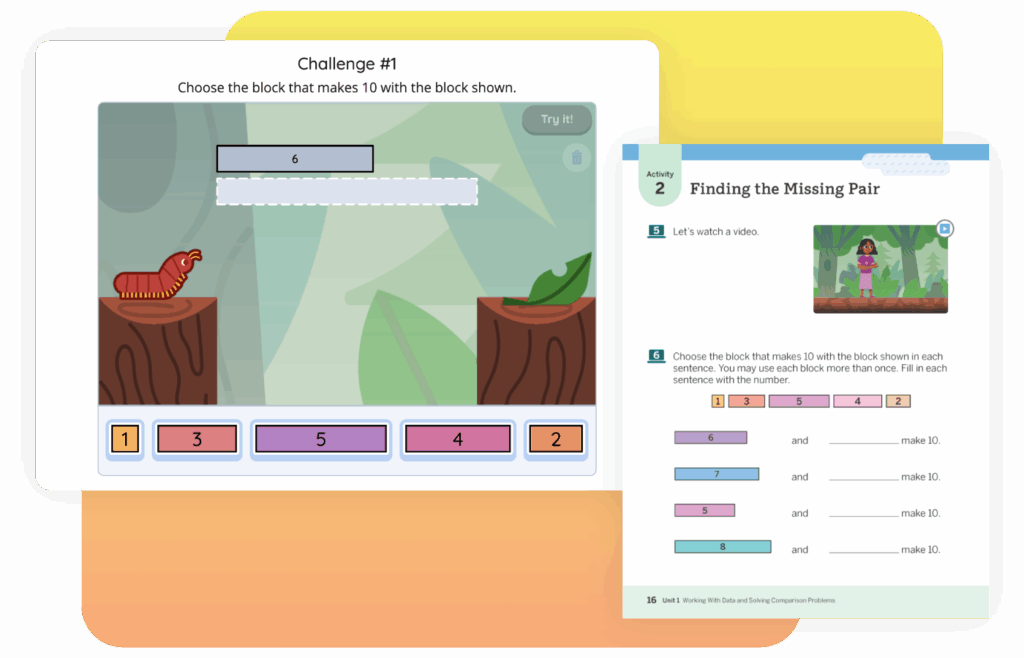
Jessica Kesler (09:39):

Absolutely. So TGR foundation, a tiger woods charity was founded by tiger woods and his father with a mission to really introduced them education to students in low income minority populations and prepare them for success in their world and their future careers moving forward. And so was founded in 1996 and went through several changes in iterations since 1996. But eventually opened up its first learning lab, which is in Anaheim, California. And through the learning lab, they opened up these satellite sites. So they basically partner with schools to provide after school education and robotics and wearable electronics and things like that. And they would partner with schools to teach these courses after school, they would pay the teacher, pay for the materials and stuff like that to provide more opportunity for students in different areas. And so that’s how I was introduced to the foundation because while I was teaching high school my good friend and previous manager, Jason Porter shout out to JP Jason Porter used to lead the tiger woods foundation when it was the tiger woods foundation.

Jessica Kesler (10:52):

He used to lead the afterschool program. And when I joined that high school, he said, Jess, you got all this great content, knowledge, all this great enthusiasm, and we wanna get more women into this robotics. We wanna get them engaged in this process of, of stuff. And you will be a great role model to start bringing in more of our female students. And I was like, great, sign me up. And that’s where I started working with the TGR foundation, right after school programs, getting my students into robotics, competitions and clubs, doing different challenges and design challenges. And then after some time, a few years, they actually needed someone to come to the DC area and support the development of professional learning and partnerships here in DC, as they were continuing to expand. And really it came out of the idea that tiger gave this big mission to the organization that he wanted to reach millions of kids.

Jessica Kesler (11:48):

He said millions and everybody said, what millions, what M <laugh>. So the foundation was like, okay, well we can’t reach millions by just tackling one student at a time, right? Not one student at a time, isn’t gonna bring a million people or students through the door. But if we focus on their teachers, mm-hmm <affirmative>, then those teachers not only spend most of their day with these students and learn the basics of their skills with these students. But each one of those teachers has 30 to 150 200 students that they see every day. And that’s how we multiply this effect. So we train the teachers on all the stem competencies and the pedagogical tools and strategies to implement the stem that we’re doing in our learning labs. And then they can implement it in our classroom and have this multiplicative effect that can continue on and help us to reach those millions of kids and helping them be prepared for future careers.

Eric Cross (12:44):

And so D divide the effort, multiply the effects. Exactly. And then when I was exposed to it, this was over zoom. Now, how long has it been going on? Has it always been virtualized or did you do the, were you all doing this before? We all went online

Jessica Kesler (12:57):

Before the pandemic man, the glory days, right before pandemic, it feels like I’m talking about prehistoric times, right? Like back in the dinosaur, like era, like, I don’t know, pre we actually did these workshops in a person. So we would invite people to come to DC, invite teachers in Philadelphia to do a Philly one. We were in New Mexico. We were in Florida. We were, I mean, we were everywhere and this would be a extremely hands on engaging workshops. So not only do we focus on this is the theory and the philosophy behind the pedagogy, but we would also focus on like creating a student experience for the teacher, having the teacher flip into student mode and put on that student hat and actually go through sample lessons, model lessons and activities as the student so that they can feel it. So you can feel if, if you feel confused, your students are gonna feel confused.

Jessica Kesler (13:52):

If you feel like this is challenging, you, your students are gonna feel the challenge. If you are, don’t understand the instructions, your students will understand the instructions. So it gives us a different perspective and it puts us in their shoes. So we can better empathize with them and create more responsive lesson planning. So we flipped them into that student role for that purpose. When COVID hit, we went virtual, but virtual allowed us to reach teachers that we probably would’ve never hit. So it was kind of that blessing and disguise, right? It was like we didn’t keep people as long cuz obviously virtually you’re not, you don’t wanna stare at a screen for eight hours. So we cut it down. We revised it a little bit, but we kept the hands on philosophy and feel of it going by, you know, using materials that they could find at home really modeling what education could look like.

Jessica Kesler (14:41):

Mm-Hmm <affirmative> if you used your Z zoom room to capacity, or if you had these materials and resources or rethought your lesson plans and structures. So we went virtual and not only were we able to hit so many more thirst that first year thirsty educators ready to get, dive into it, ready for some comradery with fellow educators. But we were also able to expand our international network. We were able to get so many international educators through our global work that it was, it was beyond what we had when we were in person. So it really had this skyrocketing effect.

Eric Cross (15:20):

There’s professional learning pathways and then virtual stem studio. Is that right for professional development for like teachers who are listening, are those the two kind of main prongs?

Jessica Kesler (15:30):

Yeah. So a stem studio is basically just one, right? And a pathway is a collection. So we now offer four stem studios, four separate stem studios. The first one is on inquiry mindset. You attended that one area. And it’s really about for teachers who are changing their perspective on what the classroom should look and feel like, especially administrators too. It’s about developing that inquiry mindset. So you understand and you feel, and you practice and you learn the tools that are necessary for inquiry to happen in your classroom. We never promote overhauling your classroom. We’re just saying, add a little bit here and there and see how it impacts your students. The second one is on making inquiry, visible, making inquiry visible is all about making students thinking visible in the moment. What are tools and strategies that you use so that students can illuminate their thinking for themselves, but for you and their peers as well and how we benefit from that.

Jessica Kesler (16:28):

So not only do the students get to see their own thinking as they progress and you get to tell the story of how their minds have evolved, but you, as the teacher get to see, oh, this is where everyone is making the mistake, or this is how this misconception came about. Or this is where I need to target for my next lesson. So it makes you more responsive in the moment. And then the third and fourth one where we’re actually launching for a small group this summer, it won’t be available to the masses until maybe a year or two down the line. We have one small group that we’re just going to test it out with. The third one is about developing your inquiry environment. So thinking not just about your physical space, but thinking about your intellectual space too. So what are the things that you can embed into your physical space and develop in a student’s intellectual space that will help you create a holistic inquiry environment?

Eric Cross (17:22):

So this is this inquiry space, not just physical, but then also the intellectual environment

Jessica Kesler (17:26):

Intellectual. Exactly. And it focuses in on the design process and how we design spaces. Because as a teacher, we take a lot of background in the background onus of de creating these spaces. If you take someone out of an old habit or space and tell them, oh, we are gonna change in your minds and teach inquiry, but put them back in the same environment, they’re gonna be conflicted, right? Their bodies wanna do one thing, their minds wanna do another thing. And they don’t know how to bridge the gap between the two. So this is a really illuminating, like how do you change all the spaces? How do you design a flow in space in your classroom and in your students thinking that allows them to be productive in that inquiry environment. It’s really good stuff

Eric Cross (18:11):

Who creates these experiences for teachers.

Jessica Kesler (18:14):

We do. So me and my teammate, Holly, Dard shout out HD. Holly Dard, we really put our brains together and developed these. So it’s a really a team effort because like Jason Porter, Eric even David Tong when he was with us, really collectively thought about what it is that we wanted educators to experience. And then Holly and I do a lot of the grunt work, but then we really collectively put it all together and make it what it is. So I have a heavy hand and a lot of that. And in fact, inquiry four is all about the entrepreneurial mindset. So oftentimes educators don’t consider themselves entrepreneurs, but if you take a look at what an entrepreneur is and what they do on a regular basis, educators are entrepreneurs, but we are missing an opportunity to use our entrepreneurialship in the classroom to drive for stem competencies in inquiry based practices. And so in, in stem studio, four, we really focus in on how the educator is the entrepreneur of their classroom, but also uses entrepreneurial techniques to tackle issues in their schools, districts, and spheres of influence. So it’s really taking the educator to the next level of their teaching practice through entrepreneurship. This is some deep stuff.

Eric Cross (19:37):

It is, well, this entrepreneurial mindset is, is something that I’ve heard before. And I definitely see the link between even the term teacherpreneur beyond just selling lessons on teachers, pay teachers. <Laugh> it’s way bigger than that,

Jessica Kesler (19:52):

Where entrepreneurs actually in the classroom, not just because we do things on the side to make money. Exactly.

Eric Cross (19:57):

A lot of teachers hear that. They’re like, yeah, I got, you know, I got, got a few jobs going on. Exactly. Yeah. And, and I think one thing we, I should have said this earlier, and I’ll, I’ll say the intro, but these are all free.

Jessica Kesler (20:07):

This is largely sponsored by do OD stem as well. So we have a partnership with D O D stem and they have been driving forth the department of defenses, strategic stem plan for years. And as a part of that, they give us funding in order to provide these opportunities for educators for free. So literally educators don’t have to come with anything. And we are giving you not only the content of our, our lessons and our instruction, but we’re also going give you a chance to earn a free micro credential. So people are spending 12 plus hours with us in a workshop which sounds like a lot of time, but it’s over a series of time and days. But we wanna give you something that means something after that, we wanna give you a micro credential to add to your resume, to show your administrator, to show that you have achieved the next level in your professional learning career.

Jessica Kesler (20:59):

Right? And if you finish the pathway, which is all for, then we give you our TGR foundation certificate that says that you’ve completed so much professional learning in these areas that you are basically a warrior of inquiry that you are ready to go out and really lay inquiry out in new creative ways, not in your CLA just in your classroom, but everywhere you go in your district, in your school. And on top of that, we just offer so many other great free partnership incentives like discovery, education, experience licenses. We’re doing raffles this summer. We’re giving out free a free meal voucher so that you can get some lunch. One of these days we’re offering $50 gift cards so that people can get school supplies. So anything you do with us, and you’re like, man, I really wish I could have this so that I can do that in my classroom. We wanna break down all the barriers that prevent teachers from doing this stuff in their classroom, actively engaging in this stuff. And we give you a free copy of the books that we reference. Again, trying to break down the barriers,

Eric Cross (22:00):

What are some of the things that you’ve noticed kind of being on both sides of science teaching in the classroom, and then in training trends with teachers, things like moments that have been great or, or challenges that you’re noticing teachers experiencing, especially maybe changes in differences from a, from, you know, an outsider’s perspective. Seeing what teachers are experiencing are like, since you’ve been doing PDs for folks.

Jessica Kesler (22:22):

Yeah. So it’s actually really interesting being on both sides of the fence. You know, what I always noticed is that teachers are eager, but they’re tired. They’re wanting to learn, but they can’t take advantage of every opportunity to learn. And especially during COVID time, if you take a look at even all the professional learning that’s happening across the world right now, attendance is going down because teachers are so burnt out this hybrid space, this either we’re in person, but we’re still wearing masks and still social distancing and all this other stuff, or I’m still virtual or I’m virtual some days and I’m in person other days, it’s just wearing our teachers out. And I think we notice that as we see a large numbers of friends and family just start to retire, right? Like people are just like, I don’t know if I can adapt to another change in education.

Jessica Kesler (23:14):

Like education goes through these waves of big changes and it’s hard for everybody to adapt to, but for those who are willing to stick it out and those who are able to stick it out and, and still have that energy and enthusiasm to learn, they come in so hungry for more resources, so hungry to learn more and they still have their why at the top of their minds, as they think about why they do this it’s for the kids it’s to drive this mission is to get more kids excited about this. And they just come in so passionate. So once they come in, once we can get them to come in they stick with us for a really long time. They’re like, what else do you have? What else do you have? What else do you have? But we hear, still hear the common threads of like, do I have time for this?

Jessica Kesler (23:58):

Do I have the funding for this? Do I have the energy for this? Do, will my students understand this? And we are constantly facing that challenge of trying to address those things by, but keeping the excitement going, like we know you don’t have enough time. We’re gonna call it out from the start. I know you don’t have enough time to try to do 29 extra things. Mm-Hmm <affirmative>. But my advice is always, but do one thing at a time, start with something small, asking your students a few questions rather than lecturing to them. Doesn’t take a whole lot of extra time, but it gives you so much extra insight. So let’s not work, you know, harder, let’s work smarter. Let’s embed this into our, our work together. And I always say that we’re not asking you to add to your plate. You know, it’s not Thanksgiving where you just pile, keep piling on a plate.

Jessica Kesler (24:47):

It’s it’s a time where you organize the plate. It’s allowing inquiry to restructure your plate so that everything has its place and its time mm-hmm <affirmative> do you wanna leave room so that the educator feels comfortable trying some new initiative? That’s why we encourage admin. We have librarians attend elementary school teachers, administrators, we, and we encourage it because everyone can support the classroom. And if administrators are more in touch with these new practices and tools and strategies, then they can help facilitate the learning. As the teachers are trying new things and coaching them in specific areas. So we really opened the door for some studios, for any and all who are gonna participate in that child’s education, because us all rallying around them as that three-legged stool helps to create that environment and helps support the teacher. The teachers need support, and we’re trying to do our part by providing the resources and the tools, but they need everyone else to.

Eric Cross (25:42):

We don’t always think about it as a way to support, to get support in our classrooms for ourselves. But I agree with you by, by educating vertically up the chain, you know, vice principal, principal, whoever it is, mm-hmm <affirmative> superintendent getting them on boarding and, and educating them to see what’s ex expected. We’ll open up doors and more freedoms for you because now you just have this vertical alignment of folks kind of on the same wave length. Exactly.

Jessica Kesler (26:07):

Yep. And that’s why we love districts. Anaheim union school district is actually one of our partners this year, where they have invited their teachers to participate in the whole pathway because they know how important it is that we practice these tools and strategies. And they want as many educators in the same space going through this at the same time as possible so that we can support each other through it. And so that we don’t feel like islands, oftentimes as educators, we feel like islands we’re in our classroom day in and day out. And we don’t feel like there’s anybody else who’s doing the same things we’re doing and supporting the work that we’re doing. So when we get administrators who support it, it’s magical. It can be magical.

Eric Cross (26:47):

What are some opportunities that are coming up if somebody’s listening and they, they wanna sign up for something, are there things coming up this month or next month or in the summer that they can participate in?

Jessica Kesler (26:55):

Yeah, for sure. So we’ve been doing our monthly workshops. And if you go to our website, so if you actually go to TGR foundation.org and slash stem studio you’ll actually see our summer events already posted, already live for everybody to start engaging in. And again, everything is free. So registration is open and available for everybody to participate. We are offering that first inquiry stem studio inquiry mindset twice the week of June 21st and the week of June 28th, two opportunities for educators to join us for inquiry mindset for the first one. And then also in July, we’re offering the second one making inquiry visible, and that’s the week of July 12th. So again, all free stuff, raffle prizes are available for those who register early and get in there and reserve their seat. It is limited seating. And so, yeah, a bunch of opportunities coming up this summer and guess what all you have to do is sign up and then you get all these free things coming your way. You get to look forward to all this exciting stuff. So TGR foundation.org/studio.

Eric Cross (28:01):

And if folks wanna follow you in your career, your journey.

Jessica Kesler (28:05):

Yeah. I’m on Twitter and LinkedIn, for sure. And it’s Jessica Kessler, K E S L E R one S

Eric Cross (28:12):

I wanna honor your time. And as we close, you’ve been an educator of impact in, in your own classroom. And I know you’re still teaching actively now, and you’ve also made an impact on me and other educators through your professional development. And, and the last question I’d like to end with is who’s the most memorable teacher or learning experience that you had during K eight. When you think about you, your time in school, who was a memorable teacher or a moment that kind of stands out to you and what was it that they did that made them memorable?

Jessica Kesler (28:44):

It was that one teacher who brought me my first T I, 84. You remember when a new calculators came out, I had a teacher give me one amazing, but I think in high school, there was really a turn about where I had miss Caroline and Mr. Canello math and Spanish teacher. So two opposite wings of the, the education spectrum there. But most of all, they listened. They listened to me. I felt seen with those teachers, they supported me. They listened to me, they saw my potential. And they just rallied around me and continued to support me thereafter. Even afterwards, I continued to reach out to those educators. And I think that’s what drives me to be that force for, for my students. And I remember my most memorable heart touching education experience was probably, I had a high school student get interviewed by the newspaper.

Jessica Kesler (29:38):

And they were like, oh, what’s your favorite classes? And what’s your favorite this, and what’s your favorite of that? And he was like, well, I love chemistry, which is what I was teaching. It was like, and I love my after school robotics team. I was leading and I love this and this and this. And he basically listed all the stuff that I was doing that I was teaching and that I was leading in the school. And I was like this one student, literally out of all the classes and experiences he’s experiencing is really just calling out everything that I’m doing. And I feel like it’s because he felt seen, he felt heard. He was like, this person is listening to me. And no matter what space we’re in this teacher is, is there for me. And so I try to be that wherever I go, <laugh>,

Eric Cross (30:16):

It’s amazing how making someone feel seen and, and making them feel important and heard, and, and being present for them. All of a sudden opens up their interests into the subjects that you’re teaching. Thank you for, for making time for serving our kids for serving teachers during a hard time, and for making PD one, being part of an organization that made it free and serve teachers, but also making PD fun and enthusiastic. I think that was one of the things in addition to the empathy that you led with, but also your enthusiasm and passion was something that really resonated with me. And it made our time together. Feel like something that was, was making me a better teacher for my kids. And so, thanks for making time for us tonight. Oh,

Jessica Kesler (30:53):

Bless face.

Eric Cross (30:57):

Thanks so much for joining me and Jessica today. If you have any great lessons or ways that you connect with students, please email us@stemamplifycom.wpengine.com. That’s S TM amplifycom.wpengine.com. And please remember to support the podcast by clicking subscribe, wherever you listen to podcasts, you can also hear more about the podcast in our Facebook group, science connections, the community until next time.

Stay connected!

Join our community and get new episodes every other Tuesday!

We’ll also share new and exciting free resources for your classroom every month.

What Jessica Kesler says about science

“One student at a time isn’t gonna bring a million students through the door. But if we focus on their teachers, then they can reach those millions of kids and help them be prepared for future careers. ”

– Jessica Kesler

Director of Professional Learning, TGR Foundation

Meet the guest

In the final episode of the season, Eric sits down with his friend and professional development facilitator, Jessica Kesler. Jessica describes her passion for sharing free, high-quality, empathy-centered professional development for K12 educators. Jessica also shares her experience jumping into leadership positions while teaching in Philadelphia. Eric also chats with Jessica about how students often lean on teachers for more than delivering content.

Person with glasses smiling, wearing a black headwrap and earrings, outdoors with trees and sunlight in the background.

About Science Connections

Welcome to Science Connections! Science is changing before our eyes, now more than ever. So…how do we help kids figure that out? We will bring on educators, scientists, and more to discuss the importance of high-quality science instruction. In this episode, hear from our host Eric Cross about his work engaging students as a K-8 science teacher. Listen here!

Illustrative Mathematics-NEW

To view this protected page, enter the password below:


Amplify Science

A new core curriculum designed from the ground up for the NGSS.

Preview the Student Books and Student Investigation Notebooks

Grades 6–8 Integrated Model

Spanish Student Books and Student Investigation Notebooks

Amplify Science

A new core curriculum designed from the ground up for the NGSS.

Preview the Student Books and Student Investigation Notebooks

Spanish Student Books and Student Investigation Notebooks

Grade 6

Unit 1: Area and Surface Area

Illustrative MathematicsAmplify Classroom
Topic A: Reasoning to Find Area 
Lesson 1: Tiling the PlaneUnit 1
Lesson 1: Shapes on a Plane
Lesson 4: Parallelograms
Lesson 5: Bases and Heights of Parallelograms
Lesson 6: Area of Parallelograms
Unit 1
Lesson 3: Exploring Parallelograms
Topic 3: Triangles
Lesson 7: From Parallelograms to TrianglesUnit 1
Lesson 3: Exploring Parallelograms
Topic 5: Surface Area
Lesson 12: What is Surface Area?Unit 1
Lesson 10: Renata’s Stickers

Unit 2: Introducing Ratios

Topic 1: Introducing Ratios
Lesson 1: Introducing Ratios and Ratio LanguageUnit 2
Lesson 1: Pizza Maker
Lesson 2: Representing Ratios with DiagramsUnit 2
Lesson 1: Pizza Maker
Topic 2: Equivalent Ratios
Lesson 3: RecipesUnit 2
Lesson 4: Fruit Lab
Lesson 5: Defining Equivalent RatiosUnit 2
Lesson 1: Pizza Maker
Topic 4: Solving Ratio and Rate Problems
Lesson 11: Representing Ratios with TablesUnit 2
Lesson 10: Disaster Preparation

Unit 3: Rates and Percentages

Topic 2: Unit Conversion
Lesson 2: Anchoring Units of MeasurementUnit 3
Lesson 1: Many Measurements
Topic 3: Rates
Lesson 5: Comparing Speeds and PricesUnit 3
Lesson 6: Soft Serve
Lesson 6: Interpreting Rates
Lesson 7: Equivalent Ratios Have the Same Unit Rates
Unit 3
Lesson 6: Soft Serve
Topic 4: Percentages
Lesson 10: What Are percentagesUnit 3
Lesson 9: Lucky Duckies
Lesson 13: Benchmark percentagesUnit 3
Lesson 9: Lucky Duckies
Topic 5: Let’s Put It to Work 
Lesson 7: Equivalent Ratios Have the Same Unit RatesUnit 3
Lesson 6: Soft Serve

Unit 4: Dividing Fractions

Topic 2: Meanings of Fraction Division
Lesson 4: How Many Groups (Part 1)Unit 4
Lesson 3: Flour Planner 
Lesson 6: Using Diagrams to Find the Number of GroupsUnit 4
Lesson 6: Fill the Gap

Unit 5: Arithmetic in Base Ten

Topic 1: Warming Up to Decimals 
Lesson 1: Using Decimals in a Shopping ContextUnit 5
Lesson 1: Dishing Out Decimals
Topic 5: Let’s Put It to Work
Lesson 14: Using Operations on Decimals to Solve ProblemsUnit 5
Lesson 13: Movie Time

Unit 6: Expressions and Equations

Lesson 1: Tape Diagrams and Equations
Lesson 2: Truth and Equations
Unit 6
Lesson 1: Weight for It
Lesson 3: Staying in BalanceUnit 6
Lesson 1: Weight for It
Topic 2: Equal and Equivalent
Lesson 8: Equal and EquivalentUnit 6
Lesson 1: Weight for It
Topic 9: The Distributive Property, Part 1Unit 6
Lesson 8: Products and Sums
Take Away (coming soon!)
Lesson 10: The Distributive Property, Part 2
Lesson 11: The Distributive Property, Part 3
Unit 6
Lesson 8: Products and Sums
Take Away (coming soon!)
Topic 5: Let’s Put It to Work
Lesson 19: Tables, Equations, and Graphs, Oh My!Unit 6
Lesson 16: Subway Fares
Take Away (coming soon!)

Unit 7: Rational Numbers

Lesson 1: Positive and Negative NumbersUnit 7
Lesson 1: Can You Dig It?
Lesson 3: Comparing Positive and Negative Numbers
Lesson 4: Ordering Rational Numbers
Unit 7
Lesson 4: Order in the Class
Topic 2: Inequalities
Lesson 9: Solutions of Inequalities
Lesson 10: Interpreting Inequalities
Unit 7
Lesson 7: Tunnel Travels
Topic 3: The Coordinate Plane
Lesson 15: Shapes on the Coordinate PlaneUnit 1
Lesson 1: Shapes on a Plane

Unit 8: Data Sets and Distributions

Topic 2: Dot Plots and Distributions
Lesson 3: Representing Data Graphically
Lesson 4: Dot Plots
Lesson 5: Using Dot Plots to Answer Statistical Questions
Unit 8
Lesson 3: Minimum Wage
Lesson 6: Interpreting Histograms
Lesson 7: Using Histograms to Answer Statistical Questions
Lesson 8: Describing Distributions on Histograms
Unit 8
Lesson 5: The Plot Thickens
Topic 4: Median and IQR
Lesson 13: MedianUnit 8
Lesson 11: Toy Cars

Grade 7

Unit 1: Scale Drawings

Illustrative MathematicsAmplify Classroom
Topic 1: Scaled Copies 
Lesson 1: What are Scaled Copies?Unit 1
Lesson 1: Scaling Machines
Topic 2: Scale Drawings 
Lesson 7: Scale DrawingsUnit 1
Lesson 7: Will It Fit?

Unit 2: Introducing Proportional Relationships

Topic 1: Representing Proportional Relationships with Tables
Lesson 1: One of These Things Is Not Like the OthersUnit 2
Lesson 1: Paint 
Topic 2: Representing Proportional Relationships with Equations 
Lesson 4: Proportional Relationships with EquationsUnit 2
Lesson 6: Two and Two
Lesson 5: Two Equations for Each Relationship
Lesson 6: Using Equations to Solve Problems
Unit 2
Lesson 6: Two and Two
Topic 3: Comparing Proportional and Nonproportional Relationships 
Lesson 8: Comparing Relationships with EquationsUnit 2
Lesson 6: Two and Two
Topic 4: Representing Proportional Relationships with Graphs
Lesson 10: Introducing Graphs of Proportional Relationships
Lesson 11: Interpreting Graphs of Proportional Relationships
Lesson 12: Using Graphs to Compare Relationships
Lesson 13: Two Graphs for Each Relationship
Unit 2
Lesson 8: Dino Pops

Unit 3: Measuring Circles

Topic 1: Circumference of a Circle 
Lesson 1: How Well Can You Measure?Unit 3
Lesson 8: Toothpicks (coming soon!)
Lesson 2: Exploring Circles
Lesson 3: Exploring Circumference
Lesson 4: Applying Circumference
Unit 3
Lesson 3: Measuring Around
Take Away (coming soon!)
Topic 2: Area of a Circle
Lesson 7: Exploring the Area of a Circle
Lesson 8: Relating Area to Circumference
Unit 3
Lesson 9: Area Challenges
Take Away (coming soon!)

Unit 4: Proportional Relationships and Percentages

Topic 1: Proportional Relationships with Fractions 
Lesson 1: Lots of Flags
Lesson 2: Ratios and Rates with Fractions
Lesson 3: Revisiting Proportional Relationships
Lesson 4: Half as Much Again
Unit 4
Lesson 1: Mosaics
Topic 2: Percent Increase and Decrease 
Lesson 6: Increasing and DecreasingUnit 4
Lesson 5: Percent Machines
Lesson 12: Posing Percent Problems (coming soon!)
Topic 3: Applying Percentages
Lesson 10: Tax and Tip
Lesson 11: Percentage Contexts
Unit 4
Lesson 12: Posing Percent Problems (coming soon!)
Topic 4: Let’s Put It to Work 
Lesson 16: Posing Percent ProblemsUnit 4
Lesson 12: Posing Percent Problems (coming soon!)

Unit 5: Rational Number Arithmetic

Topic 1: Interpreting Negative Numbers 
Lesson 1: Interpreting Negative NumbersUnit 5
Lesson 1: Floats and Anchors
Topic 2: Adding and Subtracting Rational Numbers
Lesson 2: Changing Temperatures
Lesson 3: Changing Elevation
Unit 5
Lesson 4: Draw Your Own
Lesson 6: Subtracting Rational Numbers
Lesson 7: Adding and Subtracting to Solve Problems
Unit 5
Lesson 4: Draw Your Own
Lesson 10: Integer Puzzles

Unit 6: Expressions, Equations, and Inequalities

Topic 1: Representing Situations of the Form px + q and p(+ q) = r 
Lesson 1: Relationships Between QuantitiesUnit 2
Lesson 1: Paint
Unit 4
Lesson 1: Mosaics
Topic 9 Dealing with Negative Numbers 
Lesson 10: Different Options for Solving One EquationUnit 6
Lesson 10: Collect the Squares
Topic 3: Inequalities 
Lesson 13: Reintroducing InequalitiesUnit 6
Lesson 16: Shira the Sheep
Lesson 14: Finding Solutions to Inequalities in Context
Lesson 15: Efficiency Solving Inequalities
Unit 6
Lesson 16: Shira the Sheep
Lesson 16: Interpreting Inequalities
Lesson 17: Modeling with Inequalities
Unit 6
Lesson 16: Shira the Sheep
Topic 4: Writing Equivalent Expressions 
Lesson 18: Subtraction in Equivalent ExpressionsUnit 6
Lesson 10: Collect the Squares
Lesson 20: Combining Like Terms (Part 1)
Lesson 21: Combining Like Terms (Part 2)
Lesson 22: Combining Like Terms (Part 3)
Unit 6
Lesson 10: Collect the Squares

Unit 7: Angles, Triangles, and Prisms

Lesson 2: Adjacent Angles
Lesson 3: Nonadjacent Angles
Unit 7
Lesson 2: Friendly Angles
Lesson 4: Solving for Unknown AnglesUnit 7
Lesson 2: Friendly Angles
Lesson 5: Using Equations to Solve for Unknown AnglesUnit 7
Lesson 4: Missing Measures
Topic 2: Drawing Polygons with Given Conditions 
Lesson 9: Drawing Triangles (Part 1)
Lesson 10: Drawing Triangles (Part 2)
Unit 7
Lesson 5: Can You Build It?

Unit 8: Probability and Sampling

Topic 1: Probabilities of Single Step Events
Lesson 1: Mystery Bags
Lesson 2: Chance Experiments
Lesson 3: What Are Probabilities?
Unit 8
Lesson 1: How Likely?
Lesson 2: Prob-bear-bilities
Topic 3: Sampling
Lesson 11: Comparing Groups
Lesson 12: Larger Populations
Lesson 13: What Makes a Good Sample?
Lesson 14: Sampling in a Fair Way
Unit 8
Lesson 10: Crab Island
Topic 4: Using Samples
Lesson 15: Estimating Population Measures of Center
Lesson 16: Estimating Population Proportions
Unit 8 
Lesson 10: Crab Island
Lesson 17: More about Sampling Variability
Lesson 18: Comparing Populations Using Samples
Lesson 19: Comparing Populations with Friends
Unit 8
Lesson 10: Crab Island

Grade 8

Unit 1: Rigid Transformations and Congruence

Illustrative MathematicsAmplify Classroom
Topic 1: Rigid Transformations 
Lesson 1: Moving in the PlaneUnit 1
Lesson 1: Transformers
Lesson 2: Naming the MovesUnit 1
Lesson 2: Spinning, Flipping, Sliding
Lesson 3: Grid MovesUnit 1
Lesson 4: Moving Day
Lesson 4: Making the MovesUnit 1
Lesson 1: Transformers
Lesson 2: Spinning, Flipping, Sliding
Lesson 4: Moving Day
Lesson 5: Coordinate MovesUnit 1
Lesson 4: Moving Day
Lesson 6: Describing TransformationsUnit 1
Lesson 6: Connecting the Dots (coming soon!)
Topic 2: Properties of Rigid Transformations 
Lesson 8: Rotation PatternsUnit 1
Lesson 1: Transformers
Lesson 2: Spinning, Flipping, Sliding
Lesson 4: Moving Day
Topic 5: Let’s Put It to Work
Lesson 17: Rotate and TessellateLesson 13: Tessellate

Unit 2: Dilations, Similarity, and Introducing Slope

Topic 1: Dilations
Lesson 1: Projecting and ScalingUnit 2
Lesson 1: Sketchy Dilations
Lesson 2: Dilation Mini Golf
Lesson 2: Circular Grid
Lesson 3: Dilations with No Grid
Lesson 4: Dilations on a Square Grid
Lesson 5: More Dilations
Unit 2
Lesson 1: Sketchy Dilations
Lesson 2: Dilation Mini Golf
Topic 2: Similarity 
Lesson 6: SimilarityUnit 2
Lesson 6: Social Scavenger Hunt
Topic 3: Slope
Lesson 10: Meet SlopeUnit 3
Lesson 4: Flags

Unit 3: Linear Relationships

Topic 1: Proportional Relationships 
Lesson 1: Understanding Proportional RelationshipsUnit 3
Lesson 1: Turtle Time Trials
Lesson 2: Graphs of Proportional RelationshipsUnit 3
Lesson 1: Turtle Time Trials
Lesson 3: Representing Proportional RelationshipsUnit 3
Lesson 1: Turtle Time Trials 
Topic 2: Representing Linear Relationships
Lesson 5: Introduction to Linear RelationshipsUnit 3
Lesson 1: Turtle Time Trials
Lesson 7: Representations of Linear RelationshipsUnit 3
Lesson 4: Flags
Topic 3: Finding Slopes 
Lesson 9: Slopes Don’t Have to be PositiveUnit 3
Lesson 4: Flags
Lesson 11: Equations of All Kinds of LinesUnit 3
Lesson 4: Flags
Topic 4: Linear Equations 
Lesson 13: More Solutions to Linear EquationsUnit 3 
Lesson 4: Flags

Unit 4: Linear Equations and Linear Systems

Topic 2: Linear Equation in One Variable 
Lesson 5: Solving Any Linear EquationUnit 4
Lesson 5: Equation Roundtable
Lesson 6: Strategic SolvingUnit 4
Lesson 5: Equation Roundtable
Topic 3: Systems of Linear Equations
Lesson 11: On Both of the Lines
Lesson 12: Systems of Equations
Lesson 13: Solving Systems of Equations
Unit 4
Lesson 11: Make Them Balance
Lesson 12: Line Zapper

Unit 5: Functions and Volume

Topic 1: Inputs and Outputs 
Lesson 1: Inputs and OutputsUnit 5
Lesson 1: Turtle Crossing
Lesson 2: Guess My Rule
Lesson 2: Introduction to FunctionsUnit 5
Lesson 1: Turtle Crossing
Lesson 2: Guess My Rule
Topic 2: Representing and Interpreting Functions 
Lesson 3: Equations of FunctionsUnit 3
Lesson 1: Turtle Time Trials
Lesson 4: Tables, Equations, and Graphs of Functions
Lesson 5: More Graphs of Functions
Unit 5
Lesson 5: The Tortoise and the Hare
Topic 3: Linear Functions and Rates of Change
Lesson 8: Linear FunctionsUnit 3
Lesson 4: Flags
Lesson 9: Linear ModelsUnit 5
Lesson 5: The Tortoise and the Hare
Topic 4: Cylinder and Cones 
Lesson 13: The Volume of a CylinderUnit 5
Lesson 11: Cylinders
Lesson 14: Finding Cylinder DimensionsUnit 5
Lesson 11: Cylinders
Lesson 15: The Volume of a ConeUnit 5
Lesson 13: Cones
Lesson 16: Finding Cone DimensionsUnit 5
Lesson 13: Cones

Unit 6: Associations in Data

Topic 2: Associations in Numerical Data 
Lesson 3: What a Point in a Scatter Plot MeansUnit 6 
Lesson 3: Robots
Lesson 4: Fitting a LineUnit 6 
Lesson 4: Dapper Cats
Lesson 6: Find the Fit
Lesson 5: Describing Trends in Scatter PlotsUnit 6 
Lesson 3: Robots
Lesson 7: Observing More patterns in Scatter PlotsUnit 6 
Lesson 3: Robots
Topic 3: Associations in Categorical data 
Lesson 9: Looking for AssociationsUnit 6
Lesson 11: Finding Associations
Lesson 10: Using Data Displays to Find associationsUnit 6
Lesson 11: Finding Associations

Unit 7: Exponents and Scientific Notation

Topic 1: Exponent Review 
Lesson 1: Exponent ReviewUnit 7 
Lesson 1: Circles
Lesson 2: Multiplying Powers of 10
Lesson 3: Powers of Powers of 10
Lesson 4: Dividing Powers of 10
Unit 7 
Lesson 3: Power Pairs
Topic 3: Scientific Notation 
Lesson 13: Defining Scientific Notation
Lesson 14: Multiplying, Dividing, and Estimating with Scientific Notation
Unit 7 
Lesson 9: Specific and Scientific
Lesson 11: Balance the Scale
Lesson 15: Adding and Subtracting with Scientific NotationUnit 7 
Lesson 9: Specific and Scientific
Lesson 11: Balance the Scale

Unit 8: Pythagorean Theorem and Irrational Numbers

Topic 1: Side Lengths and Areas of Squares
Lesson 5: Reasoning about Square RootsUnit 8
Lesson 4: Root Down
Topic 2: The Pythagorean Theorem
Lesson 6: Finding Side Lengths of TrianglesUnit 8
Lesson 8: Triangle-Tracing Turtle
Lesson 10: Applications of the Pythagorean TheoremUnit 8
Lesson 10: Taco Truck
Topic 5: Let’s Put It to Work
Lesson 16: When Is the Same Size Not the Same Size?Unit 8
Lesson 10: Taco Truck

Disclaimer

This document is for informational purposes only; references to third-party programs do not imply endorsement or affiliation, and all trademarks are the property of their respective owners.

Grade K

Topic Opener Numbers 0 to 5

Topic Opener Numbers 0 to 5Connecting Cubes

Topic 1: Numbers 0 to 5

Lesson 1-2 Recognize 1, 2, and 3 in Different ArrangementsSkye’s Style
Lesson 1-5 Recognize 4 and 5 in Different ArrangementsMatching Groups
Designing Shoes with Skye
3-ACT MATH: Set the TableInvestigate: Cafeteria Math

Topic 3: Numbers 6 to 10

Lesson 3-2: Read, Make, and Write 6 and 7Moving and Grooving
Lesson 3-4: Read, Make, and Write 8 and 9Moving and Grooving
Lesson 3-6: Read, Make, and Write 10Moving and Grooving
Lesson 3-7: Count Numbers to 10Fingers as Math Tools

Topic 4: Compare Numbers 0 to 10

Lesson 4-1: Compare Groups to 10 by MatchingMore, Fewer, or the Same
Forest Friends
Lesson 4-2: Compare Numbers Using Numerals to 10Fingers and Counters
Lesson 4-3: Compare Groups to 10 by CountingComparing Words

Topic 6: Understand Addition

Interactive Math StoryInvestigate: Casey’s Town
Lesson 6-1: Explore AdditionHow Many Objects in Pictures?
The Bus Depot
Lesson 6-2: Represent Addition as Adding ToHow Will You Count?
Lesson 6-3: Represent Addition as Putting TogetherHow Many Objects?
Lesson 6-4: Represent and Explain Addition with EquationsWhat Does It Mean to Add?

Topic 7: Understand Subtraction

Lesson 7-1: Explore SubtractionWhat Does It Mean to Subtract?
The Bus Depot

Topic 8: More Addition and Subtraction

Lesson 8-5: Decompose 6 and 7 to Solve ProblemsHarry Explores the Ocean
Lesson 8-6: Decompose 8 and 9 to Solve ProblemsHarry Explores the Ocean
Lesson 8-8: Decompose 10 to Solve ProblemsHarry Explores the Ocean

Topic 12: Identify and Describe Shapes

Lesson 12-2: Circles and TrianglesWhat’s That Shape Called?
Lesson 12-3: Squares and Other RectanglesAnother Shape

Topic 13: Analyze, Compare, and Create Shapes

Lesson 13-1: Analyze and Compare Two-Dimensional (2-D) ShapesAnother Shape
So Much Sorting

Grade 1

Topic 1: Understand Addition and Subtraction

Lesson 1-4: Take FromPacking for a Picnic
What’s the Difference?
Lesson 1-7: Change UnknownReplanting Huli
Lesson 1-8: Practice Adding and SubtractingLeaping Lily Pads!

Topic 2: Fluently Add and Subtract Within 10

enVision STEM ProjectA Community Working Together
Topic 2 Interactive Math StoryInvestigate: Let’s Grow!
Lesson 2-8: Solve Word Problems with Facts to 10Tutu’s Garden in Maui
The Kalo Plants
Helping Others

Topic 3: Addition Facts to 20: Use Strategies

Lesson 3-5: Make 10 to AddMaking 10
Lesson 3-6: Continue to Make 10 to AddKitten Coaster

Topic 6: Represent and Interpret Data

Lesson 6-1: Organize Data into Three CategoriesShapes Ying Saw

Topic 7: Extend the Counting Sequence

Lesson 7-1: Count by 10s to 120Meeting Yara
Grade 1 Lesson 7-5: Count on an Open Number LineTime to Line Up!
Grade 1 Lesson 7-5: Count on an Open Number LineWhat’s That Number?

Topic 8: Understand Place value

Lesson 8-1: Make Numbers 11 to 19Same Number, Different Ways
Lesson 8-2: Numbers Made with TensInvestigate: Game Points
It’s a Match

Topic 9: Compare Two-Digit Numbers

Lesson 9-3: Compare NumbersInvestigate: Where Am I?
Grade 1 Lesson 9-5: Compare Numbers on a Number LineGreater Than, Less Than, or Equal to
Grade 1 Lesson 9-5: Compare Numbers on a Number LineIn Full Bloom

Topic 10: Use Models and Strategies to Add Tens and Ones

Lesson 10-1: Add Tens Using ModelsHow Many Cubes?
Boris’s Thimbles
How Many Tens?

Topic 11: Use Models and Strategies to Subtract Tens

Lesson 11-1: Subtract Tens Using ModelsBoris’s Thimbles
Lesson 11-2: Subtract Tens Using a Hundred ChartHow Many Tens?

Topic 14: Reason with Shapes and Their Attributes

Lesson 14-1: Use Attributes to Define Two-Dimensional (2-D) ShapesShapes Ying Saw

Grade 2

Topic 1: Fluently Add and Subtract Within 20

Lesson 1-1: Addition Fact StrategiesExploring Within 10
Lesson 1-3: Make a 10 to AddWays to Make 10

Topic 8: Work with Time and Money

Lesson 8-1: Solve Problems with CoinsInvestigate: Activities at the Block Party
Discovering Coins (Part 1)
Discovering Coins (Part 2)
Lesson 8-2: Continue to Solve Problems with CoinsHow Much Money?
Discovering Coins (Part 2)
Lesson 8-5: Problem Solving: ReasoningThe Toy Stand
The Craft Stand at the Block Party

Topic 12: Measuring Length

Lesson 12-8: Compare LengthsLengths of Jungle Animals

Topic 15: Graphs and Data

Lesson 15-1: Line PlotsMessy Measurements
Lesson 15-2: More Line PlotsBracelets and Wristbands
Lesson 15-3: Bar GraphsAwesome Aquariums

Grade 3

Topic 1: Understand Multiplication and Division of Whole Numbers

Lesson 1-1: Relate Multiplication and AdditionEqual Groups
Lesson 1-3: Arrays and PropertiesArrays of Flavor

Topic 4: Use Multiplication to Divide: Division Facts

Lesson 4-1: Relate Multiplication and DivisionIt’s Chili in Here
Relating Quotients to Familiar Products
Lesson 4-8: Solve Multiplication and Division EquationsDivision and Multiplication Equations

Topic 6: Connect Area to Multiplication and Addition

Lesson 6-1: Cover RegionsInvestigate: Comparing Rugs
Which Covers More Space?
Lesson 6-2: Area: Nonstandard UnitsTiling Figures
Lesson 6-3: Area: Standard UnitsArea Hunt
Lesson 6-4: Area of Squares and RectanglesRectangles and Arrays

Topic 7: Represent and Interpret Data

Lesson 7-3: Make Bar GraphsPuppy Pile
2, 5, or 10?

Topic 8: Use Strategies and Properties to Add and Subtract

Topic 8 VocabularyInvestigate: Create a Photo Gallery
Lesson 8-2: Algebra: Addition PatternsPanda Patterns
Lesson 8-3: Mental Math: AdditionHow Would You Solve It?

Topic 9: Fluently Add and Subtract within 1,000

Lesson 9-1: Use Partial Sums to AddAdding Your Way
What is an Algorithm?
Lesson 9-2: Use Regrouping to AddUsing Fewer Digits
Lesson 9-3: Add 3 or More NumbersDetermining Sums of 2 or More Addends
Lesson 9-6: Use Strategies to Add and SubtractAdding Strategically

Grade 4

Topic 7: Factors and Multiples

3-ACT MATH: Can-Do AttitudeHamster Homes
Lesson 7-2: FactorsFactor or Multiple?
Lesson 7-4: Prime and Composite NumbersA Number Game
Lesson 7-5: MultiplesFactor or Multiple?
How Does It Grow?

Topic 8: Extend Understanding of Fraction Equivalence and Ordering

Lesson 8-2: Equivalent Fractions: Number LinesInvestigate: Building Your Own Number Line
All Kinds of Fractions
Lesson 8-5: Use Benchmarks to Compare FractionsFraction Strips
Lesson 8-5: Use Benchmarks to Compare FractionsChop It

Topic 9: Understand Addition and Subtraction of Fractions

Lesson 9-1: Model Addition of FractionsPizza Problems
Lesson 9-4: Model Subtraction of FractionsPizza Problems
Lesson 9-2: Decompose FractionsMath Pizzeria

Topic 10: Extend Multiplication Concepts to Fractions

Lesson 10-1: Fractions as Multiples of Unit FractionsEqual Groups of Fractions

Topic 12: Understand and Compare Decimals

Topic 12 Review What You KnowInvestigate: Different Units
Lesson 12-1: Fractions and DecimalsA New Way to Write Tenths
A New Way to Write Hundredths
Lesson 12-2: Fractions and Decimals on the Number LineAre They Equivalent?
What’s the Order?
Lesson 12-3: Compare DecimalsHow Can You Compare?
Robot Factory

Grade 5

Topic 3: Fluently Multiply Multi-Digit Whole Numbers

Lesson 3-5: Multiply 3-Digit by 2-Digit NumbersPartial Products Everywhere
Lesson 3-7: Practice Multiplying Multi-Digit NumbersHow Do They Compare?

Topic 5: Use Models and Strategies to Divide Whole Numbers

Lesson 5-4: Use Partial Quotients to DivideEmptying the Water Tank

Topic 8: Apply Understanding of Multiplication to Multiply Fractions

Lesson 8-3: Multiply Fractions and Whole NumbersMaking Food
Lesson 8-4: Use Models to Multiply Two FractionsInvestigate: Folding Paper
Parts of Parts
One Part of One Part
Lesson 8-5: Multiply Two FractionsMaking Food
Messy Multiplication
Lesson 8-6: Area of a RectangleInstalling Turf
Rows and Columns
Lesson 8-7: Multiply Mixed NumbersApplying Fraction Multiplication
Messy Multiplication
Lesson 8-8: Multiplication as ScalingChores at Animal Haven
The Re-size-inator

Topic 9: Apply Understanding of Division to Divide Fractions

Topic 11: Understand Volume Concepts

Lesson 11-1: Model VolumeWhich is Largest
3-ACT Math: Fill ‘er UpPacking the Barge
Lesson 11-3: Combine Volumes of PrismsPutting It Together
Figures Made of Prisms

Algebra 1

No lessons focused on only shape patterns.

Topic 1: Solving Equations and Inequalities

Lesson 1-2: Solving Linear EquationsWorking Backwards
Solving Strategies
Lesson 1-3: Solving Linear Equations With a Variable on Both SidesSame Position
Lesson 1-4: Literal Equations & FormulasSubway Seats
Various Variables
Lesson 1-5: Solving Inequalities in One VariablePizza Delivery

Topic 2: Linear Equations

Lesson 2-3: Standard FormShelley the Snail
Five Representations

Topic 3: Linear Functions

Lesson 3-4: Arithmetic SequenceMore Visual Patterns
Sequence Carnival
Lesson 3-5: Scatter Plots and Lines of FitCorrelation Coefficient
How Hot Is It?
City Slopes
Lesson 3-6: Analyzing Lines of FitResidual Fruit
Penguin Populations
Behind the Headlines
City Data

Topic 4: Systems of Linear Equations and Inequalities

Lesson 4-1: Solving Systems of Linear Equations by GraphingLizard Lines
Lesson 4-2: Solving Systems of Equations by SubstitutionShape It Up
Lesson 4-5: Systems of Linear InequalitiesQuilts
Seeking Solutions

Topic 5: Piecewise Functions

Lesson 5-2: Piecewise Defined FunctionsCraft-a-Graph
Pumpkin Prices

Topic 6: Exponents and Exponential Functions

Lesson 6-3: Exponential FunctionsCarlos’s Fish
Lesson 6-5: Geometric SequencesRevisiting Visual Patterns, Part 1
Sequence Carnival
More Visual Patterns

Topic 8: Quadratic Functions

Lesson 8-1: Key Features of a Quadratic FunctionRevisiting Visual Patterns, Part 1
Quadratic Visual Patterns
On the Fence
Lesson 8-3: Quadratic Functions in Standard FormPlenty of Parabolas
Two for One
Lesson 8-4: Modeling with Quadratic FunctionsStomp Rockets
Robot Launch
Lesson 8-5: Linear, Exponential and Quadratic ModelsSorting Relationships

Topic 9: Solving Quadratic Equations

Lesson 9-1: Solving Quadratics Using Graphs and TablesStomp Rockets
Lesson 9-2: Solving Quadratic Equations by FactoringParabola Zapper
Shooting Stars
Lesson 9-4: Completing the SquareSquare Tactic
Lesson 9-5: The Quadratic Formula and the DiscriminantStomp Rockets in Space

Topic 10: Working with Functions

Lesson 10-1: The Square Root Function ( & average rate of change)Plane, Train, and Automobile
Lesson 10-3: Analyzing Functions Graphically (Abs, Quad, Sq.Root, Exp, Cubic)Craft-a-Graph
Detroit’s Population, Part 1
Detroit’s Population, Part 2
Lesson 10-7: Inverse FunctionsChip the Robot

Topic 11: Statistics

Lesson 11-4: Standard DeviationFinding Desmo

Disclaimer

This document is for informational purposes only; references to third-party programs do not imply endorsement or affiliation, and all trademarks are the property of their respective owners.

Eureka Math® crosswalk to Amplify Desmos Math free lessons

Grade 6

Module 1: Ratios and Unit Rates

Eureka MathAmplify Classroom
Topic A Representing and Reasoning About Ratios 
Lesson 3: Equivalent Ratios
Lesson 4: Equivalent Ratios
Unit 2
Lesson 4: Fruit Lab
Topic C Unit Rates 
Lesson 16: From Ratio to RatesUnit 3
Lesson 6: Soft Serve
Lesson 18: Finding a Rate by Dividing Two QuantitiesUnit 3
Lesson 6: Soft Serve
Lesson 24: Percent and Rates per 100Unit 3
Lesson 9: Lucky Duckies

Module 2: Arithmetic Operations Including Division of Fractions

Topic A Dividing Fractions by Fractions
Lesson 2: Interpreting Division of a Whole Number by a Fraction —Visual Models.Unit 4
Lesson 3: Flour Planner
Lesson 3: Interpreting and Computing Division of a Fraction by a Fraction—More Models
Lesson 4: Interpreting and Computing Division of a Fraction by a Fraction—More Models
Unit 4
Lesson 6: Fill the Gap
Lesson 8: Dividing Fractions and Mixed NumbersUnit 4
Lesson 6: Fill the Gap
Topic B Multi-Digit Decimal Operations—Adding, Subtracting, and Multiplying
Lesson 9: Sums and Differences of DecimalsUnit 5
Lesson 2: Decimal Diagrams and Algorithms

Module 3: Rational Numbers

Topic B Order and Absolute Value
Lesson 7: Ordering Integers and Other Rational Numbers
Lesson 8: Ordering Integers and Other Rational Numbers
Lesson 9: Comparing Integers and Other Rational Numbers
Unit 7Lesson 4: Order in the Class

Module 4: Expressions and Equations

Topic D Expanding, Factoring, and Distributing Expressions 
Lesson 9: The Relationship of Addition and SubtractionUnit 6
Lesson 8: Products and Sums
Take Away (coming soon!)
Lesson 10: Writing and Expanding Multiplication Expressions
Lesson 11: Factoring Expressions
Lesson 12: Distributing Expressions
Unit 6
Lesson 8: Products and Sums
Take Away (coming soon!)
Topic F Writing and Evaluating Expressions and Formulas 
Lesson 18: Writing and Evaluating Expressions—Addition and Subtraction
Lesson 19: Substituting to Evaluate Addition and Subtraction Expressions
Lesson 20: Writing and Evaluating Expressions—Multiplication and Division
Lesson 21: Writing and Evaluating Expressions—Multiplication and Addition
Unit 6
Lesson 8: Products and Sums
Take Away (coming soon!)
Topic G Solving Equations 
Lesson 23: True and False Number Sentences
Lesson 24: True and False Number Sentences
Unit 6
Lesson 1: Weight for It
Lesson 25: Finding Solutions to Make Equations TrueUnit 6
Lesson 1: Weight for It
Lesson 26: One-Step Equations—Addition and SubtractionUnit 6
Lesson 1: Weight for It
Topic H Applications of Equations 
Lesson 33: From Equations to Inequalities
Lesson 34: Writing and Graphing Inequalities in Real-World Problems
Unit 7
Lesson 7: Tunnel Travels

Module 5: Area, Surface Area, and Volume Problems

Topic A: Area of Triangles, Quadrilaterals, and Polygons
Lesson 1: The Area of Parallelograms Through Rectangle FactsUnit 1
Lesson 3: Exploring Parallelograms
Exploring Parallelograms, Part 2
Topic D Nets and Surface Area 
Lesson 18: Determining Surface Area of Three-Dimensional FiguresUnit 1
Lesson 10: Renata’s Stickers

Module 6: Statistics

Topic A Understanding Distributions 
Lesson 2: Displaying a Data Distribution
Lesson 3: Creating a Dot Plot
Unit 8
Lesson 3: Minimum Wage
Lesson 4: Creating a Histogram
Lesson 5: Describing a Distribution Displayed in a Histogram
Unit 8
Lesson 5: The Plot Thickens
Topic C Summarizing a Distribution That Is Skewed Using the Median and the Interquartile Range 
Lesson 12: Describing the Center of a Distribution Using the MedianUnit 8
Lesson 11: Toy Cars
Topic D Summarizing and Describing Distributions 
Lesson 18: Connecting Graphical Representations and Numerical SummariesUnit 8
Lesson 5: The Plot Thickens
Lesson 3: Creating a Dot PlotUnit 8
Lesson 3: Minimum Wage

Grade 7

Module 1: Ratios and Proportional Relationships

Eureka MathAmplify Classroom
Topic A Proportional Relationships 
Lesson 1: An Experience in Relationships as Measuring RateUnit 2
Lesson 1: Paint
 
Unit 4
Lesson 1: Mosaics
Lesson 5: Identifying Proportional and Non-Proportional Relationships in Graphs
Lesson 6: Identifying Proportional and Non-Proportional Relationships in Graphs
Unit 2
Lesson 8: Dino Pops
Topic B Unit Rate and the Constant of Proportionality 
Lesson 8: Representing Proportional Relationships with Equations
Lesson 9: Representing Proportional Relationships with Equations
Unit 2
Lesson 6: Two and Two
Lesson 10: Interpreting Graphs of Proportional RelationshipsUnit 2
Lesson 8: Dino Pops
Topic C Ratios and Rates Involving Fractions 
Lesson 11: Ratios of Fractions and Their Unit Rates
Lesson 12: Ratios of Fractions and Their Unit Rates
Unit 2
Lesson 6: Two and Two
Lesson 15: Equations of Graphs of Proportional Relationships Involving FractionsUnit 2
Lesson 8: Dino Pops
Topic D Ratios of Scale Drawings 
Lesson 16: Relating Scale Drawings to Ratios and RatesUnit 1
Lesson 1: Scaling Machines
Lesson 18: Computing Actual Lengths from a Scale DrawingUnit 1
Lesson 7: Will It Fit?
Lesson 19: Computing Actual Areas from a Scale DrawingUnit 1
Lesson 7: Will It Fit?

Module 2: Rational Numbers

Topic A Addition and Subtraction of Integers and Rational Numbers 
Lesson 1: Opposite Quantities Combine to Make ZeroUnit 5
Lesson 1: Floats and Anchors
Lesson 2: Using the Number Line to Model the Addition of Integers
Lesson 3: Understanding Addition of Integers
Lesson 4: Efficiently Adding Integers and Other Rational Numbers
Lesson 5: Understanding Subtraction of Integers and Other Rational Numbers
Unit 5
Lesson 4: Draw Your Own
Lesson 10: Integer Puzzles
Lesson 7: Addition and Subtraction of Rational NumbersUnit 5
Lesson 4: Draw Your Own
Lesson 10; Integer Puzzles
Topic B Multiplication and Division of Integers and Rational Numbers 
Lesson 10: Understanding Multiplication of Integers
Lesson 11: Develop Rules for Multiplying Signed Numbers
Unit 5
Lesson 10: Integer Puzzles
Lesson 15: Multiplication and Division of Rational NumbersUnit 5
Lesson 10: Integer Puzzles

Module 3: Expressions and Equations

Topic A Use Properties of Operations to Generate Equivalent Expressions 
Lesson 3: Writing Products as Sums and Sums as Products
Lesson 4: Writing Products as Sums and Sums as Products
Unit 6
Lesson 10: Collect the Squares
Topic B Solve Problems Using Expressions, Equations, and Inequalities 
Lesson 8: Using If-Then Moves in Solving Equations
Lesson 9: Using If-Then Moves in Solving Equations
Unit 6Lesson 10: Collect the Squares
Lesson 10: Angle Problems and Solving EquationsUnit 7
Lesson 2: Friendly Angles
Lesson 4: Missing Measures
Lesson 12: Properties of Inequalities
Lesson 13: Inequalities
Lesson 14: Solving Inequalities
Unit 6
Lesson 16: Shira the Sheep
Topic C Use Equations and Inequalities to Solve Geometry Problems 
Lesson 16: The Most Famous Ratio of AllUnit 3
Lesson 3: Measuring Around
Lesson 17: The Area of a CircleUnit 3
Lesson 9: Area Challenges
Lesson 18: More Problems on Area and CircumferenceUnit 3
Lesson 9: Area Challenges

Module 4: Percent and Proportional Relationships

Topic A Finding the Whole 
Lesson 1: PercentUnit 4
Lesson 1: Mosaics
Lesson 2: Part of a Whole as a PercentUnit 4
Lesson 1: Mosaics
Lesson 3: Comparing Quantities with PercentUnit 4
Lesson 1: Mosaics
Lesson 4: Percent Increase and DecreaseUnit 4
Lesson 5: Percent MachinesLesson 12: Posing Percent Problems(coming soon!)
Lesson 5: Finding One Hundred Percent Given Another Percent 
Lesson 6: Fluency with PercentsUnit 4
Lesson 5: Percent MachinesLesson 12: Posing Percent Problems(coming soon!)
Topic B Percent Problems Including More Than One Whole 
Lesson 7: Markup and Markdown ProblemsUnit 4
Lesson 5: Percent MachinesLesson 12: Posing Percent Problems(coming soon!)
Lesson 8: Percent Error Problems
Lesson 9: Problem Solving When the Percent Changes
Unit 4
Lesson 5: Percent MachinesLesson 12: Posing Percent Problems(coming soon!)
Lesson 10: Simple Interest 
Lesson 11: Tax, Commissions, Fees, and Other Real-World Percent ApplicationsUnit 4
Lesson 12: Posing Percent Problems
(coming soon!)
Topic C Scale Drawings 
Lesson 13: Changing ScalesUnit 1
Lesson 1: Scaling Machines
Lesson 7: Will It Fit?
Lesson 14: Computing Actual Lengths from a Scale DrawingUnit 1
Lesson 7: Will It Fit?
Topic D Population, Mixture, and Counting Problems Involving Percents 
Lesson 16: Population ProblemsUnit 8
Lesson 10: Crab Island

Module 5: Statistics and Probability

Topic A Calculating and Interpreting Probabilities 
Lesson 1: Chance ExperimentsUnit 8
Lesson 1: How Likely?
Lesson 2: Prob-bear-bilities
Topic C Random Sampling and Estimating Population Characteristics 
Lesson 13: Populations, Samples, and Generalizing from a Sample to a PopulationUnit 8
Lesson 10: Crab Island
Lesson 14: Selecting a Sample
Lesson 15: Random Sampling
Lesson 16: Methods for Selecting a Random Sample
Unit 8
Lesson 10: Crab Island
Topic D Comparing Populations 
Lesson 22: Using Sample Data to Compare the Means of Two or More Populations
Lesson 23: Using Sample Data to Compare the Means of Two or More Populations
Unit 8
Lesson 10: Crab Island

Module 6: Geometry

Topic A Unknown Angles 
Lesson 1: Complementary and Supplementary AnglesUnit 7
Lesson 2: Friendly Angles
Lesson 2: Solving for Unknown Angles Using Equations
Lesson 3: Solving for Unknown Angles Using Equations
Lesson 4: Solving for Unknown Angles Using Equations
Unit 7
Lesson 4: Missing Measures
Topic B Constructing Triangles 
Lesson 8: Drawing TrianglesUnit 7
Lesson 5: Can You Build It?
Lesson 11: Conditions on Measurements That Determine a TriangleUnit 7
Lesson 5: Can You Build It?
Topic D Problems Involving Area and Surface Area 
Lesson 22: Area Problems with Circular RegionsUnit 3
Lesson 9: Area Challenges

Grade 8

Module 1: Integer Exponents and Scientific Notation

Eureka MathAmplify Classroom
Topic A Exponential Notation and Properties of Integer Exponents 
Lesson 1: Exponential NotationUnit 7 
Lesson 1: Circles
Lesson 2: Multiplication of Numbers in Exponential Form
Lesson 3: Numbers in Exponential Form Raised to a Power
Unit 7 
Lesson 3: Power Pairs
Topic B Magnitude and Scientific Notation 
Lesson 9: Scientific Notation
Lesson 10: Operations with Numbers in Scientific Notation
Unit 7 
Lesson 9: Specific and Scientific
Lesson 11: Balance the Scale

Module 2: The Concept of Congruence

Topic A Definitions and Properties of the Basic Rigid Motions 
Lesson 1: Why Move Things Around?
Lesson 2: Definition of Translation and Three Basic Properties
Unit 1
Lesson 1: Transformers
Lesson 2: Spinning, Flipping, Sliding
Lesson 3: Translating LinesUnit 1
Lesson 1: Transformers
Lesson 2: Spinning, Flipping, Sliding
Lesson 4: Definition of Reflection and Basic Properties
Lesson 5: Definition of Rotation and Basic Properties
Lesson 6: Rotations of 180 Degrees
Unit 1
Lesson 1: Transformers
Lesson 2: Spinning, Flipping, Sliding
Lesson 4: Moving Day
Topic B Sequencing the Basic Rigid Motions 
Lesson 9: Sequencing Rotations
Lesson 10: Sequences of Rigid Motions
Unit 1
Lesson 13: Tessellate
Lesson 14: More on the Angles of a TriangleUnit 1 
Lesson 12: Puzzling It Out

Module 3: Similarity

Topic A Dilation 
Lesson 1: What Lies Behind “Same Shape”?Unit 2
Lesson 1: Sketchy Dilations
Lesson 2: Dilation Mini Golf
Lesson 2: Properties of Dilations
Lesson 3: Examples of Dilations
Unit 2
Lesson 1: Sketchy Dilations
Lesson 2: Dilation Mini Golf
Lesson 4: Fundamental Theorem of Similarity
Lesson 5: First Consequences of FTS
Unit 2
Lesson 6: Social Scavenger Hunt
Topic B Similar Figures 
Lesson 8: Similarity
Lesson 9: Basic Properties of Similarity
Unit 2
Lesson 6: Social Scavenger Hunt
Topic C The Pythagorean Theorem 
Lesson 13: Proof of the Pythagorean TheoremUnit 8
Lesson 8: Triangle-Tracing Turtle

Module 4: Linear Equations

Topic A Writing and Solving Linear Equations 
Lesson 4: Solving a Linear EquationUnit 4
Lesson 5: Equation Roundtable
Lesson 5: Writing and Solving Linear EquationsUnit 4
Lesson 5: Equation Roundtable
Lesson 6: Solutions of a Linear EquationUnit 4
Lesson 5: Equation Roundtable
Topic B Linear Equations in Two Variables and Their GraphsUnit 3
Lesson 4: Flags
Lesson 10: A Critical Look at Proportional RelationshipsUnit 3
Lesson 1: Turtle Time TrialsLesson 4: Flags
Lesson 11: Constant RateUnit 3
Lesson 4: Flags
Lesson 13: The Graph of a Linear Equation in Two VariablesUnit 3 
Lesson 4: Flags
Topic C Slope and Equations of Lines 
Lesson 15: The Slope of a Non-Vertical LineUnit 3
Lesson 4: Flags
Lesson 18: There Is Only One Line Passing Through a Given Point with a Given SlopeUnit 3
Lesson 4: Flags
Lesson 19: The Graph of a Linear Equation in Two Variables Is a LineUnit 3
Lesson 4: Flags
Lesson 20: Every Line Is a Graph of a Linear EquationUnit 3
Lesson 4: Flags
Lesson 22: Constant Rates RevisitedUnit 3
Lesson 1: Turtle Time Trials
Topic D Systems of Linear Equations and Their Solutions 
Lesson 25: Geometric Interpretation of the Solutions of a Linear SystemUnit 4  
Lesson 11: Make Them Balance
Lesson 12: Line Zapper

Module 5: Examples of Functions from Geometry

Topic A Functions 
Lesson 1: The Concept of a FunctionUnit 5
Lesson 1: Turtle Crossing
Lesson 2: Guess My Rule
Lesson 2: Formal Definition of a FunctionUnit 5
Lesson 1: Turtle Crossing
Lesson 2: Guess My Rule
Lesson 3: Linear Functions and ProportionalityUnit 3
Lesson 1: Turtle Time Trials
Lesson 5: Graphs of Functions and EquationsUnit 5
Lesson 5: The Tortoise and the Hare
Lesson 6: Graphs of Linear Functions and Rate of ChangeUnit 3
Lesson 4: Flags
Lesson 7: Comparing Linear Functions and GraphsUnit 5
Lesson 5: The Tortoise and the Hare
Topic B Volume 
Lesson 10: Volumes of Familiar Solids—Cones and CylindersUnit 5
Lesson 11: Cylinders

Module 6: Linear Functions

Topic A Linear Functions 
Lesson 2: Interpreting Rate of Change and Initial ValueUnit 3
Lesson 1: Turtle Time Trials
Lesson 4: Increasing and Decreasing Functions
Lesson 5: Increasing and Decreasing Functions
Unit 5
Lesson 1: Turtle CrossingLesson 5: The Tortoise and the Hare
Topic B Bivariate Numerical Data 
Lesson 6: Scatter Plots
Lesson 7: Patterns in Scatter Plots
Unit 6 
Lesson 3: Robots
Lesson 8: Informally Fitting a LineUnit 6
Lesson 4: Dapper Cats
Lesson 6: Find the Fit
Lesson 10: Linear Models
Lesson 11: Using Linear Models in a Data Context
Unit 5
Lesson 5: The Tortoise and the Hare
Topic D Bivariate Categorical Data 
Lesson 14: Association Between Categorical VariablesUnit 6
Lesson 11: Finding Associations

Module 7: Introduction to Irrational Numbers Using Geometry

Topic A Square and Cube Roots 
Lesson 2: Square RootsUnit 8
Lesson 4: Root Down
Lesson 4: Simplifying Square RootsUnit 8
Lesson 4: Root Down
Topic C The Pythagorean Theorem 
Lesson 18: Applications of the Pythagorean TheoremUnit 8
Lesson 10: Taco Truck

Algebra 1

Module 1: Relationships Between Quantities and Reasoning with Equations and Their Graphs

Topic A: Introduction to Functions Studied this Year—Graphing Stories

Lesson 1: Graphs of Piecewise FunctionsPumpkin Prices
Lesson 2: Graphs of Quadratic FunctionsRevisiting Visual Patterns, Part 1
Quadratic Visual Patterns

Topic C: Solving Equations and Inequalities

Lesson 10: True and False EquationsSame Position
Lesson 11: Solution Sets for Equations and InequalitiesWorking Backwards
Solving Strategies
Shelley the Snail
Lesson 19: Rearranging FormulasSubway Seats
Various Variables
Lesson 21: Solution Sets to Inequalities with Two VariablesPizza Delivery
Lesson 22 & Lesson 23: Solution Sets to Simultaneous Equations (and Inequalities)Shape It Up
Lizard Lines
Quilts
Seeking Solutions

Module 2: Descriptive Statistics

Topic D: Numerical Data on Two Variables

Lesson 14: Modeling Relationships with a LineCity Slopes
Residual Fruit
Penguin Populations
Lesson 19: Interpreting CorrelationCorrelation Coefficient
How Hot Is It?
Behind the Headlines
City Data

Module 3: Linear and Exponential Functions

Topic A: Linear and Exponential Sequences

Lesson 3: Arithmetic and Geometric SequencesSequence Carnival
More Visual Patterns
Lesson 5: The Power of Exponential GrowthCarlos’s Fish

Topic B: Describing Variability and Comparing Distributions

Lesson 4: Summarizing Deviations from the MeanFinding Desmo
Lesson 13: Interpreting the Graph of a FunctionCraft-a-Graph
Lesson 14: Linear and Exponential Models – Comparing Growth RatesDetroit’s Population, Part 1
Detroit’s Population, Part 2

Topic D: Using Functions and Graphs to Solve Problems

Lesson 21: Comparing Linear and Exponential Models AgainPlane, Train, and Automobile
Lesson 21: Comparing Linear and Exponential Models AgainCarlos’s Fish

Module 4: Polynomial and Quadratic Expressions, Equations, and Functions

Topic A: Quadratic Expressions, Equations, Functions, and Their Connection to Rectangles

Lesson 8: Exploring the Symmetry in Graphs of Quadratic FunctionsOn the Fence
Plenty of Parabolas
Robot Launch
Lesson 9: Graphing Quadratic Functions from Factored Form, 𝑓(𝑥)=𝑎(𝑥−𝑚)(𝑥−𝑛)Two for One
Parabola Zapper
Shooting Stars
Lesson 10: Interpreting Quadratic Functions from Graphs and TablesStomp Rockets

Topic B: Using Different Forms for Quadratic Functions

Lessons 11–12: Completing the SquareSquare Tactic
Lesson 15: Using the Quadratic FormulaStomp Rockets in Space

Topic C: Function Transformations and Modeling

Lesson 18: Graphing Cubic, Square Root, and Cube Root FunctionsSorting Relationships
Lesson 22: Comparing Quadratic, Square Root, and Cube Root Functions Represented in Different WaysSorting Relationships

Disclaimer

This document is for informational purposes only; references to third-party programs do not imply endorsement or affiliation, and all trademarks are the property of their respective owners.

Grade 6

Unit 1: Expressions and Equations: Area, Algebraic Expressions, and Exponents

iReady ClassroomDesmos Math 6–A1
Lesson 1: Find the Area of a ParallelogramUnit 1
Lesson 3: Exploring Parallelograms (Print available) [Free lesson]
Lesson 4: Off the Grid
Lesson 2: Find the Area of Triangles and Other PolygonsUnit 1
Lesson 7: Off the Grid, Part 2
Practice Day 1 (Print available)
Lesson 3: Use Nets to Find Surface AreaUnit 1
Lesson 11: Nothing But Nets (Print available)
Practice Day 2 (Print available)
Lesson 4: Work with Algebraic ExpressionsUnit 6
Lesson 6: Vari-apples
Lesson 5: Write and Evaluate Expressions with ExponentsUnit 6
Lesson 4: Hanging it Up
Lesson 5: Swap and Solve (Print available)
Practice Day 2 (Print available)
Lesson 6: Find Greatest Common Factor and Least Common MultipleUnit 5
Lesson 14: Common Multiples
Lesson 15: Common Factors
Practice Day 2 (Print available)

Unit 2: Decimals and Fractions: Base-Ten Operations, Division with Fractions, and Volume

Unit 3: Ratio Reasoning: Ratio Concepts and Equivalent Ratios

Unit 4: Ratio Reasoning: Unit Rates and Percent

Unit 5: Algebraic Thinking: Equivalent Expressions and Equations with Variables

Unit 6: Positive and Negative Numbers: Absolute Value, Inequalities, and the Coordinate Plane

Lesson 23: Understand Positive and Negative NumbersUnit 7
Lesson 1: Can You Dig It [Free lesson]
Lesson 4: Sub-Zero
Lesson 24: Order Positive and Negative NumbersUnit 7
Lesson 2: Digging Deeper
Lesson 3: Order in the Class (Print available) [Free lesson]
Lesson 25: Understand Absolute ValueUnit 7
Lesson 5: Distance on the Number Line
Practice Day 1 (Print available)
Lesson 26: Write and Graph One-Variable InequalitiesUnit 7
Lesson 6: Tunnel Travels [Free lesson]
Lesson 7: Comparing Weights
Lesson 8: Shira’s Solutions
Lesson 27: Understand the Four-Quadrant Coordinate PlaneUnit 7
Lesson 9: Sand Dollar Search
Lesson 10: The A-maze-ing Coordinate Plane
Lesson 11: Polygon Maker
Practice Day 2 (Print available)
Lesson 28: Solve Problems in the Coordinate PlaneUnit 7
Lesson 12: Graph Telephone
Practice Day 2 (Print available)

Unit 7: Statistical Thinking: Data Distributions and Measures of Center and Variability

Grade 7

Unit 1: Proportional Relationships: Ratios, Rates, and Circles

Unit 2: Numbers and Operations: Add and Subtract Rational Numbers

Unit 3: Numbers and Operations: Multiply and Divide Rational Numbers

Lesson 11: Understand Multiplication with Negative IntegersUnit 5
Lesson 6: Floating in Groups
Lesson 7: Back in Time
Lesson 12: Multiply and Divide with Negative NumbersUnit 5
Lesson 8: Speeding Turtles
Lesson 13: Express Rational Numbers as Terminating or Repeating DecimalsUnit 4
Lesson 13: Decimal Deep Dive (Print available)
Lesson 14: Use the Four Operations with Negative NumbersUnit 5
Lesson 10: Integer Puzzles [Free lesson]
Lesson 13: Solar Panels and More (Print available)
Practice Day 2  (Print available)

Unit 4: Algebraic Thinking: Expressions, Equations, and Inequalities

Unit 5: Proportional Reasoning: Percents and Statistical Samples

Unit 6: Geometry: Solids, Triangles, and Angles

Lesson 25: Solve Problems Involving Area and Surface AreaUnit 7
Lesson 12: Surface Area Strategies (Print available)
Lesson 26: Solve Problems Involving VolumeUnit 7
Lesson 10: Simple Prisms
Lesson 11: More Complicated Prisms
Practice Day 2 (Print available)
Lesson 27: Describe Plane Sections of Three-Dimensional FiguresUnit 7
Lesson 9: Slicing Solids
Lesson 28: Find Unknown Angle MeasuresUnit 7
Lesson 1: Pinwheels
Lesson 2: Friendly Angles [Free lesson]
Lesson 4: Missing Measures (Print available) [Free lesson]
Lesson 29: Draw Plane Figures with Given ConditionsUnit 7
Lesson 6: Is It Enough
Lesson 7: More Than One?
Lesson 8: Can You Draw It? (Print available)
Practice Day 1 (Print available)

Unit 7: Probability: Theoretical Probability, Experimental Probability, and Compound Events

Lesson 30: Understand ProbabilityUnit 8
Lesson 1: How Likely? (Print available) [Free lesson]
Lesson 2: Prob-bear-bilities [Free lesson]
Lesson 31: Solve Problems Involving Experimental ProbabilityUnit 8
Lesson 4: Spin Class
Lesson 5: Is It Fair?
Lesson 32: Solve Problems Involving Probability ModelsUnit 8
Lesson 6: Fair Games
Lesson 33: Solve Problems Involving Compound EventsUnit 8
Lesson 7: Weather or Not
Lesson 8: Simulate It! (Print available)
Practice Day 1 (Print available)

Grade 8

Unit 1: Geometric Figures: Rigid Transformations and Congruence

iReady ClassroomDesmos Math 6–A1
Lesson 1: Understand Rigid Transformations and Their PropertiesUnit 1
Lesson 1: Transformers [Free lesson]
Lesson 2: Spinning, Flipping, Sliding [Free lesson]
Lesson 3: Transformation Golf
Lesson 2: Work with Single Rigid Transformations in the Coordinate PlaneUnit 1
Lesson 4: Moving Day (Print available) [Free lesson]
Lesson 8: No Bending, No Stretching
Lesson 9: Are They Congruent?
Practice Day (Print available)
Lesson 3: Work with Sequences of Transformations and CongruenceUnit 1
Lesson 3: Transformation Golf

Unit 2: Geometric Figures: Transformations, Similarity, and Angle Relationships

Unit 3: Linear Relationships: Slope, Linear Equations, and Systems

Lesson 8: Graph Proportional Relationships and Define SlopeUnit 2
Lesson 9: Water Slide

Unit 3
Lesson 1: Turtle Time Trials [Free lesson]
Lesson 2: Water Tank
Lesson 3: Posters
Lesson 7: Water Cooler
Lesson 8: Landing Planes
Lesson 9: Derive and Graph Linear Equations of the Form y = mx + bUnit 3
Lesson 6: Translations
Lesson 9: Coin Capture
Lesson 10: Solve Linear Equations in One VariableUnit 4
Lesson 1: Number Machines
Lesson 2: Keep It Balanced
Lesson 11: Determine the Number of Solutions to One-Variable EquationsUnit 4
Lesson 7: All, Some, or None
Lesson 8: When Are They the Same?
Lesson 12: Understand Systems of Linear Equations in Two VariablesUnit 4
Lesson 9: On or Off the Line?
Lesson 10: On Both Lines
Lesson 13: Solve Systems of Linear Equations AlgebraicallyUnit 4
Lesson 11: Make Them Balance [Free lesson]
Lesson 12: Line Zapper [Free lesson]
Lesson 14: Represent and Solve Problems with Systems of Linear EquationsUnit 4
Lesson 13: All, Some, or None? Part 2
Lesson 14: Strategic Solving, Part 2 (Print available)
Practice Day 2 (Print available)

Unit 4: Functions: Linear and Nonlinear Relationships

Lesson 15: Understand FunctionsUnit 5
Lesson 1: Turtle Crossing [Free lesson]
Lesson 2: Guess My Rule [Free lesson]
Lesson 3: Function or Not?
Lesson 16: Use Functions to Model Linear RelationshipsUnit 5
Lesson 4: Window Frames
Lesson 5: The Tortoise and the Hare [Free lesson]
Lesson 6: Graphing Stories
Lesson 17: Compare Different Representations of Functions
Lesson 18: Analyze Functional Relationships Qualitatively
Unit 5
Lesson 7: Feel the Burn (Print available) [Free lesson]

Unit 5: Integer Exponents: Properties and Scientific Notation

Unit 6: Real Numbers: Rational Numbers, Irrational Numbers, and the Pythagorean Theorem

Lesson 23: Find Square Roots and Cube Roots to Solve ProblemsUnit 8
Lesson 2: From Squares to Roots
Lesson 3: Between Squares
Lesson 4: Root Down [Free lesson]
Lesson 5: Filling Cubes
Lesson 24: Express Rational Numbers as Fractions and DecimalsUnit 8
Lesson 12: Fractions to Decimals
Lesson 13: Decimals to Fractions
Lesson 25: Find Rational Approximations of Irrational NumbersUnit 8
Lesson 10: Taco Truck [Free lesson]
Lesson 26: Understand the Pythagorean Theorem and its ConverseUnit 8
Lesson 6: The Pythagorean Theorem
Lesson 27: Apply the Pythagorean TheoremUnit 8
Lesson 7: Pictures to Prove It
Lesson 8: Triangle-Tracing Turtle [Free lesson]
Lesson 9: Make It Right
Lesson 11: Pond Hopper
Practice Day 2 (Print available)
Lesson 28: Solve Problems with Volumes of Cylinders, Cones, and SpheresLesson 10: Volume Lab
Lesson 11: Cylinders [Free lesson]
Lesson 12: Scaling Cylinders
Lesson 13: Cones [Free lesson]
Lesson 14: Missing Dimensions (Print available)
Lesson 15: Spheres

Unit 7: Statistics: Two-Variable Data and Fitting a Linear Model

Lesson 29: Analyze Scatter Plots and Fit a Linear Model to DataUnit 6
Lesson 3: Robots [Free lesson]
Lesson 4: Dapper Cats [Free lesson]
Practice Day 1 (Print available) [Free lesson]
Lesson 5: Fit Fight [Free lesson]
Lesson 30: Write and Analyze an Equation for Fitting a Linear Model to DataUnit 6
Lesson 6: Interpreting Slopes
Lesson 7: Scatter Plot CityLesson 8: Animal Brains
Practice Day 2 (Print available)
Lesson 31: Understand Two-Way TablesUnit 6
Lesson 9: Tasty Fruit
Lesson 10: Finding Associations [Free lesson]
Lesson 32: Construct and Interpret Two-Way TablesUnit 6
Lesson 11: Federal Budgets
Practice Day 3

Grade 6

Module 1: Ratios and Rates

Module 2: Fractions, Decimals, and Percents

Lesson 1: Understand PercentsUnit 3Lesson 8: Lucky Duckies [Free lesson]Lesson 9: Bicycle Goals
Lesson 2: Percents Greater Than 100% and Less Than 1% 
Lesson 3: Relate Fractions, Decimals, and PercentsUnit 5Lesson 2: Decimal Diagrams [Free lesson]Lesson 13: Grocery Prices (Print available)
Lesson 4: Find the Percent of a NumberUnit 3Lesson 10: What’s Missing? (Print available)Lesson 11: Cost Breakdown
Lesson 5: Estimate the Percent of a Number 
Lesson 6: Find the WholeUnit 3Lesson 10: What’s Missing? (Print available)

Module 3: Compute with Multi-Digit Numbers and Fractions

Module 4: Integers, Rational Numbers, and the Coordinate Plane

Lesson 1: Represent IntegersUnit 7Lesson 1: Can You Dig It [Free lesson]Lesson 4: Sub-Zero
Lesson 2: Opposites and Absolute ValueUnit 7Lesson 5: Distance on the Number Line
Lesson 3: Compare and Order IntegersUnit 7Lesson 2: Digging DeeperLesson 3: Order in the Class (Print available) [Free lesson]
Lesson 4: Rational NumbersUnit 7Lesson 2: Digging Deeper
Lesson 5: The Coordinate PlaneUnit 7Lesson 9: Sand Dollar SearchLesson 10: The A-maze-ing Coordinate Plane
Lesson 6: Graph Reflections of Points
Lesson 7: Absolute Value and DistanceUnit 7Lesson 5: Distance on the Number Line

Module 5: Numerical and Algebraic Expressions

Module 6: Relationships in Geometry

Module 7: Relationships Between Two Variables

Module 8: Area

Module 9: Volume and Surface Area

Module 10: Statistical Measures and Displays

Grade 7

Module 1: Proportional Relationships

Module 2: Solve Percent Problems

Module 3: Operations with Integers

Module 4: Operations with Rational Numbers

Module 5: Simplify Algebraic Expressions

Module 6: Write and Solve Equations

Lesson 1: Write and Solve One-Step EquationsUnit 6Lesson 3: EquationsLesson 4: Seeing Structure (Print available)Lesson 14: Unbalanced HangersLesson 15: BudgetingLesson 16: Shira the Sheep [Free lesson]Lesson 17: Write Them and Solve Them (Print available)
Lesson 2: Solve Two-Step Equations: px + q = r
Lesson 3: Write and Solve Two-Step Equations: px + q = r
Lesson 4: Solve Two-Step Equations: p(x + q) = r
Lesson 5: Write and Solve Two-Step Equations: p(x + q) = r
Unit 6Lesson 4: Seeing Structure (Print available)Lesson 6: Balancing EquationsLesson 7: Keeping It True (Print available)Lesson 12: Community Day (Print available)Practice Day 1 (Print available)

Module 7: Write and Solve Inequalities

Lesson 1: Solve One-Step Addition and Subtraction Inequalities
Lesson 2: Write and Solve One-Step Addition and Subtraction Inequalities
Lesson 3: Solve One-Step Multiplication and Division Inequalities
Lesson 4: Solve One-Step Multiplication and Division Inequalities with Negative Coefficients
Unit 6Lesson 14: Unbalanced HangersLesson 15: Budgeting (Print available)Lesson 16: Shira the SheepLesson 17: Write Them and Solve Them (Print available)
Lesson 5: Write and Solve One-Step Multiplication and Division InequalitiesUnit 6Lesson 15: Budgeting (Print available)
Lesson 6: Write and Solve Two-Step InequalitiesUnit 6Lesson 15: Budgeting (Print available)Lesson 16: Shira the Sheep [Free lesson]Lesson 17: Write Them and Solve Them (Print available)Practice Day 2 (Print available)

Module 8: Geometric Figures

Module 9: Measure Figures

Module 10: Probability

Lesson 1: Find Likelihoods
Lesson 2: Relative Frequency of Simple Events
Lesson 3: Theoretical Probability of Events
Unit 8Lesson 1: How Likely? (Print available) [Free lesson]Lesson 2: Prob-bear-bilities [Free lesson]Lesson 3: Mystery Bag
Lesson 4: Compare Probabilities of Simple EventsUnit 8Lesson 4: Spin ClassLesson 5: Is It Fair?
Lesson 5: Probability of Compound EventsUnit 8Lesson 6: Fair GamesLesson 7: Weather or NotLesson 8: Simulate It
Lesson 6: Simulate Chance EventsUnit 8Lesson 8: Simulate ItPractice Day 1 (Print available)

Module 11: Sampling and Statistics

Grade 8

Module 1: Exponents and Scientific Notation

Module 2: Real Numbers

Lesson 1: Terminating and Repeating DecimalsUnit 8
Lesson 12: Fractions to Decimals
Lesson 13: Decimals to Fractions
Lesson 2: RootsUnit 8
Lesson 2: From Squares to Roots
Lesson 3: Between Squares
Lesson 4: Root Down [Free lesson]
Practice Day 1 (Print available)
Lesson 3: Real NumbersUnit 8
Lesson 14: Hit the Target
Lesson 4: Estimate Irrational NumbersUnit 8
Lesson 3: Between Squares
Lesson 5: Compare and Order Real NumbersUnit 8
Lesson 14: Hit the Target

Module 3: Solve Equations with Variables on Each Side

Module 4: Linear Relationships and Slope

Module 5: Functions

Module 6: Systems of Linear Equations

Lesson 1: Solve Systems of Equations by GraphingUnit 4 
Lesson 9: On or Off the Line?
Lesson 10: On Both Lines
Lesson 11: Make Them Balance [Free lesson]
Lesson 12: Line Zapper
Lesson 13: All, Some, or None? Part 2
(Print available)Practice Day 2 
Lesson 2: Determine Number of SolutionsUnit 4 
Lesson 13: All, Some, or None? Part 2
Lesson 3: Solve Systems of Equations by Substitution
Lesson 4: Solve Systems of Equations by Elimination
Lesson 5: Write and Solve Systems of EquationsUnit 4 
Lesson 14: Strategic Solving, Part 2 (Print available)

Module 7: Triangles and the Pythagorean Theorem

Lesson 1: Angle Relationships and Parallel LinesUnit 1 Lesson 10: Transforming Angles
Lesson 2: Angle Relationships and TrianglesUnit 1 Lesson 10: Transforming Angles Lesson 11: Tearing It Up (Print available)Lesson 12: Puzzling It Out [Free lesson]
Lesson 3: The Pythagorean TheoremUnit 8Lesson 6: The Pythagorean TheoremLesson 7: Pictures to Prove It
Lesson 4: Converse of the Pythagorean TheoremUnit 8Lesson 9: Make It Right
Lesson 5: Distance on the Coordinate PlaneUnit 8Lesson 11: Pond HopperPractice day 2 (Print available)

Module 8: Transformations

Module 9: Congruence and Similarity

Lesson 1: Congruence and Transformations
Lesson 2: Congruence and Corresponding Parts
Unit 1 Lesson 7: Are They the Same?Lesson 9: Are They Congruent?
Lesson 3: Similarity and TransformationsUnit 2Lesson 5: Transformations Golf with DilationsLesson 6: Social Scavenger Hunt (Print available) [Free lesson]
Lesson 4: Similarity and Corresponding PartsUnit 2Lesson 7: Are Angles Enough?Lesson 8: Shadows
Lesson 5: Indirect MeasurementUnit 2Lesson 8: Shadows

Module 10: Volume

Lesson 1: Volume of CylindersUnit 5Lesson 10: Volume LabLesson 11: Cylinders [Free lesson]Lesson 12: Scaling Cylinders
Lesson 2: Volume of ConesUnit 5Lesson 10: Volume LabLesson 13: Cones [Free lesson]Lesson 14: Missing Dimensions (Print available)
Lesson 3: Volume of SpheresUnit 5Lesson 15: Spheres
Lesson 4: Finding Missing DimensionsUnit 5Lesson 14: Missing Dimensions (Print available)
Lesson 5: Volume of Composite SolidsUnit 5Lesson 15: Spheres

Module 11: Scatter Plots and Two-Way Tables

What’s included

Boost Close Reading for 6–8 uses captivating storylines to engage students in powerful personalized reading instruction and practice. Whether students are learning to read fluently or sharpening close reading skills, Boost Close Reading accelerates their growth while freeing educators up to work with small groups or individual students. Explore more of the program here.

Boost Close Reading is a recipient of Digital Promise’s Research-Based Design and Learner Variability certifications.

Program at a glance

Boost Close Reading is a research-based, standards aligned program that supports students along an adaptive path of increasingly complicated texts and literary concepts. Students find these games embedded in an engaging narrative world that grows as they do, whether they are learning foundational skills or mastering close reading.

A grid with four columns labeled Imagination, Mystery, Adventure, and Rebellion, showing stages: Foundations, Learning to Read, Reading to Learn, and Reading to Understand Deeply.

Books at a glance

At the middle school level, Boost Close Reading sets students in a dystopian future world run by Machines, where people are told what to read and what to think. Students are recruited into the rebellion and trained in the powerful ways authors convey meaning and affect their audience. This interactive graphic novel is divided into three books with each chapter focusing on a different skill or concept.

Ilustración de personas sentadas usando computadoras portátiles, dispuestas en un patrón repetitivo con líneas de fondo similares a circuitos que las conectan.
Chapter 1: Arguments and their structure

Students learn to build arguments using claims, evidence, and reasons.

Una persona que lleva una sudadera con capucha roja sostiene un libro mientras está parada contra una pared en una ciudad futurista con edificios altos y ventanas iluminadas.
Chapter 2: Setting and Mood

Students learn to analyze how descriptions of setting evoke mood for the reader.

Un grupo personas, vestidas con atuendos futuristas, se encuentran en un entorno urbano moderno mientras usan tabletas. Un cartel al fondo dice "ÓPTIMO.
Chapter 3: Pathos

Students learn to evaluate methods of persuasion in pathos arguments.

Una persona con una chaqueta roja se encuentra frente a un gran robot con brazos mecánicos, rodeado de montones de escombros y piezas de maquinaria, bajo rayos de luz enfocados.
Chapter 4: Word choice and tone

Students learn to analyze word choices to determine tone.

Dibujo de una figura encapuchada trepando a un edificio con drones persiguiéndolos. Un letrero de neón en el edificio dice "OBEDEZCA Y SEA LIBRE". Otra figura encapuchada observa desde un lado. Entorno urbano con edificios altos.
Chapter 5: Logos

Students learn to identify, analyze, and create logos arguments.

Una figura futurista con una capa con capucha, un brazo mecánico brillante y cabello rosa brillante extiende una mano que emite una energía azul. El fondo presenta un paisaje urbano digital con edificios en forma de cuadrícula.
Chapter 6: Figurative language

Students learn to analyze and use figurative language.

Una persona con cabello morado se reclina en una silla futurista dentro de una habitación con poca luz, con más sillas y monitores visibles al fondo.
Chapter 7: Ethos

Students learn to identify, analyze, and create ethos arguments.

Tres personajes animados, al frente y al centro, se paran con confianza frente a edificios altos y futuristas. La figura central viste una sudadera con capucha roja, flanqueada por un individuo sonriente con un bastón y otro con cabello rubio.
Chapter 8: Review and Synthesis

Students review what they’ve learned in the past seven lessons and apply their knowledge to create an original protest text.

Una caricatura de un dinosaurio verde parlante y una criatura reptil azul, ambos con armadura futurista, sobre un fondo de tablas de madera.
Chapter 1: Narrative Arguments

Students learn to analyze the use of narrative in arguments.

Una ilustración de un robot con brazos en forma de garra y varias caras y formas de robot flotante en el fondo, lo que sugiere un entorno digital o virtual.
Chapter 2: Characterization

Students learn to identify different types of characterization and make inferences from indirect characterization.

Dos personajes animados, uno con cabello negro y rosa con armadura oscura, el otro con piel verde azulado y cabello texturizado, están uno frente al otro en una cueva. El personaje con armadura está sentado mientras que el personaje verde azulado está de pie.
Chapter 3: Description in arguments

Students learn to identify sensory language and analyze its use in arguments.

Siluetas de un grupo de nueve personas y un animal caminando por un desierto con montañas al fondo, proyectando largas sombras sobre la arena.
Chapter 4: Conflict and character change

Students learn to identify different types of conflict and analyze how characters change in response to conflict.

Ilustración de animales antropomórficos con extremidades robóticas y armas, liderando una ofensiva en un contexto de fábricas y humo.
Chapter 5: Causal reasoning

Students learn to analyze, evaluate, and create causal arguments.

Un personaje con armadura roja se enfrenta a figuras humanoides que emergen de las olas del agua, empuñando lanzas. Otras figuras con armadura y una pequeña criatura están a su lado, contra un cielo rosa y un fondo rocoso.
Chapter 6: Themes

Students learn to use analysis of character change to determine and express the theme of a literary work.

Una persona con cabello morado se encuentra en un acantilado durante una tormenta, sosteniendo un bastón que emite rayos al cielo.
Chapter 7: Evaluating arguments and fallacies

Students learn to evaluate pathos, logos, and ethos arguments by checking for completeness and coherence and identifying common fallacies.

Un grupo de personas se sienta en aguas poco profundas, frente a un barco de aspecto antiguo cubierto de musgo con una proa en forma de cabeza de dragón, bajo un cielo tormentoso con lluvia a cántaros.
Chapter 8: Review and synthesis

Students review what they’ve learned in the past seven chapters and apply their knowledge to putting the finishing touches on an original text.

Una persona con sombrero y ropa informal se arrastra en una habitación roja con poca luz, iluminada por un solo foco. En primer plano aparecen varios objetos geométricos de gran tamaño.
Chapter 1: Complex arguments

Students learn to map out and analyze complex argument structures.

Una persona sostiene una computadora portátil mientras una criatura grande parecida a un insecto la levanta a través de un paisaje urbano oscuro.
Chapter 2: Narrative voice

Students learn to identify the narrative point of view and analyze the purpose and effects of narrative voice.

Dos personajes animados, un hombre con traje verde y abrigo marrón con bastón, y una mujer con capucha y gafas protectoras, mantienen una tensa conversación en una sala oscura y vacía.
Chapter 3: Arguments by analogy

Students learn to analyze and evaluate arguments by analogy.

Una obra de arte digital que presenta símbolos de codificación verdes y formas geométricas abstractas. La escena incluye personajes que interactúan con un entorno escalonado y un gran emblema estilizado destaca en primer plano.
Chapter 4: Style

Students learn to identify the elements of style and analyze how they are used to achieve an author’s purpose.

Una fila de cascos metálicos yace sobre una cinta transportadora en una instalación industrial iluminada en rojo, con un gran incendio ardiendo al fondo.
Chapter 5: Dialectic

Students learn to participate in dialectics by using logos arguments and crafting appropriate counterpoints.

Un grupo personajes parecidos a superhéroes, incluida una persona con una chaqueta con capucha roja, parecen estar en acción y se dirigen hacia el espectador. El fondo es una estructura circular en forma de túnel.
Chapter 6: Review and synthesis

Students review the literary and argumentative tools they’ve learned throughout the three books and apply them to creating an effective rhetorical message.

Digital components

The program includes resources that give students chances to apply skills they’ve learned and teachers the ability to track student progress across multiple data points.

Component

Format

Teacher dashboard

The teacher dashboard requires zero set-up time and uses detailed data to provide insights into student progress. Teachers can drill down into student profiles to see specific areas of focus and where they are struggling.

Digital

Component

Format

Practice mode

In addition to the books, speeches, and articles weaved into the narrative arc of the game, students may also access hundreds of texts in practice mode. Here, they can continue to hone their mastery of close reading skills on a wide range of authentic texts.

digital

Explore more programs

Our programs are designed to support and complement one another. Learn more about our related programs.

Welcome, Florida middle school educators!

Amplify ELA Florida is the program built for Florida middle school teachers and students. We designed the program to help ensure the B.E.S.T standards are covered; the skills are taught; the test is prepped for; and your students are scaffolded and encouraged. We want you to spend your time bringing the text to life, making the classroom hum, and letting every student know you are paying attention to their growth.

Amplify ELA Florida Program Guide

Illustration of a ship with diverse elements including human figures, nature motifs, and space elements on a black background.
A teacher assists two students with a laptop in a classroom, one wearing a hijab, conveying a supportive educational environment.

Instruction matters

Florida’s new standards have been crafted to give your students the B.E.S.T. Amplify ELA Florida’s lessons explore the most compelling aspect of a text and target the standards that best support that analysis through reading, writing, and communication. These key standards are identified as the lesson’s Spotlight benchmark.  Strategic connections are attained in the program through:

  • Florida model texts including rich literature and compelling non-fiction, taught in engaging new ways for today’s learners.
  • Benchmark stacks that build connections within lessons and across units.
  • Foundational instruction that targets key standards and multiple learning modes.
  • Writing that builds directly from reading complex text and is evaluated by Amplify’s Automated Writing Evaluation (AWE).
  • Reading with the B.E.S.T. Modules have been built to guide teachers and students as they begin to work with Florida’s new reading standards, providing an introduction to each grade-level B.E.S.T. Reading Benchmark. (Example module: Grade 6, Understanding Rhetoric)

Knowledge matters

Texts in the Amplify ELA Florida Edition curriculum cover a wide range of topics, themes, and genres with differentiated supports that ensure that all students can work through each reading and lesson. Taken as a whole, the texts show students a diverse picture of the world and help foster a lifelong love of reading. Comprehension develops as students engage with literary and informational text selections that are complex, rich, and meaningful. 

Texts were selected for Amplify ELA Florida Edition using the following criteria: 

  • Text complexity as defined by qualitative, quantitative, and reader and task measurements as required by the B.E.S.T. Standards and the Amplify Text Complexity Index
  • Balance of literary and informational texts
  • Varied representation of genres: novels, plays, poetry, biographies, and other full-length texts
  • Diverse cultures, perspectives, and authors
  • Engaging texts that extend learning and support students as they build knowledge
  • Grade-appropriate texts, with scaffolding and compelling activities to support student engagement with 100% authentic texts
  • A library with more than 700 complete books, both classic and contemporary, encompassing a wide range of genres, topics, and cultural perspectives
Collage featuring a violinist with glowing eyes, a man with a background of space, a robotic arm, a tiger on a grassy knoll, and a city skyline under a starry sky.

Curriculum matters

Amplify ELA Florida is a blended curriculum designed specifically for grades 6–8. The heart of every lesson is the text. Each grade includes six units centered on literary or informational texts, delivered in several forms of media. Your classroom will also benefit from two or three immersive, project-based experiences and a dedicated Story Writing unit.

  • Full B.E.S.T. coverage: Standards are clearly labeled in each lesson, so teachers can save time planning and get back to what they love: teaching. Also included are Benchmark Modules that support teachers’ and students’ introduction to the new standards for Florida.
  • Five levels of differentiation: Based on each student’s needs and the performance measures within Amplify ELA reports, a teacher can choose the differentiation level that’s the right fit for everyone.
  • Embedded Assessments: Teachers benefit from uninterrupted instructional time and a continuously updated picture of each student’s progress with key skills and standards.
  • Powerful feedback tools: Comprehensive tools help teachers maximize both the quantity and quality of feedback.
  • Robust reporting: Our reporting app offers information on student progress to help inform instructional decisions.

All in one place: Embedded teacher support, differentiation tools, student data, text, and other curriculum features—they’re all right there.

Materials

Amplify ELA Florida Edition is a blended curriculum that seamlessly integrates print and digital resources to be used in any learning environment. The resources are designed to facilitate instruction for planning, teaching, learning, and assessment.

Student materials

Available digitally and in print, the student materials guide middle schoolers through complex texts and writing with the following:

  • Student Edition will engage students with high-quality narrative and informational texts.
  • Digital experience will provide videos, a library of more than 700 texts, audio supports, and other online experiences that capture their attention.
A laptop displays a web page titled "read like a movie director, part 1" from amplify ela, featuring text and an eyeball image under the lesson tab.
A laptop displaying a webpage from "amplify ela" featuring the title "brain science" and various educational topics alongside an illustrated collage of diverse human figures.

Teacher materials

Available digitally and in print, the Teacher Edition contains all of the information teachers need to facilitate classroom instruction, including:

  • From detailed lesson plans.
  • Video teacher tips embedded in the lesson.
  • B.E.S.T. standards alignment and assessments including exit tickets.
  • Real-time differentiation strategies.
  • Clarify and Compare lessons.
  • Robust reporting.

Professional learning

Amplify employs a national cohort of more than 50 ELA facilitators, all of whom have experience as former classroom teachers and many of whom are former school and/or district leaders. Our professional learning team has decades of experience working with large districts across the nation. Amplify has experience supporting district launches over multiple years and has partnered with districts of all sizes nationwide. We partner deeply with districts and tailor professional learning to their unique needs.

Florida ELA Implementation

Two women are seated at a desk, smiling and working together on a project with a laptop and notebook in an office setting.

Amplify literacy curriculum sample boxes – TX

To view this protected page, enter the password below:


Amplify literacy curriculum sample boxes – CA

To view this protected page, enter the password below:


Amplify literacy curriculum sample boxes

To view this protected page, enter the password below:


Welcome, LAUSD educators!

Introducing Amplify Desmos Math California, a curiosity-driven TK–12 program that builds lifelong math proficiency. Each lesson poses problems that invite a variety of approaches before guiding students to synthesize their understanding of the learning goals. Students encounter math problems they’re eager to solve, while teachers spend more time where it’s most impactful—creating a collaborative classroom of learners.

Start by watching our welcome video to the right, then learn more about the program and begin your review below.

Curriculum overview

Watch the videos below for an overview of Amplify Desmos Math California:

Built for California

An educational worksheet on robots, featuring a graph with red, purple, and blue robot icons, and instructions for a warm-up activity.

The Amplify Desmos Math California program is designed around the vision articulated in the Mathematics Framework for California Public Schools: Kindergarten Through Grade Twelve to enable all California students to become powerful users of mathematics. Our program incorporates the latest research in student learning, meaning that we:

  • Focus on the Big Ideas: Amplify Desmos Math California’s courses, units, and lessons are centered around the Big Ideas. Big Ideas, like standards, are not considered in isolation. In addition to each unit and lesson’s focal Big Ideas, Amplify Desmos Math California also provides connections among the Big Ideas across units and lessons.
  • Center on open and engaging tasks: Amplify Desmos Math California is grounded in engaging tasks meant to address students’ often-asked question: “Why am I learning this?”  Students are invited into learning with low-floor, high-ceiling tasks that provide an entry point for all. Open tasks in Amplify Desmos Math California provide the space for students to try on multiple strategies and represent their thinking in different ways, and allow student explanation and discussion to serve as the center of the classroom. All lessons offer both print and digital representations.
  • Provide enhanced digital experiences: Amplify Desmos Math California includes digitally-enhanced lesson activities, incorporating interactive digital tools alongside print materials. These purposefully-placed resources allow students to visualize mathematical concepts, receive actionable feedback while practicing, encounter personalized learning support from an onscreen tutor, and engage in discussions about their thinking and approaches.
  • Treat core instruction and differentiation as integral partners: The Amplify Desmos Math California curriculum provides teachers with lessons, strategies, and resources to eliminate barriers and increase access to grade-level content without reducing the mathematical demand of tasks. Every activity has multiple entry points to ensure that all students are supported and challenged. Intervention and personalized learning activities are directly connected to lesson content and offer students individualized support as they dive into the mathematics.

About the program

Taking the IM content further.

A laptop displays a math activity about platform heights and tube length, while a worksheet titled "Hamster Homes" is visible in the background.

Amplify Desmos Math California is a curiosity-driven program that builds lifelong math proficiency. Each lesson poses problems that invite a variety of approaches before guiding students to connect their understanding of the learning goals.

Students encounter math problems they’re eager to solve, while teachers spend more time where it’s most impactful: creating a collaborative classroom of learners.

We chose to base our program on the extensively field-tested IM K–12 MathTM authored by Illustrative Mathematics. IM K–12 Math is a problem-based curriculum. It asks students to grapple with well-designed and thoughtfully sequenced real-world mathematical problems to build their understanding of how to efficiently solve them.

Begin your review to see how we’ve taken the IM K–12 Math content further.

Begin your review

Using a Google Chrome or Safari web browser, click the orange button below or navigate to learning.amplify.com and select “Log in with Amplify.” Please note, these demo accounts expire on April 04, 2026.

K–8 English credentials

  • Username: t1.lausd_adm_k8@demo.tryamplify.net
  • Password: Amplify1-lausd_adm_k8

K–8 Spanish credentials

  • Username: t1.lausd_k8_spanish@demo.tryamplify.net
  • Password: Amplify1-lausd_k8_spanish

AGA credentials

  • Username: t1.lausd_aga@demo.tryamplify.net
  • Password: Amplify1-lausd_aga

Welcome, LAUSD educators!

Introducing Amplify Desmos Math California, a curiosity-driven TK–12 program that builds lifelong math proficiency.

Our program fully aligns with LAUSD’s screen-time resolution. We are 100% print-based, with optional
technology resources available, in direct accordance with the school board’s newly approved guidelines.

Start by watching our welcome video to the right, then learn more about the program and begin your review below.

Curriculum overview

Watch the videos below for an overview of Amplify Desmos Math California:

Built for California

An educational worksheet on robots, featuring a graph with red, purple, and blue robot icons, and instructions for a warm-up activity.

The Amplify Desmos Math California program is designed around the vision articulated in the Mathematics Framework for California Public Schools: Kindergarten Through Grade Twelve to enable all California students to become powerful users of mathematics. Our program incorporates the latest research in student learning, meaning that we:

  • Focus on the Big Ideas: Amplify Desmos Math California’s courses, units, and lessons are centered around the Big Ideas. Big Ideas, like standards, are not considered in isolation. In addition to each unit and lesson’s focal Big Ideas, Amplify Desmos Math California also provides connections among the Big Ideas across units and lessons.
  • Center on open and engaging tasks: Amplify Desmos Math California is grounded in engaging tasks meant to address students’ often-asked question: “Why am I learning this?”  Students are invited into learning with low-floor, high-ceiling tasks that provide an entry point for all. Open tasks in Amplify Desmos Math California provide the space for students to try on multiple strategies and represent their thinking in different ways, and allow student explanation and discussion to serve as the center of the classroom. All lessons offer both print and digital representations.
  • Provide enhanced digital experiences: Amplify Desmos Math California includes digitally-enhanced lesson activities, incorporating interactive digital tools alongside print materials. These purposefully-placed resources allow students to visualize mathematical concepts, receive actionable feedback while practicing, encounter personalized learning support from an onscreen tutor, and engage in discussions about their thinking and approaches.
  • Treat core instruction and differentiation as integral partners: The Amplify Desmos Math California curriculum provides teachers with lessons, strategies, and resources to eliminate barriers and increase access to grade-level content without reducing the mathematical demand of tasks. Every activity has multiple entry points to ensure that all students are supported and challenged. Intervention and personalized learning activities are directly connected to lesson content and offer students individualized support as they dive into the mathematics.

About the program

Taking the IM content further.

A laptop displays a math activity about platform heights and tube length, while a worksheet titled "Hamster Homes" is visible in the background.

Amplify Desmos Math California is a curiosity-driven program that builds lifelong math proficiency. Each lesson poses problems that invite a variety of approaches before guiding students to connect their understanding of the learning goals.

Students encounter math problems they’re eager to solve, while teachers spend more time where it’s most impactful: creating a collaborative classroom of learners.

We chose to base our program on the extensively field-tested IM K–12 MathTM authored by Illustrative Mathematics. IM K–12 Math is a problem-based curriculum. It asks students to grapple with well-designed and thoughtfully sequenced real-world mathematical problems to build their understanding of how to efficiently solve them.

Begin your review to see how we’ve taken the IM K–12 Math content further.

Begin your review

Using a Google Chrome or Safari web browser, click the orange button below or navigate to learning.amplify.com and select “Log in with Amplify.”

English credentials

Spanish credentials

GO Math!-NEW

To view this protected page, enter the password below:


Welcome!

Amplify Science: California Edition is an immersive and engaging core curriculum authored by UC Berkeley’s Lawrence Hall of Science and built specifically for the NGSS.

K–8 Integrated Course Model

Grades 6–8 Integrated Model

Grades 6–8 Discipline Specific Model

Amplify Science

A new core curriculum designed from the ground up for the NGSS.

Preview the Student Books and Student Investigation Notebooks

Grades 6–8 Integrated Model

NGSS Benchmark Assessments

The Amplify NGSS Benchmark Assessments were authored by Amplify and were not developed as part of the Amplify Science program or created by the Lawrence Hall of Science.

Grade K

Unit 1: Position, Length, Height, and Sorting

Lesson 2: Describe and Compare Length and Height, Session 3Connecting Cubes

Unit 2: Numbers to 5, Shapes and Weight

Lesson 4: Count, Show and Write Numbers to 5, Session 2Skye’s Style
Lesson 5: Compare Numbers to 5, Session 4Matching Groups
Lesson 5: Compare Numbers to 5, Session 5Designing Shoes With Skye
Lesson 6: Three-Dimensional Shapes and Weight, Session 1What’s That Shape?
Lesson 6: Three-Dimensional Shapes and Weight, Session 2Building Solid Shapes
Lesson 6: Three-Dimensional Shapes and Weight, Session 5Putting Solid Shapes Together

Unit 3: Addition and Subtractions with 5 and Shapes,

Lesson 8: Two-Dimensional Shapes,
Session 1
So Much Sorting
Lesson 8: Two-Dimensional Shapes,
Session 2
What’s That Shape Called?
Another Shape

Unit 4: Numbers to 10 and Shapes

Lesson 11: Count, Show, and Write Numbers to 10, Session 1Investigate: Cafeteria Math
Fingers as Math Tools
Lesson 12: Compare Numbers to 10, Session 1Moving and Grooving
Fingers and Counters
Lesson 12: Compare Numbers to 10, Session 2More, Fewer, or the Same
Comparing Words
Lesson 12: Compare Numbers to 10, Session 5Forest Friends
Lesson 14: Compose and Decompose 10, Session 2Harry’s Hamster Wheel
Lesson 14: Compose and Decompose 10, Session 3Harry Explores Space
Lesson 14: Compose and Decompose 10, Session 4Showing What We Know About 10
Lesson 14: Compose and Decompose 10, Session 5Harry Explores the Ocean

Unit 6: Addition and Subtraction Within 10

Lesson 20: Add Within 10, Session 1Investigate: Casey’s Town
What Does It Mean to Add?
Lesson 20: Add Within 10, Session 2How Many Objects?
Lesson 20: Add Within 10, Session 3How Many Objects in Pictures?
How Will You Count?
Lesson 21: Subtract Within 10, Session 1What Does It Mean to Subtract?
Lesson 22: Add and Subtract to Solve Wold Problems, Session 1The Bus Depot

Unit 7: Teen Numbers and Shapes

Lesson 23: Compose and Decompose Teen Numbers with Tools and Drawings, Session 2Investigate: Packing Snacks
Getting Ready for the Game
Pass, Shoot, Score
Lesson 23: Compose and Decompose Teen Numbers with Tools and Drawings, Session 3How Many on the Field?
Lesson 25: Compose and Decompose Teen Numbers with Symbols, Session 2Jersey Jam!
People at the Park

Grade 1

Unit 1: Relating Addition and Subtraction

Lesson 2: Add and Subtract Within 10, Session 1What’s the Difference?
Leaping Lily Pads!
Investigate: Let’s Grow!
Lesson 2: Add and Subtract Within 10, Session 3Packing a Picnic
Lesson 5: Solve Word Problems to 10, Session 2Tutu’s Garden in Maui
Lesson 5: Solve Word Problems to 10, Session 2Replanting Huli
Lesson 5: Solve Word Problems to 10, Session 3The Kalo Plants
Lesson 5: Solve Word Problems to 10, Session 4A Community Working Together
Lesson 5: Solve Word Problems to 10, Session 5Helping Others

Unit 2: Addition and Subtraction Within 20

Lesson 6: Teen Numbers, Session 2Same Number, Different Ways
Lesson 7: Add Three Numbers, Session 2Making 10
Kitten Coaster

Unit 4: Using Tens and Ones to Organize and Count

Lesson 15: Tens and Ones, Session 1Investigate: Game Points
Lesson 15: Tens and Ones, Session 3Meeting Yara
It’s a Match
Lesson 16: Numbers to 120, Session 1How Many Cubes?
Boris’s Thimbles
Lesson 21: Add Two-Digit Numbers, Session 1How Many Tens?
Investigate: Squashes at the Playground
Lesson 21: Add Two-Digit Numbers,
Session 2
Town Helpers
Lesson 21: Add Two-Digit Numbers,
Session 3
Making Squash Butter

Unit 5: Operations with Tens and Ones

Lesson 19: Addition with Two-Digit Numbers, Session 2From Park to Table

Unit 6: Geometry and Measurement

Lesson 22: Shapes, Session 1Shapes Ying Saw
Lesson 23: Break Shapes Into Equal Parts, Session 2Fair and Square
One of the Parts, All of the Parts
Lesson 23: Break Shapes Into Equal Parts, Session 5A Bigger Part

Grade 1 (ADM G2)

Unit 1: Relating Addition and Subtraction

Lesson 1: Partner Pairs for 10, Session 3Ways to Make 10
Lesson 2: Add and Subtract Within 10, Session 3Exploring Within 10

Grade 2

Unit 1: Numbers Within 20

Lesson 2: Using Mental Math Strategies to Subtract, Session 1Awesome Aquariums

Unit 2: Numbers Within 100

Lesson 10: Solve Word Problems Involving Money, Session 1Investigate
Lesson 10: Solve Word Problems Involving Money, Session 2Discovering Coins (Part 1)
The Toy Stand
Lesson 10: Solve Word Problems Involving Money, Session 3How Much Money?
Discovering Coins (Part 2)
Lesson 10: Solve Word Problems Involving Money, Session 4The Craft Stand at the Block Party

Unit 3: Numbers Within 1000

Lesson 12: Three-Digit Numbers, Session 1Investigate: A Mistake in Mom’s Office
What Makes a Hundred?
Lesson 12: Three-Digit Numbers, Session 2Looking for Patterns
Lesson 13: Read and Write Three-Digit Numbers, Session 1What’s the Value?
Lesson 13: Read and Write Three-Digit Numbers, Session 2Mail Call!
Lesson 13: Read and Write Three-Digit Numbers, Session 3A New Representation
What’s Your Name?
All the Ways!
Lesson 15: Mental Addition and Subtraction, Session 2Turtle Hurdle
Lesson 16: Add Three-Digit Numbers, Session 2There’s Something About Berries
Lesson 18: Using Addition and Subtraction Strategies with Three-Digit Numbers, Session 2Baking With Skunk

Unit 4: Length

Lesson 25: Solving Problems About Length, Session 2Lengths of Jungle Animals
Lesson 27: Sorting and Organizing Data, Session 1Messy Measurements
Lesson 27: Sorting and Organizing Data, Session 3Bracelets and Wristbands
Lesson 26: Add and Subtract on the Number Line, Session 1Investigate
Time to Line Up!
In Full Bloom
Lesson 26: Add and Subtract on the Number Line, Session 2What’s That Number?
Lesson 26: Add and Subtract on the Number Line, Session 3Greater Than, Less Than, or Equal to

Unit 5: Shapes and Arrays

Lesson 28: Recognize and Draw Shapes, Session 2Frame It!
Lesson 28: Recognize and Draw Shapes, Session 3Measure It, Draw It
Lesson 32: Even and Odd Numbers,
Session 1
Can You Share?
Lesson 32: Even and Odd Numbers,
Session 2
Everybody, Find A Partner!
Lesson 32: Even and Odd Numbers,
Session 3
Is It Even or Odd?

Grade 2 (ADM G3)

Unit 2: Numbers Within 100

Lesson 6: Adding Two-Digit Numbers, Session 1Panda Patterns
Lesson 12: Understand Three-Digit Numbers, Session 2Investigate: Creating a Photo Gallery
Lesson 16: Add Three-Digit Numbers, Session 2How Would You Solve It?
Adding Your Way
What Is an Algorithm?
Lesson 16: Add Three-Digit Numbers, Session 3Using Fewer Digits
Determining Sums of 2 or More Addends
Lesson 16: Add Three-Digit Numbers, Session 3Adding Strategically

Unit 4: Length

Lesson 27: Read and Make Line Plots, Session 2The Plot Chickens
Let’s Make a Line Plot

Grade 3

Unit 2: Multiplication and Division

Lesson 4: Understand the Meaning of Multiplication, Session 1Equal Groups
Lesson 6: Multiply with 3, 4, and 6, Session 2Rectangles and Arrays
Lesson 8: Use Order and Grouping to Multiply, Session 2Arrays of Flavor
Lesson 11: Understand How Multiplication and Division Are Connected, Session 1It’s Chili in Here!
Lesson 12: Multiplication and Division Facts, Session 3Relating Quotients to Familiar Products

Unit 3: Multiplication

Lesson 19: Scaled Graphs, Session 1Puppy Pile
Lesson 19: Scaled Graphs, Session 42, 5, or 10?
Lesson 14: Understand Area, Session 1Tiling Figures
Lesson 14: Understand Area, Session 2Which Covers More Space?
Lesson 15: Multiply to Find Area, Session 3Area Hunt
Lesson 17: Solve One-Step Word Problems Using Multiplication and Division, Session 2Division and Multiplication Equations

Unit 4: Fractions

Lesson 21: Understand Fractions on a Number Line, Session 1Cat Crossing
Lesson 21: Understand Fractions on a Number Line, Session 2Fractions on the Number Line
Lesson 21: Understand Fractions on a Number Line, Session 3Location, Location, Location

Unit 6: Shapes

Performance TaskInvestigate: Comparing Rugs
Lesson 30: Understand Categories of Shapes, Session 1Piho’s Shapes
Lesson 31: Classify Quadrilaterals, Session 1Rectangles, Squares, and Rhombuses
Lesson 31: Classify Quadrilaterals, Session 3More Quadrilaterals

Grade 4

Unit 2: Operations

Lesson 6: Understand Multiplication as a Comparison, Session 1Sticker Mania
Lesson 6: Understand Multiplication as a Comparison, Session 2Representing “Times as Many”
Going Swimming
Lesson 8: Multiples and Factors, Session 1Hamster Homes
Lesson 8: Multiples and Factors, Session 3Factor or Multiple?
Lesson 8: Multiples and Factors, Session 4A Number Game
Lesson 9: Number and Shape Patterns, Session 1How Does It Grow?

Unit 3: Multi-Digit Operations and Measurement

Lesson 11: Multiply by One-Digit Numbers, Session 1Investigate: Packing Lei
Counting Flowers for Lei
Lesson 11: Multiply by One-Digit Numbers, Session 3A Lei Making Workshop
A Reasonable Answer
Three of a Kind
Lesson 12: Multiply by Two-Digit Numbers, Session 2Growing Flowers for the Lei
Double Decomposition
Lesson 12: Multiply by Two-Digit Numbers, Session 3Revisiting Strategies
How Many Supplies?

Unit 4: Fractions, Decimals, and Measurement

Lesson 17: Understand Equivalent Fractions, Session 1Investigate: Building Your Own Number Line
Fraction Strips
Lesson 18: Understand Equivalent Fractions, Session 3Chop It
All Kinds of Fractions
Lesson 19: Fraction Addition and Subtraction, Session 1Pizza Problems
Lesson 20: Add and Subtract Fractions, Session 4Math Pizzeria
Lesson 24: Multiply Fractions by Whole Numbers, Session 2Equal Groups of Fractions
Lesson 25: Fractions as Tenths and Hundredths, Session 3Investigate: Different Units
Lesson 26: Relate Decimals and Fractions, Session 2A New Way to Write Tenths
A New Way to Write Hundredths
Lesson 26: Relate Decimals and Fractions, Session 4Are They Equivalent?
Lesson 27: Compare Decimals, Session 2How Can You Compare?
Lesson 27: Compare Decimals, Session 3Robot Factory
Lesson 27: Compare Decimals, Session 4What’s the Order

Unit 5: Geometry and Measurement

Lesson 30: Points, Lines, Rays, and Angles, Session 3Angle Adventures
Lesson 31: Angles, Session 1The Spin on Angles
Lesson 32: Add and Subtract with Angles, Session 3Angles in Motion

Grade 5

Unit 1: Whole Number Operations and Applications

Lesson 2: Find Volume Using Unit Cubes, Session 1Which is Largest
Lesson 2: Find Volume Using Unit Cubes, Session 2Packing the Barge
Lesson 3: Find Volume Using Formulas, Session 3Putting it Together
Figures Made of Prisms
Lesson 4: Multiply Multi-Digit Numbers, Session 1Partial Products Everywhere
Lesson 4: Multiply Multi-Digit Numbers, Session 4How Do They Compare?
Lesson 5: Divide Multi-Digit Numbers, Session 4Emptying the Water Tank

Unit 2: Decimals and Fractions

Lesson 6: Understand Decimal Place Value, Session 1Investigate: Numbers Between Numbers
Lesson 6: Understand Decimal Place Value, Session 2What Is One Thousandth?
Lesson 8: Read and Write Decimals,
Session 1
Say What?
Place Value Patterns
Lesson 9: Compare and Round Decimals, Session 2Selling Collectibles
Lesson 9: Compare and Round Decimals, Session 3The Claw
Which Way Down the Mountain?
Lesson 9: Compare and Round Decimals, Session 4Rounding Races
Lesson 7: Understand Powers of 10, Session 1Monarch Butterflies
All About That Base
Powers of 10 Parade

Unit 3: More Decimals & Fractions

Lesson 18: Fractions as Division, Session 1Investigate: Sharing Sandwiches
Division Story Problems
Making Generalizations
Investigate: Folding Paper
Lesson 18: Fractions as Division, Session 2Sharing More Sandwiches
Dance Breaks
Lesson 19: Multiplication by a Fraction, Session 2Parts of Parts
Lesson 20: Multiply Fractions to Find Area, Session 2One Part of One Part
Lesson 20: Multiply Fractions to Find Area, Session 3Making Food
Lesson 22: Multiply Fractions in Word Problems, Session 3Installing Turf
Rows and Columns
Lesson 22: Multiply Fractions in Word Problems, Session 4Messy Multiplication
Applying Fraction Multiplication
Lesson 21: Exploring Multiplication as Scaling, Session 1Chores at Animal Haven
The Re-size-inator

Unit 5: Algebraic Thinking and the Coordinate Plane

Lesson 31: Understand the Coordinate Plane, Session 1Bullseye!
Lesson 31: Understand the Coordinate Plane, Session 2Creating a Coordinate System
Coordinating Satellite Repairs

Grade 6

Unit 1: Expressions and Equations: Area, Algebraic Expressions, and Exponents

iReady ClassroomAmplify Classroom
Lesson 1: Find the Area of a ParallelogramUnit 1
Lesson 3: Exploring Parallelograms
Exploring Parallelograms, Part 2

Unit 2: Decimals and Fractions: Base-Ten Operations, Division with Fractions, and Volume

Lesson 7: Add, Subtract, and Multiply Multi-Digit DecimalsUnit 4
Lesson 1: Dishing Out Decimals
Lesson 8: Divide Whole Numbers and Multi-Digit DecimalsUnit 5
Lesson 13: Movie Time
Lesson 9: Understand Division with FractionsUnit 4
Lesson 3: Flour Planner
Lesson 10: Divide FractionsUnit 4
Lesson 6: Fill the Gap

Unit 3: Ratio Reasoning: Ratio Concepts and Equivalent Ratios

Lesson 12: Understand Ratio ConceptsUnit 2
Lesson 1: Pizza Maker
Lesson 13: Find Equivalent RatiosUnit 2
Lesson 4: Fruit Lab
Lesson 10: Disaster Preparation

Unit 4: Ratio Reasoning: Unit Rates and Percent

Lesson 15: Understand Rate ConceptsUnit 3
Lesson 1: Many Measurements
Lesson 16: Use Unit Rates to Solve ProblemsUnit 3
Lesson 6: Soft Serve
Lesson 17: Understand PercentsUnit 3
Lesson 9: Lucky Duckies

Unit 5: Algebraic Thinking: Equivalent Expressions and Equations with Variables

Lesson 19: Write and Identify Equivalent ExpressionsUnit 6
Lesson 8: Products and Sums
Take Away (coming soon!)
Lesson 22: Analyze Two-Variable RelationshipsUnit 6
Lesson 16: Subway Fares
Take Away (coming soon!)

Unit 6: Positive and Negative Numbers: Absolute Value, Inequalities, and the Coordinate Plane

Lesson 23: Understand Positive and Negative NumbersUnit 7
Lesson 1: Can You Dig It?
Lesson 24: Order Positive and Negative NumbersUnit 7
Lesson 4: Order in the Class
Lesson 26: Write and Graph One-Variable InequalitiesUnit 7
Lesson 7: Tunnel Travels

Unit 7: Statistical Thinking: Data Distributions and Measures of Center and Variability

Lesson 30: Use Dot Plots and Histograms to Describe Data DistributionsUnit 8
Lesson 3: Minimum Wage
Lesson 5: The Plot Thickens
Lesson 31: Interpret Median and Interquartile Range in Box PlotsUnit 8
Lesson 11: Toy Cars

Grade 7

Unit 1: Proportional Relationships: Ratios, Rates, and Circles

iReady ClassroomAmplify Classroom
Lesson 2: Find Unit Rates Involving Ratios and FractionsUnit 2
Lesson 1: Paint
Lesson 4: Represent Proportional RelationshipsUnit 2
Lesson 6: Two and Two
Lesson 5: Solve Proportional Relationship Problems
Lesson 6: Solve Area and Circumference Problems Involving CirclesUnit 3
Lesson 3: Measuring Around
Lesson 9: Area Challenges

Unit 2: Numbers and Operations: Add and Subtract Rational Numbers

Lesson 7: Understand Addition with Negative NumbersUnit 5
Lesson 1: Floats and Anchors
Lesson 8: Add with Negative NumbersUnit 5
Lesson 1: Floats and Anchors
Lesson 9: Understand Subtraction with Negative IntegersUnit 5
Lesson 1: Floats and Anchors
Lesson 10: Add and Subtract Positive and Negative NumbersUnit 5
Lesson 1: Floats and Anchors

Unit 3: Numbers and Operations: Multiply and Divide Rational Numbers

Lesson 14: Use the Four Operations with Negative NumbersUnit 5
Lesson 10: Integer Puzzles

Unit 4: Algebraic Thinking: Expressions, Equations, and Inequalities

Lesson 19: Write and Solve InequalitiesUnit 6
Lesson 16: Shira the Sheep

Unit 5: Proportional Reasoning: Percents and Statistical Samples

Lesson 20: Solve Problems Involving Percents Unit 4
Lesson 5: Percent Machines
Lesson 12: Posing Percent Problems (coming soon!)
Lesson 22: Understand Random SamplingUnit 8
Lesson 2: Prob-bear-bilities
Lesson 24: Compare PopulationsUnit 8
Lesson 10: Crab Island

Unit 6: Geometry: Solids, Triangles, and Angles

Lesson 28: Find Unknown Angle MeasuresUnit 7
Lesson 2: Friendly Angles
Lesson 4: Missing Measures

Unit 7: Probability: Theoretical Probability, Experimental Probability, and Compound Events

Lesson 30: Understand ProbabilityUnit 8
Lesson 1: How Likely?
Lesson 2: Prob-bear-bilities

Grade 8

Unit 1: Geometric Figures: Rigid Transformations and Congruence

iReady ClassroomAmplify Classroom
Lesson 1: Understand Rigid Transformations and Their PropertiesUnit 1
Lesson 1: Transformers
Lesson 2: Spinning, Flipping, Sliding
Lesson 2: Work with Single Rigid Transformations in the Coordinate PlaneUnit 1
Lesson 4: Moving Day

Unit 2: Geometric Figures: Transformations, Similarity, and Angle Relationships

Lesson 4: Understand Dilations and SimilarityUnit 2
Lesson 2: Dilation Mini Golf
Lesson 6: Describe Angle RelationshipsUnit 2
Lesson 6: Social Scavenger Hunt
Lesson 7: Describe Angle Relationships in TrianglesUnit 1
Lesson 12: Puzzling It Out

Unit 3: Linear Relationships: Slope, Linear Equations, and Systems

Lesson 8: Graph Proportional Relationships and Define SlopeUnit 3
Lesson 1: Turtle Time Trials
Lesson 13: Solve Systems of Linear Equations AlgebraicallyUnit 4
Lesson 11: Make Them Balance
Lesson 12: Line Zapper

Unit 4: Functions: Linear and Nonlinear Relationships

Lesson 15: Understand FunctionsUnit 5
Lesson 1: Turtle Crossing
Lesson 2: Guess My Rule
Lesson 16: Use Functions to Model Linear RelationshipsUnit 5
Lesson 5: The Tortoise and the Hare

Unit 5: Integer Exponents: Properties and Scientific Notation

Lesson 19: Apply Exponent Properties for Positive Integer ExponentsUnit 7
Lesson 1: Circles
Lesson 3: Power Pairs
Lesson 22: Work with Scientific NotationUnit 7
Lesson 9: Specific and Scientific
Lesson 11: Balance the Scale

Unit 6: Real Numbers: Rational Numbers, Irrational Numbers, and the Pythagorean Theorem

Lesson 23: Find Square Roots and Cube Roots to Solve ProblemsUnit 8
Lesson 4: Root Down
Lesson 25: Find Rational Approximations of Irrational NumbersUnit 8
Lesson 10: Taco Truck
Lesson 27: Apply the Pythagorean TheoremUnit 8
Lesson 8: Triangle-Tracing Turtle
Lesson 28: Solve Problems with Volumes of Cylinders, Cones, and SpheresUnit 8
Lesson 11: Cylinders
Lesson 13: Cones

Unit 7: Statistics: Two-Variable Data and Fitting a Linear Model

Lesson 29: Analyze Scatter Plots and Fit a Linear Model to DataUnit 6
Lesson 3: Robots
Lesson 4: Dapper Cats
Lesson 6: Find the Fit

Disclaimer

This document is for informational purposes only; references to third-party programs do not imply endorsement or affiliation, and all trademarks are the property of their respective owners.

Algebra 1

Chapter 1: Solving Linear Equations

Lesson 1.2: Solving Multi-Step EquationsWorking Backwards
Lesson 1.4: Solving Equations with Variables on Both SidesSolving Strategies
Same Position
Lesson 1.6: Rewriting Equations and FormulasSubway Seats
Various Variables

Chapter 2: Solving Linear Inequalities

Lesson 2.1: Writing and Graphing InequalitiesPizza Delivery

Chapter 3: Graphing Linear Functions

Lesson 3.2: Characteristics of FunctionsCraft-a-Graph
Lesson 3.5: Graphing Linear Equations in Standard FormShelley the Snail
Five Representations

Chapter 4: Writing Linear Functions

Lesson 4.4: Scatter Plots and Lines of FitCorrelation Coefficient
How Hot Is It?
City Slopes
Residual Fruit
Penguin Populations
Lesson 4.5: Analyzing Lines of FitBehind the Headlines
City Data
Lesson 4.6: Arithmetic SequencesSequence Carnival
More Visual Patterns
Lesson 4.7: Piecewise Defined FunctionsPumpkin Prices

Chapter 5: Solving Systems of Linear Equations

Lesson 5.1: Solve Systems of Linear Equations by GraphingLizard Lines
Lesson 5.2: Solving Systems of Linear Equations by SubstitutionShape It Up
Lesson 5.4: Solving Special Systems of Linear EquationsLizard Lines
Lesson 5.6: Graphing Linear Inequalities in Two VariablesQuilts
Lesson 5.7: Systems of Linear InequalitiesSeeking Solutions

Chapter 6: Exponential Functions and Sequences

Lesson 6.3: Exponential FunctionsCarlos’s Fish
Lesson 6.6 Geometric SequencesSequence Carnival
More Visual Patterns

Chapter 6 Performance Task

Chapter 8: Graphing Quadratic Functions

Lesson 8.1: Graphing f(x)=Ax^2Revisiting Visual Patterns, Part 1
Quadratic Visual Patterns
On the Fence
Lesson 8.2: Graphing f(x)=Ax^2+CPlenty of Parabolas
Lesson 8.3: Graphing f(x)=Ax^2+Bx+CStomp Rockets
Lesson 8.4: Graphing f(x)=A(x-h)^2+kRobot Launch
Lesson 8.5: Using Intercept FormTwo for One
Parabola Zapper
Shooting Stars
Lesson 8.6: Comparing Linear, Exponential, and Quadratic FunctionsPlane, Train, and Automobile
Sorting Relationships

Chapter 9: Solving Quadratic Equations

Lesson 9.4: Solving Quadratic Equations by Completing the SquareSquare Tactic
Lesson 9.5: Solving Quadratic Equations using the Quadratic FormulaStomp Rockets in Space

Chapter 10: Radical Functions and Equations

Lesson 10.4: Inverse of a FunctionChip the Robot

Chapter 11: Data Analysis and Displays

Chapter 11: Data Analysis and DisplaysFinding Desmo

Disclaimer

This document is for informational purposes only; references to third-party programs do not imply endorsement or affiliation, and all trademarks are the property of their respective owners.

Welcome to Amplify Science!

On this page, you’ll find resources to help you get started with Amplify Science and have a great first year. Use the menu on the left side of your screen to quickly jump from section to section. Let’s dig in.

A child wearing safety goggles performs a science experiment with a cup and stirrer, surrounded by science-related graphics including molecules, a circuit board, a wave, and a robotic arm.

Program introduction

Onboarding: what to expect

Welcome to Amplify Science! To help you know what’s coming next, we created the following outline of the steps of the on-boarding process. You can use it as a reference.

Admin tools

Administrators please see the following tools to help you support your staff in implementing Amplify Science:

CPS Implementation Rubric

Pre-launch Checklist for Teachers

Five things to consider (and share with teachers) as you being to implement Amplify Science

Elementary school resources (grades K–5)

To ensure your first day using Amplify Science in the classroom is as seamless and smooth as possible, we recommend reviewing the following checklist before the first day of school.

What’s coming to my school?
Each unit of Amplify Science comes with a hands-on materials kit. Each hands-on materials kit arrives in one to three boxes and contains:

  • Consumable materials for two uses of 25 or 36 students (depending on school purchase)
  • Non-consumable materials.
  • Classroom wall materials.
  • Premium print materials (card sorts, vocabulary rings, etc.).
  • 18 copies of each Student Book (5 titles each unit)  (K–1 will receive 5 big books/unit)
  • A blackline master of the Student Investigation Notebook
  • One set of Student Investigation Notebooks (25 or 36)

You can find complete materials lists for each unit in the following PDF. This information is also available in the digital Teacher’s Guide within the program.

On-boarding videos
Our team has created a series of short videos to help get you started with Amplify Science:

Planning guides
As you prepare to plan for a unit, download our planning guides to help walk you through the most important resources to locate in either the print or digital Teacher’s Guide to help you plan:

Additional resources
If you’re interested in learning more about each unit’s anchor phenomena, the Student Books in each unit, and more program features, download the resources below:

Middle school resources (grades 6–8)

To ensure your first day using Amplify Science in the classroom is as seamless and smooth as possible, we recommend reviewing the following checklist before the first day of school.

What’s coming to my school?
Each unit of Amplify Science comes with a hands-on materials kit. Each hands-on materials kit arrives in one to three boxes and contains:

  • Consumable materials for five uses of 40 students
  • Non-consumable materials.
  • Classroom wall materials.
  • Premium print materials (cards, maps, etc.).
  • A blackline master of the Student Investigation Notebook

You can find complete materials lists for each unit in the following PDF. This information is also available in the digital Teacher’s Guide within the program.

Onboarding videos
Our team has created a series of short videos to help get you started with Amplify Science:

Planning guide
As you prepare to plan for a unit, download our planning guide to help walk you through the most important resources to locate in either the print or digital Teacher’s Guide to help you plan.

Additional resources
If you’re interested in learning more about each unit’s anchor phenomena, the Student Books in each unit, and more program features, download the resources below:

Looking for help?

Timely technical, program, and pedagogical support
Our technical and program support is included and available from 8 a.m. to 7 p.m. ET, Monday through Friday, through a variety of channels, including a live chat program that enables teachers to get immediate help in the middle of the school day. As a part our support, Amplify also has an Educational Support Team of former teachers and administrators who provide instructional support for every Amplify curriculum, assessment, and intervention program.

For your most urgent questions:

  • Use our live chat within your program
  • Call our toll-free number: 1 888 850 0945

For less urgent questions:

Reach out to our support team at: help@amplify.com

Review the digital teacher’s guide

  1. Sign in with this username and password:
  2. Click on the orange button below.
  3. Select “Log in with Amplify”.

Username: t.LouisianaReview@tryamplify.net
Password: AmplifyNumber1

Navigational Guides

Watch the video
Get an overview of the program as a whole.

Take the guided tour
Click through to learn how to navigate around our program.

Preview the Student Books and Investigation Notebooks

Kindergarten

Needs of Plants and Animals

Pushes and Pulls

Sunlight and Weather

Grade 1

Animal and Plant Defenses

Light and Sound

Spinning Earth

Grade 2

Plant and Animal Relationships

Properties of Materials

Changing Landforms

Grade 3

Balancing Forces

Environments and Survival

Inheritance and Traits

Weather and Climate

Grade 4

Energy Conversions

Earth’s Features

Vision and Light

Waves, Energy, and Information

Grade 5

Patterns of Earth and Sky

Ecosystem Restoration

The Earth System

Modeling Matter

Preview the Student Books and Investigation Notebooks

Kindergarten

Needs of Plants and Animals

Pushes and Pulls

Sunlight and Weather

Grade 1

Animal and Plant Defenses

Light and Sound

Spinning Earth

Grade 2

Plant and Animal Relationships

Properties of Materials

Changing Landforms

Grade 3

Balancing Forces

Environments and Survival

Inheritance and Traits

Weather and Climate

Grade 4

Energy Conversions

Earth’s Features

Vision and Light

Waves, Energy, and Information

Grade 5

Patterns of Earth and Sky

Ecosystem Restoration

The Earth System

Modeling Matter

Kindergarten

Needs of Plants and Animals

Pushes and Pulls

Sunlight and Weather

Grade 1

Animal and Plant Defenses

Light and Sound

Spinning Earth

Grade 2

Plant and Animal Relationships

Properties of Materials

Changing Landforms

Grade 3

Balancing Forces

Environments and Survival

Inheritance and Traits

Weather and Climate

Grade 4

Energy Conversions

Earth’s Features

Vision and Light

Waves, Energy, and Information

Grade 5

Patterns of Earth and Sky

Ecosystem Restoration

The Earth System

Modeling Matter

Grade 6

Grade 7

Grade 8

S1-04: Connecting with students and caregivers in the science classroom: Ryan Rudkin

Promotional graphic for "science connections", season 1, episode 4, featuring a smiling woman named Ryan Rudkin, themed with science illustrations like atoms and a globe, highlighting how to engage students

In this special episode, our host Eric Cross sits down with veteran middle school teacher Ryan Rudkin. Ryan shares her expertise after almost two decades in the classroom, discussing ways to incorporate aspects of problem-based learning into the K–8 science classroom. Eric and Ryan talk about how to increase parent engagement, involve community members, and add excitement to lessons.

Explore more from Science Connections by visiting our main page.

Download Transcript

Ryan Renee Rudkin (00:00):

I know there’s other goals in mind, you know, standards and test scores. But at the end of the day, I wanna come back and I want them to come back.

Eric Cross (00:35):

My name’s Eric Cross, host of our science podcast, and I am with Ryan Rudkin, middle-school teacher out here in California just to the north up near Sacramento? El Dorado Hills?

Ryan Renee Rudkin (00:46):

Yeah. 20 miles east of Sacramento.

Eric Cross (00:49):

Nice. And I am down here in San Diego. And so Ryan, to start off, what I wanna do is ask you about your origin story, like a superhero. So how did you become a middle-school science teacher to become part of this elite profession of science folks that get to do awesome things with kids?

Ryan Renee Rudkin (01:08):

I would agree with you that it is definitely an elite profession. I got my credential and I thought I was gonna teach third or fourth grade elementary school. And the second day I got called for a sub job for middle school. And I just thought, “We’ll take it,” you know? And by second period, I knew: This is where I belong. The kids, middle school, students are just a species of their own. And you have to appreciate them. And if you do appreciate them, then you’re in the right spot. And I quickly looked at my coursework and I was able to get authorizations in science, history, and English, and I love science. So I chose science. And the rest is history. It’s been a wild ride and I wouldn’t have changed or asked for anything different. I love it.

Eric Cross (02:02):

I definitely agree with you. So, your history—you’ve been in various middle-school classrooms. Can you tell us a little bit about that? What classrooms have you been in? What disciplines of science have you taught or are currently teaching?

Ryan Renee Rudkin (02:14):

I was hired for seventh grade life science, and then I did that for a few years and then I got moved into eighth physical science, and I was there for 12 years. Love eighth grade science. I love eighth graders. Chemistry and physics are my favorite. There’s just so much opportunity for just awesome labs, great conversations, student discourse, all of that. And then the past three years I’ve been in sixth grade and now we’re integrated. So,a sixth grade integrated science and I also teach social studies and a technology design class.

Eric Cross (02:52):

Oh, nice. What do you do in your technology design class? That sounds cool.

Ryan Renee Rudkin (02:56):

Right now it’s mostly internet media and we use WeVideo, it’s an editing-video program, and we produce and put on our school weekly news bulletin. And then we weave in other projects. We do some interdisciplinary projects. Right now my students are working on a mythology God, Goddess, and Monster project that relates to our social studies curriculum. And we’re learning about Greece. So yeah, we just try to give them added projects and they’re using the WeVideo platform. By sixth grade, they’re coming to us now with wonderful skills with all the tech. I mean, if I need help, I ask them like, “How do you do something on Google Docs?” Or, “How do you do something on Drive?” The kids are definitely tech-savvy.

Eric Cross (03:49):

They must love being the teacher in the classroom. They get to—it kind of switches power roles, where they get to teach the teacher something.

Ryan Renee Rudkin (03:56):

Yes. And especially WeVideo, sometimes we’ve had some hiccups, and the kids show everybody, and that’s part of the design class. They’re trying to solve—we’re teaching them how to solve their own problems. So if there’s any kind of issue with anything with the technology, honestly, I usually tell them, “Go ask a friend,” or we kind of shout out, “Hey, who knows how to troubleshoot this?” And the kids are eager to help each other, which is nice.

Eric Cross (04:21):

And they have this authentic experience where they’re actually doing real problem-solving, as opposed to something that we manufactured. Like, those are real things that we have to deal with in life. And that’s exactly like how we solve it, right? We just go ask people! We look it up, and the ahas are genuine too. Throughout!

Ryan Renee Rudkin (04:36):

Yes, especially thinking on the fly. Especially yesterday, I was in the middle of teaching and my laptop froze, and it’s like, “OK, everybodytake a couple minutes, you know, work on this, this, or that while I switch out laptops!” And so I’m modeling, too, how to solve my own problems. And I think it teaches the kids how to do that too.

Eric Cross (04:59):

I’ve always thought it was interesting that when teachers get to teach in real time, how do we handle stress and frustration when it’s really happening? And I think the tech—at times, failure is the real one where you feel this chill or this sweat that kind of comes over you and you’re trying to present or cast or the video won’t play and things like that. I think I’ve done enough times in my years of teaching where now my students know what to do, or they want to come up and help, and we’re good with it. But I remember in the beginning when those things would kind of glitch or go wrong or the wifi goes down, and you’re like, OK, what do we need now?

Ryan Renee Rudkin (05:33):

I think it’s honestly, after the fact, when I think in the moment, I’m not thinking of feeling stressed, but just afterwards, then I’m like, “Oh my gosh, this has just been a wild day.” But yeah, you just have to kind of go with it. And that’s just the beast of middle school. I just added to the list of why we love it.

Eric Cross (05:53):

You said something about interdisciplinary work, and I wanna kind of ask about that. Because it sounds like you’ve had your hand in several different areas of science and grade levels. Working, doing design courses, working with tech. Are there certain lessons that are your favorites to teach? The ones that you really enjoy, or that no matter what, you’re like, “We need to do this; this is such a rich experience for students”?

Ryan Renee Rudkin (06:17):

Yeah. I definitely try to do lessons or activities along the way. I like to do projects at the end of my units. When I taught physics, we did a project and it was mainly an assessment tool called the Wheeling and Dealing. The kids, they would all get a different car. And then they to sell their car. And so they had to pretend to be a car salesman, and they did that with their knowledge of the physics unit. So everything we did on forces and speed and motion. So I like doing culminating projects like that. And you’re kind of tricking them into assessing them.

Eric Cross (06:57):

When I think about your car salesman project, I’m thinking of a bunch of students, but they’re like on Shark Tank, but they’re just littler versions. And they’re doing these sales pitches, but they’re speaking in scientific terms as they’re trying to do it. Do you record these or do they just exist in the classroom?

Ryan Renee Rudkin (07:12):

No…And that was a long time ago, when I taught eighth grade. I wish I had; I wish I had recorded. That was definitely—it was fun, ’cause the kids, they would get their little piece of paper and they—some of ’em didn’t know what car it was. And so they’re like “A Boo… A Boo-gatti? What’s a Boo-gatti?” And then someone from across the room would be like, “Ooh, I want it! Here, I’ll trade you my Ford Focus!” And <laugh> so they would kind of wheel-and-deal which car they would…and then once they got their choice, then they would do the project.

Eric Cross (07:44):

So they’re really embodying this persona of a car salesman. The wheeling and doing back-and-forth and trying to trade a Bugatti for a Ford Focus. <Laugh>

Ryan Renee Rudkin (07:53):

I know. <Laugh> I like to make my class, my learning environment, enjoyable. You know, I gotta be there; they gotta be there. So I know there’s other goals in mind—you know, standards and test scores—but at the end of the day, I wanna come back, and I want them to come back. And I just have that as a priority.

Eric Cross (08:18):

Well, based on the projects that you’re doing and the way that you approach education with students, I can see why middle-school students would want to come back, even if they had the option not to. Just because of the cool things that you’re doing. Now we’re on this—hopefully, fingers crossed—tail end of COVID in the classroom and schools, and I know it’s impacted all of us differently. Has student engagement changed since COVID and if so, how, and what have you done in these last two years to maybe adjust your approach, to continue that engagement and that richness that you provide for your kids?

Ryan Renee Rudkin (08:57):

I definitely—I think for me, I recognize that when the students are in my classroom, I want them to, I dunno, for lack of a better word, just escape the noise at home. And I know we’ve always had students that are going through divorce situations or their dog died, other things, but I think with COVID, it’s definitely been compounded. And just creating a safe place for the kids to want to be and…it’s hard. We’ve had a lot of students that have been out, absent, for various reasons and on quarantine. And they’re struggling with doing work from home, ’cause their parents are stressed and their parents are dealing with their work issues. And so I think just having grace for the kids and just keeping…I don’t know, I guess like I said, I’ve always had student engagement as top of my list.

Eric Cross (10:06):

It sounds like—the things I hear you say really have to do with who these students are as people.

Ryan Renee Rudkin (10:12):

Yeah.

Eric Cross (10:13):

And then as a second, who they are as students. How do relationships fit into your engagement? ‘Cause I’m hearing this connection that you seem to be making with kids as you’re talking about things that are beyond academics: their home life, how they’re impacted.

Ryan Renee Rudkin (10:28):

Yes.

Eric Cross (10:28):

Is there anything that you do to build these relationships, or to connect with your students, to make them feel wanted or feel connected to the classroom or to you?

Ryan Renee Rudkin (10:37):

Yeah, I do. I do a few things to build those connections. And again, this timeframe in their life is so out of their control, their peer relationships, relationships with their parents. And when they’re in my classroom, I want them to feel loved and appreciated. Something I do it’s called Phone Fridays. And in one of the social media groups, someone posted about it, and I’ve been doing it for over a year now, actually. So on Fridays I call parents and give good news. And so I’ll pick maybe one or two students. And it could be academic reasons. It could be behavior, I’ve seen a slight improvement of behavior. Maybe a role model in the classroom. And my goal is to get everybody every trimester. So everybody gets a phone call by the end of the trimester. And it’s funny ’cause sometimes the parents are a little like “Uh-oh”! When they pick up, they see the caller ID, and their school’s calling. ‘Cause Some kids don’t get good calls. So it’s a really—I would say every single parent that I’ve called, I usually get a follow-up email, either to me or my admin, just saying it’s such a cool idea I do this; thank you so much. And yeah, I just call and give good news and just put ’em on the spot. And usually the kids are a little embarrassed, but you can tell, even though they’re kind of—I think they’re faking it, that they’re embarrassed! ‘Cause You know that they got the Phone Friday, and everybody’s like, “Who’s gonna get the phone Friday?!” And so it’s a very big deal in my class.

Eric Cross (12:07):

What a great way to—I mean, it seems like that hits on so many levels. You’re making these positive calls home. You’re praising publicly, which a lot of times can happen where students can get criticized or redirected publicly and then praised privately, which is a lot of times the reverse what we should be doing. But here you are praising them publicly. And then you’re not only building a relationship with yourself, but you’re also connecting them with their parent or whoever is caring for them, because now when they go home, there’s this, “Hey, your teacher called; you’re doing awesome!” So it’s this kind of triangle that’s forming there. I think that’s super-cool and a great thing for teachers to do.

Ryan Renee Rudkin (12:45):

It takes, you know, the last five minutes of my class. I do it every class. And then I have a system. Like I said, I keep track of all the kids. That way, by the end of the trimester I’ve gotten everybody. Sometimes I let the students, whoever I call first, then I let them pick a peer and I tell them, “OK, we have to have a solid reason. Why are we calling?” And a couple times they’ll have a student, like one of my energized ones, they’ll raise their hand. “How About me? How about me?” And I and the kids kind of laugh a little and I said, “Well, how about this? Let’s make a goal. How about next week we’re gonna make a goal and we’re gonna have a reason to call home.” So just working on the kids that need a little push in the right direction. That’s other reasoning to it. But yeah, it’s fun. I love it.

Eric Cross (13:33):

And you have the community. You have this goal setting. We were talking a little earlier about this transition—so you’re becoming this…your school’s going through the IB process, is that right?

Ryan Renee Rudkin (13:44):

Yes.

Eric Cross (13:44):

And we were talking about the ATL skills and one of them is goal-setting management. You already kind of organically do this in your classroom, which is really neat. I know being an IB teacher, a lot of times I find the things that I’ve already been doing and find, “Oh, this is actually an approach to learning!” or “This is something that has a title!” I just thought it was just being helpful! Ah…So the kids are connected. You have this process where you’re calling parents; it’s working; students are involved, so it’s building this community. Now you’re engaging students. Do you have any favorite student engagement tools that you use in your classroom or when you’re teaching that you feel like you get a lot of bang for your buck? There’s so many things out there these days. And so many approaches, tools, web apps. Do you have any favorites that you use?

Ryan Renee Rudkin (14:40):

No. Nothing comes up top of my mind right now. Mostly just projects, like I said. And being excited. I think having my students see me excited about something…and I’m honest when we’re doing something that’s not quite my favorite, then I’m honest about that too. But just having my—like, we just started thermal energy this week and I told my students, I said, “OK guys, I’m gonna weave in some chemistry in there. I’m gonna weave in some particle motion,” and they’re like, “Oh! That’s when you taught eighth grade, huh!” Cause I talk a lot about when I taught eighth grade before. I don’t know, just showing my own enthusiasm, I think, is a good payoff to me. That’s a bang for your buck. Other things…I try to give ’em cool videos and Mark Grober, he’s definitely a favorite of mine I like to show my students. I like to bring in guest speakers from our community. When I taught eighth grade for physics, I always brought in a local CHP officer and they would bring in the radar and lidar guns and the kids would mark off the parking lot and they would calculate their speed. And then they would verify it with the radar gun. Two years ago when I taught math, I brought in a local landscaper company, a father-and-son outfit, and they showed the kids how they would do bids on jobs. And so, relate it to our chapter on volume and area. So just making that connection with real life. Plus it’s just a nice opportunity, too, for the community to come in. With our design class, put on our newscast. And then one of our units in our sixth grade curriculum is weather. And so I brought in a local weatheruh, chief meteorologist. And he actually talked to the students about his job as a meteorologist and then also being on the news and putting on a newscast. So we got him on our green screen and did a little like Mark Finan, you know, little cameo on our newscast for the week for school. So that was kind of cool.

Eric Cross (16:45):

They must have been excited.

Ryan Renee Rudkin (16:47):

Yeah. They’re pretty starstruck by him. So that was pretty fun.

Eric Cross (16:51):

This person was on their local news? So they would know him?

Ryan Renee Rudkin (16:56):

Yeah, he’s on Channel 3 out of Sacramento. Yeah. KCRA Channel 3, Mark Finan.

Eric Cross (17:00):

So all these guest speakers that you have…how do you reach out to these people? And you sound like you get a lot of success. Do you ever get nos? Like if I’m sitting here listening and that inspires me, but you’re getting celebrities and you see a few people…like, how do you reach out to them? And does everybody say yes? How does it go?

Ryan Renee Rudkin (17:21):

Well, usually at my back-to-school night, I always ask the parents if they have a career or hobby that could lend itself to the curriculum. And so sometimes I’ll hear about—students will talk about, like, “My mom’s a doctor.” And so I’ll reach out to parents and just say, “Hey, you know, your kiddo said, you’re a doctor. May I ask what type?” And most of the time the nos that I’ve received are just because of schedule conflicts. You just have to get creative! Look in your community and see what you have. People want to come and talk to kids. I’ve had some presentations that the person is so intelligent and amazing, but they just, weren’t very kid-friendly. I mean, that happens. Butsomeone knows someone. And just ask! I mean, it doesn’t hurt to ask to have ’em come out, come hang out for the day, with my students. Andone time I had a nurse practitioner she was in the cardiac unit. And so she brought in hearts and led a heart dissection with my students. And we did a station set-up. I’ve had elaborate ones like that, or just a mom come in to tell my students about her job as a nutritionist and relate it to our unit on metabolism. And so just did like a little 15-minute Q&A with the kids on nutrition. And I would just say, look at your community and/or post on social media. I always do that. Post in your school’s PTA groups. So the parents know someone, that’s for sure. Or someone’s retired. One time I had—I think he was a grandfather of one of the kids—he was into rocks. And he had a bunch of meteorites <laugh> and brought in his meteorites.

Eric Cross (19:15):

Bring in your rocks!

Ryan Renee Rudkin (19:15):

I know! Right? And he <laugh> just brought in his meteorite collection! I was like, sure, come on in!

Eric Cross (19:23):

That’s one of the things I love about being a middle-school teacher is that my students have such varied interests and I’ll get the Rock Kid every once in a while and he’ll come in and he’ll have all these rocks and crystals. And a lot of times there’s a grandfather that’s responsible for this inherited geologic treasure that they have.

Ryan Renee Rudkin (19:45):

Yeah, something like that—I mean rocks are not my favorites, but I don’t really tell the kids that. I was like, “Sure, yeah, come on in! We can have a whole-day lesson on rocks!”

Eric Cross (19:55):

<Weakly> “This is great!”

Ryan Renee Rudkin (19:58):

Just utilizing your resources. That’s all it’s about.

Eric Cross (20:02):

Well, I think the back-to-school night was really helpful. That’s something that’s super doable. You have a bunch of parents and you just simply ask, “Who do you know? What do you do?” And then just collecting that and then just asking people to come in. I’ve I’ve been reluctant to do it more often than I’ve wanted to, because I haven’t figured out—and maybe you can help me with this—I have three class periods a day plus other class periods that are not necessarily science. And I don’t want to dominate a person’s schedule. Do they tend to be willing to stay all day? Or do you do, one class gets it, and you record it? Like, how do you balance out the speakers with your school schedule?

Ryan Renee Rudkin (20:39):

Mostly they’ll they’ll just come for the whole day. When I taught eighth grade, I had five classes, so that was easy. That was an all-day thing. And then usually I’ll offer to call lunch, have lunch delivered, or snacks during the day. I mean—

Eric Cross (20:53):

Feeding them is key.

Ryan Renee Rudkin (20:54):

Yeah. Just something kind of nice. Donuts in the morning. I mean, you’d be very surprised. Most people that are in the field or retired, like I said, they’re more than willing to come. And even if they have to wait an hour, while you teach another class that doesn’t pertain to it, then they’ll either leave or come back or just hang out in the back and pretend to be a student during that history class that you have.

Eric Cross (21:20):

It’s my own limiting belief where I feel guilty. I don’t think about it. I need to think about it through the perspective that you do, that these people WANT to talk. I just assume everybody’s so busy. But I do know, the times I’ve had speakers come out, at the end of the day, they’re so energized or they’re so happy or they’re so grateful. ‘Cause They’re like, “This is what it’s like to teach every day?” I’m like, “Yeah, this is what it’s like.”

Ryan Renee Rudkin (21:42):

I think too, a lot of parents…usually being being in the stops at elementary. A Lot of parents don’t get the opportunity to come help out in the classroom, because the middle school kids, you know, it’s not very cool or it’s just not needed like in the elementary classes. So a lot of times, like I said, you’d be surprised. A lot of the parents they’re more than happy to come and hang out. And again, some students, they don’t want their mom or dad to be there, but then I talk it up. I’m like, “Everyone’s gonna be so like impressed that your dad’s a doctor,” or “your mom’s a doctor” or —so then I kind of like downplay it. Like, “Oh, whatever, you’re you’re faking it. It’ll be fine. Don’t be embarrassed.” Leading up to their parent coming into the classroom.

Eric Cross (22:36):

Right. Kind of redirect that energy toward something positive. With guest speakers, projects, pacing, all these awesome things that you have going on, how do you find balance as a teacher, as a person? And what encouragement would you give to new or aspiring teachers? We work in a profession that will take as much as you give it. And you fall asleep at night worrying about other people’s kids and we love it. And teachers by personality can just give and give and give and give. But in order for us to last—I’m thinking about those new teachers who are going into it, who are gonna go in and be there before the sun gets up and stay after the sun gets down. How do you maintain balance, taking care of yourself? You’ve been in education for—how long have you been teaching for?

Ryan Renee Rudkin (23:29):

Sixteen. This is my 16th year.

Eric Cross (23:31):

Enough to be that veteran. So how do you find balance? And then, what encouragement would you give to new or aspiring teachers?

Ryan Renee Rudkin (23:39):

I would say each year, pick one or two things to add on. You can’t add on 10 things, even though you’re gonna find 10 things that are awesome. But just make a little list, put ’em in a file, and every year, just get good at what you do and then just add on one or two things. And reflect on what’s not going well that you can get rid of to make room to add something else. Try to be patient with yourself. And don’t reinvent the wheel. There’s so many things out there that you can borrow and make it your own. Again, I think that’s a time-saver, just leaning on your colleagues. And take lots of notes, because then when you do it again next year, you can refresh yourself and, “Oh yeah, this lesson, wasn’t the best…” What can you add in to make it a little bit better? And yeah, I would say just take on one or two things each year. And then by the time you get to, you know, being a veteran, you can do all these awesome things and it’ll feel natural ’cause you’ve been practicing and just adding in one thing at a time. I coached Science Olympiad a bunch of years ago, and Science Olympiad is so rewarding. It’s just so amazing.

Eric Cross (24:59):

What is Science Olympiad, for the people who’ve never heard of it?

Ryan Renee Rudkin (25:03):

Oh, Science Olympiad is so awesome. Google it. I think it’s just ScienceOlympiad.org. It’s 23 different events across all disciplines of science, different topics. And then you have a team of 15 students. And so your 15 students have to cover the 23 events. So for example, if the student’s on the anatomy team, usually there’s a team of two kids they’re gonna study and learn. They provide all the rules and the guidelines. So the students learn and study whatever the parameters are for that year. And then they take a test. And then they compete against other schools. And there’s build events, the engineering events, they can build things like trebuchets matchbox cars or mousetrap cars. Oh gosh, there’s all kinds of things. There’s like a Rube Goldberg device. It changes every year. And it’s so rewarding to see the kids; they pick their area of science that they love. And sometimes you have to put them on an event that they don’t know, and then they end up loving it. It’s so rewarding as a teacher to see these kids that are just on fire and you know that one day they’re gonna go off and do amazing things. They just commit. They commit to their event. And then they blow it outta the water and they win medals and just the recognition…it’s super, it’s just an amazing program.

Eric Cross (26:42):

One of the competitions that’s really low-tech that I’ve taken into my classroom is Write It, Do It. Have you done that one before?

Ryan Renee Rudkin (26:50):

Oh, yes. Yeah. That’s one. Yep.

Eric Cross (26:52):

It’s such a low-tech, simple one to do, but it teaches such great skills. And for those people who haven’t heard of the Write It, Do It project, you create kinda some abstract art out of random crafts. That’s very difficult to describe. You have pipe cleaners and foam and balls and you know, all these different things. And you make it. And then one person on the team is the writer, and they look at it and they write the procedures, and then their teammate, who’s in a different room and doesn’t get to see it, gets all the materials to build it and the procedures, and they have to rebuild it as closely as possible to the actual original. Even though they don’t get to see the original. So they have to rely on their partner’s ability to write procedures step-by-step. And it was fun to watch my students become teammates in that. And they learned how to communicate in a really fun competition. So I expanded it to do it with all of my students as an activity, just to teach them how write descriptively, to write procedurally, to be technical writers. And it’s, it’s fun! It’s fun to see what they build based on what the students say. <Laugh> And it’s also fun to watch them interact with each other, which for seventh graders, usually it’s conflict. <Laugh> But, like, playful conflict. <Laugh> It’s pretty funny to see what they build.

Ryan Renee Rudkin (28:11):

They’re like, “Man, what are you talking about? That doesn’t mean this; it means this!”

Eric Cross (28:16):

<Laugh> I know part of me feels guilty, but not enough to stop the project. ‘Cause I know for some of ’em, it’s gonna be a really trial by fire being able to practice their skills with writing procedures.

Ryan Renee Rudkin (28:27):

But they’re learning among themselves how to provide more details and to be more thorough with their writing and and their thoughts, put their thoughts onto paper. So yeah, that’s a funny event. Definitely.

Eric Cross (28:41):

Earlier you had mentioned something about connecting your kids with kids and students outside of your classroom. What is it that you do with that? Because I thought that was a really cool project. Can you speak to that a little bit?

Ryan Renee Rudkin (28:57):

Yes, I’ve done—they haven’t had it in a few years, but there’s something called the Pringles Challenge. And if you Google that, I’m sure it’s on the Internet still. So you sign your class up, or your classes, and you get partnered with another school somewhere in the U.S., someplace else. And you decide individually teams, whatever they build. And they make a package to ship a single Pringle chip through the mail. And then you actually mail a Pringle chip through the mail. And then your partner team or partner school, they send their chips to you and then you open everything and then you can take pictures and video. And then there was a whole scoring process where you would score when you receive the chips. And then you input all the data on the website so you can see like how your—and most schools would trade pictures, so that the kids found out how their chip survived. March Mammal Madness is so much fun. Again, Google that.

Eric Cross (30:01):

Did you say March Mammal Madness?

Ryan Renee Rudkin (30:02):

Yes.

Eric Cross (30:03):

Like March Madness, with mammals?

Ryan Renee Rudkin (30:05):

Yes.

Eric Cross (30:05):

  1. What is this?

Ryan Renee Rudkin (30:06):

It starts up in March. And you can sign your students up. And that one—it’s not too interactive with other schools, but this is opportunity to get the kids interacting within your site or within your district. Or if you have teacher friends at other schools. There’s like 60…I think it’s 64 animals? And they have this massive bracket that they post. And then you can have the students, I did it—it would be very time-consuming to have the kids individually research each animal. So I just gave one animal per student and so as a class we researched all the animals and then, I think it’s every three days or so, they have these bouts. And it’s all posted on YouTube. Google it. It’s kind of fun.

Eric Cross (30:56):

I’ve already got the website up, ready to go! Folks, everybody who needs to Google this: <articulates carefully> March Mammal Madness. And is it Arizona State University? Is that the main site, ASU?

Ryan Renee Rudkin (31:04):

Yes.

Eric Cross (31:04):

So people, listen to this. Check it out. March Mammal Madness. Look, I’m doing this! I’m already,—you’ve already sold me on this.

Ryan Renee Rudkin (31:14):

It is so much fun, oh my gosh. And then, then the kids—each round, they pick their pick, just like basketball. They do their picks and then you wait for the video. And they do it live on—I think it’s live on Instagram, or the next day on YouTube. And then the kids get all excited. And then usually the kids, whatever animal they got as their research animal, they’re rooting for that one to win, the whole thing.

Eric Cross (31:42):

But we still have time; we still have time to—

Ryan Renee Rudkin (31:45):

You can jump in anytime. Even if it’s already started, you can jump into it. It usually lasts—I believe it’s a two-week from beginning to end. When they do the first round, the wild card, and then all the way to the winner, I believe it’s a two-week process. Oh, maybe three, actually.

Eric Cross (31:59):

I’m already seeing this lead-up to the video being watched in class to see…I’m already thinking about like, “How do I prevent my students from finding the video?” Or like, “When does it go live so that I could be the one to show them so they didn’t go find it early?”

Ryan Renee Rudkin (32:13):

It takes time out of the class, but I believe it’s one of those things where you have to just…it takes 10 minutes out of the class, but it’s important. So when they each round and then the next day, they release the YouTube video. Last year, when it got down to the final round, we were on spring break. And so I told my students, “You guys, let’s do some optional Zooms. And so I had a bunch of kids log on and we all watched the videos together. So that was kind of fun. And then this year, the other thing, the first time I’ve ever done this and it’s going really well is—on social media, I was talking with one of the teachers from Ohio who teaches science and she and I decided we’re gonna do penpals for our students this year. Paper-And-Pen penpals. So that’s been a lot of fun. We just partnered up all the students, her students and my students, and once a month we send and receive the letters to each other. So that’s been a really cool experience.

Eric Cross (33:14):

If you keep doing that, and you need more teachers to be involved, can my students be penpals with your students?

Ryan Renee Rudkin (33:20):

Yeah!

Eric Cross (33:20):

If you open it up to more people? I think that, to get a letter, old-school? Letter in the mail? It would be so exciting.

Ryan Renee Rudkin (33:28):

It is. We mail them, the teacher and I, we just put them all together in one package. But yeah, it’s an actual handwritten letter.

Eric Cross (33:37):

The only letters I feel like I get in the mail now are bills.

Ryan Renee Rudkin (33:42):

Right? Exactly.

Eric Cross (33:42):

But I feel like the digital version of that is if someone calls me, it’s probably bad news. I don’t know if I’m the only one that’s like that, but I’m like, “Who’s calling me? Why aren’t you texting me? What’s going on? Text me first, then call! I need to know who’s going on, and if you’re unknown, you’re going to voicemail.

Ryan Renee Rudkin (34:00):

Exactly. The penpals has been a lot of fun.

Eric Cross (34:03):

You’ve been in education for a while. You’re on the other side of what it’s like to be a student in the classroom. Which can be surreal in itself, when we think about our own experiences as being a student. Is there a teacher or a learning experience that’s had an impact on you while you were a student in school that really stands out to you? And you can interpret the question however you want. But is there someone that’s memorable or an experience that’s memorable that you still carry with you today?

Ryan Renee Rudkin (34:32):

Definitely. My favorite teacher, and we actually still keep in contact on social media is Mrs. Sheldon. She was my fifth and sixth grade teacher. I had the pleasure when I was in elementary school, I was in an all-day contained GATE class—Gifted and Talented Education class. I vividly remember doing so many amazing projects. We built this big, giant—she brought in a big ol’, like, TV box. It was big, big, big. And you could stick like three kids inside there, standing up shoulder-to-shoulder. And we built this big dragon. The head, and we had the whole rest of the class in a big sheet behind us, and we would do a little parade around the school. And she had that thing for years after. They had to repair it every year, and they would do the little parade around school. She did a lot of traveling and when we would go on vacation and then come back, that was always the big deal: “Where did Mrs Sheldon go?” And she had sand from Egypt and pictures from the rainforest. And later when I became a teacher and then I looked her up and we reconnected I did ask her, “Did you go to those places? Or did you, like, lie about it? <Laugh> To get us engaged?

Eric Cross (35:52):

You went for the real questions!

Ryan Renee Rudkin (35:54):

I did. And she laughed and thought that was funny. And she did travel for real. But yeah, she’s an amazing woman. We still keep in contact. And I remember, you know, little things…like we would be out there doing our PE time and she’d have her long skirt, you know, dress on, with her tennies, and she’s out there playing kickball with us. Just a very kindhearted, smart, amazing woman. I’m very fortunate and I’m grateful that we are able to keep in contact. Love social media for that reason. So.

Eric Cross (36:33):

Yeah. And that’s Miss Sheldon?

Ryan Renee Rudkin (36:35):

Mrs. Sheldon. Marlene Sheldon. Yeah.

Eric Cross (36:37):

Shout-Out to Marlene Sheldon influencing the next generation of teachers, with engagement with your world travels and all those different things.

Eric Cross (37:04):

Ryan, thank you so much for one, serving our students. And in the classroom, our middle-school students who need us. I think that middle school especially, elementary school, those years are when students are really starting to decide, “What am I good at?” And the experiences that we create for our students really shape what they believe they can do. These really cool, engaging experiences, these projects that you’re giving them, whether they’re doing these car sales, Shark Tanks, or they’re doing penpals, or you have guest speakers, or they’re designing planets. These are things that students don’t forget. And then when they move on to higher grades, they remember more than anything, I think, how they felt about something. And it sounds like you’re crafting these awesome experiences. And so I just wanna thank you for your time. I know as a teacher it’s very short. And I thank you for being on the podcast with us.

Ryan Renee Rudkin (38:04):

Thank you. This has been a great experience. I just—I really enjoy my students. And I feel very, very grateful and very blessed for finding where I belong.

Stay connected!

Join our community and get new episodes every other Tuesday!

We’ll also share new and exciting free resources for your classroom every month.

What Ryan Rudkin says about science

“I like to make my class and my learning environment enjoyable. I know there’s other goals in mind… but at the end of the day, I want to come back and I want [students] to come back. It’s so rewarding as a teacher to see these kids that are just on fire… and you know that one day they’re going to go off and do amazing things. ”

– Ryan Renee Rudkin

Middle school science teacher

Meet the guest

Ryan Rudkin is a middle school science educator near Sacremento, California. Although she originally thought she would teach elementary students, Ryan connected with middle school and never looked back. Now in her 16th year in the classroom, Ryan also supports teachers in her district with professional development. Ryan’s favorite part of teaching science is seeing students grapple with concepts and explore phenomena.

A woman with shoulder-length blonde hair smiles at the camera, wearing earrings and a dark top. The background is blurred green and gray.

About Science Connections: The podcast

Welcome to Science Connections: The Podcast! Science is changing before our eyes, now more than ever. So…how do we help kids figure that out? We will bring on educators, scientists, and more to discuss the importance of high-quality science instruction. In this episode, hear from our host Eric Cross about his work engaging students as a K-8 science teacher.

Grade 6

Chapter 1: Numerical Expressions and Factors

Big IdeasDesmos Math 6–A1
Lesson 1: Powers and ExponentsUnit 6
Lesson 10: Powers
Lesson 11: Exponent Expressions (Print available)
Practice Day 2 (Print available)
Lesson 2: Order of OperationsUnit 6
Lesson 11: Exponent Expressions (Print available)
Lesson 3: Prime Factorization
Lesson 4: Greatest Common FactorUnit 5
Lesson 15: Common factors
Lesson 5: Least Common MultipleUnit 5
Lesson 14: Common Multiples
Practice Day 2 (Print available)

Chapter 2: Fractions and Decimals

Lesson 1: Multiplying FractionsUnit 4
Lesson 12: Puzzling Areas (Print available) [Free lesson]
Lesson 13: Volume Challenges
Lesson 14: Planter Planner (Print available)
Lesson 2: Dividing FractionsUnit 4
Lesson 1: Cookie Cutter
Lesson 2: Making Connections (Print available)
Lesson 3: Flour Planner [Free lesson]
Lesson 4: Flower Planters
Practice Day (Print available)
Lesson 3: Dividing Mixed NumbersUnit 4
Lesson 5: Garden Bricks (Print available)
Lesson 7: Break It Down
Lesson 8: Potting Soil
Lesson 9: Division Challenges
Lesson 14: Planter Planner (Print available)
Practice Day
Lesson 4: Adding and Subtracting DecimalsUnit 5
Lesson 1: Dishing Out Decimals (Print available) [Free lesson]
Lesson 2: Decimal Diagrams [Free lesson]
Lesson 3: Fruit by the Pound
Lesson 4: Missing Digits
Lesson 5: Decimal Multiplication
Lesson 12: Budget Vehicles (Print available)
Lesson 5: Multiplying DecimalsUnit 5
Lesson 1: Dishing Out Decimals (Print available) [Free lesson]
Lesson 2: Decimal Diagrams 
Lesson 3: Fruit by the Pound
Lesson 4: Missing Digits
Lesson 5: Decimal Multiplication
Lesson 12: Budget Vehicles (Print available)
Practice Day 1 (Print available)
Practice Day 2 (Print available)
Lesson 6: Dividing Whole NumbersUnit 5
Lesson 8: Division Diagrams
Lesson 9: Long Division Launch
Lesson 10: Return of the Long Division (Print available)
Lesson 11: Movie Time [Free lesson] 
Lesson 12: Budget Vehicles (Print available)
Lesson 7: Dividing DecimalsUnit 5
Lesson 8: Division Diagrams
Lesson 9: Long Division Launch
Lesson 10: Return of the Long Division (Print available)
Lesson 11: Movie Time [Free lesson] 
Lesson 12:(Print available) Budget Vehicles 
Practice Day 1 (Print available)
Practice Day 2 (Print available)

Chapter 3: Ratios and Rates

Chapter 4: Percents

Chapter 5: Algebraic Expressions and Properties

Chapter 6: Equations

Chapter 7: Area, Surface Area, and Volume

Chapter 8: Integers, Number Lines, and the Coordinate Plane

Chapter 9: Statistical Measures

Chapter 10: Data Displays

Grade 7

Chapter 1: Adding and Subtracting Rational Numbers

Chapter 2: Multiplying and Dividing Rational Numbers

Lesson 1: Multiplying IntegersUnit 5
Lesson 6: Floating in Groups
Lesson 7: Back in Time
Lesson 8: Speeding Turtles
Lesson 10: Integer Puzzles [Free lesson]
Practice Day 2 (Print available)
Lesson 2: Dividing IntegersUnit 5
Lesson 8: Speeding Turtles
Lesson 3: Converting Between Fractions and DecimalsUnit 4
Lesson 13: Decimal Deep Dive (Print available)
Lesson 4: Multiplying Rational NumbersUnit 5
Lesson 7: Back in Time
Lesson 5: Dividing Rational NumbersUnit 5
Lesson 8: Speeding Turtles

Chapter 3: Expressions

Chapter 4: Equations and Inequalities

Chapter 5: Ratios and Proportions

Chapter 6: Percents

Chapter 7: Probability

Chapter 8: Statistics

Chapter 9: Geometric Shapes and Angles

Chapter 10: Surface Area and Volume

Lesson 1: Surface Area of Prisms
Lesson 2: Surface Area of Cylinders
Lesson 3: Surface Area of Pyramids
Unit 7
Lesson 10: Simple Prisms
Lesson 11: More Complicated Prisms
Lesson 12: Surface Area Strategies (Print available)
Lesson 13: Popcorn Possibilities
Lesson 4: Volumes of Prisms
Lesson 5: Volumes of Pyramids
Unit 7
Lesson 10: Simple Prisms
Lesson 11: More Complicated Prisms
Lesson 13: Popcorn Possibilities
Practice Day 2 (Print available)
Lesson 6: Cross Sections of Three-Dimensional FiguresUnit 7
Lesson 9: Slicing Solids

Grade 8

Chapter 1: Equations

Chapter 2: Transformations

Chapter 3: Angles and Triangles

Chapter 4: Graphing and Writing Linear Equations

Chapter 5: Systems of Linear Equations

Lesson 1: Solving Systems of Linear Equations by GraphingUnit 4
Lesson 8: When Are They the Same?
Lesson 9: On or Off the Line?
Lesson 10: On Both Lines
Lesson 11: Make Them Balance [Free lesson]
Lesson 12: Line Zapper [Free lesson]
Practice Day 2 (Print available)
Lesson 2: Solving Systems of Linear Equations by Substitution
Lesson 3: Solving Systems of Linear Equations by Elimination 
Lesson 4: Solving Special Systems of Linear Equations 
Lesson 6: Scale Drawings

Chapter 6: Data Analysis and Displays

Chapter 7: Functions

Lesson 1: Relations and FunctionsUnit 5
Lesson 1: Turtle Crossing [Free lesson]
Lesson 2: Guess My Rule [Free lesson]
Lesson 2: Representations of FunctionsUnit 5
Lesson 3: Function or Not?
Lesson 5: The Tortoise and the Hare [Free lesson]
Lesson 3: Linear FunctionsUnit 5
Lesson 6: Graphing Stories
Lesson 7: Feel the Burn (Print available) [Free lesson]
Lesson 8: Charge! (Print available)
Lesson 4: Comparing Linear and Nonlinear FunctionsUnit 5
Lesson 4: Window Frames
Lesson 5: Analyzing and Sketching GraphsUnit 5  
Lesson 6: Graphing Stories

Chapter 8: Exponents and Scientific Notation

Chapter 9: Real Numbers and the Pythagorean Theorem

Lesson 1: Finding Square RootsUnit 8
Lesson 2: From Squares to Roots
Lesson 3: Between Squares
Lesson 4: Root Down [Free lesson]
Lesson 2: The Pythagorean Theorem
Lesson 3: Finding Cube RootsUnit 8
Lesson 2: From Squares to Roots
Lesson 3: Between Squares
Lesson 4: Root Down [Free lesson]
Lesson 4: Rational Numbers 
Lesson 5: Irrational NumbersUnit 8
Lesson 14: Hit the Target
Lesson 6: The Converse of the Pythagorean TheoremUnit 8
Lesson 9: Make It Right

Chapter 10: Volume and Similar Solids

Supporting multilingual & English language learners

Multilingual/English learners (ML/ELs) bring unique strengths to classrooms, enriching the learning experiences for all.

At Amplify, we empower educators with tools that honor the strengths and capabilities of ML/ELs. Our curriculum and assessments meet students where they are and help them develop their skills, propelling them on their learning journeys.

Amplify supports ML/ELs across all subjects, from English language arts to math and science. For students who speak Spanish, we also provide a comprehensive biliteracy suite.

Four vibrant illustrations feature a goat, greeting phrases in Spanish and English, a map with an animal icon, and a fox with rabbits in a forest—perfect for engaging multilanguage & English language learners.
Illustration of a robot character, nine book covers above, and a tablet displaying an e-book page. A pink character stands on a stool holding a book, promoting a reading program for English language learners. Stars decorate the background.

Amplify CKLA core literacy curriculum for grades K–5

Amplify Core Knowledge Language Arts (CKLA) is a K–5 core curriculum built on the science of how students learn to read and write. Amplify CKLA supports ML/ELs in a variety of ways.

Image of a lesson page titled "Introducing the Read-Aloud," focused on speaking and listening skills. The highlighted section emphasizes "Speaking and Listening," seamlessly integrating into the literacy curriculum to support multilanguage & English language learners.

Scaffolding at five levels of proficiency

In addition to core instruction, Amplify CKLA provides lesson supports for Entering/Emerging, Transitioning/ Expanding, and Bridging levels.

An open workbook on writing skills, featuring instructions on creating paragraphs and checking understanding for literacy curriculum, with icons and a

Lesson differentiation

Lessons include Support and Challenge suggestions that provide assistance or opportunities for more advanced work toward the goal of the lesson. These resources are suitable for all learners, including ML/ELs.

A computer screen displays a multilanguage phonics learning app, ideal for English language learners, featuring an astronaut illustration and a play button for the sound "/a/".

Phonological awareness and phonics supports

The digital Sound Library easily facilitates sound development through videos showing mouth movements and songs that help students practice articulating new sounds with catchy lyrics.

A group of young children, including multilanguage and English language learners, sit cross-legged on a classroom floor, some with hands raised, appearing engaged and attentive.

Frequent oral language development opportunities

Amplify CKLA boosts language development with complex read-alouds, interactive discussion, writing activities, and explicit teaching of academic and domain vocabulary.

Amplify CKLA pairs with Amplify Caminos, its companion K–5 Spanish literacy program that supports biliteracy instruction.

Language Studio, an English Language Development companion program for Amplify CKLA

Language Studio, Amplify CKLA’s dedicated K–5 English language development companion program, offers daily 30-minute lessons to help ML/ELs practice reading, writing, speaking, and listening skills. Aligned to the World-Class Instructional Design and Assessment (WIDA) framework, Language Studio previews and reinforces language and content from core instruction, so that ML/ELs of all proficiency levels are able to access grade-level content as they develop academic English.

Four illustrated educational book covers are shown, each with different cultural and historical themes, titled "Language Studio Volumes 1-4" from Amplify Core Knowledge Language Arts—perfect for multilanguage and English language learners.
A young girl sits at a desk reading a book, while two other children are in the background—one using a laptop. The scene supports multilanguage and English language learners as they engage with different resources.

Interactive language development

Language Studio provides opportunities for classroom discussions, oral presentations, and writing tasks, promoting comprehension and learning by connecting with students’ cultural and linguistic backgrounds.

A worksheet labeled "Features of Academic Language," ideal for multilanguage and English language learners, with highlighted text: "Draw and Write," "Offer and Support Opinion," and "Tier 3 Domain-specific words.

Explicit vocabulary instruction

Interactive vocabulary and academic language support is provided before each lesson to deepen students’ understanding of text.

Two schoolgirls in green uniforms, English language learners, look at a notebook together in a multilanguage classroom—one holding a pencil box and pointing at the book.

Multimodal comprehension support

Students can preview content, interact with physical materials, compare text types, receive explicit grammar instruction, and have access to extensive vocabulary exercises.

A language proficiency assessment chart for multilanguage and English language learners, listing evaluation criteria and descriptors across five proficiency levels from entering to bridging.

Skill proficiency monitoring

Language Studio facilitates evaluation with an understanding of what students should produce at each level.

A person holds a tablet displaying educational progress, featuring profile images of two students labeled

mCLASS DIBELS 8th Edition literacy assessment for grades K–8

mCLASS® is an all-in-one system for Science of Reading-based universal screening, dyslexia screening, and progress monitoring for grades K–8. Powered by DIBELS 8th Edition, mCLASS provides valuable data on your ML/ELs’ literacy in English, helping you build a robust system of tiered supports. With a single tool, you can access the data and instructional support you need for each student’s literacy development, from phonics to comprehension, catering to all readers, from beginner to advanced.

A laptop screen displays a table showing the beginning-of-year assessment scores for four Grade 1 multilanguage and English language learners across three goal areas: Composite, LNF, and PSF.

Screening and reporting

mCLASS’s one-minute measures and dyslexia screening identify risk as early as possible, providing you with the right data to make informed decisions.

A laptop screen displays an educational platform with a lesson plan on decoding complex word patterns for Grade 3 English language learners under the "Instruction" tab, supporting multilanguage development.

Language considerations

mCLASS provides specific language guidance, offers ML/EL instructional strategies, and considers each student’s unique language background, never penalizing for language variety, accent, or articulation, and extending this understanding into small-group practices.

A computer screen displays a dashboard with student assessment data, including charts and tables comparing performance across different benchmarks for multilanguage and English language learners.

Performance and reporting transparency

Understand student performance through direct observation and detailed reports which offer growth insights, including district-wide student achievement data that can be filtered by EL status, Home Language, or English Proficiency status.

mCLASS pairs with mCLASS Lectura, an authentic Spanish literacy assessment for K–8 that measures key foundational skills and supports Spanish-speaking bilingual students.

mCLASS Intervention for grades K–6

mCLASS Intervention is our K–6 reading intervention program, designed to support you in providing effective Tier 2 and 3 instruction and getting readers on track. mCLASS Intervention does the heavy lifting of data analysis and lesson planning for you. This lets you focus on what you do best: teaching the skills each student needs to become a confident reader.

Infographic showing a 10-day cycle: measure skills, group multilanguage and English language learners, generate lessons, teach students, and provide practice, all arranged in a circular flow.
A worksheet page titled "Introduce a" with instructional text, a letter grid activity, support tips, and a section labeled “Challenge,” overlaid by the text “Multimodal learner resources” for multilanguage and English language learners.

Effective lessons with built-in support

Lessons are equipped with best practices and guidance targeting language and literacy development for ML/ELs. The program also includes materials and resources that make content accessible to Spanish-speaking students.

A lesson plan shows students, skills, and Day 1 activities for a 10-day Blending and Regular Words set—ideal for multilanguage and English language learners—involving sounding out, blends, and a word race game.

Structured small groups

Once groups are formed, mCLASS Intervention determines the ideal focus for each group and automatically prepares two weeks of targeted lessons.

A line graph showing Emma Ashley's letter sounds scores: 20 in August, 74 in December (benchmark), and projected to reach 90 in May—demonstrating strong progress for multilanguage and English language learners.

Keeps you updated on student progress

Track student growth with reliable progress-monitoring tools and reporting that provides a clear view of each student’s progress.

A young girl with headphones uses a laptop, sitting in front of a colorful, illustrated background with trees, clouds, a bird, and Science of Reading and ESSA Evidence badges—perfect for multilanguage and English language learners.

Boost Reading personalized reading program for grades K–5

A key component of Amplify’s early literacy suite, Boost Reading is a personalized learning program for K–5 that offers comprehensive targeted practice, built-in benchmark assessments, and powerful reporting. Boost Reading provides practice in the full progression of key phonics and comprehension skills critical to literacy development.

Boost Reading works. Results of a year-long study show that students in grades K–5—including ML/ELs—who used Boost Reading for 30 minutes a week significantly outperformed their peers.

A computer screen displays a sentence highlighting the words "Mateo" and "he," with arrows connecting them—helpful for multilanguage and English language learners. A "Done" button and an illustrated face are also visible.

Systematic instruction in foundational skills and comprehension

Reinforce core instruction with explicit practice in phonics and phonological awareness. Boost Reading is the only program that focuses on comprehension processes—what readers do while reading that allows them to make sense of text—which is especially beneficial for ML/EL students.

A laptop screen displays a cartoon mouth, a person’s face above it, and four toast-shaped buttons below—ideal for multilanguage practice and engaging English language learners.

Mouth formation modeling for articulation support

Boost Reading includes specific scaffolds and supports—such as a modeling of mouth formations for articulation—that are proven to be beneficial for ML/ELs.

A colorful educational game screen supports English language learners and multilanguage skills, showing a creature on a log labeled "stamp" with four word choices: sand, stand, stamp, and champ. A waterfall and plants are in the background.

Vocabulary practice

Targeted morphology practice for independent vocabulary building and explicit instruction with Tier 2 vocabulary words are proven to be supportive for ML/ELs.

Boost Reading pairs with Boost Lectura, a Spanish literacy program for K–2 that provides students with personalized practice to develop Spanish literacy skills.

Want to learn more about Amplify’s elementary biliteracy suite?

Fill out this form, and we’ll be in touch with you shortly.

Amplify ELA core literacy curriculum for grades 6–8

With Amplify ELA, students learn to tackle any complex text and make observations, grapple with interesting ideas, and find relevance for themselves. Amplify ELA is a grade 6–8 English language arts program designed to bridge language gaps and enhance learning for ML/ELs. With integrated supports in every lesson, Amplify ELA empowers educators to deliver grade-level content while maintaining rigorous standards, thus reducing barriers to language acquisition and boosting student success.

A tablet showcases an educational lesson interface about butterflies, alongside a book titled "Amplify ELA: Summer of the Mariposas," surrounded by illustrated butterflies, enriching the literacy curriculum and engaging multilanguage & English language learners.
A tablet screen displays a digital reading and writing assignment with text excerpts on the left and character trait questions on the right, designed to support multilanguage and English language learners.

Built-in scaffolds

Background documents (in English and Spanish) establish context and support comprehension before students begin to read. Features such as audio assessments, read-aloud, and Reveal words ensure that all students have the opportunity to engage with and understand grade-level materials.

A worksheet with a writing prompt about "Summer of the Mariposas," designed to support multilanguage and English language learners as they describe a character and explain her traits using evidence from the story.

Differentiated writing prompts

Simplified language, sentence starters, word banks, and visual cues offer the necessary levels of support to help students meet their writing goals.

A book titled "Mysteries & Investigation Multi-Language Glossary" with glossary cards for English-French and English-Vietnamese translations of the phrase "a wealth of," ideal for multilanguage study and English language learners.

Multi-language glossaries

Available in 11 languages—English, Arabic, Chinese, French, Haitian Creole, Portuguese, Russian, Spanish, Tagalog, Urdu, and Vietnamese—these glossaries support vocabulary development and comprehension.

Amplify Desmos Math core curriculum for grades K–12

Amplify Desmos Math is a curiosity-driven K–12 program that builds students’ lifelong math proficiency. Every lesson in Amplify Desmos Math includes opportunities for all students to develop mathematical language as they experience the content, while providing intentional support for ML/ELs. We purposefully progress language development from lesson to lesson and across units by supporting students in making their arguments and explanations stronger, clearer, and more precise.

A text box suggests encouraging multilanguage and English language learners to paraphrase peers’ ideas, building connections and using unit vocabulary, with an emphasis on speaking and listening skills.

Multilingual/English learner support

Supports for ML/ELs are called out at intentional points within each lesson. These specific, targeted suggestions support ML/ELs with modifications that increase access to a task, or through development of contextual or mathematical language (both of which can be supportive of all learners). ML/EL supports may also be attached to Math Language Routines.

A text box explaining MLR7: Compare and Connect, with prompts for students—including multilanguage and English language learners—to analyze, compare, and connect different problem-solving strategies.

Math Language Routines (MLRs)

Math Language Routines are used within lessons to highlight student-developed language and ideas, cultivate conversation, support mathematical sense-making, and promote metacognition. Tips for facilitating MLRs are included when they would be helpful within lessons.

A white box lists today’s goals for a lesson on parallelograms, including area calculation and encouraging multilanguage & English language learners to use mathematical language in writing, speaking, and listening.
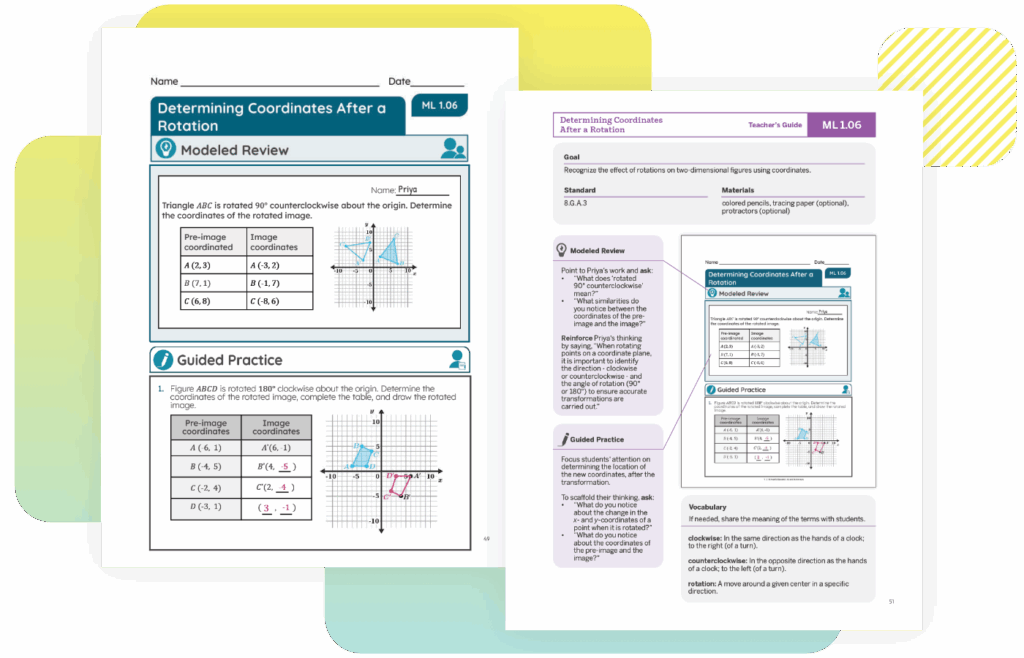
Language goals and vocabulary

Language goals attend to the mathematics students are learning, and are written through the lens of one (or more) of four language modalities: reading, writing, speaking, and listening. Units and lessons start by surfacing students’ language for new concepts, then building connections between their language and the new vocabulary for that unit. This honors the language assets that students bring into their learning.
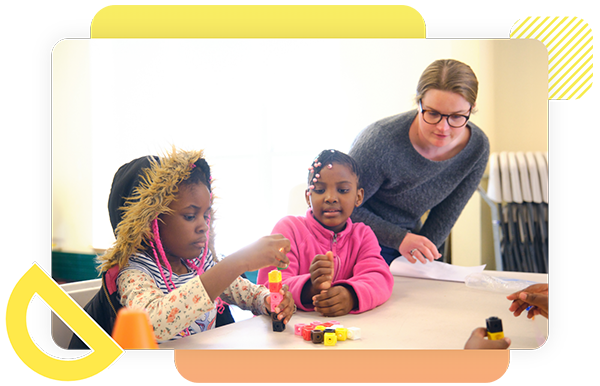
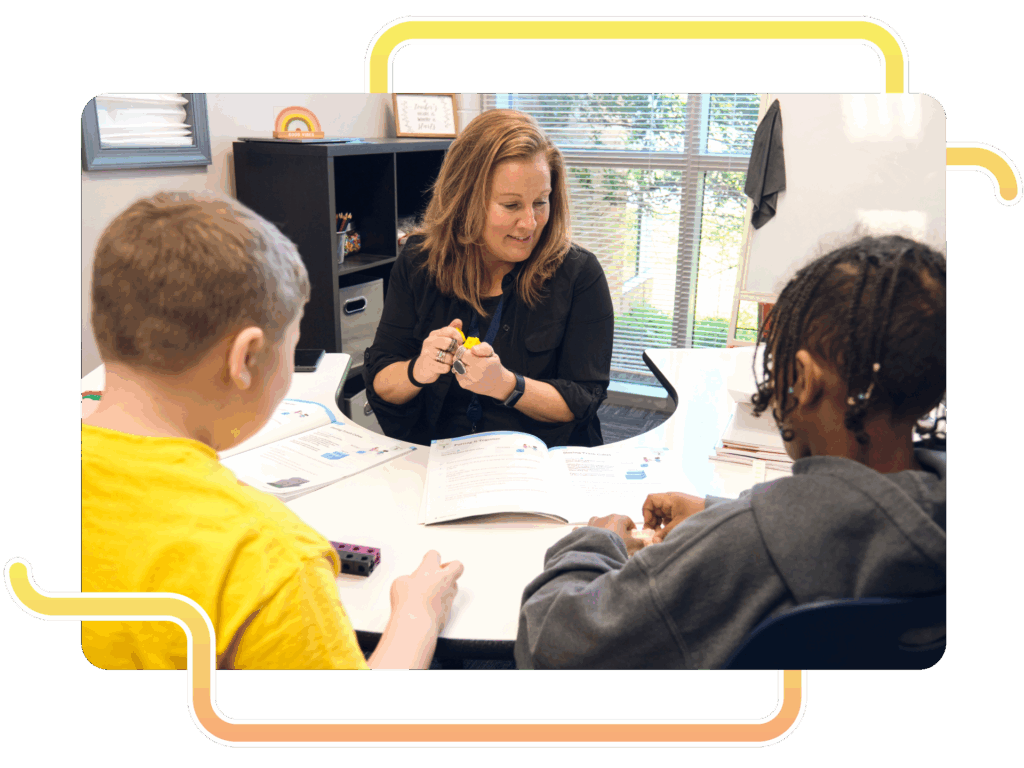
Amplify Science core curriculum for grades
K–8

Amplify Science is a curiosity-driven science curriculum that empowers students to Do, Talk, Read, Write, and Visualize like scientists. Through phenomena-based, literacy-rich, and interactive learning experiences, it develops students into critical thinkers who will gain the skills they need to solve real problems in their communities and the world. For students who need additional support, Amplify Science provides specialized instructional approaches, activities, and resources that take into account English learners’ level of language proficiency.

A teacher and three children, all English language learners, interact enthusiastically around a table with a colorful project in a classroom setting. The lively discussion enhances their literacy curriculum experience, fostering both creativity and understanding.
A document page titled "Patterns of Earth and Sky" is shown, with a highlighted overlay listing printable resources for multilanguage and English language learners, such as objectives, compilations, and glossaries.

Instructional design built on five key principles

Amplify Science leverages background knowledge, capitalizes on student knowledge of language, provides explicit instruction about the language of science, gives students opportunities with scaffolded practice, and enables students to access science content and express science knowledge through a multimodal approach.

A blue square with two arrows forming a loop, next to the words: Do, Talk, Read, Write, Visualize—ideal for multilanguage and English language learners.

Do, Talk, Read, Write, Visualize instructional model

Our multimodal instructional approach caters to diverse learning needs and promotes active engagement for all learners.

A webpage section titled "Differentiation" discusses teaching strategies for diverse learners, including multilanguage and English language learners, with a sidebar listing various digital resources and lesson materials.

Honoring multilingualism

Amplify Science honors multilingualism as students are invited to share in their native language at strategic points in instruction. Teacher-led instruction on cognates and a multilingual glossary in 10 languages offer additional support.

Cover of a Spanish-language science booklet titled "Patrones de la Tierra y del cielo," ideal for multilanguage and English language learners, featuring a space illustration and an orange "Cuaderno de investigación" button at the bottom.

Spanish instructional materials

Carefully translated materials use academic Spanish, with attention to consistency and grade-level appropriate language, to support language development.

A biliteracy suite grounded in the Science of Reading

Discover a suite of Spanish literacy curriculum and assessment programs designed to build confident readers with Amplify CaminosmCLASS Lectura, and Boost Lectura. Amplify’s biliteracy suite includes assessment, core instruction, and personalized learning built on the Science of Reading.

Explore more programs in Amplify’s literacy and biliteracy suites.

All of the programs in our literacy suite and our biliteracy suite are designed to support and complement each other. Learn more about our related programs:

A curiosity-driven K–12 program that builds lifelong math proficiency

Amplify Desmos Math thoughtfully combines conceptual understanding, procedural fluency, and application. Each math lesson is designed to tell a story by posing problems that invite a variety of approaches before guiding students to synthesize their understanding of the learning goals.

What is Amplify Desmos Math?

Amplify Desmos Math supports teachers in building students’ lifelong math proficiency. The program:

  • Supports social classrooms, invites mathematical creativity, and evokes wonder, creating a welcoming learning space where students are empowered to see themselves and their classmates as having brilliant mathematical ideas.
  • Provides teachers with clear, step-by-step moves to build systematically from students’ prior knowledge to grade-level learning.
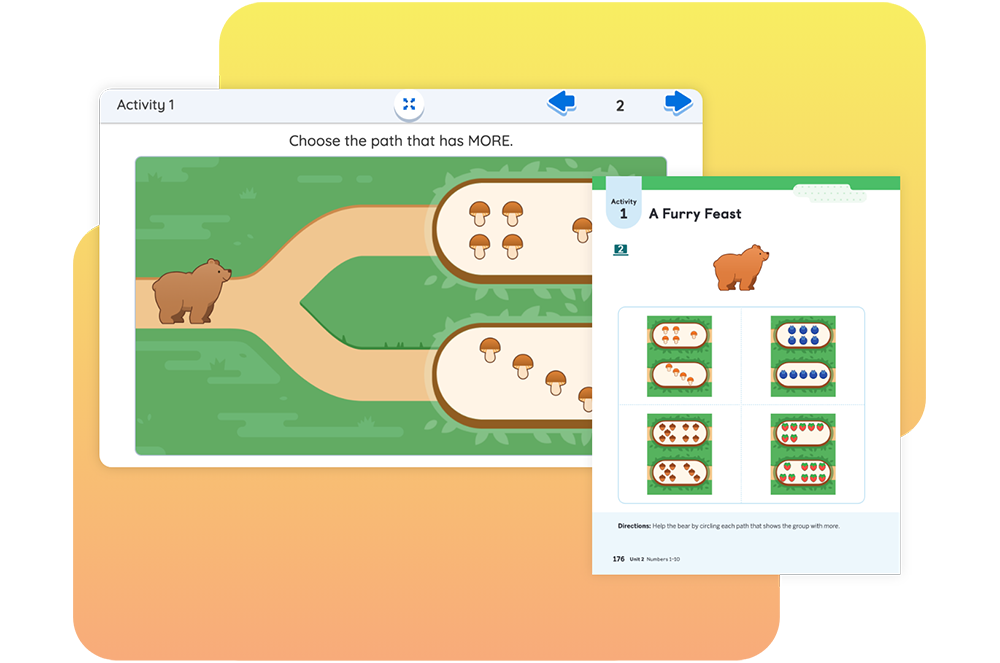
  • Connects students to each other’s thinking and to an understanding that they can use math to make sense of the world.
  • Enables access to grade-level understanding for every student, every day.

A powerful suite of math resources

Amplify Desmos Math combines the best of problem-based lessons, intervention, personalized practice, and assessments into a coherent and engaging experience for both students and teachers.

Data informs instruction. Comprehensive student profiles provide full data on students’ assets and skills, empowering teachers to provide just-in-time scaffolds throughout core instruction and targeted intervention when needed.

Educational software interface featuring a New York math problem about measuring platform heights using a 9-inch tube, illustrated with a playful, colorful design.

Experience Amplify Desmos Math

Click the links below to explore our interactive digital lessons, where you’ll also find print Teacher Edition and Student Edition pages for each lesson.

For helpful navigation tips and more program information, download our Grades K–5, Grades 6–Algebra 1, and Grades 9–12 program guides.

You can also watch a product expert walk through a lesson and the available program components with a lesson walkthrough video.

Diagnostic screening and progress monitoring assessments

Integrated mCLASS® Assessments go beyond accuracy to reveal students’ math thinking through an asset-based approach. This data provides better insights about what students know, what math assets to leverage, and where students need support.

A laptop displays a math problem with illustrated students and a virtual keyboard. Behind it, a chart shows percentages for a Math 2 Beginning-of-Year Screener assessment.

Personalized learning and support

Amplify Desmos Math includes digital, adaptive practice that provides the personalized support a student needs to access grade-level math every day. Boost Personalized Learning activities target a skill or concept aligned to the day’s core lesson, with each student receiving personalized scaffolds based on what they already know. This technology complements daily learning and provides another layer of support to the in-lesson differentiation and instructional guidance provided to teachers. Click here to try a Boost Personalized Learning activity. More activities coming soon!

The Fluency Practice of Amplify Desmos Math uses an evidence-based approach to memory retention—spaced repetition—for the basic operations. Students around the world have answered more than 120 million multiplication questions within our application. Try it now! 

Contact us

Support is always available. Our team is committed to helping you every step of the way. Contact your dedicated Indiana representative here for program access, samples, and additional information.

A woman with long brown hair and a white top smiles at the camera in front of an orange background, showcasing her passion for the Science of Reading and dedication to Indiana middle school education.

Elizabeth Sillies Callahan

Southern IN
(513) 407-5801

A woman with long brown hair and blue eyes smiles gently at the camera. The background is a light purple circle, reflecting her passion for the Science of Reading and dedication to Indiana middle school education.

Jody Kammer

Central IN
(310) 402-7837

Woman with long brown hair, large black glasses, and a nose ring, wearing a striped shirt and dark blazer, posing in front of a neutral background—professional style suited for the Indiana Department of Education.

Amanda Knipper

Northern IN
(260) 894-5123

A woman with wavy red hair and blue eyes, dressed in a purple turtleneck, smiles at the camera against a dark background—reflecting the approachable spirit of Indiana middle school teachers.

Paige Lawrence

District enrollment below 1200
(980) 421-2608

Amplify virtual sampling

Bring the world to students with Amplify CKLA 2nd Edition!

Amplify Core Knowledge Language Arts (CKLA) 2nd Edition is a comprehensive early literacy curriculum grounded in the Science of Reading. With Amplify CKLA, you’ll have the instruction and guidance of proven, evidence-based practices to help all of your students become strong readers, writers, and thinkers.
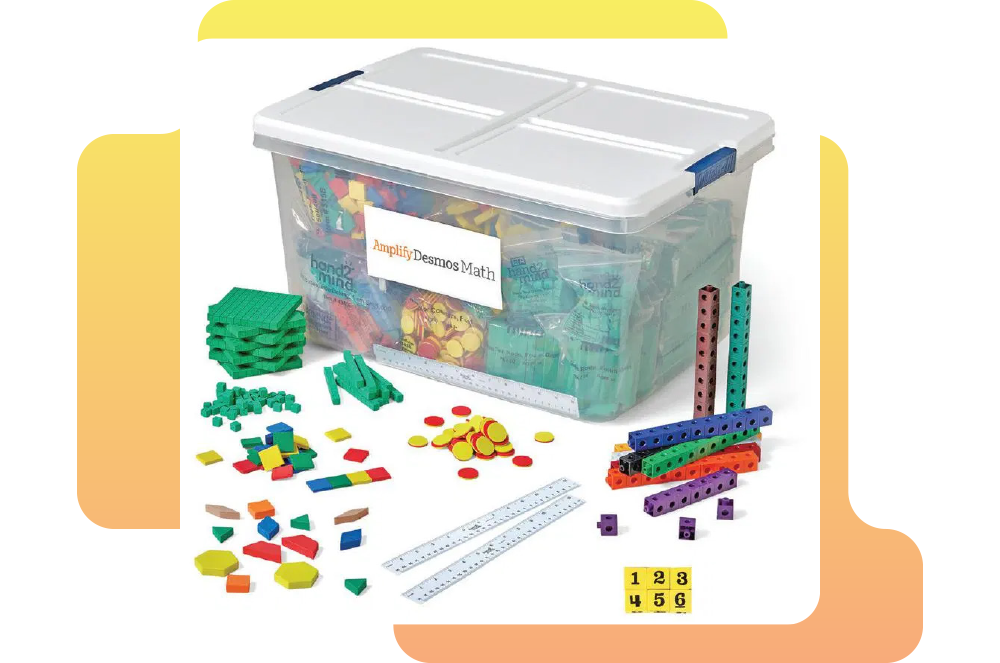
Illustration of diverse children and animated creatures, with a large friendly robot, engaged in playful activities in a vibrant, imaginative setting.
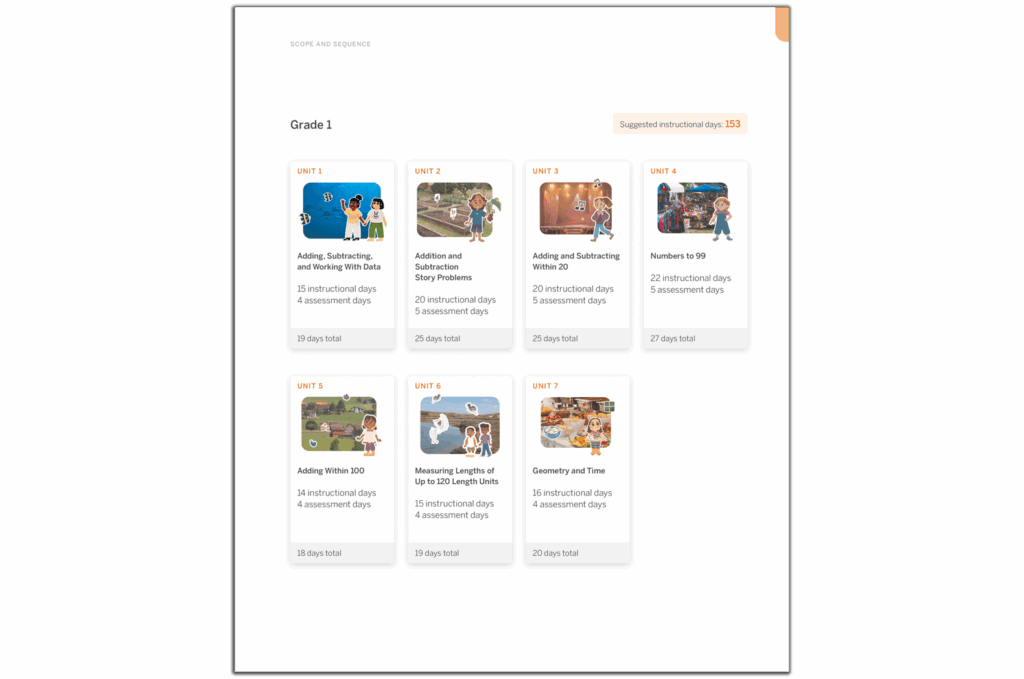
Start your review

Digital samples for Grades K–5 are included here, along with other helpful materials for completing your review.
Watch the program overview video, in which Susan Lambert, host of Science of Reading: The Podcast, provides an overview of the unique structure and components of Amplify CKLA for Grades K–5.

The Amplify CKLA Program Guide provides you with an in-depth view of how Amplify CKLA works, how it’s structured, and why it’s uniquely capable of helping you bring reading instruction based on the Science of Reading to your classroom.

For an even more in-depth look at Amplify CKLA, review the following materials:

Click here to access materials!

K–5 Materials

Grades K–2: Dedicated knowledge building and explicit skills instruction
Every day, students in Grades K–2 complete one full lesson that builds foundational reading skills in the Skills Strand, as well as one full lesson that builds background knowledge in the Knowledge Strand. Through learning in each of these strands, students develop the early literacy skills necessary to help them become confident readers and build the context to understand what they’re reading.

Grades 3–5: Integrated instruction
In Grades 3–5, Knowledge and Skills are integrated in one set of instructional materials. Lessons begin to combine skills and knowledge with increasingly complex texts, close reading, and a greater writing emphasis. Students can then use their skills to go on their own independent reading adventures.
Diagram illustrating how language comprehension and word recognition contribute to skilled reading. Language comprehension includes core knowledge, vocabulary, sentences, reasoning, and mental model. Word recognition covers sounds, letters, and words.
CKLA_Sampling-AuthenticTexts_0906b

Amplify CKLA is more engaging than ever!

Fascinating subjects and cool tools captivate students. An intentional approach to background knowledge invites students to dig deeper, inspiring curiosity and driving results. With a cutting-edge digital experience, beautiful and newly-designed decodable Readers, and fascinating extended-learning units that take students all over the world, Amplify CKLA is more engaging than ever before—for both teacher and student!

The Amplify Digital Experience

With the Amplify CKLA digital experience, it’s never been easier to deliver engaging lesson presentations. Your students will love features that allow them to interact with their reading instruction like never before, and you will love the tools that help you keep their attention!

These ready-made, customizable, slides-based lesson presentations enhance instruction and save you time. With the Amplify CKLA digital experience, you’ll have everything you need in one place to plan and present high-quality, engaging early literacy instruction.

Illustration of diverse people engaged in different activities: a black woman listening to music, two astronauts in space, and a man reading a book by a plant.

Authentic texts and extending learning

As part of our commitment to creating even richer and more diverse curricula, we now offer newly redesigned decodable Readers and six new supplemental learning units. Stories with human characters now have improved inclusivity and authenticity, and other stories feature fantastical creatures to bring excitement and whimsy to the tales. Supplemental Knowledge Research Units extend learning for Grades K–5, incorporating Amplify CKLA’s powerful and evidence-based instructional approach while also adding more diversity, authentic literature, and flexibility. The authentic trade books in each of these units will inspire your students’ curiosity and grow their capacity for research and inquiry.

Introducing Amplify Caminos!

Amplify Caminos is an authentic elementary Spanish language arts program. Like its English language partner, Amplify CKLA, Amplify Caminos provides explicit, systematic foundational skills instruction sequenced with deep knowledge-building content to foster comprehension. When used with Amplify CKLA, Amplify Caminos provides full parity across English and Spanish that’s suitable for any dual language implementation model.

Discover Amplify Caminos

A collage of digital illustrations depicting various storytelling scenes, including a knight, a scientist, and a couple, each in vibrant colors.

Connect with an Amplify CKLA expert!

Ready to talk to a product expert? We’re here to help!

Get in touch

Amplify CKLA Scope and Sequence Documents

Amplify Core Knowledge Language Arts® (CKLA) is grounded in the Science of Reading and offers a powerful, evidence-based instructional approach.

Explore the Amplify CKLA Scope and Sequence documents. We have dedicated documents for the Skills and Knowledge Strands in Grades K–2, and comprehensive Scope and Sequence documents for Grades 3–5.

A group of animated characters, including a scientist, a robot, animals, and children, interact in a colorful outdoor setting with mountains, water, and plants to amplify CKLA scope and sequence through engaging exploration.

A closer look at grades 6–8

Amplify Science is based on the latest research on teaching and learning and helps teachers deliver rigorous and riveting lessons through hands-on investigations, literacy-rich activities, and interactive digital tools that empower students to think, read, write, and argue like real scientists.

In the 6–8 classroom, this looks like students:

  • Collecting evidence from a variety of sources.
  • Making sense of evidence in a variety of ways.
  • Formulating convincing scientific arguments.

Is your school implementing the domain model? Click here.

Collage of four images showing children engaged in educational activities such as conducting experiments and crafting in a classroom setting.
A four-step process diagram: Spark intrigue, Explore evidence, Explain and elaborate, and Evaluate claims, connected by arrows, with an engagement statement below.

Program structure

Our cyclical lesson design ensures students receive multiple exposures to concepts through a variety of modalities. As they progress through the lessons within a unit, students build and deepen their understanding, increasing their ability to develop and refine complex explanations of the unit’s phenomenon.

It’s this proven program structure and lesson design that enables Amplify Science to teach less, but achieve more. Rather than asking teachers to wade through unnecessary content, we designed our 6–8 program to address 100% of the NGSS in fewer lessons than other programs.

Scope and sequence

Every year our grades 6–8 sequence consists of 9 units, with each unit containing 10–19 lessons. Lessons are written to last a minimum of 45-minutes, though teachers can expand or contract the timing to meet their needs.

A grid of educational icons, each representing a different science topic, such as earth and space science, life science, and physical science, with titles and lesson counts.

Unit types

Each unit delivers three-dimensional learning experiences and engages students in gathering evidence from a rich collection of sources, while also serving a unique purpose.

In grades 6–8, there are three types of units:

  • One unit is a launch unit.
  • Three units are core units.
  • Two units are engineering internships.
Launch units

Launch units are the first units taught in each year of Amplify Science. The goal of the Launch unit is to introduce students to norms, routines, and practices that will be built on throughout the year, including argumentation, active reading, and using the program’s technology. For example, rather than taking the time to explain the process of active reading in every unit in a given year, it is explained thoroughly in the Launch unit, thereby preparing students to read actively in all subsequent units.

Core units

Core units establish the context of the unit by introducing students to a real-world problem. As students move through lessons in a Core unit, they figure out the unit’s anchoring phenomenon, gain an understanding of the unit’s disciplinary core ideas and science and engineering practices, and make linkages across topics through the crosscutting concepts. Each Core unit culminates with a Science Seminar and final writing activity.

Engineering Internship units

Engineering Internship units invite students to design solutions for real-world problems as interns for a fictional company called Futura. Students figure out how to help those in need, from tsunami victims in Sri Lanka to premature babies, through the application of engineering practices. In the process, they apply and deepen their learning from Core units.

Units at a glance

Abstract digital artwork featuring a yellow human figure, red shapes, and a blue-toned screen, with vibrant, multicolored patterns and textures in the background.
Microbiome

Domain: Life Science

Unit type: Launch

Student role: Microbiological researchers

Phenomenon: The presence of 100 trillion microorganisms living on and in the human body may keep the body healthy.  

An abstract illustration of a person receiving an oral examination, with colorful geometric shapes and an eye chart in the background.
Metabolism

Domain: Life Science

Unit type: Core

Student role: Medical researchers

Phenomenon: Elisa, a young patient, feels tired all the time.  

Abstract orange background with geometric shapes, featuring icons of a vest, bar chart, leaf, beaker, fruit, medical stethoscope, and an envelope within a hexagonal frame.
Metabolism Engineering Internship

Domains: Life Science, Engineering Design

Unit type: Engineering internship

Student role: Food engineers

Phenomenon: Designing health bars with different molecular compositions can effectively meet the metabolic needs of patients or rescue workers.  

Six spiders with varying body colors (brown, yellow, blue, and red) and patterns are arranged on a dark, textured background, seemingly in a diagram or chart formation.
Traits and Reproduction

Domain: Life Science

Unit type: Core

Student role: Biomedical students

Phenomenon: Darwin’s bark spider offspring have different silk flexibility traits, even though they have the same parents.  

Illustration of a person with closed eyes in a red winter coat and hat, surrounded by falling snow and orange circles on a dark background.
Thermal Energy

Domain: Physical Science

Unit type: Core

Student role: Thermal scientists

Phenomenon: One of two proposed heating systems for Riverdale School will best heat the school. 

Abstract illustration of a sun with blue and orange rays over a colorful landscape featuring green hills and a vibrant sky.
Ocean, Atmosphere, and Climate

Domains: Earth and Space Science, Physical Science

Unit type: Core

Student role: Climatologists

Phenomenon: During El Niño years, the air temperature in Christchurch, New Zealand is cooler than usual.  

Illustration of clouds above a small town and farmland, with wind currents depicted swirling through the landscape under a blue sky.
Weather Patterns

Domains: Earth and Space Science, Physical Science

Unit type: Core

Student role: Forensic meteorologists

Phenomenon: In recent years, rainstorms in Galetown have been unusually severe.  

A polar bear stands on a small floating ice sheet in the ocean, surrounded by melting ice, with a red sun in the sky.
Earth’s Changing Climate

Domains: Earth and Space Science, Life Science

Unit type: Core

Student role: Climatologists

Phenomenon: The ice on Earth’s surface is melting.  

A purple hexagonal graphic with icons including a building, wrench, screwdriver, sun, molecules, paint bucket, and tiles on a geometric patterned background.
Earth’s Changing Climate Engineering Internship

Domains: Earth and Space Science, Engineering Design

Unit type: Engineering internship

Student role: Civil engineers

Phenomenon: Designing rooftops with different modifications can reduce a city’s impact on climate change.  

A robotic rover sits on a hill in a rocky, reddish landscape, with visible tracks in the dust leading to its current position under a hazy sky.
Geology on Mars

Domain: Earth and Space Science

Unit type: Launch

Student role: Planetary geologists

Phenomenon: Analyzing data about landforms on Mars can provide evidence that Mars may have once been habitable. 

Two green prehistoric reptiles with long snouts are near the shore; one is on land while the other swims in blue water, with plants, rocks, and an island in the background.
Plate Motion

Domain: Earth and Space Science

Unit type: Core

Student role: Geologists

Phenomenon: Mesosaurus fossils have been found on continents separated by thousands of kilometers of ocean, even though the Mesosaurus species once lived all together.  

A purple geometric background featuring a hexagonal badge with a telescope, mountain, audio wave, and star symbols inside.
Plate Motion Engineering Internship

Domains: Earth and Space Science, Engineering Design

Unit type: Engineering internship

Student role: Mechanical engineering interns

Phenomenon: Patterns in earthquake data can be used to design an effective tsunami warning system.  

Illustration showing an ocean, forest, and mountains with a smoking volcano, plus a cross-section of underground tectonic plates.
Rock Transformations

Domain: Earth and Space Science

Unit type: Core

Student role: Geologists

Phenomenon: Rock samples from the Great Plains and from the Rocky Mountains — regions hundreds of miles apart — look very different, but have surprisingly similar mineral compositions.  

Four stages of an orange popsicle melting on a stick, from fully frozen on the left to completely melted on the right, against a plain background.
Phase Change

Domains: Physical Science, Earth and Space Science

Unit type: Core

Student role: Chemists

Phenomenon: A methane lake on Titan no longer appears in images taken by a space probe two years apart

Green geometric background with an outlined hexagon containing icons: a parachute, ruler, letter "A," bandage, stacked blocks, and a folded corner paper.
Force and Motion Engineering Internship

Domains: Engineering Design, Physical Science

Unit type: Engineering internship

Student role: Chemical engineering interns

Phenomenon: Designing portable baby incubators with different combinations of phase change materials can keep babies at a healthy temperature. Domains: Engineering Design, Physical Science

Abstract illustration showing red and blue circles on a split blue and light background, representing molecular movement across a membrane or barrier.
Chemical Reactions

Domains: Physical Science, Life Science, Earth and Space Science

Unit type: Core

Student role: Forensic chemists

Phenomenon: A mysterious brown substance has been detected in the tap water of Westfield.  

An underwater scene with a large whale surrounded by turtles, jellyfish, and various fish swimming in different directions.
Populations and Resources

Domains: Life Science, Earth and Space Science

Unit type: Core

Student role: Biologists

Phenomenon: The size of the moon jelly population in Glacier Sea has increased. 

Low-poly digital illustration of a fox hunting a rabbit in a forest with pine trees, mushrooms, mountains, and the sun in the background. Another rabbit sits near the trees.
Matter and Energy in Ecosystems

Domains: Life Science, Earth and Space Science, Physical Science

Unit type: Core

Student role: Ecologists

Phenomenon: The biodome ecosystem has collapsed.  

Two people climb over rocks filled with electronic devices; inset illustrations show a boot, a belt of batteries, and a radio.
Harnessing Human Energy

Domains: Physical Science, Earth and Space Science, Engineering Design

Unit type: Launch

Student role: Energy scientists

Phenomenon: Rescue workers can use their own human kinetic energy to power the electrical devices they use during rescue missions.  

A spacecraft approaches and docks with a modular space station featuring large blue solar panels, set against a black space background.
Force and Motion

Domain: Physical Science

Unit type: Core

Student role: Physicists

Phenomenon: The asteroid sample-collecting pod failed to dock at the space station as planned.

Green graphic with hexagonal emblem showing an infant, a thermometer, layered materials, a medical symbol, and a flame icon.
Force and Motion Engineering Internship

Domains: Engineering Design, Physical Science

Unit type: Engineering internship

Student role: Chemical engineering interns

Phenomenon: Designing emergency supply delivery pods with different structures can maintain the integrity of the supply pods and their contents.

Illustration of a roller coaster car with passengers raising their arms as they descend a steep track against a blue sky with clouds.
Magnetic Fields

Domain: Physical Science

Unit type: Core

Student role: Physicists

Phenomenon: During a test launch, a spacecraft traveled much faster than expected.  

Illustration of the Earth with arrows representing radiation or energy entering the atmosphere from space, focused on the Asia-Pacific region.
Light Waves

Domains: Physical Science, Life Science, Earth and Space Science

Unit type: Core

Student role: Spectroscopists

Phenomenon: The rate of skin cancer is higher in Australia than in other parts of the world.

A city skyline at night with illuminated windows, a large full moon, stars in the sky, and a bridge visible on the left side.
Earth, Moon, and Sun

Domains: Earth and Space Science, Physical Science

Unit type: Core

Student role: Astronomers

Phenomenon: An astrophotographer can only take pictures of specific features on the Moon at certain times.  

Four polygonal dinosaurs walking in a row, three green and one yellow, each with a rock and purple spikes on their backs, set against a grassy background with a blue sky.
Natural Selection

Domains: Life Science, Earth and Space Science

Unit type: Core

Student role: Biologists

Phenomenon: The newt population in Oregon State Park has become more poisonous over time.  

Red geometric background featuring a hexagonal emblem with icons of a world map, mosquito, DNA strand, bar chart, and interconnected blocks.
Natural Selection Engineering Internship

Domains: Engineering Design, Life Science

Unit type: Engineering internship

Student role: Clinical engineers

Phenomenon: Designing malaria treatment plans that use different combinations of drugs can reduce drug resistance development while helping malaria patients.  

Two tortoises with long necks are by a river; one is browsing leaves from a bush while the other is walking near the water's edge.
Evolutionary History

Domains: Life Science, Earth and Space Science

Unit type: Core

Student role: Paleontologists

Phenomenon: A mystery fossil at the Natural History Museum has similarities with both wolves and whales.    

Overview

Among English Language Learner (ELL) students, Spanish is the most common language spoken at home—77% of students with limited English proficiency in the U.S. public schools claim Spanish as their primary language at home.

Amplify’s new Spanish-language companion program for Amplify CKLA meets an essential need for educators, and fulfills a central mission for all of us who aspire to achieve true equity in education. With Amplify Caminos, teachers will be able to develop student comprehension in Spanish through a content-rich curriculum while also building bridges to English literacy.

Amplify Caminos was developed by a bilingual team from across the Latinx Hispanic diaspora with a concerted effort to create relevant connections for students so the classroom experience strikes the ideal balance between the security of the familiar and the excitement of the unknown.

Amplify Caminos is a Spanish language arts curriculum for grades K–5 and can be used on its own. It can also be used alongside Amplify CKLA to provide students with equitable instruction in Spanish and English across a range of instructional models, including dual language immersion and transitional classrooms.

Amplify Caminos is a program for Grades K–5.

In Grades K-2, the Knowledge Strand builds background knowledge and vocabulary through carefully sequenced read-alouds and complex texts. Teachers read stories aloud that are more complex than the text students can decode on their own, enabling children to engage with complex texts and build background knowledge of a variety of connected topics in history, science, literature, and the arts.

In Grades 3–5, students are still focused on building reading and writing skills as well as knowledge and vocabulary, but the program no longer has two strands. The various lessons in each unit include read-alouds; whole group, small group, and partner reading; close reading; literal, inferential, and evaluative comprehension questions; vocabulary; grammar; writing; and unit assessments.

The Amplify Caminos Skills Strand for K–2 is under development.

Available for the 2021–22 school year, Amplify Caminos can support teachers in multiple language teaching models, including dual language immersion classrooms, transitional classrooms, newcomer or bridge programs, and other unique models.

It can be taught alongside Amplify CKLA or as a standalone.

Program design

Grades K–2
Knowledge Teacher Guides, Flip Books, Student Knowledge Activity Books, Image Cards, recorded Read-Alouds, and planning and professional development resources.

Grades 3–5
Teacher Guides, Student Readers, Activity Books, Poet’s Journal, Writer’s Journal, Text Anthologies for Grades 4 and 5, Core Quests, Writing Quests (The Contraption in Grade 4, The Robot in Grade 5), and planning and professional development resources.

Reveal Math

To view this protected page, enter the password below:


Welcome to Amplify Desmos Math!

Your Amplify Desmos Math Experience Kit includes teacher and student materials for one sub-unit of instruction to try in your classroom. Click the orange button below to access the digital lessons for your grade.

A laptop displays a math problem on its screen with illustrations of fish and a clock, alongside two math activity books titled "Amplify Desmos Math" for grades 3 and 5.

About the program

Our structured approach to problem-based learning systematically builds on students’ curiosity to develop lasting grade-level understanding.

Amplify Desmos Math combines and connects conceptual understanding, procedural fluency, and application. Lessons are designed with the Proficiency Progression™, a model that provides teachers with clear instructional moves to build from students’ prior knowledge to grade-level learning.

Educational materials featuring various graphs and applications, including rocket motion and quadratic functions, displayed on Desmos and paper.
Interactive digital math lesson interface with colorful graphics showing parabola exploration and plotting tools on screen, enhanced by the New York math curriculum.

Structured approach to problem-based learning

  • Differentiation and personalized practice
  • Easy-to-follow instructional guidance
  • Robust assessments and reports
  • Spanish student materials
A classroom dashboard displays student names and their progress in activities, with checkmarks indicating completed tasks and circles showing ongoing or incomplete tasks.

Math that motivates

  • Powerful teacher-facilitation supports and tools
  • Students talking and building from each other’s ideas 
  • Every lesson has fully compatible print and digital materials for a collaborative classroom
Illustration of an Amplify Desmos math learning tool on a student screen showing abacus representations for the sums 8+7, 7+4+5, 3+8+4

Student thinking is made evident

  • Curiosity-driven lessons that motivate students with interesting problems they are eager to solve
  • Explicit guidance for teachers on what to look for and how to respond
  • Technology that provides Responsive Feedback and is designed to reveal mathematical thinking

Experience Kit digital lessons

Use the grade-specific links below to explore our interactive digital lessons. Learn more about assigning a lesson to your class using a single-session code.

In addition to the sample lessons below, you can view the Experience Kit brochure, which includes helpful print and digital navigation tips.

Grades K–5 brochure

Grades 6–A1 brochure

A digital math activity screen showing block arrangements and a worksheet page titled "Shelley the Snail" with related graphics.
A girl in a red and pink uniform kicks a soccer ball while two players in yellow attempt to block, showcasing teamwork akin to problem-solving strategies in Amplify Desmos Math. Another player runs in the background.
Kindergarten, Unit 6: Numbers 0–20

Sub-Unit 1: Counting Teen Numbers

A crowd gathers outdoors near a path lined with blueberry displays; musicians play on a stage, and people interact as a woman and child stand in the foreground holding drinks.
Grade 1, Unit 5: Adding Within 100

Sub-Unit 1: Adding Without Making a Ten

A family stands by a mailbox labeled "Three Hundred Two." In New York, a child holds a letter as an adult pats their head. Another adult, with a desmos math guide in hand, looks on proudly.
Grade 2, Unit 5: Numbers to 1,000

Sub-Unit 1: The Value of Three Digits

In an outdoor setting, a girl with glasses attentively washes a chicken in soapy water, surrounded by hills, trees, and buildings. Soap bubbles and leaves float in the air as she ponders New York math challenges amidst this tranquil scene.
Grade 3, Unit 6: Measuring Length, Time, Liquid Volume, and Weight

Sub-Unit 1: Measurement Data on Line Plots

In "Pat's Lei Shop," amidst the floral artistry, one can almost sense the precision akin to solving a New York math problem, with each lei meticulously assembled on a table with scissors, thread, and flowers.
Grade 4, Unit 6: Multiplying and Dividing Multi-Digit Numbers

Sub-Unit 1: Multi-Digit Multiplication

At a bustling puzzle stand, a person interviews a young individual holding a puzzle box. Various puzzles, including "Autumn Day," catch the eye. A sign proudly boasts, "Jonathan & Omar's Pleasing Puzzles!"—where New York math enthusiasts find joy in every challenge.
Grade 5, Unit 5: Place Value Patterns and Decimal Operations

Sub-Unit 1: Numbers to Thousandths

Three raccoons on a seesaw balance with a 21-pound weight in a city park setting under a clear sky.
Grade 6, Unit 6: Expressions and Equations

Sub-Unit 1: Solving Equations

A sheep stands on grass near a number line, with an orange point at zero; a festive sheep with a hat and party blower appears in a thought bubble.
Grade 7, Unit 6: Expressions, Equations, and Inequalities

Sub-Unit 3: Inequalities

Four colorful robots stand in front of a whiteboard with a graph in a classroom setting.
Grade 8, Unit 6: Associations in Data

Sub-Unit 2: Analyzing Numerical Data

A laptop screen displays a math activity with a question about a rocket's height. Icons of a rocket and mathematical functions are on the side.
Algebra 1, Unit 7: Quadratic Functions

Sub-Unit 1: Introduction to Quadratic Functions

Looking for help?

Support is always within reach. Our team is dedicated to supporting you throughout your review and can be reached at any time by emailing or calling us directly.

  • Live chat: Click the orange icon while logged in to get immediate help.
  • Phone: Call our toll-free number: (800) 823-1969.
  • Email: Send an email to help@amplify.com. In the message body, please include your name and question. Provide as much detail as possible, so we can more quickly help you find a solution.
A laptop screen displays a curriculum dashboard with a list of core units and colorful thumbnails for a sixth-grade ELA program.

Ready to learn more?

Sign up to be among the first to receive updates about Amplify Desmos Math.

Inspire students to read closely with an interactive graphic novel.

Middle school students are learning to immerse themselves in text—and learning to articulate what resonates and matters to them in what they read. Boost Reading 6–8 Texas is an immersive supplemental reading program that engages students through an interactive graphic novel. With high-interest storytelling and guided instruction, the program motivates middle schoolers to question what they read, think critically, and build reading skills that will ensure success in high school and beyond.


Comic book-style illustration featuring four panels: a close-up of a reptilian character, Spider-Man looking at a "wanted" sign, a message about machines amplified for middle school reading, and a group
Laptop screen displaying Amplify Reading, a digital educational tool with a dialogue about human impact on nature, featuring interactive argument maps and cartoon characters.

In this future, reading is adventure…

Each student’s journey through this action-packed world depends on their ability to read literary and informational texts critically. Boost Reading 6–8 Texas helps students develop a deep understanding of middle school skills, such as identifying the parts of a valid argument, that will prepare them for success in high school and beyond.

…and every student can be the hero.

Every chapter provides integrated instruction, guided close reading, and a creative application. You set the difficulty level for each student, enabling you to assign multilingual/English learners and struggling readers to the Extra Support path and, when they’re ready, switch them back to the Core path.

Young boy concentrating on laptop with imaginative illustrations of robots and Amplify Reading graphics in the background.

Frequently asked questions

Still have questions? We have answers. Check out the following FAQ.

Overview

  • Amplify CKLA is based on research showing that closing the background knowledge gap is necessary for supporting the literacy development of all students. To that end, Amplify CKLA teaches literacy through the lens of cross-curricular domains in science, history, literature, and culture. It was developed in response to research that shows the critical impact of background knowledge on reading comprehension and college- and career-readiness.
  • The program also reflects the latest early reading research showing the importance of explicit foundational skills instruction. The program develops students’ foundational literacy skills through a systematic scope and sequence with a focus on phonics.

Our research-based language arts curriculum is built on findings showing that higher-level reading comprehension depends on both automatic, fluent decoding and background knowledge. Combining well-established findings from the field of early literacy research with classroom-based feedback, Amplify CKLA ensures that children will learn to listen, speak, read, and write confidently and proficiently. For more information, view the Amplify CKLA Research Guide.

Amplify CKLA is a PreK–5 program. While the PreK and K–2 materials respect the important differences between early childhood education and formal schooling, the Grades 3–5 materials ensure a smooth transition to the academic rigors of middle school.

PreK

The focus in PreK is to maintain a developmentally appropriate early childhood setting; the structures, routines, and activities are engaging and children receive a solid foundation for future language arts instruction.

K–2

The focus in K–2 is developing fluent reading and writing skills, and enhancing language comprehension by building background knowledge and vocabulary. This is accomplished through two strands: the Skills Strand and the Knowledge Strand.

The Skills Strand focuses on decoding, encoding, grammar, handwriting, and the writing process, and it contains decodable chapter books for students to practice just-learned sound-spellings.

The Knowledge Strand builds background knowledge and vocabulary through carefully sequenced read-alouds and complex texts. Teachers read aloud stories that are more complex than the text students can decode on their own, enabling children to engage with complex texts and build background knowledge of a variety of connected topics in history, science, literature, and the arts.

3–5

In Grades 3–5, students are still focused on building reading and writing skills as well as knowledge and vocabulary, but the program no longer has two strands. The various lessons in each unit include read-alouds; whole-group, small-group, and partner reading; close reading; literal, inferential, and evaluative comprehension questions; vocabulary; grammar; writing; morphology and spelling (10–15 words per week); and unit assessments.

Program design

The Skills strand provides intentional and systematic support in building decoding skills. The lessons support learning related to phonemic awareness, sound-letter patterns (or spelling patterns), decoding (both in explicit lessons and with engaging decodable texts), writing mechanics, and writing structure and processes, for 60 minutes daily.

The Knowledge Strand develops young children’s language and background knowledge. By exposing children to rich and complex texts through daily read-alouds, engaging in text-based and analytic discussions of the text and content, and building connections from the text to the work of the classroom through extension activities, the Knowledge Strand provides daily, extensive (60 minutes) broadening and deepening of children’s oral language and comprehension.

Teaching the Skills Strand and Knowledge Strand in parallel helps students avoid cognitive overload and acquire advanced, complex vocabulary in the Knowledge Strand—in essence, reading to learn from day one—while becoming expert decoders in the Skills Strand. The program is designed to bring these two strands together in grades 3–5, as foundational skills and higher-level comprehension and meaning-making gradually intertwine.

The CKLA program takes a comprehensive approach to teaching the code of the English language in the Skills strand. While the English language has only 26 letters, these letters combine to create 150 spelling patterns that represent 44 sounds of language. In most reading programs, children are explicitly taught only a fraction of this information and must glean the rest from ad hoc and incidental exposure to these spelling patterns through text. CKLA focuses on explicitly teaching each of the 44 sounds and the 150 ways that these sounds are represented (via letters and letter combinations). This comprehensive approach assures educators that children have the knowledge they need to address any text and any word.

The Knowledge Strand reflects the fact that knowledge, comprehension, and vocabulary are intimately related. The materials are designed to provide children sustained time on a variety of domains (bodies of knowledge) through shared read-alouds and discussions. This coherent organization of content is critical to building knowledge, inferring new vocabulary, and enabling comprehension. The content-rich, intentionally sequenced nature of the read-alouds within the Knowledge Strand creates the optimal context for incidental and explicit vocabulary-learning opportunities. After the read-aloud, children analyze the text through interactive discussion questions, engage in activities that foster their comprehension of complex sentences and ideas, and extend the ideas of the read-aloud into other activities in the classroom. In this way, the lessons create rich, academically oriented, oral language experiences that promote both receptive and expressive language skills.

Amplify CKLA embeds a variety of diagnostic and classroom assessments into the program materials.

There are curriculum-based assessments of both foundational skills and content knowledge, placement assessments in Grades 1 and 2 for the Skills Strand, and end-of-year Skills Strand assessments in Grades K–3. These assessments are built into the units of instruction/domains within the Teacher Guides. In Grades 4–5, there are beginning-of-year assessments, frequent spelling assessments, and comprehensive unit assessments.

Formative Assessments are integrated into every lesson, allowing teachers to understand exactly how students are doing on meeting lesson goals and standards-based objectives.

Writing in multiple genres is taught through a process that builds from three highly scaffolded steps to seven flexible steps.
In addition to explicit lessons in handwriting, spelling, and grammar, writing is taught throughout K–5. Instruction begins with a three-step writing process: plan, draft, and edit. The process is reinforced as each new writing genre is addressed. Each genre is taught through a gradual reduction in scaffolding over a set of six lessons that includes teacher modeling, group practice, independent practice, and independent application. This systematic approach allows for continued support and predictable learning as children progress in their knowledge of text types and complexity of writing. By Grade 3, students have worked their way up to a five-step writing process: planning, drafting, revising, editing, and publishing. Beginning in Grade 4, the writing process expands to seven components: planning, drafting, sharing, evaluating, revising, and editing (and the optional component of publishing). An important change between the writing process in Grades 3–5 is that the writing process is no longer conceptualized as a series of scaffolded, linear steps that students follow in a set sequence. Rather, students move back and forth between components of the writing process in a flexible manner, similar to the process that mature and experienced writers follow. In addition to specific writing lessons, there are numerous writing opportunities for students throughout the curriculum.

Alignment to the CCSS

Fully implementing the Common Core Standards requires some shifts in prevailing instructional approaches. For early grades language arts, these shifts can be summarized as (1) balancing fiction and nonfiction text, (2) building knowledge, (3) supporting students’ capacity to learn from increasingly complex texts, (4) giving text-based answers, (5) writing from sources, and (6) explicitly supporting the acquisition of academic vocabulary. The following sections document the primary ways that Amplify CKLA meets the demands of these shifts.

  1. The amount of nonfiction gradually increases, reaching the 50-50 balance of fiction and nonfiction by grade 3.
  2. Read-alouds in the Knowledge Strand are designed according to the latest research to build knowledge and vocabulary in history, science, the arts, and more.
  3. The texts in both the Knowledge Strand and the Skills strand increase in complexity as the program progresses within and across grades.
  4. In the Skills Strand, the language and knowledge demands of the texts increase, but remain decodable based on the aspects of the code that have been taught to date.
  5. Both strands engage students in appropriate means of providing text-based answers—orally, pictorially, and eventually in writing.
  6. Together, the Skills and Knowledge Strands enable students to read and digest various sources and then write by drawing on those sources.
  7. In both strands of the program, Amplify CKLA teaches children the process of using the text as a springboard for understanding.
  8. The Knowledge Strand offers repeated exposures to academic vocabulary through authentic texts and explicit word instruction.

Materials

PreK

  • Teacher Guides, Student Activity Pages, 3–4 Trade Books per domain, Flip Books, Image Cards, Transition and Center Cards, Nursery Rhymes and Songs Posters, and a Big Book (Classic Tales)

Grades K–2

  • Knowledge Strand: Teacher Guides, Flip Books, Student Activity Books, Image Cards, and online resources including supplemental lessons
  • Skills Strand: Teacher Guides, Activity Books, Student Readers, Big Books, Letter Cards, Spelling Cards, Individual Code Sheets, Code and Chaining Resources (Vowel/Consonant Code Flip Books, Student Chaining Folders), Blending Cards, and online resources including differentiation and remediation guides

Grades 3–5

  • Teacher Guides, Student Readers, Activity Books, Poet’s Journal, Writer’s Journal, Core Quests (The Viking Age in Grade 3, Eureka: Student Inventor in Grade 4 and “A Midsummer Night’s Dream” in grade 5) and Writing Quests (The Contraption in Grade 4, The Robot in Grade 5)

What’s included in our Grades 3–5 language arts curriculum

Grounded in the science of reading, Amplify CKLA for grades 3–5 integrates foundational skills students have learned in grades K–2 while continuing to build rich content knowledge. With Amplify CKLA, you’ll have the instruction and guidance of proven, evidence-based practices to help all of your students become strong readers, writers, and thinkers.

Year at a glance

The Amplify CKLA curriculum is modeled after proven research in early literacy that supports a two-strand approach to literacy instruction in the early years. With this approach, students in Grades K–2 complete one full lesson per day that builds foundational reading skills in the Skills Strand, as well as one full lesson that builds background knowledge in the Knowledge Strand. The deep content knowledge is sequenced together with research-based foundational skills in Grades K–2 so that students develop the early literacy skills necessary to help them become confident readers, as well as build the context to understand what they’re reading. 

In Grades 3–5, lessons combine skills and knowledge with increasingly complex texts, close reading, and a greater emphasis on writing. Students start to use their skills to go on their own independent reading adventures, further opening up their worlds.

Diagram illustrating how language comprehension and word recognition components integrate to lead to skilled reading, as described in the Simple View of Reading model, aligned with the 3-5 CKLA curriculum and Amplify CKLA digital experience.

Units at a glance

Students move fluidly between reading, writing, speaking and listening, and language activities, with increasingly complex texts, close reading, and a greater writing emphasis.

Classic Tales: The Wind in the Willows

Students explore international classic tales, including The Wind in the WillowsAlice in Wonderland, and “Aladdin and the Wonderful Lamp.”

Number of Lessons: 15

Animal Classification

Students learn how scientists use animals’ characteristics to classify and study them; students apply knowledge through text-based discussions and writing exercises.

Number of Lessons: 15

The Human Body: Systems and Senses

This unit involves the study of the human body, building students’ understanding of its senses and skeletal, muscular, and nervous systems.

Number of Lessons: 14

The Ancient Roman Civilization

Students dive into ancient Rome, studying its history, culture, and myths about Roman gods and goddesses.

Number of Lessons: 15

Light and Sound

Students learn the science behind light and sound, read biographies of Alexander Graham Bell and Thomas Edison, and write newspaper articles.

Number of Lessons: 17

The Viking Age (with Core Quest)

This unit’s informational and literary texts convey information about the Vikings, their culture, and their exploration.

Number of Lessons: 11

Astronomy: Our Solar System and Beyond

Students learn about astronomy, the universe, and important figures in the history of space exploration, including Nicolaus Copernicus and Mae Jemison.

Number of Lessons: 20

Native Americans: Regions and Cultures

Students compare, contrast, assemble information, and reflect on what they have learned about Native Americans and their ways of life.

Number of Lessons: 13

Early Explorations of North America

Students explore reasons for European exploration, what exploration was like, and who went exploring; then students write opinion pieces using this information.

Number of Lessons: 14

Colonial America

Students learn about colonies in early America, including how colonies were started and the progress colonists made after settling.

Number of Lessons: 16

Ecology

Students learn about different aspects of ecology, including food chains, the balance of nature, changes to the environment, and protecting the environment.

Number of Lessons: 12

Personal Narratives

This unit examines the genre of personal narratives, including nonfiction works written by a first-person narrator involved in the events being described.

Number of Lessons: 15

Empires in the Middle Ages

This unit covers the history of various empires and geographical regions throughout the Middle Ages.

Number of Lessons: 25

Poetry

Students explore poetry, training in methods and devices poets use and learning to read, write, and interpret formal and free verse poems.

Number of Lessons: 15

Eureka! Student Inventor

This Core Quest, a narrative-driven unit, immerses students in close-reading adventures and scientific and historical content about inventions. Students write and read opinion, informational, and narrative texts.

Number of Lessons: 10

Geology

This unit focuses on the composition of Earth and the forces that change its surface.

Number of Lessons: 15

Contemporary Fiction with excerpts from The House on Mango Street

This unit explores narrative literature and writing, using excerpts from The House on Mango Street as its anchor text.

Number of Lessons: 13

American Revolution

Students learn that disagreements about principles of government led colonists in North America to seek independence from Great Britain.

Number of Lessons: 17

Treasure Island

Students focus on character development, setting, plot, and literary devices while reading an abridged version of a classic novel, Treasure Island.

Number of Lessons: 19

Writing Quest (supplemental): The Contraption

In this supplemental Quest, students interact with a mysterious machine fueled by their writing and solve the machine’s puzzles. This Quest features a digital environment controlled by the teacher.

Personal Narratives

This unit examines the genre of personal narratives, including nonfiction works written by a first-person narrator involved in the events being described.

Number of Lessons: 15

Early American Civilizations

Students study the geography, climate, flora, and fauna of the Americas and the rise and fall of the Maya, Aztec, and Inca civilizations.

Number of Lessons: 15

Poetry

Students explore poetry, training in methods and devices poets use and learning to read, write, and interpret formal and free verse poems.

Number of Lessons: 13

Adventures of Don Quixote

In this unit students trace the development of plot, characters, and literary elements while reading a full-length, adapted version of Don Quixote.

Number of Lessons: 15

The Renaissance

This unit provides students with a broad exposure to the art and literature of the Renaissance through the works of renowned masters.

Number of Lessons: 19

The Reformation

This unit teaches students about the Reformation, a movement involving religious and political upheaval that shifted the political power in Europe.

Number of Lessons: 10

A Midsummer Night’s Dream (Core Quest)

This unit is an immersive Quest that treats Shakespeare’s comedy as both literature and a living text for interpretation and performance.

Number of Lessons: 15

Native Americans

Students learn how settlers, explorers, and the American government in the 1800s affected Native American cultures and their relationship with the land.

Number of Lessons: 15

Chemical Matter

Students learn about chemistry and close-reading through a literary and informational work, The Badlands Sleuth, in which the protagonist uses chemistry to solve mysteries.

Number of Lessons: 15

Writing Quest (supplemental): The Robot

Students interact with a classroom pet that learns and grows with their writing. This Quest features a digital environment controlled by the teacher.

Program components

The program includes instructional guidance and student materials for a year of instruction, with lessons and activities that keep students engaged every day.

Component

FORMAT

Teacher Guides

Teacher Guides for each unit provide engaging lessons with standards-based objectives and formative assessments that empower teachers with proven strategies and research-based tools.

Print or digital

Differentiation resources

The online Assessment and Remediation Guide (Grade 3) and the Decoding and Encoding Supplement (Grades 4–5) provide thousands of pages of targeted activities in decoding, spelling, and other core literacy skills. Supplemental Guides provide opportunities for enrichment.

Digital

Writing Studio

A riveting connected writing program for more time, practice, and challenge in writing, with a focus on informative, narrative, and opinion modes of writing.

Print or digital

Digital experience

The Amplify CKLA digital experience delivers ready-made, customizable, slides-based lesson presentations to enhance instruction and save time. Everything needed to plan and present high-quality, engaging early literacy instruction is in one convenient place.

Digital

Component

FORMAT

Student Readers

Amplify CKLA’s Student Readers anchor each of the content-based units, providing a close-reading experience fueled by rich background knowledge that inspires students to dig deeper.

Print

Activity Books

In addition to providing daily opportunities for students to respond to text and apply skills and knowledge, Activity Books feature formative assessments for each day’s objectives.

Print

Digital experience

The Amplify CKLA digital experience delivers ready-made, customizable, slides-based lesson presentations to enhance instruction and save time. Everything needed to plan and present high-quality, engaging early literacy instruction is in one convenient place.

Digital

Explore more programs

Our programs are designed to support and complement one another. Learn more about our related programs.

What’s included

Boost Reading (formerly Amplify Reading) for K–5 uses captivating storylines to engage students in powerful personalized reading instruction and practice. Whether students are learning to read fluently or sharpening close reading skills, Boost Reading accelerates their growth while freeing educators up to work with small groups or individual students. Explore more of the program here.

Boost Reading is a recipient of Digital Promise’s Research-Based Design and Learner Variability certifications.

Program at a glance

Boost Reading is a research-based, standards-aligned program that supports students along an adaptive path of increasingly complicated texts and literary concepts. Students find games embedded in an engaging narrative world that grows as they do, whether they are learning foundational skills or mastering close reading with our solution for reading comprehension.

Skill games at a glance

Boost Reading gives students explicit instruction in foundational skills and comprehension processes. It features more than 50 mini-games that build skills in phonics, phonological awareness, vocabulary, comprehension processes, and reading comprehension.

Ilustración de un altavoz de color oscuro con coloridos diseños circulares en su frontal. El altavoz está centrado dentro de un marco circular con degradados de verde y verde azulado. El fondo es blanco.
Zoom Boom

In Zoom Boom, students practice rhyming by listening to a word and identifying the picture of the word that rhymes with it.

Imagen pixelada de un colorido personaje de dos tonos con una cara azul y verde, con una corona amarilla, mostrado sobre un fondo degradado circular.
Gem & Nye

In Gem & Nye, students blend sounds into words, starting with compound words and syllables and then moving to beginning (onset) and ending (rime) sounds and finally individual phonemes, to identify the picture of the word the Soundbots say when blended together.

Una insignia circular con tres robots pixel art en rosa, verde y azul sobre un fondo degradado de azul a azul oscuro. La insignia tiene un borde azul claro.
Wordbots

In Wordbots, students practice segmenting words into their onsets and rimes to determine which Startbots and Endbots form a stimulus word.

Ilustración de un par de tijeras con mangos amarillos sobre un fondo circular verde, rodeadas por un borde turquesa.
Cut It Out

In Cut It Out, students isolate individual phonemes by listening to a beginning, middle, or ending sound and choosing a picture of the word containing the sound in that position.

Un círculo azul con un borde turquesa que contiene una ilustración de una rebanada de pan con un pimiento rojo.
Picky Goblins

In Picky Goblins, students practice sound-spelling correspondences for individual letters by listening to a sound from a goblin and feeding it the piece of toast with the corresponding.

Ilustración de una tostadora con una cara verde parecida a un duende en el frente y la lengua fuera, sobre un fondo naranja con un borde verde azulado.
Grumpy Goblins

In Grumpy Goblins, students learn sound-spelling correspondences for consonant digraphs and vowel teams by listening to a sound from a goblin and feeding it the piece of toast with the corresponding letter or combination.

Un monstruo verde de dibujos animados con ojos grandes, orejas puntiagudas y dos dientes visibles se encuentra sobre un fondo redondo, degradado de color naranja y amarillo con un borde azul.
Hangry Goblins

In Hangry Goblins, students practice letter-sound combinations by feeding individual letter sounds, consonant digraphs, blends, and vowel teams to goblins that become more and more “hangry” until they are given the letters that match their demands.

Una insignia circular con colores azul y verde. En el centro, el texto "gato" está dividido en "c" y "at" en las piezas del rompecabezas.
Rhyme Time

In Rhyme Time, students practice with different rime families (words that end with the same sounds and rhyme) and decode words in these families by swapping the first letter sounds of words while the ending sounds remain constant.

Una insignia circular con colores azul y verde. En el centro, el texto "gato" está dividido en "c" y "at" en las piezas del rompecabezas.
Tongue Twist

In Tongue Twist, students practice with different rime families (words that end with the same sounds and rhyme) and build words by changing the ending sound (rime) while the beginning (onset) sounds, consonant blends, and consonant digraphs remain constant.

Ilustración de un gorro de chef blanco sobre un fondo circular naranja con un borde verde azulado.
Food Truck

In Food Truck, students practice “chopping” blends, ending sounds (rimes), and whole words into beginning sounds (onsets), ending sounds, and individual letters to create orders for their hungry goblin customers. The difficulty of words and segmenting tasks increases with each level as customers order more sophisticated “dishes.”

Ícono de un paisaje urbano estilizado con un borde circular verde, un amanecer al fondo y barras horizontales rojas en el centro.
Rhyme Time

In Word City, students identify and manipulate beginning, middle, and ending letter sounds to assemble word chains that form buildings.

Un logotipo circular con una doble flecha turquesa sobre un fondo degradado que pasa del rosa en la parte superior al morado en la parte inferior, bordeado por un anillo turquesa.
Because This, That

In Because This, That, students learn how common text structures give clues to meaning by rearranging sentences to identify cause and effect or problem and solution.

Un círculo azul con un ícono de eslabón de cadena interconectado blanco en el centro y un borde verde azulado claro.
Connect It!

In Connect It!, students practice using different types of conjunctions (temporal and causal, for example) to combine two clauses into a coherent sentence.

Ilustración de un caracol rosado con ojos blancos dentro de un círculo azul y verde. El fondo es de un azul más oscuro con ondas de un azul más claro.
Message in a Bottle

In Message in a Bottle, students build their awareness of syntax and the impact word order has on meaning by unscrambling scraps of lost messages to reconstruct sentences.

Un ícono circular azul y morado con un borde turquesa, que presenta un signo de interrogación blanco en el centro flanqueado por dos rectángulos blancos a los lados.
Mind the Gap

In Mind the Gap, comprehension levels are assessed through a modified cloze exercise in which students make selections to fill in the blanks of a text where approximately every seventh word has been omitted.

Un ícono circular con un fondo degradado amarillo, que presenta tres cuadrados azules superpuestos en diferentes tonos, bordeados por un anillo verde azulado.
Show Off

In Show Off, students learn how common text structures give clues to meaning, using cues from illustrations to rearrange sentences in the correct sequential or chronological order.

Un caracol azul con ojos saltones sobre un fondo circular con rayas de arcoíris y un borde verde azulado.
Sloppy Scrolls

In Sloppy Scrolls, students practice the art of comprehension monitoring, or ensuring that they continually build and check a mental model of what they read. In the game, students are introduced to a world of enchanted scrolls that have lost their magic: they contain inconsistencies, and no longer make sense. The students must attempt to identify the inconsistencies by tapping the sentences that don’t match the rest of the passage. To increase the challenge of the game, some of the passages are presented without errors.

Un ícono circular con un borde turquesa y un fondo degradado naranja presenta un caballete de pintura que muestra una imagen de un sol detrás de las nubes.
Storyboard

In Storyboard, students practice making inferences by completing a storyboard that integrates relevant background knowledge missing from a given sentence.

Un logotipo redondo con un borde verde azulado, con un fondo morado y cuatro cuadrados blancos en una cuadrícula de 2x2. Cada cuadrado contiene un círculo o un cuadrado de color violeta o naranja.
Super Match

In Super Match, students work on developing cognitive flexibility, or the ability to track multiple elements simultaneously, by completing interactive puzzles that associate pictures and words across multiple dimensions (e.g., color and category, or starting sounds and category).

Una insignia circular con un fondo degradado de color rojo violeta, un borde verde azulado y un ícono de máscara de disfraces amarillo en el centro.
Unmask That

In Unmask That, students build their understanding of anaphora, a tool authors use to avoid repetition, by linking pronouns to their antecedents in text.

Se muestran dos íconos amarillos de caras sonrientes dentro de un círculo verde azulado. Una cara tiene un bocadillo encima con tres líneas horizontales, que indican texto. El fondo es un degradado de verde azulado y verde.
Best Buddy

In Best Buddy, students examine character traits to determine which school club provides the best fit for their fictional friends.

Dos libros con signos de interrogación en las portadas, uno amarillo y otro azul, sobre un fondo circular rojo con un borde verde azulado.
Book Club

In Book Club, students compare and contrast two books on the same topic or theme to determine which book best meets the needs of a character in the game.

Un logotipo con un borde cian, que representa cabezas de animales azules y naranjas con bocadillos encima sobre un fondo circular oscuro.
Debate-a-Ball

In Debate-a-Ball, students practice identifying the best evidence to support a claim. Students pick an animal avatar to compete with an automated opponent in debates on familiar topics. To win, students must put forward the best evidence to support each claim more frequently than their opponents. They are taught to identify evidence that is factual and strongly related to the claim.

Ilustración de dos tarjetas cuadradas redondeadas superpuestas, una con un trozo de tarta sobre fondo morado y otra con fondo rojo, rodeada por un anillo de color turquesa.
Picture This

In Picture This, students complete the illustrations for a story by identifying words that describe its setting, characters, problems, and solutions.

Una ilustración de una caja de cartón abierta dentro de un borde circular. El fondo dentro del círculo es morado y el borde es verde azulado.
Storybox

In Storybox, students choose settings, situations, and solutions to send characters on different adventures, using details and context to help them resolve problems and complete the story.

Ilustración de un hámster sonriente con una chaqueta blanca futurista con botones verdes y una pequeña antena en la cabeza, rodeada por un borde verde azulado.
Tube Tales

In Tube Tales, students learn the attributes of different genres and practice identifying them in brief texts.

Un ícono redondo con un borde verde azulado y un centro azul oscuro, que muestra un símbolo de bombilla amarilla en el medio, con pequeños rayos amarillos alrededor de la bombilla.
What’s the Big Idea

In What’s the Big Idea, students examine pictures, picture sequences, and short passages to practice differentiating the main idea from story details.

Una carita sonriente circular de color amarillo con una amplia sonrisa y ojos cerrados está centrada en un anillo azul y turquesa. El fondo es blanco.
Punchline!

In Punchline!, students learn how words can have multiple meanings by channeling their inner comedian to crack homonym-based jokes.

Un ícono circular verde con un borde azul claro que presenta una bellota marrón y amarilla en el centro.
Shades of Meaning

In Shades of Meaning, students differentiate the nuances in similar words — first by ordering them from weakest to strongest, largest to smallest, or least to greatest; then by putting them into sentences that further clarify their meaning.

Ilustración de un tucán con pico amarillo y marrón posado sobre grandes hojas verdes dentro de un marco circular.
Word Raiders

In Word Raiders, older students encounter Tier 2, high-utility words, ultimately building a visual semantic map of each word.

Digital components

The program includes resources that give students chances to apply skills they’ve learned and teachers the ability to track student progress across multiple data points.

Component

FORMAT

Teacher dashboard

The teacher dashboard required zero set-up time and uses detailed data to provide insights into student progress. Teachers can drill down into student profiles to see specific content students are working on and where they are struggling.

Digital

Component

FORMAT

eReader

Once students have engaged with a skill in the program they will get to practice on a text. Students use authentic literary and informational texts in a scaffolded environment as they complete more and more challenging tasks.udents are working on and where they are struggling.

Digital

A laptop screen displays a reading comprehension exercise asking users to identify the character referred to by "He" in a short passage.

Explore more programs

Our programs are designed to support and complement one another. Learn more about our related programs.

Tulsa, exciting updates in CKLA 2nd Edition!

To view this protected page, enter the password below:


Puyallup families, welcome to Amplify CKLA!

Welcome to the Amplify CKLA Caregiver Hub for Puyallup School District. This site is designed to help you learn about Amplify CKLA—a core English Language Arts curriculum.

We want to hear from you! Please share your thoughts by completing this district survey.

Illustration showing a man with a tree, colorful abstract shapes, and various scientific and nature-related icons including a laboratory setup, an animal skeleton, and marine life.

What is Amplify CKLA?

Amplify Core Knowledge Language Arts (CKLA) is a language arts program for Grades PreK-5 that combines a multi-sensory approach to phonics with rich texts carefully sequenced to build content knowledge—so that students learn to read and read to learn at the same time. 

Every day in Grades PreK–2, students complete one full lesson that builds foundational reading skills, as well as one full lesson that builds background knowledge. In Grades 3–5, students start to master the skills of reading, further opening up their worlds.

Illustrative circles depicting educational stages from prek to grade 5, each showing children engaged in age-appropriate activities or learning themes.

CKLA in Action

There’s no better way to understand the power of Amplify CKLA than seeing it in action. Watch Ms. Lehman’s second graders in the video below as they learn how to decode and spell words with the long /ā/ sound.

Unit Overviews

Below are quick overviews of the units your student will be working through in their grade throughout the year. Next to each unit are downloadable guides which provide a more in-depth look at the content covered and how you can help your student advance their understanding of the topics.

Materials overview

Amplify CKLA is a blended program, which means your student will be interacting with both print and digital materials.

Print materials

Student Readers

These readers are uniquely designed to provide intensive practice while reading simple but authentic stories. All readers are also available as ebooks and audiobooks on the teacher resource site, which caregivers can now access.

In grades K-2, these readers are chapter books that allow students to practice just-learned sound-spellings within an authentic reading experience that incorporates compelling plots and interesting characters.

In grades 3-5, readers develop close reading and other literacy skills through a selection of diverse, content-rich literary and informational texts.

A collage of kindergarten-level reading books titled Kit and Seth, with illustrated pages showing children, plants, and scenes of reading and eating grapes and cake.
Grade 1 reading materials featuring illustrated children, a Snapshots cover, two open storybooks showing kids and activities, and a page about a holiday with text and drawings.
Open educational book for grade 2, showing illustrations and text about a chicken nugget story and the war of 1812.

Student Activity Books

Part of the daily lessons, these activity pages ask students to respond to the text they’ve read and apply skills and knowledge. They also include assessments that track students’ skills development, to which teachers have access.

Two illustrated pages titled Knowledge 1-6 and Knowledge 7-12, each showing colorful scenes representing different educational topics in numbered circles.

Digital materials

CKLA Hub for grades K–5

We are excited to announce that students will be able to access multimedia resources and engage in a new digital experience on the CKLA Hub. Unlike ever before, students can access digital resources independently from anywhere, taking full advantage of the instructional multimedia experiences that Amplify CKLA has to offer. Students can access the Hub at home, in the classroom, and on the go, making it ideal for remote learning. It’s compatible with laptops, Chromebooks, tablets, and desktops—we’ve also optimized it for mobile devices.

Knowledge Builder videos for grades K–2

Each Knowledge Domain starts with a Knowledge Builder video: a short, fun, animated story that enriches the lesson and motivates students with new characters, places, and concepts.

A cartoon scientist stands next to a sparking robot in a laboratory, displayed on a laptop screen with purple-themed laboratory equipment in the background.

Recorded daily read-alouds for grades K–2

Teachers and students will have access to video recordings of all K–2 Knowledge Read-Alouds with pictures from the Flip Books.

Cover image for Cycles in Nature by Amplify CKLA. Features illustrations of a dinosaur, plant, wagon, book, fish, cat on desk, and various nature-related items against a pink background.

Sound Library for grades K-2

The Sound Library uses audio sounds, catchy songs, and animated articulation videos to help students learn and master sounds.

A webpage titled Sound Library displays search bar and sound cards for different phonemes, each with example words and buttons for sound, video, and song.

Foundational Skills Boost for grades 1–3

Designed for grades 1–3, these video-based, self-guided lessons target critical foundational skills from the previous year’s instruction in order to fill in any gaps. They offer approximately nine weeks of instruction organized as daily lessons, with additional teacher-led small-group activities and family resources.

A chocolate chip cookie in a glass of milk, a person speaking, a speech bubble saying Let's say it together!, and two illustrated eyes on a green background.

Vocab App for grades 3-5

The Vocabulary App is designed for independent practice with vocabulary. Students can use the Vocabulary App for game-like activities that challenge them.

Screenshot of the Amplify Vocab App webpage, showing interactive vocabulary tools for students in grades 3-5, with a Launch App button and navigation menu at the top.

Quests for grades 3–5

Each of the grade levels in 3–5 contains a Core Quest. In these special units, all the normal rules of the classroom change, and students engage with language in surprising new ways. For example, in grade 5, they learn to love the dense Shakespearian language of A Midsummer Night’s Dream through imagery, close reading, and performance.

A collage showing illustrated cards of Titania, Puck, and Athens, a lesson on performing Shakespeare, and two photos of actors performing on stage.

Support your child at home

Read and talk at home

  • If possible, read with your child daily; even 15 minutes of reading together each day can make a huge impact. 
  • You can read sections of the text aloud together. If your child struggles, you might try reading the text to them with expression, and then have them read it aloud back to you. 
  • For additional practice, watch the recorded read-alouds with your K-2 student or have your grade 3-5 student use the Vocabulary App. 
  • Find moments to discuss what they are reading and discovering. Examples of questions you could ask: What stood out to you from what you read today? Were any sentences or words confusing? What was most surprising? What do you think the writer was trying to communicate? Do you agree with the writer’s ideas or descriptions? What connections can you make between what you are reading and your own life or other issues?
  • Listen to your child read their written responses or have them share with a friend over video chat. 
  • We recommend reviewing this Protecting Kids Online article by the Federal Trade Commission addressing digital safety.

Skills practice at home

We’ve developed a set of resources for caregivers to use with their students that includes instructions and materials to teach and practice grade-level phonics at home. Resources include sound videos, Readers, and a how-to video with editable instructions that caregivers can customize to meet individual student needs.

Parent and child at home working on sofa

Where to go for help

Whether you have questions about your technology or want to know more about the program, Amplify’s Support Team is here to help!

Contact Support via telephone at (833) 97-Care-8 (833-972-2738) or caregiver@amplify.com.

Our support hours are Monday – Friday, 7 am – 9 PM ET, and Sunday, 10 – 6 ET.

Tulsa, exciting updates in CKLA 2nd Edition!

As part of our commitment to creating even richer and more wide-ranging curricula, we have built on the foundation of 1st Edition to release a new edition of Amplify CKLA with a collection of program enhancements that save you time and help you reach every student.

Explore the 2nd Edition Program Guide to learn more.

A couple gazes at three circular vignettes showing an astronaut, a president at a podium with an american flag, and a person breaking a wall with a hammer.

Amplify Caminos for Spanish literacy

Amplify Core Knowledge Language Arts® (CKLA) is proud to introduce Amplify Caminos al Conocimiento Esencial, a Spanish language arts program that will inspire and engage your students to become confident readers, writers, and thinkers.

Three colorful book covers featuring artistic styles: a bird in flight, a bicycle near a vine-covered wall, and a vibrant portrait of a woman with flowing hair.

Like Amplify CKLA, Amplify Caminos is designed to spark curiosity through content-rich instruction. Amplify Caminos features complex interactive Read-Alouds and authentic Spanish literature to develop reading and writing skills and build bridges across Spanish and English.

Explore the Amplify Caminos Program Guide.

Research units to inspire inquiry and curiosity

Our brand-new Knowledge Research units carry forward Amplify CKLA’s powerful and proven instructional approach while also:

  • Adding more content for students from all walks of life. The rich topics and highly visual components featured in these units provide students with even more “windows and mirrors” and perspectives as they work to build knowledge.
  • Adding more authentic literature. Each new research unit revolves around a collection of high-interest authentic trade books that will spark more curiosity and inspire more inquiry.
  • Adding more flexibility. Units can be implemented for extended core instruction during flex periods, district-designated Pausing Points, or enrichment periods.

Units cover a variety of rich and relevant topics:

Three illustrations: one shows people at a gaming session, the middle depicts a diverse group standing together, and the third portrays a group gardening outdoors.

With these new units, students will soar to new heights with Dr. Ellen Ochoa, Amelia Earhart, and the Tuskegee Airmen. They’ll feel the rhythm as they learn about Jazz legends Miles Davis, Tito Puente, and Duke Ellington. And they’ll explore the far reaches of the world with Jacques Cousteau, Matthew Henson, and Eugenie Clark.

  • Grade K: Art and the World Around Us
  • Grade 1: Adventure Stories: Tales from the Edge of the World
  • Grade 2: Up, Up, and Away: The Age of Aviation
  • Grade 3: All That Jazz
  • Grade 4: Energy: Past, Present, and Future
  • Grade 5: Beyond Juneteenth: 1865 to present

Watch the overview webinar to learn more.

Units will be made available in English and Spanish, and will include the following components:

A collage of educational materials including comic panels, illustrated worksheets, and classroom posters featuring diverse characters.
  • Teacher Guide
  • Student Activity Books
  • Image Cards
  • Trade Book Collection
  • Digital Components (grades K–3 and 5)

Richly illustrated Skills Readers

Student Readers in grades K–2 are newly redesigned with gorgeous illustrations that celebrate students’ diverse experiences. The new readers feature individuals with a broad range of identities and culture, providing students with more windows and mirrors. Each reimagined reader has a unique illustration style to draw students into the engaging stories, characters, and plots.
Review the new readers.

New digital platform with presentation slides

Amplify CKLA 2nd Edition is on Interactive Classroom, a new digital platform, that makes it easier and more engaging than ever to plan lessons, present digital content, and review and assign student work online.

A person navigating through the curved, narrow sandstone walls of antelope canyon. the natural rock formation casts pink and orange hues.

Interactive Classroom provides ready-to-use, customizable lesson slides, complete with all the prompts from the Teacher Guide embedded in the teacher view. As teachers deliver each lesson, students engage with the content through slides that include digital activities, digital components, multimedia, Student Readers, and more. Students can complete work in the platform through digital Activity Pages that allow them to type, draw, record audio, and more.

Explore the Interactive Classroom overview brochure.

Improved layout, more focused lessons, new content & more

From 1st Edition to 2nd Edition, we made updates to make it easier to plan and deliver Amplify CKLA lessons, including a variety of ways to differentiate instruction to meet the needs of all students.

Key enhancements include:

  • Scaffolds for English Language Learners added to all lessons
  • In-the-moment differentiation opportunities added to support and challenge all students
  • Integrated Grade 3 into one instructional strand to better match students’ learning trajectories
  • New layout to make Teacher Guides easier to scan and use.

New content at the beginning of each lesson:

  • Primary Focus Objectives identify the goals of each lesson. Each objective is standards-aligned and corresponds to a formative assessment.
  • Formative Assessment opportunities are explicitly called out in a chart at the beginning of each lesson. Formative assessments are aligned to the Primary Focus Objectives.
  • Universal Access suggests modifications to the lesson to support a diversity of learning styles.

New content within each lesson:

  • Support and Challenge sidebars added throughout for extensions, support, and enrichment.
  • Access Supports provide scaffolds to support English Language Learners across five proficiency levels.

New content in each Skills Strand lesson:

  • Additional Support section at the end of every Skills lesson provides opportunities for re-teaching and reinforcing skills taught in the lesson. Specific activities and extensions are provided to meet the needs of all learners.

New content in all grades, including:

  • Grade K: Picture Reader with supporting instruction
  • Grade 3: Content integrated into one instructional strand to improve pacing and closely match students’ learning trajectories; excerpts of read-aloud text now appear in select student readers; added new Vikings Quest (problem-based interactive learning).
  • Grade 4: Updated the Personal Narratives unit, added The Contraption Quest (writing across the year).
  • Grade 5: Updated Personal Narratives unit, added Chemical Matter unit, added The Robot Quest (writing across the year).
  • Moved Contemporary Fiction unit from Grade 5 to Grade 4.
  • Supplemental cursive instruction and activity book added for Grades 3 and 4.

Take a deeper look at the enhancements.

Language Studio for English Language Learners

Language Studio is a companion English Language Development program to 2nd Edition designed to support students learning English at all proficiency levels. Aligned to WIDA, the program helps students strengthen vocabulary and academic language skills while deepening the background knowledge developed in the core program. This unique approach provides an effective structure for moving English Language Learners students towards English proficiency.

View sample lessons to see how it works.

Multimedia Hub for teachers and students

Students will be able to access multimedia resources and engage in a new way on the Amplify CKLA Hub. Students can access digital resources independently from anywhere, taking full advantage of the instructional multimedia experiences that Amplify CKLA has to offer. Students can access the Hub at home, in the classroom, and on the go, making it ideal for remote learning. It’s compatible with laptops, Chromebooks, tablets, and desktops.

Grades K–2

Grades K–2 students will have access to Knowledge Builder videos to introduce each domainSound Library videos and songs for each sound in the English language; and audio-enabled eBooks of grade-level Student Readers.

Grades 3–5

Grades 3–5 students will have access to the Vocab App for independent practice with domain vocabulary and audio-enabled eBooks of grade-level Student Readers in English and Spanish.

Iowa CKLA review for Grades K–5

Thank you for taking the time to review Amplify’s CKLA resources for K–5.

Amplify Core Knowledge Language Arts® (CKLA) is an effective core literacy resource for students in grades K–5 and is aligned to the Iowa Core Literacy Standards. CKLA was developed in partnership with the Core Knowledge Foundation and was specifically designed to help teachers implement proven evidence-based instructional practices.

Recognized Quality

Amplify CKLA is one of only a few high-quality, knowledge-building literacy curricula recognized by the Knowledge Matters campaign. Our shared message: Background knowledge is essential to literacy and learning.

Independently and rigorously reviewed

Amplify CKLA not only received an all-green rating from the rigorous evaluators at EdReports, but it was also recently recognized by the Knowledge Matters Campaign as a literacy program that excels in building knowledge.

Intentional knowledge-building

The Science of Reading reveals knowledge as an essential pillar of reading comprehension and lifelong literacy. Hear from author Natalie Wexler and CKLA customers on edWebinar about the importance of knowledge-building in reading instruction.

Program Overview

Amplify CKLA is a core ELA program for grades K–5 that delivers:

  • A unique research-based approach truly built on the Science of Reading.
  • A combination of explicit foundational skills with meaningful knowledge building.
  • Embedded support and differentiation that gets all students reading grade-level texts together.
  • Opportunities for students to see the strengths and experiences that all people share while also celebrating each others’ unique identities and experiences.
  • Equitable and authentic Spanish language arts instruction with Amplify Caminos.

Amplify CKLA for Grades K–2

After watching the K–2 video below, scroll down to learn even more, download resources, and access a demo.

Amplify CKLA for Grades 3–5

After watching the 3–5 video below, scroll down to learn even more, download resources, and access a demo.

How it works

Amplify CKLA teaches both foundational skills and background knowledge in K–2 and combines them in 3–5, as required by the science of reading.

  • In grades K–2, students complete one full lesson that builds foundational reading skills, as well as one full lesson that builds background knowledge.
  • In grades 3–5, student complete one integrated lesson that combines skills and knowledge with increasingly complex texts, close reading, and a greater writing emphasis.

Rich topics

Amplify CKLA builds knowledge coherently across subjects and grades.

Students make connections from year-to-year by exploring grade-appropriate subject-area knowledge and vocabulary in history, science, literature, and the arts while learning to read, write, and think creatively and for themselves.

Diverse text

Amplify CKLA puts a variety of texts in the hands of students every day to build and strengthen background knowledge and vocabulary, listening and reading comprehension, and decoding and fluency skills.

More than that, we ensure the texts students read represent the world around them. With a diverse range of authors, topics, and characters, all students have ample access to both windows and mirrors. Our texts include:

  • authentic books.
  • authentic text passages.
  • student readers.
  • novel guides (grades 3–5).

Universal access

We believe we have a responsibility to provide literacy instruction that gives every student the same opportunity to succeed and excel.

We know that early reading affects achievement throughout school and beyond—well into college and career. Yet most literacy programs continue to fall short of supporting early literacy success. That’s why we’re so proud that CKLA is helping close the reading gap between students within diverse communities.

Complete curriculum

A strong literacy program is not just about a reading program or an assessment tool: it brings together curriculum, instruction, regular practice, intervention, and assessments.

Amplify has brought these components together in our early literacy suite of curriculum, ensure that you have what you need for multi-tiered support.

Science of Reading Resources

Watching students learn to read: magic. Knowing how they get there: science.

As you consider your next core ELA program, it’s critically important to understand what the Science of Reading really means and what it tells us about how to teach more effectively. Unlike other programs, Amplify CKLA was built upon these insights and practices, making it easier for teachers to implement this proven approach.

Access demo

Ready to explore on your own? Follow the instructions below to access your demo account.

Explore the CKLA Teacher Digital Site

First, watch the quick navigation video to the right. Then follow the directions below:

  • Click the CKLA Teacher Digital Site button
  • Select Log in with Amplify.
  • Enter this username: t1.iowa-literacy@demo.tryamplify.net
  • Enter this password: Amplify1-iowa-literacy
  • Select the desired grade level

Explore the CKLA Student Digital Site

To access the student digital site follow the directions below:

  • Click the CKLA Student Digital Site button
  • Select Log in with Amplify.
  • Enter this username: s1.iowa-literacy@demo.tryamplify.net
  • Enter this password: Amplify1-iowa-literacy
  • From the Home page, scroll down to the robot and “Click to go to the Hub
  • From the Hub, click the Grade button to select the grade.

Welcome, Denver, to Amplify ELA 6-8!

Amplify ELA is the only ELA curriculum that takes the Science of Reading to the next level.

Truly designed for students entering the middle grades, Amplify ELA engages and empowers learners, and addresses the very specific and unique needs of students in grades 6–8.

Rated all-green on EdReports, Amplify ELA earned perfect scores across all gateways.

Scroll down to learn how ELA is uniquely designed to help all your Denver middle schoolers make learning leaps in literacy.

Meet Amplify ELA

Developed specifically for the needs of students entering the middle grades, Amplify ELA is a blended curriculum that promises:

  • A structured, yet flexible approach.
  • Carefully crafted, age-appropriate materials and activities that aren’t too “babyish” or too mature.
  • Complex, content-rich literature and informational texts that ensure ample opportunities for students to encounter both “windows and mirrors”.
  • Highly engaging lessons that keep adolescents plugged in and motivated to learn.
  • An instructional design that levels the playing field for every student.
  • Superior results.

Access, engagement, and equity

In Amplify ELA, all students read the same text with the help of differentiated supports. In other words, we don’t dumb things down; we bring students up. Our robust collection of diverse texts and research-based approach to instruction not only engage students, but build confidence.

A young boy with glasses reading a book, surrounded by illustrations of a telescope, a grasshopper, and a pirate flag on a pear.

ELLs

With Amplify ELA’s integrated and designated ELD support, English language learners are given a chance to shine.

Embedded supports enable students to engage with and participate in discussion of grade-level texts with their grade-level peers.

Diagram showing "amplify ela" with two branches: "integrated eld support" and "designated eld support," each detailing different educational program features.

Access Demo

Ready to explore on your own? Follow the instructions below to access your demo account.

Access the ELA Teacher Digital Platform

First, watch the quick navigation video to the right. Then login using the directions below.

  • Click the ELA Teacher Platform button below.
  • Select Log in with Amplify.
  • Enter this username: t1.dps-ms-ela@demo.tryamplify.net
  • Enter this password: Amplify1-dps-ms-ela

Access the ELA Student Digital Platform

To access the student digital platform, follow the login directions below.

  • Click the ELA Student Platform button below.
  • Select Log in with Amplify.
  • Enter this username: s1.dps-ms-ela@demo.tryamplify.net
  • Enter this password: Amplify1-dps-ms-ela

Professional development for supplemental programs

Amplify professional development provides learning experiences that intentionally develop the knowledge and skills you need for effective and self-sustaining implementation.

Learn and apply effective instructional techniques and develop a deeper understanding of your Amplify supplemental program(s) by investing in professional development (PD).

Amplify professional development has been vetted by Rivet Education’s team through a rigorous three-step process and is listed in the Professional Learning Partner Guide.

A group of adults using computers in a classroom, next to illustrations of a robot holding a tablet and a cartoon mouse making a peace sign.

About Amplify PD

Take a systematic approach to drive lasting change. Partner with us to create a learning plan that enhances implementation, instruction, and student impact.

Amplify’s professional development ensures successful, sustained implementation through strategically bundled packages that provide continuous support adapting to your educators’ evolving needs.

Session types

Our supplemental sessions include:

LAUNCH STRENGTHEN  
Beginning of the year Mid-year, end of the year  
Three people work together at a computer in a classroom; one woman points at the monitor while the others watch attentively.
Two people sit at a table reviewing documents together against a yellow background. An icon of a barbell is displayed in the top left corner.
 
Introduce programs and support implementation. Target specific instructional practices.  
Before teaching
After 6+ weeks of teaching
 

Amplify supplemental programs

Providing students with personalized targeted instruction and practice, Amplify’s digital intervention and supplemental programs empower teachers with tools to enhance the teacher-student relationship, making it more informed and responsive.

Learn how to get the most out of your supplemental program(s) through Amplify’s PD.

  • Boost Reading is a K–5 digital intervention program that helps students close literacy gaps through adaptive instruction based on the Science of Reading. Built for Multi-Tiered System of Supports frameworks, it delivers differentiated skill development across every tier, providing targeted, student-led practice alongside growth reporting that empowers teachers to intervene where support is needed most.
  • Boost Lectura is a K–2 digital intervention program that delivers differentiated instruction in foundational Spanish literacy skills. Built on the Science of Reading, Boost Lectura uses riveting storylines and an adaptive curriculum to engage students in powerful, targeted digital reading instruction.
  • Boost Close Reading is a differentiated reading program for grades 6–8 that helps students acquire the close reading skills needed to read and understand complex texts. Students build their skills as they journey through the dystopian world of “The Last Readers,” making progress by practicing critical reading through guided instruction and text-dependent questions that prepare them for the challenges they will face on assessments.
  • Boost Math drives tiered intervention and practice for grades K–8 by using assessment data to place students into targeted learning pathways. Through a research-backed mix of personalized learning, teacher-led small groups, and student-led practice aligned to core instruction, Boost Math turns assessment into action.

Whatever your unique needs this school year, you’ll find professional development offerings that will help you meet them. Find out more below!

Boost Reading and Boost Lectura

Launch sessions

Propel your teachers into the new school year with sessions that introduce them to their Amplify program(s) and support a strong implementation.

Boost Reading, Boost Lectura, Boost Close Reading On-site or virtual
2 hr.

Online course
Self-paced

Getting started for teachers  
Getting started for leaders  
Getting started for teachers  
Getting started for leaders  
Boost Math
Boost Math is powered by mCLASS Math data. For Boost Math users, the recommended Launch session is an on-site or virtual three-hour mCLASS Math Program overview.

Getting started for teachers

On-site or virtual, 2 hours

Learn the essentials of your Boost program(s), including program structure and navigation, and leave ready for a strong implementation.

Session options: Boost Reading, Boost Lectura, Boost Close Reading, Boost Math

Audience: Teachers, instructional staff (maximum 30 participants)

Language: The Boost Reading and Boost Close Reading sessions are facilitated in English. The Boost Lectura session can be facilitated in English or Spanish.

Getting started for leaders

On-site or virtual, 2 hours

Prepare to support effective program implementation and leave ready to leverage Admin Reports to accelerate student outcomes.

Session options: Boost Reading

Audience: Leaders (maximum 30 participants)

Getting started for teachers

Online course, self-paced

Learn the essentials of your Boost program(s), including program structure and navigation, and prepare to implement the program through this on-demand course.

Upon finishing the course, participants can download a certificate of completion. This subscription includes an individual seat in the course, which takes approximately 2 hours to complete. Participants will be able to access and revisit the course as needed for up to one year.

Session options: Boost Reading, Boost Lectura, Boost Close Reading

Audience: Teachers, instructional staff (individual seat)

Language: All online courses are presented in English.

Getting started for leaders

Online course, self-paced

Prepare to support effective program implementation and learn how to leverage Admin Reports to accelerate student outcomes through this on-demand course.

Upon finishing the course, participants can download a certificate of completion. This subscription includes an individual seat in the course, which takes approximately 2 hours to complete. Participants will be able to access and revisit the course as needed for up to one year.

Session options: Boost Reading

Audience: Leaders (individual seat)

Available July 2026

Begin: mCLASS Math: Program overview for K–5 or 6–8 teachers

Available for grades 6–8 teachers July 2026

On-site or virtual, 3 hours

Dive into the essentials of your mCLASS Math assessment program to learn how these assessments both highlight students’ strengths and help identify what’s next through an asset-based approach. Leave ready to administer assessments and understand reporting.

Audience: Teachers, instructional staff (maximum 30 participants)

Strengthen sessions

Strengthen your Amplify implementation with a program-specific session that supports personalized learning and practice in your classrooms.

Boost Reading, Boost Close Reading Virtual, 1 hr.
Maximizing data for teachers
Boost Math On-site or virtual, 3 hr.
mCLASS Math and Boost Math: Understanding and using data to plan intervention for K–5 teachers

*Supplemental Strengthen sessions should be scheduled after participants have at least six weeks of student data to enable participants to work with their own data.

Focus Strengthen: Maximizing data for teachers

Virtual, 1 hour

Learn how to leverage the Boost teacher dashboard to accelerate data-driven student outcomes.

Session options: Boost Reading, Boost Close Reading

Audience: Teachers, instructional staff (maximum 30 participants)

New session

mCLASS Math + Boost Math: Understanding and using data to plan intervention for K–5 teachers

On-site or virtual, 3 hours

Explore how Boost Math uses mCLASS Math data to inform intervention recommendations and monitor student progress. Dig into your student data, explore relevant instructional resources, and leave with actionable next steps for intervention.

Session options: For users of both mCLASS Math and Boost Math programs

Audience: Teachers, instructional staff (maximum 30 participants)

Additional supplemental programs and PD

Additional sessions are also available for Boost Reading+.

To learn more about enhancing your Amplify experience by purchasing additional supplemental programs and/or accompanying PD sessions, contact your account executive.

Get in touch with a PD expert.

Reveal Math

Grade 6

Module 1: Ratios and Rates

Reveal MathDesmos Classroom
Lesson 1: Understand ratiosUnit 2
Lesson 1: Pizza Maker
Lesson 2: Tables of Equivalent RatiosUnit 2
Lesson 10: Disaster Preparation
Lesson 4: Compare Ratio RelationshipsUnit 2
Lesson 4: Fruit Lab
Lesson 6: Convert Customary Measurement UnitsUnit 3
Lesson 1: Many Measurements
Lesson 7: Understand Rates and Unit RatesUnit 3
Lesson 6: Soft Serve

Module 2: Fractions, Decimals, and Percents

Lesson 1: Understand PercentsUnit 3
Lesson 9: Lucky Duckies
Lesson 3: Relate Fractions, Decimals, and PercentsUnit 5
Lesson 2: Decimal Diagrams and Algorithms

Module 3: Compute with Multi-Digit Numbers and Fractions

Lesson 1: Divide Multi-Digit Whole NumbersUnit 5
Lesson 13: Movie Time
Lesson 3: Divide Whole Numbers by FractionsUnit 4
Lesson 3: Flour Planner
Lesson 4: Divide Fractions by FractionsUnit 4
Lesson 6: Fill the Gap
Lesson 5: Divide with Whole and Mixed NumbersUnit 4
Lesson 6: Fill the Gap

Module 4: Integers, Rational Numbers, and the Coordinate Plane

Lesson 1: Represent IntegersUnit 7
Lesson 1: Can You Dig It?
Lesson 3: Compare and Order IntegersUnit 7
Lesson 4: Order in the Class

Module 5: Numerical and Algebraic Expressions

Lesson 3: Write Algebraic Expressions
Lesson 4: Evaluate Algebraic Expressions
Unit 6
Lesson 8: Products and Sums
Take Away (coming soon!)
Lesson 6: Use the Distributive PropertyUnit 6
Lesson 8: Products and Sums
Take Away (coming soon!)
Lesson 7: Equivalent Algebraic ExpressionsUnit 6
Lesson 1: Weight for It

Module 6: Relationships in Geometry

Lesson 2: One-Step Addition Equations
Lesson 3: One-Step Subtraction Equations
Unit 6
Lesson 1: Weight for It
Lesson 6: InequalitiesUnit 7
Lesson 7: Tunnel Travels

Module 7: Relationships Between Two Variables

Lesson 4: Multiple RepresentationsUnit 6
Lesson 16: Subway Fares
Take Away (coming soon!)

Module 8: Area

Module 9: Volume and Surface Area

Lesson 2: Surface Area of Rectangular PrismsUnit 1
Lesson 10: Renata’s Stickers

Module 10: Statistical Measures and Displays

Lesson 1: Statistical QuestionsUnit 8
Lesson 3: Minimum Wage
Lesson 2: Dot Plots and HistogramsUnit 8
Lesson 5: The Plot Thickens
Lesson 3: Measures of CenterUnit 8
Lesson 11: Toy Cars
Lesson 7: Interpret Graphical DisplaysUnit 8
Lesson 3: Minimum Wage

Grade 7

Module 1: Proportional Relationships

Reveal MathDesmos Classroom
Lesson 1: Unit Rates Involving Ratios of FractionsUnit 2
Lesson 1: Paint
Lesson 3: Tables of Proportional ReasoningUnit 2
Lesson 1: Paint
Lesson 4: Graphs of Proportional ReasoningUnit 2
Lesson 8: Dino Pops
Lesson 5: Equations of Proportional ReasoningUnit 2
Lesson 6: Two and Two

Module 2: Solve Percent Problems

Lesson 1: Percent of ChangeUnit 4
Lesson 5: Percent Machines
Lesson 12: Posing Percent Problems (coming soon!)
Lesson 3: Tips and MarkupsUnit 4
Lesson 5: Percent Machines
Lesson 4: DiscountsUnit 4
Lesson 5: Percent Machines

Module 3: Operations with Integers

Lesson 1: Add Integers
Lesson 2: Subtract Integers
Unit 5
Lesson 4: Draw Your Own
Lesson 10: Integer Puzzles
Lesson 3: Multiply IntegersUnit 5
Lesson 10: Integer Puzzles
Lesson 5: Apply Integers OperationsUnit 5
Lesson 10: Integer Puzzles

Module 4: Operations with Rational Numbers

Lesson 1: Add Integers
Lesson 2: Subtract Integers
Unit 5
Lesson 4: Draw Your Own
Lesson 10: Integer Puzzles
Lesson 3: Multiply IntegersUnit 5
Lesson 10: Integer Puzzles
Lesson 5: Apply Integers OperationsUnit 5
Lesson 10: Integer Puzzles

Module 5: Simplify Algebraic Expressions

Lesson 2: Add Linear Expressions
Lesson 3: Subtract Linear Expressions
Unit 6
Lesson 10: Collect the Squares
Lesson 4: Solve Inequalities Using Addition or SubtractionUnit 6
Lesson 16: Shira the Sheep

Module 6: Write and Solve Equations

Lesson 1: Write and Solve One-Step EquationsUnit 6
Lesson 16: Shira the Sheep

Module 7: Write and Solve Inequalities

Lesson 6: Wirte and Solve Two-Step InequalitiesUnit 6
Lesson 16: Shira the Sheep

Module 8: Geometric Figures

Lesson 1: Vertical and Adjacent AnglesUnit 7
Lesson 4: Missing Measures
Lesson 2: Complementary and Supplementary AnglesUnit 7
Lesson 2: Friendly Angles
Lesson 3: TrianglesUnit 7
Lesson 5: Can You Build It?
Lesson 4: Scale DrawingsUnit 1
Lesson 1: Scaling Machines
Lesson 7: Will It Fit?

Module 9: Measure Figures

Lesson 1: Circumference of CirclesUnit 3
Lesson 3: Measuring Around
Lesson 2: Area of CirclesUnit 3
Lesson 9: Area Challenges

Module 10: Probability

Lesson 1: Find Likelihoods
Lesson 2: Relative Frequency of Simple Events
Lesson 3: Theoretical Probability of Events
Unit 8
Lesson 1: How Likely?
Lesson 2: Prob-bear-bilities

Module 11: Sampling and Statistics

Lesson 1: Biased and Unbiased SamplesUnit 8
Lesson 10: Crab Island
Lesson 2: Make Predictions
Lesson 3: Generate Multiple Samples
Unit 8 
Lesson 10: Crab Island
Lesson 4: Compare Two PopulationsUnit 8
Lesson 10: Crab Island

Grade 8

Module 1: Exponents and Scientific Notation

Reveal MathDesmos Classroom
Lesson 1: Powers and ExponentsUnit 7 
Lesson 1: Circles
Lesson 2: Multiply and Divide MonomialsUnit 7 
Lesson 3: Power Pairs
Lesson 3: Power of MonomialsUnit 7 
Lesson 3: Power Pairs
Lesson 5: Scientific NotationUnit 7 
Lesson 9: Specific and Scientific
Lesson 11: Balance the Scale
Lesson 6: Compute with Scientific NotationUnit 7 
Lesson 9: Specific and Scientific
Lesson 11: Balance the Scale

Module 2: Real Numbers

Lesson 2: RootsUnit 8
Lesson 4: Root Down

Module 3: Solve Equations with Variables on Each Side

Lesson 1: Solve Equations with Variables on Each SideUnit 4
Lesson 5: Equation Roundtable
Lesson 2: Write and Solve Equations with Variables on Each SideUnit 4
Lesson 5: Equation Roundtable
Lesson 5: Determine the Number of Solutions

Module 4: Linear Relationships and Slope

Lesson 1: Proportional Relationships and SlopeUnit 3
Lesson 1: Turtle Time Trials
Lesson 2: Slope of a LineUnit 3
Lesson 4: Flags
Lesson 5: Slope-Intercept FormUnit 4
Lesson 5: Equation Roundtable
Lesson 6: Graph Linear EquationsUnit 3
Lesson 4: Flags
Unit 5
Lesson 5: The Tortoise and the Hare

Module 5: Functions

Lesson 1: Identify FunctionsUnit 5
Lesson 1: Turtle Crossing
Lesson 2: Guess My Rule
Lesson 6: Qualitative GraphsUnit 5
Lesson 5: The Tortoise and the Hare

Module 6: Systems of Linear Equations

Lesson 1: Solve Systems of Equations by GraphingUnit 4 
Lesson 11: Make Them Balance

Module 7: Triangles and the Pythagorean Theorem

Lesson 2: Angle Relationships and TrianglesUnit 1 
Lesson 12: Puzzling It Out

Module 8: Transformations

Lesson 1: Translations
Lesson 2: Reflections
Lesson 3: Rotations
Unit 1
Lesson 1: Transformers
Lesson 2: Spinning, Flipping, Sliding
Lesson 4: Moving Day
Lesson 4: DilationsUnit 2
Lesson 1: Sketchy Dilations
Lesson 2: Dilation Mini Golf

Module 9: Congruence and Similarity

Lesson 3: Similarity and TransformationsUnit 2
Lesson 6: Social Scavenger Hunt

Module 10: Volume

Lesson 1: Volume of CylindersUnit 5
Lesson 11: Cylinders
Lesson 2: Volume of ConesUnit 5
Lesson 13: Cones

Module 11: Scatter Plots and Two-Way Tables

Lesson 1: Scatter PlotsUnit 6 
Lesson 3: Robots
Lesson 2: Draw Lines of FitUnit 6 
Lesson 4: Dapper Cats
Lesson 6: Find the Fit
Lesson 4: Two-Way TablesUnit 6
Lesson 11: Finding Associations
Lesson 5: Associations in Two-Way TablesUnit 6
Lesson 11: Finding Associations

i-Ready Classroom-NEW

To view this protected page, enter the password below:


Eureka Math-NEW

To view this protected page, enter the password below:


enVision-NEW

To view this protected page, enter the password below:


Big Ideas

Grade 6

Chapter 2: Fractions and Decimals

Big IdeasDesmos Classroom
Lesson 2: Dividing FractionsUnit 4
Lesson 3: Flour Planner
Lesson 4: Adding and Subtracting DecimalsUnit 5
Lesson 1: Dishing Out Decimals
Lesson 2: Decimal Diagrams and Algorithms
Lesson 5: Multiplying DecimalsUnit 5
Lesson 1: Dishing Out Decimals
Lesson 6: Dividing Whole NumbersUnit 5
Lesson 13: Movie Time
Lesson 7: Dividing DecimalsUnit 5
Lesson 13: Movie Time

Chapter 3: Ratios and Rates

Lesson 1: RatiosUnit 2
Lesson 1: Pizza Maker
Lesson 4: Fruit Lab
Lesson 8: Products and Sums
Take Away (coming soon!)
Lesson 3: Using Ratio TablesUnit 2
Lesson 10: Disaster Preparation
Lesson 4: Graphing Ratio RelationshipsUnit 2
Lesson 10: Disaster Preparation
Lesson 5: Rates and Unit RatesUnit 3
Lesson 6: Soft Serve
Lesson 6: Converting MeasuresUnit 3
Lesson 1: Many Measurements

Chapter 4: Percents

Lesson 1: Percent and FractionsUnit 3
Lesson 9: Lucky Duckies
Lesson 2: Percent and DecimalsUnit 5
Lesson 2: Decimal Diagrams and Algorithms

Chapter 5: Algebraic Expressions and Properties

Lesson 2: Writing ExpressionsUnit 6
Lesson 8: Products and Sums
Take Away (coming soon!)
Lesson 3: Properties of Addition and MultiplicationUnit 6
Lesson 8: Products and Sums
Take Away (coming soon!)
Lesson 4: The Distributive PropertyUnit 6
Lesson 8: Products and Sums
Take Away (coming soon!)

Chapter 6: Equations

Lesson 1: Writing Equations in One VariableUnit 6
Lesson 1: Weight for It

Chapter 7: Area, Surface Area, and Volume

Lesson 1: Areas of ParallelogramsUnit 1
Lesson 3: Exploring Parallelograms
Exploring Parallelograms, Part 2
Lesson 5: Surface Area of prismsUnit 1
Lesson 10: Renata’s Stickers

Chapter 8: Integers, Number Lines, and the Coordinate Plane

Lesson 1: IntegersUnit 7
Lesson 1: Can You Dig It?
Lesson 2: Comparing and Ordering IntegersUnit 7
Lesson 4: Order in the Class
Lesson 3: Rational NumbersUnit 7
Lesson 4: Order in the Class
Lesson 7: Writing and Graphing InequalitiesUnit 7
Lesson 7: Tunnel Travels

Chapter 9: Statistical Measures

Lesson 1: Introduction to StatisticsUnit 8
Lesson 3: Minimum Wage
Lesson 2: MeanUnit 8
Lesson 11: Toy Cars
Lesson 3: Measures of CenterUnit 8
Lesson 11: Toy Cars
Lesson 4: Measures of VariationUnit 8
Lesson 11: Toy Cars

Chapter 10: Data Displays

Lesson 2: HistogramsUnit 8
Lesson 5: The Plot Thickens
Lesson 4: Choosing Appropriate MeasuresUnit 8
Lesson 3: Minimum Wage
Lesson 11: Toy Cars

Grade 7

Chapter 1: Adding and Subtracting Rational Numbers

Big IdeasDesmos Classroom
Lesson 1: Rational NumbersUnit 5
Lesson 1: Floats and Anchors
Lesson 2: Adding Integers
Lesson 4: Subtracting Integers
Unit 5
Lesson 4: Draw Your Own
Lesson 10: Integer Puzzles
Lesson 3: Adding Rational Numbers
Lesson 5: Subtracting Rational Numbers
Unit 5
Lesson 4: Draw Your Own
Lesson 10: Integer Puzzles

Chapter 2: Multiplying and Dividing Rational Numbers

Lesson 1: Multiplying IntegersUnit 5
Lesson 10: Integer Puzzles

Chapter 3: Expressions

Lesson 1: Algebraic ExpressionsUnit 6
Lesson 10: Collect the Squares
Lesson 2: Adding and Subtracting Linear ExpressionsUnit 6
Lesson 10: Collect the Squares
Lesson 3: The Distributive PropertyUnit 6
Lesson 10: Collect the Squares

Chapter 4: Equations and Inequalities

Lesson 1: Solving Equations Using Addition or Subtraction
Lesson 2: Solving Equations Using Multiplication or Division
Unit 6
Lesson 16: Shira the Sheep
Lesson 4: Writing and Graphing InequalitiesUnit 6
Lesson 16: Shira the Sheep
Lesson 5: Solving Inequalities Using Addition or Subtraction
Lesson 6: Solving Inequalities Using Multiplication or Division
Unit 6
Lesson 16: Shira the Sheep
Lesson 7: Solving Two-Step InequalitiesUnit 6
Lesson 16: Shira the Sheep

Chapter 5: Ratios and Proportions

Lesson 1: Ratio and Ratio TablesUnit 2
Lesson 1: Paint
Lesson 3: Identifying Proportional RelationshipsUnit 2
Lesson 6: Two and Two
Lesson 3: Measuring Around
Lesson 5: Graphs of Proportional RelationshipsUnit 2
Lesson 8: Dino Pops

Chapter 6: Percents

Lesson 1: Fraction, Decimals, and PercentsUnit 4
Lesson 1: Mosaics
 
Lesson 4: Percents of Increase and DecreaseUnit 4
Lesson 5: Percent Machines
Lesson 12: Posing Percent Problems (coming soon!)
Lesson 5: Discounts and MarkupsUnit 4
Lesson 5: Percent Machines
Lesson 12: Posing Percent Problems (coming soon!)

Chapter 7: Probability

Chapter 8: Statistics

Lesson 1: Samples and PopulationsUnit 8
Lesson 10: Crab Island
Lesson 2: Using Random Samples to Describe populationsUnit 8 
Lesson 10: Crab Island
Lesson 3: Comparing Populations
Lesson 4: Using Random Samples to Compare Populations
Unit 8
Lesson 10: Crab Island

Chapter 9: Geometric Shapes and Angles

Lesson 1: Circle and CircumferenceUnit 3
Lesson 3: Measuring Around
Lesson 2: Areas of CirclesUnit 3
Lesson 9: Area Challenges
Lesson 5: Finding Unknown Angle MeasuresUnit 7
Lesson 4: Missing Measures

Grade 8

Chapter 1: Equations

Big ideasDesmos Classroom
Lesson 2: Solving Multi-Step EquationsUnit 4
Lesson 5: Equation Roundtable
Lesson 3: Solving Equations with Variables on Both SidesUnit 4
Lesson 5: Equation Roundtable

Chapter 2: Transformations

Chapter 3: Angles and Triangles

Lesson 2: Angles and TrianglesUnit 1
Lesson 12: Puzzling It Out
Lesson 4: Using Similar TrianglesUnit 2
Lesson 1: Sketchy Dilations
Lesson 2: Dilation Mini Golf

Chapter 4: Graphing and Writing Linear Equations

Lesson 1: Graphing Linear EquationsUnit 3 Lesson 4: Flags
Lesson 2: Slope of a LineUnit 3 Lesson 4: Flags
Lesson 3: Graphing Proportional RelationshipsUnit 3
Lesson 1: Turtle Time Trials
Lesson 4: Graphing Linear Equations in Slope-Intercept FormUnit 3
Lesson 4: Flags

Chapter 5: Systems of Linear Equations

Lesson 1: Solving Systems of Linear Equations by GraphingUnit 4
Lesson 11: Make Them Balance
Lesson 12: Line Zapper

Chapter 6: Data Analysis and Displays

Lesson 1: Scatter PlotsUnit 6
Lesson 3: Robots
Lesson 2: Lines of FitUnit 6
Lesson 4: Dapper Cats
Lesson 3: Two-Way TablesUnit 6
Lesson 11: Finding Associations

Chapter 7: Functions

Lesson 1: Relations and FunctionsUnit 5
Lesson 1: Turtle Crossing
Lesson 2: Guess My Rule
Lesson 2: Representations of FunctionsUnit 5
Lesson 5: The Tortoise and the Hare

Chapter 8: Exponents and Scientific Notation

Lesson 1: ExponentsUnit 7
Lesson 3: Power Pairs
Lesson 2: Products of Powers PropertyUnit 7
Lesson 3: Power Pairs
Lesson 6: Scientific Notation
Lesson 7: Operations in Scientific Notation
Unit 7
Lesson 9: Specific and Scientific
Lesson 11: Balance the Scale

Chapter 9: Real Numbers and the Pythagorean Theorem

Lesson 1: Finding Square RootsUnit 8
Lesson 4: Root Down
Lesson 3: Finding Cube RootsUnit 8
Lesson 4: Root Down

Chapter 10: Volume and Similar Solids

Lesson 1: Volumes of CylindersUnit 5
Lesson 11: Cylinders
Lesson 2: Volumes of ConesUnit 5
Lesson 13: Cones

Desmos Math 6–A1 correlations with Carnegie Math Texas

To view this protected page, enter the password below:


Grade K

Unit 1: Math Is…

Lesson 1-2: Math is Exploring and ThinkingConnecting Cubes

Unit 4: Sort, Classify and Count Objects

Lesson 4-1: Alike and DifferentSo Much Sorting
Lesson 4-2: Sort Objects into GroupsSo Much Sorting
Lesson 4-3: Count Objects in GroupsWhat’s that Shape called?
Another Shape

Unit 5: 2-Dimensional Shapes

Lesson 5-1: TrianglesWhat’s that Shape called?
Lesson 5-2: Squares and RectanglesAnother Shape
Lesson 5-4: CirclesWhat’s that Shape called?

Unit 6: Understand Addition

Lesson 6-1: Represent and Solve Add To ProblemsHow Many Objects?
Lesson 6-2: Represent and Solve More Add to ProblemsWhat does it mean to add?
Lesson 6-3: Represent and Solve Put Together ProblemsWhat does it mean to add?

Unit 7: Understand Subtraction

Lesson 7-1: Represent Take Apart ProblemsWhat does it mean to subtract?
Lesson 7-2: Represent and Take From ProblemsWhat does it mean to subtract?

Unit 8: Addition and Subtraction Strategies

Lesson 8-4: Ways to Decompose 6 and 7Harry Explores the Ocean
Lesson 8-6: Ways to Decompose 8 and 9Harry Explores the Ocean
Lesson 8-7: Ways to Make 10Harry Explores Space
Lesson 8-8: Ways to Decompose 10Showing What We Know About 10

Unit 13: Analyze, Compare and Compose Shapes

Lesson 13-1: Compare and Contrast 2-Dimensional ShapesWhat’s that Shape called?

Unit 14: Compare Measurable Attributes

Lesson 14-1: Describe Attributes of ObjectsAnother Shape

Grade 1

Unit 2: Number Patterns

Lesson 2-5: Patterns when Representing Objects in a GroupMeeting Yara

Unit 3: Place Value

Lesson 3-1: Numbers 11 to 19Same Number, Different Ways
Lesson 3-2: Understand 10sBoris’s Thimbles
Lesson 3-4: Represent 2-DigitsSame Number, Different Ways
Lesson 3-5: Represent 2-Digits in Different WaysSame Number, Different Ways

Unit 4: Addition within 20: Facts and Strategies

Lesson 4-1: Relate Counting to AdditionInvestigate: Game Points
Meeting Yara
Lesson 4-5: Make a Ten to AddMaking 10
Lesson 4-9: Find an Unknown Number in an Addition EquationA Community Working Together
Lesson 4-10: Understand The Equal SignKitten Coaster
Lesson 4-11: True Addition EquationsKitten Coaster
Replanting Huli

Unit 5: Subtraction within 20: Facts and Strategies

Lesson 5-1: Relate Counting to SubtractionPacking a Picnic

Unit 7: Meanings of Addition

Lesson 7-1: Represent and Solve Add to ProblemsThe Kalo Plants
Tutu’s Garden in Maui
Lesson 7-2: Represent and Solve More Add to ProblemsHelping Others

Unit 8: Meanings of Subtraction

Lesson 8-1: Represent and Solve Take From ProblemsThe Kalo Plants
Tutu’s Garden in Maui
Lesson 8-2: Represent and Solve More Take From ProblemsHelping Others

Unit 13: Equal Shares

Lesson 13-1: Understand Equal SharesA Bigger Part
Lesson 13-2: Partition Shapes into HalvesFair and Square
Lesson 13-3: Partition Shapes into FourthsFair and Square
Lesson 13-4: Describe the WholeOne of the Parts, All of the Parts
Lesson 13-5: Describe the Halves and Fourths of ShapesOne of the Parts, All of the Parts

Grade 2

Unit 2: Place Value to 1,000

Lesson 2-1: Understand HundredsWhat Makes a Hundred?
Lesson 2-2: Understand 3-digit numbersWhat’s the Value?
Lesson 2-3: Read and Write Numbers to 1000All the Ways!
Lesson 2-4: Decompose 3-digit numbersA New Representation

Unit 3: Patterns within Numbers

Lesson 3-1: Counting PatternsInvestigate: A Mistake in Mom’s Office
Lesson 3-2: Patterns when Skip Counting by 5?What’s that Number?
Lesson 3-3: Patterns when Skip Counting by 10s and 100sLooking for Patterns

Unit 4: Meanings of Addition and Subtraction

Lesson 4-7: Represent and Solve Compare ProblemsAwesome Aquariums

Unit 5: Strategies to Add Fluently Within 100

Lesson 5-9: Add More Than Two NumbersHow Much Money?

Unit 7: Measure and Compare Lengths

Lesson 7-10: Solve Problems using LengthLengths of Jungle Animals

Unit 8: Measurement, Time and Money

Lesson 8-1: Understand the Value of CoinsDiscovering Coins (Part I)
Discovering Coins (Part 2)
Lesson 8-2: Solving Money Problems Using CoinsHow Much Money?

Unit 9: Strategies to Add 3-Digit Numbers

9-2: Represent Addition with 3-Digit NumbersThere’s Something About Berries
9-3: Represent Addition with 3-Digit Numbers With RegroupingBaking with Skunk

Unit 11: Data Analysis

Lesson 11-5: Understand Line PlotsMessy Measurements
Lesson 11-6: Show Data on a Line PlotBracelets and Wristbands

Grade 3

Unit 2: Use Place Value Fluently to Add and Subtract within 1001

Lesson 2-3: Estimate Sums and DifferencesAdding Strategically
Lesson 2-6: Use Partial Sums to AddWhat is an Algorithm
Lesson 2-10: Fluently Add Within 1,000How Would You Solve It?
Determining the Sum of 2 or More Addends

Unit 3: Multiplication and Division

Lesson 3-1: Understand Equal GroupsEqual Groups
Lesson 3-3: Understand the Commutative PropertyArrays of Flavor
Lesson 3-7: Find the UnknownIt’s Chilli In Here!

Unit 4: Use Patterns to Multiply by 0,1, 2, 5 and 11

Lesson 4-6: Solve Problems Using Equal GroupsDivision and Multiplication Equations

Unit 6: Connect Area and Multiplication

Lesson 6-1: Understand AreaTiling Figures
Lesson 6-2: Count Unit Squares to Determine AreaRectangles and Arrays
Unit 2: Lesson 4: Area Hunt

Unit 7: Fractions

Lesson 7-5: Represent Whole Numbers as FractionsCat Crossing
Lesson 7-6: Represent a Greater Than One on a Number LineFractions on the Number Line

Unit 9: Use Multiplication to Divide

Lesson 9-1: Use Multiplication to Solve Division ProblemsRelating Quotients to Familar Products

Unit 12: Measurement and Data

Lesson 12-10: Measure to Halves or Fourths of an InchHow Long Is It?
More Precise Measurements
Lesson 12-11: Show Measurement Data on a Line PlotThe Plot Chickens

Unit 13: Describe and Analyze 2-Dimensional Shapes

Lesson 13-1: Describe and Classify PolygonsPiho’s Shapes
Lesson 13-2: Classify QuadrilateralsRectangles, Squares and Rhombuses

Grade 4

Unit 4: Multiplication as Comparison

Lesson 4-1: Understanding Comparing with MultiplicationRepresenting “Times as Many”
Lesson 4-2: Represent Comparison ProblemsSticker Mania
Lesson 4-3: Solve Comparison Problems Using MultiplicationGoing Swimming

Unit 5: Numbers and Number Patterns

Lesson 5-1: Understand Factors of a NumberHamster Homes
Lesson 5-3: Understand MultiplesFactor or Multiple
Lesson 5-4: Number or Shape PatterrnsHow Does it Grow?
Lesson 5-5: Generate a PatternHow Does it Grow?

Unit 6: Multiplication Strategies with Multi-Digit Numbers

Lesson 6-2: Estimate ProductsA Reasonable Answer
Lesson 6-4: Multiply 2-Digit by 1-Digit FactorsCounting Flowers for Lei
Lesson 6-5: Multiply Multi-Digit 1-Digit FactorsA Lei Making Workshop
Lesson 6-7: Multiply 2-Digit FactorsDouble Decomposition

Unit 9: Addition and Subtractions Meanings and Strategies with Fractions

Lesson 9-2: Represent Adding FractionsPizza Problems
Lesson 9-3: Add Fractions with Like DenominatorsPizza Problems
Lesson 9-4: Represent Subtracting FractionsPizza Problems
Lesson 9-5: Subtract Fractions with Like DenominatorsPizza Problems
Lesson 9-6: Solve Problems Using FractionsPizza Problems

Unit 10: Addition and Subtraction Strategies with Mixed Numbers

Lesson 10-1: Understand Decomposing Mixed NumbersMath Pizzeria

Unit 11: Multiply Fractions by Whole Numbers

Lesson 11-1: Represent Multiplication of a Unit Fraction by a Whole NumberEqual Groups of Fractions

Unit 12: Decimal Fractions

Lesson 12-2: Understand Decimal NotationA New Way to Write Tenths
A New Way to Write Hundredths
Lesson 12-3: Compare DecimalsCan You Compare?

Grade 5

Unit 2: Volume

Lesson 2-2: Use Unit Cubes to Determine VolumePutting It Together
Lesson 2-3: Use Formula to Determine VolumePutting It Together
Lesson 2-4: Determine the Volume of Composite FiguresFigures Made of Prisms

Unit 3: Place Value and Number Relationships

Lesson 3-1: Generalize Place ValuePlace Value Patterns
Lesson 3-4: Compare DecimalsSelling Collectibles
Lesson 3-5: Use Place Value to Round DecimalsWhich Way Down the Mountain?

Unit 5: Multiply Multi-Digit Whole Numbers

Lesson 5-1: Understand Powers and ExponentsMonarch Butterflies
Lesson 5-2: Patterns When Multiplying a Whole Number by Powers of 10All About that Base
Lesson 5-5: Use Partial Products to Multiply Multi-Digit FactorsHow Do They Compare?
Lesson 5-6: Relate Partial Products to an AlgorithmPatrial Products Everywhere
Lesson 5-7: Multiply Multi-Digit Factors FluentlyPatrial Products Everywhere

Unit 6: Multiply Decimals

Lesson 6-1: Patterns when Multiplying Decimals by Powers of 10Powers of 10 Parade

Unit 7: Divide Whole Numbers

Lesson 7-5: Use Partial Quotients to DivideEmptying the Water Tank

Unit 8: Divide Decimals

Lesson 8-1: Division Patterns with Decimals and Patterns of 10Powers of 10 Parade

Unit 10: Multiply Fractions

Lesson 10-3: Represent Multiplication of a Fraction By A FractionMaking Food
Lesson 10-4: Multiply a Fraction By A FractionMaking Food
Lesson 10-5: Determine the Area of Rectanges with Fractional Side LengthsInstalling Turf
Lesson 10-6: Represent Multiplication of Mixed NumbersInstalling Turf
Lesson 10-7: Multiply Mixed NumbersInstalling Turf

Unit 13: Geometry

Lesson 13-2: Plot Ordered Pairs on the Coordinate PlaneBullseye!

Grade 6

Module 1: Ratios and Rates

Reveal MathAmplify Classroom
Lesson 1: Understand ratiosUnit 2
Lesson 1: Pizza Maker
Lesson 2: Tables of Equivalent RatiosUnit 2
Lesson 10: Disaster Preparation
Lesson 4: Compare Ratio RelationshipsUnit 2
Lesson 4: Fruit Lab
Lesson 6: Convert Customary Measurement UnitsUnit 3
Lesson 1: Many Measurements
Lesson 7: Understand Rates and Unit RatesUnit 3
Lesson 6: Soft Serve

Module 2: Fractions, Decimals, and Percents

Lesson 1: Understand PercentsUnit 3
Lesson 9: Lucky Duckies
Lesson 3: Relate Fractions, Decimals, and PercentsUnit 5
Lesson 2: Decimal Diagrams and Algorithms

Module 3: Compute with Multi-Digit Numbers and Fractions

Lesson 1: Divide Multi-Digit Whole NumbersUnit 5
Lesson 13: Movie Time
Lesson 3: Divide Whole Numbers by FractionsUnit 4
Lesson 3: Flour Planner
Lesson 4: Divide Fractions by FractionsUnit 4
Lesson 6: Fill the Gap
Lesson 5: Divide with Whole and Mixed NumbersUnit 4
Lesson 6: Fill the Gap

Module 4: Integers, Rational Numbers, and the Coordinate Plane

Lesson 1: Represent IntegersUnit 7
Lesson 1: Can You Dig It?
Lesson 3: Compare and Order IntegersUnit 7
Lesson 4: Order in the Class

Module 5: Numerical and Algebraic Expressions

Lesson 3: Write Algebraic Expressions
Lesson 4: Evaluate Algebraic Expressions
Unit 6
Lesson 8: Products and Sums
Take Away (coming soon!)
Lesson 6: Use the Distributive PropertyUnit 6
Lesson 8: Products and Sums
Take Away (coming soon!)
Lesson 7: Equivalent Algebraic ExpressionsUnit 6
Lesson 1: Weight for It

Module 6: Relationships in Geometry

Lesson 2: One-Step Addition Equations
Lesson 3: One-Step Subtraction Equations
Unit 6
Lesson 1: Weight for It
Lesson 6: InequalitiesUnit 7
Lesson 7: Tunnel Travels

Module 7: Relationships Between Two Variables

Lesson 4: Multiple RepresentationsUnit 6
Lesson 16: Subway Fares
Take Away (coming soon!)

Module 8: Area

Module 9: Volume and Surface Area

Lesson 2: Surface Area of Rectangular PrismsUnit 1
Lesson 10: Renata’s Stickers

Module 10: Statistical Measures and Displays

Lesson 1: Statistical QuestionsUnit 8
Lesson 3: Minimum Wage
Lesson 2: Dot Plots and HistogramsUnit 8
Lesson 5: The Plot Thickens
Lesson 3: Measures of CenterUnit 8
Lesson 11: Toy Cars
Lesson 7: Interpret Graphical DisplaysUnit 8
Lesson 3: Minimum Wage

Grade 7

Module 1: Proportional Relationships

Reveal MathAmplify Classroom
Lesson 1: Unit Rates Involving Ratios of FractionsUnit 2
Lesson 1: Paint
Lesson 3: Tables of Proportional ReasoningUnit 2
Lesson 1: Paint
Lesson 4: Graphs of Proportional ReasoningUnit 2
Lesson 8: Dino Pops
Lesson 5: Equations of Proportional ReasoningUnit 2
Lesson 6: Two and Two

Module 2: Solve Percent Problems

Lesson 1: Percent of ChangeUnit 4
Lesson 5: Percent Machines
Lesson 12: Posing Percent Problems (coming soon!)
Lesson 3: Tips and MarkupsUnit 4
Lesson 5: Percent Machines
Lesson 4: DiscountsUnit 4
Lesson 5: Percent Machines

Module 3: Operations with Integers

Lesson 1: Add Integers
Lesson 2: Subtract Integers
Unit 5
Lesson 4: Draw Your Own
Lesson 10: Integer Puzzles
Lesson 3: Multiply IntegersUnit 5
Lesson 10: Integer Puzzles
Lesson 5: Apply Integers OperationsUnit 5
Lesson 10: Integer Puzzles

Module 4: Operations with Rational Numbers

Lesson 1: Add Integers
Lesson 2: Subtract Integers
Unit 5
Lesson 4: Draw Your Own
Lesson 10: Integer Puzzles
Lesson 3: Multiply IntegersUnit 5
Lesson 10: Integer Puzzles
Lesson 5: Apply Integers OperationsUnit 5
Lesson 10: Integer Puzzles

Module 5: Simplify Algebraic Expressions

Lesson 2: Add Linear Expressions
Lesson 3: Subtract Linear Expressions
Unit 6
Lesson 10: Collect the Squares
Lesson 4: Solve Inequalities Using Addition or SubtractionUnit 6
Lesson 16: Shira the Sheep

Module 6: Write and Solve Equations

Lesson 1: Write and Solve One-Step EquationsUnit 6
Lesson 16: Shira the Sheep

Module 7: Write and Solve Inequalities

Lesson 6: Wirte and Solve Two-Step InequalitiesUnit 6
Lesson 16: Shira the Sheep

Module 8: Geometric Figures

Lesson 1: Vertical and Adjacent AnglesUnit 7
Lesson 4: Missing Measures
Lesson 2: Complementary and Supplementary AnglesUnit 7
Lesson 2: Friendly Angles
Lesson 3: TrianglesUnit 7
Lesson 5: Can You Build It?
Lesson 4: Scale DrawingsUnit 1
Lesson 1: Scaling Machines
Lesson 7: Will It Fit?

Module 9: Measure Figures

Lesson 1: Circumference of CirclesUnit 3
Lesson 3: Measuring Around
Lesson 2: Area of CirclesUnit 3
Lesson 9: Area Challenges

Module 10: Probability

Lesson 1: Find Likelihoods
Lesson 2: Relative Frequency of Simple Events
Lesson 3: Theoretical Probability of Events
Unit 8
Lesson 1: How Likely?
Lesson 2: Prob-bear-bilities

Module 11: Sampling and Statistics

Lesson 1: Biased and Unbiased SamplesUnit 8
Lesson 10: Crab Island
Lesson 2: Make Predictions
Lesson 3: Generate Multiple Samples
Unit 8 
Lesson 10: Crab Island
Lesson 4: Compare Two PopulationsUnit 8
Lesson 10: Crab Island

Grade 8

Module 1: Exponents and Scientific Notation

Reveal MathAmplify Classroom
Lesson 1: Powers and ExponentsUnit 7 
Lesson 1: Circles
Lesson 2: Multiply and Divide MonomialsUnit 7 
Lesson 3: Power Pairs
Lesson 3: Power of MonomialsUnit 7 
Lesson 3: Power Pairs
Lesson 5: Scientific NotationUnit 7 
Lesson 9: Specific and Scientific
Lesson 11: Balance the Scale
Lesson 6: Compute with Scientific NotationUnit 7 
Lesson 9: Specific and Scientific
Lesson 11: Balance the Scale

Module 2: Real Numbers

Lesson 2: RootsUnit 8
Lesson 4: Root Down

Module 3: Solve Equations with Variables on Each Side

Lesson 1: Solve Equations with Variables on Each SideUnit 4
Lesson 5: Equation Roundtable
Lesson 2: Write and Solve Equations with Variables on Each SideUnit 4
Lesson 5: Equation Roundtable
Lesson 5: Determine the Number of Solutions

Module 4: Linear Relationships and Slope

Lesson 1: Proportional Relationships and SlopeUnit 3
Lesson 1: Turtle Time Trials
Lesson 2: Slope of a LineUnit 3
Lesson 4: Flags
Lesson 5: Slope-Intercept FormUnit 4
Lesson 5: Equation Roundtable
Lesson 6: Graph Linear EquationsUnit 3
Lesson 4: Flags
Unit 5
Lesson 5: The Tortoise and the Hare

Module 5: Functions

Lesson 1: Identify FunctionsUnit 5
Lesson 1: Turtle Crossing
Lesson 2: Guess My Rule
Lesson 6: Qualitative GraphsUnit 5
Lesson 5: The Tortoise and the Hare

Module 6: Systems of Linear Equations

Lesson 1: Solve Systems of Equations by GraphingUnit 4 
Lesson 11: Make Them Balance

Module 7: Triangles and the Pythagorean Theorem

Lesson 2: Angle Relationships and TrianglesUnit 1 
Lesson 12: Puzzling It Out

Module 8: Transformations

Lesson 1: Translations
Lesson 2: Reflections
Lesson 3: Rotations
Unit 1
Lesson 1: Transformers
Lesson 2: Spinning, Flipping, Sliding
Lesson 4: Moving Day
Lesson 4: DilationsUnit 2
Lesson 1: Sketchy Dilations
Lesson 2: Dilation Mini Golf

Module 9: Congruence and Similarity

Lesson 3: Similarity and TransformationsUnit 2
Lesson 6: Social Scavenger Hunt

Module 10: Volume

Lesson 1: Volume of CylindersUnit 5
Lesson 11: Cylinders
Lesson 2: Volume of ConesUnit 5
Lesson 13: Cones

Module 11: Scatter Plots and Two-Way Tables

Lesson 1: Scatter PlotsUnit 6 
Lesson 3: Robots
Lesson 2: Draw Lines of FitUnit 6 
Lesson 4: Dapper Cats
Lesson 6: Find the Fit
Lesson 4: Two-Way TablesUnit 6
Lesson 11: Finding Associations
Lesson 5: Associations in Two-Way TablesUnit 6
Lesson 11: Finding Associations

Disclaimer

This document is for informational purposes only; references to third-party programs do not imply endorsement or affiliation, and all trademarks are the property of their respective owners.

Program overview

A woman assists another woman wearing a red headscarf as they look at a laptop.

Amplify ELA is a hybrid curriculum designed specifically for grades 6–8. The heart of every lesson is the text. Each grade includes six units centered on literary or informational texts, delivered in several forms of media. Your classroom will also benefit from two or three immersive learning experiences called Quests and a dedicated Story Writing unit.

  • Full standards coverage: Standards are clearly labeled in each lesson overview, so teachers can save time planning and get back to what they love: teaching.
  • Five levels of differentiation: Based on each student’s needs and the performance measures within Amplify ELA reports, a teacher can choose the differentiation level that’s the right fit for everyone.
  • Embedded assessments: Teachers benefit from uninterrupted instructional time and a continuously updated picture of each student’s progress with key skills and standards.
  • Powerful feedback tools: Comprehensive tools help teachers maximize both the quantity and quality of feedback.
  • Robust reporting: Our reporting app offers information on student progress to help inform instructional decisions.
  • All in one place: Embedded teacher support, differentiation tools, student data, text and other curriculum features—they’re all right there.

Materials

Discover print and digital materials included in the program.

Laptop displaying a webpage with a dark theme and an eyeball graphic, and a tablet showing colorful illustrations of historical and mythological figures.
Student edition

Available digitally and in print, the student materials guide middle schoolers through complex texts and writing by:

  • engaging students with high-quality narrative and informational texts, providing videos, audio supports, and digital experiences that capture their attention, and
  • keeping all of their writing in one place with the personal writing journal.
Collage of historical and literary figures on left, and a laptop displaying a webpage about brain science on right, titled "amplify ela.
Teacher edition

Available digitally and in print, the Teacher edition contains all of the information teachers need to facilitate classroom instruction, including:

  • detailed lesson plans
  • video teacher tips embedded in the lesson
  • standards alignment and exit tickets
  • real-time differentiation strategies
  • robust reporting
Laptop displaying an educational software titled "who killed edgar allan poe?" featuring interactive lesson interfaces with graphics and text.
Interactive Quests

Fun, week-long explorations where students practice analytical reading, writing, speaking, and listening skills, all while building a strong classroom community.

Laptop displaying a library website with a search bar and book collections categorized under "adventures" and "fantasy".
Digital library for independent reading

Amplify Library: Our expansive digital library includes more than 650 fiction and nonfiction, classic, and contemporary titles.

Resources

Learn more about Amplify ELA and how we address the unique needs of middle school students.

Cover of "program sample guide grades 6-8" featuring an illustrated native american girl with long hair, surrounded by plants and butterflies.

Program sample guide

Illustration of poseidon with a trident on the "table of contents" page for grades 6-8, featuring a dynamic blue wave design.

Table of Contents

A graphic design featuring a woman with a stern expression, surrounded by illustrations of plants, atop an orange geometric shape, titled "white paper middle school engagement.

Four Principles of True
Engagement in Middle School ELA

Promotional poster for a webinar on critical thinking, featuring a stylized illustration of a person with a robotic face mask surrounded by butterflies and foliage.

Empower students to become
critical thinkers webinar recording

Promotional image for a webinar titled "differentiation," featuring a stylized illustration of a zombie-like character holding an axe, with pink clouds in the background.

Provide opportunities and supports
for all students to work “up”
webinar recording

Graphic design for "webinar feedback" featuring a collage of a smiling woman, a bear, sun rays, and a car on a white background.

Support feedback systems that
develop strengths webinar
recording

Experts & presenters

A middle-aged woman with blonde hair smiling at the camera against a plain white background.

Deb Sabin
Chief Academic Officer, Amplify ELA
Deb Sabin leads Amplify’s curriculum development teams for ELA. Previously she was Director of Instruction and Training for The Writer’s Express. She’s been an ELA teacher in a variety of classrooms from alternative high schools to elite prep schools and international dual language programs.

A smiling man in a dark blazer and light blue shirt against a white background.

Jeff Dannemiller
Product Specialists, Amplify
Jeff works with educators across the country, helping them get the most out of their middle school students with reading, writing, and developing all the other skills necessary for high school and beyond.

Contacts

A smiling woman with shoulder-length blonde hair, wearing an orange blouse and gold earrings, against a light background.

Chasity O’Quinn
Account Executive for East Tennessee
coquinn@amplify.com
(865) 599-5101

Portrait of a smiling woman with short brown hair, wearing glasses, a black blouse, and a pearl necklace against a maroon background.

Ann Patterson
Account Executive for West Tennessee
apatterson@amplify.com
(704) 813-7757

Embracing artificial intelligence in the math classroom

Artificial intelligence seems to be everywhere these days. We use it when we ask Alexa or Siri for the morning weather report. We use it when GPS tells us how to best avoid traffic. We use it when we chill at the end of the day with a recommendation from Netflix. 

But what about during the day—and specifically, at school? Even more specifically, can AI be leveraged to enhance the math classroom? 

“While AI is an amazing tool, you’ve really got to make sure that you are focusing in on your expertise as well,” says veteran math educator and STEM instructional coach Kristen Moore, “And saying, ‘How can I use this to make something better?’ and not just, ‘How can I use this to make something?’” 

In this post, we’ll talk about the current state of AI in math education, and how it can support educators in making math better. (SPOILER: It’s not going to replace you!) 

First, some STEM learning for us: What is artificial intelligence? 

Artificial intelligence, or AI, refers to the development of computer systems able to perform tasks that typically require human intelligence. 

It involves creating algorithms and systems that enable computers to learn from data, adapt to new situations, and make decisions or predictions.

AI aims to mimic human cognitive functions such as understanding language, recognizing patterns, solving problems, and making decisions. It encompasses a range of techniques and technologies, including machine learning, neural networks, natural language processing, and robotics.

The term “artificial intelligence” was introduced in 1956.  The availability of vast amounts of data and advancements in computer power in the 2010s led to additional breakthroughs. And with the proliferation of smartphones, smart devices, and the internet, AI technologies began to work their way into our homes, cars, pockets, and everyday lives.

What’s the state of AI in education? 

AI is already commonplace in schools and classrooms. Here are just a few examples:

  • Adaptive learning: This software uses AI algorithms to adjust the difficulty and content of lessons based on a student’s performance, helping students remain engaged and challenged at their optimal level.
  • Assistive technologies: AI helps students with disabilities by providing assistive technologies like text-to-speech and speech-to-text tools, making educational content more accessible.
  • Plagiarism detection: These tools use AI algorithms to identify instances of copied or unoriginal content in students’ assignments, essays, and projects. 
  • Data analysis for teachers: AI analyzes data from student assessments to identify trends and insights, helping teachers make informed decisions about instructional strategies. It can also predict students’ performance trends, helping teachers identify at-risk students early and intervene to provide additional support.
  • Grammar, spelling, and style checkers: AI can provide real-time feedback to students (and teachers!) on their writing work.

Embracing AI technology in your math classroom

While AI is not here to replace teachers, it is here to stay. And experts say it’s only going to become more commonplace. But despite how common AI is already—both outside and inside school—not all teachers are familiar with its numerous applications and potential. Now is a great time for educators to start exploring its uses and get ahead of the curve.

Here are a few easy entry points for math teachers. 

ChatGPT: A common AI tool, ChatGPT is designed to understand and generate human-like text based on the input it receives. It’s trained on a wide range of internet text, which enables it to generate responses to a vast array of prompts and questions. 

Most students have likely experimented with ChatGPT, while teachers—though aware of it—are less likely to use it. ChatGPT has highly practical applications for both groups, though—including in the math (and science) classroom. 

It can, for example, help teachers plan interesting, relevant math lessons for their students. Kristen Moore, who discusses this topic on Math Teacher Lounge, suggests that math teachers use ChatGPT to:

  • Connect topics to student interests and vice-versa. (Teachers can ask ChatGPT for real-life applications of polynomials and select those that might pique student interest, or ask about math applications derived from students’ hobbies and pursuits.) 
  • Generate word problems (including step-by-step solutions), lessons, projects and rubrics, and more.

Toward the (near) future

As AI advances, it will continue to revolutionize education. Here are a few time-saving ways that educators can look forward to using it in their classrooms.

  • AI tutors: AI-powered virtual tutors will help math students with homework questions and provide explanations for various concepts. These tutors can be available at home 24/7, allowing students to seek an AI homework helper whenever they need it.
  • Automatic graders: Some AI tools can automatically grade math work, including multiple-choice and short-answer assignments. These tutors can be available at home 24/7 in any household with internet access, allowing students to seek more personalized instruction.
  • Personalized learning paths: These AI-powered platforms will work particularly well for math students by adapting to each student’s skill level and pace, offering tailored exercises and challenges that cater to their strengths and identify areas of improvement. They will analyze students’ performance and adjust the difficulty of content, ensuring that students get targeted support and opportunities to progress.

More to explore

To dive deeper into AI in math education—and get rolling with AI in your classroom—check out this two-episode mini-series on our Math Teacher Lounge podcast focused on just that: 

“I’m a believer that learning is inherently social,” says Carolan, who is quick to emphasize how technology can enhance that quality, not replace it. The same can be said for the role teachers play in the classroom—a role technology can support, but never take away. To learn more about this topic (and discuss it with your fellow educators!), head to our Math Teacher Lounge community

Amplify Desmos Math for the Archdiocese of Miami

Welcome Catholic school educators, 

Amplify Desmos Math thoughtfully combines conceptual understanding, procedural fluency, and application. Each math lesson is designed to tell a story by posing problems that invite a variety of approaches before guiding students to synthesize their understanding of the learning goals.

What is Amplify Desmos Math?

Amplify Desmos Math supports teachers in building students’ lifelong math proficiency. The program:

  • Supports social classrooms, invites mathematical creativity, and evokes wonder, creating a welcoming learning space where students are empowered to see themselves and their classmates as having brilliant mathematical ideas.
  • Provides teachers with clear, step-by-step moves to build systematically from students’ prior knowledge to grade-level learning.
  • Connects students to each other’s thinking and to an understanding that they can use math to make sense of the world.
  • Enables access to grade-level understanding for every student, every day.

A powerful suite of math resources

Amplify Desmos Math combines the best of problem-based lessons, intervention, personalized practice, and assessments into a coherent and engaging experience for both students and teachers.

Data informs instruction. Comprehensive student profiles provide full data on students’ assets and skills, empowering teachers to provide just-in-time scaffolds throughout core instruction and targeted intervention when needed.

Ready to Explore?

Ready to explore as a teacher? Follow these instructions:

Ready to explore as a student? Follow these instructions:

Educational software interface featuring a New York math problem about measuring platform heights using a 9-inch tube, illustrated with a playful, colorful design.

Experience Amplify Desmos Math

Click the links below to explore our interactive digital lessons, where you’ll also find print Teacher Edition and Student Edition pages for each lesson.

For helpful navigation tips and more program information, download our Grades K–5 and Grades 6–Algebra 1 program guides.

You can also watch a product expert walk through a lesson and the available program components with a lesson walkthrough video.

Personalized learning and support

Amplify Desmos Math includes digital, adaptive practice that provides the personalized support a student needs to access grade-level math every day. Personalized Learning activities target a skill or concept aligned to the day’s core lesson, with each student receiving personalized scaffolds based on what they already know. This technology complements daily learning and provides another layer of support to the in-lesson differentiation and instructional guidance provided to teachers. Click here to try a Boost Personalized Learning activity. More activities coming soon!

The Fluency Practice of Amplify Desmos Math uses an evidence-based approach to memory retention—spaced repetition—for the basic operations. Students around the world have answered more than 120 million multiplication questions within our application. Try it now! 

Educational software on a laptop screen showing a student activity to complete a bar graph by categorizing dragonflies, designed for the New York math curriculum.

Contact us

Support is always available. Our team is dedicated to helping you every step of the way. Contact your dedicated Florida representative here for program access, samples, and additional information.

A smiling man with short hair wears a green polo shirt against a plain background, exuding the kind of confidence that comes from teaching an inspiring math lesson.

Jeff Rutter

Field Manager
Miami-Dade and Monroe Counties
jrutter@amplify.com
(727) 407-5801

A smiling person with long blonde hair wears a textured blue top against a plain background, embodying the essence of personalized learning.

Amanda Shelley

Account Executive
Broward County Schools
ashelley@amplify.com
(321)-693-3518

A man with short, dark hair and a full beard smiles confidently. He is wearing a pink patterned shirt and a green jacket, reminiscent of an engaging math lesson. The light gray background subtly complements his dynamic style.

Tom Gantt

District Manager
Miami Resident
tgantt@amplify.com
(305)-546-2979

Welcome, West Ada reviewers!

To view this protected page, enter the password below:


Welcome NYC Literacy Collaborative and Division of Multilingual Learners!

To view this protected page, enter the password below:


Welcome to Amplify Desmos Math!

To view this protected page, enter the password below:


Welcome, California educators!

Thank you for taking the time to review Amplify’s complete early literacy system for TK–5.

Our curriculum, assessment, practice, and intervention solutions work in tandem to ensure classroom teachers have what they need to provide multi-tiered literacy support to every student.

On this site, you’ll find a variety of resources designed to support your review and evaluation, including links to sample materials, demo access, and additional materials.

Illustration of diverse children and animated creatures, with a large friendly robot, engaged in playful activities in a vibrant, imaginative setting.

Complete literacy system

Strong core instruction is crucial–but in isolation, even that’s not enough. A truly effective literacy system needs to bring together assessment, core instruction, personalized practice, targeted intervention, and ongoing professional development.

Together with leading experts in reading instruction, Amplify has built a proven early literacy system grounded in the latest reading research and designed to ensure every student receives the multi-tiered support they need to grow as a reader. Our partners include:

  • The University of Oregon
  • Core Knowledge Foundation
  • Recognized language, literacy, and biliteracy experts such as Dr. Lillian Durán, Dr. Desiree Pallais, Dr. Catherine Snow, and others.
A diagram shows five steps in a reading program cycle: screening, core instruction, personalized learning, intervention, and professional development, arranged in a circular flow.

Assessment

Not only should an assessment systems include universal screening, dyslexia screening, diagnostic assessments, and progress monitoring, it must also be easy and efficient to administer, and provide classroom teachers with actionable data that guides instruction.

The mCLASS® Assessment System delivers all that and more!

When the DIBELS® 8th Edition assessment is paired with:

  • The Text Reading and Comprehension (TRC) assessment, teachers unlock the ability to record reading behaviors through running digital records.
  • The Vocabulary, Encoding, and Rapid Automatized Naming (RAN) measures, teachers are empowered to screen for dyslexia risk.
  • mCLASS Lectura, teachers gain a holistic view of their students with biliteracy insights that support students in both English and Spanish.

Ready to learn more? Click the buttons below to review mCLASS with DIBELS 8th Edition with TRC and mCLASS Lectura.

Core instruction

Core instruction should include explicit, systematic lessons in foundational skills and a coherent approach to building background knowledge, developing vocabulary, and reading complex text with confidence.

With Amplify Core Knowledge Language Arts® (CKLA) and Amplify Caminos, all students have the opportunity to become strong readers, writers, speakers, and thinkers. Through a powerful combination of proven, evidence-based practices and engaging, interactive content, these core curricula enable students to develop a deep mastery of foundational skills as well as a robust knowledge base–both of which are necessary for accessing and comprehending complex texts.

Ready to learn more? Click the buttons below to review Amplify CKLA and Amplify Caminos.

Personalized practice

Student needs are multidimensional, which is precisely why practice must be personalized and provide opportunities for remediation and acceleration across multiple dimensions.

Through its integration with mCLASS and Amplify CKLA, Boost Reading’s adaptive personalized pathway makes practice more purposeful and productive. mCLASS automatically places students on an adaptive path within Boost Reading, which provides them the exact practice they need. That very practice follows the same approach and scope and sequence as Amplify CKLA, which further reinforces the core instruction.

Ready to learn more? Click the button below to review Boost Reading.

Targeted intervention

Getting students caught up on reading skills requires more than just “extra help” in small groups. It requires data-informed instruction focused directly on the specific skills each group needs to learn next.

mCLASS® Intervention is a staff-led reading intervention that does the heavy lifting of data analysis and lesson sequencing, freeing up teachers to teach the reading skills each student needs. mCLASS Intervention connects directly to mCLASS data, automatically groups students with similar needs, follows a research-based skills progression, includes ready-to-teach engaging lessons, and updates skill profiles and groups every ten days.

Ready to learn more? Click the button below to review mCLASS Intervention.

Review resources

Program-specific review resources can be found within each of the review microsites referenced above.

A diagram and text outline the Science of Reading roadmap, showing core instruction, personalized learning, intervention, and five critical elements with brief descriptions.

Your California team

Looking to speak directly with your local representative? Get in touch with a California team member to learn more about our early literacy suite or request a demo account. Simply email HelloCalifornia@amplify.com or email a team member directly.

A smiling man in a grey blazer and blue shirt, against a white background.
Dan Pier

Vice President, West

(415) 203-4810

dpier@amplify.com

A woman with short brown hair, wearing a purple sweater and silver jewelry, smiles outdoors with a blurred natural background at sunset.
Erin King

Sales Director

(512) 736-3162

eking@amplify.com

Middle-aged woman with shoulder-length dark hair, wearing a black top and orange cardigan, smiling against a white background.
Wendy Garcia

Senior Account Executive

(510) 368-7666

wgarcia@amplify.com

A man with short brown hair, glasses, and a blue shirt smiles at the camera against a light background.
Lance Burbank

Account Executive

(415) 830-5348

lburbank@amplify.com

Headshot of a smiling middle-aged man in a blue shirt, set against a white background.
Demitri Gonos

Senior Account Executive

(559) 355-3244

dgonos@amplify.com

A smiling man with glasses and a dark blue suit with a blue tie, set against a grey background.
Jeff Sorenson

Associate Account Executive

(310) 902-1407

jsorenson@amplify.com

A professional headshot of a middle-aged asian woman with shoulder-length black hair, wearing a red and black patterned top and earrings, smiling against a white background.
Lauren Sherman

Senior Account Executive

(949) 397-5766

lsherman@amplify.com

A smiling caucasian man wearing glasses, a blue shirt, and a red striped tie in a professional headshot.
Michael Gruber

Senior Account Executive

(951) 520-6542

migruber@amplify.com

Man with glasses and dark hair wearing a gray blazer and black shirt, posing in front of a dark, blurred background.
Brian Roy

Senior Account Executive

(818) 967-1674

broy@amplify.com

Smiling middle-aged man with a bald head and goatee, wearing a light blue dress shirt and orange patterned tie, posed against a plain white background.
Kirk Van Wagoner

Senior Account Executive

(760) 696-0709

kvanwagoner@amplify.com

A man with short brown hair, glasses, and a trimmed beard is smiling at the camera, wearing a light gray button-up shirt against a plain light background.
Kevin Mauser 

Lead Account Executive

(815) 534-0148

kmauser@amplify.com

Welcome, Oregon educators!

Thank you for taking the time to explore Amplify’s early literacy system for K–5.

Our core curriculum, assessment, practice, and intervention solutions work in tandem to ensure classroom teachers have a multi-tiered literacy support system for every Oregon student.  All of Amplify’s early literacy resources can be used to support Oregon’s Early Literacy Success School District Grants, including our Science of Reading professional development offerings.  This website will provide you information about each grant-applicable resource and the Application Guidance document can assist you in applying for the grant.  The grant due date is January 8, 2024.

Illustration of diverse children and animated creatures, with a large friendly robot, engaged in playful activities in a vibrant, imaginative setting.

Literacy System Overview

Strong core instruction is crucial–but in isolation, even that’s not enough. A truly effective literacy system needs to bring together assessment, core instruction, personalized practice, targeted intervention, and ongoing professional development.

Together with leading experts in reading instruction, Amplify has built a proven early literacy system grounded in the latest reading research and designed to ensure every student receives the multi-tiered support they need to grow as a reader. Our partners include:

  • The University of Oregon
  • Core Knowledge Foundation
  • Recognized language, literacy, and biliteracy experts such as Dr. Lillian Durán, Dr. Desiree Pallais, Dr. Catherine Snow, and others.
Flowchart showing a five-step educational process: 1. universal screening, 2. core instruction, 3. personalized learning, 4. intervention, 5. science of reading professional development.

Assessment

Not only should an assessment systems include universal screening, dyslexia screening, diagnostic assessments, and progress monitoring, it must also be easy and efficient to administer, and provide classroom teachers with actionable data that guides instruction.

The mCLASS® Assessment System delivers all that and more!

When the DIBELS® 8th Edition assessment is paired with:

  • The Text Reading and Comprehension (TRC) assessment, teachers unlock the ability to record reading behaviors through running digital records.
  • The Vocabulary, Encoding, and Rapid Automatized Naming (RAN) measures, teachers are empowered to screen for dyslexia risk.
  • mCLASS Lectura, teachers gain a holistic view of their students with biliteracy insights that support students in both English and Spanish.

Ready to learn more? Click the buttons below to review mCLASS with DIBELS 8th Edition with TRC and mCLASS Lectura.

Core instruction

Core instruction should include explicit, systematic lessons in foundational skills and a coherent approach to building background knowledge, developing vocabulary, and reading complex text with confidence.

With Amplify Core Knowledge Language Arts® (CKLA) and Amplify Caminos, all students have the opportunity to become strong readers, writers, speakers, and thinkers. Through a powerful combination of proven, evidence-based practices and engaging, interactive content, these core curricula enable students to develop a deep mastery of foundational skills as well as a robust knowledge base–both of which are necessary for accessing and comprehending complex texts.

Ready to learn more? Click the buttons below to review Amplify CKLA and Amplify Caminos.

Personalized practice

Student needs are multidimensional, which is precisely why practice must be personalized and provide opportunities for remediation and acceleration across multiple dimensions.

Through its integration with mCLASS and Amplify CKLA, Boost Reading’s adaptive personalized pathway makes practice more purposeful and productive. mCLASS automatically places students on an adaptive path within Boost Reading, which provides them the exact practice they need. That very practice follows the same approach and scope and sequence as Amplify CKLA, which further reinforces the core instruction.

Ready to learn more? Click the button below to review Boost Reading.

Targeted intervention

Getting students caught up on reading skills requires more than just “extra help” in small groups. It requires data-informed instruction focused directly on the specific skills each group needs to learn next.

mCLASS® Intervention is a staff-led reading intervention that does the heavy lifting of data analysis and lesson sequencing, freeing up teachers to teach the reading skills each student needs. mCLASS Intervention connects directly to mCLASS data, automatically groups students with similar needs, follows a research-based skills progression, includes ready-to-teach engaging lessons, and updates skill profiles and groups every ten days.

Ready to learn more? Click the button below to review mCLASS Intervention.

Science of Reading PD

Interested in helping your district make the shift to the Science of Reading? If so, grant funds can also be used for professional development.  Amplify offers Science of Reading (SoR) professional development to districts that are ready to begin or progress their SoR journey. These synchronous and asynchronous courses will build and deepen teacher knowledge around SoR and give them practical tips for effective instruction.

Ready to learn more? Click the button below to review our product-agnostic Science of Reading professional learning opportunities.

Lastly, here are additional links to helpful Science of Reading resources:

Your Oregon team

Looking to speak directly with your local representative? Get in touch with an Oregon team member to learn more about our early literacy suite and how it can be used in applying for the Early Literacy Success School District Grants. See below to find your Amplify Account Executive.

A smiling woman with blond hair, wearing a blue top and a light brown jacket, with autumn leaves in the background.

Erin Elfving-Strayhan

Account Executive

Accounts above 3,000

(971) 291-9854

estrayhan@amplify.com

Portrait of a smiling woman with blonde hair, wearing a pink and white gingham shirt and stud earrings.

Kristen Rockstroh

Account Executive

Accounts 3,000 and below

(480) 639-8367

krockstroh@amplify.com